


![Smartsheet vs. Microsoft Project vs. SmartSuite: Which Tool to Pick? [2026]](https://cdn.prod.website-files.com/60db0944651d4b59a704ef93/6ab36db791dbef2f3eb23a3d_69610b256e3c2c08cad8c394_smartsheet_vs_microsoft_project_vs_smartsuite_-_which_tool_to_pick_-_large.avif)

SmartSuite provides work platform for standardizing workflows in the following areas:
- Governance, Risk & Compliance
- IT & Service Ops
- Project / Portfolio Management
- Business Operations

Have you been looking for a new project management tool and looking to compare Smartsheet vs. Microsoft Project?
You know what they say: no one got fired for buying Microsoft. It’s a safe option, but is it the best one?
Smartsheet, on the other hand, looks complicated to use at first: a spreadsheet-focused project management space?
The decision is not going to be easy because Smartsheet differs fundamentally from Microsoft Project; however, they cater to different teams and use cases.
In this guide, I’ll break down the key features, pricing, and user feedback for each project management tool to help you make an informed decision.
➡️ I’ll also introduce you to an alternative to both platforms that covers their weaknesses with its all-in-one project management capabilities: SmartSuite (that’s us).
Key takeaways
- Smartsheet uses a grid-first, spreadsheet-style approach. The platform supports Gantt, card, and calendar views, making it a strong fit for teams managing large datasets, structured workflows, and portfolio-level reporting.
➡️ I’d choose Smartsheet if I had to manage enterprise-scale projects that require strict data governance, advanced reporting, and structured planning across multiple initiatives.
- Microsoft Project is Microsoft’s enterprise-grade scheduling and portfolio tool built to plan, schedule, and track complex projects and programs. Compared to Smartsheet, I feel like it is far more rigid and PM-centric, making it more suited for experienced project managers who need timeline views, resource forecasting, and formal portfolio governance rather than flexible, spreadsheet-style collaboration.
➡️ I’d choose Microsoft Project over Smartsheet if I prioritized scheduling, critical path control, and portfolio oversight more than adaptability or team-friendly workflows.
- SmartSuite combines structured database-style records with task management, workflow automation, dashboards, and native collaboration in a single no-code platform.
Unlike Microsoft Project, it does not rely on rigid scheduling or PMO-centric workflows, and unlike Smartsheet, it is not constrained by spreadsheet-based grids, which I think makes it more adaptable across teams and use cases.
➡️ I’d choose SmartSuite if I wanted more structure, automation, and data modelling power than Smartsheet, but without the complexity, rigidity, and project manager dependency that come with Microsoft Project.
Smartsheet vs. Microsoft Project vs. SmartSuite: Features
Key takeaways
- Smartsheet delivers spreadsheet-based project management with advanced formulas, multiple views (Grid, Gantt, Calendar, Card), dashboards, and enterprise-grade automation. However, it can feel rigid, complex, and overly technical for teams that prioritize collaboration and day-to-day execution over data-heavy planning.
- Microsoft Project focuses on advanced scheduling, resource management, and portfolio reporting, with strong ties to the Microsoft 365 ecosystem. The platform offers deeper project control but less flexibility, automation, and ease of use for non-PM stakeholders like Smartsheet does.
- SmartSuite bridges the gap between Smartsheet and Microsoft Project. It delivers structured, database-driven work management without Smartsheet’s spreadsheet-first complexity, while avoiding the rigidity and PM-centric workflows typical of Microsoft Project.
Let’s go over the 3 platform features, starting with Microsoft Project: 👇
Microsoft Project’s Features
Advanced scheduling and dependency management
Microsoft Project’s core strength is its scheduling engine, which I think is significantly more capable than Smartsheet’s timeline and dependency features.
It supports complex task relationships, constraints, lead and lag times, critical path analysis, and automatic schedule recalculation when changes occur.
This makes it ideal for waterfall-style projects where timelines must be tightly controlled, but it’s also worth noting that it can feel heavy compared to Smartsheet’s adaptable grid-based planning.
Resource and capacity planning
Unlike Smartsheet, which treats resourcing as an add-on through Resource Management (sold separately), Microsoft Project offers native resource planning built into the core product.
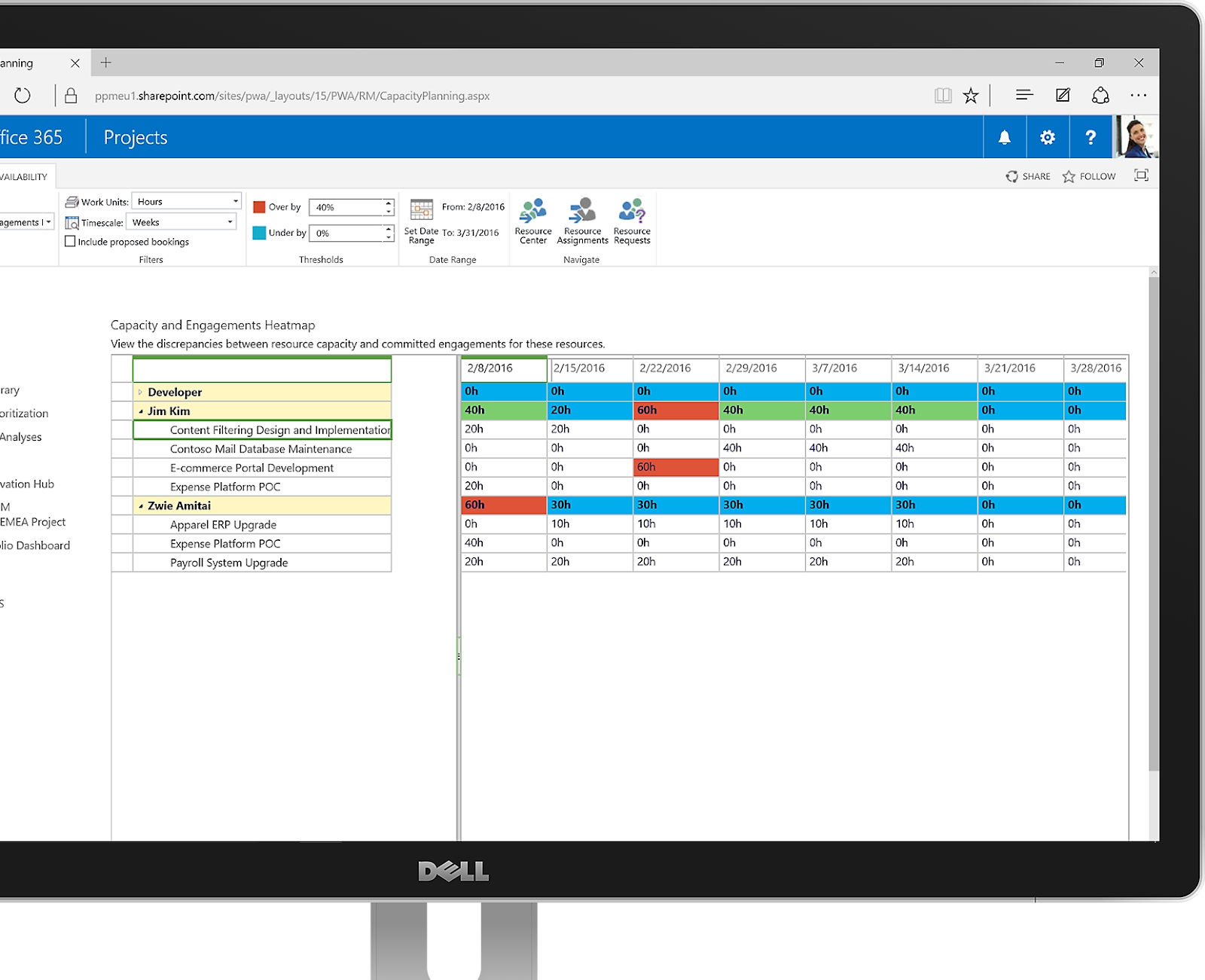
You can manage resource pools, track allocation percentages, apply cost rates, and visualise overallocation across multiple projects.
This is valuable for PMOs managing shared resources, but it introduces more setup and ongoing maintenance than Smartsheet’s lighter resourcing approach.
Portfolio management and executive reporting
Microsoft Project supports portfolio-level views that allow organisations to prioritise initiatives, model scenarios, and track delivery across programmes.
Projects can be rolled up into dashboards and connected to Power BI for advanced reporting and executive visibility.
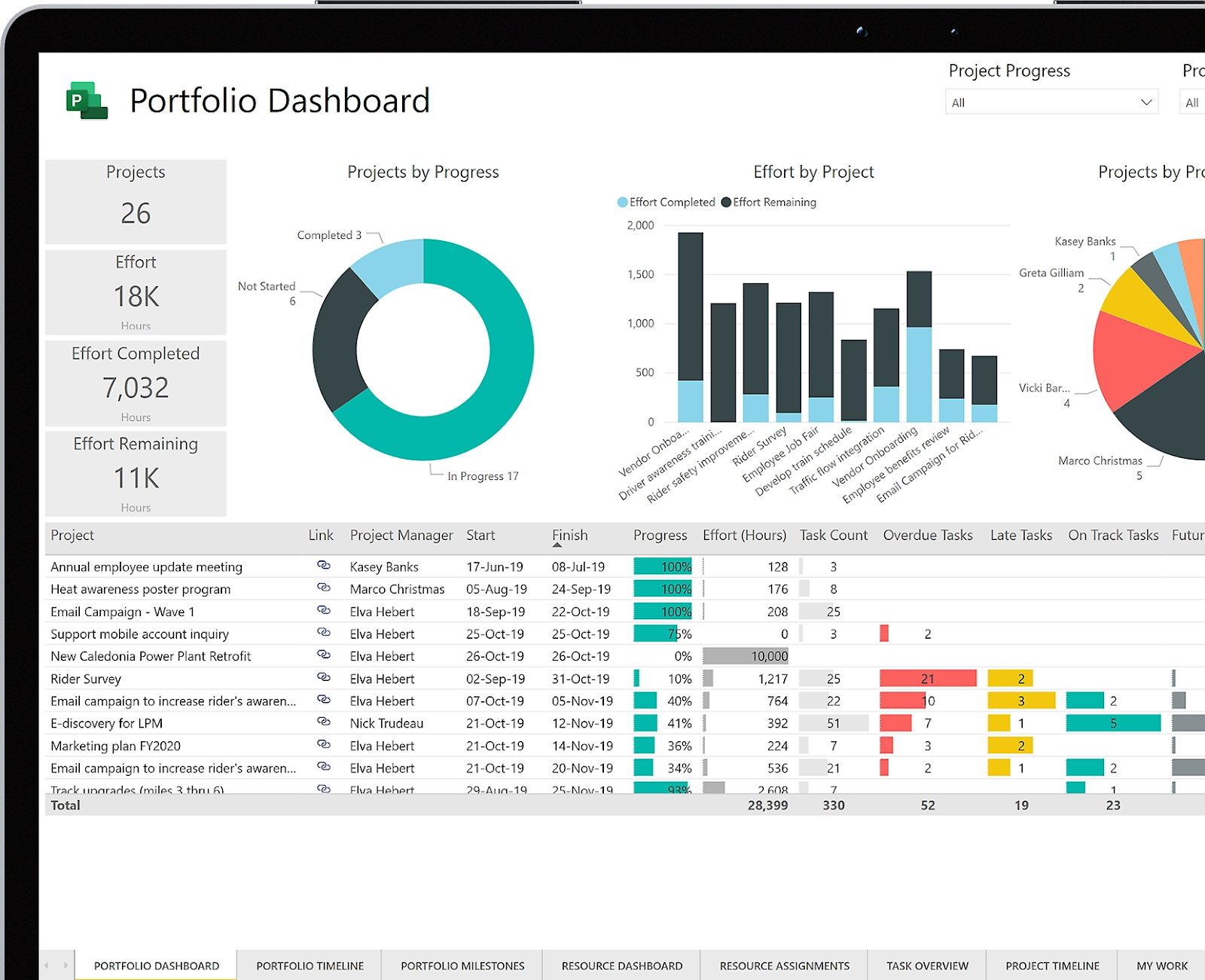
While Smartsheet is best at custom dashboards and cross-functional reporting, I think that Microsoft Project can be stronger when portfolio governance and investment decisions are formalized and centralized.
Microsoft Project is ideal for you if you:
✅ Run complex, schedule-driven projects where dependencies and critical path accuracy matter.
✅ Have a central PMO that manages shared resources across multiple projects.
✅ Already operate heavily within Microsoft 365 and want tight native integration.
Microsoft Project is not the best option if you:
❌ Want Smartsheet-style flexibility with spreadsheet-like editing and fast iteration.
❌ Need no code automation, forms, and cross-team collaboration at scale.
❌ Work with non-technical stakeholders who need an intuitive, low-friction interface.
Smartsheet’s Features
Advanced formulas and spreadsheet logic
Smartsheet is fundamentally spreadsheet-driven, which gives it an advantage over Microsoft Project when it comes to formulas, cell-level calculations, and cross-sheet references.
Teams can run complex calculations, pull data from multiple sheets, and dynamically update values without relying on rigid scheduling logic.
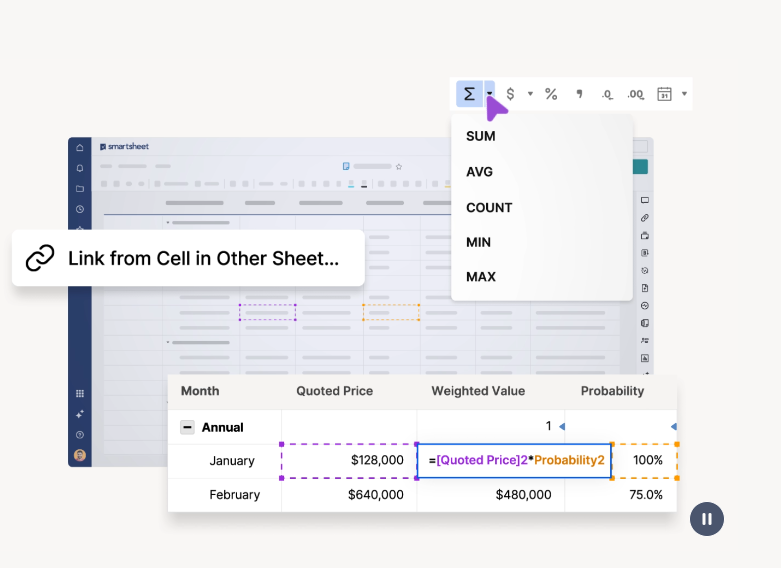
Compared to Microsoft Project’s schedule-first model, Smartsheet is more flexible for data manipulation but less precise for dependency-driven timelines.
Team collaboration and file sharing
Smartsheet offers stronger built-in collaboration than Microsoft Project, particularly for cross-functional teams and external stakeholders.
Users can comment directly on rows, attach files, request approvals, and control access at a granular level.
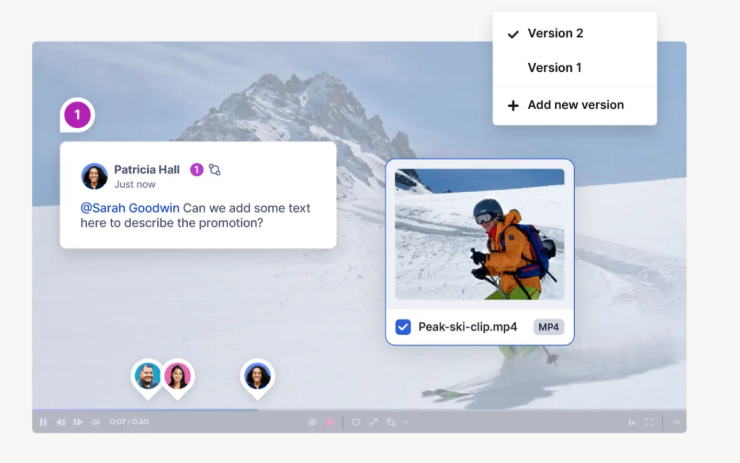
While Microsoft Project relies heavily on integrations with Teams and SharePoint for collaboration, Smartsheet keeps most collaboration actions directly inside the work interface.
Dashboards and visual reporting
Smartsheet dashboards make it easier to visualise project performance without exporting data or relying on separate BI tools.
You’ll be able to build interactive dashboards using widgets like charts, metrics, reports, images, and embedded content, then share them with stakeholders who do not need access to the underlying sheets.
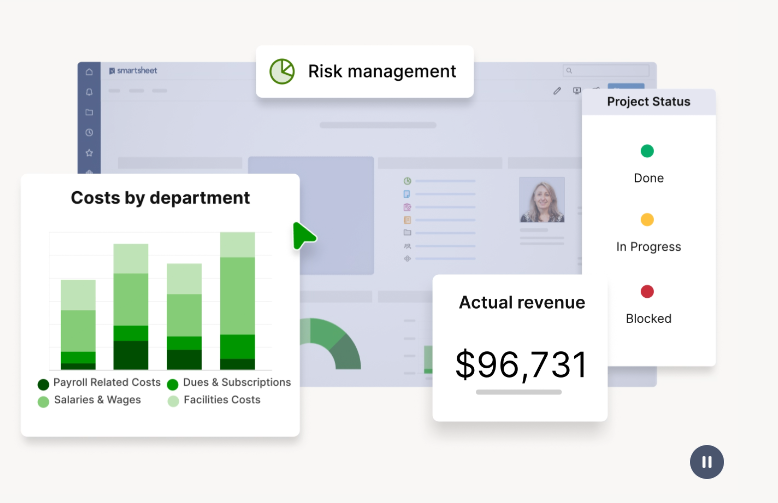
In contrast, Microsoft Project often requires Power BI or additional setup to reach a similar level of executive-friendly visualization.
Workload tracking and resourcing
Smartsheet includes workload tracking through visual heat maps and schedule views that help teams understand availability and balance assignments.
This approach is simpler and more accessible than Microsoft Project’s resource pool and capacity planning model, which is more capable but also more complex.
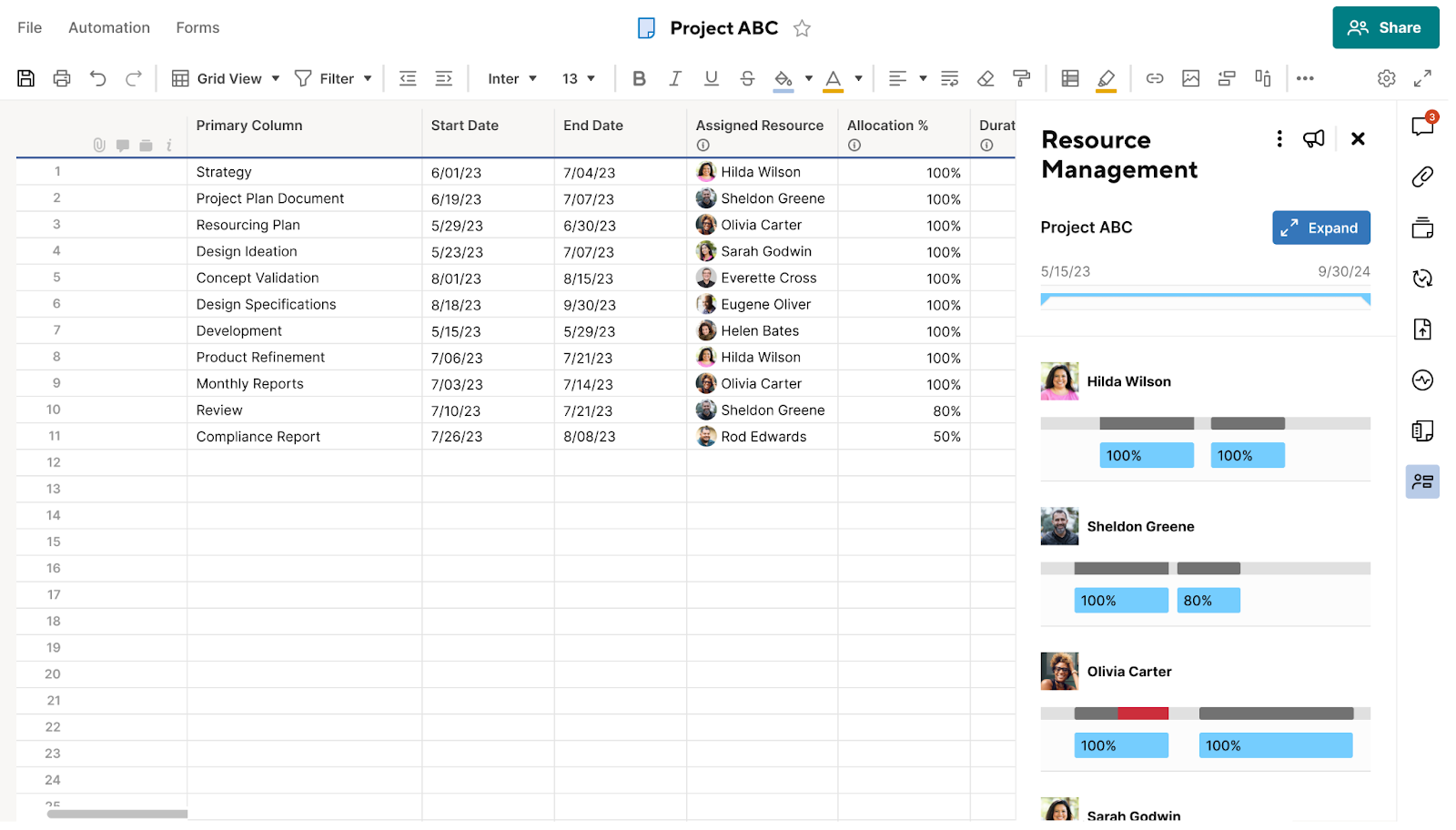
Smartsheet’s resourcing works well for operational teams, while I still think that Microsoft Project remains stronger for formal, cross-project resource governance.
Smartsheet is ideal if you:
✅ Prefer spreadsheet-based planning with flexible formulas and data relationships.
✅ Need multiple views such as Grid, Gantt, Kanban, and Calendar without heavy configuration.
✅ Collaborate frequently with non-technical stakeholders or external partners.
Smartsheet isn't the best option if you:
❌ Work in a small team looking for an intuitive interface with a low learning curve, which is why some brands have been looking for Smartsheet alternatives.
❌ Need Microsoft Project-level scheduling precision and critical path control.
❌ Require deep portfolio management or enterprise-grade governance out of the box.
➡️ Learn more about Smartsheet with our detailed Smartsheet review, where we cover the tool’s features, integrations, and pricing structure in more detail, including customer testimonials.
SmartSuite Features
SmartSuite offers an all-in-one project management platform that lets you manage all your projects in a single platform with built-in automation and a communication centre.
Our platform is a compelling alternative for teams that find Microsoft Project too rigid and PMO-driven, but Smartsheet too spreadsheet-centric and manual.
With built-in collaboration, out-of-the-box dashboards, no-code automation, and adaptable workflows, SmartSuite supports both lightweight project tracking and more complex, cross-functional processes in a single, unified platform.
Comprehensive Project Management
SmartSuite’s project management capabilities help you plan, track, and manage simple to complex projects.
To simplify the process, you’ll get built-in intuitive features to execute your tasks perfectly.
Here’s what SmartSuite has in store for your team:
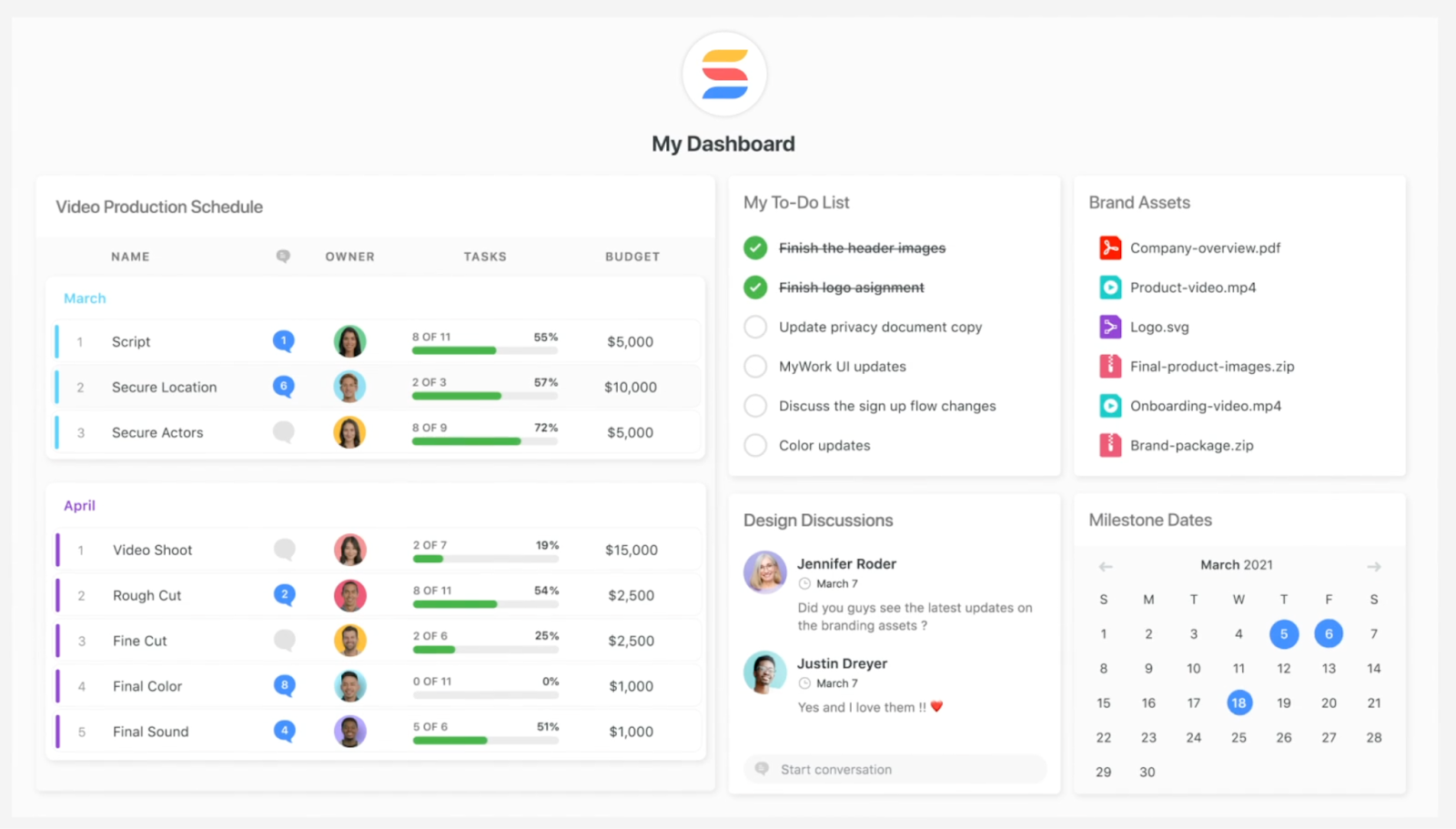
- Smart task management: Turn any item field into a task, a checklist item, comments, or a sub-item. With this flexibility, you will be able to build a solid task list and assign it to the right person with a due date and priority status.
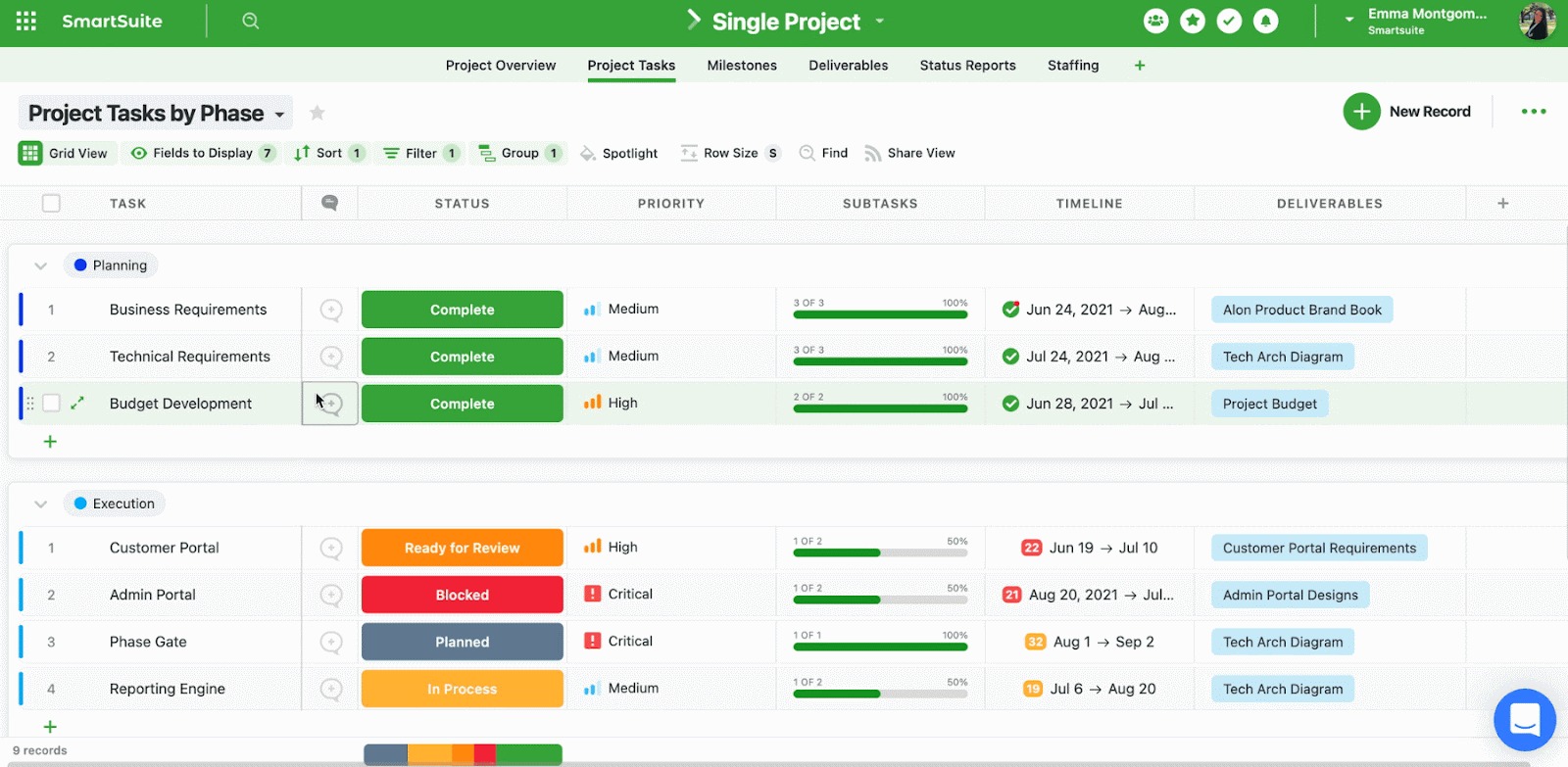
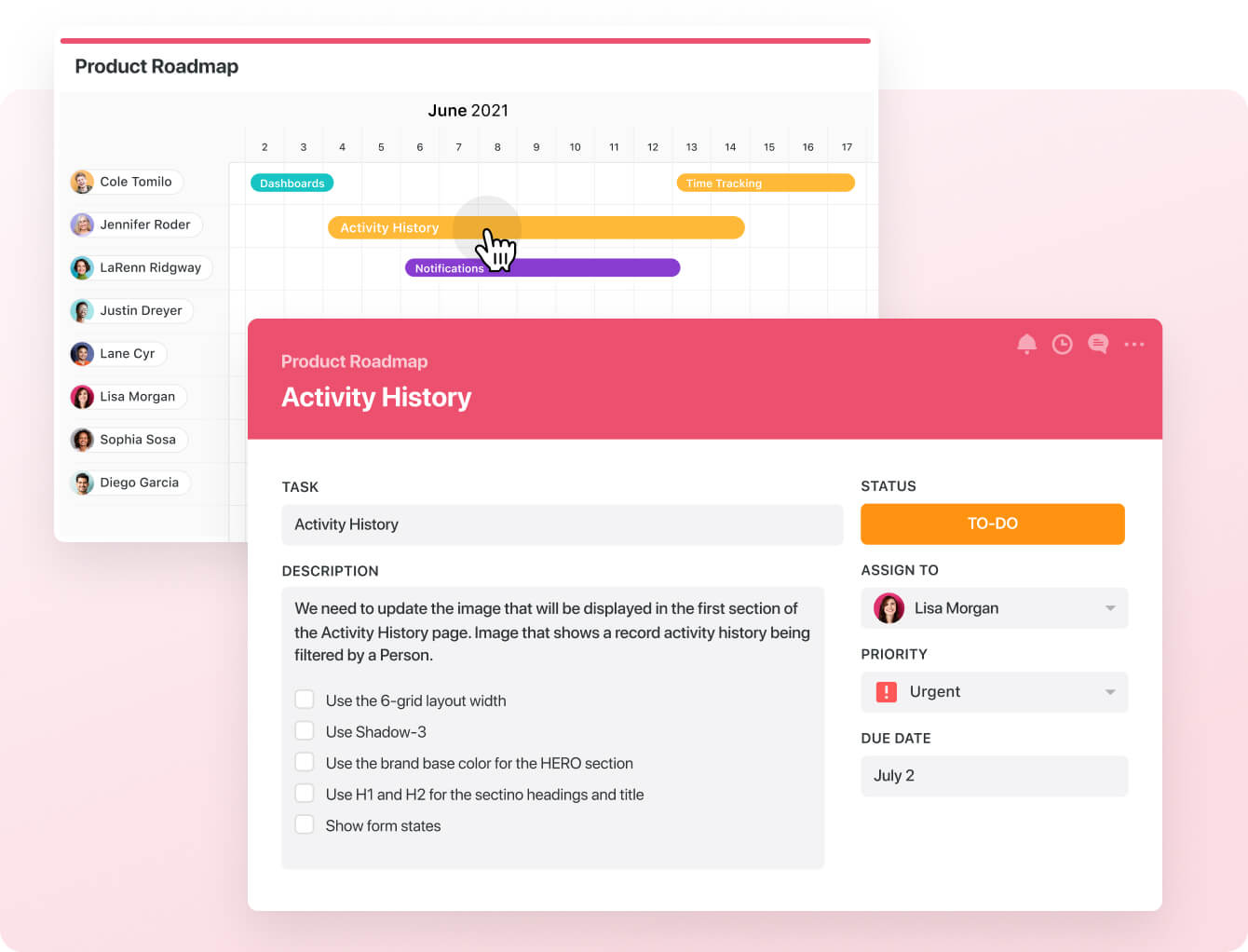
- Project phases and milestones: Having milestones ensures your project stays on track and moves towards the objective. With SmartSuite, you can set them, monitor them through your reporting dashboard, and flag issues.
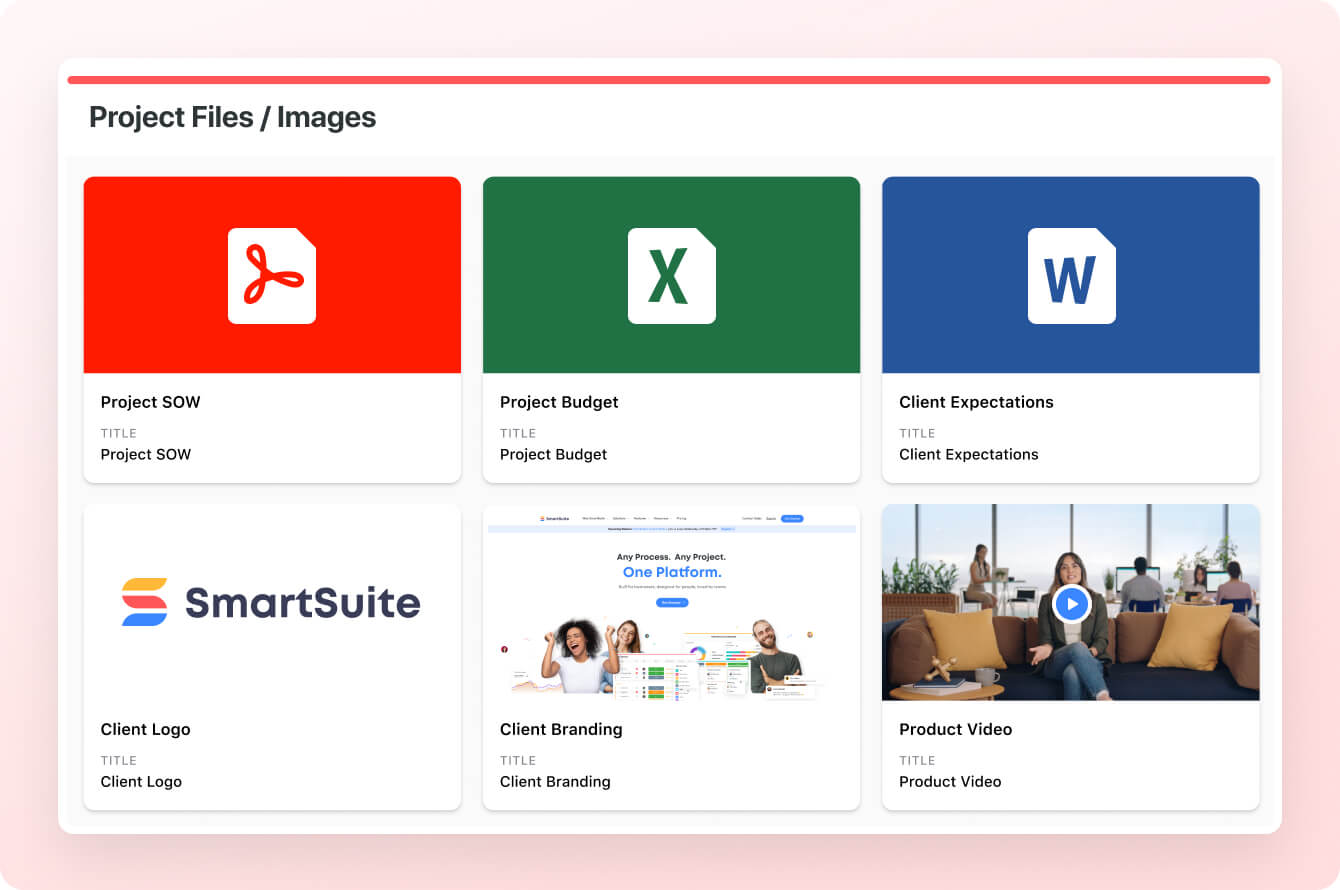
- Files and project deliverables: With SmartSuite, you can manage and organize all your documents.
You can also attach project-related files, share feedback with your team, and manage version history, all within your work context.
SmartSuite supports formats like PDF, GIF, CSV, PNG, and MP4. The tool also integrates with Dropbox, Google Drive, Box, and Microsoft OneDrive, making adding files to your workflows easy.
Also, you can add images directly in SmartSuite by connecting your social media and Unsplash accounts.
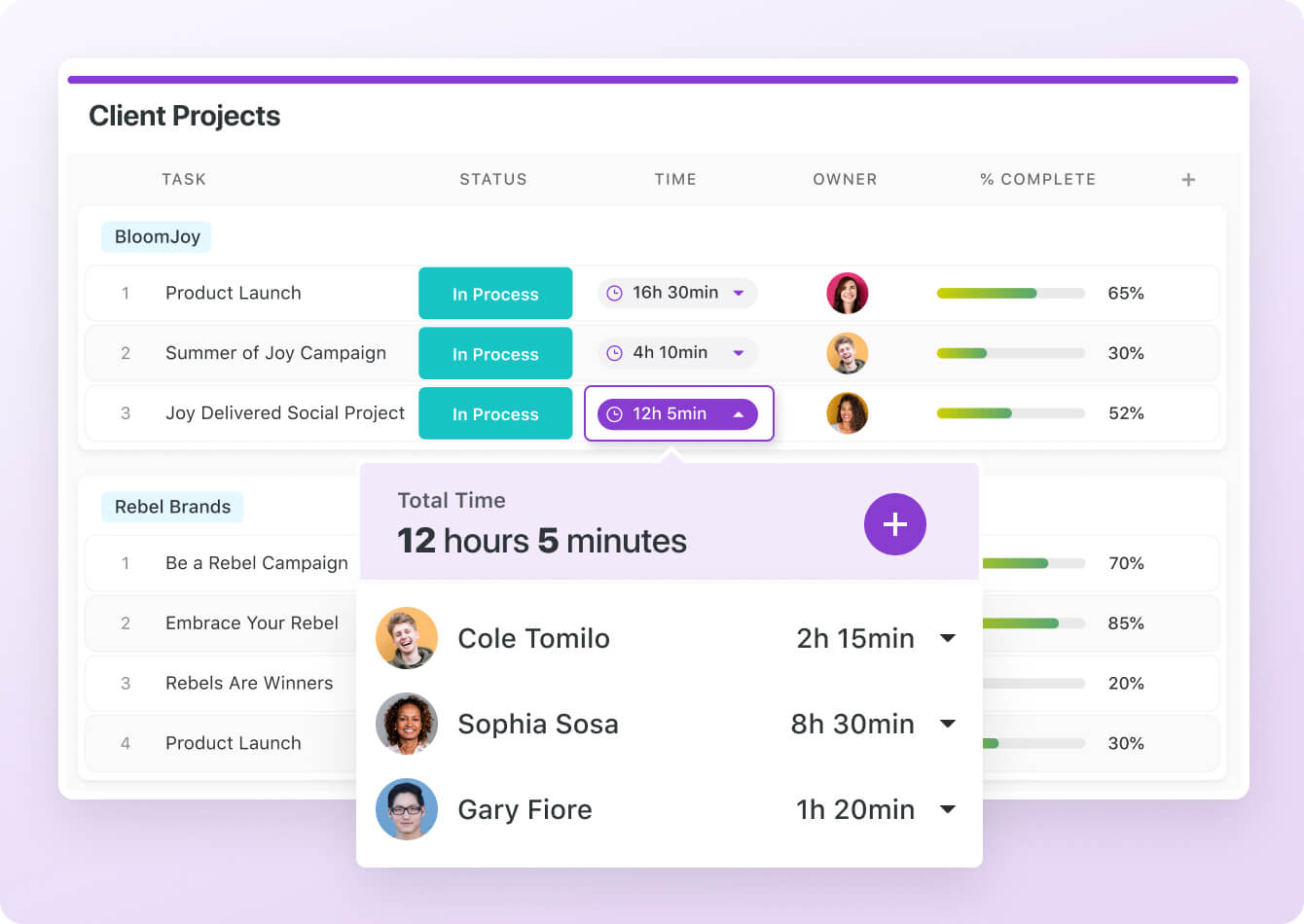
- Native time tracking: You can monitor and evaluate task and project completion times. Built-in tracking helps group time entries, see estimates, and segment billable and non-billable entries.
💡 Interested in how other team leaders are using SmartSuite? You can check out our video walkthrough:
Native Team Collaboration
SmartSuite further outperforms Smartsheet with its built-in communication and collaboration features.
You can connect with peers in group chats or 1:1 conversations for quick feedback and keep stakeholders updated.

SmartSuite’s members’ directory provides a holistic view of the project team by examining each teammate’s details, such as availability status, job profile, and other relevant information.
Similar to Smartsheet, you can use comments and @mentions to share updates, nudge teammates, or add new people to the conversation.

Comprehensive Project Reporting
SmartSuite offers a dynamic project analytics tool with configurable charts and graphs.
The reporting dashboard helps you track project performance, understand resource allocation, and identify slow-moving projects.
Based on these insights, you can quickly develop plans to overcome roadblocks and get the project back on track.

You can visualize reporting in Grid, Card, Kanban, Timeline, Map, Calendar, or Dashboard views. Add as many as needed to build a visual storyboard for your project’s progress.
To share reports with external teams or clients, you can make the report public and share the necessary access. SmartSuite also supports printing or exporting PDF, Excel, Google Sheets, or CSV format.

Advanced Workflow Automation
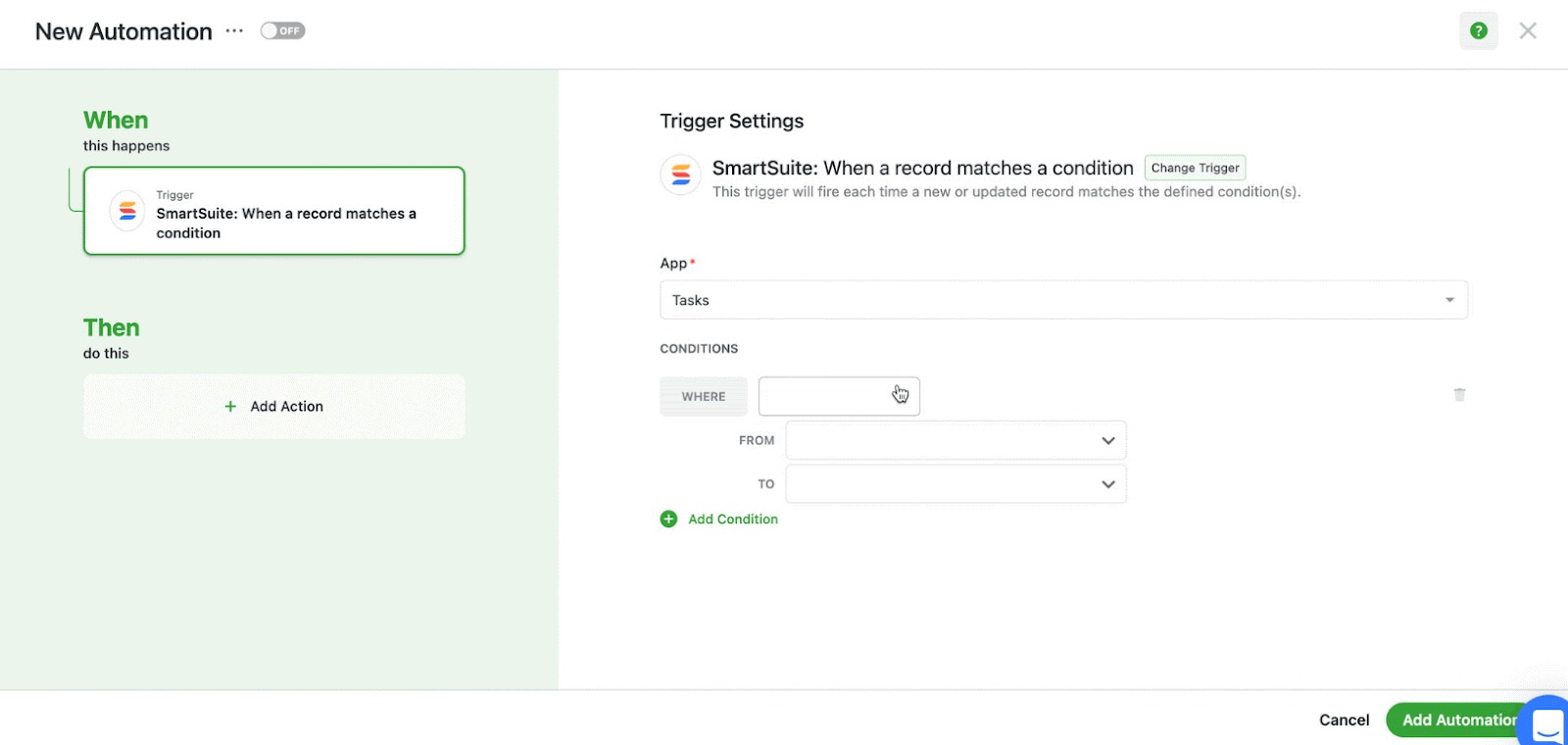
SmartSuite's no-code automation builder is one of the most intuitive, giving a neck-to-neck competition in automation.
You can assemble automation at the task and project level and automate repetitive tasks based on triggers like changing dates, sending notification emails, or updating statuses.
There are six pre-defined triggers and 15+ actions, with options to build custom ones.
SmartSuite is the right choice if you:
✅ Need quick deployment with minimal configuration, templates for many use cases, and a unified workspace for varied workflows.
✅ Want all-in-one: project tracking + docs + resource management + automation + collaboration in one place with minimal integration overhead.
✅ Have mixed teams, not only engineering, such as operations, marketing and HR, and you need more than bug tracking and sprints.
SmartSuite isn’t the best option if you:
❌ Are looking for a well-established platform with a long track record.
❌ Need extensive third-party integrations.
Integrations: Smartsheet vs. Microsoft Project vs. SmartSuite
Smartsheet Integrations
Smartsheet integrates with enterprise systems like Salesforce, Microsoft Teams, and Jira.
The tool also offers data connectors that support large organizations and data synchronization.
In addition to these, there are 100+ native integrations, including Google Workspace, Adobe Creative Cloud, and Tableau.
Other noteworthy integrations include:
- Okta.
- Power BI.
- Oculus.
- Miro.
- DocuSign.

Microsoft Project’s Integrations
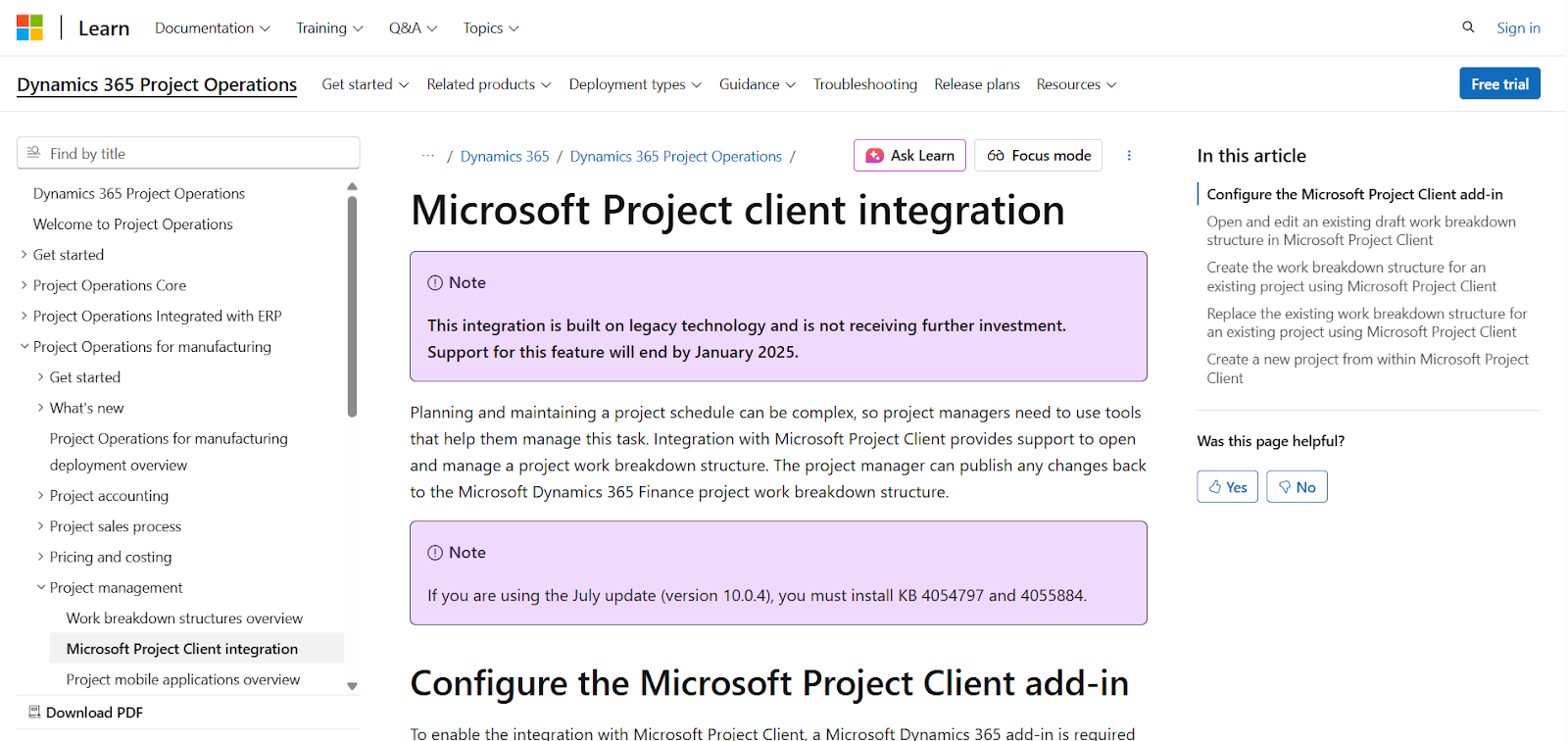
Microsoft Project integrates primarily within the Microsoft ecosystem, which creates a cohesive experience if you are already using Microsoft tools.
Key integrations include:
- Microsoft Teams.
- Power BI.
- SharePoint.
- OneDrive.
- Microsoft Planner.
- Azure DevOps.
- Power Automate.
SmartSuite Integrations
SmartSuite integrates with major platforms, including five connectors, such as Zapier, Ply, Integrately, Relay, and Make, to connect with 1,000s of apps to transfer data.
Some of the notable integrations include:
- Salesforce: Create and update records in Salesforce as part of your workflow.
- Slack: Get notified on Slack when something is going on in SmartSuite.
- Twilio: Send SMS messages from Twilio to keep mobile users informed.
- Open AI: Use AI to generate or improve text inside our SmartDoc field.
- Jira Cloud: Use SmartSuite automations to create or update Jira Cloud issues.
- HubSpot: Sync contacts and activities with HubSpot contacts and more.
- Intercom: Sync Intercom contacts with your SmartSuite projects and workflow.

Pricing: Smartsheet vs. Microsoft Project vs. SmartSuite
Smartsheet Pricing
Similar to SmartSuite, Smartsheet doesn’t offer a free plan.
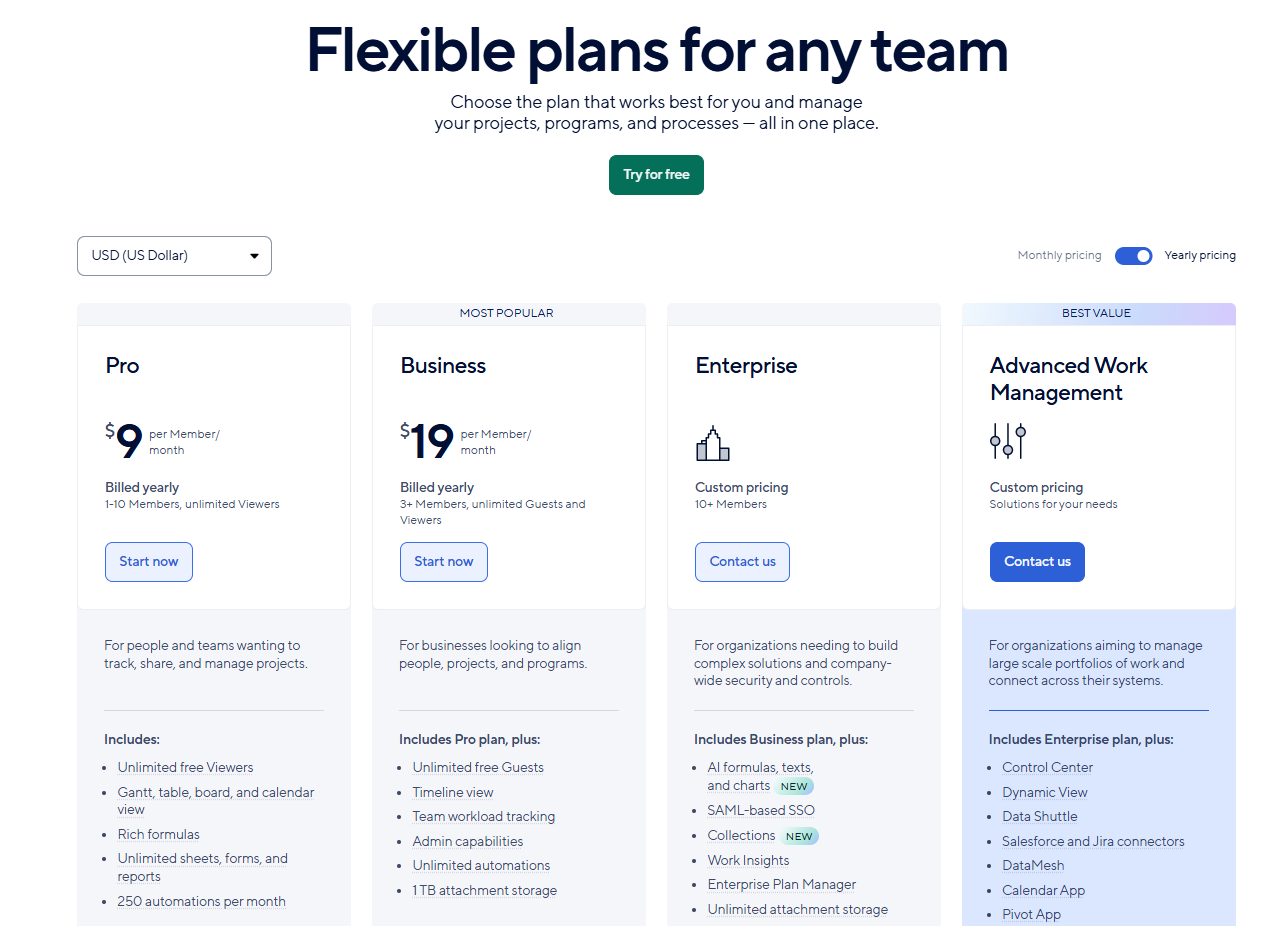
For pricing plans, Smartsheet charges based on the number of users and offers four paid plans:
- Pro: Starts at $9/seat/month when billed annually, including private sheet creation and unlimited form access with a 10-user limit.
- Business: Starts at $19/seat/month with a minimum of 3 user seats when billed annually, which adds unlimited automated workflows, PowerBI, Tableau, and Adobe Creative Cloud integration.
- Enterprise: Custom pricing, which adds unlimited storage, enterprise plan manager, and AI tools.
- Advanced work management: Custom pricing, which adds portfolio management and a premium support package.
Microsoft Project’s Pricing
Even though I wouldn’t call that a ‘’free plan’’, you would be able to use Microsoft Project for free if you already have Microsoft 365, which is a paid product.
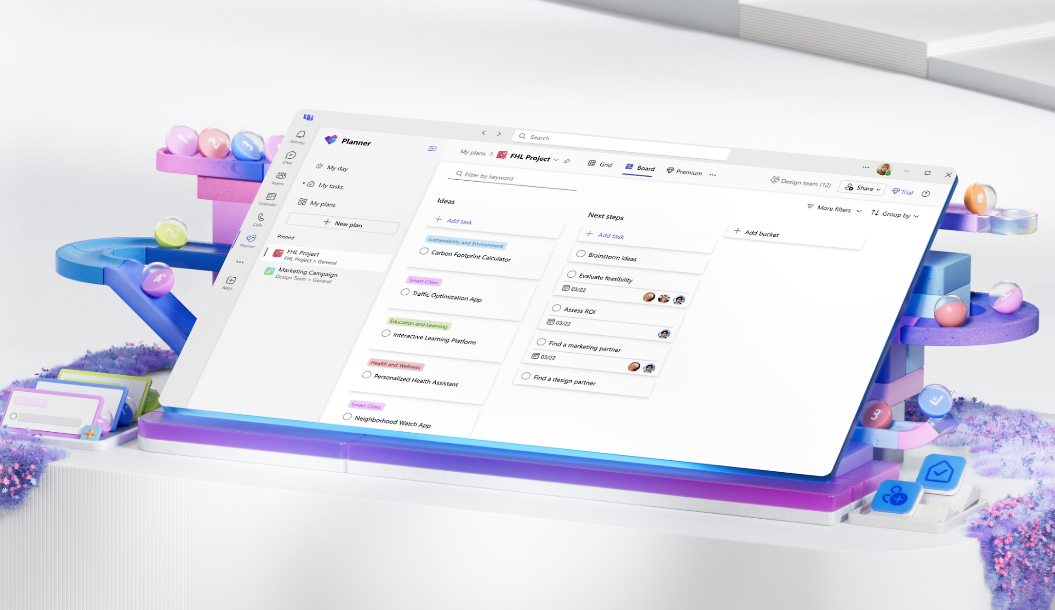
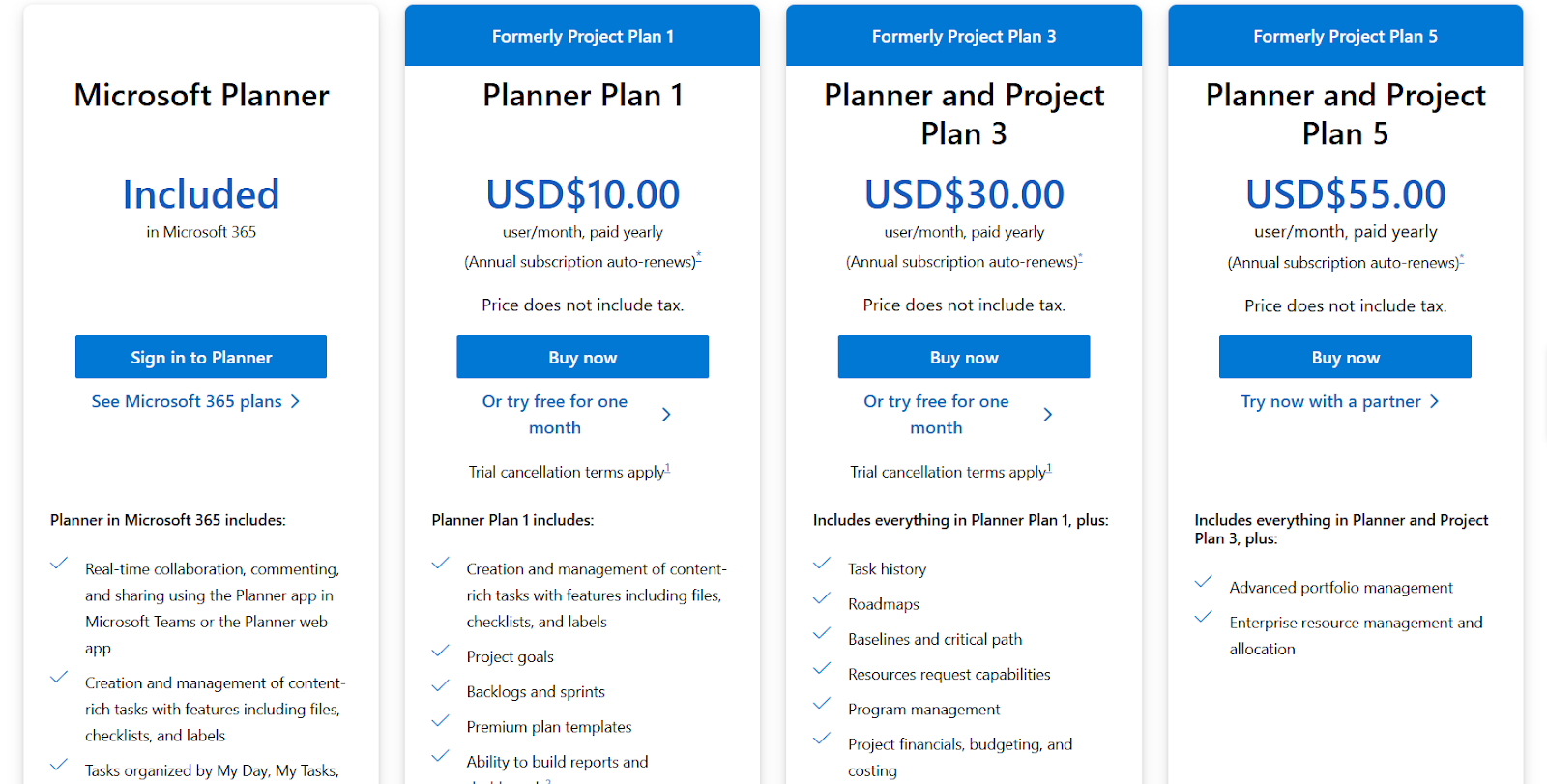
This tier that is included in M365 is called ‘’Microsoft Planner’’ and includes real-time collaboration, commenting, and sharing using the Planner app in Microsoft Teams or the Planner web app.
To get more, there are 3 paid plans that you can choose from:
- Planner Plan 1: $10/month/seat, which adds creation and management of content-rich tasks with features including files, checklists, and labels, project goals, backlogs and sprints, premium plan templates, and the ability to build reports and dashboards.
- Planner and Project Plan 3: $30/month/seat, which adds task history, roadmaps, baselines and critical path, resources request capabilities, program management, and Advanced dependencies with lead and lag.
- Planner and Project Plan 5: $55/month/seat, which adds advanced portfolio management, enterprise resource management and allocation.
SmartSuite Pricing
Similar to Smartsheet, SmartSuite doesn’t have a free plan for its project management platform.
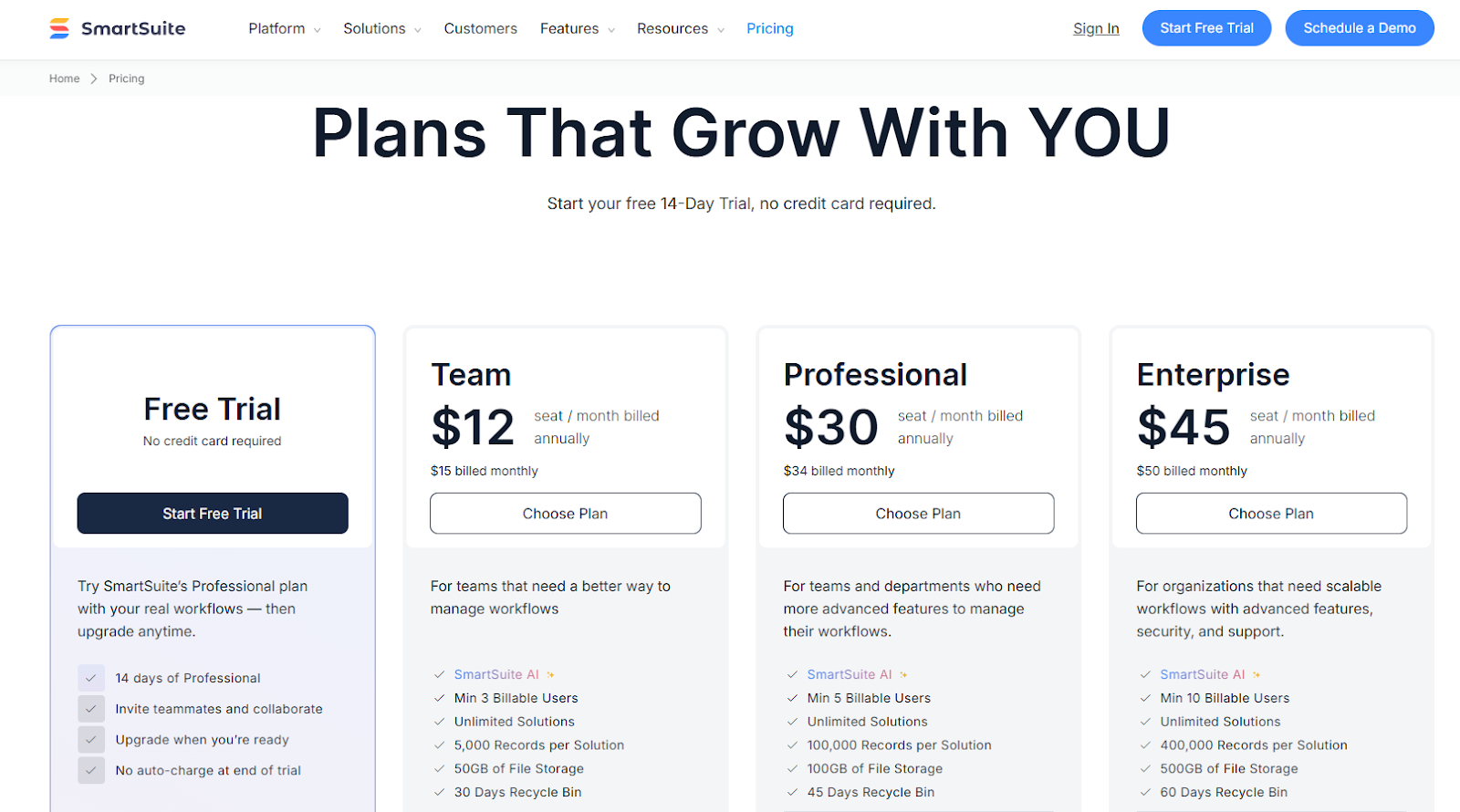
We do, however, have a 14-day free trial of our Professional plan, where you can invite teammates and collaborate.
There are four paid plans that you can choose from:
- Team: Starts at $12/user/month when billed annually, including SmartSuite AI, 8+ dashboard views, 5,000 automation runs, time tracking, and collaborative SmartDocs.
- Professional: Starts at $30/user/month when billed annually, including two-factor authentication, Gmail & Outlook integrations, and unlimited editors.
- Enterprise: Starts at $45/user/month when billed annually, including audit logs, data loss prevention, and 50,000 API calls monthly.
- Signature: Customized plan tailored to your organization’s needs and team size.
What are Customers Saying about Smartsheet, Microsoft Project and SmartSuite?
Key takeaways:
- Smartsheet users are happy with its customizability and collaborative features, but are not satisfied with its complicated automation setup, group-based pricing, and user interface that can feel cluttered.
- Microsoft Project's customers are generally satisfied with its enterprise-grade features, reporting capabilities and access management, but some users are not happy with how time-consuming setting up the platform can be, its steep learning curve, and its overall complexity.
- SmartSuite customers are happy with its intuitive interface, built-in communication features, customization options, and overall value-for-money. However, some users are not happy with SmartSuite’s rather limited range of integrations.
Smartsheet Reviews
G2 Rating: 4.4/5.
What users love:
- Customizability and adaptation to the customer’s business processes.
- Ease of collaboration across the organization.
- Ease of use due to spreadsheet-like interface.
‘’I like using Smartsheet to keep track of hundreds of individual projects that my team is working on at any given time. I like that everything is customizable, and I like using automations to move completed projects to a different spreadsheet. I also frequently use the filtering feature to see which projects are assigned to me specifically.’’ – G2 Review.
‘’Collaboration features are great for teamwork and managing workloads. There are loads of features and options to work with many different types of teams.’’ – G2 Review.
Common complaints:
- Complicated automation setup with no version history to track changes.
- Performance issues when working on dashboards.
- Limited native integrations.
‘’One major issue is that Smartsheet can break often, especially when using metrics on dashboards. The data sometimes fails to display correctly, making it look like the dashboard is broken. I even had a sheet become completely inaccessible, which really slowed down productivity for my team. This can be very frustrating.’’ – G2 Review.
‘’Smartsheet has a very limited format for export dashboards. Facing slowness issues when there are many users logging in at the same time. Limited functionality and integration.’’ – Gartner Review.
Microsoft Project Reviews
G2 rating: 4.5/5.
What users love:
- Microsoft Project can be a ‘’one-stop shop’’ for complex project management, resource management, project tracking and detailed reporting.
- A comprehensive platform can be used across all project management methodologies.
- The versatility to create multifaceted documents for various uses and purposes.
‘’Definitely one for the books for my complex project management with exquisitely managing resources, project tracking and detailed reporting and best for financial tracking with itemization of every project expense, making it suitable for project planning and forecasting.’’ – G2 Review.
‘’Complete, full features and more, for all methodologies.’’ – G2 Review.
Common complaints:
- Complexity and steep learning curve.
- It is not well supported for Mac users, which makes it difficult to use on the web platform.
- Access management can be time-consuming to set up.
‘’The most challenging aspect of Microsoft Project & Portfolio Management (PPM) is its complexity and steep learning curve, making it difficult for organizations to fully grasp and utilize its features effectively.’’ – G2 Review.
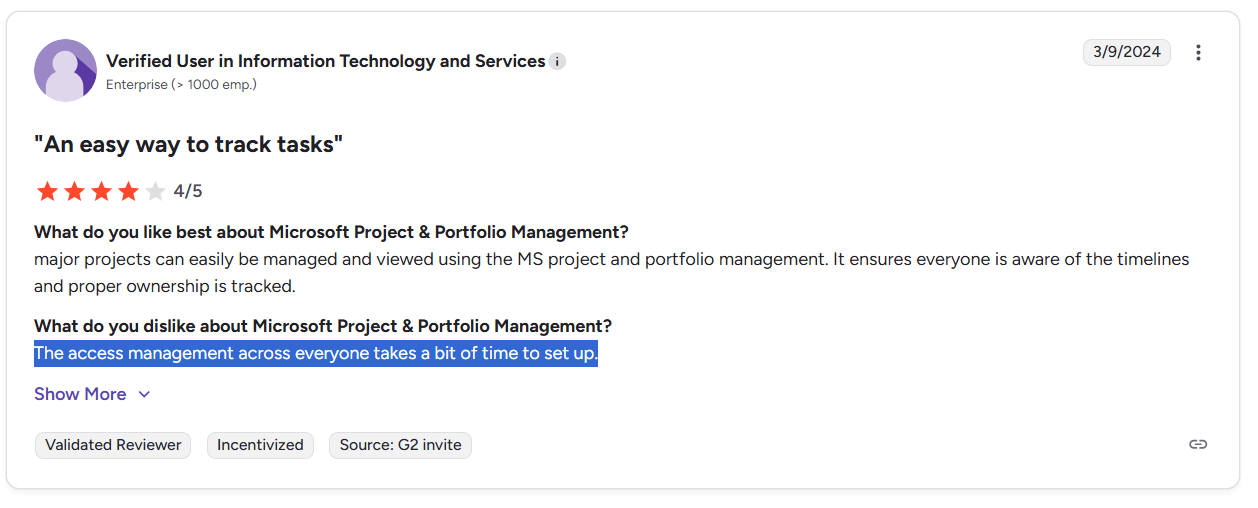
‘’The access management across everyone takes a bit of time to set up.’’ – G2 Review.
SmartSuite Reviews
G2 Rating: 4.9/5.
What users love:
- Intuitive interface and quick setup when compared to other tools on the market.
- Built-in communication features.
- Flexible customization options.
- Good value for money with its built-in features compared to competitors.
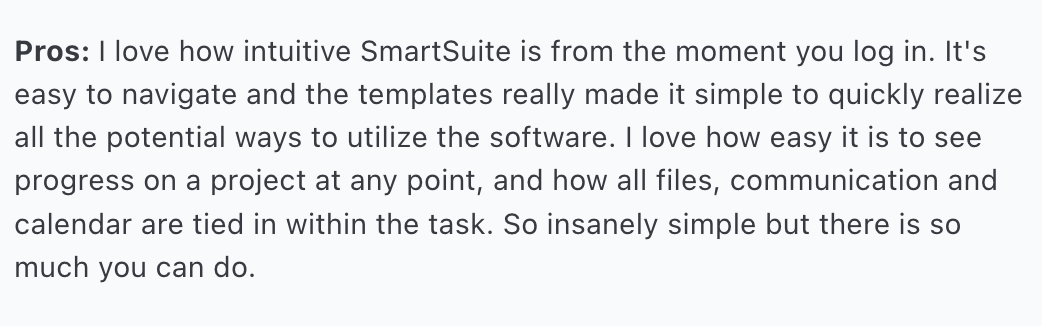
‘’I love how intuitive SmartSuite is from the moment you log in. It's easy to navigate, and the templates really made it simple to quickly realize all the potential ways to utilize the software. I love how easy it is to see progress on a project at any point, and how all files, communication and calendar are tied in within the task. So insanely simple, but there is so much you can do.’’ –Capterra Review.
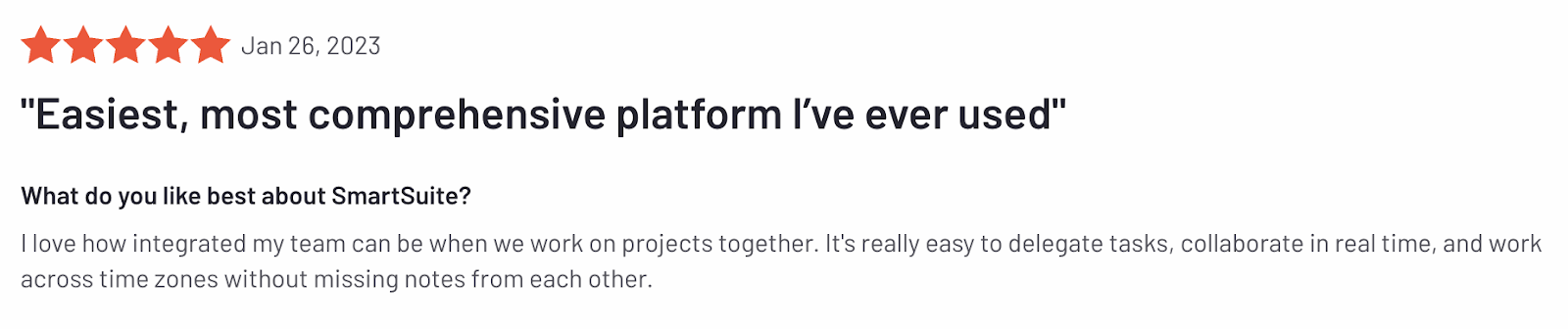
‘’I love how integrated my team can be when we work on projects together. It's really easy to delegate tasks, collaborate in real time, and work across time zones without missing notes from each other.’’ – G2 Review.
Common complaints:
- Limited integration options compared to established competitors.
- Some advanced features are still in development.
- There’s a lack of a mid-tier between the Team and the Professional plans.

‘’The lack of a mid-tier between the Team and the Professional plan. Also, although it has an amazing customer support, for European customers like myself, a bigger team of support for the European Market would be really appreciated.’’ – G2 Review.
Smartsheet, Microsoft Project or SmartSuite: Summary
Get Started with SmartSuite For Free Today
Smartsheet and Microsoft Project have left some customers concerned about their customization options, along with a lack of native resource planning, complexity and overall user experience.
SmartSuite combines the best of both worlds: offering flexibility, collaboration, and simplicity, making the tool an excellent choice for both small and large teams that want a scalable, easy-to-use platform that centralizes their work.
Here’s what's in it for your team when you try SmartSuite:
- Access to a generous free plan with features including multi-board views (Kanban, Chart, Map, Timeline, Card, and Calendar), 100 automation/month, and 40+ field types, including formula and linked record fields.
- No-code automation builder to set up to 500,000 trigger/action workflows.
- Built-in productivity tools, including time tracking, status tracking, and checklists.
- Team collaboration and planning tools such as whiteboards and SmartSuite docs.
- Resource management across projects and teams.
- 40+ field types, including the option to add your custom fields.
Sign up for a free plan to test the water or get a 14-day free trial to explore all its amazing features.
Or, if you’d like to talk to our team of experts, schedule a demo.
Read More
- Airtable vs. Monday: Check out our in-depth comparison guide between Airtable and Monday.
- Monday.com vs. Wrike: Check out our comparison guide between Wrike and Monday.
- Smartsheet vs. Monday: We also dive deeper into how Smartsheet compares to Monday.com to help you make an informed decision.
- The 10 Best Project Management Software For Engineers: We break down the top 10 project management solutions built with engineers in mind.
- Top 10 Teamwork Alternatives and Competitors: Learn why some companies are looking to switch from Teamwork and its best alternatives on the market.
- 10 Best Healthcare Project Management Tools: Find out the best healthcare project management solutions on the market.
- 10 Best Project Management Software for Construction: A useful guide if you operate in the construction industry and you’re looking for a project management app.






Discover SmartSuite

