




Are you in the market for GRC software and looking to research Secureframe’s pricing model before scheduling a call with their team?
In this comprehensive pricing guide, I’ll cover everything known about Secureframe’s pricing, including how the tool calculates its pricing and some reported costs for compliance teams.
💡 I’ll also introduce you to a no-code Secureframe alternative for GRC that offers a transparent pricing structure and can be set up in a matter of days, instead of months.
By the end of this guide, you should have a good idea of whether Secureframe delivers the value and ROI you’re looking to get for your organization.
TL;DR
- Secureframe’s pricing is fully custom, so you’d have to contact their team to get a quote and a final price tag for its compliance management solution.
- The only available information on the internet that I could find is that the average price that 16 companies have paid for the tool is $20,000/year, according to Vendr.
- If you’re looking for a Secureframe alternative, you should consider SmartSuite with its true no-code solution, deep customization options, and ease of use for compliance teams.
Secureframe’s Pricing Plans
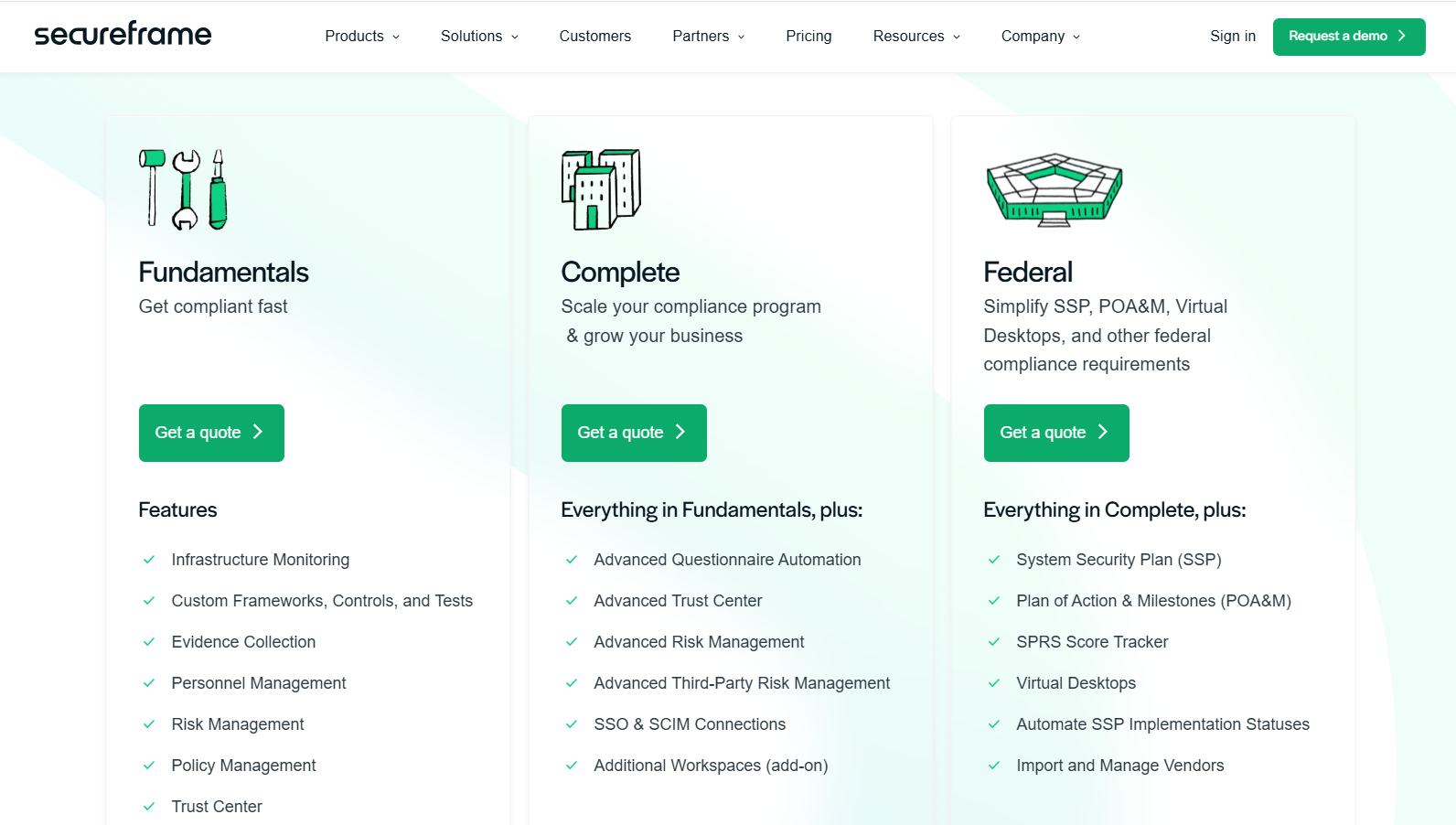
Secureframe offers 3 paid plans, all of which have custom pricing:
- Fundamentals: Includes access to its infrastructure monitoring capabilities, access to custom frameworks, controls, and tests, evidence collection, personnel management, risk management, policy management, and access to its Trust Centre.
- Complete: Everything in Fundamentals, plus access to its advanced questionnaire automation, advanced Trust Centre, advanced Risk Management, advanced Third-Party Risk Management capabilities, SSO & SCIM connections, and additional workspaces as an add-on.
- Federal: Everything in the Complete plan, plus access to its system security plan (SSP), plan of action and milestones (POA&M), SRPS score tracker, virtual desktops, the ability to automate SSP implementation status, and the ability to import and manage vendors.
Does Secureframe offer a free plan or a free trial?
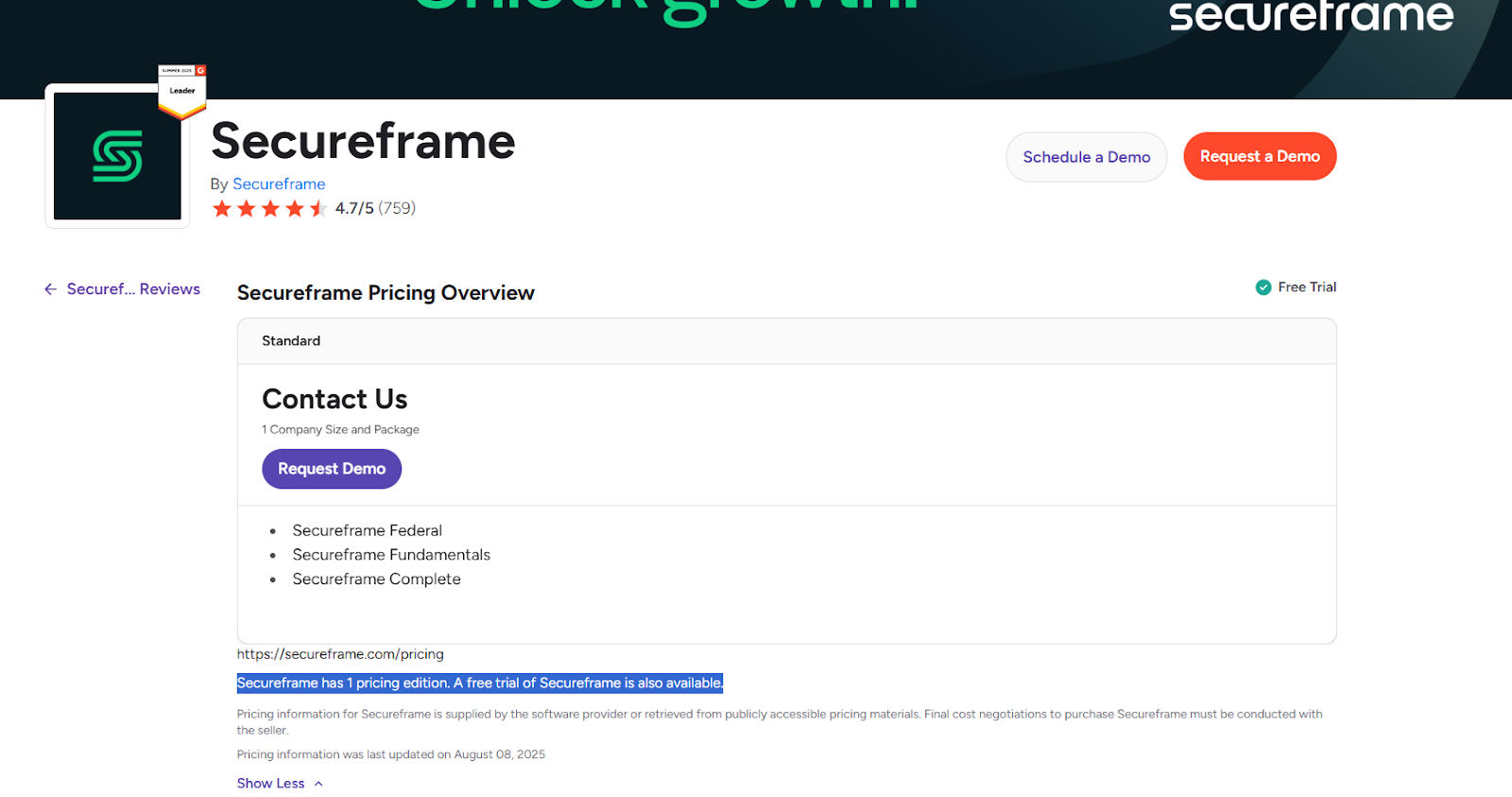
As far as we know, Secureframe does not offer a free plan for its solution; however, according to G2, it offers a free trial.
How much does Secureframe really cost?
According to Vendr, the median buyer of Secureframe pays $20,000/year for Secureframe’s platform, with the reported numbers ranging from $7,733/year to $32,575/year.
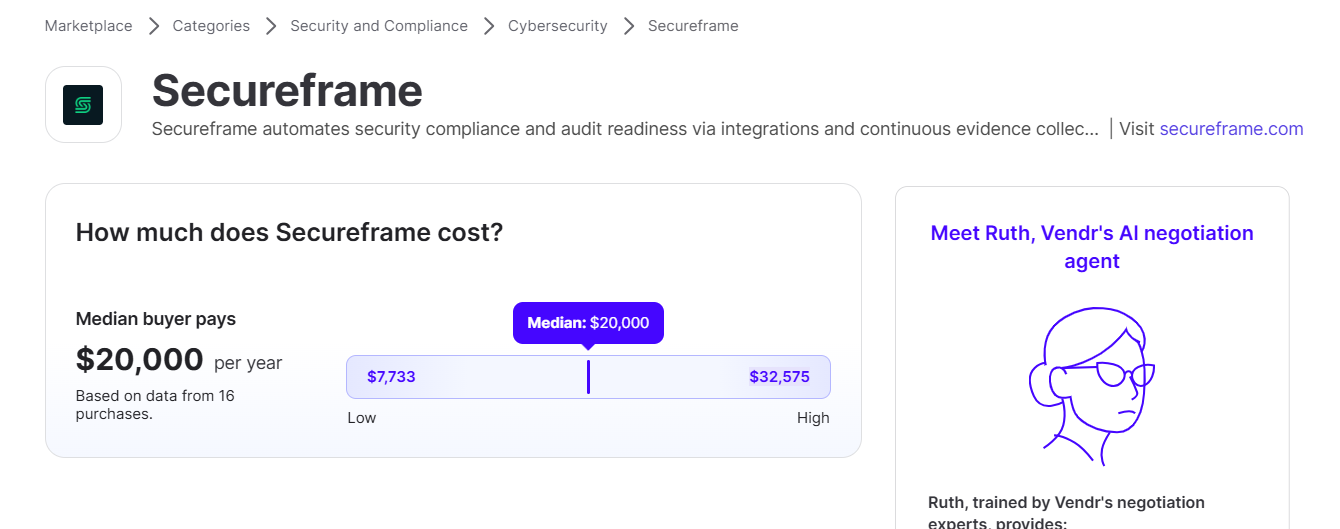
Note that the starter pricing can be lower and the pricing for the full solution can be higher: these are just reported numbers of users from 16 purchases, but I think that it’s a reasonable starting point.
How does Secureframe calculate its pricing?
Even though I was not able to 100% confirm how Secureframe calculates its final pricing, a Redditor explains how tools like Secureframe calculate their pricing under a Reddit thread on the pricing of Secureframe, Drata and Vanta.
According to the Redditor, tools like Secureframe base their pricing on 2 major factors:
- The number of employees.
- The number of (GRC) frameworks used.
They also mention that most companies’ pricing would start around $7,000/year, which is what I could also see in Vendr.
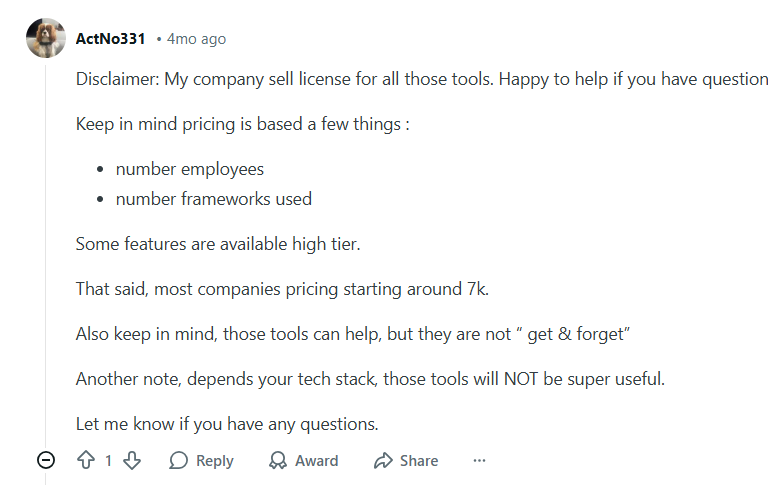
‘’Keep in mind, pricing is based on a few things :
- Number employees
- Number frameworks used
Some features are available high tier. That said, most companies' pricing starts around ($)7k.’’ – Reddit comment.
Does Secureframe offer good value for money overall?
It’s safe to say that Secureframe is good at what it does best: automating security compliance and audit readiness via its integrations and continuous evidence collection to secure SOC 2, ISO 27001, HIPAA and other certifications.
Most users are happy with how impactful the platform has been for them and how it has become their central hub for managing their entire compliance lifecycle.
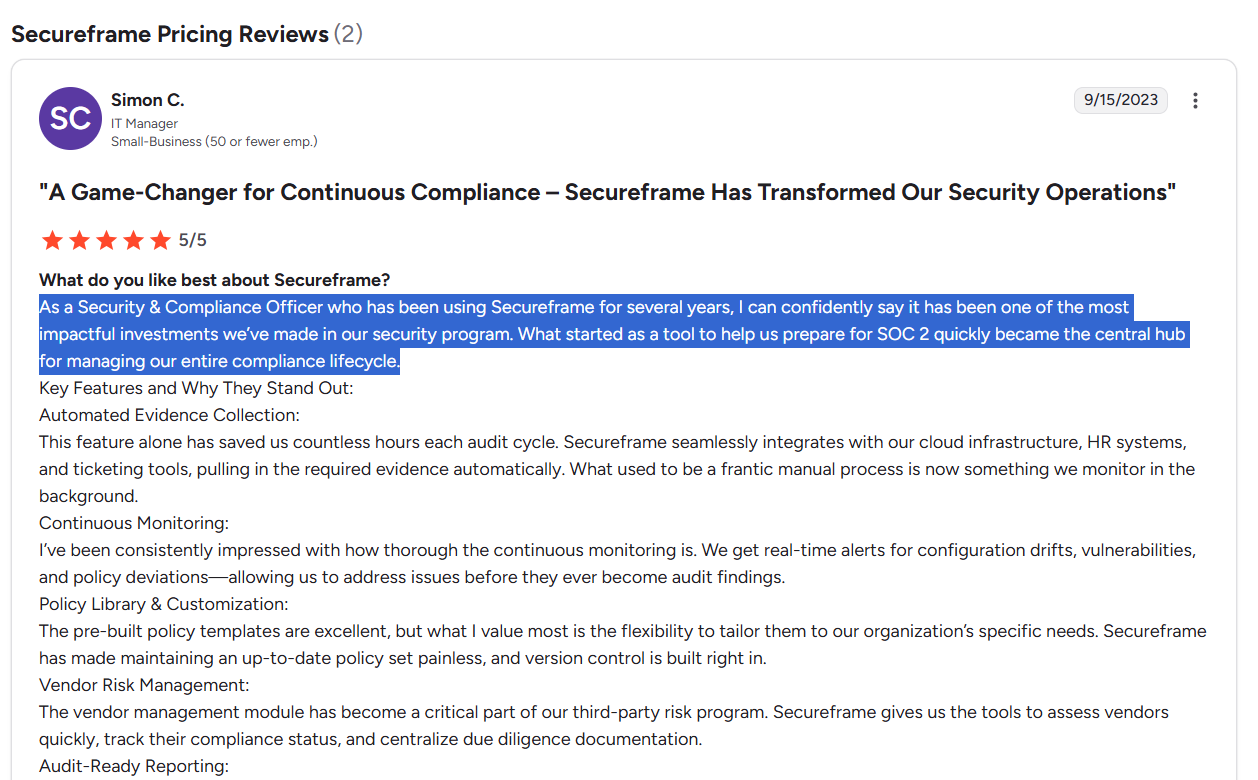
’’As a Security & Compliance Officer who has been using Secureframe for several years, I can confidently say it has been one of the most impactful investments we’ve made in our security program. What started as a tool to help us prepare for SOC 2 quickly became the central hub for managing our entire compliance lifecycle.’’ – G2 Review.
However, some customers of the platform are not entirely happy with the solution for a few reasons:
- The platform has a relatively time-intensive initial setup and configuration. According to G2, the average implementation time of the software is 2 months.
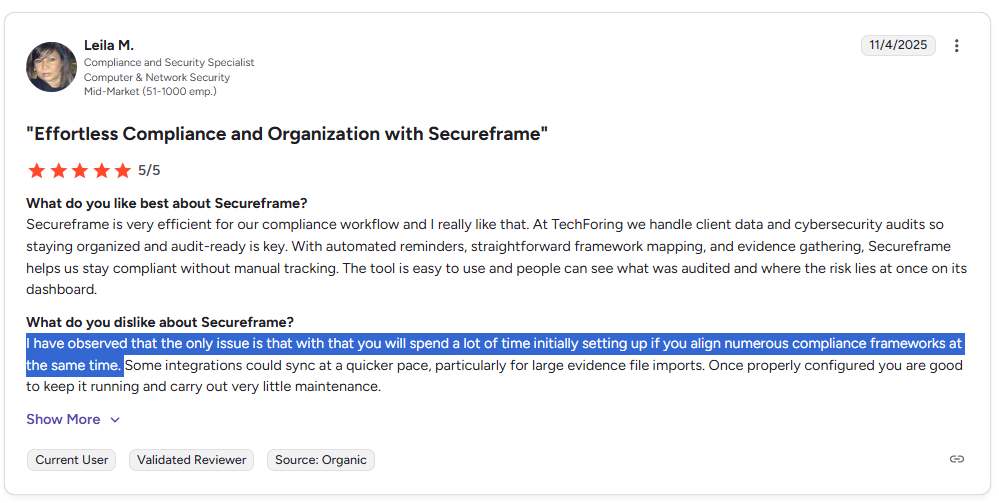
“You will spend a lot of time initially setting up if you align numerous compliance frameworks at the same time.” – G2 Review.
- Secureframe comes at the same price point as alternatives on the market (e.g., GRC tools like Vanta) while being less mature.
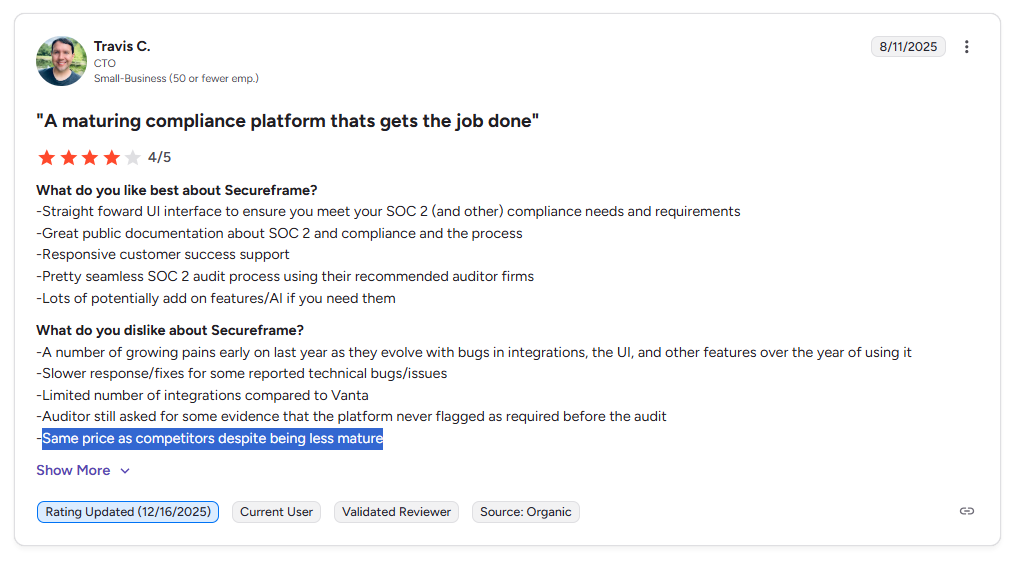
‘’Same price as competitors despite being less mature.’’ – G2 Review.
- The platform allegedly has limited flexibility in reporting and data access, as some users report friction when attempting to customize reports, export specific views, or integrate third-party data without administrator access or manual workarounds.
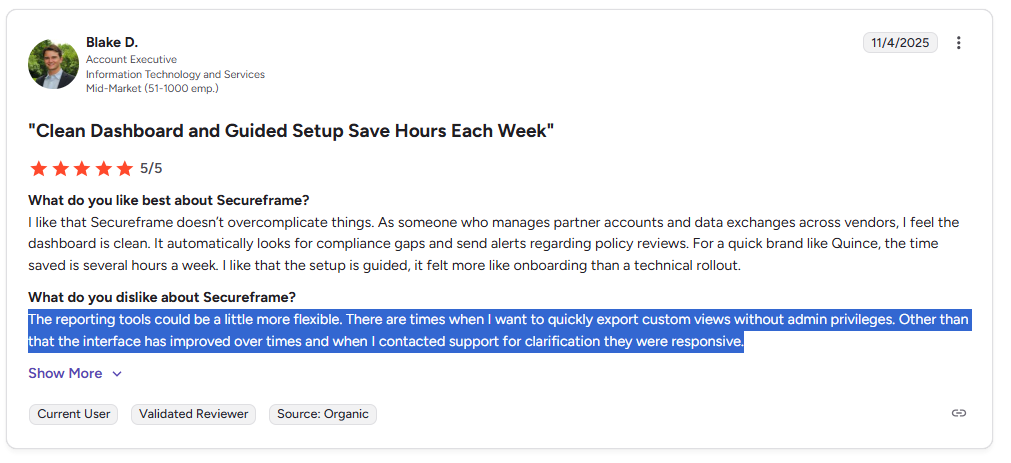
‘’The reporting tools could be a little more flexible. There are times when I want to quickly export custom views without admin privileges. Other than that, the interface has improved over times and when I contacted support for clarification, they were responsive.’’ – G2 Review.
Are you looking for a Secureframe alternative?
SmartSuite offers the best Secureframe alternative on the market in 2026 for compliance teams looking to get started in days with our easy-to-use interface.
Our tool is a fully configurable, end-to-end governance operating system that connects risk, compliance, internal controls, incidents, vendors, and remediation work into one live, automated platform.

SmartSuite helps you move faster, manage policies smarter, and adapt easily, without having to get dedicated training on how to use the tool.
💡 We’ve also recently partnered with the Cyber Risk Institute to deliver a CRI profile for U.S. Banks' compliance needs.
Learn about how SmartSuite is transforming the way financial institutions approach CRI Profile implementation to replace the FFIEC CAT and modernize a broader GRC integration in your organization:
Let’s go over the capabilities that make SmartSuite the best option for compliance leaders looking to switch from Secureframe: 👇
Comprehensive GRC
Tools like Secureframe make it so that best-in-class compliance software can be accessible only to the biggest of enterprises.
However, I think that compliance should be simple, automated, and accessible to all financial institutions, regardless of their size.
SmartSuite’s no-code, easy-to-use tool empowers compliance managers and CISOs to automate all GRC processes with ease.
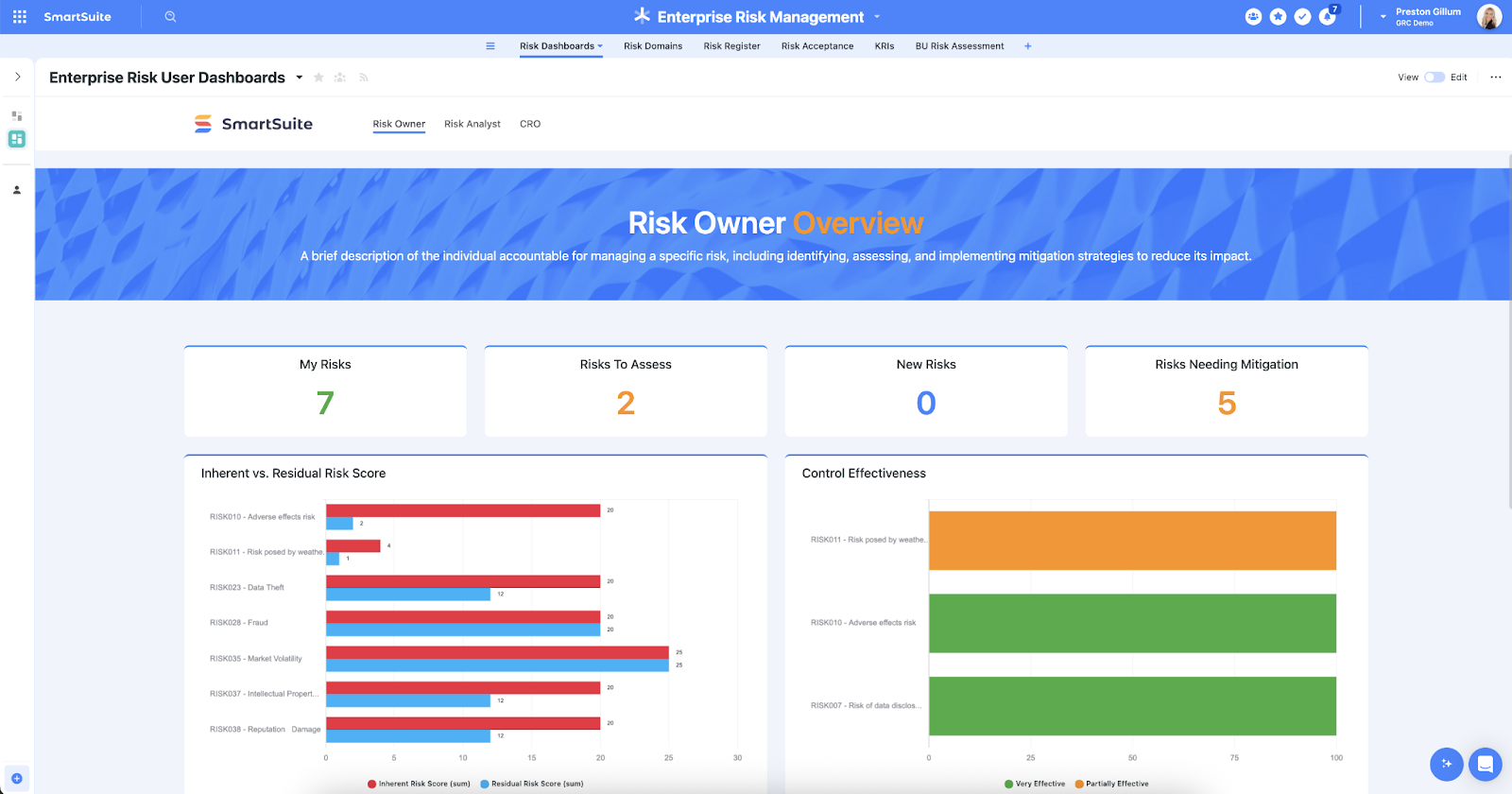
Our tool helps you achieve and maintain compliance without the costs and difficulty of adapting legacy GRC solutions to accommodate new compliance requirements.
Here are the use cases that you’ll get with SmartSuite:
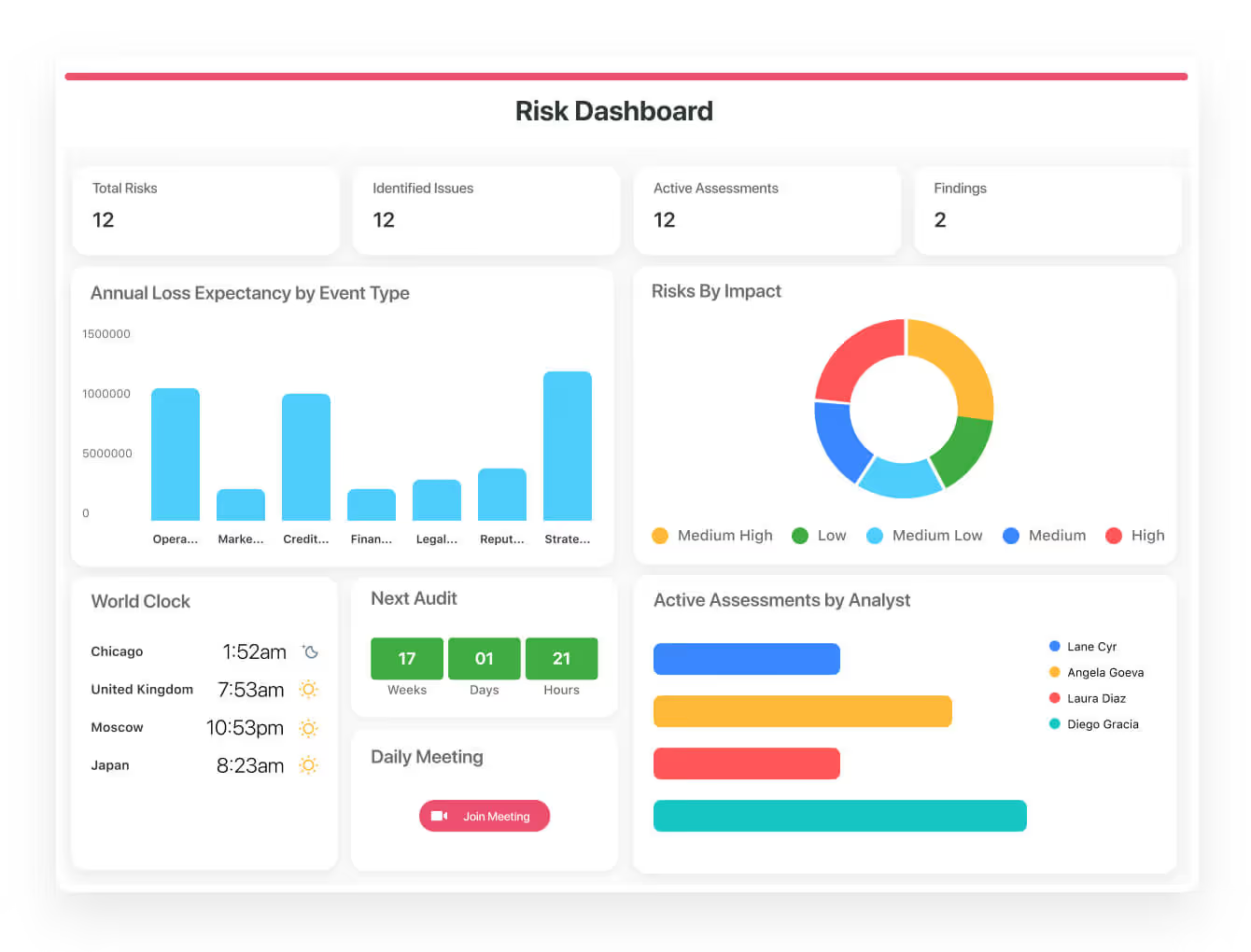
- Create reports and dynamic dashboards: You’ll be able to monitor executive views into your organization's overall risk profile with powerful charting and metrics widgets.
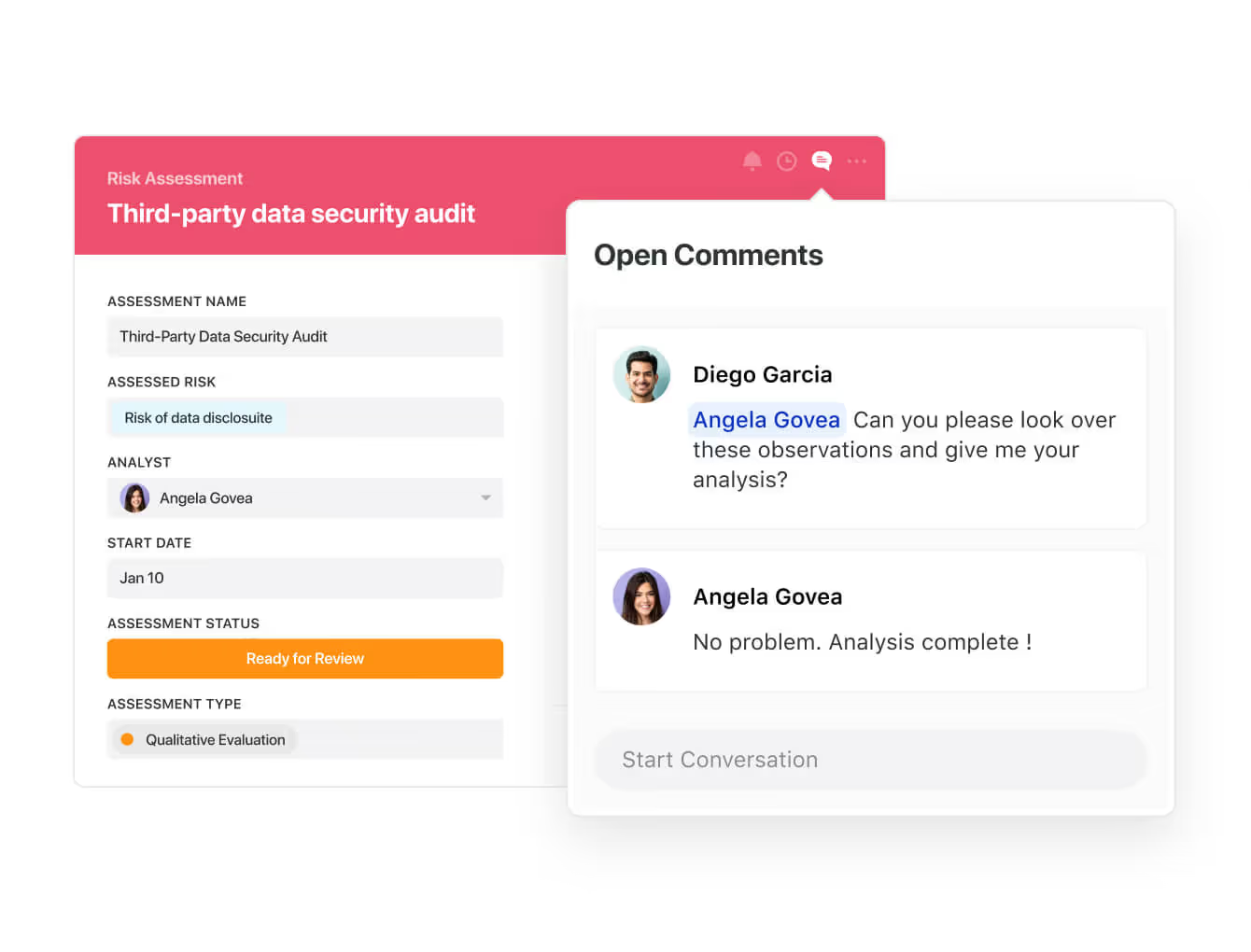
- Collaborate and respond to risks in real-time: Instantly engage key stakeholders in a real-time discussion of potential threats or vulnerabilities.
Our platform will also let you get immediate updates when critical information is available.
- Automate policy creation, real-time approval, and control assessments: Streamline risk management by building an integrated program on a single platform.
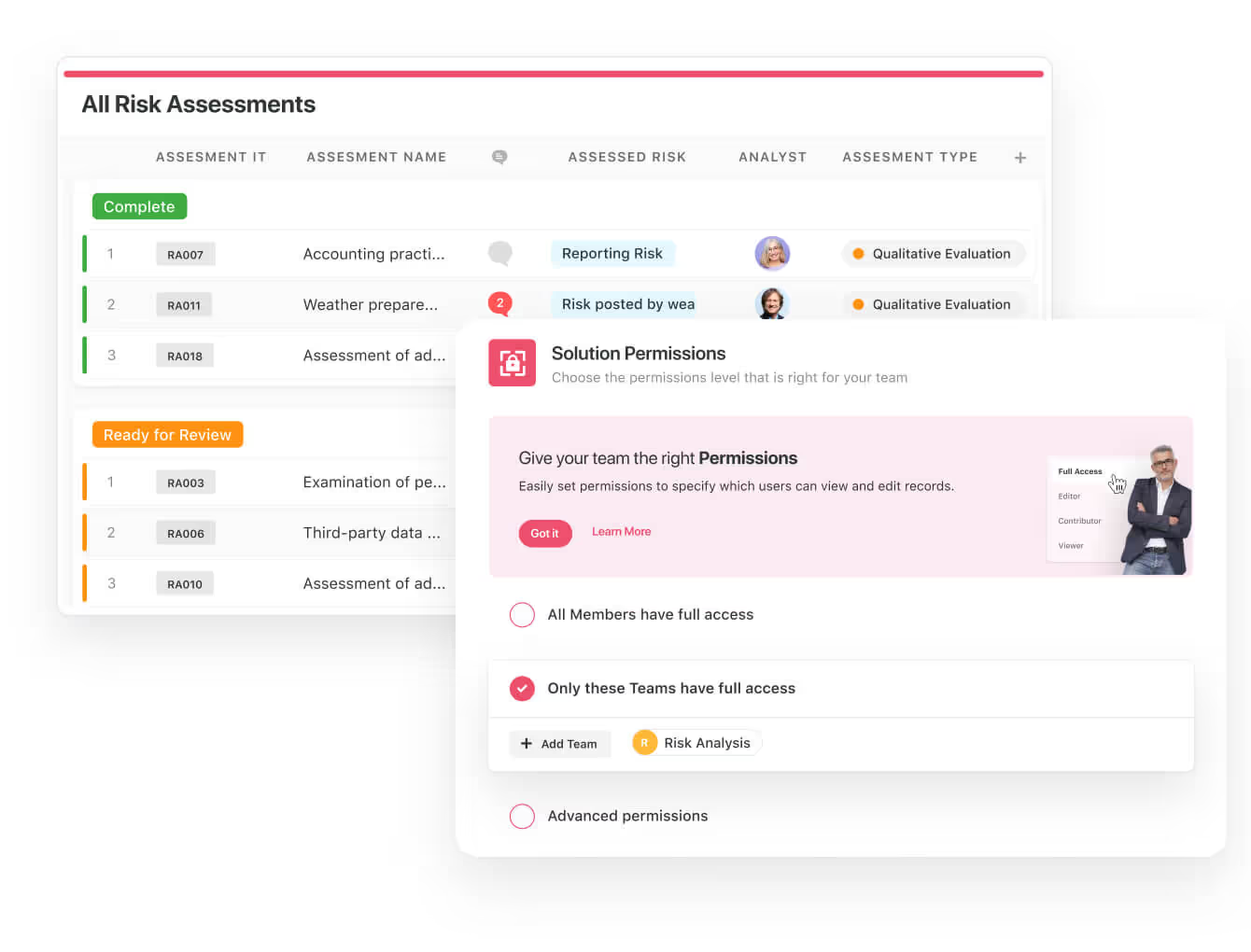
- Keep risk and compliance data secure: Define your teams and manage access to information across all GRC practice areas.
- Integrate with your existing systems: Our GRC software lets you integrate with existing systems and data to consolidate and centralize your data.
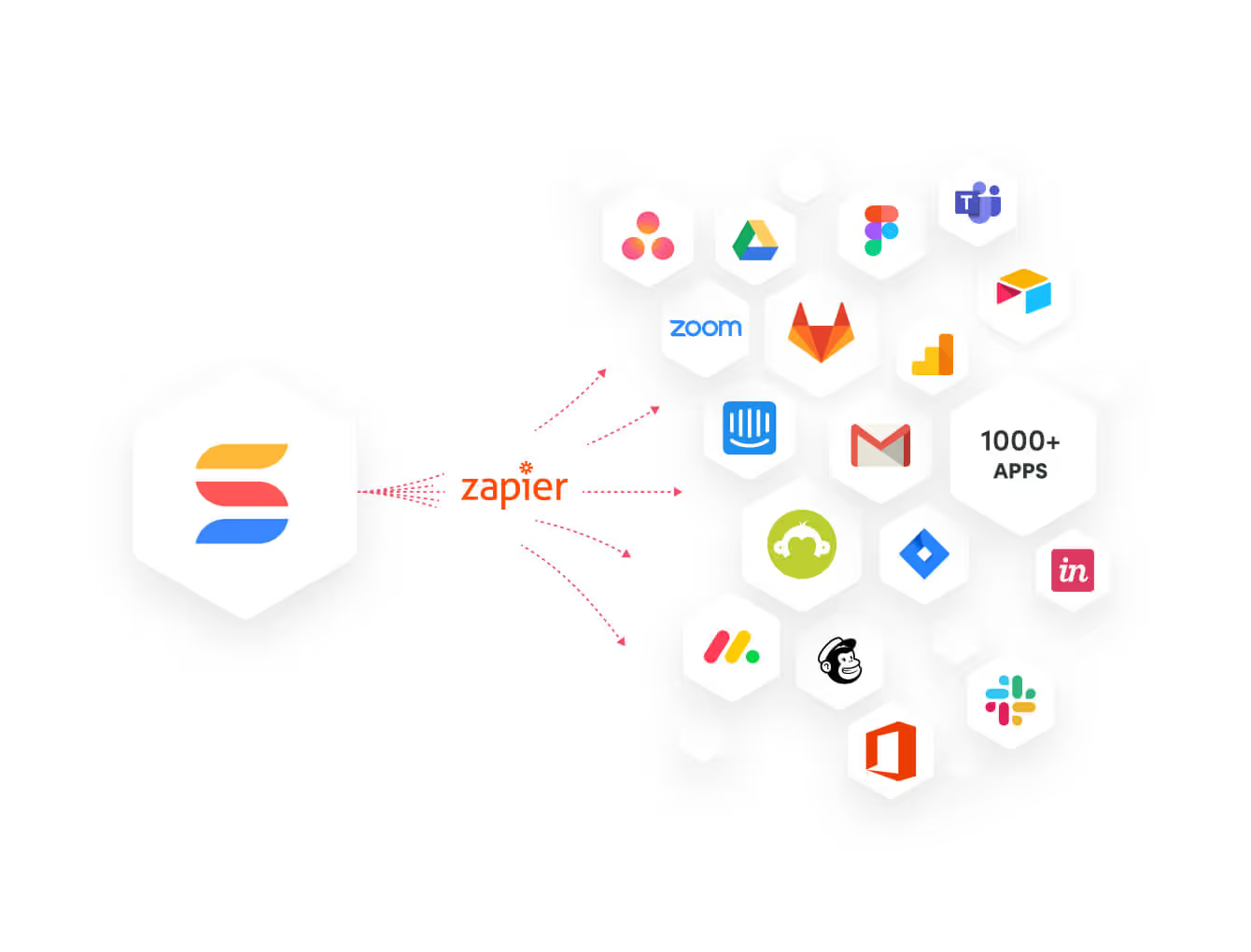
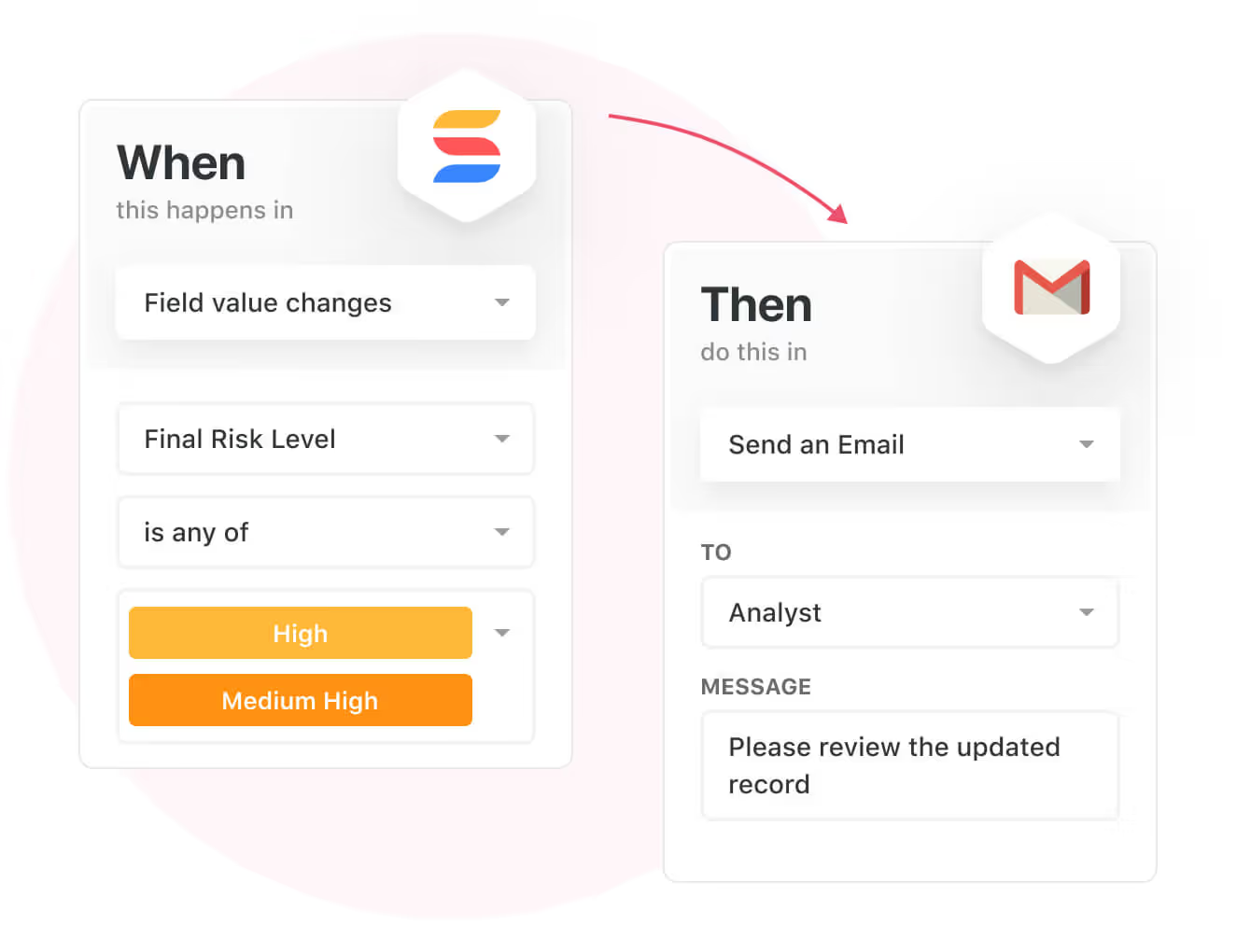
- Automate for accuracy and efficiency: Remove inefficiencies and the chance for human error by automating repeatable workflows.
SmartSuite's no-code automation builder provides you with a visual interface that makes it easy to respond to events and take action.
That means your compliance team can customize your GRC workflows without technical resources.
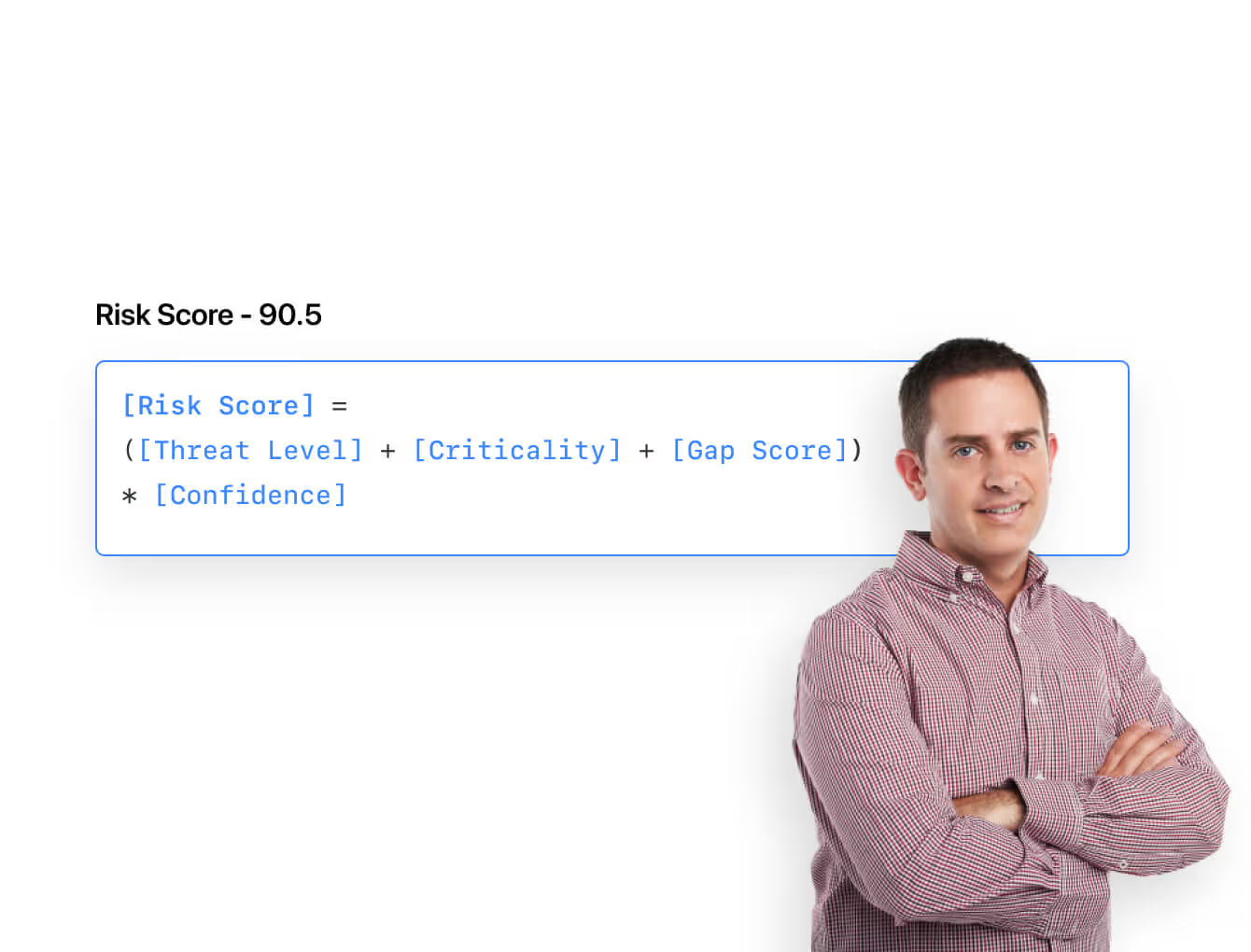
- Monitor, measure and score: Create risk calculations and metrics to evaluate every aspect of risk.
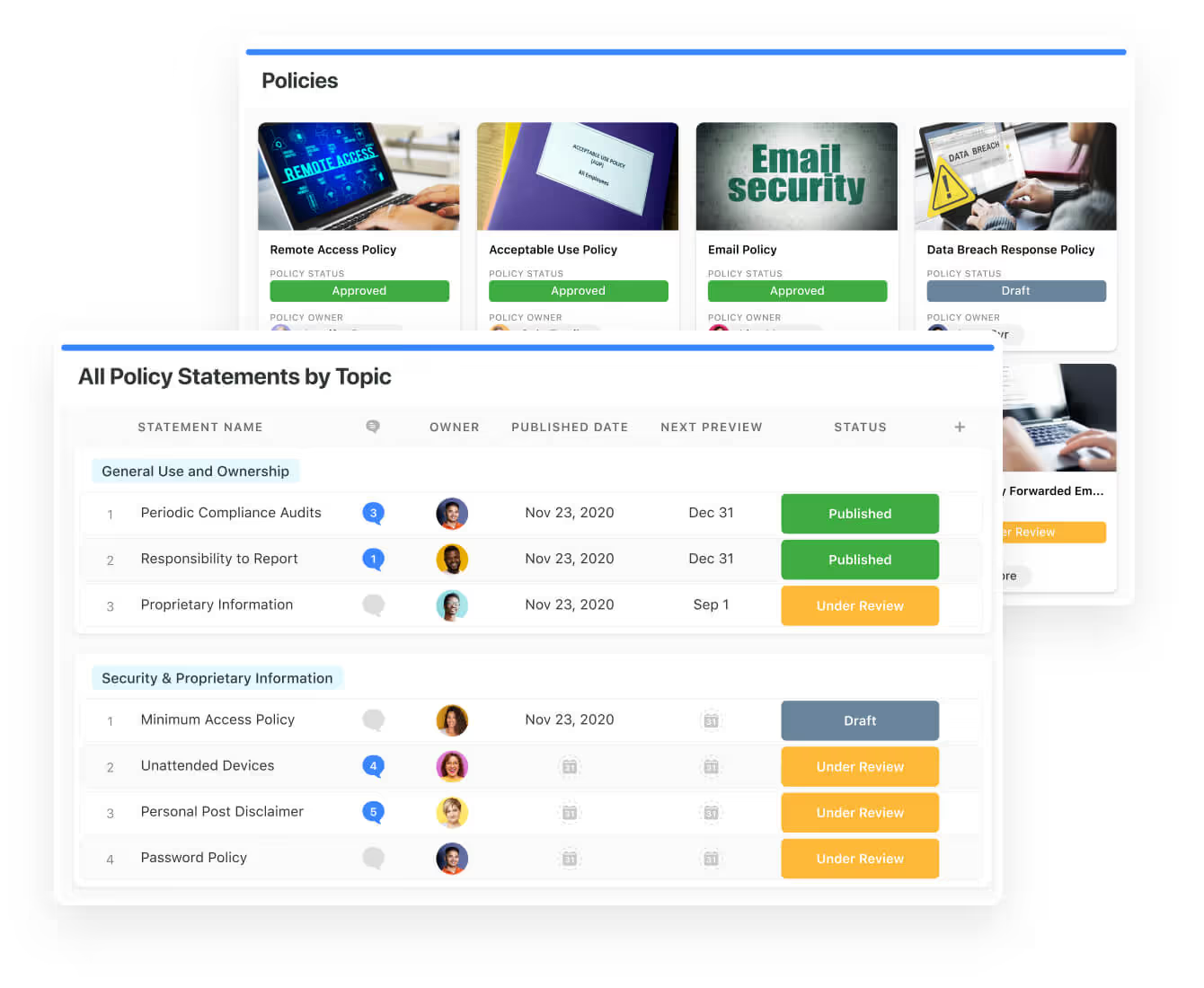
- Policy management: It’s possible to establish a strong foundation from the get-go with streamlined and flexible policy management.
You’ll be able to assign ownership, manage revisions, and ensure your policies consistently align with key business initiatives and regulatory requirements.
- PSTOS Compliance Tracker: Designed for regulatory compliance and built on SmartSuite.
This solution focuses on data security as the core of compliance frameworks with services such as compliance readiness, virtual CISO, and IT security implementation.
Learn more about it from this webinar that we did on the topic:
Prioritize & Mitigate Risks
With SmartSuite, your team can create a centralized risk register to effectively identify potential risks to your organization.
You can also properly assess threats and establish risk mitigation strategies inside SmartSuite.
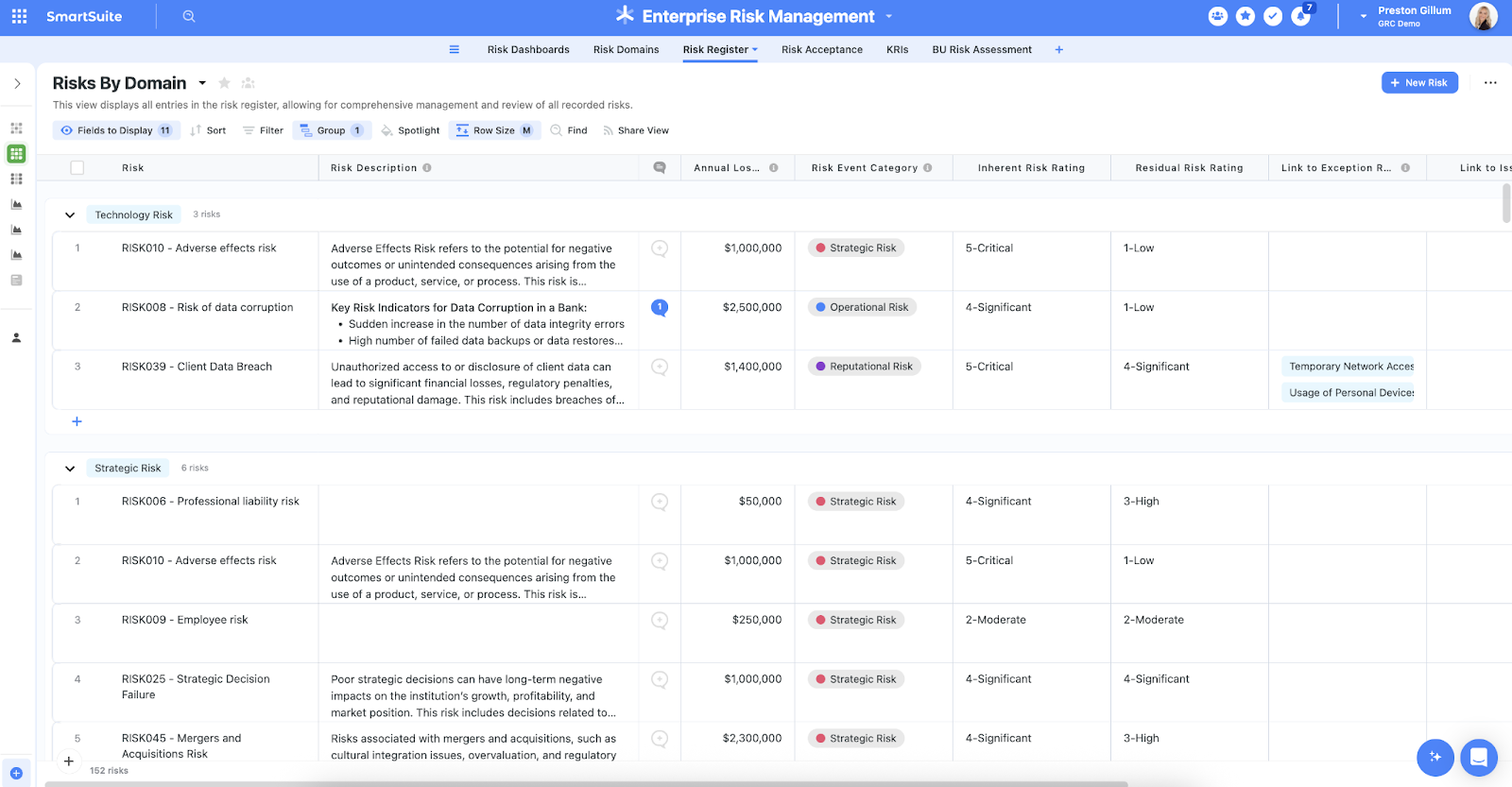
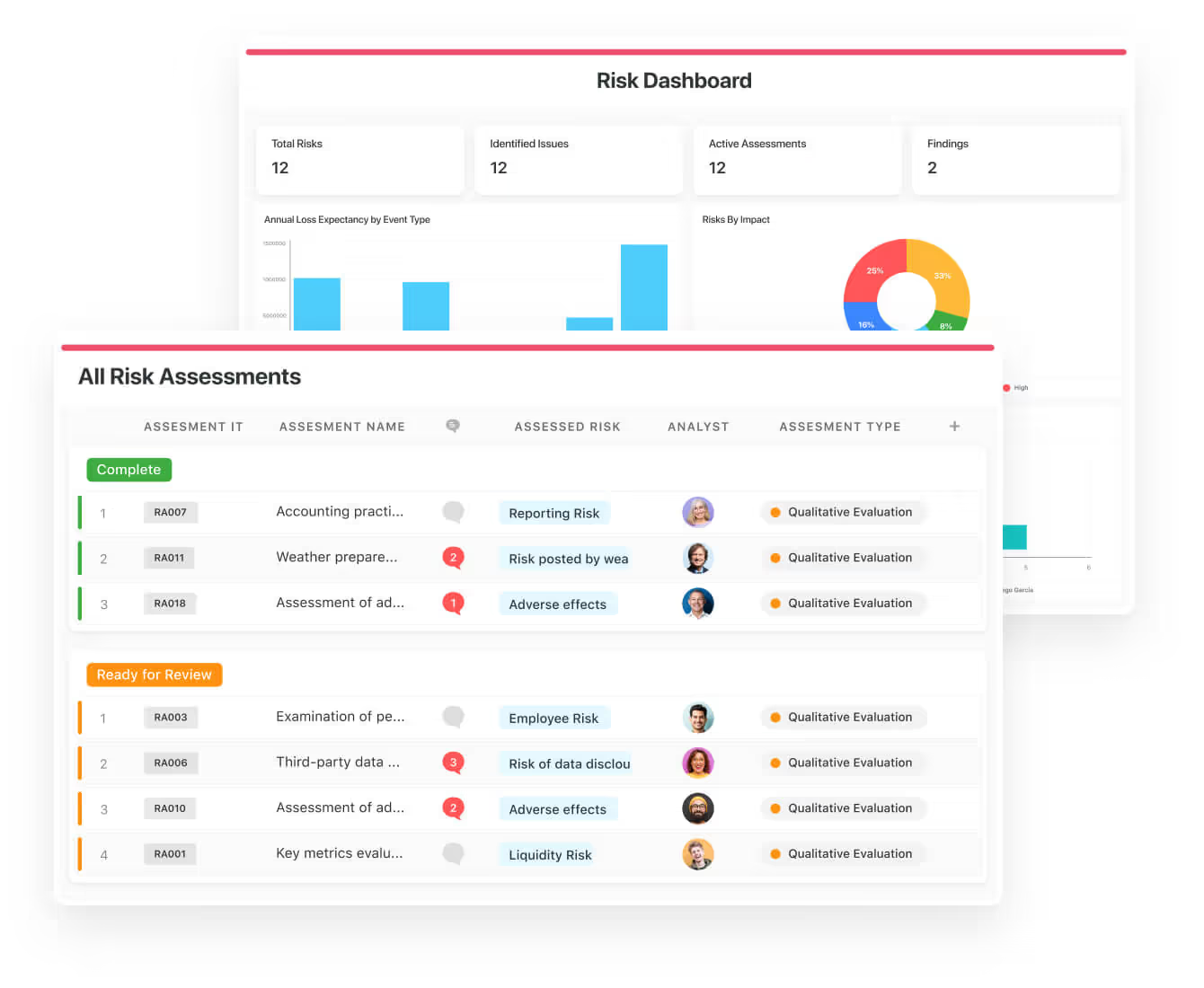
Your team can ensure that the appropriate controls are in place and measure their effectiveness by evaluating risk indicators and displaying results in SmartSuite’s rollup reports and dashboards.
💡 Pro Tip: Teams that use our platform use automation to move tasks through defined workflow stages that comply with their policies and procedures.
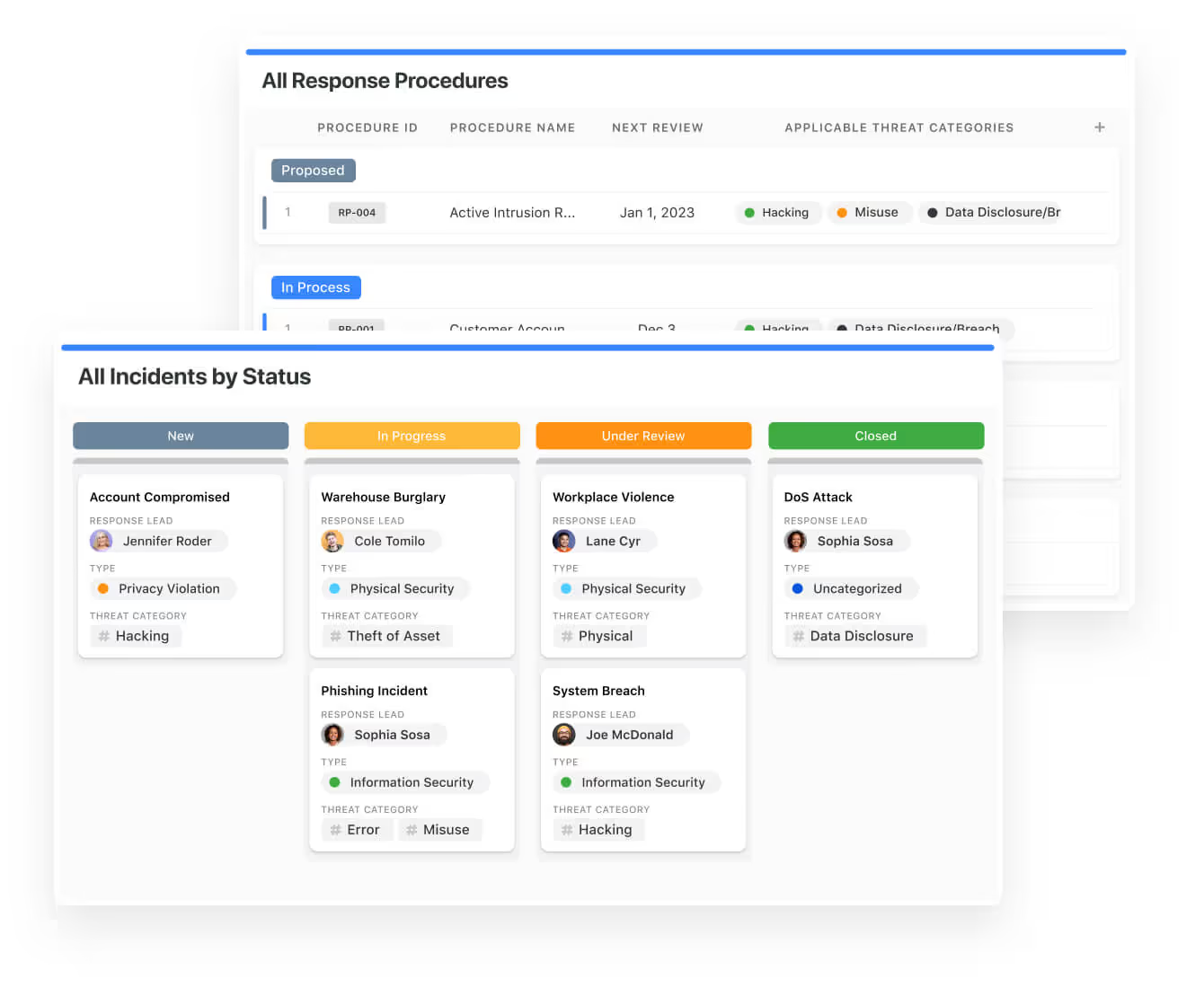
We understand how crucial threat management is and the need to respond quickly to incidents.
SmartSuite lets you centralize incident response and threat mitigation by linking incidents to assets and organizational data to offer context during your investigations.
Your compliance team can also set up automation with our no-code automation builder to escalate critical events to make sure that your team is aware of active risks to your organization.
Ready-To-Use GRC Templates
We have prepared a few GRC templates for compliance teams looking to get started right away, instead of building everything from scratch.
Our general risk management template includes:
- Risk register, where you can break down the risks, the risk owner, the annual loss expectancy, risk event category, risk type, volatility, and status.
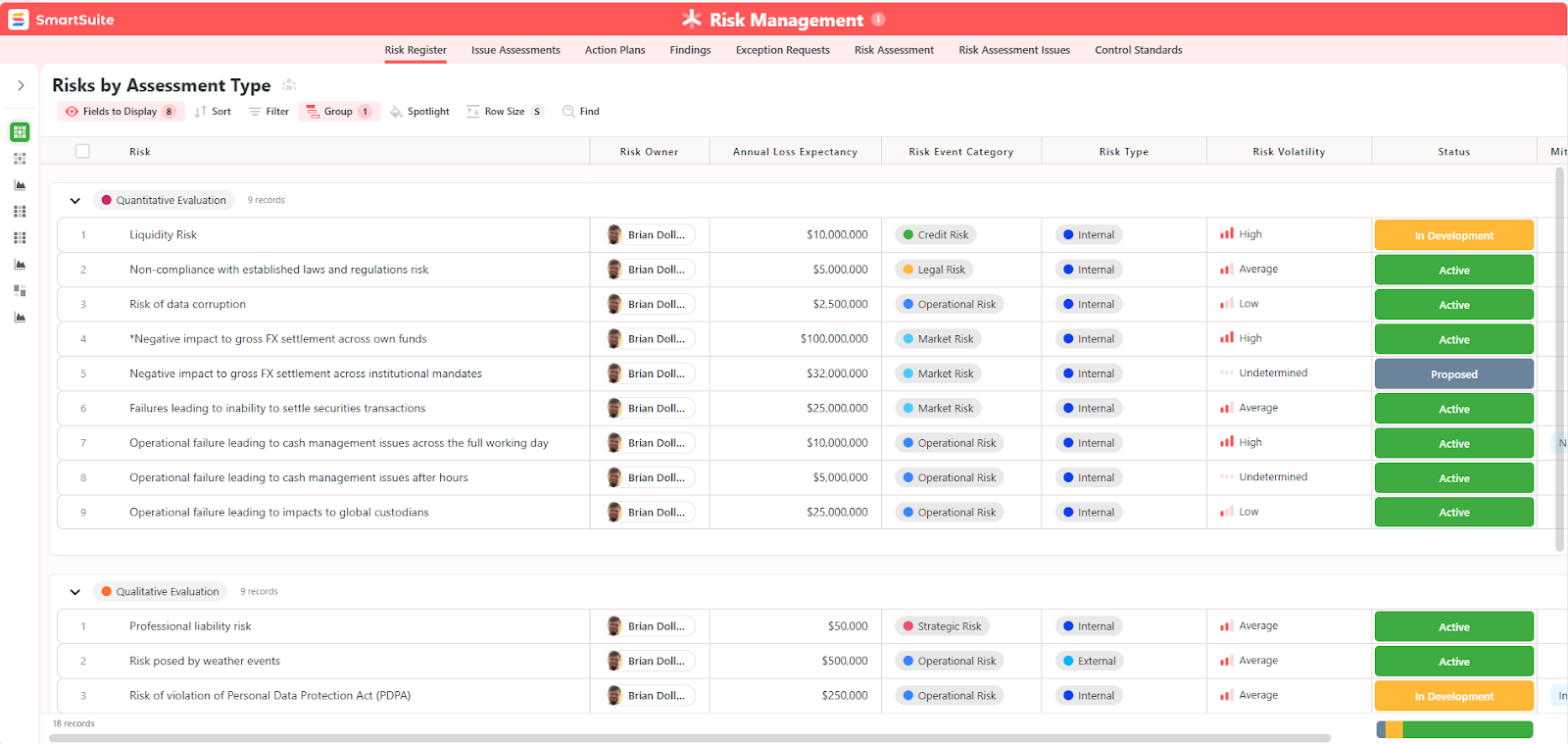
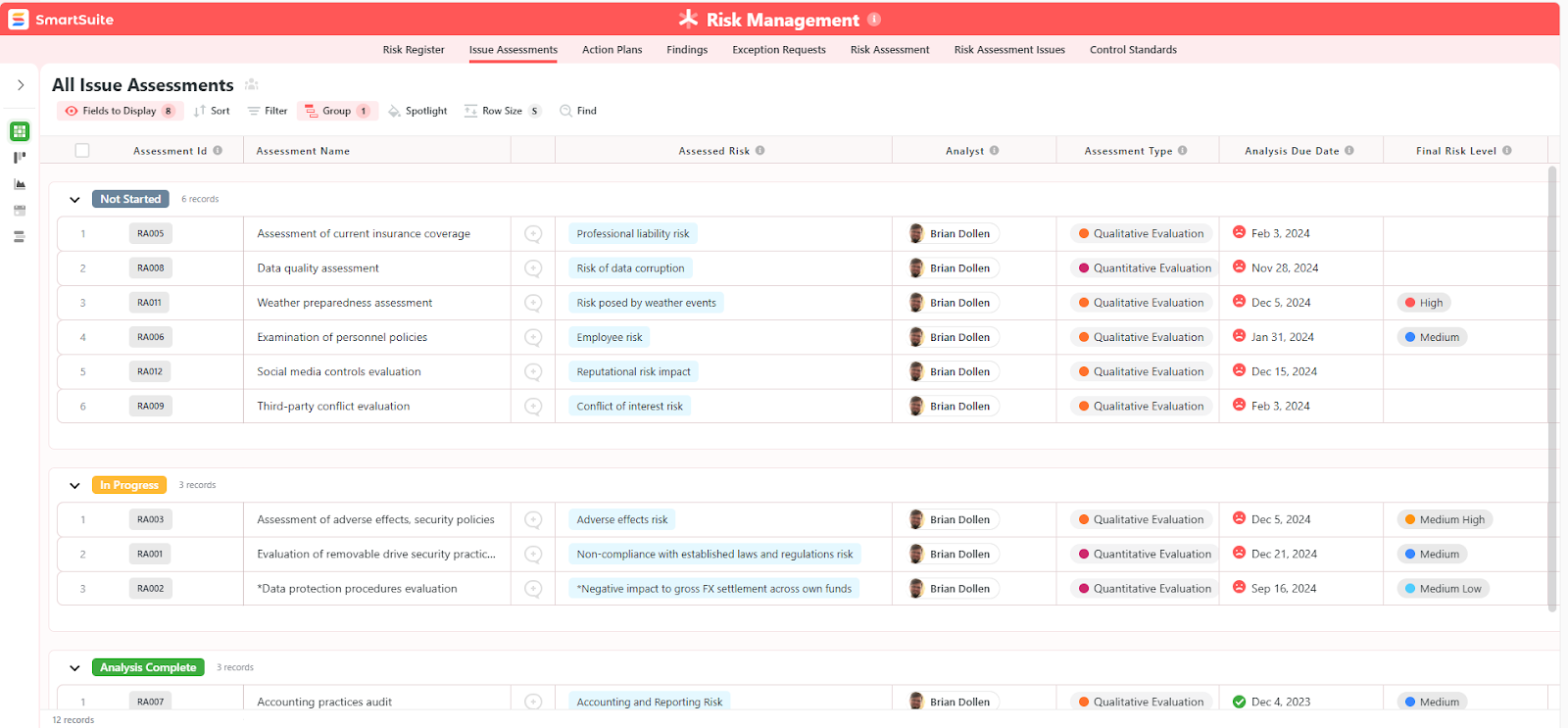
- Issue assessments, where you’ll be able to see a comprehensive breakdown of each risk.
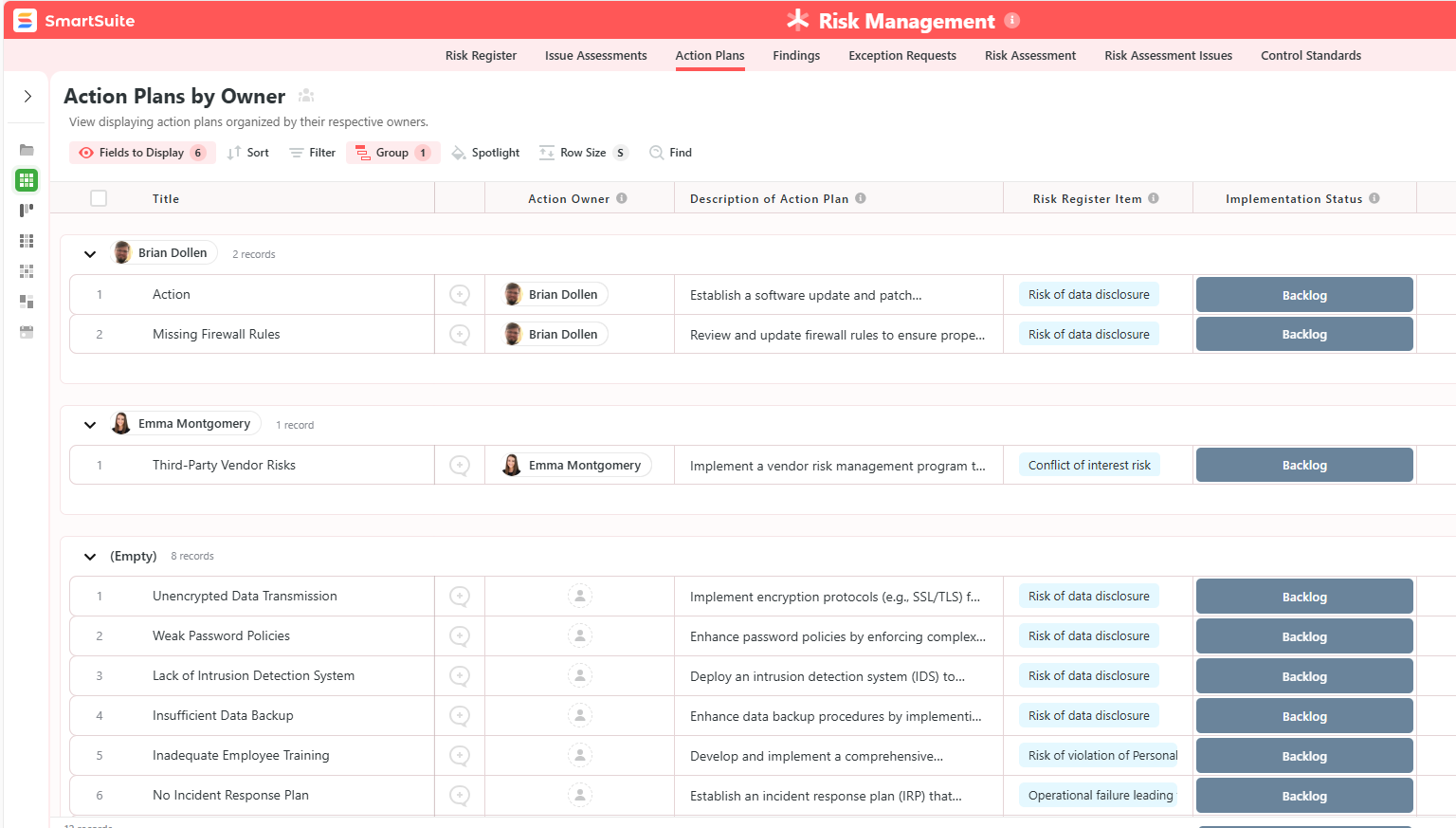
- Action plans, where you can describe the actions (best practices) to mitigate the risks.
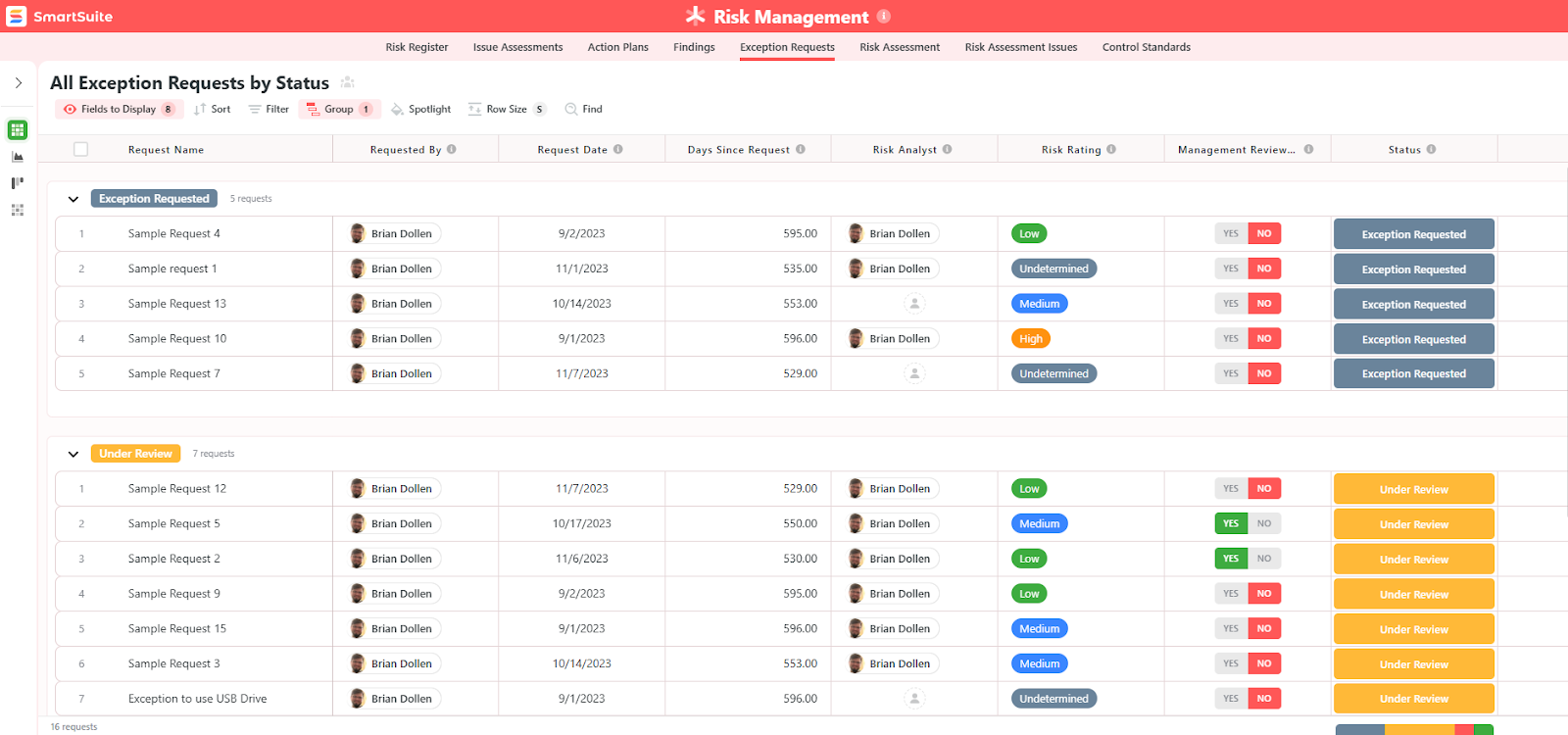
- A separate tab for control standards, your findings, exception requests, risk assessment by type, and risk assessment issues.
You can customize our risk management template here.
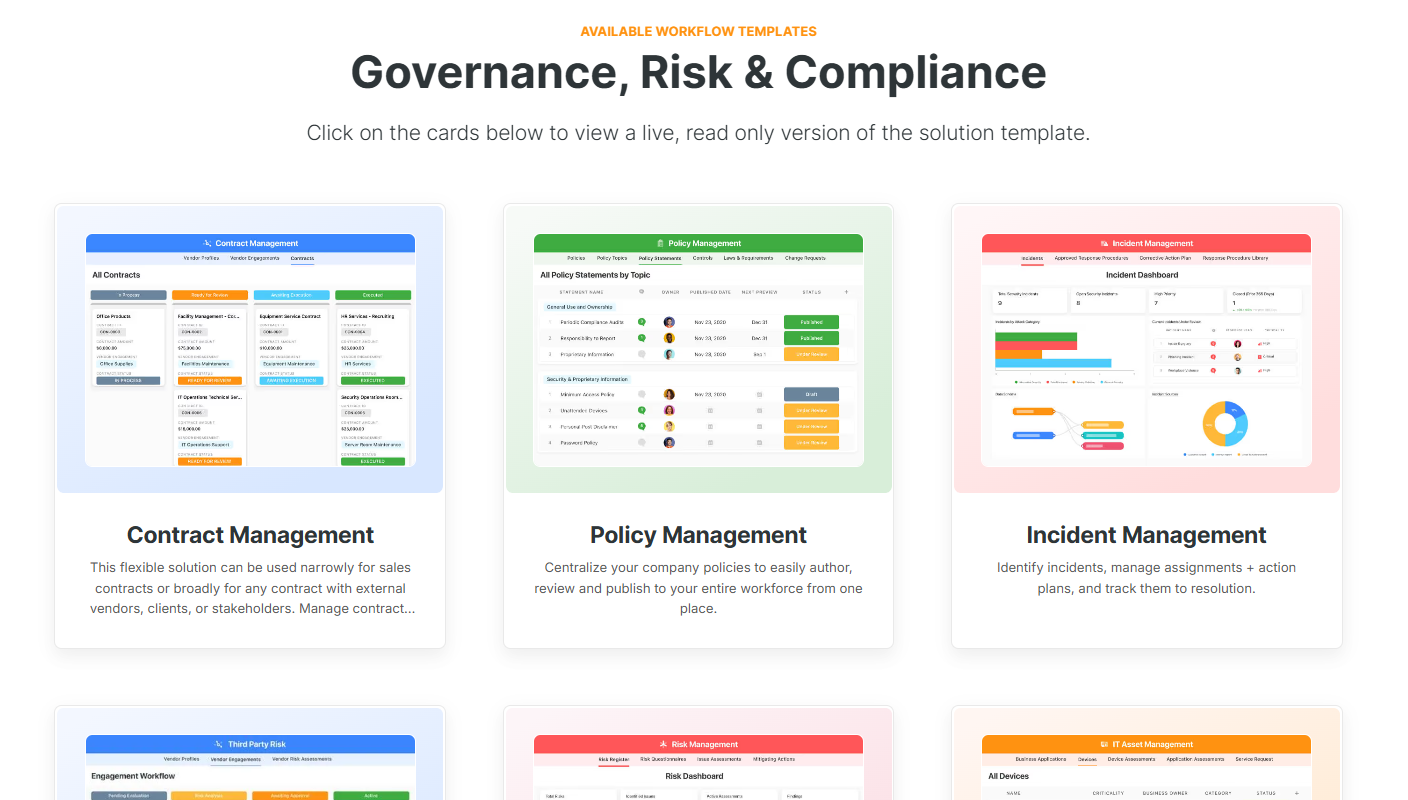
Alternatively, check out and customize our 14 other risk management templates for various use cases, such as contract management, policy management, and incident management.
How does SmartSuite compare to Secureframe?
Secureframe delivers a compliance-first solution that is focused on automating audit readiness, evidence collection, and framework mapping for standards like SOC 2 and ISO 27001.
It’s a good enough platform for mid-market organizations that want guided onboarding, automated reminders, and a structured path to staying audit-ready without building processes from scratch.
SmartSuite, on the other hand, offers a true no-code automation tool with flexible compliance and risk templates that let teams design, modify, and scale policy management, vendor risk, and audit workflows without being locked into a single compliance model.
I’d consider SmartSuite to be a better fit for teams that want to set up shop in days (not months), expect their compliance program to evolve and need customizable dashboards, a centralized risk register, and automated workflows that adapt as requirements grow, without added platform complexity or pricing surprises.
💡 Case Study: Learn how MediaLab transformed operations, minimized risk, and saved $40,000+ per year by cutting software costs.
SmartSuite’s Pricing
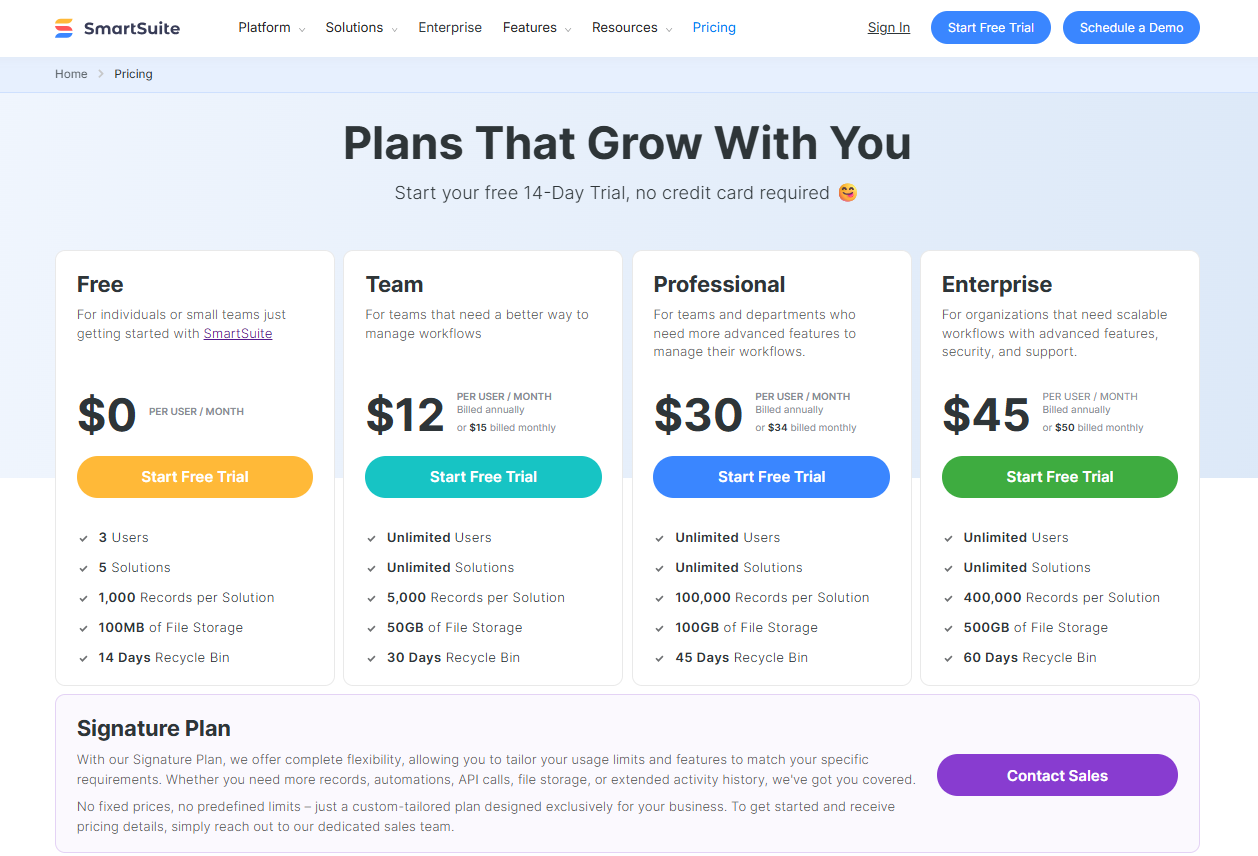
Unlike Secureframe, SmartSuite comes with a generous free plan with access to 250+ automation actions, team collaboration, multi-dashboard views, and more with affordable per-seat pricing.
There are four paid plans with a 14-day free trial (no CC required):
- Team: Starts at $12/user per month, including Gantt charts, timeline views, 5000 automation runs, and native time tracking.
- Professional: Starts at $30/user per month and adds two-factor authentication, Gmail & Outlook integrations, and unlimited editors.
- Enterprise: Starts at $45/user/month and includes access to audit logs, data loss prevention, and 50,000 monthly API calls.
- Signature: A customized plan tailored to your organization’s needs and team size with no predefined limits.
Get started with SmartSuite & our pre-built GRC templates for free
If you are not willing to invest in Secureframe, you’re definitely not short on alternative options.
If you’re looking for a tool that helps your team scale compliance workflows, adapt processes on the fly, and centralize risk and vendor management without rigid reporting, admin bottlenecks, or expensive pricing structures, you can give SmartSuite a chance with our free plan and out-of-the-box GRC templates.
SmartSuite’s tool offers just the right customization, native collaboration capabilities and a library of 200+ project management templates to help compliance teams create and maintain a project management workflow.
Here’s what's in it for your team when you try SmartSuite:
- Access to a generous free plan with features including multi-board views (Kanban, Chart, Map, Timeline, Card, and Calendar), 100 automations/month, and 40+ field types, including formula and linked record fields.
- No-code automation builder to set up to 500,000 trigger/action workflows.
- Built-in productivity tools, including time tracking, status tracking, and checklists.
- Team collaboration and planning tools such as whiteboards and SmartSuite docs.
- Resource management across projects and teams.
- 40+ field types, including the option to add your custom fields.
Sign up for a free plan to test the water or get a 14-day free trial to explore all its amazing features.
Or, if you’d like to talk to our team of experts, schedule a demo.
Read More
- 10 Best Riskonnect Alternatives For GRC In 2025
- Riskonnect Pricing: Is It Worth It In 2025?
- 10 Best MetricStream Alternatives for GRC in 2025
- MetricStream Pricing: Is It Worth It In 2025?
- Top 10 Compliance AI Alternatives & Competitors
- Compliance AI Pricing: Is It Worth It?

SmartSuite provides work platform for standardizing workflows in the following areas:
- Governance, Risk & Compliance
- IT & Service Ops
- Project / Portfolio Management
- Business Operations







