




The Smartsheet vs. Clarizen comparison often gets framed as spreadsheet-based work vs. enterprise project management, but real-world usage tells a more nuanced story.
In this article, I’ll walk you through how both platforms behave in practice, where complexity or rigidity shows up, and which types of teams they truly serve well.
In the end, I’ll also introduce SmartSuite as the third option that sits comfortably between spreadsheets and heavyweight project control.
TL;DR
- Smartsheet is ideal for teams that want operational visibility without leaving the spreadsheet world. It excels at coordinating tasks, timelines, and reporting through familiar rows, columns, and formulas, but starts to feel restrictive once workflows demand more dynamic logic or non-tabular processes.
➡️ Choose Smartsheet if your team wants more power inside spreadsheets rather than moving beyond them.
- Clarizen (Planview AdaptiveWork) is designed for organizations running large, interdependent project portfolios. It offers advanced control over governance, resources, and reporting, but comes with heavy setup, higher costs, and ongoing administrative overhead.
➡️ Choose Clarizen if enterprise-scale portfolio management and deep customization are business requirements.
- SmartSuite takes a different approach. It gives teams a flexible execution layer where structured data, projects, workflows, and automation work together naturally without forcing spreadsheet thinking or turning users into app builders.
➡️ Choose SmartSuite if you want a single, adaptable platform that grows with how your team actually works.
Smartsheet vs. Clarizen vs. SmartSuite: Features
I’ll begin by outlining each tool’s key features, so you can get the right hang of what each excels at straight off the bat.
Let’s look at Smartsheet first.
TL;DR
- Smartsheet focuses on spreadsheet-based execution, offering strong formulas, automations, dashboards, and reporting for teams that prefer Excel-style control.
- Clarizen delivers deep customization and portfolio-level control for complex enterprise projects, but requires heavy configuration and ongoing management.
- SmartSuite combines projects, workflows, relational data, automation, and AI in one no-code platform, giving teams flexibility without spreadsheets or custom app development.
Smartsheet’s features
1. Spreadsheet-based views, formulas, and reporting
Smartsheet is built on a spreadsheet-style grid where rows represent work and columns define fields like status, owners, dates, and metrics.
Teams use formulas, cross-sheet references, reports, and rollups to calculate progress, dependencies, and summaries, then surface that data across Grid, Gantt, Calendar, Card, and Dashboard views.
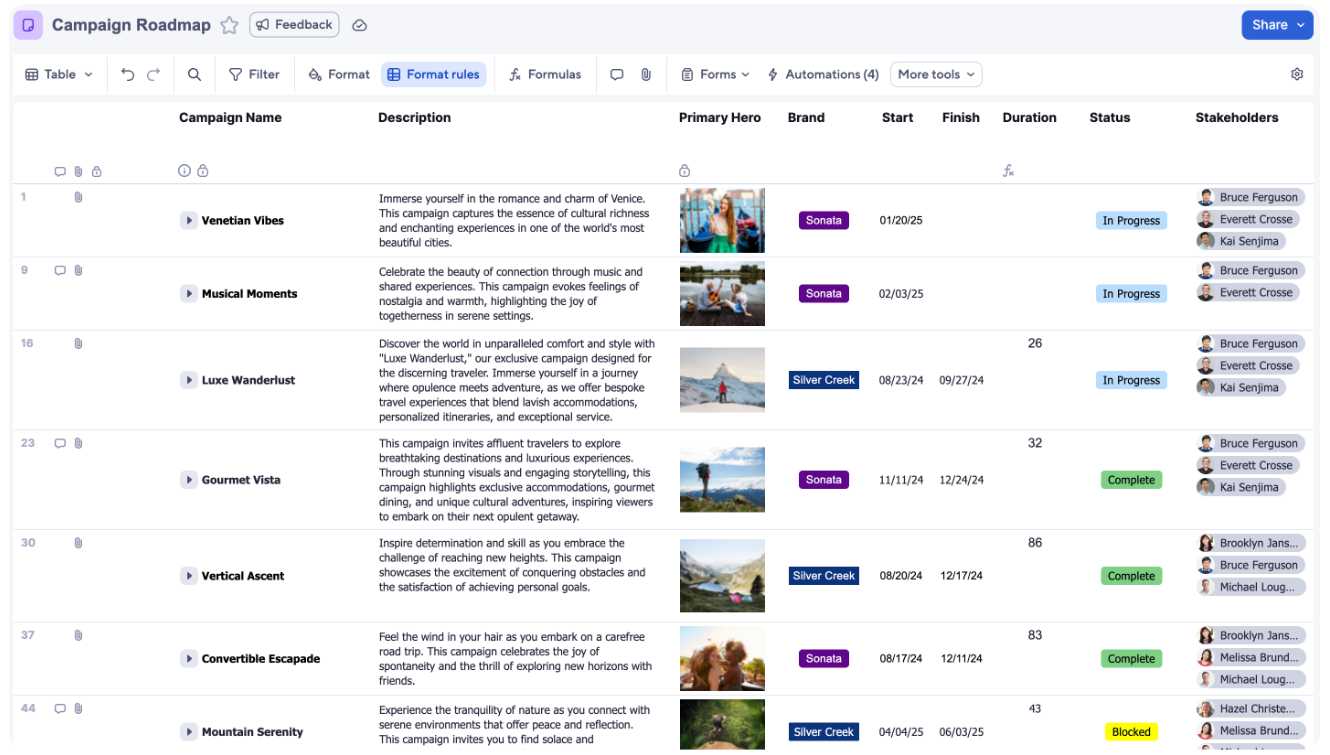
This model works well for teams that already think in tables and rely on formulas for structure and reporting, but it can start to feel rigid as workflows become more relational, dynamic, or interconnected.
2. No-code workflow automation
Smartsheet’s automation is built around simple, no-code workflows that trigger actions based on changes in sheet data.
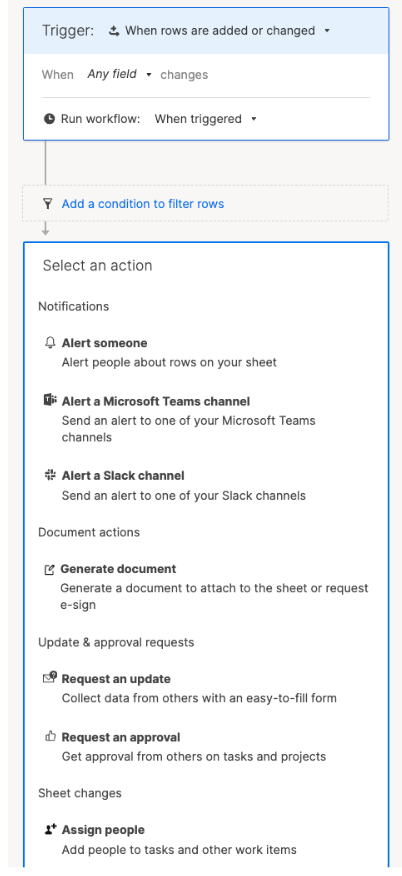
Teams can automate reminders, approvals, status updates, assignments, and notifications using clear trigger-condition-action logic, with delivery through email, Slack, or Microsoft Teams.
This makes Smartsheet well-suited for predictable, rules-based processes, though automation tends to work best when workflows remain linear and closely tied to the underlying sheet structure.
3. WorkApps for controlled, app-like experiences
Smartsheet WorkApps lets teams package sheets, reports, dashboards, and forms into role-based web and mobile apps without exposing the underlying spreadsheets.
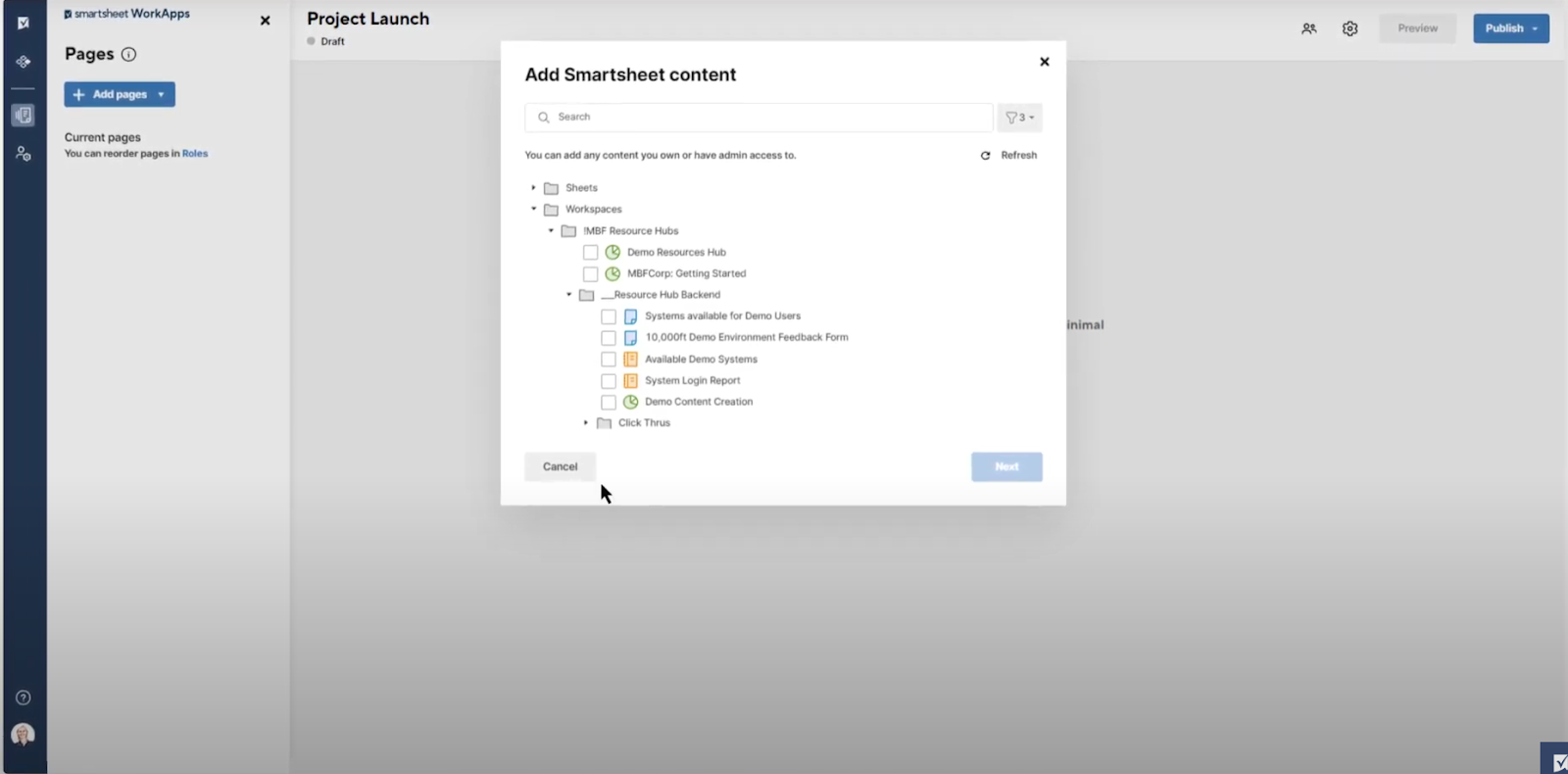
This makes it easier to provide large or non-technical audiences with necessary structured processes while controlling what each user can see or edit.
While WorkApps improve usability and governance at scale, they remain dependent on Smartsheet’s sheet-based data model rather than introducing independent app logic or relational workflows.
4. Team collaboration and file-based coordination
Smartsheet supports collaboration through shared sheets, attachments, file libraries, comments, proofing tools, and notifications tied to rows and updates.
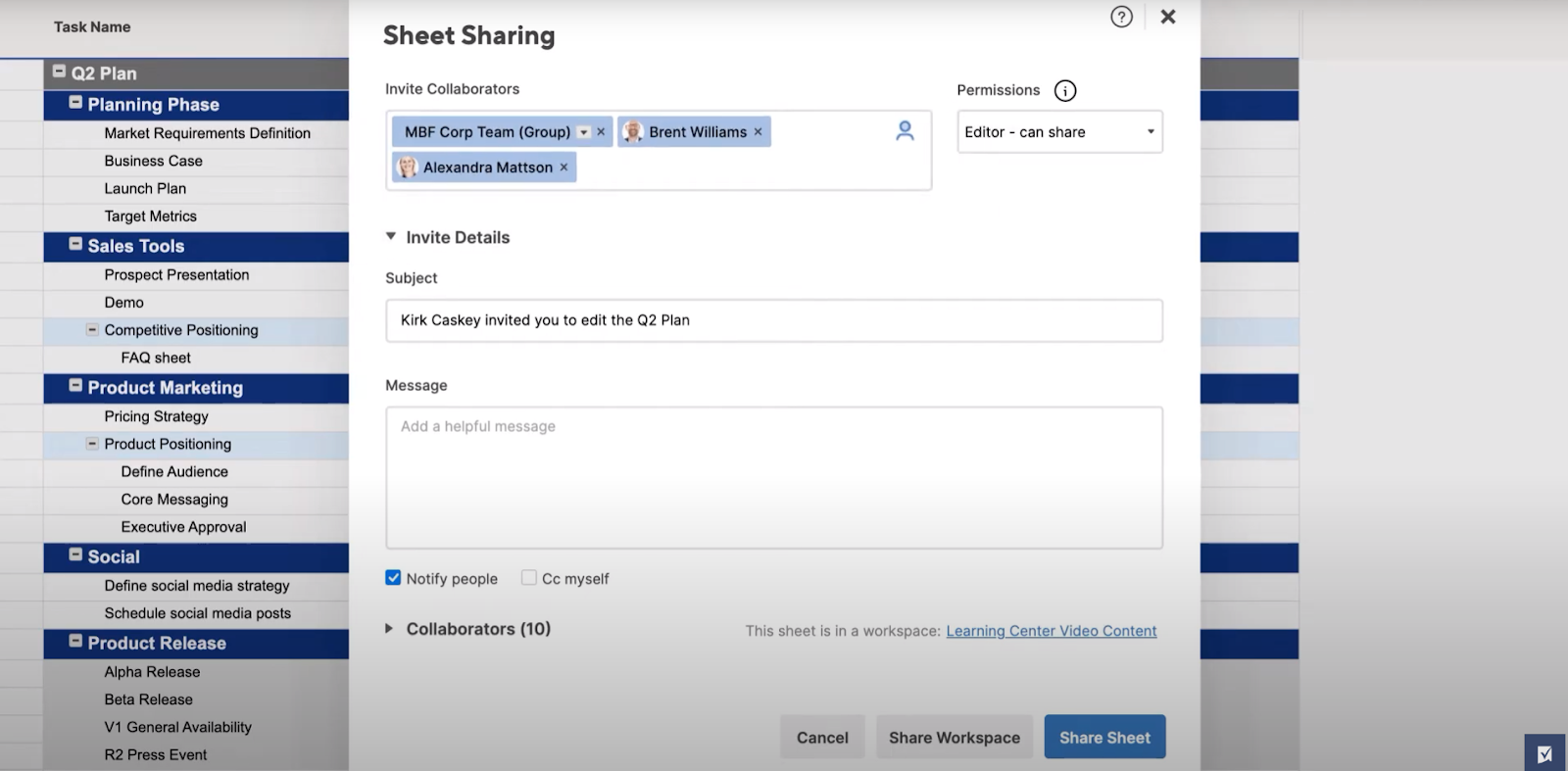
Teams can discuss work, review files, and share progress asynchronously without leaving the platform, which helps keep execution moving and stakeholders aligned.
Collaboration stays closely connected to sheets and shared artifacts, making it easy for teams to coordinate around the same source of truth as work progresses.
Smartsheet is ideal if you:
✅ Run work that fits naturally into structured sheets and benefits from formulas, rollups, and tabular reporting.
✅ Want an easy, app-based way to give different teams access to structured workflows without exposing raw spreadsheets.
✅ Prefer extending familiar spreadsheet-style work rather than introducing a completely new execution model.
Smartsheet isn’t the best choice if you:
❌ Manage work that changes frequently and doesn’t fit cleanly into rows, columns, and formulas.
❌ Need to onboard new users quickly without training them heavily on formulas, sheet logic, or reporting structure.
❌ Are on a tight budget, as all of Smartsheet’s more advanced features, such as AI assistance, more complex data management, etc., are only available on its top tiers.
Clarizen’s features
1. Enterprise portfolio, capacity, and resource management
Note: Clarizen was acquired by Plainview in 2021, and is now known as Planview AdaptiveWork portfolio and work management platform.
Clarizen is built first and foremost for enterprise portfolio planning, where visibility across projects, programs, teams, and budgets matters more than day-to-day task tracking.
It gives organizations a centralized view of demand, capacity, resource usage, and financials, helping leaders decide what work should move forward, when, and with which teams.
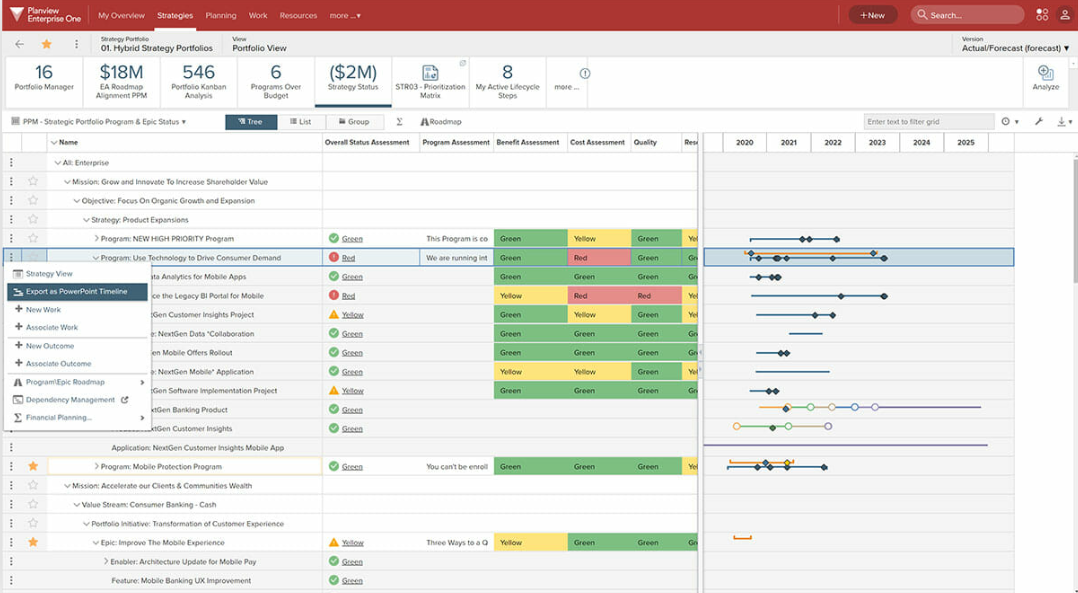
This makes Clarizen especially strong for large, complex environments where aligning strategy, resources, and delivery at scale is a core requirement.
2. AI-driven portfolio insight and decision support (Planview Anvi)
Planview Anvi is built to connect strategy to delivery across large, complex organizations.
It analyzes data from portfolios, projects, resources, and connected tools to detect risks, analyze sentiment, surface priorities, and recommend next actions based on real organizational context.
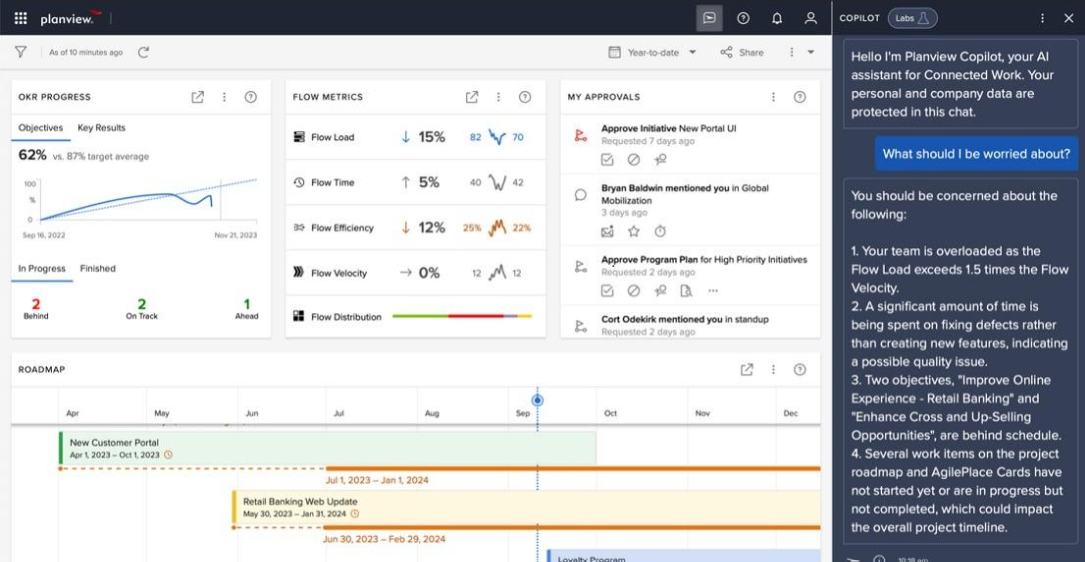
Rather than focusing on individual task productivity, Anvi acts as a decision-support layer for leaders, helping them understand what’s happening across the business and where attention is needed most.
3. Built-in adoption and change management (Planview Adopt)
Clarizen includes Planview Adopt, a built-in layer designed to help large organizations drive consistent user adoption.
Teams can create in-app guides, walkthroughs, and contextual help directly inside the platform, reducing reliance on external documentation or training.
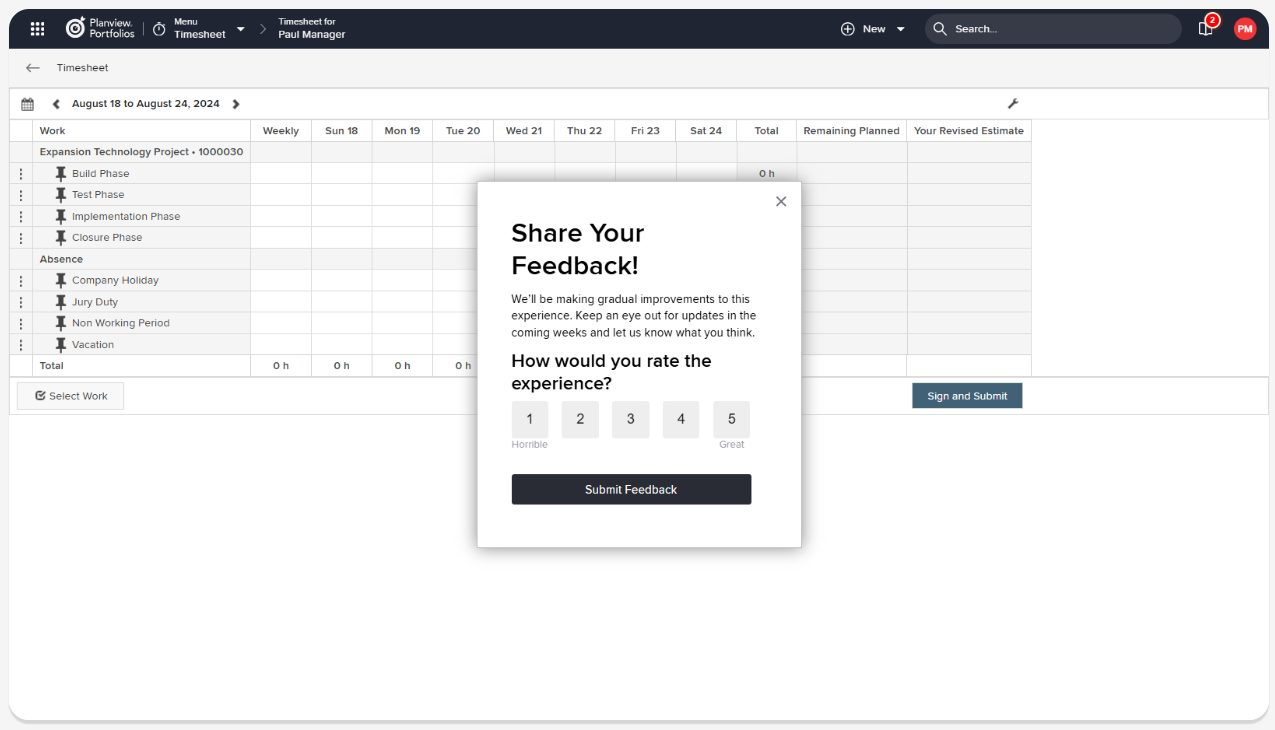
Usage analytics give administrators visibility into how teams are actually using the system, helping organizations improve adoption over time and protect their investment in a complex enterprise platform.
4. Automated PowerPoint reporting for executives
Planview AdaptiveWork includes automated PowerPoint reporting that turns live project and portfolio data into presentation-ready slides using branded templates.
Reports update automatically as data changes, reducing manual prep work for status reviews, steering committees, and executive meetings.
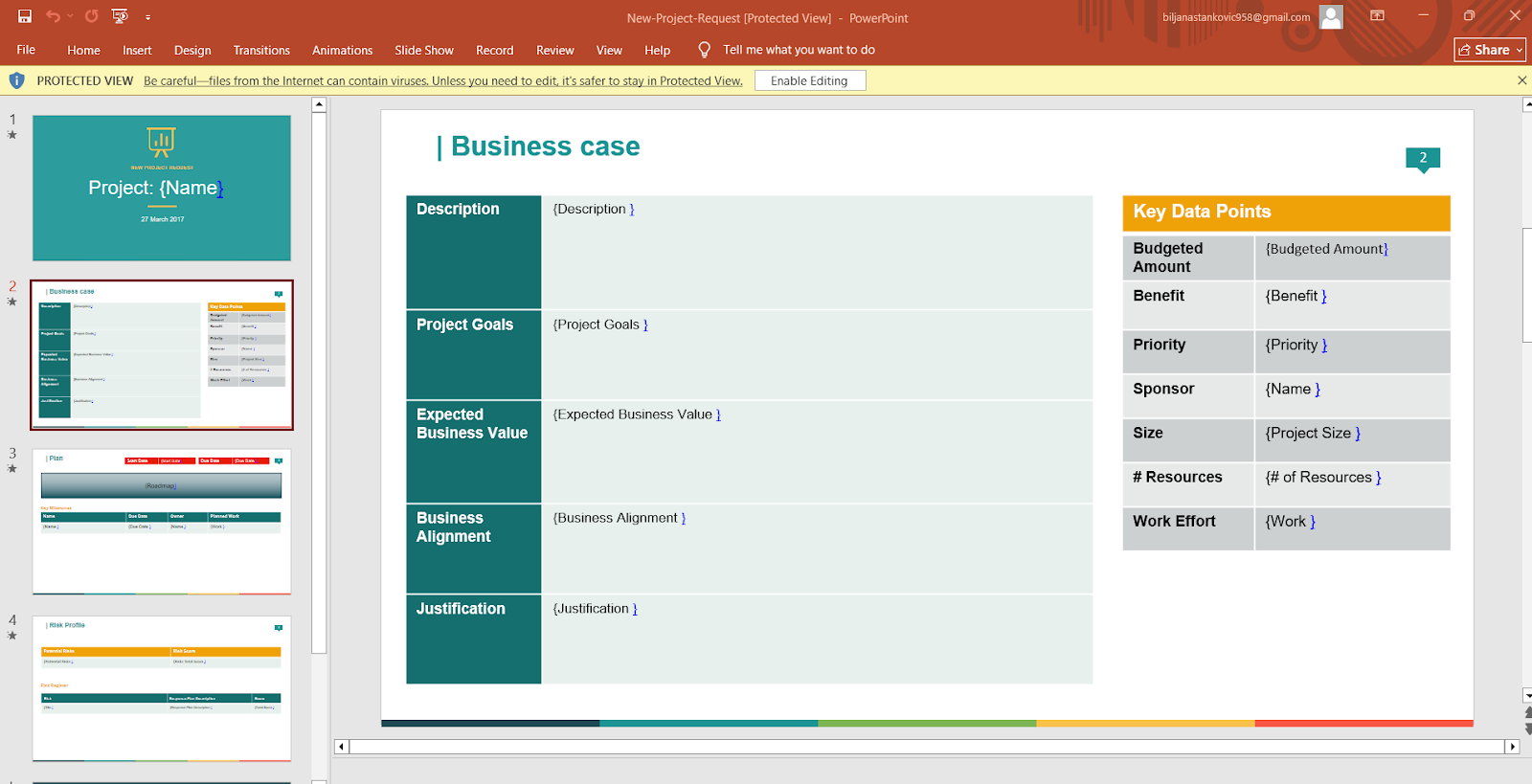
This is especially useful for leadership teams that rely on consistent, repeatable reporting across large portfolios without rebuilding decks every cycle.
Clarizen is ideal if you:
✅ Operate at enterprise scale and need clear visibility across portfolios, programs, teams, budgets, and resources.
✅ Rely on centralized planning, capacity management, and financial oversight to decide what work should move forward.
✅ Need structured adoption support, standardized processes, and automated executive reporting across large, distributed teams.
Clarizen isn’t the best choice if you:
❌ Primarily need a lightweight tool for day-to-day task tracking or team execution.
❌ Prefer flexibility and ease of setup over deep portfolio controls, resource modeling, and reporting rigor.
❌ Don’t have the scale, complexity, or structure needed to fully benefit from enterprise portfolio management.
SmartSuite’s features
SmartSuite is a modern work management platform designed to run real operational work - projects, workflows, requests, and reporting - without forcing teams into rigid spreadsheets or heavyweight enterprise-level executive processes.
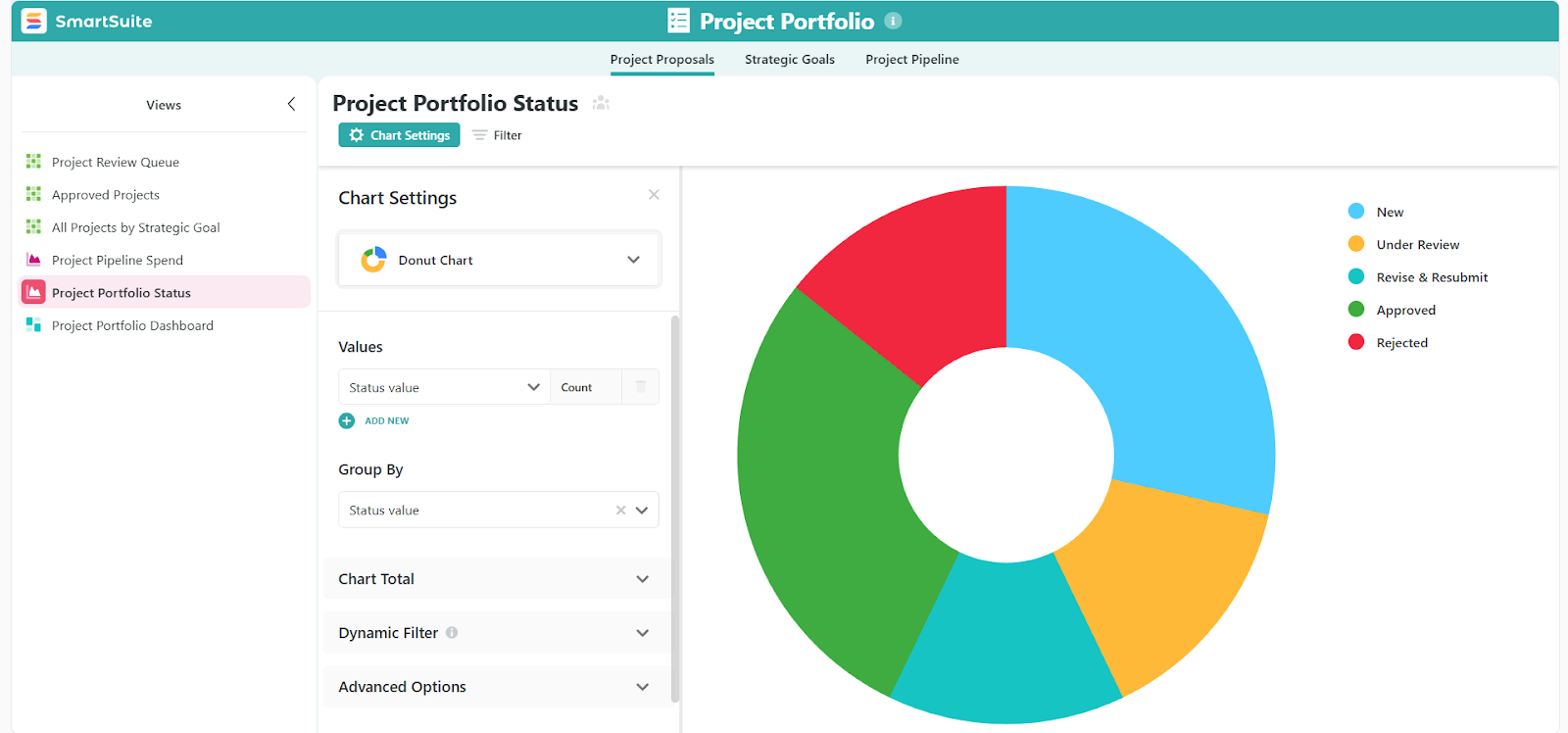
And that’s exactly why I included it here, as it sits squarely between Smartsheet’s spreadsheet-driven execution and Planview’s enterprise portfolio control.
For teams that need structure and flexibility as work evolves, SmartSuite often becomes the more practical middle ground.
Next, let’s take a closer look at SmartSuite’s core features and how they support execution at scale.
1. Unified work management for projects of any size
SmartSuite is built as a single system where projects, tasks, resources, reporting, and collaboration all live together, with no add-ons, no separate modules.
Here’s what that includes:
- One platform for simple to complex work: Manage everything from basic task lists and single projects to multi-project programs and portfolios in the same workspace, using shared data and consistent structure.
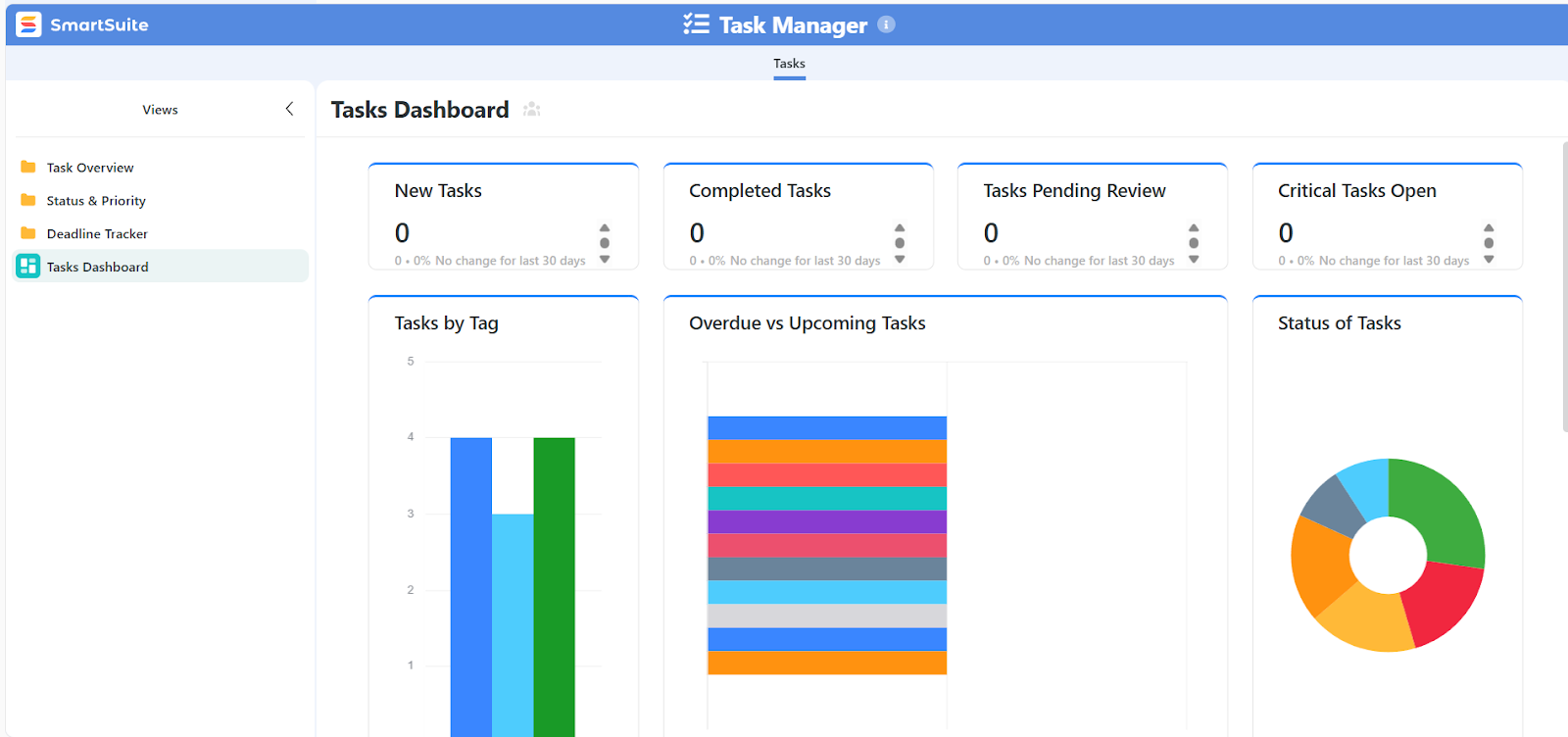
- Tasks as the building blocks of execution: Tasks, sub-items, checklists, comments, phases, and milestones all live in one unified work model, making it easy to break work down without losing context.
- Multiple views on the same live data: Instantly switch between Grid, Kanban, Calendar, Timeline, Gantt, and Chart views without duplicating data or rebuilding logic, so each team can work the way they prefer.
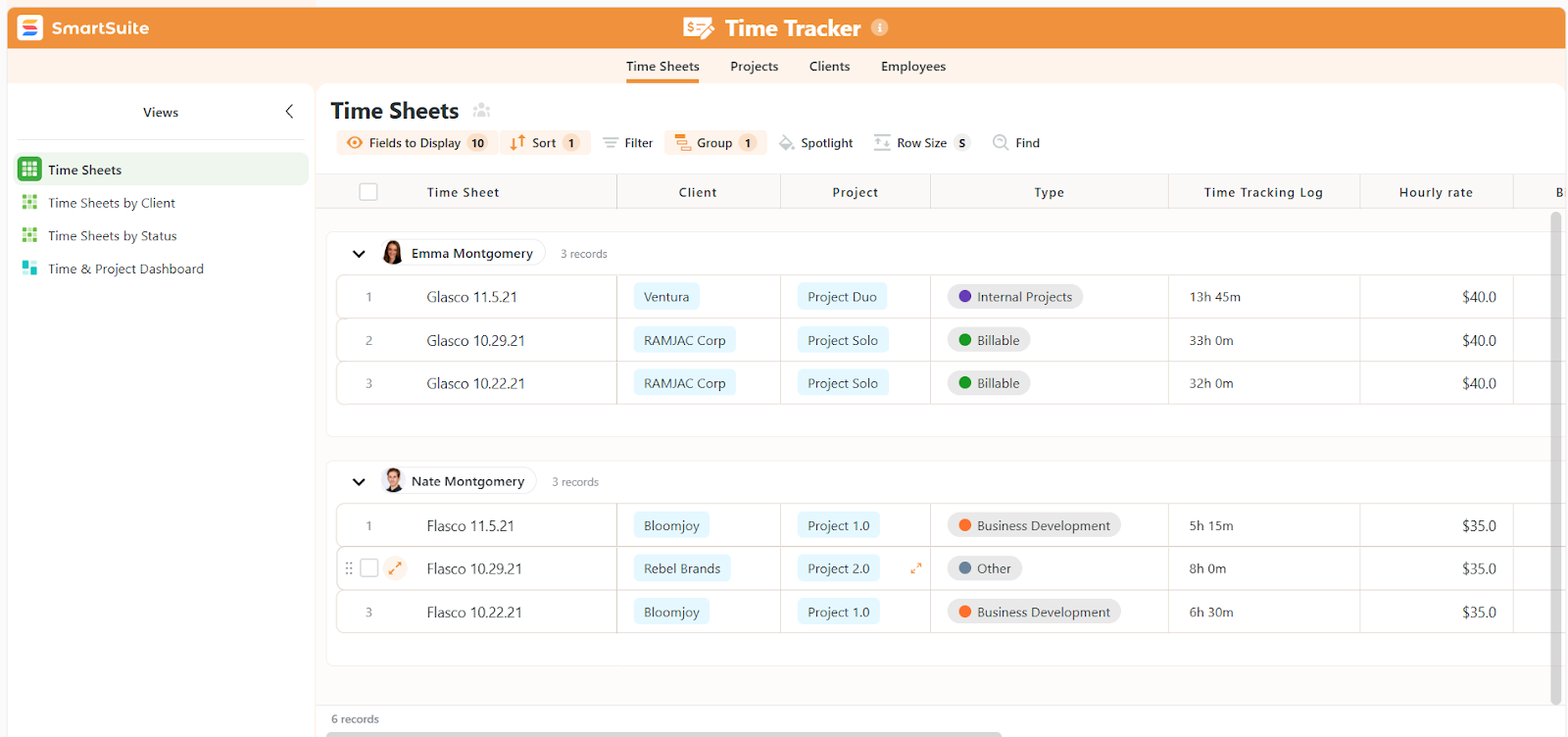
- Flexible timelines, phases, and milestones: Visualize progress with phases and milestones, track delivery by team or workstream, and spot risks early as timelines evolve.
- Unified reporting and dashboards: Monitor project health, budgets, priorities, risks, and delivery status from real-time dashboards that pull directly from live work data.
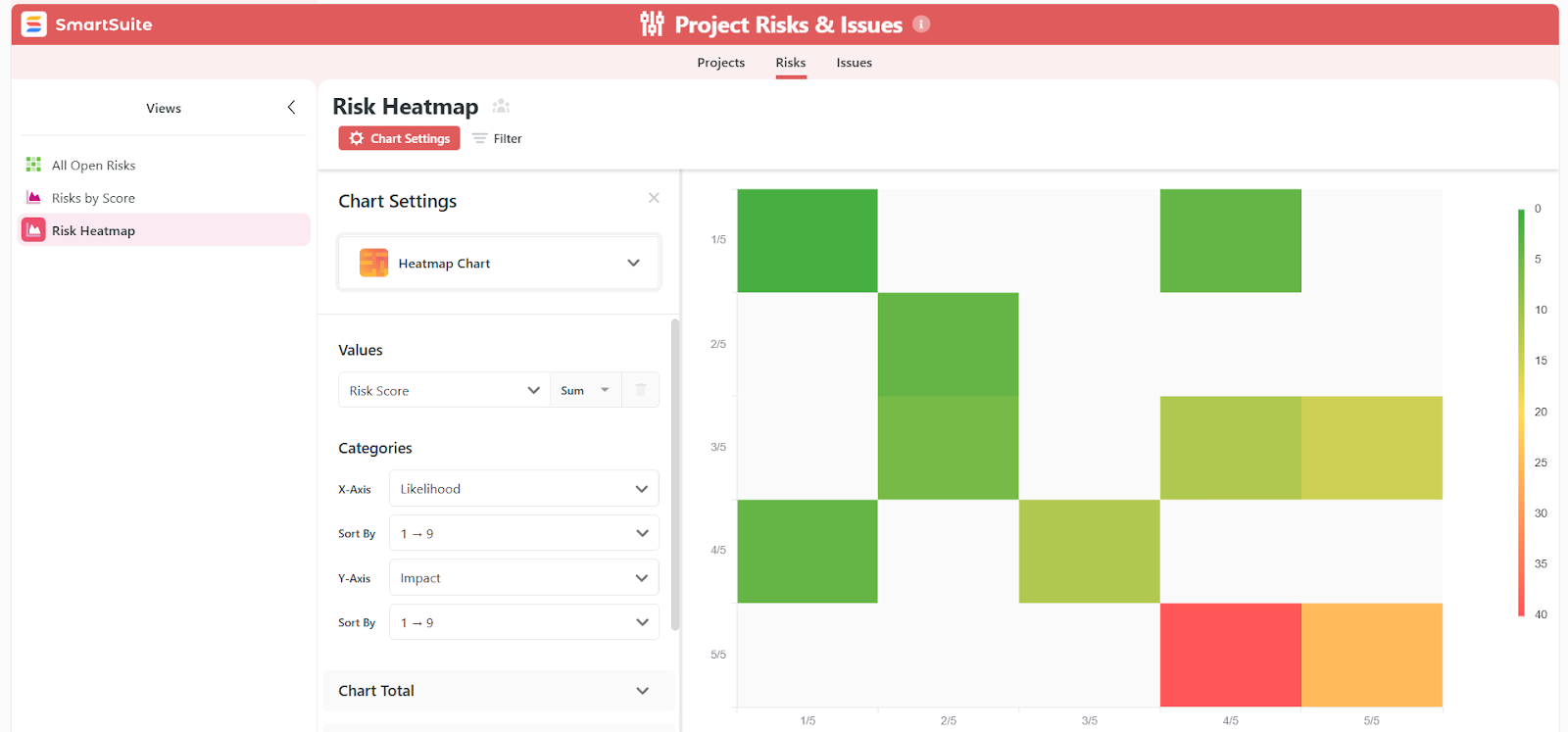
- Built-in resource allocation and workload visibility: See who’s working on what across projects, identify over- or under-allocation, and rebalance workloads before bottlenecks impact delivery.
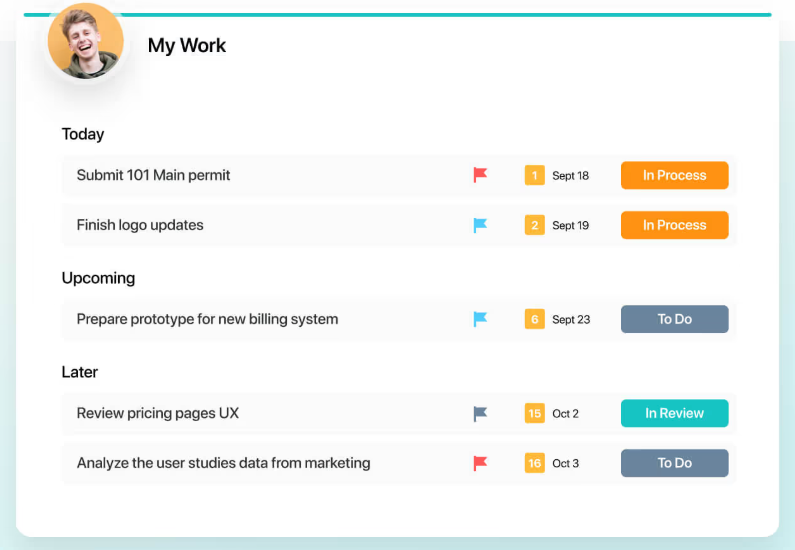
- One view for everything you own: The My Work view consolidates tasks across all projects into a single, prioritized list for each team member.
2. Automation built around real workflows
SmartSuite automation is designed to move work forward as it actually happens, without forcing teams to think in scripts, bots, or rigid process engines.
Here’s how it works:
- Visual, no-code automation rules: Build automations using clear triggers, conditions, and actions based on record changes, assignments, approvals, or status updates.

- Automation across related work: Update linked records, route work between related workflows, and keep connected processes in sync without duplicating data or logic.
- Event-driven execution: Automations trigger when real work events occur, such as a task being completed, approved, or reassigned, making workflows feel natural and responsive.
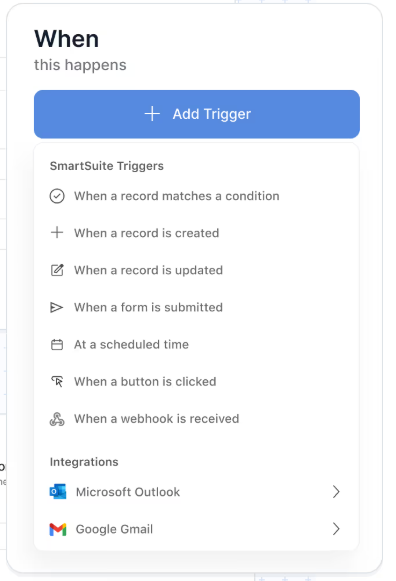
- Integrated notifications and handoffs: Set up automatic notifications in SmartSuite, email, Slack, or Microsoft Teams to reduce manual follow-ups and coordination errors.
3. AI embedded directly into day-to-day execution
SmartSuite uses AI inside real workflows to help teams move faster and keep data clean, without taking control away from people.
Here’s what that means in practice:
- Context-aware summaries and updates: Instantly summarize long comment threads, activity history, or project updates to speed up handoffs and status reporting.
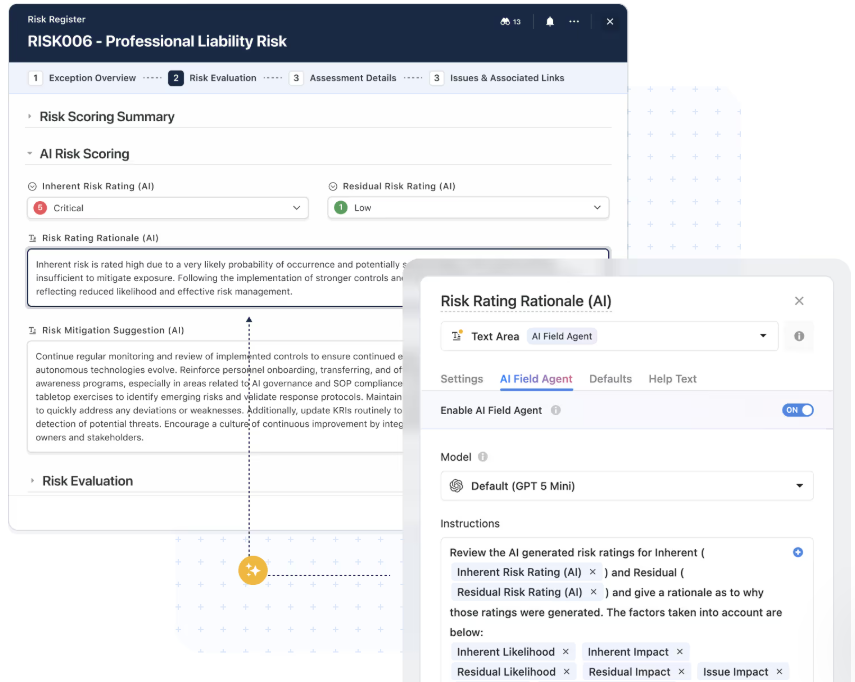
- Turn unstructured input into structured data: Extract key details from notes, requests, or form submissions and map them into the right fields automatically.
- AI-assisted classification and enrichment: Tag, categorize, score, or enrich records using AI Field Agents, improving data quality for reporting and automation.
- Smarter routing and prioritization: Use AI inside automation to understand intent, urgency, or content and route work to the right people or workflows.
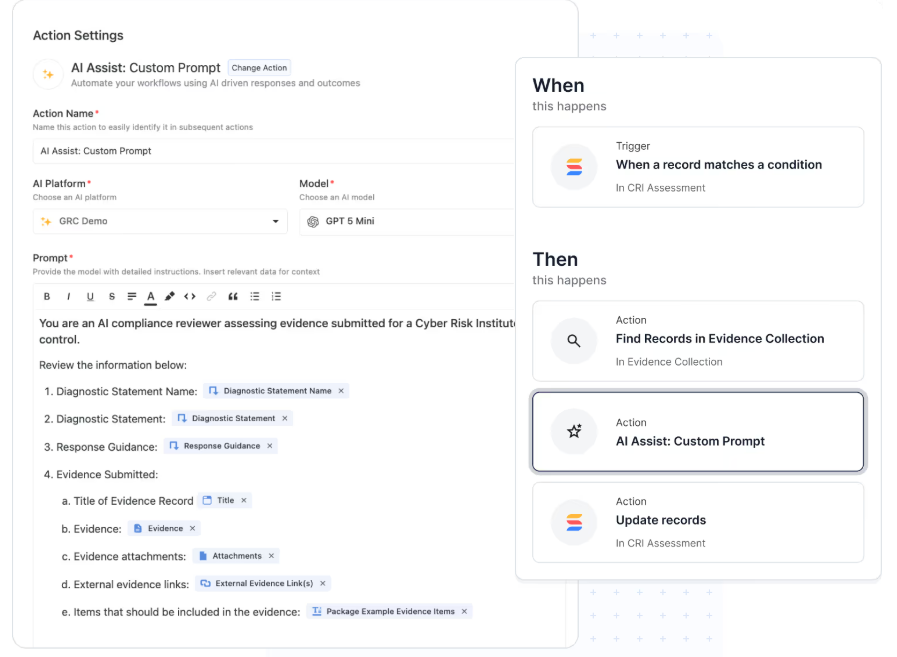
- Human-in-the-loop by design: AI suggests and prepares actions, but people stay in control of approvals, decisions, and execution.
4. Collaboration built directly into the work
SmartSuite is designed so conversations, files, and decisions live in the same place as the work itself, meaning there’s no jumping between tools whatsoever.
With SmartSuite, you get:
- Conversations inside records: Every task, project, request, or record has its own comment thread, keeping discussions tied to the exact work being done.
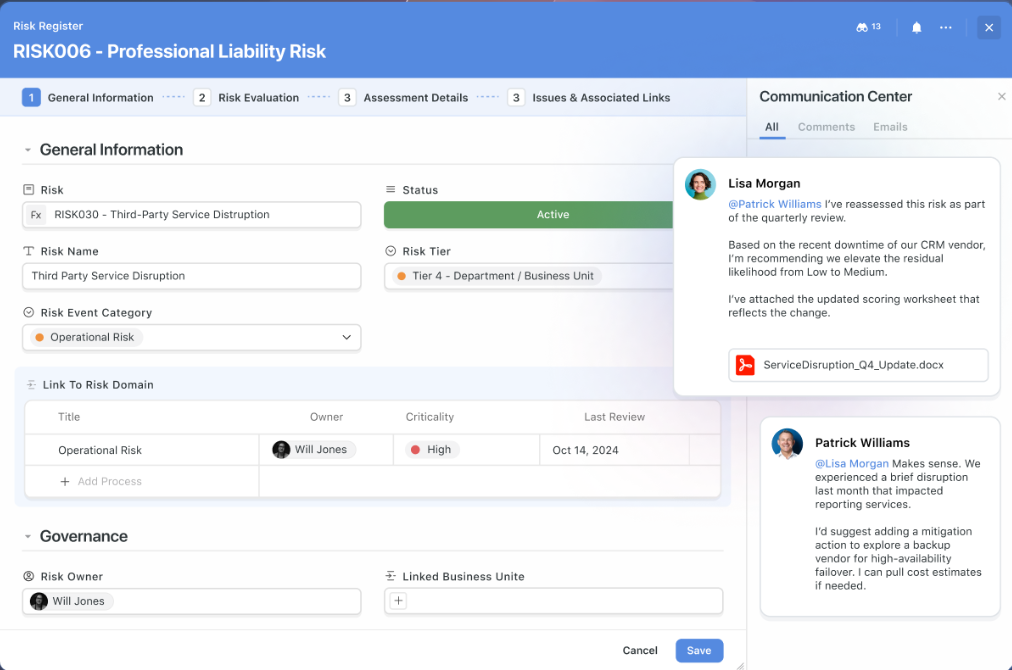
- Files and feedback in context: Attach documents, designs, and deliverables directly to records, manage versions, and collect feedback without leaving the workflow.
- Clear activity history and accountability: Each record maintains a full activity log showing updates, comments, assignments, and status changes, so nothing gets lost.
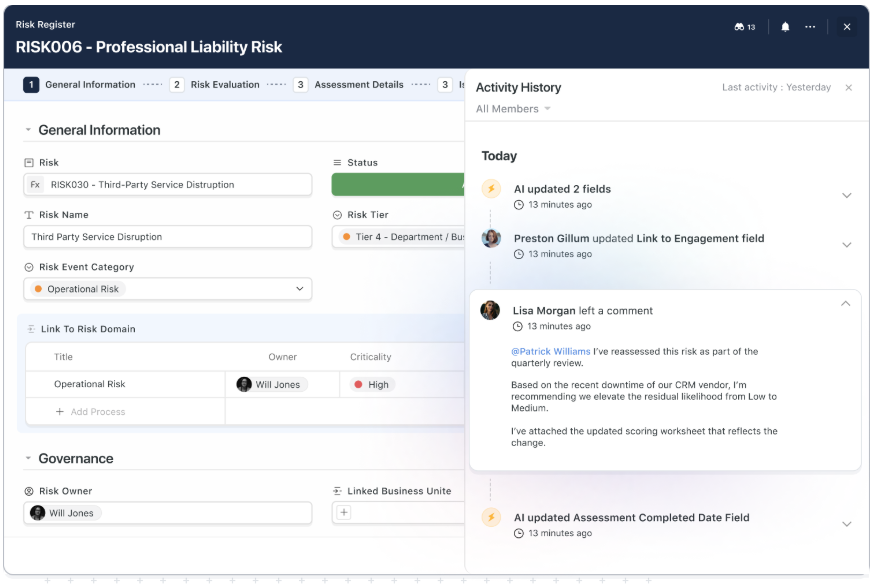
- Role-based visibility without noise: Permissions and notifications are tied to roles, assignments, and meaningful changes, helping teams stay informed without constant interruptions.
- Works across web and mobile: Teams can collaborate and stay aligned from anywhere using the same experience on desktop and mobile.
5. No-code customization without app-builder overhead
SmartSuite lets teams shape workflows to how they actually work, without writing code or maintaining custom-built apps.
Here’s how:
- Flexible field types for real workflows: Choose from 40+ field types, including relationships, formulas, rollups, files, lookups, statuses, and AI-powered fields to model anything from simple trackers to connected systems.
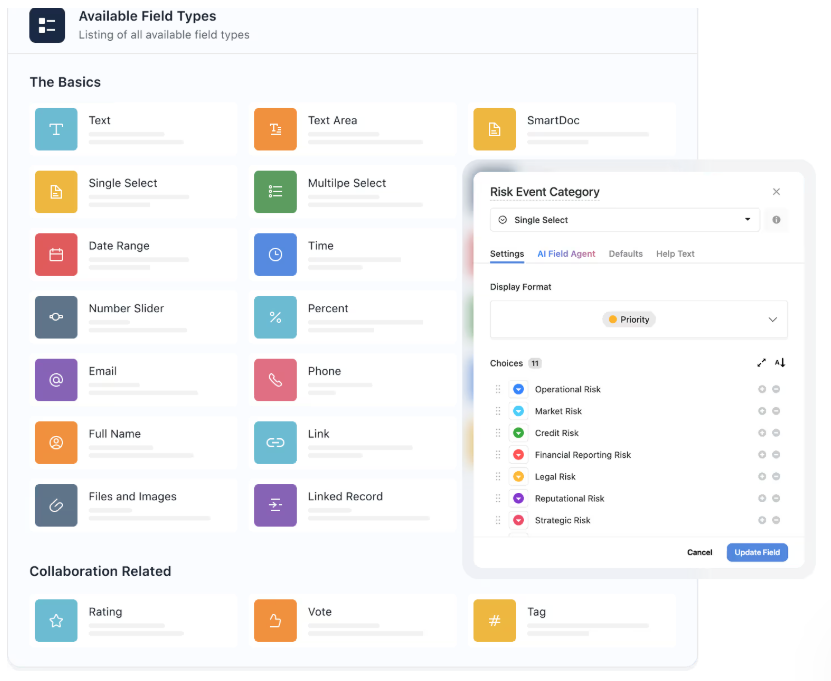
- Visual widgets and configurable layouts: Customize how records are displayed using visual layouts and widgets, so users see the information that matters most without navigating complex setups.
- Templates that speed up setup, not lock you in: Start from ready-made templates for projects, requests, risks, portfolios, and more, then tailor them freely as processes evolve.

- Power without complexity: Teams get flexibility comparable to heavier platforms, without needing developers, consultants, or long implementation cycles.
SmartSuite is ideal if you:
✅ Need one system to run real operational work, including projects, workflows, requests, and reporting, without stitching together multiple tools.
✅ Want structure and consistency, but still need workflows to adapt as work evolves.
✅ Manage anything from simple task tracking to complex, cross-functional projects and portfolios in the same platform.
✅ Value automation, AI, and collaboration that support day-to-day execution rather than heavyweight enterprise-level planning and governance.
✅ Prefer no-code customization that lets teams shape their own workflows without developers, consultants, or long setup cycles.
SmartSuite isn’t the best choice if you:
❌ Want to work almost entirely inside spreadsheets and rely heavily on formula-driven grids as your primary execution model.
❌ Need a highly specialized tool built only for executive-level planning and financial modeling.
Winner: SmartSuite
SmartSuite comes out on top because it strikes the best balance between structure, flexibility, and usability for most teams in 2026.
Smartsheet works well when execution can stay spreadsheet-driven, and Clarizen excels in large enterprises that need centralized planning and executive oversight.
But for teams that want one system to run real work without heavy overhead or rigid constraints, SmartSuite is the more practical choice.
Integrations: Smartsheet vs. Clarizen vs. SmartSuite
Smartsheet integrations
Smartsheet has a well-established integration ecosystem that helps teams connect their day-to-day execution work with the rest of their tools.
Rather than trying to replace existing systems, its integrations are built to sync data, trigger actions, and extend visibility across common enterprise and productivity platforms:
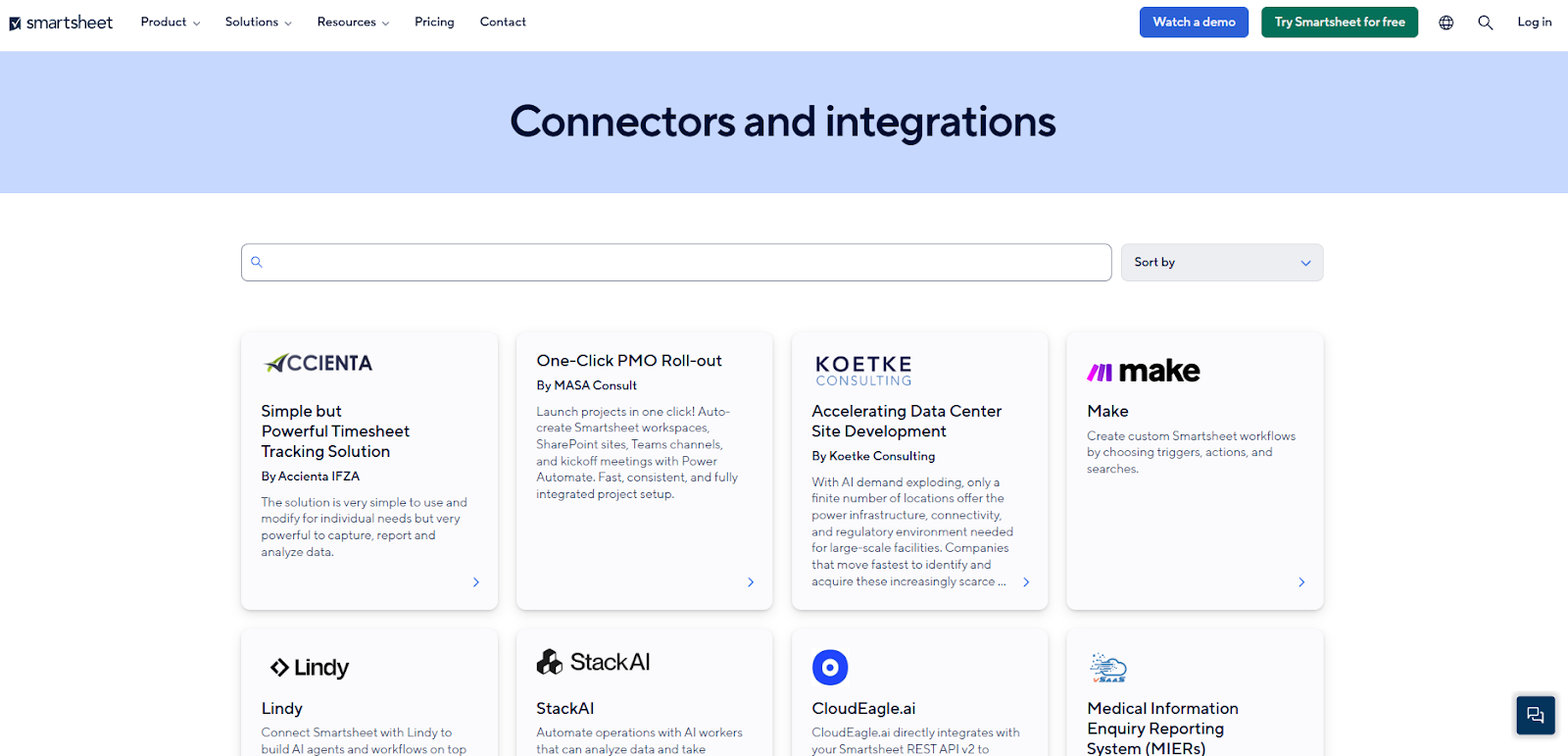
- Productivity and collaboration tools: Native connections with Microsoft 365 (Teams, Outlook, Excel), Google Workspace, and Slack make it easy to share updates, send alerts, and surface Smartsheet data where teams already collaborate.
- Enterprise and operational systems: Integrations with tools like Salesforce, Jira Software, and select ERP and BI platforms help keep project, customer, and operational data aligned without constant manual updates.
- Automation and data movement: Features like Smartsheet Bridge and Data Shuttle, along with third-party platforms such as Zapier, allow teams to automate data transfers, schedule syncs, and coordinate workflows across systems.
- Analytics and reporting tools: Connections to Power BI, Tableau, and similar platforms make it easier to push Smartsheet data into external analytics environments for deeper insights and executive-level reporting.
Overall, Smartsheet’s integration capabilities work best for organizations with an existing enterprise tech stack that want Smartsheet to serve as a central execution layer rather than a standalone system.
Clarizen integrations
Clarizen’s integrations are designed to connect delivery systems, financials, and collaboration tools into a single, governed view of work.
Rather than focusing on breadth, Clarizen prioritizes deep connections with systems enterprises already rely on.
Some of its integrations include:
- Jira integration rolls team-level execution up into portfolio planning without disrupting agile workflows.
- Microsoft Teams and Slack integrations surface project updates and alerts where teams already communicate.
- Salesforce connects delivery work with revenue and customer context.
- SharePoint, Box, and Google Workspace keep files tied to project context.
- SAP integration aligns project budgets and actuals with core finance systems.
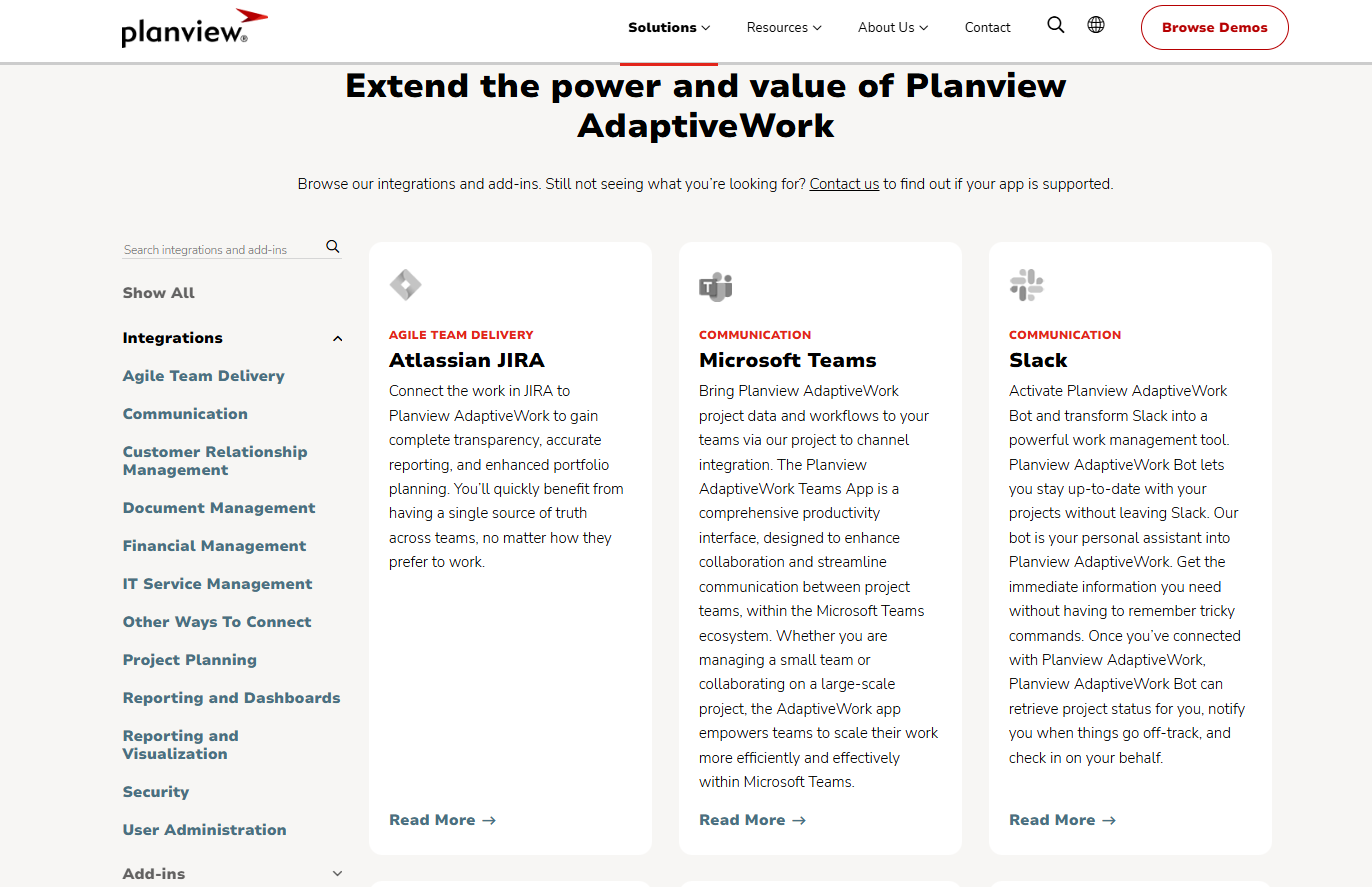
Essentially, Planview integrations work best for organizations that need tight coordination between planning, execution, and financial systems at enterprise scale.
SmartSuite integrations
SmartSuite treats integrations as part of how work gets done, not just a way to move data between systems.
Its integration layer is built to connect workflows end to end, triggering actions, keeping records in sync, and supporting automation without heavy configuration.
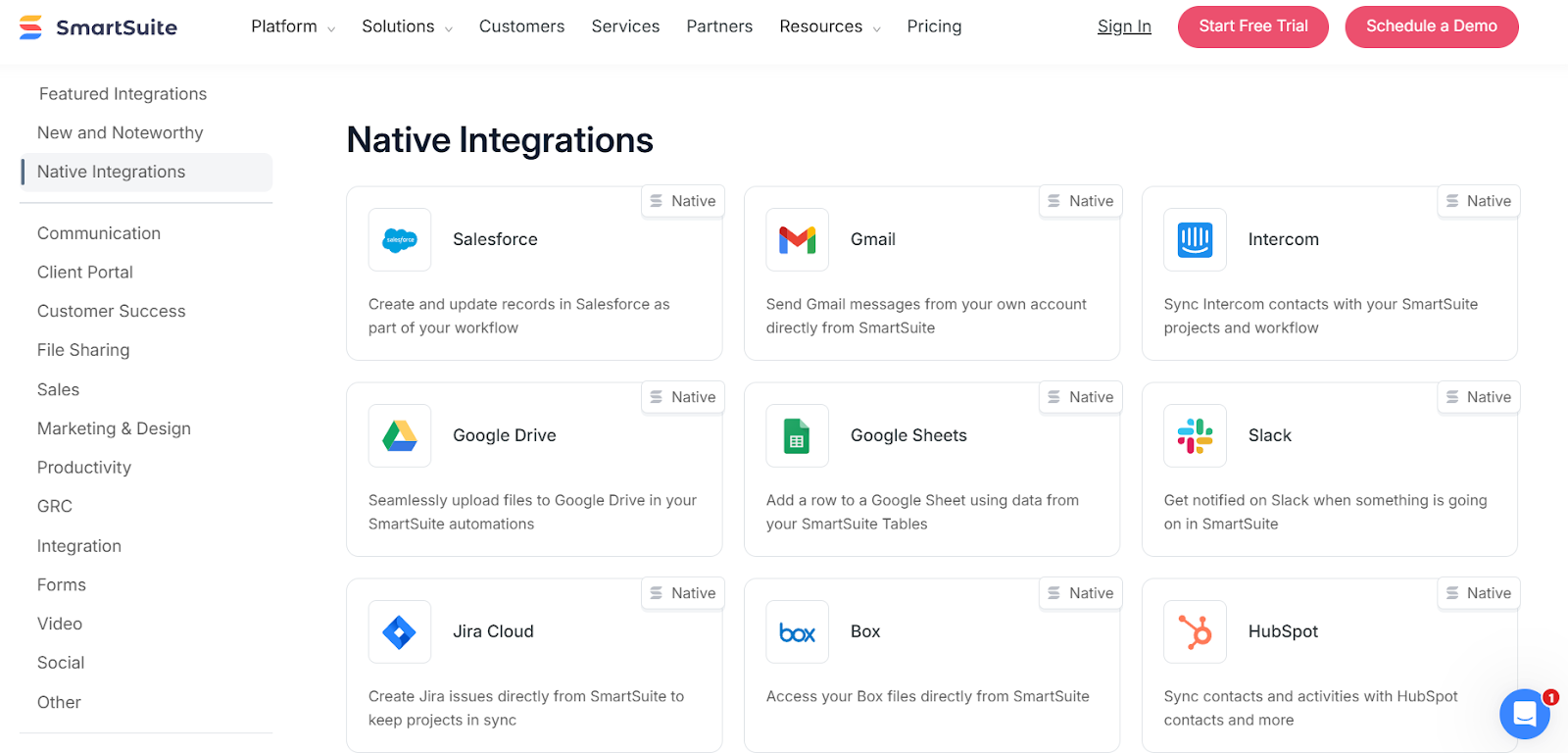
It provides:
- Built-in connections for daily tools: SmartSuite offers native actions for tools teams already rely on, including Slack, Microsoft Teams, Google Workspace, Outlook, and Salesforce. These integrations can send updates, create calendar events, sync records, or update external systems directly from workflow automation.
- Visual iPaaS integrations for broader automation: For more advanced needs, SmartSuite connects with platforms like Zapier, Make, Microsoft Power Automate, and Relay, allowing teams to build multi-step workflows across thousands of apps without writing code.
- APIs and webhooks for deeper control: For technical teams, SmartSuite provides a REST API and webhooks to programmatically interact with records, respond to events, or embed SmartSuite data into internal systems as needed.
SmartSuite balances ease of use with long-term flexibility, making it approachable for non-technical teams today while remaining extensible as integration needs become more complex.
Winner: Smartsheet
Based purely on the number of native integrations, Smartsheet comes out ahead.
It offers the widest range of native integrations across productivity tools, enterprise systems, BI platforms, and automation services, making it easy to plug into existing tech stacks with minimal setup.
Pricing: Smartsheet vs. Clarizen vs. SmartSuite
Smartsheet pricing
Smartsheet offers several pricing tiers designed to scale from small teams to large enterprises:
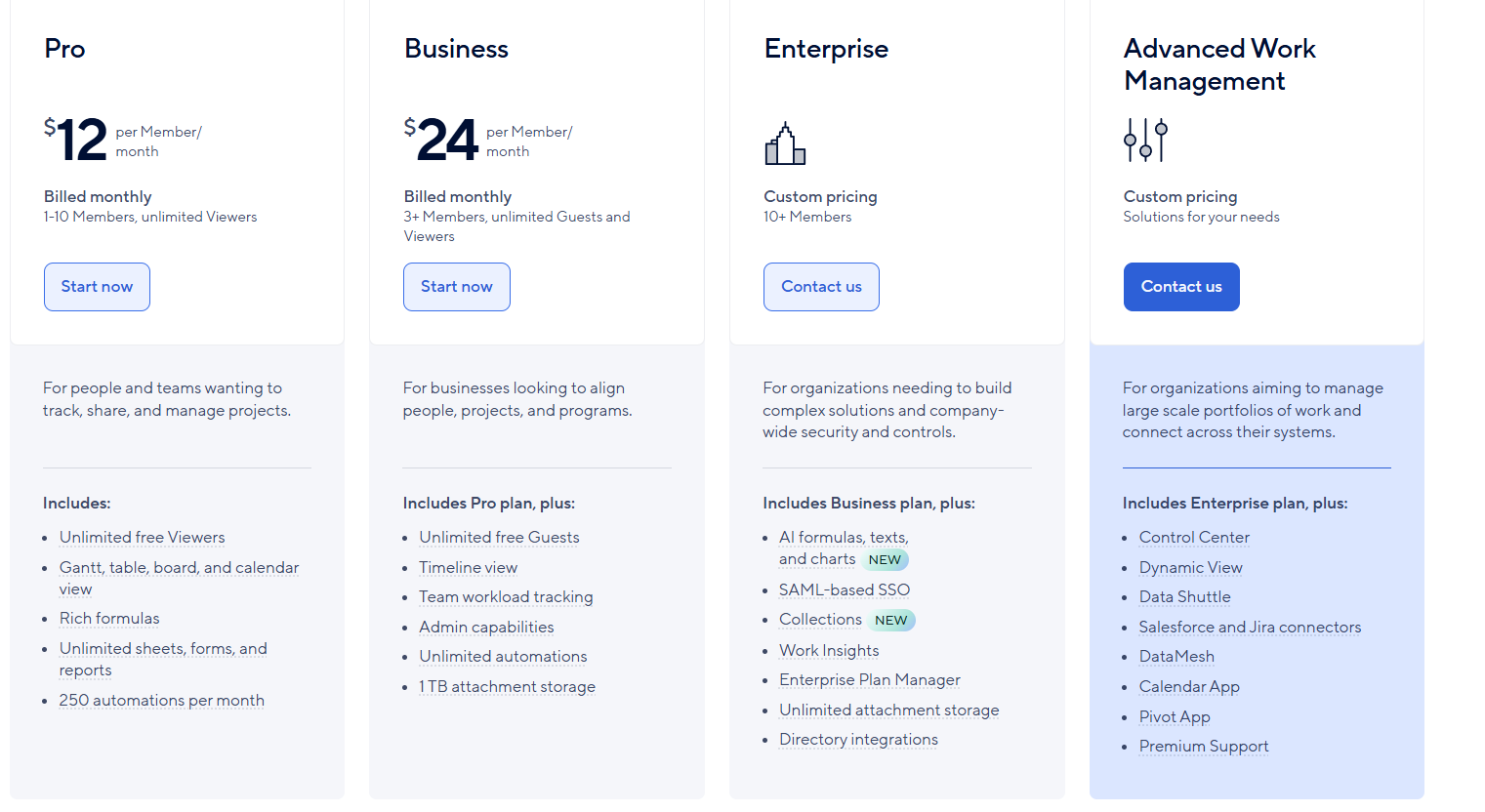
- Pro: $12 per user/month, for 1-10 users, includes Gantt, table, board, and calendar views, rich formulas, unlimited sheets, forms, and reports, plus 250 automations per month.
- Business: $24 per member/month, for minimum 3 members, includes everything in Pro, plus timeline view, team workload tracking, stronger admin controls, unlimited automations, and 1 TB of attachment storage.
- Enterprise: Custom pricing, for teams with more than 10 members that need advanced security and governance controls, includes everything in Business, plus AI-powered formulas, text, and charts, SAML-based SSO, directory integrations, unlimited storage, Work Insights, WorkApps, and enterprise-level management tools.
- Advanced Work Management: Custom pricing, designed for organizations managing large portfolios and complex, cross-system workflows. Includes everything in Enterprise, plus control center, dynamic view, data shuttle, DataMesh, calendar and pivot apps, Salesforce and Jira connectors, and premium support.
Clarizen pricing
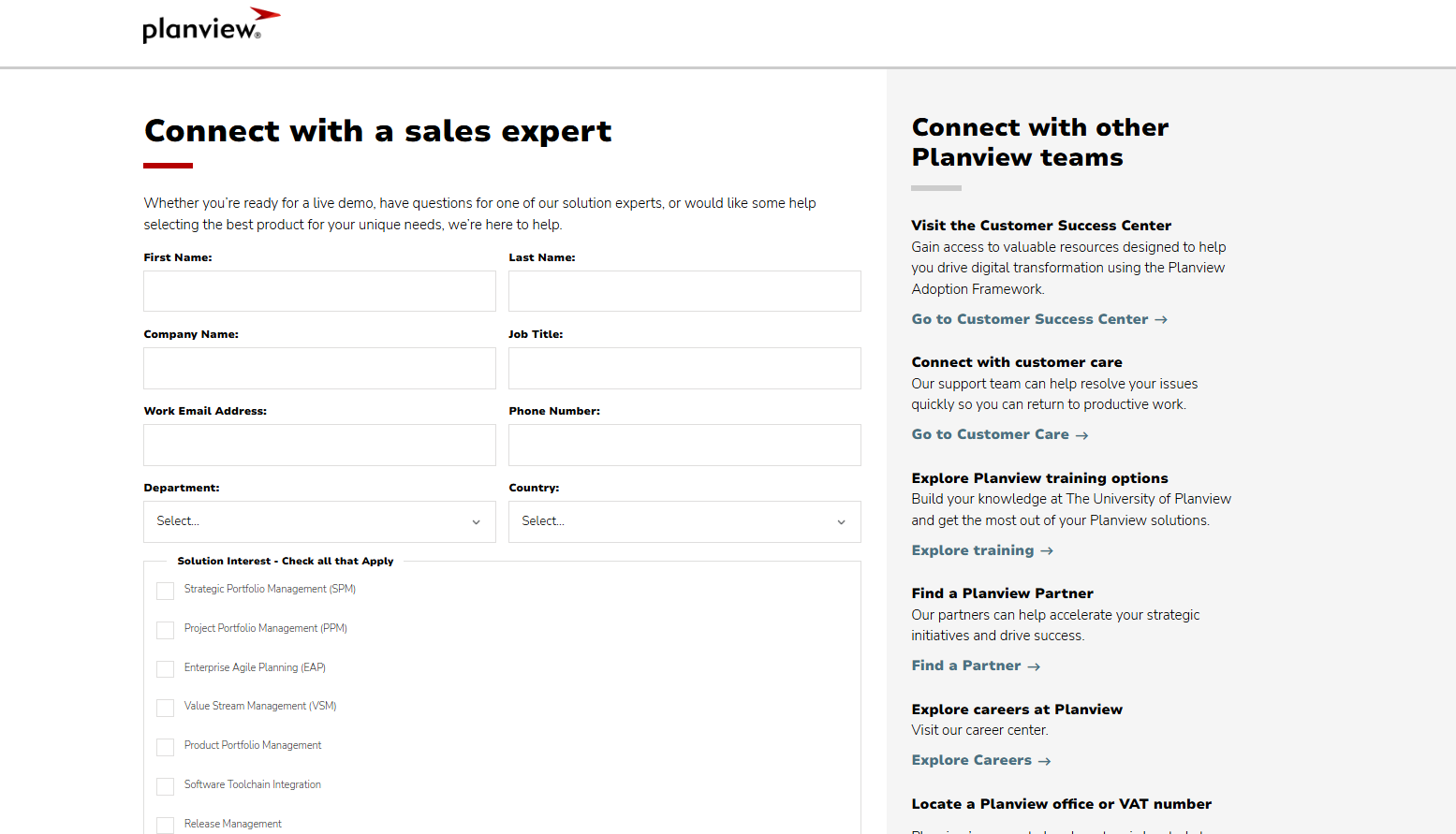
Planview doesn’t publish prices for any of its products, Clarizen included.
You can contact its sales team for more details.
SmartSuite pricing
SmartSuite follows a transparent pricing model with plans that scale alongside your team’s needs.
You can try it free for 14 days - no credit card required - before choosing a tier.
Here’s a closer look at the available options:
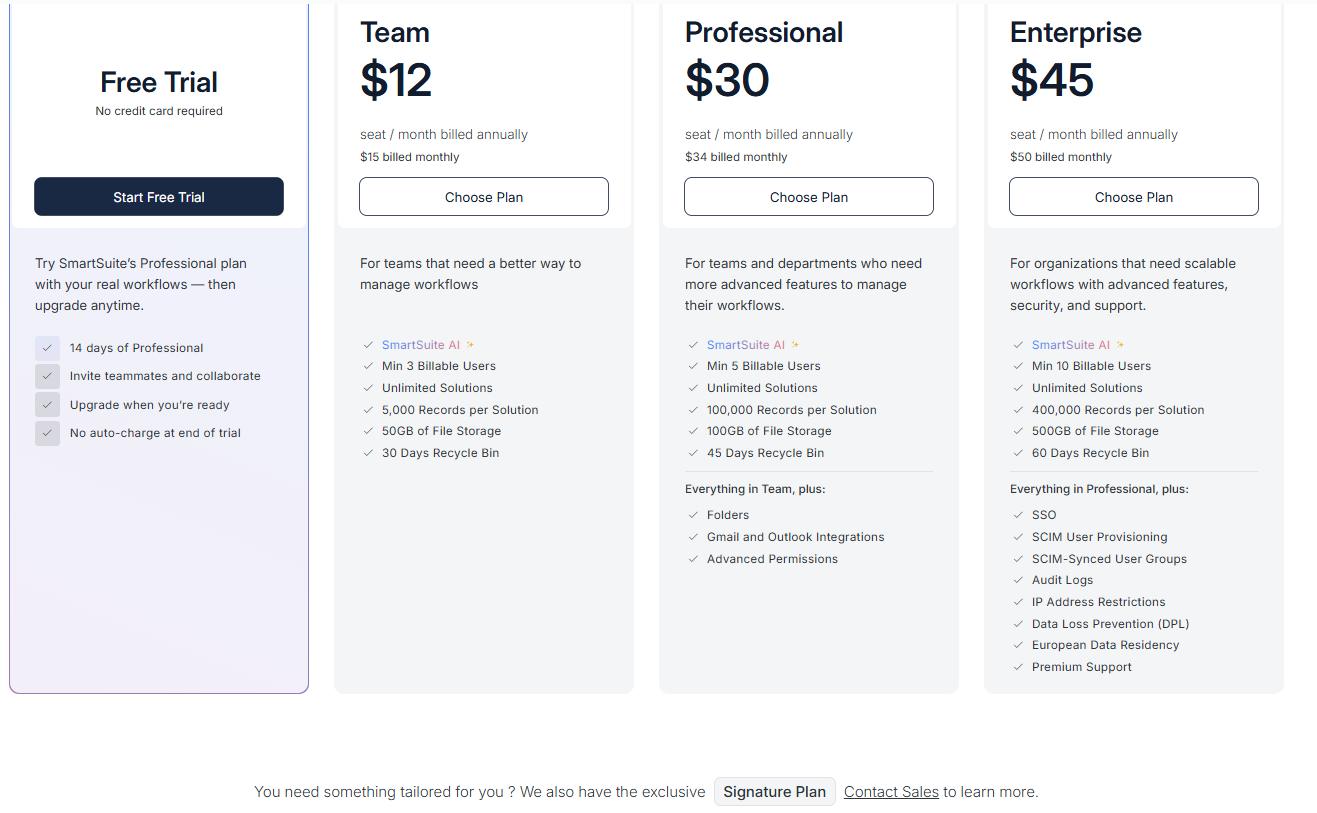
- Team: $12 per seat/month (billed annually), includes SmartSuite AI, unlimited solutions, up to 5,000 records per solution, 50 GB of file storage, a 30-day recycle bin, and core collaboration and automation features.
- Professional: $30 per seat/month, includes everything in Team, plus folders, Gmail and Outlook integrations, advanced permissions, higher record limits (100,000 per solution), 100 GB of storage, and a 45-day recycle bin.
- Enterprise: $45 per seat/month, includes everything in Professional, plus SSO, SCIM user provisioning, audit logs, IP restrictions, data loss prevention, European data residency, premium support, and higher limits (400,000 records per solution and 500 GB storage).
- Signature: Custom pricing. A tailored plan for organizations with specific requirements around scale, security, or data architecture.
Winner: SmartSuite
When comparing pricing transparency and value, SmartSuite is the clear winner.
Its plans are publicly listed, include core features (automation, AI, customization) from the entry tier, and scale predictably as teams grow without forcing upgrades into opaque enterprise packages.
What are the customers saying about Smartsheet, Clarizen, and SmartSuite?
TL;DR
- Smartsheet (4.4★ on G2) is best for teams that want spreadsheet-style project management with strong integrations and collaboration. It’s easy to adopt at first, but costs rise quickly and advanced automations, formulas, and dashboards come with a learning curve and plan limitations.
- Clarizen (4.1★ on G2) is built for large enterprises managing complex project portfolios. It offers deep customization and reporting power, but requires heavy setup, expert configuration, and a higher budget to be usable day to day.
- SmartSuite (4.8★ on G2) strikes the balance between ease of use and flexibility, combining databases, projects, and workflows in one no-code platform. It’s fast to adopt and highly customizable without complexity, though some enterprise-grade features are still evolving.
Smartsheet reviews
G2 Rating: 4.4/5
What users love:
- Familiar spreadsheet-style interface that’s easy to adopt, especially for teams coming from Excel or Google Sheets.
- Wide integrations with tools like Microsoft 365, Google Workspace, Slack, Jira, and Salesforce.
- Strong collaboration and real-time updates, helping teams stay aligned on tasks, deadlines, and changes.
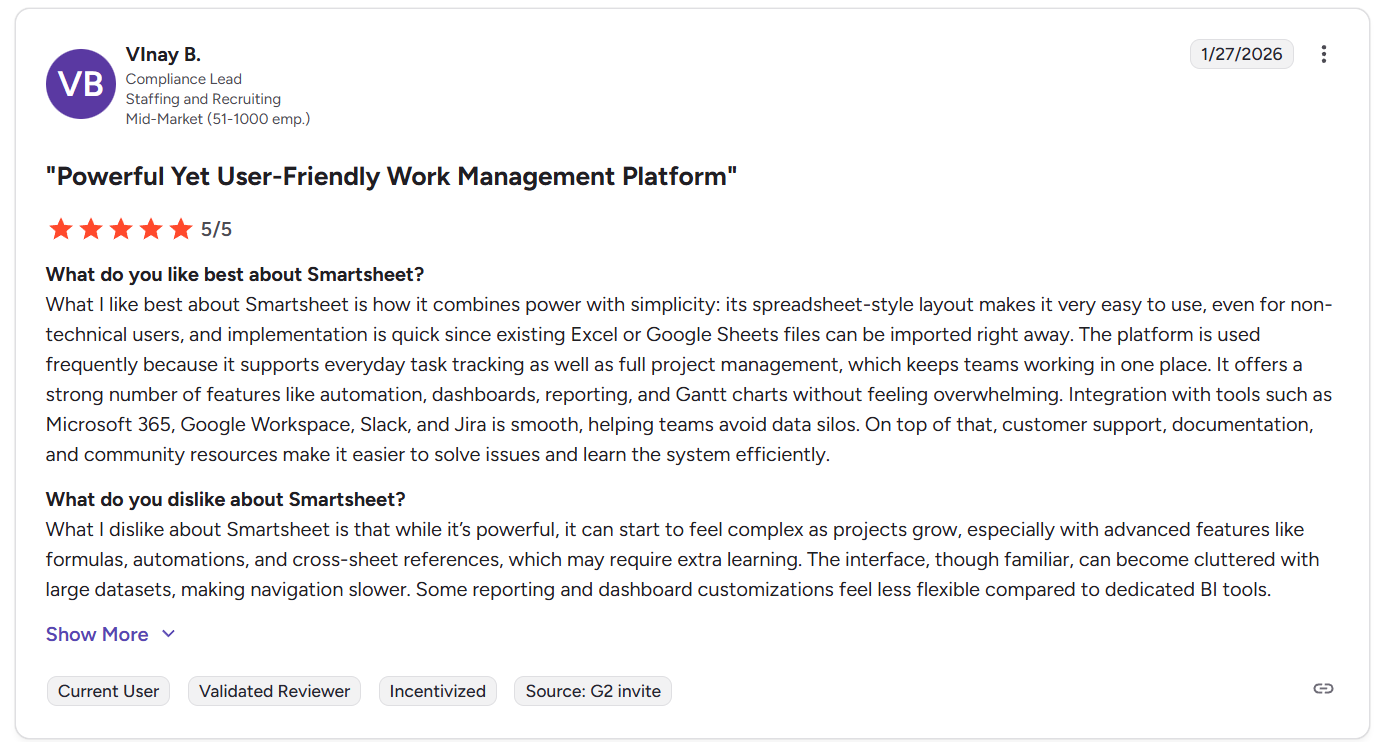
“What I like best about Smartsheet is how it combines power with simplicity: its spreadsheet-style layout makes it very easy to use, even for non-technical users, and implementation is quick since existing Excel or Google Sheets files can be imported right away. The platform is used frequently because it supports everyday task tracking as well as full project management, which keeps teams working in one place. It offers a strong number of features like automation, dashboards, reporting, and Gantt charts without feeling overwhelming. Integration with tools such as Microsoft 365, Google Workspace, Slack, and Jira is smooth, helping teams avoid data silos. On top of that, customer support, documentation, and community resources make it easier to solve issues and learn the system efficiently.” - G2 Review
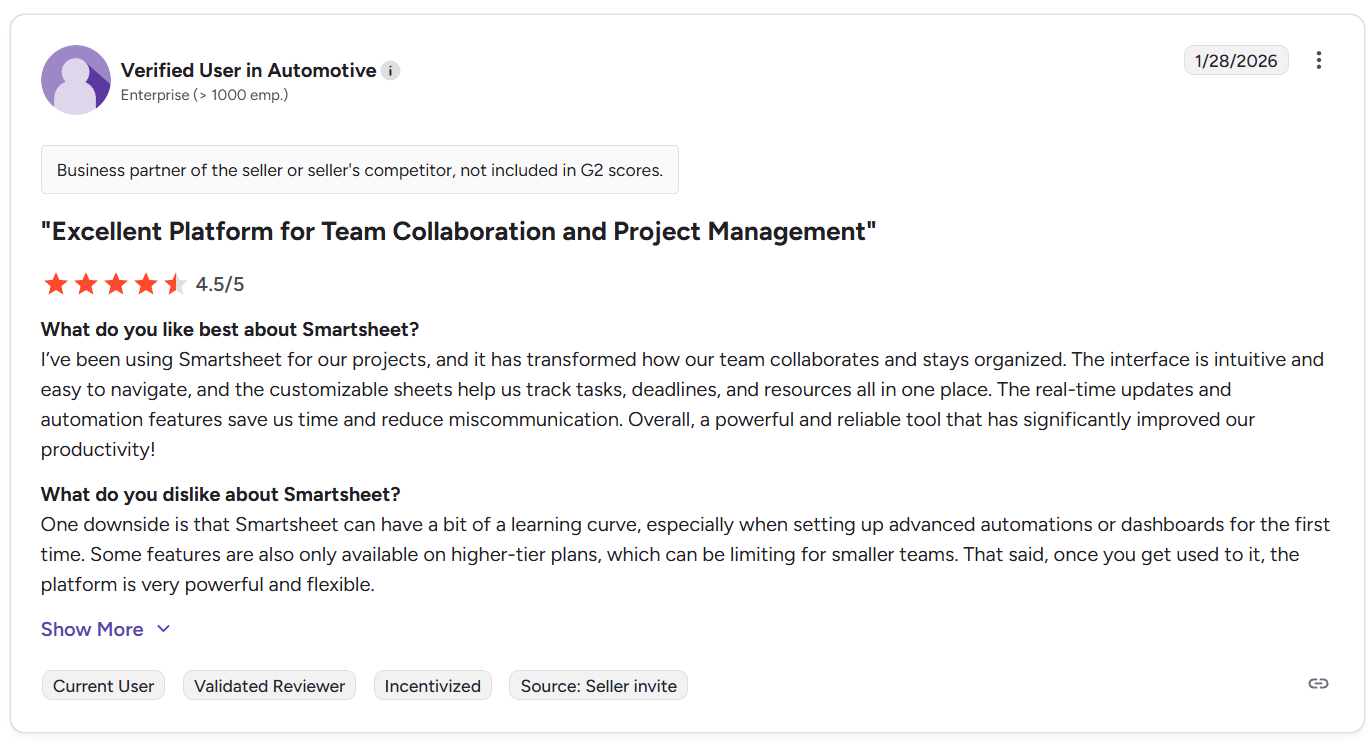
“Smartsheet is flexible and easy to use for project tracking and collaboration. It helps organize tasks, timelines and dependencies clearly and the real-time updates keep everyone aligned.” - G2 Review
Common complaints include:
- Key functionality locked behind higher-tier plans, which can push costs up as teams scale.
- Noticeable learning curve for advanced features like automations, formulas, and dashboards.
- Rigid spreadsheet constraints, such as limited customization of certain columns or automation behaviors.

“One downside is that Smartsheet can have a bit of a learning curve, especially when setting up advanced automations or dashboards for the first time. Some features are also only available on higher-tier plans, which can be limiting for smaller teams.” - G2 Review

“What I dislike about Smartsheet is that while it’s powerful, it can start to feel complex as projects grow, especially with advanced features like formulas, automations, and cross-sheet references, which may require extra learning. The interface, though familiar, can become cluttered with large datasets, making navigation slower. Some reporting and dashboard customizations feel less flexible compared to dedicated BI tools.” - G2 Review
Clarizen reviews
G2 Rating: 4.1/5
What users love:
- Very strong customization for projects, workflows, and portfolios once properly set up.
- Rich feature set that supports complex project and portfolio management across large organizations.
- Dashboards, reporting, and time tracking are frequently highlighted as useful, especially for leadership visibility.
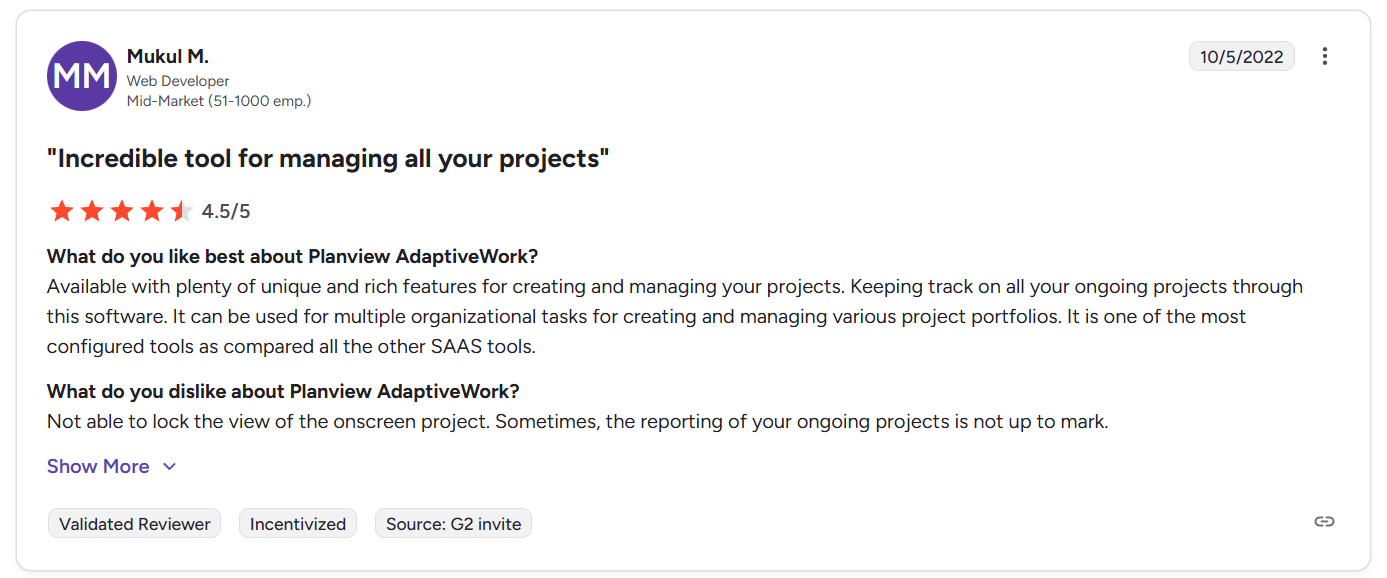
“Available with plenty of unique and rich features for creating and managing your projects. Keeping track of all your ongoing projects through this software. It can be used for multiple organizational tasks for creating and managing various project portfolios. It is one of the most configured tools as compared to all the other SAAS tools.” - G2 Review
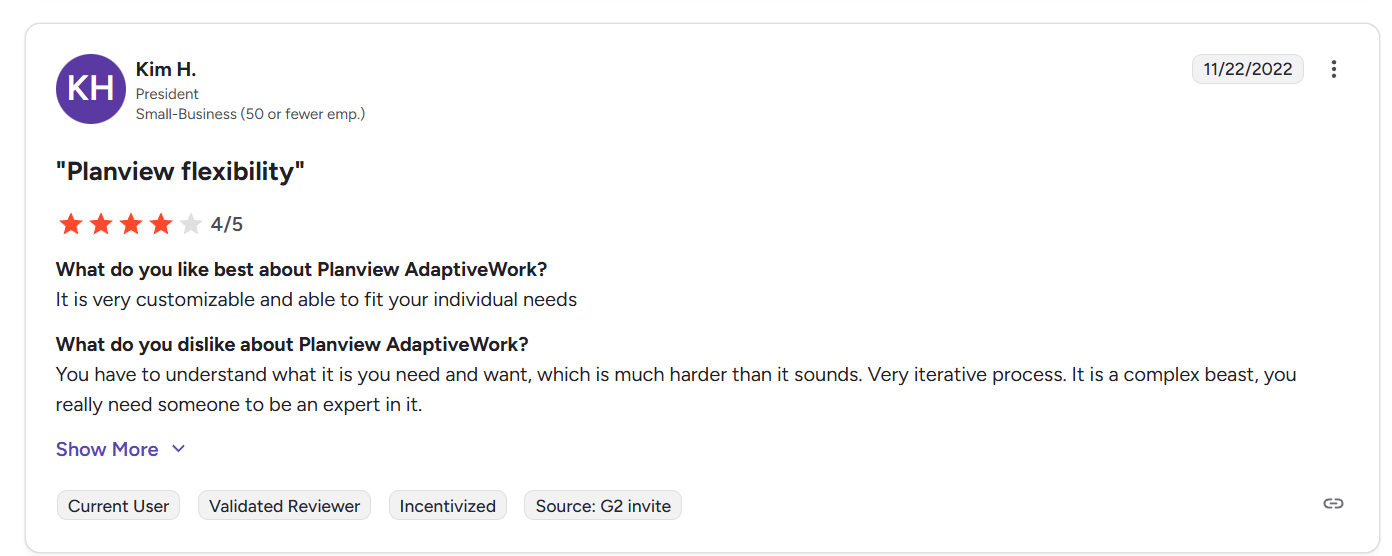
“It is very customizable and able to fit your individual needs.” - G2 Review
Common complaints include:
- Limited out-of-the-box usability, with many teams needing significant configuration before it fits their processes.
- Costly and time-consuming implementation, often requiring expert resources or consultants.
- Performance issues in large or detailed projects, including slowdowns or locked views.
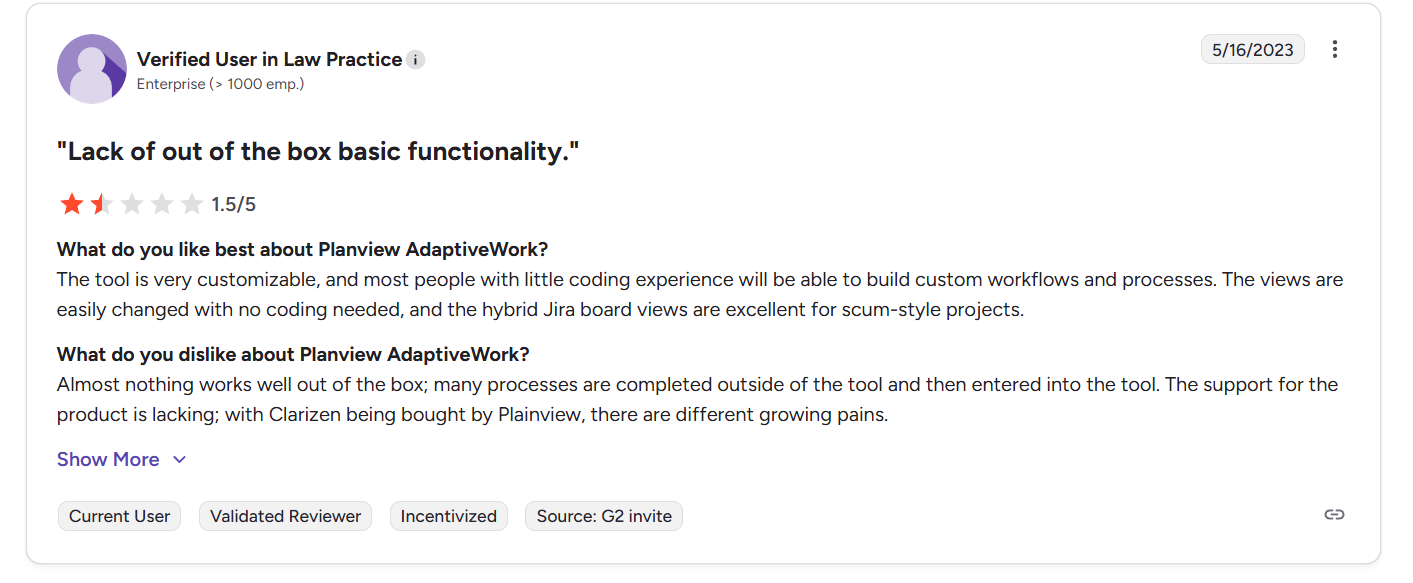
“Almost nothing works well out of the box; many processes are completed outside of the tool and then entered into the tool. The support for the product is lacking; with Clarizen being bought by Plainview, there are different growing pains.” - G2 Review
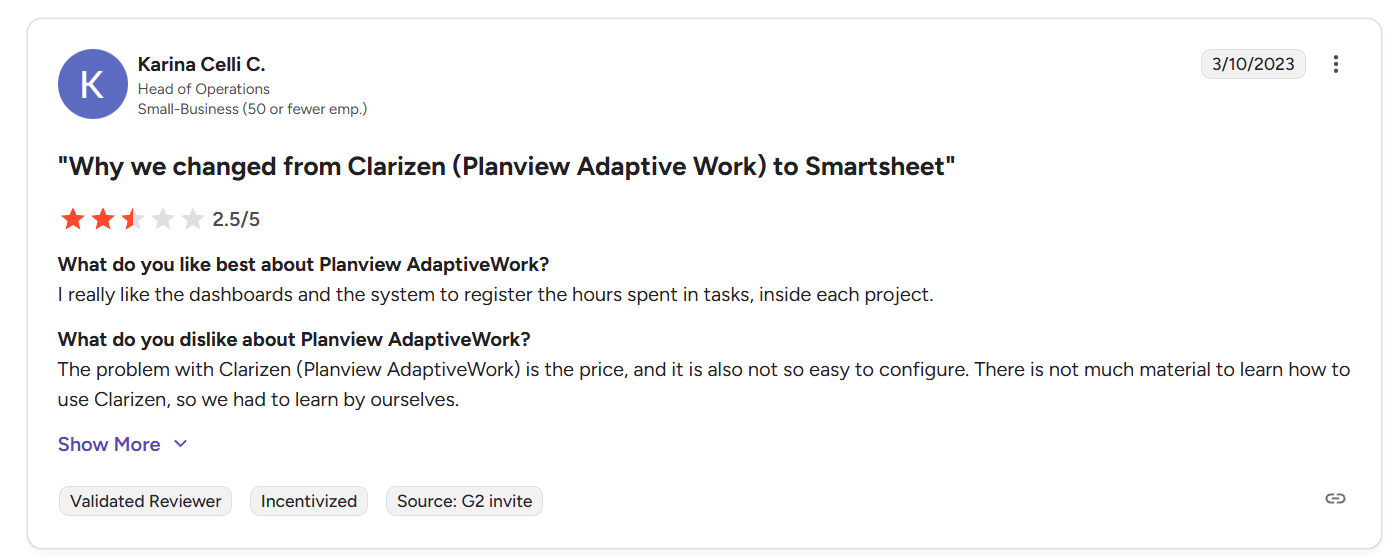
“The problem with Clarizen (Planview AdaptiveWork) is the price, and it is also not so easy to configure. There is not much material to learn how to use Clarizen, so we had to learn by ourselves.” - G2 Review
SmartSuite reviews
G2 Rating: 4.8/5
What users love:
- Easy to adopt, even for non-technical teams, with a much gentler learning curve than many project and no-code tools.
- Highly flexible work model that combines databases, projects, and workflows in one platform.
- Strong customization without coding, including templates, automations, and relational data.
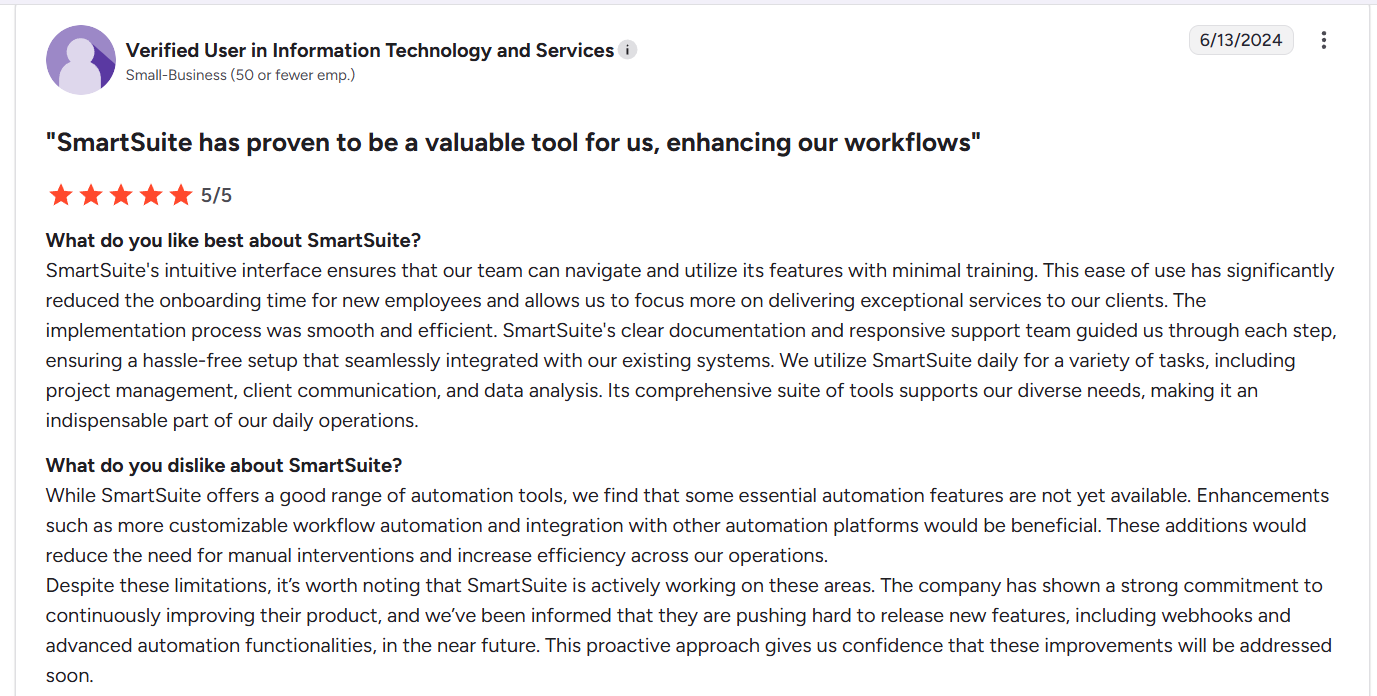
“SmartSuite's intuitive interface ensures that our team can navigate and utilize its features with minimal training. This ease of use has significantly reduced the onboarding time for new employees and allows us to focus more on delivering exceptional services to our clients. The implementation process was smooth and efficient. SmartSuite's clear documentation and responsive support team guided us through each step, ensuring a hassle-free setup that seamlessly integrated with our existing systems. We utilize SmartSuite daily for a variety of tasks, including project management, client communication, and data analysis. Its comprehensive suite of tools supports our diverse needs, making it an indispensable part of our daily operations.” - G2 Review
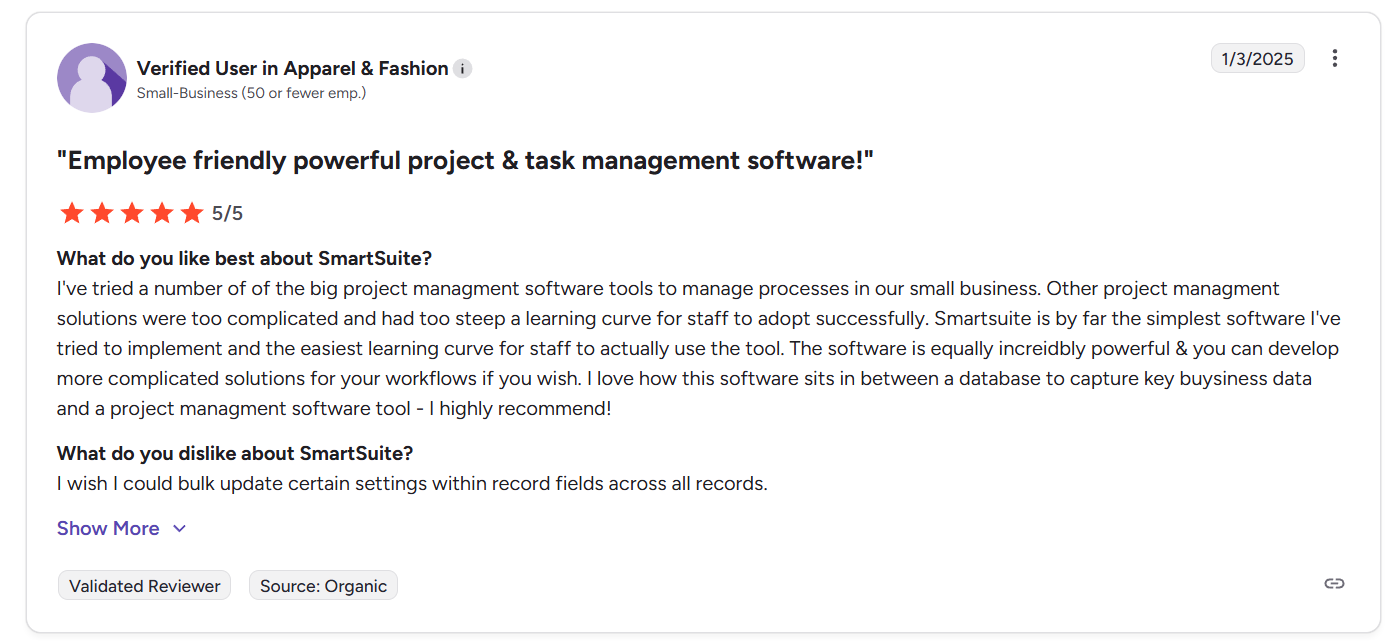
“I've tried a number of the big project management software tools to manage processes in our small business. Other project management solutions were too complicated and had too steep a learning curve for staff to adopt successfully. Smartsuite is by far the simplest software I've tried to implement and the easiest learning curve for staff to actually use the tool. The software is equally incredibly powerful & you can develop more complicated solutions for your workflows if you wish. I love how this software sits in between a database to capture key business data and a project management software tool - I highly recommend!” - G2 Review
Common complaints include:
- Some features are still maturing, especially for larger or more enterprise-heavy use cases.
- Minor usability gaps, such as bulk editing limitations, task views, or organizing large numbers of solutions.
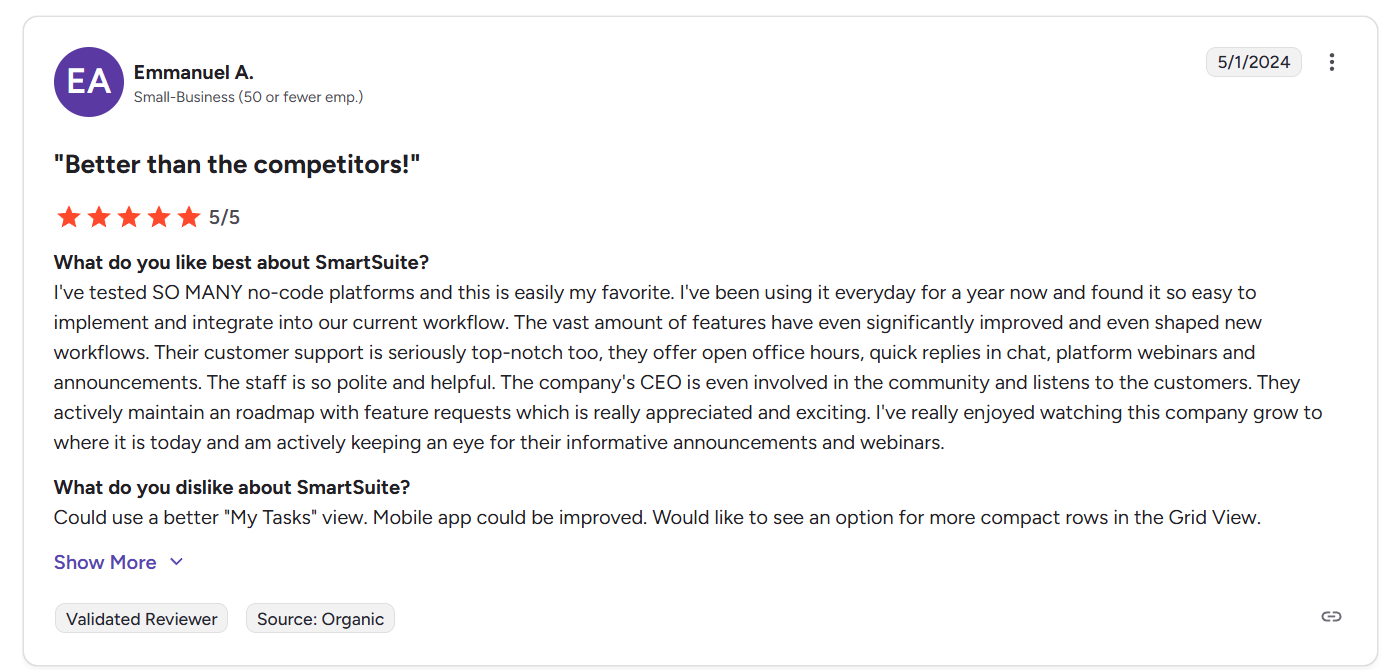
“Could use a better "My Tasks" view. Mobile app could be improved. Would like to see an option for more compact rows in the Grid View.” - G2 Review
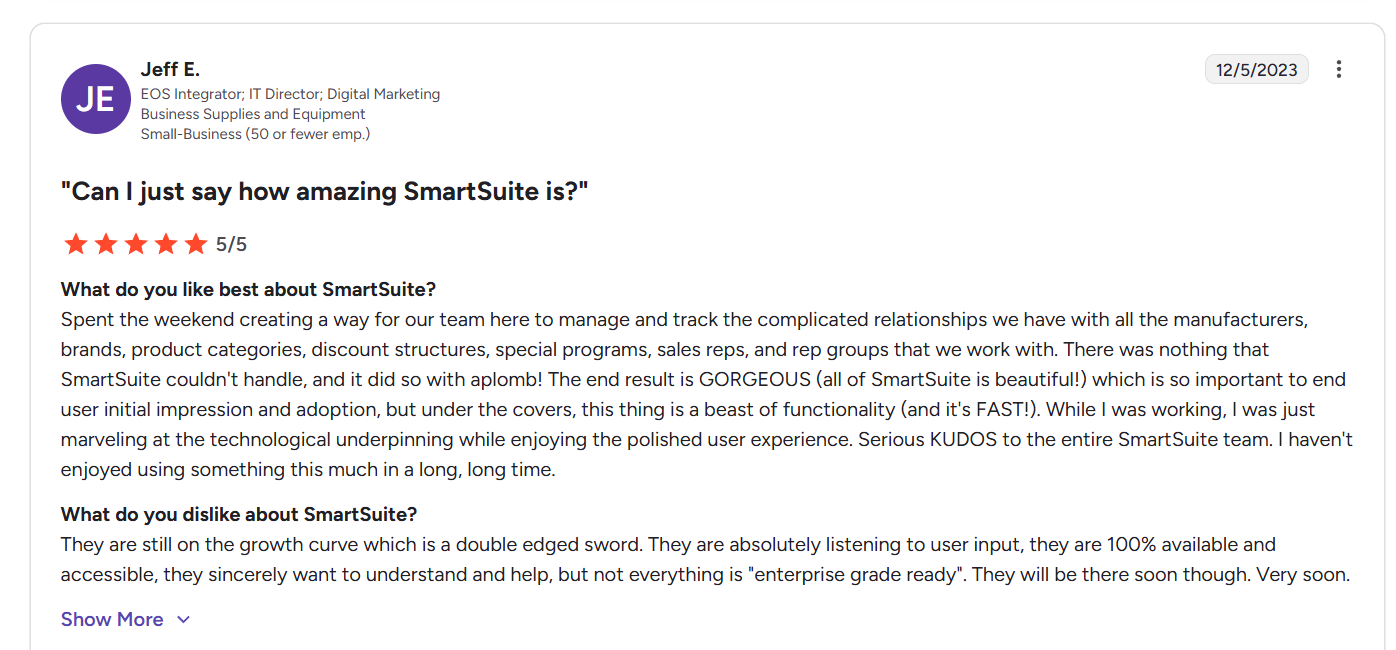
“They are still on the growth curve which is a double edged sword. They are absolutely listening to user input, they are 100% available and accessible, they sincerely want to understand and help, but not everything is "enterprise grade ready". They will be there soon though. Very soon.” - G2 Review
Smartsheet vs. Clarizen vs. SmartSuite: Summary
Get started with SmartSuite for free today
Smartsheet is great if spreadsheets are how your team thinks. Clarizen is powerful, but built for large enterprises that can handle heavy setup and cost.
For most teams, both can feel limiting or overly complex over time.
SmartSuite hits the sweet spot.
It combines project management, workflows, automation, and structured data in one flexible platform without spreadsheets, code, or long implementation cycles.
You can start simple, customize as you go, and scale without switching tools.
Intrigued?
Start a free SmartSuite trial to explore it on your own, or schedule a demo to see how SmartSuite fits your workflows in minutes.
Read more
- Smartsheet vs. Zoho Projects vs. SmartSuite: Which Tool to Pick? [2026] - A practical breakdown of three very different project tools, and which one actually fits how your team works day to day.
- Visual Project Management: Definitions & 10 Examples - See how visual project management works in practice, with real examples teams use to plan, track, and execute work more clearly.
- 10 Best Jira Alternatives & Competitors in 2026 [Reviewed] - We review the top Jira alternatives to help you find a tool that’s easier to use, faster to adopt, and better aligned with modern teams.
- Asana Review: Is It Worth It in 2026? [In-Depth] - An honest, hands-on review of Asana’s strengths, limitations, pricing, and who it’s actually best for in 2026.
- 10 Best Task Management Software in 2026 [In-Depth Guide] - A curated list of the best task management tools, comparing usability, flexibility, automation, and real-world fit.
- Smartsheet vs. Wrike vs. SmartSuite: Which One Is Better? [2026] - A side-by-side comparison of three powerful platforms to help you choose the right balance of structure, flexibility, and scale.

SmartSuite provides work platform for standardizing workflows in the following areas:
- Governance, Risk & Compliance
- IT & Service Ops
- Project / Portfolio Management
- Business Operations







