Are you looking to find Pathlock’s pricing for its GRC platform, so that you can have a benchmark before you’re ready to talk with them?
In this comprehensive pricing guide, I’ll cover everything known about Pathlock’s pricing model, including how the tool calculates its pricing, how much it really costs and whether it has a free plan or a free trial.
💡 I’ll also show you a no-code Pathlock alternative for GRC that offers a transparent pricing structure and can be set up in a matter of days, instead of months.
Key takeaways
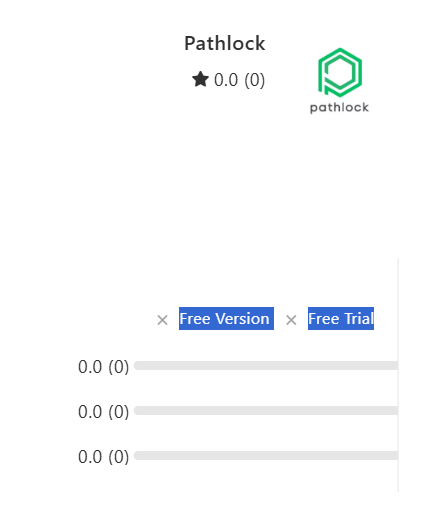
- Pathlock does not seem to offer a free plan or a free trial, although there’s a listed free trial of its Pathlock Cloud Continuous Controls Monitoring (CCM) for SAP solution in the GOV UK’s digital marketplace.
- The platform’s pricing depends on your organization's number of users, applications to be connected, and the specific products or modules you’d be interested in.
- If you’re looking for a comprehensive Pathlock alternative, you should consider SmartSuite with its true no-code solution, deep customization options, and ease of use for compliance teams.
Does Pathlock offer a free plan or a free trial?
Pathlock, to our knowledge, does not currently offer a free plan or a free trial for its GRC solution.
How does Pathlock calculate its pricing?
Pathlock's pricing, according to its own chatbot, is fully custom and is based on a few factors, such as the number of users, applications to be connected, and the specific products or modules you are interested in.
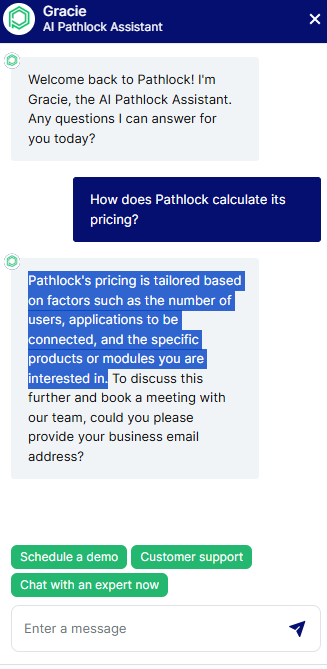
Source of image and place where I had the conversation with the chatbot.
How much does Pathlock really cost?
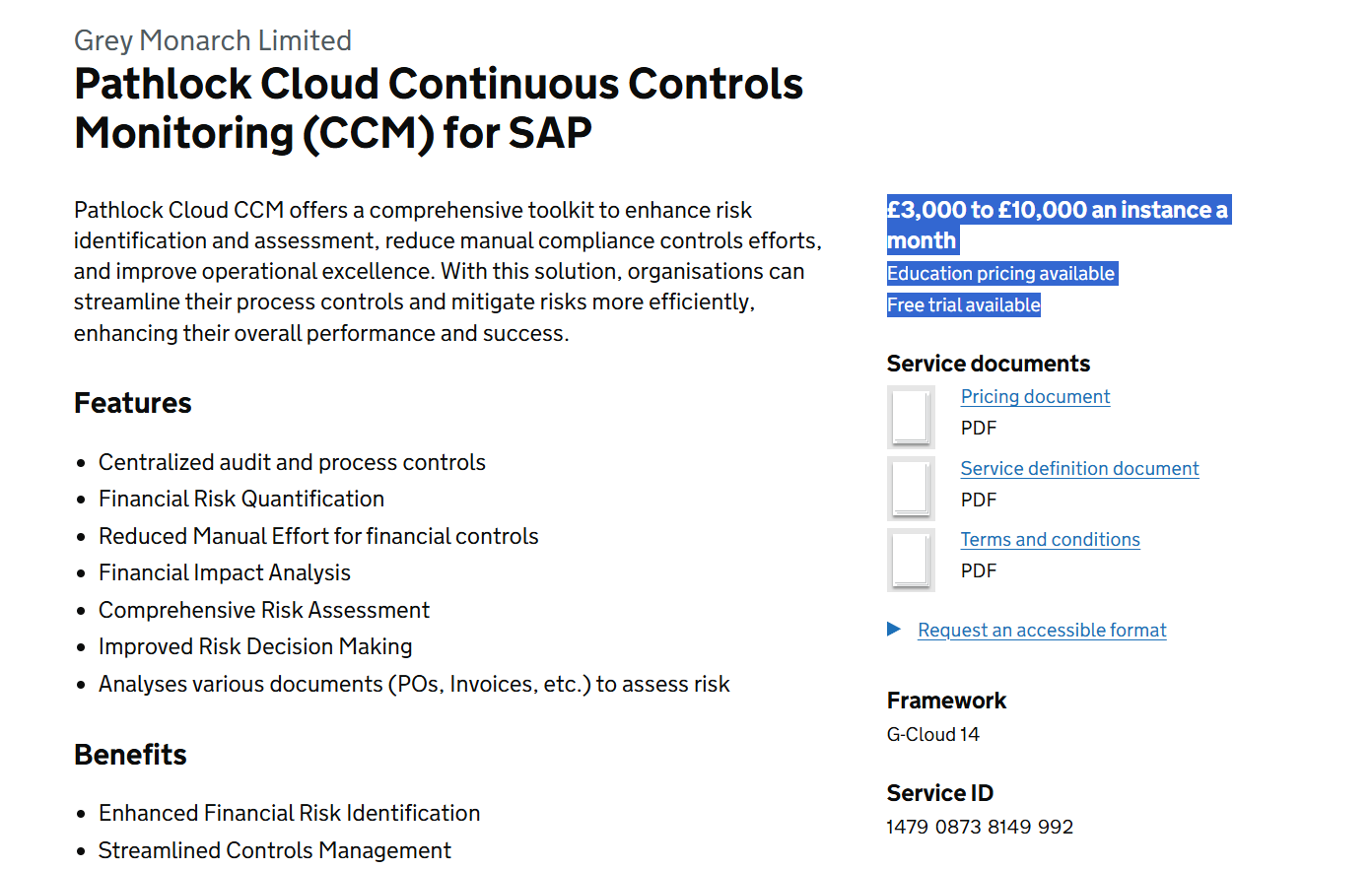
According to GOV UK’s digital marketplace, Pathlock Cloud Continuous Controls Monitoring (CCM) for SAP costs £3,000 - £10,000 an instance per month, which also comes with a free trial and ‘’education pricing’’, which I think stands for a discount.
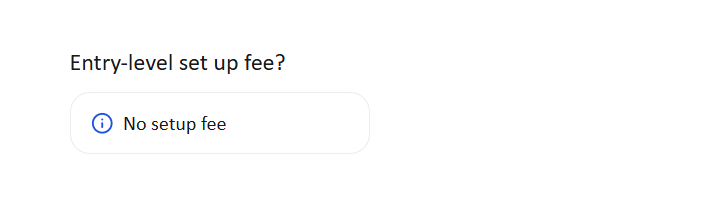
According to TrustRadius, there’s also no setup fee.
Does Pathlock offer good value for money overall?
Pathlock is good at what it’s been built for: help organizations secure, monitor, and automate their business application controls.
And, as such, most users of the platform are seeing a good value for money with the platform and a positive ROI.
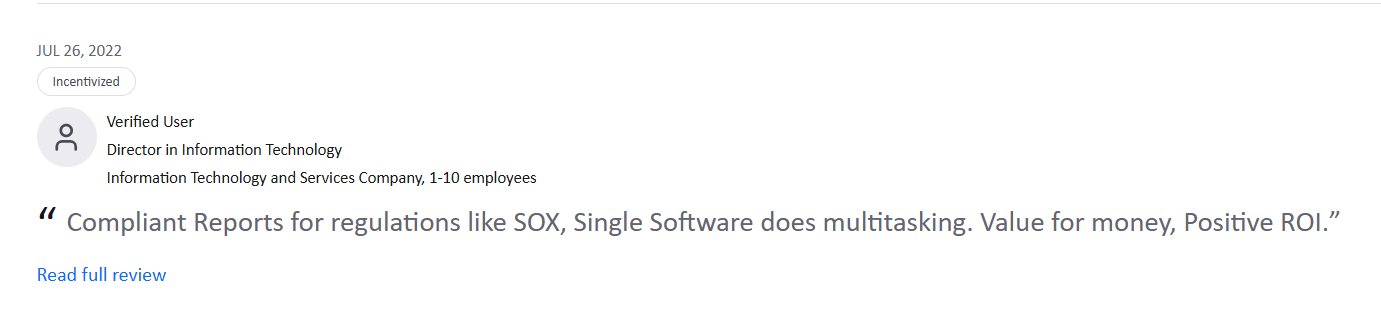
‘’Compliant Reports for regulations like SOX, Single Software does multitasking. Value for money, Positive ROI.’’ – TrustRadius Review.
However, some customers are not entirely happy with the GRC platform for a few reasons:
- Challenges with implementation, configuration, and documentation, especially for complex enterprise environments, according to multiple G2 reviews.
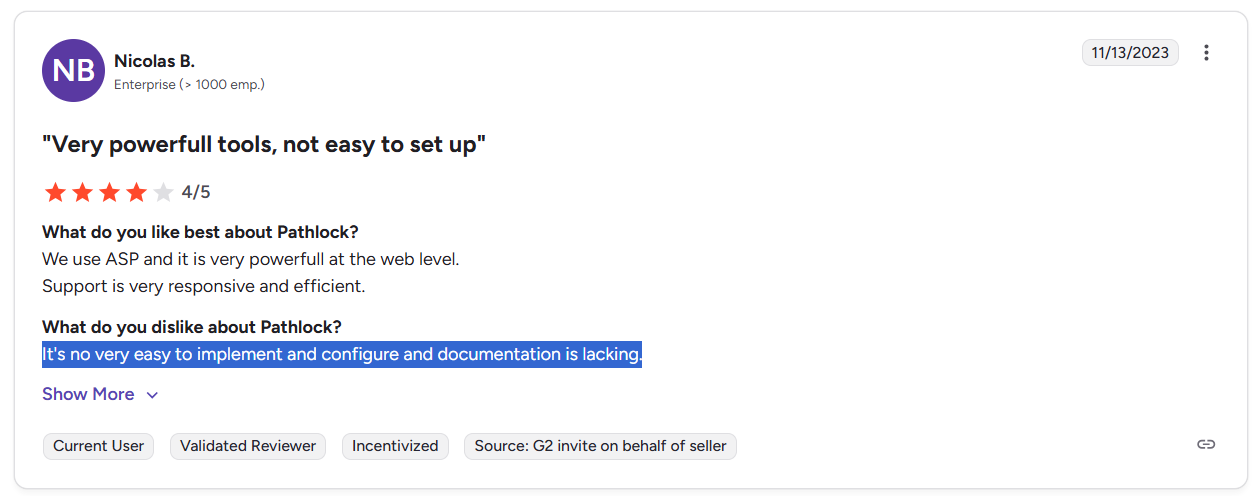
‘’It's no very easy to implement and configure, and documentation is lacking.’’ – G2 Review.
- Limited automation and testing capabilities during upgrades, which can increase the manual workload for IT teams.
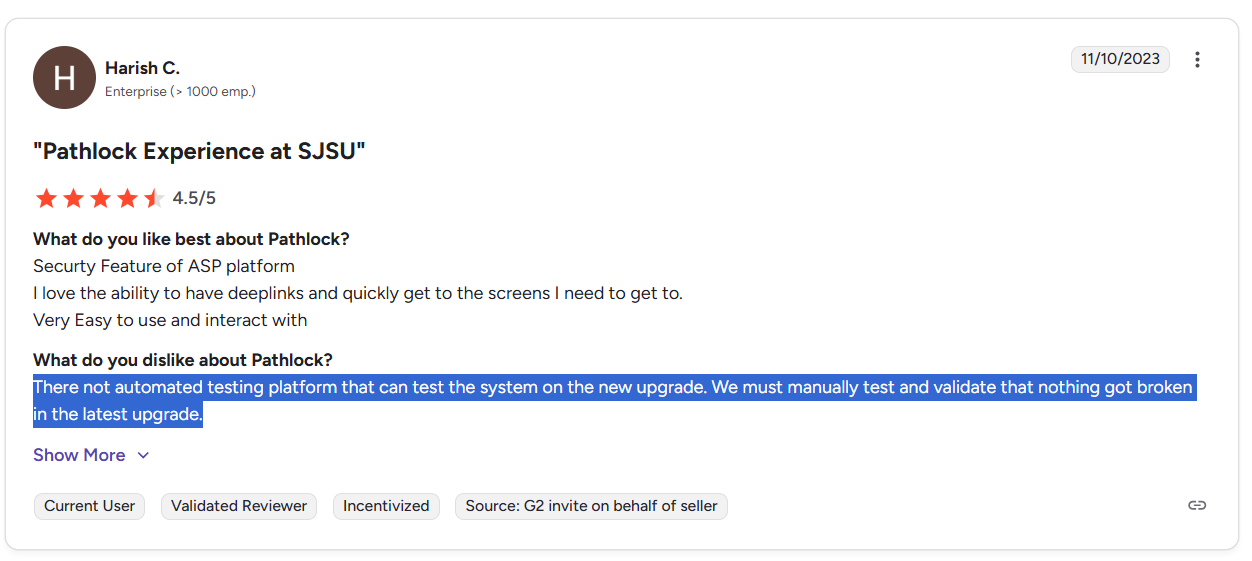
‘’There is no automated testing platform that can test the system on the new upgrade. We must manually test and validate that nothing got broken in the latest upgrade.’’ – G2 Review.
- Alleged gaps in integrations and extensibility with other financial or related systems, which can limit forecasting and broader risk analysis.
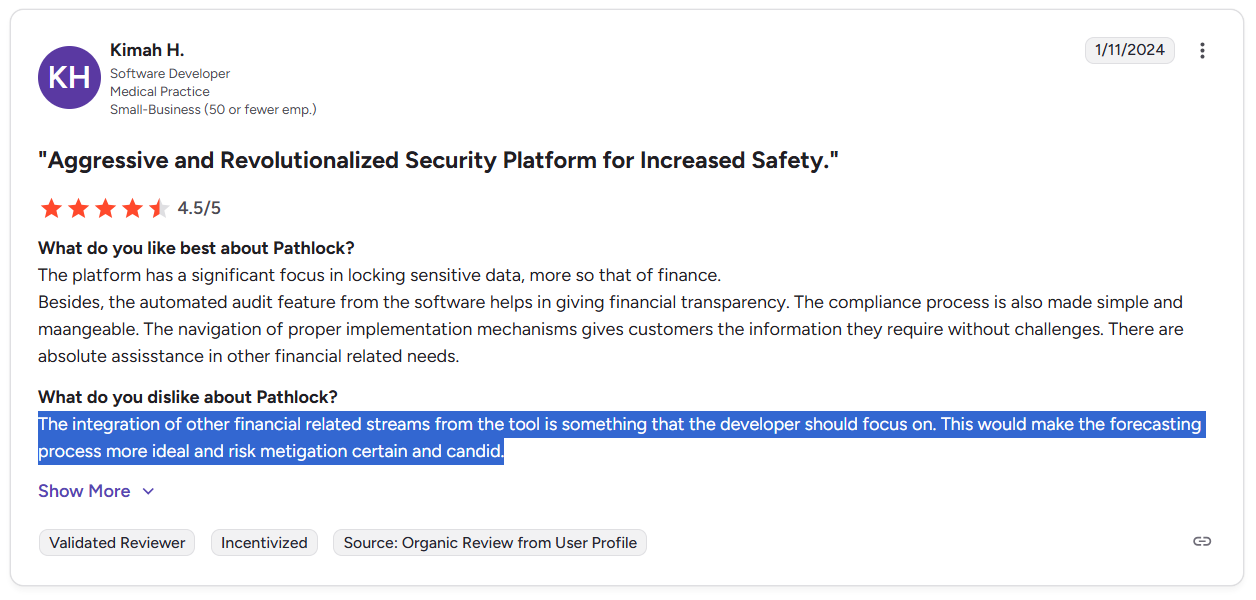
‘’The integration of other financial-related streams from the tool is something that the developer should focus on. This would make the forecasting process more ideal and risk mitigation certain and candid.’’ – G2 Review.
Are you looking for a Pathlock alternative?
SmartSuite offers the best Pathlock alternative in 2026 for compliance teams looking to get started with GRC in days with our easy-to-use interface and no-code automation capabilities.
Our tool delivers a fully configurable, end-to-end governance operating system that connects risk, compliance, internal controls, incidents, vendors, and remediation work into one live, automated platform.

SmartSuite helps you move faster, manage policies smarter, and adapt easily, without having to get dedicated training on how to use the tool.
💡 We’ve also recently partnered with the Cyber Risk Institute to deliver a CRI profile for U.S. Banks' compliance needs.
Learn about how SmartSuite is transforming the way financial institutions approach CRI Profile implementation to replace the FFIEC CAT and modernize a broader GRC integration in your organization:
Let’s go over the functionality that makes SmartSuite the best option for compliance leaders looking to switch from Pathlock: 👇
Comprehensive GRC
Tools like Pathlock make it so that best-in-class compliance software can be accessible only to the biggest of enterprises.
However, I think that GRC should be simple, automated, and accessible to all financial institutions, regardless of their size.
SmartSuite’s no-code, easy-to-use tool empowers compliance managers and CISOs to automate all GRC processes with ease.
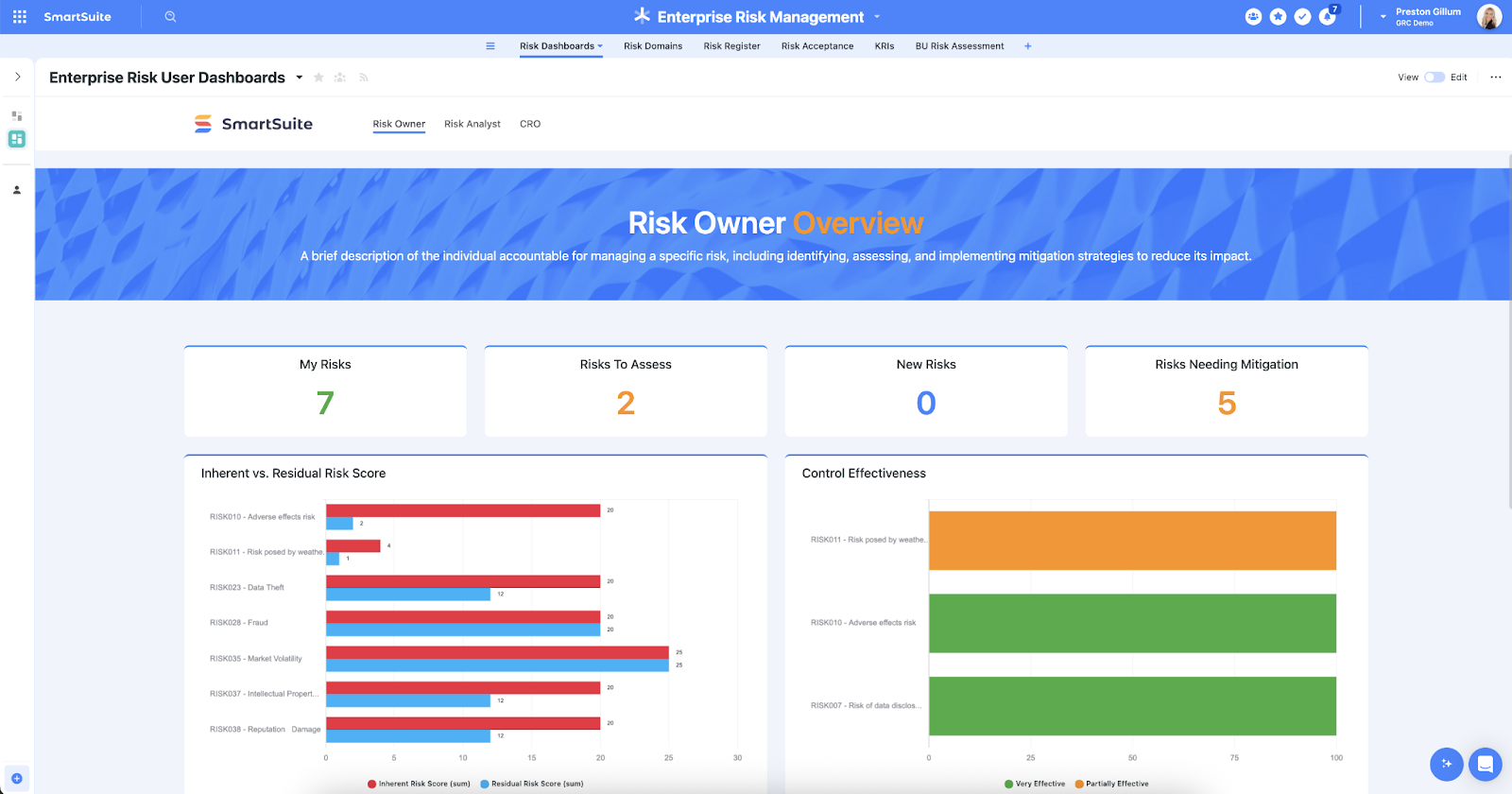
Our tool helps you achieve and maintain compliance without the costs and difficulty of adapting legacy GRC solutions to accommodate new compliance requirements.
Here are the use cases that you’ll get with SmartSuite:
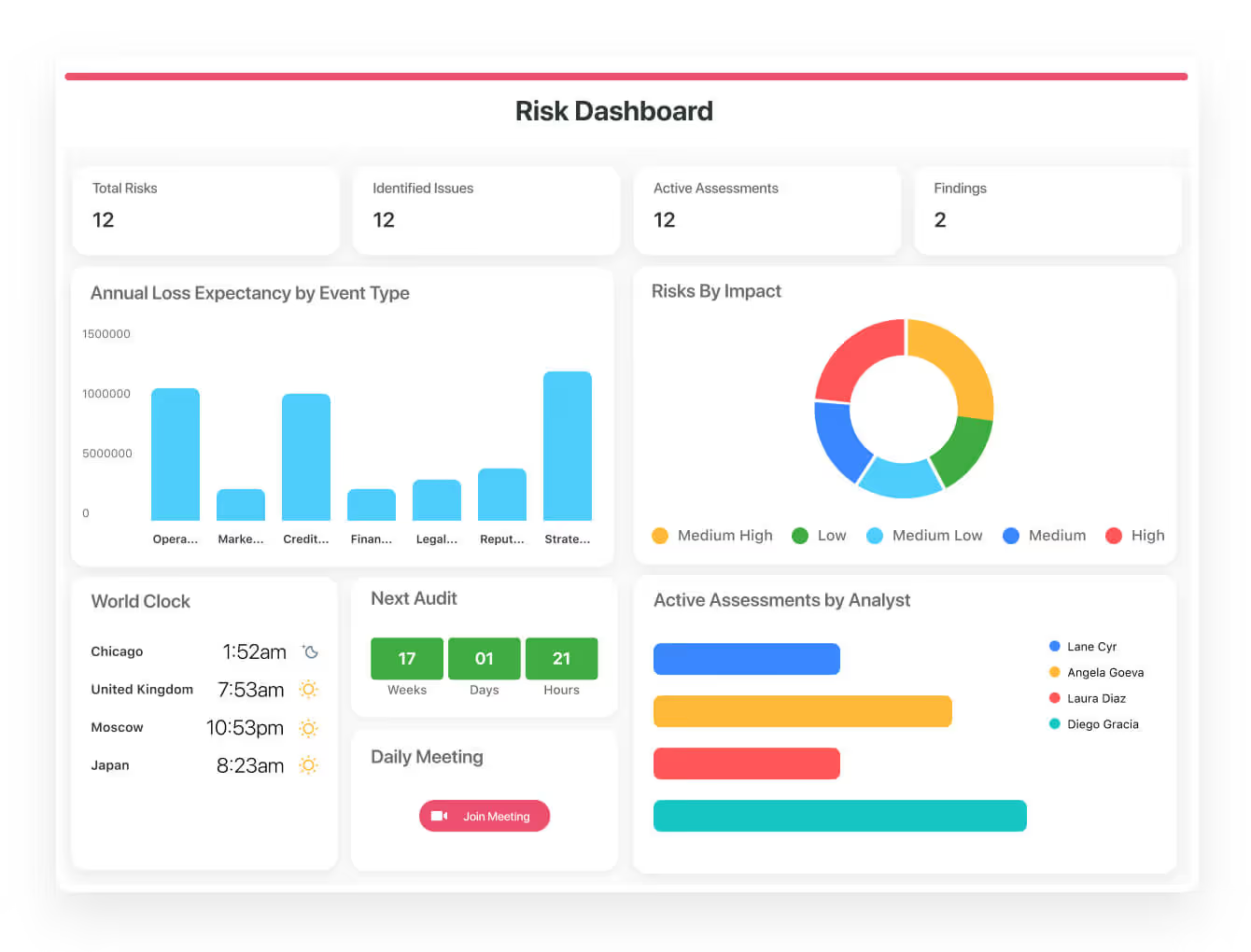
- Create reports and dynamic dashboards: You can monitor executive views into your organization's overall risk profile with powerful charting and metrics widgets.
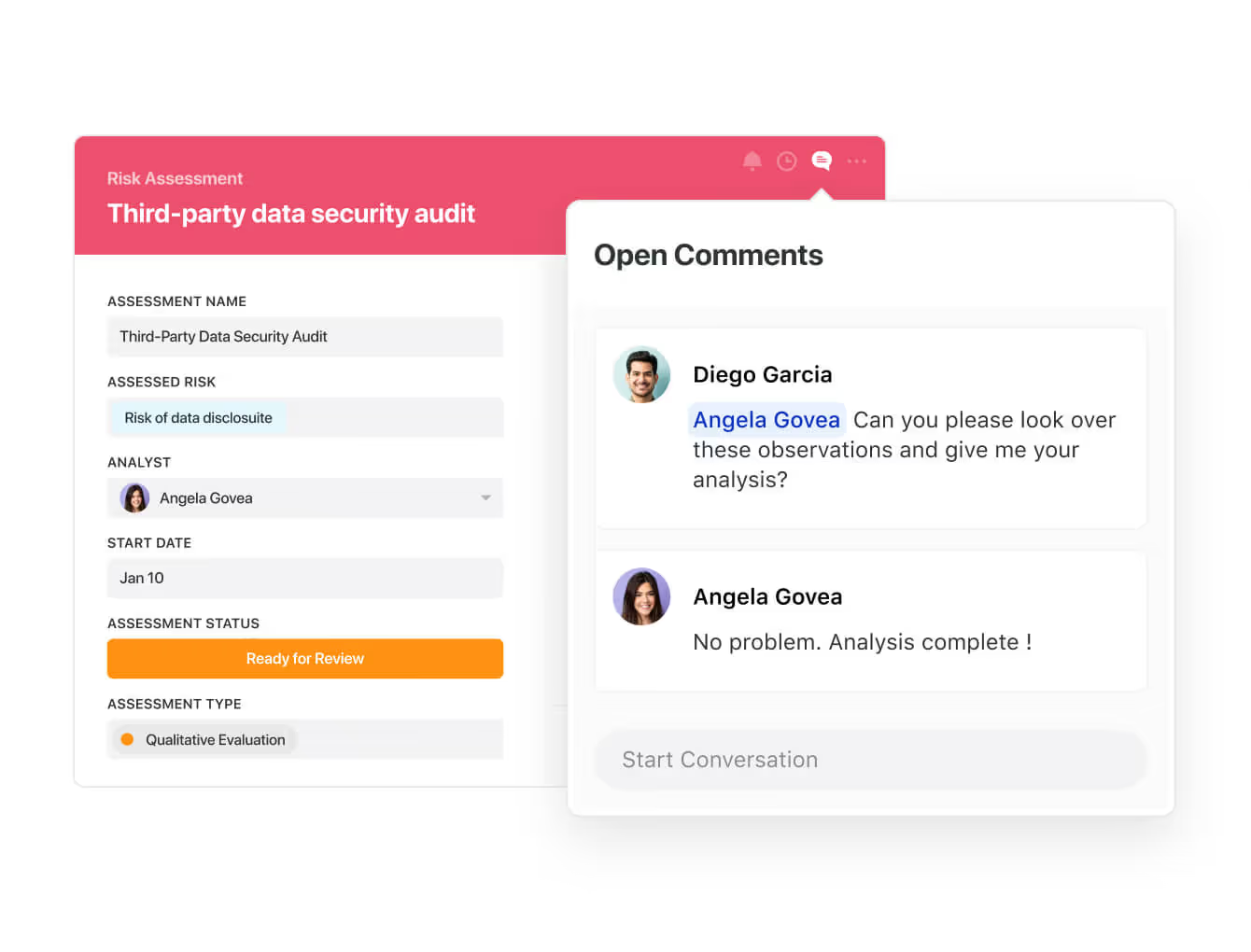
- Collaborate and respond to risks in real-time: Instantly engage key stakeholders in a real-time discussion of potential threats or vulnerabilities.
Our platform will also let you get immediate updates when critical information is available.
- Automate policy creation, real-time approval, and control assessments: You can streamline risk management by building an integrated program on a single platform.
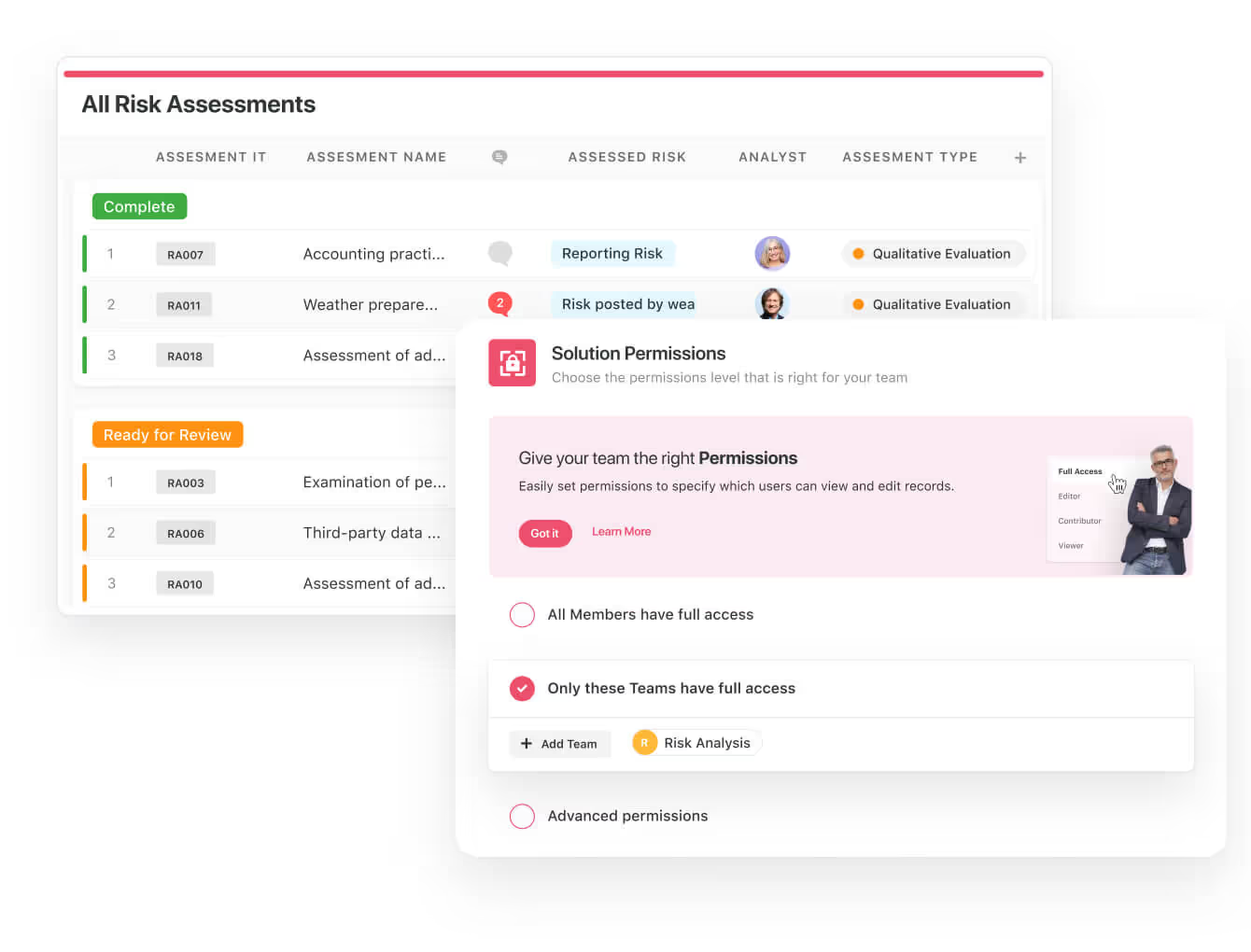
- Keep your risk and compliance data secure: You’ll be able to define your teams and manage access to information across all GRC practice areas.
- Integrate with your existing systems: Our GRC tool lets you integrate with existing systems and data to consolidate and centralize your data.
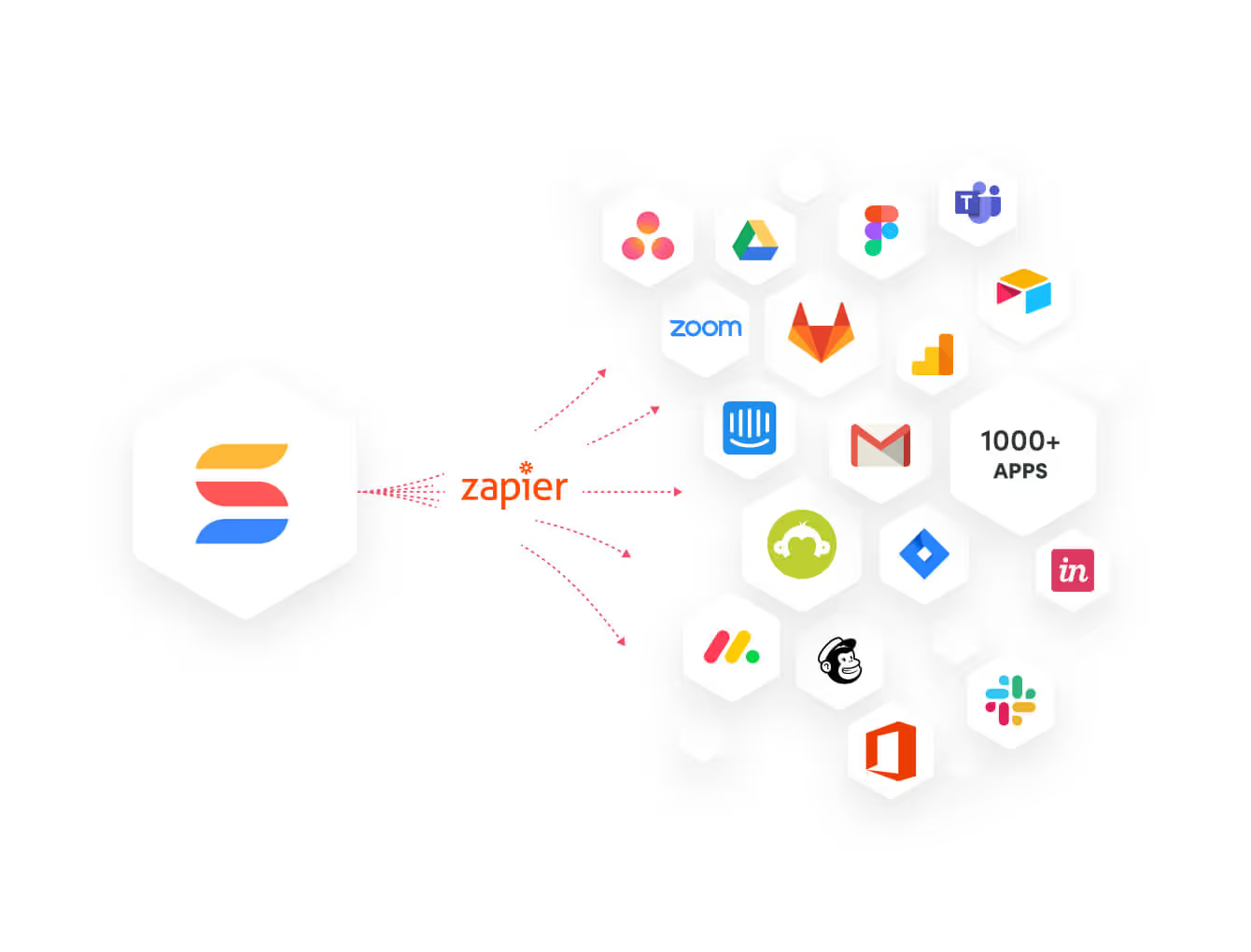
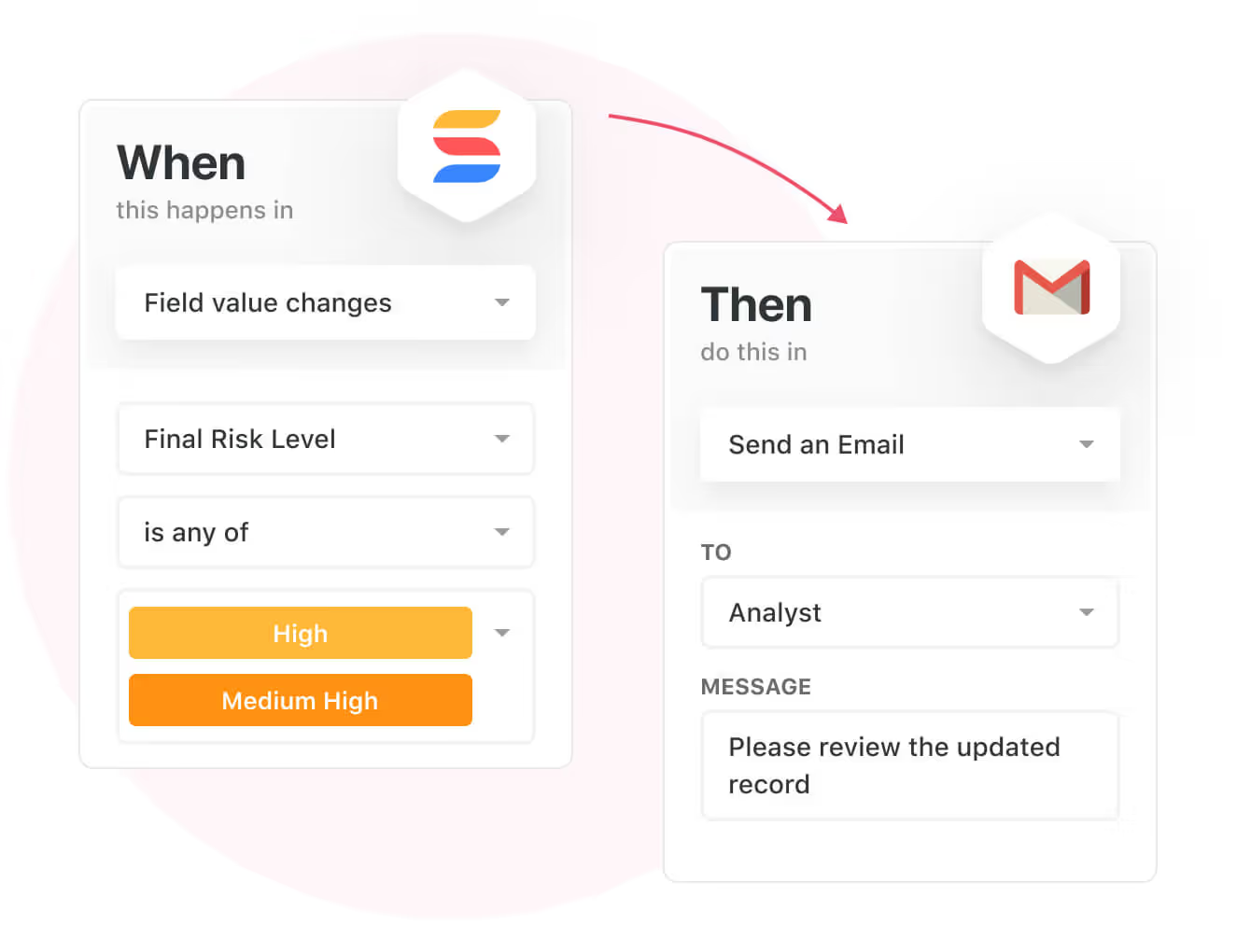
- Automate for accuracy and efficiency: Remove inefficiencies and the chance for human error by automating repeatable workflows.
SmartSuite's no-code automation builder provides you with a visual interface that makes it easy to respond to events and take action.
Your compliance team can customize your GRC workflows without technical resources.
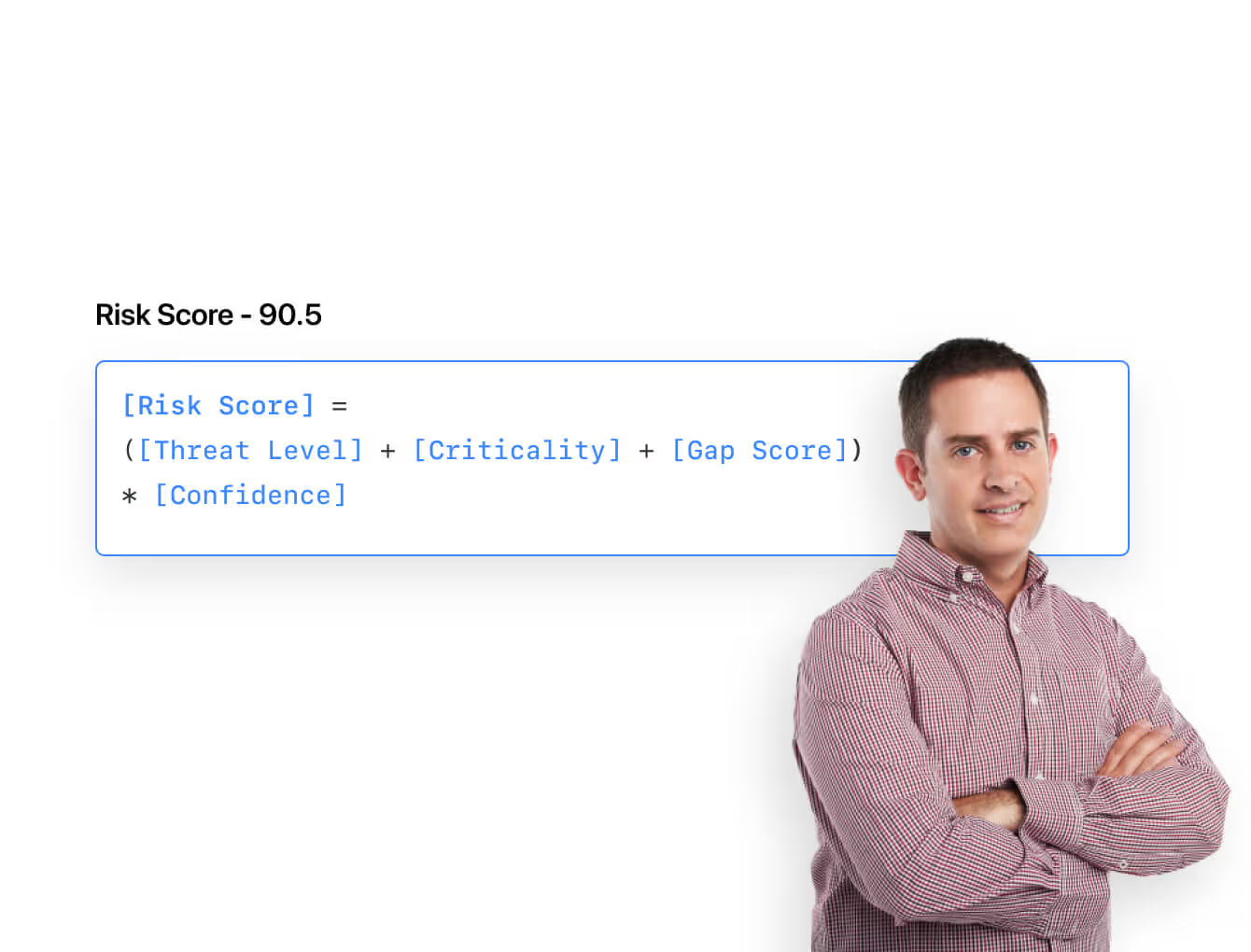
- Monitor, measure and score: Create risk calculations and metrics to evaluate every aspect of risk.
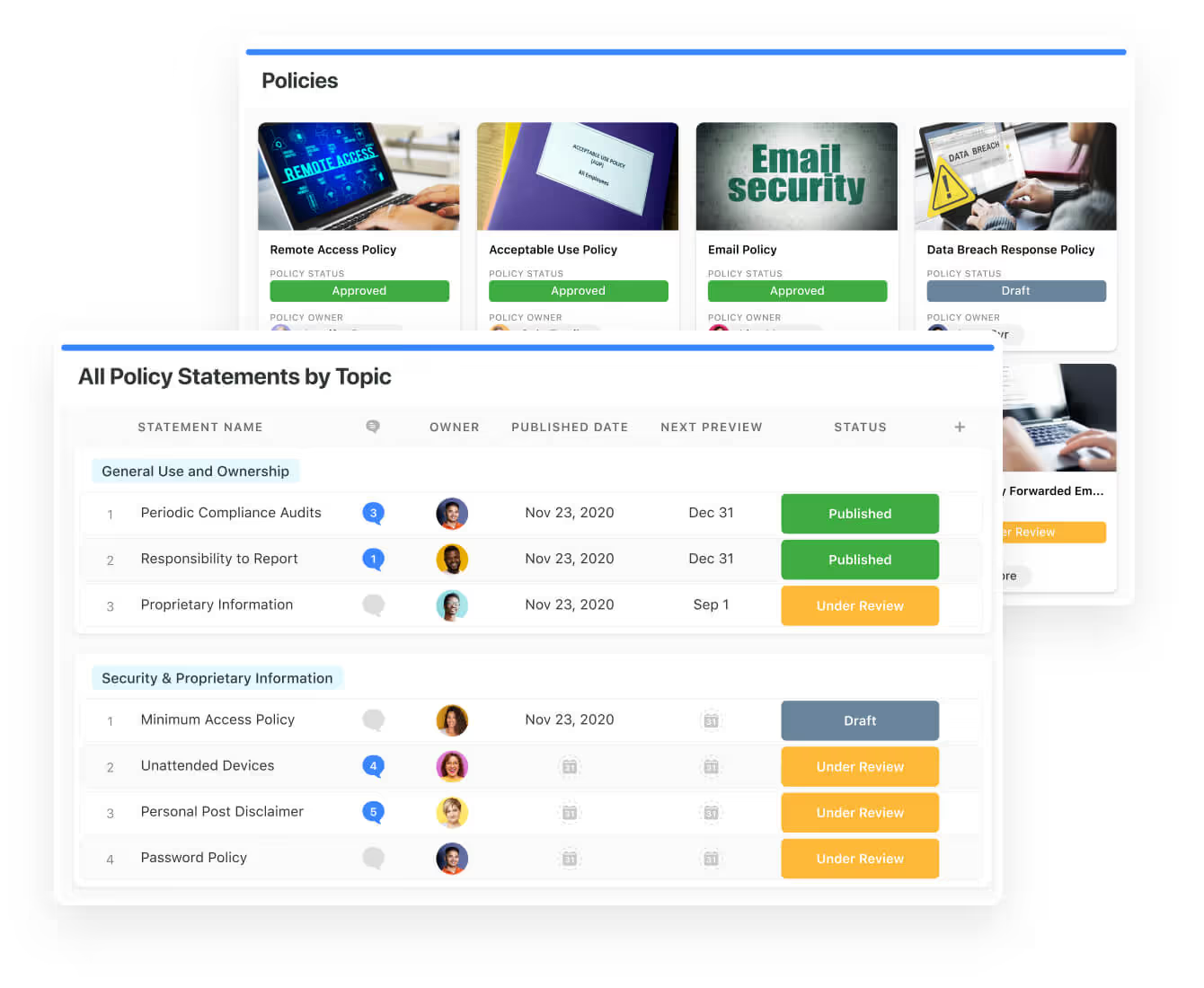
- Policy management: It’s possible to establish a strong foundation from the get-go with streamlined and flexible policy management.
You’ll be able to assign ownership, manage revisions, and ensure your policies consistently align with key business initiatives and regulatory requirements.
- PSTOS Compliance Tracker: Designed for regulatory compliance and built on SmartSuite.
This solution focuses on data security as the core of compliance frameworks with services such as compliance readiness, virtual CISO, and IT security implementation.
Learn more about it from this webinar that we did on the topic:
Prioritize & Mitigate Risks
With SmartSuite, your team can create a centralized risk register to effectively identify potential risks to your organization.
You can also properly assess threats and establish risk mitigation strategies inside SmartSuite.
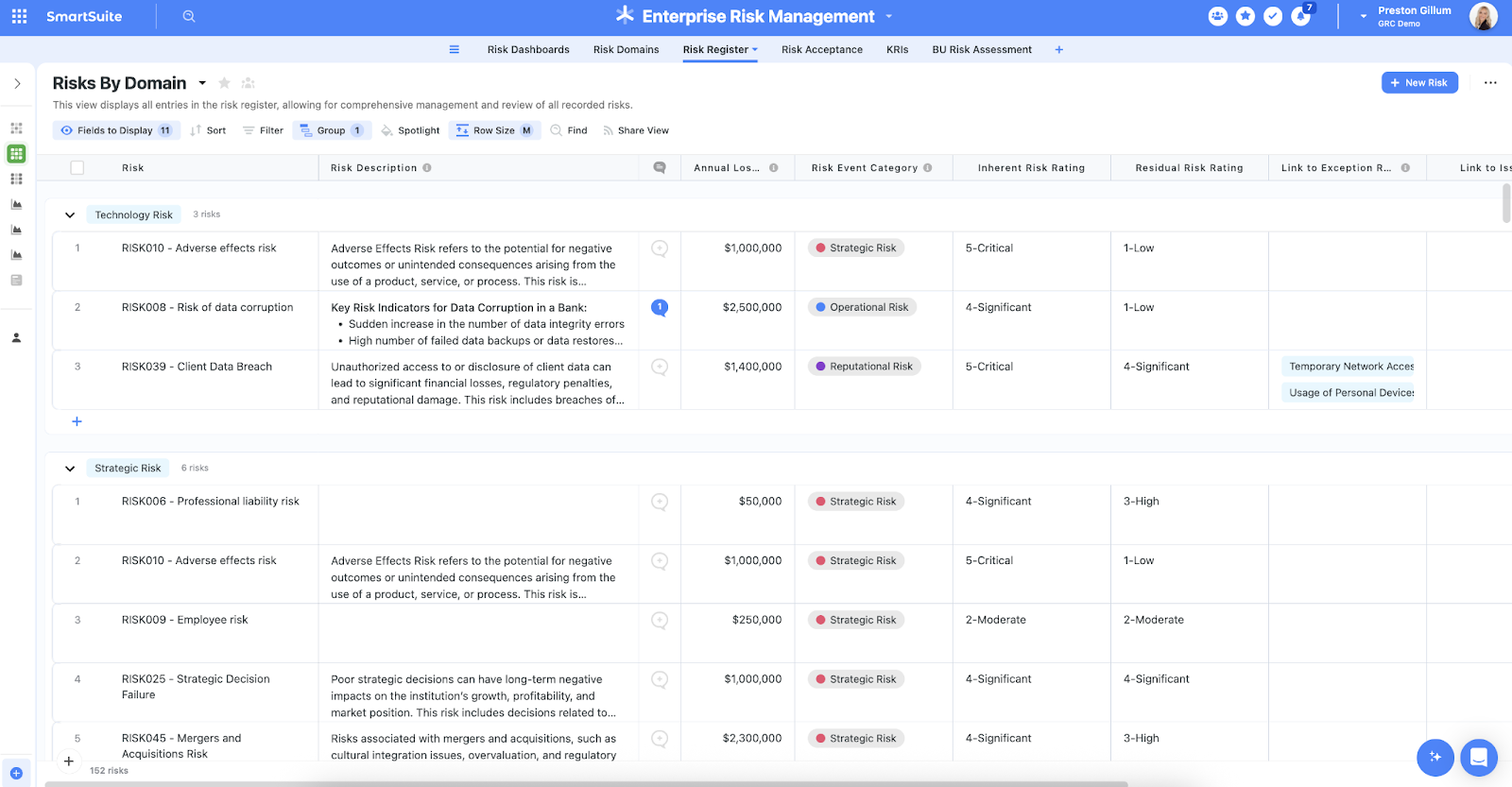
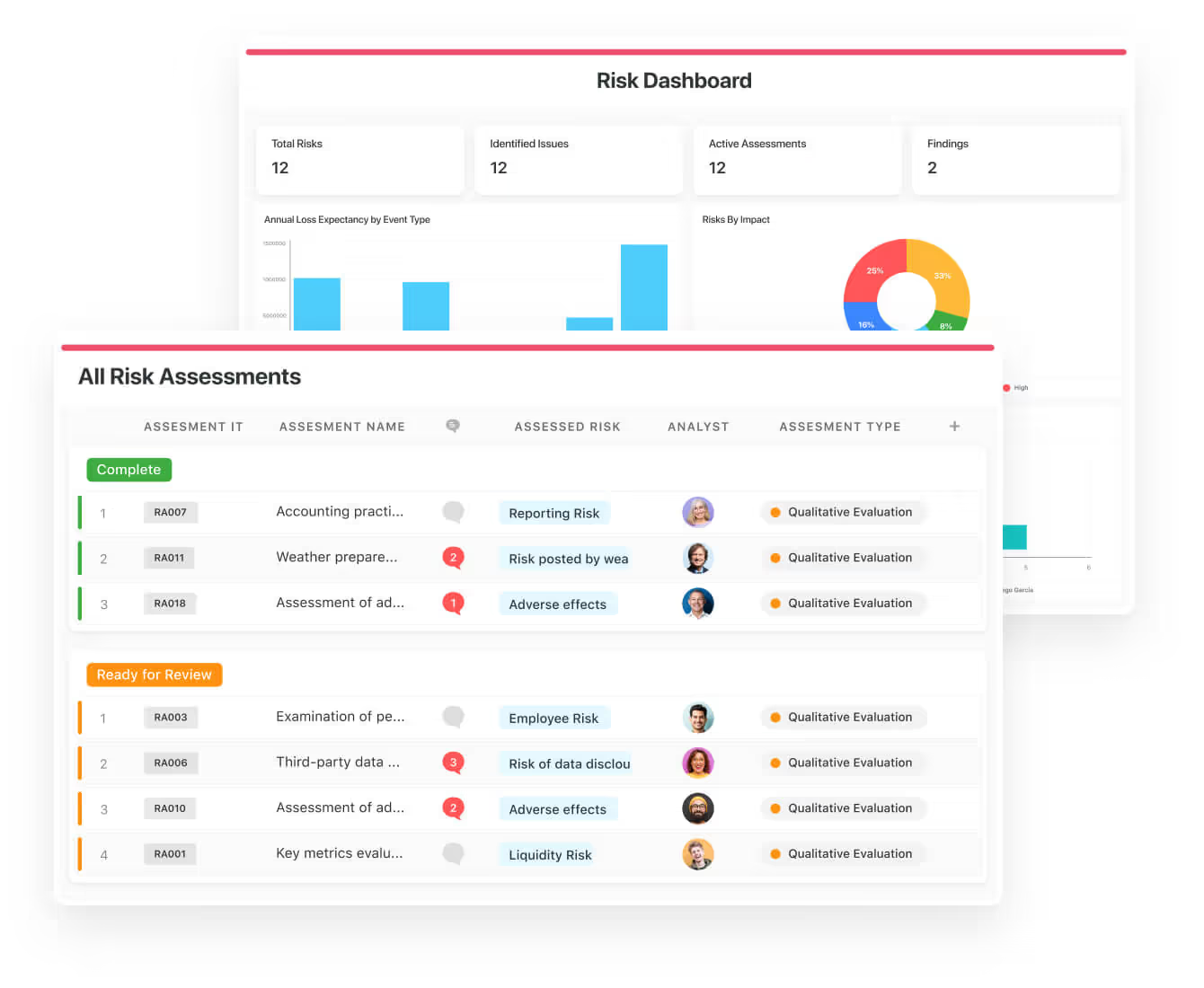
Your team can ensure that the appropriate controls are in place and measure their effectiveness by evaluating risk indicators and displaying results in SmartSuite’s rollup reports and dashboards.
💡 Pro Tip: Teams that use our platform use automation to move tasks through defined workflow stages that comply with their policies and procedures.
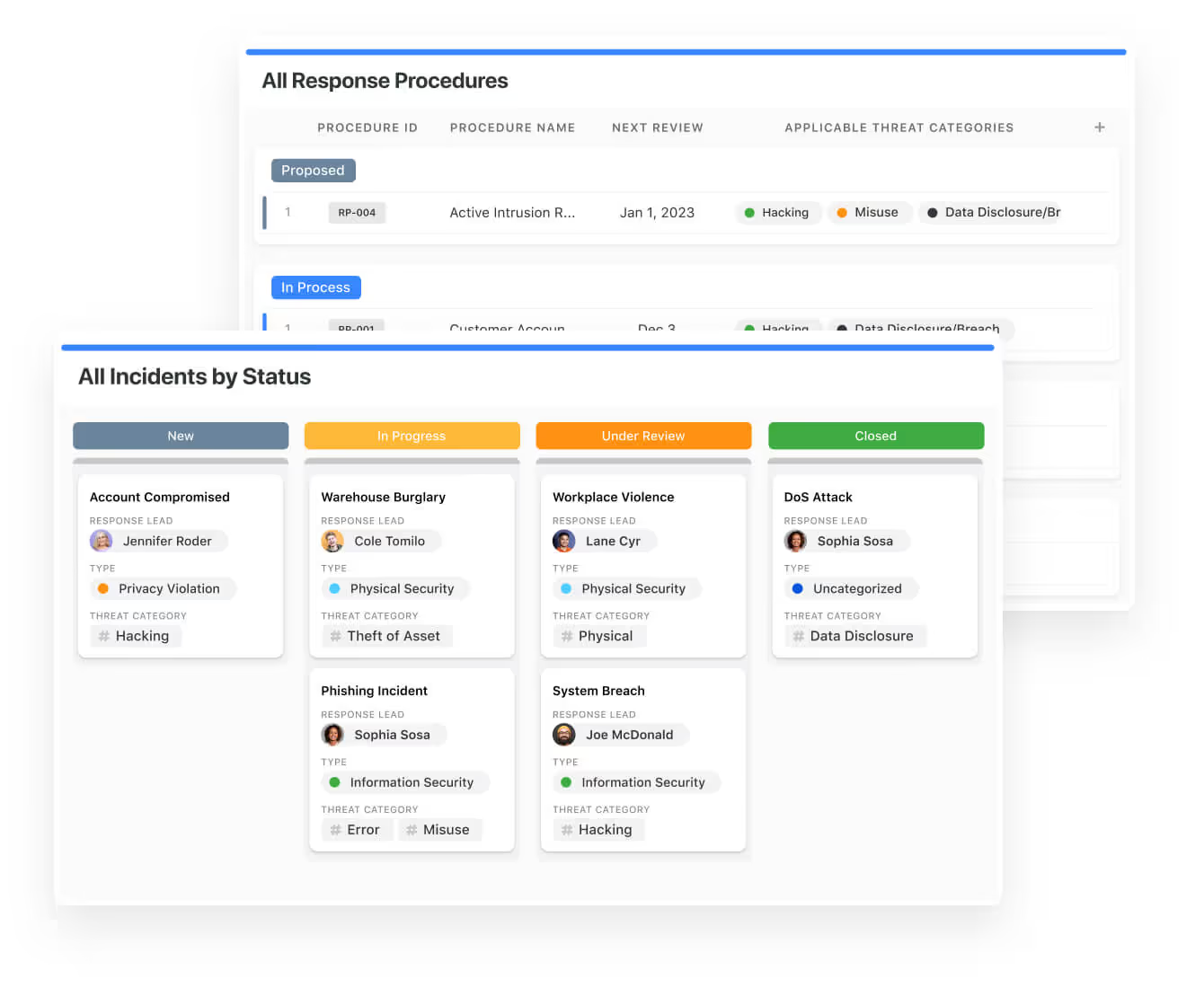
We understand how crucial threat management is and the need to respond quickly to incidents.
SmartSuite lets you centralize incident response and threat mitigation by linking incidents to assets and organizational data to offer context during your investigations.
Your compliance team can also set up automation with our no-code automation builder to escalate critical events to make sure that your team is aware of active risks to your organization.
Ready-To-Use GRC Templates
We have prepared a few GRC templates for compliance teams looking to get started right away, instead of building everything from scratch.
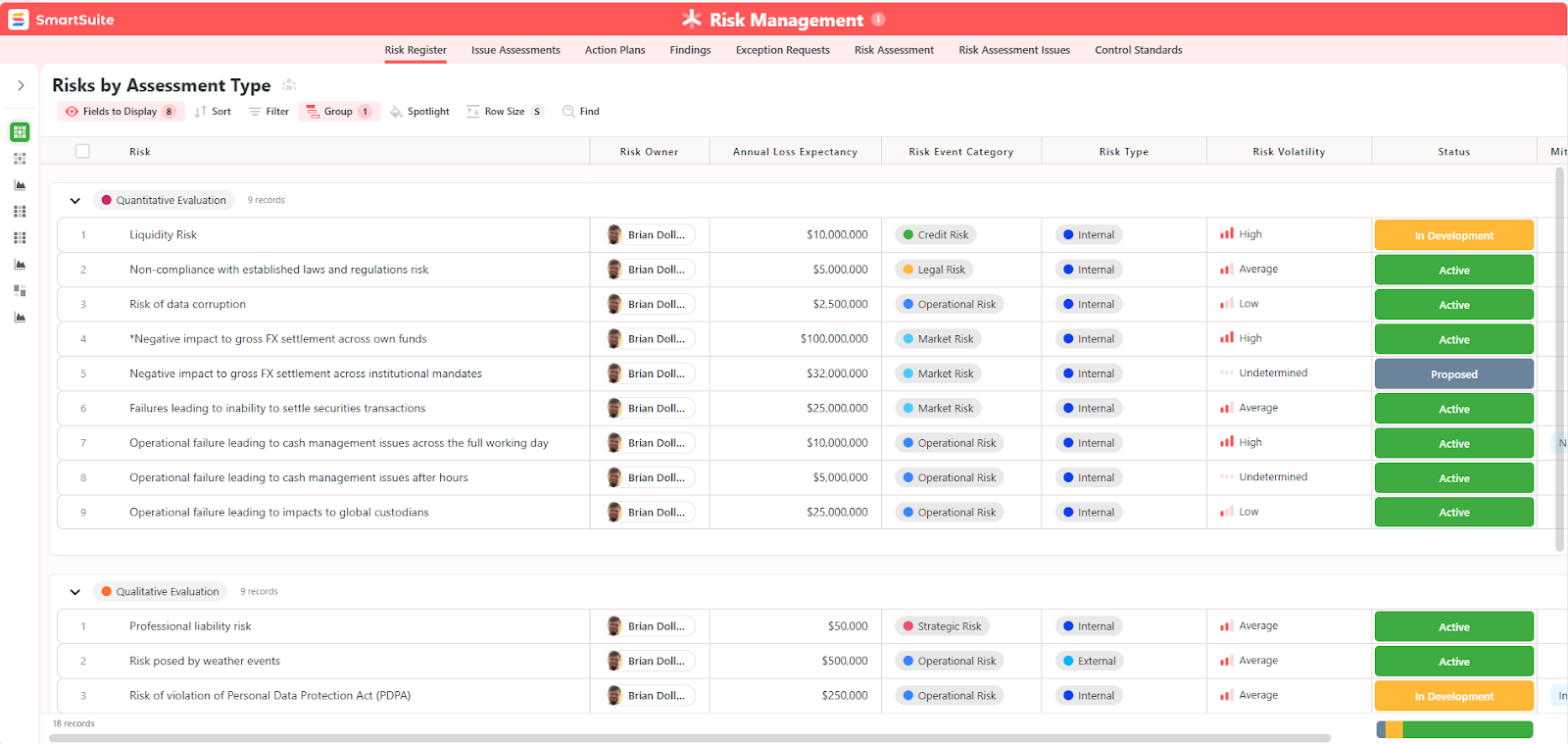
Our general risk management template includes:
- Risk register, where you can break down the risks, the risk owner, the annual loss expectancy, risk event category, risk type, volatility, and status.
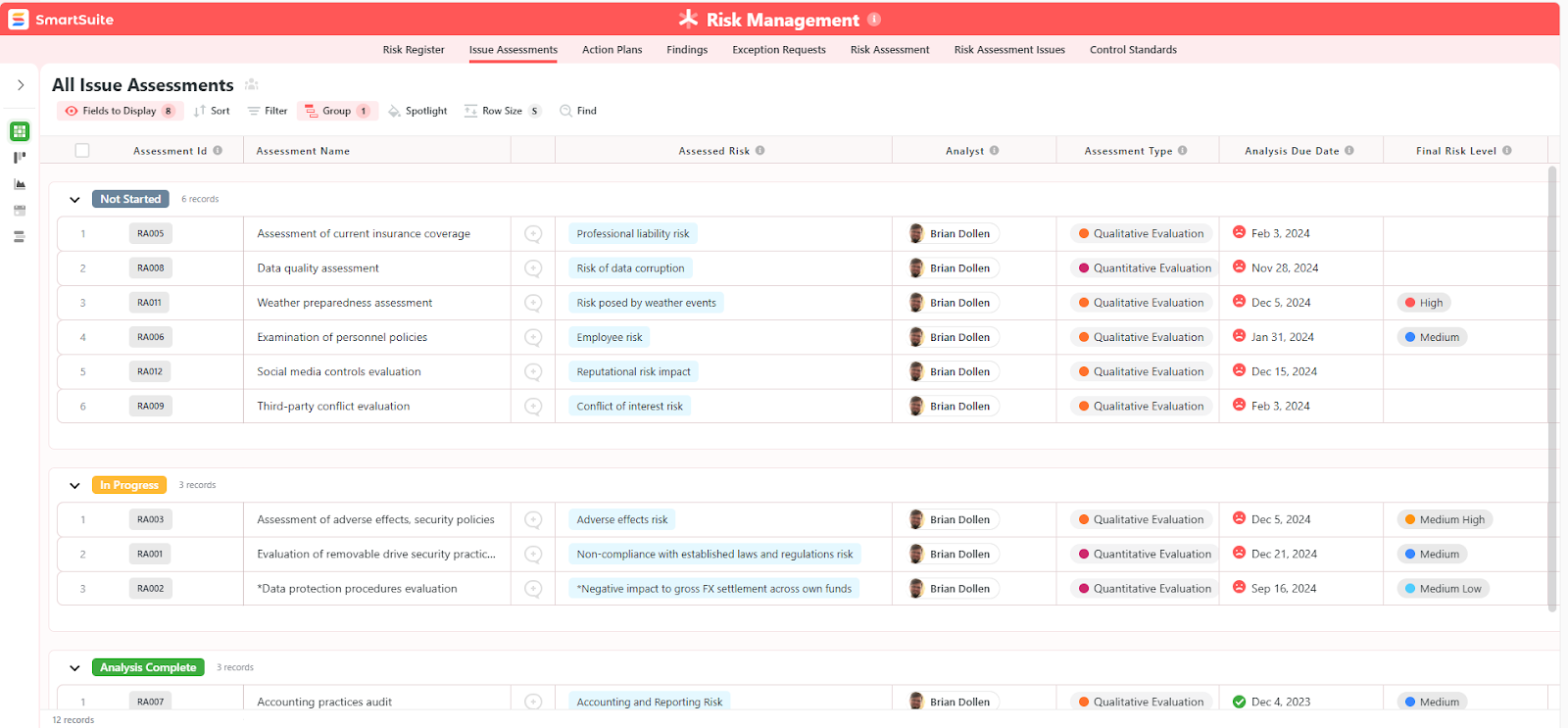
- Issue assessments, where you’ll be able to see a comprehensive breakdown of each risk.
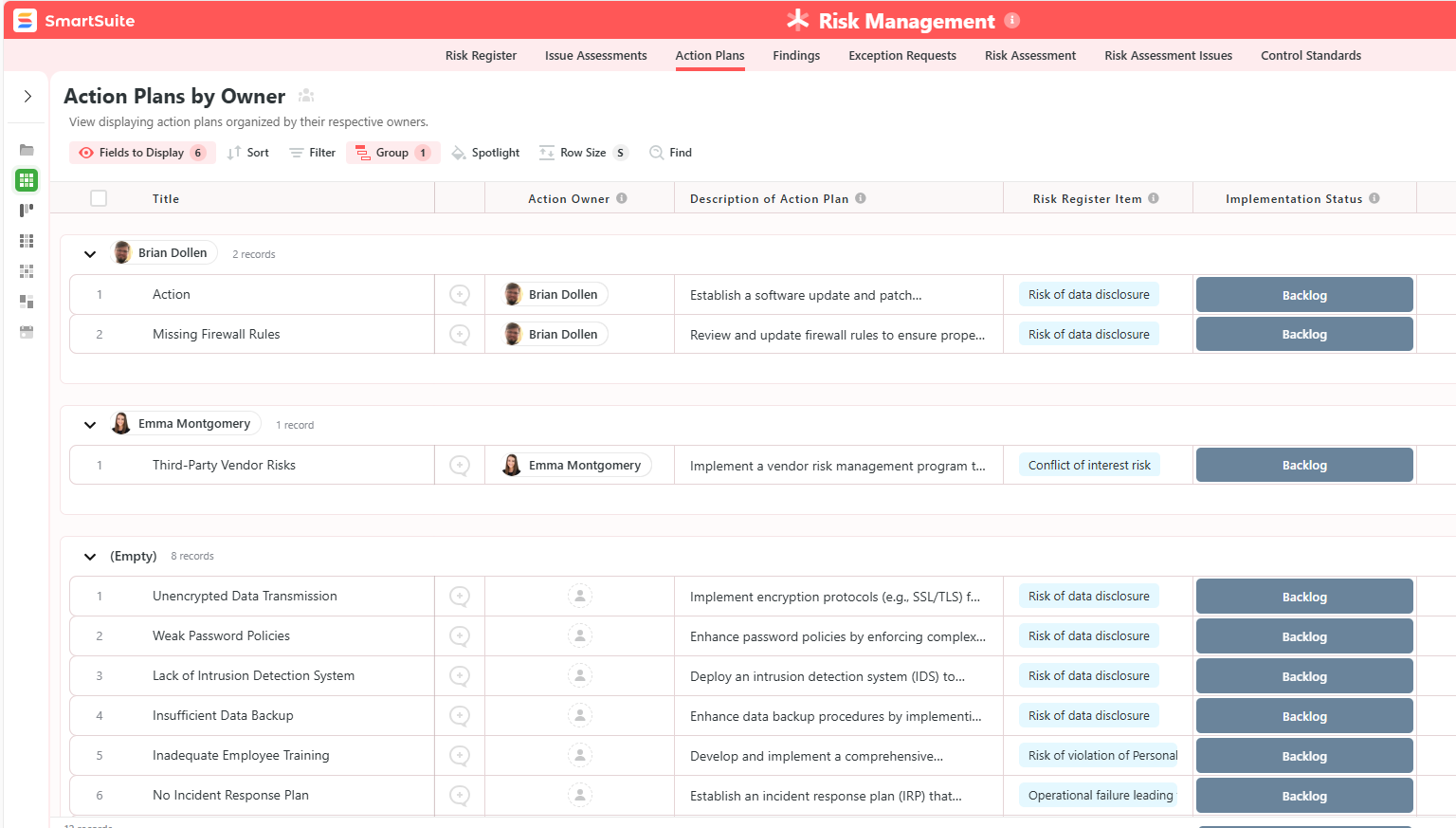
- Action plans, where you can describe the actions (best practices) to mitigate the risks.
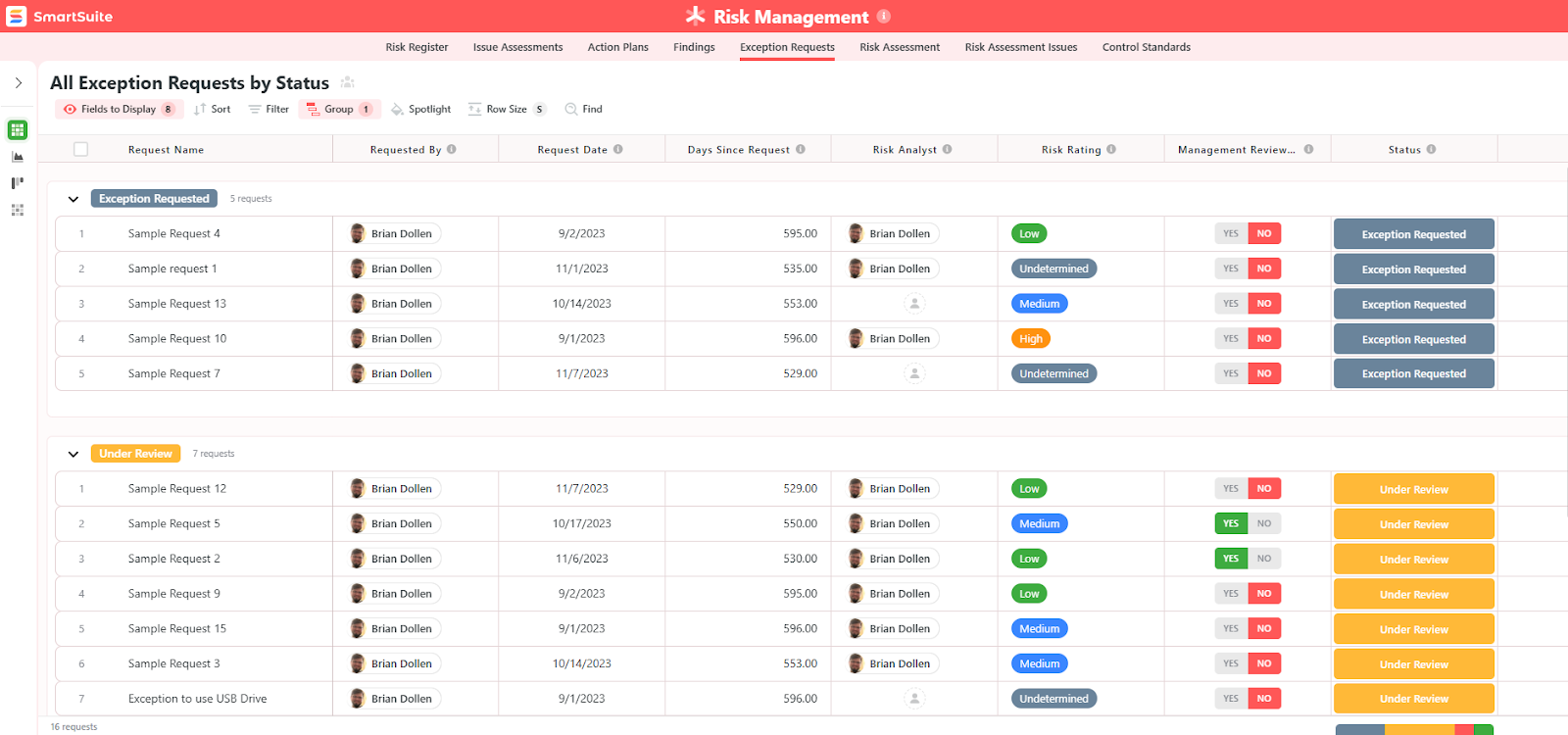
- A separate tab for control standards, your findings, exception requests, risk assessment by type, and risk assessment issues.
You can customize our risk management template here.
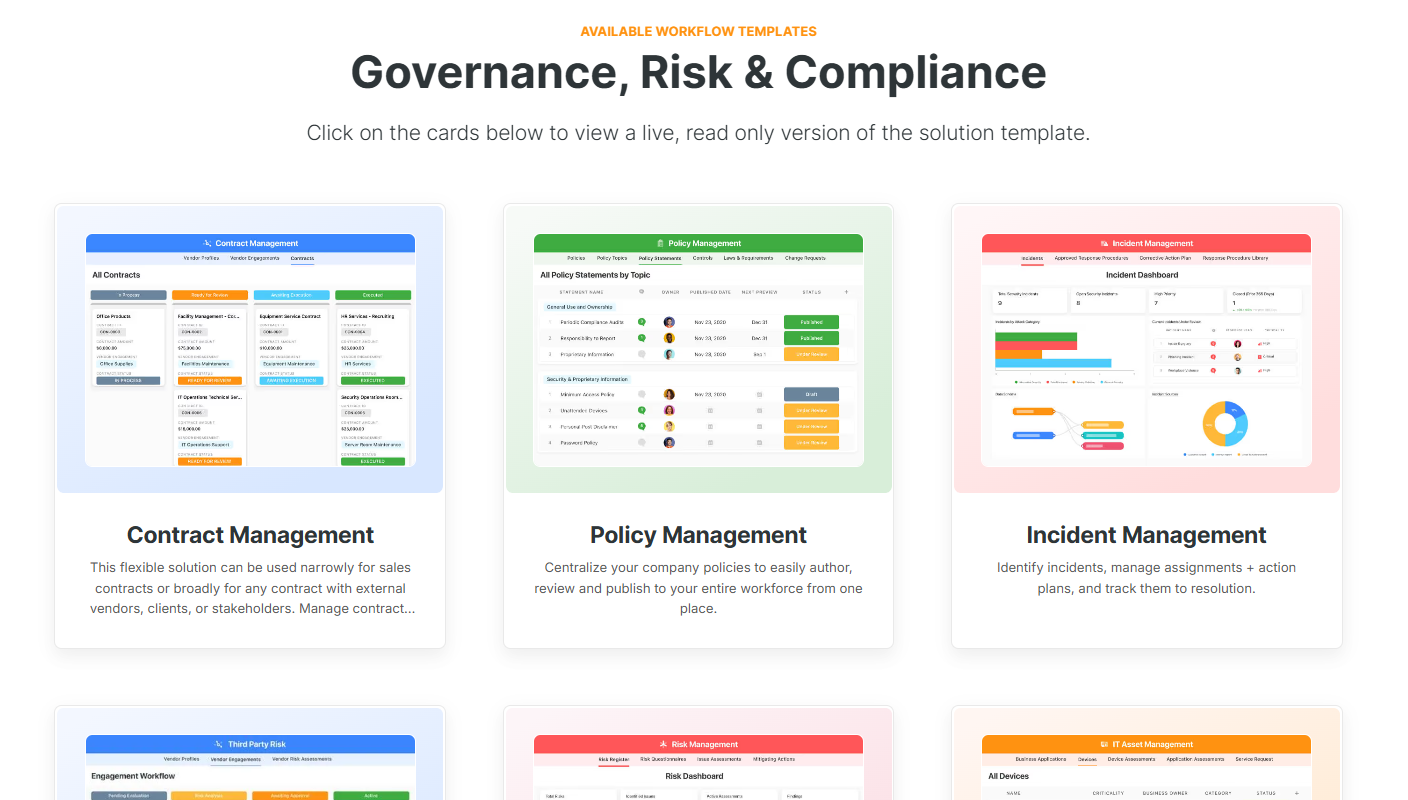
Alternatively, check out and customize our 14 other risk management templates for various use cases, such as contract management, policy management, and incident management.
How does SmartSuite compare to Pathlock?
Pathlock is a strong option for teams looking for SAP-centric access controls, segregation of duties (SoD), and identity governance.
But SmartSuite isn’t an access-control tool.
It’s a configurable GRC operating system that adapts to how your organization actually manages risk, compliance, and governance, across teams, frameworks, and processes.
The difference comes down to this:
- Pathlock helps you enforce and monitor access risk, mainly within ERP and IAM environments, so you can stay compliant with audit and SoD requirements.
- SmartSuite helps you design, automate, and govern your entire GRC lifecycle, from enterprise risk and controls to policies, audits, incidents, vendors, and executive reporting, all in one flexible, no-code platform that isn’t locked to a single system or use case.
💡 Case Study: Learn how MediaLab transformed operations, minimized risk, and saved $40,000+ per year by cutting software costs.
SmartSuite’s Pricing
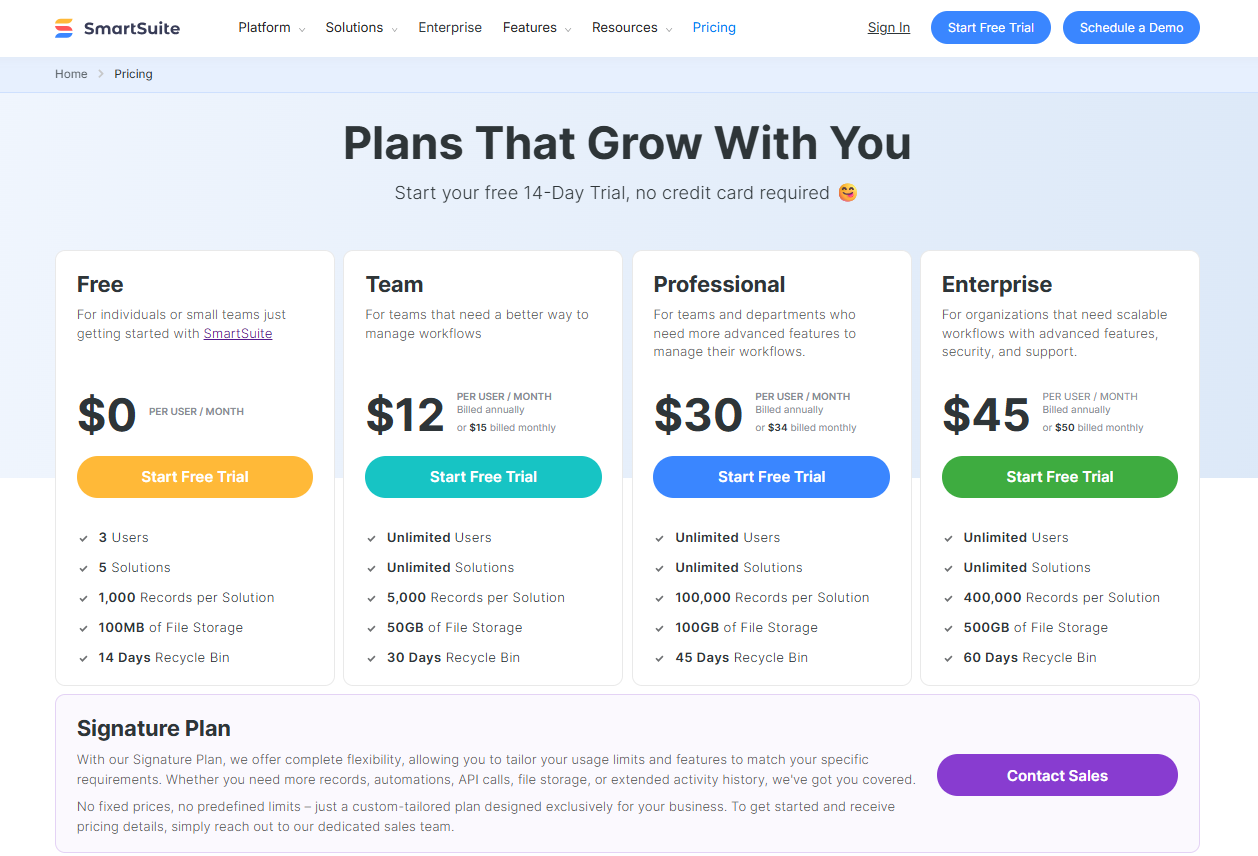
Unlike tools like Pathlock, SmartSuite comes with a generous free plan with access to 250+ automation actions, team collaboration, multi-dashboard views, and more, with affordable per-seat pricing.
There are four paid plans with a 14-day free trial (no CC required):
- Team: Starts at $12/user per month, including Gantt charts, timeline views, 5000 automation runs, and native time tracking.
- Professional: Starts at $30/user per month and adds two-factor authentication, Gmail & Outlook integrations, and unlimited editors.
- Enterprise: Starts at $45/user/month and includes access to audit logs, data loss prevention, and 50,000 monthly API calls.
- Signature: A customized plan tailored to your organization’s needs and team size with no predefined limits.
Get started with SmartSuite & our pre-built GRC templates for free
If you are not willing to invest in Pathlock, you’re definitely not short on alternatives.
If you’re looking for a tool that helps your compliance team scale compliance workflows, adapt processes on the fly, and centralize risk and vendor management without rigid reporting, admin bottlenecks, or expensive pricing structures, you can give SmartSuite a chance with our free plan and out-of-the-box GRC templates.
Here’s what's in it for your team when you try SmartSuite:
- Access to a generous free plan with features including multi-board views (Kanban, Chart, Map, Timeline, Card, and Calendar), 100 automations/month, and 40+ field types, including formula and linked record fields.
- No-code automation builder to set up to 500,000 trigger/action workflows.
- Built-in productivity tools, including time tracking, status tracking, and checklists.
- Team collaboration and planning tools such as whiteboards and SmartSuite docs.
- Resource management across projects and teams.
- 40+ field types, including the option to add your custom fields.
Sign up for a free plan to test the water or get a 14-day free trial to explore all its amazing features.
Or, if you’d like to talk to our team of experts, schedule a demo.
Read More
- 10 Best Riskonnect Alternatives For GRC In 2025
- Riskonnect Pricing: Is It Worth It In 2025?
- 10 Best MetricStream Alternatives for GRC in 2025
- MetricStream Pricing: Is It Worth It In 2025?
- Top 10 Compliance AI Alternatives & Competitors
- Compliance AI Pricing: Is It Worth It?

SmartSuite provides work platform for standardizing workflows in the following areas:
- Governance, Risk & Compliance
- IT & Service Ops
- Project / Portfolio Management
- Business Operations