![Smartsheet vs. Confluence vs. SmartSuite: Which Tool to Pick? [2026]](https://cdn.prod.website-files.com/60db0944651d4b59a704ef93/6ab36db791dbef2f3eb23a27_699899b1710d5cfc3f6be851_smartsheet_vs_confluence_vs_smartsuite_-_which_tool_to_pick_-_large.avif)

If you’re comparing Smartsheet vs Confluence, you’re likely trying to decide whether your team needs structured project tracking or a more documentation-first workspace, but the real answer often sits somewhere in between.
In this guide, I’ll break down where each platform shines, where they fall short, and how they compare to a more flexible alternative built for modern cross-functional work.
Let’s dive into what actually matters before you commit to a tool in 2026.
Key takeaways
- Smartsheet is best suited for teams that think in rows, columns, and structured workflows. Its spreadsheet-style interface, multiple views, and automation features make it strong for managing timelines and repeatable processes, but as sheets grow larger, setup and maintenance can become more complex.
➡️ Choose Smartsheet if your projects rely on structured tracking and you want powerful control within a familiar grid-based workspace.
- Confluence focuses on organizing knowledge rather than executing work. It shines as a central hub for documentation, internal wikis, and collaborative content creation, though it’s less suited for execution-heavy workflows or complex project operations.
➡️ Choose Confluence if your main goal is building a structured knowledge base where teams can create, share, and maintain information together.
- SmartSuite blends workflow execution and collaboration into one connected platform. By combining structured data, customizable workflows, and built-in collaboration in a single environment, it aims to replace fragmented tools and support teams as processes expand across departments.
➡️ Choose SmartSuite if you’re looking for a flexible workspace that can manage projects, documentation, and operational workflows from one unified foundation.
Smartsheet vs. Confluence vs. SmartSuite: Features
I’ll begin by outlining each of the three platforms’ core functionality, with Smartsheet coming up first.
Key takeaways
- Smartsheet is best for structured, spreadsheet-style project tracking with strong dashboards and operational oversight, but it can feel rigid when workflows need deeper flexibility.
- Confluence excels at documentation, collaboration, and knowledge organization, making it ideal for teams that prioritize content and shared context over execution-heavy workflows.
- SmartSuite offers the most complete feature set overall, combining connected workflows, no-code customization, collaboration, AI, and real-time reporting in one unified workspace.
Smartsheet’s features
1. Spreadsheet-style work management
At its core, Smartsheet is built around a familiar spreadsheet-style interface that turns rows and columns into structured work tracking.
Teams can organize tasks, timelines, and milestones inside grid-based sheets, then switch between Gantt, calendar, card, or table views depending on how they want to visualize progress.
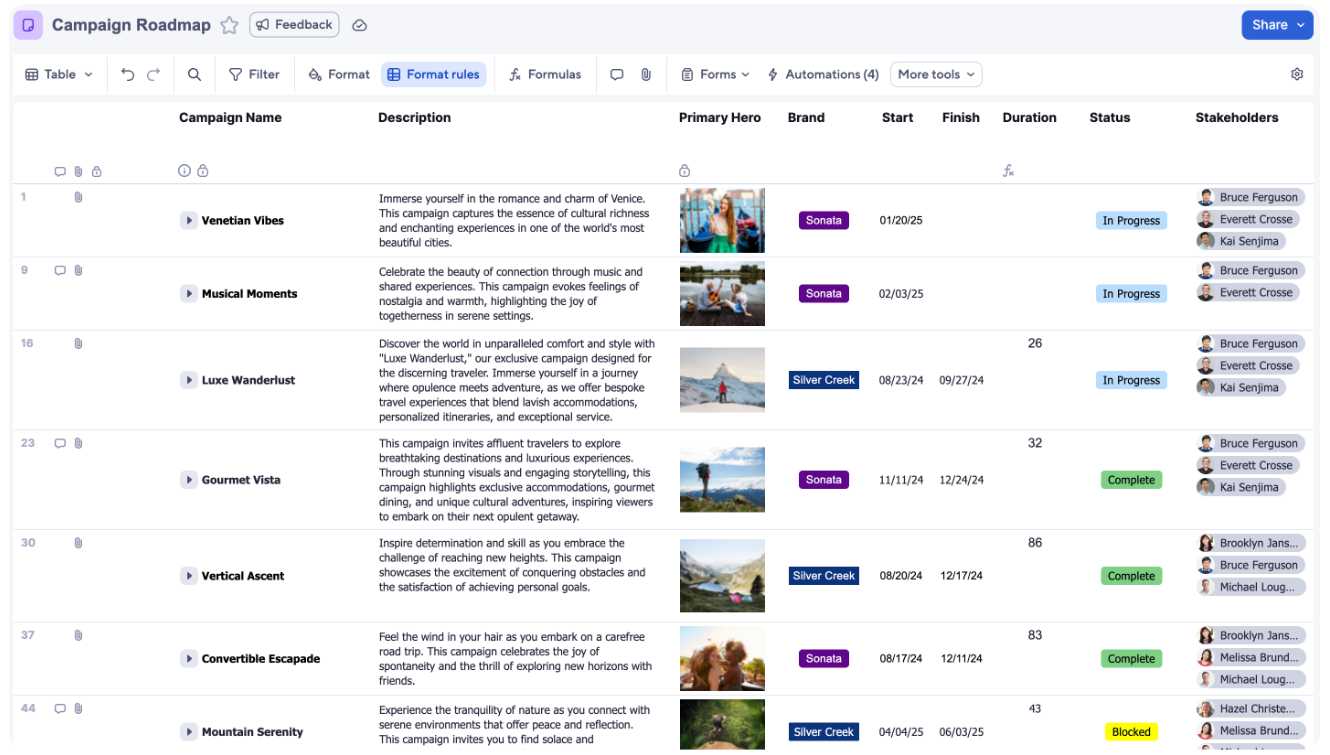
Formulas, dependencies, and baselines make it easy to extend traditional spreadsheet logic into project coordination, which works especially well for teams that already rely on Excel-like workflows, but can start to feel rigid once work moves beyond tabular processes or requires more dynamic data relationships.
2. Dashboards, reporting & work insights
Smartsheet places a strong emphasis on visibility through dashboards and reporting, giving teams a way to turn sheet data into real-time operational insights.
With widget-based dashboards, cross-sheet reports, and automated status tracking, project owners can monitor progress, risks, and performance without manually pulling updates from multiple sources.
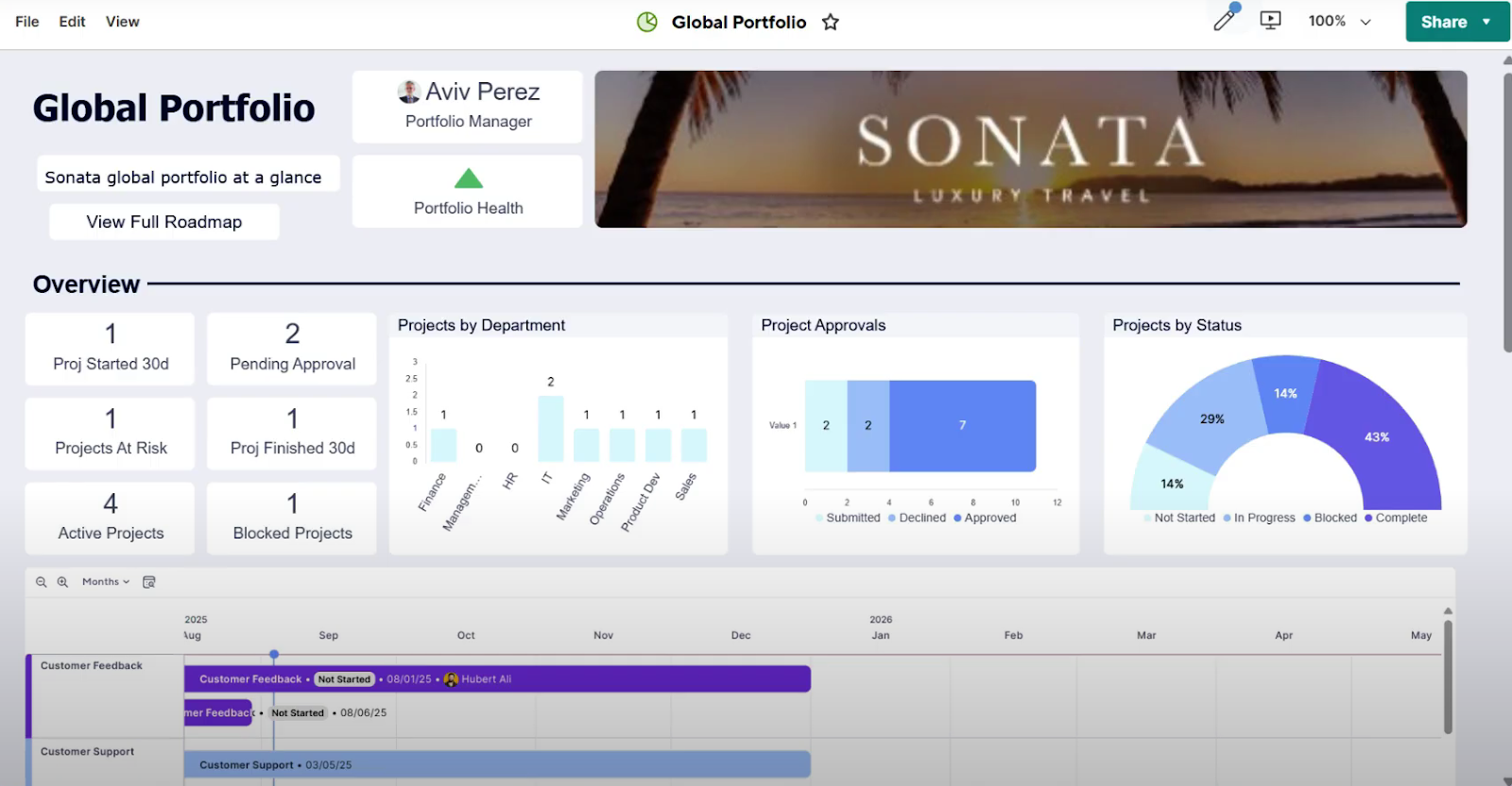
This makes Smartsheet particularly effective for executive reporting and structured oversight, although the experience still relies heavily on underlying sheet logic, which can make complex reporting setups feel rigid compared to more relational, database-driven platforms.
3. Automation & workflow builder
Smartsheet includes a no-code automation builder that helps teams reduce manual updates and keep projects moving without constant oversight.
Users can create trigger-based workflows to send alerts, request approvals, update fields, or move tasks through different stages based on predefined conditions, all directly tied to sheet activity.
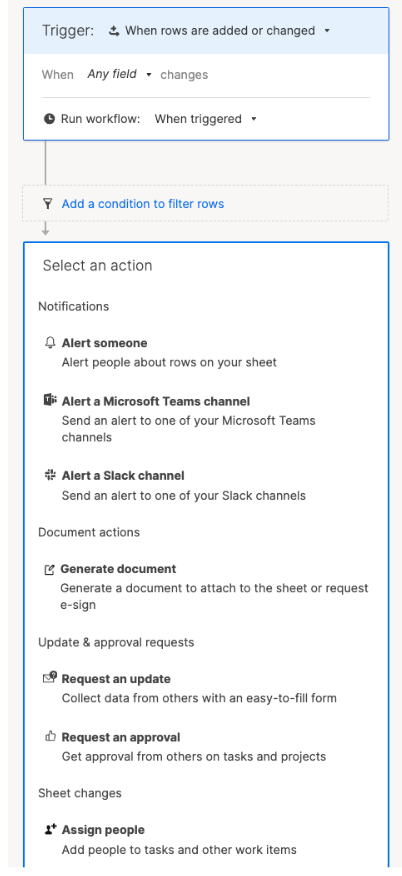
While these automations are powerful for streamlining repetitive processes and enforcing consistency, they’re still largely built around row-level logic, which can become harder to scale when workflows need more dynamic relationships across multiple systems or data structures.
4. Resource management & portfolio visibility
Smartsheet also extends beyond task tracking with resource management and portfolio-level visibility designed for teams running multiple projects at once.
Managers can monitor workloads, track capacity, and allocate resources across initiatives, while portfolio dashboards provide a high-level view of timelines, risks, and overall performance.
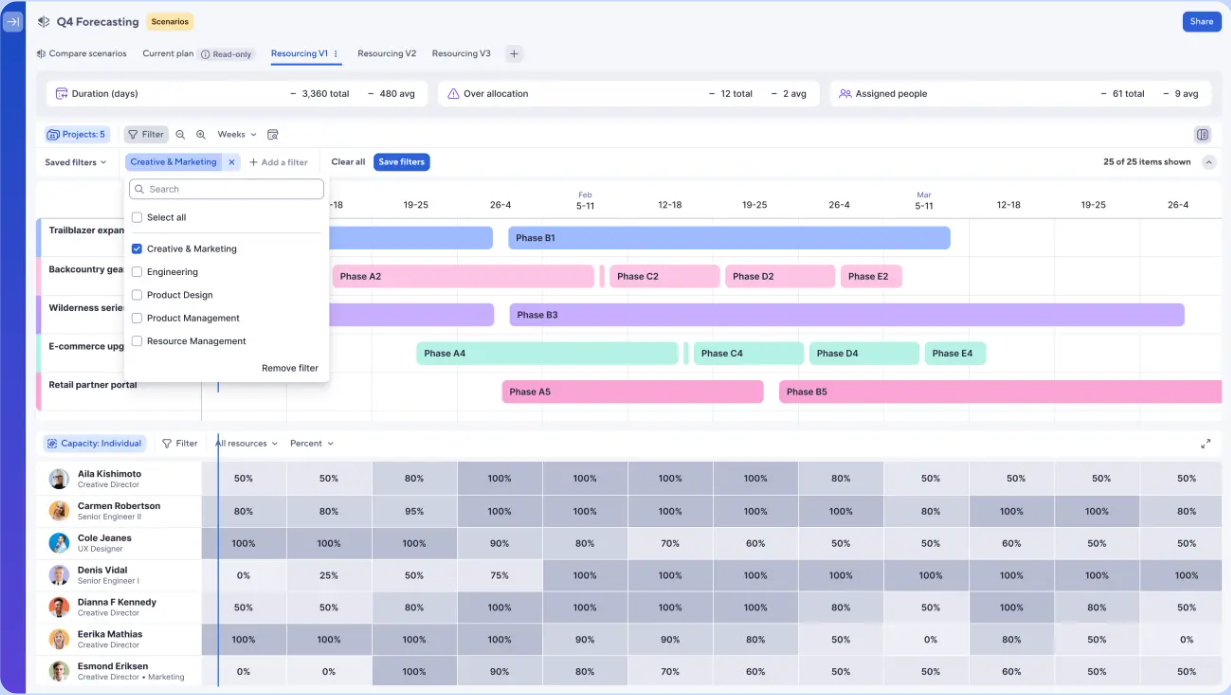
These capabilities make Smartsheet appealing for structured planning and governance, especially in larger organizations, though many advanced portfolio features rely on additional configuration or add-ons, which can add complexity as operational needs grow.
Smartsheet is ideal if you:
✅ Want to manage projects through a spreadsheet-style interface that feels familiar and structured from day one.
✅ Manage structured portfolios where resource planning, timelines, and governance are more important than deep customization.
✅ Need strong dashboards and executive reporting to track progress, risks, and performance across multiple initiatives.
Smartsheet isn’t the best choice if you:
❌ Need highly flexible workflows built around relational data, dynamic records, or interconnected processes beyond rows and columns.
❌ Are looking for a system that moves beyond spreadsheet thinking toward a more adaptable, database-driven environment.
❌ Expect advanced portfolio management without extra setup, add-ons, or layered configuration.
Confluence’s features
1. Pages, spaces & knowledge organization
At its core, Confluence is built as a centralized knowledge hub where teams organize information through structured pages and collaborative spaces.
Each space acts like a dedicated workspace for a team, project, or department, while nested pages create a clear hierarchy for documentation such as meeting notes, product specs, onboarding guides, or internal wikis.
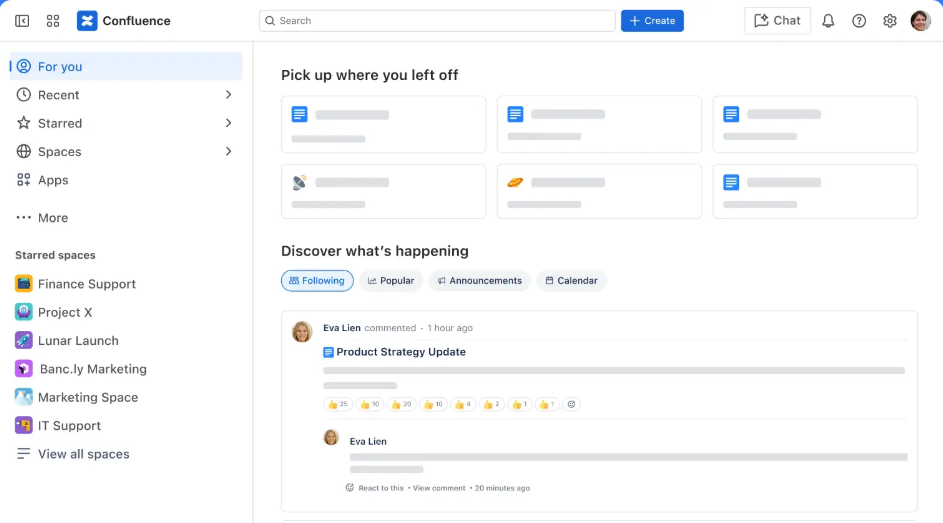
With powerful search, labels, and version history, Confluence makes it easy to keep knowledge organized and accessible, although its content-first structure is designed primarily for documenting work rather than managing complex workflows or operational processes directly.
2. Real-time collaboration & editing
Confluence is built for collaborative writing, allowing multiple team members to edit pages simultaneously while keeping conversations tied directly to the content itself.
Users can leave inline comments, mention teammates, track version history, and follow updates in real time, which makes it especially useful for drafting plans, sharing knowledge, or aligning stakeholders around documentation.
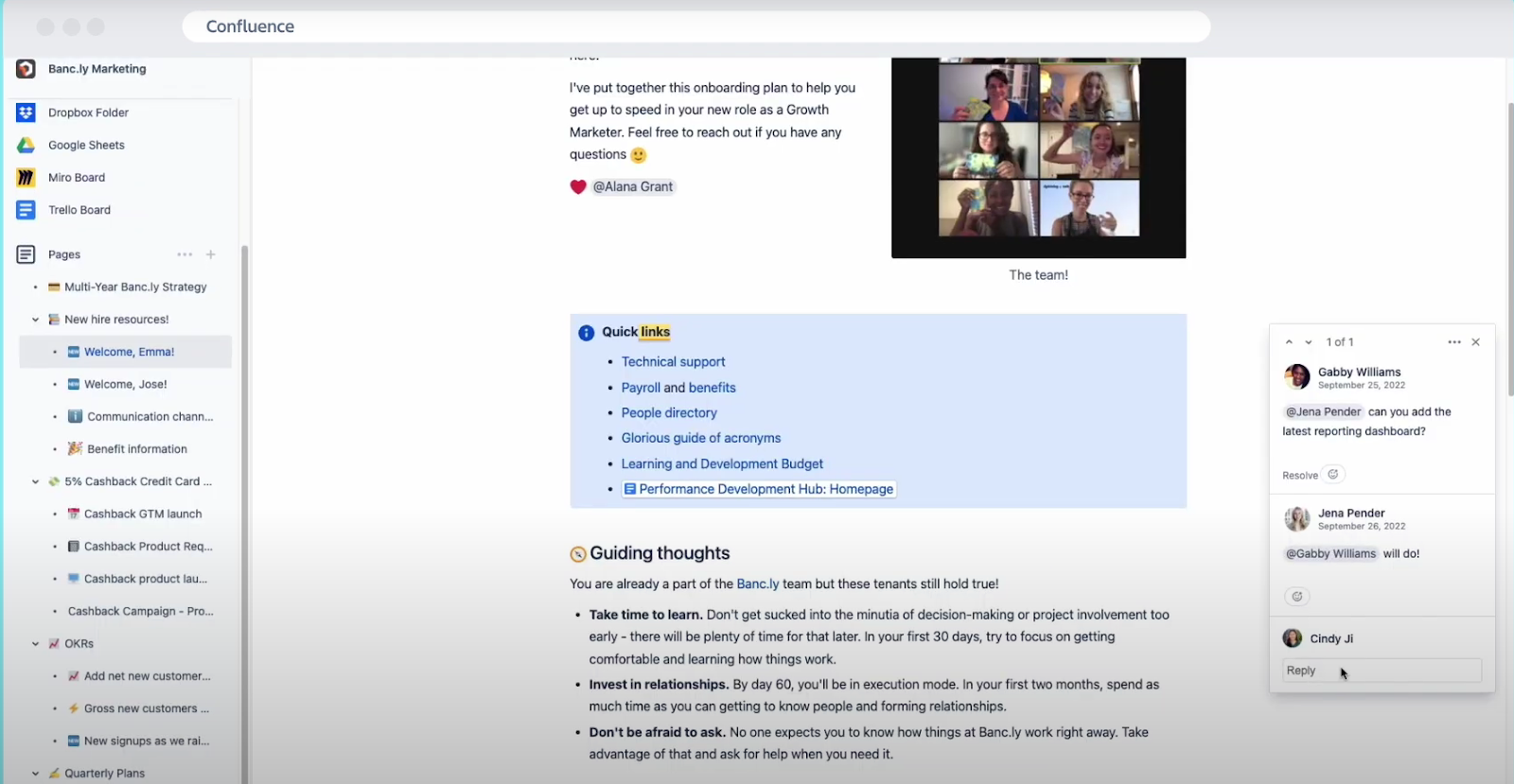
While this real-time collaboration creates a strong environment for teamwork and transparency, it’s primarily centered around documents and ideas rather than structured task execution or workflow management.
3. Whiteboards & visual brainstorming
Confluence also includes built-in whiteboards that give teams a flexible space for visual thinking, planning, and early-stage ideation.
With an infinite canvas, sticky notes, diagrams, and free-form layouts, users can map out workflows, brainstorm product ideas, or sketch project plans before turning them into structured documentation.
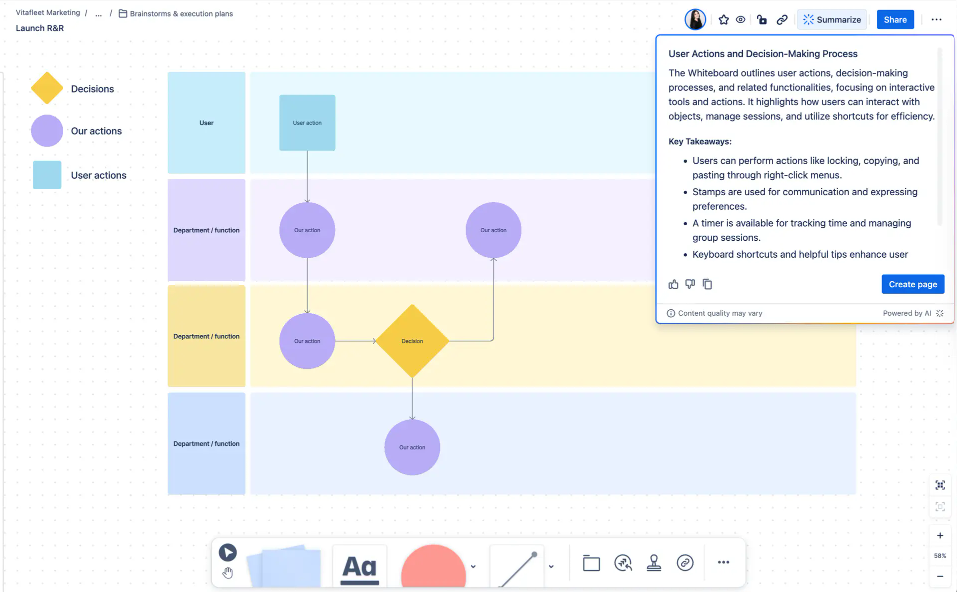
Essentially, these whiteboards help bridge the gap between brainstorming and written knowledge, providing a collaborative space for sharing and developing ideas.
4. Databases
Confluence has also introduced databases as a way to structure and connect information beyond traditional pages, giving teams a more organized way to centralize knowledge and workflows.
The key role of these databases is to help bridge the gap between documentation and lightweight organization with real-time syncing and shared views.
![Databases: Smartsheet vs. Confluence vs. SmartSuite: Which Tool to Pick? [2026]](https://cdn.prod.website-files.com/60db0944651d4b59a704ef93/69989a751530216d5b58da3d_03d50c5b.png)
Users can pull in Jira items, link Confluence pages, or create new entries directly inside a database, then visualize that information through tables, cards, or board-style layouts depending on how different teams prefer to work.
Confluence is ideal if you:
✅ Need a centralized knowledge hub for documentation like product specs, onboarding guides, meeting notes, or internal wikis.
✅ Want strong real-time collaboration where teams can co-edit pages, leave inline feedback, and keep discussions tied directly to content.
✅ Work heavily inside the Atlassian ecosystem, especially alongside Jira for connecting planning, documentation, and development workflows.
Confluence is not the best choice if you:
❌ Need a platform built for structured execution, operational workflows, or complex project tracking beyond documentation.
❌ Expect databases to function like a full operational system rather than extensions of documentation.
❌ Prefer managing work through tasks, timelines, and resources instead of primarily through pages and knowledge spaces.
SmartSuite’s features
While Smartsheet focuses on structured project tracking and Confluence centers around documentation and knowledge sharing, SmartSuite combines both execution and collaboration into one connected work platform.
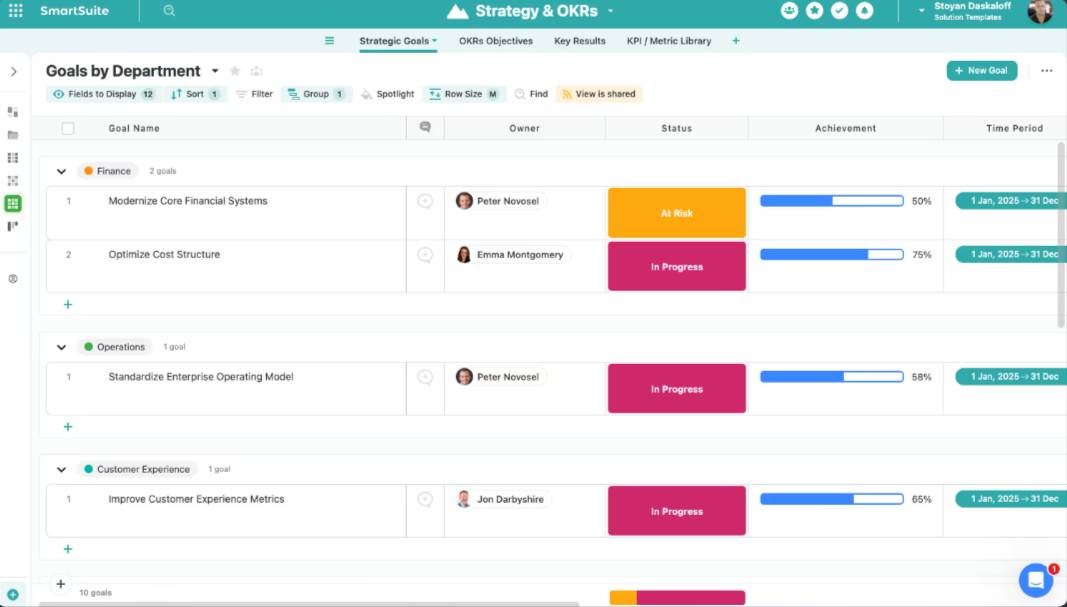
SmartSuite brings together relational data, automation, reporting, permissions, and AI into a single governed environment, helping organizations manage workflows across GRC, IT, projects, and business operations without relying on multiple disconnected tools.
By connecting workflows, data, and collaboration in one place, SmartSuite aims to bridge the gap between structured work execution and knowledge management, offering a more scalable foundation as teams grow and processes become more complex.
Here’s a closer look at some of its standout features.
1. Unified workspace built for connected workflows
SmartSuite is designed as a unified work platform that brings workflows, structured data, and collaboration into one connected environment.
Rather than splitting projects, documentation, and operational processes across separate tools, it provides a shared foundation where teams can design and manage work in a consistent way while still adapting workflows to their specific needs.
This approach helps organizations reduce fragmentation by keeping processes, ownership, and information aligned across departments.
As a result, teams can evolve workflows over time without rebuilding systems, creating a scalable workspace that grows alongside the organization.
Here’s what that looks like in practice:
- One platform for connected work: Manage workflows across various types of business processes without switching between disconnected systems.
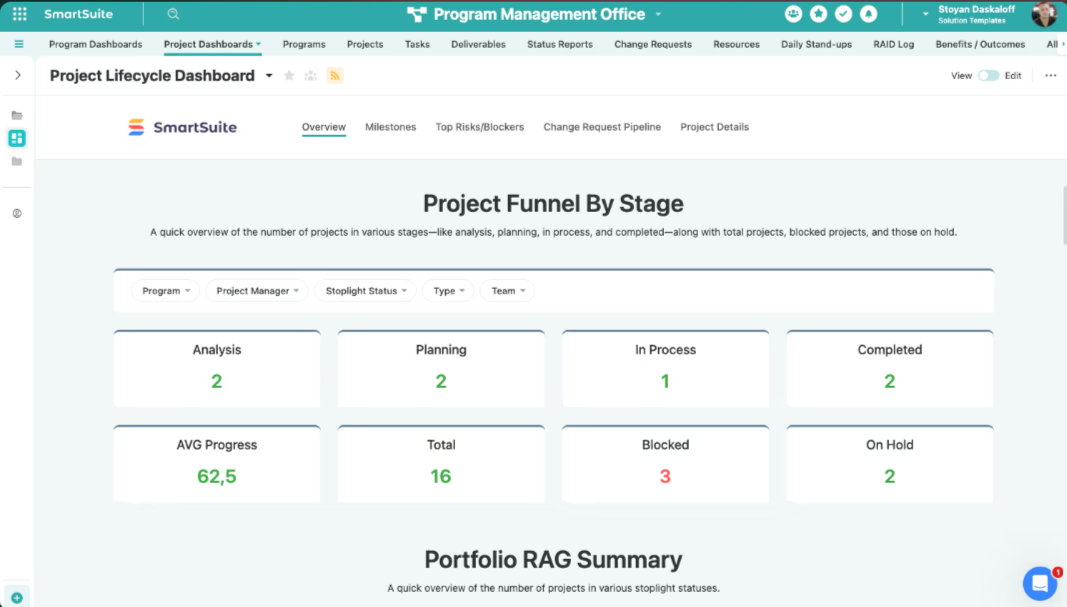
- Ready-to-use solution suites: Start quickly with built-in frameworks for areas like GRC, ITSM, project management, and business operations, then adapt them as processes mature.
- Shared data foundation: Keep information consistent across teams through connected records and standardized structures.
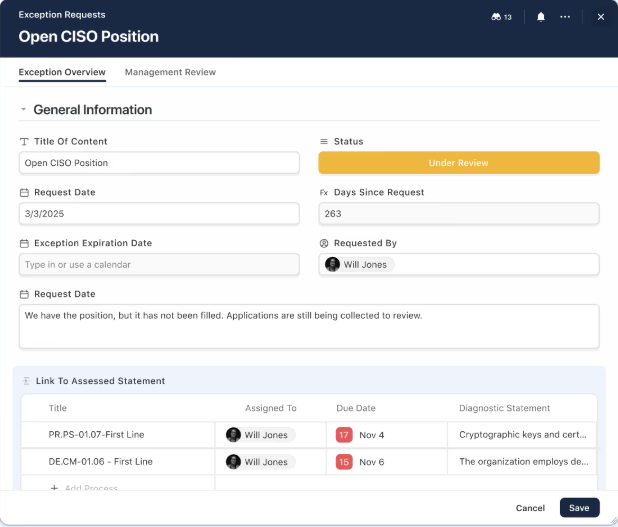
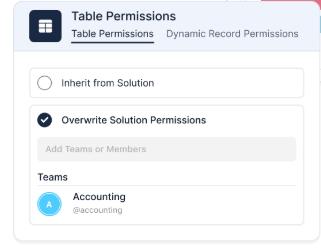
- Governance built into the workspace: Role-based permissions and access controls help organizations scale workflows with confidence.
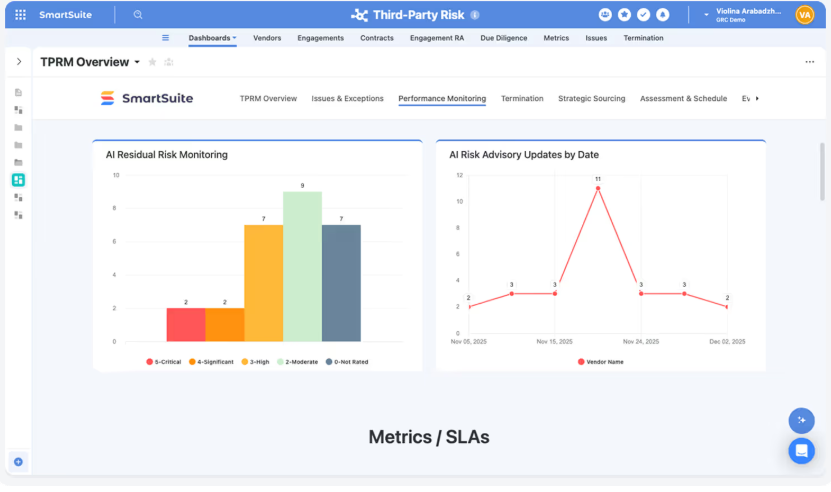
- Designed to replace fragmented tools: Consolidate multiple point solutions into a single environment that provides clearer ownership and visibility.
2. No-code automation & customizable workflows
SmartSuite gives teams the ability to shape workflows around how their business actually runs without writing code or relying on complex development cycles.
This flexibility allows organizations to evolve workflows as requirements change while maintaining consistency through shared standards and governance.
Alongside customization, SmartSuite includes a powerful visual automation engine that helps teams streamline repetitive work and keep processes moving automatically.

Here are some of the things that stand out in SmartSuite’s automation and customization capabilities:
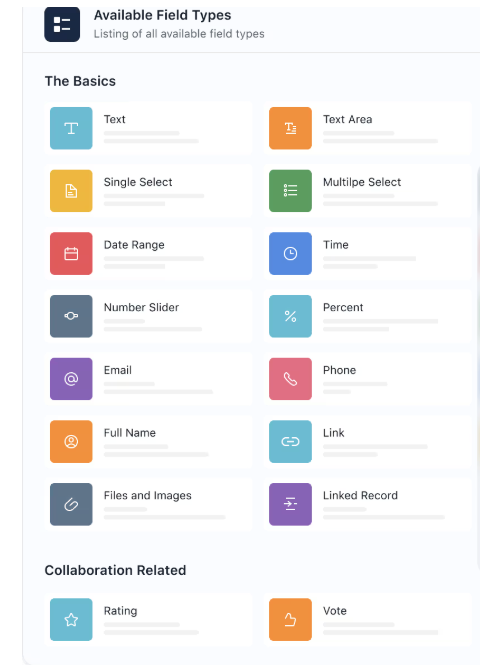
- Visual customization: Configure fields, forms, and layouts using flexible field types and interface widgets with no coding required.
- Drag-and-drop automation builder: Create simple or multi-step workflows with triggers, filters, and sequenced actions.
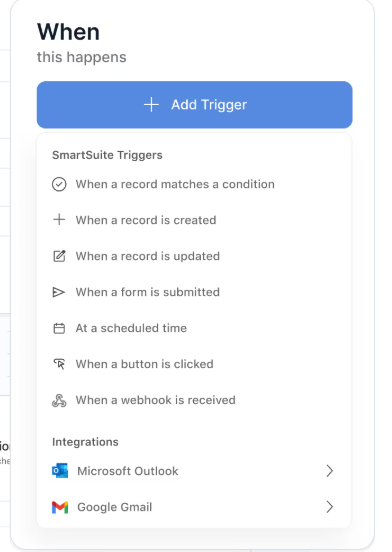
- Real-time triggers: Launch automations based on record updates, dates, schedules, button clicks, or inbound webhooks.
- Cross-system orchestration: Use webhooks and integrations to sync actions between SmartSuite and external tools.
- AI Assist inside workflows: Generate summaries, analyze attachments, or populate structured fields directly within automated processes.
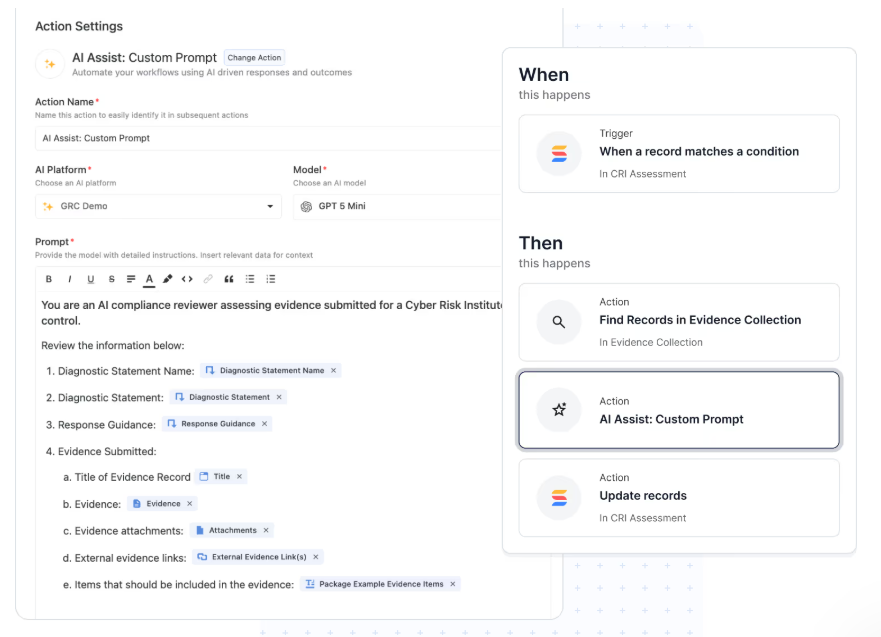
- Automation across related records: Apply updates to linked workflows through looping actions that keep processes aligned.
3. Collaboration built directly into workflows
SmartSuite approaches collaboration by embedding communication directly inside the work itself rather than separating conversations into external chat tools.
This connected approach reduces scattered communication and makes collaboration feel like part of execution instead of a separate activity.
Here’s what collaboration looks like inside SmartSuite:
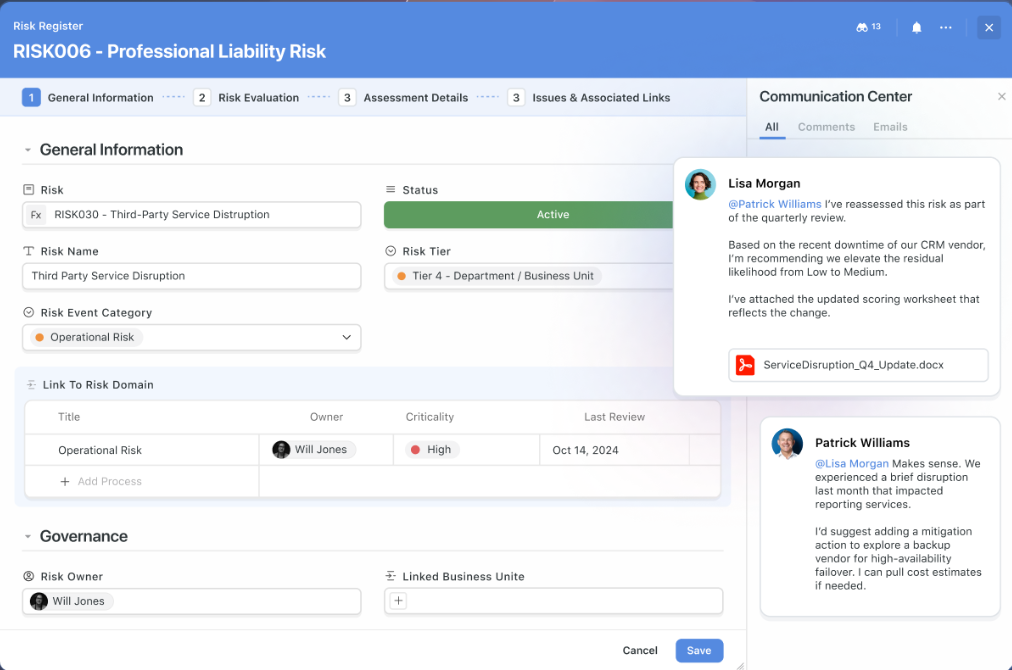
- Contextual conversations: Start threaded discussions, @mention teammates, attach files, and keep every update linked directly to the record it belongs to.
- Activity history and transparency: Track comments, edits, approvals, and status changes in one timeline to maintain accountability and clarity.
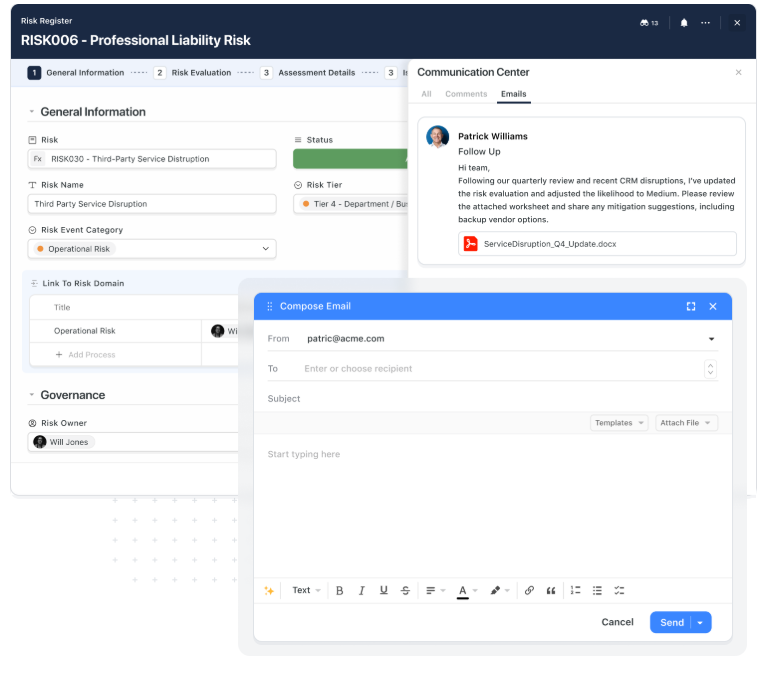
- Email inside the workflow: Send and receive stakeholder emails directly from records so communication stays visible to the entire team instead of scattered across inboxes.
- Notifications that stay relevant: Customize alerts based on roles, assignments, or critical updates to stay informed without unnecessary noise.
- One collaboration model across solutions: Use the same collaboration patterns across GRC, ITSM, projects, CRM, and operations to reduce friction and training time.
- Governed collaboration controls: Manage who can view, comment, or edit through role-based permissions and record-level visibility rules.
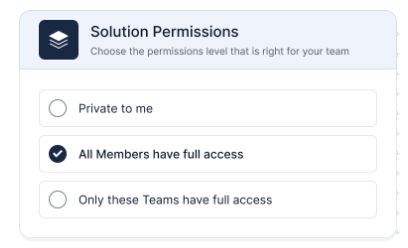
4. AI-native workflows built into the platform
Within SmartSuite, instead of working outside the system, AI operates alongside your data, fields, and processes, helping teams handle a wide range of different tasks in real time.
Because AI runs on structured workflows and relational data, outputs stay grounded in business context rather than disconnected prompts or generic suggestions.
Here’s how AI enhances work inside SmartSuite:
- AI Assist inside automations: Add intelligent steps that analyze attachments, extract structured data, or suggest next actions as workflows run.
- SmartDoc AI for content creation: Draft updates, refine messaging, translate content, or summarize long inputs directly inside documents and records.
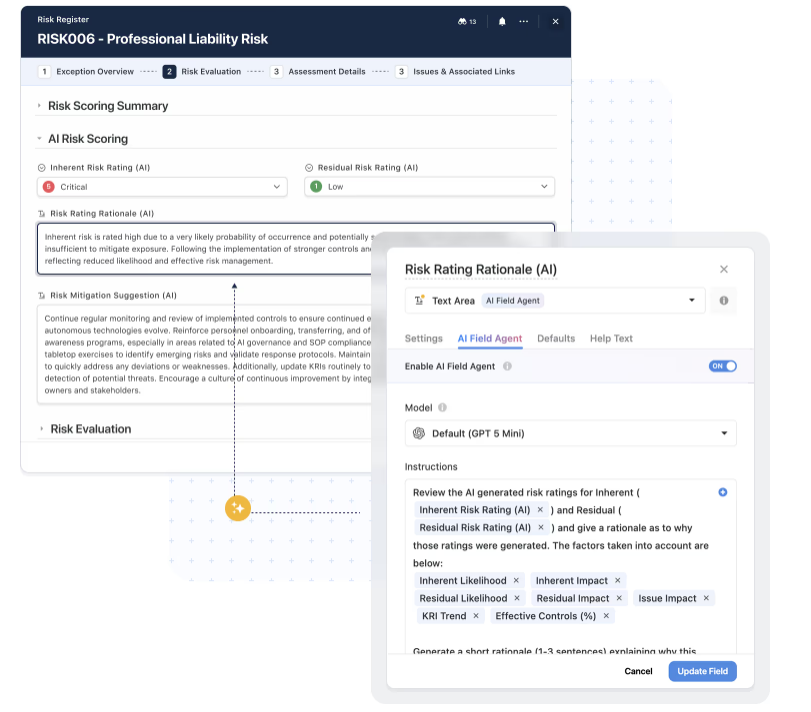
- AI Field Agents: Monitor data for anomalies, recommend values, and help keep large datasets consistent and actionable.
- Human-in-the-loop design: AI prepares suggestions while teams review and confirm decisions, ensuring governance and accuracy.
- Bring-your-own-model flexibility: Connect preferred LLM providers while maintaining a consistent experience across workflows.
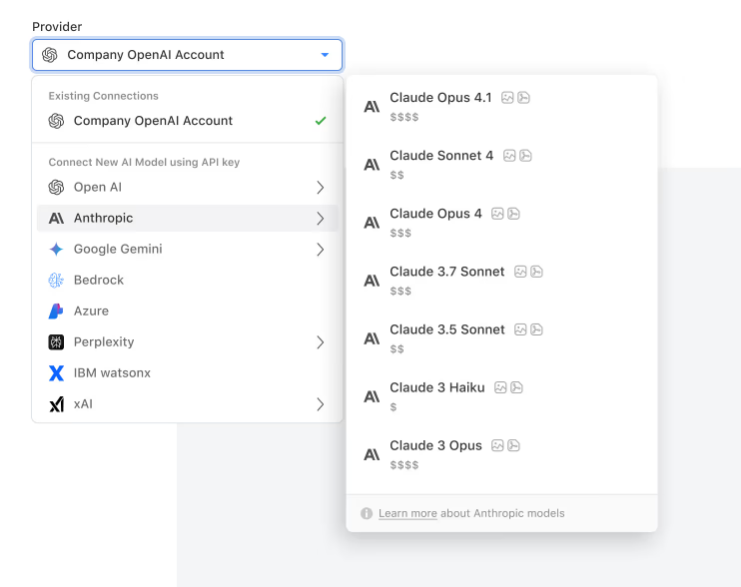
5. Real-time reporting & data visualization across workflows
SmartSuite brings reporting directly into the flow of work, allowing teams to track progress, performance, and trends without exporting data into separate BI tools.
Here’s how reporting and visualization work inside SmartSuite:
- Live dashboards with real-time updates: Track metrics, trends, and progress without rebuilding reports or exporting data.
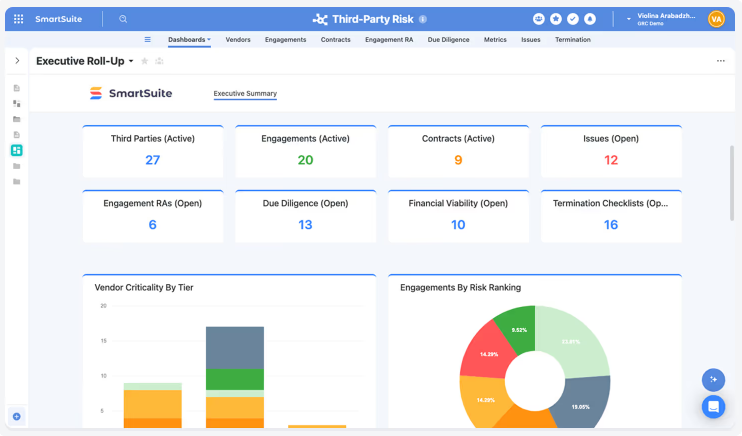
- Cross-workflow insights: Combine data from multiple solutions to understand performance across teams and initiatives.
- Role-aware visibility: Permission-based dashboards ensure users see only what aligns with their responsibilities.
- Flexible working views: Switch between Grid, Kanban, Timeline, Calendar, Chart, Map, or Gantt views to match the task at hand.
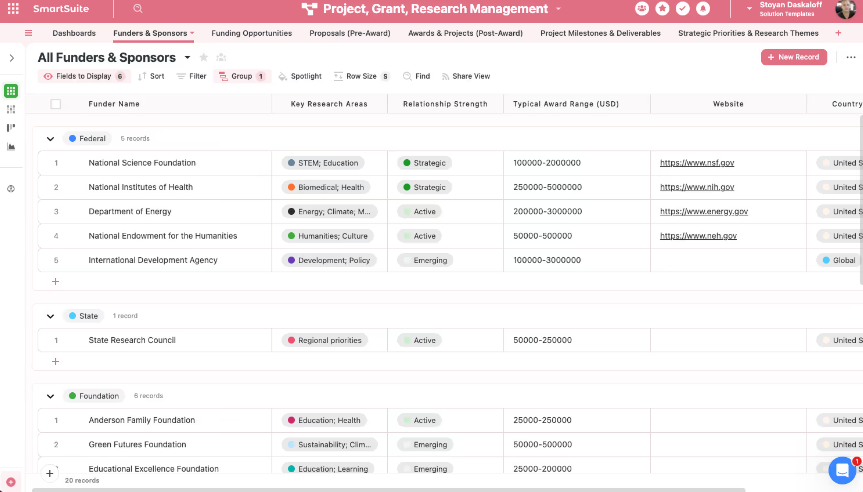
- Self-service reporting: Teams can create and customize dashboards without relying on a dedicated analytics team.
- Governed analytics layer: Record-level and field-level permissions carry through to every chart, metric, and widget.
SmartSuite is ideal if you:
✅ Want a single platform that unifies projects, documentation, and operational workflows instead of juggling multiple disconnected tools.
✅ Need a flexible workspace that combines structured execution, collaboration, and knowledge management in one system.
✅ Prefer no-code customization and automation so teams can adapt workflows quickly without relying on developers.
✅ Manage cross-functional processes across areas like GRC, IT, project management, or business operations and need everything connected through a shared data foundation.
✅ Value AI embedded directly into workflows to support decision-making, data enrichment, and day-to-day execution.
SmartSuite is not the best choice if you:
❌ Only need a lightweight documentation tool or internal wiki without structured workflows or operational layers.
❌ Prefer a simple spreadsheet-style project tracker with minimal setup and fewer customization options.
Winner: SmartSuite
Each platform excels in a different area: Smartsheet stands out for structured, spreadsheet-style project tracking, while Confluence shines as a documentation and collaboration hub.
However, when looking at overall feature depth and flexibility, SmartSuite takes the lead by combining execution, collaboration, automation, AI, and reporting inside one connected workspace.
Rather than focusing on just sheets or pages, SmartSuite delivers a unified foundation that supports multiple workflows across teams, making it the strongest choice for organizations that want a scalable platform capable of handling both structured work and knowledge management in one place.
Integrations: Smartsheet vs. Confluence vs. SmartSuite
Smartsheet integrations
Smartsheet includes a wide range of integrations that help teams connect their project workflows with the broader tools they already rely on.
It offers strong compatibility with the Microsoft ecosystem, including Outlook, Excel Online, Power BI, and Single Sign-On, while also supporting embeds from platforms like Tableau, Figma, Miro, and Prezi to extend collaboration and reporting directly inside dashboards.
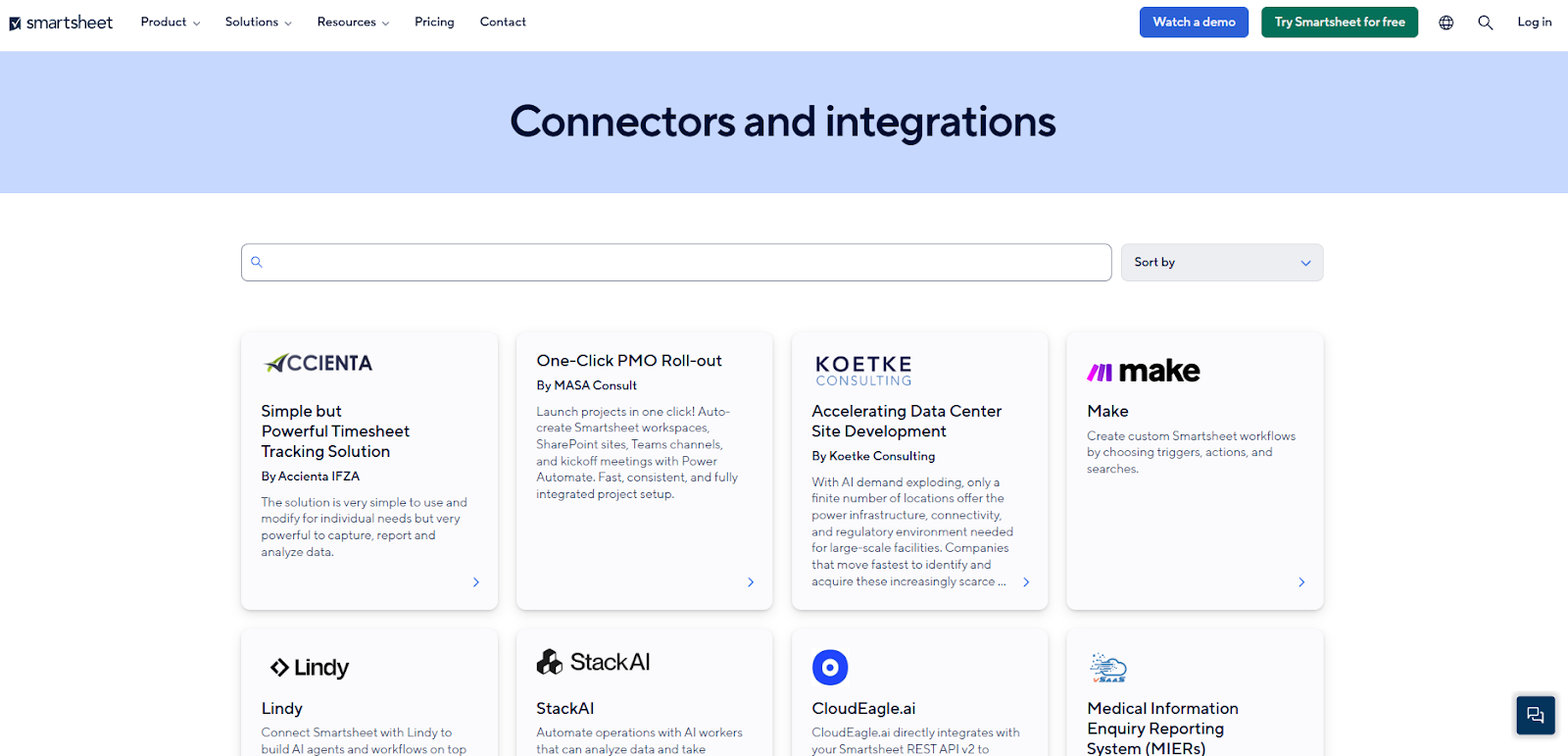
In addition to native integrations, Smartsheet connects with automation and integration platforms such as Tray.ai and provides REST API access, giving organizations the flexibility to sync data, extend workflows, and build more advanced cross-system processes.
Overall, its integration ecosystem is one of Smartsheet’s key strengths, making it easier to link project tracking with analytics, collaboration, and enterprise data without leaving the platform.
Confluence integrations
Confluence is built to extend beyond documentation through a large ecosystem of integrations available in the Atlassian Marketplace.
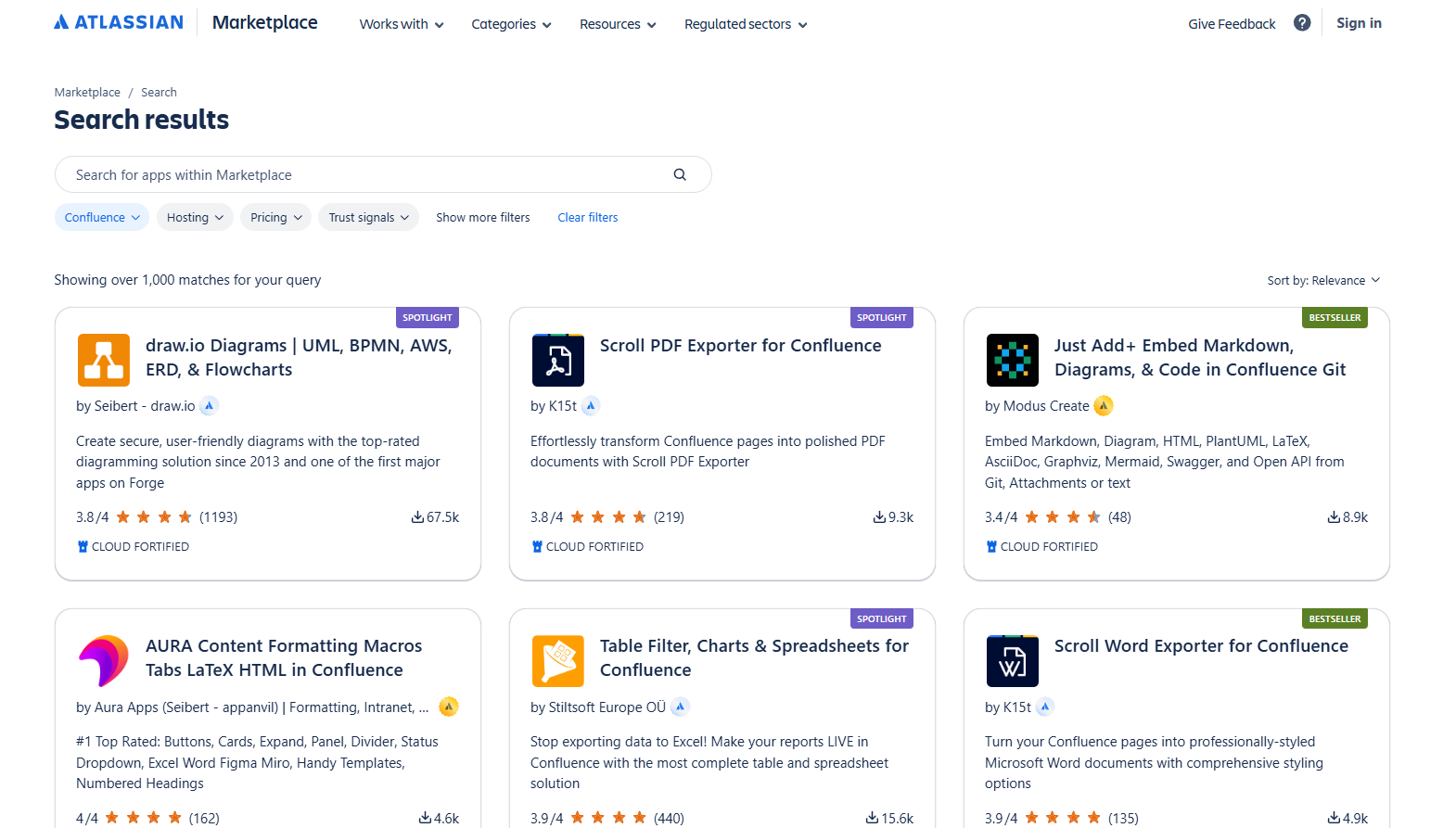
With thousands of apps and customization options, teams can connect Confluence to collaboration tools, document platforms, visualization apps, and workflow extensions, making it easier to adapt the workspace to different use cases without leaving the Atlassian environment.
Collaboration integrations like Microsoft Teams and Slack allow users to search, create, and respond to Confluence content directly from their daily communication tools, while document integrations with Google Drive and Microsoft 365 help centralize files inside pages to maintain a single source of truth.
Visualization and formatting apps add charts, tables, and advanced page layouts, enabling teams to present information more clearly and structure complex knowledge bases.
Confluence also supports workflow and prototyping apps such as Comala Document Control for approvals, Balsamiq for wireframing, and form or polling tools that help teams gather feedback directly within pages.
Combined with the ability to build custom integrations, this extensive app ecosystem is one of Confluence’s strongest advantages, allowing organizations to expand documentation, collaboration, and ideation workflows while tailoring the platform to their specific needs.
SmartSuite integrations
SmartSuite’s integrations are designed to keep workflows connected across your entire tech stack, rather than functioning as a basic add-on.
Teams can link external systems through native integrations, iPaaS platforms like Zapier or Make, as well as REST APIs and webhooks, making it easier to move data and processes between SmartSuite and the tools they already use.
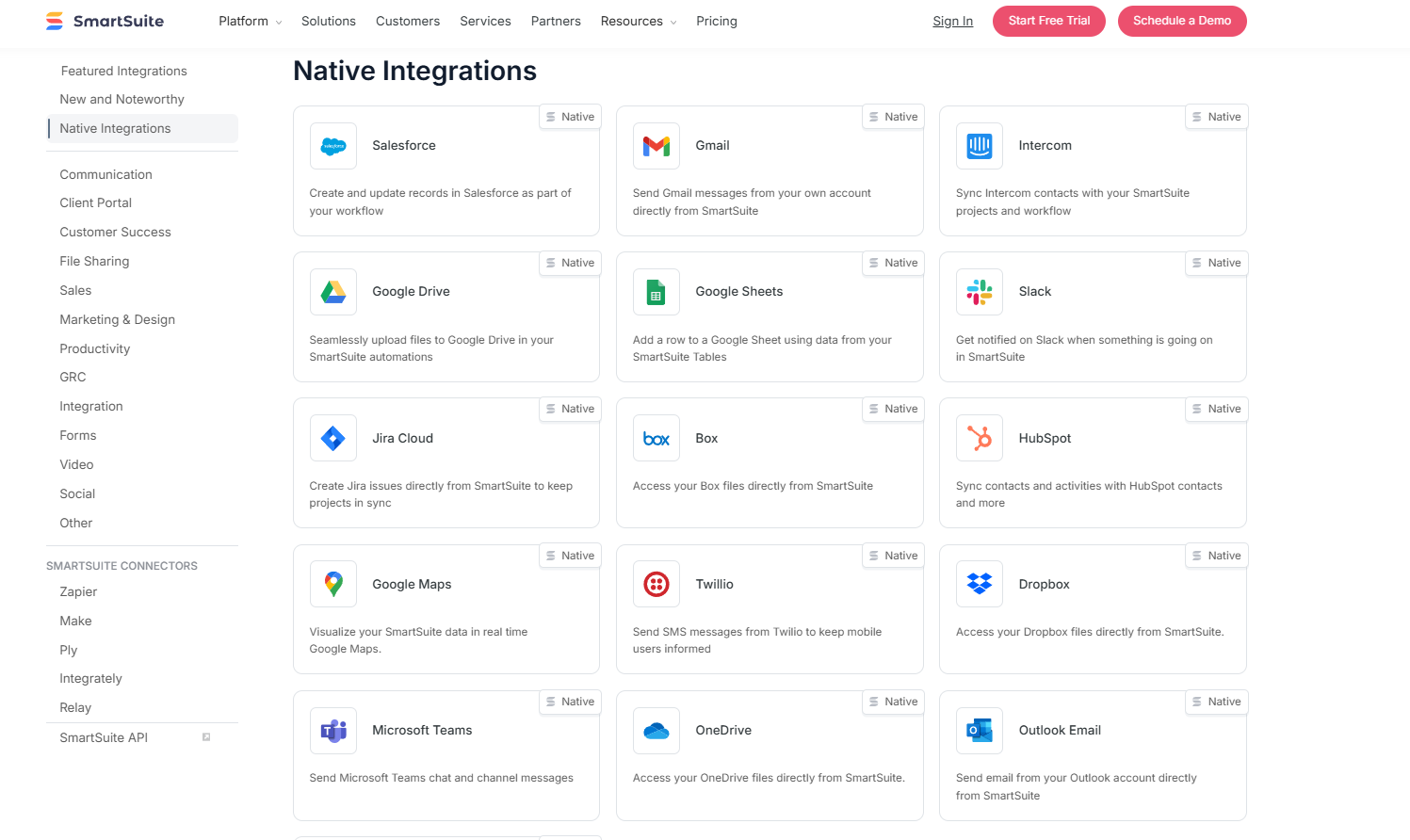
Out of the box, SmartSuite supports integrations with platforms such as Slack, Microsoft Teams, Salesforce, Gmail, Google Drive, Jira, HubSpot, Outlook, and Google Calendar, helping teams keep communication, customer data, and scheduling aligned without complex setup.
For more advanced needs, integrations with automation platforms, APIs, and custom connectors allow organizations to build tailored workflows, sync information programmatically, or embed SmartSuite into existing systems, creating a flexible foundation for end-to-end workflow orchestration.
Winner: Confluence
All three platforms offer solid integration capabilities, but they excel in different ways.
However, Confluence stands out for its massive app ecosystem, with thousands of Marketplace integrations that make it easy to extend documentation, collaboration, and content workflows without heavy configuration.
This makes it especially strong for teams already invested in the Atlassian ecosystem.
Pricing: Smartsheet vs. Confluence vs. SmartSuite
Smartsheet pricing
Smartsheet offers several pricing tiers designed to scale from small teams to large enterprises:
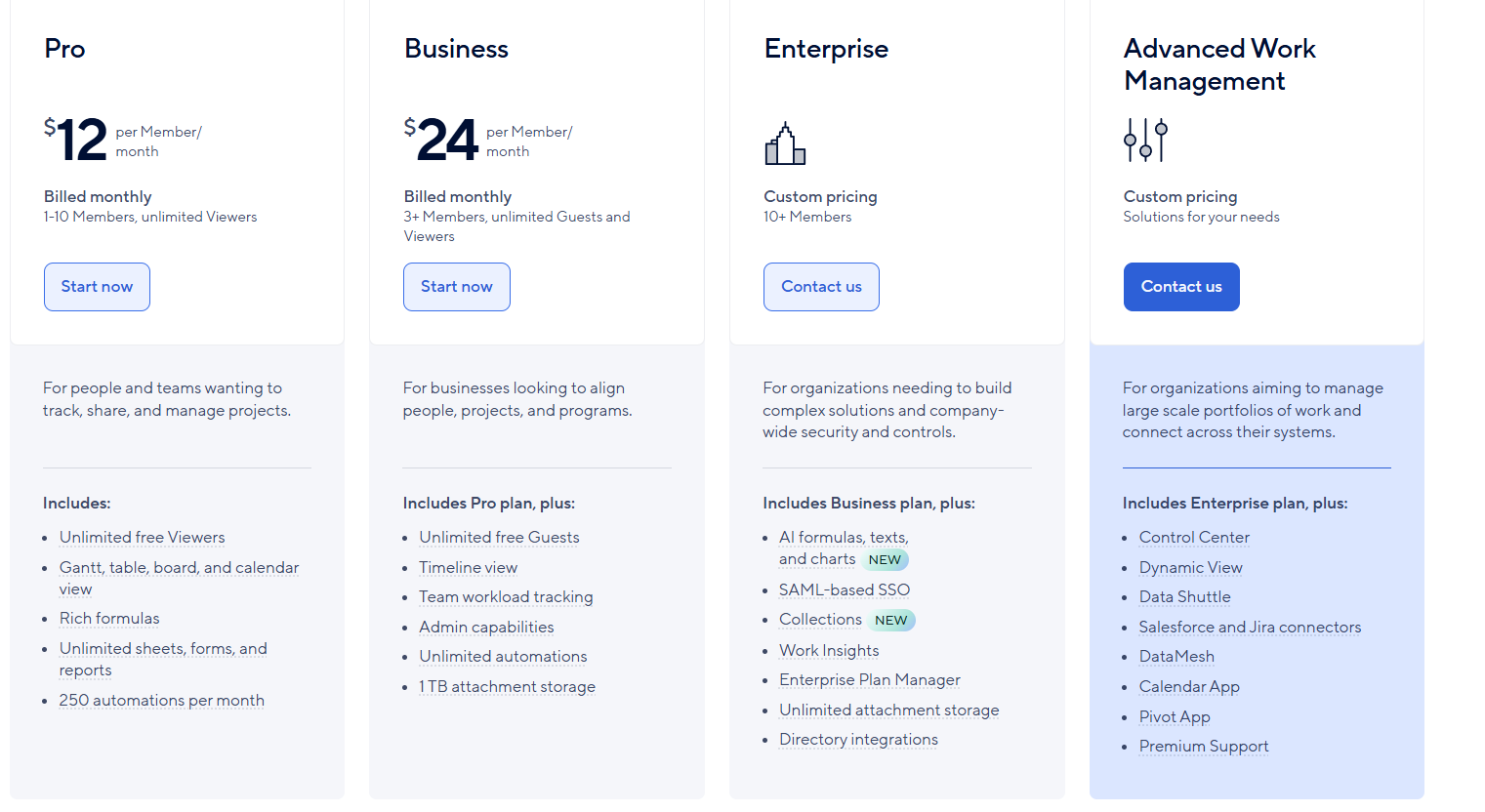
- Pro: $12 per user/month, for 1-10 users, includes Gantt, table, board, and calendar views, rich formulas, unlimited sheets, forms, and reports, plus 250 automations per month.
- Business: $24 per member/month, for minimum 3 members, includes everything in Pro, plus timeline view, team workload tracking, stronger admin controls, unlimited automations, and 1 TB of attachment storage.
- Enterprise: Custom pricing, for teams with more than 10 members that need advanced security and governance controls, includes everything in Business, plus AI-powered formulas, text, and charts, SAML-based SSO, directory integrations, unlimited storage, Work Insights, WorkApps, and enterprise-level management tools.
- Advanced Work Management: Custom pricing, designed for organizations managing large portfolios and complex, cross-system workflows. Includes everything in Enterprise, plus control center, dynamic view, data shuttle, DataMesh, calendar and pivot apps, Salesforce and Jira connectors, and premium support.
Confluence pricing
Confluence offers a tiered pricing model designed to scale from small teams to large enterprises.
First of all, Confluence offers a free plan for up to 10 users that includes pages, spaces, templates, limited databases, basic integrations, and up to 2 GB of storage. It’s a solid entry point for small teams that mainly need lightweight documentation and collaboration.
When it comes to the paid options, there are three to choose from:
- Standard: Starting at $6.70/user/month, includes everything in Free and adds advanced permissions, AI-powered work features (Rovo Search, Chat, and Agents), guest access, and expanded storage (250 GB).
- Premium: Starting at $13.20/user/month, includes everything in Standard, plus unlimited pages, spaces, and whiteboards, plus enhanced admin controls, unlimited storage, and a 99.9% uptime SLA. It also significantly increases automation capacity.
- Enterprise: Custom pricing, includes everything in Premium, plus advanced analytics, enterprise-grade security, multiple sites, and deeper identity and access management, along with a 99.95% uptime SLA.
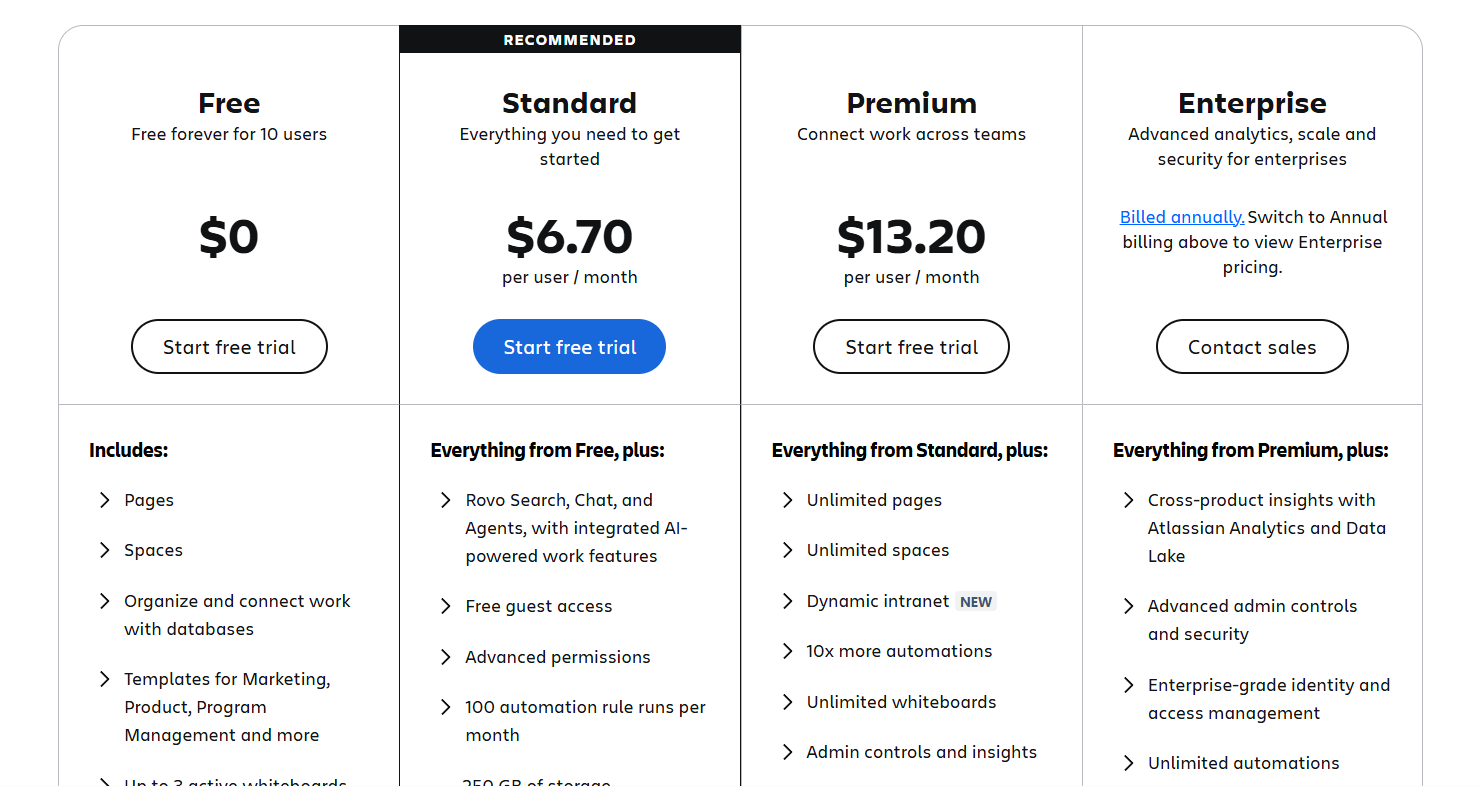
It’s also worth noting that Confluence pricing typically decreases on a per-user basis once you pass higher user thresholds (for example, 200+ seats), making it more cost-effective for large deployments, though costs can still grow quickly as teams add Marketplace apps or move into higher tiers.
SmartSuite pricing
SmartSuite follows a transparent pricing model with plans that scale alongside your team’s needs.
You can try it free for 14 days - no credit card required - before choosing a tier.
Here’s a closer look at the available options:
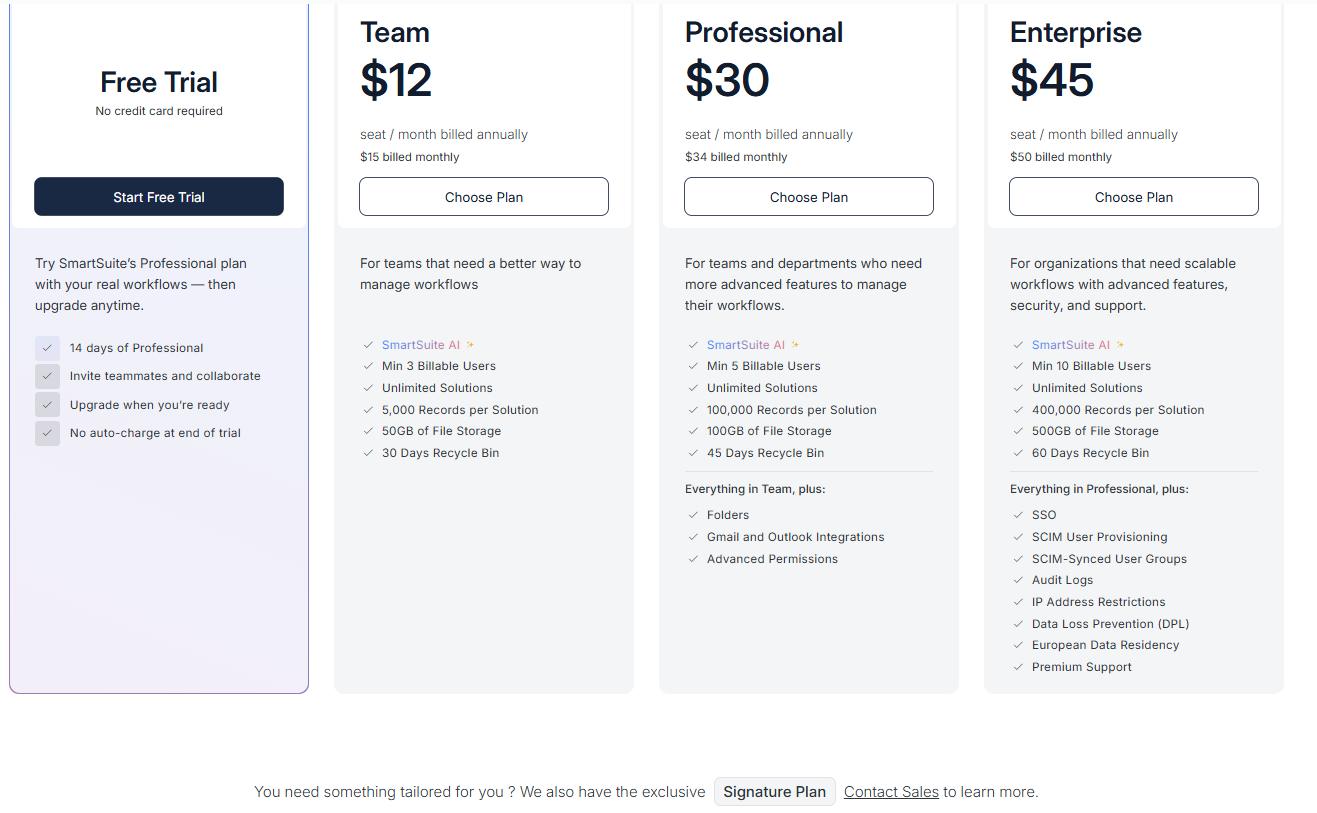
- Team: $12 per seat/month (billed annually), includes SmartSuite AI, unlimited solutions, up to 5,000 records per solution, 50 GB of file storage, a 30-day recycle bin, and core collaboration and automation features.
- Professional: $30 per seat/month, includes everything in Team, plus folders, Gmail and Outlook integrations, advanced permissions, higher record limits (100,000 per solution), 100 GB of storage, and a 45-day recycle bin.
- Enterprise: $45 per seat/month, includes everything in Professional, plus SSO, SCIM user provisioning, audit logs, IP restrictions, data loss prevention, European data residency, premium support, and higher limits (400,000 records per solution and 500 GB storage).
- Signature: Custom pricing. A tailored plan for organizations with specific requirements around scale, security, or data architecture.
Winner: Confluence
When it comes to pricing, each platform targets a different type of buyer, and the “winner” really depends on what you need from the tool.
Confluence is the most budget-friendly option upfront, especially for teams focused primarily on documentation and collaboration.
Its free plan for up to 10 users and low starting price make it accessible for small teams or organizations already using Atlassian products.
Larger deployments can also benefit from lower per-user costs at higher seat volumes, although expenses can increase once Marketplace apps and higher tiers come into play.
However, SmartSuite tends to deliver the strongest overall value for organizations looking to consolidate multiple tools into one platform.
While its entry price is similar to Smartsheet’s lower tiers, it bundles AI, automation, collaboration, and structured workflows into a single workspace, which can reduce total cost of ownership if it replaces several separate systems.
What are the customers saying about Smartsheet, Confluence, and SmartSuite?
Key takeaways
- Smartsheet (4.4★ on G2) is easy to adopt thanks to its spreadsheet-style interface and strong automation, but can feel complex or slow as workspaces grow, and reporting depth may be limited for advanced analytics needs.
- Confluence (4.1★ on G2) is excellent for centralized documentation and real-time collaboration, though large workspaces can become harder to manage, slower to navigate, and more expensive at scale.
- SmartSuite (4.8★ on G2) is highly flexible and powerful for building custom workflows in one platform, with strong ease of use, but some users mention mobile UX improvements and pricing tier gaps as areas to refine.
Smartsheet reviews
G2 Rating: 4.4/5
What users love:
- Familiar, spreadsheet-style interface, which makes it simple to start tracking tasks without technical training.
- Strong flexibility and customization options.
- Wide range of integrations that support complex projects and ongoing operations.
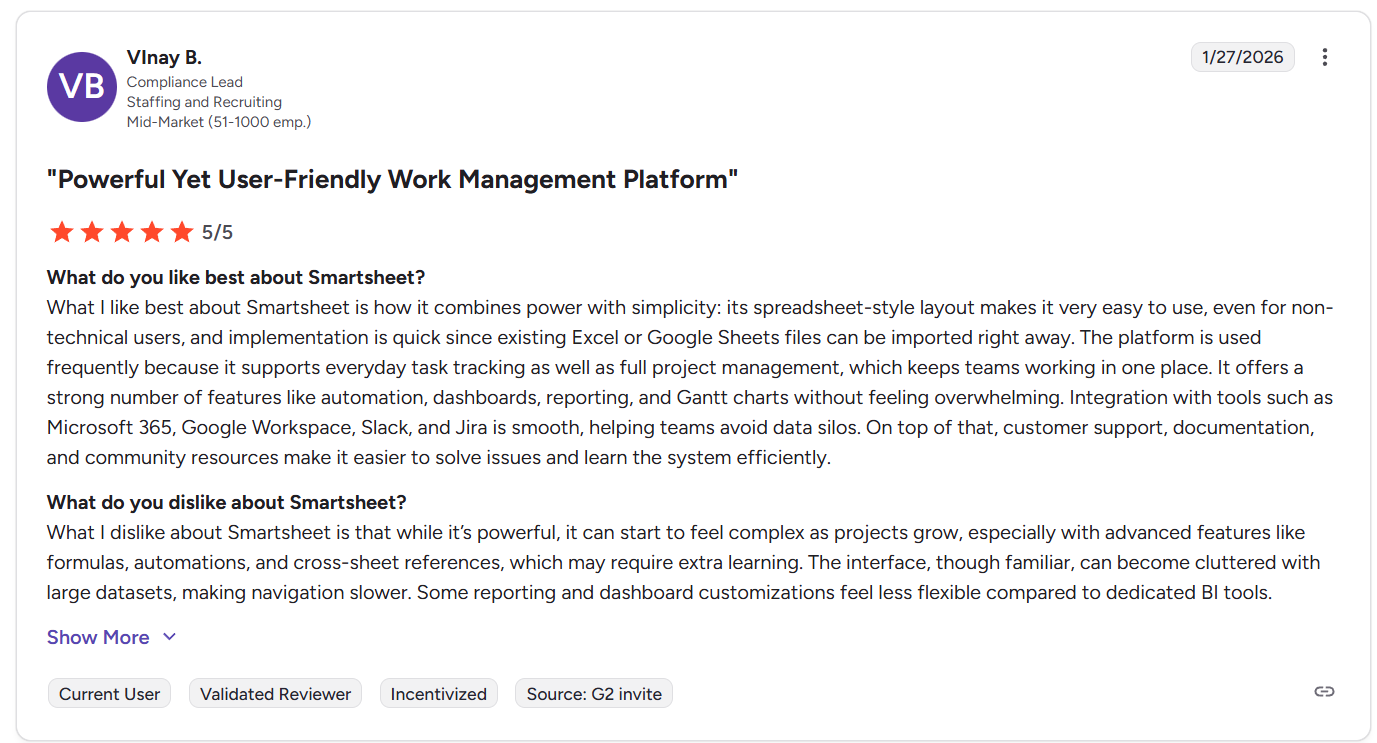
“What I like best about Smartsheet is how it combines power with simplicity: its spreadsheet-style layout makes it very easy to use, even for non-technical users, and implementation is quick since existing Excel or Google Sheets files can be imported right away. The platform is used frequently because it supports everyday task tracking as well as full project management, which keeps teams working in one place. It offers a strong number of features like automation, dashboards, reporting, and Gantt charts without feeling overwhelming. Integration with tools such as Microsoft 365, Google Workspace, Slack, and Jira is smooth, helping teams avoid data silos. On top of that, customer support, documentation, and community resources make it easier to solve issues and learn the system efficiently.” - G2 Review
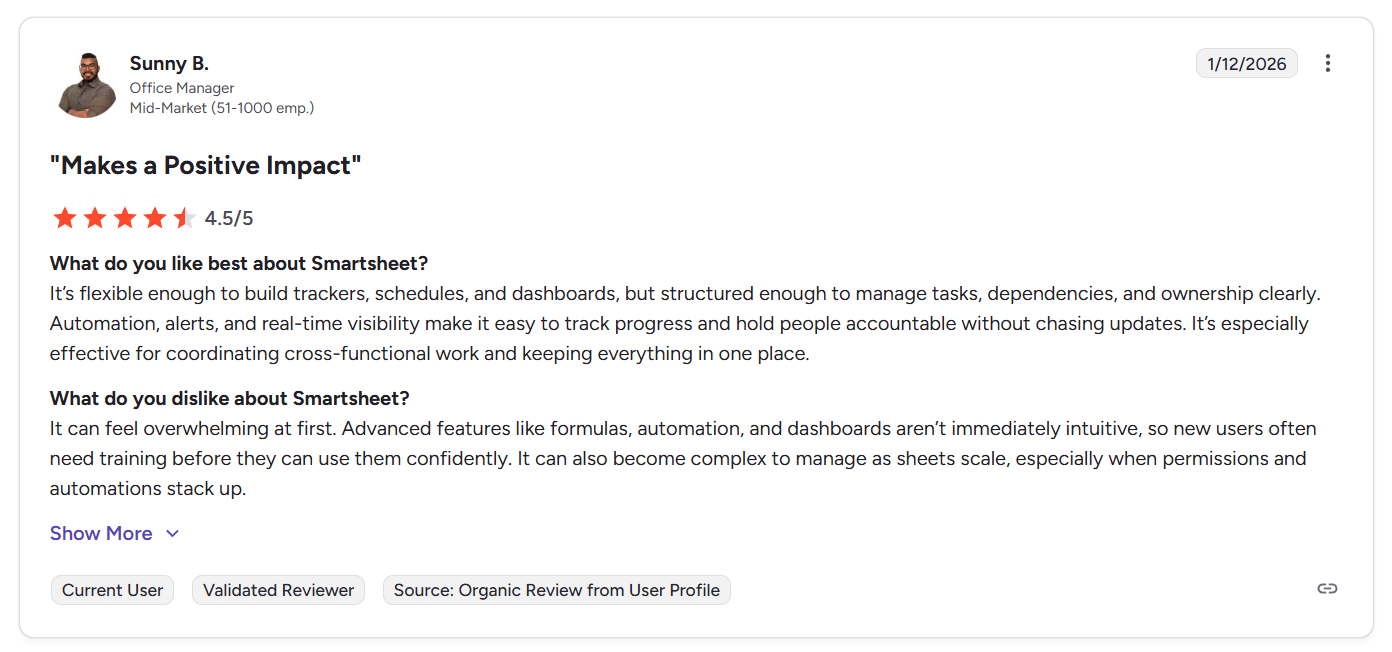
“It’s flexible enough to build trackers, schedules, and dashboards, but structured enough to manage tasks, dependencies, and ownership clearly. Automation, alerts, and real-time visibility make it easy to track progress and hold people accountable without chasing updates. It’s especially effective for coordinating cross-functional work and keeping everything in one place.” - G2 Review
Common complaints include:
- Learning curve as complexity grows.
- Large datasets or complex workspaces may feel cluttered or slow, especially on smaller screens.
- Reporting lacks deeper filtering and drill-down capabilities.
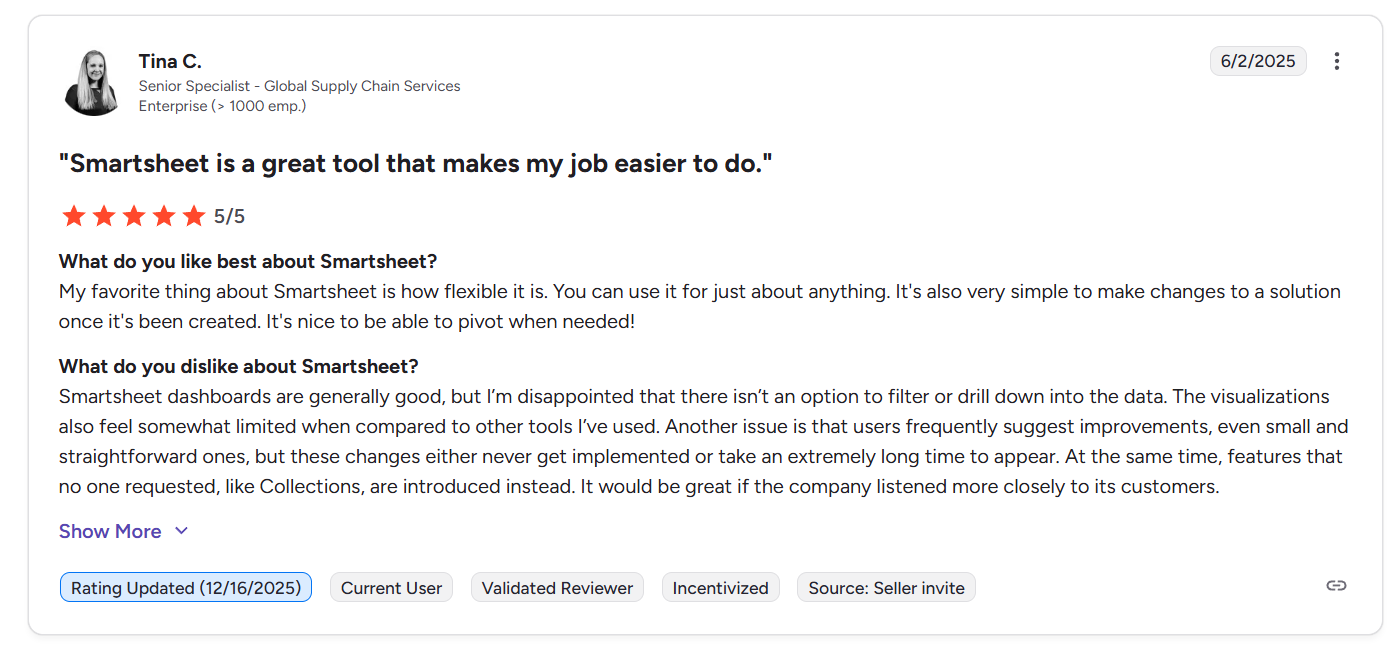
“Smartsheet dashboards are generally good, but I’m disappointed that there isn’t an option to filter or drill down into the data. The visualizations also feel somewhat limited when compared to other tools I’ve used. Another issue is that users frequently suggest improvements, even small and straightforward ones, but these changes either never get implemented or take an extremely long time to appear. At the same time, features that no one requested, like Collections, are introduced instead. It would be great if the company listened more closely to its customers.” - G2 Review
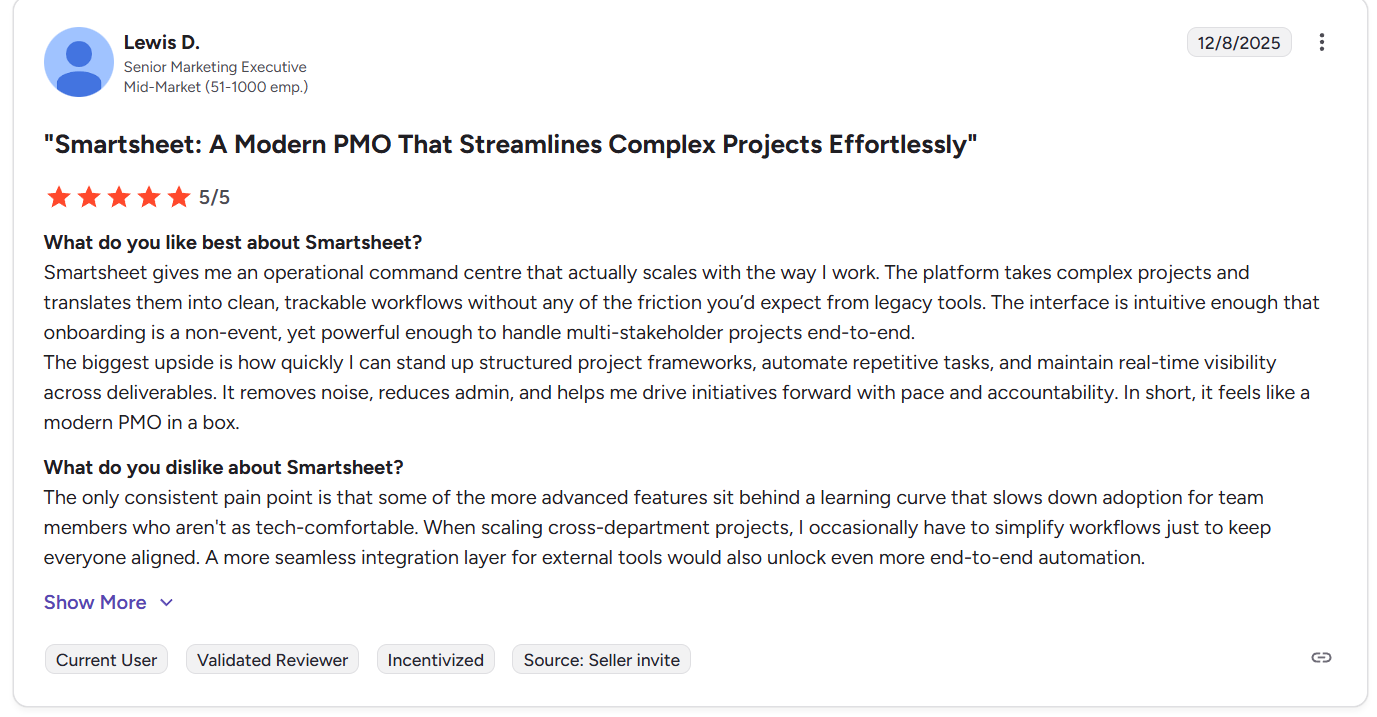
“The only consistent pain point is that some of the more advanced features sit behind a learning curve that slows down adoption for team members who aren't as tech-comfortable. When scaling cross-department projects, I occasionally have to simplify workflows just to keep everyone aligned. A more seamless integration layer for external tools would also unlock even more end-to-end automation.” - G2 Review
Confluence reviews
G2 Rating: 4.1/5
What users love:
- Centralized knowledge management, with many teams using Confluence as a single source of truth for documentation, project notes, wikis, and internal resources.
- Clean, easy-to-use document editor, which provides more structure than traditional editors.
- Real-time collaboration, including inline comments, mentions, and simultaneous editing help teams work together more transparently without losing context.
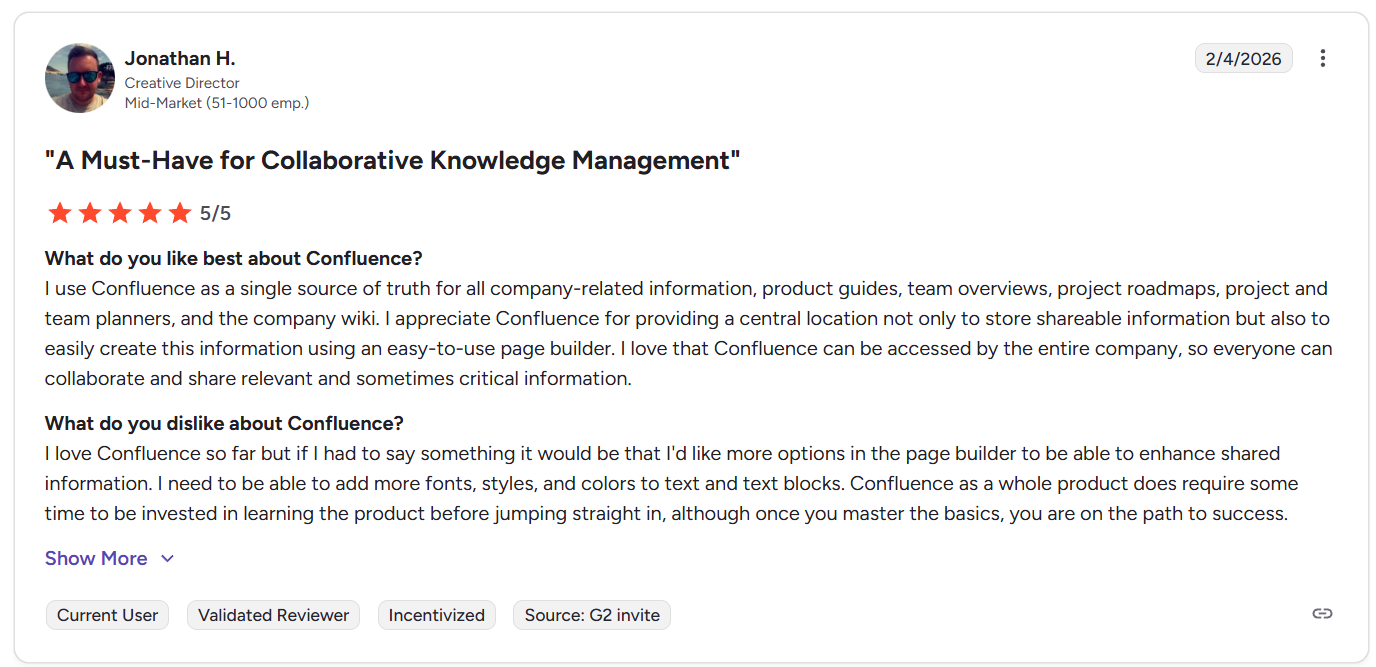
“I use Confluence as a single source of truth for all company-related information, product guides, team overviews, project roadmaps, project and team planners, and the company wiki. I appreciate Confluence for providing a central location not only to store shareable information but also to easily create this information using an easy-to-use page builder. I love that Confluence can be accessed by the entire company, so everyone can collaborate and share relevant and sometimes critical information.” - G2 Review
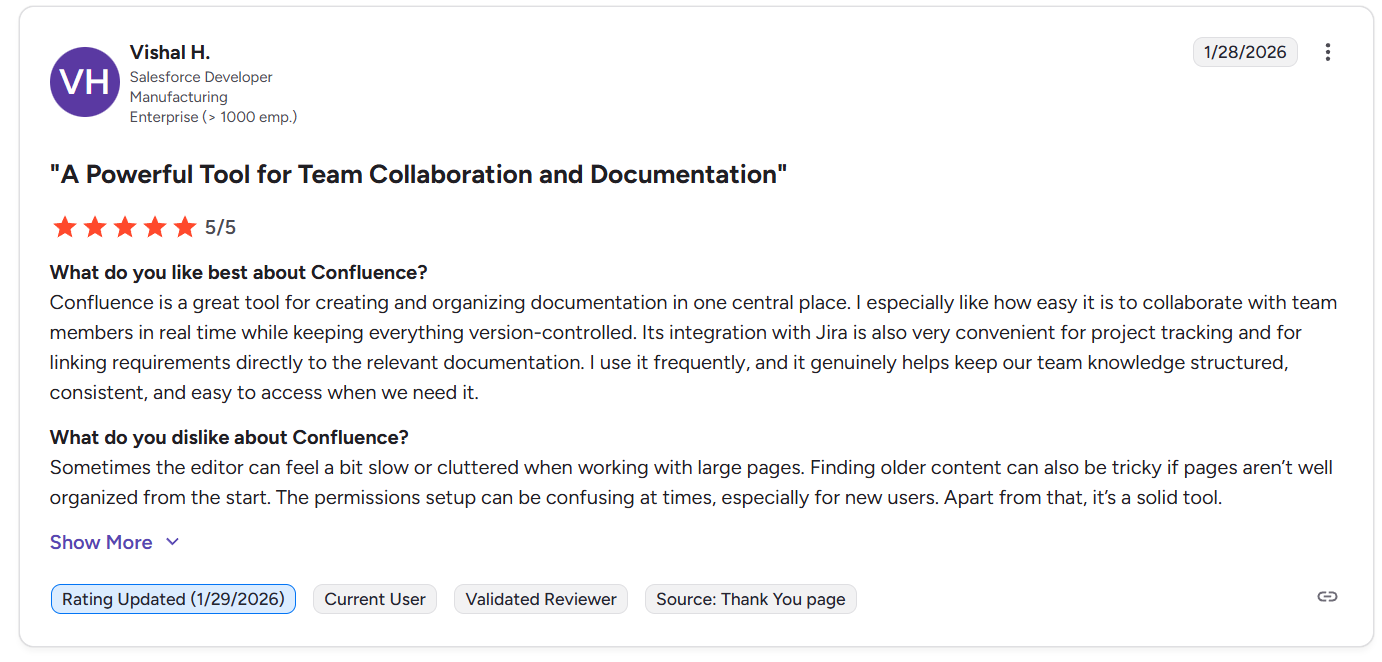
“Confluence is a great tool for creating and organizing documentation in one central place. I especially like how easy it is to collaborate with team members in real time while keeping everything version-controlled. Its integration with Jira is also very convenient for project tracking and for linking requirements directly to the relevant documentation. I use it frequently, and it genuinely helps keep our team knowledge structured, consistent, and easy to access when we need it.” - G2 Review
Common complaints include:
- Slower editing, cursor lag, or heavier browser performance when working with extensive content or many embeds.
- Setting up spaces, access controls, and maintaining clean organization can become complicated in larger organizations.
- Larger teams note that costs can rise quickly, especially when combined with Marketplace apps or enterprise usage.
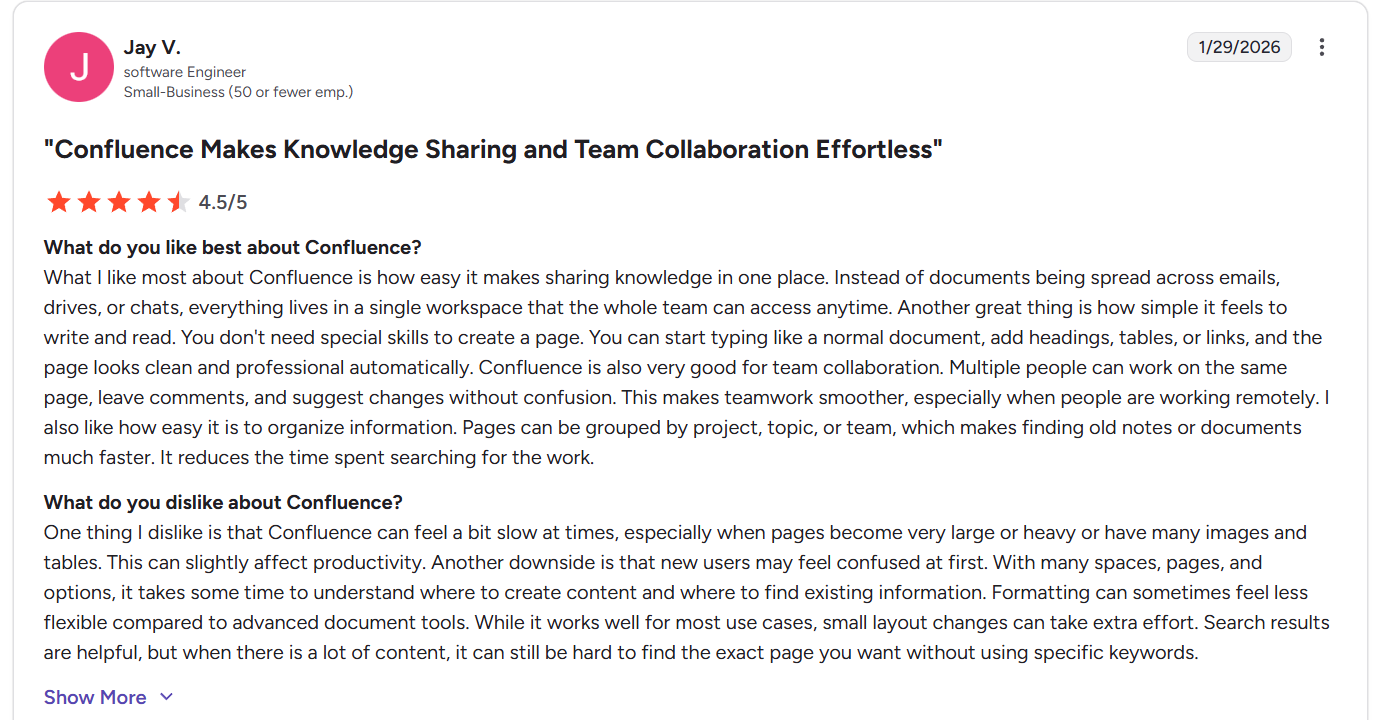
“One thing I dislike is that Confluence can feel a bit slow at times, especially when pages become very large or heavy or have many images and tables. This can slightly affect productivity. Another downside is that new users may feel confused at first. With many spaces, pages, and options, it takes some time to understand where to create content and where to find existing information. Formatting can sometimes feel less flexible compared to advanced document tools. While it works well for most use cases, small layout changes can take extra effort. Search results are helpful, but when there is a lot of content, it can still be hard to find the exact page you want without using specific keywords.” - G2 Review
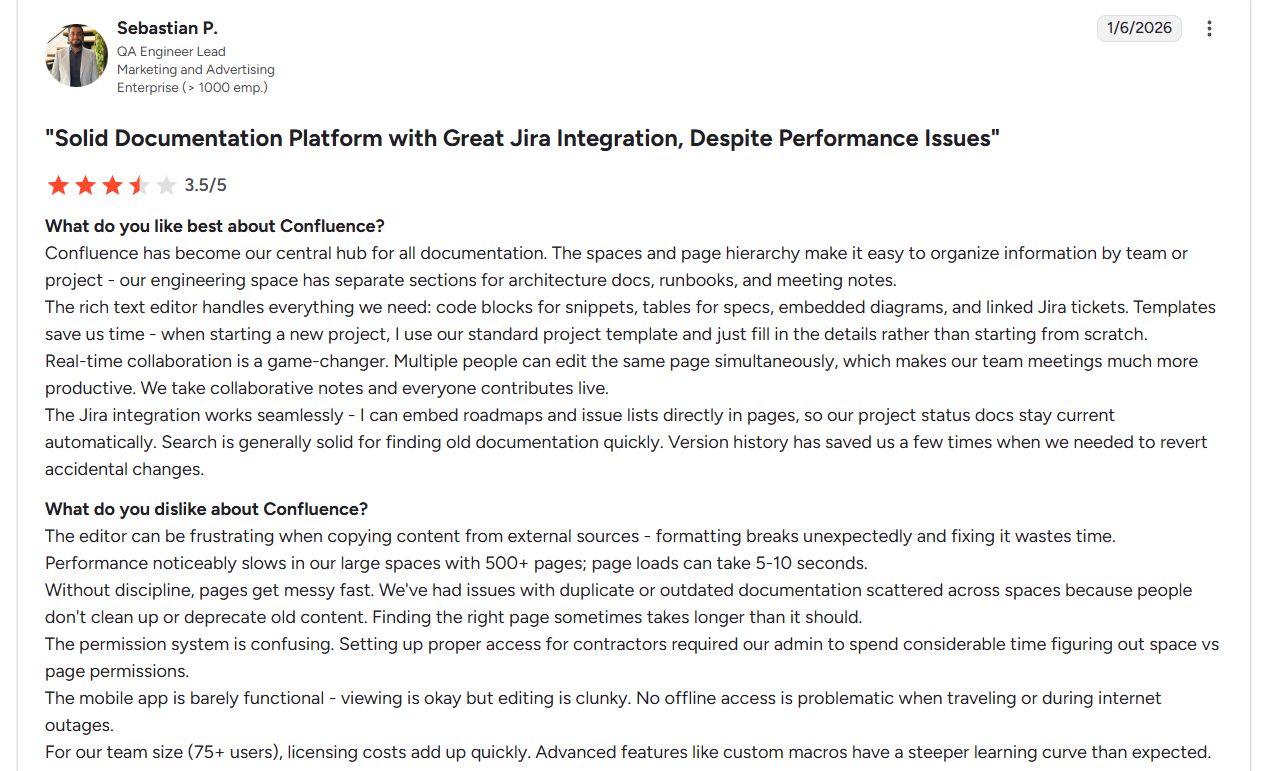
“The editor can be frustrating when copying content from external sources - formatting breaks unexpectedly and fixing it wastes time. Performance noticeably slows in our large spaces with 500+ pages; page loads can take 5-10 seconds.
Without discipline, pages get messy fast. We've had issues with duplicate or outdated documentation scattered across spaces because people don't clean up or deprecate old content. Finding the right page sometimes takes longer than it should.
The permission system is confusing. Setting up proper access for contractors required our admin to spend considerable time figuring out space vs page permissions.
The mobile app is barely functional - viewing is okay but editing is clunky. No offline access is problematic when traveling or during internet outages.
For our team size (75+ users), licensing costs add up quickly. Advanced features like custom macros have a steeper learning curve than expected.” - G2 Review
SmartSuite reviews
G2 Rating: 4.8/5
What users love:
- Highly flexible workflows and data structure that let you link tables and build custom internal tools without heavy technical skills.
- Powerful yet easy to adopt, with a short learning curve.
- Helps replace combinations of spreadsheets, task tools, and operational systems with a single connected workspace, reducing tool sprawl.
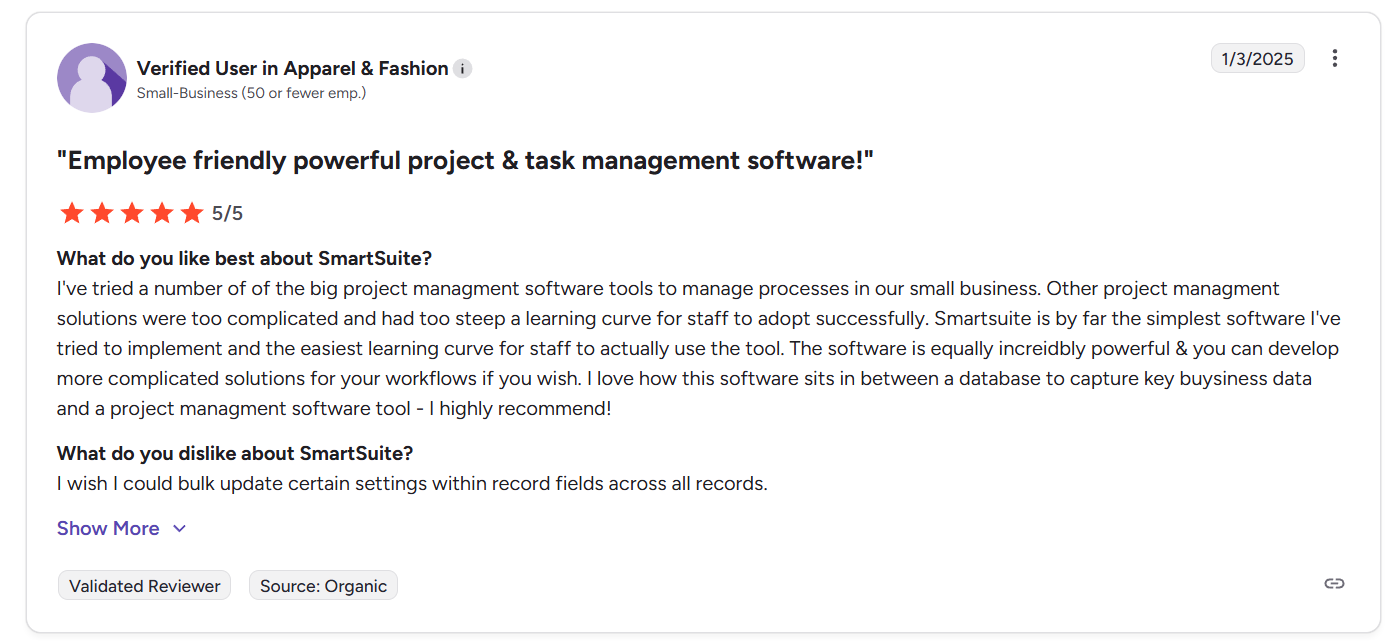
“I've tried a number of the big project management software tools to manage processes in our small business. Other project management solutions were too complicated and had too steep a learning curve for staff to adopt successfully. Smartsuite is by far the simplest software I've tried to implement and the easiest learning curve for staff to actually use the tool. The software is equally incredibly powerful & you can develop more complicated solutions for your workflows if you wish. I love how this software sits in between a database to capture key business data and a project management software tool - I highly recommend!” - G2 Review
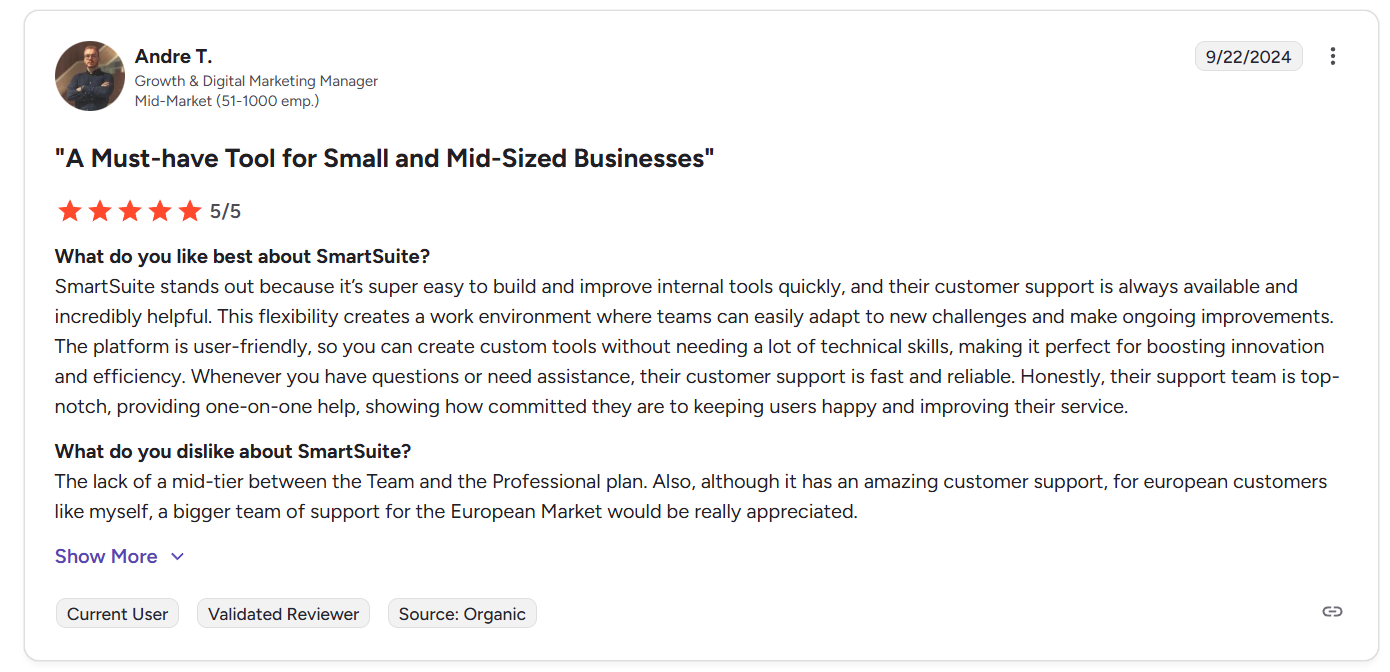
“SmartSuite stands out because it’s super easy to build and improve internal tools quickly, and their customer support is always available and incredibly helpful. This flexibility creates a work environment where teams can easily adapt to new challenges and make ongoing improvements. The platform is user-friendly, so you can create custom tools without needing a lot of technical skills, making it perfect for boosting innovation and efficiency. Whenever you have questions or need assistance, their customer support is fast and reliable. Honestly, their support team is top-notch, providing one-on-one help, showing how committed they are to keeping users happy and improving their service.” - G2 Review
Common complaints include:
- Some users would like to see improvements to compact views, task layouts, or mobile usability.
- Lack of a middle tier between Professional and Team plan.
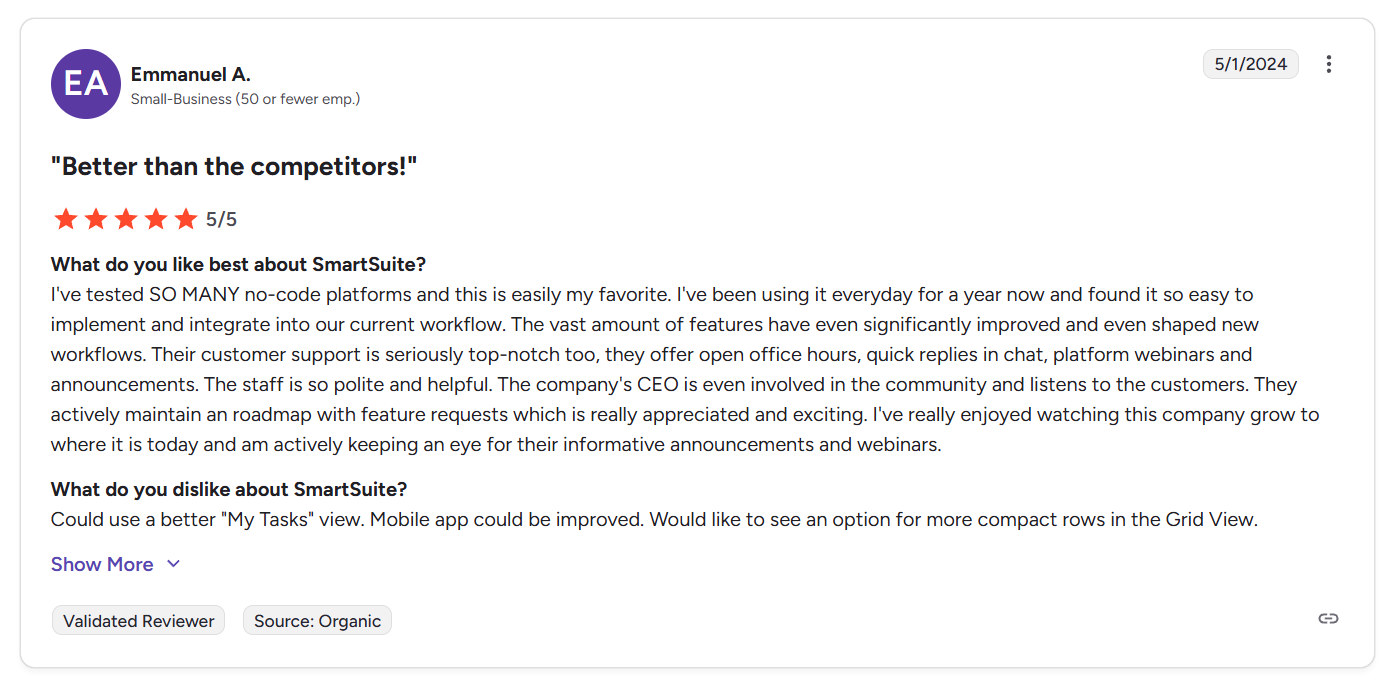
“Could use a better "My Tasks" view. Mobile app could be improved. Would like to see an option for more compact rows in the Grid View.” - G2 Review
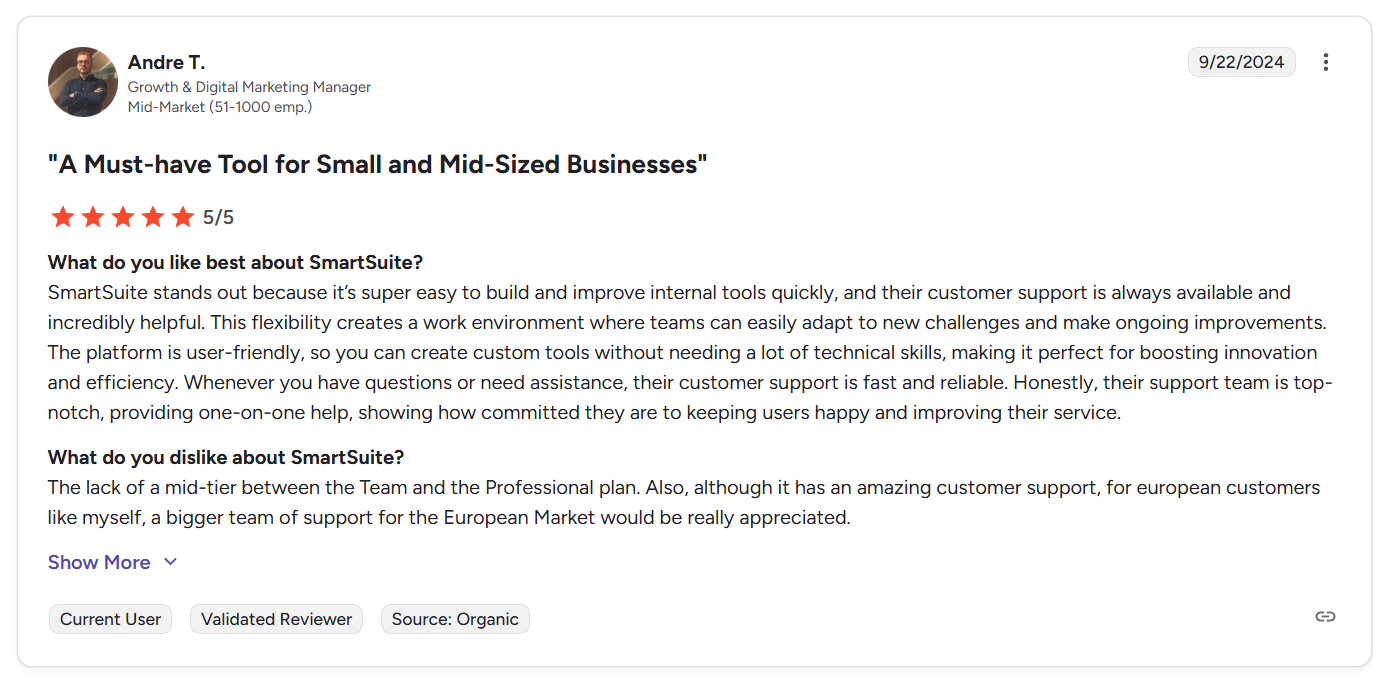
“The lack of a mid-tier between the Team and the Professional plan. Also, although it has amazing customer support, for European customers like myself, a bigger team of support for the European Market would be really appreciated.” - G2 Review
Smartsheet vs. Confluence vs. SmartSuite: Summary
| Smartsheet | Confluence | SmartSuite | |
|---|---|---|---|
| G2 rating | ★ 4.4 / 5 | ★ 4.1 / 5 | ★ 4.8 / 5 |
| Best for | Teams managing structured, spreadsheet-style projects that need automation, dashboards, and flexible execution views | Teams building centralized documentation, internal wikis, and collaborative knowledge bases | Teams that want a unified work platform to manage workflows, collaboration, automation, reporting, and structured data in one place |
| Standout feature | Spreadsheet-style execution with formulas, hierarchy, and strong project tracking capabilities | Pages, spaces, and real-time collaborative documentation with deep Jira connectivity | AI-native connected workflows with relational data, governance, automation, and reporting built into one platform |
| Integrations | Broad ecosystem including Microsoft tools, BI platforms (Power BI, Tableau), collaboration embeds, and API access | Atlassian Marketplace apps, Jira integration, Slack, Teams, Google Drive, and document control extensions | Native integrations (Slack, Teams, Google, Salesforce, Jira), plus Zapier/Make/Power Automate, REST API, and webhooks |
| Free tier | ❌ No free plan (trial available) | ✅ Free plan available (up to 10 users with limits) | ❌ No free plan (14-day free trial) |
| Starts from | $12/user/month | $6.70/user/month | $12/user/month |
Get started with SmartSuite for free today
Smartsheet works best when your team wants structured execution inside a spreadsheet-style environment, especially for tracking timelines, dependencies, and operational workflows.
Confluence shines as a centralized knowledge hub, making it ideal for documentation, wikis, and collaborative content that keeps teams aligned.
But if you’re looking for something that connects execution, knowledge, and enterprise-grade security and governance into one system that scales with your processes, SmartSuite is the solution you need.
If you’re curious how it fits your workflow, you can start a free trial or book a demo with SmartSuite to see how a unified work platform compares in practice.
Read more
- BMC Helix Pricing: Is It Worth It In 2026? [Reviewed] - A clear breakdown of BMC Helix pricing, hidden costs, and real-world value so you can decide if this enterprise ITSM platform actually fits your budget and complexity level.
- Smartsheet vs. Microsoft Project vs. SmartSuite: Which Tool to Pick? [2026] - Compare spreadsheet-style planning, traditional project management, and modern connected workflows to see which platform makes the most sense for your team in 2026.
- 10 Best Riskonnect Alternatives For GRC In 2026 - Compare spreadsheet-style planning, traditional project management, and modern connected workflows to see which platform makes the most sense for your team in 2026.
- Smartsheet vs. Notion vs. SmartSuite: Which Tool to Pick? [2026] - A side-by-side look at structured project tracking, flexible knowledge workspaces, and unified workflow platforms, so you can choose the right way to manage work.
- 10 Best ManageEngine Alternatives For ITSM In 2026 - Explore the leading ManageEngine alternatives built for teams that want faster automation, cleaner ticketing workflows, and more scalable ITSM solutions.
- Corporater Pricing: Is It Worth It For GRC In 2026? - An honest look at Corporater’s pricing structure, enterprise costs, and feature trade-offs to help you evaluate whether it delivers real ROI for governance and risk management.

SmartSuite provides work platform for standardizing workflows in the following areas:
- Governance, Risk & Compliance
- IT & Service Ops
- Project / Portfolio Management
- Business Operations