



Smartsheet vs. Notion vs. SmartSuite: Which Tool to Pick? [2026]
![Smartsheet vs. Notion vs. SmartSuite: Which Tool to Pick? [2026]](https://cdn.prod.website-files.com/60db0944651d4b59a704ef93/6acacd7811963fdadfb3c4e7_6acacd741025e911ae504e39_smartsheet-vs-notion-thumbnail-image.webp)

SmartSuite provides work platform for standardizing workflows in the following areas:
- Governance, Risk & Compliance
- IT & Service Ops
- Project / Portfolio Management
- Business Operations

Deciding between Smartsheet vs Notion often starts with a simple question: how do you actually like to work?
- Smartsheet works best for teams that think in spreadsheets and need strong control over data, reporting, and execution. It’s well suited to structured, large-scale projects, but can feel heavy, slower to adjust, and harder to roll out as processes change. Choose Smartsheet if spreadsheet logic and enterprise-grade control are central to how your team works.
- Notion is a great fit for teams that live in docs and knowledge. It excels at wikis, notes, and flexible task tracking in a clean, customizable workspace, but often requires workarounds once projects demand stricter structure, automation, or operational oversight. Choose Notion if your priority is organizing information rather than managing complex execution.
- SmartSuite sits in the middle, and that’s its strength. It delivers real project structure, live dashboards, collaboration, automation, and AI in one system without forcing spreadsheet thinking or constant DIY setup. It scales from simple workflows to cross-team operations without becoming rigid or messy. Choose SmartSuite if you want one flexible platform that supports execution, visibility, and collaboration as your work evolves.
Because while both tools promise better organization and productivity, they approach work from completely different angles.
Smartsheet is a strong fit for teams that want structure, predictability, and spreadsheet-style control.
It excels at planning complex projects, tracking progress, and reporting across large datasets, although that same structure can feel restrictive if your workflows change often or your team prefers speed over setup.
Notion takes a much more open-ended approach. It’s flexible, clean, and excellent for documentation, lightweight task tracking, and organizing knowledge.
The downside is that as work becomes more complex, teams often rely on manual processes, workarounds, or external tools to fill the gaps.
That’s why I’m also including SmartSuite in this guide.
If Smartsheet feels too rigid and Notion feels too unstructured, SmartSuite offers a practical alternative, bringing project management, automation, collaboration, and real-time reporting into one flexible workspace that adapts as your needs evolve.
Let’s get a closer look at each of these tools’ essential characteristics, so that by the end of this guide, you’ll have everything you need to make the right choice.
Smartsheet vs. Notion vs. SmartSuite: Features
I’ll begin by breaking down the core functionality you get with these solutions, as it’s the first thing you’ll want to know more about.
First up is Smartsheet.
Key takeaways
- Smartsheet is best for teams that want spreadsheet-style project management with advanced formulas, automation, and reporting.
- Notion is ideal for teams focused on creating centralized knowledge hubs and flexible, lightweight task tracking.
- SmartSuite offers the best balance, combining structured project management, real-time reporting, collaboration, no-code automation, and AI in one flexible, versatile platform.
Smartsheet’s features
1. Advanced formulas and calculations
For teams that rely on structured data and real-time updates, formulas are one of Smartsheet’s core strengths.
Smartsheet’s formulas let teams perform calculations and automate logic directly inside their sheets, much like a spreadsheet, but at scale.
You can use standard functions like SUM, IF, and AVG, apply formulas across entire columns, and even link data across multiple sheets for rollups and lookups.
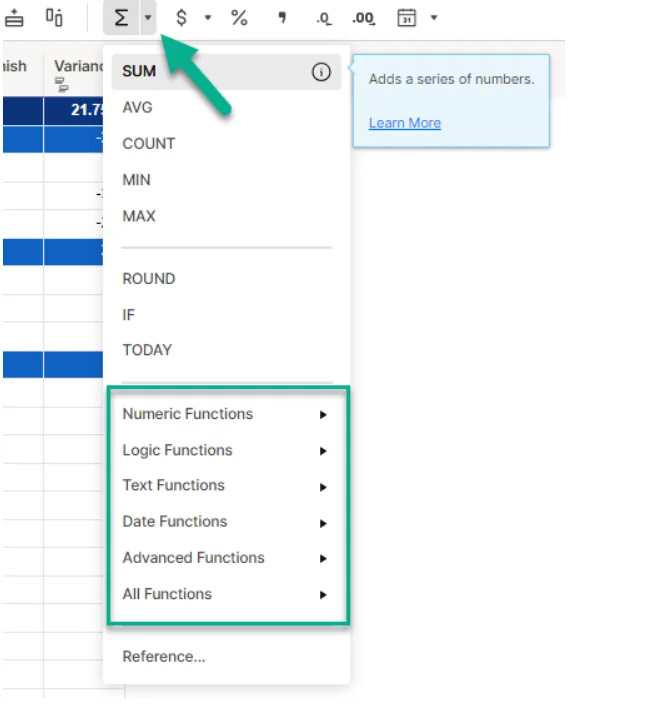
This makes it easier to keep data consistent, automate status updates, and support more complex project logic without manual recalculations.
2. AI-powered assistance for everyday work
Smartsheet’s AI features are designed to help teams work faster without needing advanced technical skills.
Using simple prompts, you can generate formulas, analyze data, summarize updates, and create clearer task descriptions directly inside your sheets.
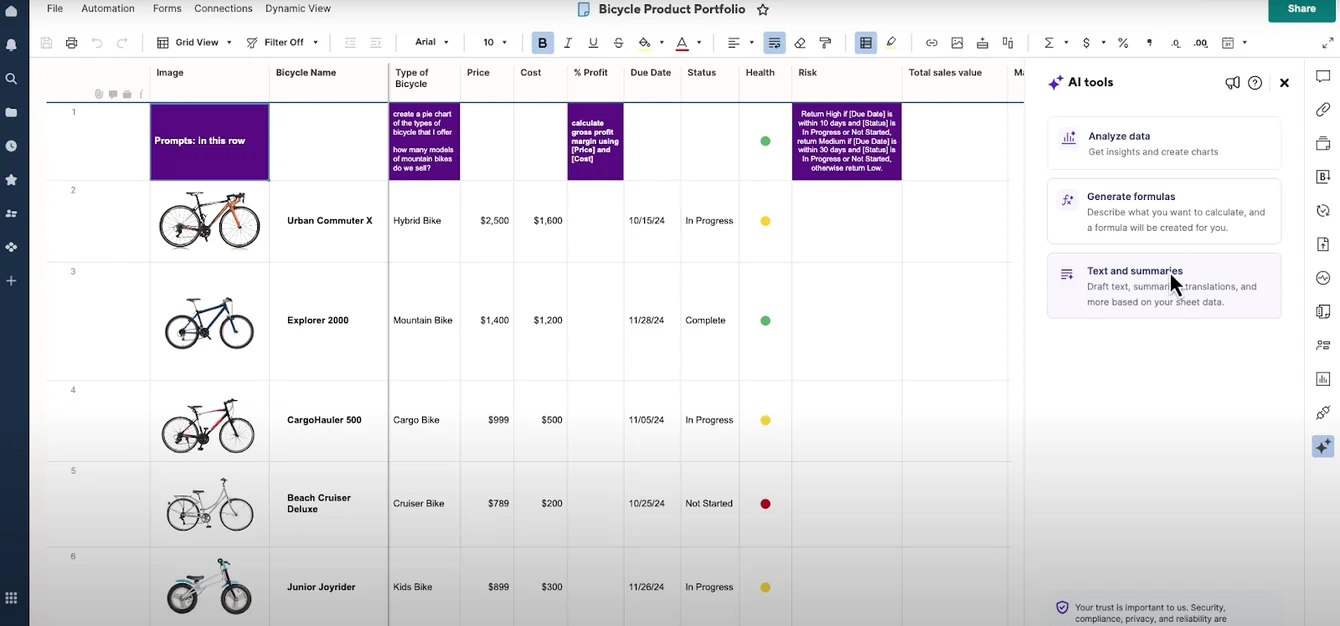
This reduces manual effort and lowers the barrier for working with complex data.
3. Automation and workflow rules
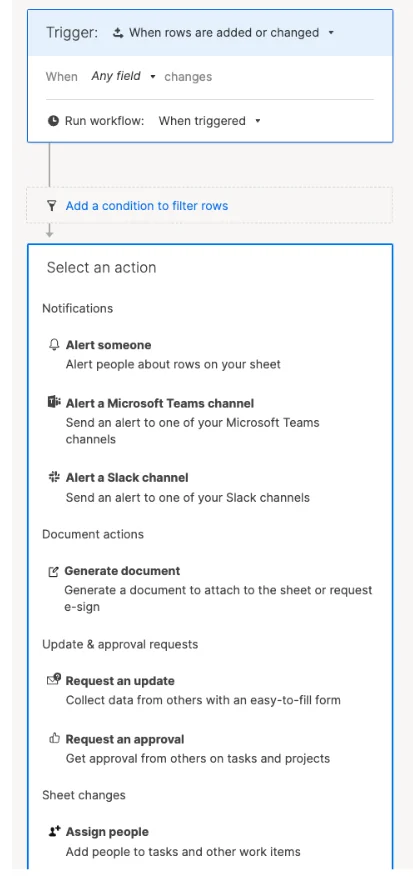
Smartsheet automation helps teams replace repetitive manual work with rule-based workflows that run automatically in the background.
You can trigger actions like sending alerts, requesting approvals, assigning tasks, updating fields, or locking rows when something changes in a sheet.
The best part is that workflows are built visually using triggers, conditions, and actions, making them easy to set up without technical skills.
4. Built-in proofing and approvals
Smartsheet’s proofing feature helps teams review and approve content without jumping between tools.
You can upload images, videos, PDFs, or documents, send review requests to internal or external stakeholders, and collect feedback directly on the file itself using pinned comments and annotations.

Version history is preserved automatically, so teams can track changes, approvals, and feedback over time for full transparency.
It’s especially useful for design, marketing, and content teams that need a clear, auditable review process inside their project workflows.
Smartsheet is ideal if you:
✅ Work best in a structured, spreadsheet-style environment and rely heavily on formulas, calculations, and linked data across sheets.
✅ Manage complex or data-heavy projects where automation, consistency, and real-time updates are critical.
✅ Need formal proofing and approval workflows for files, especially for marketing, design, or content review processes.
Smartsheet isn’t the best option if you:
❌ Want a tool that feels lightweight and intuitive from day one, especially for non-technical teams.
❌ Don’t rely on spreadsheets, formulas, or structured data to manage work.
❌ Need deep customization beyond spreadsheet logic, such as highly tailored data models or cross-functional workflows.
Notion’s features
1. All-in-one knowledge workspace
Notion is built around the idea of keeping all your docs, notes, and overall knowledge in one central place.
Teams use it to create company wikis, onboarding hubs, process docs, and internal databases that are easy to browse, search, and update.
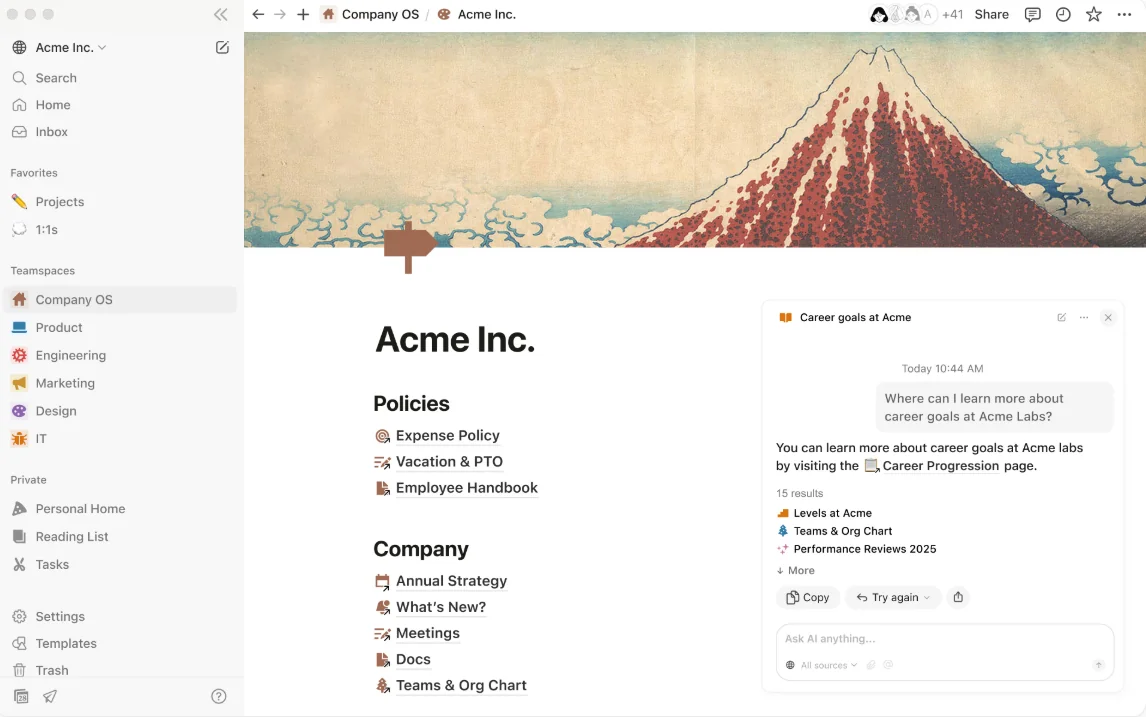
As a result, Notion really shines for teams that care more about organizing information and documentation than strict project structure.
2. Flexible project and task tracking
Notion lets teams build their own way of tracking work instead of forcing them into a fixed project structure.
Tasks live inside customizable databases where you can add properties like owner, priority, due date, status, or team, then view that same data as lists, tables, Kanban boards, calendars, or timelines.
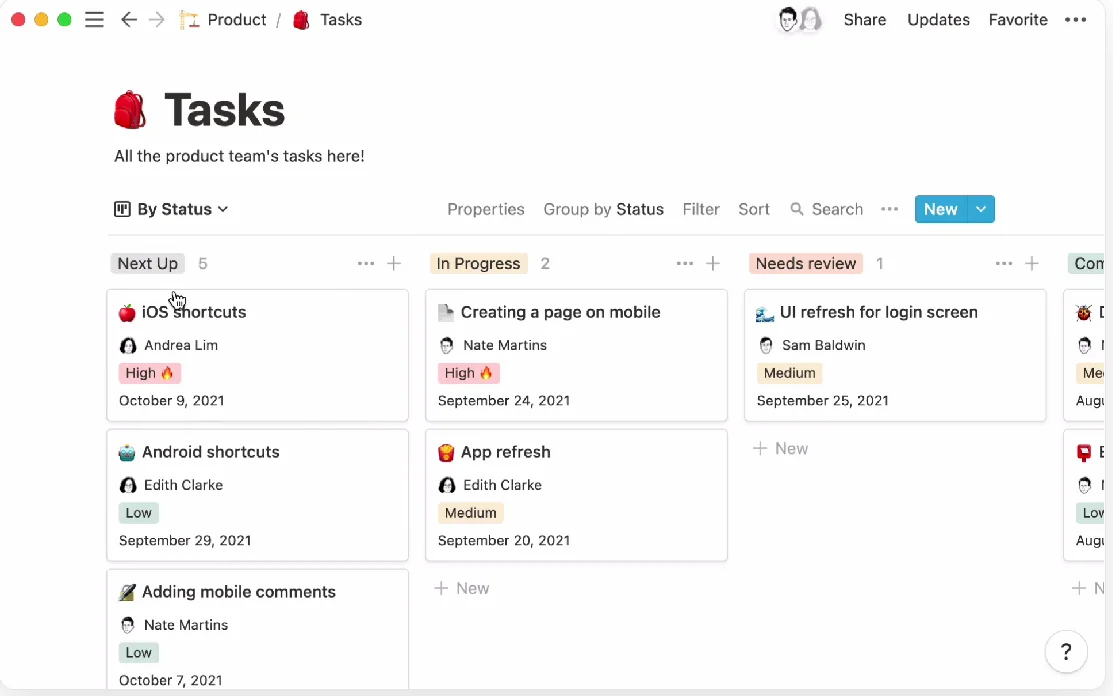
This makes it easy to create lightweight task trackers, team dashboards, or simple project views that match how your team works.
Compared to more rigid tools, Notion’s strength is flexibility - but it often requires more setup and discipline to keep things consistent as projects grow.
3. Built-in AI for notes, writing, and knowledge work
Notion’s AI is deeply embedded into the workspace, helping teams capture, organize, and work with information faster.
It can summarize notes, generate and edit docs, autofill databases, answer questions across your workspace, and help with writing or research across internal and external sources, all without leaving Notion.
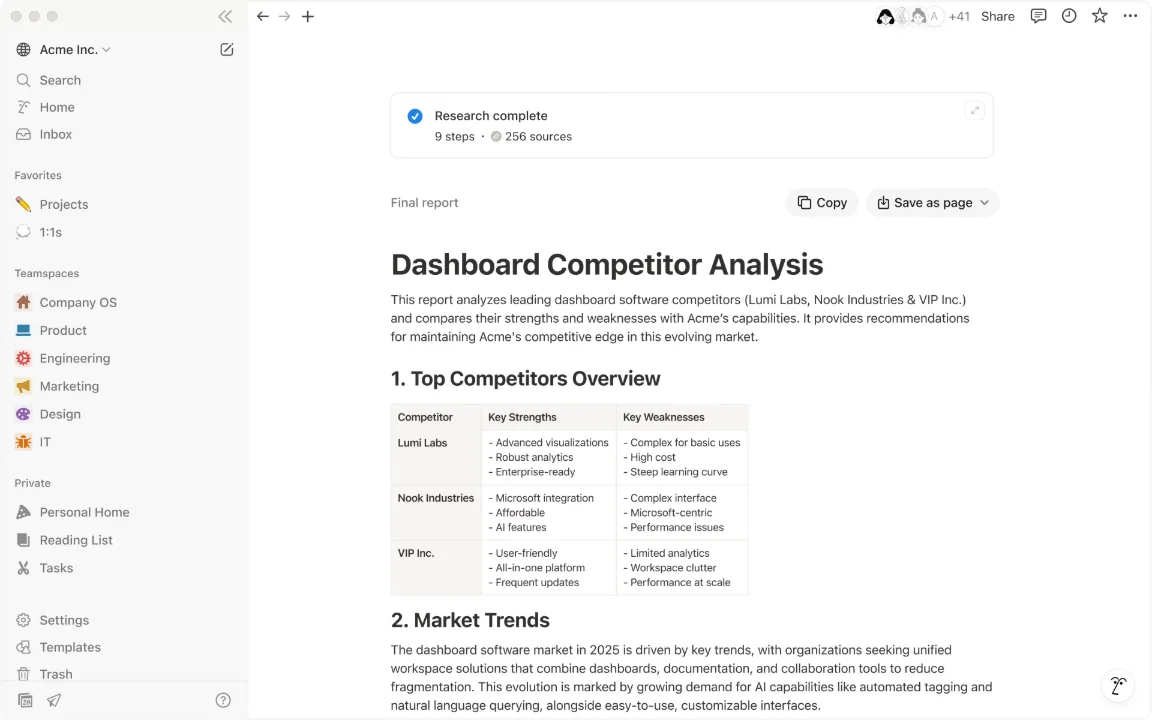
Instead of being limited to one feature, Notion AI acts more like a general assistant for documentation, planning, and lightweight workflows.
It’s especially valuable for teams that spend a lot of time working with text, ideas, and knowledge rather than structured project data.
Notion is ideal if you:
✅ Want a single place to manage docs, wikis, notes, and internal knowledge.
✅ Spend a lot of time creating, organizing, and updating documentation, onboarding content, or process guides.
✅ Work in a team that values customization and isn’t afraid to invest time setting things up.
Notion isn’t the best option if you:
❌ Need strict project structure with built-in dependencies, approvals, or complex workflows.
❌ Rely heavily on automation, formulas, or rule-based processes to manage work at scale.
❌ Manage large, data-heavy projects that require real-time reporting and operational visibility.
SmartSuite’s features
SmartSuite is a modern work management platform designed to help teams plan, track, and execute work in one place.
It combines project management, collaboration, automation, reporting, and AI into a single, flexible system that can support everything from simple task tracking to complex, cross-team workflows.
What sets SmartSuite apart is how it balances structure and flexibility.
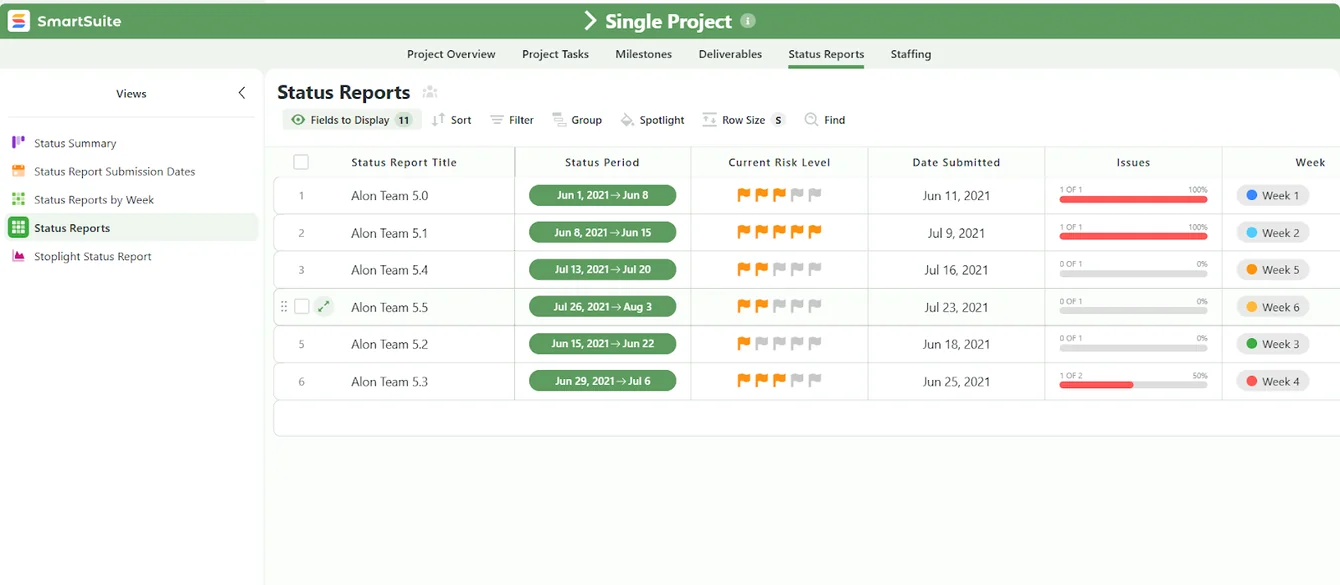
Compared to Smartsheet, it doesn’t force teams to think in spreadsheets or formulas to get work done.
Compared to Notion, it provides more built-in structure for managing projects, approvals, and operational workflows without requiring constant setup and maintenance - and without sacrificing flexibility.
The result is a practical alternative for teams that want clarity, consistency, and adaptability without the rigidity of enterprise tools or the looseness of knowledge-first workspaces.
Here are a few of its standout features:
1. Structured project management without spreadsheets
SmartSuite gives teams a clear, structured way to manage projects without forcing everything into rows, formulas, or rigid templates, enabling you to:
- Create and manage tasks and subtasks with owners, priorities, statuses, and due dates clearly defined.
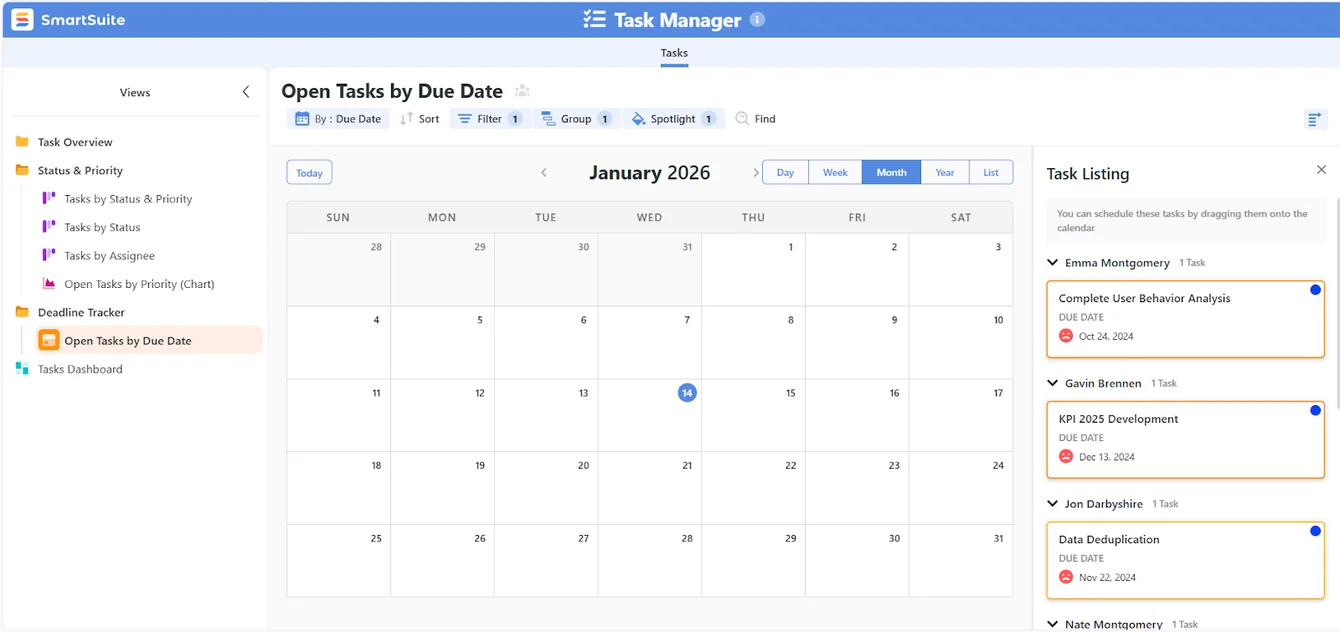
- Manage single projects or entire portfolios, giving visibility into progress, risks, and dependencies across multiple initiatives.
- View work from multiple angles, including Grid, Kanban, Timeline, Calendar, Gantt, Chart, and Dashboard views.
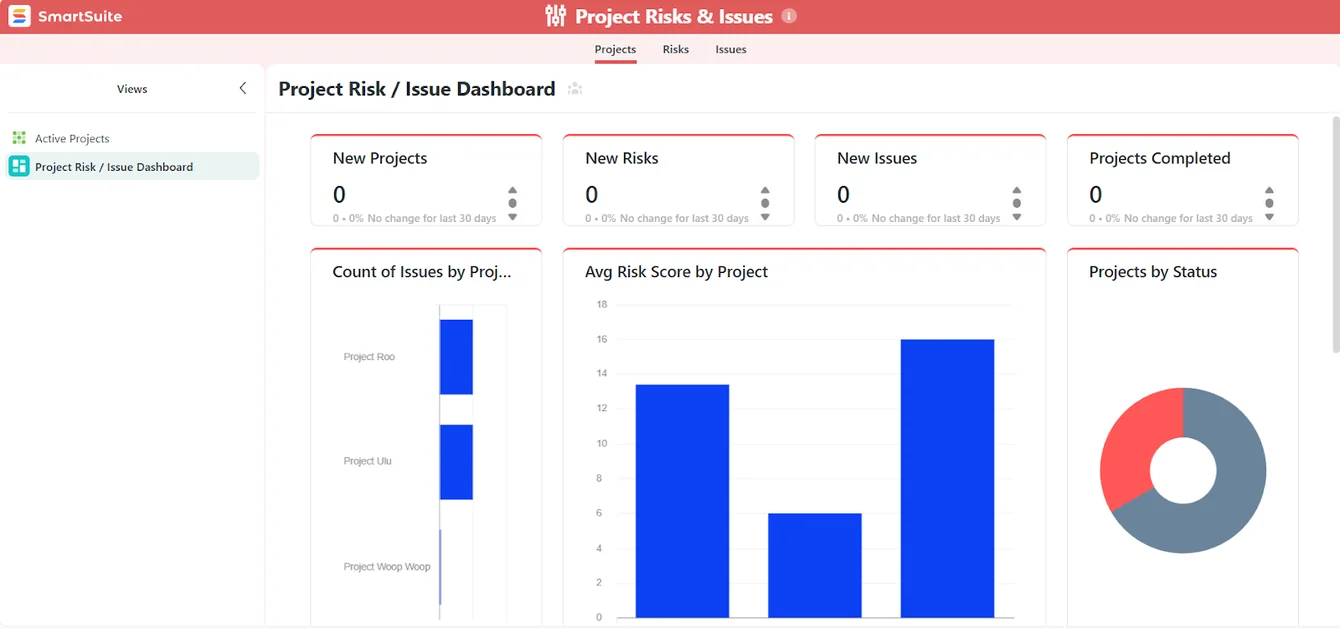
- Define phases and milestones so projects follow a clear structure from start to finish.
- Track risks, issues, and change requests directly alongside project tasks to avoid surprises.
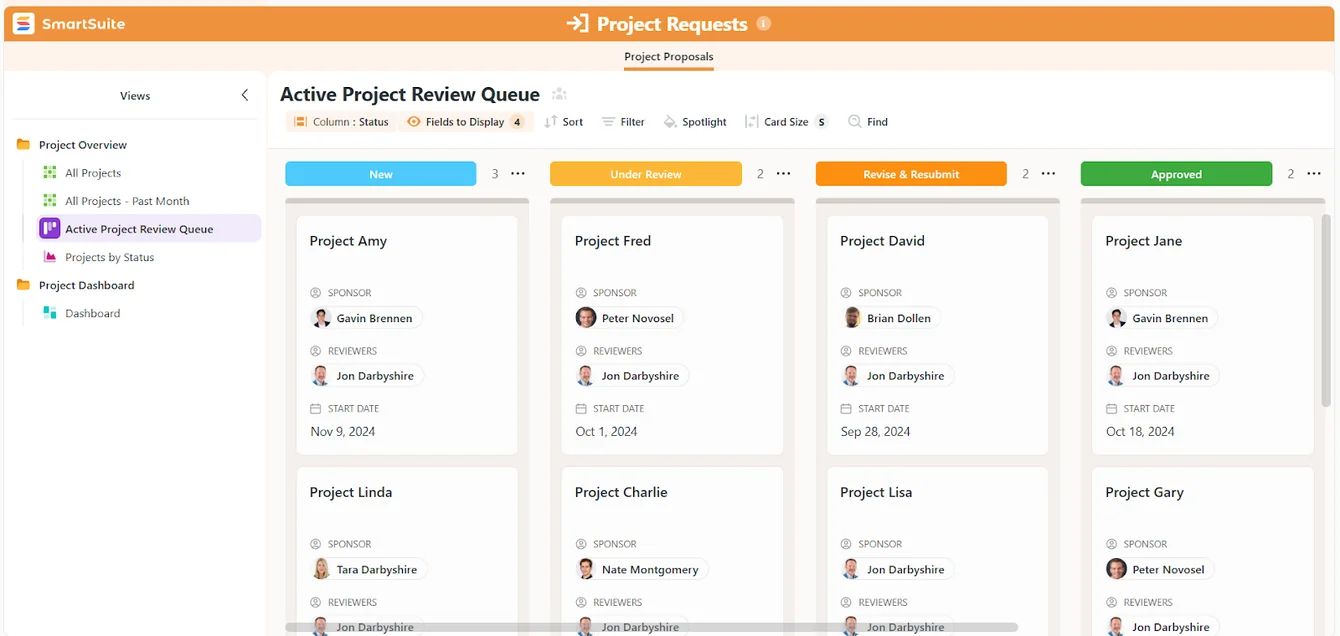
- Attach files and manage deliverables within tasks or project records, keeping context intact.
- Track time against tasks and projects for better planning, forecasting, and accountability.
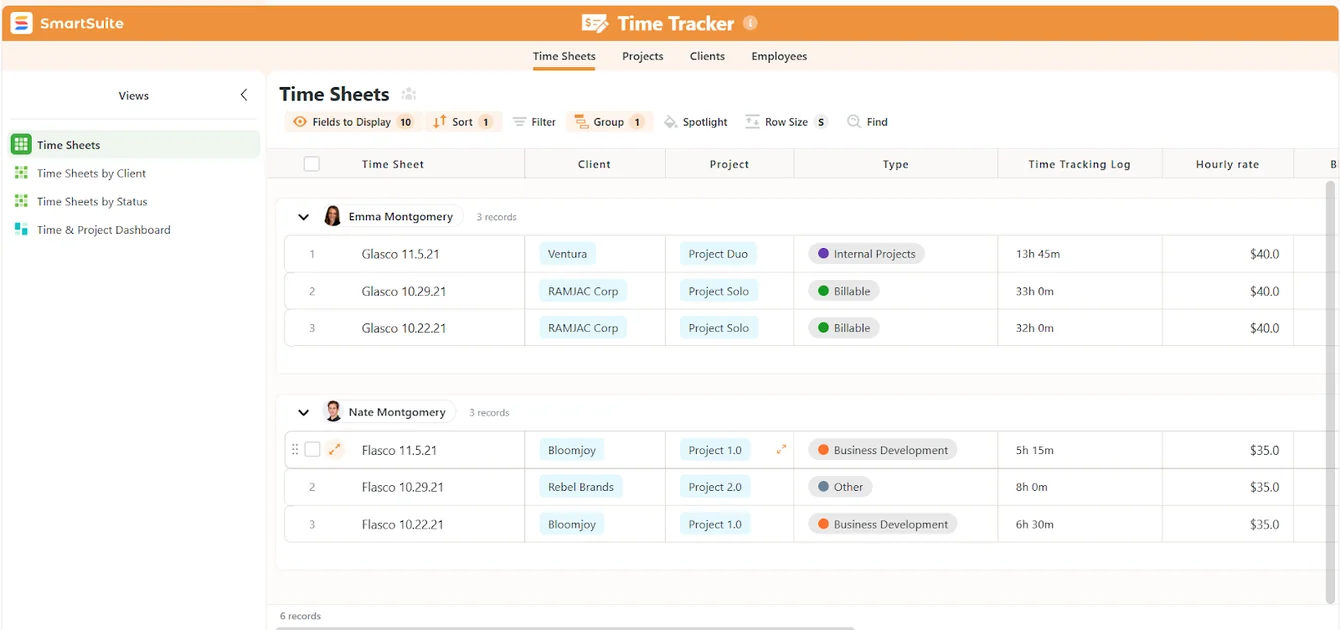
- Monitor team capacity and workloads to spot bottlenecks and balance work across projects.
- Get started quickly with templates for various project management workflows and tasks, all fully customizable as needed.
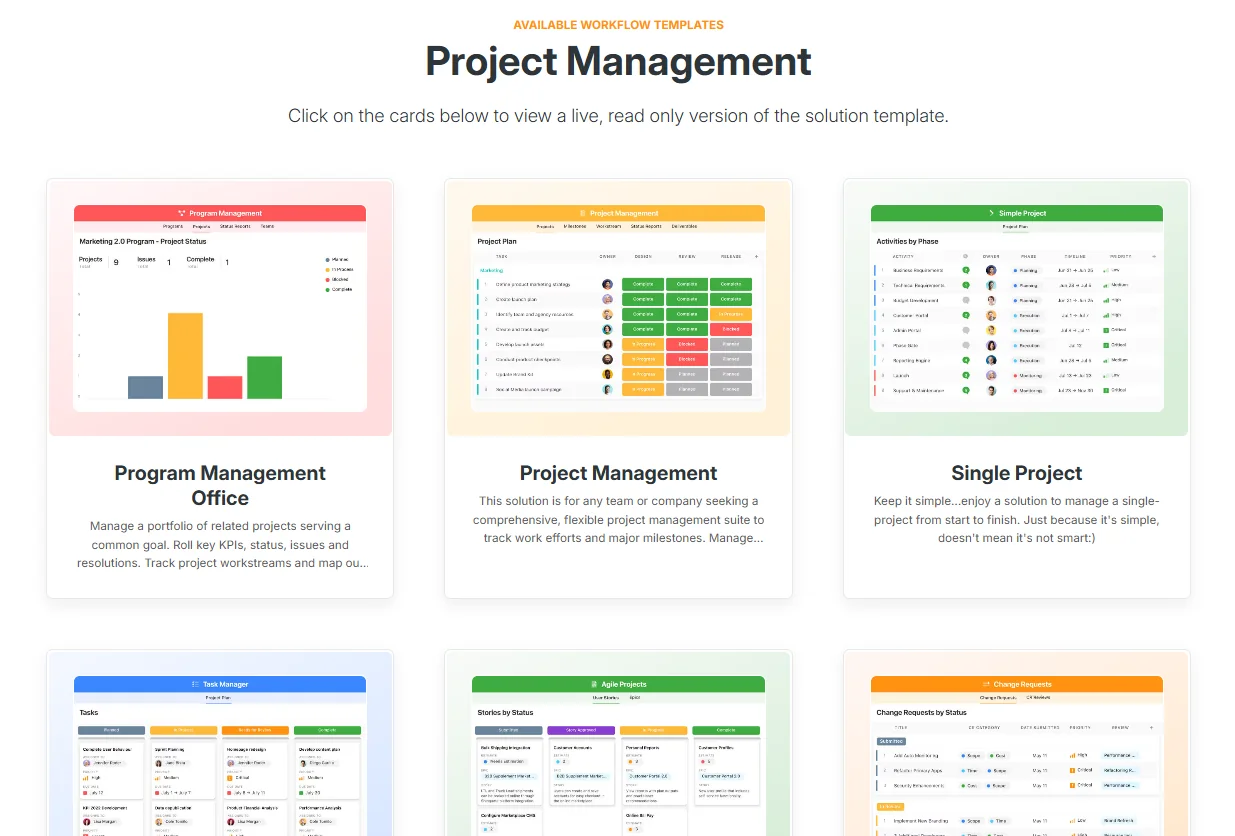
This makes SmartSuite a strong alternative for teams that want the structure of a project management tool combined with the flexibility of more open-ended workspaces.
2. Real-time dashboards and reporting
SmartSuite makes it easy to understand what’s happening across projects without exporting data or building reports in separate tools.
Reporting is built directly into the platform, so insights stay connected to the work itself at all times.
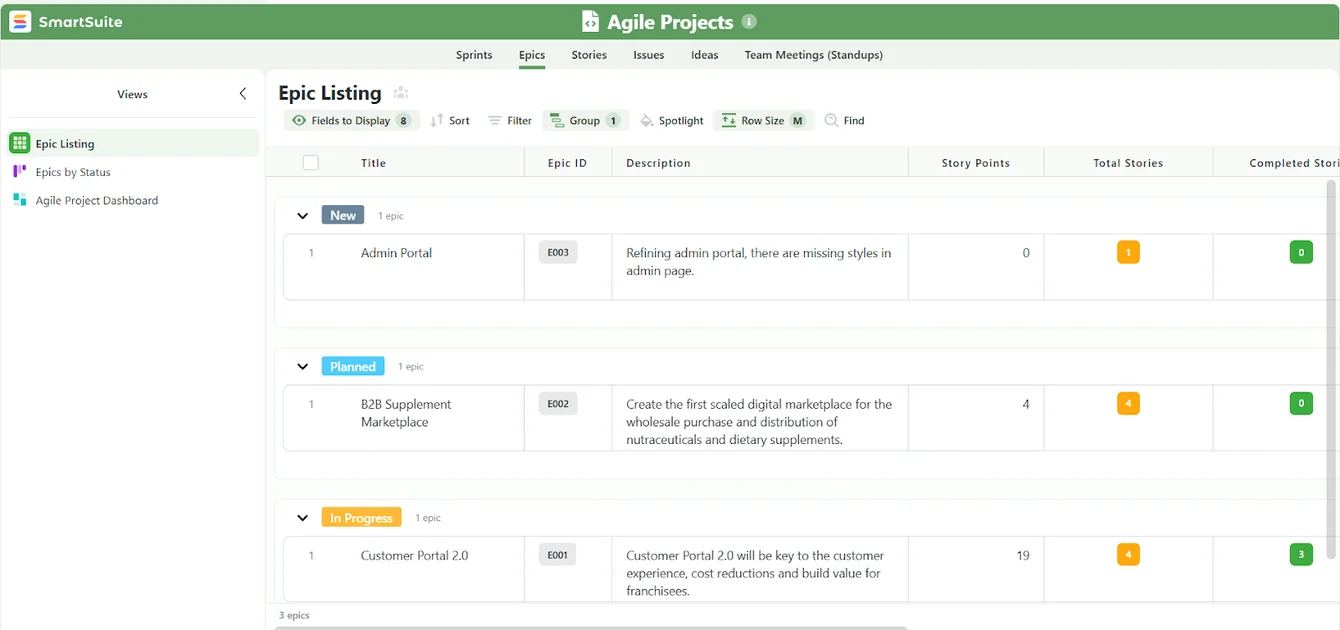
With SmartSuite, you can:
- Build real-time dashboards that update automatically as tasks, projects, and statuses change.
- Report across multiple projects or teams to track progress, risks, workloads, and priorities in one place.
- Use role-based views and permissions, so leaders, managers, and contributors each see what’s relevant to them.
- Switch between multiple reporting views, including charts, grids, timelines, calendars, and more.
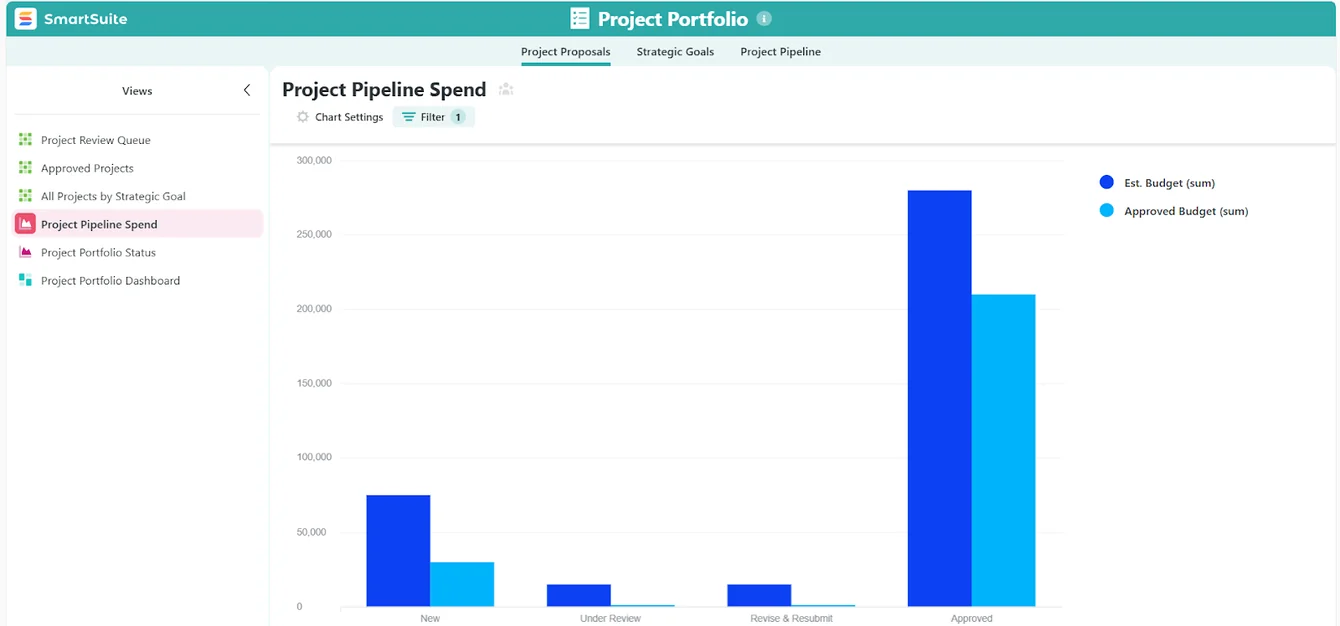
As a result, SmartSuite is especially useful for teams that need ongoing visibility and reliable reporting, without the complexity or maintenance overhead common in more rigid project management tools.
3. Built-in collaboration where work happens
SmartSuite treats collaboration as a critical part of execution, supporting the way most teams work in real life.
As a result, conversations, decisions, and files stay directly connected to the work they relate to, letting your team members:
- Comment and collaborate directly on tasks and records, keeping discussions tied to specific work items.
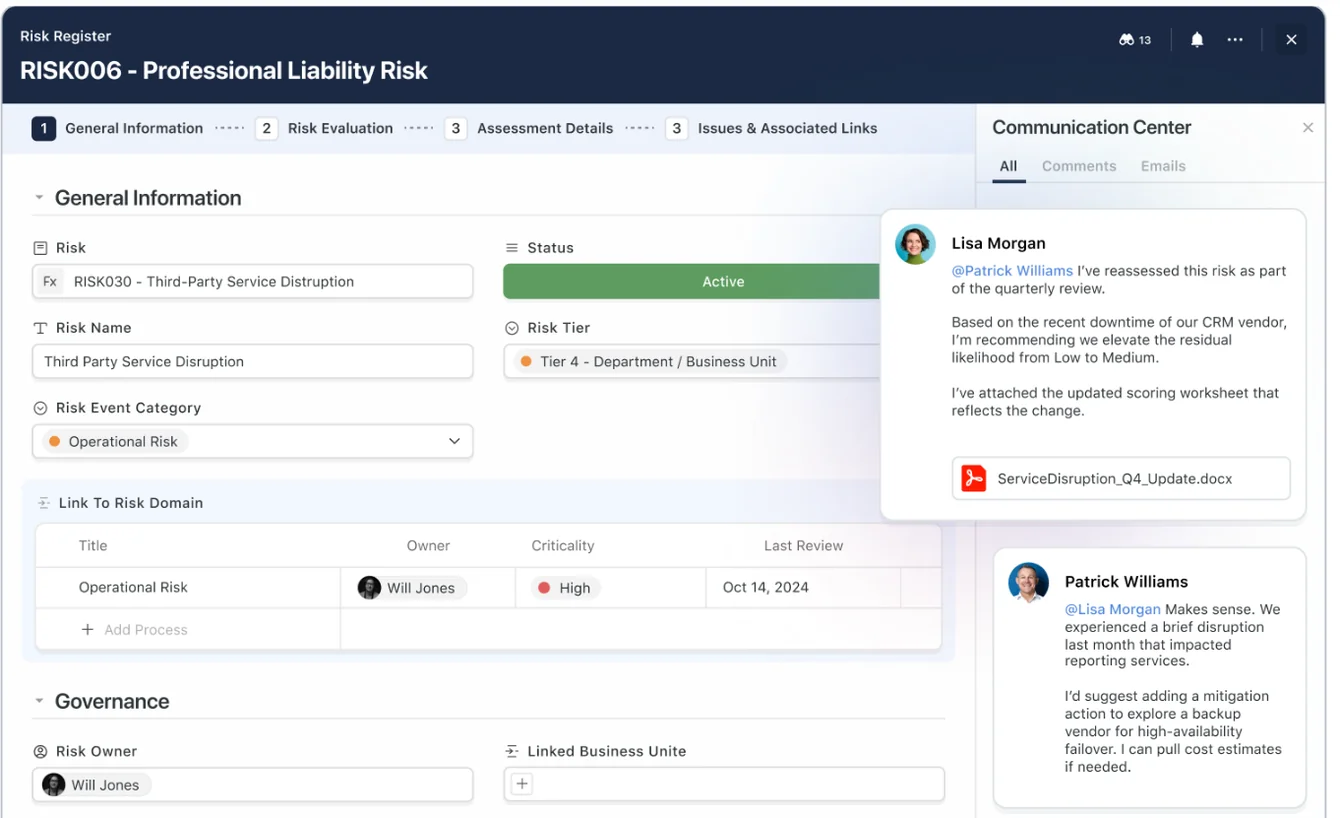
- @mention teammates to bring the right people into conversations at the right time.
- Send and receive emails inside records, so client or stakeholder communication stays visible to the whole team.
- Track a complete activity history of updates, comments, and changes for full context and accountability.
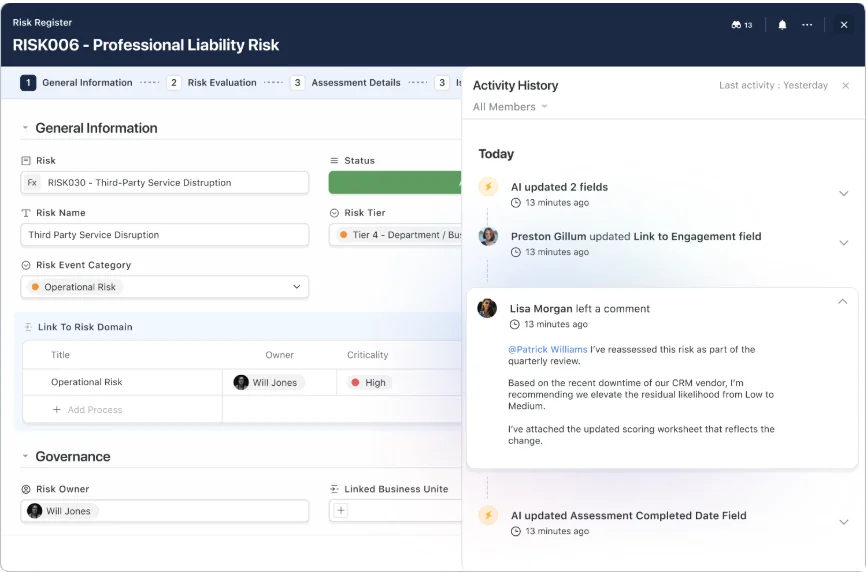
- Control notifications so users stay informed without being overwhelmed.
This approach helps teams move faster, reduce handoffs, and avoid losing context across chat tools, inboxes, and documents.
4. AI embedded across workflows
SmartSuite uses AI to support how work actually moves through a team, rather than limiting it to writing assistance or spreadsheet help.
AI is built directly into tasks, records, and automations, helping teams stay organized without losing control.
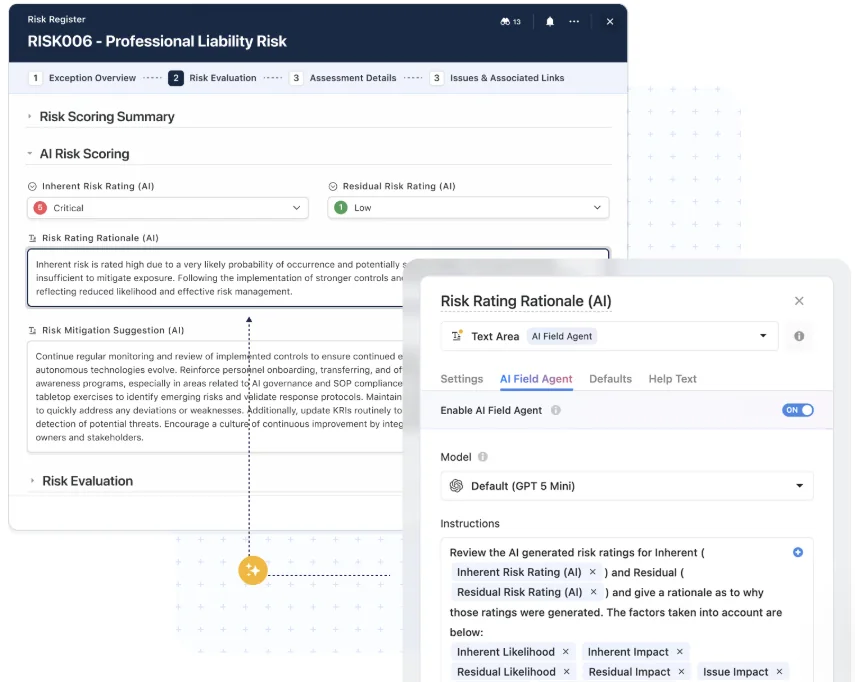
- Summarizes tasks, updates, and activity so stakeholders can quickly understand what’s happening.
- Turns unstructured input into structured data, such as categorizing requests or extracting key details from forms or emails.
- Supports smarter automations, using AI steps to analyze content and guide next actions.
- Highlights missing information or inconsistencies, helping keep data clean as projects scale.
- Keeps humans in control, with AI suggesting actions or updates that users can review before anything changes.
As such, it’s especially useful for execution and operations, not just content creation or data entry.
5. No-code automation that scales with real work
SmartSuite’s automation engine is built to handle real workflows as teams grow, without requiring technical setup or ongoing maintenance.
Automations are easy to create, but capable enough to support complex, multi-step processes.
With SmartSuite, you can:
- Build automations visually, using simple triggers, conditions, and actions.
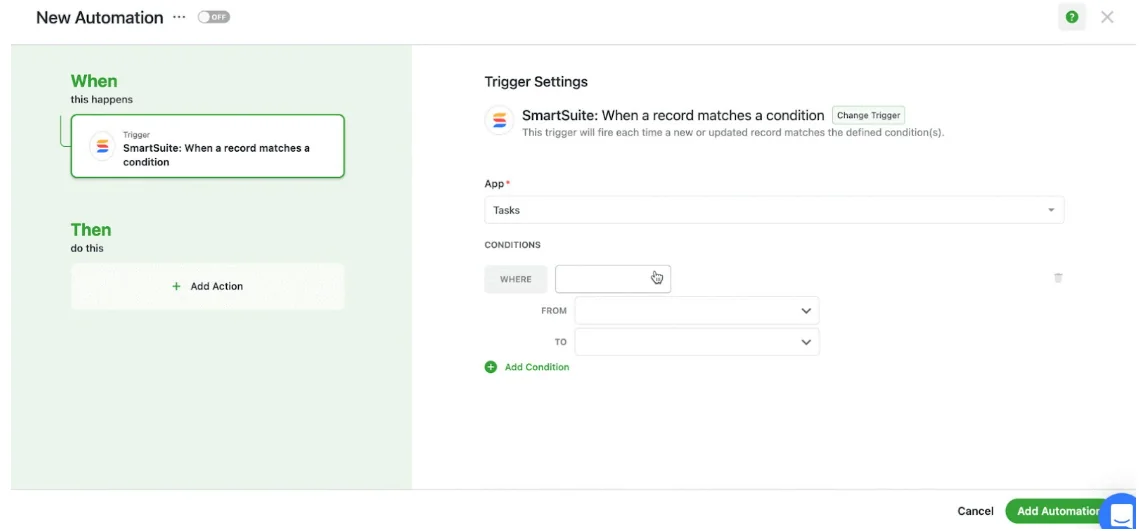
- Automate routine project work, such as status updates, assignments, approvals, and follow-ups.
- Create multi-step workflows that update related tasks, notify stakeholders, and generate new work automatically.
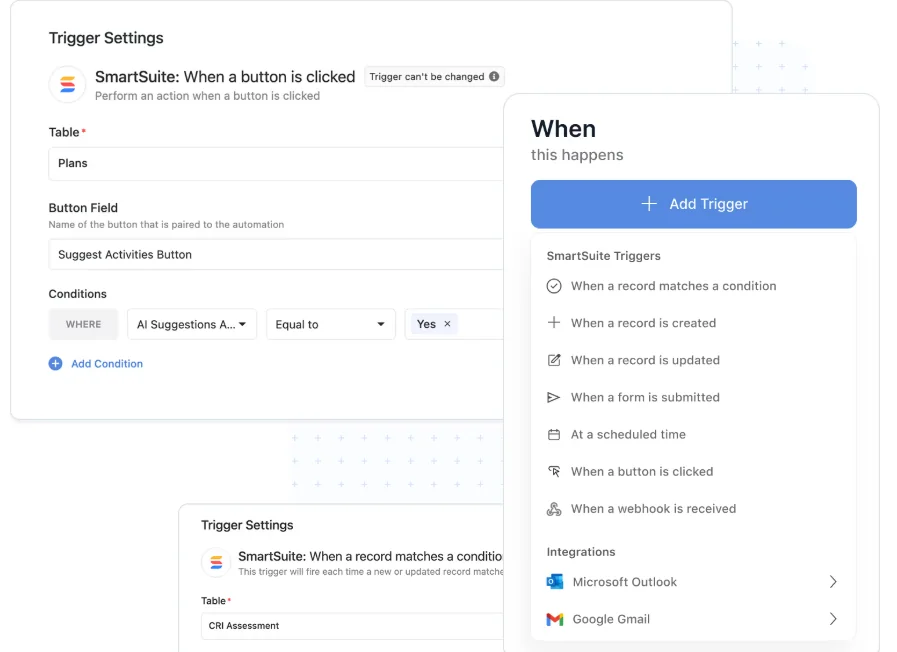
- Send notifications and updates to tools like Slack, Microsoft Teams, or email automatically.
- Connect with external tools through no-code connectors to extend workflows beyond SmartSuite.
This means that SmartSuite is a strong fit if you want automation that grows with your processes without the complexity of enterprise workflow tools.
SmartSuite is ideal if you:
✅ Want a single platform to manage projects, tasks, collaboration, reporting, automation, and AI without juggling multiple tools.
✅ Need structured project management with clear ownership, statuses, milestones, and visibility without heavily relying on spreadsheets or formulas.
✅ Manage cross-functional projects or portfolios and need real-time insight into progress, risks, and workloads.
✅ Value collaboration that stays tied to the work, including comments, approvals, files, and stakeholder communication.
✅ Want no-code automation and AI to reduce manual work while keeping humans in control.
✅ Expect your workflows to evolve over time and need a system that adapts without constant rebuilding.
SmartSuite isn’t the best option if you:
❌ Rely heavily on advanced spreadsheet modeling or complex formula-driven workflows as your primary way of working.
❌ Want a purely documentation-first or note-taking tool with minimal structure.
Winner: SmartSuite
When it comes to features, SmartSuite comes out on top, as it strikes the best balance between Smartsheet and Notion.
It combines structured project management, real-time dashboards, collaboration, no-code automation, and AI in one platform without forcing teams into spreadsheets or constant DIY configuration.
For teams that want flexibility and operational depth in a single workspace, SmartSuite offers the most complete feature set overall.
Integrations: Smartsheet vs. Notion vs. SmartSuite
Smartsheet integrations
Smartsheet offers a wide range of integrations designed to fit into established business and enterprise tech stacks.
Its ecosystem focuses on connecting structured project data with the tools teams already rely on.
Smartsheet integrates with:
- Productivity suites, including Microsoft 365 and Google Workspace, to sync files, emails, and calendars.
- Communication tools like Slack and Microsoft Teams, so updates and alerts reach teams where they already work.
- CRM and work management tools, such as Salesforce and Jira, helping align project execution with sales and engineering workflows.
- Analytics and reporting platforms like Power BI and Tableau for advanced data analysis and executive reporting.
- Automation and integration platforms, including Zapier, to extend workflows across additional tools.
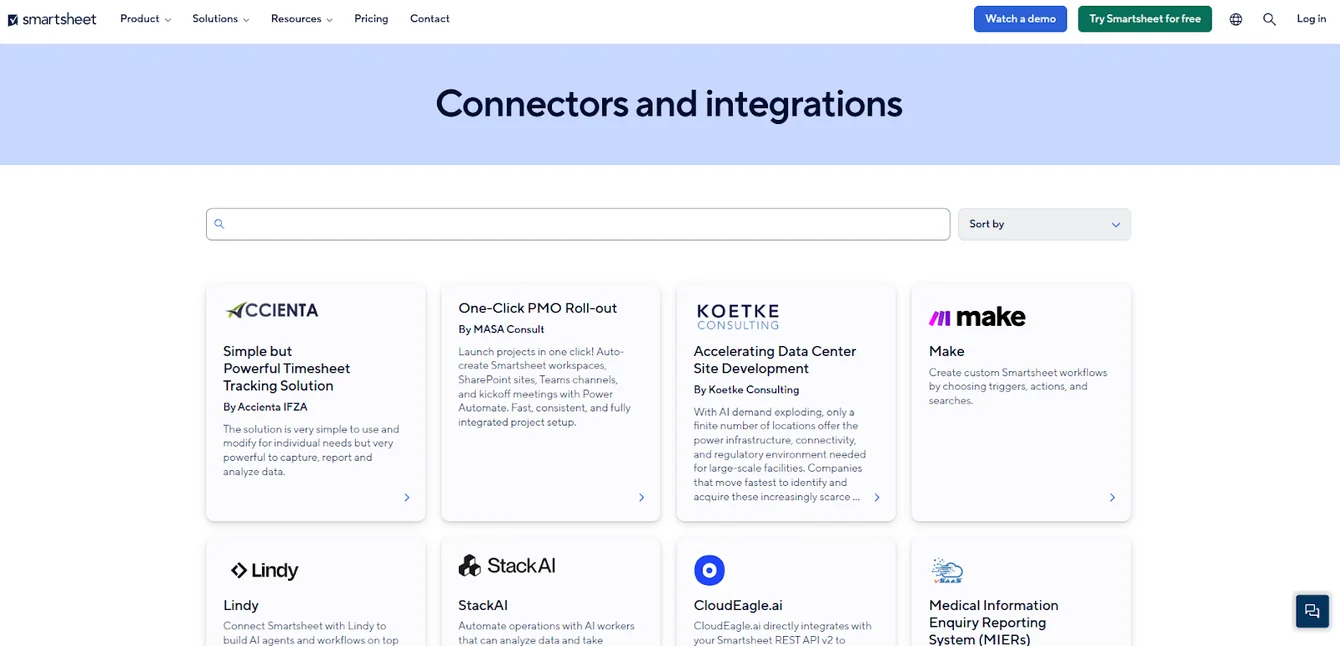
Overall, Smartsheet’s integrations are one of its strongest areas, especially for larger organizations that need their project management tool to plug cleanly into a broad, enterprise-grade ecosystem.
Notion integrations
Notion connects with a variety of external tools to help you bring data, communication, and workflows into your workspace, making it more than just a standalone wiki or doc tool.
Notion integrates with:
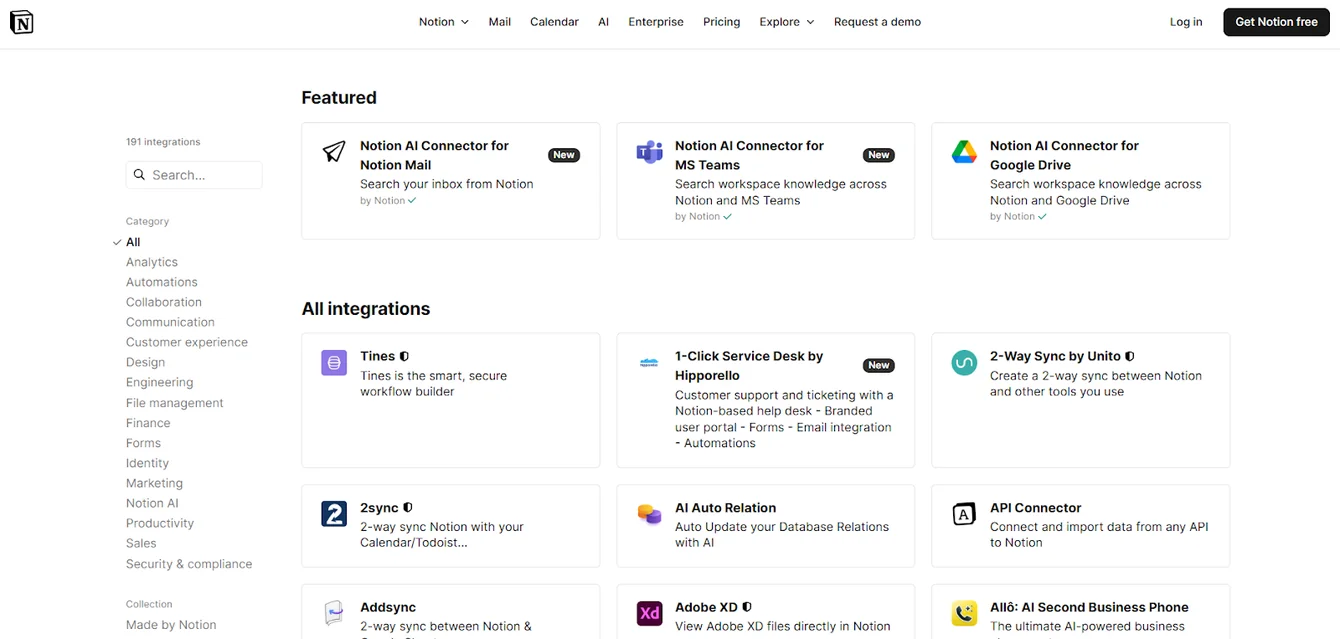
- Communication & collaboration tools, like Slack and messaging platforms, so you can sync updates and context into your workspace.
- Developer and project management tools, such as Jira, GitHub, and Trello, allowing teams to view issues, cards, and commits alongside notes and docs.
- Cloud storage & productivity apps, including Google Drive, enabling direct access to docs, sheets, and slides right inside Notion.
- Workflow automation platforms like Make and IFTTT to build no-code workflows between Notion and hundreds or thousands of other apps.
- Calendar and scheduling tools, so you can sync events and meeting links (e.g., Zoom) into Notion pages and databases.
Notion also offers a public API and partner integrations that allow you to create custom connections and embed live data from external services into Notion databases.
In short, Notion’s integrations help centralize context from tools you already use, but many of them rely on third-party platforms (like Make or Zapier) for deeper workflow automation and cross-app syncing.
SmartSuite integrations
SmartSuite lets you connect your work across tools and systems so that your projects, data, and automations stay aligned with the rest of your tech stack.
Its integration capabilities range from native connectors and API access to third-party platforms that open connections with thousands of other apps.
SmartSuite integrates with:
- No-code integration platforms like Zapier, Make, Integrately, Ply, and Relay, enabling connections to 6,000+ other apps (CRM, calendar, email, databases, productivity tools, and more) without coding.
- Communication tools like Gmail, Slack, Microsoft Teams, Google Calendar, and more, so updates in SmartSuite can send alerts or actions outside the platform.
- Low-code/portal builders such as Softr and other front-end tools that let you surface SmartSuite data as interactive apps or portals for internal users or external stakeholders.
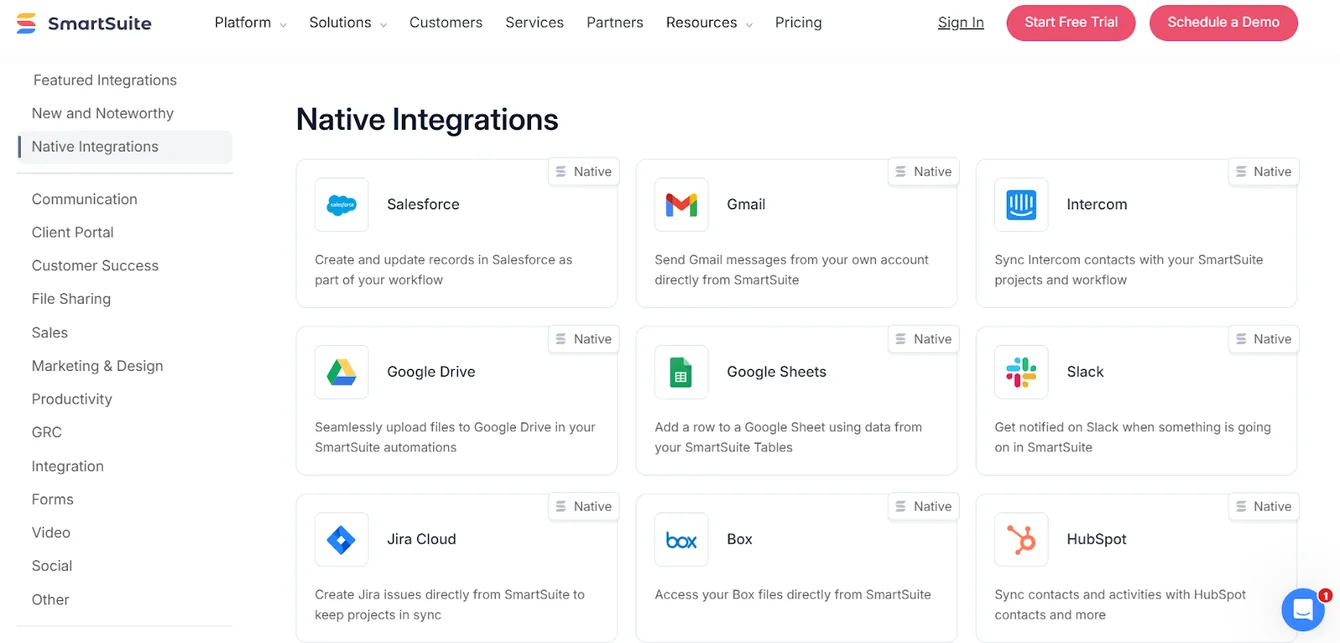
It also has a full REST API, allowing developers and internal systems to read, create, update, or delete records in SmartSuite programmatically.
Whether you need simple file and communication syncs or deep, automated workflows that span multiple systems, SmartSuite’s integration ecosystem makes it easy to bring your tools together and streamline data flow across your organization.
Winner: Smartsheet
Smartsheet offers the broadest and most mature integration ecosystem of the three, with strong native connectors for enterprise tools like Microsoft 365, Google Workspace, Salesforce, Jira, Power BI, and Tableau.
This makes it especially well-suited for organizations that already rely on a large, interconnected tech stack and need their project management tool to plug in without custom work.
Notion and SmartSuite both offer solid integration options, but they rely more heavily on APIs and no-code connectors for deeper workflows.
That works well for many teams, but if integration depth, native enterprise connectors, and out-of-the-box compatibility are your top priorities, Smartsheet is the strongest choice.
Pricing: Smartsheet vs. Notion vs. SmartSuite
Smartsheet pricing
Smartsheet offers several pricing tiers designed to scale from small teams to large enterprises:
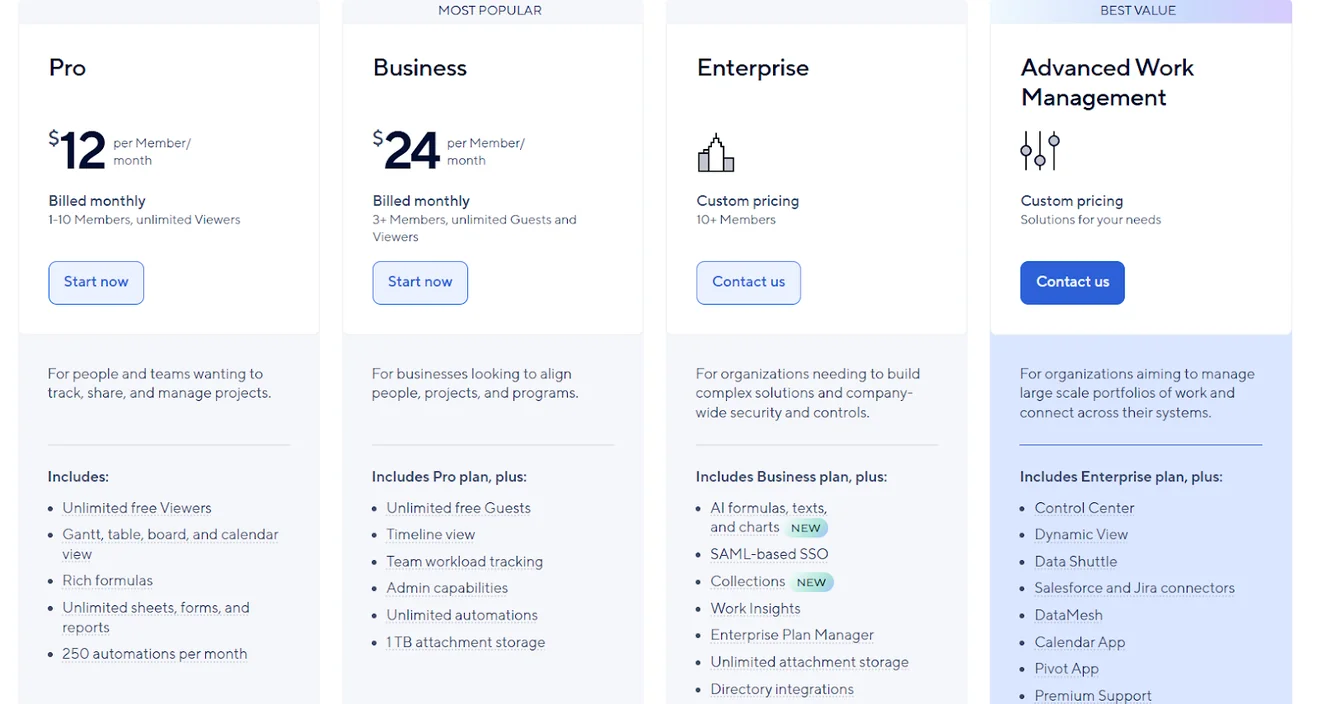
- Pro: $12 per user/month, for 1-10 users, includes Gantt, table, board, and calendar views, rich formulas, unlimited sheets, forms, and reports, plus 250 automations per month.
- Business: $24 per member/month, for minimum 3 members, includes everything in Pro, plus timeline view, team workload tracking, stronger admin controls, unlimited automations, and 1 TB of attachment storage.
- Enterprise: Custom pricing, for teams with more than 10 members that need advanced security and governance controls, includes everything in Business, plus AI-powered formulas, text, and charts, SAML-based SSO, directory integrations, unlimited storage, Work Insights, and enterprise-level management tools.
- Advanced Work Management: Custom pricing, designed for organizations managing large portfolios and complex, cross-system workflows. Includes everything in Enterprise, plus control center, dynamic view, data shuttle, DataMesh, calendar and pivot apps, Salesforce and Jira connectors, and premium support.
Notion pricing
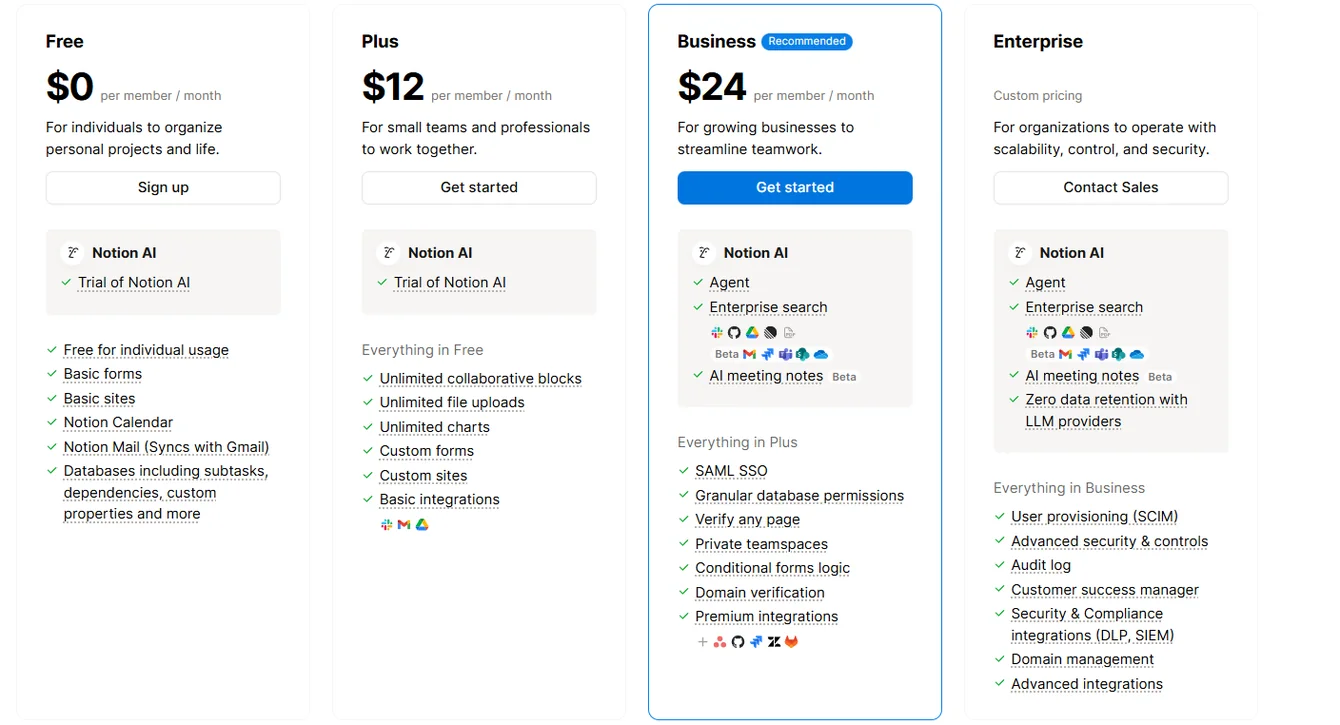
Notion offers a solid range of pricing plans that span from individual use to large enterprise teams:
- Free: Includes core databases, basic forms and sites, Notion Calendar, and a trial of Notion AI.
- Plus: $12 per user/month, includes everything in Free and adds unlimited collaborative blocks, file uploads, charts, custom forms and sites, and basic integrations.
- Business: $24 per user/month, includes everything in Plus, plus advanced permissions, private teamspaces, page verification, SAML SSO, conditional forms, premium integrations, and AI features.
- Enterprise: Custom pricing, includes everything in Business, plus user provisioning, advanced security controls, audit logs, domain management, enterprise-grade integrations, and zero data retention with AI providers.
SmartSuite pricing
SmartSuite offers a 14-day free trial on its Professional plan, with no credit card required.
Teams can test the platform using real workflows, invite teammates, and upgrade only when ready.
When it comes to paid options, there are four to choose from:

- Team: $15/user/month billed annually ($20 billed monthly, minimum 3 users), includes SmartSuite AI, unlimited solutions, up to 5,000 records per solution, 50 GB of file storage, a 30-day recycle bin, and core collaboration and automation features.
- Professional: $32/user/month billed annually ($36 billed monthly, minimum 5 users), includes everything in Team, plus folders, Gmail and Outlook integrations, advanced permissions, higher record limits (100,000 per solution), 100 GB of storage, and a 45-day recycle bin.
- Enterprise: Custom pricing with no seat minimum, includes everything in Professional, plus SSO, SCIM user provisioning, audit logs, IP restrictions, data loss prevention, European data residency, premium support, and higher limits (400,000 records per solution and 500 GB storage).
- Signature: Custom pricing. A tailored plan for organizations with specific requirements around scale, security, or data architecture.
Winner: SmartSuite
While Notion does offer a free plan, SmartSuite delivers better value for teams that actually want to get work done.
Notion’s free tier works well for individuals, but many essential capabilities, such as advanced permissions, automation, AI features, and structured project management, are locked behind higher plans.
Once teams move beyond basic docs and lightweight task tracking, costs add up quickly.
SmartSuite starts at $15 per user/month and includes all core functionality from day one: structured project management, collaboration, automation, real-time reporting, and built-in AI.
There’s no need to upgrade just to get essential features or make the platform usable for real workflows.
What are the customers saying about Smartsheet, Notion, and SmartSuite?
Key takeaways
- Smartsheet (4.4★ on G2) is praised for flexibility, automation, and collaboration, but users often mention a steep learning curve and rising costs as teams scale.
- Notion (4.6★ on G2) stands out for its all-in-one workspace, clean design, and AI for writing and knowledge work, though it can become complex, slower at scale, and less reliable for execution-heavy project management.
- SmartSuite (4.8★ on G2) earns the highest overall satisfaction by balancing power and ease of use, offering structured project management, automation, and customization without the complexity or maintenance overhead users report in the other two.
Smartsheet reviews
G2 Rating: 4.4/5
What users love:
- Highly flexible project planning, with grids, Gantt charts, dashboards, and timelines that adapt to different teams and use cases.
- Automation and intake forms, which help streamline requests, ticket tracking, and repeatable workflows.
- Strong collaboration features, including comments, attachments, notifications, and shared views that reduce email back-and-forth.
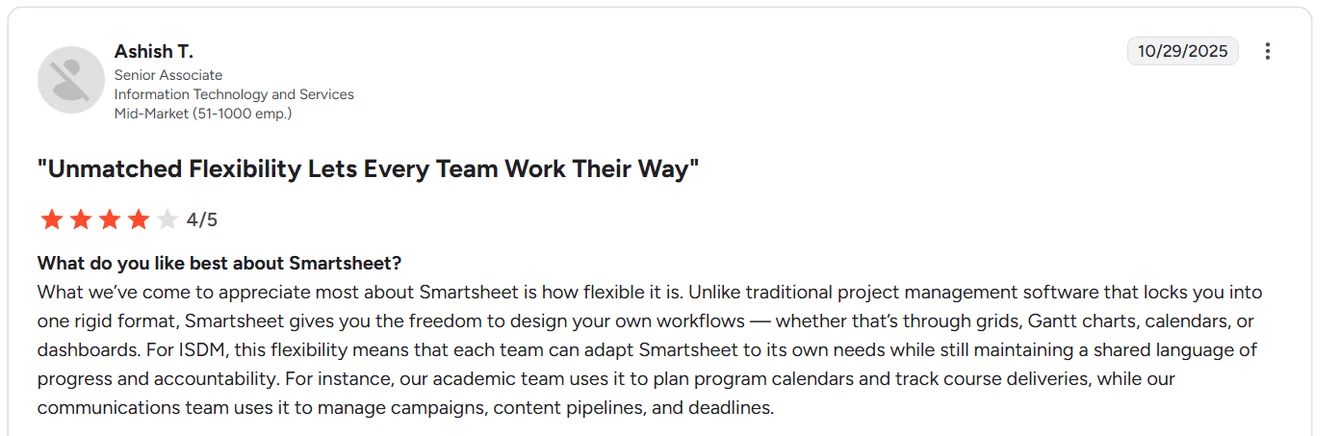
“What we’ve come to appreciate most about Smartsheet is how flexible it is. Unlike traditional project management software that locks you into one rigid format, Smartsheet gives you the freedom to design your own workflows — whether that’s through grids, Gantt charts, calendars, or dashboards.” - G2 Review
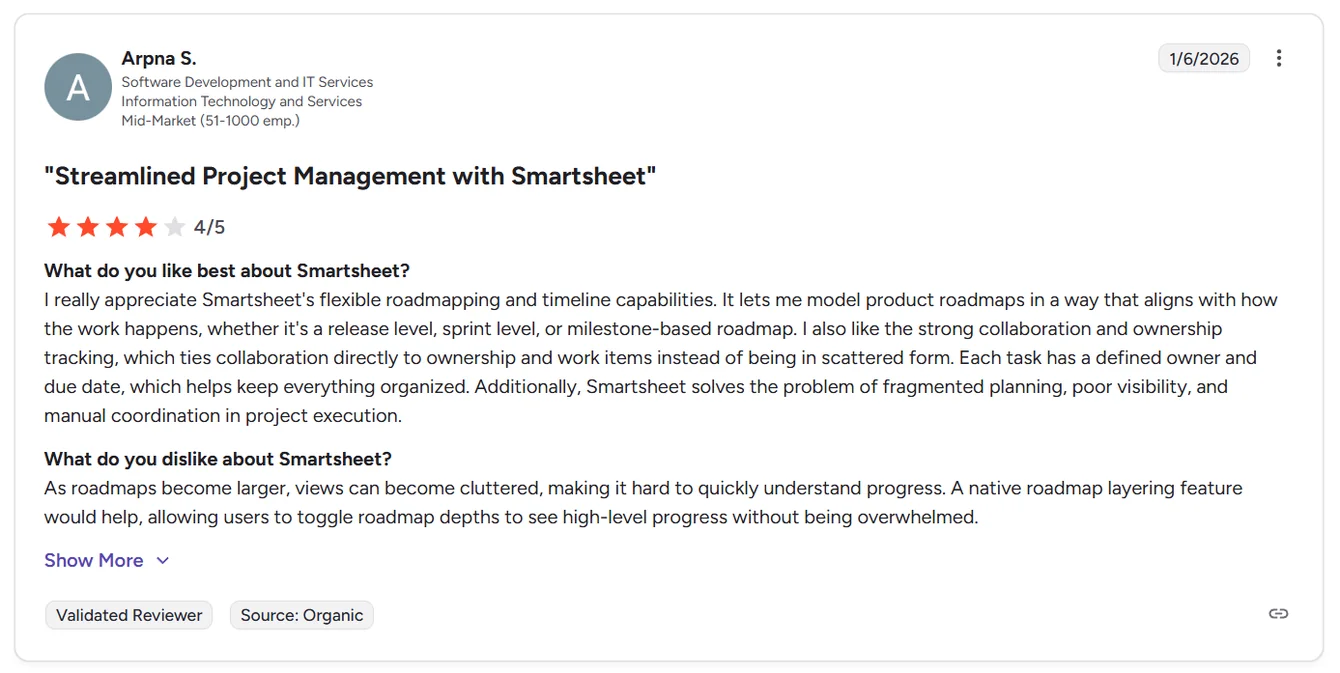
“I also like the strong collaboration and ownership tracking, which ties collaboration directly to ownership and work items instead of being in scattered form. Each task has a defined owner and due date, which helps keep everything organized. Additionally, Smartsheet solves the problem of fragmented planning, poor visibility, and manual coordination in project execution.” - G2 Review
Common complaints include:
- Steep learning curve, especially for non-technical users or teams unfamiliar with formula-driven tools.
- Pricing can get expensive, particularly as teams grow or need advanced features and licenses for more users.
- Setup and configuration take time, especially for integrations, automations, and advanced use cases.

“Recently, Smartsheet has become more expensive, and there is a noticeable learning curve when it comes to its advanced features. It is not the best choice for in-depth document editing or managing highly complex projects. The options for customization are somewhat limited, and if you need extensive automation or advanced reporting, you may have to opt for higher-tier plans.” - G2 Review

“It can sometimes feel complex for new users. The learning curve can be steep for team members who aren’t used to project management systems or formula-driven sheets. We’ve found that onboarding and consistent training are key to getting everyone comfortable. Similarly, as our use of Smartsheet has expanded, licensing costs have become something to watch — the platform is worth the investment, but it’s not cheap if you want advanced features for every team member.” - G2 Review
Notion reviews
G2 Rating: 4.6/5
What users love:
- Extreme flexibility, allowing teams to build custom workspaces that combine docs, wikis, databases, and tasks in one place.
- Clean, intuitive design, especially for writing, note-taking, and documentation.
- Helpful AI features, particularly for writing, summarizing, and searching across content.
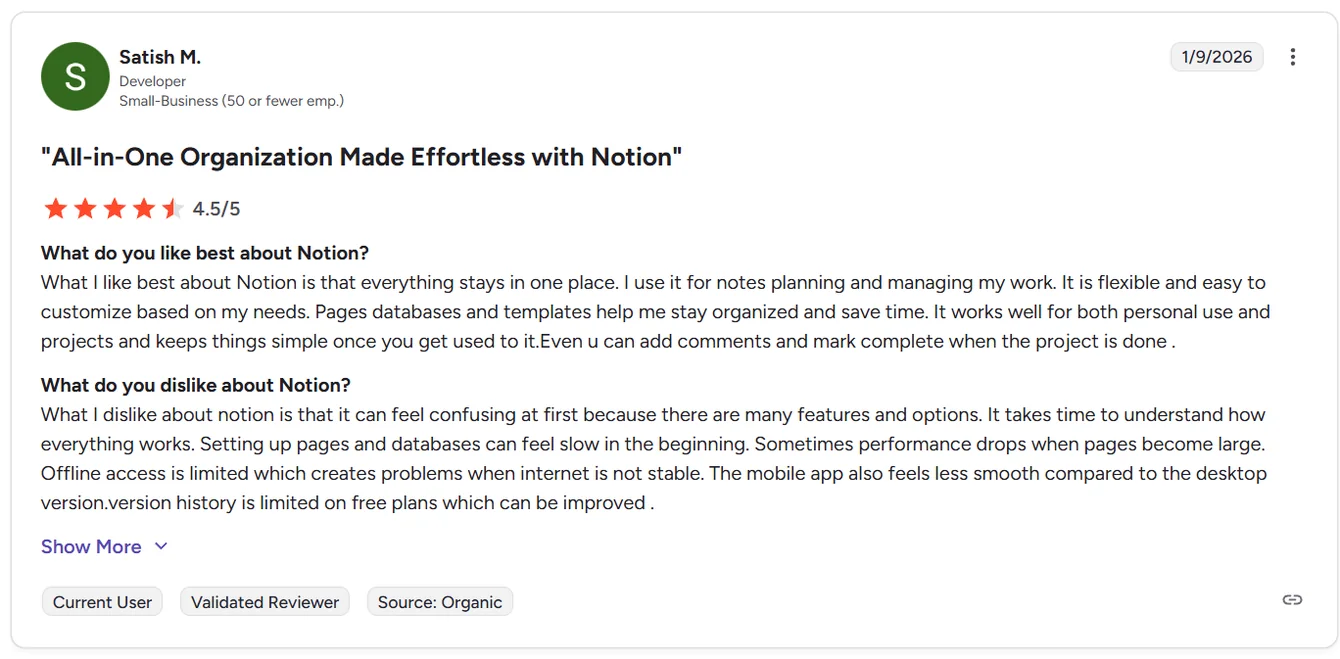
“What I like best about Notion is that everything stays in one place. I use it for notes planning and managing my work. It is flexible and easy to customize based on my needs. Pages databases and templates help me stay organized and save time.” - G2 Review
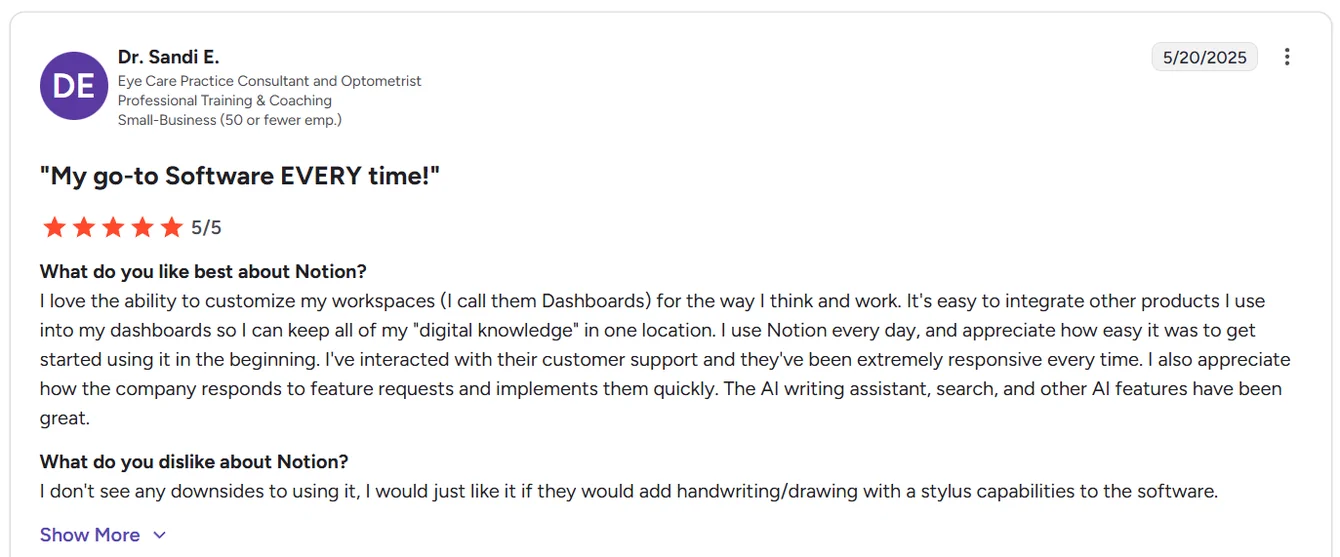
“I love the ability to customize my workspaces (I call them Dashboards) for the way I think and work. It's easy to integrate other products I use into my dashboards so I can keep all of my "digital knowledge" in one location… I also appreciate how the company responds to feature requests and implements them quickly. The AI writing assistant, search, and other AI features have been great.” - G2 Review
Common complaints include:
- Steep learning curve, especially once databases, relations, rollups, and permissions come into play.
- Performance issues with large pages or databases, including slower load times.
- Weaker project management depth, with limited automation, calculations, and enforcement compared to more execution-focused tools.

“What I dislike about Notion is that its flexibility can become a drawback—because it can do so much, it’s easy to overcomplicate setups or spend too much time tweaking systems instead of actually working. Performance can slow down with large or complex databases, and offline support is still limited, which makes it less reliable without an internet connection. There’s also a learning curve for advanced features, so new users may feel overwhelmed before they see its full value.” - G2 Review
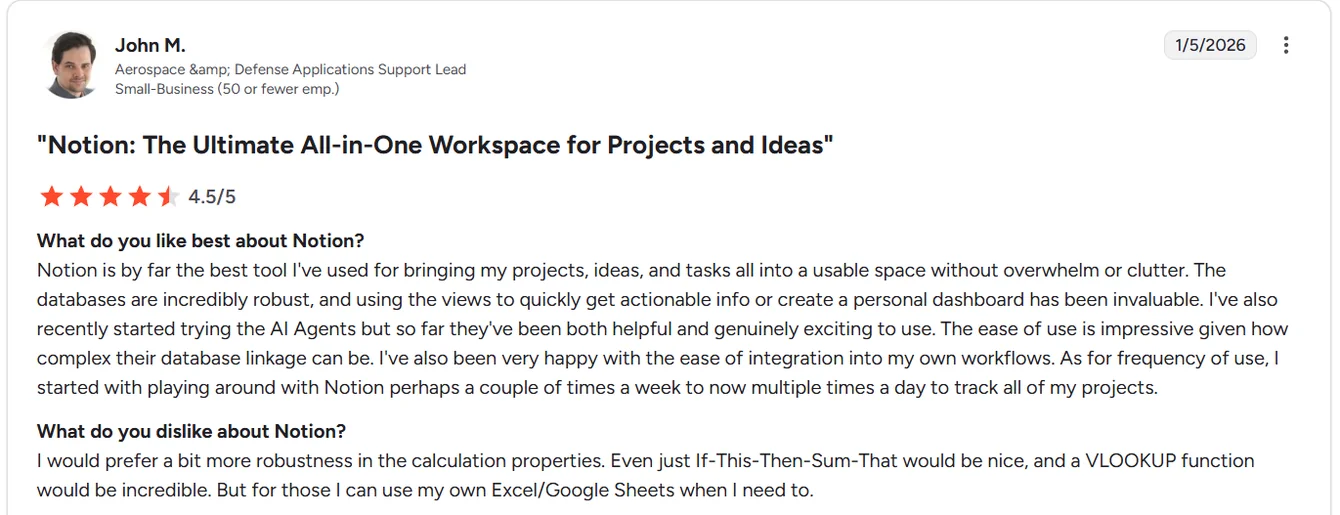
“I would prefer a bit more robustness in the calculation properties. Even just If-This-Then-Sum-That would be nice, and a VLOOKUP function would be incredible. But for those I can use my own Excel/Google Sheets when I need to.” - G2 Review
SmartSuite reviews
G2 Rating: 4.8/5
What users love:
- Excellent balance of power and ease of use, making it easy for teams to adopt without sacrificing advanced functionality.
- Highly flexible for real workflows, sitting comfortably between a database and a full project management tool.
- Strong customization and automation, allowing teams to replace multiple tools and adapt processes as they grow.
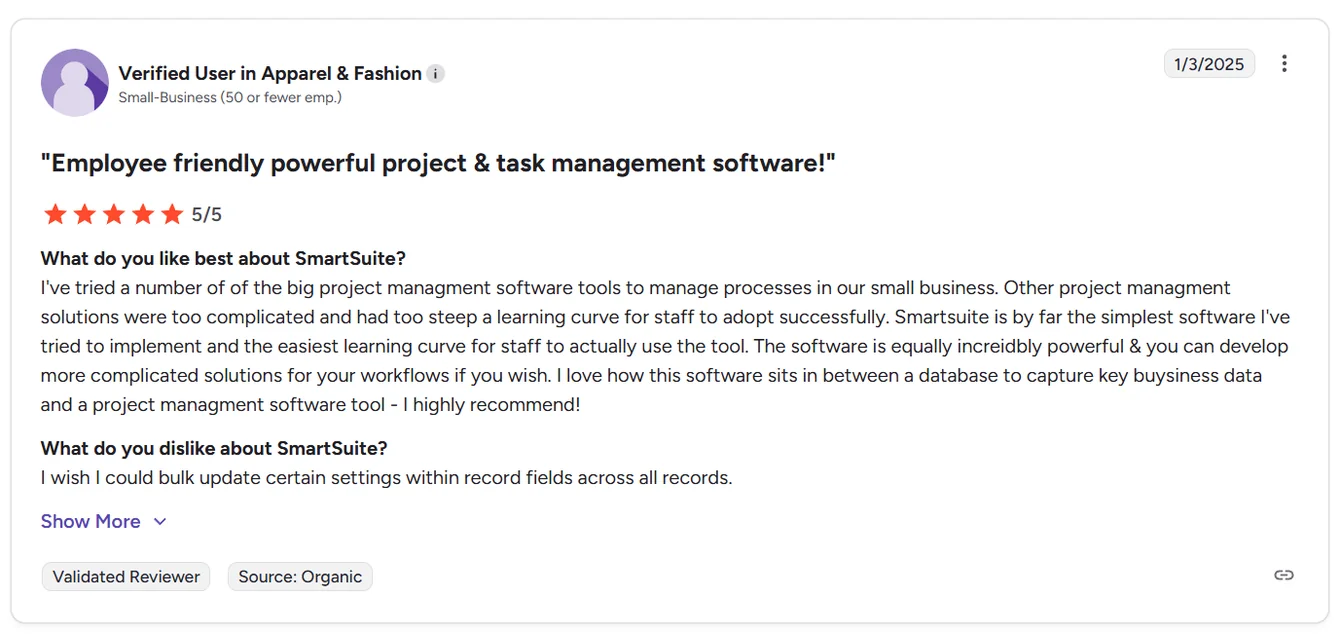
“I've tried a number of the big project management software tools to manage processes in our small business. Other project management solutions were too complicated and had too steep a learning curve for staff to adopt successfully. SmartSuite is by far the simplest software I've tried to implement and the easiest learning curve for staff to actually use the tool. The software is equally incredibly powerful & you can develop more complicated solutions for your workflows if you wish. I love how this software sits in between a database to capture key business data and a project management software tool - I highly recommend!” - G2 Review
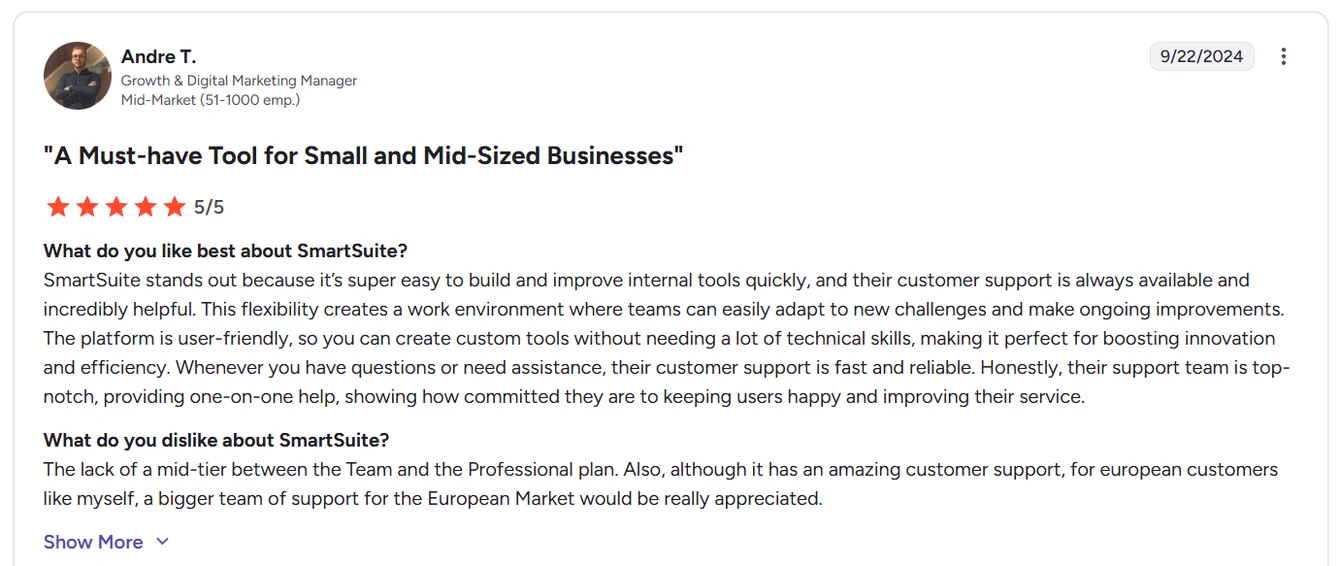
“SmartSuite stands out because it’s super easy to build and improve internal tools quickly, and their customer support is always available and incredibly helpful. This flexibility creates a work environment where teams can easily adapt to new challenges and make ongoing improvements. The platform is user-friendly, so you can create custom tools without needing a lot of technical skills, making it perfect for boosting innovation and efficiency. Whenever you have questions or need assistance, their customer support is fast and reliable. Honestly, their support team is top-notch, providing one-on-one help, showing how committed they are to keeping users happy and improving their service.” - G2 Review
Common complaints include:
- Some advanced features are still evolving, particularly around formulas, automation depth, and UI refinements.
- Mobile app experience isn’t as polished as desktop.
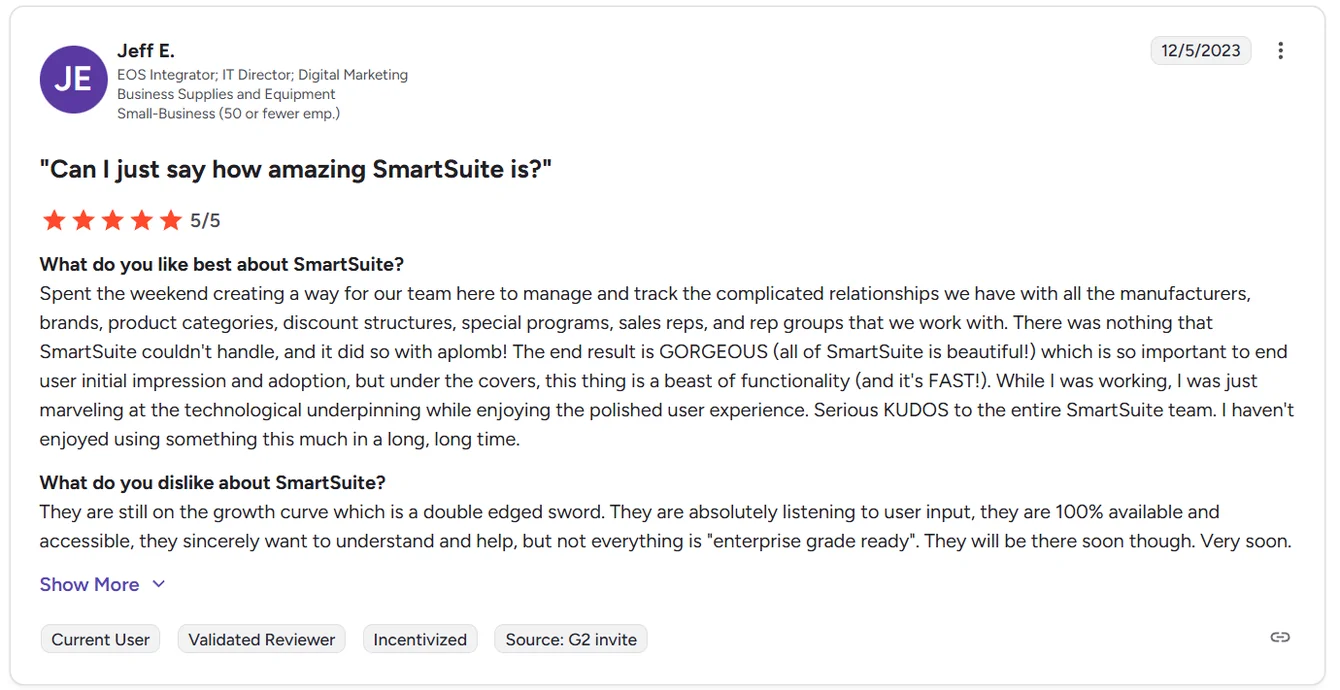
“They are still on the growth curve which is a double edged sword. They are absolutely listening to user input, they are 100% available and accessible, they sincerely want to understand and help, but not everything is "enterprise grade ready". They will be there soon though. Very soon.” - G2 Review
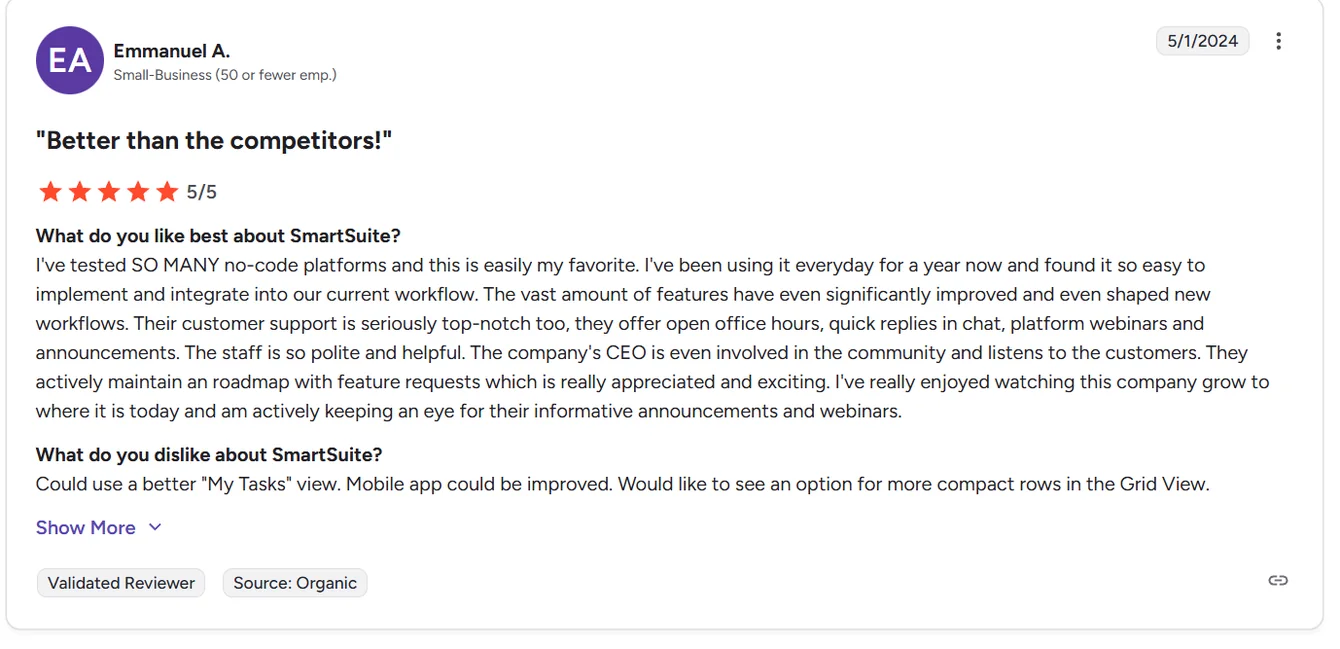
“Could use a better "My Tasks" view. Mobile app could be improved. Would like to see an option for more compact rows in the Grid View.” - G2 Review
Get started with SmartSuite for free today
If you’ve made it this far, the takeaway is pretty clear.
Smartsheet is great if spreadsheets, formulas, and rigid structure are how your team thinks.
Notion shines when documentation, knowledge sharing, and flexibility matter most.
But if you want a tool that actually helps teams execute work without forcing everything into spreadsheets or endless DIY setups, SmartSuite is the most balanced option of the three.
It brings project management, collaboration, automation, reporting, and AI into one workspace that’s capable enough for real operations, yet simple enough for teams to adopt quickly.
No jumping between tools. No rebuilding systems every few months. Just work that stays organized as it scales.
The best part? You don’t have to take anyone’s word for it.
You can start a free 14-day SmartSuite trial and test it with real workflows, real data, and real teammates - no credit card required.
Or, if you’d rather see how it fits your use case first, you can book a demo and walk through the platform with a SmartSuite expert.
Read more
- Asana Review: Is It Worth It in 2026? [In-Depth] - A brutally honest look at where Asana shines, where it falls short, and whether it still makes sense for modern teams in 2026.
- Airtable vs. Trello vs. SmartSuite: Which One Is Better? [2026] - Three popular tools, three very different approaches - here’s how they really compare once your workflows get serious.
- AI For Project Management: Best Software & Use Cases In 2026 - From smarter planning to automated execution, this guide breaks down how AI is actually changing project management in 2026.
- 10 Best MetricStream Alternatives for GRC in 2026 - A practical comparison of the strongest GRC platforms that offer more flexibility, better UX, or better value than MetricStream.
- BMC Helix Pricing: Is It Worth It In 2026? [Reviewed] - A clear breakdown of BMC Helix pricing, hidden costs, and real-world value so you can decide if this enterprise ITSM platform fits your budget.
- Smartsheet vs. Basecamp vs. SmartSuite: Which Tool to Pick? [2026] - A side-by-side comparison of structure, flexibility, and usability to help you choose the right tool for how your team actually works.






Put these ideas to work
Start a free trial, or book a demo and see how it runs in SmartSuite.

