



Choosing between Smartsheet vs. AppSheet isn’t just “project management vs building apps” - it’s whether your team needs a structured system to run work as-is, or a way to build custom workflows when the system doesn’t exist yet.
In this guide, I’ll break down how each platform actually performs day to day (where they shine, where they get painful), and then show where SmartSuite fits as the more flexible third option when you need both structure and adaptability without heavy overhead.
TL;DR
- Smartsheet works best when your team already thinks in spreadsheets. It adds structure, automation, and reporting on top of a grid-based model, which makes it effective for tracking tasks, dependencies, and operational metrics, but less flexible once work needs to move beyond sheet logic.
➡️ Choose Smartsheet if extending spreadsheets is preferable to changing how your team works.
- AppSheet is built for creating internal apps, not managing work day to day. It shines when you need to turn existing data into custom tools quickly, especially inside the Google ecosystem, but it introduces app design complexity as workflows grow.
➡️ Choose AppSheet if building bespoke internal apps is the primary goal.
- SmartSuite is somewhere in the middle. It provides a structured execution platform where projects, internal tools, workflows, automation, collaboration, and data live together without forcing a fixed way of working or requiring teams to act like app builders.
➡️ Choose SmartSuite if you want one flexible system to run real work as it scales.
Smartsheet vs. AppSheet vs. SmartSuite: Features
I’ll begin by breaking down each of the three platforms’ core functionality.
First up is Smartsheet.
TL;DR
- Smartsheet focuses on spreadsheet-driven execution, combining familiar grids, formulas, automation, and WorkApps to help teams run structured work, but it becomes limiting as workflows grow more relational or dynamic.
- AppSheet is a true no-code app builder that lets teams create fully custom web and mobile apps with advanced automation and governance, trading ease of execution for greater setup and app-builder complexity.
- SmartSuite delivers the most balanced feature set, combining project management, structured data, automation, collaboration, and AI in one execution-ready platform without requiring spreadsheets or full app development.
Smartsheet’s features
1. Spreadsheet-based structure and formulas
Smartsheet is built around a familiar spreadsheet-style grid, where rows represent work items and columns define fields like status, dates, owners, and metrics.
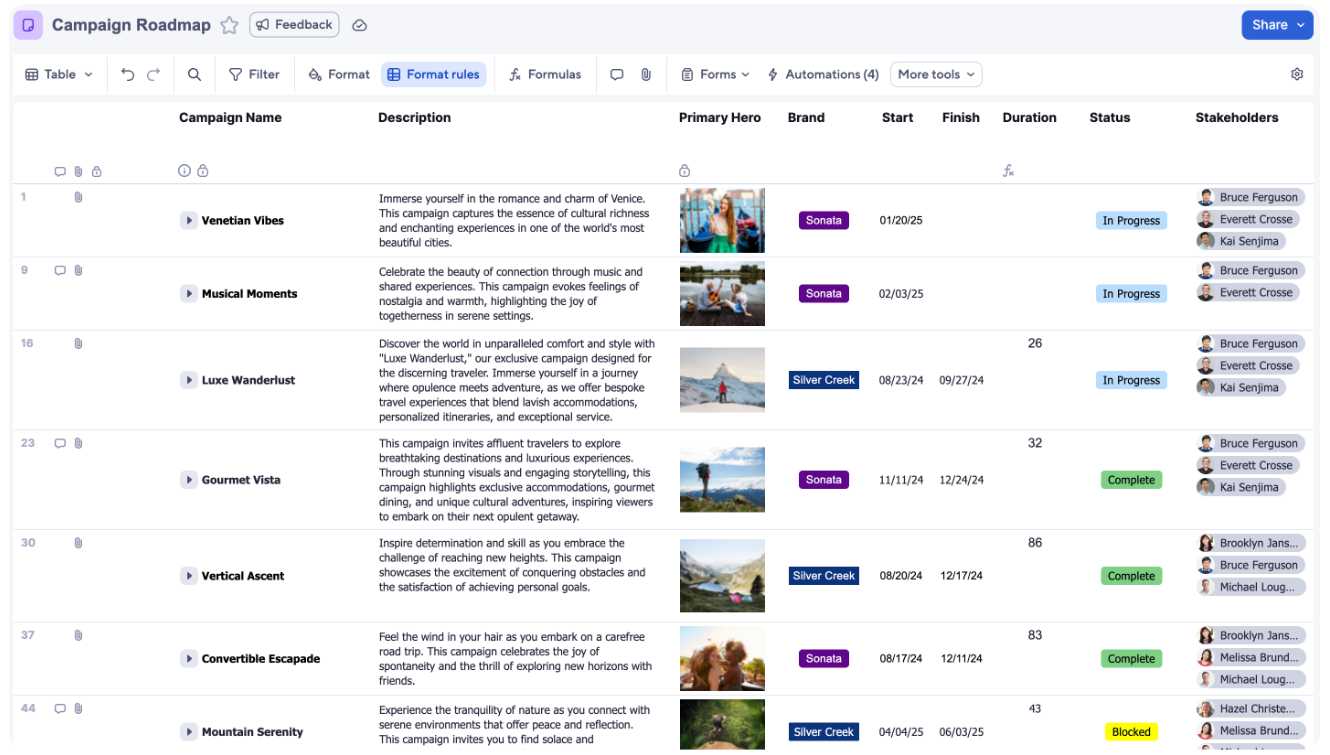
Its formula engine supports cross-sheet references, column formulas, and rollups, making it easy to calculate progress, dependencies, and summaries across projects.
This structure works well for teams that think in tables and rely on formulas for operational logic and reporting.
However, as workflows grow more dynamic or relational, the sheet-based model can start to feel rigid and harder to evolve.
2. Build custom apps on top of Smartsheet data
Smartsheet WorkApps is a no-code app builder that lets teams turn sheets, reports, dashboards, forms, and even external content into dedicated web and mobile apps.
Instead of asking users to navigate raw sheets, WorkApps packages entire solutions into a single, intuitive experience built directly on top of Smartsheet data.
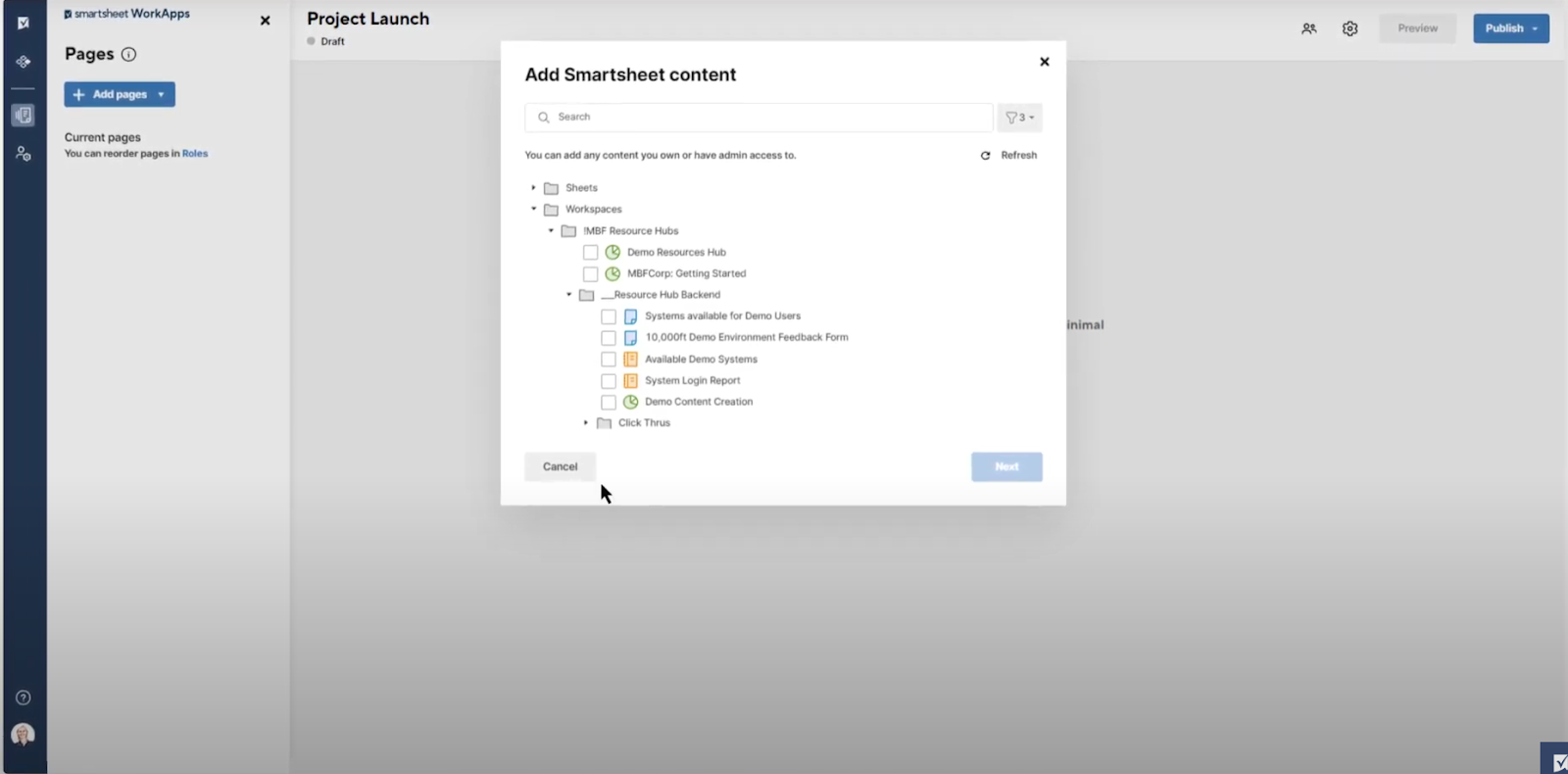
This makes it easier to roll out structured processes to large or non-technical audiences while protecting the underlying data and logic.
However, while WorkApps enables custom solutions and branded app experiences, everything still depends on Smartsheet’s sheet-based data model rather than independent application logic.
3. AI assistance layered onto spreadsheet workflows
Smartsheet AI is designed to speed up everyday work inside the platform by assisting with formulas, analysis, and content, rather than reshaping how workflows are built.
It can generate formulas from plain-language prompts, analyze sheet data to surface insights and charts, and summarize or refine text using existing project context.
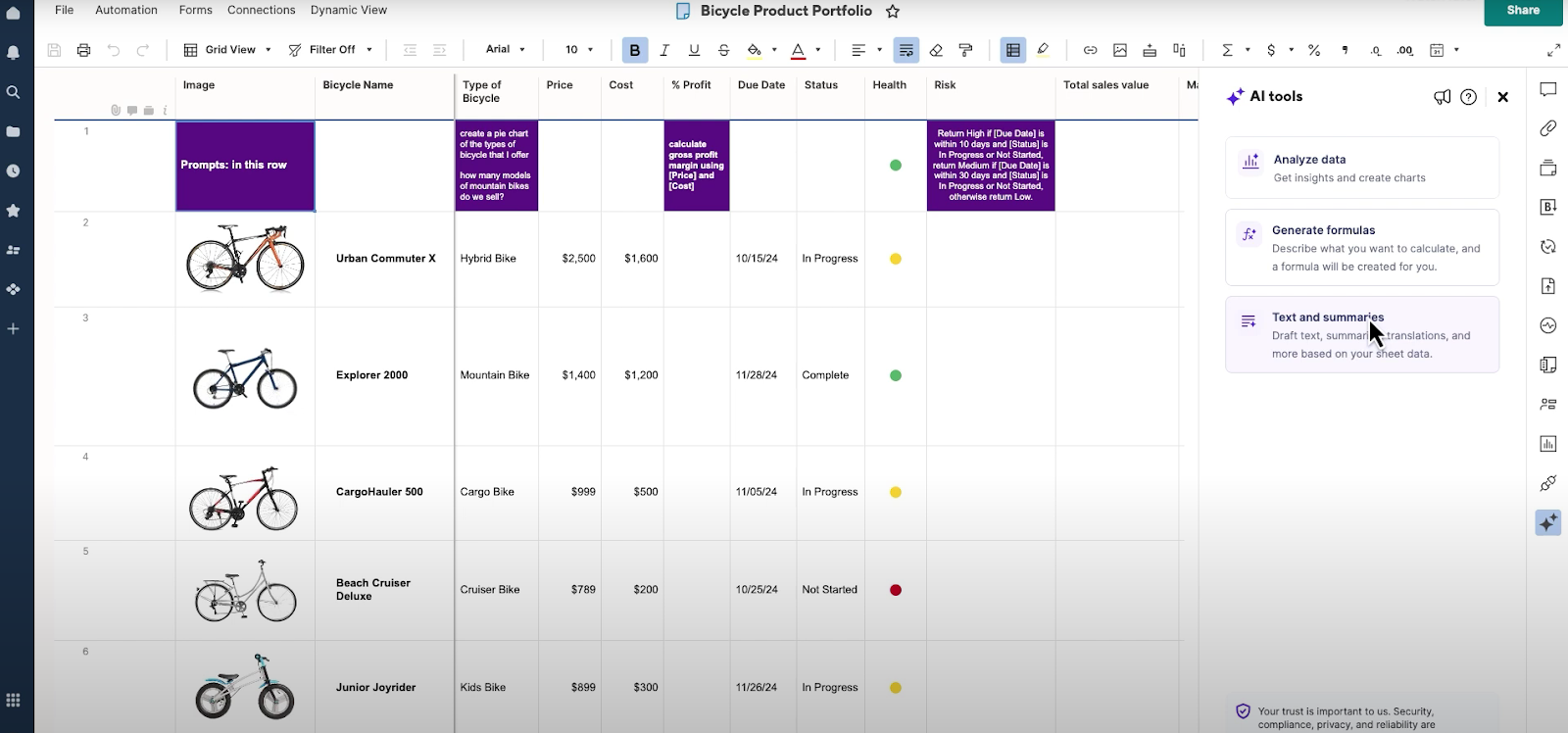
New users also get AI-guided onboarding that recommends features and helps set up their first workspace faster.
4. No-code automation for structured execution
Smartsheet automation lets teams build no-code workflows using triggers, conditions, and actions to handle reminders, approvals, assignments, and status updates.
Workflows are easy to set up from templates or from scratch and can send updates through email, Slack, or Microsoft Teams, making them well-suited for routine, rules-based execution.
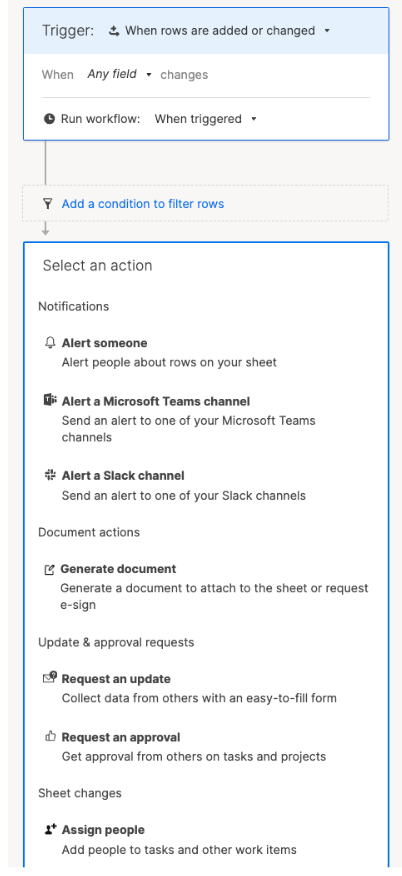
Smartsheet also extends automation into document generation, allowing teams to create PDFs, automate forms, and route contracts for signing using sheet data.
Smartsheet is ideal if you:
✅ Run work that fits naturally into structured sheets and benefits from formulas, rollups, and tabular reporting.
✅ Want to turn existing Smartsheet solutions into simple web or mobile apps without rebuilding your data or workflows from scratch.
✅ Prefer no-code tools that let you standardize execution while protecting underlying data and structure.
Smartsheet isn’t the best choice if you:
❌ Need to model complex, relational workflows that go beyond sheet-based logic and evolve frequently over time.
❌ Want to build truly custom applications with independent data models, business logic, or multi-step processes that span multiple systems.
❌ Require automation to coordinate large, cross-workflow processes without running into structural limits or added complexity.
AppSheet’s features
1. Lets you build fully custom apps with no code
At its core, AppSheet is a no-code platform for building real web and mobile apps, not just interfaces on top of existing tools.
Teams can create apps in four ways: start from a blank app using AppSheet’s native database, generate an app using Gemini by describing the workflow in natural language, connect existing data sources like Google Sheets or Excel, or customize prebuilt templates for common use cases.
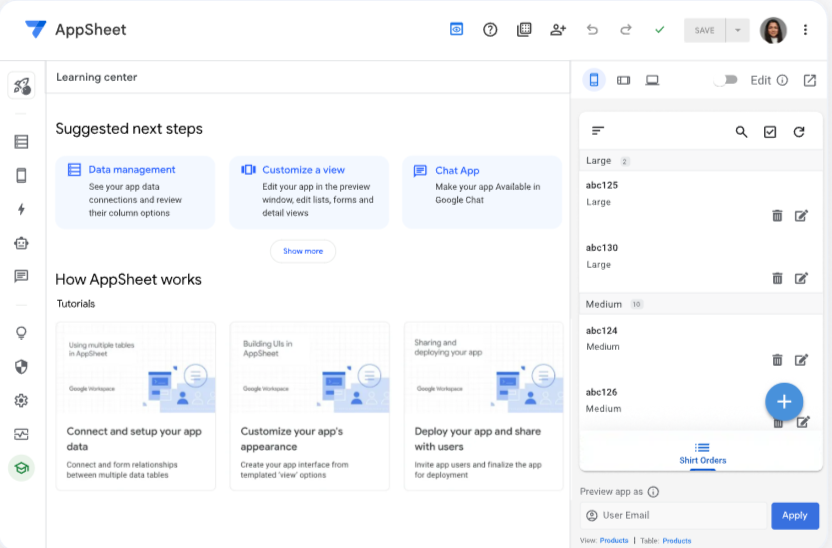
This flexibility makes it easy to go from idea to working app without writing code, whether you’re prototyping quickly or formalizing an internal process.
2. Automate work that flows across apps and data
AppSheet automation is built for process-driven workflows rather than simple task reminders.
Teams can design multi-step automations using triggers, conditions, and branching logic to send emails, SMS, or push notifications as data changes or schedules run.
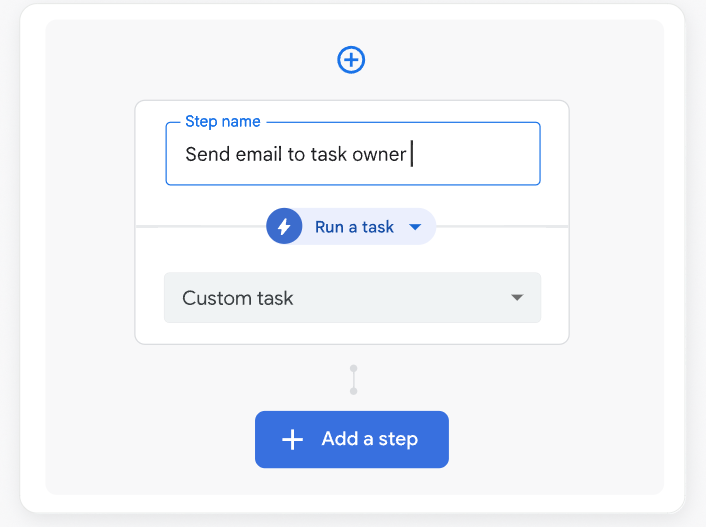
Automation can also incorporate AI and machine learning capabilities, such as intelligent document processing and OCR, to extract data from files and forms.
For more advanced scenarios, AppSheet can call Google Apps Script functions, enabling custom logic and deeper integration with Google services when no-code alone isn’t enough.
3. Govern apps and data at scale
AppSheet includes enterprise-grade governance designed for organizations running many apps across teams.
Admins can manage developers and users centrally, apply prebuilt or custom governance policies, and set guardrails that control how apps, data, and automation are built and used.
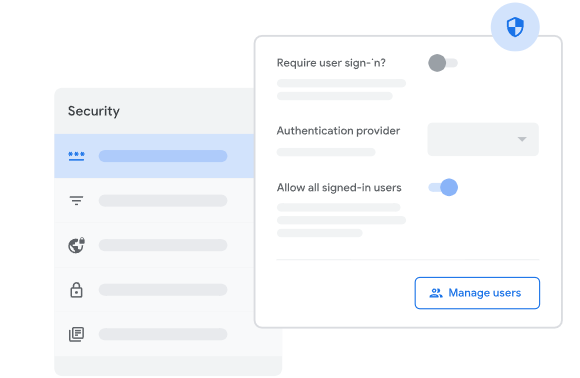
The platform follows a Zero Trust approach, with built-in security controls, encryption, and verification throughout the app lifecycle.
Most importantly, AppSheet doesn’t take ownership of your data, meaning you retain full control over where data lives and how it’s managed, which is critical for regulated or security-conscious environments.
AppSheet is ideal if you:
✅ Need to build fully custom web or mobile apps without writing code, tailored to specific internal processes or workflows.
✅ Operate in an environment where governance, security, and centralized control over apps and data are non-negotiable.
✅ Already use or plan to standardize on the Google ecosystem, and want deeper integration through tools like Google Apps Script.
AppSheet isn’t the best choice if you:
❌ Primarily need day-to-day project execution, task tracking, or team collaboration rather than custom app development.
❌ Want a platform where workflows evolve visually and incrementally without thinking like an app builder.
❌ Are looking for a neutral, platform-agnostic solution that doesn’t lean heavily into a specific ecosystem.
SmartSuite’s features
SmartSuite earns its place in this comparison because it avoids the two extremes of spreadsheet-heavy execution and full custom app development.
Instead of forcing teams to build apps or bend spreadsheets, SmartSuite provides a unified work management platform where projects, workflows, automation, collaboration, and reporting all run on a shared, structured data foundation.
It’s designed for teams that want flexibility and depth, without the overhead of maintaining custom apps or complex models.
Next, we’ll get a closer look at some of its key features.
1. All-in-one work management platform built for execution
SmartSuite is designed to be the system where work actually gets planned, executed, and tracked without splitting effort across separate project tools, databases, and reporting layers.
It combines full-scale project and portfolio management with a structured, relational data architecture, so teams can manage tasks, timelines, resources, and risks while keeping everything connected under one model.
At its core, SmartSuite brings together execution and structure in a single platform:
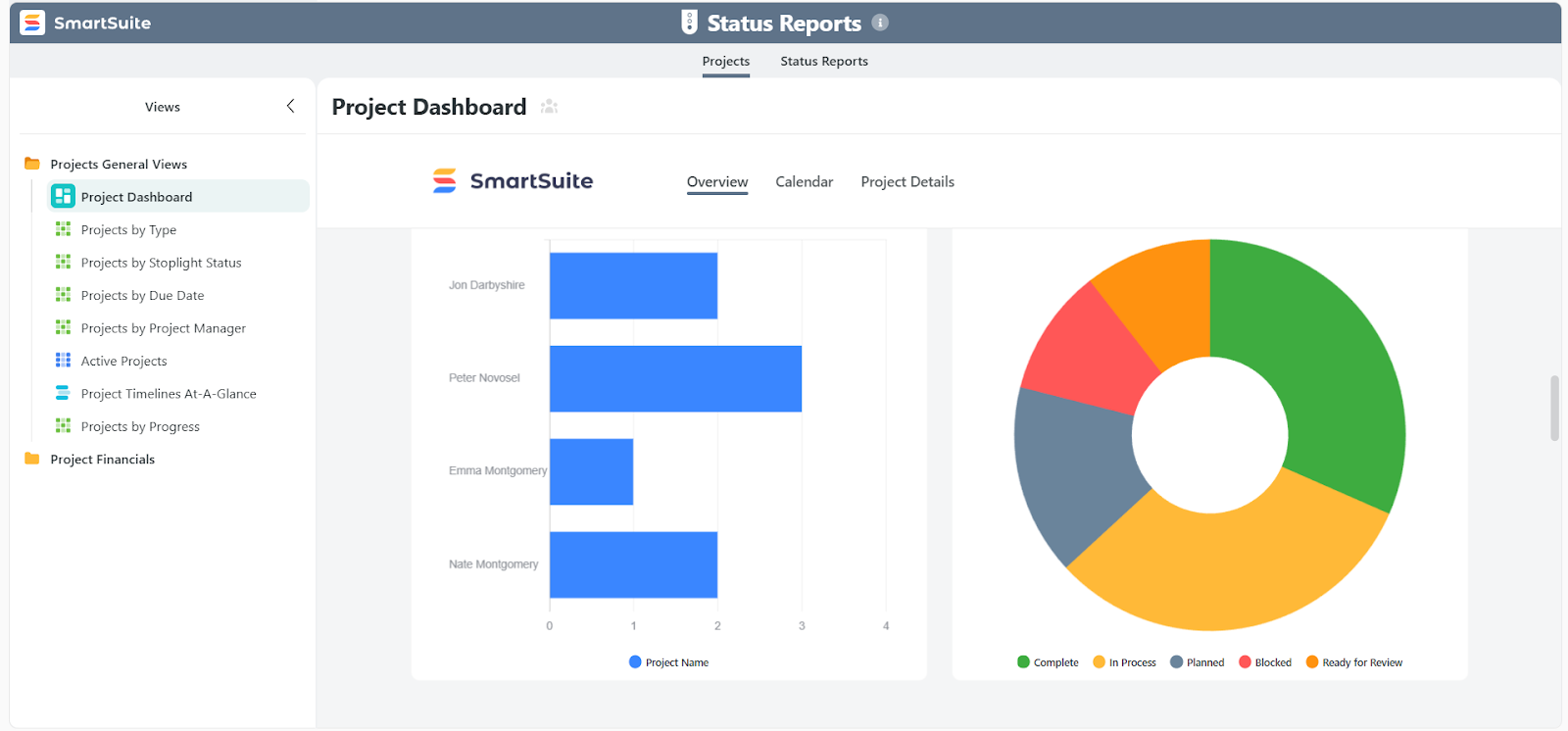
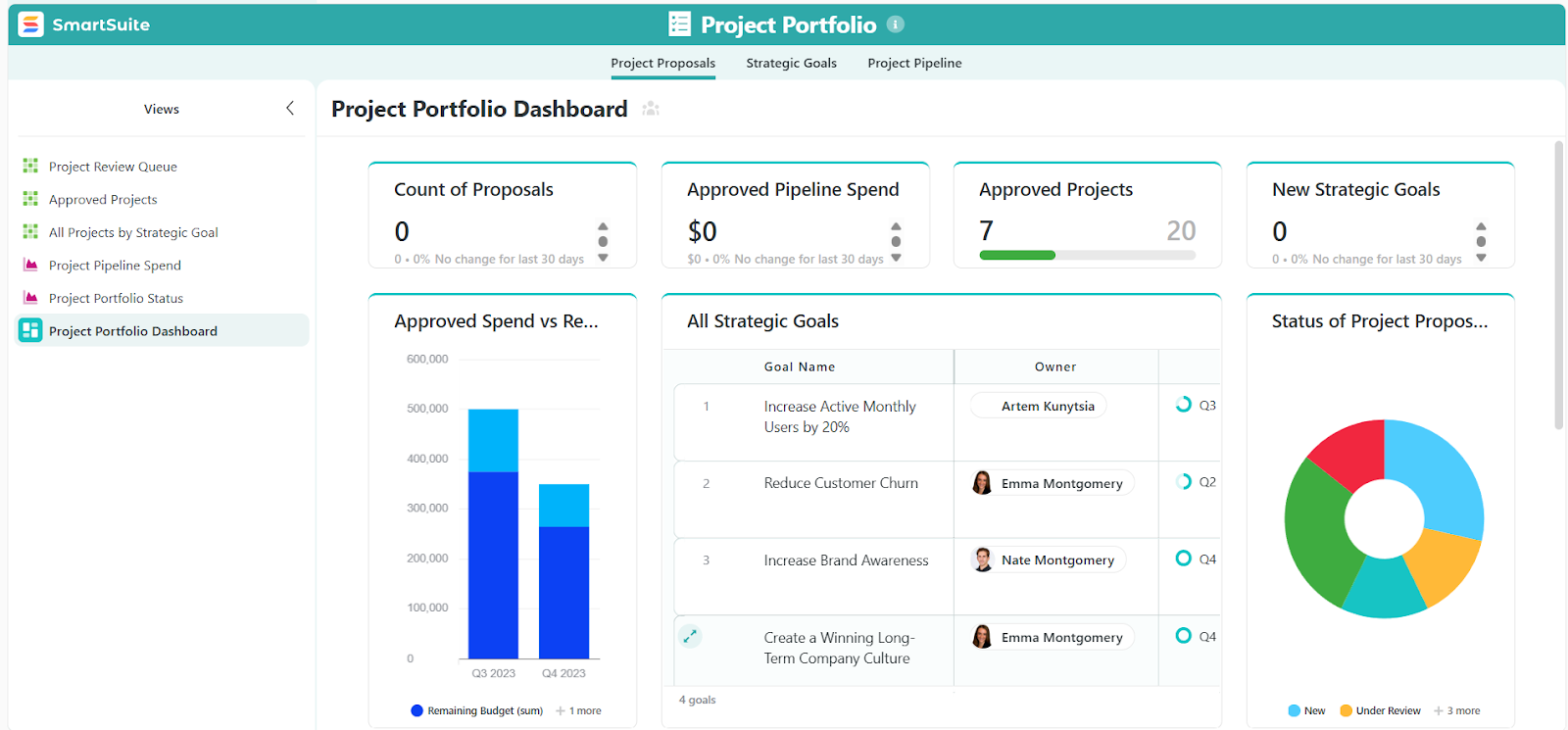
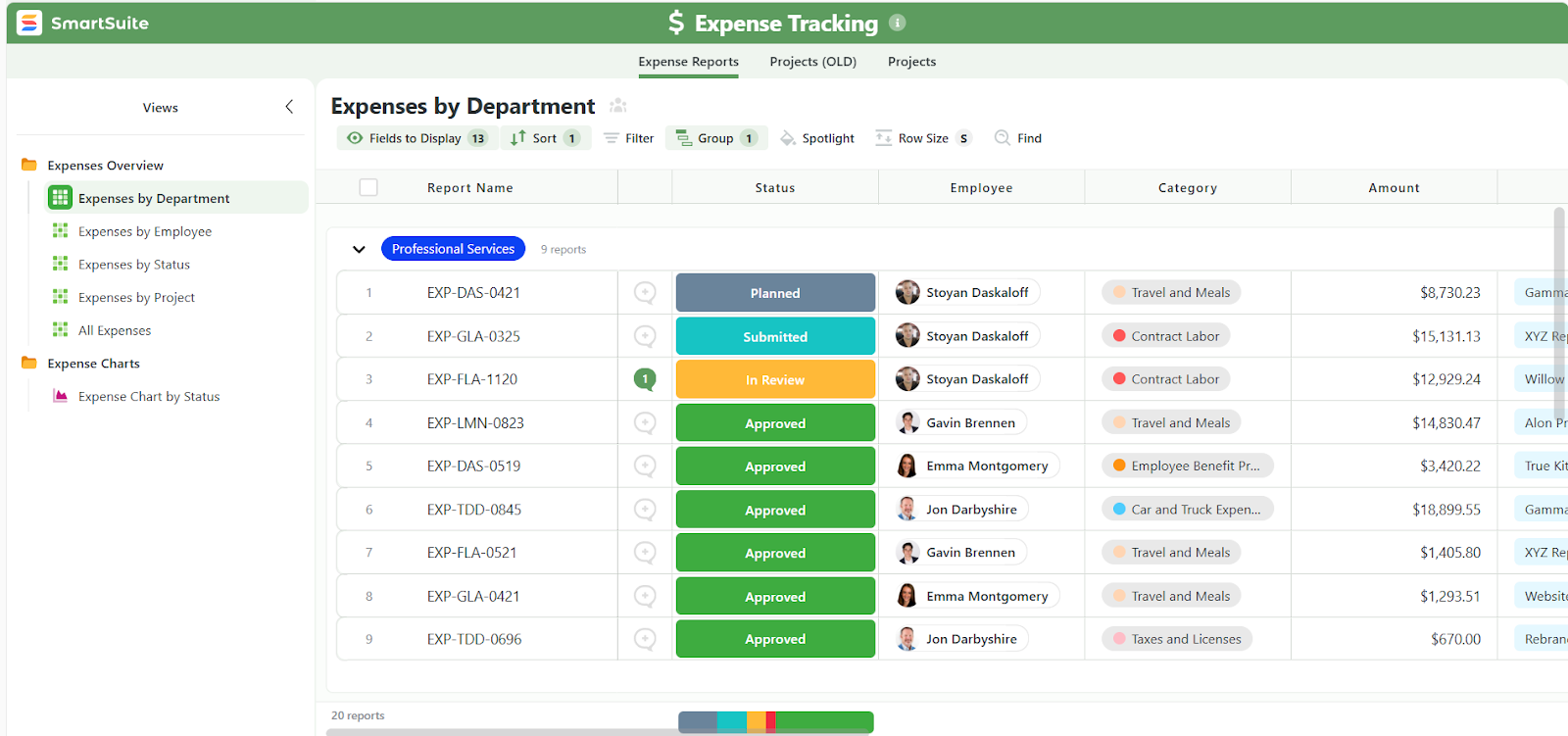
- End-to-end project and work management: Manage everything from simple task lists to complex, multi-project programs. SmartSuite supports tasks, sub-items, checklists, phases, milestones, dependencies, workloads, time tracking, expenses, risks, and status reporting, making it suitable for both day-to-day delivery and portfolio-level oversight.
- Structured, relational data architecture: Every workflow is powered by tables, fields, and relationships rather than loose rows or hardcoded app logic. With 40+ field types (including relationships, lookups, formulas, attachments, and rollups), teams can model anything from simple trackers to multi-department systems while keeping data consistent and scalable.
- Solutions that mirror real business workflows: Projects, requests, risks, approvals, and supporting processes live inside dedicated Solutions that bundle data, views, permissions, and automation together. This keeps execution organized while allowing teams to run multiple workflows side by side without fragmentation.
- Records as the center of execution: Each record combines structured data with assignments, comments, files, and activity history. Work doesn’t live in spreadsheets, apps, or chats - it lives inside the record, with full context preserved.
- Multiple views on the same data: Instantly switch between Grid, Kanban, Calendar, Timeline, Gantt, Chart, and Map views without duplicating data or rebuilding logic. Teams work the way they prefer while staying aligned on a single source of truth.
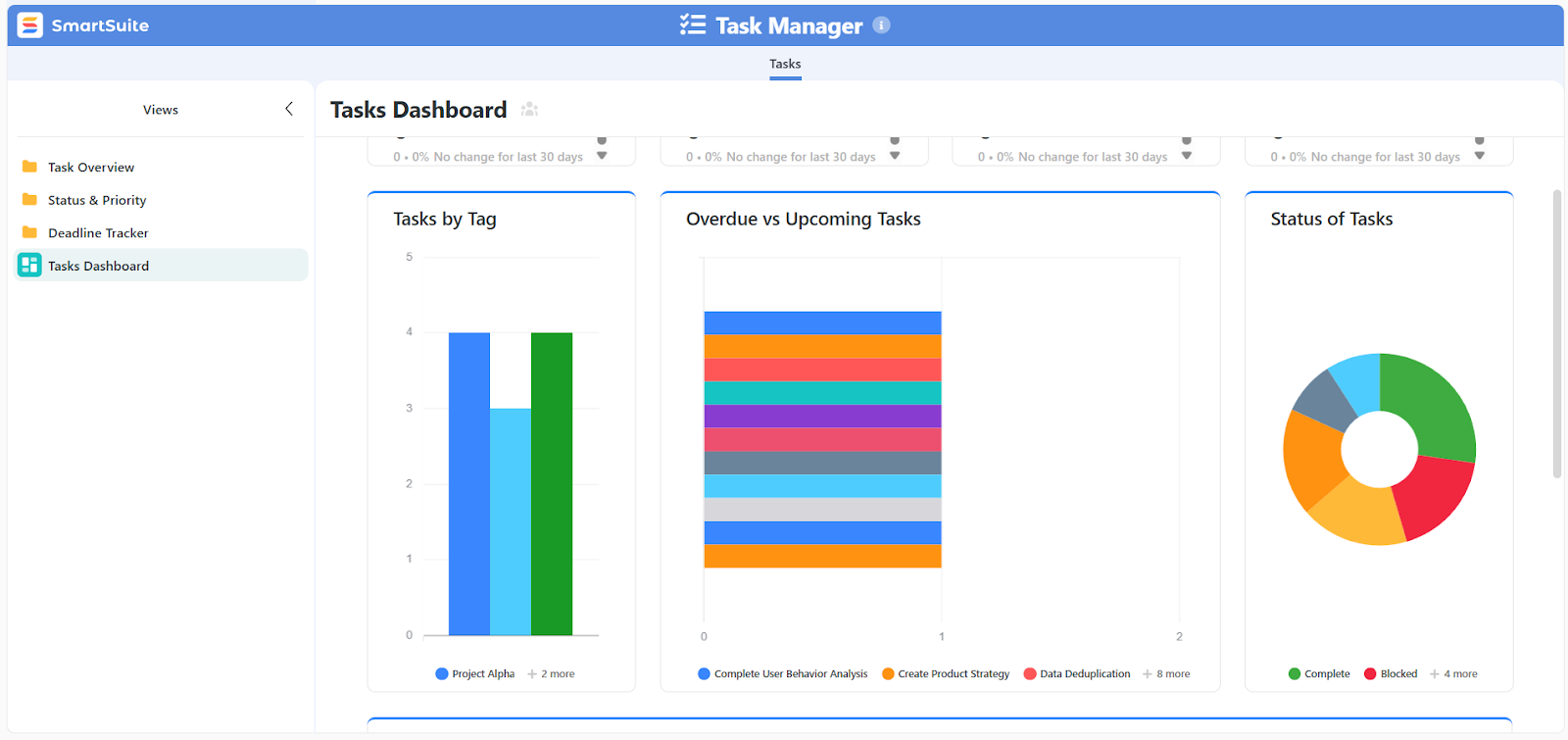
- Dashboards and reporting built into workflows: Dashboards pull real-time data from projects and workflows, surfacing health, progress, risks, and capacity without exports or separate reporting tools.
2. Collaboration built directly into the work
SmartSuite is designed to eliminate the gap between where work is discussed and where work is done.
Instead of pushing conversations into external chat tools or comment threads detached from execution, collaboration lives directly inside records, tasks, and projects.
Here’s how that plays out in practice:
- Conversations live inside records: Every task, project, request, or record includes its own comment thread, so discussions stay tied to the exact work item they reference. Mentions notify the right people without forcing teams to search across tools for context.
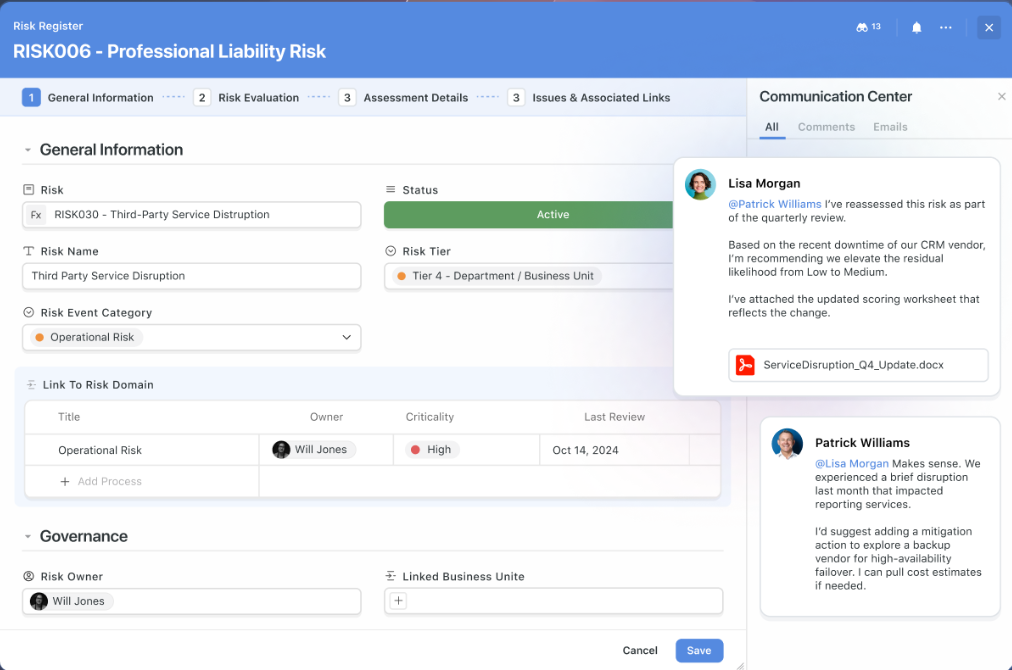
- Files and feedback stay connected to deliverables: Teams can attach documents, designs, and other files directly to records, collect feedback in context, and track versions over time. This keeps approvals, revisions, and decisions anchored to the work itself rather than scattered across email or file-sharing tools.
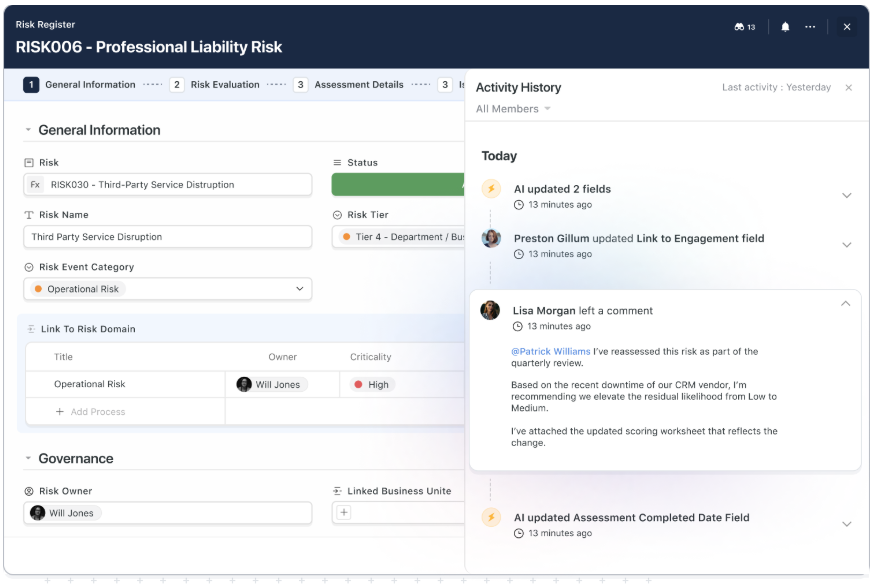
- Full activity history for clarity and accountability: SmartSuite maintains a detailed activity log for each record, capturing updates, comments, assignments, and status changes. Anyone can quickly see what changed, when it changed, and why without asking around or digging through messages.
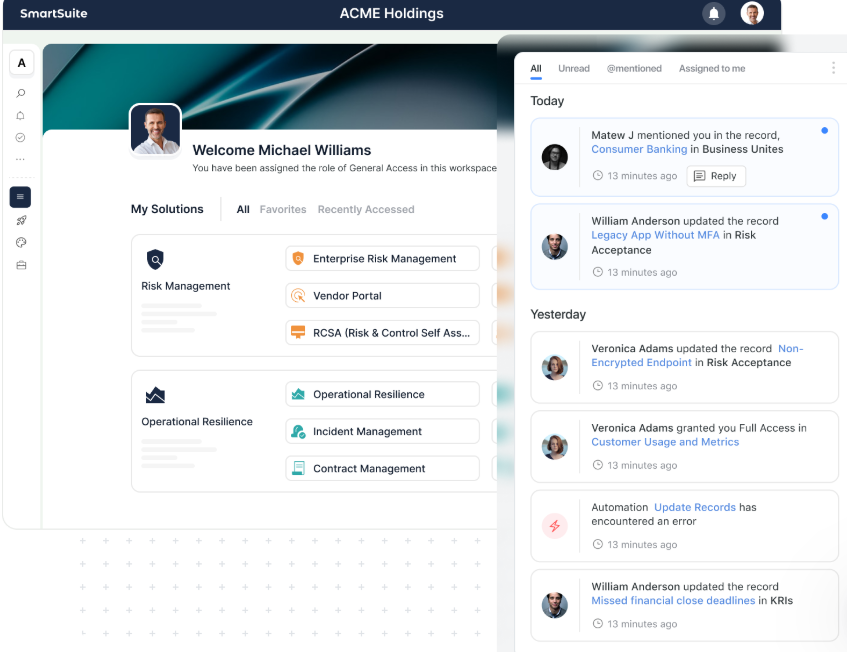
- Cross-team collaboration with built-in permissions: Teams from different departments can collaborate in the same workspace while role-based permissions ensure each user only sees and interacts with what’s relevant to them. This makes it easier to involve stakeholders without exposing sensitive data or overloading users.
- Fewer notifications, more signal: Notifications are tied to roles, assignments, and meaningful changes, helping teams stay informed without constant noise. Collaboration stays focused on execution, not chatter.
3. Automation designed for real workflows
SmartSuite automation is built to move work forward automatically as conditions change, without forcing teams to think in terms of scripts, bots, or app logic.
Instead of automating around the work, automation is embedded directly into the workflows and records where execution happens.
Here’s what that looks like at a glance:
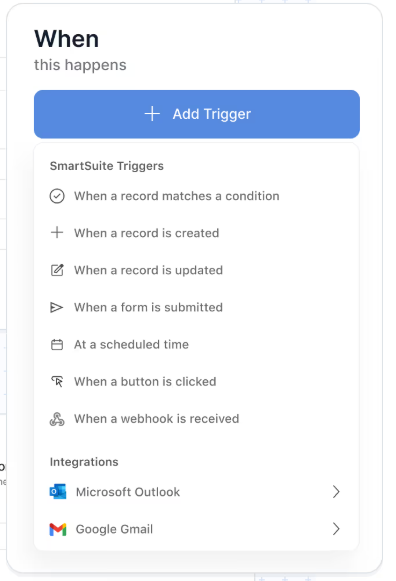
- Visual, no-code workflow design: Teams build automation using clear, visual rules rather than code, defining conditions, actions, and paths based on record data. Logic stays readable and maintainable, even as workflows evolve.

- Automation across records and solutions: Workflows aren’t limited to a single table or process. SmartSuite automations can update related records, route work across different Solutions, and keep interconnected processes in sync without duplication.
- Event-driven automation tied to real work: Automations can trigger when records are created, updated, assigned, approved, or moved between stages. This makes it easy to automate handoffs, status changes, notifications, and follow-up actions as work progresses.
- Integrated notifications: Automations can notify users through the platform or trigger actions in connected tools like Slack, Microsoft Teams, email, calendars, and more, keeping everyone aligned without manual follow-ups.
4. AI embedded into everyday execution (with humans in control)
SmartSuite’s AI is designed to support teams inside their workflows, not to replace them or take over decision-making.
Instead of acting as an app generator or a standalone assistant, AI operates directly within records, fields, and automations, using your structured data as context.
Here’s how SmartSuite leverages AI:
- Context-aware summaries and insights: AI can summarize long comment threads, activity histories, or record updates into clear, shareable overviews. This makes it easy to catch up on work, prepare status updates, or onboard stakeholders without reading everything manually.
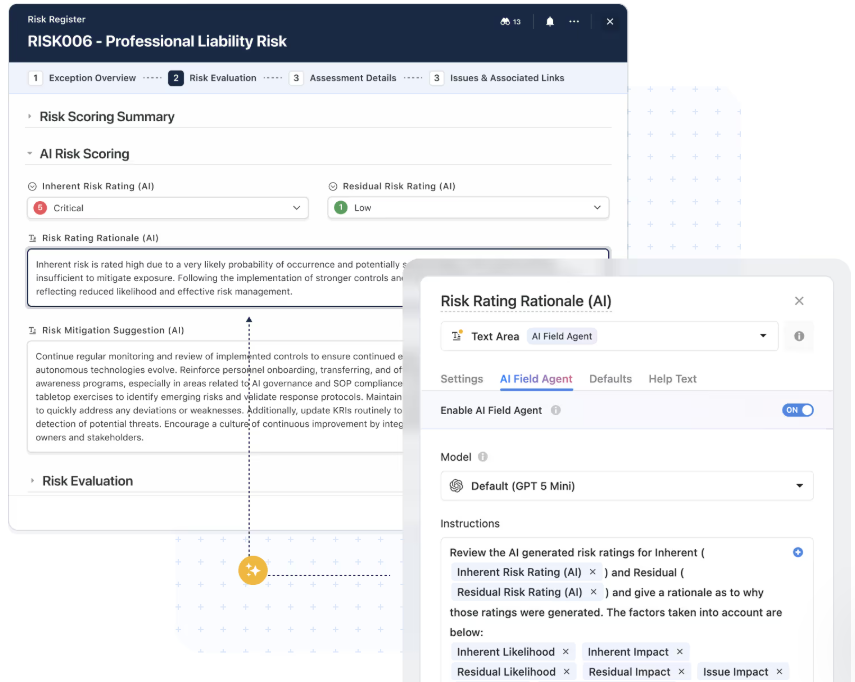
- Turn unstructured input into structured data: SmartSuite AI can extract key information from text, forms, or notes and map it into the right fields automatically. This reduces manual data entry and keeps records clean and consistent as information flows in.
- AI-assisted field enrichment and classification: With AI Field Agents, teams can automatically categorize, tag, score, or enrich records based on content and context. This helps maintain data quality and makes reporting and automation more reliable at scale.
- Smarter automation and routing: AI can be used within workflows to understand intent, sentiment, or priority, enabling more intelligent routing, escalation, and next-step suggestions without hardcoding every rule.
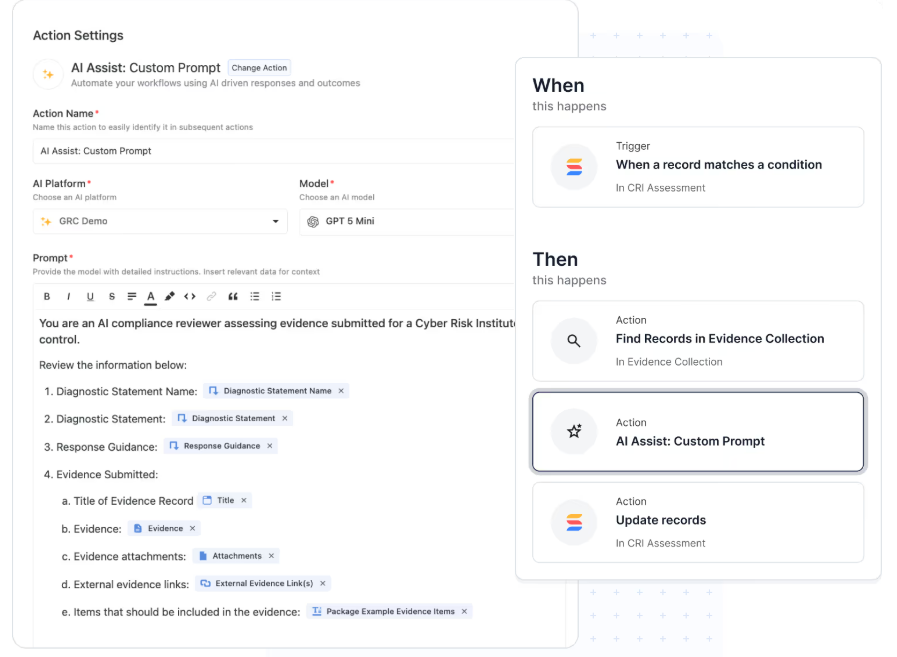
- Human-in-the-loop by design: AI provides recommendations, not final actions. Teams review, approve, and refine outputs before anything moves forward, ensuring trust, accountability, and control stay with people.
SmartSuite is ideal if you:
✅ Want a single platform to plan, execute, and track work without stitching together spreadsheets, project tools, databases, and reporting layers.
✅ Manage projects that range from simple task tracking to complex, cross-functional programs and portfolios.
✅ Need structured, relational data to support real workflows, not just flat lists or hardcoded app logic.
✅ Value flexibility in how work is viewed and executed, with multiple views, live dashboards, and role-aware reporting built in.
✅ Prefer collaboration in context, where conversations, files, and decisions stay tied directly to the work.
✅ Want automation that moves work forward naturally as records change, without designing scripts or bots.
SmartSuite isn’t the best choice if you:
❌ Need to build fully custom, standalone applications with bespoke UX and behavior from the ground up.
❌ Prefer to work entirely inside spreadsheets or expect app-builder-level control over every interface and interaction.
Winner: SmartSuite
SmartSuite wins by giving teams a single, flexible platform to manage projects, workflows, data, automation, collaboration, and reporting without forcing them to think like spreadsheet power users or app builders.
It scales naturally as work evolves, keeps execution and context tightly connected, and delivers the depth most teams need without the overhead they don’t.
On the other hand, Smartsheet works best when work can stay inside structured sheets, while AppSheet excels when teams are ready to design and govern custom applications from the ground up.
Integrations: Smartsheet vs. AppSheet vs. SmartSuite
Smartsheet integrations
Smartsheet offers a broad and mature integration ecosystem designed to help teams connect execution work with the rest of their tech stack.
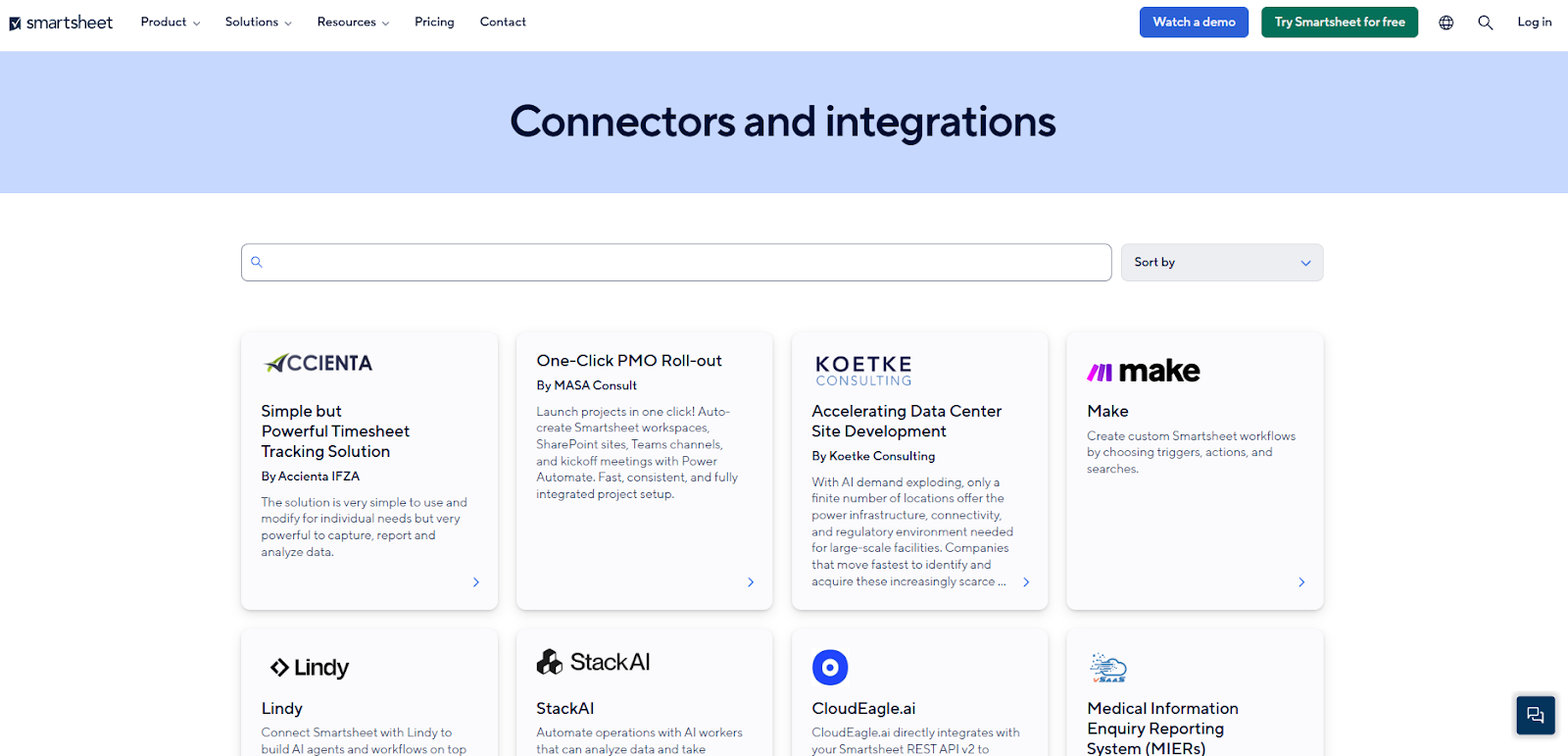
Its integrations focus on syncing data, triggering actions, and extending reporting across commonly used enterprise and productivity tools:
- Productivity and collaboration tools: Native integrations with Microsoft 365 (Teams, Outlook, Excel), Google Workspace, and Slack allow teams to send notifications, sync updates, and surface Smartsheet data where work already happens.
- Enterprise systems and operational tools: Smartsheet connects with platforms like Salesforce, Jira Software, and select ERP and BI tools, enabling project, CRM, and operational data to stay aligned without manual updates.
- Automation and data connectors: Smartsheet Bridge, Data Shuttle, and premium connectors allow teams to automate data movement, schedule syncs, and orchestrate workflows across systems. Third-party iPaaS tools like Zapier further extend integrations to thousands of apps.
- Analytics and reporting extensions: Integrations with Power BI, Tableau, and other analytics platforms make it easier to push Smartsheet data into external BI environments for deeper analysis and executive reporting.
Overall, Smartsheet’s integrations are a strong fit for organizations with established enterprise stacks that want Smartsheet to act as an execution hub.
AppSheet’s integrations
AppSheet is built to sit directly on top of existing systems, with especially deep integration across the Google Workspace ecosystem.
Rather than acting as a standalone system of record, AppSheet connects apps to the tools and data sources teams already use.
Here’s what it includes:
- Deep Google Workspace integration: AppSheet apps can store data in Google Sheets and Google Drive, embed directly into Gmail using dynamic emails, sync with Google Calendar for event-based workflows, and even launch Google Meet meetings from within apps. Automation can move or update data across connected Google tools as workflows run.
- Wide range of external data sources: Beyond AppSheet’s native database, apps can connect to Microsoft Excel, Cloud SQL, Microsoft Azure SQL, AWS-hosted databases, Salesforce objects, Smartsheet, OData endpoints, Apigee, and more. This makes AppSheet well-suited for organizations that want to build apps on top of existing systems of record.
Overall, AppSheet’s integration strength lies in its ability to turn existing data and Google Workspace tools into functional apps.
SmartSuite integrations
SmartSuite approaches integrations as an extension of execution, not just data sync.
Its ecosystem is designed to connect workflows end to end, triggering actions, keeping records aligned, and letting teams automate across tools without heavy setup.
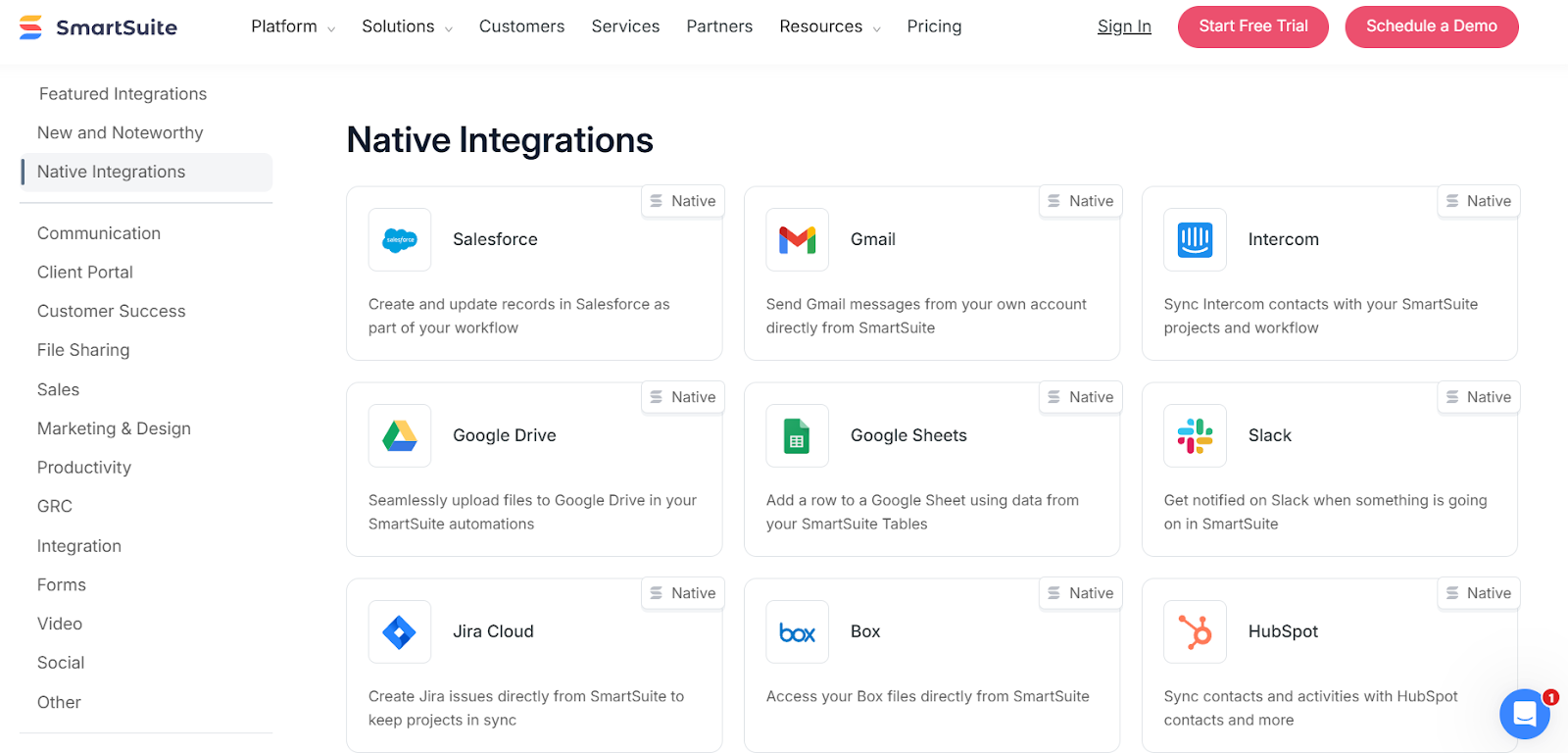
It provides:
- Native integrations for everyday work: SmartSuite includes built-in actions for tools teams already use, such as Slack, Microsoft Teams, Google Workspace, Outlook, and Salesforce. Automations can send notifications, create calendar events, sync records, or update systems directly from workflow logic.
- iPaaS connectors for cross-system orchestration: For more complex scenarios, SmartSuite integrates with platforms like Zapier, Make, Microsoft Power Automate, and Relay. This allows teams to chain multi-step workflows across thousands of SaaS tools using visual builders without custom code.
- REST API and webhooks for advanced use cases: Engineering teams can use SmartSuite’s REST API and webhooks to read and write records programmatically, react to events, or embed SmartSuite data into internal tools. This supports deeper integrations without locking the platform behind developer-only workflows.
Overall, SmartSuite strikes a strong balance between no-code accessibility and technical depth.
It’s flexible enough for non-technical teams to automate their stack today, while still offering the extensibility needed as integration requirements grow.
Winner: Smartsheet
🥇 Smartsheet takes the lead overall: Its ecosystem is broader and more mature, with a long list of native integrations across productivity tools, enterprise systems, automation platforms, and BI solutions. For organizations with an established tech stack, Smartsheet works well as an execution hub that connects CRM, ERP, collaboration, and analytics tools with minimal friction.
🥈 SmartSuite offers the most balanced approach for execution-focused teams: While its native ecosystem is smaller than Smartsheet’s, it combines built-in integrations, iPaaS connectors, and a full API in a way that’s easy for non-technical users and still extensible for advanced needs.
🥉 AppSheet excels in a different way: Its strength lies in deep, native integration with Google Workspace and the ability to turn existing data sources into functional apps. That makes it a strong choice for Google-centric organizations building custom internal tools, but its integration story is more ecosystem-dependent.
Pricing: Smartsheet vs. AppSheet vs. SmartSuite
Smartsheet pricing
Smartsheet offers several pricing tiers designed to scale from small teams to large enterprises:
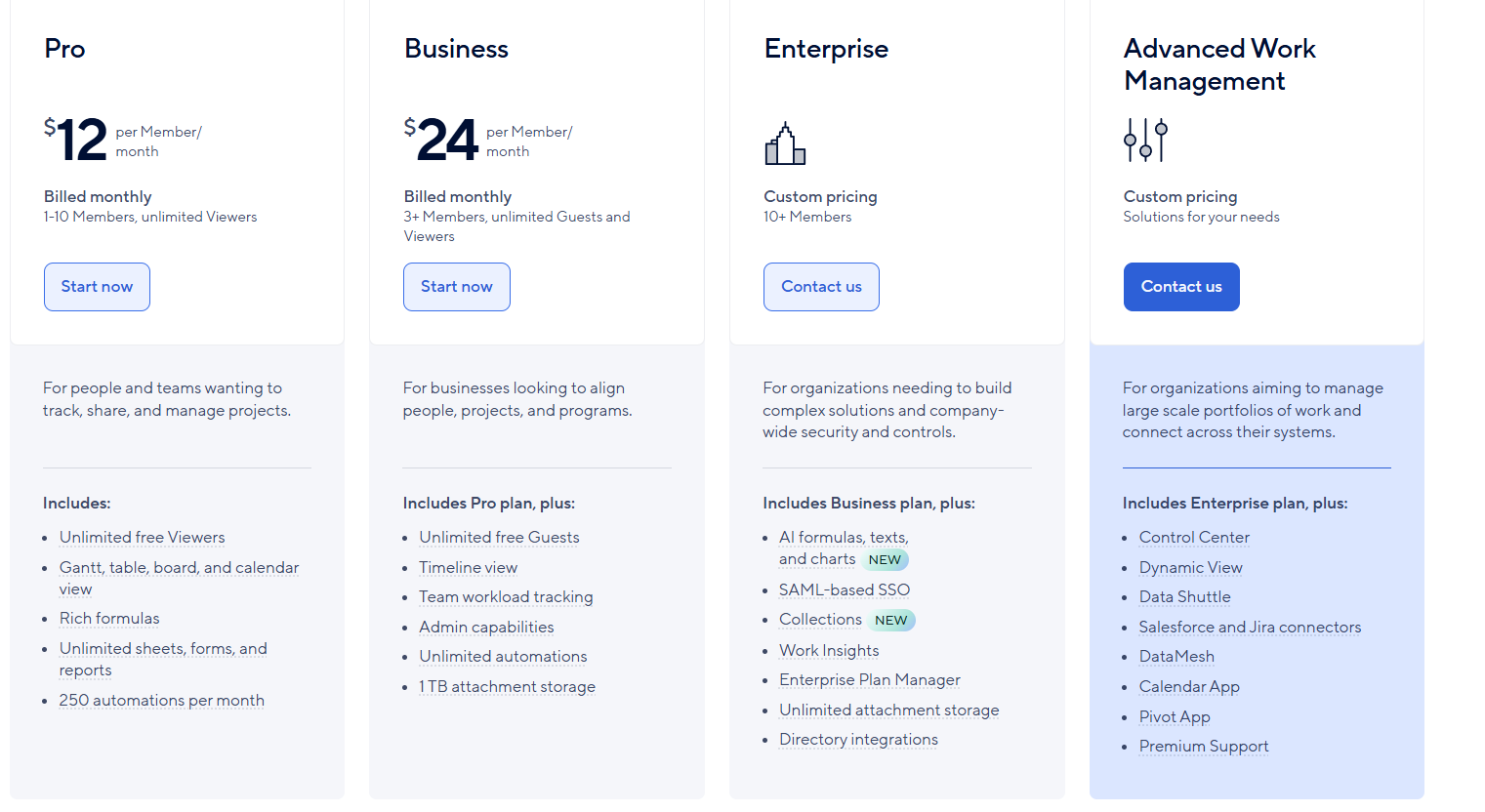
- Pro: $12 per user/month, for 1-10 users, includes Gantt, table, board, and calendar views, rich formulas, unlimited sheets, forms, and reports, plus 250 automations per month.
- Business: $24 per member/month, for minimum 3 members, includes everything in Pro, plus timeline view, team workload tracking, stronger admin controls, unlimited automations, and 1 TB of attachment storage.
- Enterprise: Custom pricing, for teams with more than 10 members that need advanced security and governance controls, includes everything in Business, plus AI-powered formulas, text, and charts, SAML-based SSO, directory integrations, unlimited storage, Work Insights, WorkApps, and enterprise-level management tools.
- Advanced Work Management: Custom pricing, designed for organizations managing large portfolios and complex, cross-system workflows. Includes everything in Enterprise, plus control center, dynamic view, data shuttle, DataMesh, calendar and pivot apps, Salesforce and Jira connectors, and premium support.
AppSheet pricing
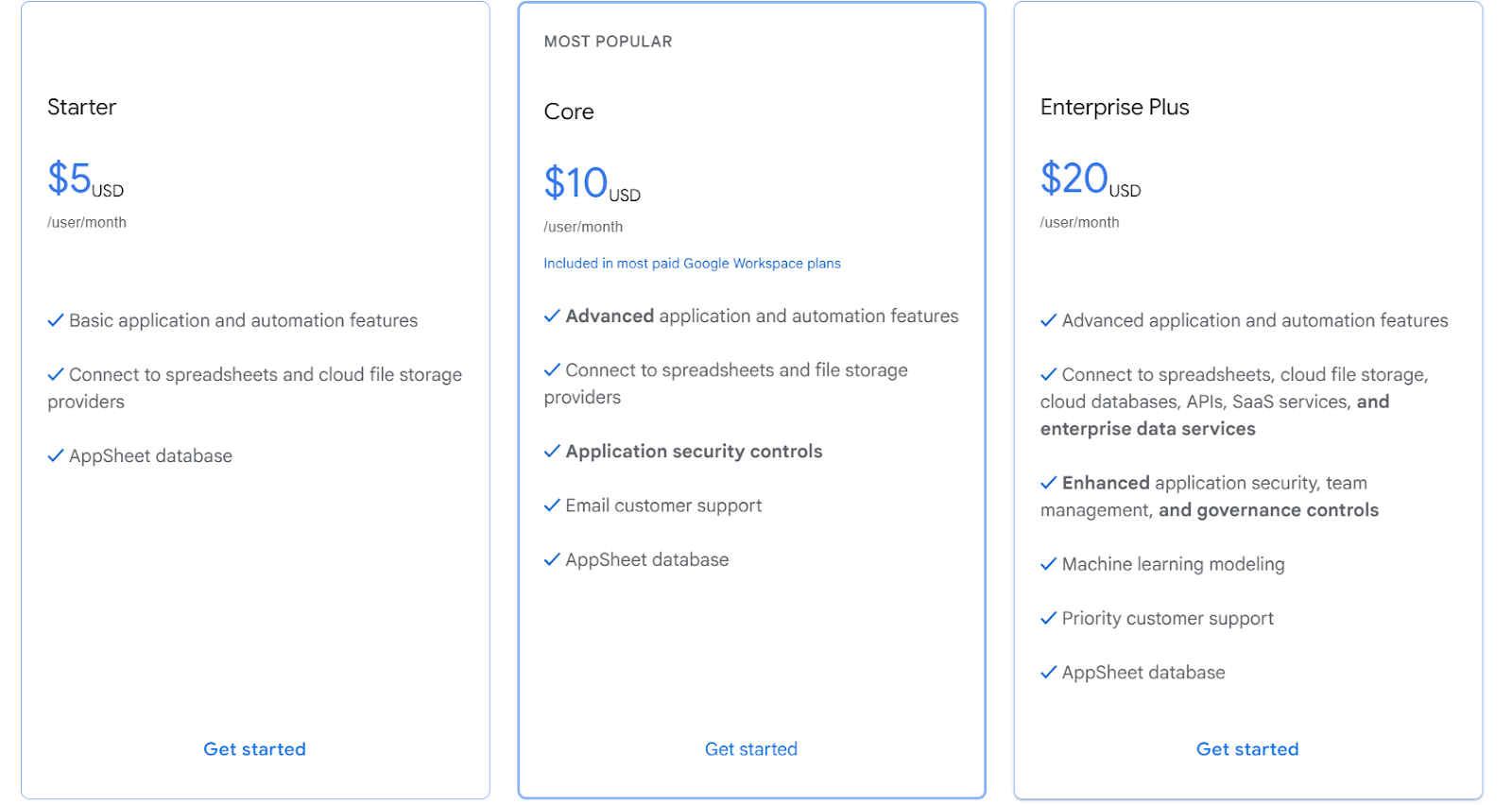
AppSheet uses a per-user pricing model that scales based on how advanced your apps, automation, and governance needs are.
You can build and test apps for free with up to 10 users, then move to a paid plan when you’re ready to deploy more broadly.
Here’s how the plans break down:
- Starter: $5/user/month, includes basic app and automation features, connections to spreadsheets and cloud file storage, and access to the AppSheet database.
- Core: $10/user/month, adds advanced app and automation features, application security controls, email support, and broader use of the AppSheet database.
- Enterprise Plus: $20/user/month, includes everything in Core, plus advanced integrations (cloud databases, APIs, SaaS services), enhanced security and governance, team management controls, machine learning modeling, and priority support.
SmartSuite pricing
SmartSuite follows a transparent pricing model with plans that scale alongside your team’s needs.
You can try it free for 14 days - no credit card required - before choosing a tier.
Here’s a closer look at the available options:
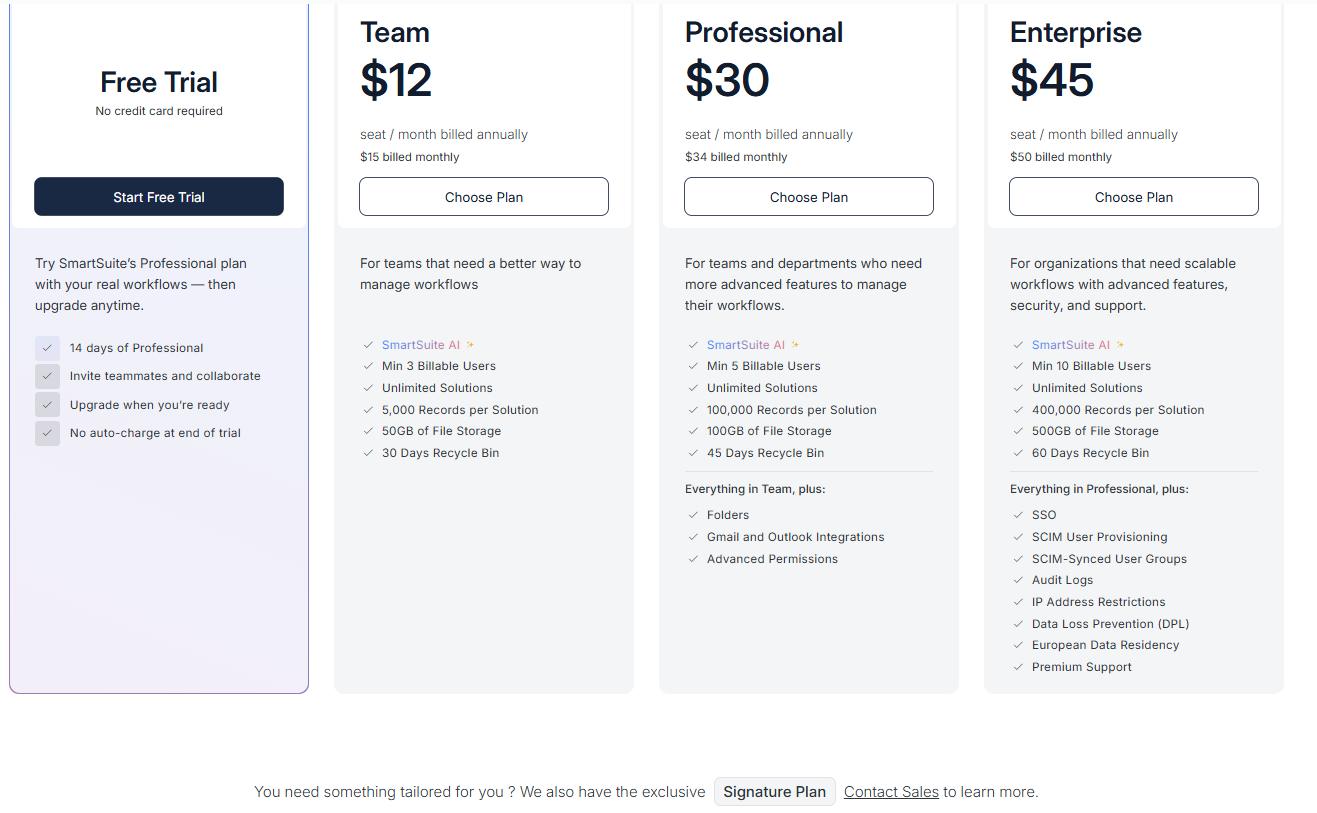
- Team: $12 per seat/month (billed annually), includes SmartSuite AI, unlimited solutions, up to 5,000 records per solution, 50 GB of file storage, a 30-day recycle bin, and core collaboration and automation features.
- Professional: $30 per seat/month, includes everything in Team, plus folders, Gmail and Outlook integrations, advanced permissions, higher record limits (100,000 per solution), 100 GB of storage, and a 45-day recycle bin.
- Enterprise: $45 per seat/month, includes everything in Professional, plus SSO, SCIM user provisioning, audit logs, IP restrictions, data loss prevention, European data residency, premium support, and higher limits (400,000 records per solution and 500 GB storage).
- Signature: Custom pricing. A tailored plan for organizations with specific requirements around scale, security, or data architecture.
Winner: AppSheet
When it comes purely to cost of entry, AppSheet is the clear winner.
Teams can build and test apps for free with up to 10 users, then deploy production apps starting at just $5 per user per month.
For organizations experimenting with internal tools, forms, or lightweight workflows, especially inside Google Workspace, this makes AppSheet the most accessible option financially.
SmartSuite is the runner-up, as it includes core execution features in all plans without requiring add-ons or enterprise-only upgrades.
What are the customers saying about Smartsheet, AppSheet, and SmartSuite?
TL;DR
- Smartsheet (4.4★ on G2) is loved for turning spreadsheets into a structured execution system with strong summaries, hierarchy, and visibility, but users frequently hit friction around formulas, performance at scale, dashboards, and increasingly complex licensing and admin overhead.
- AppSheet (4.8★ on G2) earns praise for its ease of use, fast no-code app creation, affordability, and deep Google Workspace integration, while complaints mainly surface as apps grow more complex, especially around UI flexibility, data logic confusion, and advanced customization limits.
- SmartSuite (4.8★ on G2) is consistently valued for striking the best balance between structure and flexibility, offering strong usability, fast adoption, and powerful execution without heavy technical effort, with most criticism focused on pricing tier gaps and smaller feature polish rather than core capability.
Smartsheet reviews
G2 Rating: 4.4/5
What users love:
- Powerful summaries and hierarchy without clutter: Users consistently praise Sheet Summaries, parent–child rows, and rollups for keeping grids clean while still feeding live metrics into dashboards and reports.
- Familiar spreadsheet feel with real structure: The Excel-like grid lowers the learning curve, while added views, automation, and dashboards make it feel more powerful for day-to-day execution.
- Strong visibility and accountability: Automation, alerts, and real-time updates help teams coordinate cross-functional work, reduce manual follow-ups, and maintain a clear operational command center.
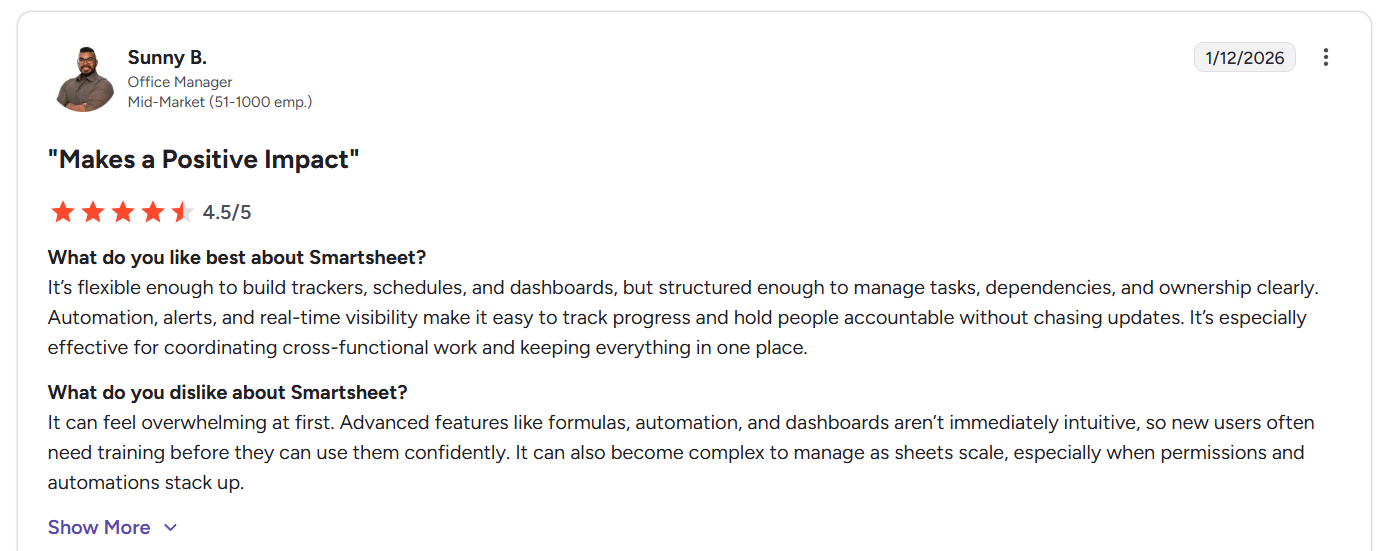
“It’s flexible enough to build trackers, schedules, and dashboards, but structured enough to manage tasks, dependencies, and ownership clearly. Automation, alerts, and real-time visibility make it easy to track progress and hold people accountable without chasing updates. It’s especially effective for coordinating cross-functional work and keeping everything in one place.” - G2 Review
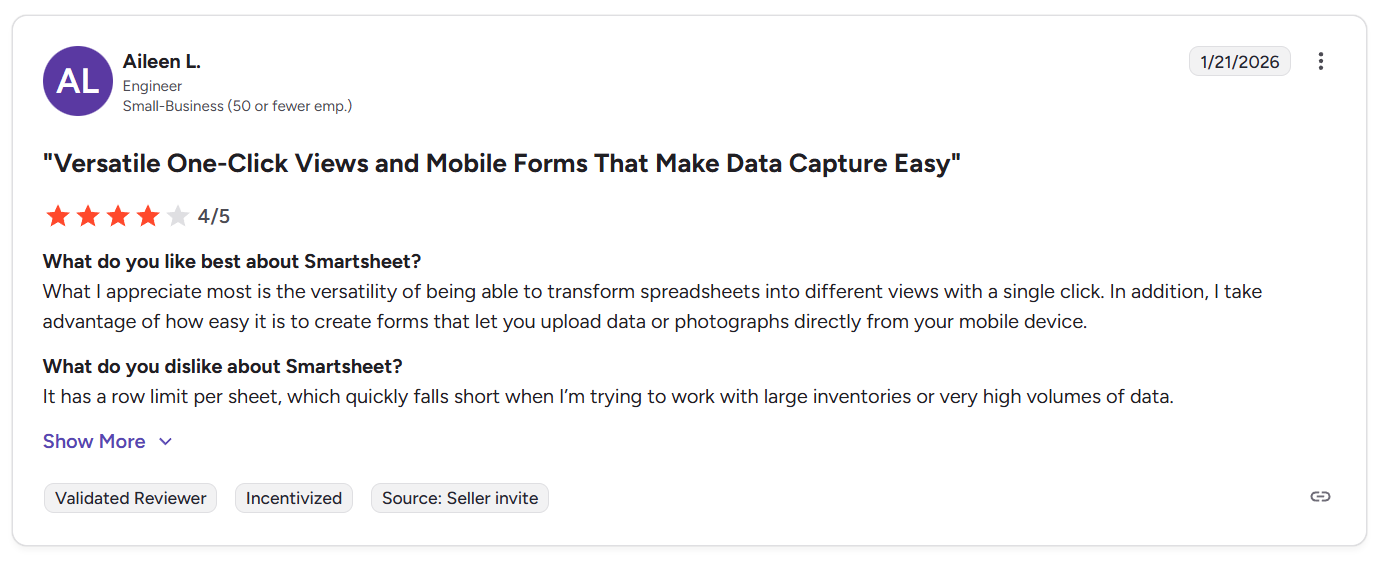
“What I appreciate most is the versatility of being able to transform spreadsheets into different views with a single click. In addition, I take advantage of how easy it is to create forms that let you upload data or photographs directly from your mobile device.” - G2 Review
Common complaints include:
- Formula quirks and learning curve: Smartsheet formulas differ from Excel/Sheets, which leads to confusion (#UNPARSEABLE errors) and slower onboarding for non-technical users. Also, advanced features often require training to use confidently.
- Performance and scale issues: Slow load times, lag on large sheets, and glitches at higher row counts come up frequently, especially for data-heavy or enterprise use cases.
- Dashboards and reporting limitations: While useful, dashboards are often described as basic, with limited filtering and drill-down compared to dedicated BI tools.
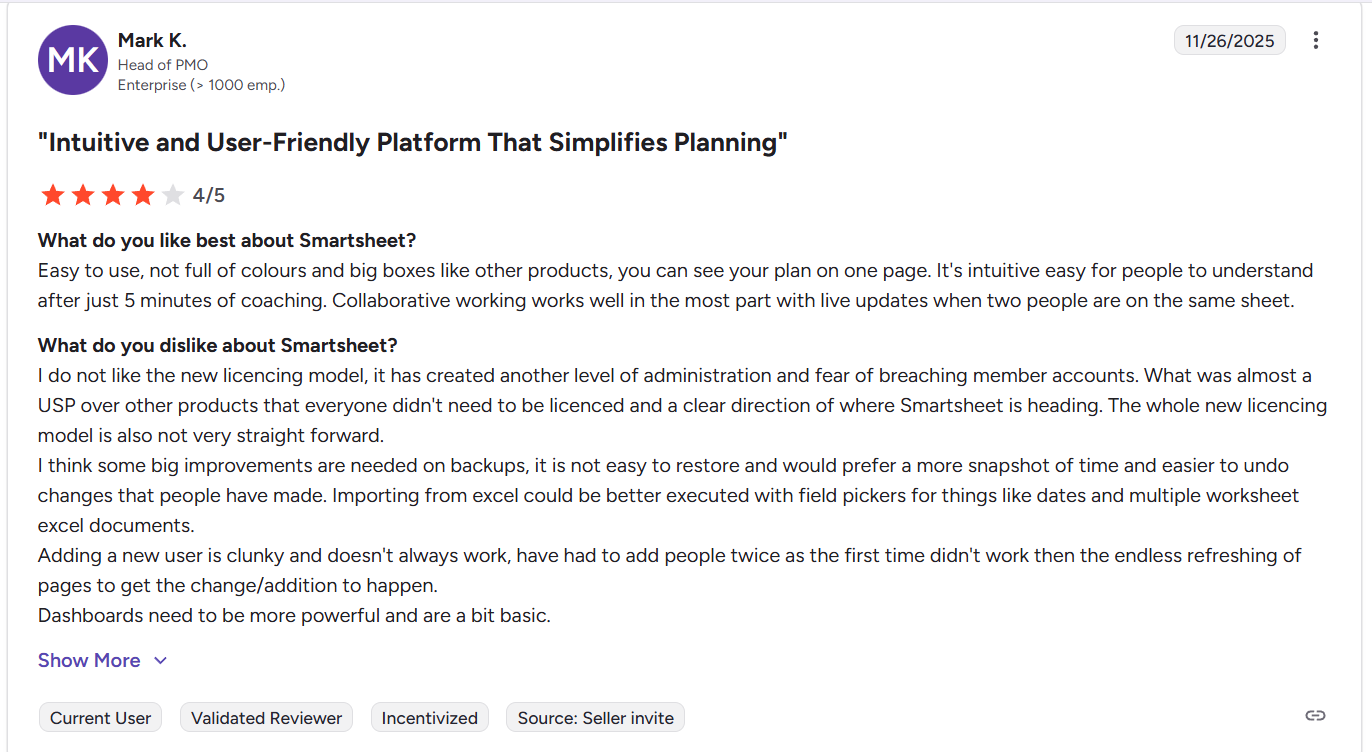
“I do not like the new licencing model, it has created another level of administration and fear of breaching member accounts. What was almost a USP over other products that everyone didn't need to be licenced and a clear direction of where Smartsheet is heading. The whole new licencing model is also not very straight forward.
I think some big improvements are needed on backups, it is not easy to restore and would prefer a more snapshot of time and easier to undo changes that people have made. Importing from excel could be better executed with field pickers for things like dates and multiple worksheet excel documents.
Adding a new user is clunky and doesn't always work, have had to add people twice as the first time didn't work then the endless refreshing of pages to get the change/addition to happen.
Dashboards need to be more powerful and are a bit basic.” - G2 Review
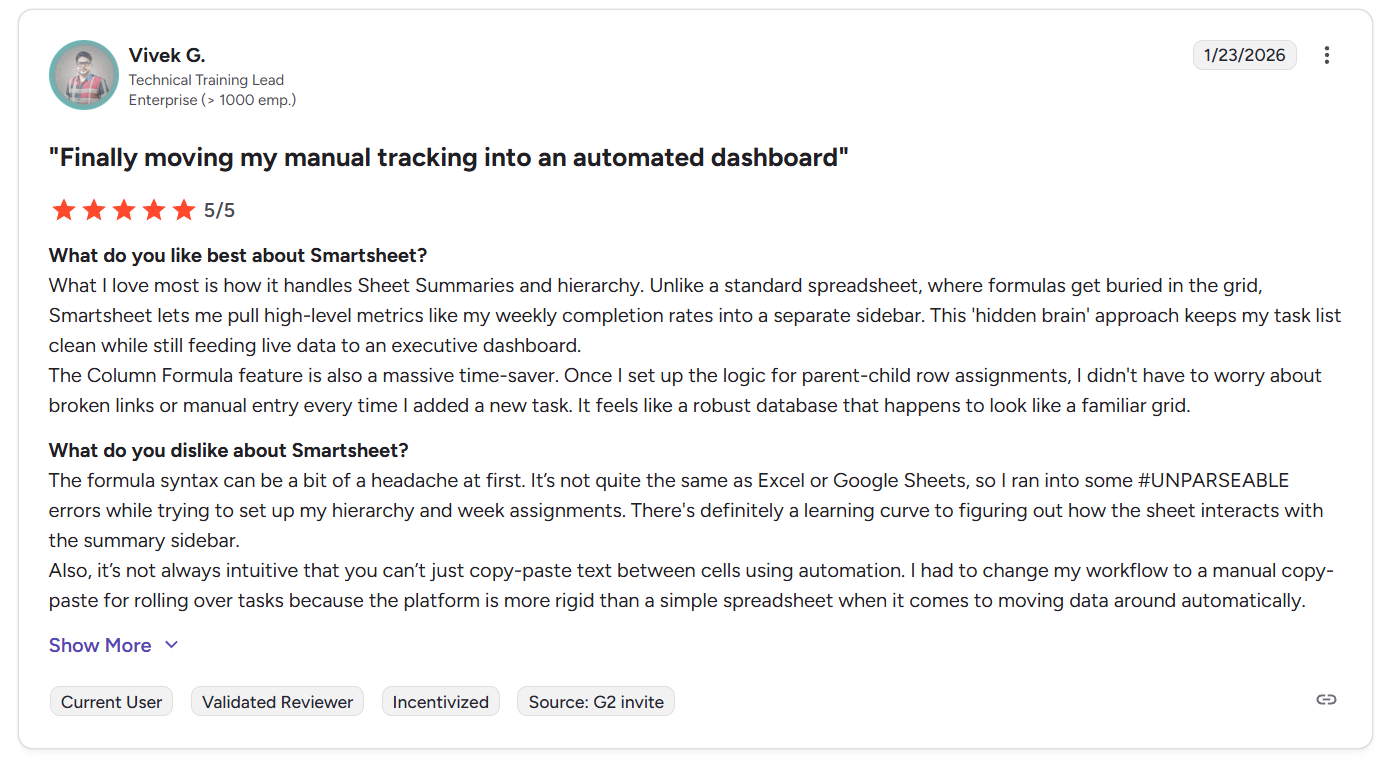
“The formula syntax can be a bit of a headache at first. It’s not quite the same as Excel or Google Sheets, so I ran into some #UNPARSEABLE errors while trying to set up my hierarchy and week assignments. There's definitely a learning curve to figuring out how the sheet interacts with the summary sidebar.
Also, it’s not always intuitive that you can’t just copy-paste text between cells using automation. I had to change my workflow to a manual copy-paste for rolling over tasks because the platform is more rigid than a simple spreadsheet when it comes to moving data around automatically.” - G2 Review
AppSheet reviews
G2 Rating: 4.8/5
What users love:
- Ease of use: Users consistently highlight how easy it is to build and deploy apps without writing code. Many describe AppSheet as intuitive, quick to learn, and significantly faster to implement than other low-code platforms like PowerApps.
- Straightforward automation and logic: Setting up automations, workflows, and expressions is often described as simple once users understand the underlying model. The expression language feels familiar to anyone who has worked with spreadsheets or SQL-like logic.
- Deep Google Workspace integration: Seamless use with Google Sheets, Drive, and Apps Script is a recurring theme, making AppSheet a natural fit for teams already invested in Google’s ecosystem.
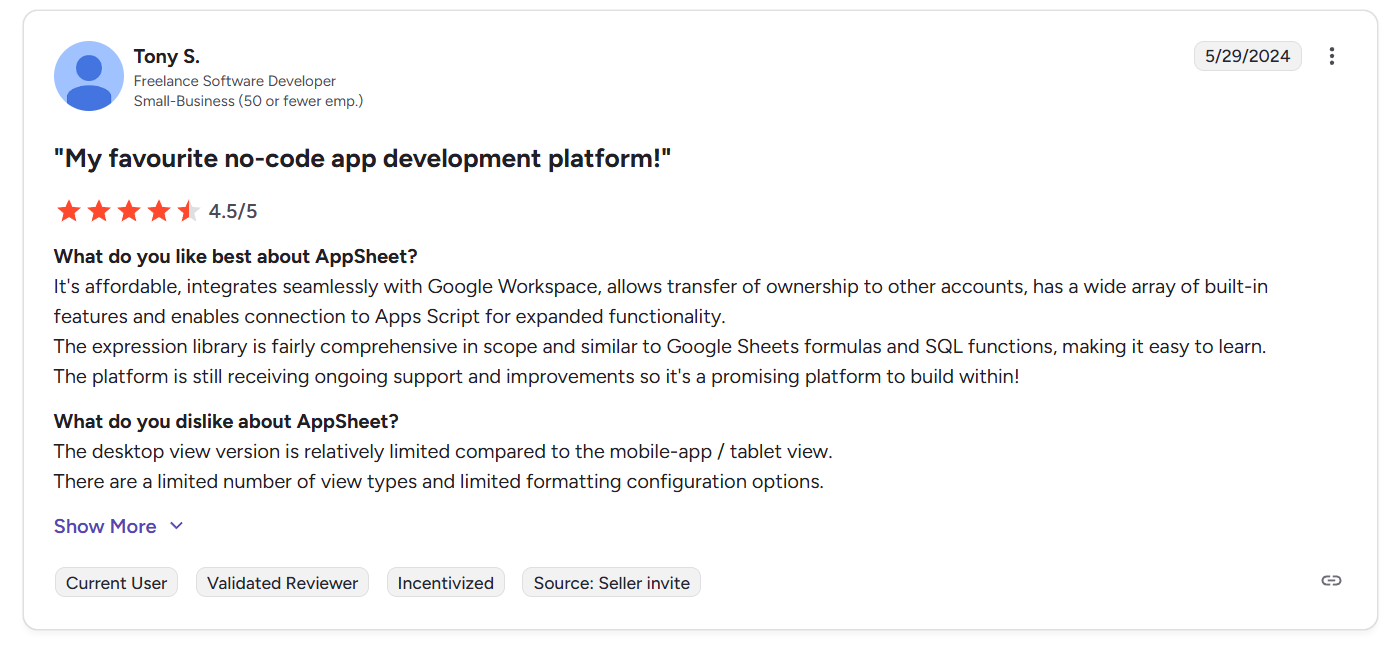
“It's affordable, integrates seamlessly with Google Workspace, allows transfer of ownership to other accounts, has a wide array of built-in features and enables connection to Apps Script for expanded functionality.
The expression library is fairly comprehensive in scope and similar to Google Sheets formulas and SQL functions, making it easy to learn.
The platform is still receiving ongoing support and improvements so it's a promising platform to build within!” - G2 Review
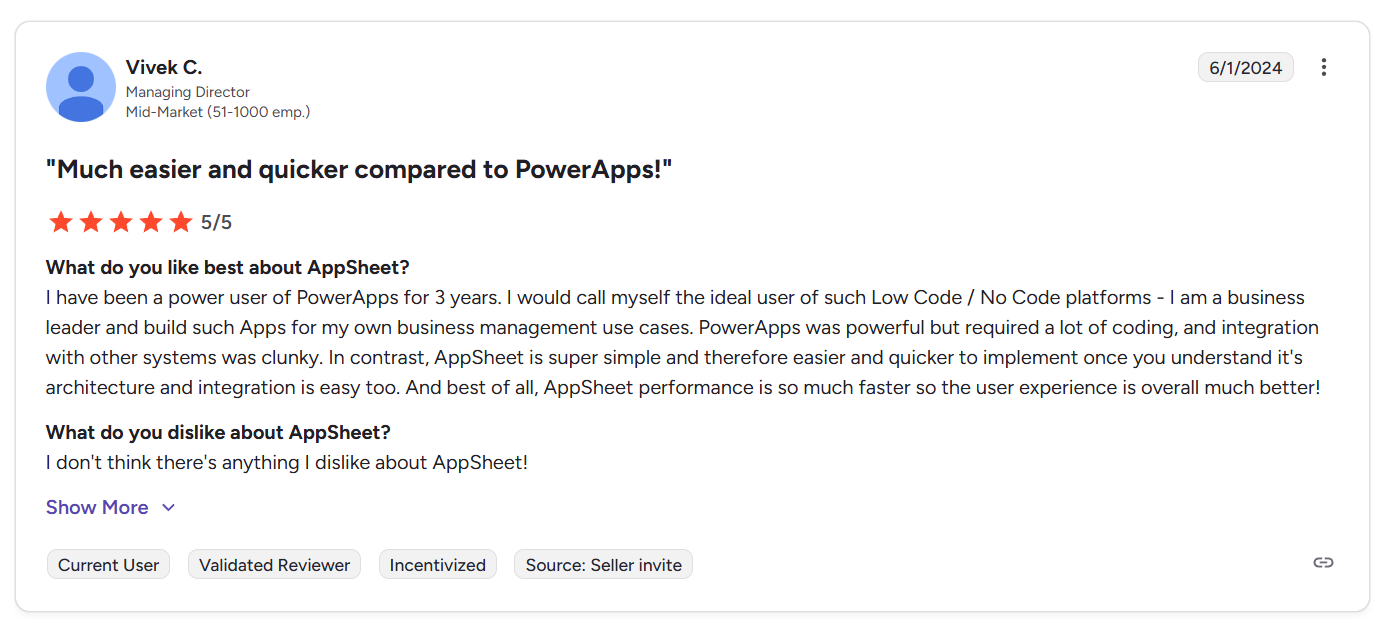
“I have been a power user of PowerApps for 3 years. I would call myself the ideal user of such Low Code / No Code platforms - I am a business leader and build such Apps for my own business management use cases. PowerApps was powerful but required a lot of coding, and integration with other systems was clunky. In contrast, AppSheet is super simple and therefore easier and quicker to implement once you understand it's architecture and integration is easy too. And best of all, AppSheet performance is so much faster so the user experience is overall much better!” - G2 Review
Common complaints include:
- UI and customization limitations: While functional, the interface offers limited view types and styling options, particularly on desktop. Some users wish for more advanced dashboards and chart customization.
- Conceptual complexity as apps grow: As apps become more advanced, users report confusion around data rules, expressions, and the separation between database logic and app behavior.
- Learning curve for advanced use cases: Although simple apps are easy to build, more complex workflows, formulas, and integrations can take time to implement correctly. Documentation and tutorials don’t cover every edge case.
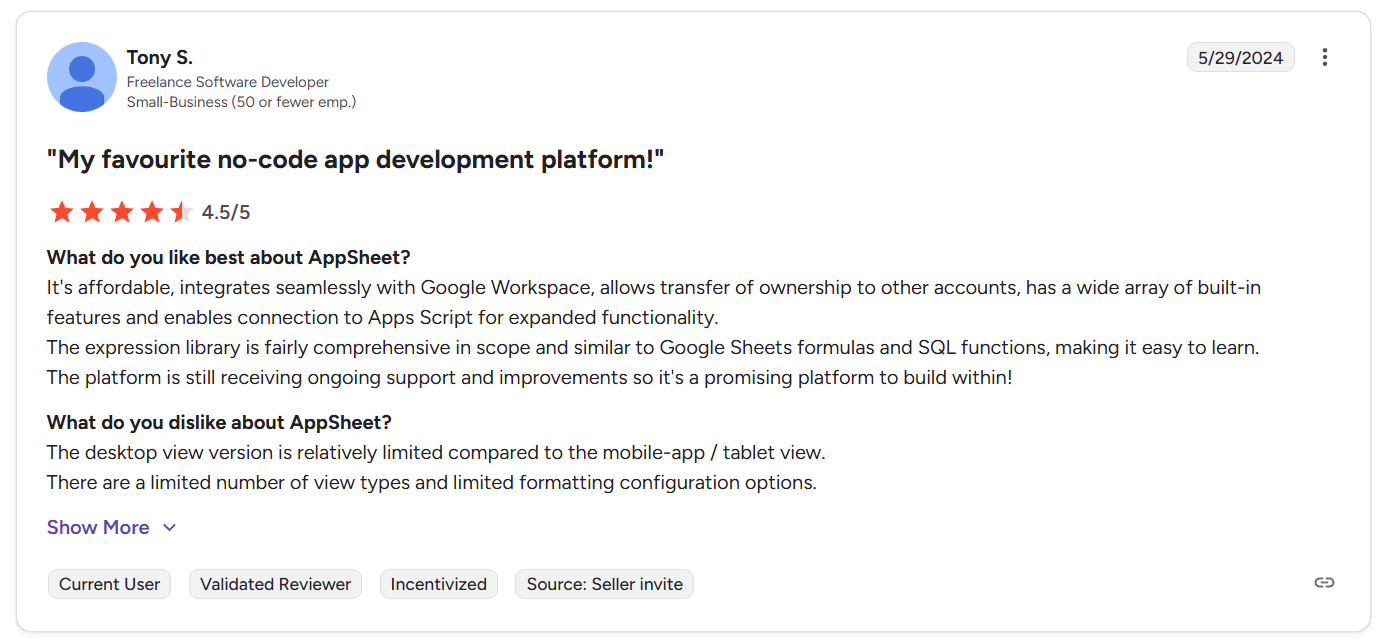
“The desktop view version is relatively limited compared to the mobile-app / tablet view. There are a limited number of view types and limited formatting configuration options.” - G2 Review
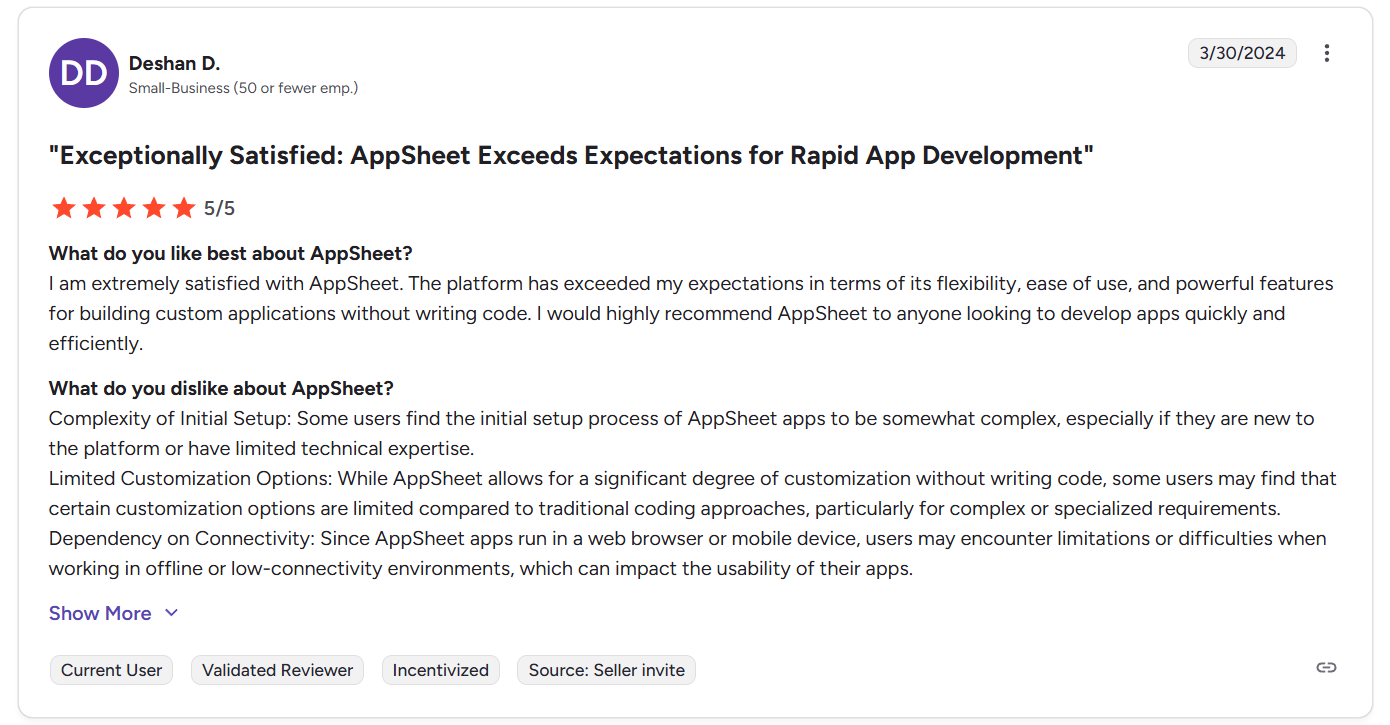
“Complexity of Initial Setup: Some users find the initial setup process of AppSheet apps to be somewhat complex, especially if they are new to the platform or have limited technical expertise.
Limited Customization Options: While AppSheet allows for a significant degree of customization without writing code, some users may find that certain customization options are limited compared to traditional coding approaches, particularly for complex or specialized requirements.” - G2 Review
SmartSuite reviews
G2 Rating: 4.8/5
What users love:
- Strong balance between structure and flexibility: Users repeatedly describe SmartSuite as sitting perfectly between a database and a project management tool. It’s powerful enough to model complex relationships across tables and workflows, yet approachable enough for teams without deep technical backgrounds.
- Excellent usability: Reviews consistently praise the clean interface, fast performance, and polished user experience. Many highlight how easy it is to adopt compared to heavier PM or no-code platforms.
- Easy to build and evolve internal tools: Teams value how quickly they can create solutions, refine workflows, and adapt processes as needs change without rebuilding everything or relying on developers.
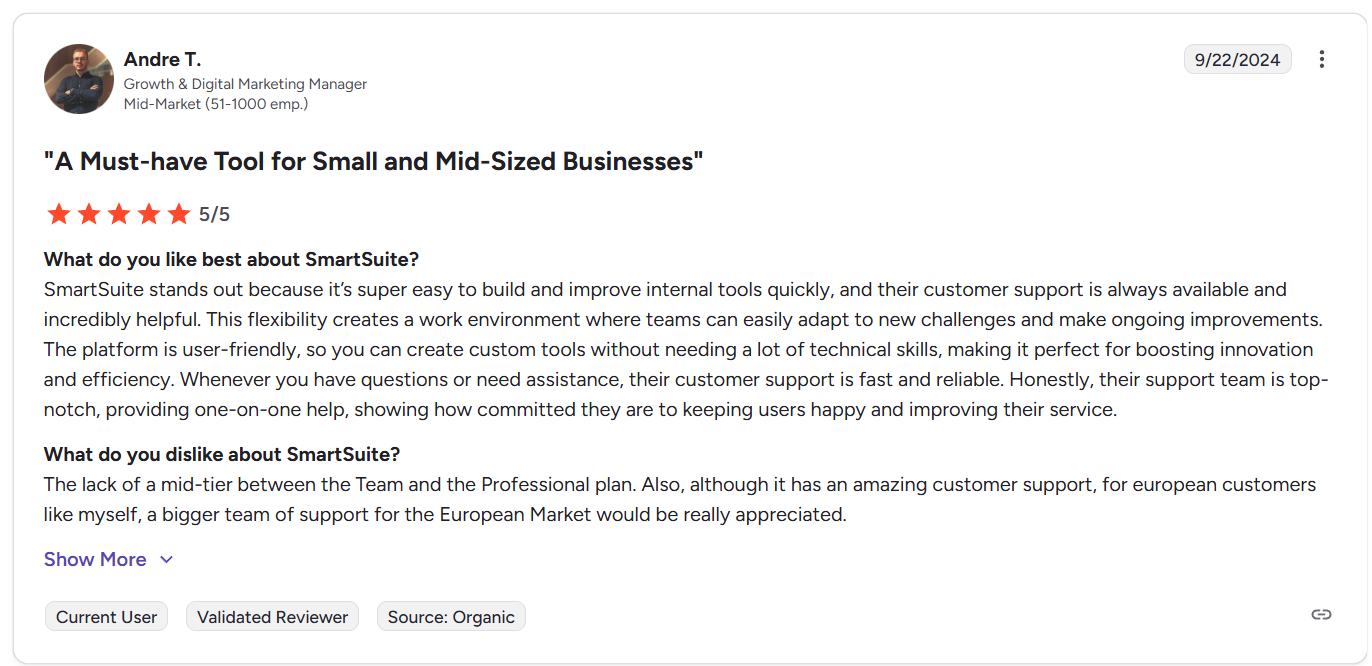
“SmartSuite stands out because it’s super easy to build and improve internal tools quickly, and their customer support is always available and incredibly helpful. This flexibility creates a work environment where teams can easily adapt to new challenges and make ongoing improvements. The platform is user-friendly, so you can create custom tools without needing a lot of technical skills, making it perfect for boosting innovation and efficiency. Whenever you have questions or need assistance, their customer support is fast and reliable. Honestly, their support team is top-notch, providing one-on-one help, showing how committed they are to keeping users happy and improving their service.” - G2 Review
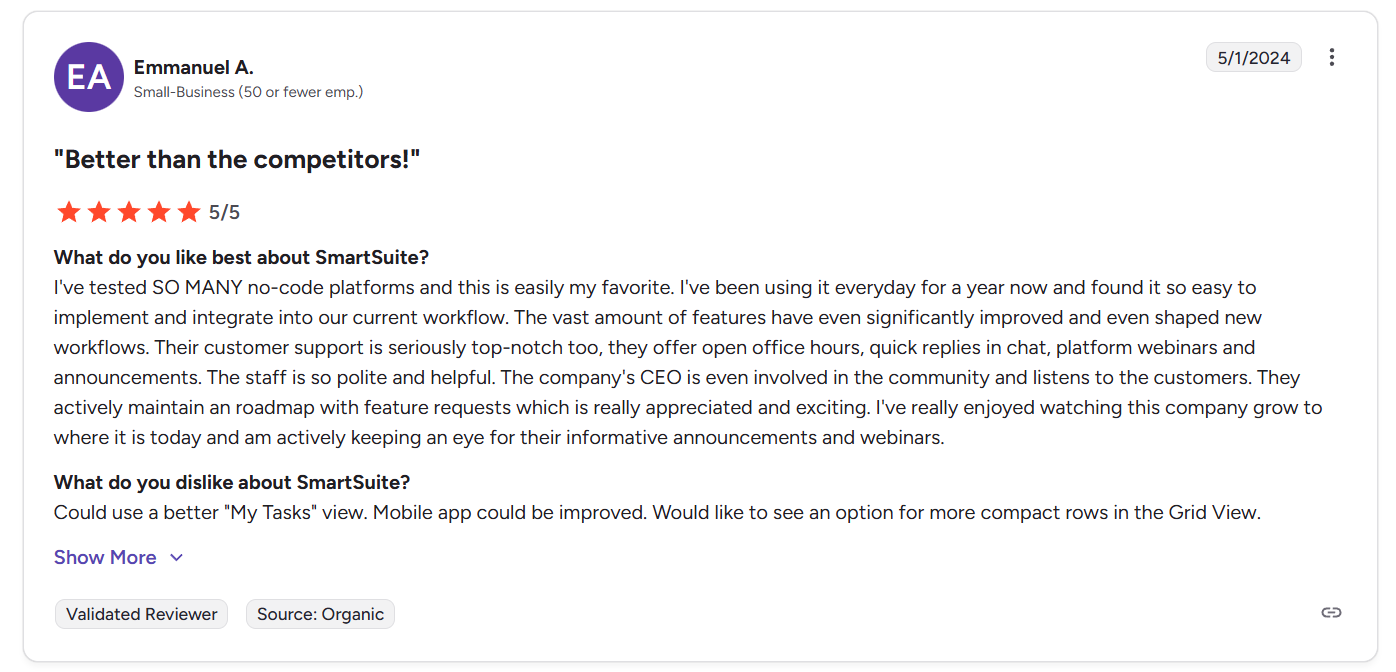
“I've tested SO MANY no-code platforms and this is easily my favorite. I've been using it everyday for a year now and found it so easy to implement and integrate into our current workflow. The vast amount of features have even significantly improved and even shaped new workflows. Their customer support is seriously top-notch too, they offer open office hours, quick replies in chat, platform webinars and announcements. The staff is so polite and helpful. The company's CEO is even involved in the community and listens to the customers. They actively maintain a roadmap with feature requests which is really appreciated and exciting. I've really enjoyed watching this company grow to where it is today and am actively keeping an eye for their informative announcements and webinars.” - G2 Review
Common complaints include:
- Pricing gaps between plans: Some users feel there’s a missing middle tier between Team and Professional, making upgrades feel steeper than expected for growing teams.
- Minor feature gaps and UX wishes: Requests include bulk updates for certain fields, better solution organization (folders), more advanced automations, and incremental improvements to views, dashboards, or mobile functionality.
“The lack of a mid-tier between the Team and the Professional plan. Also, although it has amazing customer support, for European customers like myself, a bigger team of support for the European Market would be really appreciated.” - G2 Review
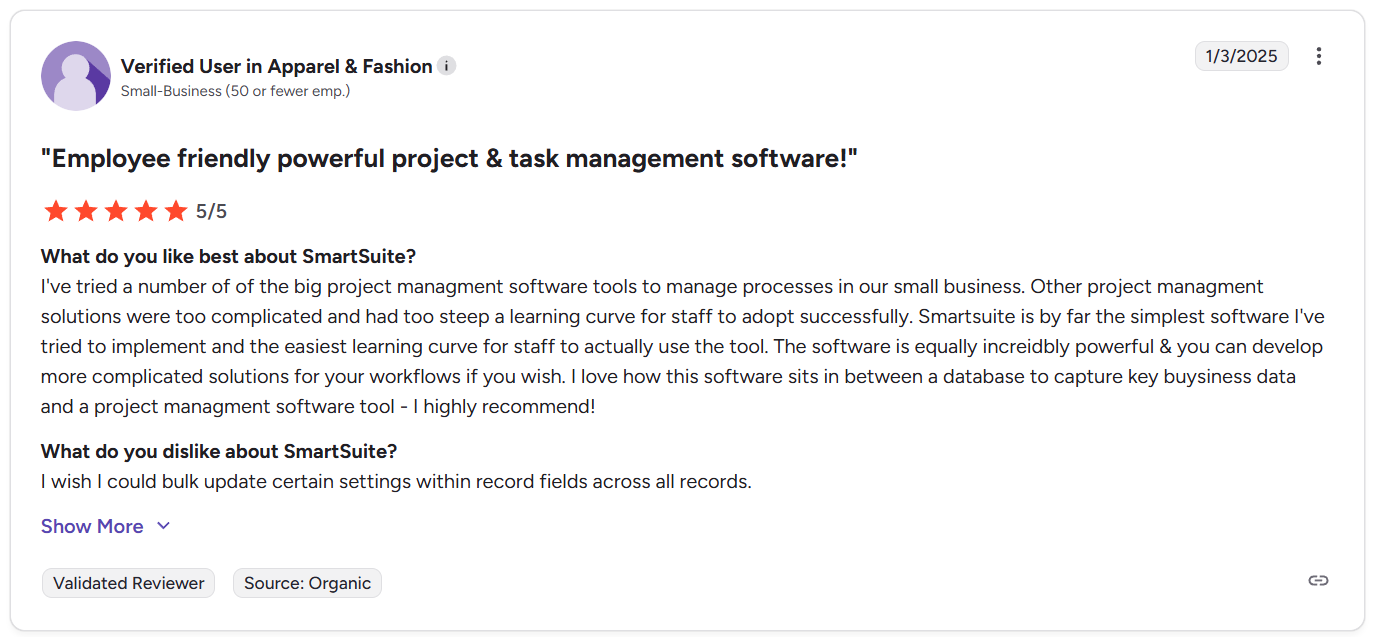
“I wish I could bulk update certain settings within record fields across all records.” - G2 Review
Smartsheet vs. AppSheet vs. SmartSuite: Summary
Get started with SmartSuite for free today
Smartsheet, AppSheet, and SmartSuite all solve different problems, and that’s exactly the point of this comparison, so you know exactly what you get with each.
Smartsheet excels when work is structured around spreadsheets.
AppSheet shines when you need to build custom apps on top of existing data with the lowest possible barrier to entry.
But for many teams, real work lives in between those two extremes.
That’s where SmartSuite stands out.
It gives you a single, flexible platform to plan, execute, automate, collaborate, and report on work without forcing you into spreadsheets or asking you to maintain custom-built apps.
Everything runs on a shared, structured data foundation that scales as your workflows grow.
If you want to see how SmartSuite can adapt to the way your team actually works, you can start a free 14-day trial or schedule a demo to get a personalized walkthrough with the team.
Read more
- 10 Best LogicGate Alternatives For GRC In 2026 - Exploring GRC platforms that offer more flexibility, better usability, or lower cost than LogicGate? Here’s what actually stacks up in 2026.
- Monday.com vs. Jira vs. SmartSuite: Which Project Management Tool Wins? - Three popular tools, three very different philosophies - this breakdown shows where each one shines and where teams usually hit friction.
- 10 Best ManageEngine Alternatives For ITSM In 2026 - If ManageEngine feels heavy or outdated, these modern ITSM alternatives deliver better workflows, automation, and visibility.
- Smartsheet vs. Microsoft Project vs. SmartSuite: Which Tool to Pick? [2026] - Spreadsheet-style planning, classic project management, or a modern execution platform - here’s how these tools really compare in day-to-day use.
- AuditBoard Pricing: Is It Worth It In 2026? [Reviewed] - AuditBoard isn’t cheap, and this review breaks down what you’re actually paying for and when it makes sense.
- 10 Best Project Management Software for Engineers in 2026 - From sprint planning to cross-team execution, these tools are built for how engineering teams really work, not just how vendors describe them.

SmartSuite provides work platform for standardizing workflows in the following areas:
- Governance, Risk & Compliance
- IT & Service Ops
- Project / Portfolio Management
- Business Operations







