



10 Best LogicGate Alternatives For GRC In 2026


SmartSuite provides work platform for standardizing workflows in the following areas:
-
Governance, Risk & Compliance
-
IT & Service Ops
-
Project / Portfolio Management
-
Business Operations

Are you searching for LogicGate alternatives to effectively manage your GRC workflows?
LogicGate, a modern and flexible GRC platform, helps automate your workflows, quantify risks, and collaborate using data-driven insights.
However, some customers of the platform are not happy with its pricing model, outdated interface, and steep learning curve.
In this article, I’ll go over the 10 best LogicGate alternatives for governance, risk, and compliance in 2026 that can help you manage your organizational policies, track compliance efforts, and ensure regulatory alignment.
Why are some companies looking to switch from LogicGate?
Now, I’m not saying that LogicGate is a horrible tool that needs to be switched from.
Hundreds of satisfied users are more than happy with the tool, as it has helped them reduce manual effort through the tool’s AI-powered capabilities.
Despite this, some customers have been dissatisfied with the platform for several reasons:
#1: The platform can get expensive, even for Enterprises
LogicGate may not disclose its pricing on its website, but 3rd party data from Vendr shows that the average cost for the tool is $52,567/year out of the 17 deals they have handled for them.
Considering that you’ll have to pay for the use of different models, not for all features, Enterprise-grade users of the platform mention that it can get expensive if you want to get the full product suite.

‘’Could get costly on the full set of modules required.’’ – G2 Review.
#2: Outdated and confusing user interface
Next up, verified users of the tool mention that the user interface is outdated and that it can be complicated.
One of the issues with this is that, as the user mentions, third parties like subcontractors, auditors, and suppliers will not want to use it.

‘’UI is ugly and confusing. Not much ease in end user experience, no third parties want to use it.’’ – G2 Review.
#3: There’s a steep learning curve
Lastly, customers of the platform mention that LogicGate was daunting for them at first, and they have to complete a ‘’power user training’’ to learn how to use their platform.
➡️ Nowadays, I’m seeing more and more companies switch from traditional GRC solutions like LogicGate, which are expensive with outdated UIs, to modern solutions that have an intuitive interface and are easy to set up and use.

‘’It can seem a little daunting at first, even after completing the power user training, especially if you are someone new to the company, which is already using Risk Cloud.’’ – G2 Review.
What are the best LogicGate alternatives for GRC in 2026?
Here are the 10 best LogicGate alternatives on the market for governance, risk, and compliance after reviewing 30+ platforms:
#1: SmartSuite: Best for companies looking to launch GRC workflows in days. Our platform lets you manage policies, audits, risks, and compliance in a unified, customizable platform.
#2: OneTrust: Good for companies looking to automate framework compliance and gain enterprise-wide visibility into technology risk.
#3: ArcherIRM: Ideal for managing policies, controls, risks, assessments, and deficiencies from a single platform.
#4: ServiceNow: Best for companies looking for integrated risk management and compliance automation.
#5: MetricStream: Good for enterprises looking for a unified platform to manage governance, risk, and compliance (GRC) across international operations.
#6: Optro (formerly AuditBoard): Ideal for compliance teams looking to unify audit, risk, and compliance functions with automations and connected workflows.
#7: StandardFusion: Best for organizations looking for proactive risk oversight and strategic alignment across all GRC activities.
#8: SAI360: Good for enterprises looking for a comprehensive, customizable platform with preconfigured modules and advanced analytics.
#9: Apptega: Ideal for teams looking to continuously manage cybersecurity compliance across multiple frameworks.
#10: Monday.com: Best for smaller compliance teams looking to create custom, real-time dashboards that monitor risk levels by category.
#1: What makes SmartSuite the best LogicGate alternative?
SmartSuite offers the best LogicGate alternative on the market for compliance teams with our modern, no-code work management platform that simplifies complex regulatory requirements.
Originally built for Banks and Credit Unions, our GRC software lets you streamline and automate policy creation, approval, and control assessments, all in one place.

SmartSuite helps your team move faster, manage policies smarter, and adapt easily, without having to hire expensive consultants or sign up for training to see how the solution works.
💡 We have recently partnered with the Cyber Risk Institute to deliver a CRI profile for U.S. Banks' compliance needs.
Let’s go over the features that make SmartSuite the best choice for compliance teams looking for a LogicGate alternative: 👇
All-In-One Risk Management & Compliance Platform
We at SmartSuite believe that compliance should be simple, automated, and accessible to all financial institutions, regardless of their size.
Our no-code, easy-to-use platform empowers compliance managers and CISOs to automate all GRC processes with ease.
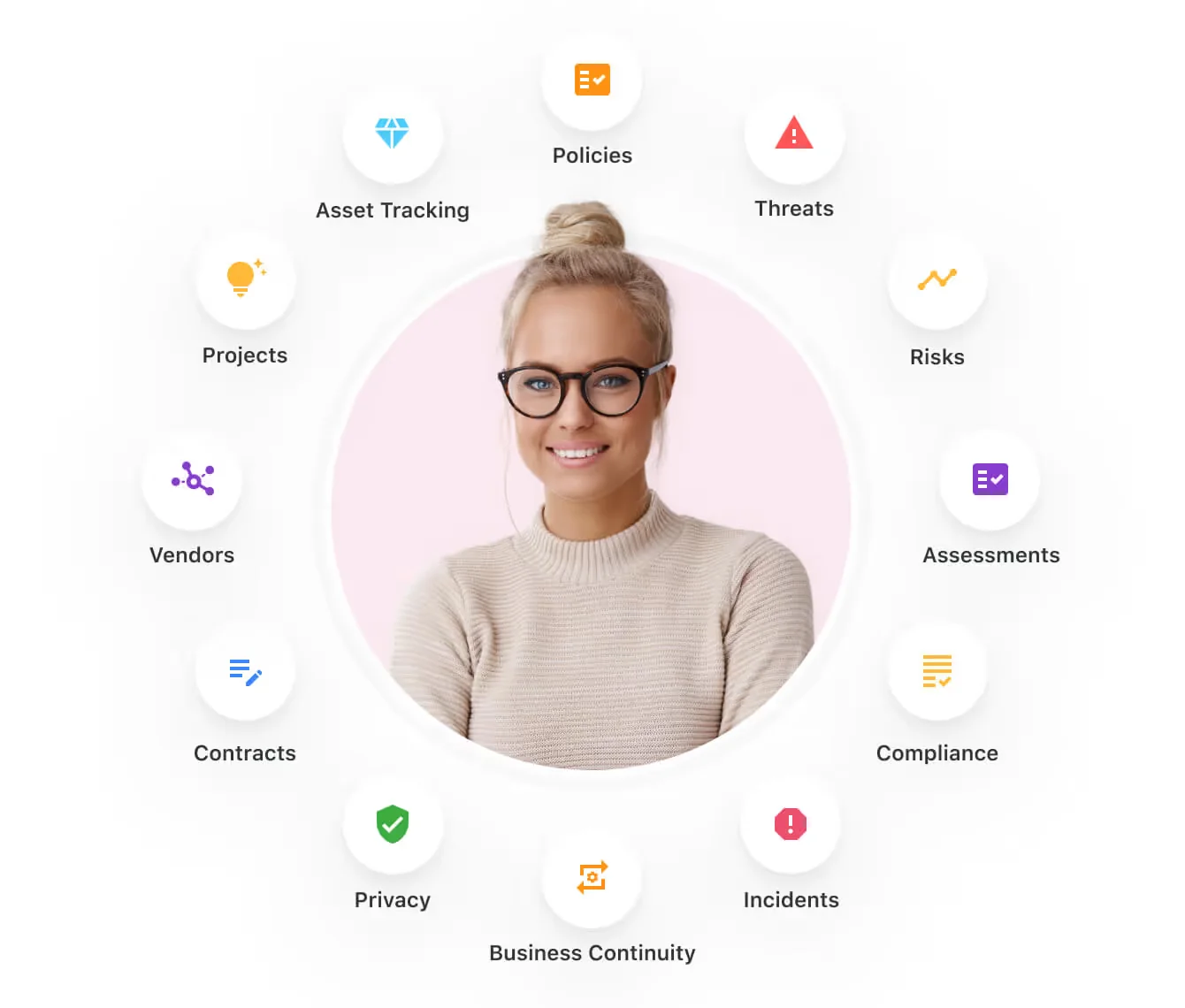
Here’s how teams are using SmartSuite:
- Risk Management: Identify, assess, score, and monitor enterprise risks.
- Compliance Management: Track regulatory requirements, controls, and evidence.
- Audit Management: Manage audits, findings, and remediation workflows.
- Policy Management: Publish, distribute, and track acknowledgement of policies.
- Third-Party Risk: Evaluate and monitor vendors' risk and compliance posture.
- Incident Management: Log, triage, and resolve compliance and risk events.
SmartSuite helps compliance leaders achieve and maintain compliance without the expense and complexity of adapting legacy GRC solutions like LogicGate to accommodate new compliance requirements.
Here are the features and use cases that you’ll get with SmartSuite:
- Create reports and dynamic dashboards: You can monitor executive views into your organization's overall risk profile with charting and metrics widgets.

- Collaborate and respond to risks in real-time: It’s possible to instantly engage key stakeholders in a real-time discussion of potential threats or vulnerabilities.
Our solution will also let you get immediate updates when critical information is available.

- Streamline policy creation, in real-time approval, and control assessments: Streamline risk management by building an integrated program on a single platform.
- Keep risk and compliance data secure: Define your teams and manage access to information across all GRC practice areas.

- Integrate with your existing systems: Our GRC software lets you integrate with existing systems and data to consolidate and centralize your data.

- Automate for accuracy and efficiency: Remove inefficiency and the chance for human error by automating repeatable workflows.
SmartSuite's no-code automation builder provides organizations with a visual interface that makes it easy to respond to events and take action. That means you can customize your GRC workflows without technical resources.
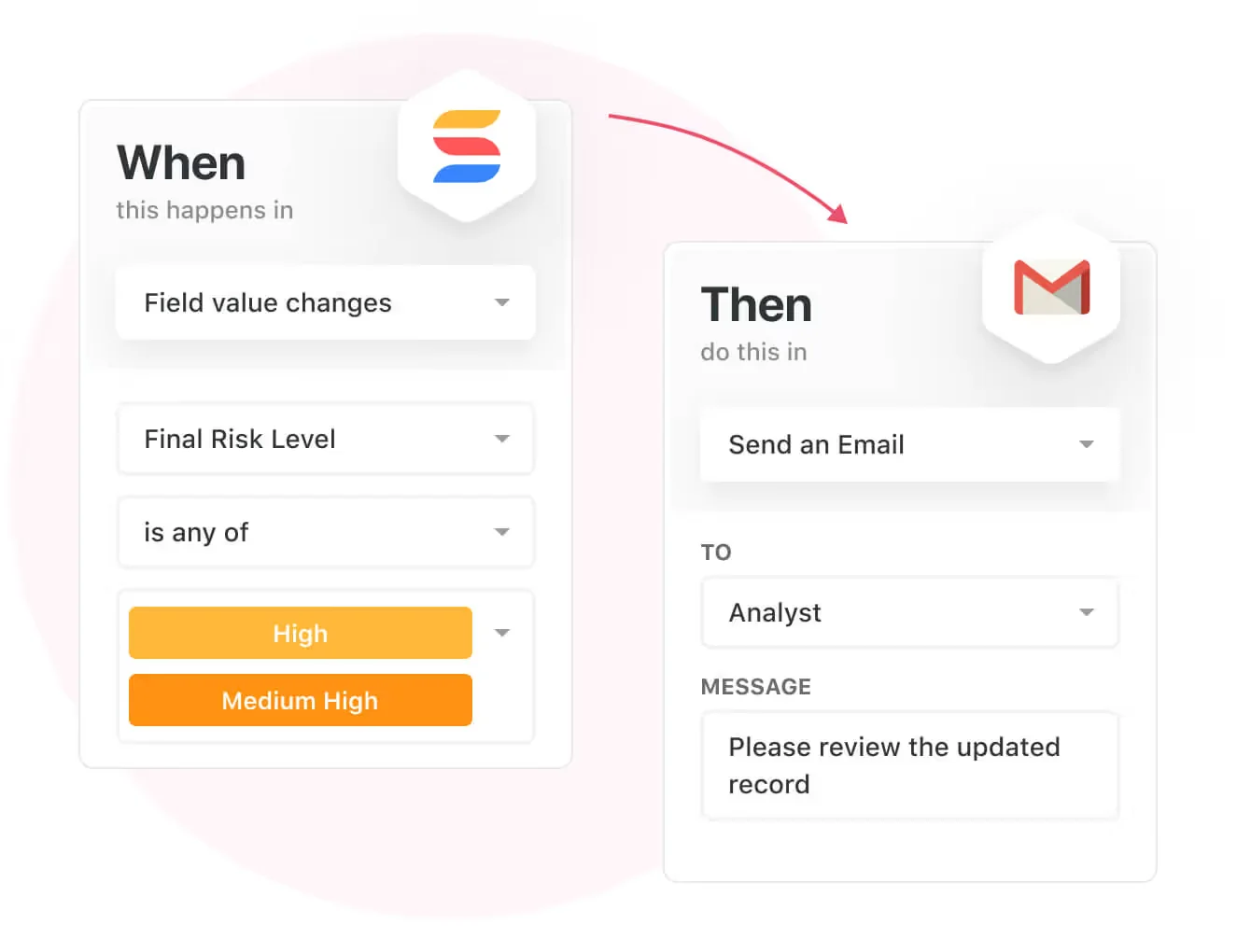
- Monitor, measure and score: Create your own risk calculations and metrics to evaluate every aspect of organizational risk.
You can generate risk scores and evaluate key indicators with SmartSuite’s formula and calculation capabilities.

- Policy management: Establish a strong foundation with streamlined and flexible policy management. Simplify the entire process, from authoring to review and release.
You’ll be able to assign ownership, manage revisions, and ensure your policies consistently align with key business initiatives and regulatory requirements.

- PSTOS Compliance Tracker: Designed for regulatory compliance and built on SmartSuite.
This solution focuses on data security as the core of compliance frameworks with services such as compliance readiness, virtual CISO, and IT security implementation.
Learn more about it from our CEO, Jon Darbyshire, who held a webinar on the topic:
Prioritize & Mitigate Risks
SmartSuite lets you create a centralized Risk Register to help you effectively identify potential risks to your organization.
You will be able to efficiently assess threats and establish risk mitigation strategies inside SmartSuite.
What’s more, you can ensure that the appropriate controls are in place and measure their effectiveness by evaluating risk indicators and displaying results in SmartSuite’s rollup reports and dashboards.
💡 Pro Tip: You can also use automation to move tasks through defined workflow stages that comply with your policies and procedures.
I know from experience how important threat management is and the need to respond quickly to incidents.
SmartSuite lets you centralize incident response and threat mitigation by linking incidents to assets and organizational data to offer context during your investigations.
You can also set up automations with our no-code automation builder to escalate critical events to make sure that your team is aware of active risks to your organization.

Pre-Built GRC Templates
We have prepared GRC templates for teams looking to get started right away, instead of building everything from scratch.
Our general risk management template includes a:
- Risk register, where you can break down the risks, the risk owner, the annual loss expectancy, risk event category, risk type, volatility, and status.

- Issue assessments, where you’ll be able to see a comprehensive breakdown of each risk.

- Action plans, where you can describe the actions (best practices) to mitigate the risks.

- A separate tab for control standards, your findings, exception requests, risk assessment by type, and risk assessment issues.

You can customize our risk management template here.
Alternatively, check out and customize our 14 other risk management templates for various use cases, such as contract management, policy management, and incident management.

How is SmartSuite different from LogicGate?
Unlike LogicGate, SmartSuite:
- Offers a modern solution with an intuitive interface that does not confuse your team or require training.
- Offers an affordable and transparent per-seat pricing model with a 14-day free trial to help you get started.
- Has automated workflows that can help you build multi-step automations to trigger actions at the right time.
- Includes dedicated customer support and account management that will help you with setting up the automations inside the platform.
💡 Case Study: Learn how MediaLab transformed operations, minimized risk, and saved $40,000+ per year by cutting software costs.
Pricing
Unlike LogicGate, SmartSuite offers a 14-day free trial of its Professional plan (no credit card required), with automations, team collaboration, multi-dashboard views, and more.
There are three per-seat plans plus a per-solution Signature plan, all available through the 14-day free trial:
- Team: $15/user/month billed annually ($20 billed monthly, minimum 3 users), including 5,000 records per solution, 50GB of file storage, and 25,000 automation runs and API calls per month.
- Professional: $32/user/month billed annually ($36 billed monthly, minimum 5 users), adding 100,000 records per solution, 100GB of file storage, two-factor authentication, and Gmail & Outlook integrations.
- Enterprise: Custom pricing with no seat minimum, adding 400,000 records per solution, 500GB of file storage, audit logs, data loss prevention, SSO, and SCIM provisioning.
- Signature: A customized plan tailored to your organization’s needs and team size with no predefined limits.

Pros & Cons
✅ The 14-day free trial includes access to the Professional plan’s advanced features.
✅ 15 pre-built GRC templates for various use cases.
✅ Dynamic dashboards and reporting that are easy to navigate.
✅ Integrated document and file management.
✅ Automate risk scoring, compliance tracking, audits, and vendor reviews.
✅ Modern and intuitive user interface.
❌ Fewer native integrations when compared to other alternatives on the market.
#2: Who is OneTrust best for?
Best for: Companies looking to automate framework compliance and gain enterprise-wide visibility into technology risk.
Similar to: ArcherIRM, ServiceNow.

The OneTrust platform simplifies compliance and optimizes the entire risk and compliance lifecycle by automating controls, evidence collection, and reporting.
The platform is a viable LogicGate alternative for enterprises looking for ready-to-use frameworks, extensive integrations, and dynamic dashboards.
Features

- Streamline compliance with 55+ ready-to-action frameworks, prescriptive content, and evidence requirements broken down into measurable tasks.
- Connect teams via a user-friendly portal, automated workflows, and 200+ pre-built integrations.
- Map systems, data, and risks in one unified view: Prioritize action with dynamic scoring and strategic impact insights.
- Automatically generate required controls and evidence tasks across 300 jurisdictions.
Standout Feature: Proprietary Shared Evidence Framework

What stood out to me about OneTrust is that you can collect evidence once and comply across 50+ frameworks with OneTrust’s shared evidence framework to eliminate duplicate data requests.
Pricing
OneTrust has different pricing plans for its 5 product lines, all of which have custom pricing:
- Consent & Preferences: Capture and activate consent, preferences, and first-party data across your user touchpoints.
- Privacy Automation: Simplify compliance, improve operational efficiency, and help your business better use personal data.
- Third-Party Management: Third-party risk management and the ability to fully manage your third-party lifecycle.
- Tech Risk & Compliance: Scale governance, risk, and compliance, and mature your risk program.
- AI Governance: Gain visibility and control over your AI technology and empower risk-based decisions.

Pros & Cons
✅ Collect evidence and comply across 50+ frameworks with OneTrust’s shared evidence framework.
✅ Good range of integrations when compared to other competitors in this list.
✅ You can monitor and manage your program with dynamic dashboards.
❌ The price can be an issue for smaller companies, as it’s expensive.
❌ The user interface has been described as outdated by G2 reviews.
#3: Who is ArcherIRM best for?
Best for: Managing policies, controls, risks, assessments, and deficiencies from a single platform.
Similar to: MetricStream.

Archer provides enterprises with a holistic, integrated risk management solution that helps them manage policies, controls, risks, assessments, and deficiencies.
The platform is a proper enterprise-grade LogicGate alternative for organizations looking to effectively manage risk and ensure compliance.
Features

- Centralized management of policies, controls, risks, assessments, and deficiencies on one GRC platform.
- Integrated risk management across multiple dimensions, including IT, operational, and third-party risk.
- A customizable solution that can adapt to your internal functions and extended third-party ecosystems.
- Streamlined compliance management to efficiently consolidate standardized reports, audits, and assessments.
Standout Feature: Archer Evolv

ArcherIRM’s Archer Evolv functionality lets you track regulatory developments from all over the world and creates visibility into all requirements for better control over policies.
Pricing
ArcherIRM does not disclose its pricing structure, so you’d have to contact them to get a product demo and a quote.

Pros & Cons
✅ Real-time cyber risk intelligence capabilities.
✅ Good analytics and real-time reporting.
✅ An AI-powered analytics tool that can be used for predictive risk identification.
❌ Enterprise-grade pricing that puts it out of reach for smaller teams.
❌ The software seems to have an outdated interface that is not very intuitive, similar to LogicGate.
#4: Who is ServiceNow best for?
Best for: Companies looking for integrated risk management and compliance automation.
Similar to: MetricStream, ArcherIRM.

ServiceNow offers a GRC solution that provides you with a unified approach to governance, risk, and compliance by helping you integrate data and workflows across security and IT teams.
The platform is a good alternative to LogicGate as it automates manual processes and delivers AI-driven insights for real-time risk mitigation.
Features

- Single data model: The platform helps you eliminate silos by centralizing enterprise risk and compliance data into one source.
- No-code workflow automation: Lets you enable cross-functional risk response and compliance management without having to hire consultants or programmers.
- The GRC suite operates on ServiceNow’s Now Platform, which enables data sharing and real-time collaboration across all GRC products.
- Third-party risk management: You’ll be able to identify and mitigate risks from external vendors and partners.
Standout Feature: AI-Powered Actionable Insights

ServiceNow offers AI-powered actionable insights that accelerate decision-making with predictive analytics and process optimization.
Pricing
ServiceNow’s pricing is not disclosed, so you’d have to book a demo with their team.
I was able to find ServiceNow customer and public reviews, which show that the average cost of ServiceNow contracts can range between $50,000 and $500,000 annually.
The pricing structure depends on the number of licenses, features, and other configuration requirements.

Pros & Cons
✅ Sophisticated risk, audit, and compliance management features.
✅ Real-time risk monitoring and prioritization that helps you make better decisions.
✅ Integrations with other tools and centralized management of alerts and tickets.
❌ Steep learning curve and complexity, unlike some ServiceNow alternatives.
❌ Training, skills development, and ongoing support can be costly.
#5: MetricStream
Best for: Enterprises looking for a unified platform to manage governance, risk, and compliance (GRC) across international operations.
Similar to: OneTrust, ServiceNow.

MetricStream offers a GRC software platform that centralizes risk, compliance, audit, and third-party management to help you transform data into actionable intelligence.
The platform is a proper LogicGate alternative for compliance teams looking to break down organizational silos, automate workflows, and deliver real-time insights to their leadership team.
Features

- Enterprise-wide risk management framework that comes with advanced analytics and real-time reporting.
- Automated compliance management, which includes regulatory change tracking, policy alignment, and impact assessments to minimize compliance violations.
- Real-time cyber risk intelligence and unified IT risk management to help you proactively address threats and ensure regulatory adherence.
- Centralized third- and fourth-party risk management, which includes performance tracking and business continuity risk assessment.
Standout Feature: AI-powered insights (AiSPIRE)

Similar to LogicGate, MetricStream also has an AI-powered insights tool, AiSPIRE, that can be used for predictive risk identification, duplicate control detection, and cognitive recommendations.
Pricing
MetricStream does not disclose its pricing structure, so you’d have to contact them to get a product demo and a quote.

Pros & Cons
✅ Real-time cyber risk intelligence capabilities.
✅ Advanced analytics that cover the weaknesses alongside real-time reporting.
✅ An AI-powered insights tool, AiSPIRE, that can be used for predictive risk identification.
❌ The platform’s pricing structure is not SME-friendly, according to G2 reviews.
❌ The tool has an outdated interface that can be hard to navigate.
#6: Optro (formerly AuditBoard)
Best for: Compliance teams looking to unify audit, risk, and compliance functions with automations and connected workflows.
Similar to: ArcherIRM, ServiceNow.

Optro (formerly AuditBoard; auditboard.com now redirects to optro.ai) offers a GRC solution that helps you break down silos between audit, risk, and compliance teams to help them to build resilience and improve operational efficiency.
The platform is a viable alternative to LogicGate as it uses AI and integrated workflows to transform risk data into actionable insights.
Features

- Unified risk platform: Connects audit, risk, and compliance teams for a single, in-depth view of organizational risk.
- AI-powered insights: Automate workflows, deliver data-driven insights, and optimizes risk and compliance models.
- Flexible reporting and dashboards: Customizable reports and out-of-the-box dashboards that help uncover insights, track trends, and support data-driven decisions.
- Integrated workflows and APIs: Streamline data collection and task management through integrations.
Standout Feature: Preloaded Library of 30+ Frameworks

Optro offers access to its preloaded library of 30+ frameworks (including SOC 2, ISO 27001, and GDPR) to help you stay audit-ready as your organization scales.
Pricing
Optro has not disclosed its pricing, so you’d have to contact them to book a demo and get a quote.

Pros & Cons
✅ Access to a single view of organizational risk.
✅ Modern interface with good AI capabilities, unlike LogicGate.
✅ Access to a preloaded library of 30+ frameworks to help you stay ready for audits.
❌ Expensive: Vendr’s buyer data puts the median contract at about $45,947 a year.
❌ Some users of the platform find it difficult to use, with some of them requiring special training.
#7: StandardFusion
Best for: Organizations looking for proactive risk oversight and strategic alignment across all GRC activities.
Similar to: Apptega.
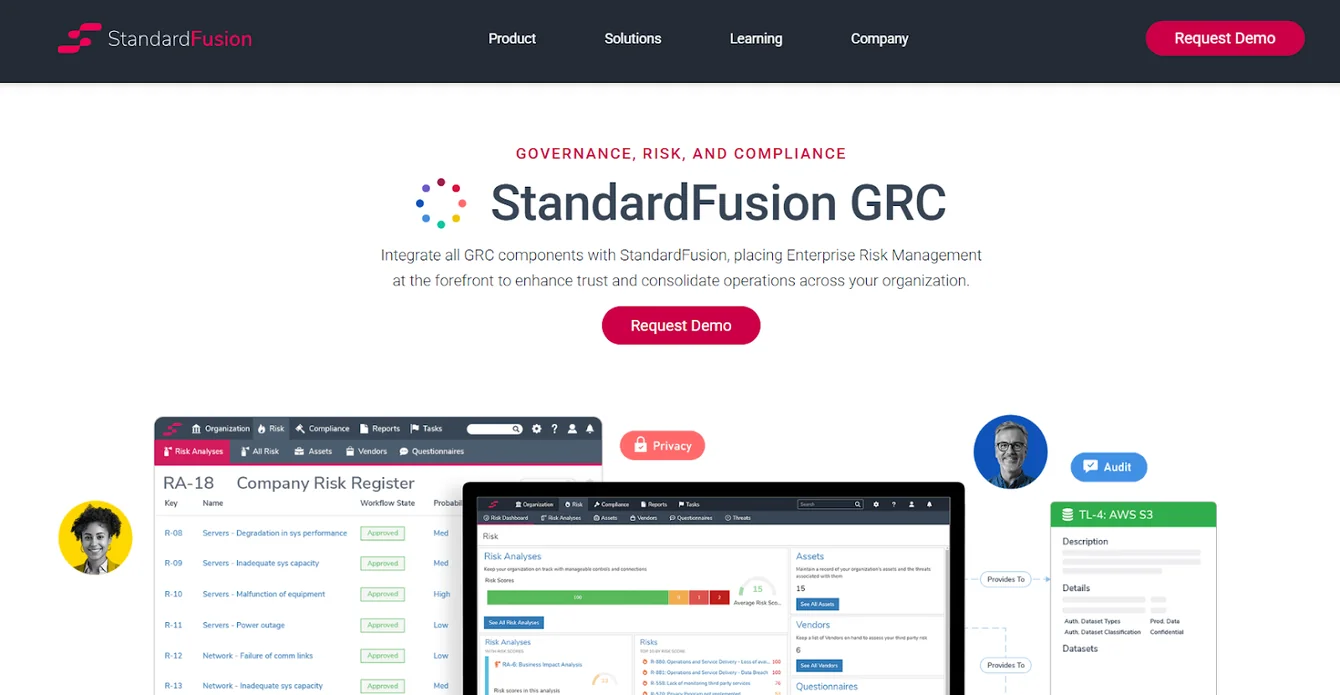
StandardFusion’s GRC Platform consolidates enterprise risk, compliance, audit, policy, vendor, and privacy management into a single system.
The platform is a good alternative to LogicGate for teams looking for proactive risk oversight and strategic alignment across all GRC activities.
Features
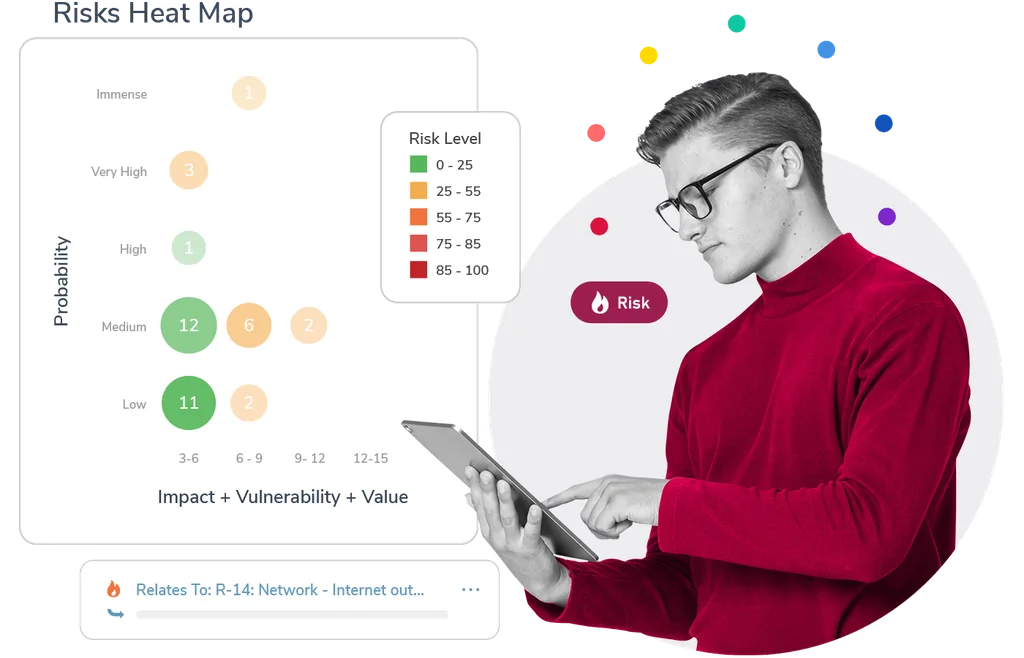
- Centralized GRC ecosystem integrating risk, compliance, audit, policy, vendor, and privacy management into one platform.
- Enterprise Risk Management integration that helps you guide all GRC activities for strategic decision-making and risk mitigation.
- Centralized data and analytics for monitoring internal controls.
Standout Feature: Automated Workflows
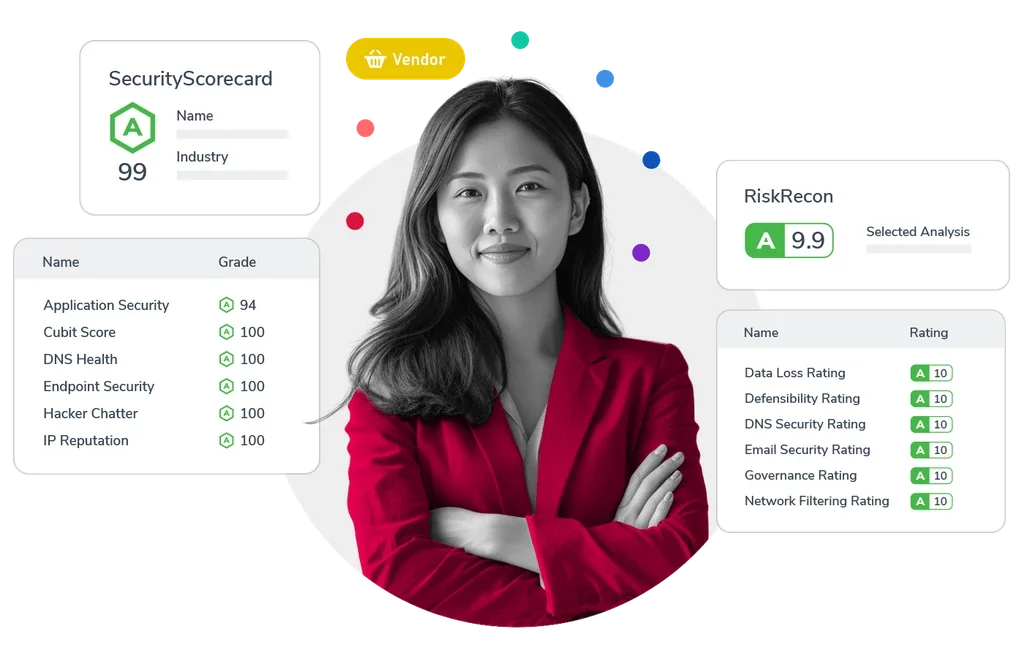
StandardFusion offers automated workflows that aim to streamline your GRC processes and reduce system complexity.
Pricing
StandardFusion does not disclose its pricing structure, so you’ll have to reach out to them to get a product demo and a quote.
Pros & Cons
✅ User-friendly interface that is easy to navigate, according to G2 reviews.
✅ Comprehensive control, monitoring, and risk management features.
✅ Consolidates multiple compliance frameworks (e.g., ISO 27001, SOC 2, GDPR, HIPAA, NIST) in one platform.
❌ Recurring task management and tracking can be difficult.
❌ The tool’s annual price increases are a concern for smaller businesses.
#8: SAI360
Best for: Enterprises looking for a comprehensive, customizable platform with preconfigured modules and advanced analytics.
Similar to: ArcherIRM, MetricStream.

SAI360 offers a unified GRC platform that comes with preconfigured modules, advanced analytics to help you proactively manage risk and ensure regulatory alignment.
Its cloud-based, AI-powered platform is a good alternative to LogicGate for teams looking to enhance security and streamline workflows.
Features

- 20+ preconfigured GRC modules that include enterprise risk, IT risk, third-party risk, internal audit, business continuity, policy, and incident management.
- Uses AI to enhance reporting, risk assessment, and operational efficiency.
- Built-in eLearning, which ensures employees are well-prepared to meet regulatory demands.
- Pre-mapped frameworks and controls aligned with international regulations for faster deployment and easier compliance.
Standout Feature: Integrated GRC from Every Angle

What stood out to me about SAI360 is that it offers a holistic, enterprise-wide approach that helps you unify risk, compliance, and ethics management into one customizable system.
Pricing
SAI360 does not disclose its pricing, so you’d have to contact them to get a product demo and a quote.

Pros & Cons
✅ AI-powered reporting, risk assessment, and operational efficiency.
✅ A holistic approach that helps you unify risk, compliance, and ethics management.
✅ 20+ preconfigured GRC modules.
❌ The platform is described as outdated and difficult to manage by G2 reviews.
❌ Admins are not able to easily modify fields or workflows.
#9: Apptega
Best for: Teams looking to continuously manage cybersecurity compliance across multiple frameworks.
Similar to: LogicGate, SmartSuite.

Apptega’s platform simplifies compliance management by consolidating security measures and regulatory requirements into one unified system.
The platform is a viable alternative to LogicGate as it streamlines evidence collection, task automation, risk scoring, and cross-framework alignment to help you reduce manual effort and improve visibility.
Features

- Assessment Manager with questionnaire-based templates for 30+ frameworks (e.g., NIST, SOC 2, PCI DSS) to help compliance teams identify risks and unmet controls.
- Risk Manager for scoring, ranking, and reporting on risks with actionable insights to improve security posture.
- Audit Manager for accelerated evidence sharing, control validation, and audit preparation.
Standout Feature: Real-Time Dashboards

Apptega’s real-time dashboards and reporting functionality are useful for providing instant visibility into compliance progress, security posture; with stakeholder-ready insights.
Pricing
Apptega might not disclose its pricing, but at least the platform lets you get a free trial of its Starter plan.
You can play around with 1 workflow, its Risk Manager, and custom reporting to see if the platform is a good fit for your needs.

Pros & Cons
✅ Built-in frameworks, such as NIST, CMMC, and ISO.
✅ Automated tracking boosts governance and risk management.
✅ Excellent customer service and a dedicated onboarding team.
❌ The user interface feels outdated, occasionally impacting the speed of operations, according to user reviews.
❌ Large enterprise customers find the platform too simplistic for their needs.
#10: Monday.com
Best for: Smaller compliance teams looking to create custom, real-time dashboards that monitor risk levels by category.
Similar to: ClickUp, SmartSuite.

Monday.com is an all-in-one project management platform, similar to Asana and ClickUp, that offers a good range of features for compliance teams, such as dashboards and automations.
It’s a proper alternative to LogicGate for lower-budget teams that are looking to create a comprehensive real-time risk management dashboard.
Features

- Risk identification and description: Capture the details of the risk, the description of the problem, and categorize it.
- Risk assessment and response: Assess the impact and probability of the risks by building Time Impact, Cost Impact and Quality Impact columns.
- Risk action plan: Initiate the action plan in the Risk Log. The columns will then collect the general status of the risk mitigation action.
➡️ Find out more about Monday and its other project management features in our in-depth Monday review.
Standout Feature: Real-Time Risk Management Dashboard

Compliance teams can monitor the risks directly in the task management software with a custom dashboard by incorporating the risk log in Monday.
Pricing
Monday.com offers a free plan for up to 2 seats, where you can test out the tool’s basic project management features.
💡 In our guide on Monday’s pricing, we dive deeper into whether the platform’s pricing offers good value-for-money.
To access the platform’s advanced features, you’d need to be on one of their four paid plans:
- Basic: Starts at $9 per seat/month (billed annually) and adds Kanban board view and unlimited users with view-only access.
- Standard: Starts at $12 per seat/month and adds 250 automated actions/month, 3+ dashboard views, and Zoom integration.
- Pro: Starts at $19 per seat/month, and adds all five dashboard views, time tracking, and 2-factor authentication.
- Enterprise: Custom price, which adds a dedicated customer success manager, enterprise-level reporting, and administration control.

Pros & Cons
✅ Advanced reporting and analysis at the project and portfolio level, which is ideal for smaller and larger teams.
✅ 200+ integrations across apps you’re probably already using, including communication and productivity.
✅ Build custom dashboards to monitor risks in real-time.
❌ Plan upgrade available in set increments of 5 and 10 users.
❌ Automation features are gated to the more expensive plans, which is why some teams have been looking for alternatives to Monday.
Next Steps For Compliance Teams: Get Started With SmartSuite & Our Templates For Free
Well, that was it: our list of the 10 best LogicGate alternatives on the market in 2026.
If you’re looking to build governance, risk, and compliance workstreams and effectively prioritize and mitigate risks, you can give SmartSuite’s 14-day free trial and ready-to-use GRC templates a chance.
Our platform offers just the right customization, native collaboration capabilities and a library of 200+ project management templates to help compliance leaders create and maintain a project management workflow.
Here’s what's in it for your team when you try SmartSuite:
- A 14-day free trial of the Professional plan with multi-board views (Kanban, Chart, Map, Timeline, Card, and Calendar), automations, and 40+ field types, including formula and linked record fields.
- No-code automation builder to set up to 500,000 trigger/action workflows.
- Built-in productivity tools, including time tracking, status tracking, and checklists.
- Team collaboration tools such as comments, @mentions, contextual email and SmartDocs.
- Resource management across projects and teams.
- 40+ field types, including the option to add your custom fields.
Start a 14-day free trial to explore all its features.
Or, if you’d like to talk to our team of experts, schedule a demo.
Read More
- 10 ClickUp Alternatives You’ll Love
- Airtable Alternatives: 10 Amazing Tools for Managing Projects Like a Pro
- ServiceNow Pricing: Is It Worth It
- 10 Best Healthcare Project Management Tools
- Top 10 Monday.com Alternatives & Competitors
- Monday.com Pricing: Is It Worth It
- ServiceNow Review: Is It Worth It
- Jira Service Management Pricing: Is It Worth It






Put these ideas to work
Start a free trial, or book a demo and see how it runs in SmartSuite.

