



Smartsheet vs. GanttPRO vs. SmartSuite: Which Tool to Pick? [2026]
![Smartsheet vs. GanttPRO vs. SmartSuite: Which Tool to Pick? [2026]](https://cdn.prod.website-files.com/60db0944651d4b59a704ef93/6acacbceb1d315b671e74df5_6acacbca5de9841cab626fc3_smartsheet-vs-ganttpro-thumbnail-image.webp)

SmartSuite provides work platform for standardizing workflows in the following areas:
- Governance, Risk & Compliance
- IT & Service Ops
- Project / Portfolio Management
- Business Operations

When teams evaluate Smartsheet vs. GanttPRO, they’re usually trying to decide between spreadsheet-style project tracking and a more traditional Gantt-focused planning tool.
And after working with both, I’ve seen how different they actually feel in practice.
So, in this guide, I’ll break down where Smartsheet and GanttPRO work well, where they start to show friction, and why SmartSuite often ends up being the more flexible alternative for modern teams.
Let’s begin by breaking down the three platforms’ core functionality.
Key takeaways
- Smartsheet works best for teams that want structure and control inside a spreadsheet-style environment. Its formulas, dashboards, and flexible views make it well suited to managing repeatable processes and data-heavy projects, though complexity can increase as sheets scale and workflows expand.
➡️ Choose Smartsheet if your projects rely on structured tracking and you prefer managing work through familiar grid-based logic.
- GanttPRO is built around visual timelines, making it ideal for planning projects with clear deadlines, dependencies, and resource allocation. Its Gantt-first approach keeps scheduling simple and focused, but it may feel limiting for teams that need broader workflow or operational management beyond timelines.
➡️ Choose GanttPRO if your main priority is visual planning, critical path tracking, and straightforward project scheduling.
- SmartSuite brings projects, operations, automation, and reporting together in one connected system rather than focusing on a single planning style. With relational data, no-code customization, and AI embedded into workflows, it’s designed to scale as teams move from simple project tracking into cross-functional execution.
➡️ Choose SmartSuite if you want a unified platform that can manage evolving workflows, portfolios, and operational processes without switching tools.
Smartsheet vs. GanttPRO vs. SmartSuite: Features
Key takeaways
- Smartsheet is best for spreadsheet-driven execution with formulas, structured data tracking, and flexible views, but workflows often stay tied to sheets and require more setup as complexity grows.
- GanttPRO is strongest for Gantt-first planning, dependencies, and resource scheduling, making it ideal for structured, timeline-focused projects but less flexible for evolving operational workflows.
- SmartSuite is the most versatile option, combining connected workflows, automation, live reporting, and embedded AI in one unified platform that adapts beyond spreadsheets or fixed timelines.
Smartsheet’s features
1. Spreadsheet-based execution and formula-driven workflows
At its core, Smartsheet runs on a spreadsheet-style structure where rows represent work and columns define fields like owners, dates, statuses, and metrics.
This makes it immediately familiar for teams coming from Excel or Google Sheets, especially when projects rely on structured data rather than free-form task lists.
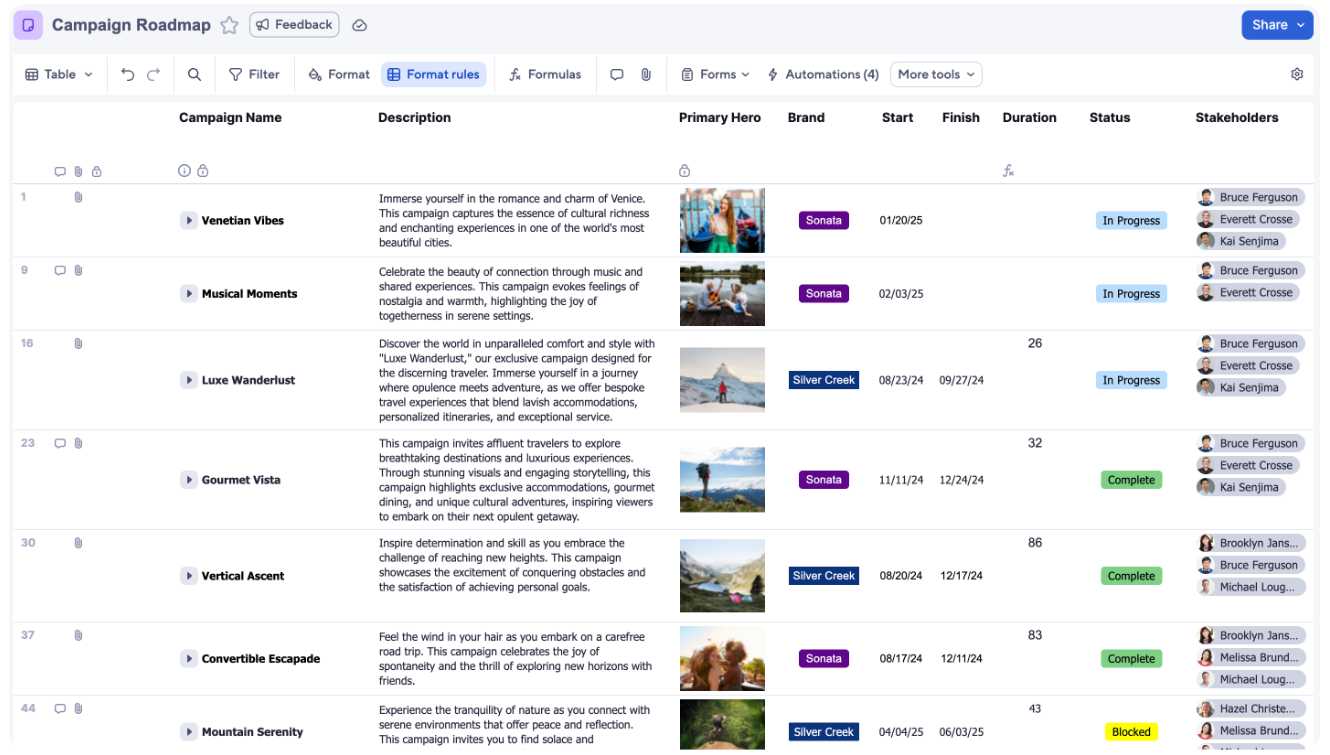
A big part of that experience comes from formulas.
Teams can build calculations, rollups, and cross-sheet references to track progress, automate updates, or summarize performance across projects, turning the sheet into more than just a tracker.
2. Multiple project views for planning and tracking
One of Smartsheet’s biggest strengths is the variety of ways teams can visualize the same work depending on how they prefer to plan or track progress.
Instead of forcing everyone into one layout, Smartsheet offers several ways to visualize the same data depending on how teams prefer to work, including Grid and Table layouts for structured execution, Timeline and Gantt for date-based planning, Board for Kanban-style workflows, and Calendar for deadline tracking.
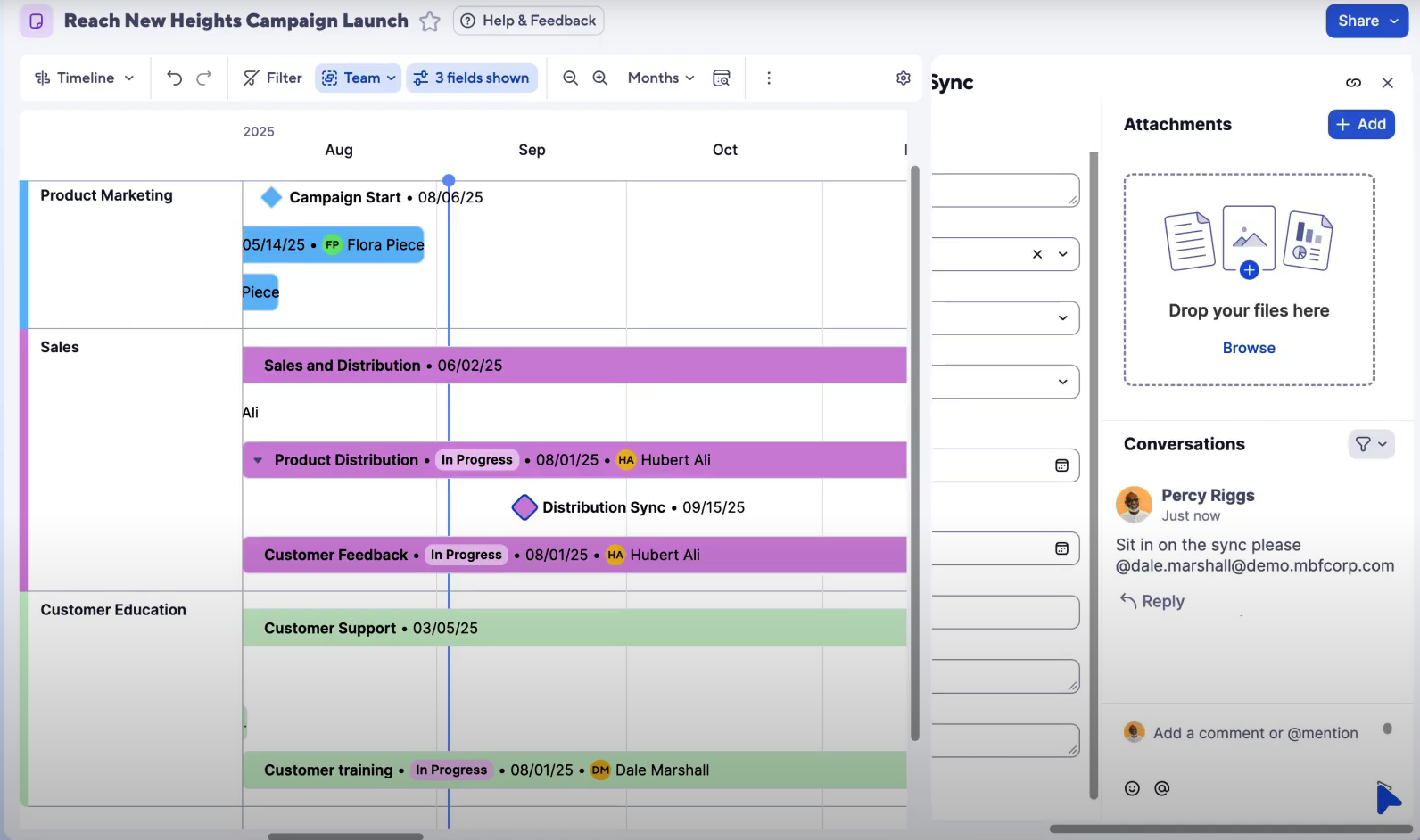
These views make it easier to switch between detailed tracking and high-level planning without rebuilding projects.
Moreover, teams can easily adjust tasks, timelines, and priorities through visual interactions like drag-and-drop scheduling or card movement.
3. AI assistance for formulas, insights, and content
Smartsheet AI helps teams work faster by generating formulas, analyzing data, summarizing updates, and suggesting clearer on-brand descriptions for your assets directly inside the platform.
It also offers guided setup for new users, providing personalized recommendations based on roles and use cases to help teams get started quickly.
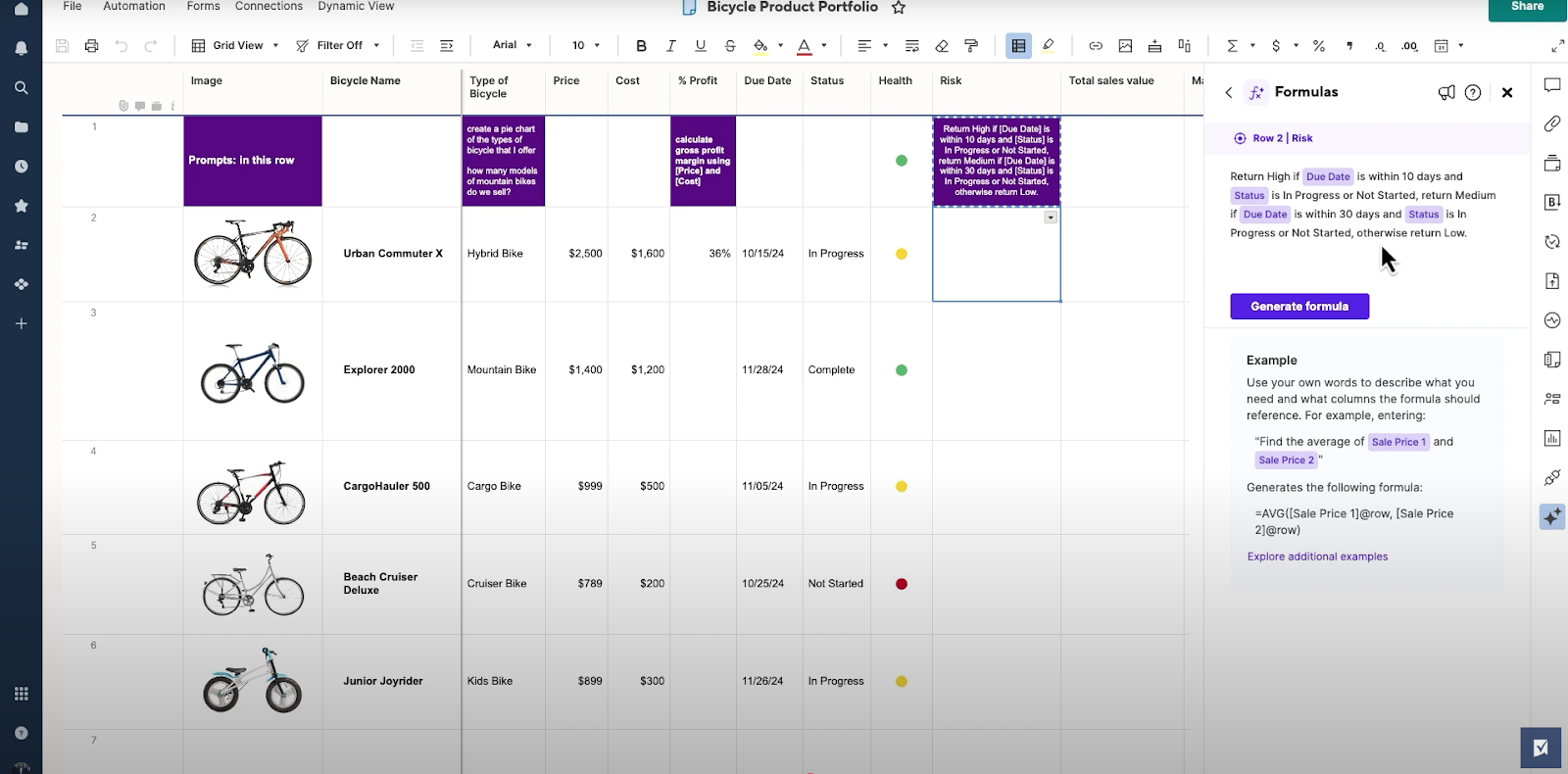
These tools are especially useful for teams working heavily with data and formulas, where AI can speed up configuration and reporting.
4. Automated workflows for repetitive processes
Smartsheet includes no-code automated workflows that let teams build flowchart-style automations using triggers, conditions, and actions to handle repetitive tasks like approvals, alerts, and updates.
Users can start from templates or create workflows from scratch, customizing logic paths to match how their sheets operate without writing scripts.
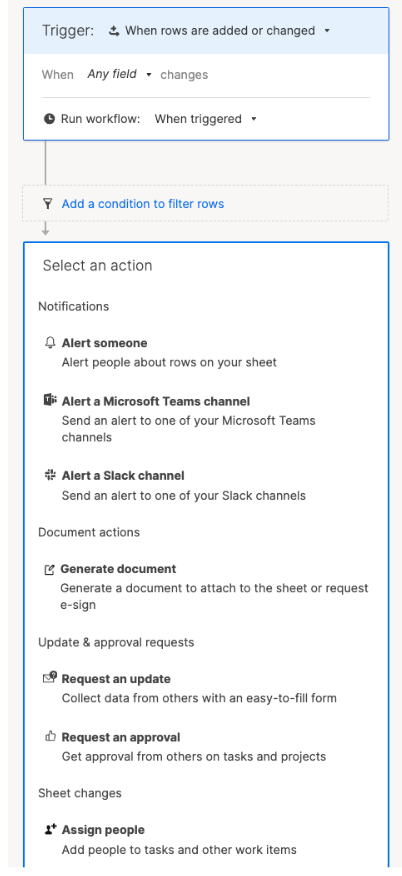
This makes it easy to standardize predictable processes and reduce manual coordination inside projects.
Smartsheet is ideal if you:
✅ Prefer working inside structured spreadsheets and want project management built around formulas, rollups, and tabular data.
✅ Need flexible visualization options like Gantt, Timeline, Board, or Calendar without rebuilding your workflow.
✅ Rely heavily on data-driven tracking and want AI to help generate formulas, summaries, or insights faster.
Smartsheet isn’t the best choice if you:
❌ Manage work that doesn’t fit naturally into rows, columns, and formula-driven logic.
❌ Need highly flexible workflows that evolve beyond a sheet-based structure or require deep relational data modeling.
❌ Want automation that easily connects complex cross-project processes without additional setup.
GanttPRO’s features
1. Gantt-first planning & timeline management
GanttPRO is built around a Gantt chart as the core workspace, meaning projects are planned and managed directly through visual timelines rather than spreadsheets or flexible databases.
Tasks appear as bars on a timeline where teams can define durations, set milestones, link dependencies, and quickly adjust schedules through drag-and-drop edits.
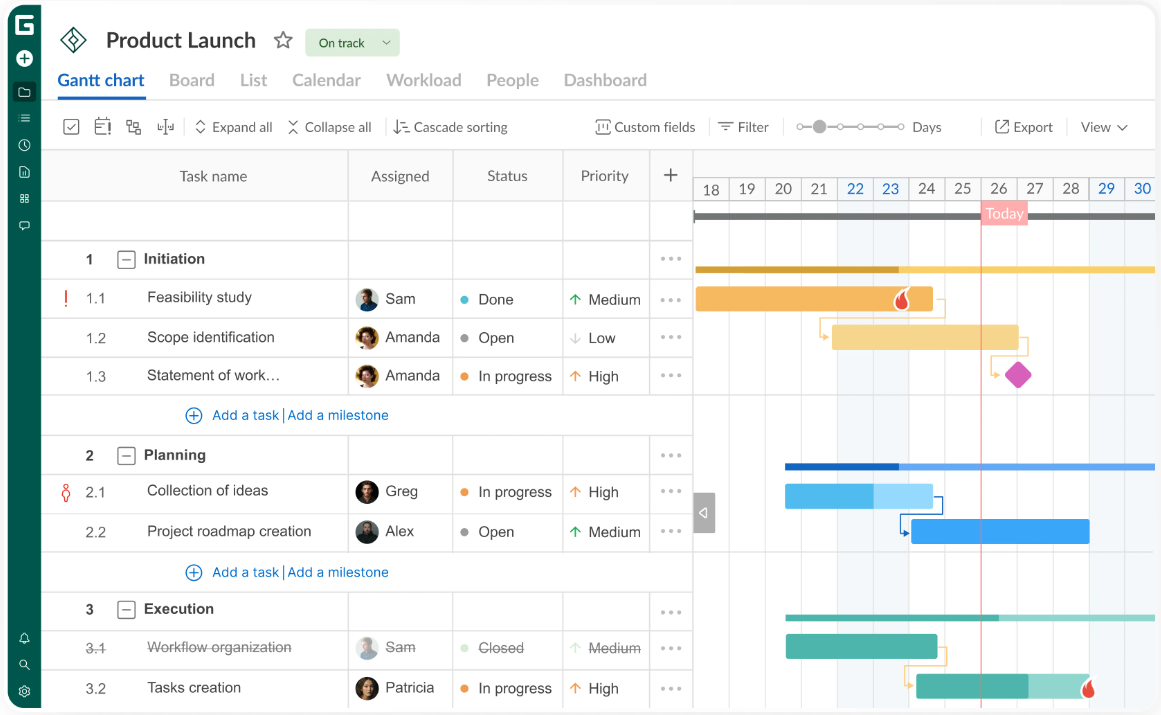
Features like baselines and critical path tracking help project managers monitor progress and understand how delays impact the overall plan.
This structure makes GanttPRO especially effective for structured, deadline-driven projects, though it can feel restrictive for teams whose workflows change frequently beyond a fixed timeline.
2. Resource & workload management
GanttPRO includes built-in resource and workload management tools designed to help teams plan capacity directly alongside their timelines.
Project managers can assign tasks to team members, track availability, and view workload distribution to quickly spot over- or under-allocation across projects.
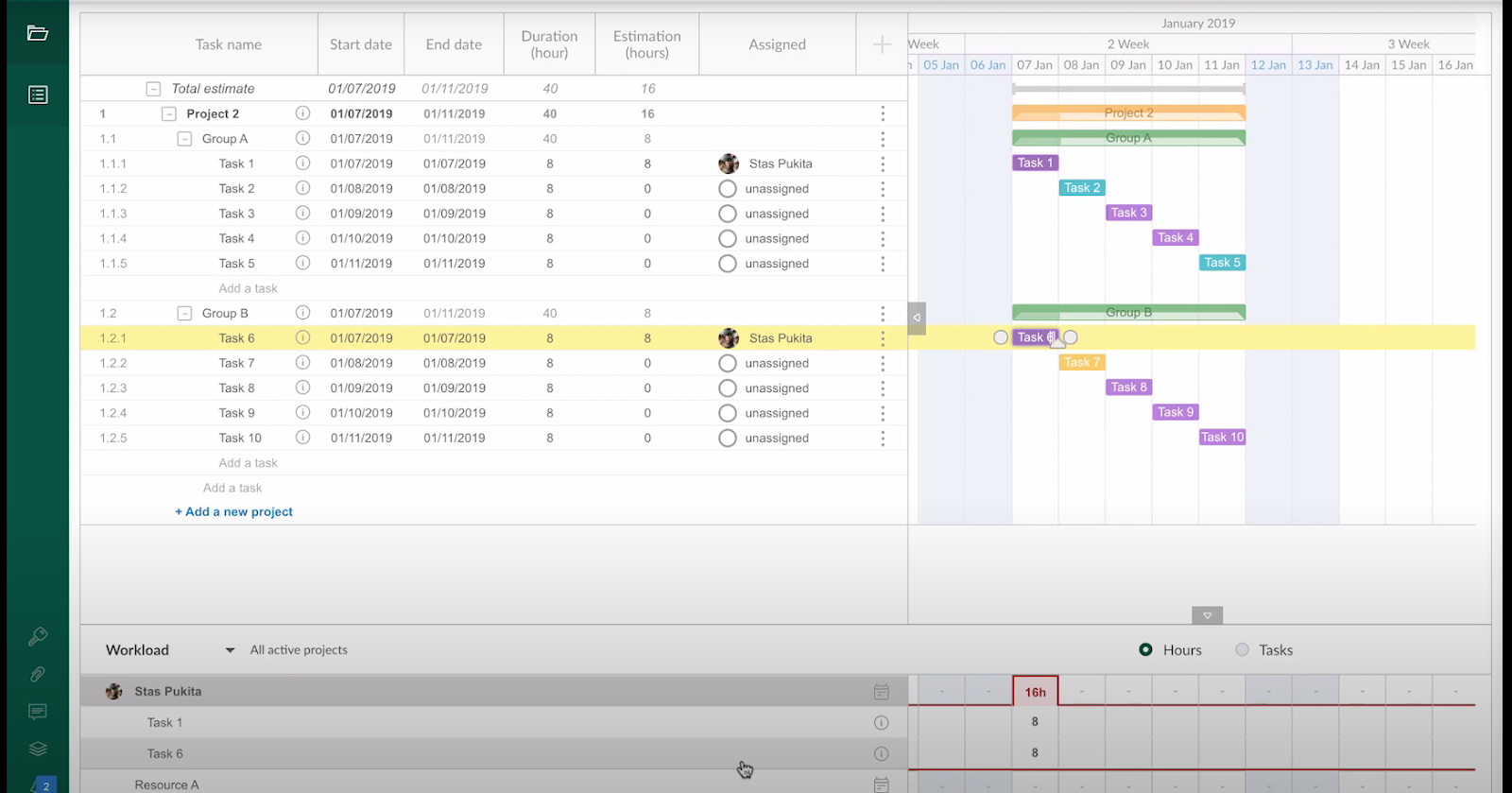
The visual workload view makes it easy to rebalance assignments or adjust schedules when priorities shift.
While this works well for structured planning environments, resource management remains closely tied to the timeline itself rather than broader operational workflows.
3. Collaboration & sharing around the timeline
The platform includes collaboration features that keep communication tied directly to project timelines, such as task comments, mentions, file attachments, and real-time updates.
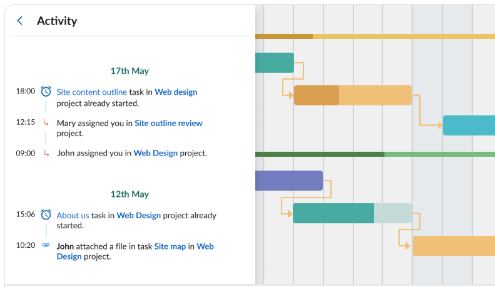
Because collaboration happens within the Gantt structure, discussions stay connected to specific tasks and deadlines.
However, collaboration is primarily centered on timeline execution rather than broader workflow or cross-project communication.
4. Templates and reusable project structures
With GanttPRO teams get both pre-configured templates and custom templates to help them start projects faster without rebuilding timelines from scratch.
Users can choose industry-specific Gantt chart templates or save their own project structures to reuse across future plans.
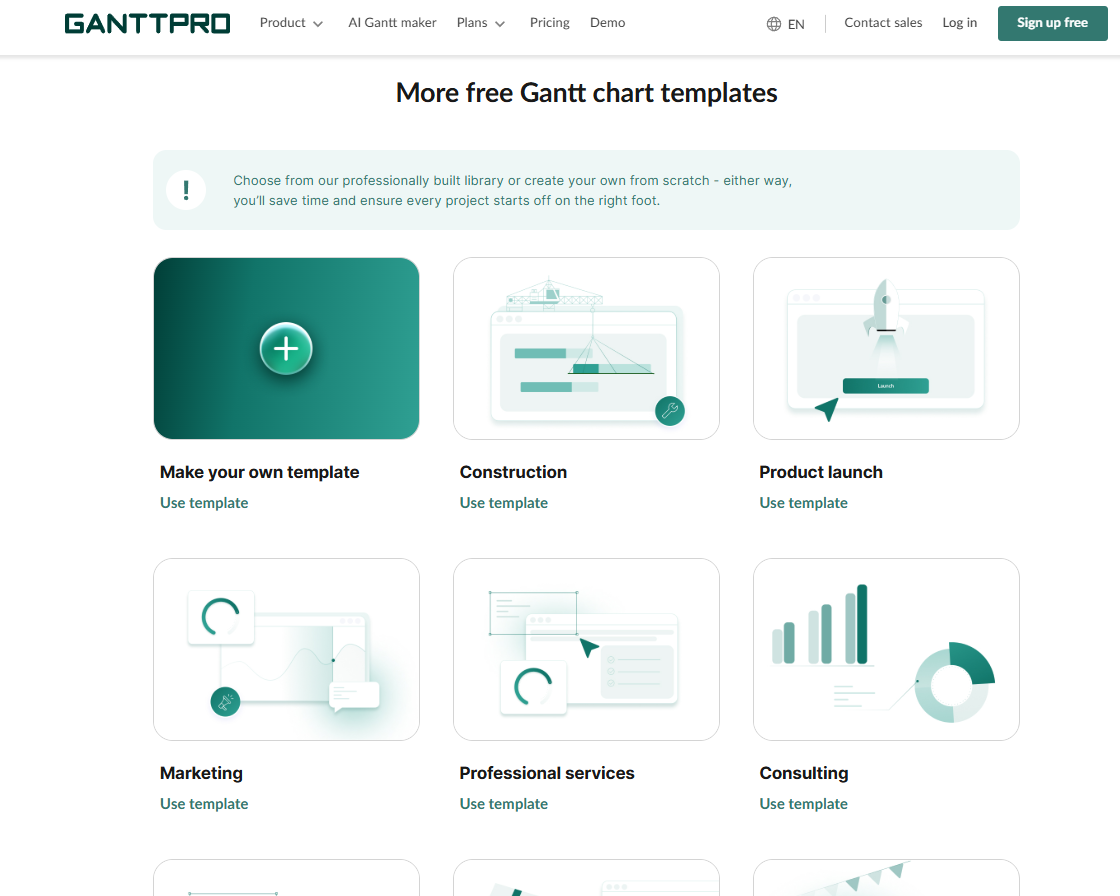
It also supports reusable task blocks, allowing teams to copy and paste standardized phases or workflows between projects.
This makes planning more efficient for repeatable project types, saving your team time and effort.
GanttPRO is ideal if you:
✅ Manage structured, deadline-driven projects where timelines, milestones, and dependencies are the main priority.
✅ Want a Gantt chart to be the central workspace for planning, scheduling, and tracking progress.
✅ Need simple collaboration directly alongside project timelines.
GanttPRO isn’t the best choice if you:
❌ Don’t rely heavily on Gantt-style planning and need a tool that adapts to different work models beyond timelines.
❌ Want collaboration that extends beyond task-level discussions into broader cross-project workflows.
❌ Prefer a platform that supports both structured planning and more dynamic operational execution in one system.
SmartSuite’s features
SmartSuite is an AI-native work platform designed to connect projects, processes, and operational workflows inside one unified system.
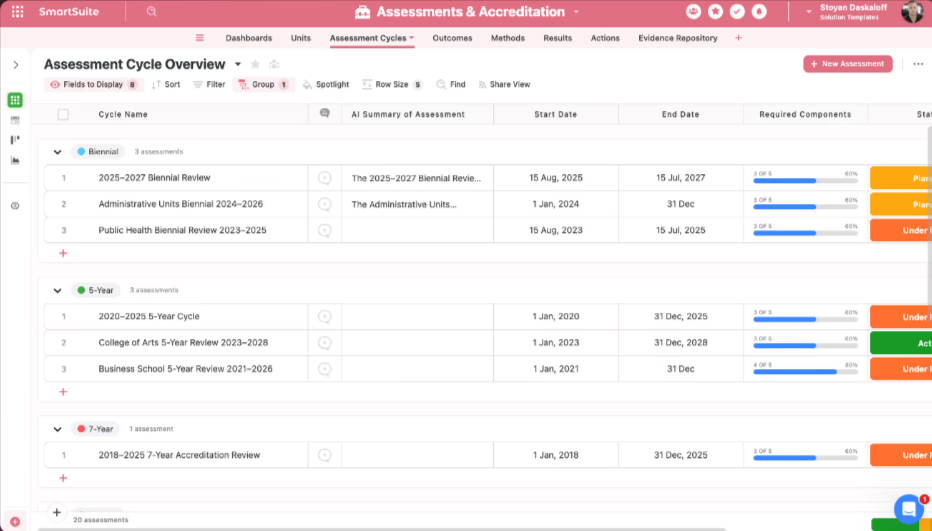
Instead of focusing only on timelines or spreadsheets, it acts as a Work Operating System (Work OS) where data, automation, AI, and collaboration run together across teams, from project execution to business operations.
What makes SmartSuite different is its focus on connected workflows rather than a single planning style.
Teams can design, automate, and scale work on a shared platform that brings structure without forcing everything into rigid sheets or fixed timelines, making it easier to evolve workflows as needs change.
1. AI-powered unified work platform
At its core, SmartSuite focuses on connected execution rather than just project tracking.
It gives teams a centralized environment where workflows, approvals, and reporting live together, making it easier to manage complex work without switching between specialized tools.
Here are the core capabilities that make that “unified platform” real in practice:
- Built-in solution suites: SmartSuite comes with purpose-built solution areas for Projects & Portfolios, Business Operations, IT Service Management (ITSM), and GRC, so teams can start with one area and expand as workflows connect.
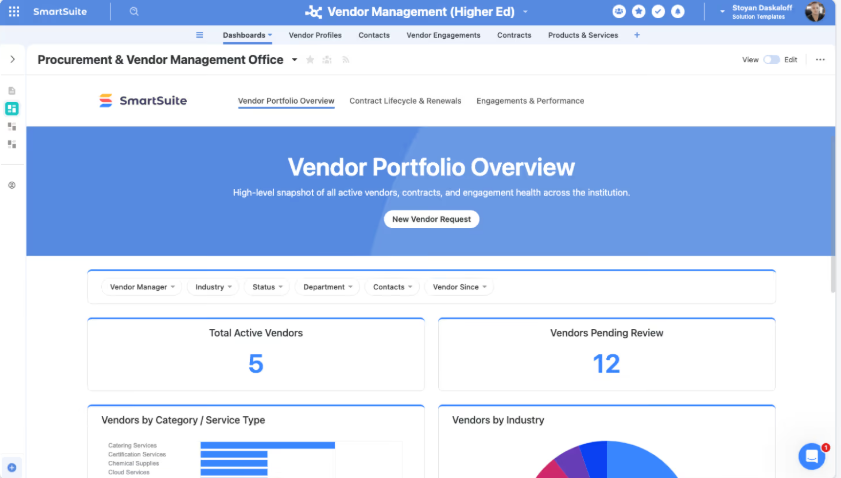
- Relational data model with connected records: You can link data across tables and even across different solutions using linked records, cross-solution relationships, lookups, and rollups, creating a single source of truth without duplicating information while preserving context, hierarchy, and permissions.
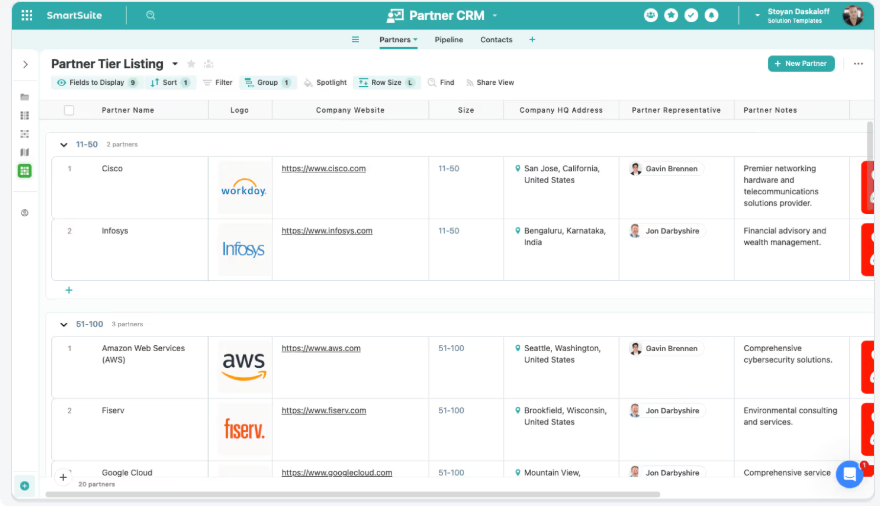
- Multiple flexible views for the same work: You can easily switch between Grid, Kanban, Calendar, Timeline, Chart, and Map views so records can be visualized differently depending on the task, without rebuilding workflows or duplicating data.
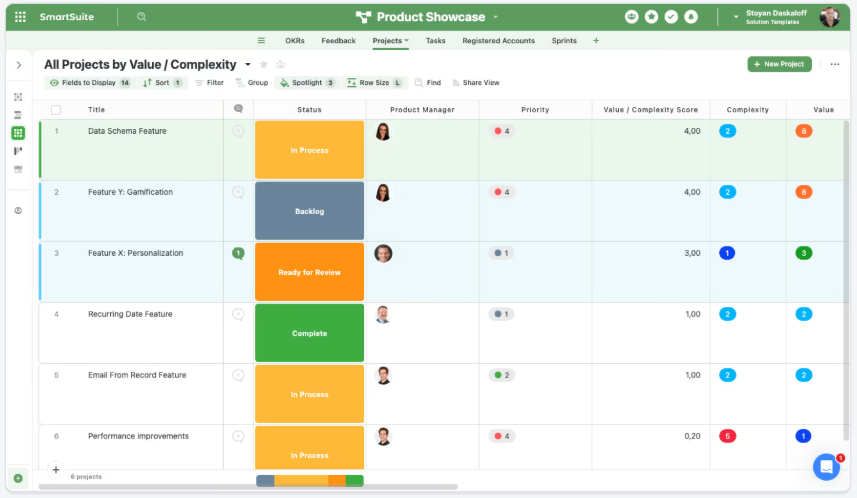
- No-code, visually configurable customization: SmartSuite lets teams tailor workflows, forms, dashboards, and automations without writing code using flexible layouts, visual dashboard widgets, and 40+ field types, allowing business users to adapt processes as needs evolve while IT maintains governance and control.
- Project and portfolio execution in one system: You can manage everything from intake and approvals to delivery, with portfolio reporting that makes priorities and progress visible without stitching together separate tools.
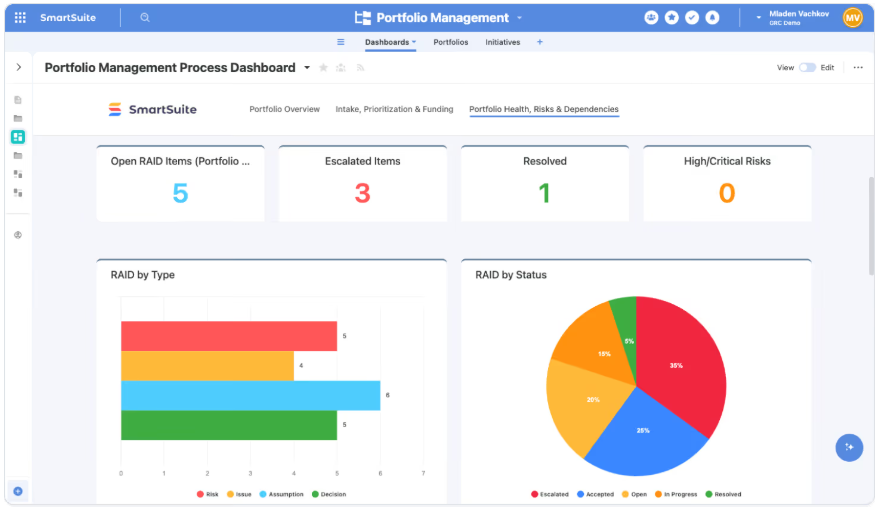
- Strategy and OKR alignment: Projects and programs can be tied to strategic goals so leaders can track progress against OKRs in real time, not just “task completion.”
- Dependency, risk, and delivery visibility: Teams can track risks and dependencies alongside execution, so changes to delivery don’t get buried in a timeline or lost across sheets.
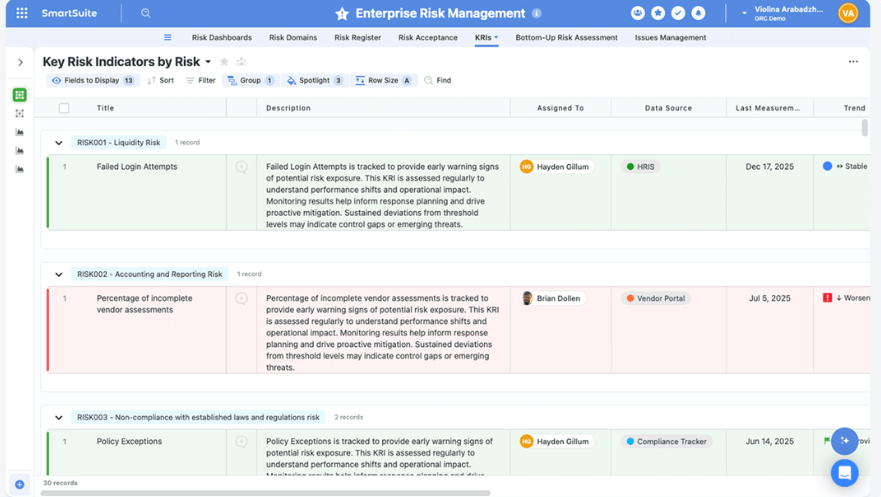
- Operational workflows beyond project plans: Business Operations workflows standardize intake, approvals, and execution across teams (think marketing ops, procurement, HR, product ops), replacing ad-hoc spreadsheets and email coordination.
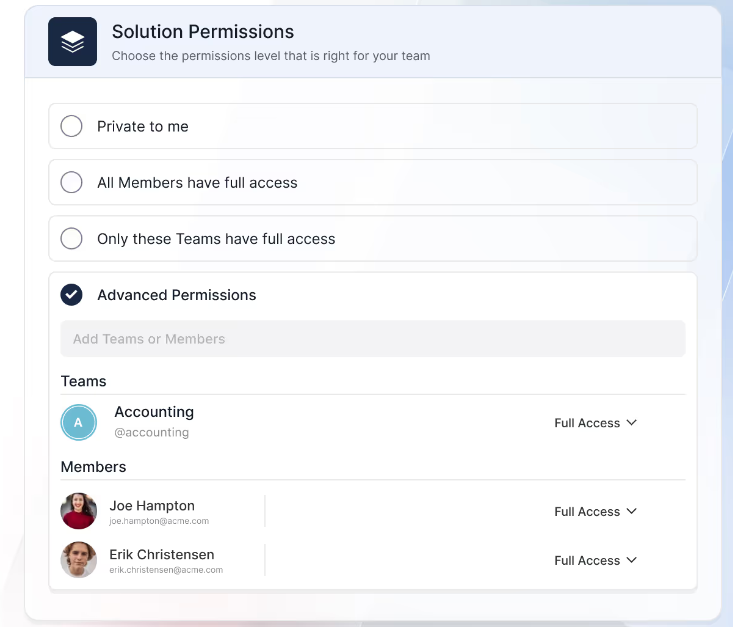
- Governed scalability: Permissions, structure, and reporting live on the same foundation, which helps workflows stay consistent as more teams and processes move into the platform.
2. Intelligent workflow automation with real-time triggers
SmartSuite includes a built-in workflow automation engine designed to handle repetitive coordination across projects, operations, and governance workflows.
Instead of relying on manual updates, teams can create multi-step automations using a visual drag-and-drop builder that responds to real-time events, schedules, or external system activity, helping work move forward without constant oversight.

Here’s what makes SmartSuite’s automation especially useful: Real-time triggers across workflows: Automations can start when records change, dates arrive, buttons are clicked, or external systems send webhooks, allowing workflows to react instantly to real business events.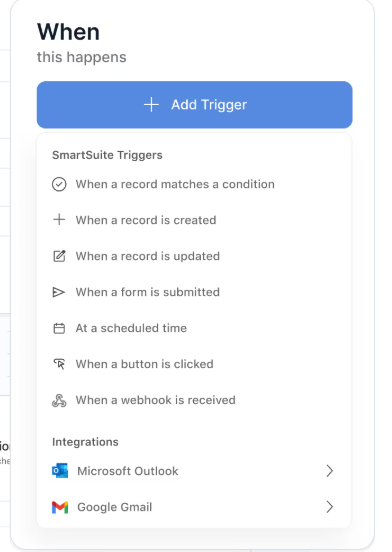
- Precision trigger filters: Teams can define conditions that control exactly when automations run, ensuring actions only execute on records that match specific rules like risk level, priority, or status.
- Multi-step actions across tools and teams: A single automation can update records, assign work, notify stakeholders, create calendar events, or sync data with tools like Slack, Teams, or Salesforce in a defined sequence.
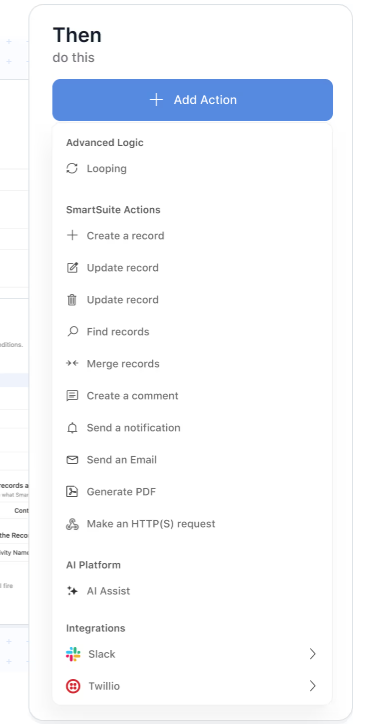
- AI Assist actions inside workflows: SmartSuite can analyze attachments, generate summaries, extract insights, or calculate values during an automation, turning AI into an active part of execution rather than just a helper.
- Looping actions across related records: When one change impacts multiple linked items, automations can repeat actions across all related records without duplicating workflows or breaking data relationships.
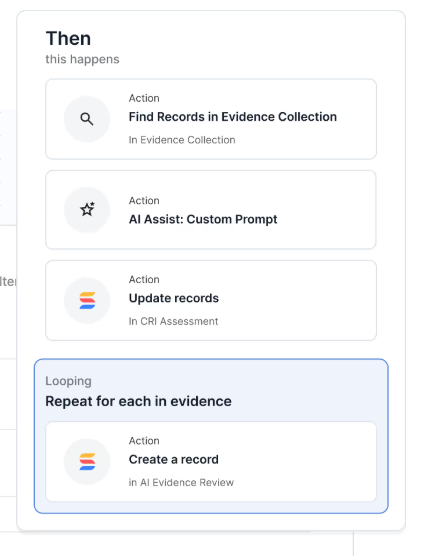
- Enterprise-grade reliability and governance: Every automation run is logged with full history, error tracking, and audit visibility, helping teams maintain control as workflows scale.
3. Live reporting and cross-workflow dashboards built into execution
In SmartSuite, analytics sit on top of its relational data model and permission system, so every chart, metric, and dashboard stays live, governed, and automatically updated as workflows progress.
Here’s what makes SmartSuite’s reporting especially useful: Real-time visibility across workflows: Dashboards and views update instantly as records change, giving leaders and teams live insight into progress, risks, workload, and performance without exporting data.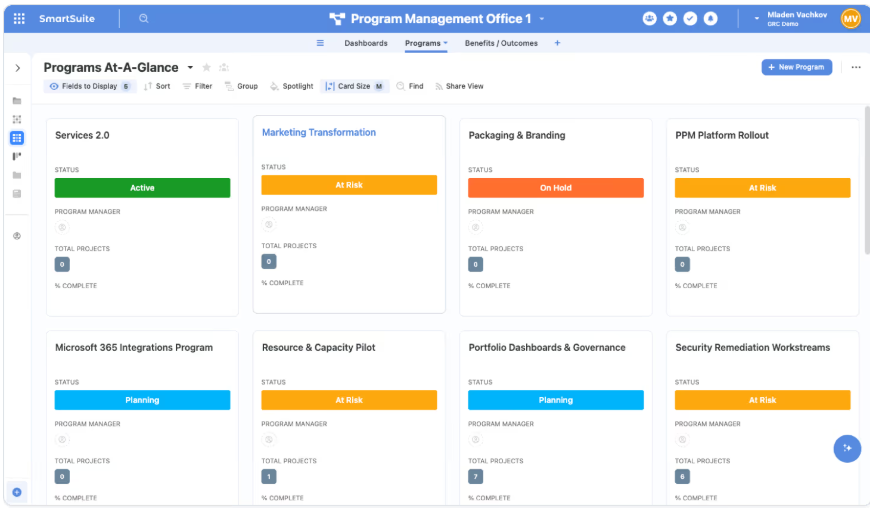
- Cross-solution reporting: Teams can combine metrics from multiple Solutions, like projects, operations, or risk workflows, into unified dashboards that show how work connects across the organization.
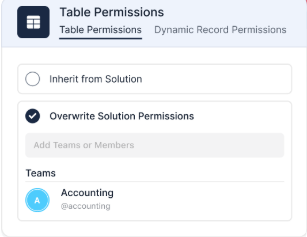
- Role-aware views and dashboards: Reporting automatically respects record- and field-level permissions, ensuring every user sees only the data relevant to their responsibilities.
- Self-service dashboard creation: Teams can build charts, widgets, and reporting views themselves without relying on separate BI tools or technical specialists.
- Executive-to-team visibility in one system: Portfolio dashboards for leaders, SLA and workload views for managers, and personalized “My Work” views for contributors keep every level of the organization aligned on the same live data.
4. AI assistance across workflows
SmartSuite AI is built directly into the platform’s workflow engine rather than sitting on top as a helper feature, allowing intelligence to operate inside records, automations, and reporting.
Because AI works on structured data, relationships, and permissions, teams can speed up execution while keeping governance and human oversight fully intact.
Here’s what makes SmartSuite’s AI capabilities stand out:
- AI embedded inside workflows: AI Assist actions can summarize inputs, classify data, extract insights, and drive next steps as part of automations, turning intelligence into an active execution layer instead of a separate tool.
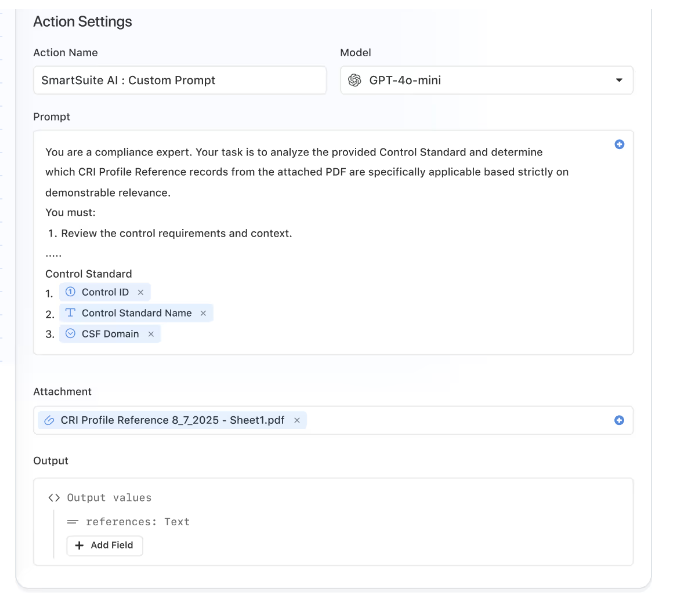
- SmartDoc AI for content and communication: Teams can generate updates, summarize long narratives, translate content, and refine messaging directly inside records without leaving their workflow environment.
- AI Field Agent for data enrichment: AI monitors records to recommend values like risk scores, priorities, or categories, helping teams keep large datasets accurate and consistent without manual cleanup.
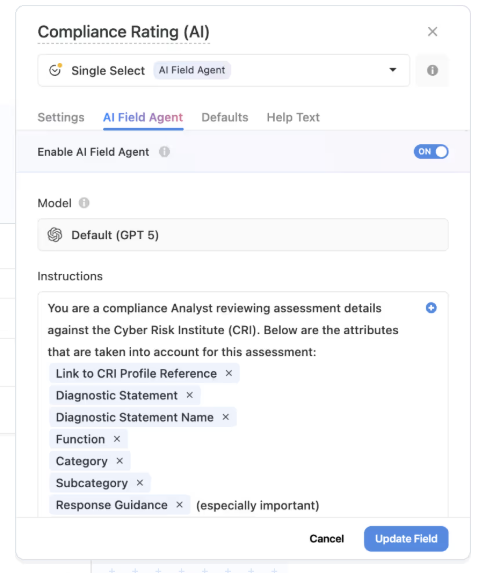
- Human-in-the-loop decision support: AI prepares summaries, classifications, and suggestions while users retain final approval, ensuring workflows stay governed and transparent.
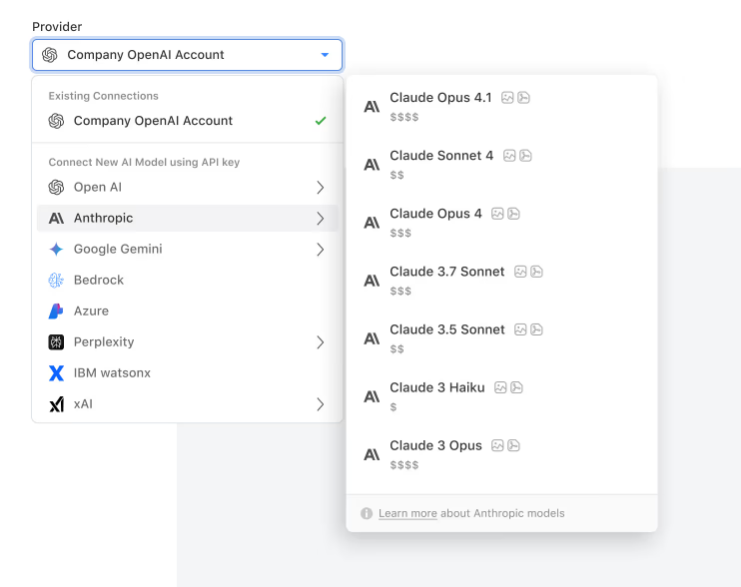
- Bring-your-own-LLM flexibility: Organizations can connect models like OpenAI, Gemini, Anthropic, Bedrock, Azure, or IBM WatsonX to align AI usage with internal security, compliance, and cost requirements.
- Context-aware business insights: Because AI runs on relational data and connected solutions, recommendations stay grounded in real business context rather than generic prompts.
SmartSuite is ideal if you:
✅ Need one platform that connects projects, operational workflows, reporting, and governance instead of managing work across separate tools.
✅ Want flexibility beyond spreadsheets or fixed timelines, with relational data, multiple views, and no-code customization that adapts as processes evolve.
✅ Manage work that spans projects and ongoing operations, like portfolio management, business ops, or cross-functional workflows, and need everything tied to a shared source of truth.
✅ Value automation and AI that operate directly inside workflows to accelerate execution, routing, and decision-making.
✅ Want real-time dashboards and cross-solution reporting that give leaders, managers, and contributors visibility without exporting data or rebuilding reports.
SmartSuite isn’t the best choice if you:
❌ Prefer a simple, single-purpose tool focused only on Gantt charts or basic spreadsheet-style project tracking.
❌ Are looking only for timeline scheduling or task tracking without broader operational workflow management.
Winner: SmartSuite
SmartSuite comes out ahead on features because it goes beyond a single planning style and delivers a more complete execution platform.
While Smartsheet is strongest when work fits into structured spreadsheets and GanttPRO excels at timeline-driven planning, SmartSuite connects projects, operations, automation, reporting, and AI inside one unified system.
Integrations: Smartsheet vs. GanttPRO vs. SmartSuite
Smartsheet’s integrations
Smartsheet offers a broad integration ecosystem designed to connect project workflows with the tools teams already use every day.
It integrates deeply with Microsoft products like Outlook, Excel Online, Power BI, and Single Sign-On, and also allows embeds from platforms such as Tableau, Figma, Miro, and Prezi, helping teams bring external collaboration and reporting directly into their workspace.
In addition, it connects with a wide range of AI, collaboration, and automation tools, aiming to cover all different tech types modern teams use.
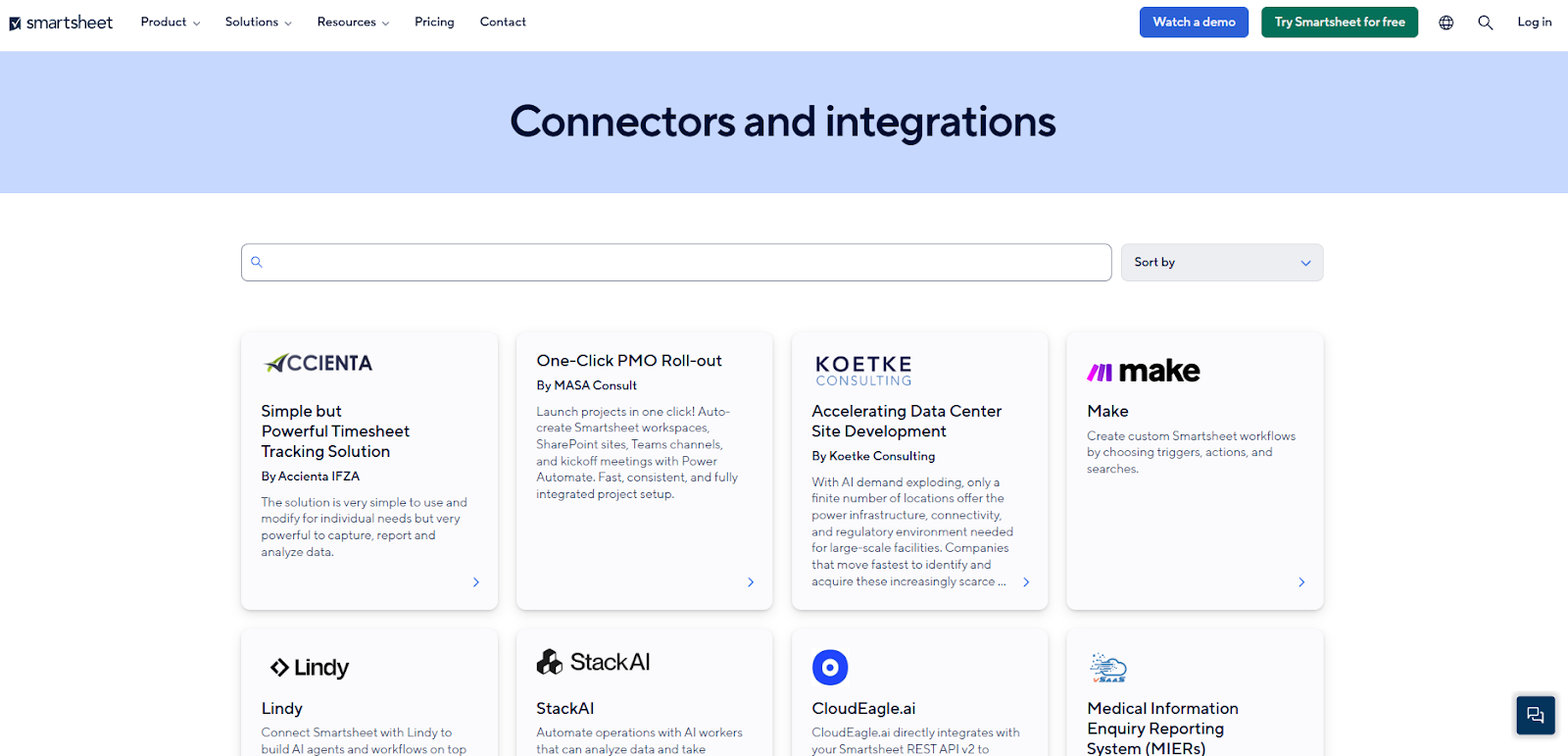
Beyond native integrations, Smartsheet supports automation and connectivity through platforms like Tray.ai and provides REST API access for more advanced use cases.
This flexibility allows organizations to sync data across systems, automate processes, and extend workflows beyond the platform while keeping projects aligned with their broader tech stack.
GanttPRO’s integrations
GanttPRO provides a focused set of integrations designed to keep project timelines connected with the tools teams already use for communication and file management.
Native integrations with Slack and Microsoft Teams allow users to receive notifications and interact with projects directly from their collaboration channels, while Google Drive and OneDrive make it easy to attach or manage files without leaving the platform.
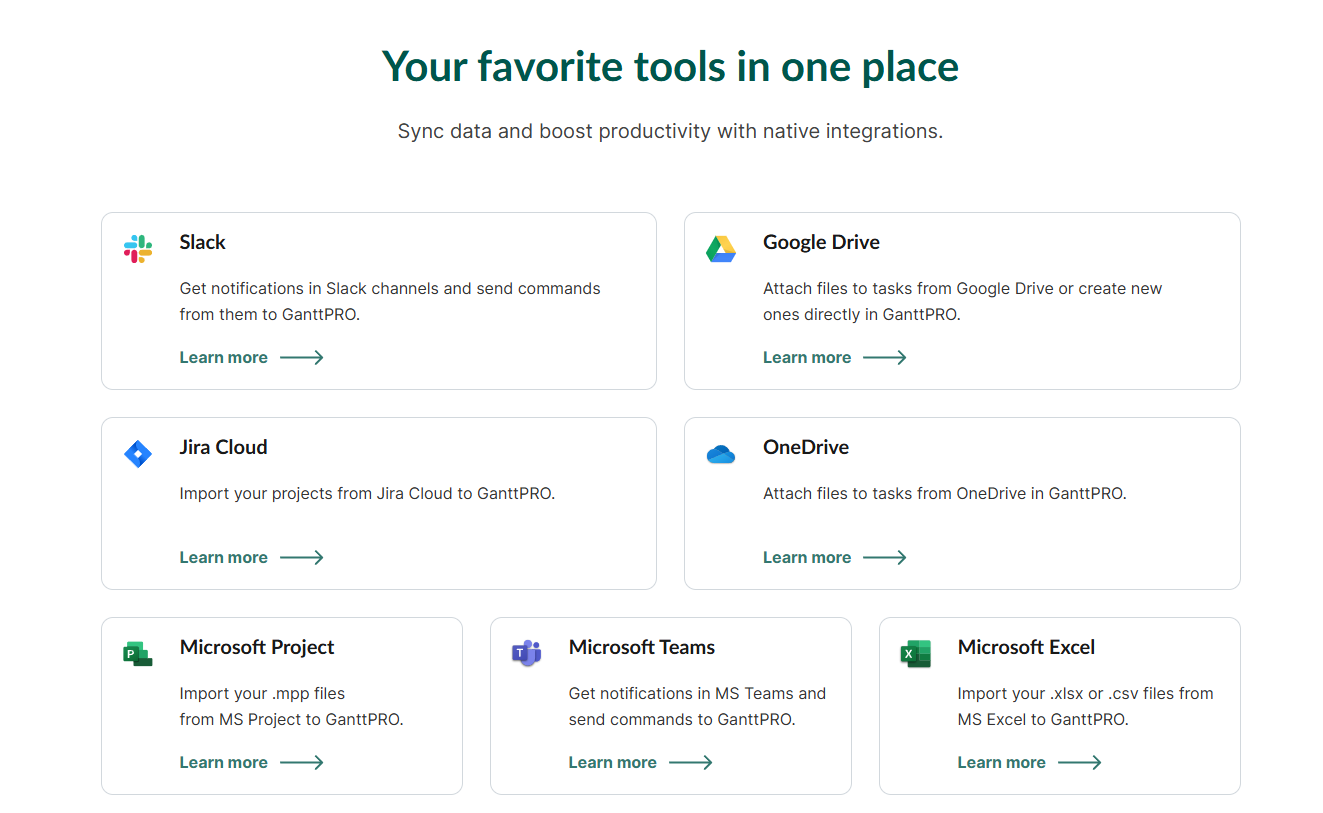
The platform also supports imports from tools like Jira Cloud, Microsoft Project, and Microsoft Excel, helping teams migrate existing plans into GanttPRO quickly.
In addition to these native connections, GanttPRO offers an open API that enables organizations to link their timelines with external systems and build more customized workflows as needed.
SmartSuite’s integrations
SmartSuite approaches integrations as part of how work flows across systems, helping teams connect processes rather than simply adding external apps on top.
Organizations can link their tools through native integrations, automation platforms like Zapier or Make, as well as REST APIs and webhooks, allowing data and workflows to move between SmartSuite and the rest of their stack.
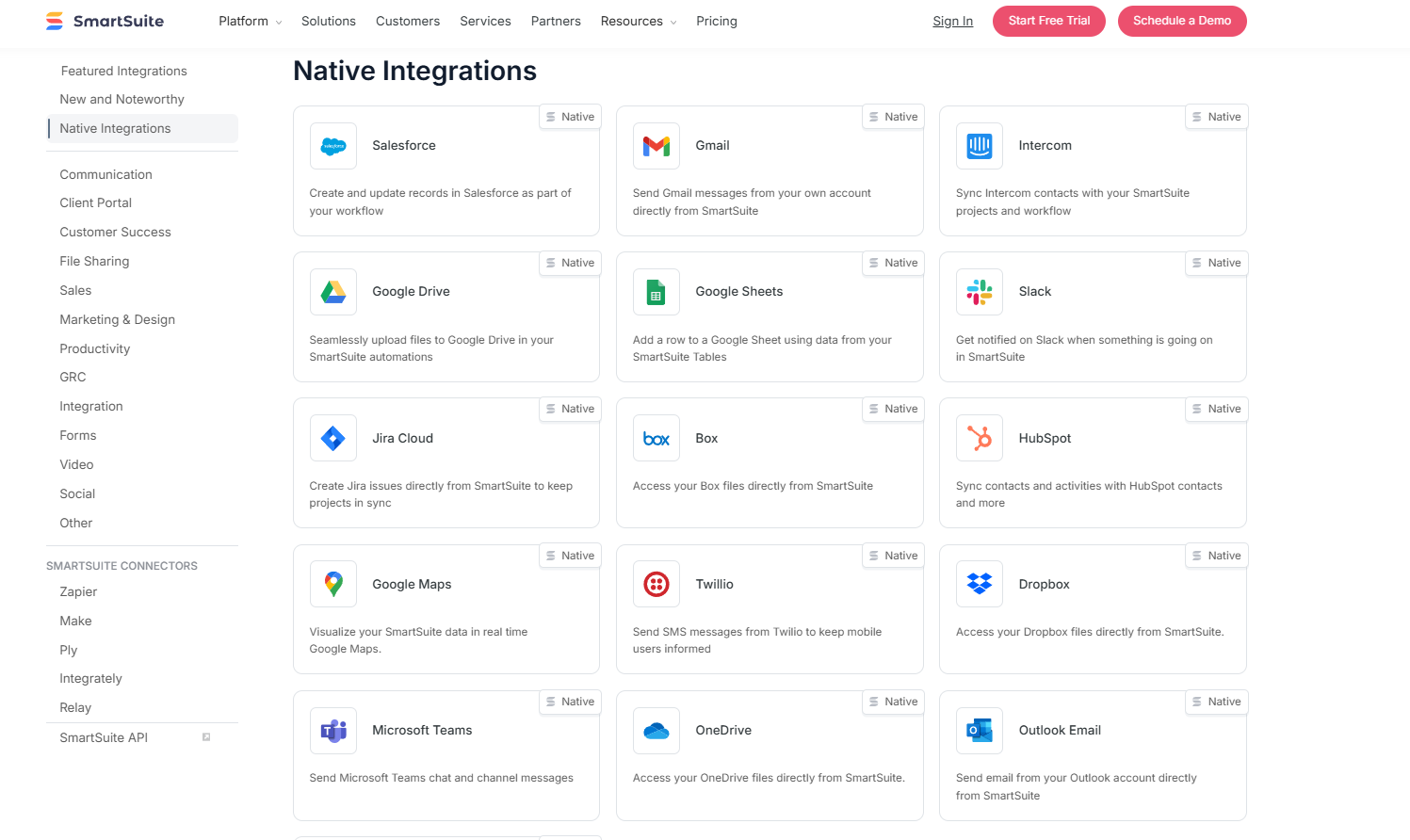
Out of the box, SmartSuite connects with tools such as Slack, Microsoft Teams, Salesforce, Gmail, Google Drive, Jira, HubSpot, Outlook, and Google Calendar, keeping communication, customer information, and scheduling synchronized without heavy configuration.
For more advanced scenarios, teams can extend the platform through APIs, automation services, or custom integrations, making it easier to build tailored workflows and maintain a connected operational environment.
Winner: Smartsheet
When it comes to integrations, Smartsheet takes the lead thanks to the breadth and maturity of its ecosystem.
It offers strong native connections across Microsoft tools, analytics platforms, and collaboration software, along with flexible automation options and API access, making it easier for organizations to plug Smartsheet into an existing enterprise tech stack with minimal friction.
Pricing: Smartsheet vs. GanttPRO vs. SmartSuite
Smartsheet pricing
Smartsheet offers several pricing tiers designed to scale from small teams to large enterprises:
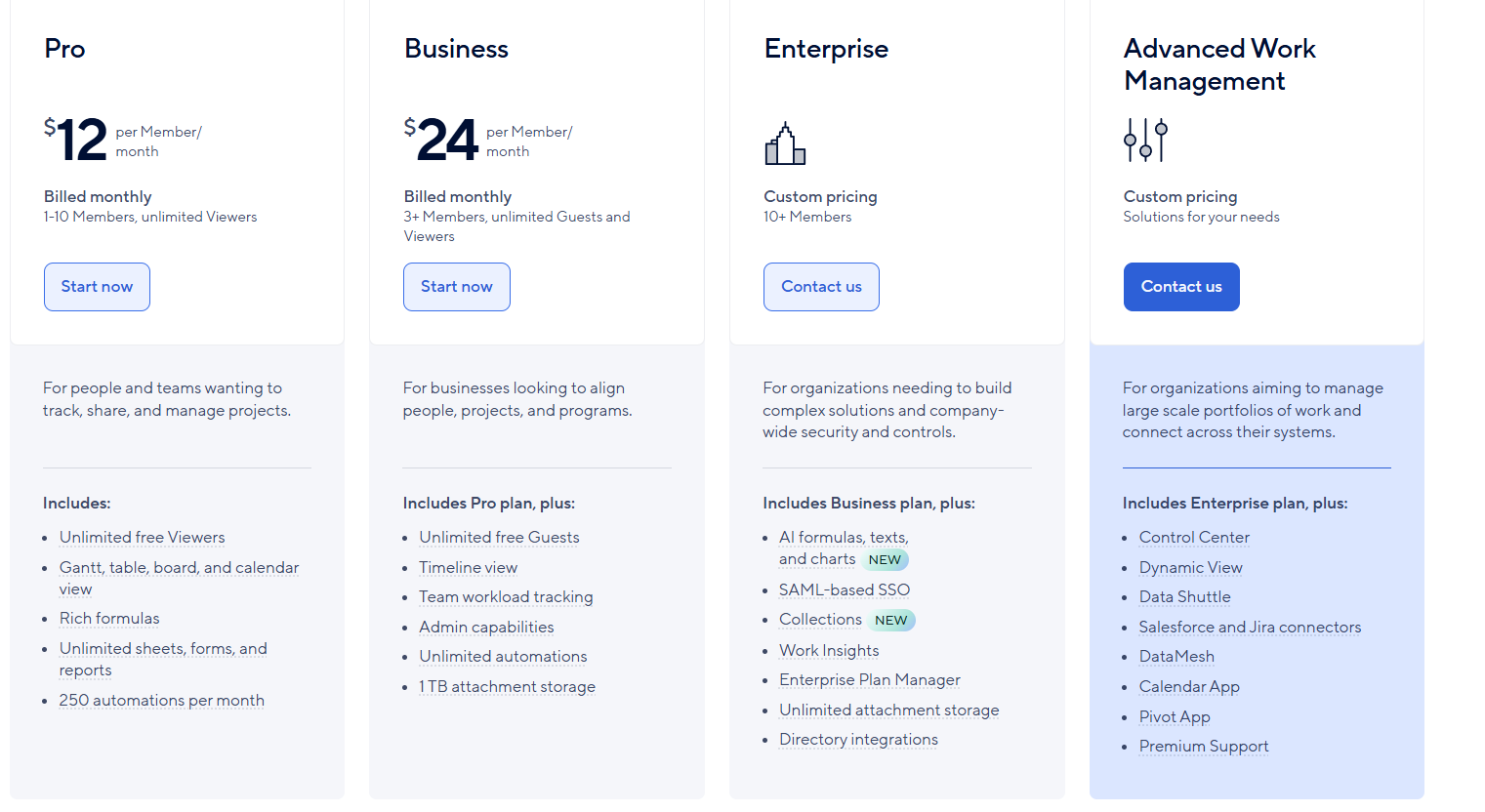
- Pro: $12 per user/month, for 1-10 users, includes Gantt, table, board, and calendar views, rich formulas, unlimited sheets, forms, and reports, plus 250 automations per month.
- Business: $24 per member/month, for minimum 3 members, includes everything in Pro, plus timeline view, team workload tracking, stronger admin controls, unlimited automations, and 1 TB of attachment storage.
- Enterprise: Custom pricing, for teams with more than 10 members that need advanced security and governance controls, includes everything in Business, plus AI-powered formulas, text, and charts, SAML-based SSO, directory integrations, unlimited storage, Work Insights, WorkApps, and enterprise-level management tools.
- Advanced Work Management: Custom pricing, designed for organizations managing large portfolios and complex, cross-system workflows. Includes everything in Enterprise, plus control center, dynamic view, data shuttle, DataMesh, calendar and pivot apps, Salesforce and Jira connectors, and premium support.
GanttPRO pricing
GanttPRO offers four pricing tiers designed to scale from small teams to larger organizations, with a 14-day free trial available:
- Core: $9 per user/month, including essential features like Gantt charts, auto-scheduling, virtual resources, and a project calendar.
- Advanced: $15 per user/month, includes everything in Core and adds capabilities such as custom fields, filters, overdue task tracking, and customizable project templates for teams that want more flexibility in planning.
- Business: $24 per user/month, includes everything in Advanced and introduces workload management, portfolio reporting, budget planning, and time tracking.
- Enterprise: Custom pricing, includes everything in Business, plus advanced security features like SAML SSO, custom roles and permissions, onboarding support, and priority assistance.
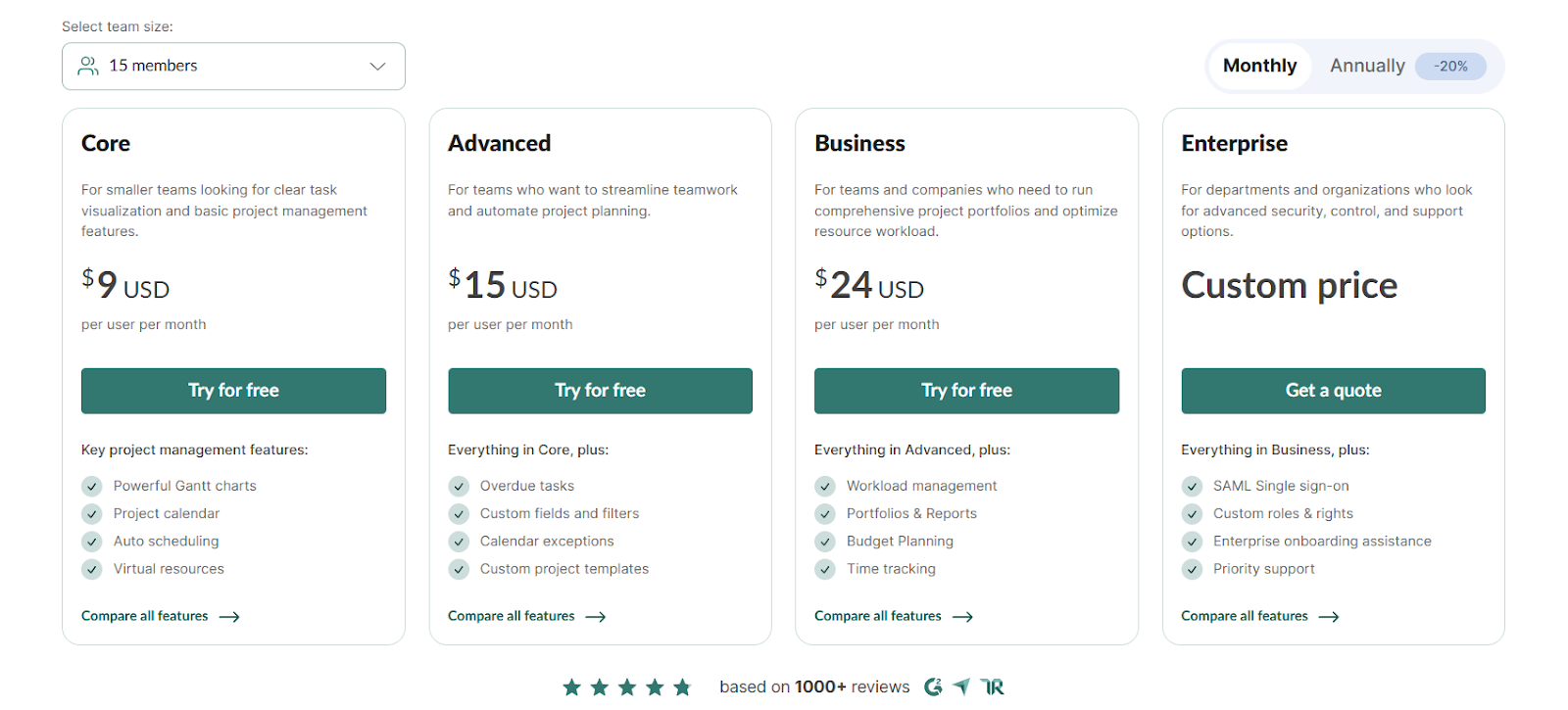
The platform offers additional discounts as team size increases beyond 15 users, which can make higher-tier plans more cost-effective at scale.
SmartSuite pricing
SmartSuite follows a transparent pricing model with plans that scale alongside your team’s needs.
You can try it free for 14 days - no credit card required - before choosing a tier.
Here’s a closer look at the available options:
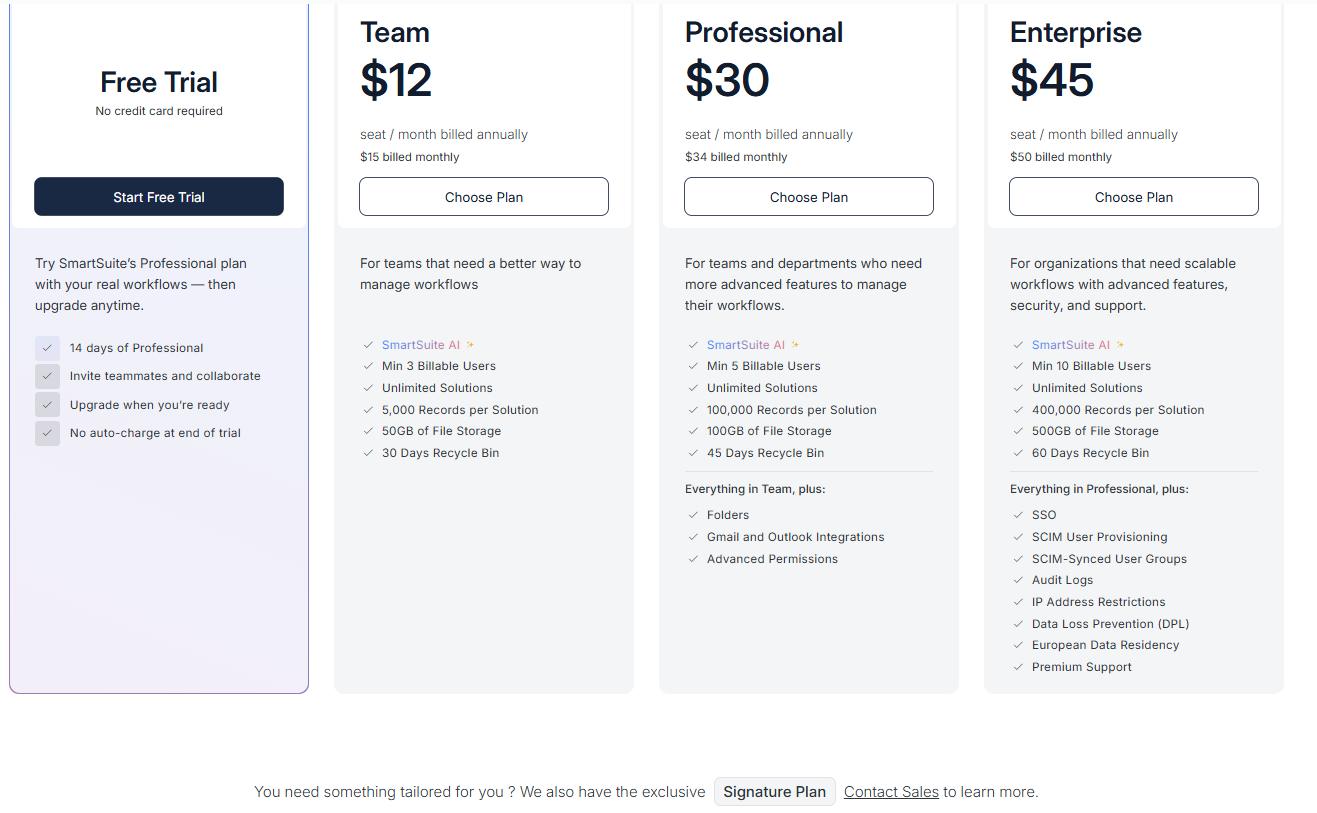
- Team: $12 per seat/month (billed annually), includes SmartSuite AI, unlimited solutions, up to 5,000 records per solution, 50 GB of file storage, a 30-day recycle bin, and core collaboration and automation features.
- Professional: $30 per seat/month, includes everything in Team, plus folders, Gmail and Outlook integrations, advanced permissions, higher record limits (100,000 per solution), 100 GB of storage, and a 45-day recycle bin.
- Enterprise: $45 per seat/month, includes everything in Professional, plus SSO, SCIM user provisioning, audit logs, IP restrictions, data loss prevention, European data residency, premium support, and higher limits (400,000 records per solution and 500 GB storage).
- Signature: Custom pricing. A tailored plan for organizations with specific requirements around scale, security, or data architecture.
Winner: GanttPRO or SmartSuite, depending on what you’re looking for
When comparing pricing across all three platforms, GanttPRO has the lowest starting price at $9 per user/month, making it the most accessible option for smaller teams that primarily need Gantt-based planning and straightforward project scheduling.
However, SmartSuite offers the strongest overall value because all essential capabilities, including AI, automation, multiple views, relational data, and customization, are already included in its entry-level plan.
Instead of locking core functionality behind higher tiers, SmartSuite gives teams a fully capable platform from the start, which can reduce the need for early upgrades as workflows expand.
What are the customers saying about Smartsheet, GanttPRO, and SmartSuite?
Key takeaways
- Smartsheet’s (4.4★ on G2) users appreciate its familiar spreadsheet-style interface, flexibility, and advanced formulas and automation, but many mention a learning curve and growing complexity as projects scale.
- GanttPRO (4.8★ on G2) is highly rated for its intuitive Gantt charts, visual timelines, and dependency tracking, though feedback highlights limited mobile usability and a strong focus on timeline planning over broader workflows.
- SmartSuite (4.8★ on G2) is praised for ease of use, no-code customization, and the ability to replace multiple tools in one platform, with most complaints centered around pricing tiers and smaller UX improvements rather than core functionality.
Smartsheet reviews
G2 Rating: 4.4/5
What users love:
- Familiar spreadsheet-style interface makes it easy for non-technical users to start managing tasks quickly without extensive training.
- Strong flexibility allows teams to build trackers, dashboards, and structured workflows that scale from simple task lists to complex projects.
- Features like formulas, automation, reporting, and hierarchy tracking help teams move beyond basic spreadsheets while keeping work organized.
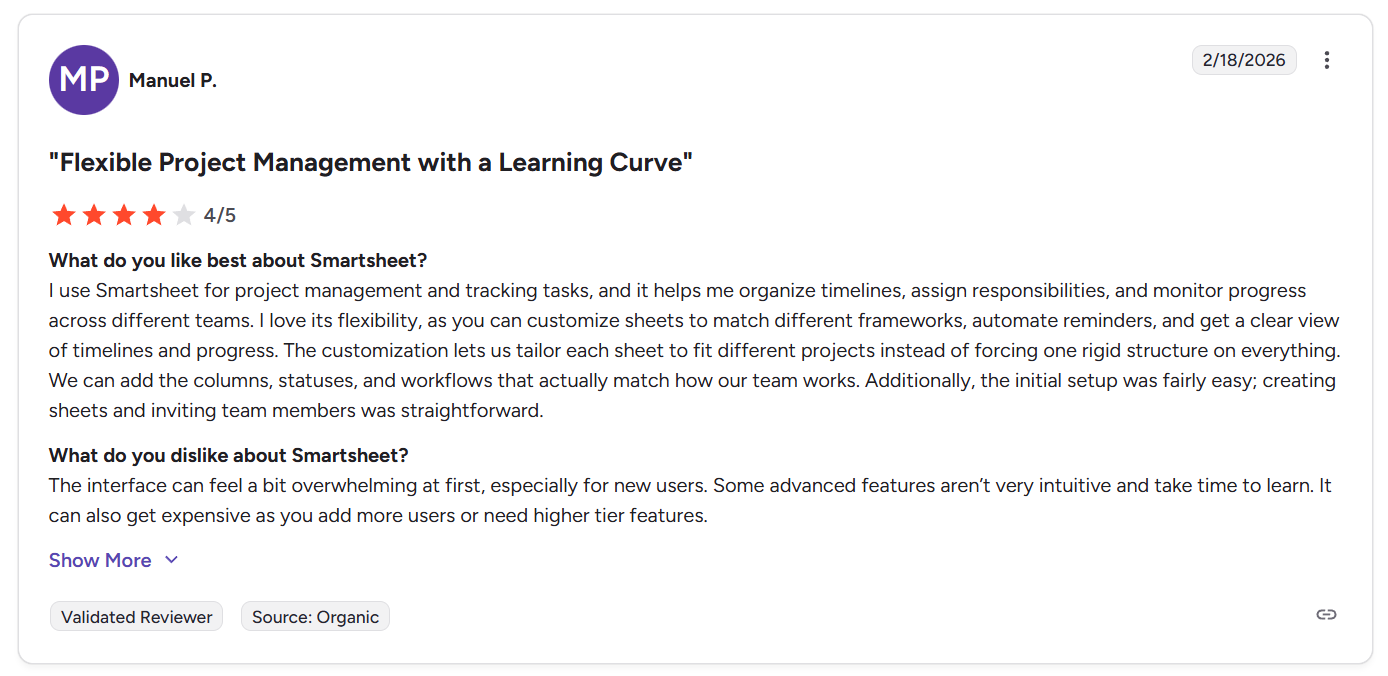
“I use Smartsheet for project management and tracking tasks, and it helps me organize timelines, assign responsibilities, and monitor progress across different teams. I love its flexibility, as you can customize sheets to match different frameworks, automate reminders, and get a clear view of timelines and progress. The customization lets us tailor each sheet to fit different projects instead of forcing one rigid structure on everything. We can add the columns, statuses, and workflows that actually match how our team works. Additionally, the initial setup was fairly easy; creating sheets and inviting team members was straightforward.” - G2 Review
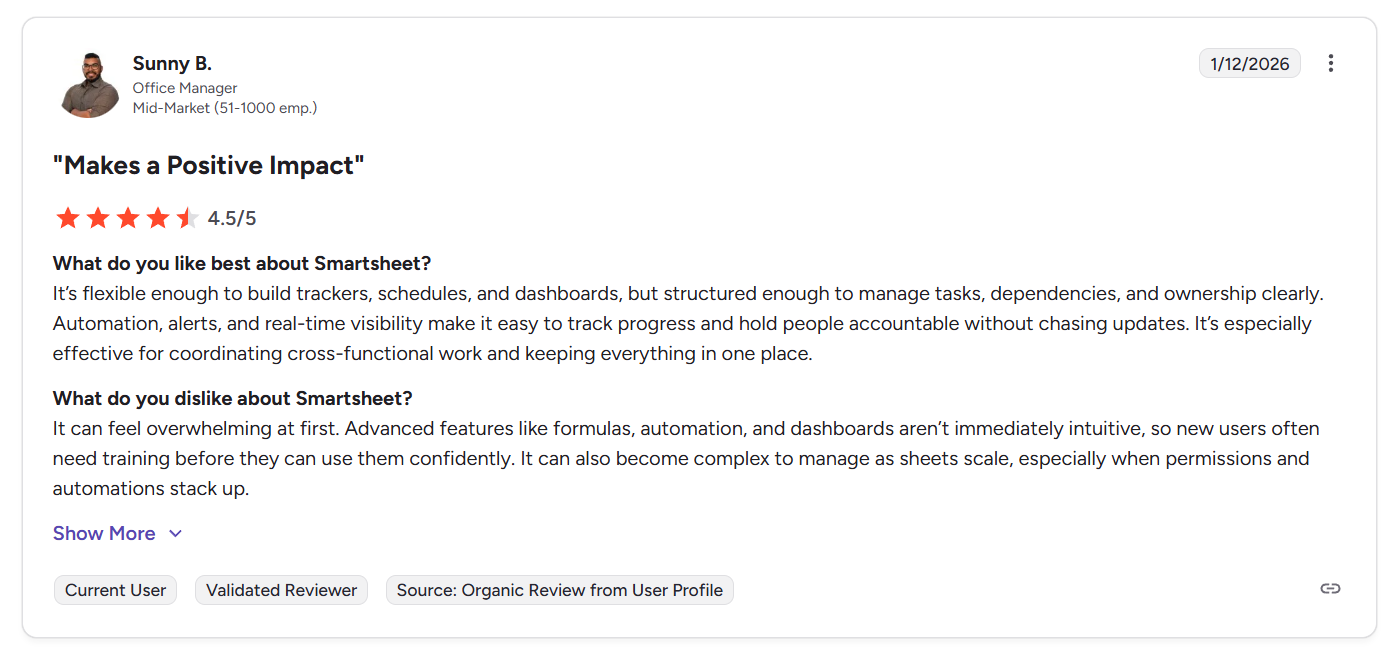
“It’s flexible enough to build trackers, schedules, and dashboards, but structured enough to manage tasks, dependencies, and ownership clearly. Automation, alerts, and real-time visibility make it easy to track progress and hold people accountable without chasing updates. It’s especially effective for coordinating cross-functional work and keeping everything in one place.” - G2 Review
Common complaints include:
- Advanced capabilities such as formulas, automations, and cross-sheet logic introduce a learning curve as projects become more complex.
- Large sheets or datasets can feel cluttered or slower to navigate, especially as workspaces scale.
- Collaboration can sometimes lead to overwriting issues or workflow friction when multiple users edit simultaneously.
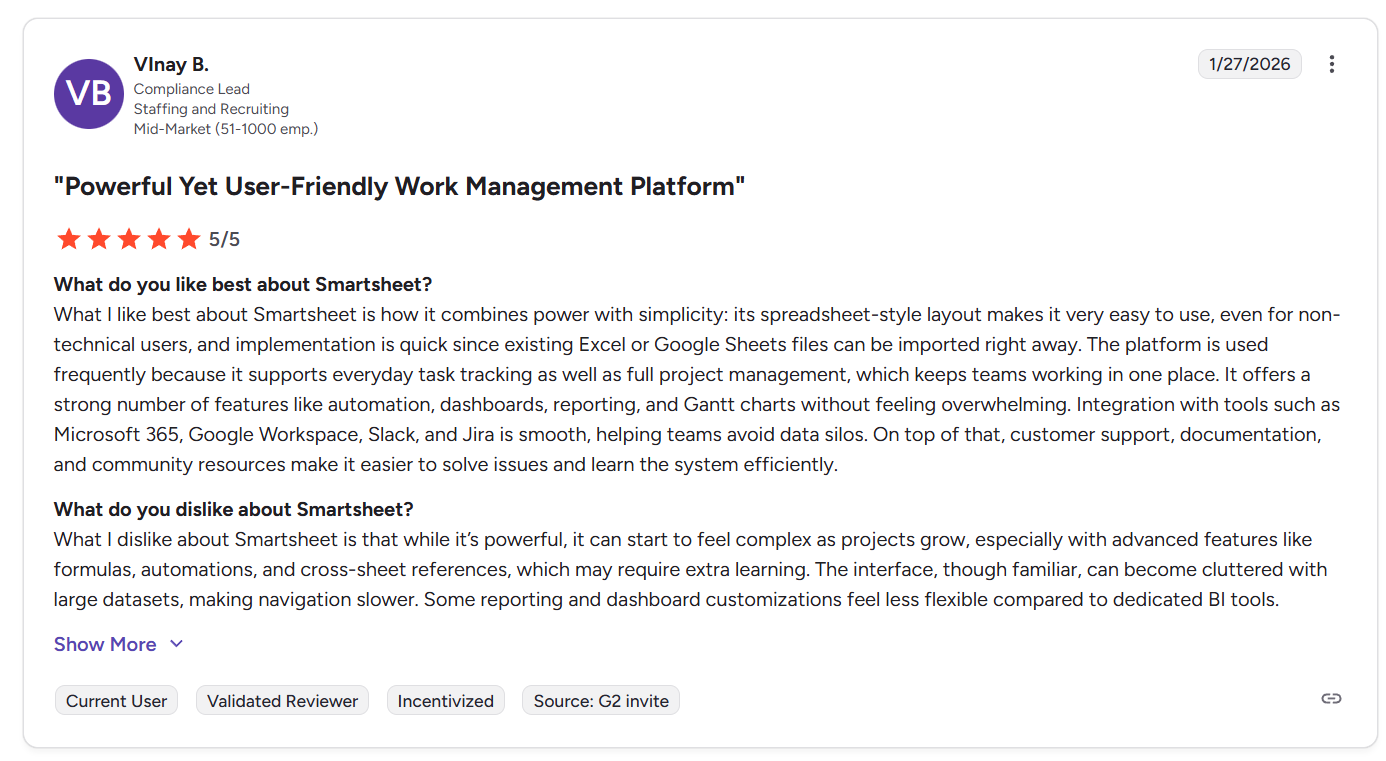
“What I dislike about Smartsheet is that while it’s powerful, it can start to feel complex as projects grow, especially with advanced features like formulas, automations, and cross-sheet references, which may require extra learning. The interface, though familiar, can become cluttered with large datasets, making navigation slower. Some reporting and dashboard customizations feel less flexible compared to dedicated BI tools.” - G2 Review
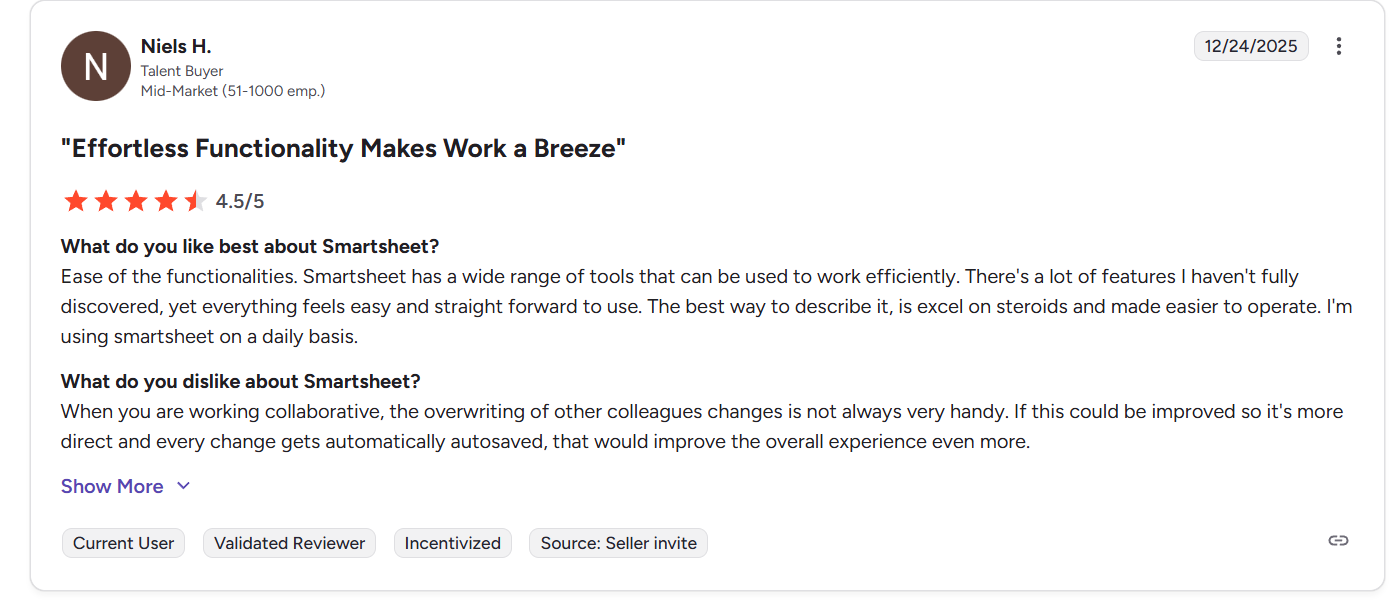
“When you are working collaborative, the overwriting of other colleagues' changes is not always very handy. If this could be improved so it's more direct and every change gets automatically autosaved, that would improve the overall experience even more.” - G2 Review
GanttPRO reviews
G2 Rating: 4.8/5
What users love:
- Intuitive interface and fast onboarding make it easy to set up projects and start planning timelines within minutes.
- Clear Gantt chart visuals, dependency linking, and auto-scheduling help teams understand how delays impact the overall project plan.
- Critical path tracking and milestone features give project managers a focused view of high-priority tasks and deadlines.
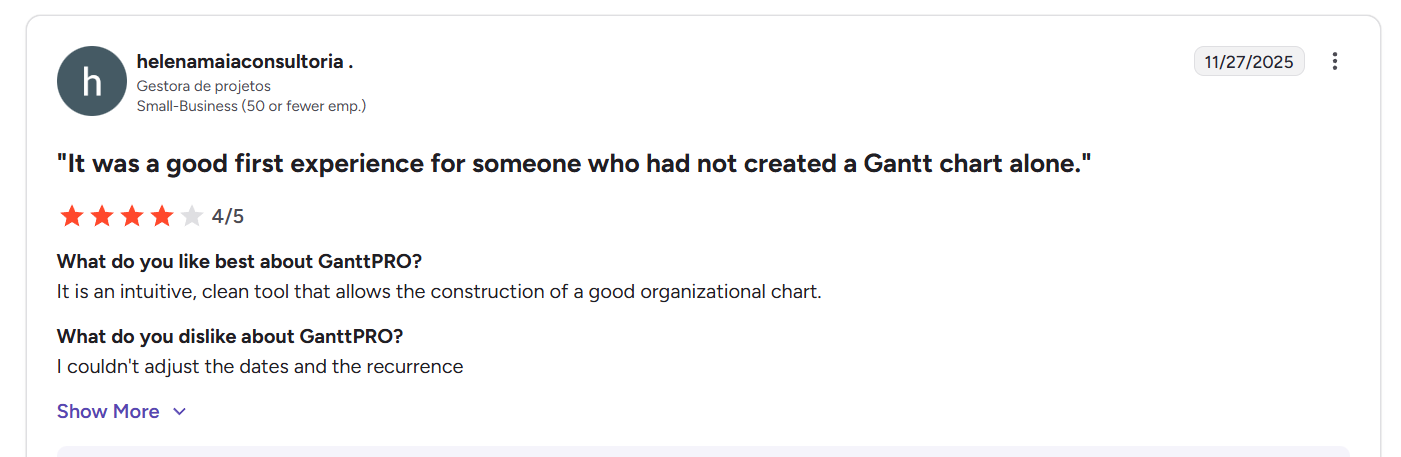
“It is an intuitive, clean tool that allows the construction of a good organizational chart.” - G2 Review
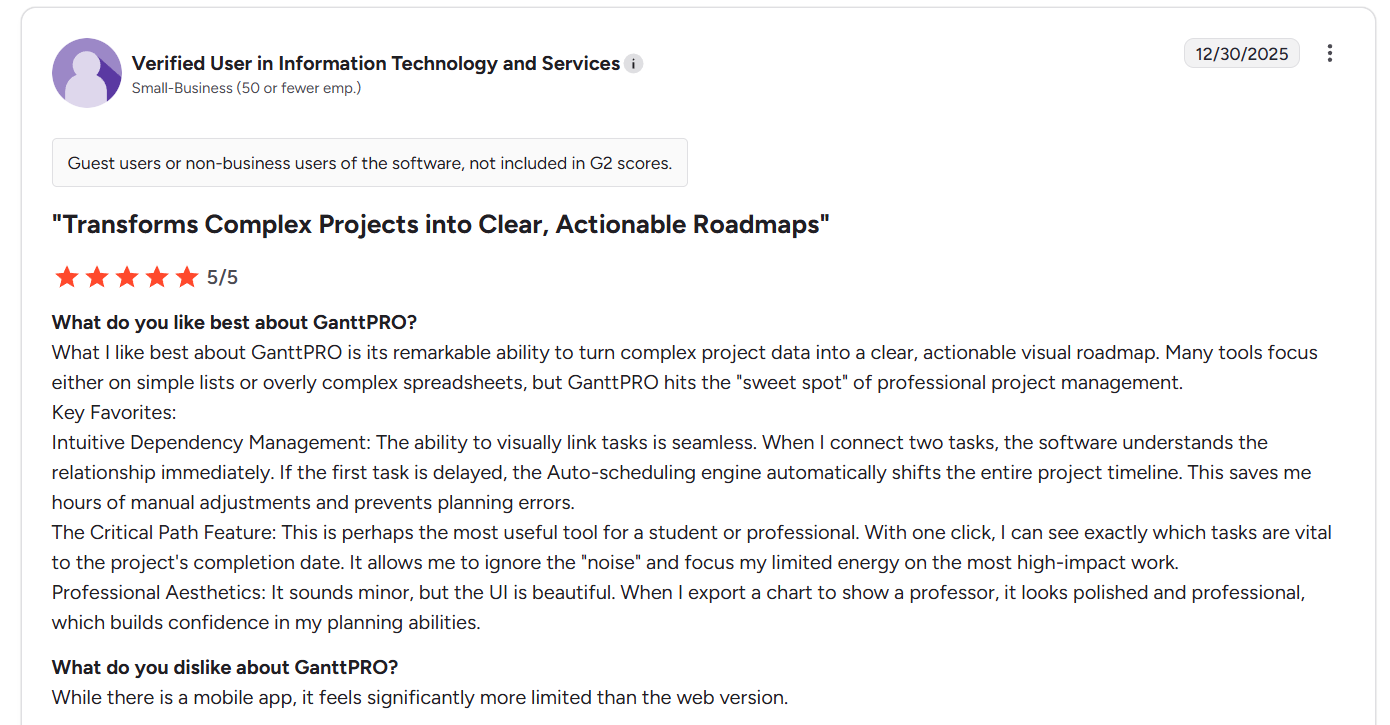
“What I like best about GanttPRO is its remarkable ability to turn complex project data into a clear, actionable visual roadmap. Many tools focus either on simple lists or overly complex spreadsheets, but GanttPRO hits the "sweet spot" of professional project management.
Key Favorites:
Intuitive Dependency Management: The ability to visually link tasks is effortless. When I connect two tasks, the software understands the relationship immediately. If the first task is delayed, the Auto-scheduling engine automatically shifts the entire project timeline. This saves me hours of manual adjustments and prevents planning errors.
The Critical Path Feature: This is perhaps the most useful tool for a student or professional. With one click, I can see exactly which tasks are vital to the project's completion date. It allows me to ignore the "noise" and focus my limited energy on the most high-impact work.
Professional Aesthetics: It sounds minor, but the UI is beautiful. When I export a chart to show a professor, it looks polished and professional, which builds confidence in my planning abilities.” - G2 Review
Common complaints include:
- Mobile experience and smaller-screen usability are often described as limited compared to the desktop version.
- Some users find dependency setup or advanced configuration less intuitive as projects grow more complex.
- The platform focuses heavily on timeline planning, which can feel restrictive for teams needing broader workflow or operational management.
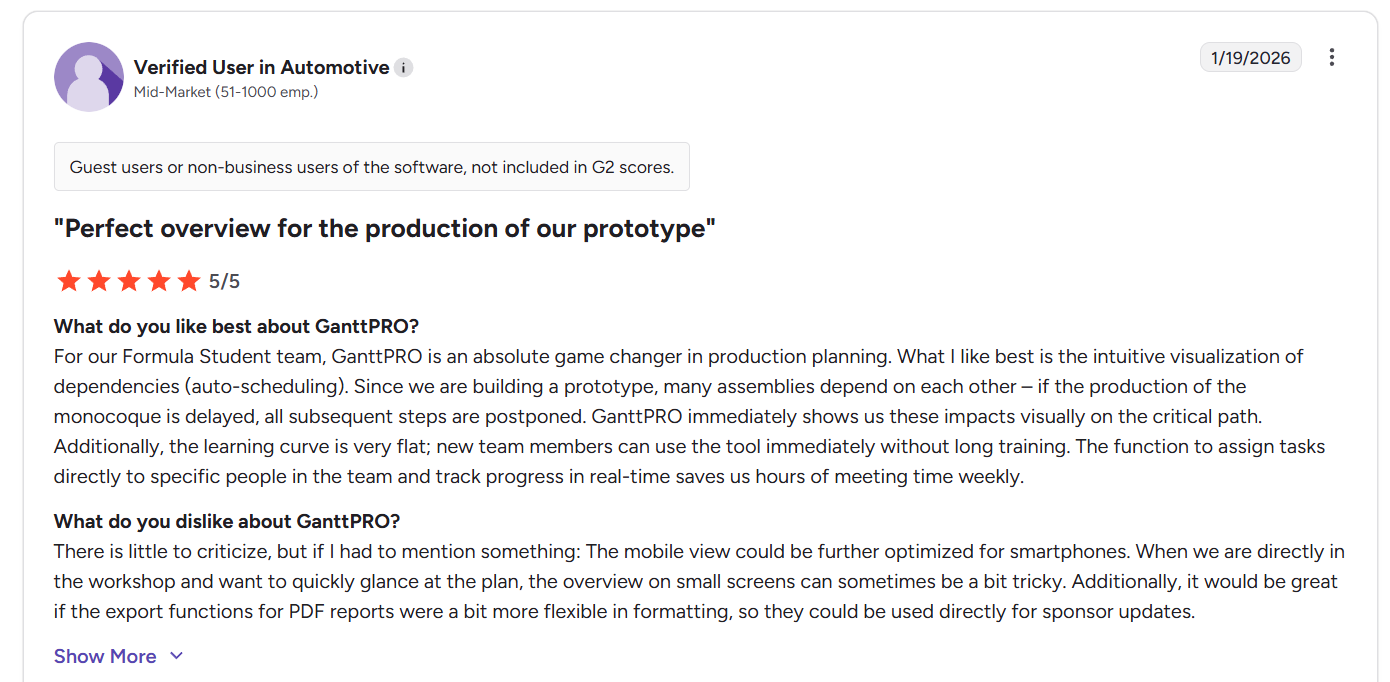
“There is little to criticize, but if I had to mention something: The mobile view could be further optimized for smartphones. When we are directly in the workshop and want to quickly glance at the plan, the overview on small screens can sometimes be a bit tricky. Additionally, it would be great if the export functions for PDF reports were a bit more flexible in formatting, so they could be used directly for sponsor updates.” - G2 Review
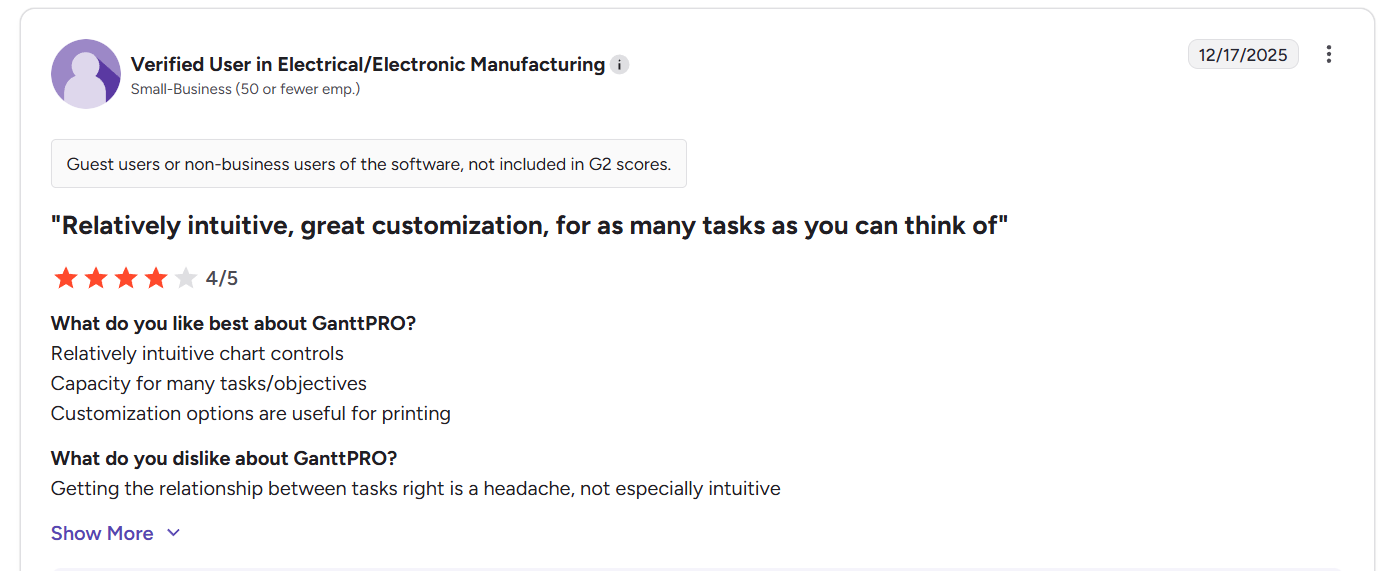
“Getting the relationship between tasks right is a headache, not especially intuitive” - G2 Review
SmartSuite reviews
G2 Rating: 4.8/5
What users love:
- Intuitive interface and easy onboarding make it simple for teams to build workflows, manage records, and organize multiple tables without heavy technical knowledge.
- Strong flexibility allows businesses to replace several tools, like spreadsheets, task managers, and databases, with one unified platform.
- No-code customization lets teams quickly build internal tools, automate workflows, and adapt processes as needs evolve.
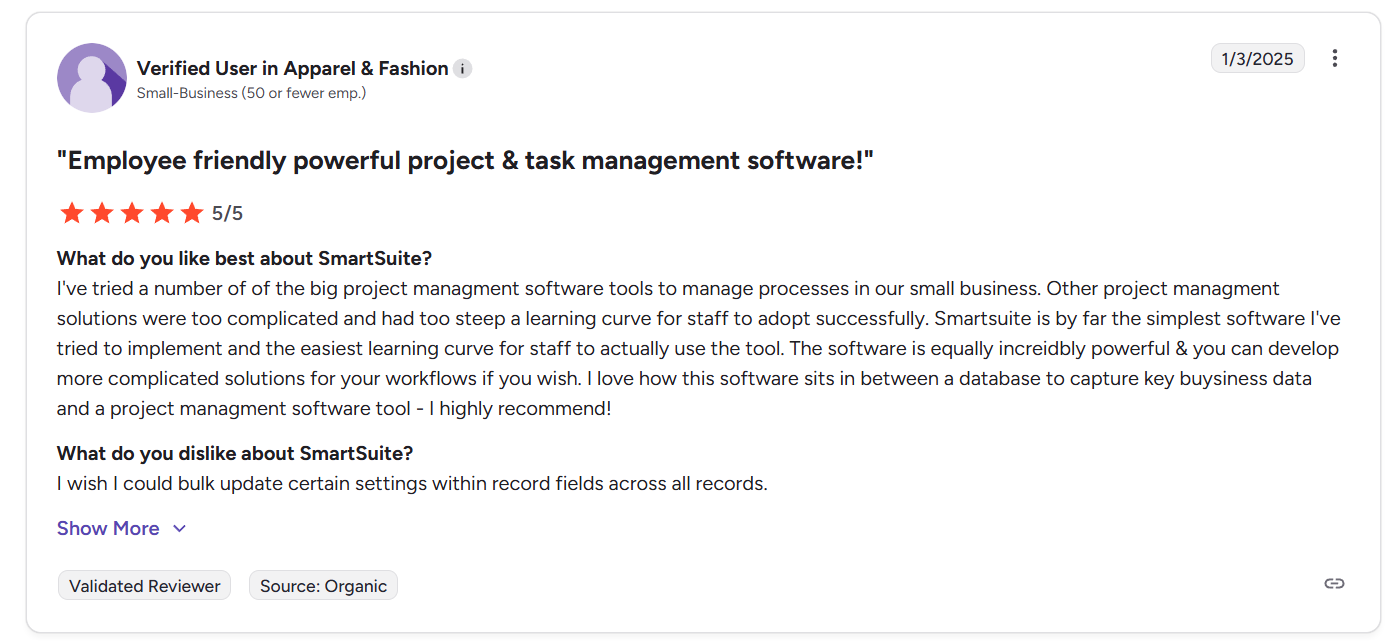
“I've tried a number of the big project management software tools to manage processes in our small business. Other project management solutions were too complicated and had too steep a learning curve for staff to adopt successfully. Smartsuite is by far the simplest software I've tried to implement and the easiest learning curve for staff to actually use the tool. The software is equally incredibly powerful & you can develop more complicated solutions for your workflows if you wish. I love how this software sits in between a database to capture key business data and a project management software tool - I highly recommend!” - G2 Review
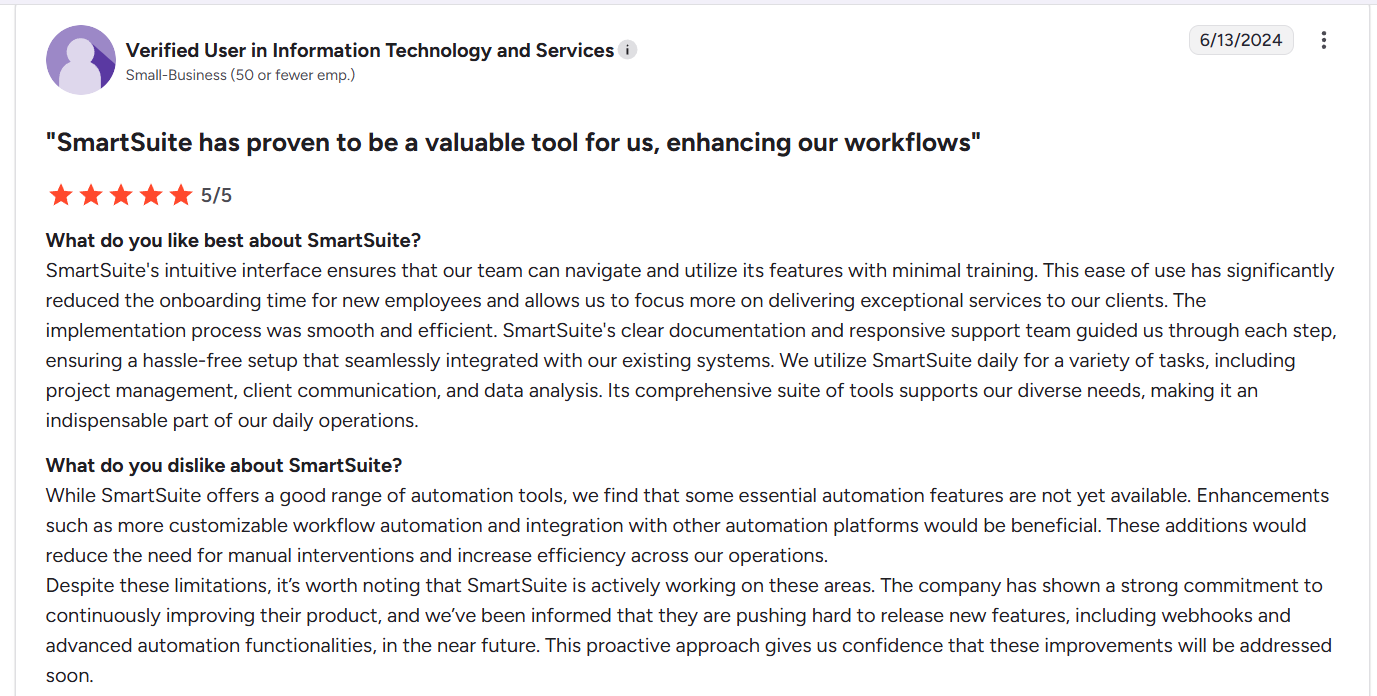
“SmartSuite's intuitive interface ensures that our team can navigate and utilize its features with minimal training. This ease of use has significantly reduced the onboarding time for new employees and allows us to focus more on delivering exceptional services to our clients. The implementation process was smooth and efficient. SmartSuite's clear documentation and responsive support team guided us through each step, ensuring a hassle-free setup that seamlessly integrated with our existing systems. We utilize SmartSuite daily for a variety of tasks, including project management, client communication, and data analysis. Its comprehensive suite of tools supports our diverse needs, making it an indispensable part of our daily operations.” - G2 Review
Common complaints include:
- Lack of a middle tier between Professional and Team plan..
- Some users would like to see improvements to compact views, task layouts, or mobile usability.
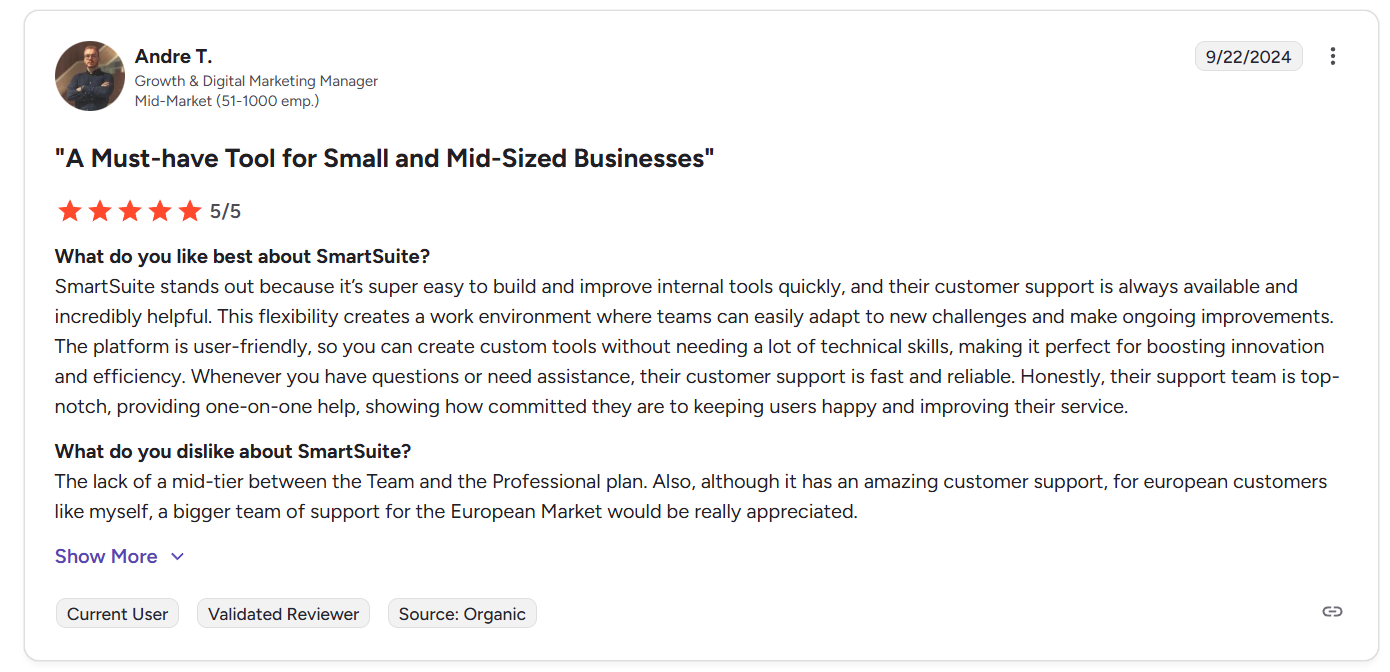
“The lack of a mid-tier between the Team and the Professional plan. Also, although it has amazing customer support, for European customers like myself, a bigger team of support for the European Market would be really appreciated.” - G2 Review
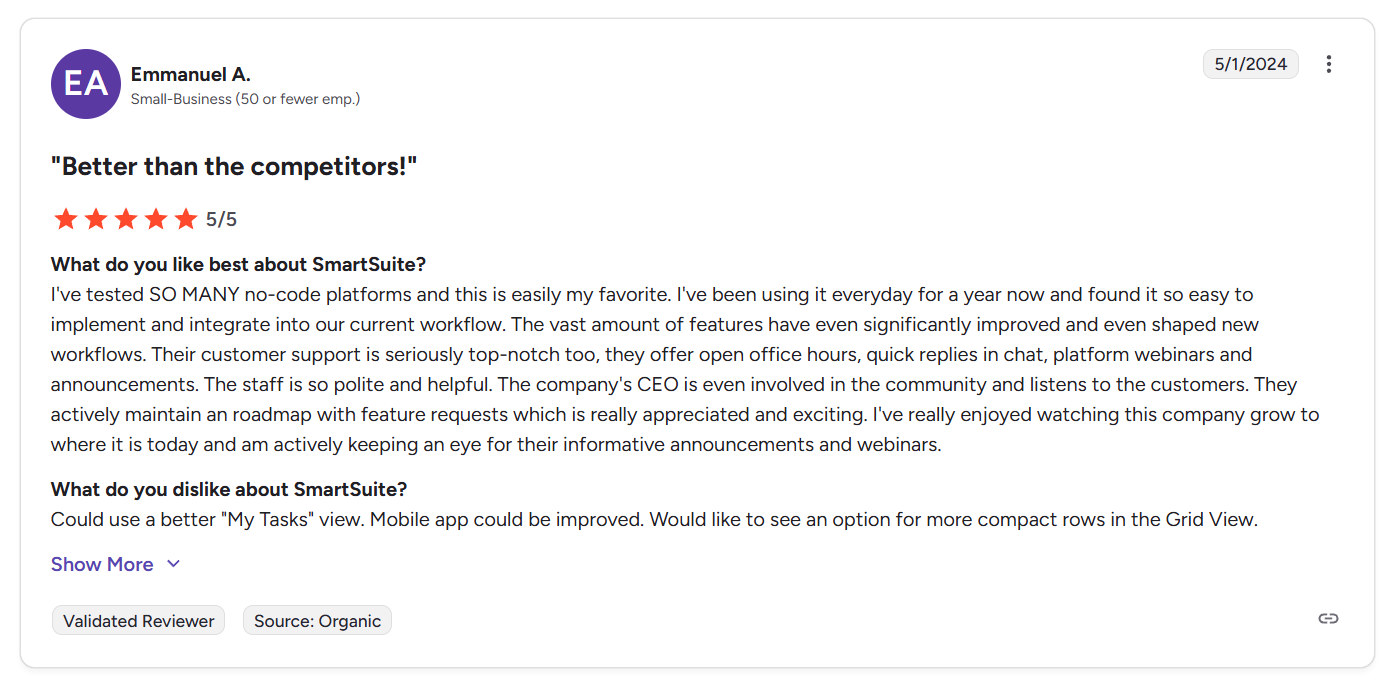
“Could use a better "My Tasks" view. Mobile app could be improved. Would like to see an option for more compact rows in the Grid View.” - G2 Review
Smartsheet vs. GanttPRO vs. SmartSuite: Summary
| Smartsheet | GanttPRO | SmartSuite | |
|---|---|---|---|
| G2 rating | ★ 4.4 / 5 | ★ 4.8 / 5 | ★ 4.8 / 5 |
| Best for | Teams managing structured, spreadsheet-style projects that need formulas, automation, dashboards, and flexible execution views | Teams focused on timeline-driven planning that rely on Gantt charts, dependencies, and resource scheduling | Teams that want a unified work platform to manage projects, operations, automation, reporting, and structured workflows in one place |
| Standout feature | Spreadsheet-style execution with formulas, hierarchy, and powerful project tracking | Gantt-first planning with auto-scheduling, critical path visibility, and visual dependency management | AI-native connected workflows with relational data, automation, governance, and live reporting built into one platform |
| Integrations | Broad ecosystem including Microsoft tools, BI platforms, collaboration embeds, automation platforms, and REST APIs | Native integrations with Slack, Teams, Google Drive, OneDrive, Jira Cloud, MS Project imports, plus open API access | Native integrations (Slack, Teams, Google, Salesforce, Jira, HubSpot), plus Zapier/Make, REST API, and webhooks |
| Free tier | ❌ No free plan (trial available) | ❌ No free plan (14-day free trial) | ❌ No free plan (14-day free trial) |
| Starts from | $12/user/month | $9/user/month | $12/user/month |
Get started with SmartSuite for free today
Choosing between Smartsheet, GanttPRO, and SmartSuite ultimately comes down to how your team plans and executes work.
Smartsheet is a strong fit for spreadsheet-driven projects, GanttPRO shines for timeline-focused planning, but SmartSuite stands out as the most flexible option for teams that want connected workflows, automation, reporting, and AI in one place.
If you’re looking for a platform that scales beyond task tracking into a true work operating system, SmartSuite is worth exploring.
Start your free 14-day trial or book a demo to see how SmartSuite can bring your projects and operations together.
Read more
- Smartsheet vs. Confluence vs. SmartSuite: Which Tool to Pick? [2026] - Compare structured project execution, collaborative documentation, and connected workflows to see which platform actually fits how your team works today.
- 10 Best Hyperproof Alternatives For GRC In 2026 - Explore the top GRC platforms that go beyond compliance checklists with smarter workflows, automation, and real-time risk visibility.
- Airtable vs. ClickUp vs. SmartSuite: Which One Is Better? [2026] - See how flexible databases, all-in-one work hubs, and AI-native workflows stack up when teams need more than just task tracking.
- ManageEngine Pricing: Is It Worth It In 2026? - Break down ManageEngine’s pricing tiers, hidden costs, and real value so you know exactly what you’re paying for before you commit.
- 10 Best Project Management Tools & Software In 2026 [Reviewed] - Discover the top project management platforms this year and learn which ones truly balance flexibility, automation, and scalability.
- Smartsheet vs. Jira vs. SmartSuite: Which Tool to Pick? [2026] - Compare spreadsheet-style execution, developer-focused workflows, and unified work management to find the right platform for your team’s complexity level.






Put these ideas to work
Start a free trial, or book a demo and see how it runs in SmartSuite.

