




If you’re researching NinjaOne alternatives, chances are you’re looking for something that fits your IT team better as your needs grow.
In this article, I’ll break down the best NinjaOne competitors in 2026, looking at where each tool shines, where it falls short, and who it’s really built for.
By the end, you’ll have a clear, no-nonsense view of which options are worth considering, and which ones aren’t.
Let’s dive in.
Why do some teams look for NinjaOne alternatives?
NinjaOne is widely praised for doing the basics really well.
Teams consistently highlight its clean interface, fast remote access, reliable patching, and automation that actually works without constant babysitting.
However, as teams grow or their IT operations become more complex, a few limitations start to surface.
These are the most common reasons teams begin searching for NinjaOne alternatives:
1. The ticketing system doesn’t scale well for complex environments
One of the most repeated complaints is that NinjaOne’s ticketing system isn’t truly multi-tenant.
For teams managing multiple departments, clients, or sub-entities, this becomes a real bottleneck.
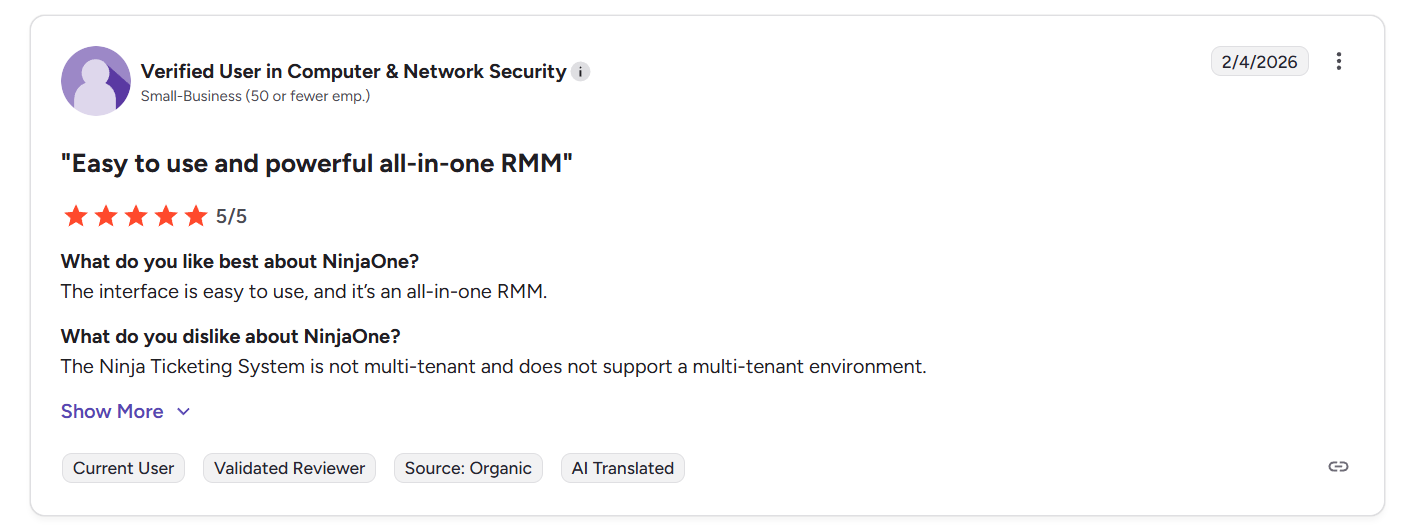
“The Ninja Ticketing System is not multi-tenant and does not support a multi-tenant environment.” - G2 Review
Tickets are tied to a single entity, making it harder to separate workflows, permissions, and reporting across different teams or environments.
For smaller setups this may not matter, but once IT operations expand, many teams need more flexible, structured service management than NinjaOne currently offers.
2. Reporting and advanced features feel limited
NinjaOne’s reporting is often described as “good enough,” but not deep.
Dashboards lack advanced customization, reports don’t always answer higher-level operational questions, and exporting data for leadership or audits can feel restrictive.
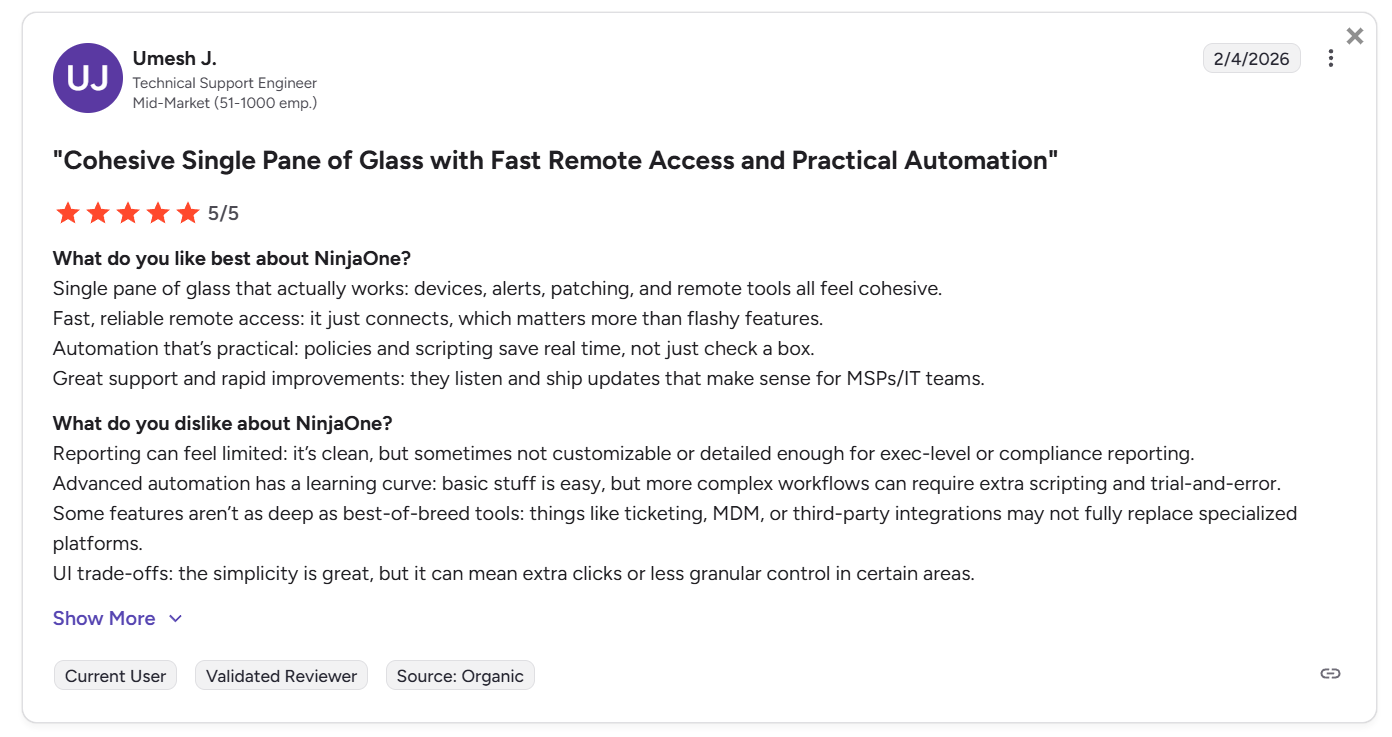
“Reporting can feel limited: it’s clean, but sometimes not customizable or detailed enough for exec-level or compliance reporting.
Advanced automation has a learning curve: basic stuff is easy, but more complex workflows can require extra scripting and trial-and-error.
Some features aren’t as deep as best-of-breed tools: things like ticketing, MDM, or third-party integrations may not fully replace specialized platforms.
UI trade-offs: the simplicity is great, but it can mean extra clicks or less granular control in certain areas.” - G2 Review
As teams mature, they often want richer reporting, stronger collaboration, and more flexible workflows than a pure RMM-first platform can provide.
3. Can be cost-prohibitive for small teams
Several users point out that while the platform delivers strong value at scale, the total cost can add up quickly for small teams.
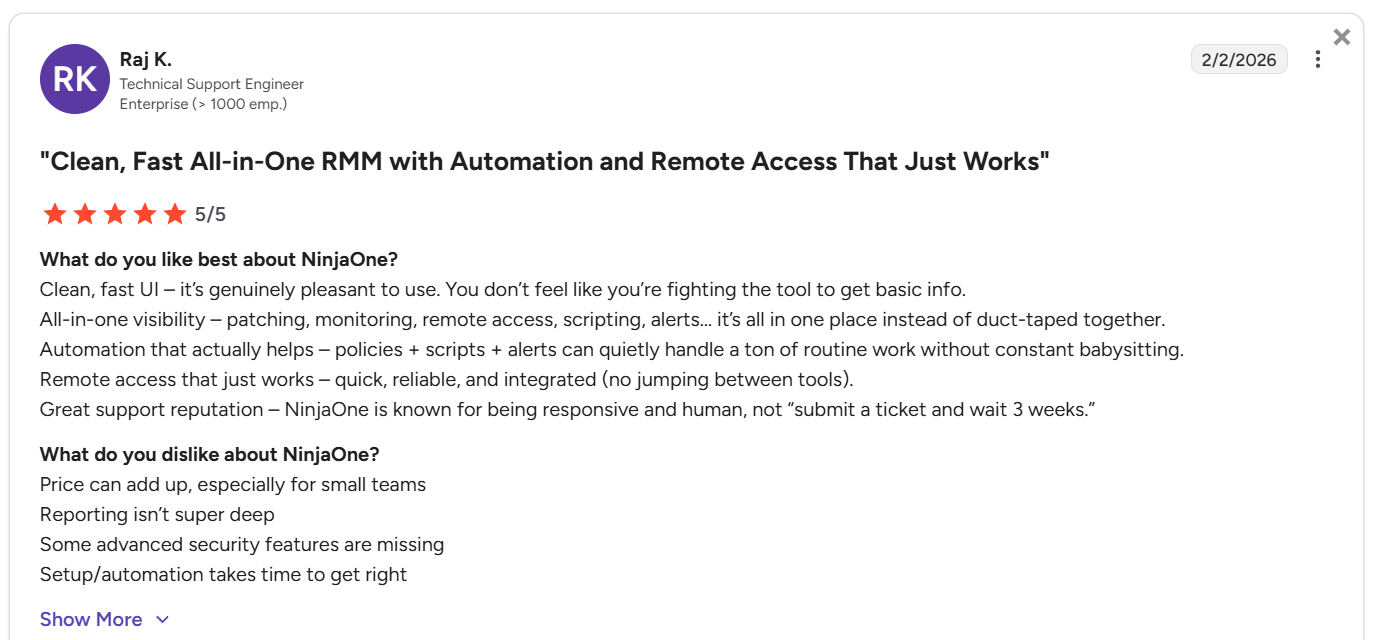
“Price can add up, especially for small teams.
Reporting isn’t super deep.
Some advanced security features are missing.
Setup/automation takes time to get right.” - G2 Review
Because pricing is per device and not publicly listed, it can be hard to predict costs upfront, especially for teams that are still growing or managing fluctuating endpoint counts.
On top of that, NinjaOne typically requires annual contracts, which limits flexibility if your needs change mid-year.
What are the best NinjaOne alternatives and competitors in 2026?
The top three NinjaOne alternatives are SmartSuite, Atera, and Syncro.
Here’s how all 10 compare:
1. SmartSuite
Best for: IT teams that want a flexible, all-in-one ITSM platform to manage tickets, assets, requests, and workflows in one place without being locked into an RMM-first model.
SmartSuite is a modern no-code work management platform that can be easily shaped into a full IT service management system.
Instead of centering everything around endpoint monitoring like NinjaOne, SmartSuite focuses on how IT work flows, including everything from service requests and incidents to assets, approvals, and reporting.
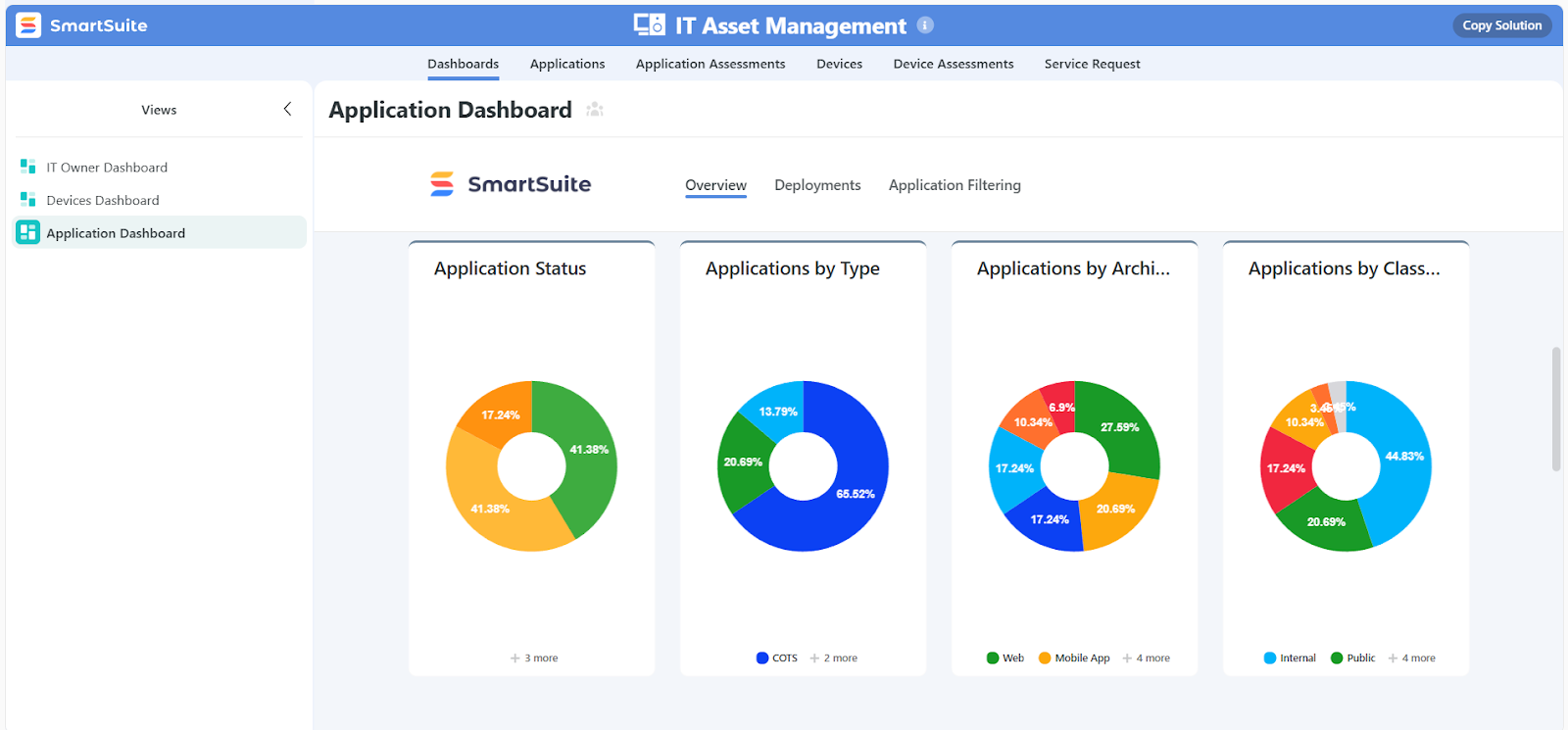
As a NinjaOne alternative, SmartSuite stands out for teams that feel limited by RMM-style ticketing and want more structure, better visibility, and deeper customization across their IT operations.
You can build dedicated workflows for help desk tickets, internal IT requests, change management, asset tracking, and even compliance, all inside a single, shared workspace.
Let’s take a closer look at some of its key features.
1. Unified ITSM workspace to manage critical IT processes
SmartSuite gives IT teams one centralized workspace to manage service requests, tickets, assets, projects, and governance without juggling multiple tools or spreadsheets.
It’s built to streamline day-to-day IT operations while staying flexible enough to adapt as technology, teams, and priorities change.
Here’s how SmartSuite supports core IT service management needs:
- IT service request & help desk management: Capture, prioritize, assign, and resolve IT requests and support tickets in a structured, easy-to-follow workflow.
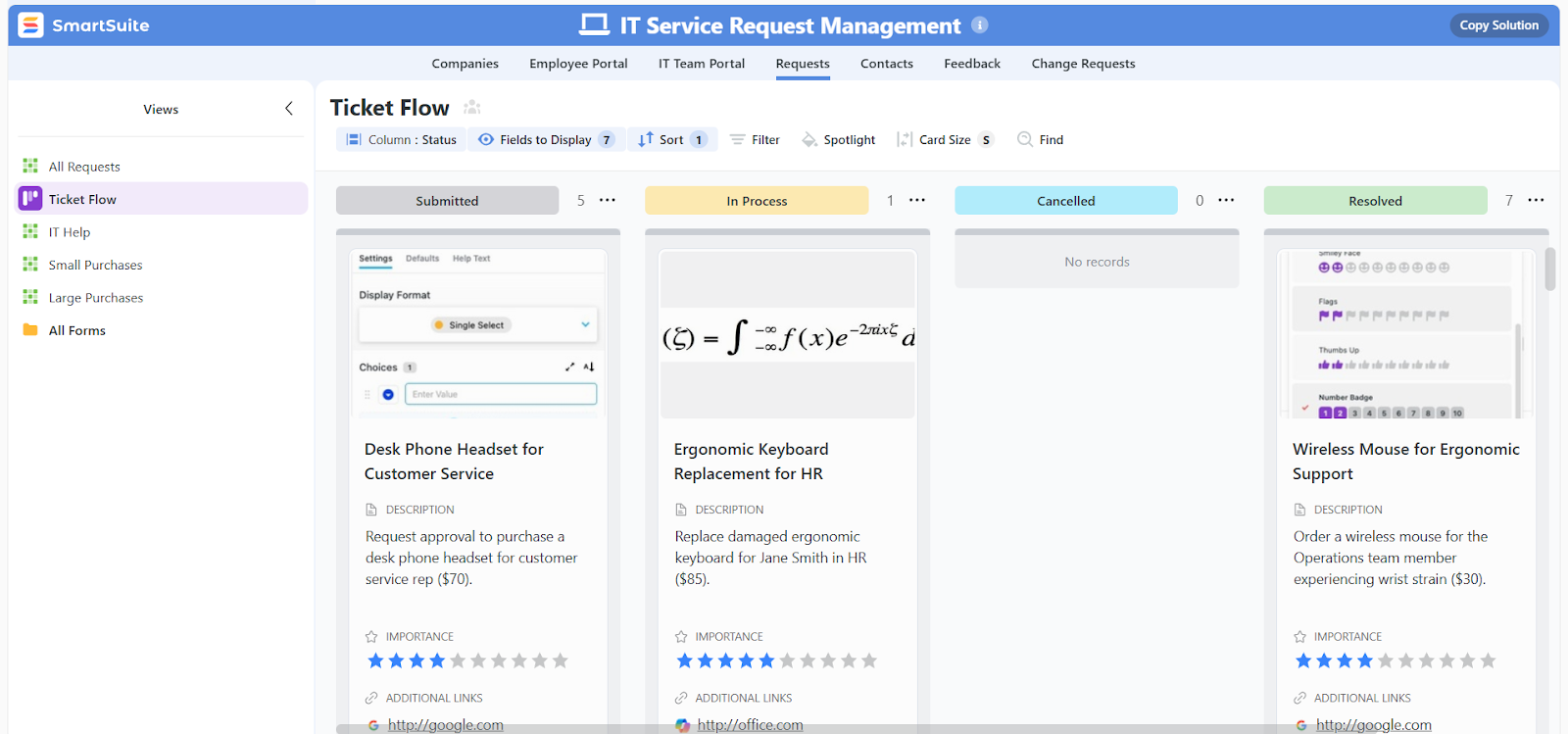
- Incident and issue tracking: Log incidents, track resolution progress, and roll up metrics into dashboards to spot trends and prevent disruptions before they impact the business.
- IT asset and inventory tracking: Keep a clear record of hardware, software, and devices, including who they’re assigned to and what versions are deployed.
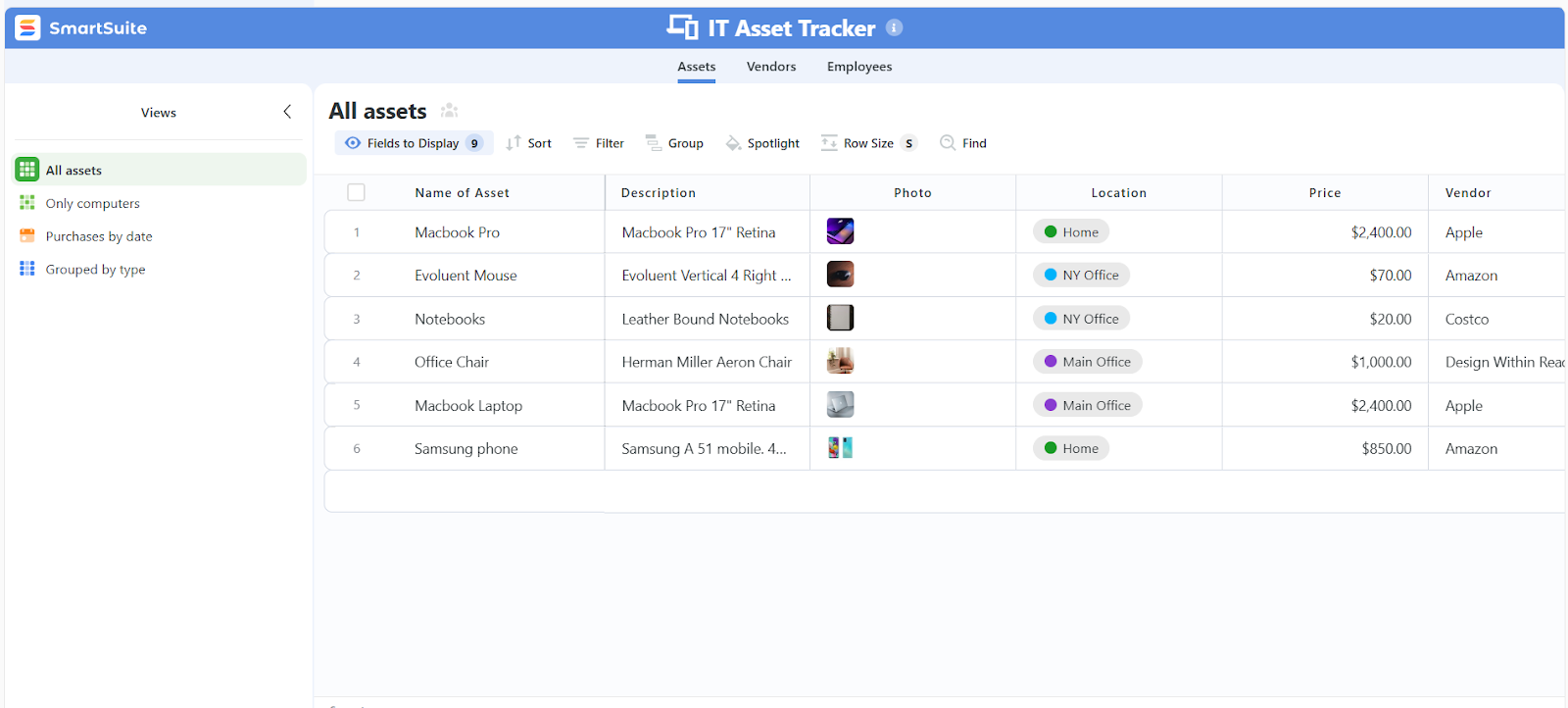
- Software license management: Track licenses, renewal dates, and usage so you can plan budgets, avoid compliance risks, and reduce wasted spend.
- IT policies, governance, and security audits: Draft, publish, and maintain IT policies and procedures in one shared space while managing security audits and risk mitigation.
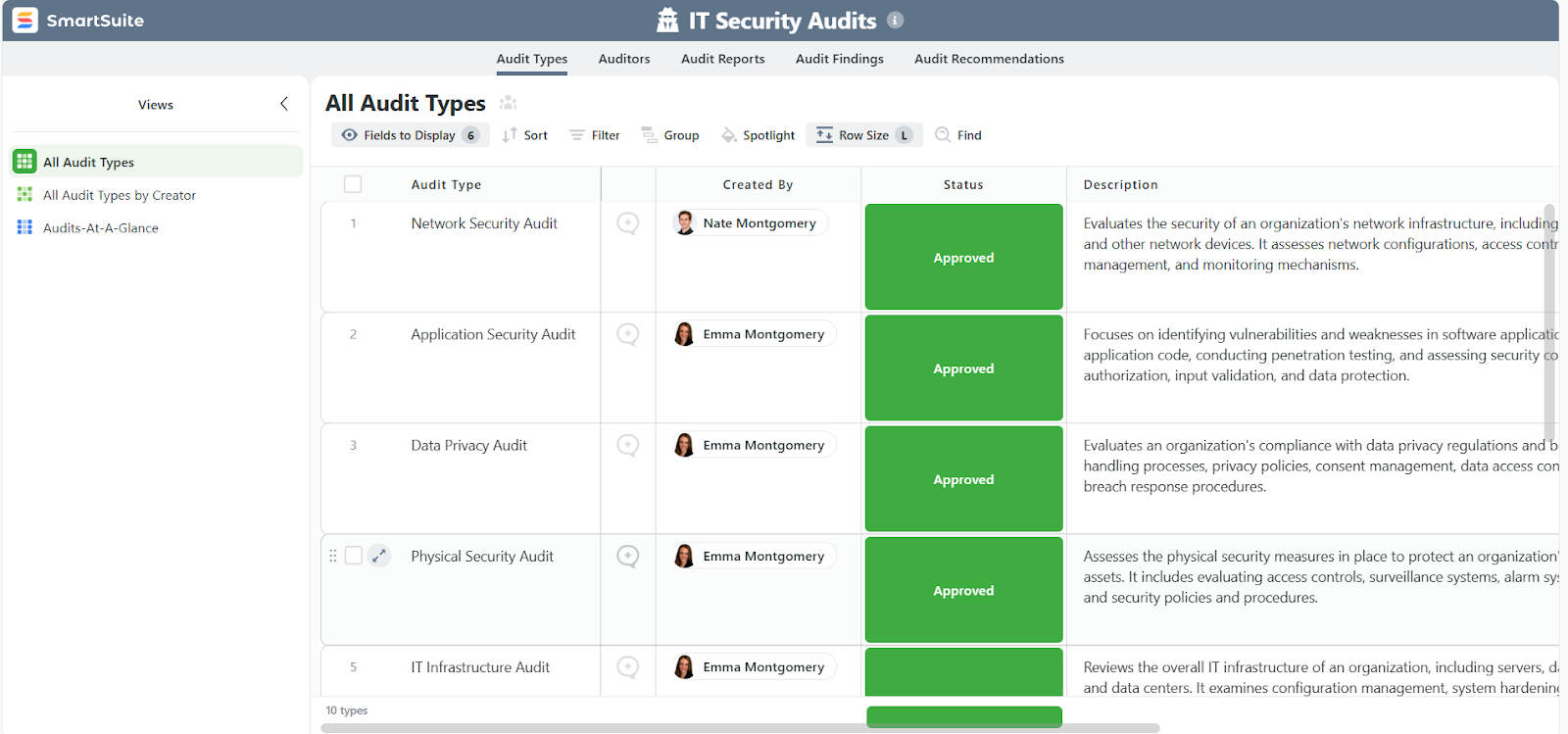
- Internal IT work and project management: Plan deployments, schedule IT staff, monitor progress, and deliver internal IT projects on time and within budget.
- Standardized IT workflows and SLAs: Centralize work requests, automatically prioritize tasks, assign owners, and monitor service levels in real time.
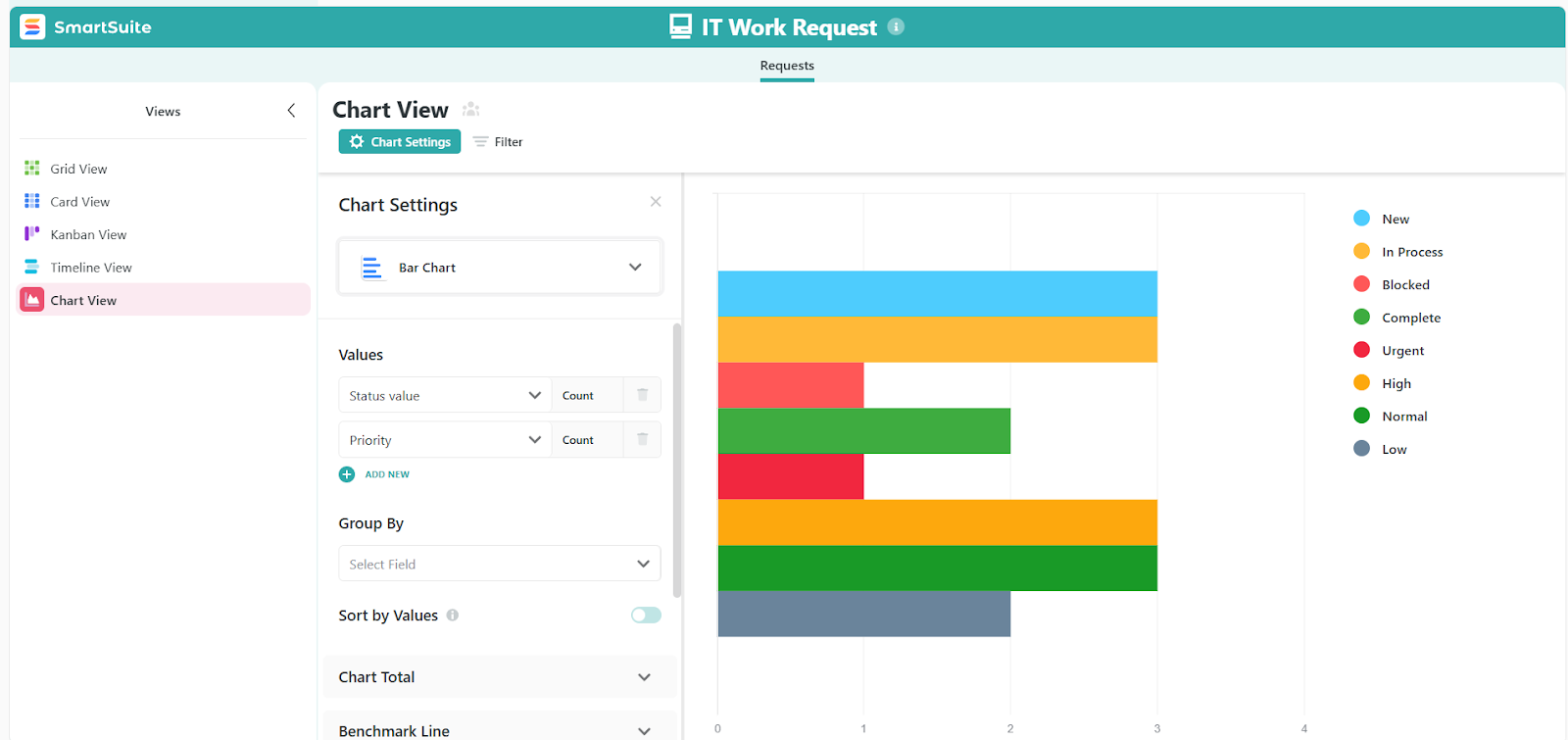
2. Live dashboards and reporting built for IT service management
SmartSuite brings dashboards and reporting directly into IT workflows, so teams always see the current state of tickets, incidents, assets, and SLAs without exporting data or relying on separate reporting tools.
Everything is live, permission-aware, and tied to how IT work actually moves.
For IT teams, this means fewer blind spots, faster decisions, and reporting that finally keeps pace with real-world IT service management.
Here’s how SmartSuite’s reporting supports ITSM teams day to day:
- Real-time IT visibility: Dashboards update instantly as tickets are opened, escalated, or resolved, giving IT teams an always-accurate view of workload, incidents, and service performance.
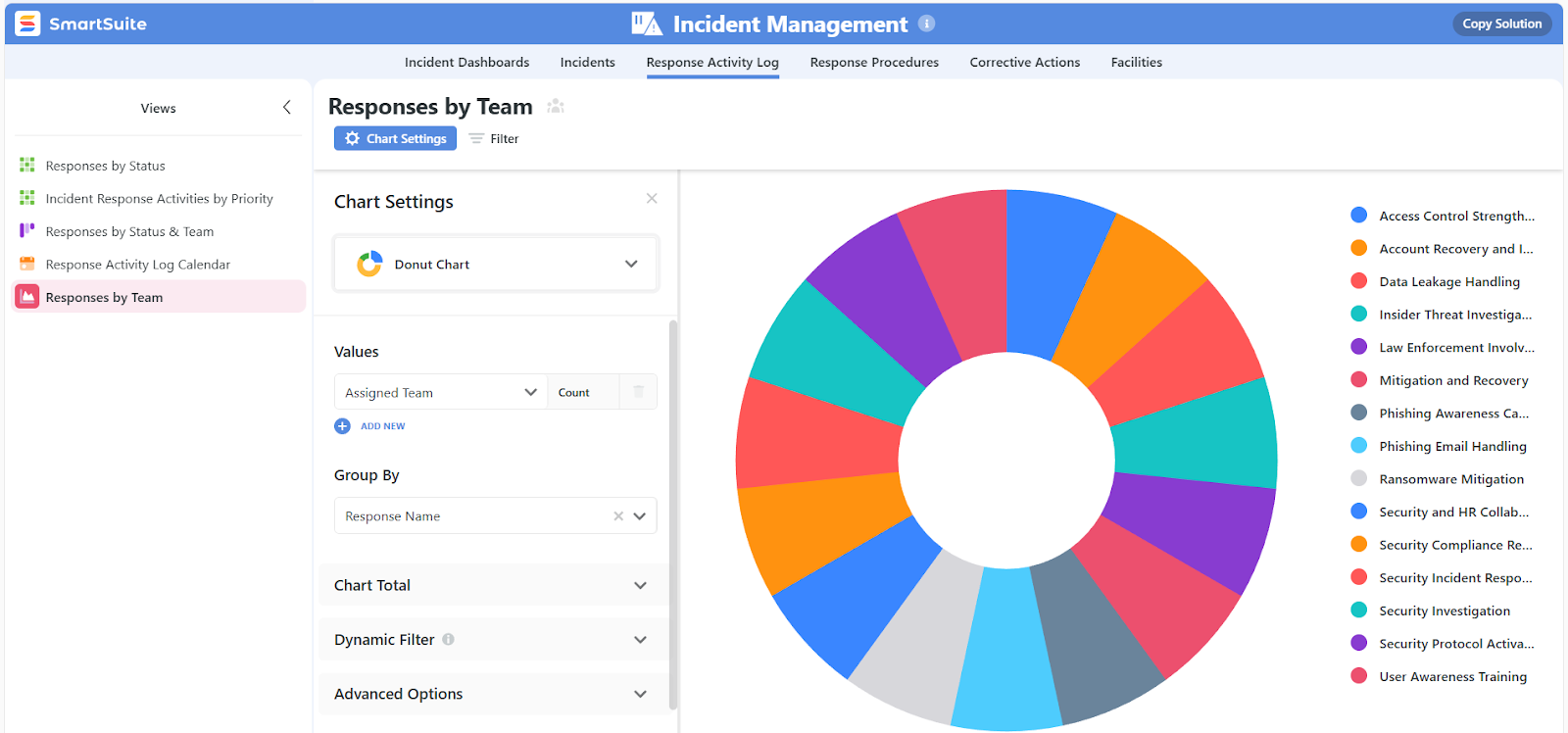
- Cross-workflow insight: Combine data from help desk tickets, asset records, work requests, and projects into a single dashboard to understand overall IT health, not just isolated metrics.
- Role-aware dashboards and views: IT leaders see high-level service trends, managers track SLAs and bottlenecks, and technicians get focused “my work today” views, each aligned with their permissions and responsibilities.
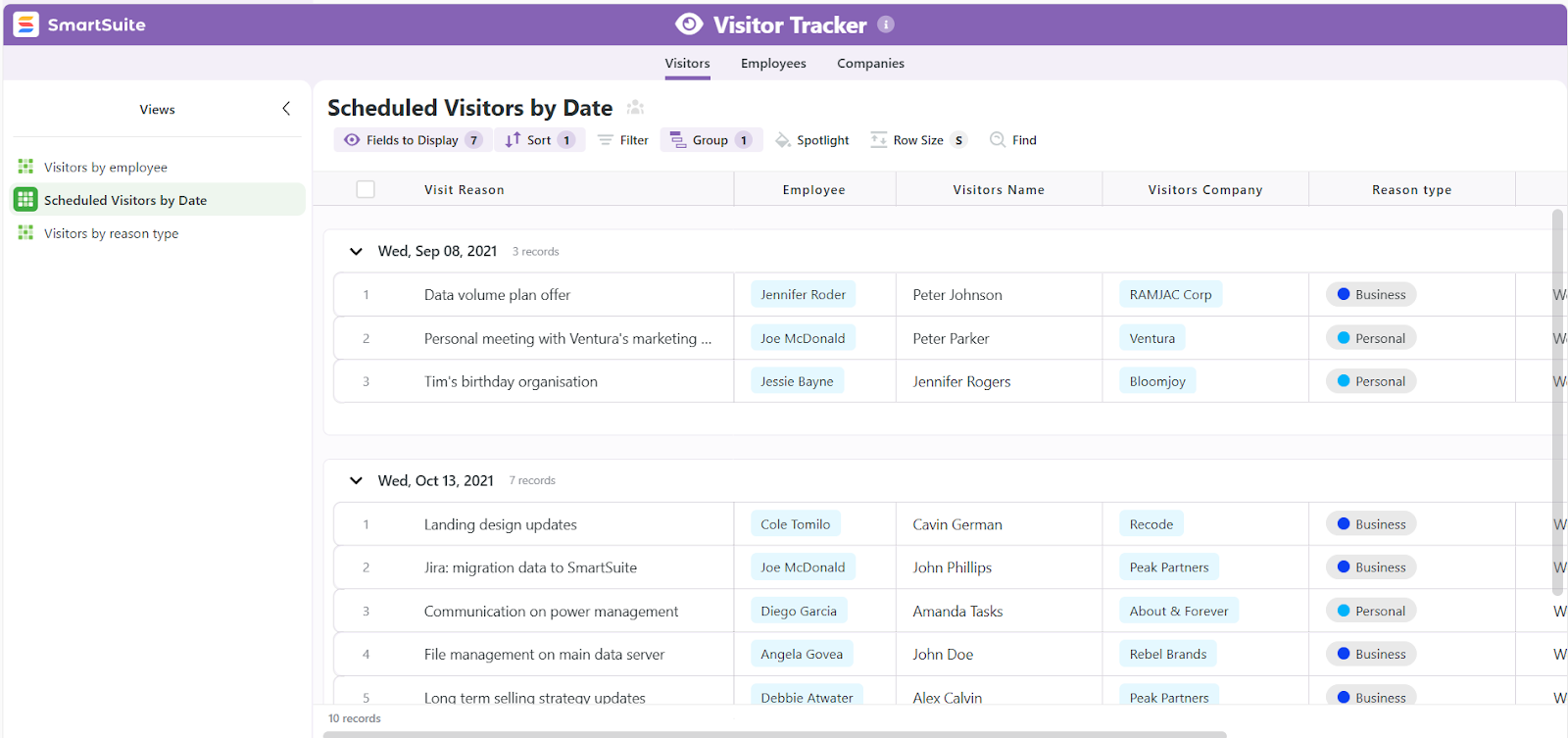
- Self-service reporting for IT teams: Build dashboards and views without needing a BI team or complex setup, making it easy to adapt reporting as IT processes evolve.
- Multiple views for different IT tasks: Switch between Grid, Kanban, Calendar, Timeline, Gantt, or Chart views to manage tickets, plan changes, or track deployments in the format that fits the task.
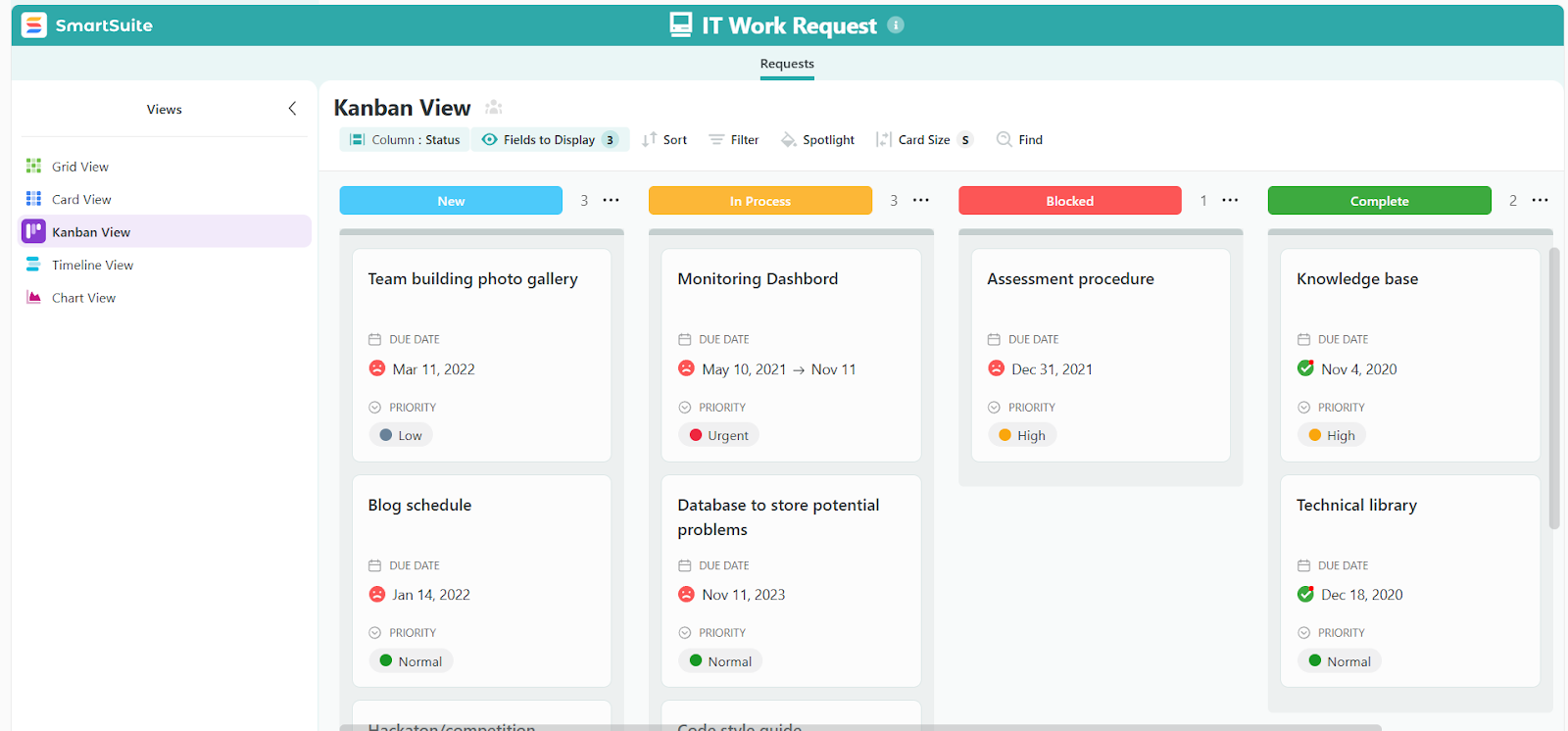
- Security built into every chart: Record-level and field-level permissions apply automatically, so sensitive IT and security data stays protected even when dashboards are shared.
3. No-code automation for seamless IT workflows
SmartSuite includes a powerful workflow automation engine designed to remove manual work from IT service management.
With simple, no-code automations, IT teams can standardize responses, reduce delays, and keep tickets and requests moving without constant follow-ups.
Automations are built using a visual, drag-and-drop builder, so anyone on the IT team can create or adjust workflows in minutes.

Here’s how SmartSuite automation supports ITSM in practice:
- Automate ticket and request handling: Trigger actions when a ticket is created, updated, escalated, or reaches a due date, so nothing stalls or gets missed.
- Precise automation with filters: Run workflows only when specific conditions are met, such as high-priority incidents, failed checks, or overdue requests.
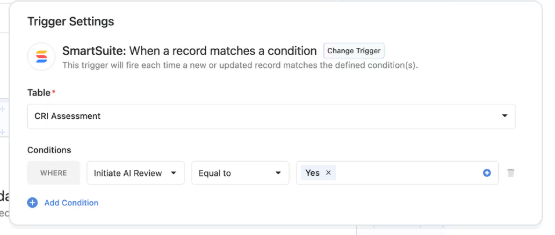
- Multi-step workflows across teams: Chain actions together, like assigning an owner, notifying the on-call team, updating related records, and logging activity automatically.
- Built-in notifications and integrations: Alert teams via Slack, Microsoft Teams, or email, and sync actions with tools like calendars or external IT systems.
- AI-assisted actions for faster resolution: Use AI to summarize ticket details, analyze attachments, or draft next steps, helping technicians respond faster with better context.
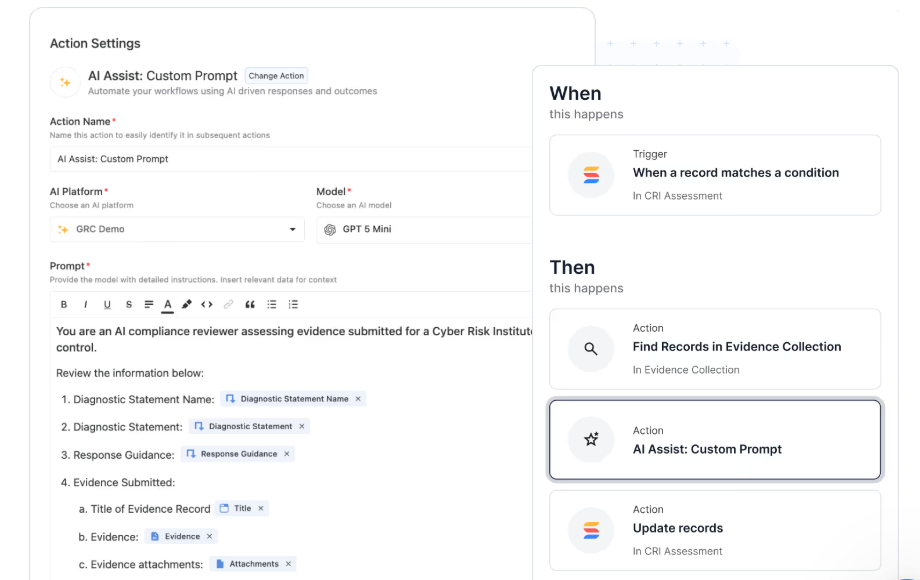
- Full visibility into automation runs: Every automation is logged with status and details, making it easy to audit actions and troubleshoot issues.
4. Deep customization without code
SmartSuite is built for IT teams that don’t want to force their processes into a rigid system.
Instead of adapting how you work to fit the tool, SmartSuite lets you shape the platform around your existing IT workflows without writing code or relying on consultants.
This level of customization is especially valuable for ITSM, where no two teams handle requests, incidents, or assets in exactly the same way.
Here’s how SmartSuite enables flexible, no-code customization for IT teams:
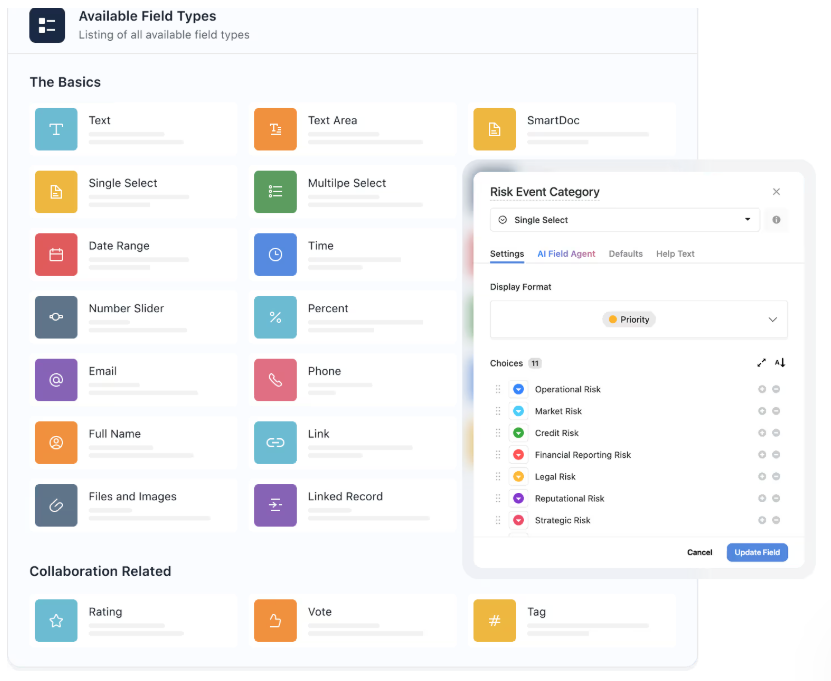
- Fully configurable fields and records: Add the exact fields you need for IT work, such as device type, environment, urgency, impact, requester department, or approval requirements.
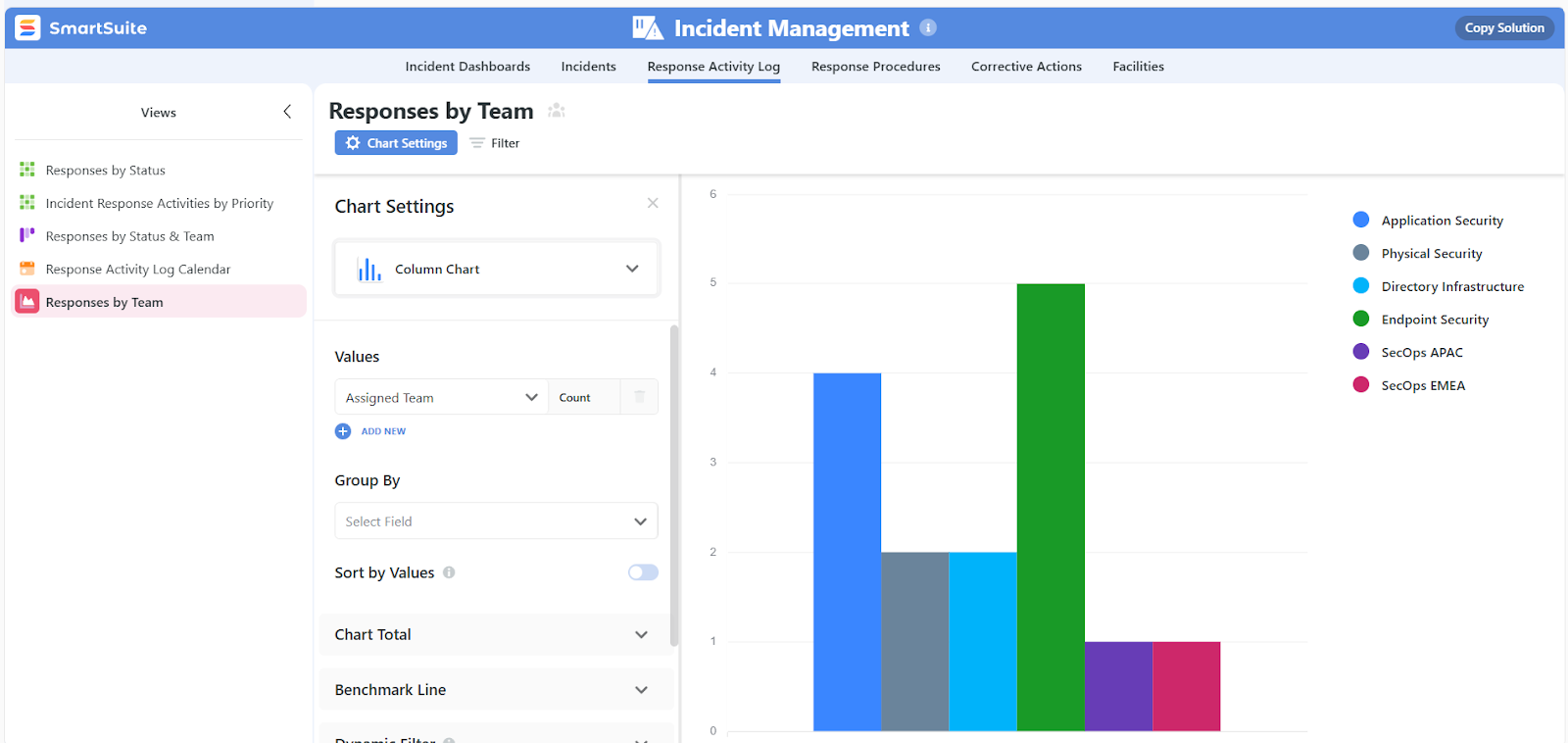
- Drag-and-drop customization: Create any type of dashboard you need using intuitive drag-and-drop widgets.
- Tailored views for different teams: Build role-specific views for help desk agents, IT managers, or leadership so everyone sees only what’s relevant to their work.
- Custom forms for intake: Design clean, structured request forms for employees to submit IT requests, ensuring complete and consistent information from the start.
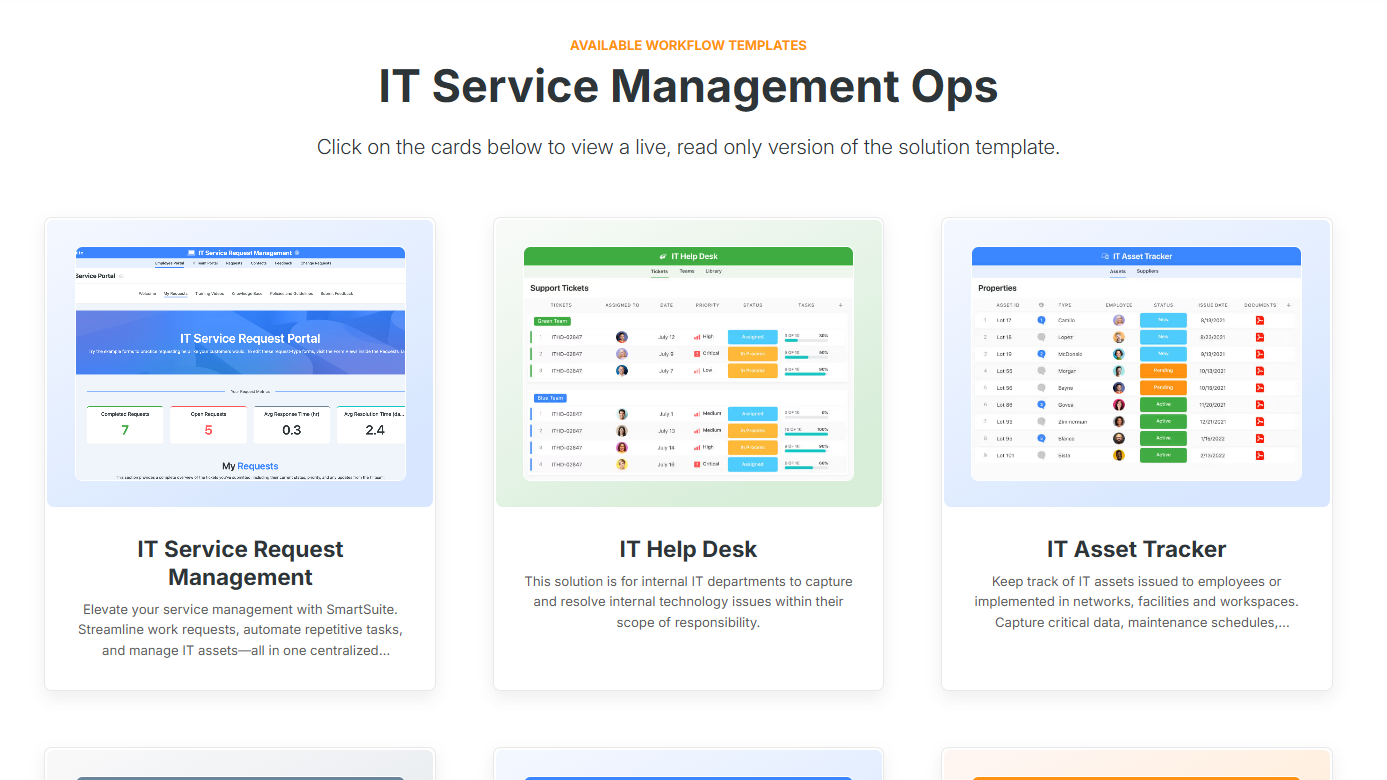
- Ready-made, fully customizable ITSM templates: Teams can get started fast with templates for everything from help desks and service requests to asset tracking and more, and then tailor each workflow to match how their IT operations actually run.
5. Collaboration built directly into IT service workflows
In SmartSuite, every conversation, update, and decision happens right inside the ticket, request, asset, or project it relates to, so context is never lost.
For IT teams, this means fewer meetings, fewer lost messages, and faster resolution.
Here’s how collaboration works in an ITSM setting:
- Conversations where the work lives: Discuss incidents, service requests, and changes directly inside records, with threaded comments and @mentions that keep everyone aligned.
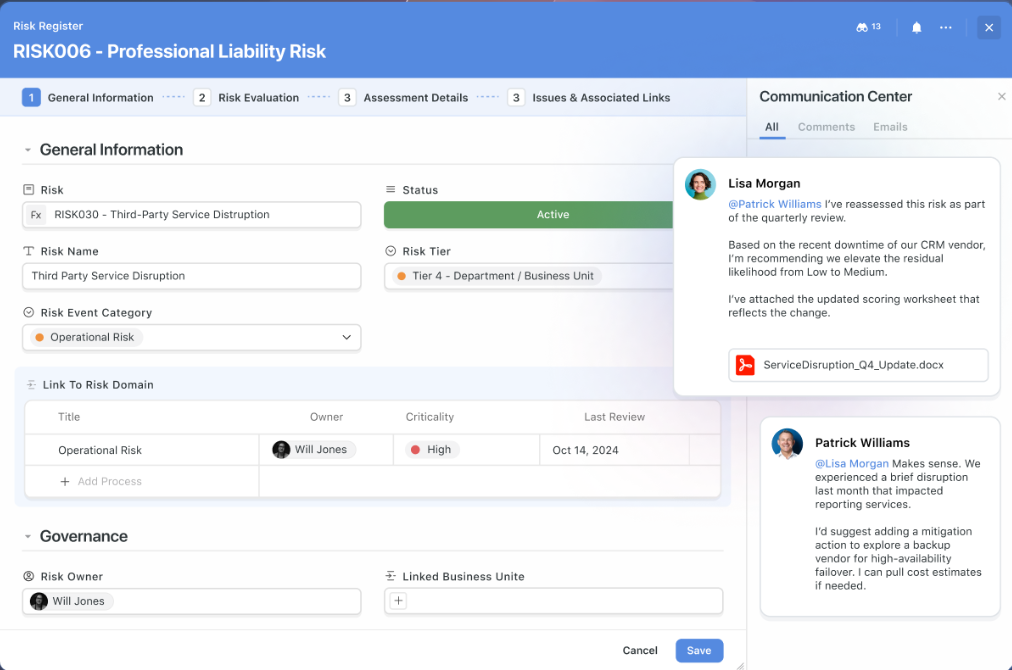
- Turn discussion into action: Convert comments into tasks, approvals, or workflow updates in a click, so conversations lead to progress instead of follow-ups.
- Contextual email, not inbox chaos: Send and receive emails from within IT records so vendor replies, user updates, and approvals stay tied to the work.
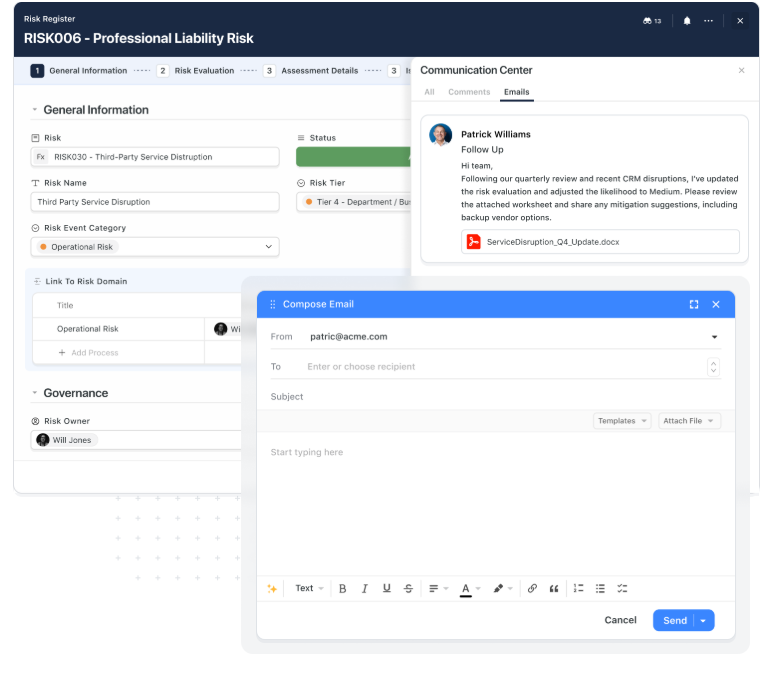
- Complete activity history for audits and handoffs: Every comment, status change, edit, and decision is logged in one timeline, making reviews, audits, and onboarding far easier.
- Notifications that surface signal, not noise: Get alerted only when it matters, with control over what you see and when.
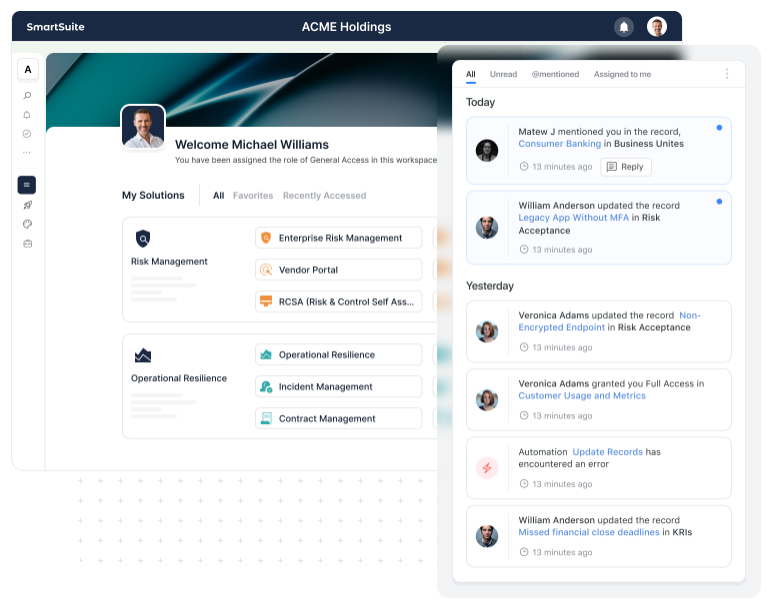
- Mobile app for ITSM on the go: SmartSuite’s mobile app for iOS and Android lets IT teams manage tickets, assets, approvals, and updates, so critical IT work keeps moving even when technicians aren’t at their desks.
Pricing
Unlike NinjaOne, SmartSuite offers transparent, per-user pricing.
You can start with a 14-day free trial (no credit card required) and later choose from these plans:
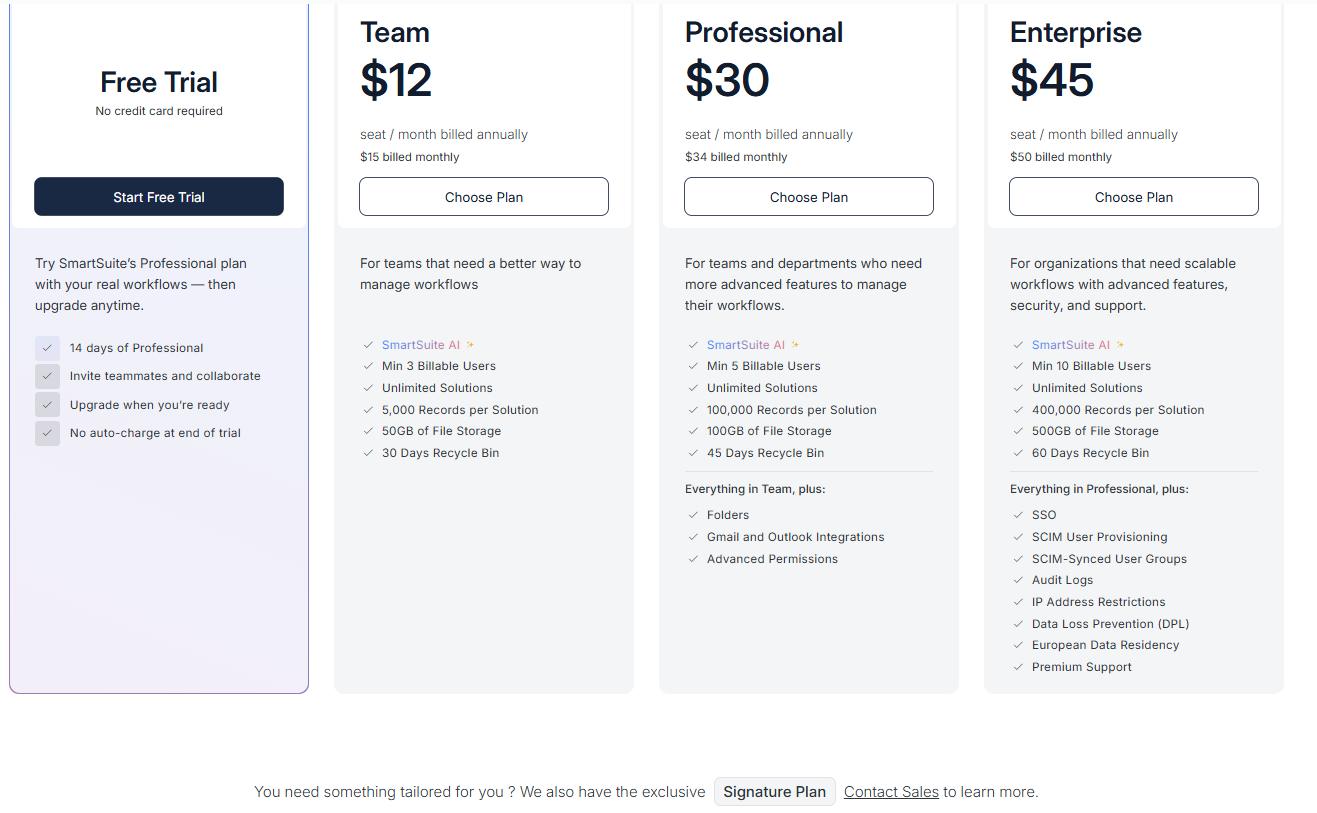
- Team: $12 per seat/month (billed annually), includes SmartSuite AI, unlimited solutions, up to 5,000 records per solution, 50 GB of file storage, a 30-day recycle bin, and core collaboration and automation features.
- Professional: $30 per seat/month, includes everything in Team, plus folders, Gmail and Outlook integrations, advanced permissions, higher record limits (100,000 per solution), 100 GB of storage, and a 45-day recycle bin.
- Enterprise: $45 per seat/month, includes everything in Professional, plus SSO, SCIM user provisioning, audit logs, IP restrictions, data loss prevention, European data residency, premium support, and higher limits (400,000 records per solution and 500 GB storage).
- Signature: Custom pricing. A tailored plan for organizations with specific requirements around scale, security, or data architecture.
How does SmartSuite compare to NinjaOne?
Both NinjaOne and SmartSuite are used by IT teams, but they’re built with different priorities in mind, which becomes more obvious as teams grow.
Here’s how the two differ at a glance:
- Core focus: NinjaOne is RMM-first, optimized around devices and remote support. SmartSuite is ITSM-first, designed to organize tickets, requests, assets, projects, and governance in one structured workspace.
- Reporting and visibility: NinjaOne offers clean, basic reporting. SmartSuite delivers live, role-aware dashboards that roll up data across tickets, assets, SLAs, and projects for deeper operational insight.
- Automation approach: NinjaOne automates device-focused actions well, but more advanced workflows require technical know-how. SmartSuite lets you automate end-to-end IT processes all in a visual workflow builder.
- Customization and scale: NinjaOne offers limited flexibility in creating custom processes. SmartSuite’s no-code customization allows IT teams to adapt workflows, fields, dashboards, and permissions as their environment evolves.
- Pricing transparency: NinjaOne uses opaque, per-device pricing with annual contracts. SmartSuite offers clear, per-user pricing with a free trial and predictable scaling.
So, the bottom line is:
- If your IT team’s primary challenge is managing endpoints, NinjaOne is a strong tool.
- If your challenge is managing IT work at scale, including tickets, requests, assets, SLAs, reporting, collaboration, and governance, SmartSuite offers a more flexible and future-proof alternative.
Pros & Cons
✅ Highly flexible and powerful without feeling complex.
✅ Centralizes tickets, assets, policies, and reports in one platform.
✅ Real‑time dashboards and granular reporting for better visibility.
✅ No-code customization and templates.
✅ Strong collaboration tools and integration options.
✅ Transparent, scalable pricing.
❌ Fewer native ITSM integrations compared to enterprise platforms.
2. Atera
Best for: Lean IT teams and MSPs that want a single tool for endpoint monitoring, ticketing, and day-to-day IT support without managing multiple platforms.
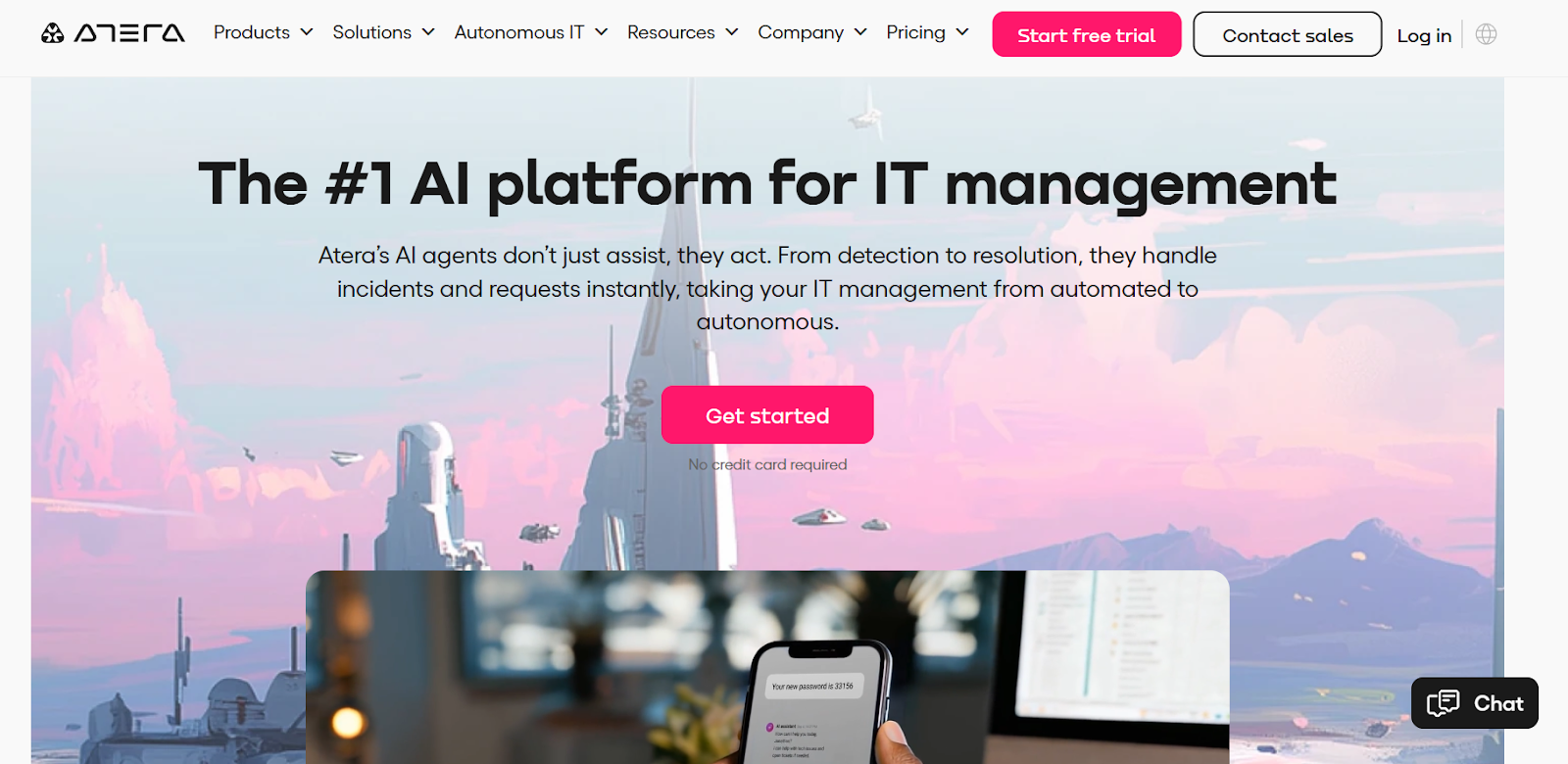
Atera is a cloud-based IT management platform that combines RMM, helpdesk ticketing, patching, remote access, and automation in one tool.
It’s designed to help IT teams and MSPs reduce manual work, resolve issues faster, and support unlimited endpoints under a pay-per-technician pricing model.
Features
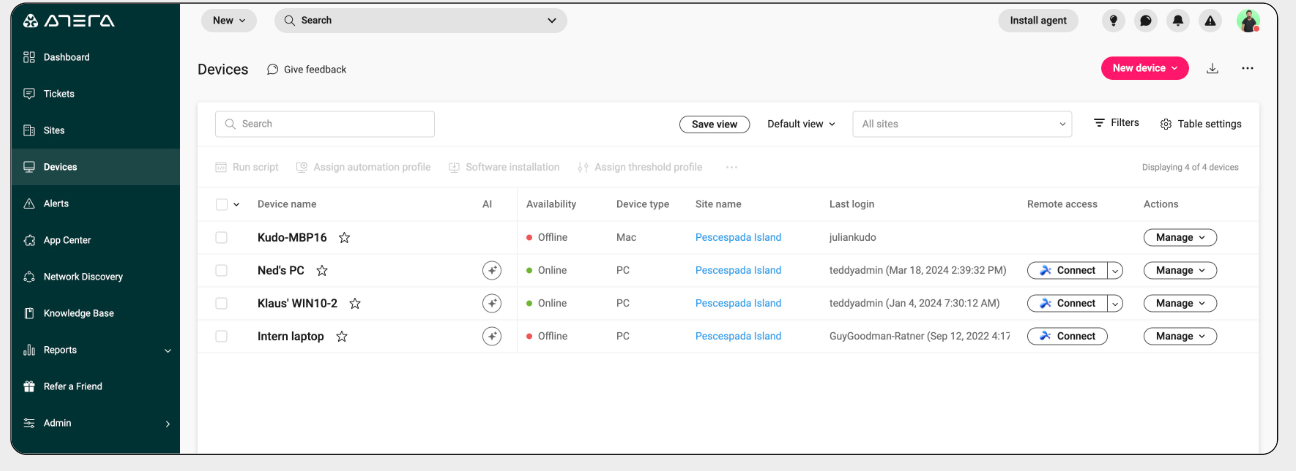
- Remote monitoring & management (RMM): Real-time monitoring of device health and system performance gives IT teams full visibility and proactive control over endpoints.
- Integrated patch management: Automated scanning and deployment of patches for Windows, macOS, and Linux helps reduce vulnerabilities and keep systems up to date without manual intervention.
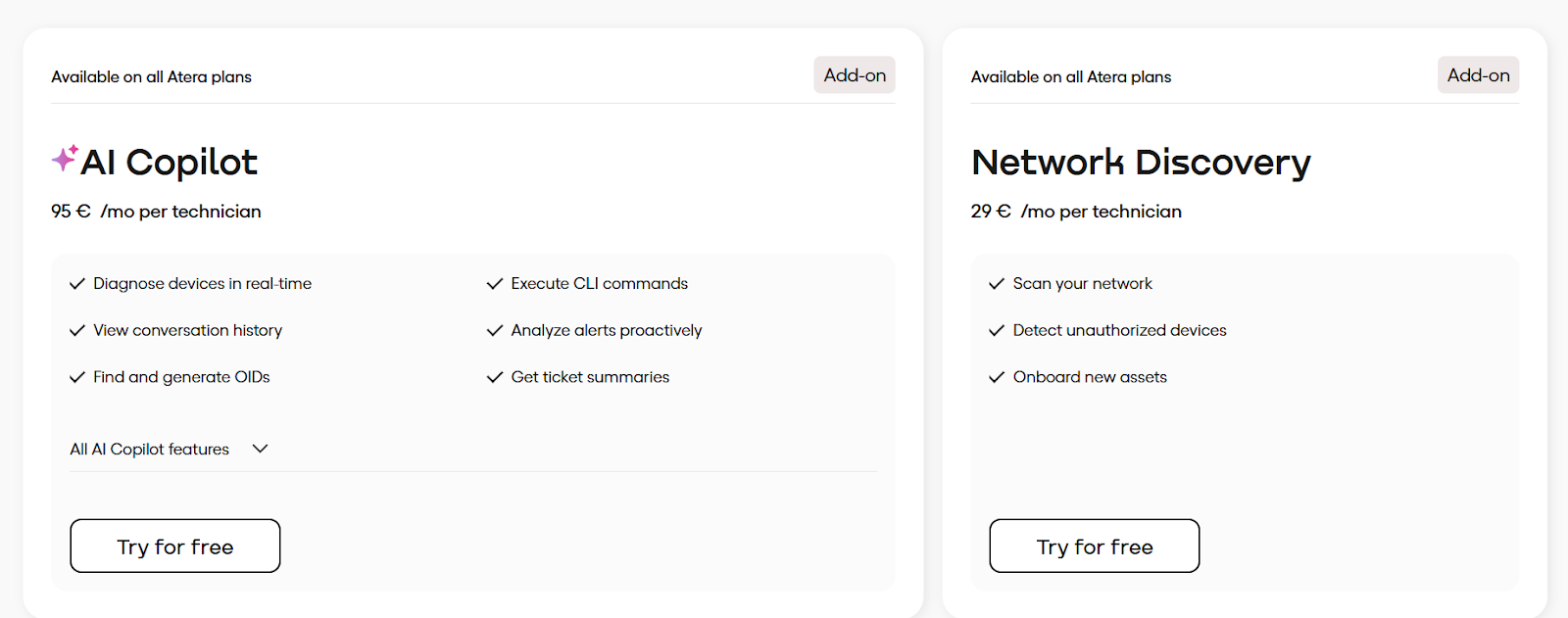
- AI Copilot: AI agent that helps technicians work faster by providing instant ticket summaries, real-time device insights, remote session summaries, and AI-generated scripts and commands directly inside their IT workflow.
Pricing
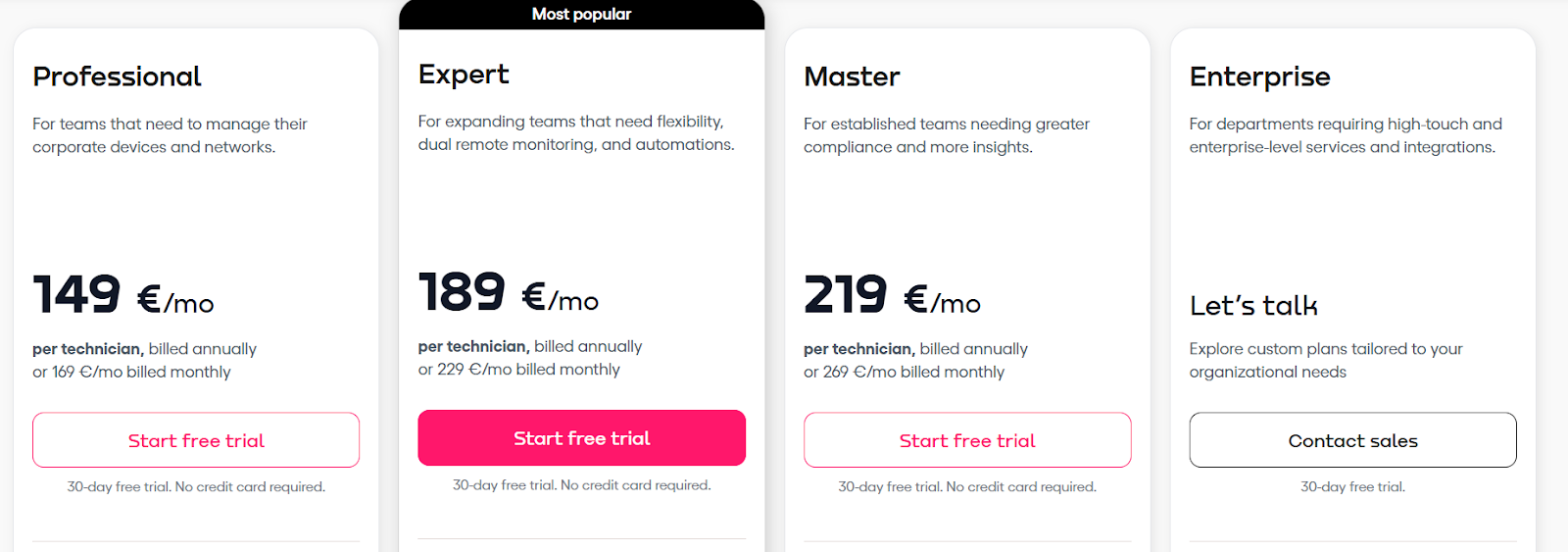
Atera uses a per-technician pricing model, with a 30-day free trial on all plans (no credit card required) and optional paid add-ons:
- Professional: €169/mo, includes core RMM features, such as monitoring, patching, Splashtop (2 concurrent sessions), software management, service portal, mobile apps, and 1-month audit logs.
- Expert: €229/mo, includes everything in Professional and adds unlimited Splashtop sessions, AnyDesk access, preset reports, ticket auto-tagging, more custom asset types, larger file transfers, and 6-month audit logs.
- Master: €269/mo, includes everything in Expert, plus custom analytics reports, higher asset limits, 12-month audit logs, more storage, and data recovery.
- Enterprise: Custom pricing, everything in Master, plus enterprise-grade features like SSO, Azure AD continuous sync, network discovery, unlimited custom reports and asset types, 7-year audit logs, HIPAA BAA, and a 99.9% uptime SLA.
There are also two optional add-ons:
- AI Copilot: €95/tech/month.
- Network Discovery: €29/tech/month.
Pros & Cons
✅ Easy to deploy and use, with a clean interface that most teams adopt quickly.
✅ Automation and scripting are strong and help reduce repetitive manual IT work.
❌ Advanced features are locked behind a high paywall or treated as add-ons (like AI Copilot), increasing the overall cost.
3. Syncro
Best for: MSPs and IT teams that want tight control over automation, scripting, and service workflows alongside built-in billing.
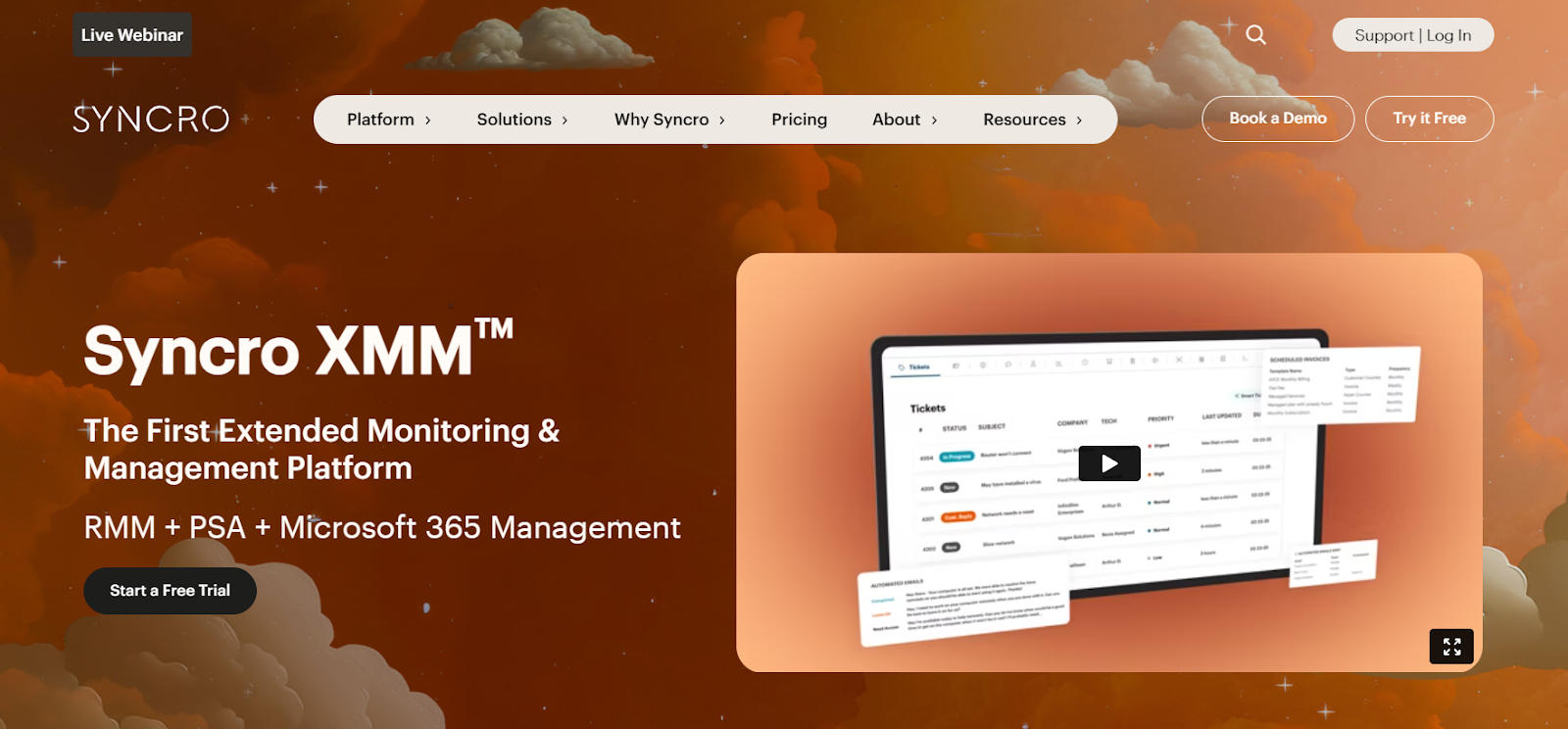
Syncro is an all-in-one IT management platform that combines remote monitoring, ticketing, and automation in a single interface.
It’s designed to simplify daily IT operations with straightforward per-user pricing and no long-term contracts.
Features
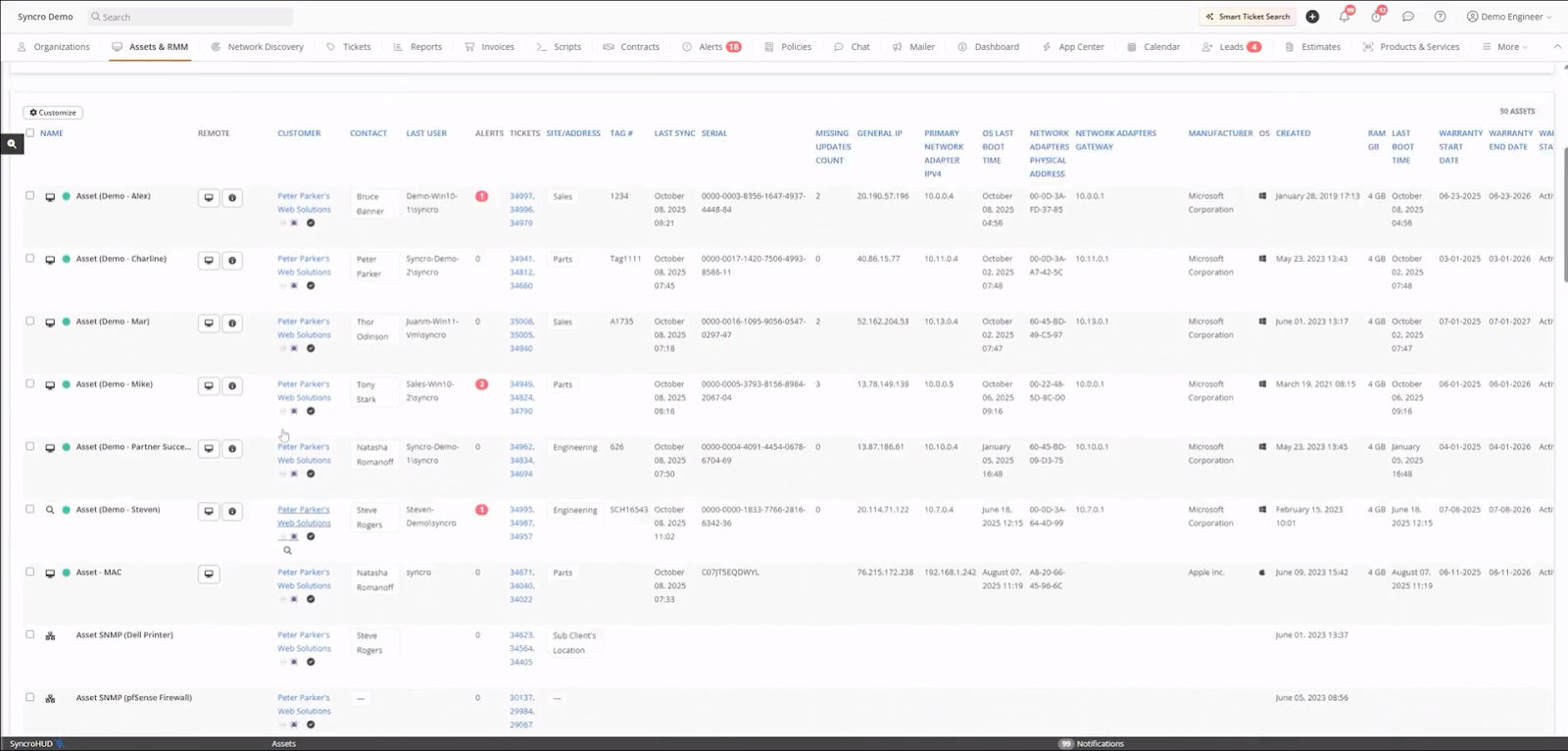
- Microsoft 365 and identity management: Syncro provides tools to manage Microsoft 365 tenants, automate user tasks, and enforce security baselines from one dashboard.
- Real-time endpoint monitoring: Syncro lets teams monitor device health, processes, and system activity with live alerts so issues can be addressed before they escalate.
- Scripting & IT automation: A robust scripting engine reduces manual tasks by running PowerShell, Mac, or custom scripts automatically across managed devices.
Pricing
Syncro uses simple per-user pricing with unlimited devices and a free trial, making costs predictable as teams scale.
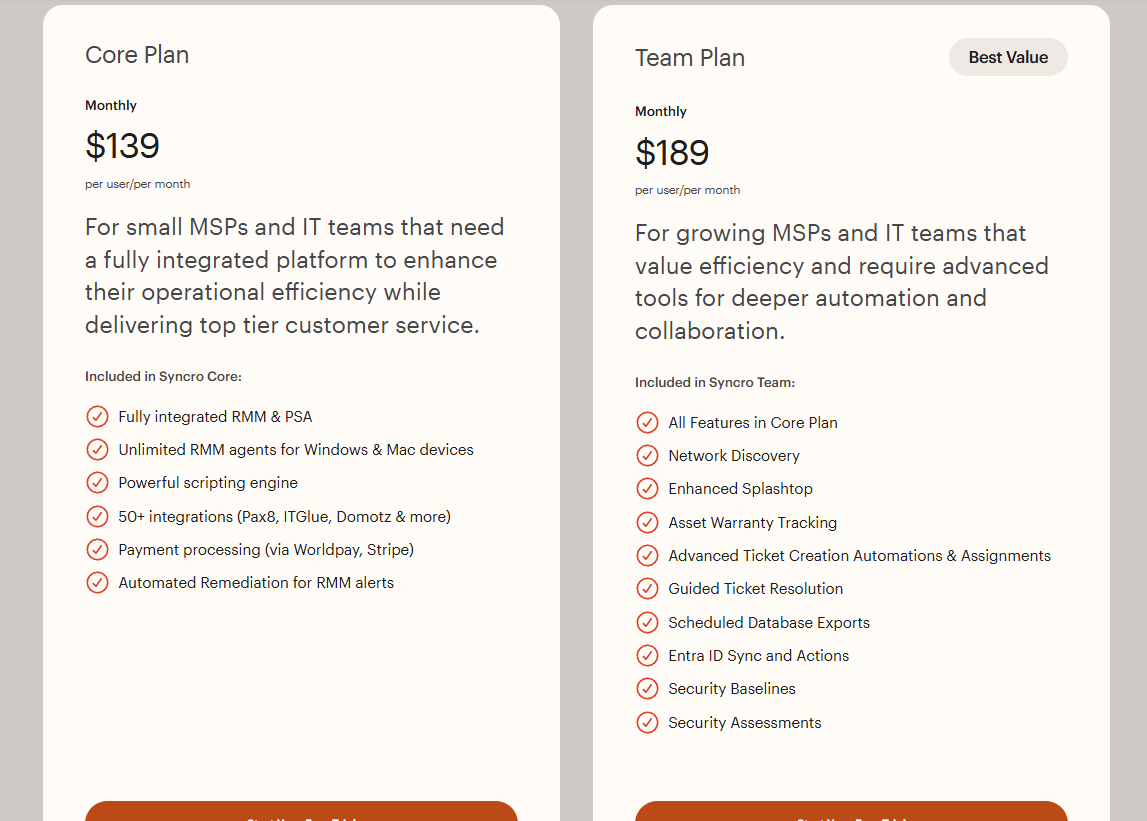
- Core: $139 per user/month, includes fully integrated RMM and PSA, unlimited Windows and Mac agents, a powerful scripting engine, 50+ integrations (like Pax8, IT Glue, and Domotz), automated remediation for alerts, and built-in payment processing.
- Team: $189 per user/month, includes everything in Core and adds network discovery, enhanced Splashtop, asset warranty tracking, advanced ticket automations, guided ticket resolution, scheduled data exports, Entra ID sync, and built-in security baselines and assessments.
Pros & Cons
✅ Per-technician pricing with unlimited endpoints is especially cost-effective for solo MSPs and growing teams.
✅ Microsoft 365 management and security baselines add extra value for MSPs supporting cloud-first clients.
❌ Some advanced capabilities rely heavily on scripting rather than built-in UI controls, which can be a problem for less technical teams.
4. Pulseway
Best for: IT teams and MSPs that want a mobile-first RMM for real-time monitoring and fast remote response.
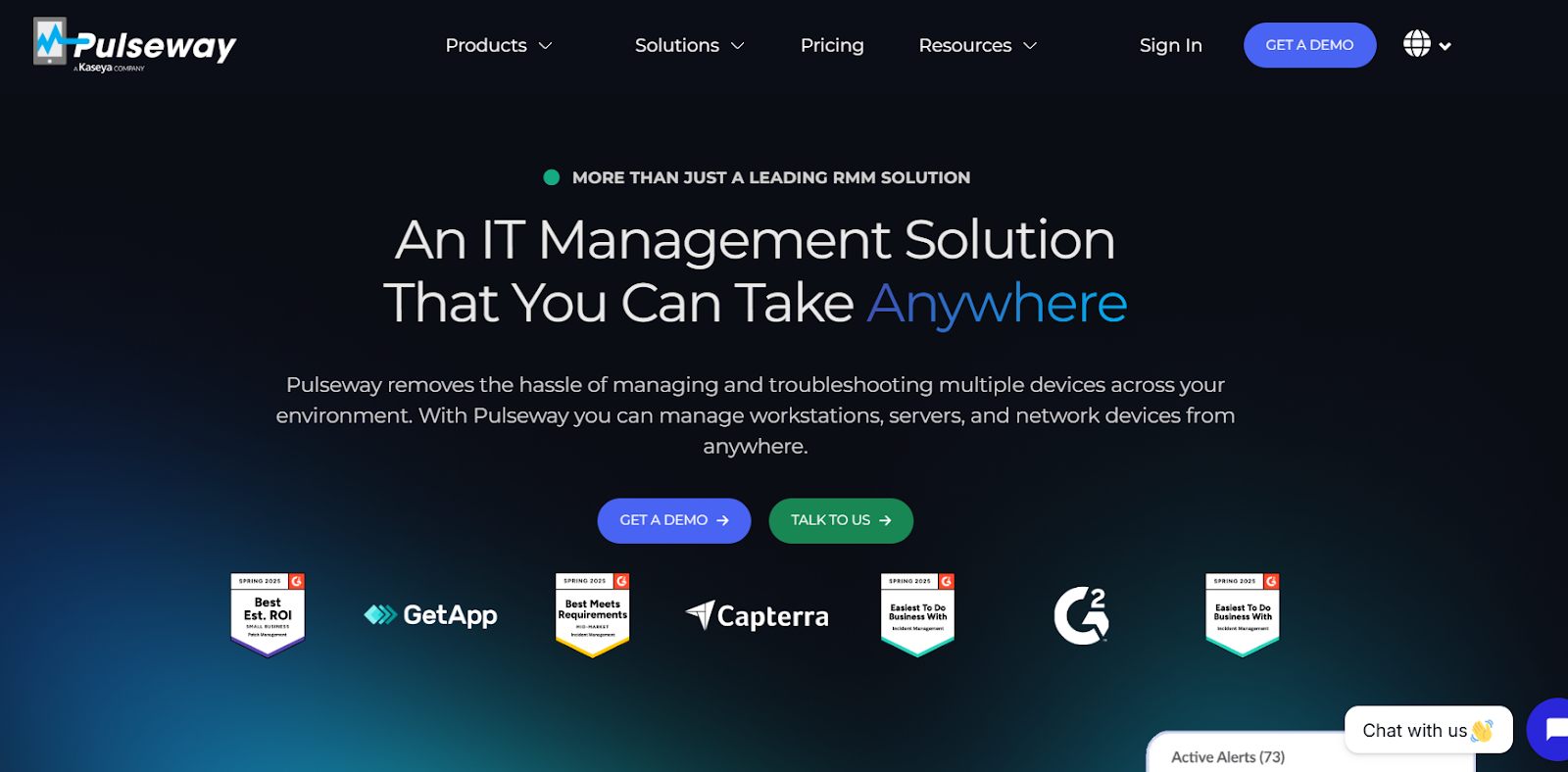
Pulseway is a remote monitoring and management platform built around real-time alerts, remote control, and automation.
Its mobile-first design lets technicians manage endpoints and respond to issues from anywhere.
Features
- Real-time monitoring and alerting: Track CPU, memory, network, and device status across Windows, Mac, and Linux systems in real time.
- Mobile-first design: Full functionality available in native iOS and Android apps so IT teams can respond to issues anywhere.
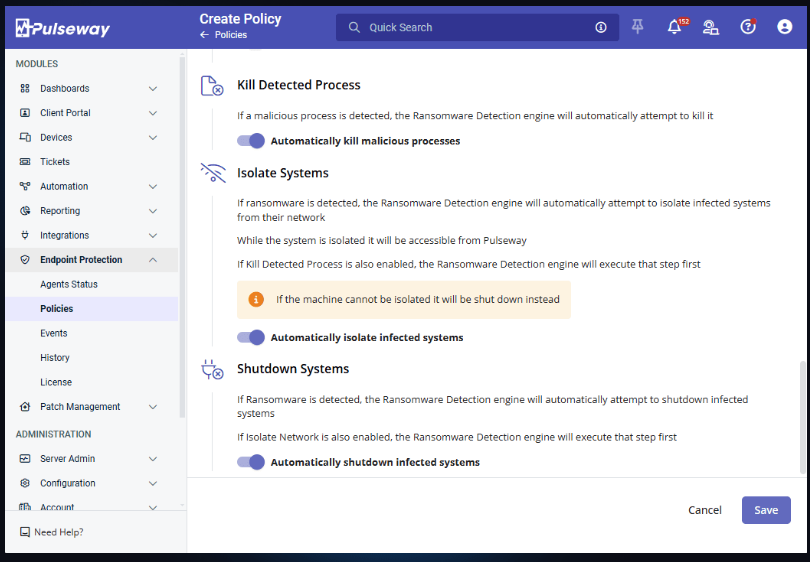
- Ransomware protection and automated response: Detects ransomware activity in real time on Windows devices, instantly alerts IT teams, and can automatically stop malicious processes and isolate affected systems to limit damage.
Pricing
Pulseway uses endpoint-based pricing, with plans scaling by the number of devices, mobile devices, and optional security add-ons.
The pricing starts at $68 per month for up to 20 endpoints and one mobile device, and can go up to almost $16,000 for up to 5,000 endpoints and 5,000 mobile devices.
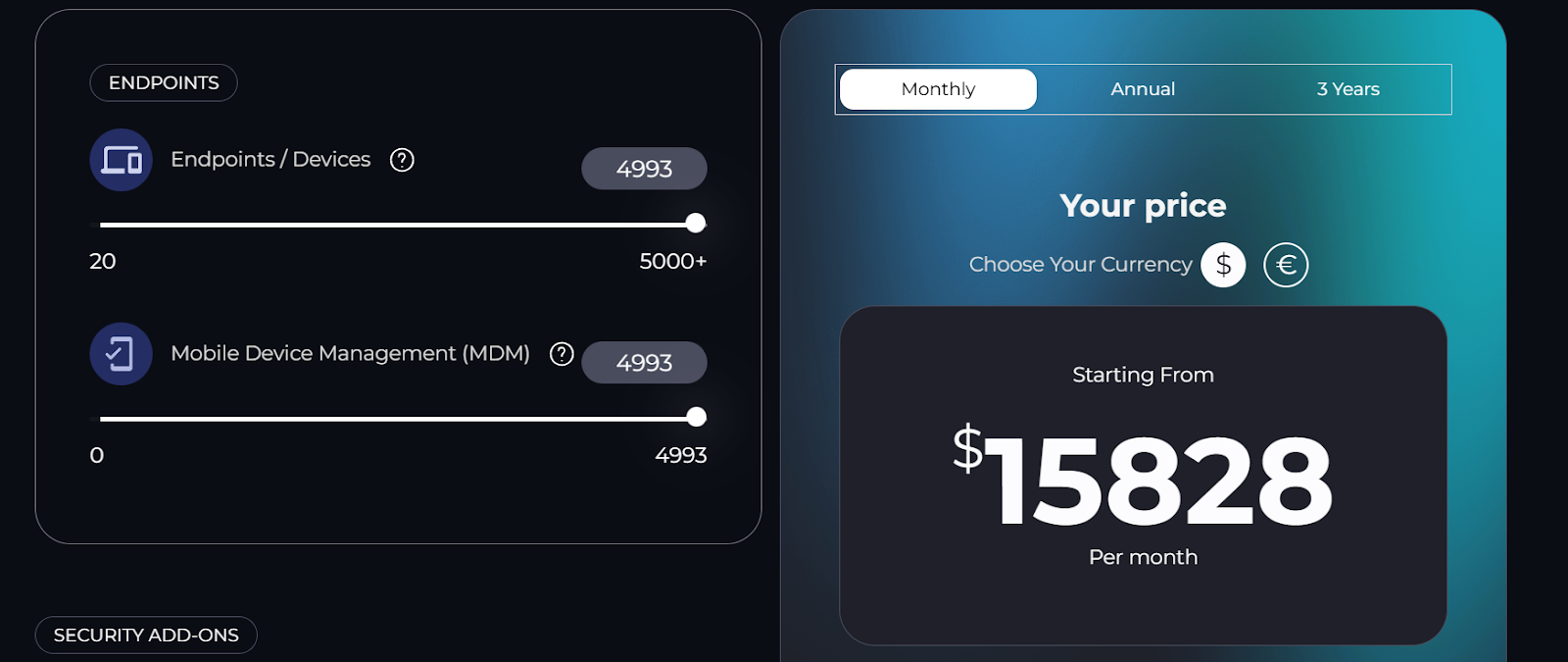
If you need more endpoints/mobile devices, there are custom-tailored plans for that as well.
Moreover, security add-ons, such as ransomware detection and endpoint protection, are charged extra, meaning that total monthly costs can easily skyrocket.
Pros & Cons
✅ Pulseway’s mobile app is one of its strongest differentiators, allowing full remote monitoring and management from anywhere.
✅ Real-time monitoring, tagging, and automation make it easy to manage and organize endpoints at scale.
❌ Pricing is high compared to other RMM tools, especially once add-ons are included.
5. ManageEngine Endpoint Central
Best for: IT teams and MSPs that need unified endpoint management and security across desktops, servers, laptops, and mobile devices from a single console.
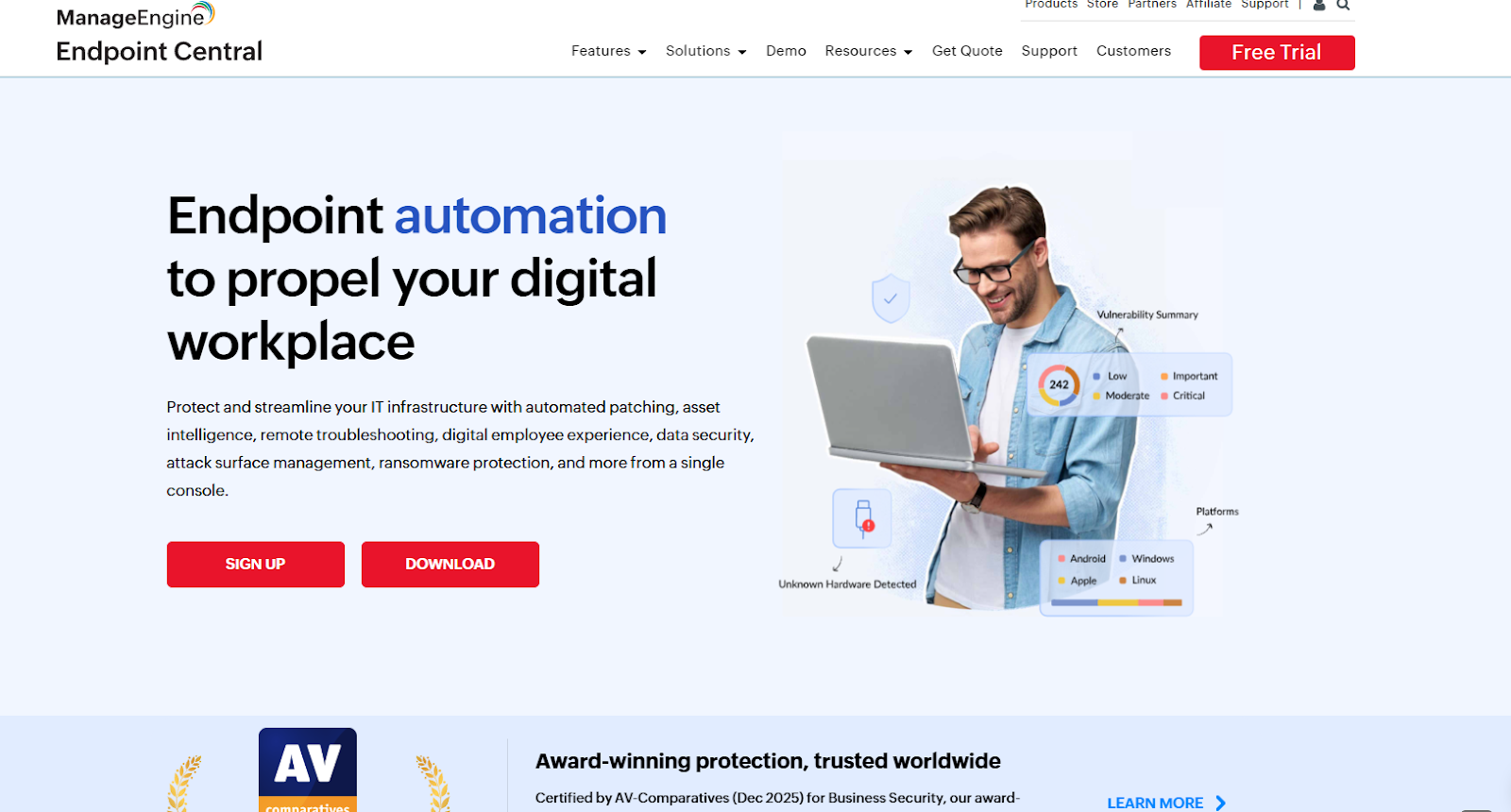
ManageEngine Endpoint Central is a comprehensive Unified Endpoint Management (UEM) solution that lets IT teams monitor, manage, secure, and automate controls for all types of endpoints in their environment.
As such, it’s especially useful for teams that need deeper device control, patching, and policy enforcement at scale rather than lightweight RMM-style monitoring.
Features
- Automated patch and update management: Endpoint Central can scan, test, and deploy patches for operating systems and third-party applications automatically to keep devices secure and compliant.
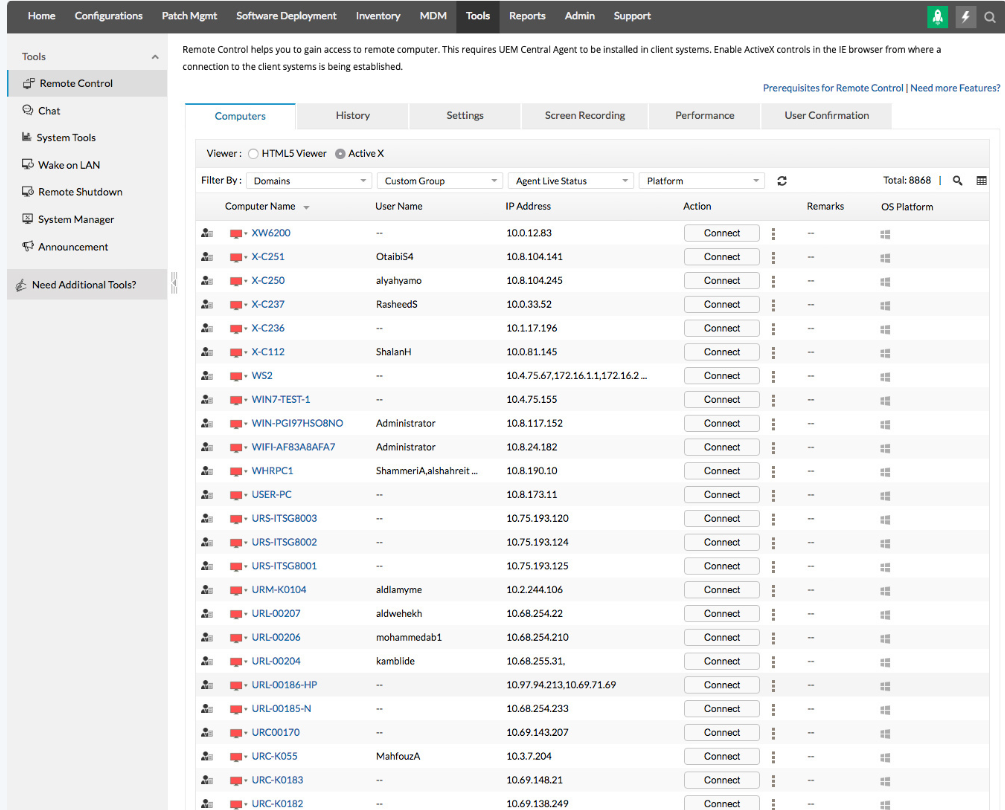
- Remote control and troubleshooting: IT teams can remotely access desktops, laptops, and servers to fix issues, transfer files, or run commands without being physically present.
- Application and OS deployment: Push software installations, updates, and full operating system images to endpoints centrally using built-in templates.
Pricing
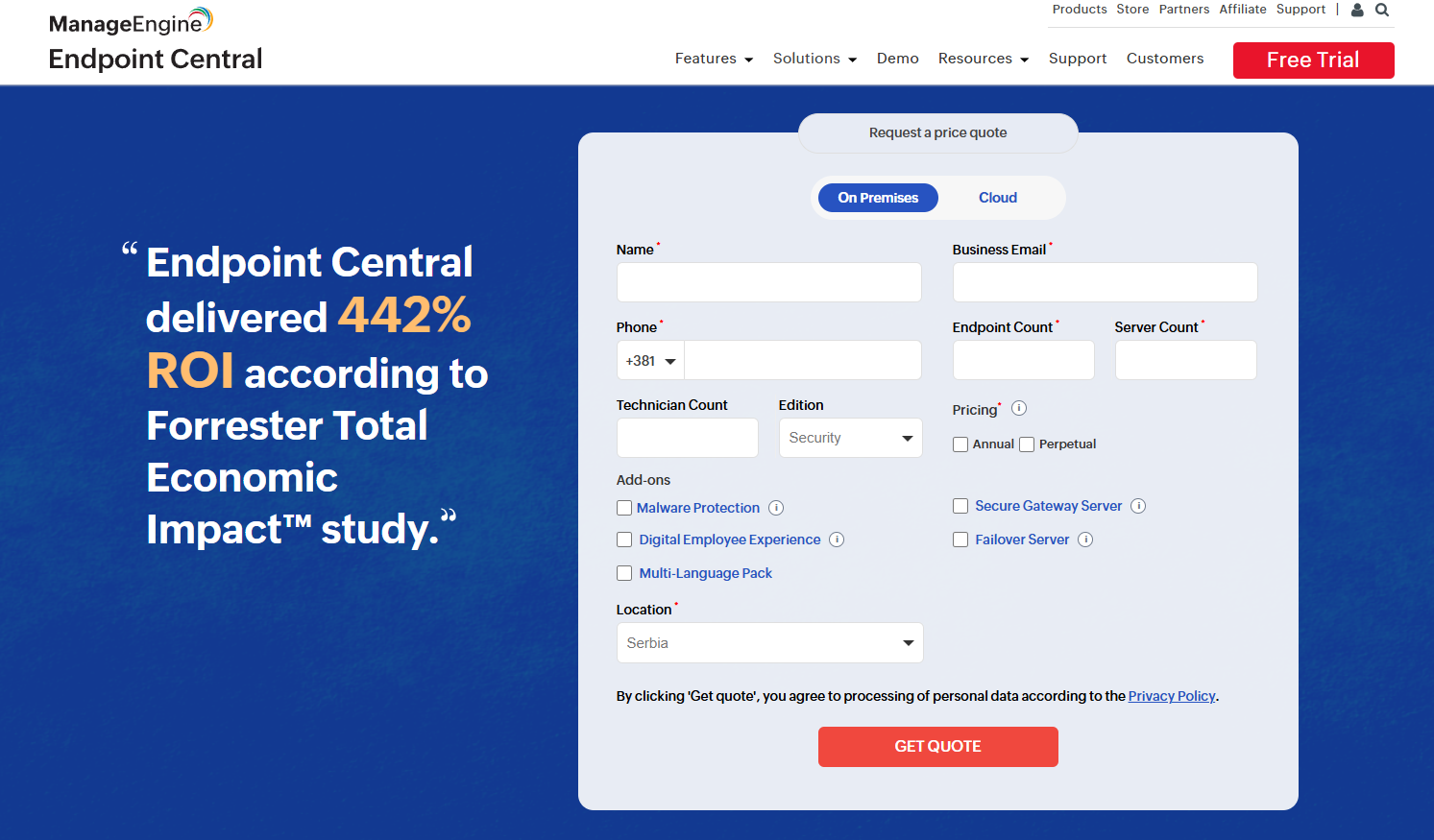
ManageEngine Endpoint Central doesn’t publish its prices.
You can request a custom quote by filling out a form on its website.
Pros & Cons
✅ Broad feature depth covering UEM, security, compliance, and asset management in one platform.
✅ Extremely strong patch management that’s reliable, automated, and easy to scale across large endpoint fleets.
❌ The interface can feel cluttered or inconsistent in places, particularly at scale.
6. Datto RMM
Best for: MSPs and IT teams that need a secure, scalable cloud-based RMM solution to remotely monitor, manage, and support endpoints across multiple clients or sites.
Datto RMM is a cloud-hosted remote monitoring and management platform built on the Datto platform.
It’s designed with security, automation, and proactive issue resolution in mind, aiming to help technicians identify and fix problems before they disrupt operations.
Features
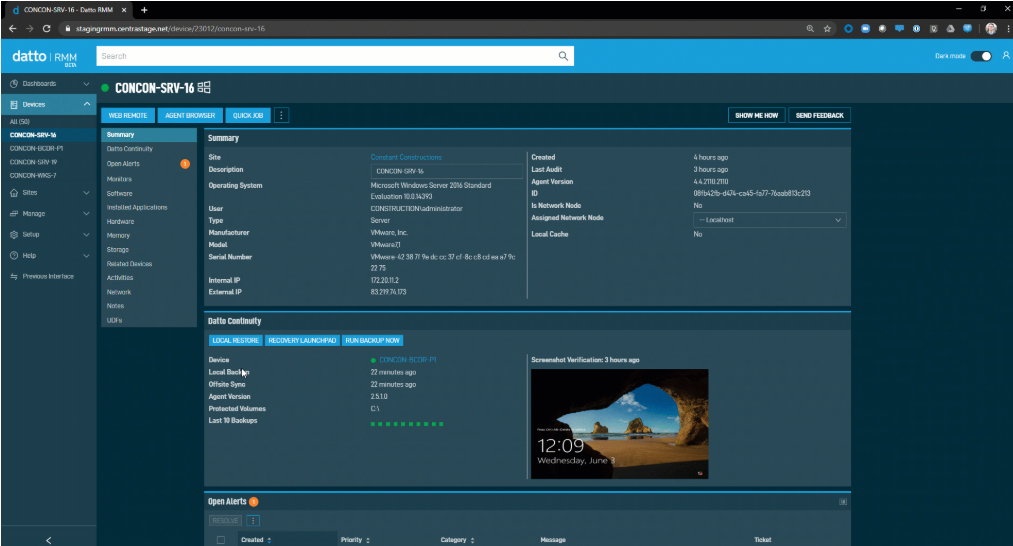
- Microsoft 365 management: Integrates directly with Microsoft 365 to give visibility into tenants, users, and associated devices from a single console.
- Network discovery and topology mapping: Automatically discovers all devices on the network and visualizes them in topology maps for better visibility.
- Custom dashboards and reporting: Build on-demand or scheduled reports and dashboards, with API access for deeper analysis outside the platform.
Pricing
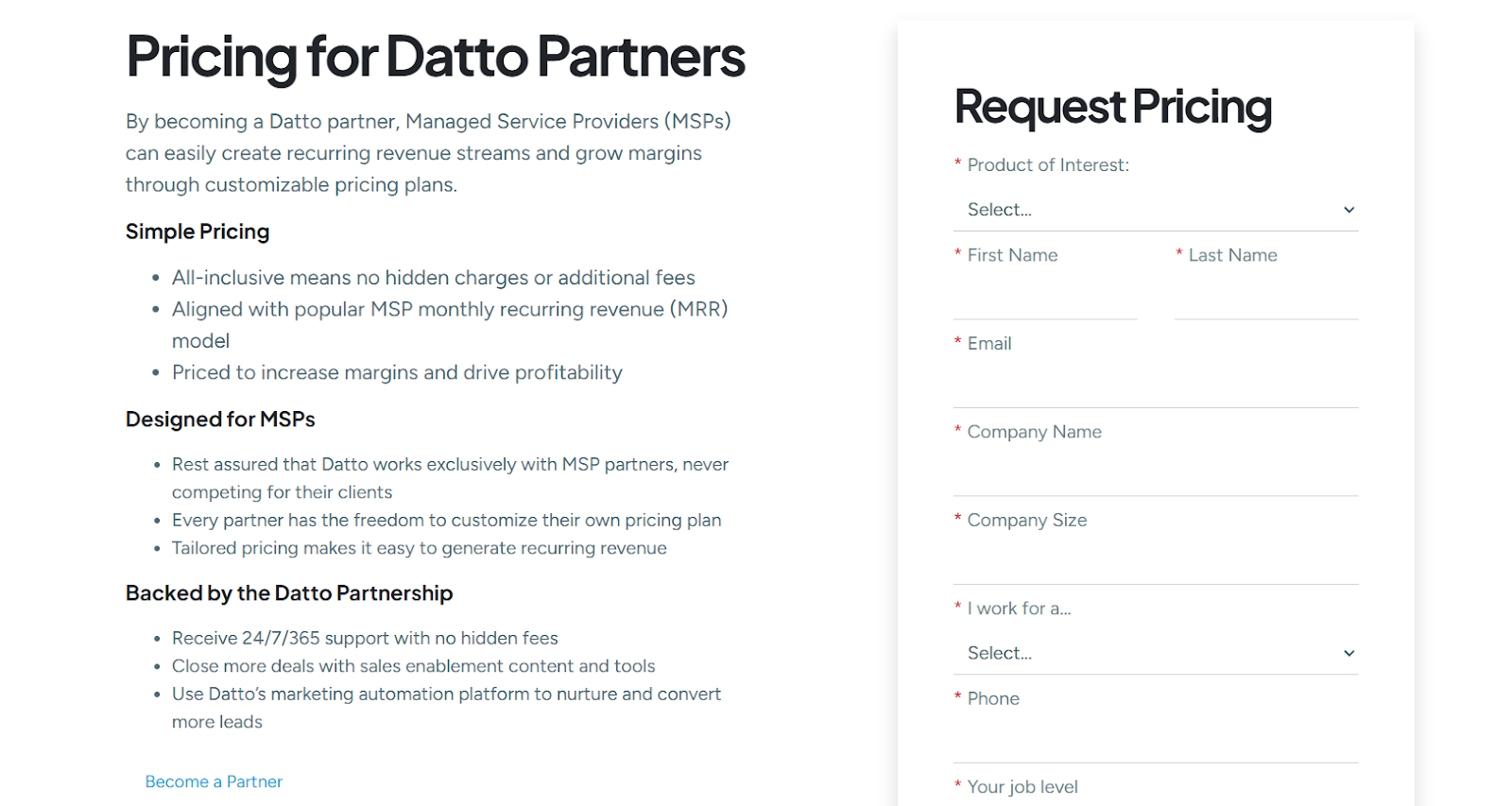
Datto doesn’t publish pricing for any of its solutions, RMM included.
You can request a custom quote on its website.
Pros & Cons
✅ Strong security features with built-in ransomware detection, third-party patching, and proactive monitoring.
✅ Highly customizable dashboards and monitoring workflows.
❌ Steep learning curve for new technicians.
7. N-able N-central
Best for: MSPs and larger IT teams that require a powerful, flexible RMM platform capable of managing, automating, and securing complex, multi-tenant environments.
N-able N-central is a cloud-based remote monitoring and management solution designed to help managed service providers and IT professionals monitor, secure, and automate IT infrastructure across thousands of devices from a unified dashboard.
It provides a wide range of features to enable teams to proactively resolve issues, streamline operations, and scale IT services efficiently.
Features
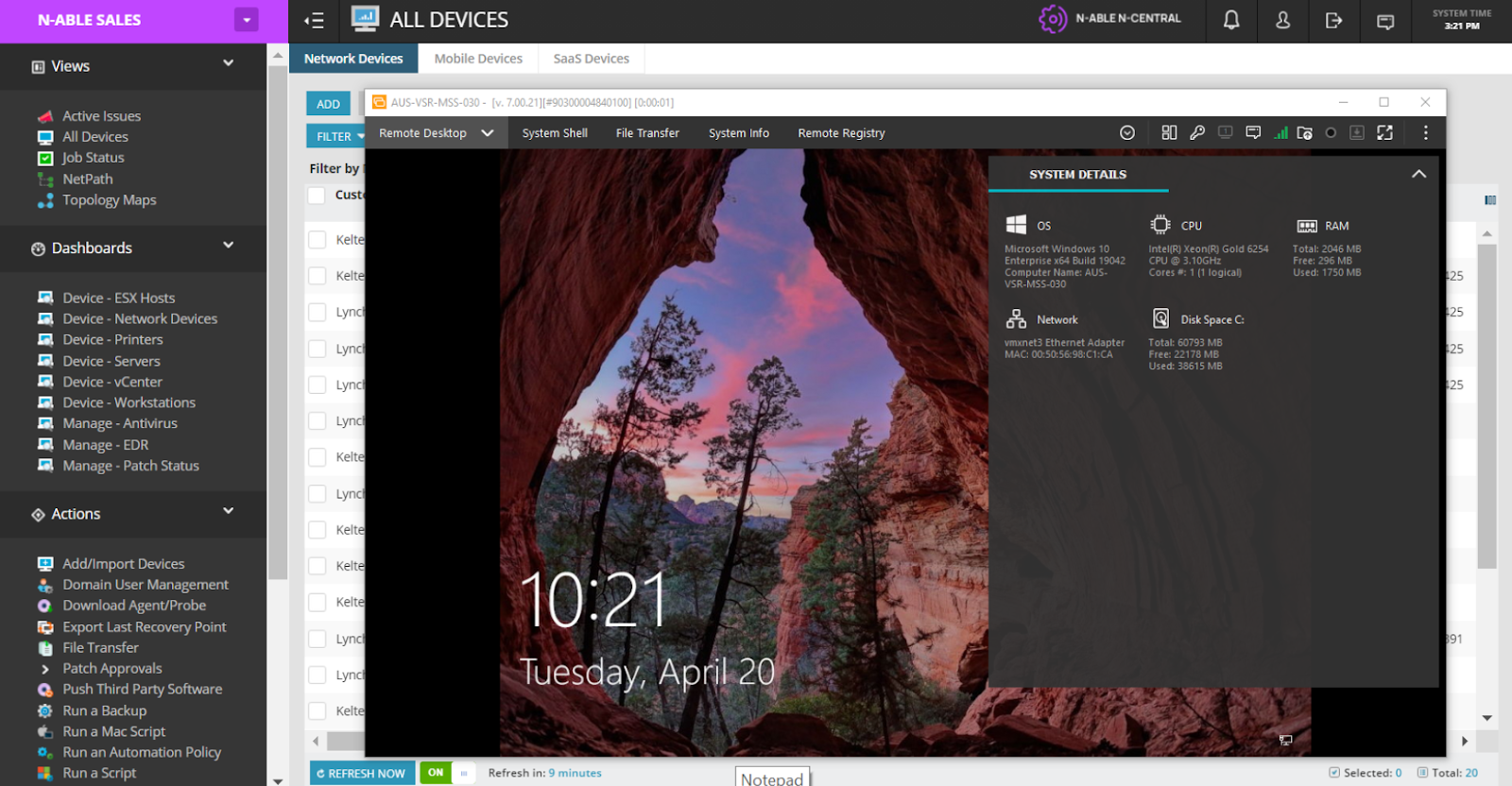
- Asset discovery & management: Automatically discovers and organizes hardware and software assets, helping teams maintain an accurate inventory and track changes across environments.
- Intelligent automation engine: Uses a powerful rules engine and automation policies to eliminate repetitive tasks and enforce consistent IT processes without manual intervention.
- Deep security & vulnerability management: Offers built-in vulnerability assessment, advanced endpoint protection, and integration with EDR/XDR tools to help teams proactively address security threats.
Pricing
N-able doesn’t publish prices for its N-central solution.
You have to contact sales for more details.
Pros & Cons
✅ Powerful automation and rule-based management.
✅ Proactive monitoring and alerting with custom thresholds, detailed dashboards, and early alerts.
❌ Performance issues at larger scale.
8. ConnectWise
Best for: MSPs and IT service providers that want an end-to-end IT operations platform combining RMM, PSA, remote support, security, and automation to run and scale their business from a single ecosystem.
ConnectWise is an integrated IT management platform designed to help MSPs monitor, manage, support, and secure client environments while also running core business operations like ticketing, billing, and projects.
It brings together automation, remote support, PSA, and security tooling into a unified platform built for complex, multi-client IT service delivery.
Features
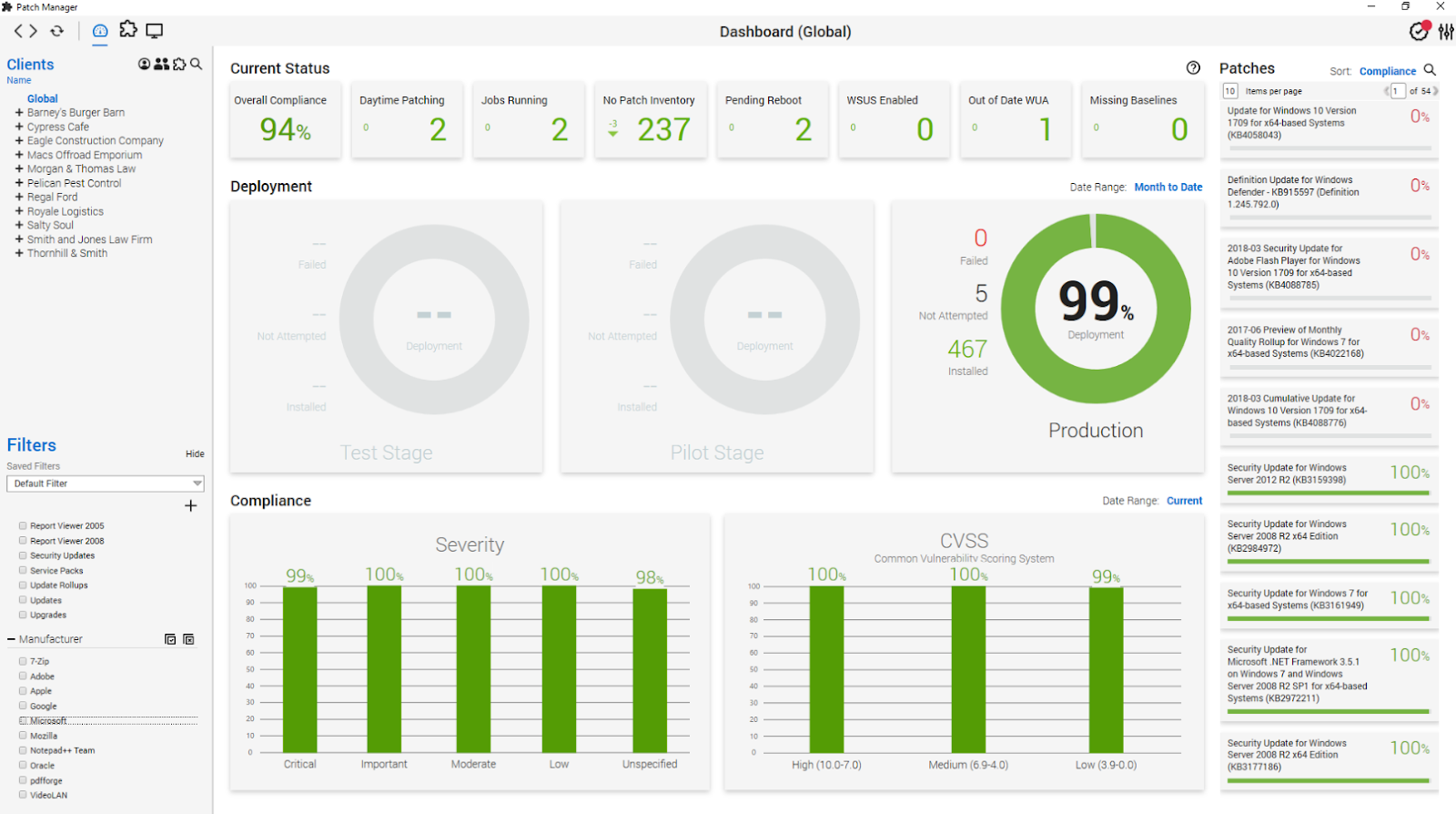
- Professional services automation (PSA): Centralizes help desk, ticketing, SLA tracking, time & expense entries, project management, CRM, sales pipeline, and billing into one unified business management solution.
- Remote monitoring and management: Provides continuous monitoring, alerting, patch management, scripting, remote access, and workflow automation for endpoints and networks.
- Automation & AI-driven insights: Leverages automation rules, workflow builders, and emerging AI capabilities across services to reduce manual work, enforce consistent practices, and generate valuable insights.
Pricing
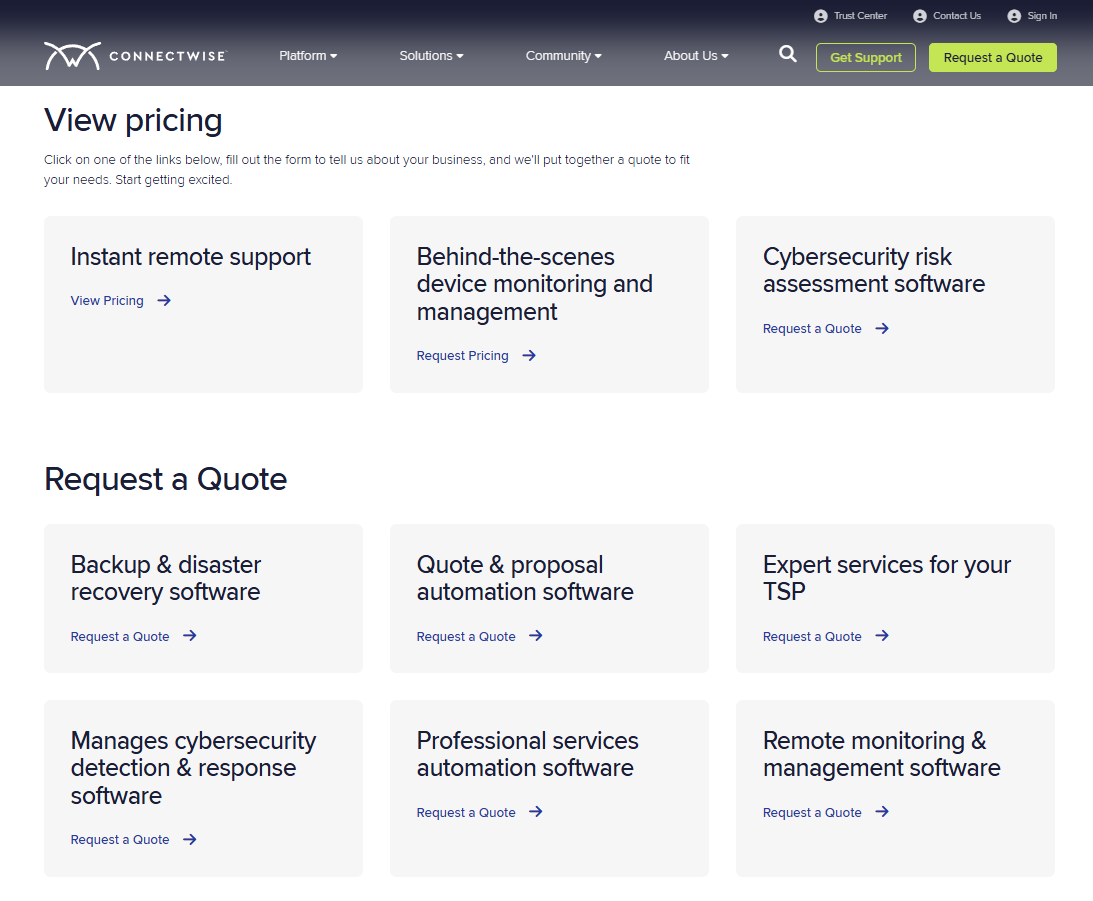
ConnectWise has separate pricing for its products and it doesn’t publish prices for most of them.
It’s best you contact sales for details on the solutions you’re interested in.
Pros & Cons
✅ Extremely powerful customization and automation.
✅ Proactive monitoring and alerting provide deep visibility into client environments and raise the flag when issues arise.
❌ Stability and update issues, such as random agent reinstallations, device duplication, and MAC/serial “absorption” problems.
9. LogMeIn Resolve
Best for: Internal IT teams and MSPs that want a unified, secure IT management and support platform combining remote monitoring, remote support, ticketing, and automation in one scalable solution.
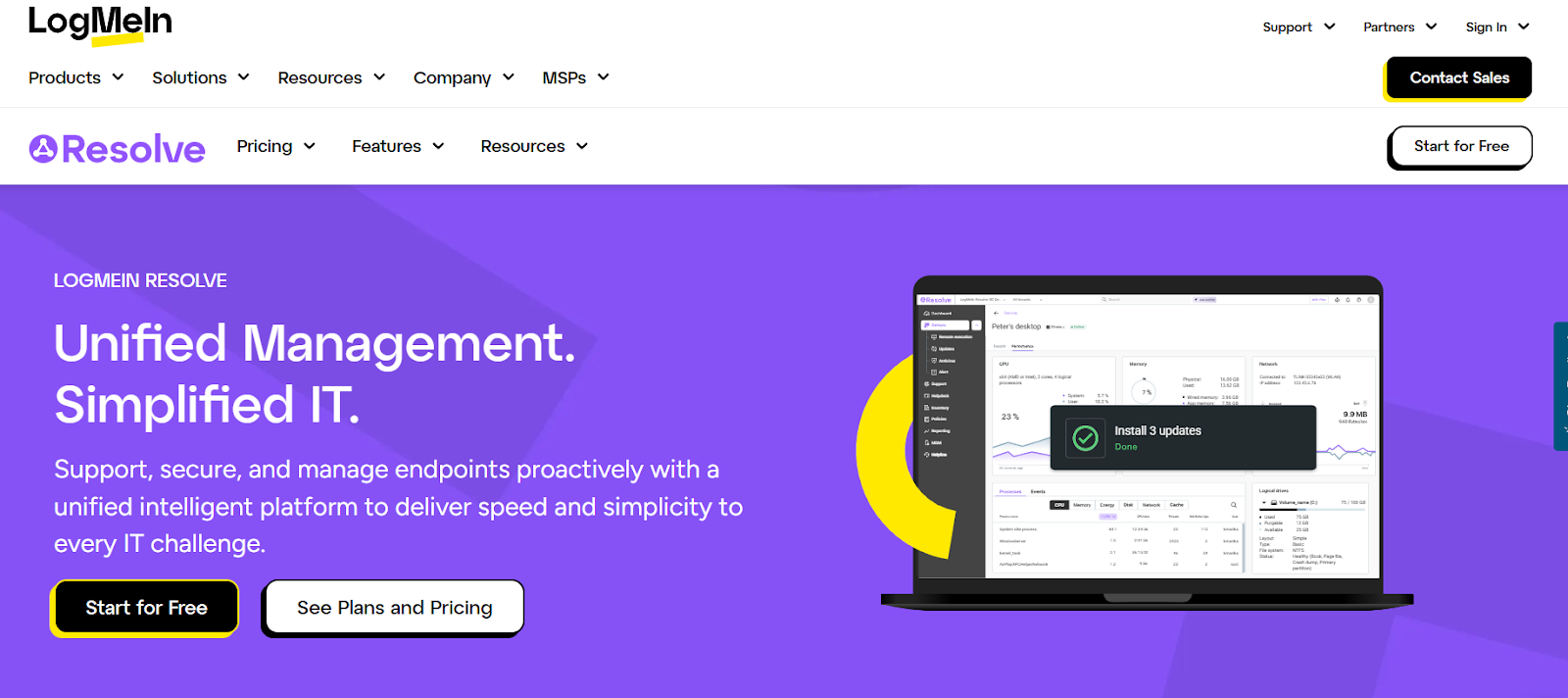
LogMeIn Resolve is an all-in-one unified endpoint management (UEM) and remote support platform that centralizes device monitoring, patching, alerting, helpdesk ticketing, and secure remote access into a single interface.
It’s designed to help IT teams manage and secure endpoints, streamline support workflows, and automate routine tasks while maintaining compliance and visibility across diverse environments.
Features
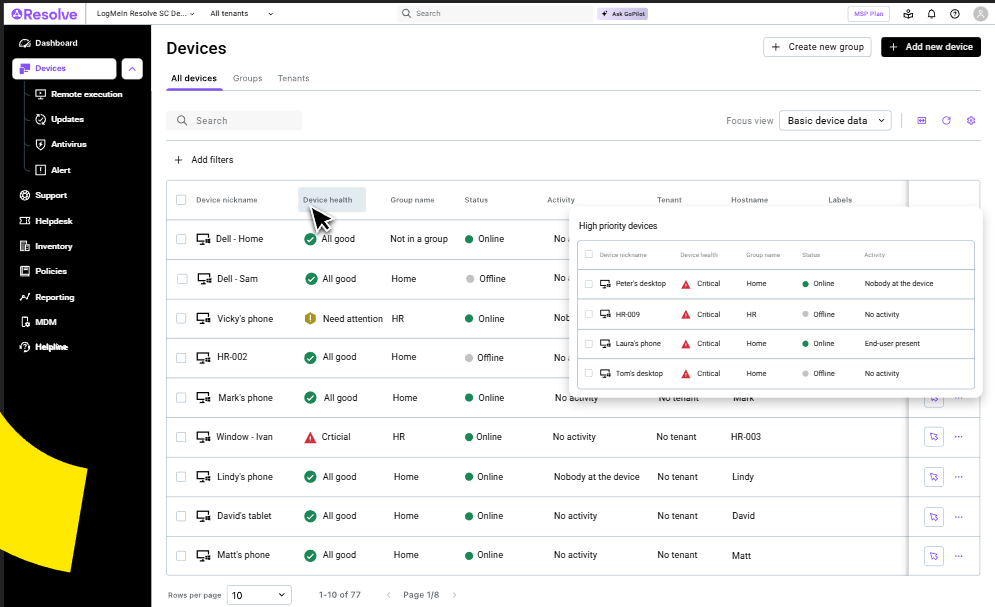
- Unified endpoint management (UEM): Centralizes device monitoring, support, automation, and management in one platform so IT teams gain visibility and control across all endpoints from a single console.
- Help desk & conversational support: Includes built-in ticketing workflows with conversational support integrations (e.g., MS Teams) to capture, triage, and manage support requests without switching tools.
- AI-assisted automation & insights: Uses practical AI to assist with scripting, automated workflows, and actionable insights that help prioritize issues and reduce manual effort.
Pricing
LogMeIn Resolve uses endpoint-based pricing with unlimited agents, making it easier to scale support teams without per-technician limits.
There are four plans to choose from:
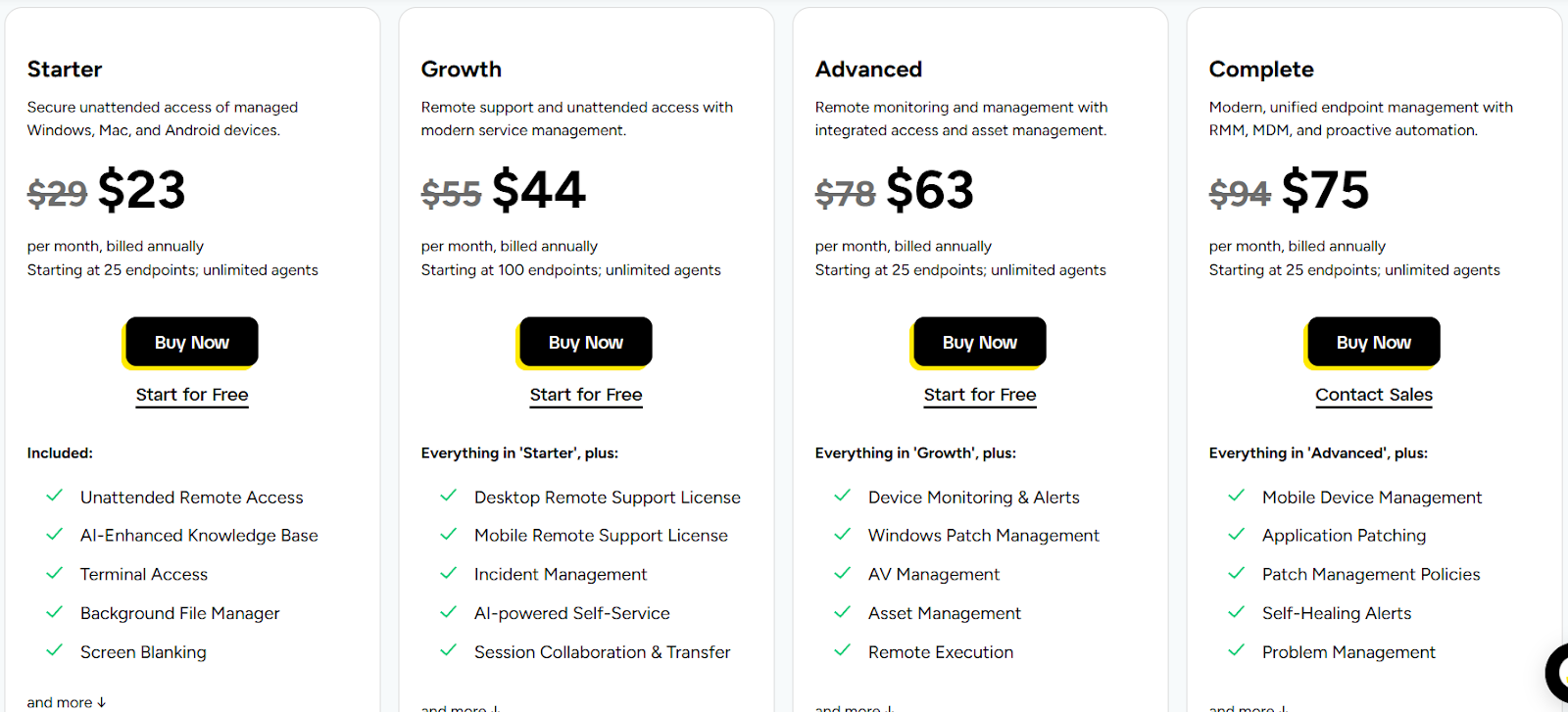
- Starter: $23/month (billed annually) starting at 25 endpoints, includes unattended remote access (Windows, macOS, Android), AI-enhanced knowledge base, terminal access, background file manager, and screen blanking.
- Growth: $44/month (billed annually) starting at 100 endpoints, includes everything in Starter and adds desktop remote support license, mobile remote support license, incident management, AI-powered self-service, and session collaboration & transfer.
- Advanced: $63/month (billed annually) starting at 25 endpoints, includes everything in Growth, plus device monitoring & alerts, Windows patch management, antivirus management, asset management, and remote execution.
- Complete: $75/month (billed annually) starting at 25 endpoints, including everything in Advanced, plus mobile device management (MDM), application patching, patch management policies, self-healing alerts, and problem management.
Pros & Cons
✅ Strong remote control, file transfer, and backend access that don’t interrupt end users.
✅ Exceptionally easy remote support setup, as technicians can connect to users by simply sharing a link.
❌ Weak fit for complex virtual desktop environments with users reporting issues with Azure and Windows multi-session setups.
10. Action1
Best for: Internal IT teams and MSPs that want a cloud-native endpoint management platform focused on automated patching and vulnerability remediation, especially in distributed or hybrid work environments.
Action1 is a cloud-native autonomous endpoint management and patching platform designed to help IT and security teams discover, prioritize, and remediate OS and third-party vulnerabilities quickly and at scale.
It centralizes patch management, software deployment, remote access, and software inventory in a lightweight, browser-based console.
Features
- Cloud-native autonomous endpoint management: A fully cloud-hosted platform that delivers endpoint visibility, management, and security without VPNs or on-premises infrastructure, so teams can operate from anywhere.
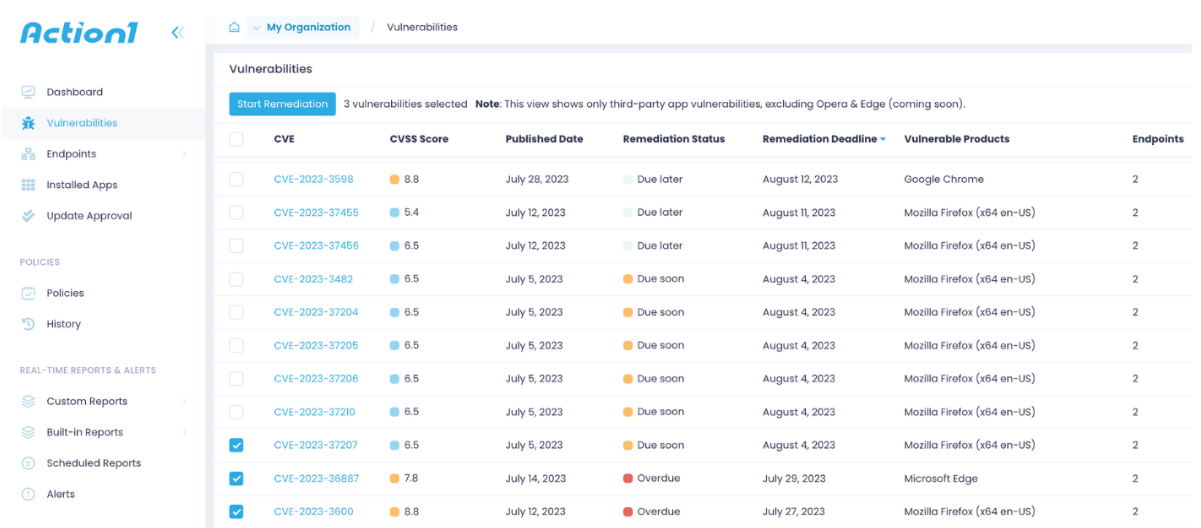
- Vulnerability detection & remediation: Real-time assessment of vulnerabilities with prioritization and automated remediation workflows to address critical security gaps quickly.
- Automated patch management: Automatically detect, schedule, and deploy OS and third-party application patches across all endpoints, ensuring continuous compliance and reducing security risks.
Pricing
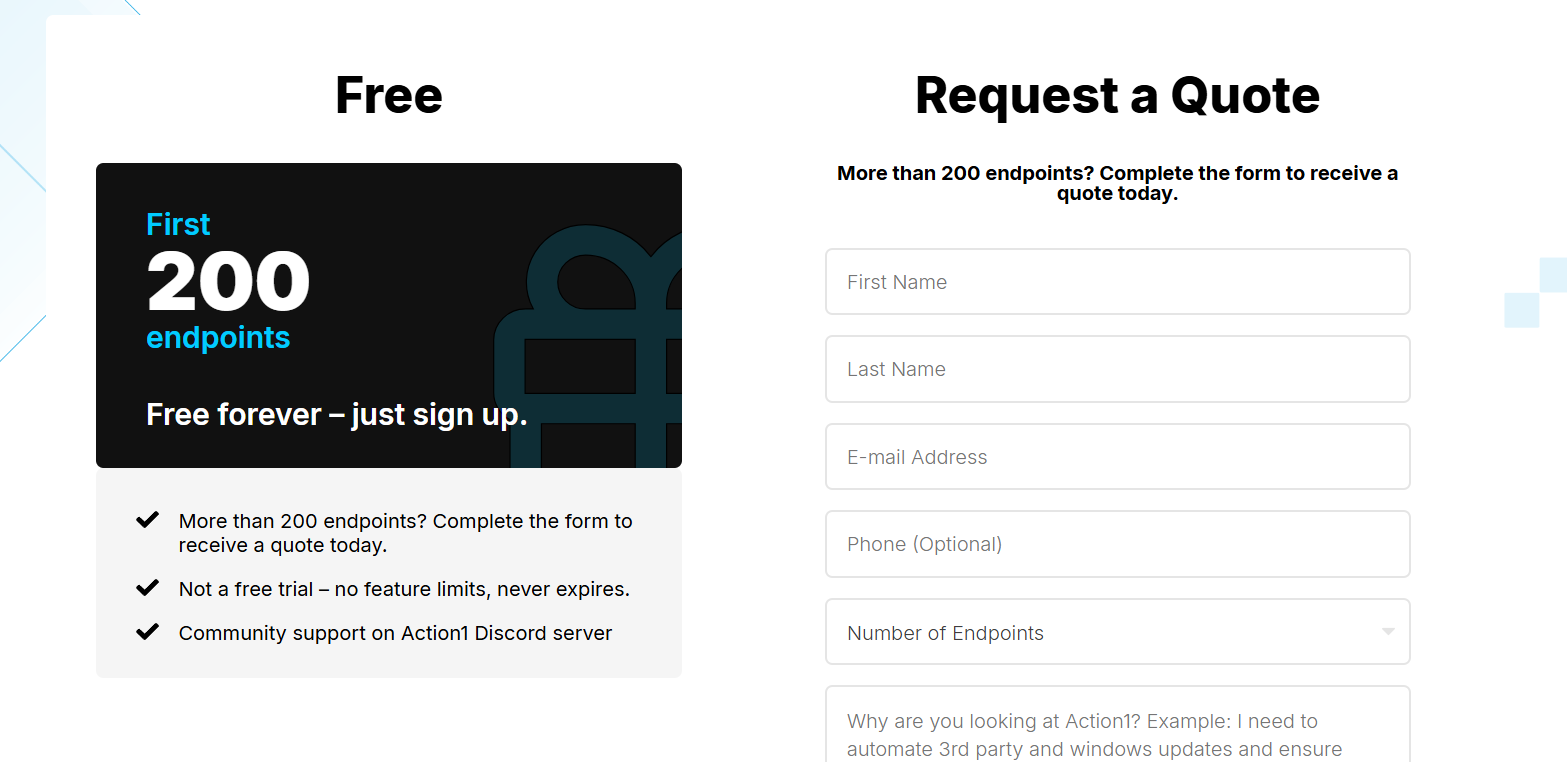
Action1 has a free forever plan for up to 200 endpoints.
When it comes to its paid option, pricing is not published, so you have to request a custom quote.
Pros & Cons
✅ Exceptionally reliable patching, as Action1 doesn’t just schedule patches but actually verifies what’s missing, what failed, and why, with honest, real-time visibility.
✅ Clean, fast, and intuitive interface.
❌ Remote access is functional but basic.
Final thoughts: Choosing the right NinjaOne alternative in 2026
If NinjaOne still fits your day-to-day, there’s nothing wrong in sticking with it: it’s clean, fast, and dependable for core RMM work.
But if you’re running into multi-tenant ticketing limits, wanting deeper reporting, or simply outgrowing an RMM-first workflow, the best alternative is the one that matches how your IT team actually operates:
- For MSP-style teams that want RMM + PSA simplicity, Atera and Syncro are often the most practical next step.
- If you need heavier endpoint governance, ManageEngine Endpoint Central is a strong (but more complex) option, while N-able, Datto, and ConnectWise make sense when you’re scaling into bigger fleets and deeper automation.
- And if patching + vulnerability remediation is the main priority, Action1 is a focused, cloud-native pick.
But if your biggest challenge isn’t just managing endpoints, but managing IT work at scale (tickets, requests, assets, SLAs, approvals, internal processes, and reporting), SmartSuite is the most flexible long-term alternative on this list.
Want to see what SmartSuite looks like for ITSM in practice?
Start a free SmartSuite trial to build your workflows in minutes, or book a demo to map your help desk, assets, and SLAs into a system that scales with your team.
Read more
- 10 Best ITSM Software & Tools In 2026 [Reviewed] - A practical breakdown of the best ITSM platforms in 2026, comparing workflows, automation, reporting, and pricing to help you choose the right fit for your IT team.
- Smartsheet vs. Asana vs. SmartSuite: Which One Is Better? [2026] - An in-depth comparison of three popular work management tools, showing where spreadsheets, task management, and no-code IT workflows truly differ at scale.
- SysAid Pricing: Is It Worth It In 2026? - A clear look at SysAid’s pricing model, hidden costs, and feature tiers to see whether it still delivers value for modern IT teams.
- 10 Best Ivanti Alternatives For ITSM In 2026 [Reviewed] - A curated list of the strongest Ivanti alternatives, focused on usability, flexibility, automation depth, and total cost of ownership.
- 10 Best IT Asset Management Software & Tools In 2026 - A side-by-side guide to the top IT asset management tools for tracking hardware, software, licenses, and lifecycle data without losing visibility.
- ManageEngine Pricing: Is It Worth It In 2026? - An honest breakdown of ManageEngine’s pricing structure, what you actually pay for, and when the platform makes sense versus lighter alternatives.

SmartSuite provides work platform for standardizing workflows in the following areas:
- Governance, Risk & Compliance
- IT & Service Ops
- Project / Portfolio Management
- Business Operations







