



10 Best LogicManager Alternatives for GRC in 2026


SmartSuite provides work platform for standardizing workflows in the following areas:
-
Governance, Risk & Compliance
-
IT & Service Ops
-
Project / Portfolio Management
-
Business Operations

Struggling to make LogicManager work for your GRC needs in 2026?
- SmartSuite stands out as the top LogicManager alternative in 2026 thanks to its intuitive design, unified GRC features, and no-code setup that helps teams move fast without sacrificing control or visibility.
- Flexible platforms like Vanta and OneTrust are a great match for growing teams focused on automating audits, privacy compliance, and vendor oversight with minimal manual effort.
- Meanwhile, solutions like MetricStream and ServiceNow offer deep functionality for enterprises that need highly scalable GRC frameworks, AI-powered insights, and advanced risk orchestration across complex environments.
You’re definitely not the only one.
While LogicManager has long positioned itself as a flexible platform for governance, risk, and compliance, many users report roadblocks when it comes to overall usability.
For fast-moving teams juggling audits, third-party risk, and evolving regulations, it often feels like the platform creates more friction than it solves.
The good news? You’ve got options.
From agile, no-code tools to enterprise-grade GRC systems with built-in automation, there’s no shortage of smarter, more adaptable LogicManager alternatives on the market today.
In this guide, I’ll walk you through 10 of the best platforms to consider in 2026, each reviewed for its strengths, use cases, and how it stacks up when it comes to flexibility, speed, and total cost of ownership.
Let’s find your next GRC solution together!
Why look for LogicManager alternatives?
LogicManager is widely appreciated for its strong risk and compliance foundations, with users praising its workflow automation that helps streamline ERM tasks and its highly responsive customer support.
That said, as GRC programs grow more complex, several limitations often emerge:
1. Steep learning curve & usability issues
New users frequently report that the interface can be confusing, with the overall system being capable yet intimidating.

As a result, many users fail to make the most of LogicManager’s full functionality.
2. Reporting feels outdated and hard to work with
While LogicManager does offer built-in reporting, many users say the interface is unintuitive, data refreshes are slow, and customizing reports often requires external support or workarounds.

For teams that need real-time insights and board-ready visuals, the reporting capabilities can feel limiting, especially given how often LogicManager’s team has to be called in.

3. Opaque pricing structure
LogicManager doesn’t disclose pricing information, indicating that it’s on the higher end of the range.
Moreover, it charges each of its solutions separately.
This means that organizations that, for example, need risk management, compliance monitoring, and third-party risk management will be charged for each separately because LogicManager treats these as separate solutions.
What are the best LogicManager alternatives and competitors for GRC in 2026?
Here are the 10 best alternatives to LogicManager on the market out of the 30+ tools I evaluated:
1. SmartSuite - A modern, no-code GRC platform ideal for teams wanting to manage risk, policies, audits, and vendor oversight within a single, highly customizable workspace built for fast rollout with transparent pricing.
2. LogicGate Risk Cloud - A nimble, no-code GRC solution that empowers teams to quickly configure workflows, automate assessments, and adapt dynamically without heavy IT dependence.
3. Optro (formerly AuditBoard) - A unified risk, audit, and compliance platform that connects modules, automates processes, and provides a modern user experience built around audit-readiness and collaboration.
4. OneTrust GRC - A privacy- and vendor-risk-focused solution with automation, prebuilt frameworks, and live dashboards designed to scale across multiple compliance domains.
5. Archer IRM - A deeply configurable enterprise-grade platform with adjustable workflows and reporting, ideal for organizations managing complex, multi-domain risk programs.
6. ServiceNow GRC - An integrated GRC suite built on the ServiceNow platform that delivers continuous monitoring, AI-driven automation, and embedded compliance within broader IT workflows.
7. IBM OpenPages - An enterprise-suited GRC tool with AI-powered workflows, extensive customization options, and the scalability to support global, high-complexity risk environments.
8. MetricStream - A unified enterprise GRC platform noted for its centralized control frameworks, global regulatory coverage, and ability to coordinate governance, risk, and compliance at scale.
9. Vanta - Designed primarily for startups and high-growth tech, Vanta automates security and compliance (SOC 2, ISO 27001), offering continuous monitoring and streamlined vendor assessments.
10. StandardFusion - A straightforward, cloud-based GRC platform focused on policy, control monitoring, and risk oversight, praised for its simplicity and alignment with proactive compliance workflows.
1. Who is SmartSuite best for?
Best for: Teams of all sizes seeking a modern, no-code GRC platform with flexible workflows, real-time collaboration, real-time dashboards, and fast setup with no IT lift required.

Full disclosure: While SmartSuite is our platform, we’ll share an unbiased view of the tool’s abilities and why it stands out from other LogicManager alternatives.
SmartSuite delivers a fresh, intuitive take on governance, risk, and compliance.
It combines everything you need - policy management, vendor risk, incident tracking, privacy compliance, audits, and more - into one beautifully unified platform that’s as capable as it is easy to use.
Built for both GRC pros and teams just getting started, SmartSuite helps organizations eliminate silos, reduce manual work, and move faster across the entire risk lifecycle.
Here’s what makes SmartSuite the top LogicManager alternative in 2026:
1. All-in-one, intuitive platform for end-to-end GRC
SmartSuite brings every aspect of your GRC program together into a single workspace, including risk registers, policy governance, incident response, third-party oversight, IT asset management, privacy compliance, and more.

This means there’s no more need for multiple disconnected tools or manual workarounds.
With SmartSuite, you can:
- Track and score risks across your organization - Build a centralized risk register with detailed entries for each identified risk, score them based on likelihood and impact, and group them by function, team, or priority.

- Assign ownership and mitigation plans - Designate risk owners, assign mitigation strategies, and track progress with clearly defined workflows, ensuring accountability and timely resolution.
- Centralize policies with full version control - Author, review, and publish company policies from a single hub, with role-based access, audit trails, and automatic version tracking to stay compliant and up to date.

- Manage vendor due diligence, reviews, and contracts - Consolidate third-party information, automate due diligence and contract approvals, and stay on top of ongoing performance checks and compliance obligations.

- Run incident workflows and escalation paths - Log incidents with all necessary context, trigger response workflows, escalate based on severity, and track resolutions with linked records and automated tasking.

- Build business continuity and disaster recovery plans - Design and maintain BCP and DR strategies, assign responsibilities, test readiness, and link plans to assets or departments to prepare for disruptions.

- Ensure compliance with evolving regulatory requirements - Use structured change management to track regulatory updates, assign reviews, update controls, and document changes for audit readiness.

The best part is that everything is interconnected, so you can move from identification to resolution faster, with full transparency, collaboration, and context built in.
2. Dashboards and reporting built for GRC visibility
When it comes to risk and compliance, visibility is a necessity.
Whether you're preparing for an audit, presenting to your board, or proactively identifying gaps, SmartSuite’s reporting and dashboard engine is built to give you full control over your GRC data.
The platform lets you:
- Create dynamic dashboards for executives, departments, or auditors - Tailor dashboards to different stakeholders. Give your leadership team a high-level risk overview, provide compliance officers with operational insights, and equip auditors with detailed evidence and status updates, all in one place.

- Use prebuilt widgets to surface key metrics, trends, or status reports - Visualize everything from policy attestation rates and overdue tasks to top risks by severity using drag-and-drop widgets designed for quick configuration and instant clarity.

- Drill down into individual records, risks, or policy updates in seconds - Click through dashboards to view supporting records, owner details, mitigation status, and related incidents, with no need to export or toggle between tools.
- Build custom reports with over 40 flexible field types - Whether you're tracking regulatory deadlines, vendor compliance scores, or IT asset audit logs, you can create tailored reports using SmartSuite’s extensive and intuitive field library.

- Visualize risk scores, remediation progress, or regulatory gaps in real-time - Monitor how risk exposure evolves over time, track the status of mitigation actions, and highlight compliance gaps that need urgent attention, all updated automatically as your data changes.

- Aggregate external tools (Google Drive, Jira, Confluence, etc.) into one view - Pull in relevant files, task updates, and records from connected systems so your dashboards reflect the full picture of your GRC environment, reducing blind spots and manual work.
From SOC 2 and GDPR to internal audits and regulatory reviews, SmartSuite helps you centralize and visualize your GRC program from every angle.
The result? Less time chasing reports, and more time staying ahead of risk.
3. Real-time collaboration that drives faster, smarter GRC decisions
GRC isn't a solo effort.
Whether you're coordinating with legal, IT, risk owners, or external auditors, fast and informed collaboration can make or break your program.
That’s why SmartSuite bakes collaboration directly into the platform, so your team can respond in real-time, stay aligned, and make decisions with full context.
With SmartSuite, collaboration happens right where the work gets done:
- Discuss policies, risks, or incidents directly inside records - Every record, whether it's a compliance task, vendor review, or incident, supports threaded conversations, so you can leave notes, ask questions, and resolve issues without switching tools or clogging inboxes.

- Loop in key stakeholders with @mentions and notifications - Need input from legal or a sign-off from a department lead? Just @mention them in the record. They’ll get notified instantly and can join the discussion with full visibility into what’s already been done.

- Track updates and decisions with activity history - From edits to comments and assignments, everything is logged automatically. That means full audit trails for compliance and no more “who changed what?” confusion.

- See who’s online and collaborate live across departments - Whether your team is remote, hybrid, or global, SmartSuite supports real-time collaboration with online status indicators and shared record editing, so multiple people can review a risk item or policy simultaneously.

- Access GRC discussions from mobile, desktop, or wherever you work - Stay connected and keep your program moving, even when you're on the go. SmartSuite’s mobile-ready platform makes it easy to respond to time-sensitive issues like incidents or regulatory changes anytime, anywhere.
- Bring email and documentation into your workflow - Use built-in email templates to communicate directly from records, attach relevant files, or link to external docs, keeping everything tied to the correct process and reducing manual follow-up.

4. Prebuilt templates to help you get started in no time
One of the biggest challenges with traditional GRC tools is the setup.
Getting started often means weeks of configuration, expensive consultants, or messy workarounds.
SmartSuite flips that script with a full library of ready-to-use templates that help you stand up your GRC program in hours, not months.

These templates aren’t generic placeholders, as they’re built around real-world best practices and fully customizable to match your organization’s structure, policies, and regulatory landscape.
Here are just a few of the GRC-ready templates you can start using on day one:
- Risk Management - Create a centralized risk register, assign ownership, score risks based on impact and likelihood, and monitor mitigation plans over time.
- Policy Management - Author, review, and publish company policies with full version history, access controls, and compliance mapping for key regulations.
- Incident Management - Log and categorize incidents, assign response workflows, escalate high-priority cases, and track resolution progress across departments.
- Third-Party Risk - Consolidate vendor data, automate due diligence and contract reviews, and run periodic risk assessments with ease.
- Privacy Management - Stay compliant with GDPR, CCPA, and other data privacy laws using structured workflows and centralized records.
- IT Asset & Vulnerability Management – Manage hardware and software assets, track vulnerabilities, and link issues to affected systems and policies.

Each template is modular and easy to fine-tune, so you can adapt it as your GRC program evolves, without needing developers or support tickets.
Try one on for size and see for yourself!
Pricing
SmartSuite offers a 14-day free trial that provides access to its templates, dynamic dashboards, team collaboration features, and automations.
If you need more, you can subscribe to one of three per-seat plans or the per-solution Signature plan:
- Team: $15/user/month billed annually ($20 billed monthly, minimum 3 users), including 5,000 records per solution, 50GB of file storage, and 25,000 automation runs and API calls per month.
- Professional: $32/user/month billed annually ($36 billed monthly, minimum 5 users), adding 100,000 records per solution, 100GB of file storage, two-factor authentication, and Gmail & Outlook integrations.
- Enterprise: Custom pricing with no seat minimum, adding 400,000 records per solution, 500GB of file storage, audit logs, data loss prevention, SSO, and SCIM provisioning.
- Signature: A customized plan tailored to your organization’s needs and team size with no predefined limits.

The 14-day free trial gives you the Professional plan - no credit card needed.
How does SmartSuite compare to LogicManager?
SmartSuite and LogicManager both support core GRC functions, but they take very different approaches.
While LogicManager is built around traditional, consultant-led deployment, SmartSuite offers a faster, more flexible experience designed for modern teams.
Here’s how they compare:
- Ease of use - SmartSuite is built for non-technical users, with an intuitive, drag-and-drop interface that makes configuring workflows, dashboards, and automations easy. LogicManager, on the other hand, often requires training and technical support to get up and running.
- Customization and flexibility - With over 40 field types and visual automation builders, SmartSuite lets you fully customize your GRC setup, with no IT help needed. In contrast, customizing LogicManager usually requires support from their services team or internal technical expertise.
- All-in-one GRC coverage - SmartSuite includes all major GRC functions, such as risk management, audit, policy governance, vendor risk, incidents, BCP, and more, within one platform and pricing plan. LogicManager treats each of these as separate solutions, often priced and implemented individually.
- Dashboards and reporting - SmartSuite offers dynamic, real-time dashboards and reports with drill-down capability and rich visual widgets. Users often find LogicManager’s reporting less flexible, with limited visuals and a steeper setup process.
- Pricing and transparency - SmartSuite provides flat, transparent pricing with a 14-day free trial and no hidden fees. LogicManager does not publish pricing and charges separately for each module, which can quickly add up as your GRC needs expand.
So, in short, if you’re looking for a GRC platform that’s easier to use, quicker to set up, and more affordable as you grow, SmartSuite is the better choice.
It gives you everything you need to manage governance, risk, and compliance in one flexible platform, without the heavy lift.
Pros & Cons
✅ User-friendly and no-code, so anyone on your team can configure workflows, reports, and dashboards without technical skills or outside consultants.
✅ All-in-one GRC solution, unifying risk, compliance, audit, vendor management, incidents, and privacy in one platform.
✅ Real-time collaboration with built-in commenting, @mentions, notifications, and activity tracking keeps everyone aligned across departments and time zones.
✅ Highly customizable with 40+ field types, flexible workflows, and modular templates that let you adapt SmartSuite to your exact GRC requirements.
✅ Dashboards and reporting that include dynamic widgets, real-time risk scoring, and executive-ready views, helping surface the insights that matter.
✅ Prebuilt templates let you launch your GRC program faster.
✅ Flat, scalable pricing plans with no hidden costs and a 14-day free trial to get started.
❌ Fewer native enterprise integrations out of the box compared to older platforms, but easily extendable via Zapier or API.
2. Who is LogicGate Risk Cloud best for?
Best for: Mid‑sized to large organizations seeking a highly customizable, no‑code GRC platform that scales with evolving workflows and integrates deeply across risk, control, and assessment areas.

LogicGate Risk Cloud is a no-code governance, risk, and compliance platform that shines with its flexibility and automation.
Users often highlight its drag-and-drop workflow builder, proactive AI features (Spark AI), and strong customer support, which help improve risk programs over time.
Key features

- No-code, flexible graph database - Lets you quickly build interconnected workflows and risk registers without writing code.
- Spark AI copilot - Helps with text generation, control mapping, record linking, and intelligent form entry.
- Risk Cloud Quantify & Value Realization tools - They calculate financial risk exposure and ROI linked to risk activities.
Pricing
LogicGate doesn’t have flat subscription fees, as each price is tailored to your specific needs.

You can check our LogicGate’s pricing review for more details or request a custom quote from its sales team.
Pros & Cons
✅ Highly customizable workflows allow you to create processes tailored to your needs without IT intervention.
✅ Lets you connect and control all essential processes from one platform, providing a holistic view of risk.
❌ Dashboards and visual reports could be more detailed and customizable.
3. Who is Optro (formerly AuditBoard) best for?
Best for: Mid-to-large enterprises seeking a purpose-built, modular GRC solution designed for connected audit, risk, and infosec teams.

Optro (formerly AuditBoard) is a leading cloud-native platform tailored to unify audit, risk, compliance, and ESG workflows.
Built by practitioners for practitioners, it combines a strong workflow engine, real-time collaboration, and business intelligence into a single, connected environment.
Key features

- Real-time collaboration and workpaper editing - Enables simultaneous access and centralization of audit workpapers, reducing manual work and the chance of error.
- AI-driven task assistance - Intelligent suggestions streamline remediation workflows and help teams act faster.
- Real-time dashboards and analytics - Lets you track key risk indicators and remediation metrics across teams and functions.
Pricing
Optro doesn’t publish pricing details.
You can schedule a demo to see it in action and inquire about the price for your organization.

Pros & Cons
✅ Collaboration tools ensure that the whole team can work together and that everyone is on the same page.
✅ User-friendly interface.
❌ Advanced reporting features leave a lot to be desired.
4. Who is OneTrust GRC best for?
Best for: Organizations needing a comprehensive solution for privacy and vendor-risk management alongside broader compliance needs, with built-in automation and regulatory framework support.

OneTrust GRC extends the company’s privacy-first legacy into a broader, modular GRC suite, covering everything from vendor risk to IT compliance and incident management.
Its intuitive UI and capable automation make it especially attractive to organizations focused on data privacy and supply chain compliance at scale.
Key features

- Privacy automation & compliance templates - Prebuilt workflows for PIA/DPIA, GDPR, and ISO standards streamline privacy program setup.
- Advanced third-party risk management - Automates vendor onboarding and risk scoring with AI-driven workflows, labels third parties by inherent risk, and integrates cybersecurity ratings from various providers for full coverage.
- Tech risk and incident management - Automates IT risk tracking, security incidents, and remediation efforts in one platform.
Pricing
OneTrust has several major product packages, some of which have more than one tier:
- Consent & Preferences:
- Consent Management Platform: Pricing based on average daily visitors aggregated across all channels and properties.
- Universal Consent & Preference Management: Pricing based on total data subject profiles captured.
- Privacy Automation (Pricing based on users and privacy asset inventory for both plans):
- Base.
- Suite.
- Third-Party Risk Management (Pricing based on admin users and third-party inventory for both plans):
- Base.
- Suite.
- Tech Risk & Compliance: Pricing based on admin users and asset inventory.
- AI Governance: Pricing based on admin users and AI inventory.
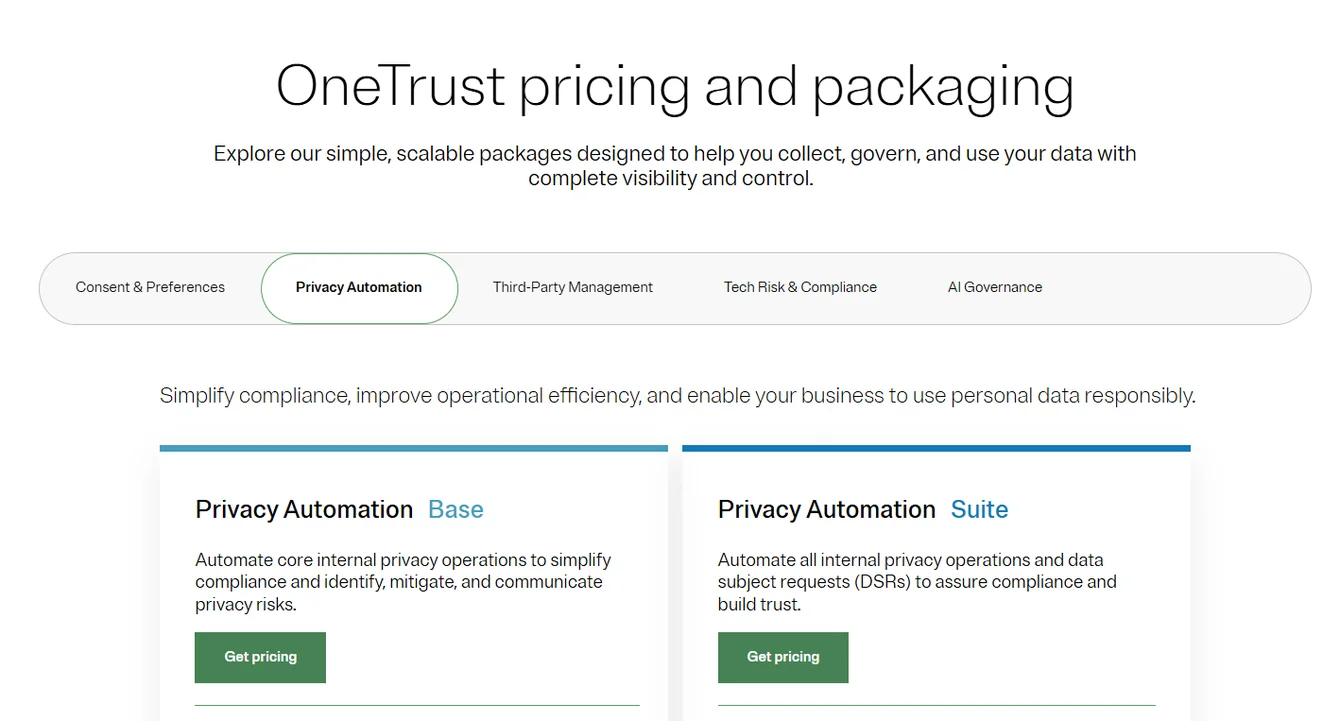
However, no prices are disclosed for any of the plans, so you’ll have to contact sales for details.
Or, if you prefer reading a more detailed review, take a look at this OneTrust pricing guide.
Pros & Cons
✅ Intuitive UI, even in complex compliance settings.
✅ Regulatory content library: Rich set of templates and frameworks that support fast compliance adoption.
❌ Its reports lack depth and interactivity.
5. Archer IRM
Best for: Large enterprises that need a highly configurable, end-to-end GRC platform capable of managing complex risk domains, audit processes, and regulatory compliance at scale.

ArcherIRM is a mature, enterprise-grade solution that empowers organizations to centralize governance, risk, audit, third-party management, and business continuity within a single system.
Its workflow automation and integration capabilities support complex GRC environments, though some users find the interface less intuitive than modern tools.
Key features

- Configurable workflows and automation - No-code, point-and-click workflow builder enables process acceleration through approvals, notifications, and conditional task routing.
- Advanced analytics - Aggregates risk data, assessments, documents, and KPIs across domains, enhanced with dashboards, risk quantification, ML-driven analytics, and relationship visualizations.
- Flexible deployment - Available in SaaS, on-premise, or hybrid models to fit enterprise requirements.
Pricing
Archer didn’t make its pricing public.
You’ll have to contact its sales team for a custom quote or check our in-depth Archer pricing review.

Pros & Cons
✅ Highly customizable no-code workflows.
✅ Reliable integration capabilities.
❌ High total cost, as implementation fees and per-module pricing add up quickly.
6. ServiceNow GRC
Best for: Large enterprises already using ServiceNow ITSM, seeking a unified GRC system with built-in AI, automation, and holistic risk monitoring.
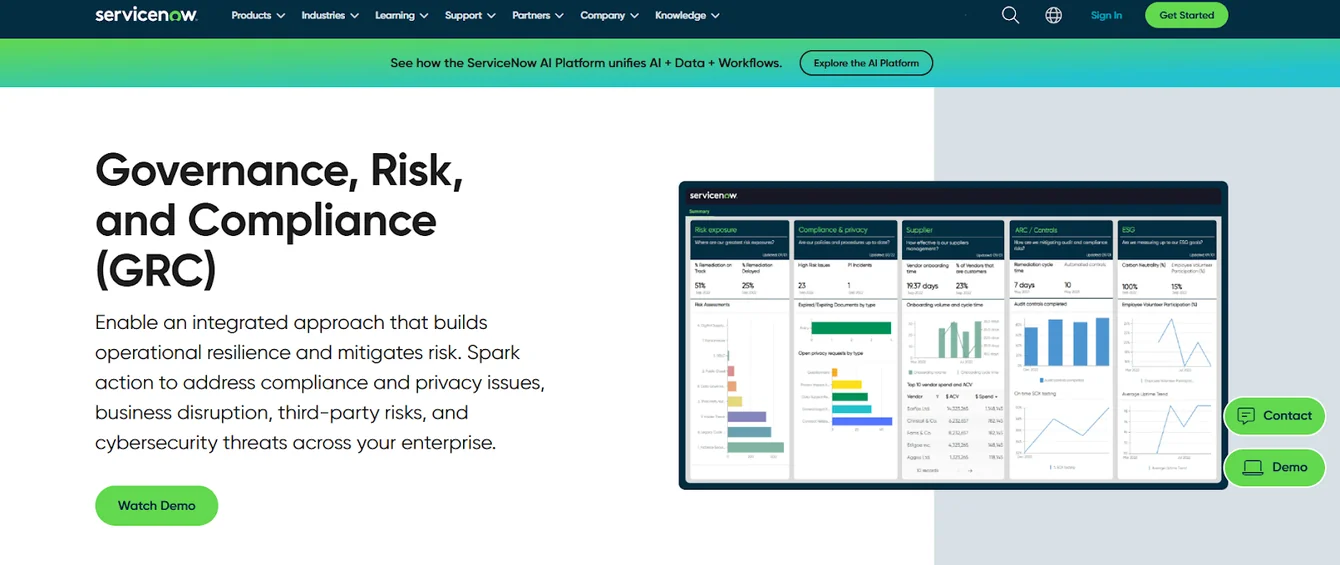
ServiceNow GRC extends the Now Platform to unify risk, compliance, continuity, privacy, and vendor management under one IT-integrated umbrella.
With reliable no-code playbooks, AI-driven monitoring, and deep service mapping, it’s ideal for organizations aiming to embed GRC directly into their IT and security operations.
Key features

- Continuous monitoring & control testing - Automates controls testing and compliance monitoring via indicators, attestations, and CMDB alignment to catch issues in real-time.
- AI-powered risk intelligence - Now Assist and predictive analytics surface emerging risks and compliance gaps, plus GenAI offers intelligent risk assessments and contract scanning.
- Unified dashboards & performance analytics - Executive-ready dashboards combine risk, IT, security, and compliance data in real-time, with no spreadsheets required.
Pricing
ServiceNow is yet another platform that opted against publishing its pricing publicly.
Given its modular setup, pricing likely depends on the specific features, modules, and support levels your organization needs, so total costs can vary significantly.
For more information, contact its sales team or take a look at our in-depth ServiceNow pricing guide.

Pros & Cons
✅ Reliable integrations, both with the rest of the ServiceNow suite and third-party tools.
✅ Risk prioritization that uses AI and predictive modeling.
❌ Complex configuration and onboarding that take significant time, resources, and expertise.
7. IBM OpenPages
Best for: Large enterprises seeking a scalable, AI-powered GRC solution with deep analytics, workflow automation, and broad domain coverage across cloud or on-prem environments.

IBM OpenPages is a unified, enterprise-grade GRC platform that uses AI and automation to support operational risk, policy and regulatory compliance, third-party risk, ESG, and more, all consolidated on a single data model.
Its latest version, 9.1 and 9.1.1, introduces improved visual reporting and enhanced workflows for smarter, more efficient risk management.
Key features

- AI-powered workflows and insight agents - Uses watsonx Assistant and AI agents to suggest risk categorizations, enrich records, and automate tasks within GRC workflows.
- Unified GRC data model & analytics - Centralizes risk, compliance, audit, third-party, policy, and ESG data in a single repository, enhanced with IBM Cognos dashboards and visualizations.
- No-code workflow automation - Enables drag-and-drop process creation, event-based task assignments, and system-triggered actions across GRC domains.
Pricing
There are several ways of buying the IBM OpenPages solution:
- As a SaaS solution: Essentials Edition starts at $3,300, and the Standard one starts at $6,050, per IBM’s OpenPages pricing page, which lists starting prices without stating a billing period.
- As an On-cloud solution: Single Solution starts at $6,250 and the Enterprise one starts at $9,000.
- As part of IBM Cloud Pak for Data: Priced on request; IBM no longer publishes starting prices for this option.
- As On-Premises: You need to contact their team for a quote.

Regardless of which package you choose in the end, each will include a core set of IBM OpenPages features, such as its AI features, workflow automation, integrated reports, etc.
If you want to get a better idea of how much IBM OpenPages will cost your organization - and whether it lives up to its price tag - don’t miss out on our IBM OpenPages pricing guide.
Pros & Cons
✅ Lets you streamline and manage risk, compliance, audit, policy, and third-party functions from one well-integrated platform.
✅ Flexible and customizable, can adapt to various needs and workflows.
❌ Steep learning curve and outdated UI.
8. MetricStream
Best for: Large, compliance-driven enterprises (banking, healthcare, energy) requiring deep coverage across risk, audit, policy, third-party, cyber, continuity, and ESG—bundled in one AI-assisted platform.

MetricStream is a comprehensive enterprise GRC platform built to unify risk, compliance, audit, cyber, and ESG programs under one roof.
Designed for scale, it helps teams connect siloed functions, streamline governance, and maintain control across dynamic regulatory landscapes.
Key features

- AI-driven risk intelligence - Features like AiSPIRE deliver control insourcing, regulatory landscape scanning, continuous control analytics, and risk quantification.
- Regulatory change automation - Uses NLP and AI to identify, map, and assess regulation updates across multiple frameworks.
- Low-code/no-code customization - Offers drag-and-drop AppStudio for building workflows, apps, and reports with minimal technical effort.
Pricing
MetricStream doesn’t disclose its prices, meaning you’ll have to request a quote from its team.

And if you want a shortcut to more pricing details, check out our in-depth MetricStream pricing review.
Pros & Cons
✅ Centralizes all GRC functions into a unified, enterprise-grade platform.
✅ Thorough analytics that provide AI-powered risk intelligence, continuous control monitoring, and trend analysis.
❌ Complex interface and limited customization.
9. Vanta
Best for: Startups and scaling tech companies seeking fast, automated SOC 2, ISO 27001, GDPR, and vendor-risk compliance with minimal manual overhead.

Vanta is a continuous compliance and trust management platform tailored for fast-moving, security-conscious teams.
It helps users automate evidence collection, continuous monitoring, access reviews, and control mapping, so you can get audit-ready quickly and stay that way.
Key Features

- Continuous evidence collection & monitoring - Automatically runs hourly tests across 35+ frameworks, alerting you to lapses in controls or security drift.
- Questionnaire Automation - Helps teams manage external and internal security questionnaires with AI-powered autofill and unified tracking.
- Trust Center - Turns security into a sales advantage by automating security reviews, showcasing real-time compliance, and using AI to answer buyer questions, building trust fast and shortening sales cycles.
Pricing
Vanta doesn’t publicly list its pricing, but it offers tiered plans tailored to startups, growing GRC teams, and large enterprises, each with increasing levels of automation, customization, and AI-powered functionality.
If you're just getting started, you can choose from two plans:
- Core: Ideal for startups seeking first-time SOC 2 or ISO 27001 compliance. Includes one framework, easy-to-scope controls, AI-powered remediation, a step-by-step policy builder, a customer-facing Trust Center, and chat support with compliance experts.
- Plus: Includes everything in Core, plus Questionnaire Automation (25/year), Access Reviews, and Access Requests, making it great for fast-moving teams with external stakeholders.

For growing and mature compliance teams, Vanta offers three plans:
- Growth: Designed for scaling GRC teams. Includes continuous monitoring, risk and asset management, 144 questionnaire automations/year, vendor inventory, the advanced Trust Center, Vanta API, issue management, and role-based access.
- Scale: Built for mature orgs needing deeper customization and automation. Adds Report Center customization, 288 questionnaire automations/year, SCIM, and multi-workspace support.
- Enterprise: A custom plan tailored to complex GRC environments. Includes advanced support, bespoke configurations, and dedicated implementation help from Vanta’s team of GRC experts.

Each plan also supports optional add-ons like Vendor Risk Management and Customer Trust Management to further streamline due diligence, evidence sharing, and inbound security reviews.

Pros & Cons
✅ Very easy to use.
✅ Vast library of ready-made, customizable templates to help you get started with compliance and audit workflows.
❌ Issues with integrations.
10. StandardFusion
Best for: Mid-market to enterprise organizations seeking a clean, user-friendly GRC platform that covers risk, audit, compliance, vendor, policy, privacy, and business continuity in one place.

StandardFusion is a straightforward, SaaS-based GRC solution designed to consolidate all your governance, risk, and compliance needs under a unified, intuitive interface.
It emphasizes simplicity, flexibility, and support, making it easier for teams to build and manage a coherent GRC program.
Key features

- Checkpoint AI - AI engine that automates complex GRC tasks like control creation, risk assessments, and record summarization.
- Supports effortless compliance across 150+ global frameworks - Automates control mapping and streamlines multi-framework management in a single platform.
- Comprehensive Business Continuity Planning - Helps you stay prepared for disruptions with real-time dashboards, automated workflows, and clear recovery plans.
Pricing
StandardFusion doesn’t disclose product prices.
You’ll have to contact their team for a quote.

Pros & Cons
✅ User-friendly interface.
✅ Highly customizable, easy to adapt to various standards and frameworks.
❌ Limited integrations.
Which GRC platform is right for you?
Choosing the right GRC software isn’t just about checking boxes.
It’s about finding a platform that grows with your organization, simplifies compliance, and gives you full visibility into risk without slowing your team down.
Whether you're scaling a startup, managing enterprise-level audits, or modernizing outdated systems, there’s a solution tailored to your needs.
From modern tools like SmartSuite and LogicGate that prioritize flexibility and usability, to enterprise-focused platforms like Archer IRM and IBM OpenPages, the landscape in 2026 offers more choice and power than ever before.
But if you're looking for a solution that blends power with simplicity, automation with usability, and visibility with real-time collaboration, SmartSuite might just be your best next move.
Start your free trial today and see how SmartSuite brings flexibility, clarity, and control to your entire GRC program, all in one place.
Read more
- 10 Best GRC Tools & Software In 2026 [Reviewed] - Explore the top-rated GRC platforms of 2026 to find the best fit for your compliance, risk, and audit needs.
- 10 Best OneTrust Alternatives For GRC In 2026 [Reviewed] - Looking for something leaner or more flexible than OneTrust? These 10 GRC alternatives might be just what you need.
- IBM OpenPages Pricing: Is It Worth It In 2026? - We break down IBM OpenPages pricing, features, and use cases to help you decide if it’s the right investment for your organization.
- ServiceNow Review: Is It Worth It in 2026? [In-Depth] - An honest look at ServiceNow’s overall capabilities, including where it shines, where it struggles, and what kind of teams it’s best suited for.
- 10 Best SAI360 Alternatives for GRC in 2026 [Reviewed] - SAI360 not cutting it? Compare 10 strong alternatives that offer better usability, pricing transparency, and real-time collaboration on GRC workflows.






Put these ideas to work
Start a free trial, or book a demo and see how it runs in SmartSuite.

