



Modernizing Finance Operations
SmartSuite centralizes budgets, spend, approvals, financial reporting, vendor workflows, and cross-functional coordination in one system. Empower Finance teams to operate with speed, accuracy, governance, and real-time visibility across the organization.
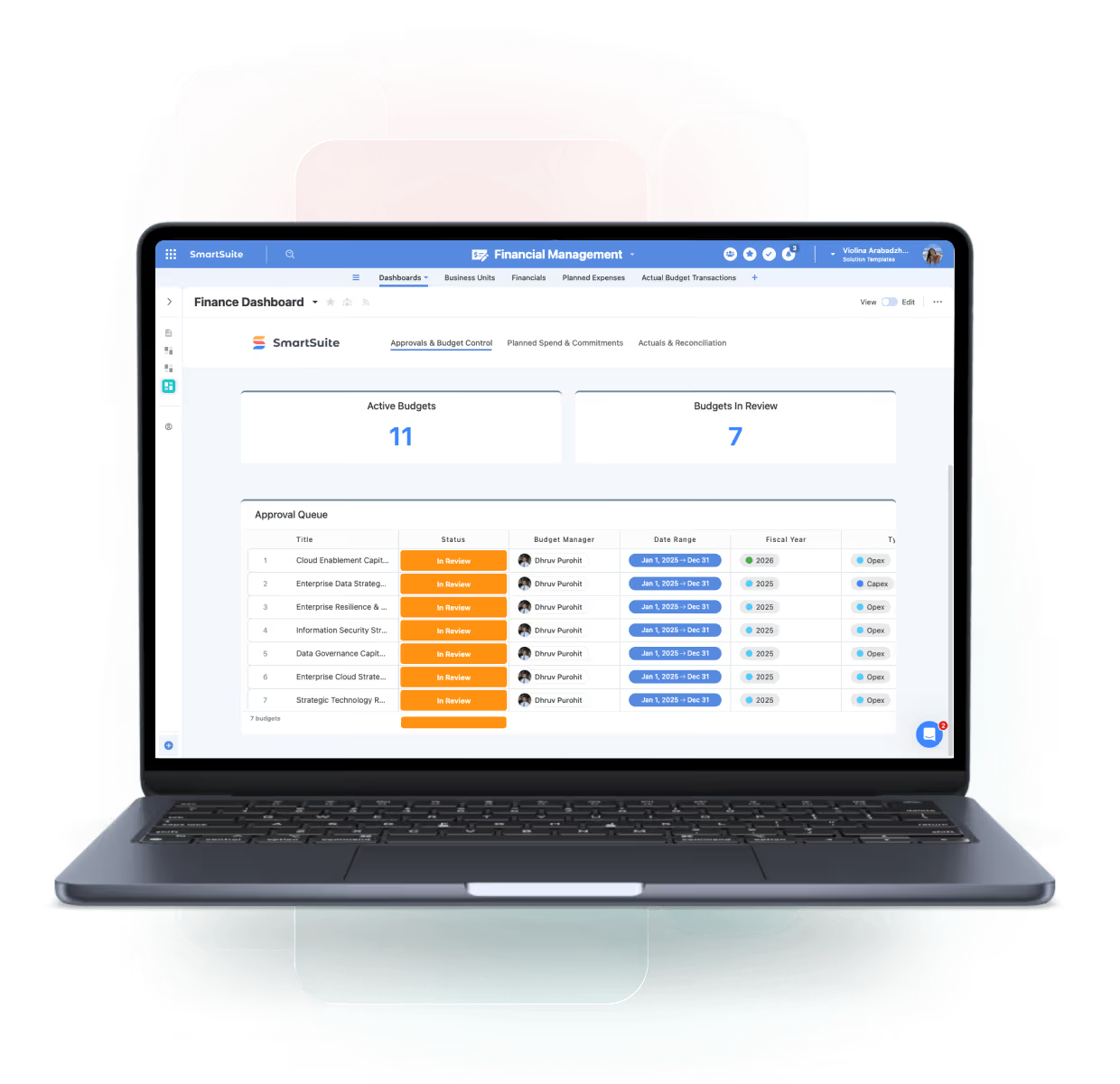
One Platform for Connected Finance Operations
SmartSuite centralizes approvals, spend management, financial reporting, procurement workflows, and cross-department collaboration — enabling better accuracy, faster decisions, and stronger financial governance.
Budgeting & Forecasting
Track budgets, scenarios, and performance.
Spend Approvals
Automate approval workflows and maintain visibility into spend.
Procurement
Standardize purchase requests, POs, and vendor processes.
Financial Dashboards
Gain insight into expenses, revenue trends, and operational metrics.
Core Capabilities of the Finance Operations Suite
SmartSuite supports the full range of financial workflows — from spend management to forecasting.
Run finance operations with accuracy, control, and end-to-end visibility.
Centralize financial requests, approvals, budgets, contracts, and supporting documentation in one workspace. SmartSuite links finance workflows to owners, policies, and audit trails—providing real-time insight, reduced manual effort, and confident, compliant financial execution across the organization.
Plan, track, and update budgets and forecasts with structured workflows, approvals, and real-time variance visibility.
Route spend requests, approvals, and exceptions through automated workflows with clear ownership and audit trails.
Create, route, approve, and track purchase orders with linked suppliers, budgets, and delivery milestones.
Monitor spend, forecasts, approvals, and trends through real-time dashboards for finance and leadership.
Link financial activity to vendors, contracts, renewal terms, and obligations for full commercial visibility.
Capture expense submissions, approvals, and documentation with standardized workflows and policy enforcement.
Centralize invoice intake, review, coding, and approval to reduce delays and manual reconciliation.
Maintain complete histories of approvals, changes, and documentation to support audits and compliance requirements.
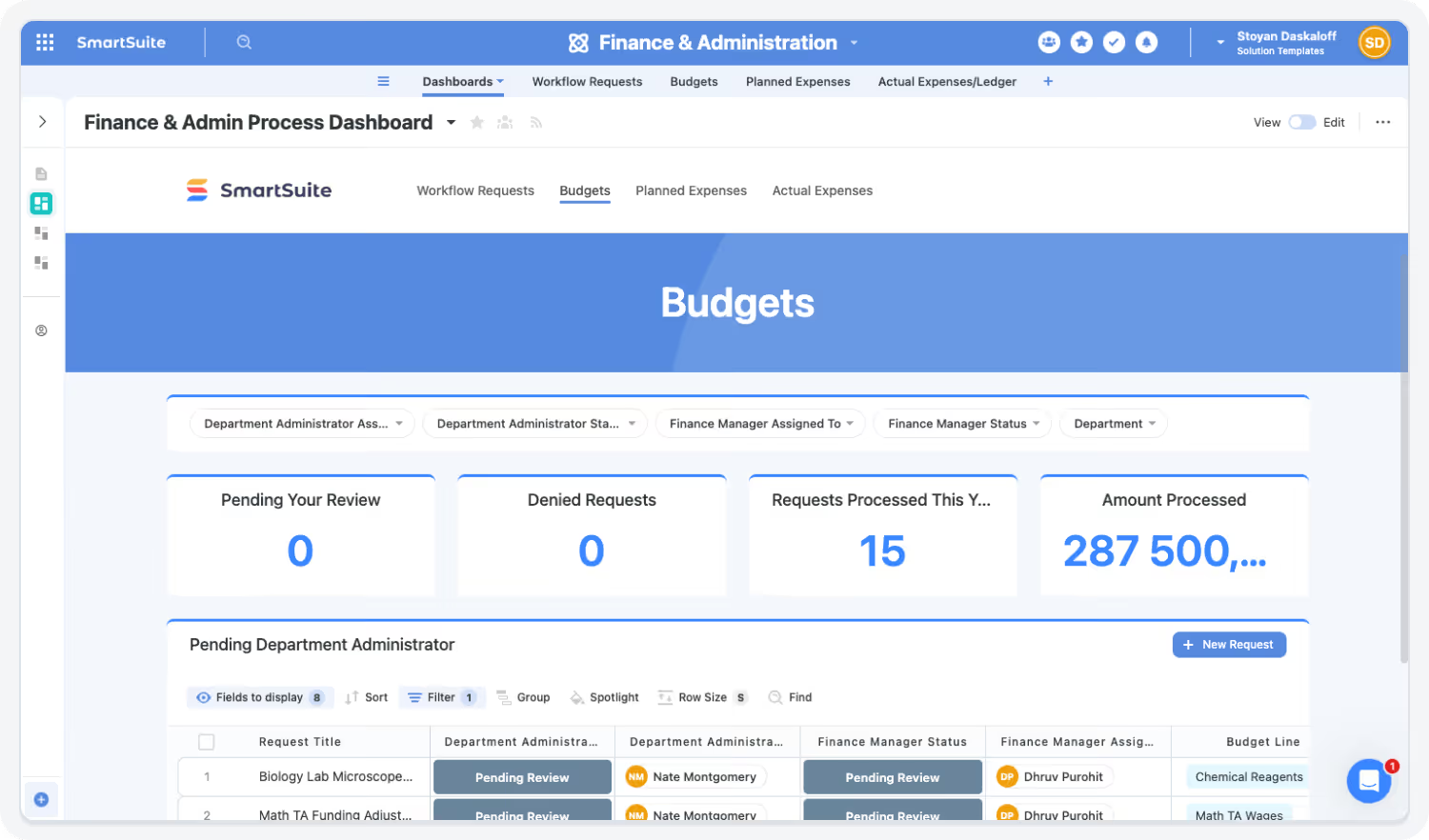
Streamline Budgeting & Spend Approvals
Replace email-based approvals with automated, auditable workflows.
Highlights:
- Spend thresholds
- Approval routing
- Budget dashboards
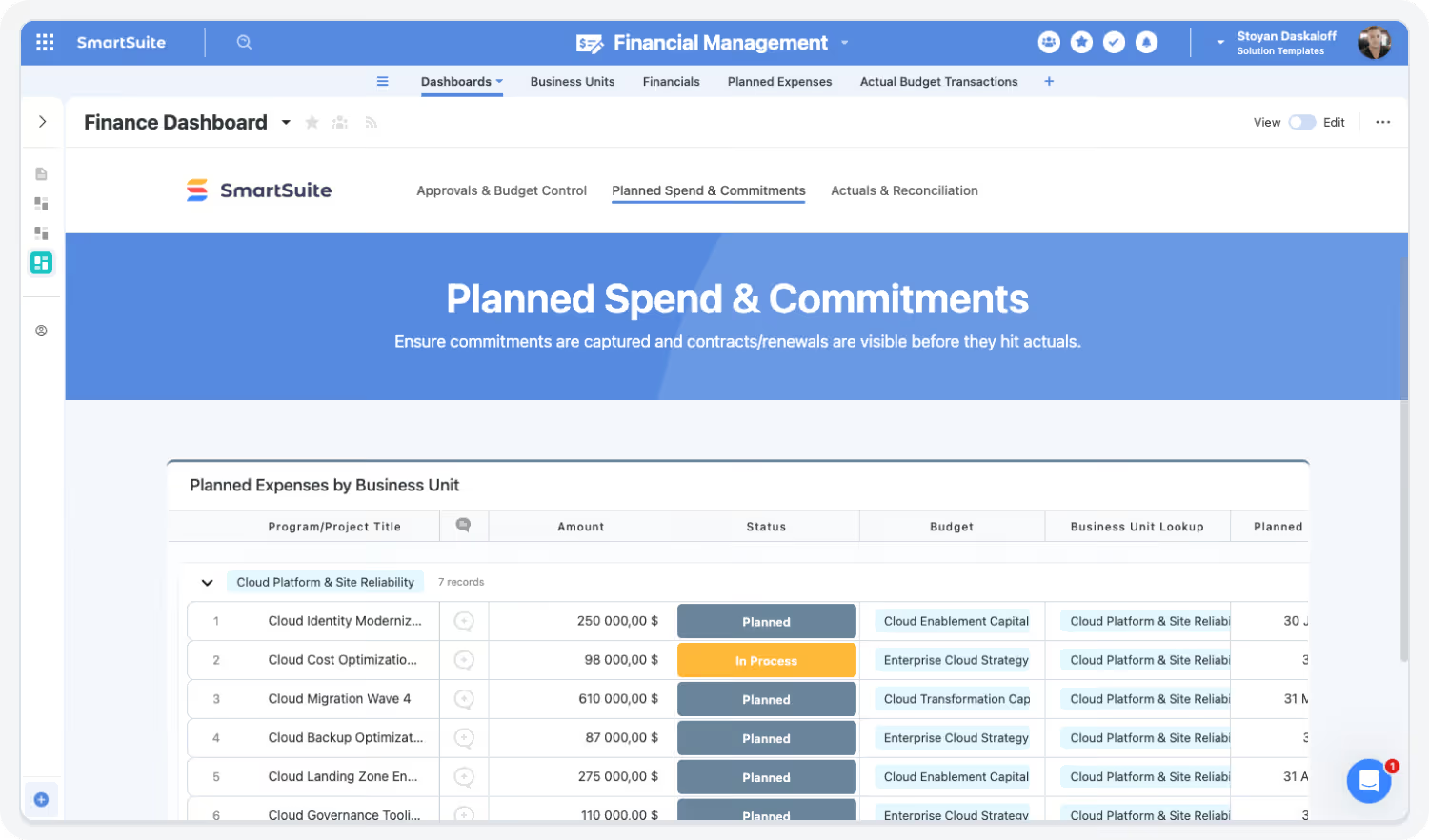
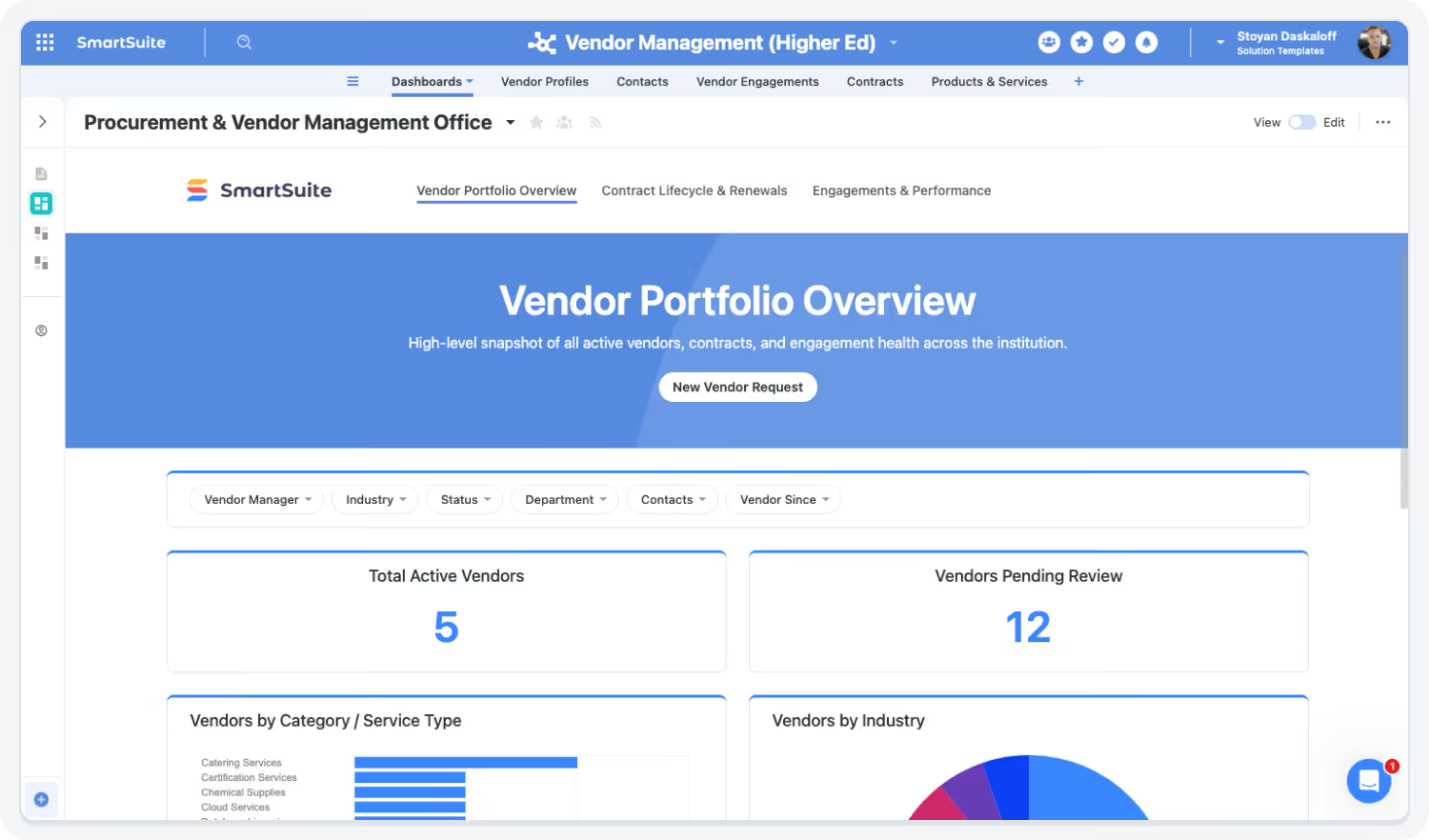
Centralize Procurement & Vendor Workflows
Manage purchase requests, POs, contracts, and suppliers in one system.
Highlights:
- Procurement assignments
- Vendor records
- PO workflows
Improve Financial Visibility & Reporting
Track budgets, forecasts, accruals, and performance with live dashboards.
Highlights:
- Live KPIs
- Variance analysis
- Forecast models
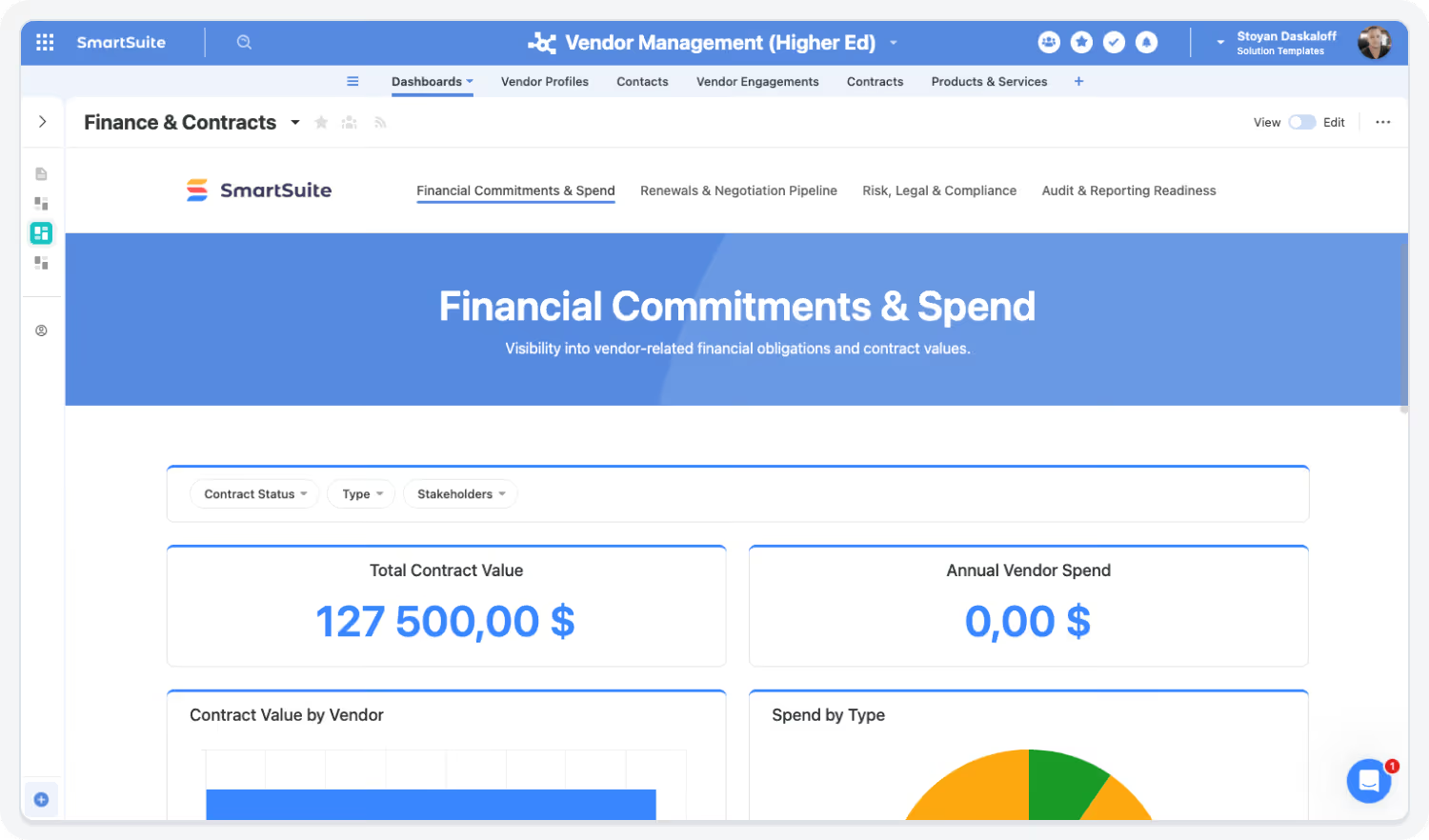
Automate Financial Operations Across Teams
Reduce manual handoffs and improve compliance with automated processes.
Highlights:
- Task automation
- Recurring workflows
- Document routing
Strengthen Governance & Accuracy
Ensure financial integrity with controlled access, audit logs, and linked data.
Highlights:
- Role-based permissions
- Audit trails
- Version-controlled documentation

Built For Modern Finance Operations Teams
SmartSuite brings enterprise-grade finance operations with consumer-grade usability. Choose the rollout path that fits your team today—and expand as approvals, reporting, and governance needs grow.
Adopt a Single Capability
Begin with Spend Approvals, Budget Tracking, or Invoice Workflows—prove value fast and expand from there.
Roll Out a Full Category
Enable finance operations end-to-end—connecting requests, approvals, documentation, budgets, and reporting in one system.
Deploy the Entire Finance Operations Suite
Standardize financial execution with audit-ready workflows, role-based dashboards, and automated controls—delivering live visibility, reduced manual effort, and confident governance across every financial process.
Explore Further
Dive into key topics in Finance Operations to discover how SmartSuite helps teams manage planning, approvals, and reporting with precision and control.
Frequently Asked Questions
Answers to common questions about how SmartSuite improves visibility, accuracy, and collaboration across Finance Operations.
SmartSuite centralizes workflows like budget approvals, spend reviews, procurement, and financial reporting — ensuring all teams work from the same data and eliminating email-based coordination.
SmartSuite enables shared visibility into financial tasks, deadlines, comments, and approvals. Departments collaborate directly within shared records, reducing delays and miscommunications.
Yes — SmartSuite’s intuitive UI, consistent templates, and automated workflows make it easy for cross-functional stakeholders to participate in Finance workflows with minimal training.
SmartSuite replaces fragmented spreadsheets, approval apps, shared drives, and point solutions with one centralized platform for financial workflows, reporting, and documentation.
Dashboards provide real-time insight into budgets, forecasts, spend, approvals, accruals, and financial risks — enabling more informed and timely decision-making.
See How SmartSuite Transforms Finance Operations
Experience how SmartSuite connects approvals, budgets, spend tracking, and financial reporting — giving Finance teams live visibility and streamlined workflows.
What the research shows
Independent research on what manual finance operations costs teams today, and what changes when the work lives in one system.
Source: Ardent Partners, 2025 AP Metrics (hosted by Thomson Reuters, 2025): the average accounts payable organization takes 9.2 days to process a single invoice (https://europe.thomsonreuters.com/guides/ardent-partners-2025-ap-metrics).
Average time an AP organization takes to process one invoice
Automated approval routing for budgets, invoices, POs, contracts, and expense requests gives Finance a single place to track every request.
Source: Redwood Software with SSON Research & Analytics, The CFO blind spot: 92% still rely on manual efforts to close (2026): 86% of 88 shared services leaders still reconcile in spreadsheets even with close management platforms (https://www.redwood.com/press-releases/cfo-blind-spot-manual-efforts-to-close-despite-potential-to-automate/).
Of shared services leaders still reconcile in spreadsheets despite close tools
Centralized financial data and automated rollups reduce reliance on spreadsheet-driven reporting and manual consolidation.
Source: SAP Concur, Survey: CFOs Prioritize Optimizing Costs and Efficiency to Drive Growth in 2025 (2025): 58% of finance leaders say conflicting departmental priorities are the biggest barrier to partnering across business functions (https://www.concur.com/blog/article/survey-cfos-prioritize-optimizing-costs-and-efficiency-to-drive-growth-in-2025).
Of finance leaders cite conflicting departmental priorities as the biggest barrier
Shared visibility into budgets, spend, forecasts, and approvals supports coordination between Finance, HR, Procurement, and Operations.
Source: Protiviti, Empowering the Progress of SOX Innovation with Analytics and Automation (2024): only 35% of participants in a June 2024 Protiviti and AuditBoard webinar poll said their organizations maximize enabling technologies for SOX work (https://www.protiviti.com/us-en/whitepaper/empowering-sox-innovation).
Of poll participants maximize enabling technology for SOX compliance work
Centralized documentation, approval trails, and financial reviews support audit readiness.
Key Benefits of the Finance Operations Solution Suite
Finance teams need workflows, transparent approvals, and accurate reporting to manage budgets, spend, and governance. SmartSuite centralizes financial operations in one platform—improving efficiency, reducing risk, and enabling better business decisions.
Financial Visibility, Forecasting & Control
Centralize budgets, invoices, expenses, POs, and approvals in one system.
Monitor planned versus actual spend, allocations, and variances through live dashboards.
Support dynamic forecasts, headcount planning, and scenario modeling with linked data.
Give HR, Operations, Leadership, and Procurement shared visibility into financial activity.
Aggregate data across teams and business units for executive-level insight.
Track financial risks, controls, and audit findings for proactive oversight.
Workflow Efficiency & Process Automation
Route expense, PO, budget, and contract approvals with automated workflows.
Centralize invoice intake, review, coding, and approvals to reduce manual effort.
Standardize planning cycles with templates and recurring workflows.
Maintain audit-ready trails for approvals, changes, and supporting documents.
Connect financial planning with HR, operations, and project teams.
Use the AI Assistant to generate reports, variance explanations, and narratives.
Governance, Accuracy & Organizational Confidence
Enforce consistent rules, approval paths, and documentation retention.
Reduce errors and inconsistencies with a single financial source of truth.
Support SOX, internal controls, procurement compliance, and audits centrally.
Report across departments and business units from one set of linked records.
Protect sensitive data with role-based permissions, SSO, and two-factor authentication.
Allow finance teams to evolve workflows and dashboards without IT.
Strengthen Financial Visibility With Connected Workflows
SmartSuite eliminates spreadsheets, email-based approvals, and disconnected tools.
Automate processes, centralize financial data, and ensure accountability across Finance and Operations.
How the SmartSuite Platform Powers Finance Operations
SmartSuite connects financial workflows, documentation, tasks, and insights in one integrated platform.
Design workflows for budgeting, approvals, procurement, and reporting without developer support.
Automate approvals, financial tasks, reminders, escalations, and recurring entries.
Generate summaries, variance analysis, budget narratives, or month-end commentary instantly.
Connect budgets → requests → approvals → vendors → contracts → dashboards.
Track expenses, revenue, variance, and financial KPIs.
Protect sensitive financial data with granular access and audit trails.
Connect Finance, Operations & Leadership
SmartSuite unifies Finance, HR, IT, and Operations workflows — ensuring consistent communication and eliminating process gaps.
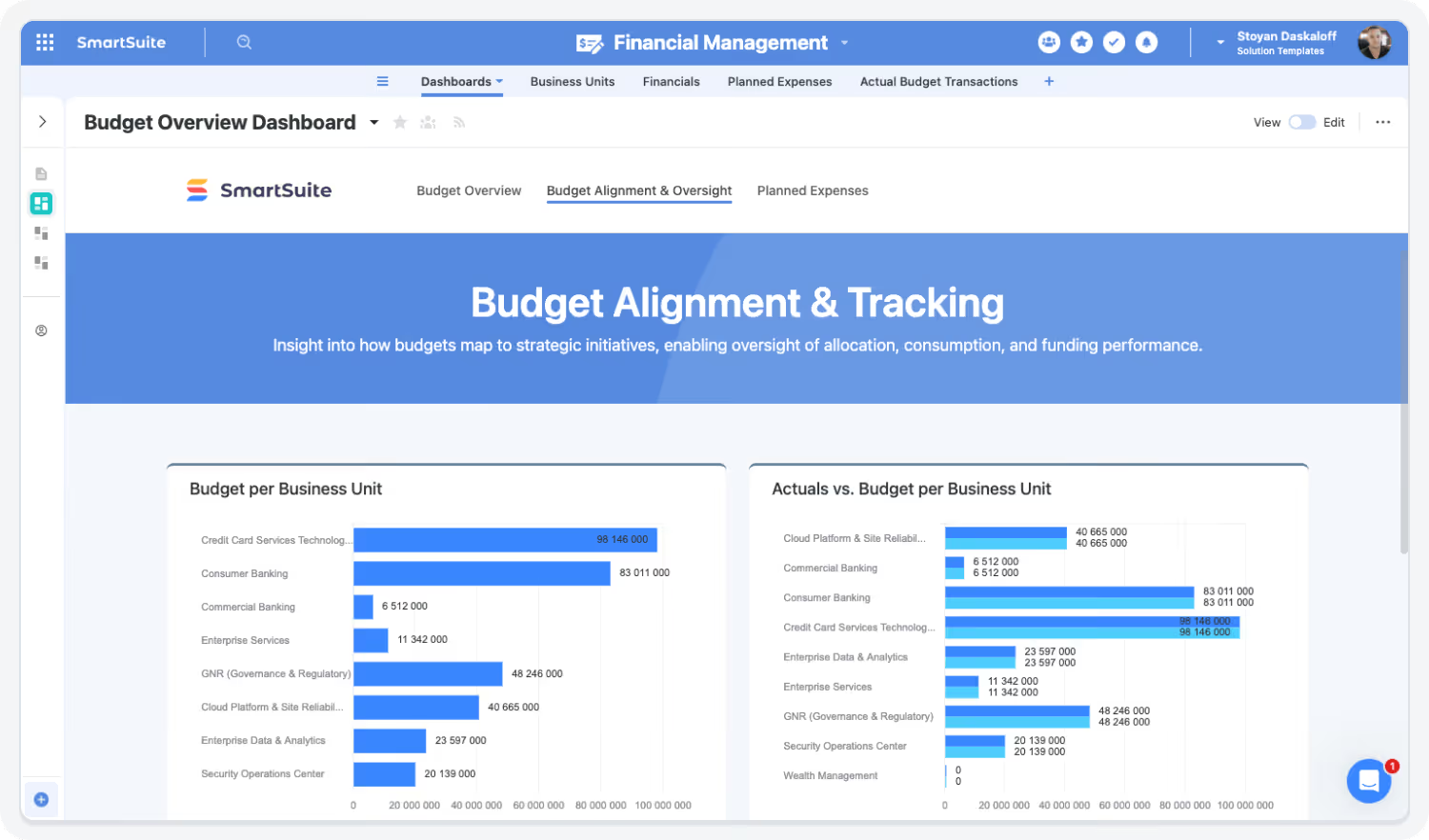
Streamline Approvals & Procurement
Accelerate procurement and spending processes with automated routing, reminders, escalations, and documentation.
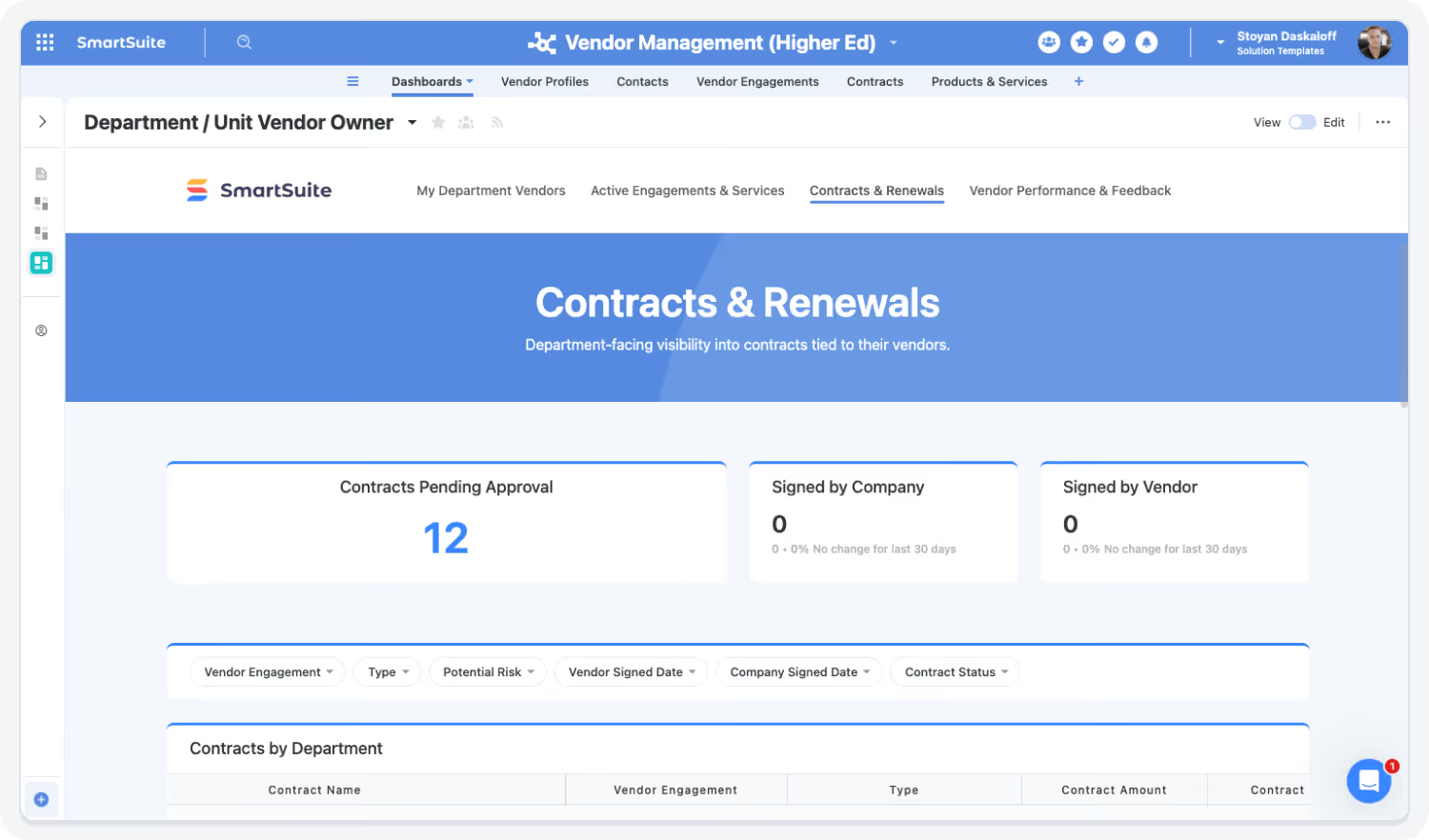
Gain Real-Time Financial Insight
Dashboards offer visibility into cash flow, budgets, expenses, revenue trends, and variance — enabling faster strategic decisions.
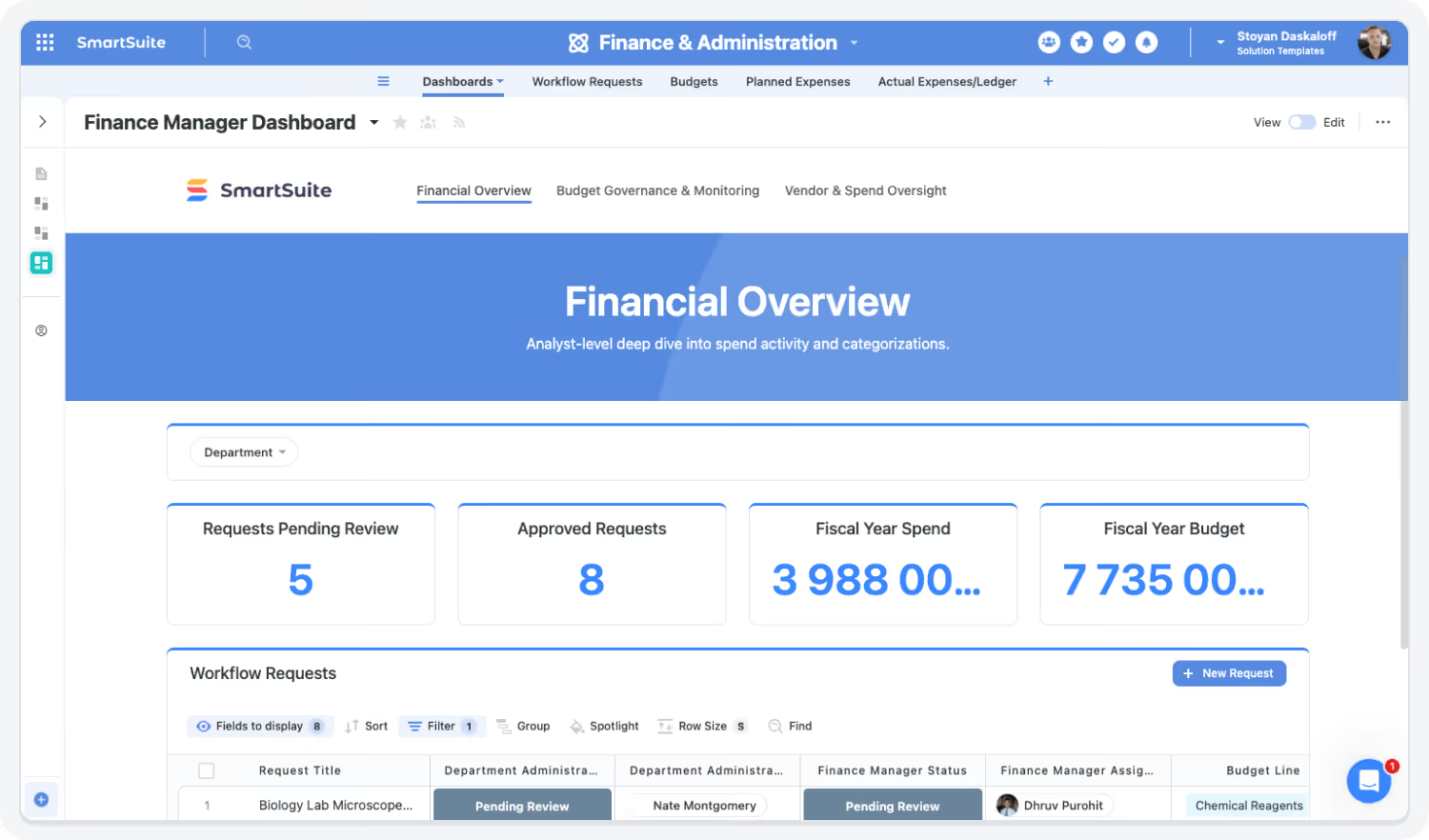
AI Assistant and Governance Strengthen Financial Accuracy
The AI Assistant helps Finance teams summarize data and draft reports while governance tools ensure complete accuracy and traceability.

The SmartSuite Platform:
Powered by Eight Interconnected Frameworks
The SmartSuite Platform consists of eight interconnected frameworks that provide a foundation for designing, automating, analyzing, and governing connected workflows.
Platform

Security and Governance, Built for Enterprise Scale
SmartSuite provides fine-grained, role-based permissions that protect data without slowing innovation. Define access down to the record, field, or workflow level, enforce compliance with SSO, 2FA, and IP restrictions, and maintain a complete audit trail of every action. With SmartSuite, governance and agility work together — innovation moves fast, and your security moves with it.

Work Anytime, Anywhere, on Any Device
Stay connected and productive wherever you are. SmartSuite works across web, tablet, and mobile, so your team can manage projects, collaborate, and automate workflows in real time — whether in the office, remote, or on the go.


The Platform That Connects Budgets, Spend, and Approvals
SmartSuite consolidates procurement, spend approvals, financial visibility, and reporting into one integrated environment.
Role-Based Capabilities for Finance Operations Teams
SmartSuite supports every finance role, from the CFO and Controller to AP, AR, treasury, and procurement, with linked records, approval workflows, and dashboards built around how each role works.

Accountant / Staff Accountant
Manages reconciliations, documentation, close tasks, and compliance processes.
- Benefit Statement:
SmartSuite automates routine accounting workflows and centralizes documentation to improve accuracy and audit readiness.
- Benefit Source:
Document management, workflows, approvals, and audit trails.
How they use the Finance Operations suite
Reconciliations
Tracks and completes reconciliations with supporting documentation and approvals.
Documentation
Stores invoices, receipts, journals, and supporting records in one secure system.
Compliance
Maintains audit-ready records for internal controls, reviews, and reporting requirements.

Accounts Payable (AP) Manager
Oversees invoice intake, approvals, payment processing, and vendor payment accuracy.
- Benefit Statement:
SmSmartSuite streamlines AP workflows, reducing delays, errors, and manual follow-ups while maintaining audit-ready records.
- Benefit Source:
Invoice workflows, approval automation, document management, and audit trails.
How they use the Finance Operations suite
Invoice processing
Routes invoices for review, coding, and approval with clear ownership and deadlines.
Payment coordination
Tracks payment status, exceptions, and timing to ensure on-time vendor payments.
Audit readiness
Maintains complete histories of invoices, approvals, and supporting documentation.

Accounts Receivable (AR) Manager
Manages billing, collections, revenue tracking, and customer payment status.
- Benefit Statement:
SmartSuite centralizes AR workflows, improving visibility into receivables and accelerating cash collection.
- Benefit Source:
Billing workflows, dashboards, customer records, and automated reminders.
How they use the Finance Operations suite
Billing oversight
Tracks invoice issuance, delivery, and payment status across customers.
Collections management
Monitors aging, flags overdue accounts, and triggers follow-up workflows.
Revenue visibility
Provides up-to-date AR metrics and trends for Finance leadership.

Chief Financial Officer
Oversees financial strategy, performance, and risk across the organization.
- Benefit Statement:
SmartSuite gives CFOs unified financial visibility across budgets, spend, forecasts, and approvals — enabling faster, more confident decisions.
- Benefit Source:
Dashboards, analytics, linked workflows, and audit-ready reporting.
How they use the Finance Operations suite
Financial oversight
Reviews real-time views of budgets, spend, forecasts, and financial risks across the business.
Budget alignment
Ensures financial plans align with strategic initiatives, departmental needs, and operational priorities.
Reporting
Produces executive and board-level summaries with consistent, up-to-date financial data.

Chief Operating Officer
Manages operational budget impacts, approvals, and alignment between finance and execution teams.
- Benefit Statement:
SmartSuite provides visibility into spend timing and operational financial metrics to support better decision-making.
- Benefit Source:
Real-time dashboards, request workflows, and linked operational records.
How they use the Finance Operations suite
Spend tracking
Monitors operational spend against budgets and forecasts.
Forecast alignment
Ensures operational plans align with approved financial assumptions and constraints.
Request approvals
Reviews and approves financial requests tied to operations, projects, or vendors.

Controller
Owns accounting accuracy, internal controls, close processes, and financial compliance.
- Benefit Statement:
SmartSuite supports Controllers with structured workflows, traceable approvals, and centralized documentation for confident governance.
- Benefit Source:
Approval workflows, audit trails, compliance dashboards, and document repositories.
How they use the Finance Operations suite
Close management
Coordinates month-end and quarter-end close tasks with clear ownership and status tracking.
Internal controls oversight
Ensures approvals, reconciliations, and documentation meet control requirements.
Audit coordination
Provides auditors with complete, organized financial records and activity history.

Director of Finance / FP&A Manager
Manages budgets, forecasts, planning cycles, and organization-wide reporting
- Benefit Statement:
SmartSuite centralizes financial data and improves forecasting accuracy through structured workflows and approvals.
- Benefit Source:
Dashboards, models, workflow automation, and approval routing.
How they use the Finance Operations suite
Budget planning
Builds and manages budgets across departments, projects, and cost centers with structured workflows.
Forecast updates
Runs monthly or quarterly reforecast cycles with approvals, assumptions, and version history.
Reporting
Delivers standardized financial reports and variance summaries to leadership.

Financial Analyst
Prepares reports, analyzes trends, and supports operational decision-making.
- Benefit Statement:
SmartSuite consolidates data for faster analysis and clearer reporting with less manual reconciliation.
- Benefit Source:
Linked data, dashboards, analytics views, and AI Assist.
How they use the Finance Operations suite
Variance analysis
Compares planned vs. actuals to identify trends, risks, and anomalies.
Trend insights
Analyzes performance across time periods, departments, or initiatives.
Financial modeling
Supports forecasts, scenarios, and investment analysis with connected data.

Procurement Manager
Handles sourcing, POs, vendor coordination, and contract reviews tied to spend governance.
- Benefit Statement:
SmartSuite consolidates procurement workflows for better accuracy, compliance, and cross-team visibility.
- Benefit Source:
Approval workflows, linked vendor records, contract visibility, and dashboards.
How they use the IT Asset Management suite
PO routing
Manages purchase requests, approvals, and thresholds through automated workflows.
Vendor coordination
Tracks vendor details, contracts, and communications in one connected workspace.
Contract visibility
Reviews contract status, obligations, and renewal timelines alongside financial data.

Treasury Manager
Manages cash flow, liquidity, banking relationships, and financial risk.
- Benefit Statement:
SmartSuite gives Treasury teams visibility into cash-related workflows and financial commitments across the organization.
- Benefit Source:
Dashboards, linked financial records, approval workflows, and reporting tools.
How they use the Finance Operations suite
Cash flow monitoring
Tracks inflows, outflows, and upcoming obligations tied to operational and financial activity.
Liquidity planning
Supports short- and long-term cash forecasting with connected financial data.
Risk & exposure oversight
Monitors financial commitments, timing risks, and approval dependencies that impact liquidity.
Built for Every Role in Finance Operations
From the CFO and Controller to AP, AR, treasury, and FP&A, SmartSuite gives each finance role one place for approvals, budgets, and reporting.
Flexible Pricing Designed for Every Organization
Whether you’re a growing team or a global enterprise, SmartSuite’s pricing adapts to how your business works.
Choose platform-wide access with user-based pricing or tailor licenses to your organization’s scale and structure with the Signature plan (per-solution pricing).
User-Based Pricing: Simplify Access Across Every Team
Our Team, Professional, and Enterprise plans make it easy to scale access across your organization. Each licensed user
can access all SmartSuite solutions — with predictable pricing that grows as you do.
- One per-user license for all SmartSuite solutions.
- Ideal for organizations connecting workflows across departments.
- Scalable across teams and business functions.
- Available in Team, Professional, and Enterprise plan tiers.
unified access.
- SmartSuite AI
- Min 3 Billable Users
- Unlimited Solutions
- 5,000 Records per Solution
- 50GB of File Storage
- 30 Days Recycle Bin
- SmartSuite AI
- Min 5 Billable Users
- Unlimited Solutions
- 100,000 Records per Solution
- 100GB of File Storage
- 45 Days Recycle Bin
- Folders
- Gmail and Outlook Integrations
- Advanced Permissions
- SmartSuite AI
- Min 10 Billable Users
- Unlimited Solutions
- 400,000 Records per Solution
- 500GB of File Storage
- 60 Days Recycle Bin
- SSO
- SCIM User Provisioning
- SCIM-Synced User Groups
- Audit Logs
- IP Address Restrictions
- Data Loss Prevention (DLP)
- European Data Residency
- Premium Support
Signature Plan: Per-Solution Pricing for Enterprise Scale
For global organizations and regulated industries requiring complex governance or large-scale rollouts, SmartSuite offers the Signature plan (per-solution pricing). This plan allows enterprises to license specific SmartSuite Solutions — such as GRC, ITSM, or Procurement — for tens of thousands of users, tailored to their exact needs.
- Tailored Licensing — Structure licenses by department, region, or regulatory requirement.
- Purpose-Built for Scale — Designed for enterprises managing thousands of users.
- Customizable Agreements — Includes the ability to tailor terms and access levels to meet unique business needs.
- Enterprise Confidence — Built for large financial institutions, insurers, and global enterprises who require high-performance
and governance.
- Audit Management
- Issues Management
- Operational Resilience
- Business Impact Analysis (BIA)
- Incident Management
- Crisis Management
- Enterprise Risk Management
- Third-Party Risk
- Vendor Portal
- Cyber Threat Management
- RCSA (Risk & Control Self-Assessment)
- Issues Management
- Business Structure
- Contract Management
- Policy Management
- Regulatory Change Management
- SOC 2 Compliance
- CRI Profile Compliance
- Control Framework & Regulatory Libraries
- Compliance Assessments & Testing
- ESG & Sustainability Management
Compare Our Pricing Models
Frequently Asked Questions
Answers to common questions about SmartSuite’s pricing models, plan options, and onboarding programs.
SmartSuite has three per-seat plans and one per-solution plan. Team ($15 per seat per month billed annually, minimum 3 users) and Professional ($32 per seat per month billed annually, minimum 5) are self-serve. Enterprise is custom priced and adds SSO, SCIM, audit logs, data residency and a Customer Success Manager. Signature licenses specific solutions, such as GRC or ITSM, for large user populations and is priced per solution.
Signature is priced per solution rather than per user, so an organization can roll a solution out to hundreds or thousands of people without per-seat cost. It pairs the Enterprise platform with governance and support arrangements agreed for your deployment. Terms, minimums and support levels are set in your contract.
Yes, by plan. Team includes 5,000 records per Solution, 50 GB of attachment storage per Solution and 25,000 automation runs and API calls per month. Professional includes 100,000 records, 100 GB and 100,000 runs and calls. Enterprise includes 400,000 records, 500 GB and 500,000 runs and calls. Solutions are unlimited on every plan, and reaching a limit never stops your Solutions from working.
Every plan includes the Help Center, real-time chat, onboarding guides, daily office hours, live monthly training and certifications, bi-weekly getting-started workshops, SmartSuite Academy and the user community. Enterprise adds a named Customer Success Manager and Professional Services, and Premium Support is available as an Enterprise add-on.
Yes. Enterprise is custom priced, with payment by invoice available for plans that meet a minimum fee, and Signature prices a whole solution rather than each user. Both are shaped around your user population, security review and support requirements.
Contact sales or schedule a demo. A member of the team will walk through your requirements and put together an Enterprise or Signature proposal.
Flexible Pricing for Finance Teams
Choose per-user plans for the whole platform, or the Signature plan (per-solution pricing) for large rollouts.
Featured Resources
Videos, webinars, and customer stories on automating finance workflows with SmartSuite.










SmartSuite Resources
Everything you need to learn, build, connect, and grow with SmartSuite — from expert guidance and self-paced learning to community collaboration and continuous innovation.












Resources to Strengthen Finance Operations
Explore customer stories, demos, and webinars that show how finance teams run approvals, budgets, and reporting in SmartSuite.