



Data Export — Your Data Stays Yours
Export any Record or saved View to PDF, Excel, Google Sheets, or CSV in a click—filter-aware, print-ready output for reports, audits, and downstream tools, with no lock-in.
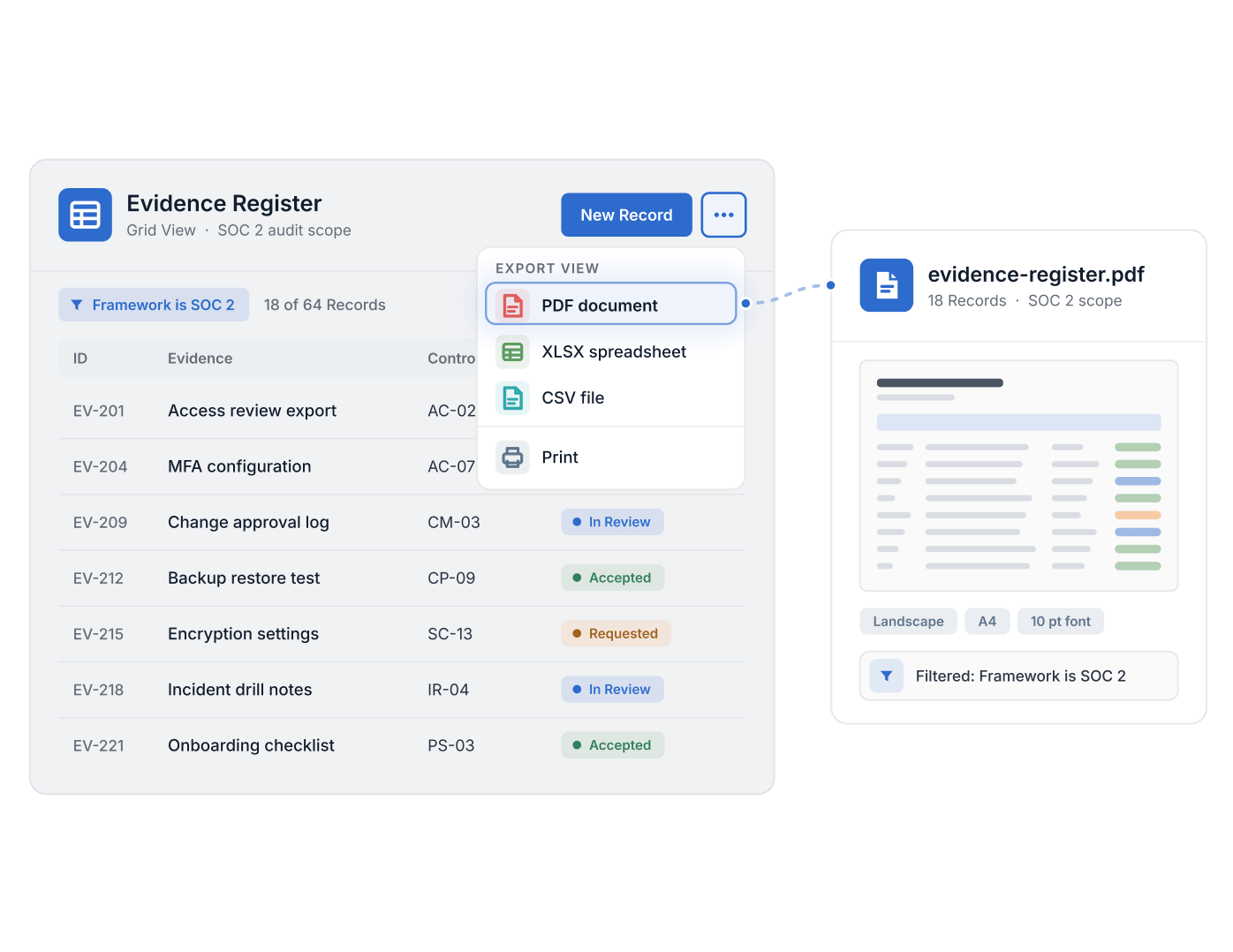
- Data Export is listed on every plan: PDF, Excel, CSV or directly to Google Sheets.
- A saved view exports the data currently displayed, respecting active filters; print settings cover paper size, layout and font size.
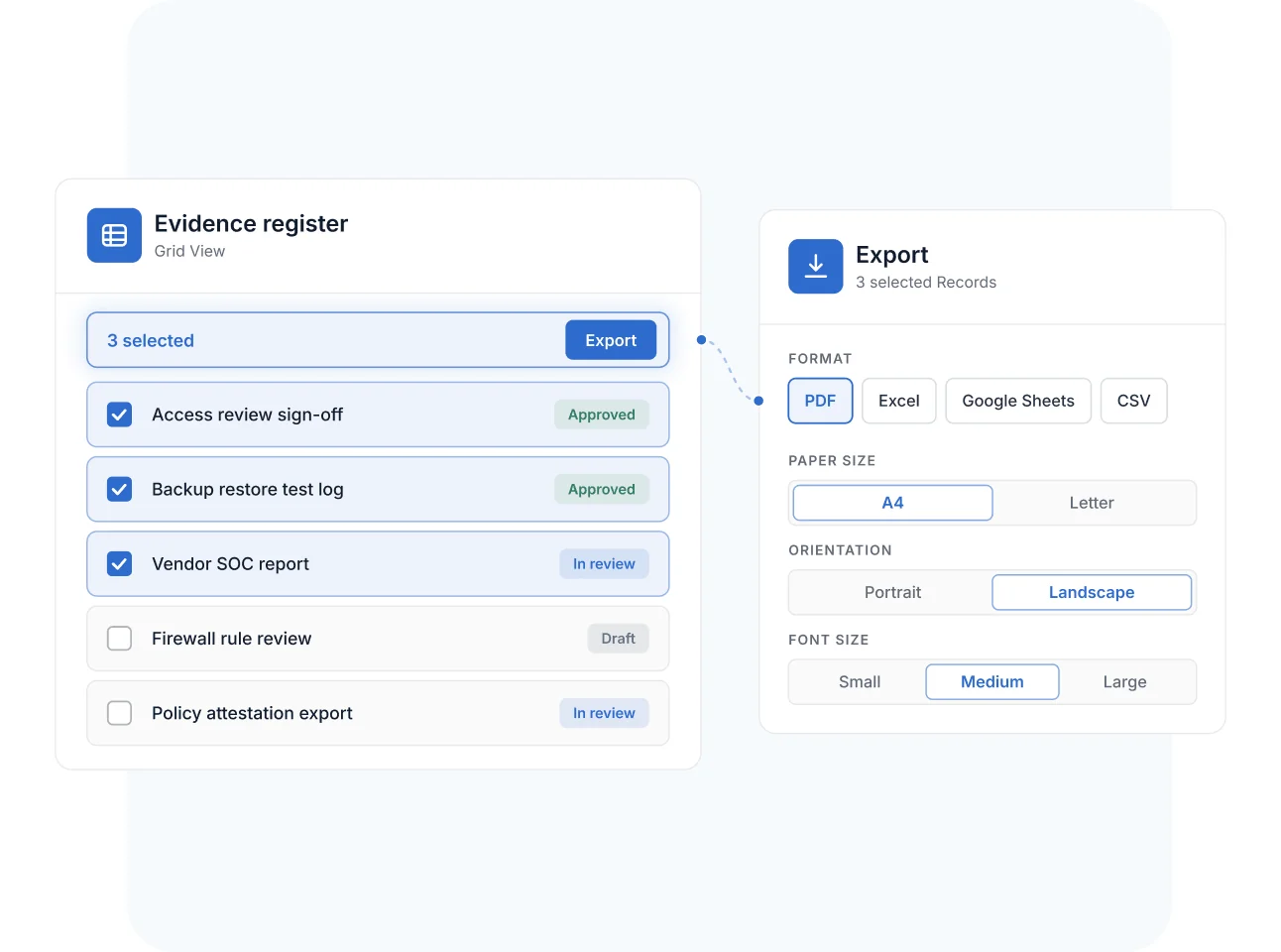
- Individual records print or export from the record menu, and selected records export in bulk from Grid View.
- Dashboards and SmartDoc fields export to PDF.
- Attachments are not included in table exports.
What Is Data Export?
Data Export is a SmartSuite capability that gets your data back out of the platform: export any Record or saved View to PDF, Excel, Google Sheets, or CSV, or print it directly, from the menu beside the view or record. It helps GRC, IT, and business operations teams produce reports, audit packages, and hand-offs to downstream tools from live data—exports respect the filters currently applied to the view. Data Export is available on all SmartSuite plan types with General Access permissions; the inbound counterpart is Data Import.
Four Formats
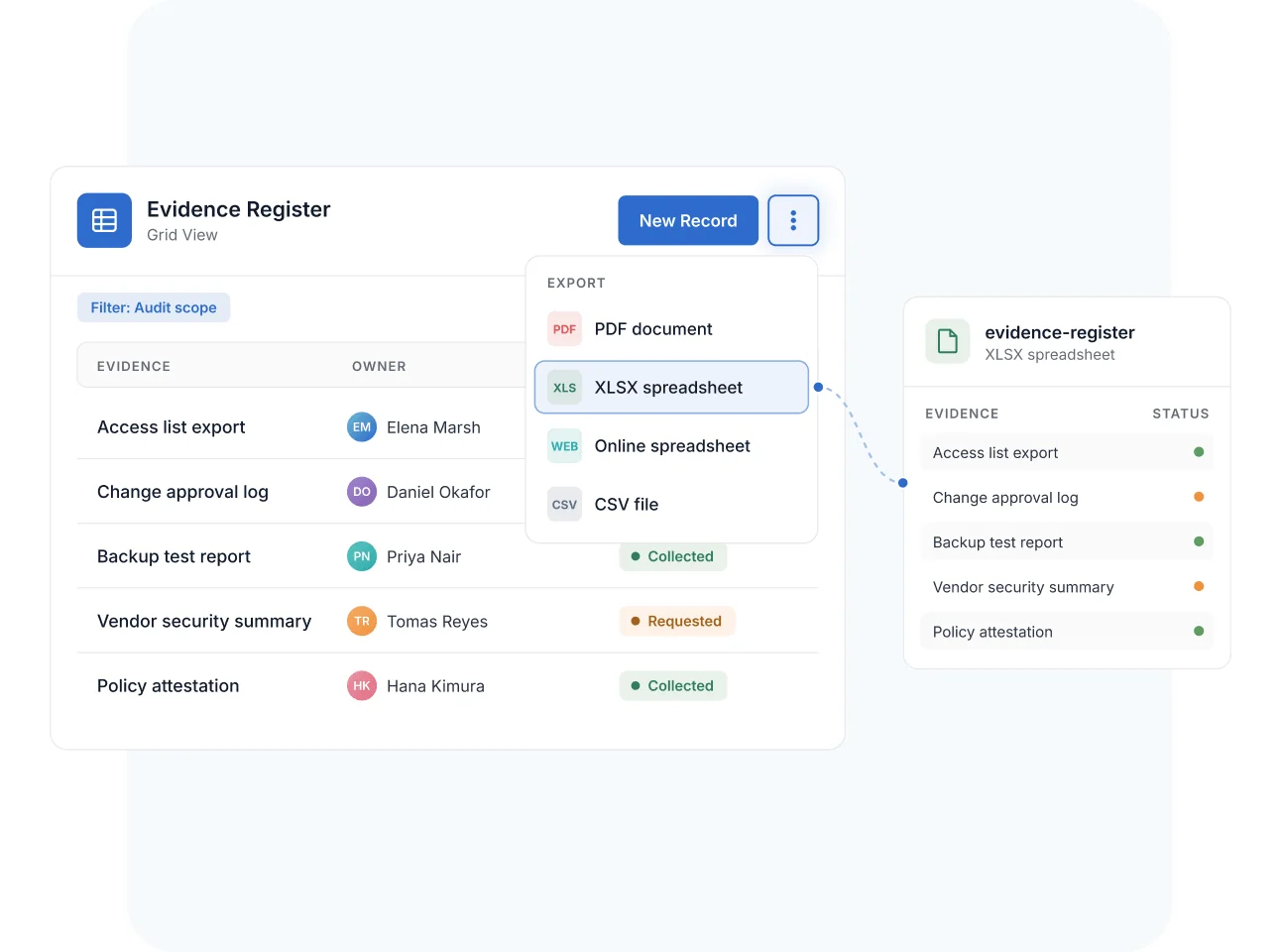
Export Views to PDF, Excel, Google Sheets, or CSV
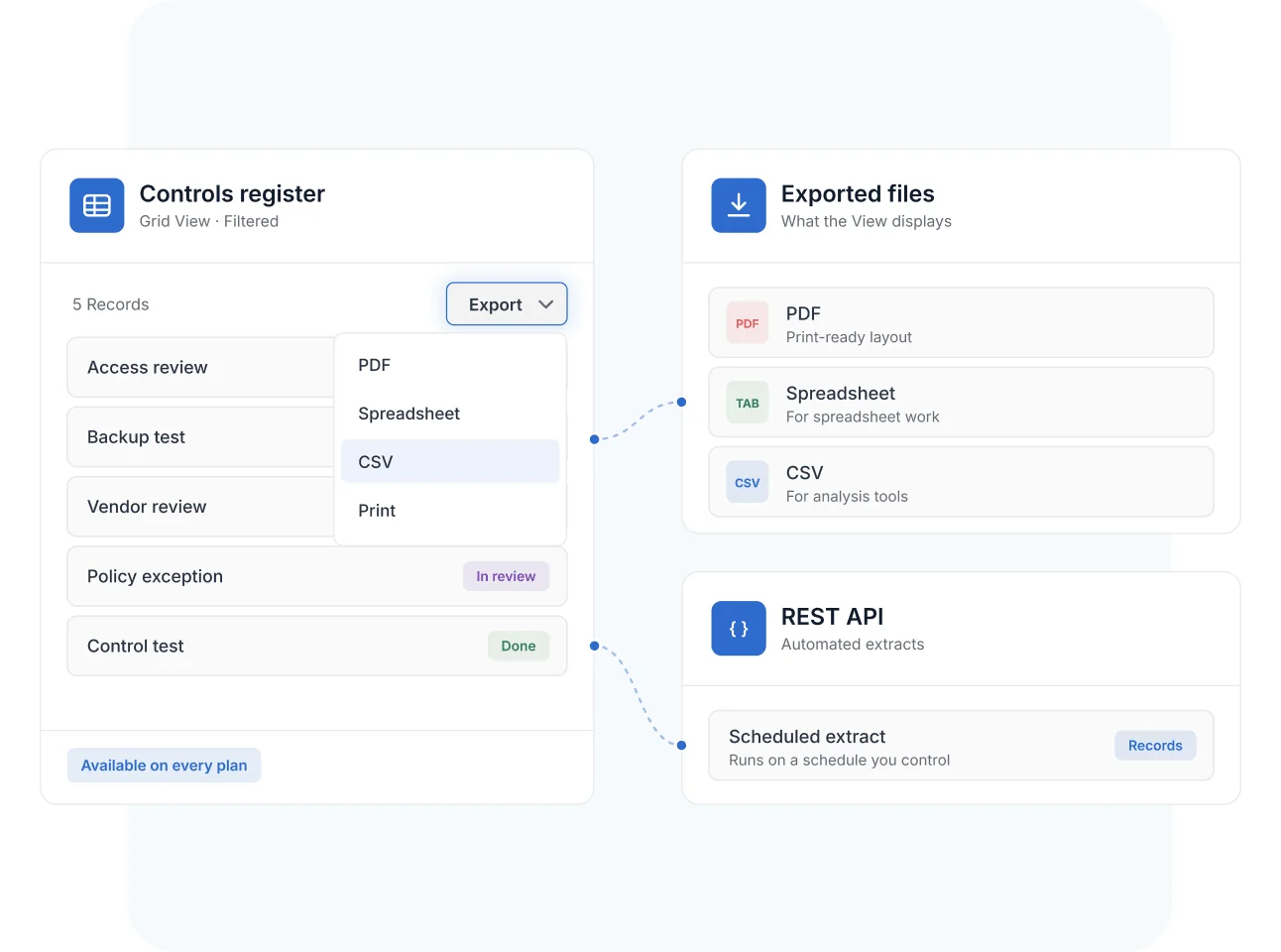
From any saved View, the menu beside the New Record button exports the data in four formats: Adobe PDF for presentation, Excel and Google Sheets for spreadsheet work, and CSV for analysis tools and downstream systems.
The export contains exactly what the View displays—active filters are enforced—so a scoped View produces a scoped file.
Records & Bulk
Print and Export Single Records or Whole Selections
Individual Records export and print from their own menu—with customizable options for paper size, orientation, and font size on PDF output—and bulk actions export a checkbox-selected set of Records from Grid View in one pass.
A status report for a client meeting or an evidence package for a reviewer is one click from the source data.
No Lock-In
Keep Full Access to Your Data on Every Plan
Export and print are available on all plan types with General Access permissions—data portability is not a premium feature. You own the data, and SmartSuite doesn't restrict your access to it.
For automated or recurring extracts, the REST API moves data programmatically on a schedule you control.
Data Export
Governed data still has to travel—to auditors, regulators, boards, and analytics tools. Data Export moves it in the format each audience needs, straight from the source of truth.
Filter the evidence register to the audit's scope and export it to Excel or PDF—the export honors the view's filters, so reviewers get exactly the in-scope population.
Print a formatted PDF of the top-risks View for the quarterly risk committee—paper size, orientation, and font tuned for the boardroom, pulled from live data.
Export a filtered attestation View to Google Sheets or PDF for business-unit leads who need a file, not a login—generated from the same Records the compliance team works in.
Export risk and issue data to CSV for analysis in a BI tool or data warehouse, keeping SmartSuite as the governed operational source while deeper analytics run downstream.
Pair Data Export with Data Import—export to see SmartSuite's expected formatting, update the register externally, and re-import matched on Record ID with no duplicates.
It is SmartSuite's built-in way to get data out of the platform: export any Record or saved View to PDF, Excel, Google Sheets, or CSV—or print it—from the menu beside the view or record.
Four: Adobe PDF, Excel, Google Sheets, and CSV. PDF output adds print formatting controls such as paper size, portrait or landscape orientation, and font size.
No—it exports what the View currently displays, enforcing any active filters. That makes a scoped, field-selected View the cleanest way to define exactly what an export should contain.
Yes. Bulk actions in Grid View include Export—checkbox-select the Records and export the set in one pass. Individual Records also export and print from their own menu.
Yes. Print and export are available on all SmartSuite plan types and accessible with General Access permissions—getting your data out is not gated to premium tiers.
The in-product export is a manual, on-demand action. For recurring or automated extracts, the SmartSuite REST API pulls record data programmatically, and integrations like Zapier and Make move data on triggers you define.
Exports come straight from the governed source data and honor view filters, so audit populations, evidence listings, and status reports reflect the live system at the moment of export—useful for teams working to stay audit-ready.
Get Your Data Out as Fast as You Put It In
Filter a View, pick a format, and hand your stakeholders live data—no lock-in, on every plan.