



Recycle Bin — A Safety Net for Every Deletion
Recover deleted records, Fields, Tables, and entire Solutions within your plan's retention window—so an accidental delete is a quick restore, not a data-loss incident.
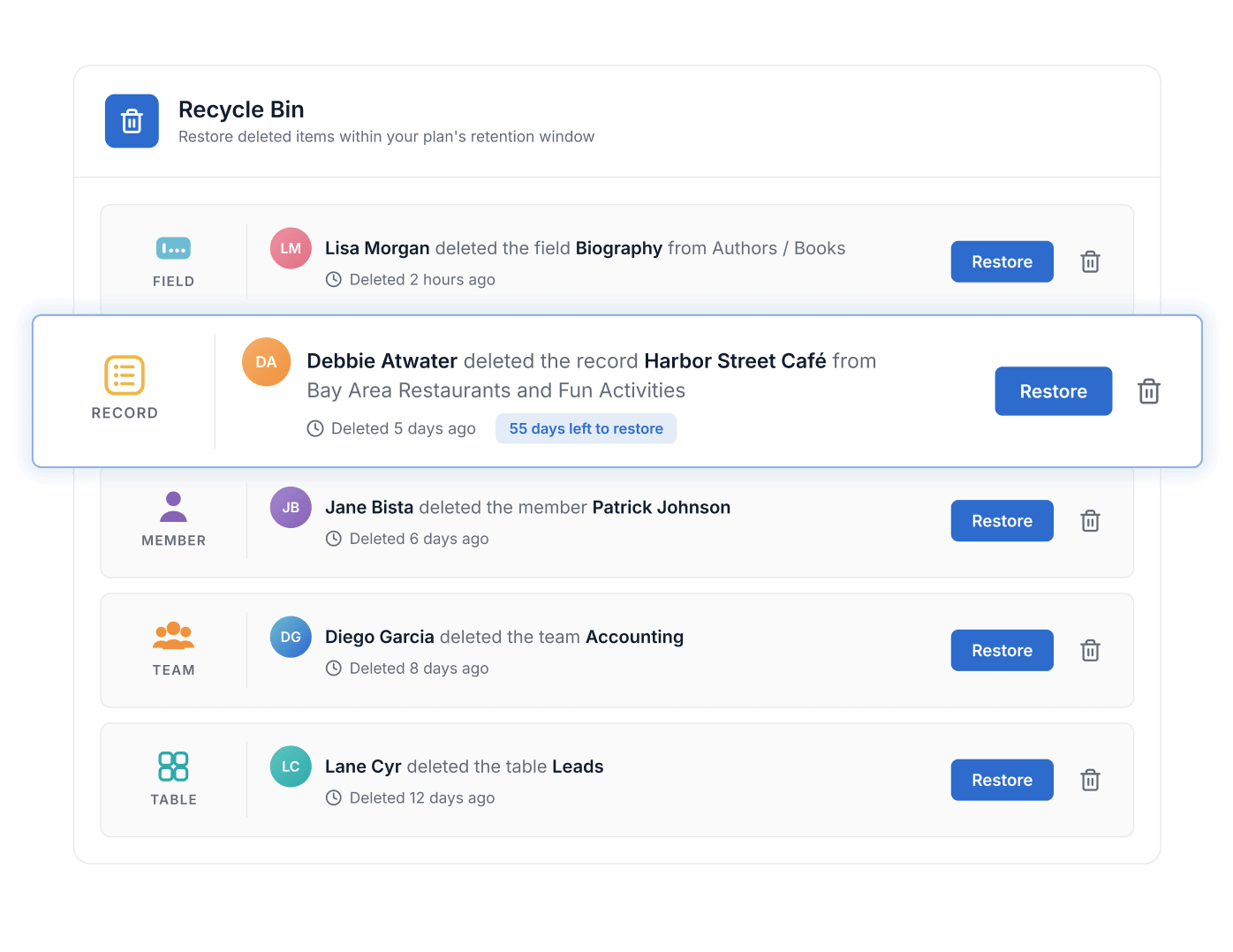
- Deleted content can be restored for 30 days on Team, 45 days on Professional and 60 days on Enterprise and Signature.
- The Recycle Bin restores records, fields, Tables and whole Solutions.
- Workspace Admins restore anything; Solution Managers and Full Access users restore within their Solutions; Editors and Contributors restore only what they deleted.
- The bin is searchable, filters by member and Solution, and items can also be permanently deleted.
- It opens from the Member Profile dropdown in the top-right corner.
What Is the Recycle Bin?
Recycle Bin is a SmartSuite capability that recovers deleted records, Fields, Tables, and entire Solutions within a plan-defined retention window before the data is permanently gone. It helps every team turn accidental deletions into quick restores—with restore rights scoped to each Member's role. The Recycle Bin is available on all plans, with retention of 30 days on Team, 45 on Professional, and 60 on Enterprise.
Full Recovery
Restore Records, Fields, Tables, and Entire Solutions
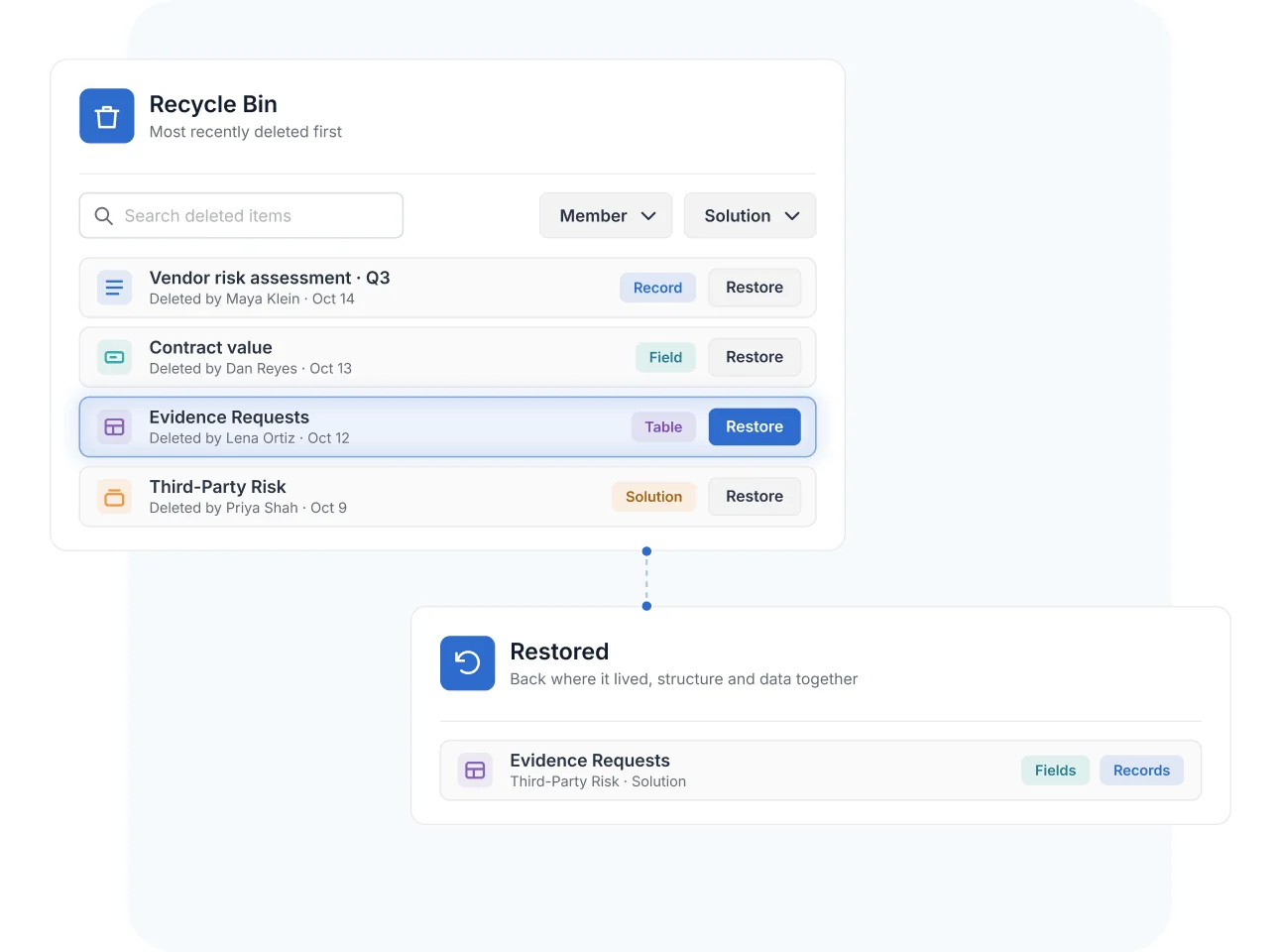
The Recycle Bin covers every level of your data architecture: a single deleted record, a removed Field and its values, a whole Table, or a complete Solution. Items are listed most-recently-deleted first, and search and filters by Member and Solution locate the right item fast—even in a busy workspace.
One restore puts the item back where it lived, structure and data together.
Retention Windows
Recover Within Plan-Based Retention Periods
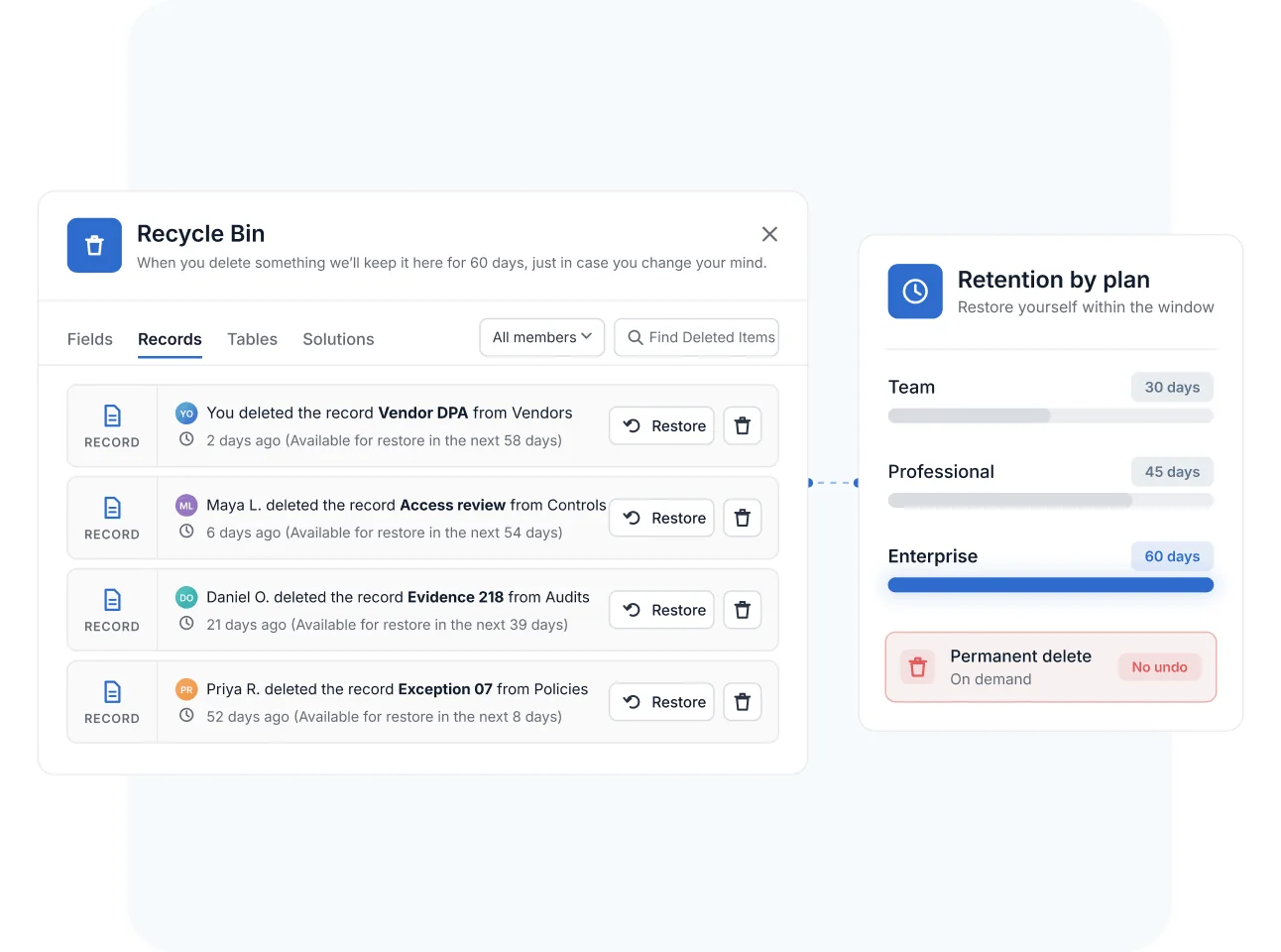
Deleted items stay recoverable for a window that scales with your plan—30 days on Team, 45 on Professional, and 60 on Enterprise. Within that window, restores are self-service; after it, the data is permanently gone.
Permanent deletion is also available on demand from inside the Recycle Bin for items that must be removed immediately—and that action is irreversible by design.
Role-Scoped Restore
Match Restore Rights to Each Member's Role
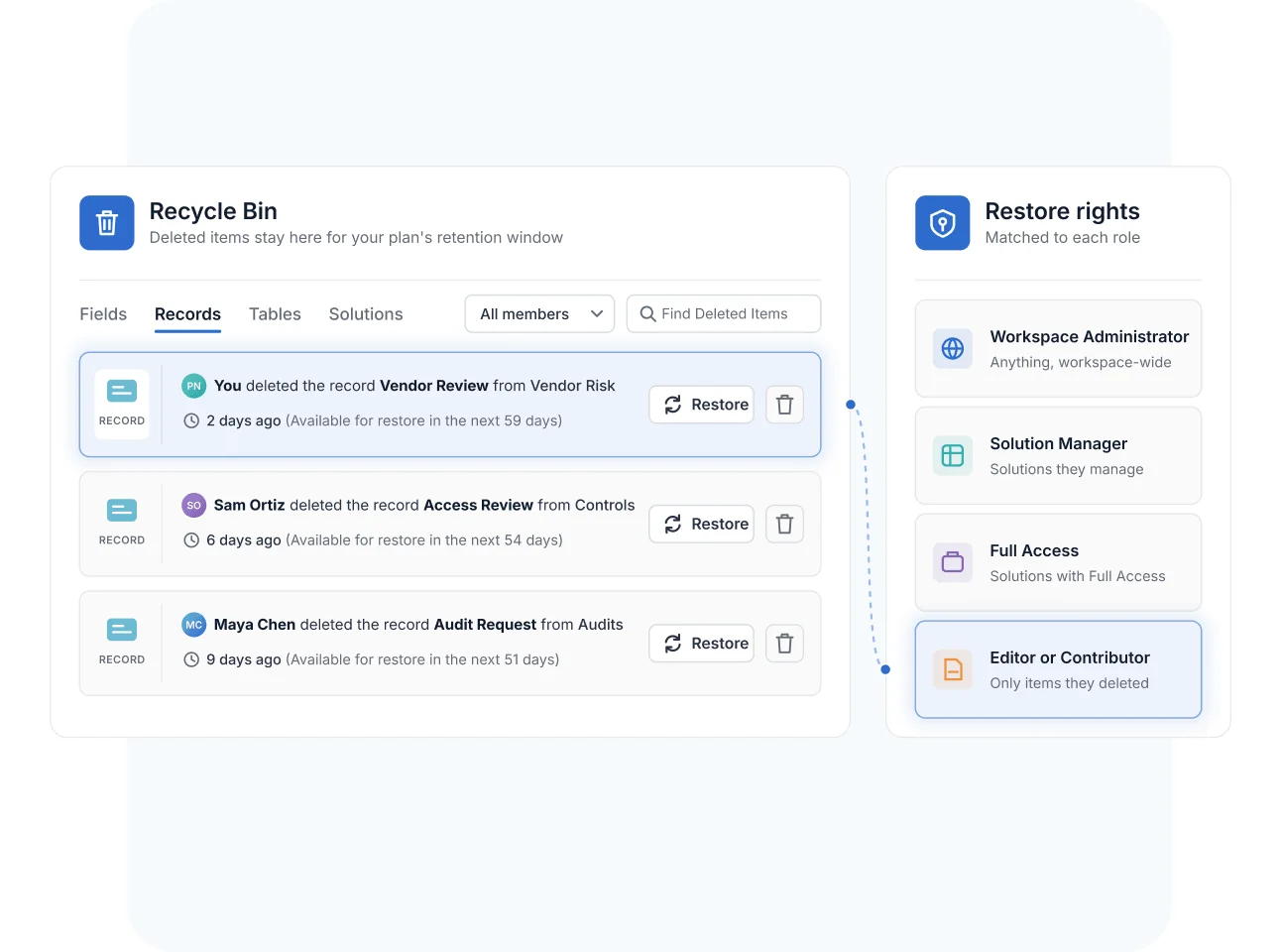
Recovery follows the same governance as everything else in SmartSuite. Workspace Administrators restore anything workspace-wide; Solution Managers restore within the Solutions they manage; Full Access users restore within Solutions where they hold Full Access; and Editor or Contributor users restore only items they personally created and deleted.
The safety net is universal—without becoming a way around your permission model.
Recycle Bin
Deletions happen—misclicks, misunderstandings, and cleanup that went one step too far. The Recycle Bin makes recovery routine for governed teams whose registers and evidence can't afford data loss.
A teammate deletes an evidence Table during a cleanup pass. The compliance admin filters the Recycle Bin by Member, finds the Table, and restores it—records, Fields, and views intact—within the retention window.
An Enterprise admin restores an entire compliance Solution deleted in error, up to 60 days later—preserving the control register and evidence trail an upcoming audit depends on.
A Contributor deletes the wrong risk record and restores it themselves the same day—no admin escalation required, and no ability to touch anyone else's deletions.
When retention policy requires certain data to be removed for good, an authorized Member permanently deletes it from inside the Recycle Bin—a deliberate, irreversible step rather than a default.
Pair the Recycle Bin with Activity History to see who deleted an item and when before restoring it—recovery and accountability in one workflow.
The Recycle Bin recovers deleted records, Fields, Tables, and entire Solutions within a plan-defined retention window. Items are listed most-recently-deleted first and can be searched and filtered by Member and Solution.
Retention scales by plan: 30 days on Team, 45 days on Professional, and 60 days on Enterprise. After the window ends, the data is permanently gone.
Workspace Administrators restore anything workspace-wide, Solution Managers restore within Solutions they manage, Full Access users restore within Solutions where they hold Full Access, and Editor or Contributor users restore only items they personally created and deleted.
Open the Member Profile dropdown in the top-right corner of SmartSuite and select Recycle Bin. From there you can search, filter, restore, or permanently delete items.
Yes. The trash icon inside the Recycle Bin permanently deletes an item immediately. Permanent deletion is irreversible, so SmartSuite treats it as a deliberate action rather than the default.
Yes. Entire Solutions can be restored along with their Tables, records, and Fields—an Enterprise admin can recover a Solution deleted in error up to 60 days later.
Make Accidental Deletes a Non-Event
Every record, Table, and Solution recoverable within your retention window—governed by the same roles that run your workspace.