



SmartSuite Showcase | Onboarding New Hires & Inviting Users to SmartSuite
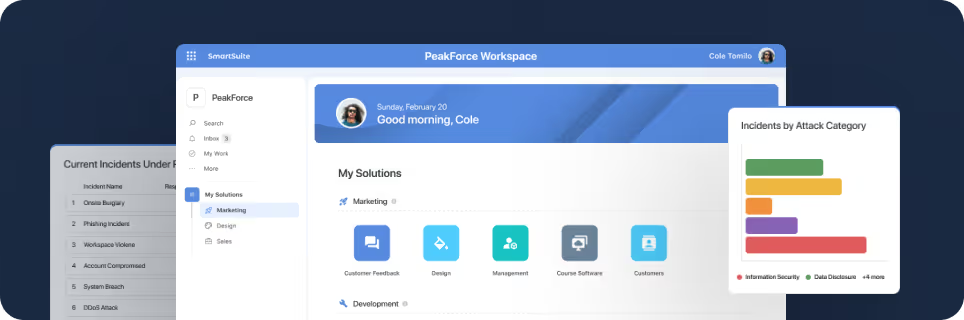
SmartSuite provides work platform for standardizing workflows in the following areas:
- Governance, Risk & Compliance
- IT & Service Ops
- Project / Portfolio Management
- Business Operations

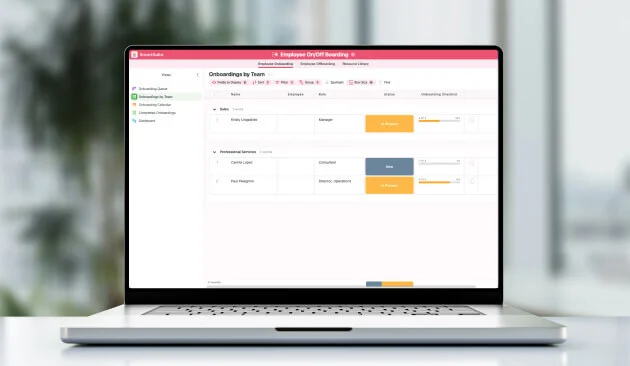
A SmartSuite onboarding setup holds every staff record in one table, generates role-specific tasks when a hire's status changes to Onboarding, links the relevant SOPs to each task, and grants team access up front. This SmartSuite Showcase episode follows a new marketing hire, Paul Pellegrino, through that setup.
How does SmartSuite centralize staff information?
One of the primary challenges in onboarding is managing the plethora of information that comes with each new hire. SmartSuite addresses this by centralizing all staff information in one accessible location. For example, as new hires like Paul Pellegrino join your organization, their details are entered into a comprehensive staff table which acts as a single source of truth. This method not only reduces administrative burdens but also ensures accuracy and consistency across the board.
How does SmartSuite automate onboarding tasks?
Automation is at the heart of SmartSuite’s onboarding solution. When a new hire’s status is updated—say from 'Not Active' to 'Onboarding'—the platform automatically generates a set of tasks tailored to that individual's role and stage. This feature ensures that each new employee has a clear, structured path from day one, minimizing the time spent on manual task allocation and follow-ups.
Integrating Standard Operating Procedures (SOPs)
An innovative aspect of SmartSuite’s onboarding process is the integration of Standard Operating Procedures (SOPs) directly within the onboarding tasks. This integration allows new hires to access and review relevant SOPs that are linked to each stage of their onboarding. This direct connection helps new employees understand their roles and responsibilities more effectively, promoting a quicker and more comprehensive adaptation period.
Ensuring Access and Integration
A significant feature of SmartSuite is its ability to assign specific team roles and access permissions effortlessly. When new members are added, they can be immediately integrated into their respective teams with pre-determined access to necessary solutions. For instance, a new marketing team member like Paul would receive immediate access to the marketing campaign solutions, enabling him to start contributing without delay.
How does SmartSuite manage team permissions?
SmartSuite also excels in permission management, allowing administrators to set detailed access controls for sensitive information, such as salary data. This ensures that data privacy is maintained while still allowing necessary visibility for authorized personnel.
Conclusion
The platform's comprehensive approach to new hire onboarding simplifies what can often be a complex process. By centralizing data, automating task allocation, linking SOPs, and managing permissions efficiently, the platform ensures that new hires can transition smoothly into their new roles while being well-equipped with all the tools they need. For companies looking to enhance their onboarding experience, the platform provides a scalable, effective solution.
If you’re ready to transform your onboarding process and want to learn more about the platform’s capabilities, download the onboarding solution and begin optimizing your onboarding strategy today.






Put these ideas to work
Start a free trial, or book a demo and see how it runs in SmartSuite.

