


When teams start comparing Smartsheet vs ServiceNow, it’s usually because their workflows are getting more complex and spreadsheets alone no longer feel enough.
One platform leans toward structured project execution, while the other is built for enterprise service operations, and understanding that difference is key before you commit.
In this guide, I’ll break down where each tool fits best and how they compare for modern teams in 2026, and then introduce a third option for those who find neither to be a fit.
Let’s begin by delving into each platform’s core features.
TL;DR
- Smartsheet works best for teams that want structured execution built around a spreadsheet-style workspace. Its formulas, automation, and reporting tools make it strong for managing repeatable processes, though workflows can become harder to maintain as complexity grows.
➡️ Choose Smartsheet if your team prefers familiar grid-based workflows with strong project tracking and structured data management.
- ServiceNow is designed for enterprise-scale workflow orchestration across IT, HR, customer operations, and beyond. Its AI-driven automation, low-code development, and prebuilt service modules make it powerful, but often more complex and costly than many organizations need.
➡️ Choose ServiceNow if you need deep enterprise service management with advanced governance, automation, and operational control.
- SmartSuite brings projects, IT, governance, and business operations together inside one connected, AI-powered work platform. With relational workflows, no-code customization, and embedded automation, it’s built to scale from individual processes to cross-functional execution without switching systems.
➡️ Choose SmartSuite if you want a unified platform that adapts as your workflows expand beyond traditional project or service tools.
Smartsheet vs. ServiceNow vs. SmartSuite: Features
TL;DR
- Smartsheet is best for structured, spreadsheet-driven execution with formulas, automation, and portfolio control, but workflows still revolve around grid-based data.
- ServiceNow delivers powerful enterprise workflow orchestration with AI, low-code development, and prebuilt operational solutions, though it can feel heavy for teams that don’t need full service architecture.
- SmartSuite offers the most flexible feature set overall, combining relational workflows, automation, AI, and purpose-built solutions in one unified platform that adapts across projects, IT, governance, and business operations.
Smartsheet’s features
1. Spreadsheet-driven execution and formula workflows
Smartsheet is built around a spreadsheet-style grid where rows represent work and columns organize details like status, owners, or deadlines, but it goes far beyond a basic sheet.
Teams can use formulas and functions to automate calculations, link data across multiple sheets, and keep metrics updated in real time without manual tracking.
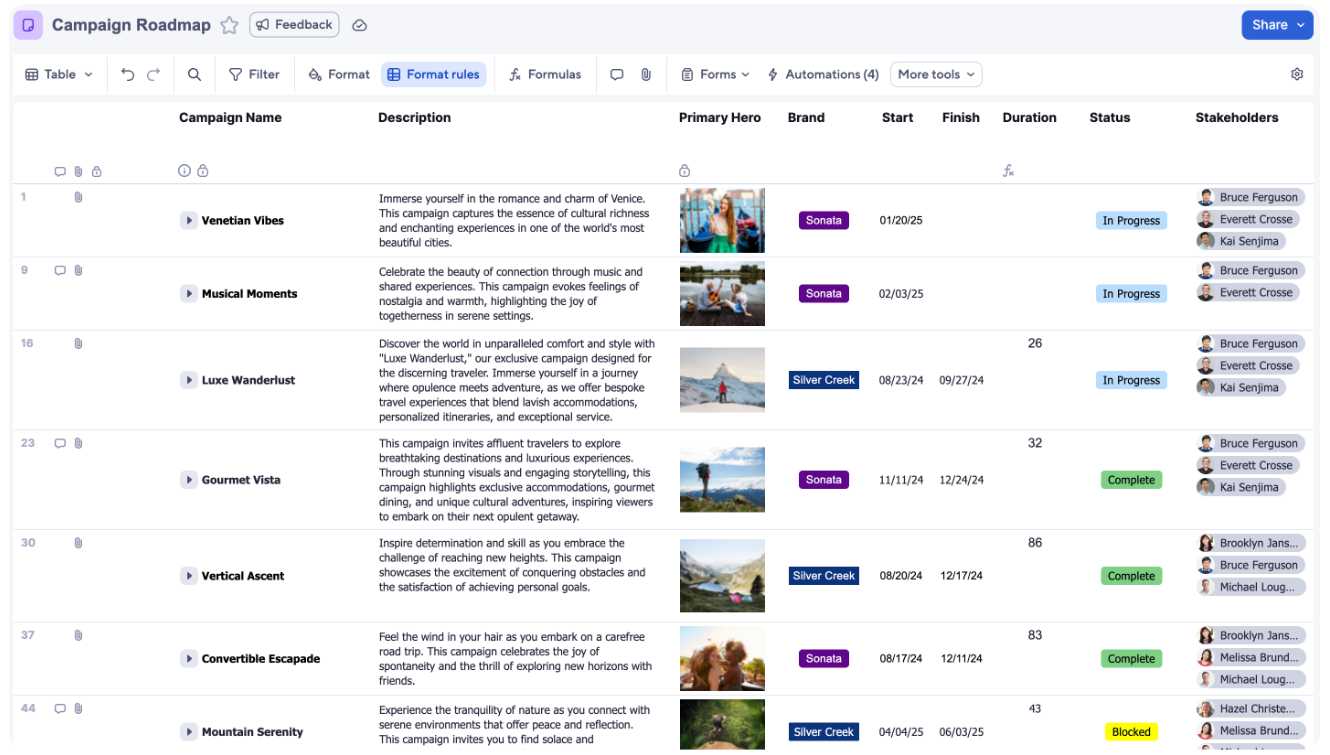
And because formulas can reference other cells, columns, or even external sheets, organizations can build rollups, summaries, and structured workflows directly inside their workspace instead of relying on separate tools.
2. Automated workflows for structured business processes
Smartsheet includes a no-code automation builder that lets teams create workflows using triggers, conditions, and actions to handle repetitive processes like approvals, reminders, and status updates automatically.
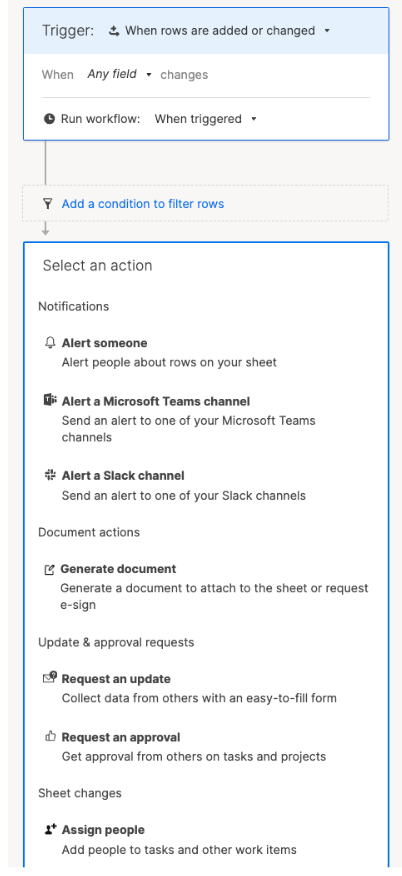
Workflows can route requests to the right people, send notifications across tools like email, Slack, or Teams, and keep records updated whenever data changes, all without scripting.
Because automation runs directly inside sheets, teams can standardize structured business processes while keeping execution tied to real-time project data.
3. Data management and connected reporting
Smartsheet also includes a set of data management tools designed to keep large workflows connected without relying on manual updates or complex formulas.
Features like DataMesh help sync information across sheets automatically, whereas DataTable allows teams to work with larger datasets pulled from systems like CRMs or ERPs without slowing down execution.
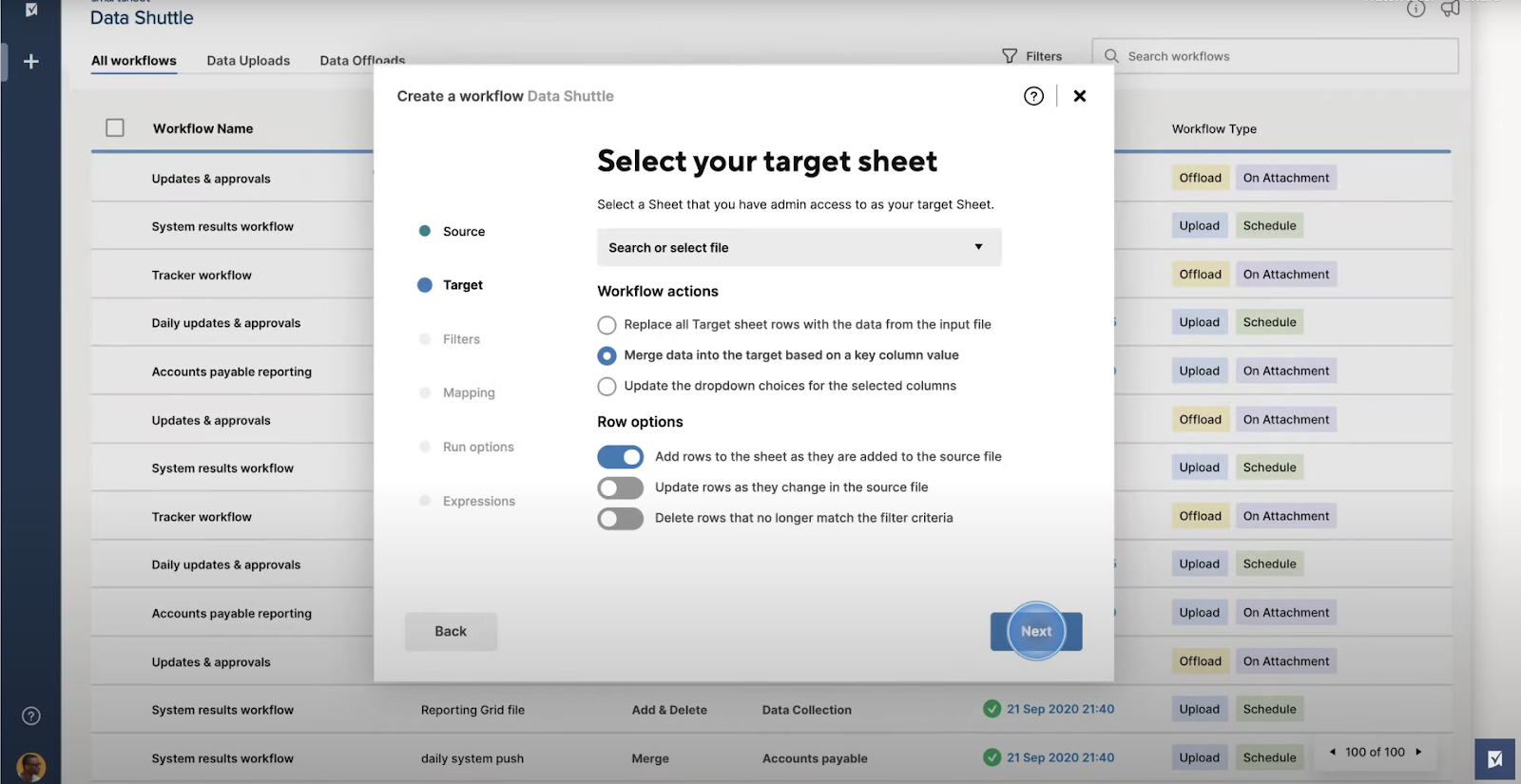
The Pivot App adds another layer by summarizing and analyzing sheet data to surface trends, comparisons, and reporting insights, helping teams turn operational data into decisions directly inside Smartsheet.
4. Project portfolio management with Control Center
Smartsheet’s Control Center extends the platform beyond individual projects by helping teams standardize and scale portfolio execution.
It allows organizations to automate project creation using pre-built blueprints, manage demand intake and approvals, and keep reporting consistent across large programs without rebuilding workflows each time.
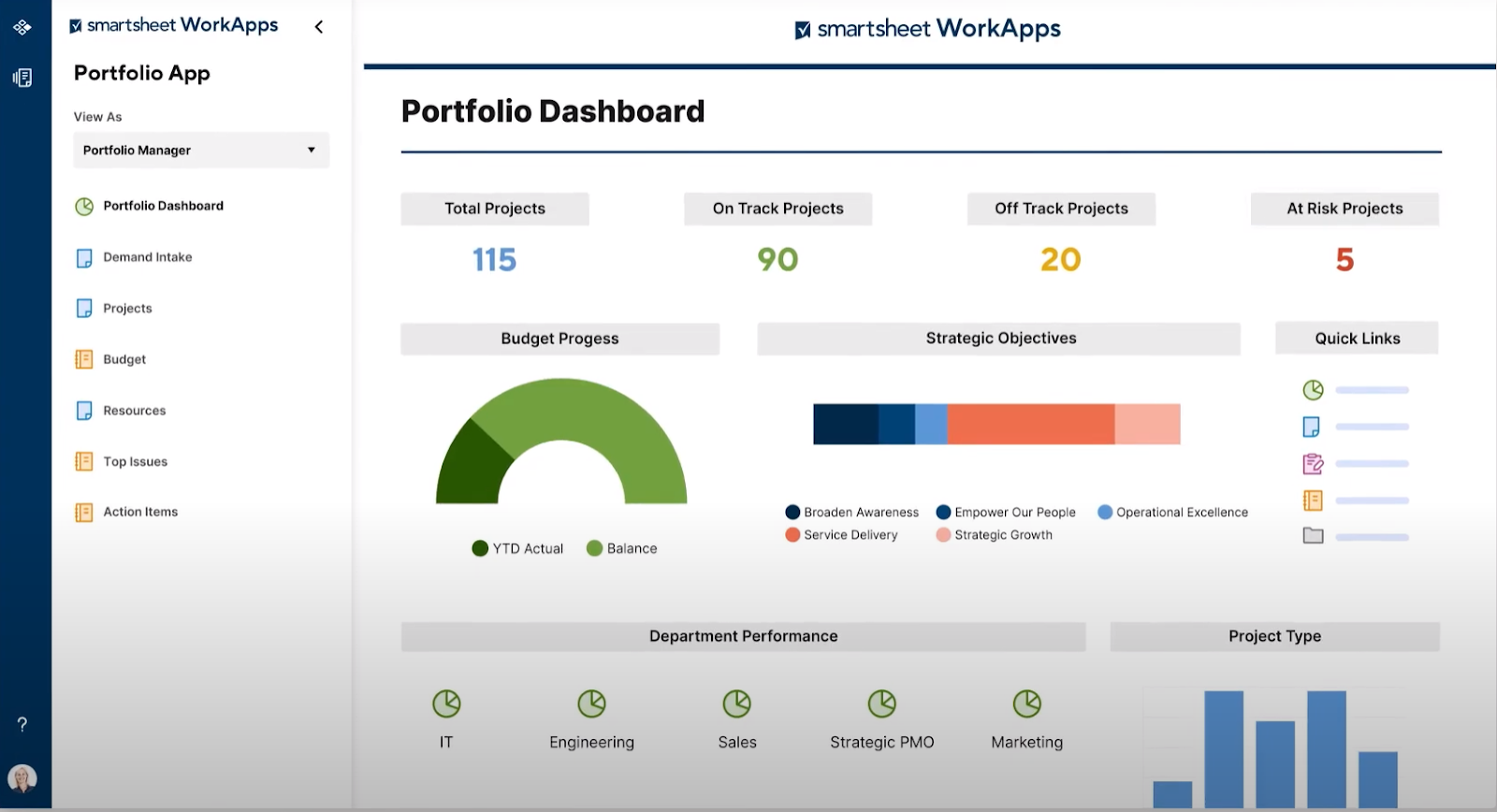
By centralizing change management, resource visibility, and portfolio-level reporting inside one system, Control Center gives leadership a clearer view of budgets, risks, and progress while maintaining structured execution across teams.
Smartsheet is ideal if you:
✅ Prefer managing work inside structured, spreadsheet-style workflows with formulas, rollups, and real-time tracking.
✅ Want to automate approvals, updates, and repeatable business processes without building complex systems from scratch.
✅ Need strong data organization, connected reporting, and tools like DataMesh or Pivot to keep large spreadsheet-datasets aligned across projects.
Smartsheet isn’t the best choice if you:
❌ Need a fully structured enterprise service platform with deep ITSM, governance, or compliance workflows built into the core system.
❌ Prefer highly relational or database-driven workflows that go beyond sheet-based execution.
❌ Are looking for a platform primarily designed for large-scale service operations instead of structured work and portfolio execution.
ServiceNow’s features
1. Enterprise workflow automation and process orchestration
ServiceNow is built around enterprise-grade workflow automation designed to connect people, systems, and processes across the entire organization.
Using its no-code tools like Flow Designer, teams can create multi-step digital workflows that automate approvals, route requests, and orchestrate complex processes without manual scripting.
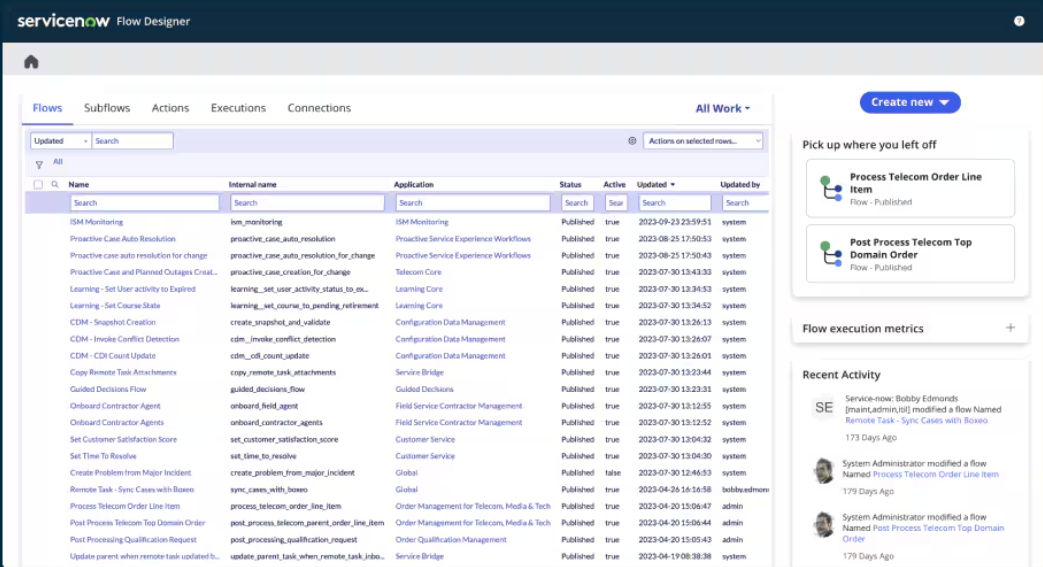
The platform’s workflow engine supports end-to-end automation, meaning it links tasks, decision rules, integrations, and analytics into a single system so business processes can move forward automatically with full visibility and control.
2. AI Experience, autonomous agents, and enterprise AI governance
ServiceNow positions AI as a core part of its platform, helping organizations automate work and scale digital operations through a unified “AI Experience.”
Teams can interact with AI through voice, text, or web agents that move workflows forward, while autonomous AI Agents proactively handle tasks across IT, HR, and customer service to improve productivity.
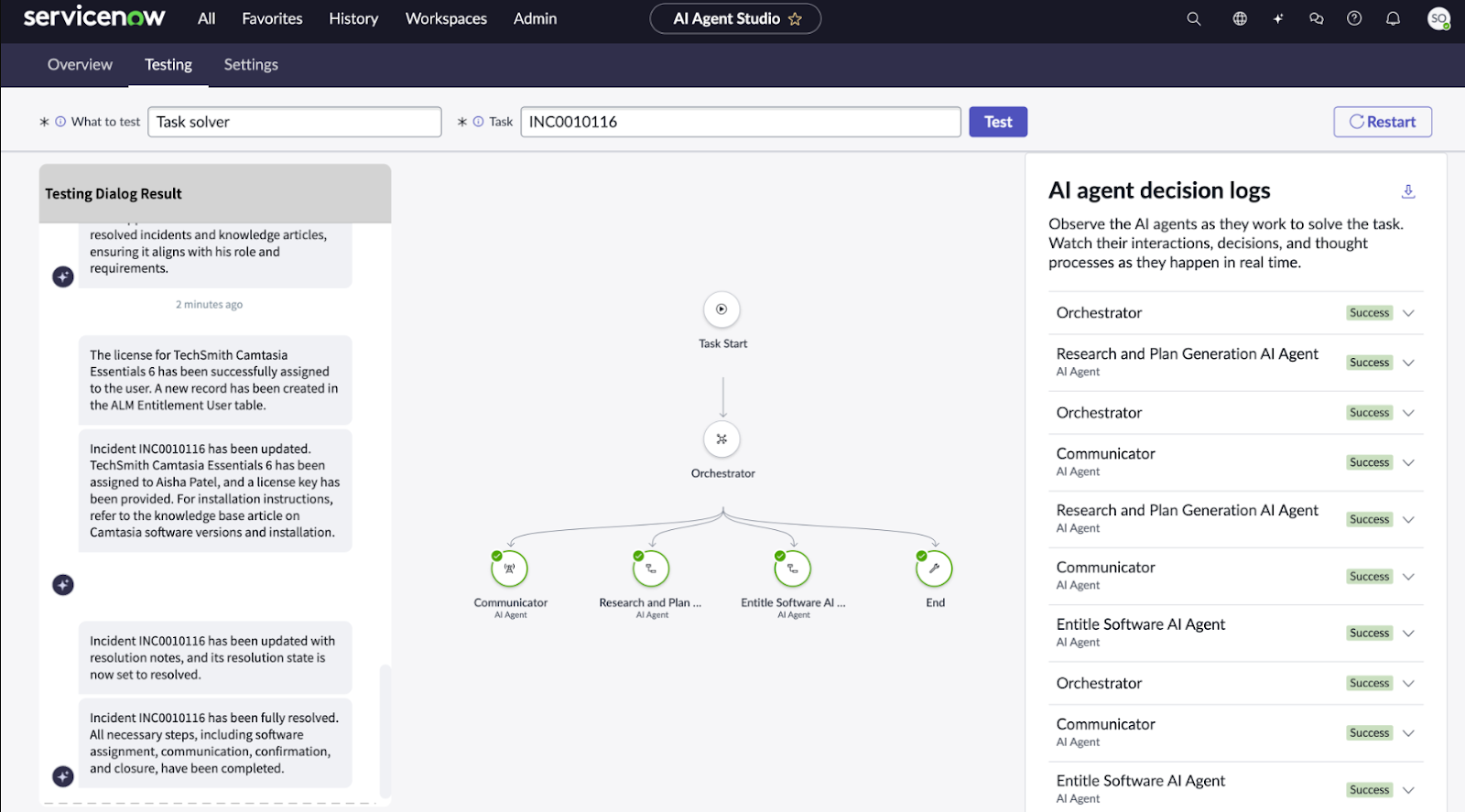
The platform also introduces AI Agent Fabric to connect and govern tools from different systems, alongside an AI Control Tower that provides centralized oversight, monitoring, and governance so businesses can scale AI safely across enterprise workflows.
3. Low-code app development with App Engine
ServiceNow’s App Engine extends the platform beyond workflow automation by giving teams a low-code environment to build custom enterprise apps and digital experiences.
Using tools like App Engine Studio, Flow Designer, and Creator Studio, organizations can design mobile-friendly workflows, automate processes across systems, and embed AI agents directly into applications without heavy coding.
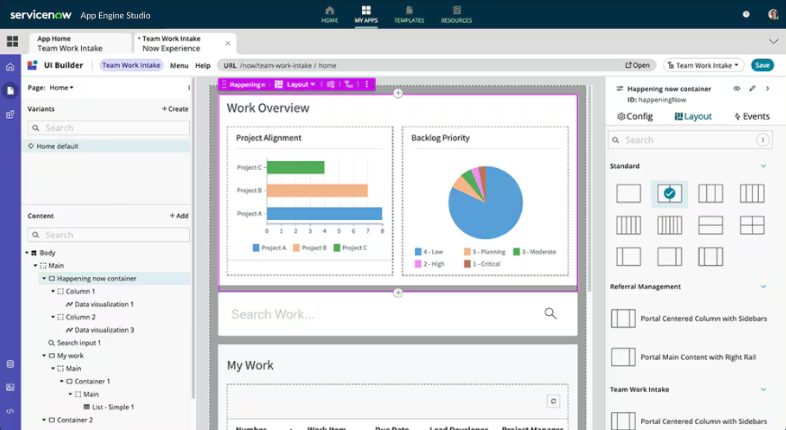
The platform also includes capabilities like process mining, predictive intelligence, performance analytics, and automated testing, helping both business users and developers collaborate on building scalable, AI-driven solutions inside one unified environment.
4. Prebuilt enterprise solutions across IT, operations, risk, and various business workflows
ServiceNow goes beyond traditional service management by offering a wide range of prebuilt solutions designed to automate operations across the entire organization.
While well known for IT Service Management, the platform also includes products for customer service, HR, strategic portfolio management, field service, risk and security, asset management, finance operations, and many other industry-specific workflows, all running on the same AI platform.
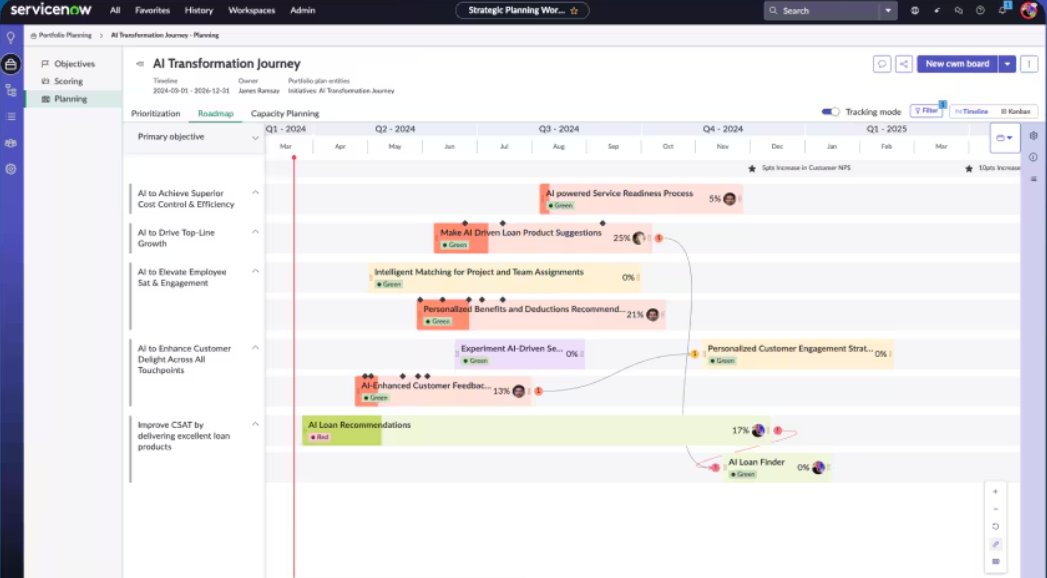
Instead of building processes from scratch, organizations can adopt predefined operational frameworks that unify data, workflows, and automation across departments, helping teams standardize how work moves from request to resolution at enterprise scale.
ServiceNow is ideal if you:
✅ Need enterprise-grade workflow automation that connects multiple departments, systems, and complex business processes in one structured platform.
✅ Want AI deeply embedded into operations, with autonomous agents, centralized governance, and tools that help scale automation safely across large organizations.
✅ Plan to build custom internal apps or digital workflows using a low-code environment that combines automation, analytics, and AI inside a unified development experience.
ServiceNow isn’t the best choice if you:
❌ Want a lightweight or highly flexible workspace focused on structured execution rather than enterprise service architecture.
❌ Prefer quick setup and adaptability over standardized, organization-wide process frameworks.
❌ Are a smaller team looking for simple automation without the complexity, governance layers, or implementation effort that often come with enterprise platforms.
SmartSuite’s features
While Smartsheet focuses on structured execution and ServiceNow leans toward enterprise service orchestration, SmartSuite enters the comparison as a newer unified work platform that aims to bridge the gap between flexible workflows and fully structured operational systems.
SmartSuite is an AI-native work platform designed to connect projects, operations, IT, and governance workflows inside one unified system.
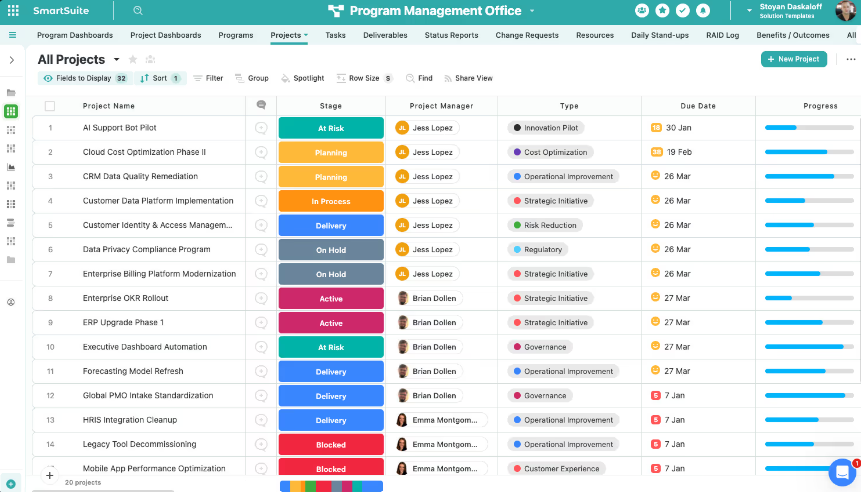
Instead of focusing on a single use case, it acts as a “Work Operating System” that brings together data, automation, reporting, collaboration, and AI so teams can design and scale processes across the organization from one governed environment.
The platform includes solution areas like GRC, IT service management, project and portfolio management, and business operations - as well as providing options for creating completely custom workflows from scratch - allowing companies to start with one area and expand as their needs grow.
Next, I’ll break down some of its standout features.
1. A connected work operating system built on relational data and AI
SmartSuite is built as a connected work management system that combines structured data, automation, AI, and governance into one platform, aiming to reduce tool sprawl and allow organizations to tackle all their workflows from a single point of control.
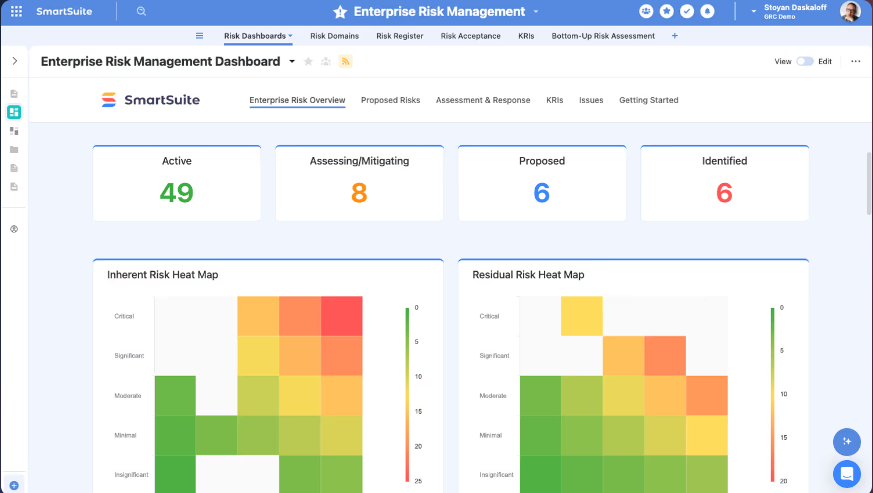
Rather than forcing teams into either spreadsheet-style execution or heavy enterprise service frameworks, SmartSuite focuses on designing connected workflows that adapt to any industry, process, or AI model while maintaining enterprise-grade visibility and control.
Here’s what lies at the foundation of SmartSuite’s platform:
- Relational data architecture: Workflows are built on structured tables, fields, and records that stay linked across projects, operations, or governance processes, helping teams maintain one consistent source of truth without duplicating data.
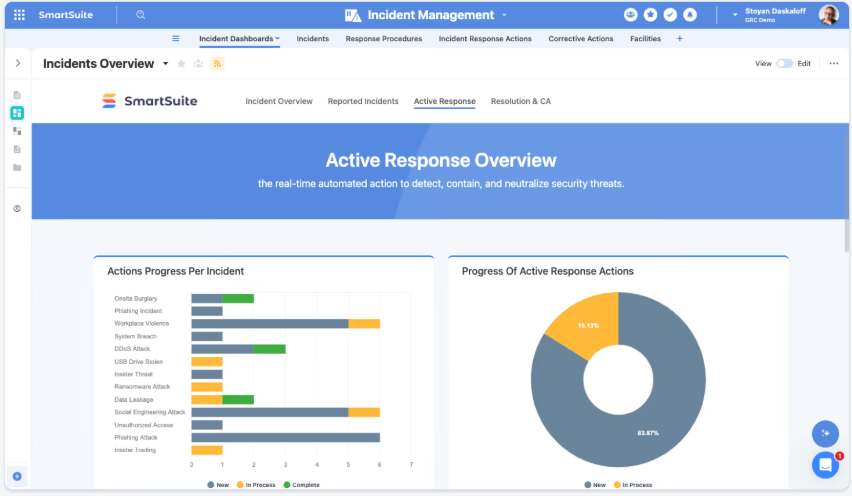
- Visual workflow design: Teams can map out processes step-by-step using structured progression, customizable layouts, and clear hierarchy, making it easier to adapt workflows as business needs evolve.
- Built-in automation engine: Multi-step automations use triggers, conditions, and actions to move work forward automatically, reducing manual handoffs and keeping processes running end-to-end.

- Embedded AI capabilities: Intelligence sits inside workflows to analyze information, assist with decisions, and automate complex tasks while staying governed within the platform.
- Contextual collaboration: Conversations, files, mentions, and activity history live directly inside records, so teams work together in context instead of relying on disconnected tools.
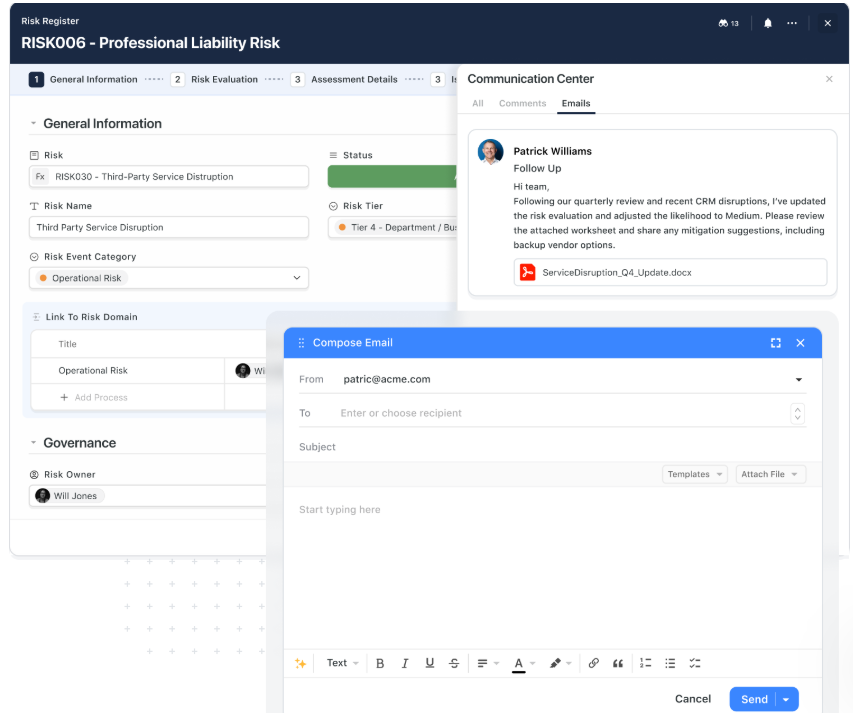
- Real-time reporting and dashboards: Charts, analytics, and portfolio views update instantly as data changes, giving leadership and teams continuous visibility into performance and progress.
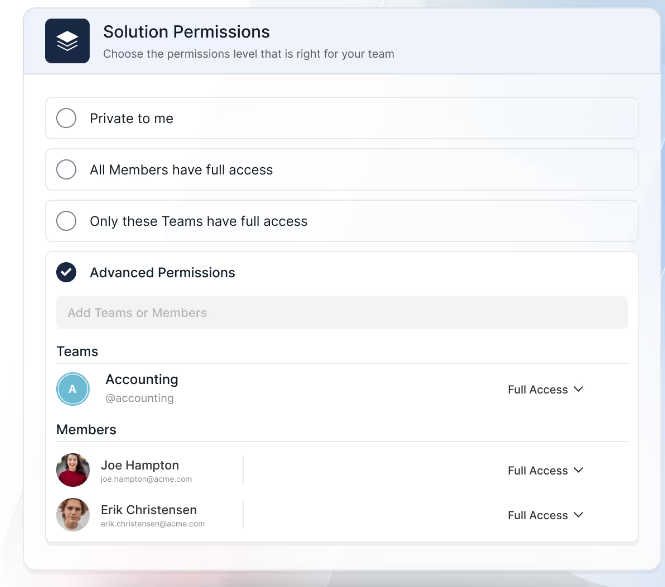
- Governance and security controls: Role-based permissions, audit trails, validation rules, and compliance-ready safeguards help organizations scale workflows while keeping data protected and accountable.
2. Purpose-built Solutions designed to scale with your workflows
Instead of offering a single rigid product, SmartSuite organizes its platform into Solutions - structured environments designed around major business functions.
Each Solution combines workflows, data models, automation, dashboards, and governance so organizations can standardize execution while still adapting processes as they evolve.
There are four pre-built Solutions within SmartSuite:
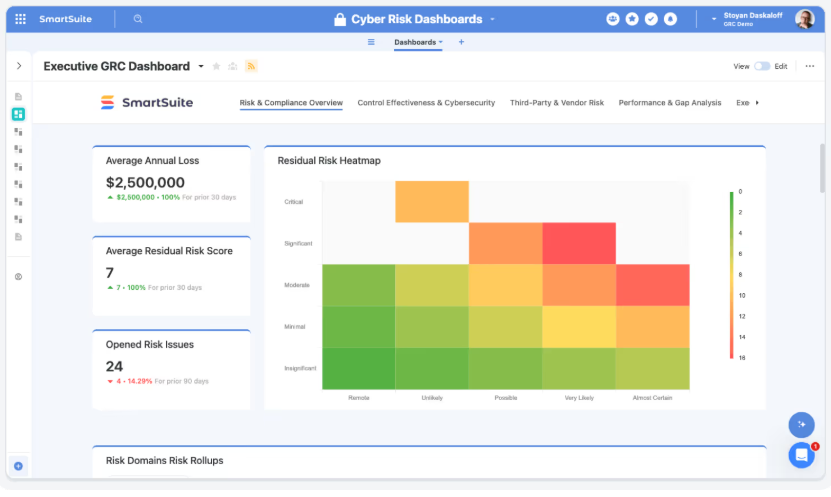
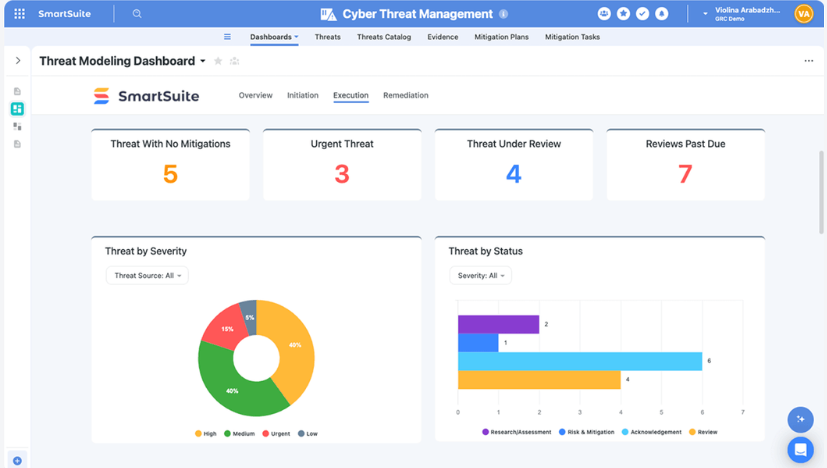
- GRC & Operational Resilience: Designed to unify governance, risk, compliance, audit, cybersecurity, and resilience workflows into one system of record. Teams can manage risks, controls, policies, audits, third-party risk, and continuity planning while maintaining full traceability and real-time visibility into exposure, testing, and remediation efforts.
- IT & Service Operations (ITSM & Enterprise Service Delivery): Centralizes incidents, service requests, assets, and operational workflows across IT and shared service teams like HR or Finance. Includes automation for routing, SLAs, approvals, and escalations, along with reporting that tracks service performance and operational health without adding extra tools.
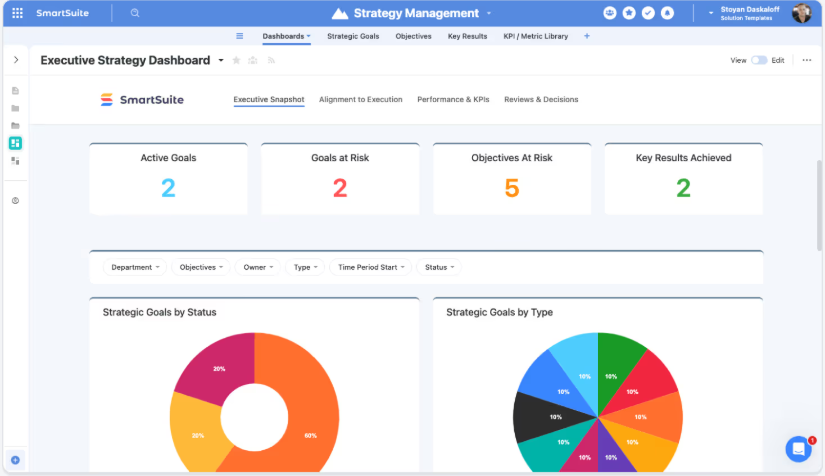
- Projects & Portfolios: Connects project execution with portfolio governance and strategic planning so teams can manage demand intake, track dependencies and risks, and align initiatives with OKRs. Leaders gain real-time visibility into delivery progress, financial performance, and resource capacity through unified dashboards.
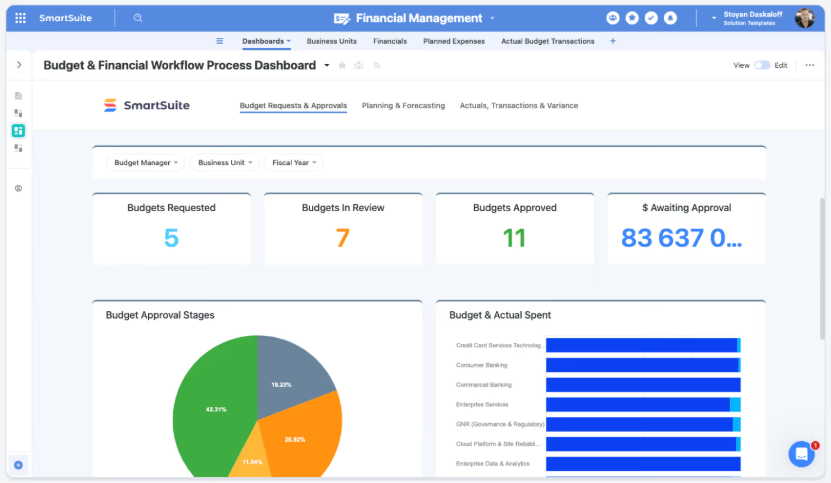
- Business Operations: Provides a flexible environment for cross-functional workflows such as marketing ops, HR, procurement, finance, product management, and customer operations. Teams can standardize intake, approvals, and execution across departments while replacing spreadsheets and disconnected point solutions with one connected operational layer.
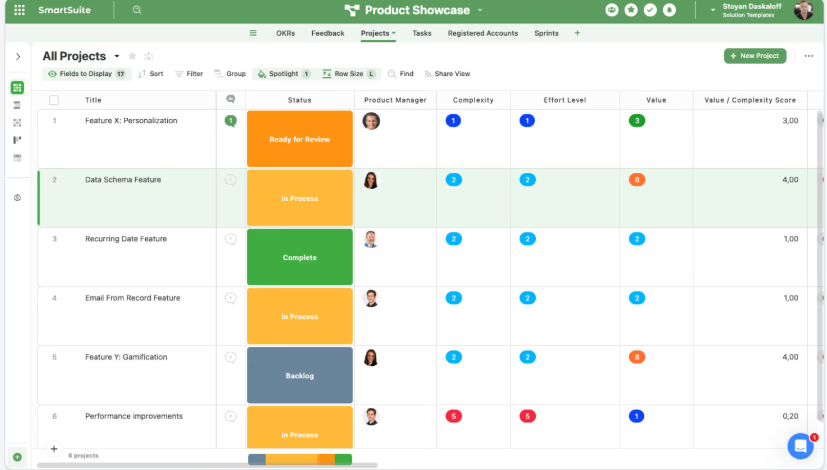
Each of these solutions is fully configurable, meaning that you can easily tailor it to your unique organizational needs, without writing a single line of code.
3. Build your own workflows with a no-code, fully customizable foundation
Beyond its packaged Solutions, SmartSuite gives teams the freedom to design completely custom workflows from scratch, making it adaptable to virtually any industry, process, or operational model.
Instead of locking users into predefined structures, the platform lets you create new Solutions using familiar building blocks like fields, tables, layouts, and reports, so teams can organize work exactly how they need it without writing code.
Here’s how SmartSuite makes it possible:
- Flexible solution builder: Create new workflows by combining tables, fields, and record layouts, allowing teams to structure anything from sales pipelines to compliance processes or internal operations.
- 40+ customizable field types: Capture everything from simple text and dates to advanced formulas, linked records, signatures, and rich documents with validation controls to maintain clean data.
- Visual page styling and layouts: Customize how information appears using grids, timelines, boards, calendars, maps, Gantt charts, or dashboards so each workflow matches the way teams actually work.
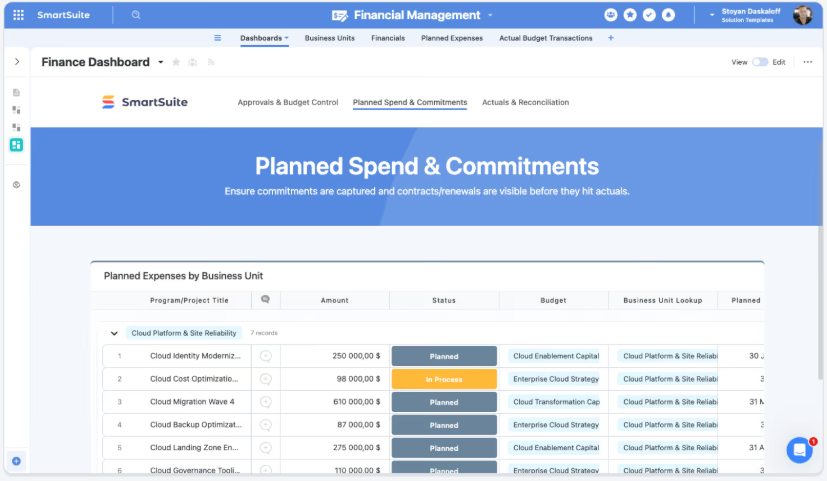
- Real-time reporting and dashboards: Build reports and visualizations directly from your workflow data to track assignments, priorities, and performance without needing external analytics tools.
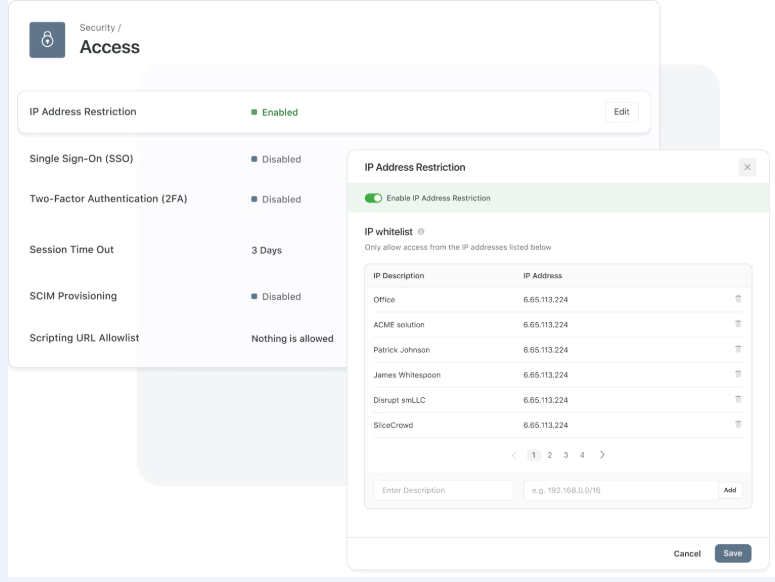
- Granular permissions and role control: Define who can access, edit, or view specific parts of a workflow, ensuring sensitive information stays governed as processes scale.
- Automation-ready workflows: Add triggers and actions to automate status changes, notifications, and handoffs, turning custom solutions into fully operational systems with minimal setup.
4. Intelligent workflow automation with real-time triggers and AI actions
SmartSuite’s automation engine is designed to move work forward automatically by connecting triggers, conditions, and multi-step actions into structured workflows.
Using a visual drag-and-drop builder, teams can automate everything from notifications and approvals to data syncing and cross-system coordination without writing code.

Because automation runs directly on relational data, workflows stay connected across projects, operations, and governance processes instead of operating in isolation.
Here’s what makes SmartSuite automation stand out:
- Real-time triggers: Automations can start when records change, dates arrive, buttons are clicked, or external systems send webhooks, keeping workflows responsive to real business events.
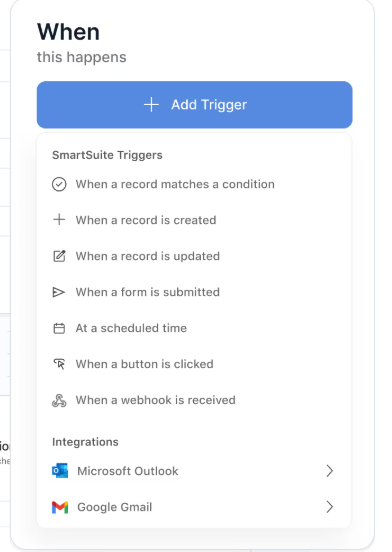
- Precision filtering: Visual filters ensure actions run only when specific criteria are met, helping teams avoid unnecessary updates while maintaining data accuracy.
- Multi-step action orchestration: One automation can update records, assign work, notify teams in Slack or Microsoft Teams, create meetings, or trigger external systems in a defined sequence.
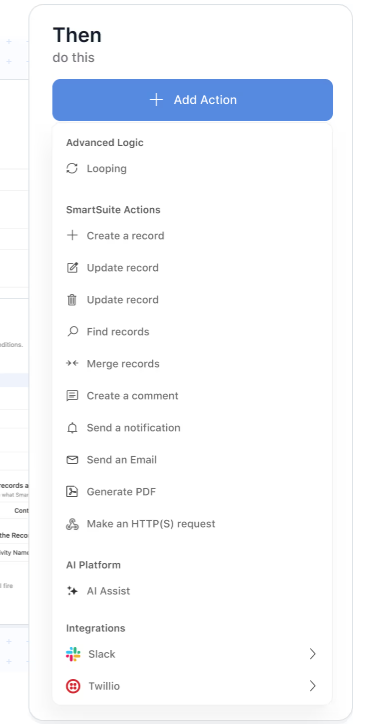
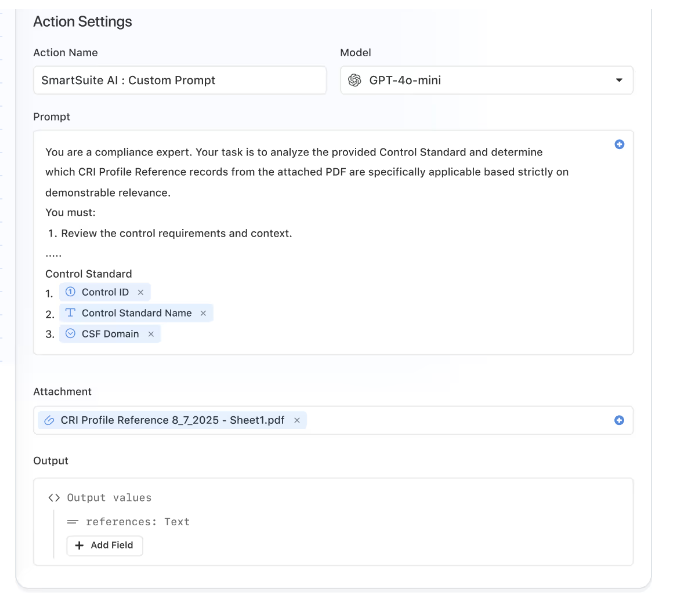
- AI Assist inside workflows: Built-in AI actions can analyze attachments, generate summaries, calculate values, or enrich data during an automation, turning AI into an active part of execution.
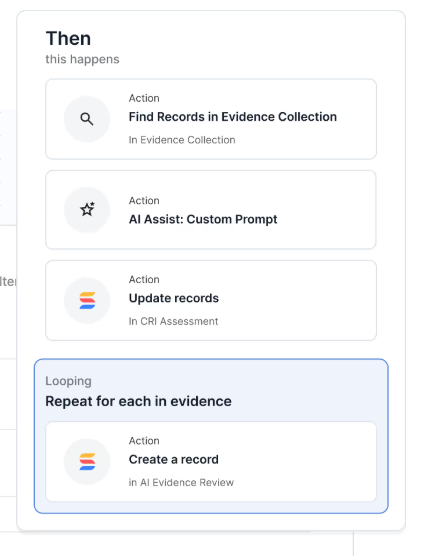
- Looping across related records: Automations can repeat actions across linked items, for example updating all related controls when a risk level changes, without breaking relationships or workflows.
5. Embedded AI that operates directly inside workflows
SmartSuite’s AI is built into the platform’s architecture rather than added as a separate assistant, allowing intelligence to work directly within records, automations, and data models.
Because AI runs on structured relationships and governed permissions, teams can accelerate decisions, automate complex steps, and extract insights while keeping full control over how models are used across the organization.
The platform also supports a bring-your-own-LLM approach, including OpenAI, Gemini, Anthropic, Bedrock, Azure, IBM WatsonX, and more, so companies can align AI usage with their security and governance requirements.
SmartSuite AI enhances execution by providing:
- Intelligent workflow execution: AI can classify requests, summarize inputs, recommend next steps, and help route work automatically as part of everyday processes.
- Context-aware business insights: Because AI operates on relational data, it can surface risks, detect anomalies, and highlight bottlenecks grounded in real operational context.
- SmartDoc AI for content workflows: Create, summarize, translate, or refine communications directly inside records without leaving the platform.
- AI Field Agent: Monitor datasets for missing information, suggest priorities or risk scores, and help keep records accurate at scale.
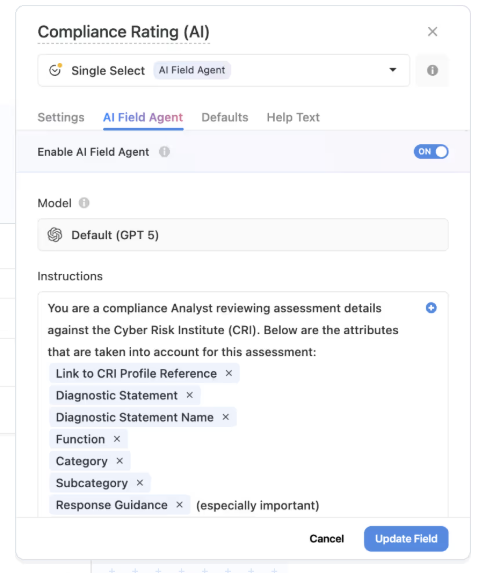
- Human-in-the-loop governance: AI proposes insights and updates while users review and approve changes, ensuring transparency and control.
SmartSuite is ideal if you:
✅ Want a unified platform that connects projects, IT operations, governance, and business workflows instead of managing work across multiple disconnected tools.
✅ Need flexibility to build both preconfigured Solutions (like GRC, ITSM, or portfolio management) and fully custom workflows using relational data, automation, and AI.
✅ Value automation and intelligence embedded directly into execution, helping teams classify work, generate insights, and move processes forward with less manual effort.
✅ Are looking for a system that balances structure and adaptability, giving enterprise-level visibility and governance without forcing rigid service frameworks.
SmartSuite isn’t the best choice if you:
❌ Prefer a simple, single-purpose tool focused only on spreadsheets, lightweight task tracking, or one specific department.
❌ Want a highly opinionated workflow structure that dictates how processes must run instead of allowing teams to design their own systems.
Winner: SmartSuite
When it comes to features, SmartSuite stands out as the most complete platform because it combines structured execution, enterprise-grade workflows, automation, reporting, and embedded AI into one connected system.
Smartsheet remains strongest for spreadsheet-driven work management, while ServiceNow excels at large-scale service orchestration, but SmartSuite bridges both worlds by offering flexible relational workflows that can scale from projects to full operational systems without forcing teams into a single model.
Integrations: Smartsheet vs. ServiceNow vs. SmartSuite
Smartsheet’s integrations
Smartsheet offers a broad integrations ecosystem designed to help teams manage work across the systems they already rely on, from collaboration platforms to enterprise data tools.
Instead of replacing your tech stack, it connects projects, reporting, and workflows with external applications so information flows more easily across departments.
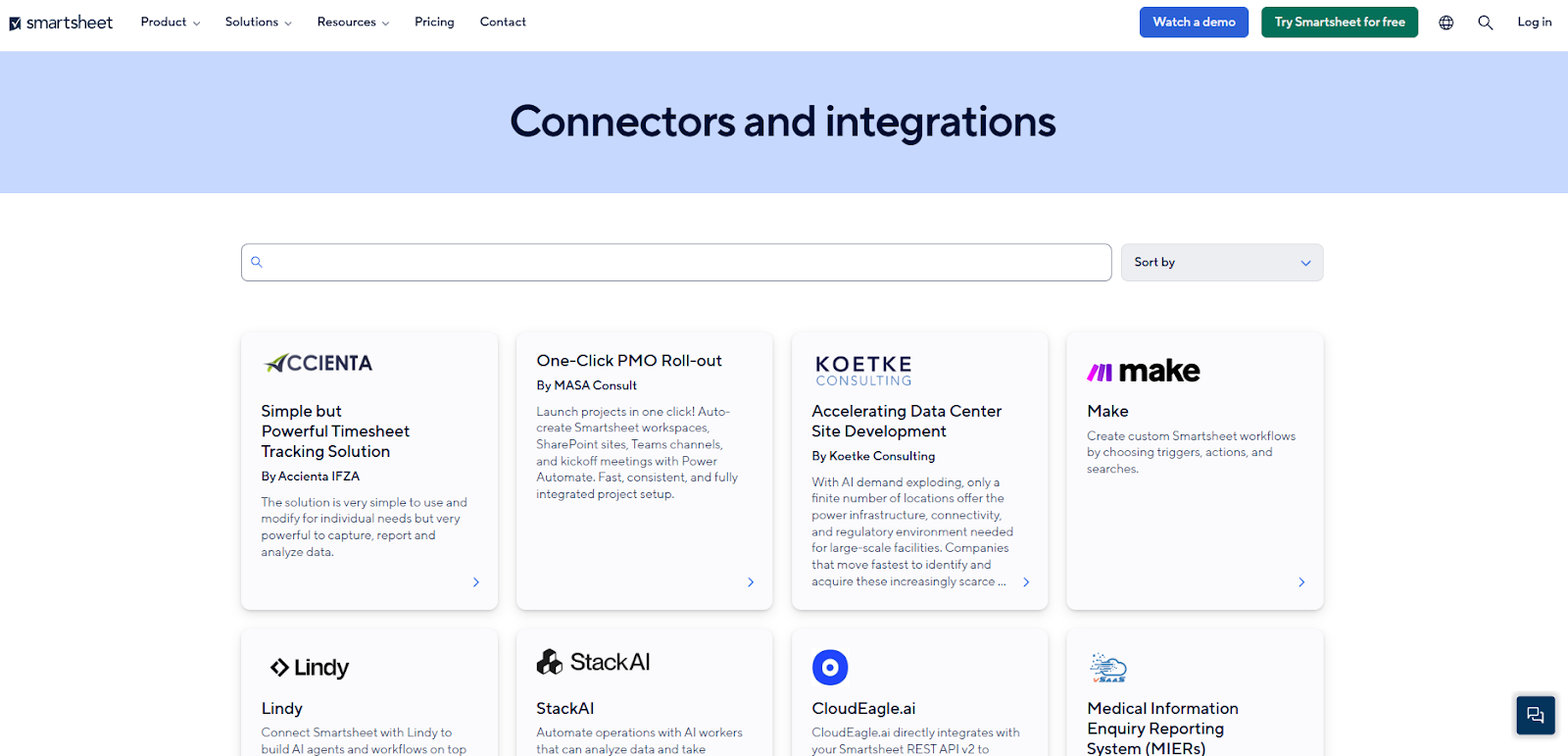
Key integration areas include:
- Enterprise systems & operations, such as Jira, ServiceNow, SAP ERP, etc., to keep data aligned across projects and processes.
- AI integrations with tools like Atlassian Rovo and Microsoft Copilot to extend workflows with AI-powered insights and automation.
- Messaging & communication integrations with tools like Slack or Microsoft Teams to send alerts, updates, and collaboration messages directly from workflows.
- Content & collaboration connections with platforms like Miro, Docusign, and Adobe Creative Cloud let you sync files and assets, so teams can manage work and content in one place.
- Workflow automation tools like Zapier and Tray let you trigger actions across apps and streamline cross-system processes.
- Security & governance integrations allow you to support enterprise authentication, compliance, and governance workflows through secure connections with identity and management tools.
ServiceNow’s integrations
ServiceNow offers one of the broadest integration ecosystems in the market, designed to connect enterprise workflows across hundreds of business applications.
Through Integration Hub, teams can use prebuilt “spokes” to instantly link ServiceNow with external systems, automate data exchange, and orchestrate processes across tools without heavy custom development.
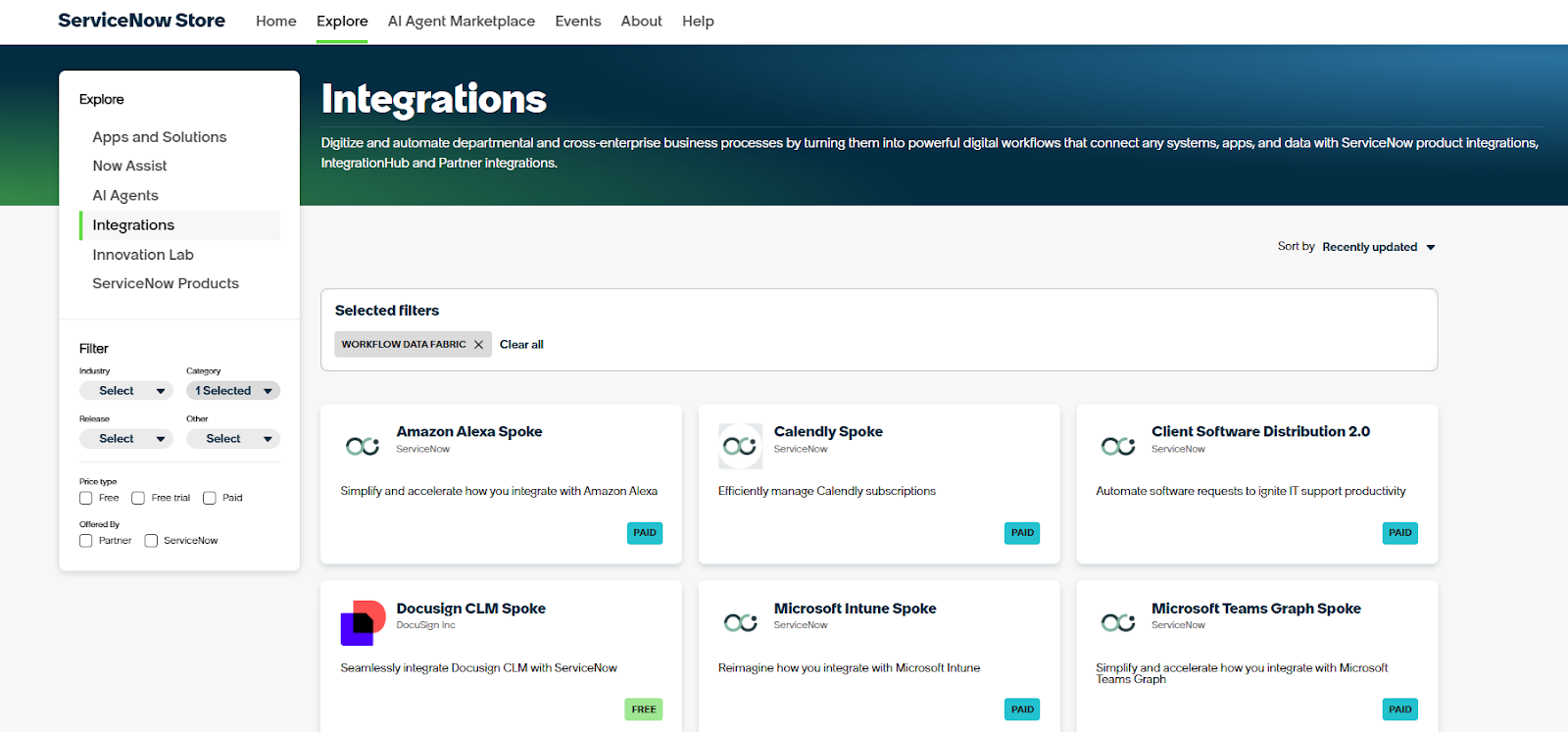
If a native connector doesn’t exist, organizations can build their own integrations using APIs or a GenAI-powered spoke generator, allowing workflows to extend across virtually any enterprise platform.
SmartSuite’s integrations
SmartSuite treats integrations as part of the workflow itself, focusing on connecting processes across systems rather than simply layering extra apps onto the platform.
Teams can integrate their existing tools through native connectors, automation platforms like Zapier or Make, as well as REST APIs and webhooks, allowing information and actions to flow naturally between SmartSuite and the rest of their tech stack.
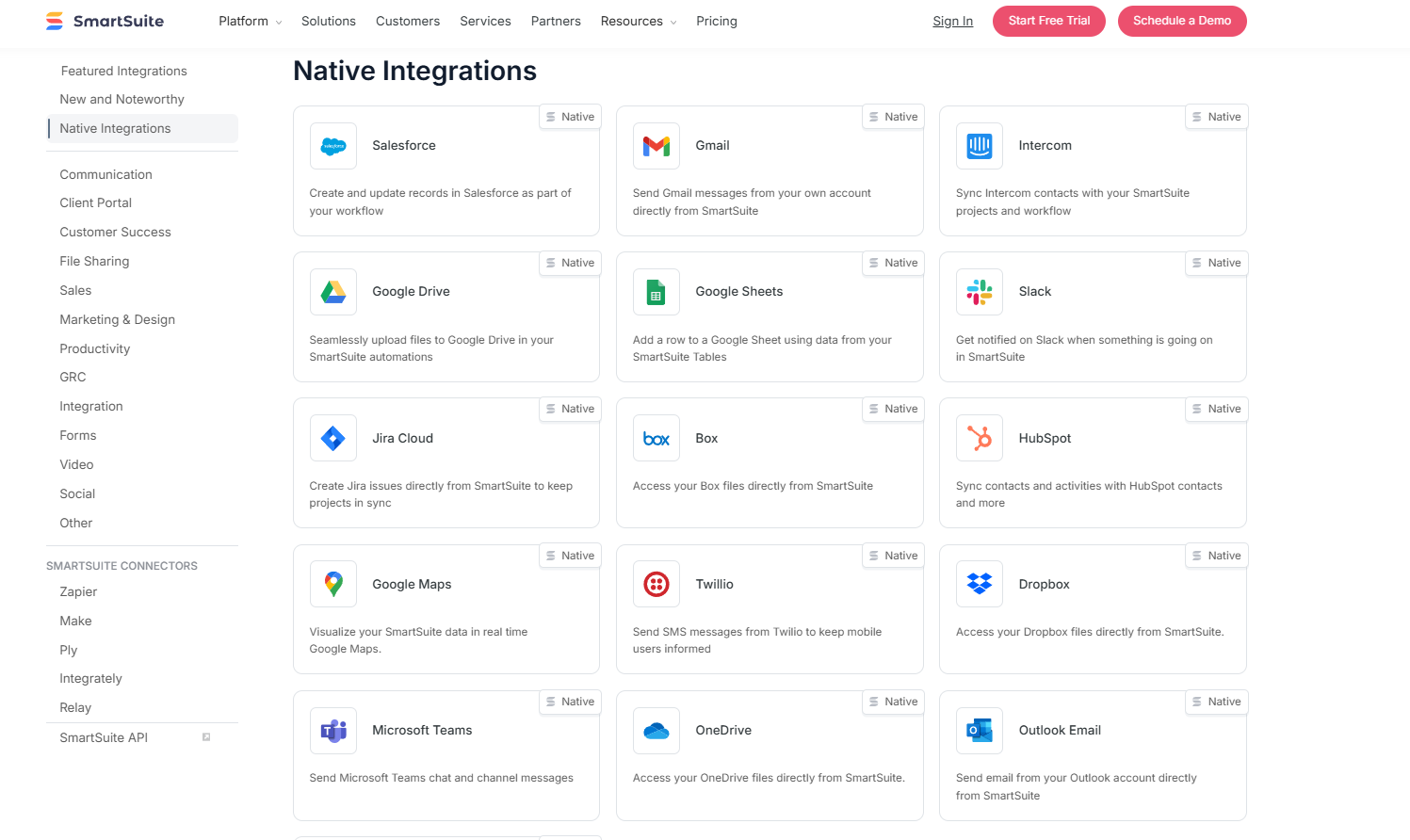
Out of the box, SmartSuite integrates with platforms like Slack, Microsoft Teams, Salesforce, Gmail, Google Drive, Jira, HubSpot, Outlook, and Google Calendar, helping keep communication, customer data, and scheduling aligned without complex setup.
And for more advanced use cases, organizations can extend integrations through APIs, automation services, or custom-built connections to support highly tailored workflows.
Winner: ServiceNow
When it comes to integrations, ServiceNow takes the lead thanks to the sheer scale of its enterprise ecosystem.
With Integration Hub and hundreds of prebuilt spokes available in its marketplace, it’s designed to connect deeply across complex business systems and large technology stacks.
Pricing: Smartsheet vs. ServiceNow vs. SmartSuite
Smartsheet pricing
Smartsheet offers several pricing tiers designed to scale from small teams to large enterprises:
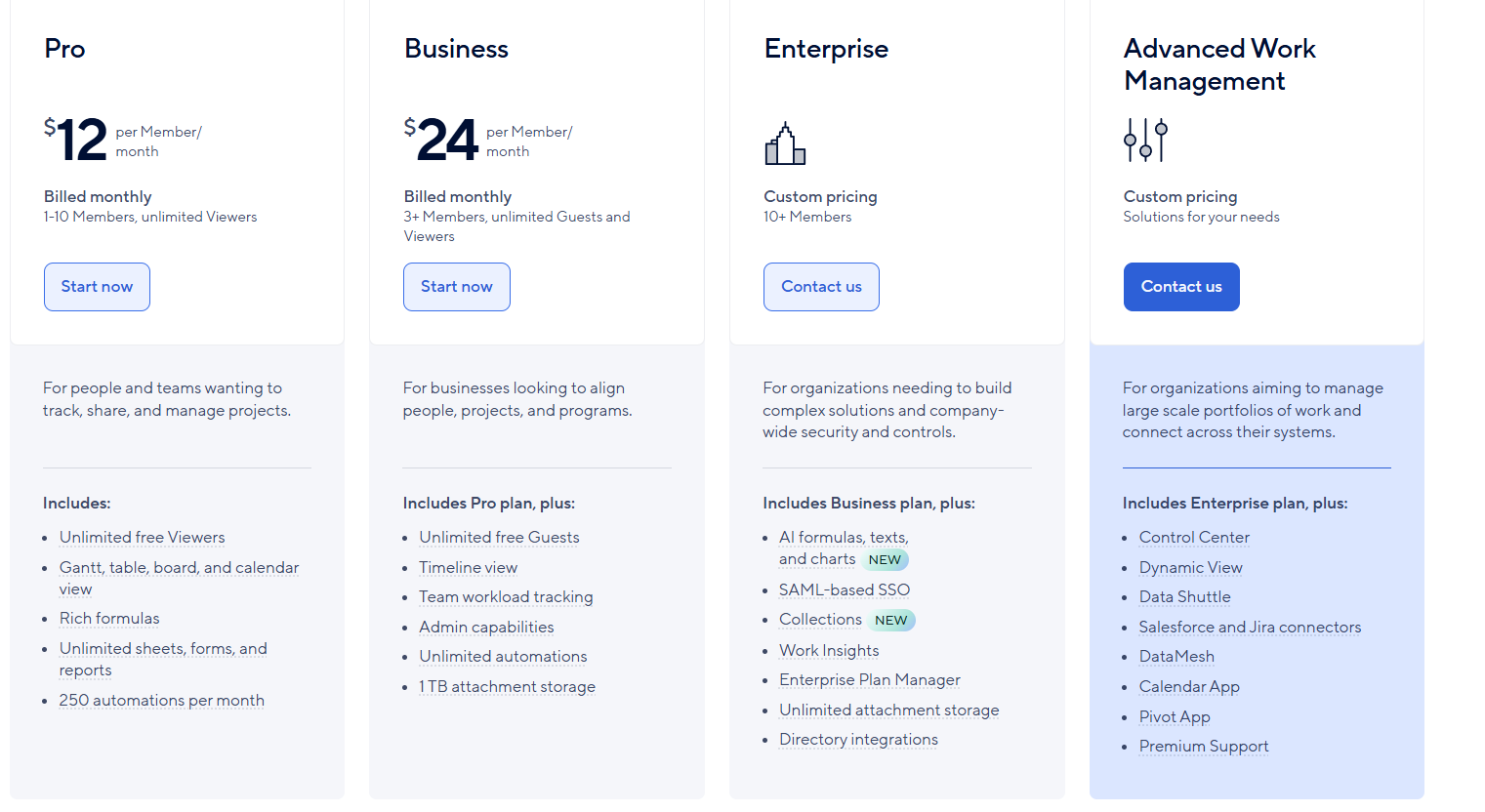
- Pro: $12 per user/month, for 1-10 users, includes Gantt, table, board, and calendar views, rich formulas, unlimited sheets, forms, and reports, plus 250 automations per month.
- Business: $24 per member/month, for minimum 3 members, includes everything in Pro, plus timeline view, team workload tracking, stronger admin controls, unlimited automations, and 1 TB of attachment storage.
- Enterprise: Custom pricing, for teams with more than 10 members that need advanced security and governance controls, includes everything in Business, plus AI-powered formulas, text, and charts, SAML-based SSO, directory integrations, unlimited storage, Work Insights, WorkApps, and enterprise-level management tools.
- Advanced Work Management: Custom pricing, designed for organizations managing large portfolios and complex, cross-system workflows. Includes everything in Enterprise, plus control center, dynamic view, data shuttle, DataMesh, calendar and pivot apps, Salesforce and Jira connectors, and premium support.
ServiceNow pricing
ServiceNow doesn’t publish prices for any of its many products.
You must contact its sales to get a custom quote based on the modules you’re interested in, industry, organization size, and more.
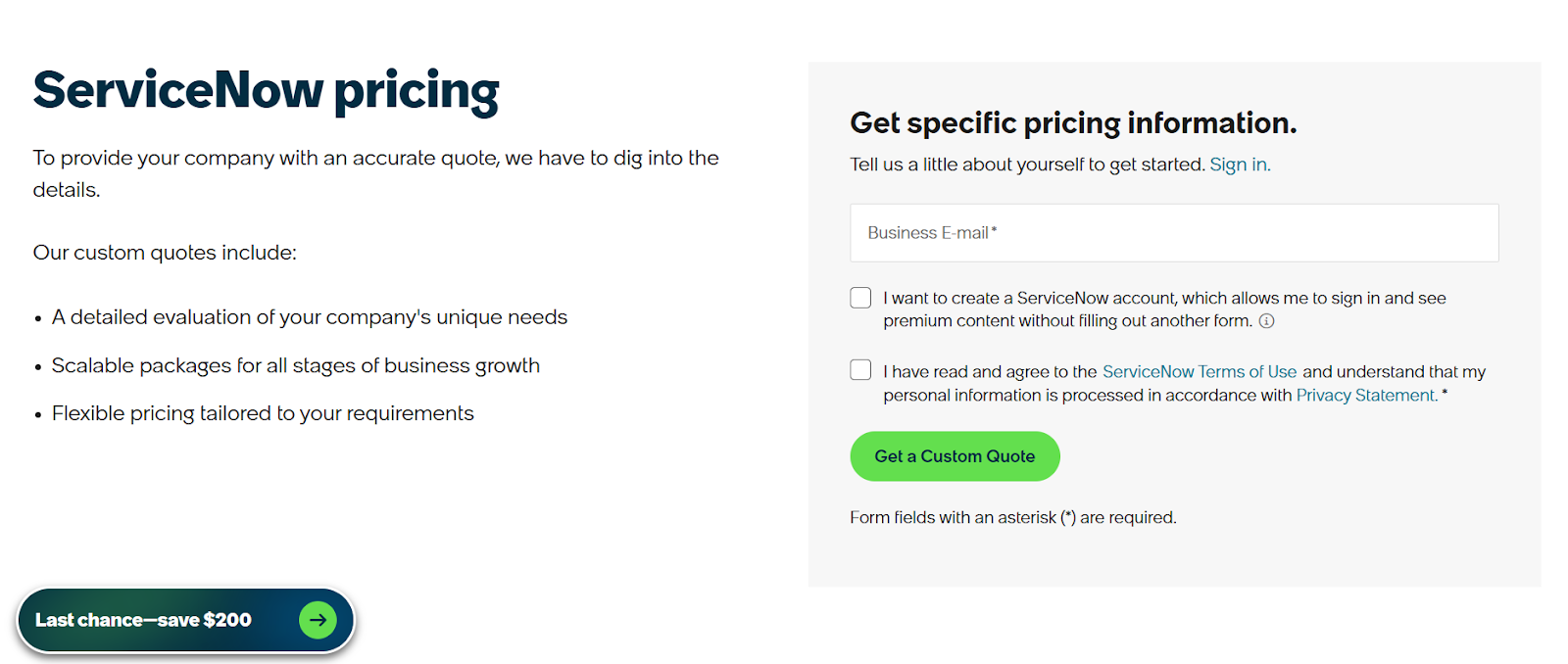
If you want a clearer idea of what those custom quotes actually look like in practice, check out our ServiceNow pricing guide where we break down real cost factors, common pricing structures, and what to expect before you speak to sales.
SmartSuite pricing
SmartSuite follows a transparent pricing model with plans that scale alongside your team’s needs.
You can try it free for 14 days - no credit card required - before choosing a tier.
Here’s a closer look at the available options:
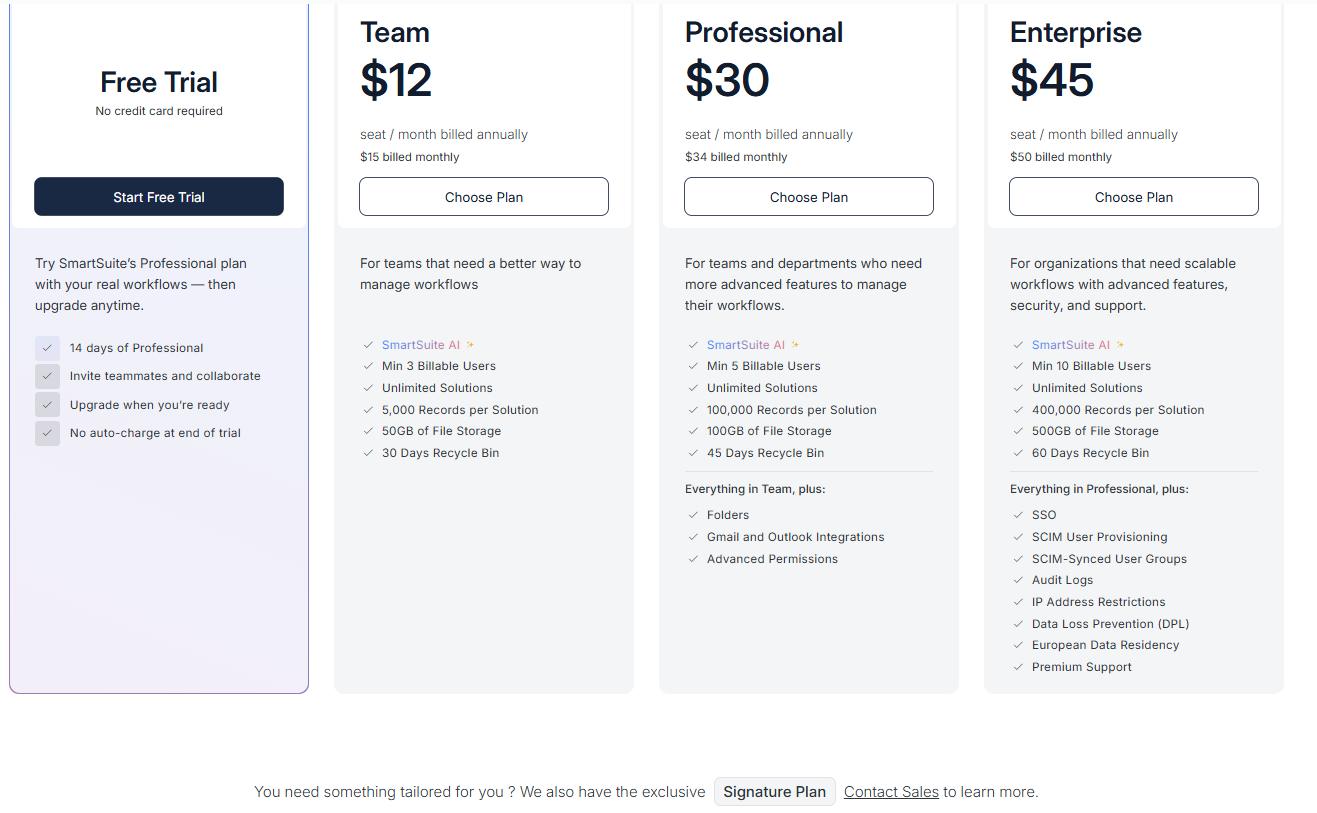
- Team: $12 per seat/month (billed annually), includes SmartSuite AI, unlimited solutions, up to 5,000 records per solution, 50 GB of file storage, a 30-day recycle bin, and core collaboration and automation features.
- Professional: $30 per seat/month, includes everything in Team, plus folders, Gmail and Outlook integrations, advanced permissions, higher record limits (100,000 per solution), 100 GB of storage, and a 45-day recycle bin.
- Enterprise: $45 per seat/month, includes everything in Professional, plus SSO, SCIM user provisioning, audit logs, IP restrictions, data loss prevention, European data residency, premium support, and higher limits (400,000 records per solution and 500 GB storage).
- Signature: Custom pricing. A tailored plan for organizations with specific requirements around scale, security, or data architecture.
Winner: SmartSuite
When comparing pricing, SmartSuite offers the strongest overall value thanks to its transparent tiers and the number of advanced capabilities included from the start, like AI, automation, and multiple solution areas without requiring enterprise-only upgrades.
Smartsheet remains competitively priced for teams focused on structured project execution, but many advanced capabilities move into higher-tier or add-on plans, while ServiceNow’s custom-quote model makes it harder to predict costs upfront.
What are the customers saying about Smartsheet, ServiceNow, and SmartSuite?
TL;DR
- Smartsheet (4.4★ on G2) earns praise for its familiar spreadsheet-style interface and strong collaboration, making it easy to organize timelines, build workflows, and customize projects — though larger sheets can slow down and advanced features take time to master.
- ServiceNow (4.4★ on G2) stands out for enterprise-grade automation and low-code app building, with everything connected across one ecosystem — but users often mention steep learning curves, complexity, and premium pricing as tradeoffs.
- SmartSuite (4.8★ on G2) is consistently described as easy to adopt yet powerful, blending relational workflows, customization, and visual configuration into one unified platform, with most feedback focused on small feature requests rather than core limitations.
Smartsheet reviews
G2 Rating: 4.4/5
What users love:
- Excel-like interface that’s easy to learn.
- Strong collaboration and sharing, allowing teams to edit sheets at the same time, track progress together, and keep everything centralized.
- Flexible customization that lets users easily build checklists, Gantt charts, custom workflows, and even lightweight CRM setups using automation and integrations.
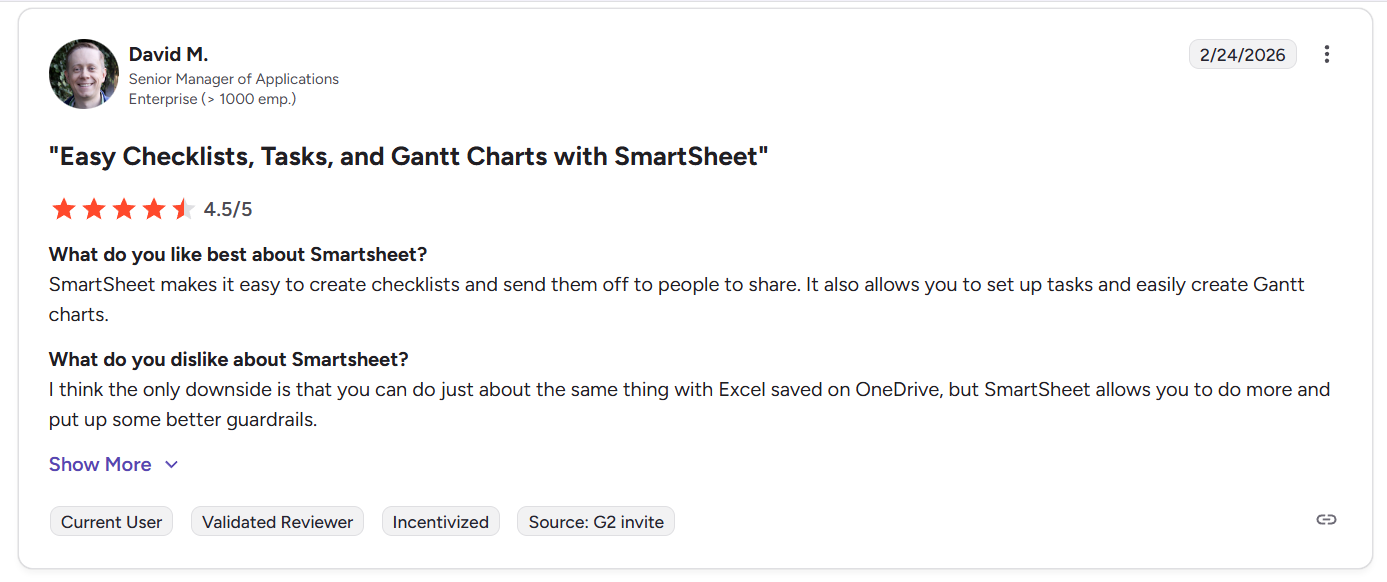
“SmartSheet makes it easy to create checklists and send them off to people to share. It also allows you to set up tasks and easily create Gantt charts.” - G2 Review
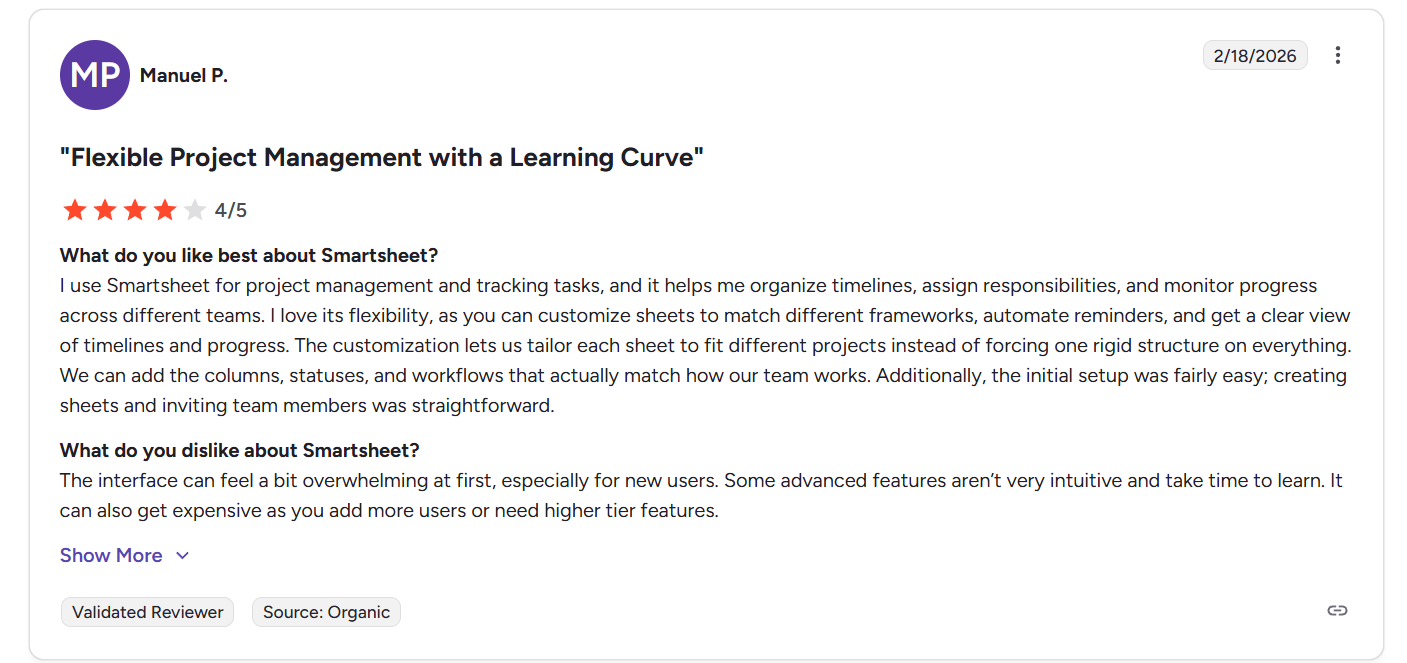
“I use Smartsheet for project management and tracking tasks, and it helps me organize timelines, assign responsibilities, and monitor progress across different teams. I love its flexibility, as you can customize sheets to match different frameworks, automate reminders, and get a clear view of timelines and progress. The customization lets us tailor each sheet to fit different projects instead of forcing one rigid structure on everything. We can add the columns, statuses, and workflows that actually match how our team works. Additionally, the initial setup was fairly easy; creating sheets and inviting team members was straightforward.” - G2 Review
Common complaints include:
- Large or heavily populated sheets may load slowly, especially for enterprise users managing complex datasets.
- Learning curve for advanced features
- Setup and maintenance effort, as some users note that building workflows from scratch or keeping data formatted correctly can take patience.
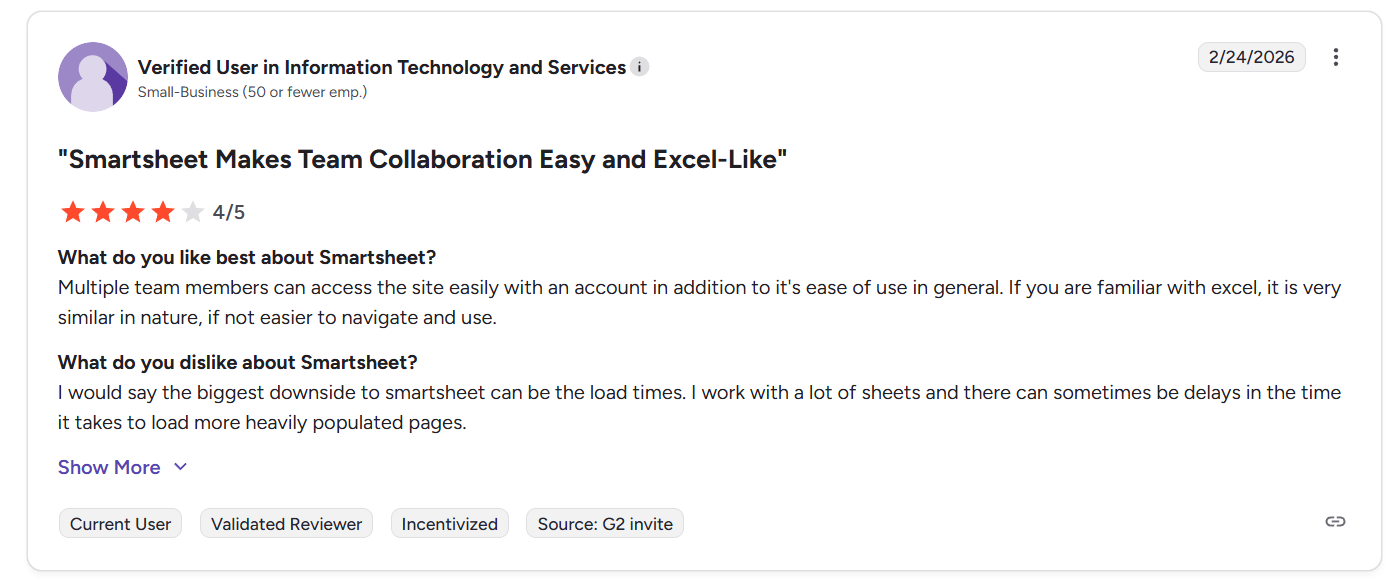
“I would say the biggest downside to smartsheet can be the load times. I work with a lot of sheets and there can sometimes be delays in the time it takes to load more heavily populated pages.” - G2 Review
“The interface can feel a bit overwhelming at first, especially for new users. Some advanced features aren’t very intuitive and take time to learn. It can also get expensive as you add more users or need higher tier features.” - G2 Review
ServiceNow reviews
G2 Rating: 4.4/5
What users love:
- Fast low-code app development, as users can build and modify apps, forms, approval flows, and internal tools quickly without starting from scratch.
- Everything connects inside the suite, including data, permissions, workflows, and modules, which reduces duplication and keeps automation consistent across teams.
- Strong enterprise workflow automation which reduces manual effort and increases productivity through structured workflows and orchestration.
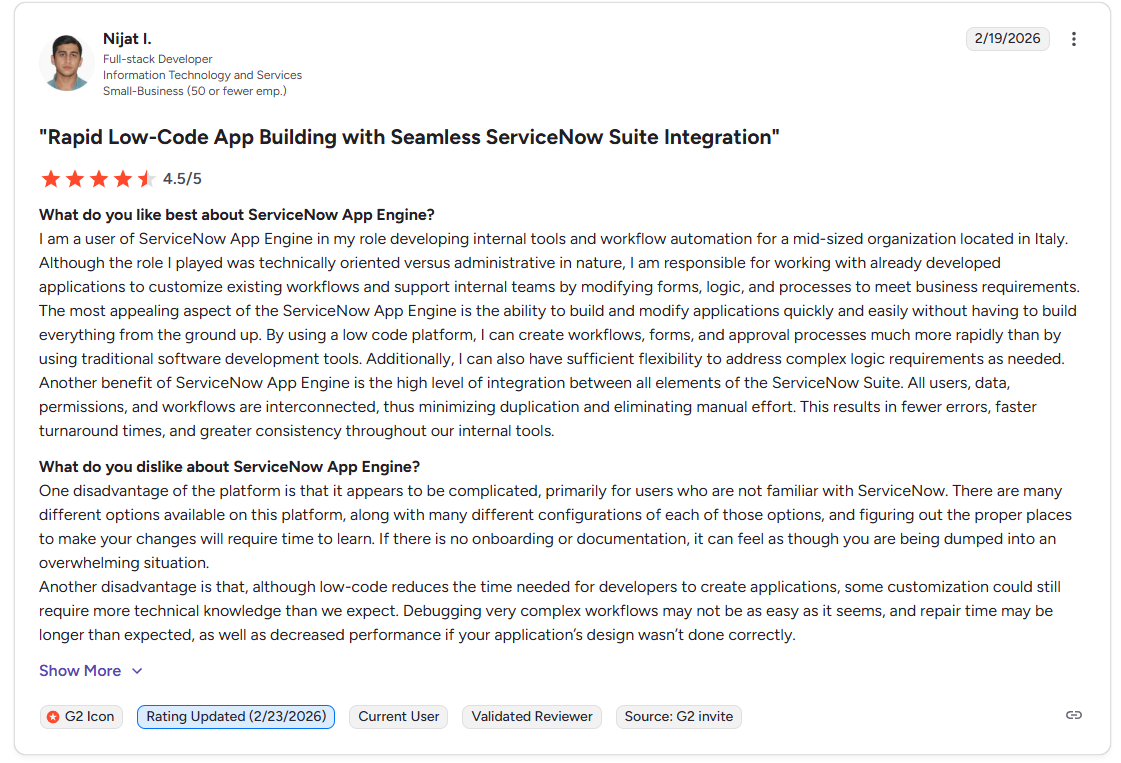
“The most appealing aspect of the ServiceNow App Engine is the ability to build and modify applications quickly and easily without having to build everything from the ground up. By using a low code platform, I can create workflows, forms, and approval processes much more rapidly than by using traditional software development tools. Additionally, I can also have sufficient flexibility to address complex logic requirements as needed.
Another benefit of ServiceNow App Engine is the high level of integration between all elements of the ServiceNow Suite. All users, data, permissions, and workflows are interconnected, thus minimizing duplication and eliminating manual effort. This results in fewer errors, faster turnaround times, and greater consistency throughout our internal tools.” - G2 Review
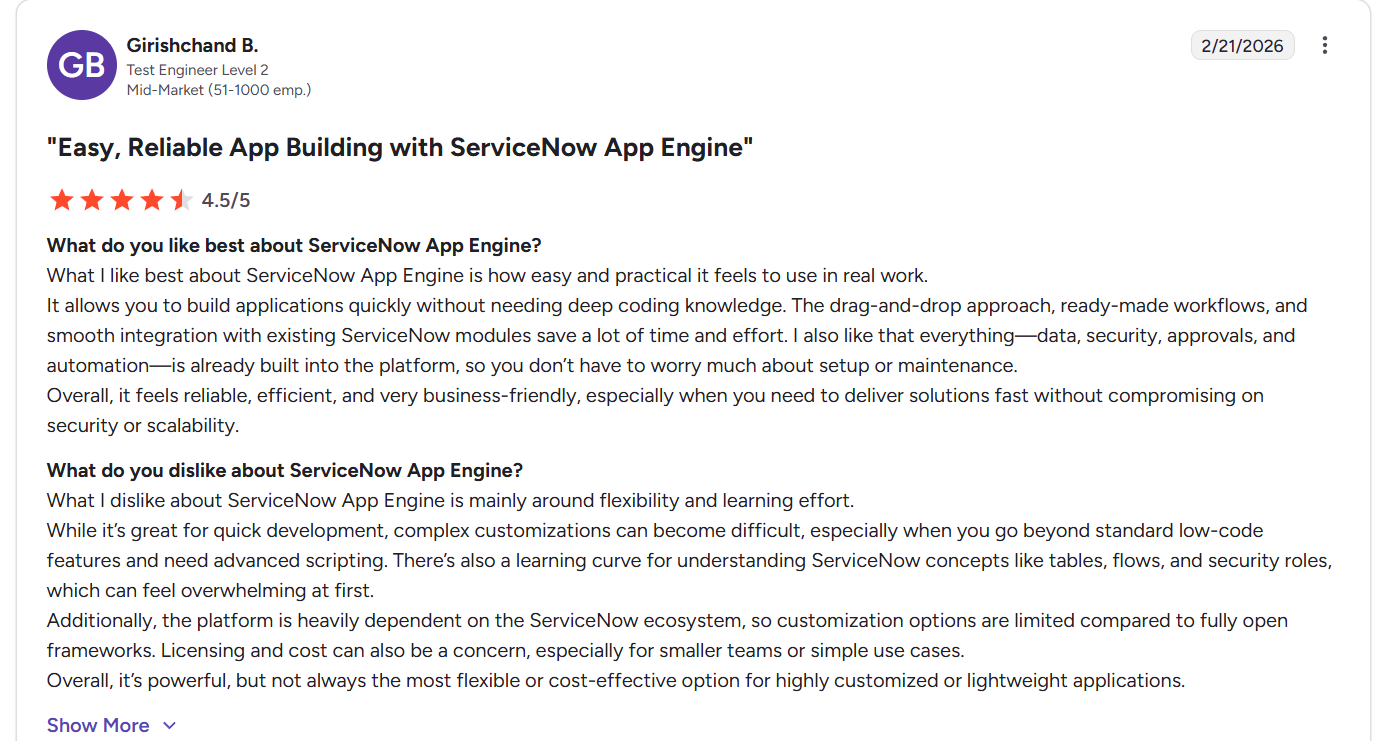
“What I like best about ServiceNow App Engine is how easy and practical it feels to use in real work.
It allows you to build applications quickly without needing deep coding knowledge. The drag-and-drop approach, ready-made workflows, and smooth integration with existing ServiceNow modules save a lot of time and effort. I also like that everything—data, security, approvals, and automation—is already built into the platform, so you don’t have to worry much about setup or maintenance.
Overall, it feels reliable, efficient, and very business-friendly, especially when you need to deliver solutions fast without compromising on security or scalability.” - G2 Review
Common complaints include:
- Steep learning curve and complexity.
- Pricing frequently comes up as a major drawback, particularly for smaller teams or use cases that don’t require full enterprise depth.
- Advanced customization still needs technical skill, as complex workflows often require scripting.
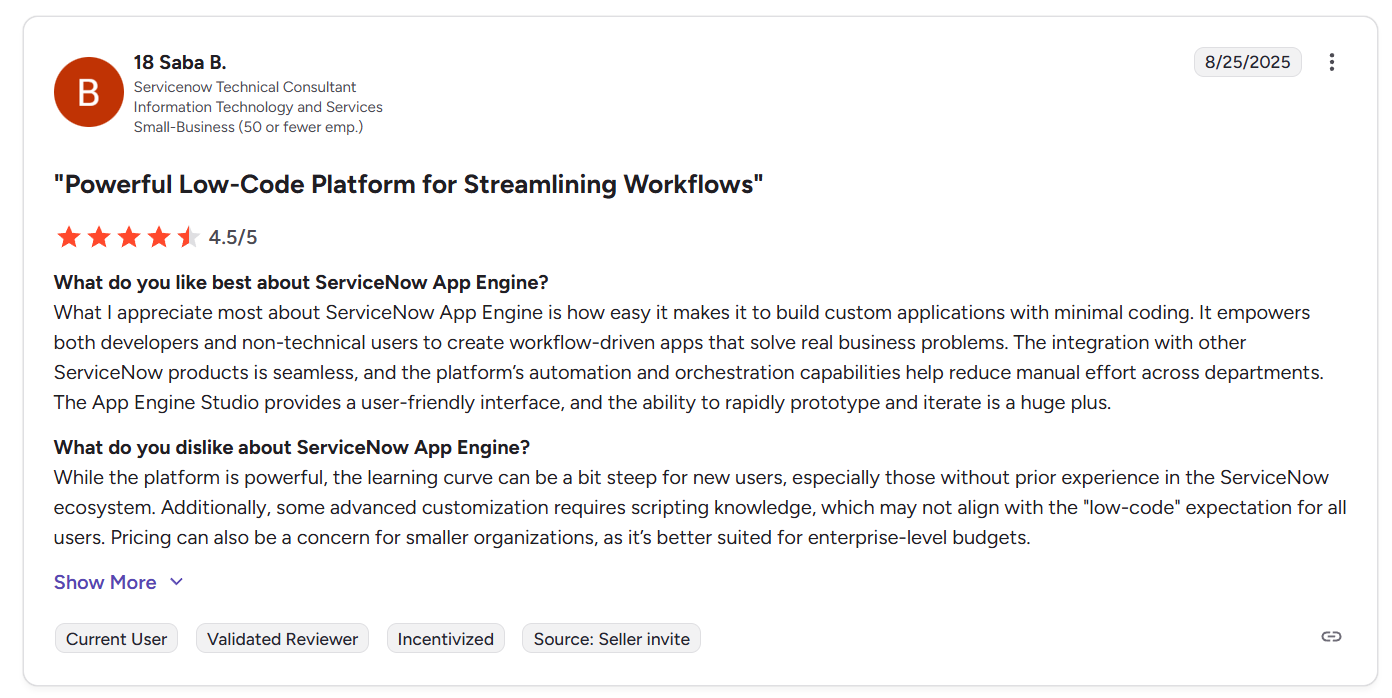
“While the platform is powerful, the learning curve can be a bit steep for new users, especially those without prior experience in the ServiceNow ecosystem. Additionally, some advanced customization requires scripting knowledge, which may not align with the "low-code" expectation for all users. Pricing can also be a concern for smaller organizations, as it’s better suited for enterprise-level budgets.” - G2 Review
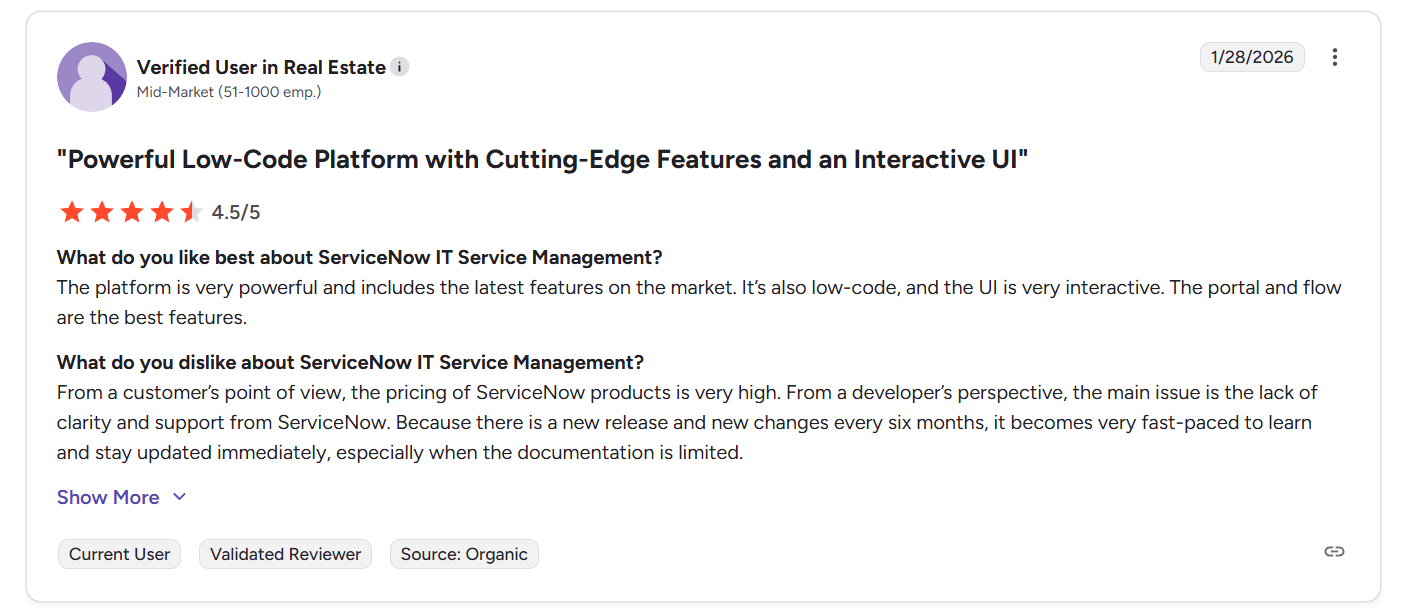
“From a customer’s point of view, the pricing of ServiceNow products is very high. From a developer’s perspective, the main issue is the lack of clarity and support from ServiceNow. Because there is a new release and new changes every six months, it becomes very fast-paced to learn and stay updated immediately, especially when the documentation is limited.” - G2 Review
SmartSuite reviews
G2 Rating: 4.8/5
What users love:
- Easy to adopt, even for non-technical teams, thanks to its intuitive interface and visual configuration options.
- Flexible enough to build real internal tools, with many users highlighting how easy it is to create custom solutions, workflows, and internal systems without needing heavy development work.
- SmartSuite lets you link data across tables and solutions while controlling access through detailed permissions, making structured workflows easy to manage.
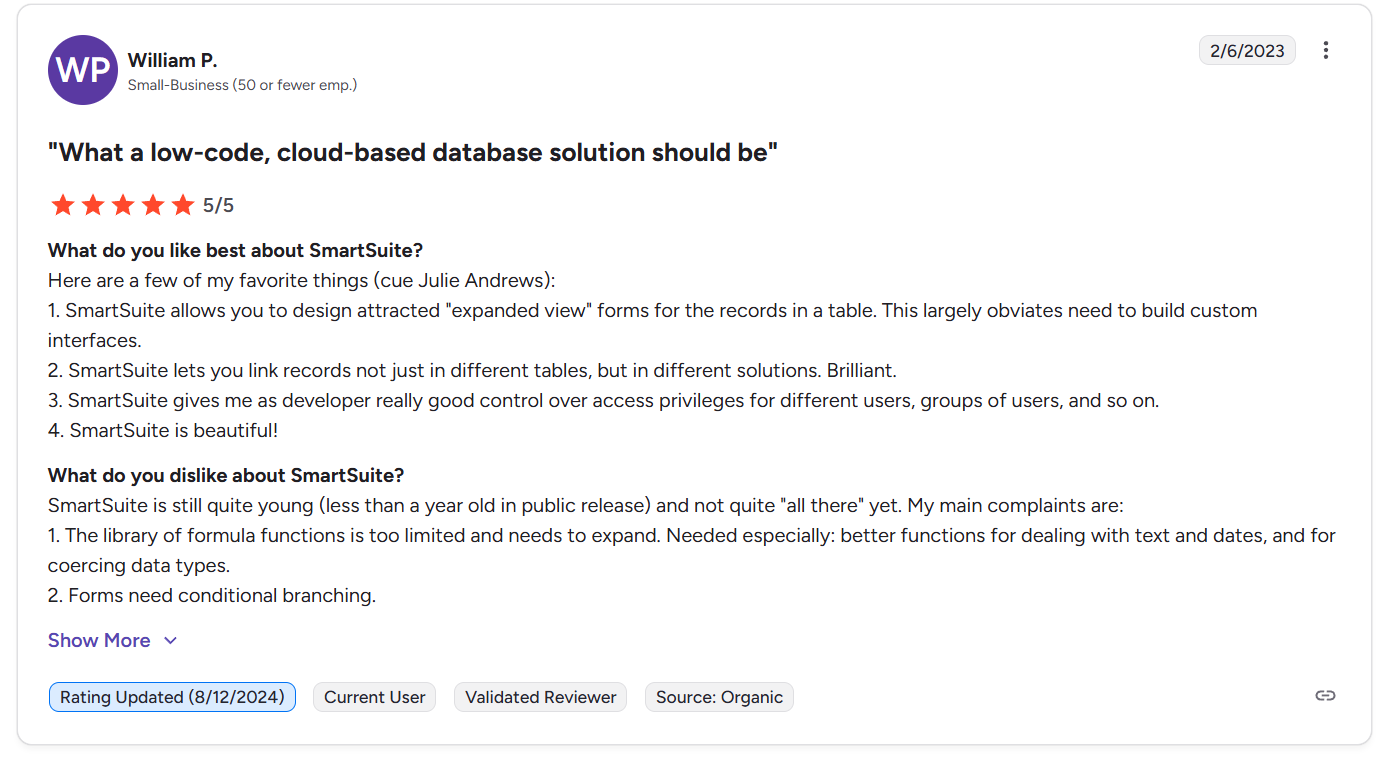
“Here are a few of my favorite things (cue Julie Andrews):
1. SmartSuite allows you to design attracted "expanded view" forms for the records in a table. This largely obviates need to build custom interfaces.
2. SmartSuite lets you link records not just in different tables, but in different solutions. Brilliant.
3. SmartSuite gives me as developer really good control over access privileges for different users, groups of users, and so on.
4. SmartSuite is beautiful!” - G2 Review
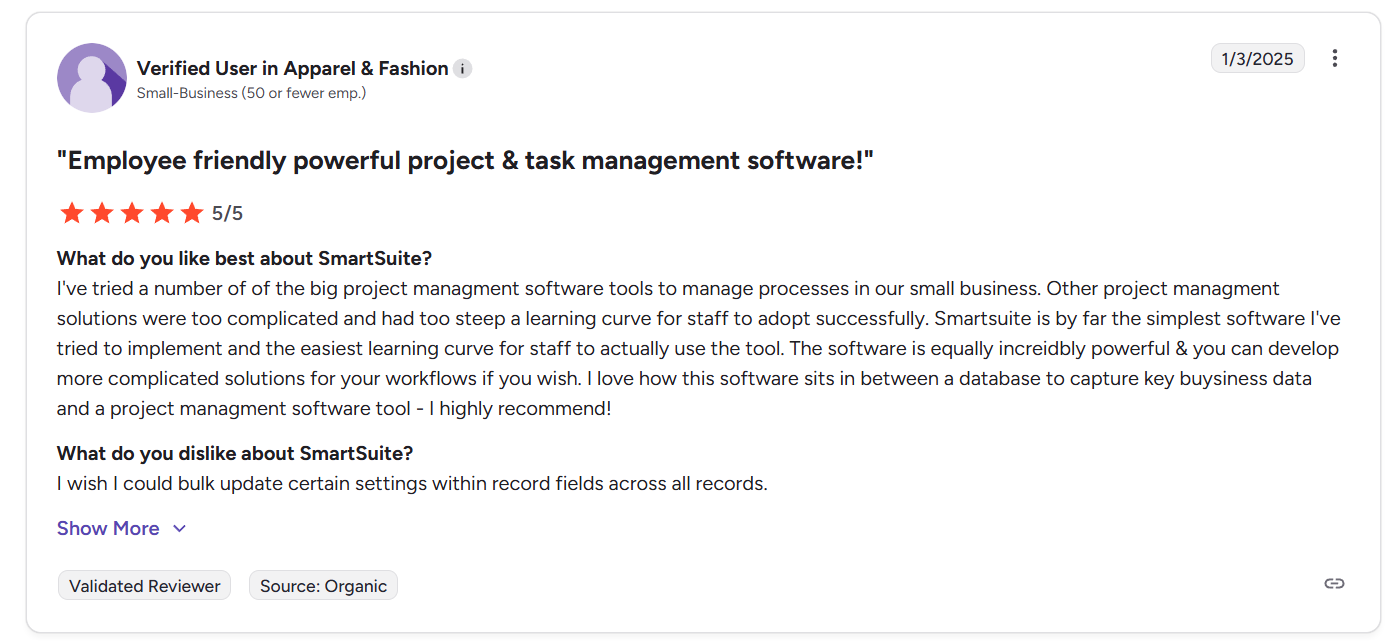
“I've tried a number of the big project management software tools to manage processes in our small business. Other project management solutions were too complicated and had too steep a learning curve for staff to adopt successfully. Smartsuite is by far the simplest software I've tried to implement and the easiest learning curve for staff to actually use the tool. The software is equally incredibly powerful & you can develop more complicated solutions for your workflows if you wish. I love how this software sits in between a database to capture key business data and a project management software tool - I highly recommend!” - G2 Review
Common complaints include:
- A few users wish there were more “in-between” plan options.
- Requests for minor feature polishes, such as bulk updating settings across records, more compact grid rows, or small mobile improvements.
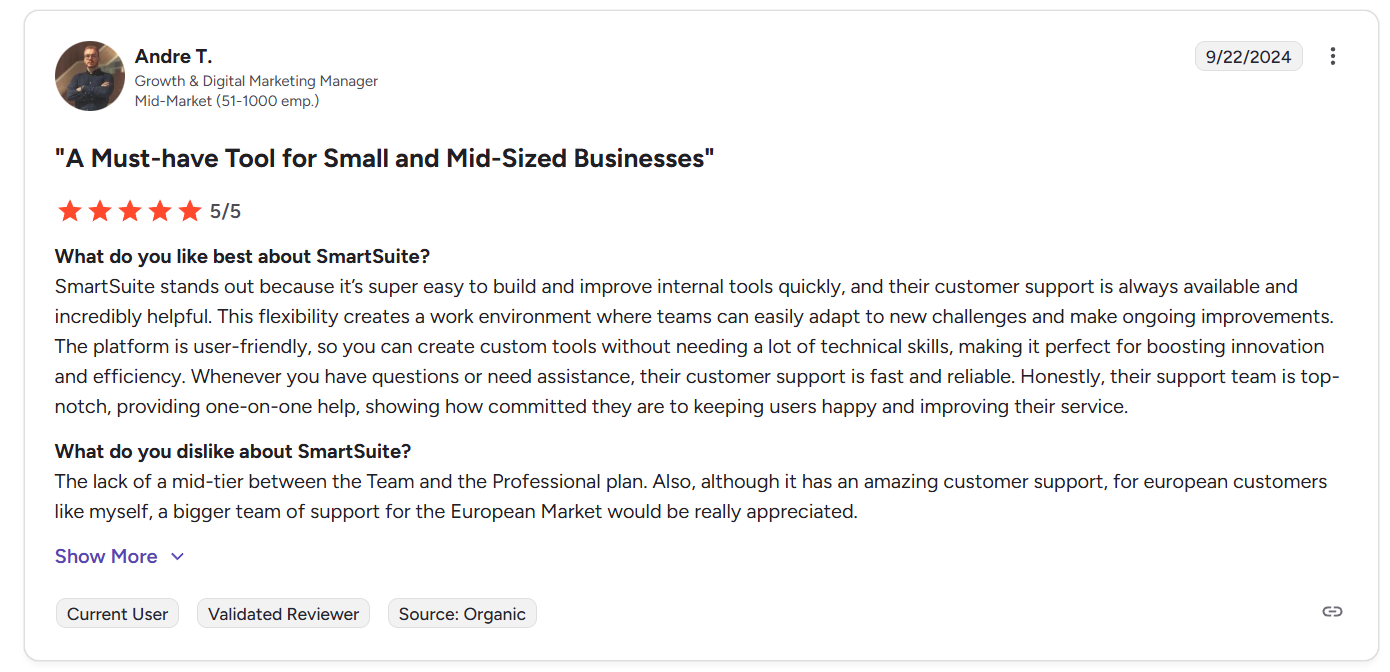
“The lack of a mid-tier between the Team and the Professional plan. Also, although it has amazing customer support, for European customers like myself, a bigger team of support for the European Market would be really appreciated.” - G2 Review
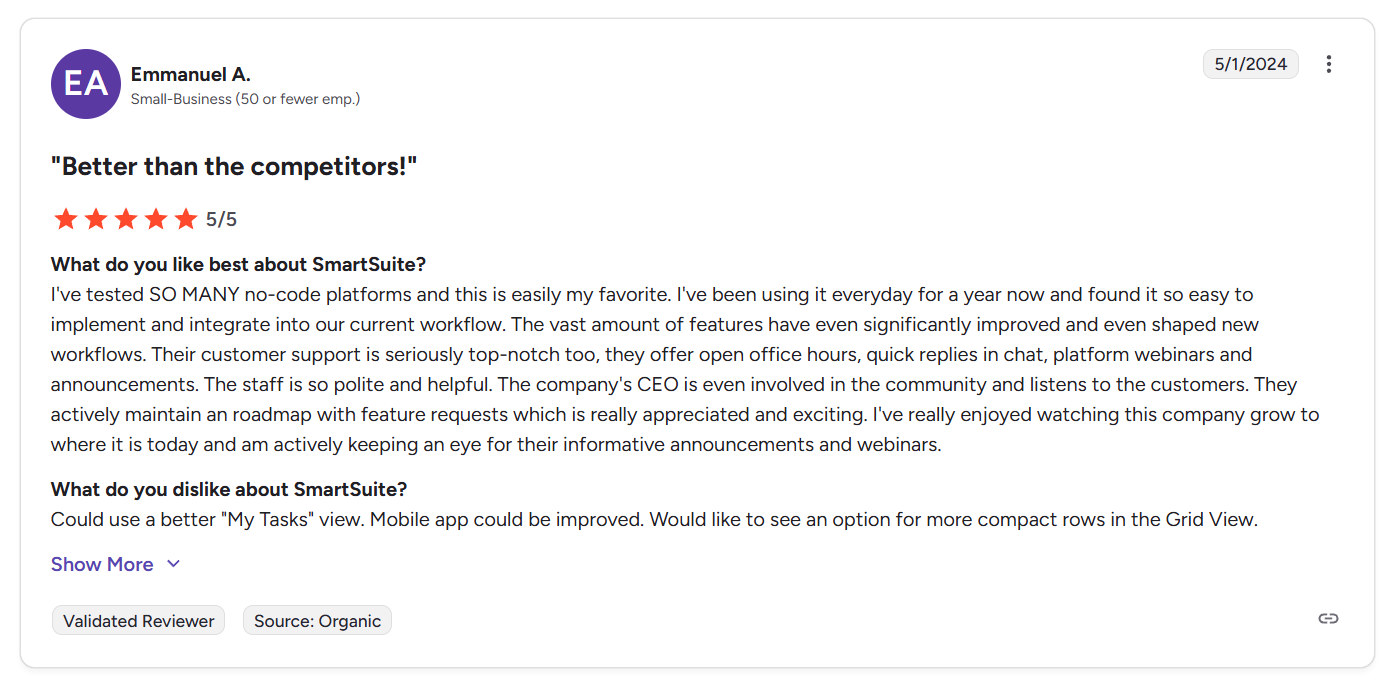
“Could use a better "My Tasks" view. Mobile app could be improved. Would like to see an option for more compact rows in the Grid View.” - G2 Review
Smartsheet vs. ServiceNow vs. SmartSuite: Summary
Get started with SmartSuite for free today
Smartsheet, ServiceNow, and SmartSuite each shine in different areas:
- Smartsheet for structured spreadsheet-style execution.
- ServiceNow for enterprise service orchestration.
- SmartSuite for unified, AI-powered workflows that connect projects, operations, and governance in one place.
So, which one is right for you?
If you need flexibility without sacrificing structure or visibility, the choice is clear - SmartSuite offers the most balanced approach across modern business needs.
See it in action today - start a free SmartSuite trial or book a demo and find out how a connected work platform can replace fragmented tools and streamline your workflows.
Read more
- Smartsheet vs. Notion vs. SmartSuite: Which Tool to Pick? [2026] - Compare three very different ways to manage work - structured spreadsheets, flexible docs, and unified workflows - to see which platform actually fits how your team operates.
- 10 Best Corporater Alternatives & Competitors In 2026 - Explore the top Corporater alternatives for modern GRC teams that want stronger automation, clearer visibility, and more flexible governance workflows.
- SysAid Pricing: Is It Worth It In 2026? - A practical breakdown of SysAid’s pricing structure, hidden costs, and real value so you know exactly what to expect before committing.
- ServiceNow vs. Zendesk vs. SmartSuite: Which One Is Better? (2026) - See how enterprise service management, customer support platforms, and unified work systems compare when it comes to automation, scalability, and long-term flexibility.
- 10 Best IT Project Management Software [2026] - Discover the top IT project management tools that help teams plan, automate, and deliver complex initiatives without losing visibility or control.
- ZenGRC Pricing: Is It Worth It In 2026? [Reviewed] - We break down ZenGRC’s pricing tiers, real-world costs, and feature value to help you decide if it’s the right fit for your compliance strategy.

SmartSuite provides work platform for standardizing workflows in the following areas:
- Governance, Risk & Compliance
- IT & Service Ops
- Project / Portfolio Management
- Business Operations







