


In this guide, I'll break down the 10 best Scrut Automation alternatives in 2026, covering what each one does well, where it falls short, and which tool makes the most sense depending on how your company runs compliance and risk.
TL;DR
- SmartSuite is the best Scrut Automation alternative in 2026 for teams that want governance, risk, compliance, and audit workflows connected to real business operations in one no-code platform, instead of working inside a certification-only tool.
- Vanta and Drata are the closest Scrut-style options, best for fast-growing SaaS teams that mainly need continuous monitoring and automated certification workflows.
- Hyperproof and Optro are better fits for mid-to-large organizations that want a deeper, more operational GRC system for managing multiple frameworks, risks, audits, and controls at enterprise scale.
Why look for Scrut Automation alternatives?
The goal of this article isn't to tell you that Scrut is a bad tool.
In fact, Scrut earns strong marks for its clean dashboard, responsive customer success team, and the way it centralizes compliance tasks for frameworks like SOC 2, ISO 27001, and HIPAA into one workspace.
That said, users of the platform mention a few things that can make a prospect think twice before proceeding with them:
#1: The Scrut Agent has persistent sync and reporting delays
When device configurations change or cloud integrations update, the Scrut Agent doesn't always reflect those changes in the compliance dashboard right away.
For teams that rely on real-time visibility into their posture, this lag can create confusion, especially when preparing for audits or trying to validate that a remediation action actually went through.
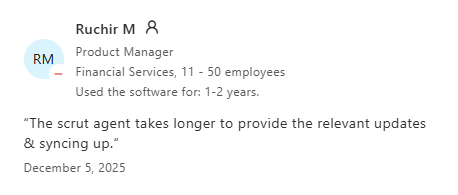
"The scrut agent takes longer to provide the relevant updates & syncing up." - Capterra Review
#2: Initial setup and configuration can be time-consuming
Scrut's feature set is broad, which is a strength once you're up and running.
But the onboarding phase, especially when mapping controls and integrations for the first time, can feel heavy.
Several users report needing weeks to fully understand how different sections of the platform connect, particularly for teams that don't have a dedicated compliance engineer leading the setup.
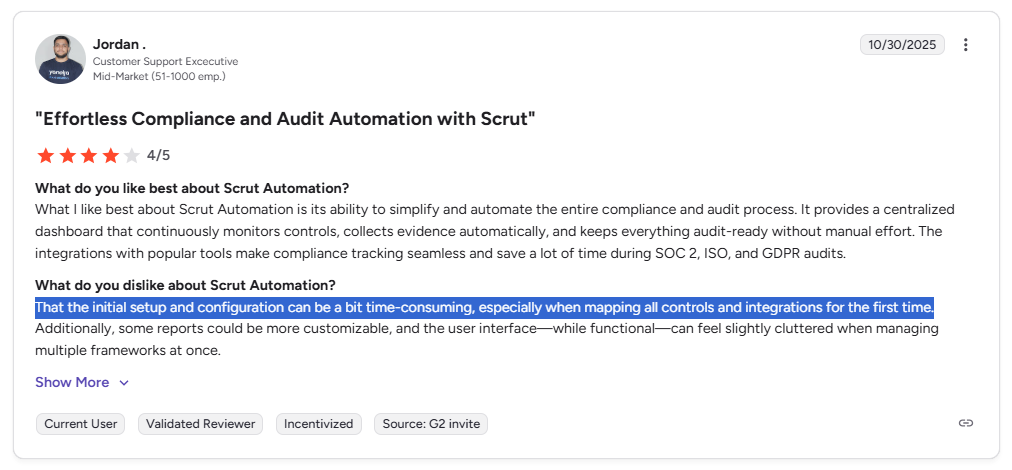
"The initial setup and configuration can be a bit time-consuming, especially when mapping all controls and integrations for the first time." - G2 Review
For teams that need to move fast, this ramp-up period can slow down the very certification timelines Scrut is supposed to accelerate.
#3: Limited customization beyond pre-built templates
Scrut ships with pre-built frameworks and templates that cover common standards well. But organizations with more complex or non-standard requirements often hit a ceiling.
Customization beyond a certain point requires manual workarounds, and reporting and dashboards don't always give teams the flexibility to tailor views to their specific risk posture.
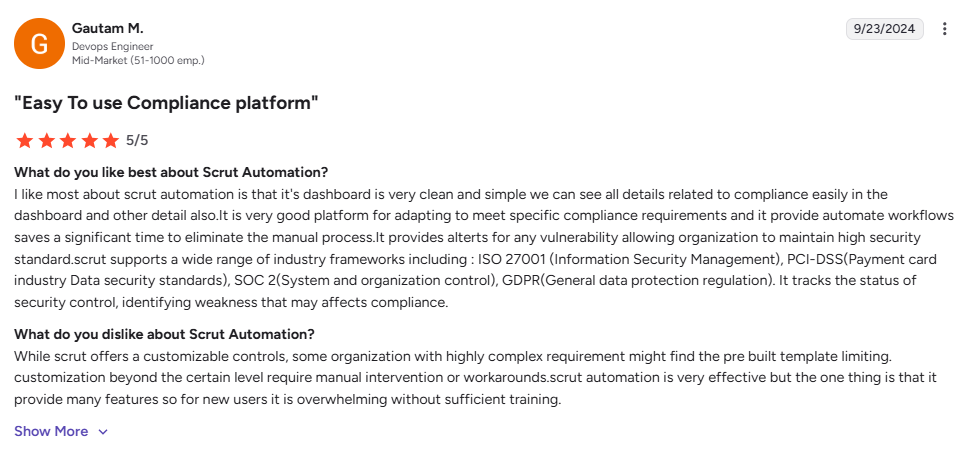
"While Scrut offers customizable controls, some organizations with highly complex requirements might find the pre-built templates limiting. Customization beyond a certain level requires manual intervention or workarounds." - G2 Review
If your compliance program has grown past a single framework or two, and you need deeper reporting, flexible data models, or cross-team workflows, this can become a real bottleneck.
What are the 10 best Scrut Automation alternatives in 2026?
The best alternatives to Scrut Automation in 2026 are SmartSuite, Vanta, and Drata.
Here's my full shortlist of the 10 best Scrut Automation alternatives on the market:
1. SmartSuite
Best for: Organizations that want to manage all GRC workflows in one connected platform with real-time risk visibility and full traceability, instead of relying on standalone compliance automation software.
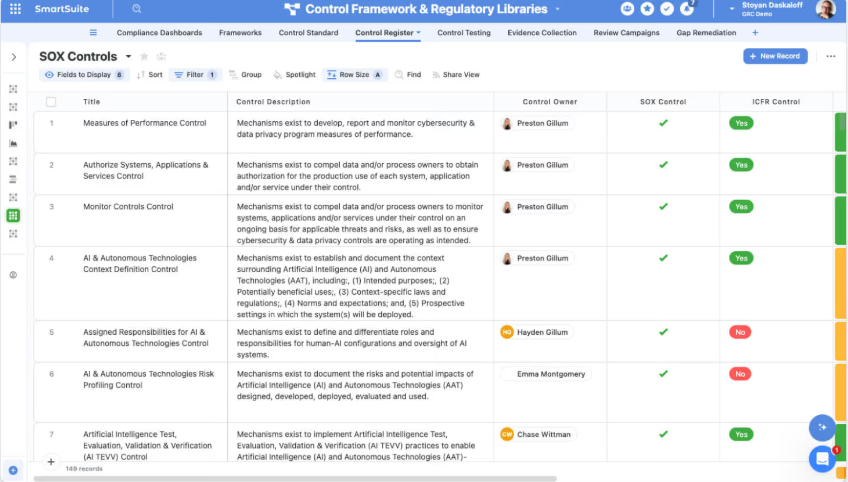
SmartSuite is an AI-native work management platform that helps teams run governance, risk, and compliance alongside the rest of the business.
Instead of keeping compliance locked inside a separate certification tool, it ties risks, controls, audits, incidents, and remediation tasks to everyday operational workflows.
The result is one system where compliance stays connected to real work across teams, not isolated in its own silo.
Let's go over the capabilities that make SmartSuite the strongest option for teams looking to move beyond Scrut Automation. 👇
1. All-in-one GRC and resilience workspace
Most compliance tools treat governance, risk, and compliance as separate functions.
SmartSuite connects them all in one workspace.
Risks, controls, audits, policies, incidents, and remediation workflows are linked together so teams can manage compliance without losing sight of what's happening across the rest of the organization.
Here are some of the core GRC capabilities you'll get:
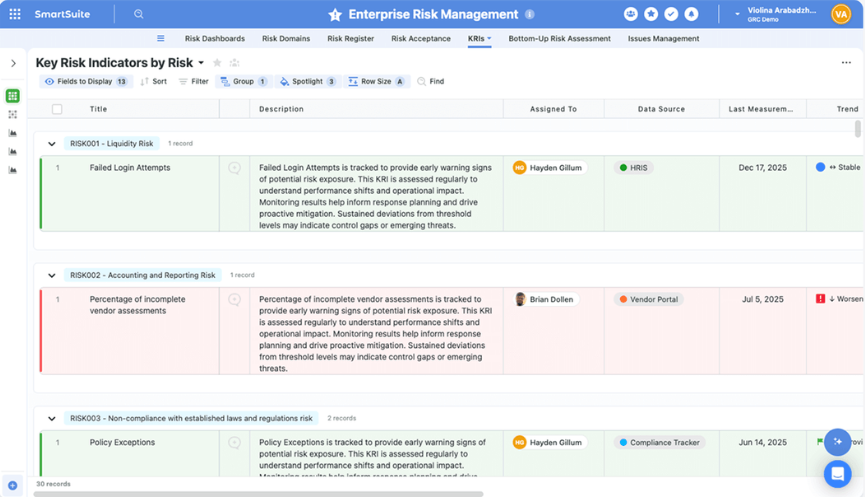
- Enterprise risk lifecycle management: Keep centralized risk registers, run structured assessments, track key risk indicators, and automate mitigation workflows from one place.
- Cyber and IT risk management: Bring together cyber risks, vulnerabilities, incidents, and controls with real-time visibility into threat posture and remediation progress.
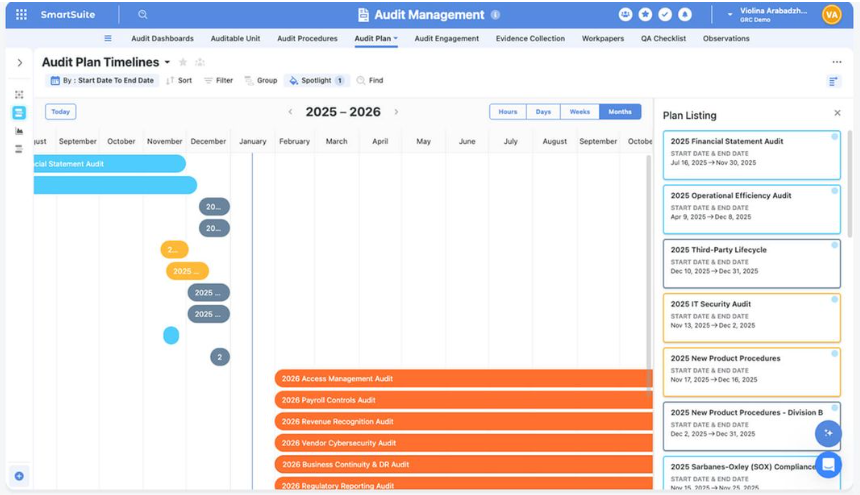
- Internal audit management: Plan audits, manage fieldwork, track findings, and follow up on remediation using real-time dashboards and connected workpapers.
- Compliance and control oversight: Your team can map controls to frameworks, processes, and risks while keeping evidence collection and testing consistent.
- Third-party risk management: Handle vendor onboarding, due diligence, ongoing monitoring, and remediation in one connected workflow.
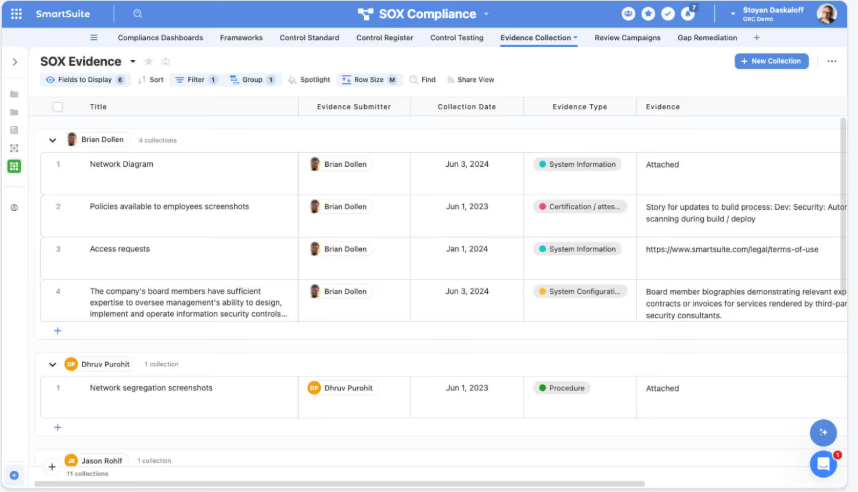
- SOX and regulatory support: You’ll be able to track scoping, control testing, deficiency management, and certifications with documentation that's always audit-ready.
- AI governance capabilities: Maintain AI model inventories, risk assessments, lifecycle tracking, and governance reporting in a centralized workspace.
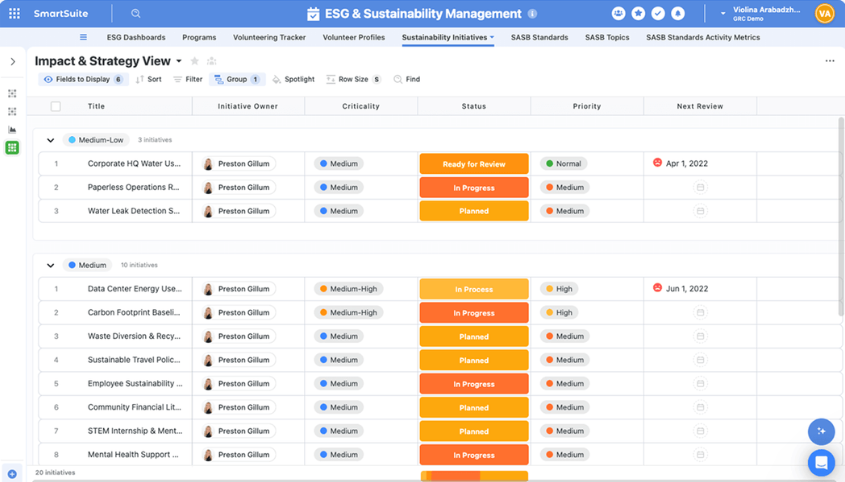
- ESG tracking: Manage ESG initiatives, disclosures, KPIs, and reporting alongside broader risk and compliance programs.
- Operational resilience: You’ll be able to coordinate incident response, business continuity planning, and risk response activities across teams without switching tools.
2. No-code customization and workflow orchestration
Using SmartSuite Studio, teams can visually design data models, define workflow logic, and build role-specific interfaces without writing a single line of code.
Key customization capabilities include:
- Visual builder: Create tables, fields, linked records, layouts, and conditional logic with a drag-and-drop interface.

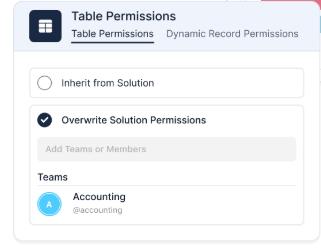
- Role-specific interfaces: Build tailored dashboards, pages, and record layouts so each team member sees only what they need to act on.
- Multiple work views: Switch between Grid, Kanban, Calendar, Timeline, Chart, or Map views to visualize workflows in whatever way fits the task.
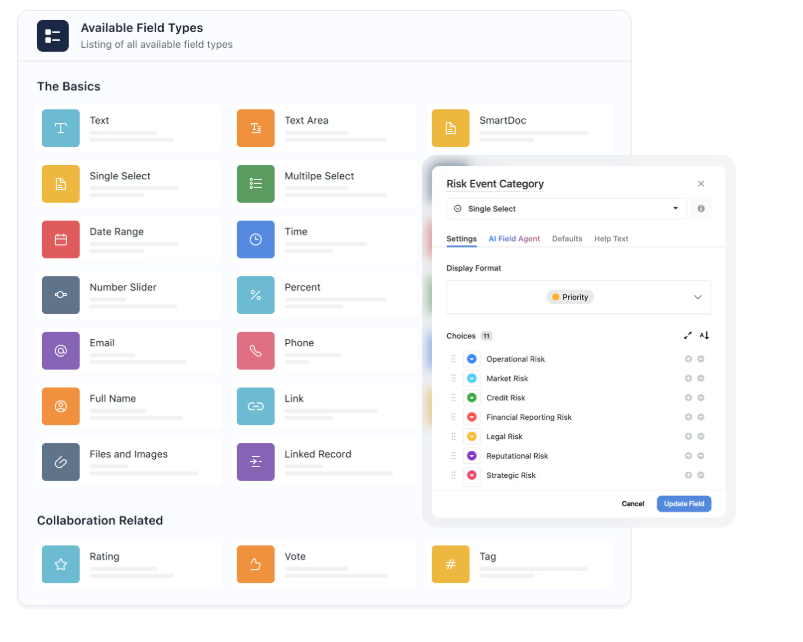
- Flexible data architecture: Model workflows with relational tables, linked records, and over 40 field types to support complex risk, audit, or compliance programs.
- Connected workflows across teams: You’ll be able to link multiple processes and solutions together while keeping permissions and structure intact.
3. AI embedded directly inside your workflows
SmartSuite doesn't bolt AI onto the side of your compliance workflows.
It builds it directly into records, automations, and reporting, so teams move faster without losing governance or control.
Here's what SmartSuite AI helps you handle:
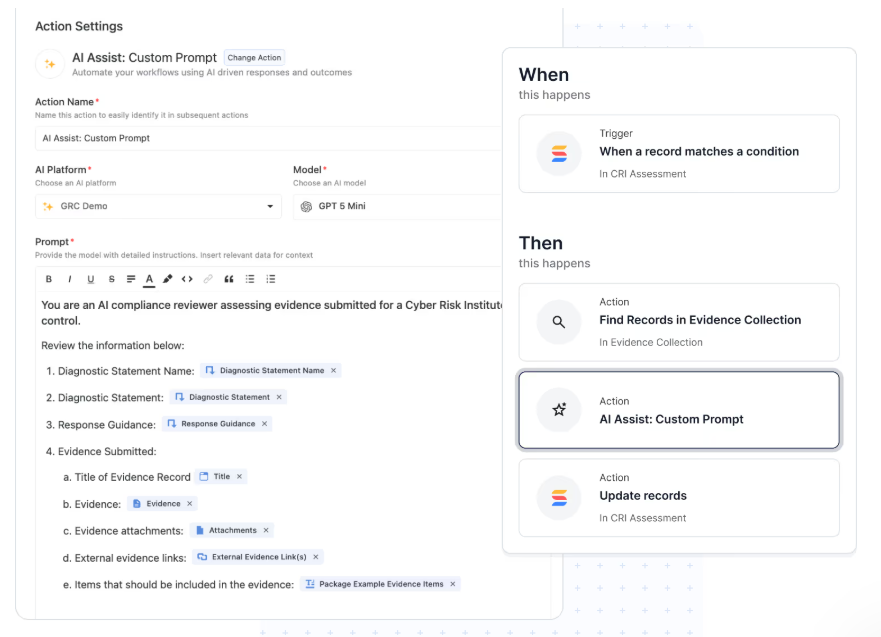
- AI Assist inside automations: Add AI-powered steps that enrich data, generate summaries, or structure incoming information as records move through workflows.
- SmartDoc AI content generation: Create, rewrite, translate, or summarize policies, audit notes, vendor assessments, and incident reports directly inside records.
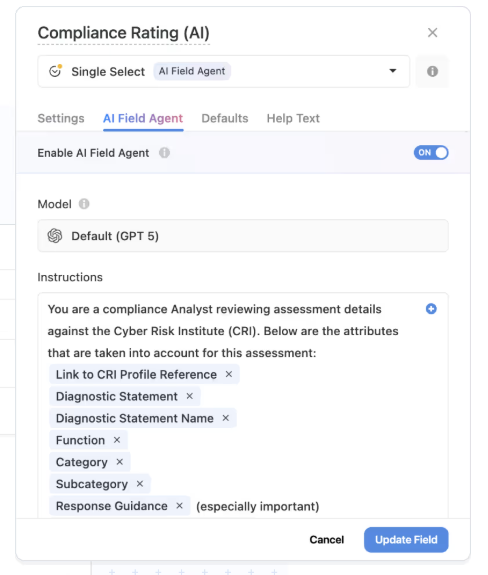
- AI Field Agent for data intelligence: Monitor records for patterns, missing context, or anomalies and recommend updates like risk scores, priorities, or classifications.
- Third-party risk intelligence: Summarize vendor questionnaires, highlight potential risks in responses, and map findings to required controls and frameworks.
- Human-in-the-loop governance: AI prepares suggestions, but your team reviews and approves every decision, keeping accountability and auditability intact.
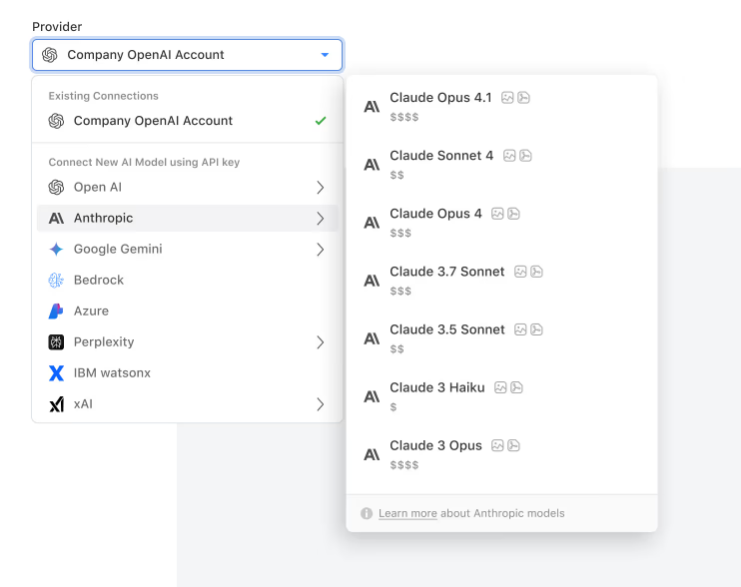
- Bring-your-own-LLM flexibility: Connect models like OpenAI, Anthropic, Gemini, Bedrock, Azure, Perplexity, or IBM WatsonX while maintaining enterprise-level governance.
- Permission-aware AI actions: Every AI-generated change respects role-based permissions and gets logged for full transparency.
4. Connected reporting and real-time GRC visibility
SmartSuite puts dashboards and reporting directly into risk, audit, and compliance workflows.
Your team doesn't need separate BI tools or manual exports to understand where things stand.
Because reporting is permission-aware and built on live data, leaders and teams always see the latest risk status, control performance, and remediation progress as it happens.
Key reporting capabilities include:
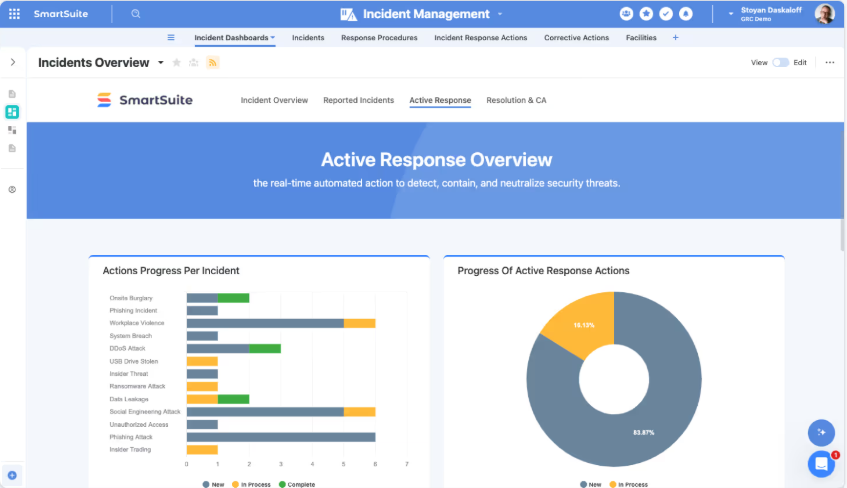
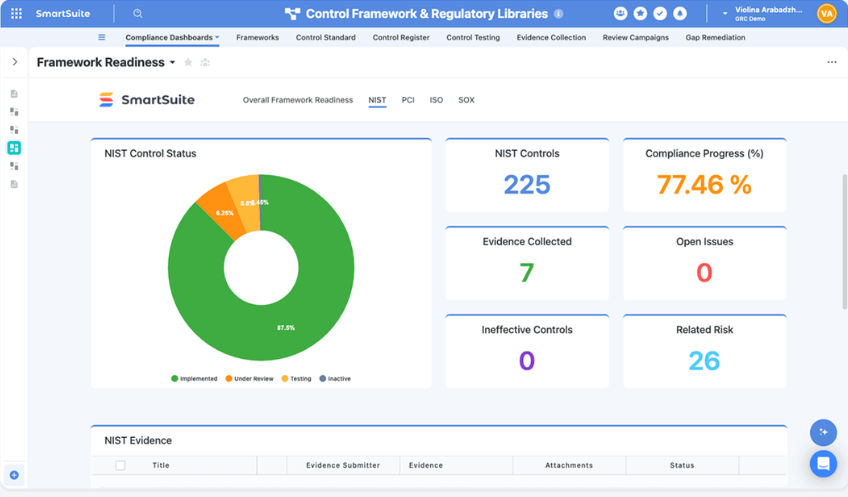
- Real-time GRC dashboards: Monitor risk exposure, audit progress, incidents, and compliance readiness with dashboards that update automatically as work changes.
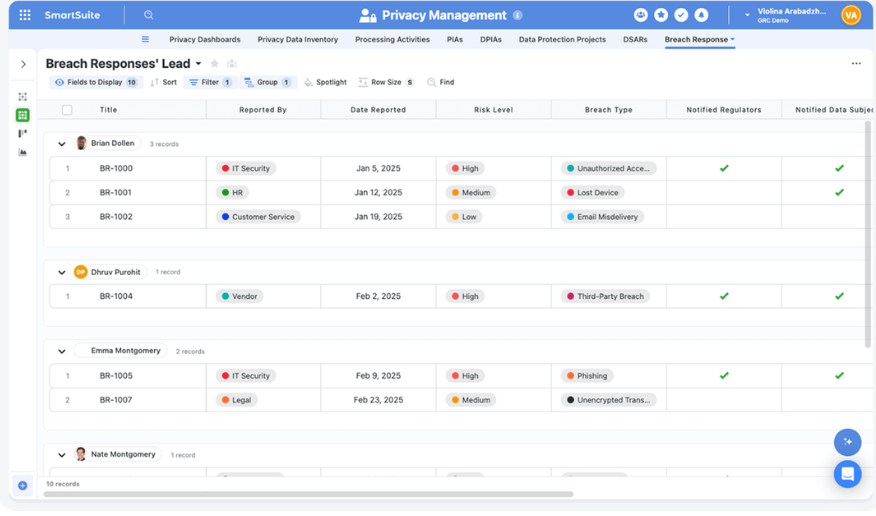
- Cross-workflow visibility: Combine data from risk, third-party management, cyber security, and operational workflows to see organizational posture in one view.
- Role-aware reporting: Deliver tailored dashboards for executives, managers, auditors, or contributors based on their responsibilities.
- Self-service reporting tools: Let teams build dashboards, charts, and views without relying on a separate analytics team.
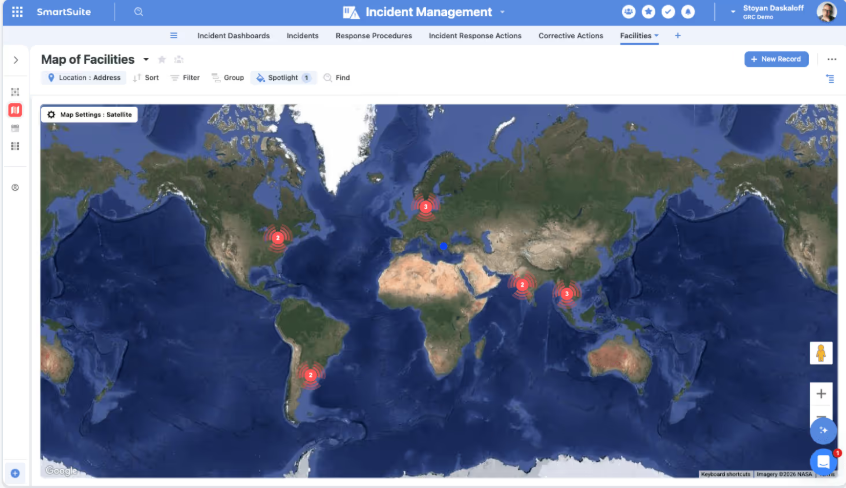
5. Workflow automation engine for risk, compliance, and operations
SmartSuite's automation engine helps teams keep governance and compliance workflows moving without manual intervention.
Using triggers, filters, and multi-step actions, organizations can automate everything from risk monitoring and audit follow-ups to incident escalation and remediation.
Here's how it works in practice:
- No-code workflow automation: Build simple or multi-step workflows with a visual builder to handle notifications, record updates, approvals, and task creation automatically.

- Real-time triggers and smart filters: Launch automations based on record changes, dates, webhook events, or workflow conditions like failed control tests or high-risk ratings.
- Looping actions for large programs: Update multiple linked records at once, such as applying risk score changes across controls or closing remediation tasks automatically.
- Webhook integrations: Trigger or receive actions from external GRC, ITSM, security, or business continuity systems for end-to-end process automation.
- Audit-ready automation history: Every automation run gets logged with timestamps, triggers, and results to maintain full traceability and governance.
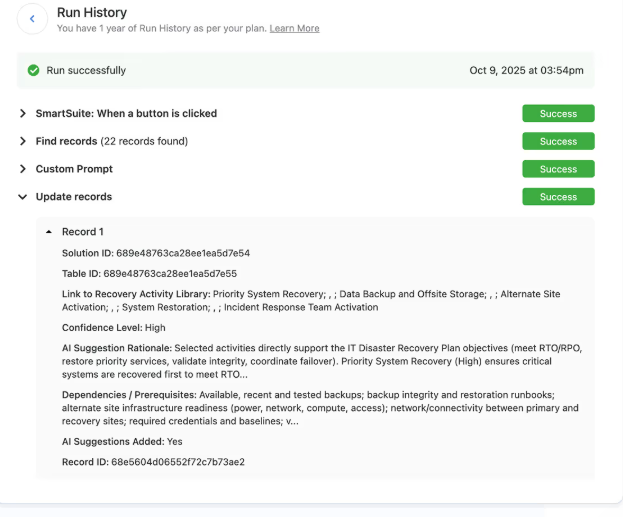
How does SmartSuite compare to Scrut Automation?
Both SmartSuite and Scrut help teams manage compliance, but they approach the problem differently.
Scrut is a purpose-built compliance automation platform.
It connects directly to cloud infrastructure, automates evidence collection, and runs continuous control monitoring against 60+ frameworks including SOC 2, ISO 27001, and HIPAA.
SmartSuite takes a broader, workflow-first approach, connecting compliance, risk, audit, and operational processes into one governed system that teams can customize without code.
Scrut can be the stronger pick if your priority is automating certification workflows with deep cloud integrations and built-in auditor collaboration.
But if your compliance needs extend beyond certification, or if Scrut feels limiting because of agent sync delays, constrained workflow customization, or a compliance-centric structure that doesn't flex into broader operational processes, SmartSuite offers a different path forward.
Our platform connects risks, audits, incidents, vendors, and remediation work into one configurable workspace, so growing teams can build a GRC program that evolves with them rather than around a single certification cycle.
Pricing
SmartSuite offers a 14-day free trial, making it easy to test real workflows before subscribing.
From there, SmartSuite offers two pricing models, depending on organizational size and complexity:
- User-based pricing, designed for small to mid-sized organizations that want full access to the entire platform under one license:
- Team: $15/user/month (minimum 3 users) includes unlimited solutions, 5,000 records per solution, and 50GB storage, and access to all core features, such as SmartSuite AI, reporting and dashboards, pre-built templates, advanced customization options, real-time collaboration, etc.
- Professional: $32/user/month (minimum 5 users), includes everything in Team and adds 100,000 records per solution, 100GB of storage, Gmail & Outlook integrations, folders, and advanced access controls.
- Enterprise: $50/user/month (minimum 10 users), includes everything in Professional and adds 400,000 records per solution, 500GB of storage, SSO, SCIM provisioning, audit logs, DLP, IP restrictions, and premium support.
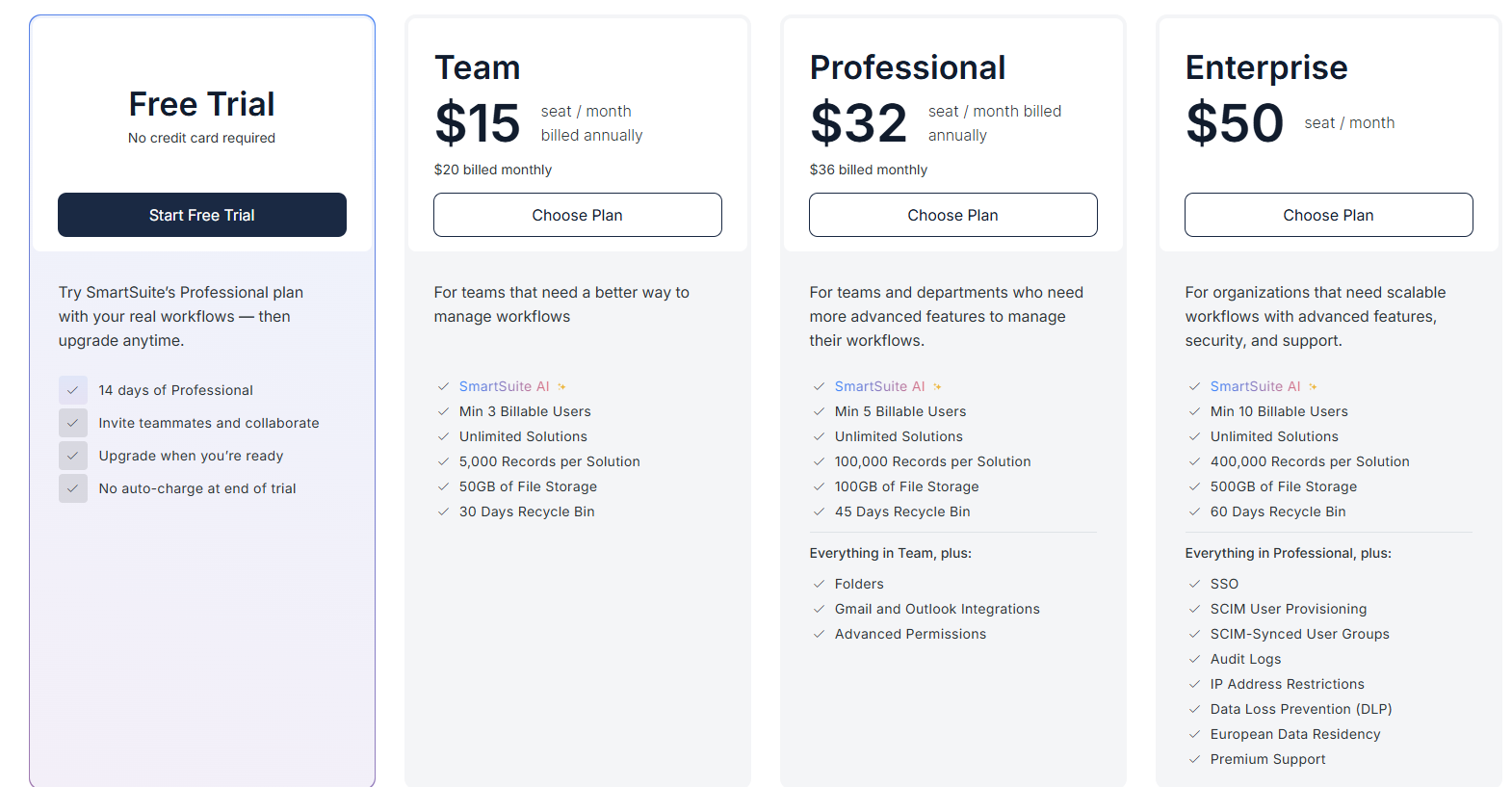
Each licensed user can access all SmartSuite solutions (ITSM, ITAM, GRC, projects, operations, etc.) without paying separately for service management, asset management, or reporting modules.
- Solution-based custom-tailored pricing, built for regulated industries and large enterprises where per-user licensing across the entire platform isn’t practical. With it you can:
- License only the specific solutions you need (e.g. ITSM, GRC).
- Structure access by department, region, or regulatory requirement.
- Easily scale for thousands of users without compromising security.

Pros & Cons
✅ Highly flexible no-code platform that lets teams design GRC workflows, data models, and interfaces without rigid templates.
✅ Connected risk, audit, compliance, and operational workflows in one system instead of siloed certification tools.
✅ AI embedded directly into workflows for summaries, risk insights, automation, and governance assistance.
✅ Real-time dashboards and reporting tied to live GRC data without exporting to separate BI tools.
✅ Powerful automation engine for risk monitoring, audit follow-ups, and remediation.
✅ Enterprise-grade governance with granular permissions, audit logs, and secure role-based visibility.
❌ No middle ground between Team and Professional plans.
2. Vanta
Best for: Mid-market companies that want to automate compliance and build trust through continuous monitoring, especially for frameworks like SOC 2, ISO 27001, or HIPAA.
Similar to: Drata.
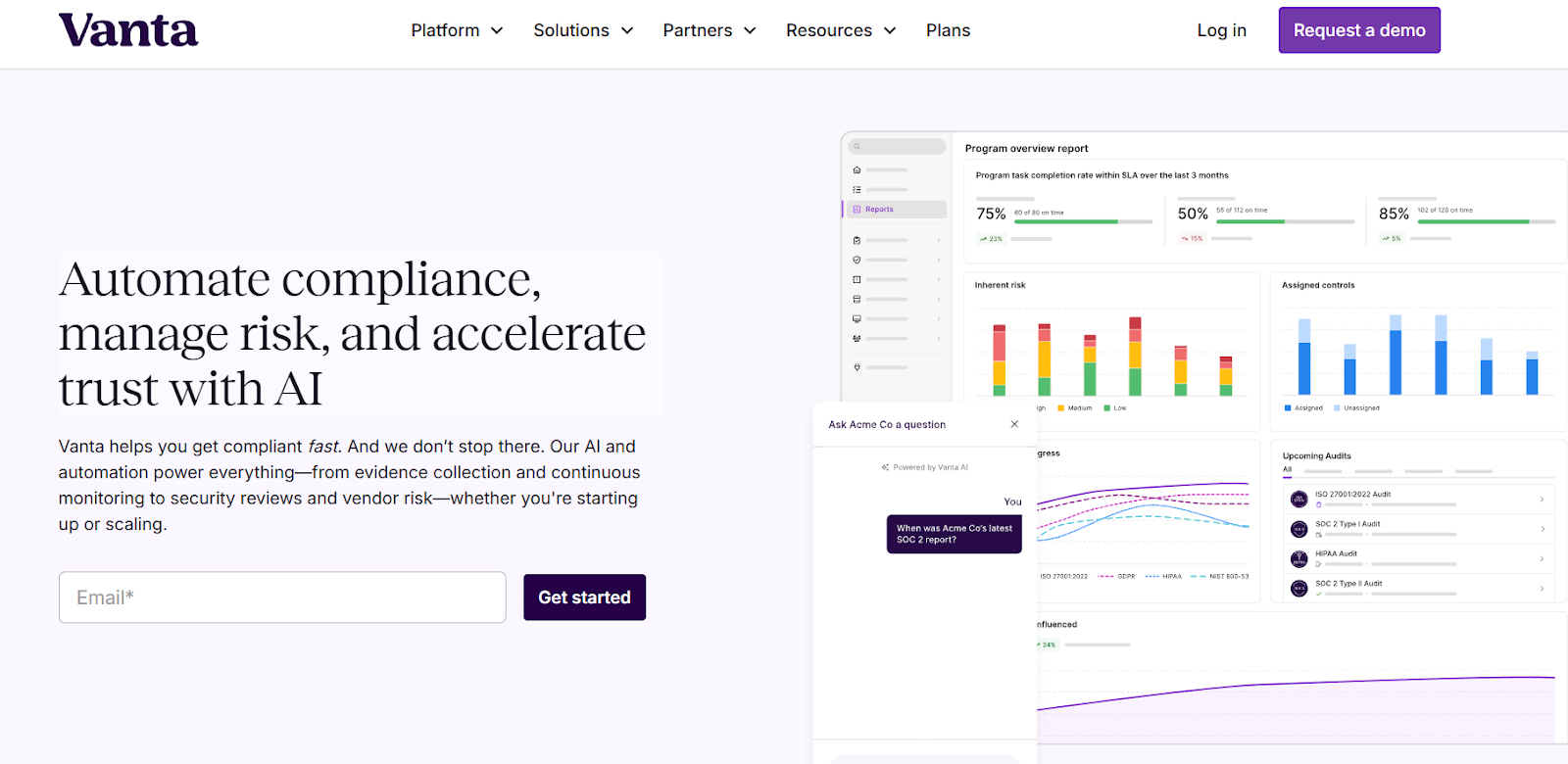
Vanta centralizes compliance operations by automatically monitoring controls and gathering evidence across your tech stack.
Its real-time visibility into compliance posture helps organizations move past spreadsheets and adopt a more scalable approach to staying audit-ready.
Features
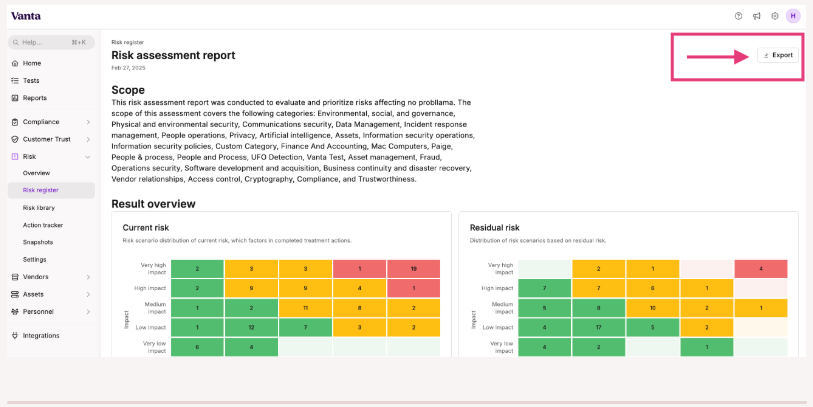
- Automated control monitoring and evidence collection: The platform continuously tests controls, pulls evidence, and lets you cross-map requirements across over 35 pre-built frameworks or your own custom ones.
- Workspaces for multi-entity programs: Business units can segment their own controls, risks, and workflows within the same account, so distributed teams customize compliance while staying centrally governed.
- Issue logging and remediation tracking: Teams can log issues, assign owners, collaborate on fixes, and track remediation to closure from one place.
Pricing
Vanta’s pricing uses a tiered pricing model designed to scale with your compliance maturity.
Pricing itself isn’t publicly listed, but the plans’ structure is clearly outlined, helping prospective users understand what they get with each plan.
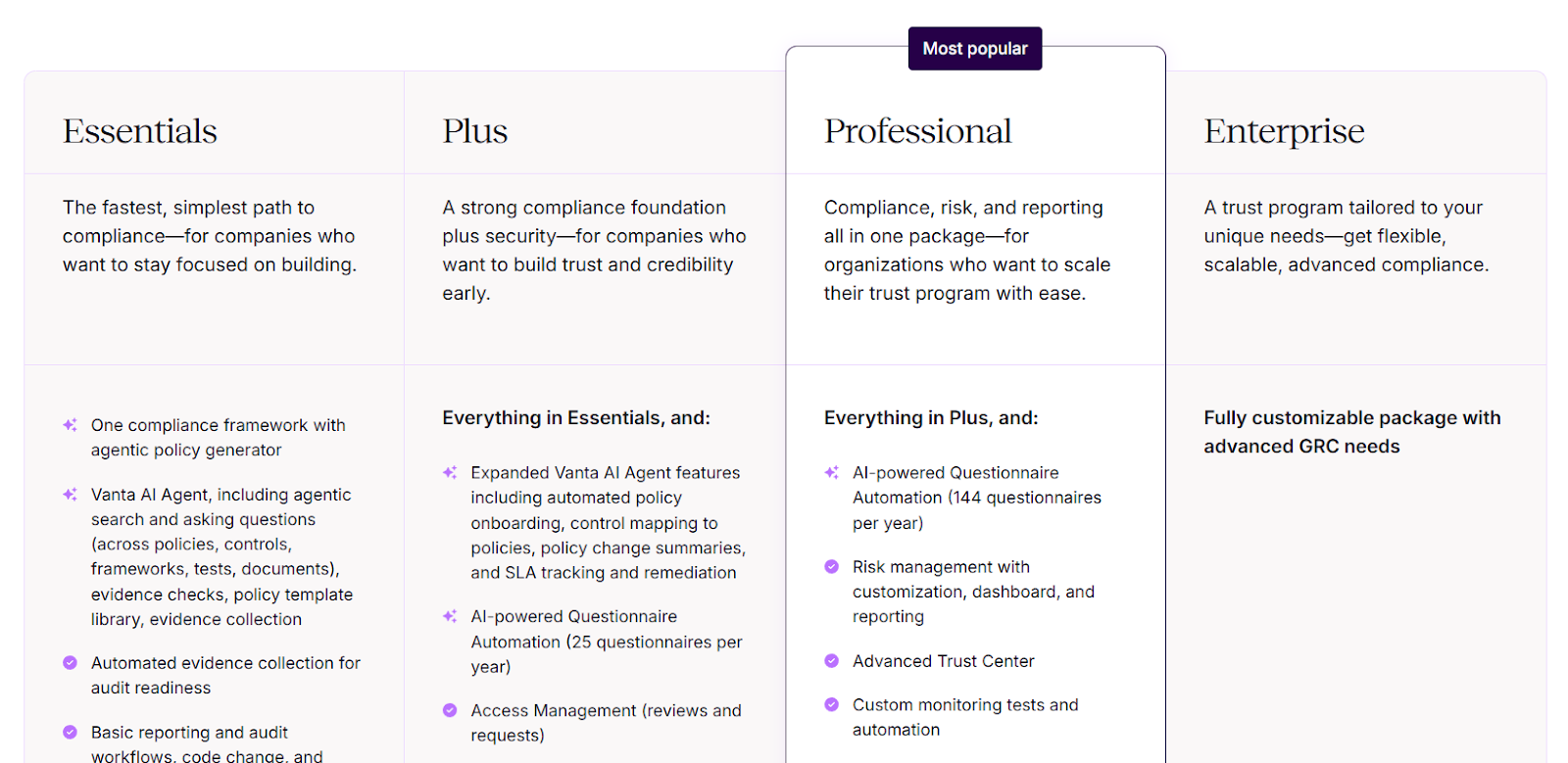
Here’s how the main tiers compare:
- Essentials: Includes automated evidence collection, basic reporting, continuous monitoring, Trust Center access, and Vanta’s AI Agent for policy generation and audit readiness.
- Plus: Adds stronger security and governance capabilities, including expanded AI Agent features, automated policy onboarding, access management workflows, and AI-powered questionnaire automation (up to 25 questionnaires per year).
- Professional: Includes everything in Plus, plus customizable risk management, advanced reporting dashboards, automated access management, custom monitoring tests, and higher-volume questionnaire automation (up to 144 per year).
- Enterprise: A fully customizable package for organizations with complex GRC requirements, offering flexible licensing, advanced automation, and tailored compliance workflows.
Pros & Cons
✅ Powerful Trust Center that helps speed up customer security reviews and strengthen transparency.
✅ Clean, easy-to-use interface that makes compliance manageable even for non-experts.
✅ Wide range of integrations compared to most tools on the market.
❌ Pricing gets expensive as companies grow or need add-ons like pentesting or vendor risk.
❌ Some users report a steep learning curve.
3. Drata
Best for: Tech-forward companies that want continuous compliance automation with real-time monitoring and audit readiness across multiple frameworks.
Similar to: Vanta.
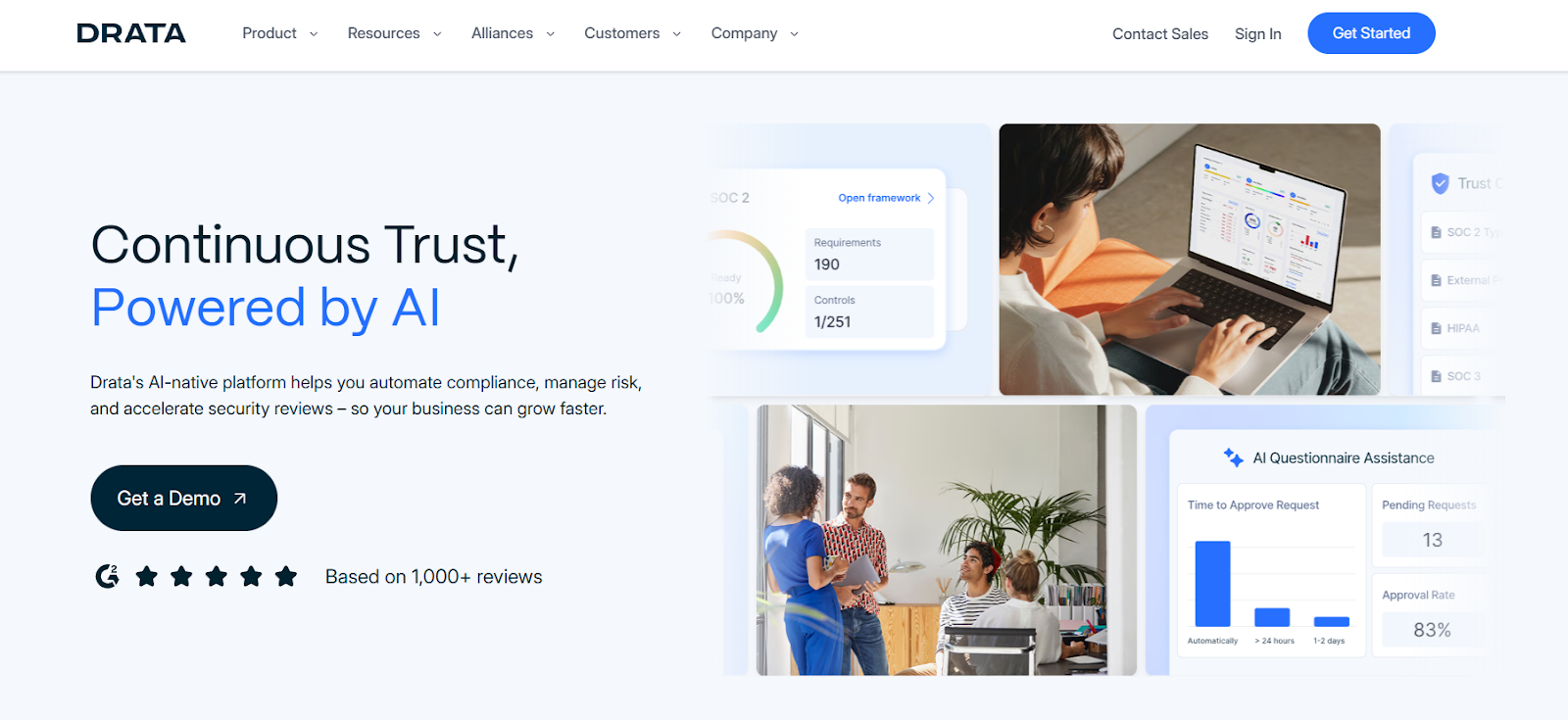
Drata automates control testing, evidence collection, and compliance workflows so teams spend less time preparing for audits and more time building business value.
It's designed to keep organizations audit-ready year-round with live monitoring, deep integrations, and a clear trust signal for customers.
Features
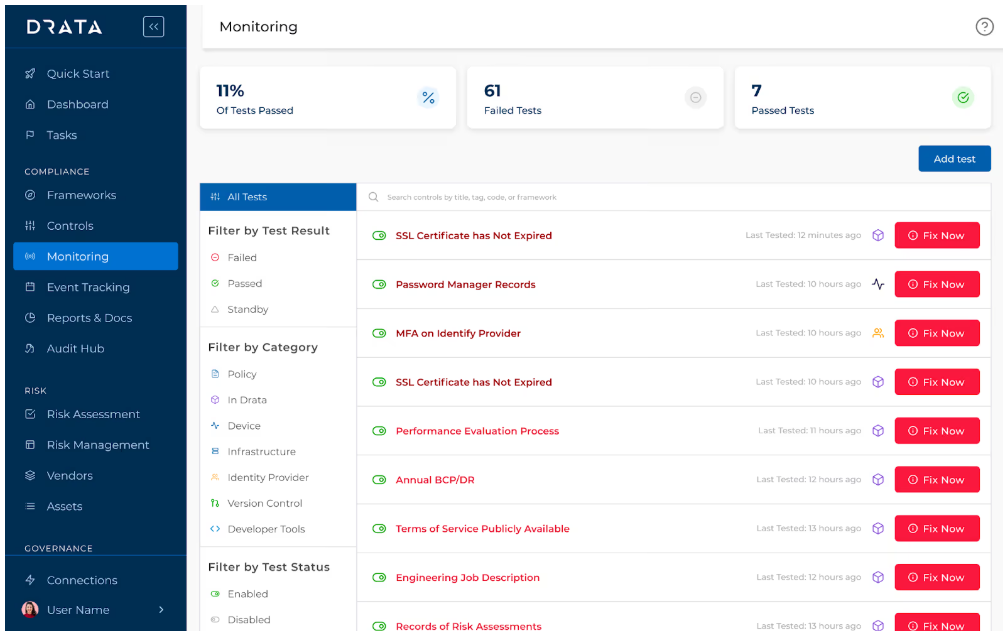
- Multi-framework support with smart control mapping: Drata supports frameworks like SOC 2, ISO 27001, HIPAA, and GDPR, letting you map a single control to multiple standards to cut down on duplicate work.
- Real-time compliance dashboards and control readiness views: You can instantly see your compliance posture, risk gaps, upcoming tasks, and audit readiness from a central dashboard.
- Automated access reviews: Drata automates user access checks across systems, reveals gaps instantly, and maps evidence to controls for continuous compliance.
Pricing
Drata, similar to Vanta, doesn't publish its pricing structure.
You can request a demo to get more details about its modules and costs.
If you want to get a clearer idea of Drata’s pricing, you can take a look at our in-depth Drata pricing review.
Pros & Cons
✅ Strong automation that reduces manual audit work significantly.
✅ Connects easily with tools like AWS, Microsoft 365, and Intune, keeping compliance embedded in daily operations.
✅ Clean, intuitive UI that both technical and non-technical users can navigate.
❌ Reporting, asset management, and incident-management capabilities may feel limited.
❌ Enterprise-grade pricing that may put it out of reach for smaller teams.
4. Secureframe
Best for: Small to mid-sized teams looking to get compliant fast with strong automation, integrations, and audit-ready foundations, without building a full GRC program from scratch.
Similar to: Sprinto, Drata.
Secureframe is a compliance automation platform that helps teams achieve frameworks like SOC 2, ISO 27001, HIPAA, and more through automated evidence collection, policy workflows, and continuous monitoring.
It focuses on simplifying audit readiness, making it a solid Scrut alternative for teams that want faster certification with guided steps.
Features
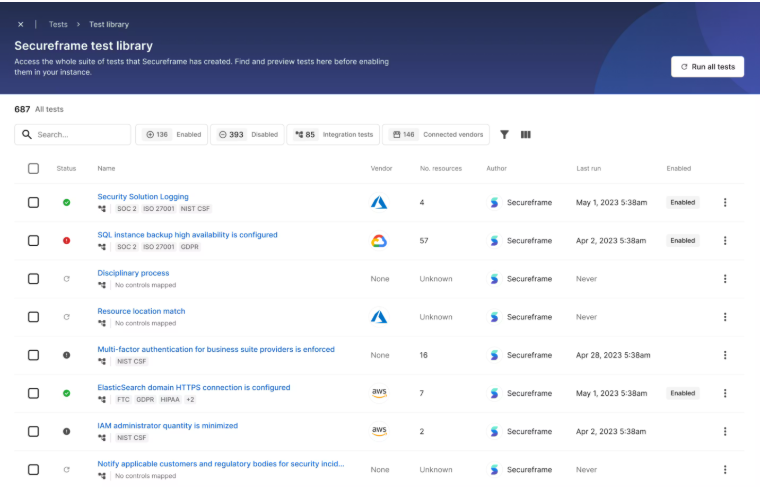
- AI-powered compliance automation: Generates policies, suggests control mappings, validates evidence, automates remediation, scores risks, and accelerates vendor and questionnaire reviews.
- Secureframe Federal: A specialized module for centralizing SSP management, POA&M tracking, and SPRS scoring to help organizations achieve and maintain CMMC and FedRAMP compliance.
- Personnel management: Gives organizations a centralized, automated way to onboard, track, and manage personnel compliance so every employee stays aligned with regulatory requirements.
Pricing
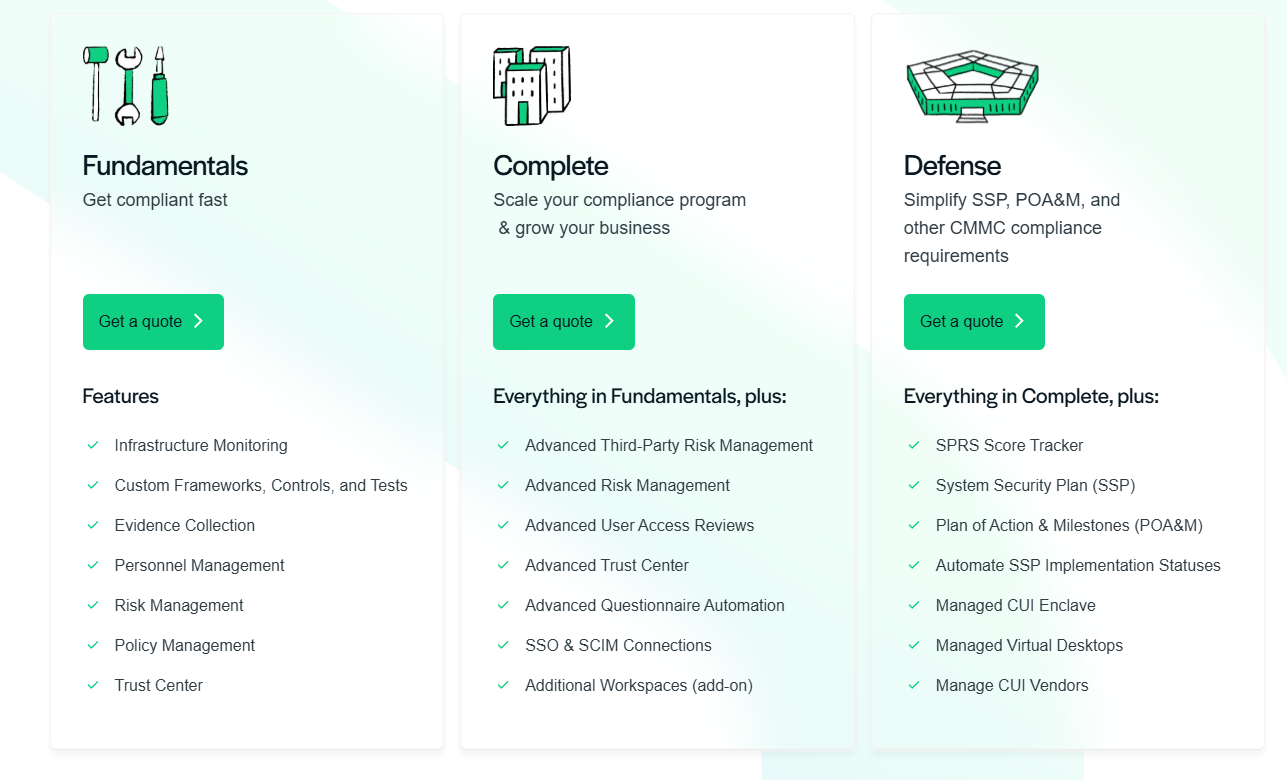
Secureframe doesn't publish fixed pricing, but its packaging is structured around three tiers that scale with your compliance maturity:
- Fundamentals: Includes infrastructure monitoring and automated evidence collection, policy, personnel, and risk management tools, custom frameworks, controls, and tests, and Trust Center for sharing security posture.
- Complete: Includes everything in Fundamentals, plus advanced third-party risk management, advanced user access reviews, advanced risk workflows and reporting, expanded Trust Center and questionnaire automation, and SSO & SCIM connections.
- Defense: Includes everything in Complete, plus SSP and POA&M management, SPRS score tracking, managed CUI enclave and virtual desktops, and vendor oversight for controlled environments.
For more details, check our in-depth Secureframe pricing guide.
Pros & Cons
✅ Broad framework coverage with SOC 2, ISO 27001, HIPAA, PCI, GDPR, NIST, and more.
✅ Over 200 apps and system integrations.
✅ Centralized dashboard with real-time visibility into compliance posture and audit progress.
❌ Limited workflow flexibility for teams that need deeper customization of templates and evidence flows.
❌ Reporting can require extra adjustments outside the platform for audit-ready deliverables.
5. Hyperproof
Best for: Organizations seeking a highly automated, AI-powered GRC platform that brings controls, risk, compliance, audit, and vendor workflows into one system built for rapid scale.
Similar to: Onspring, ServiceNow GRC.
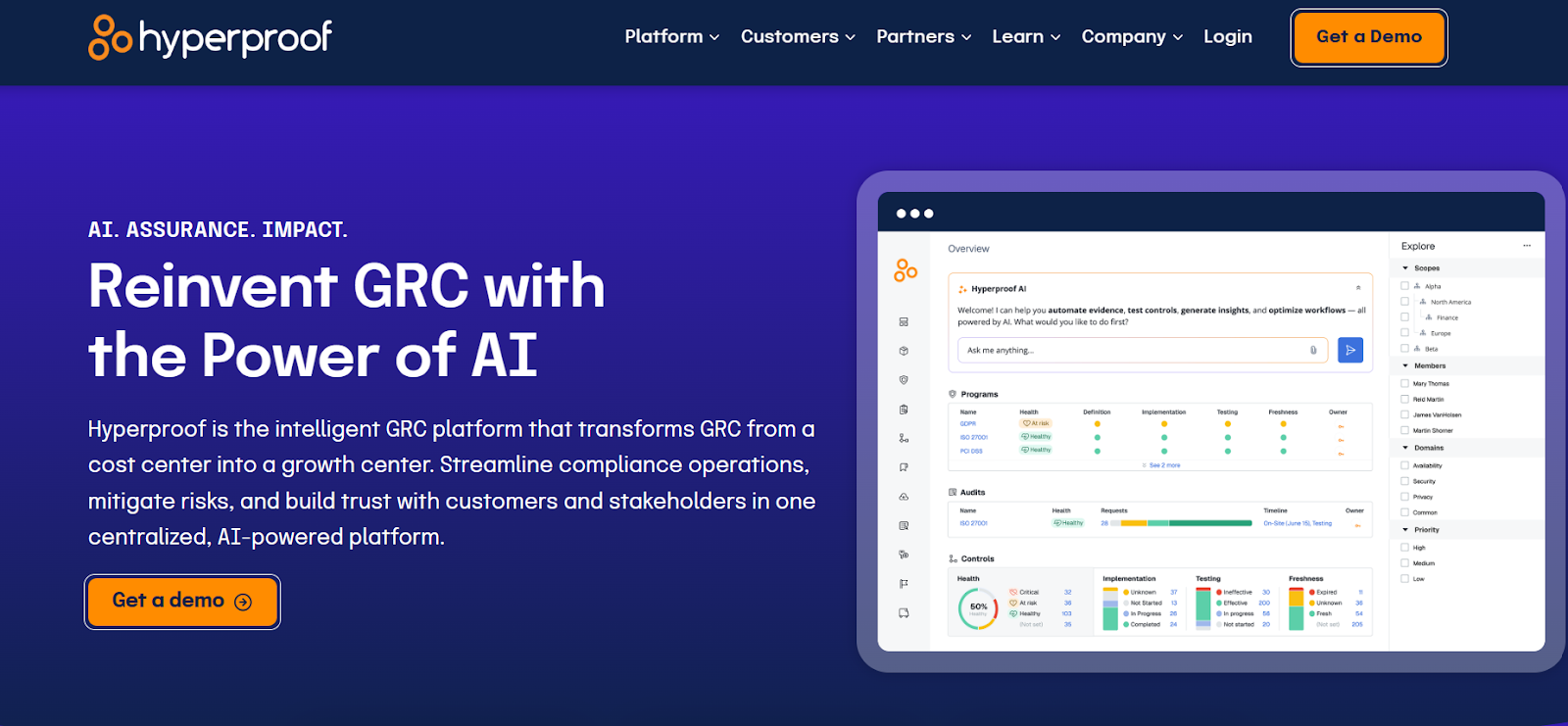
Hyperproof stands out because it embeds AI and workflow automation across the GRC lifecycle.
It's built for teams that are ready to move beyond manual compliance toward a more strategic, continuous approach to risk and trust operations.
Features
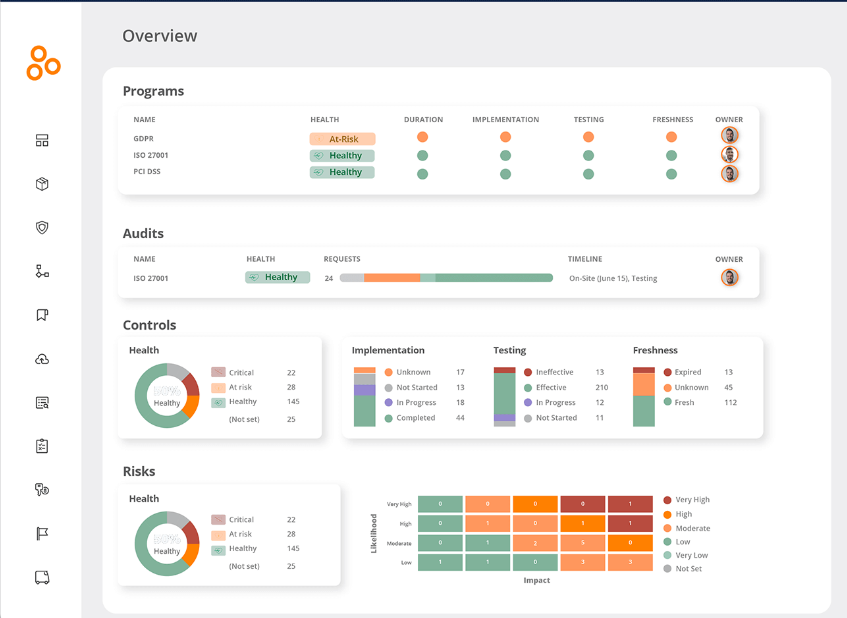
- Continuous controls monitoring: The platform supports real-time validation of controls and alerts for issues as they arise, so teams respond proactively instead of reacting after failures.
- Hyperproof AI: From guided program setup to natural-language querying to automated evidence and control suggestions, the AI layer works across the entire GRC lifecycle with human-in-the-loop governance.
- Framework library and control reuse: With support for over 110 frameworks, Hyperproof lets you map controls across regulations, reuse evidence assets, and manage compliance globally.
Pricing
Hyperproof doesn't disclose its pricing publicly.
You can book a personalized demo to see the platform in action and get a custom quote.
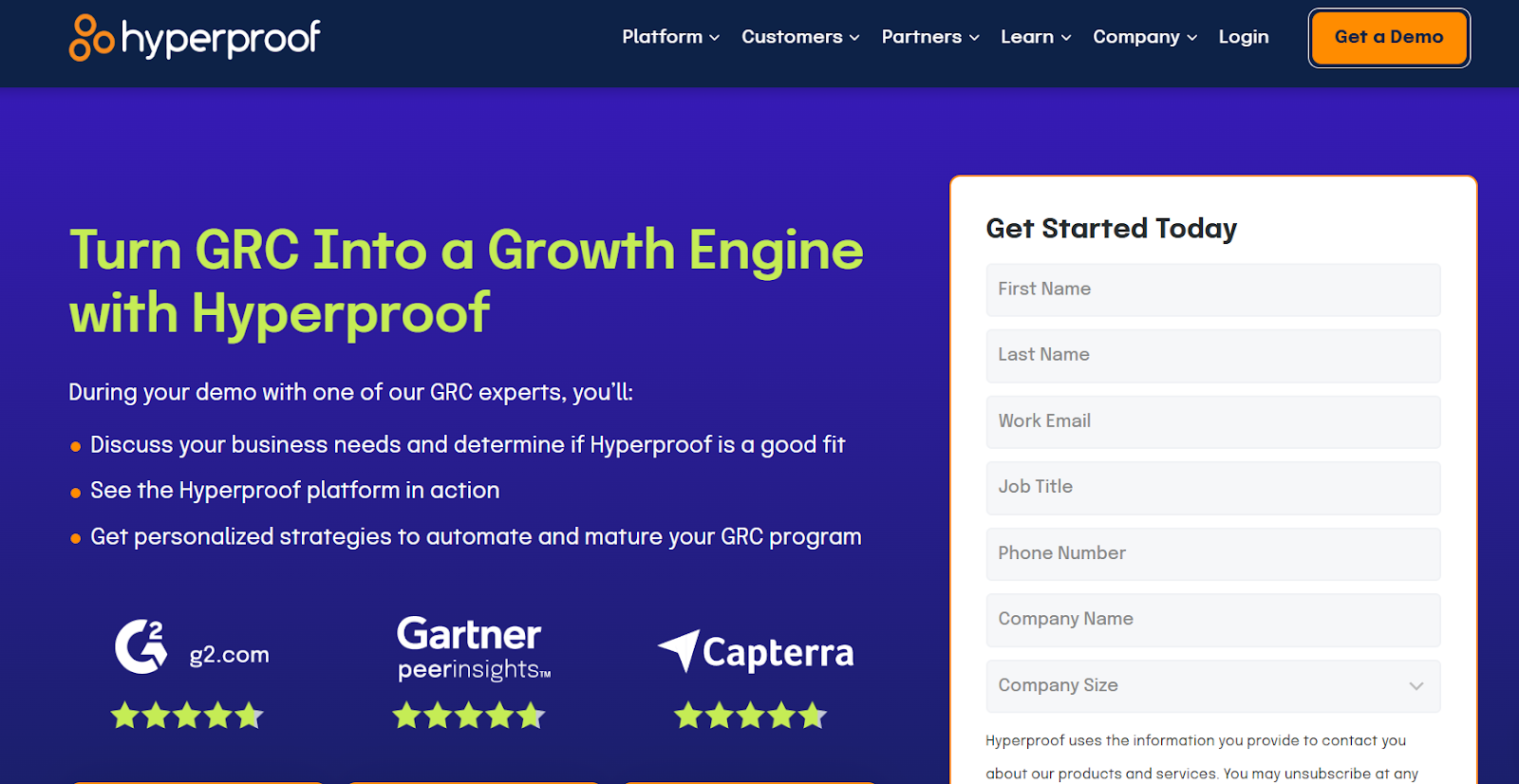
If you want a clearer breakdown of what Hyperproof actually costs, you can check out our Hyperproof pricing guide for a deeper look before booking a demo.
Pros & Cons
✅ Centralized evidence repository with reusable evidence and strong version control.
✅ Strong automation for audits and evidence collection.
✅ Built-in task assignment and workflow tools help decentralize compliance ownership across teams.
❌ Can get expensive for the full GRC solution.
6. Sprinto
Best for: Cloud-native startups and mid-market teams that want fast, automated SOC 2 and ISO compliance with minimal lift from engineering.
Similar to: Secureframe, Scrut Automation.
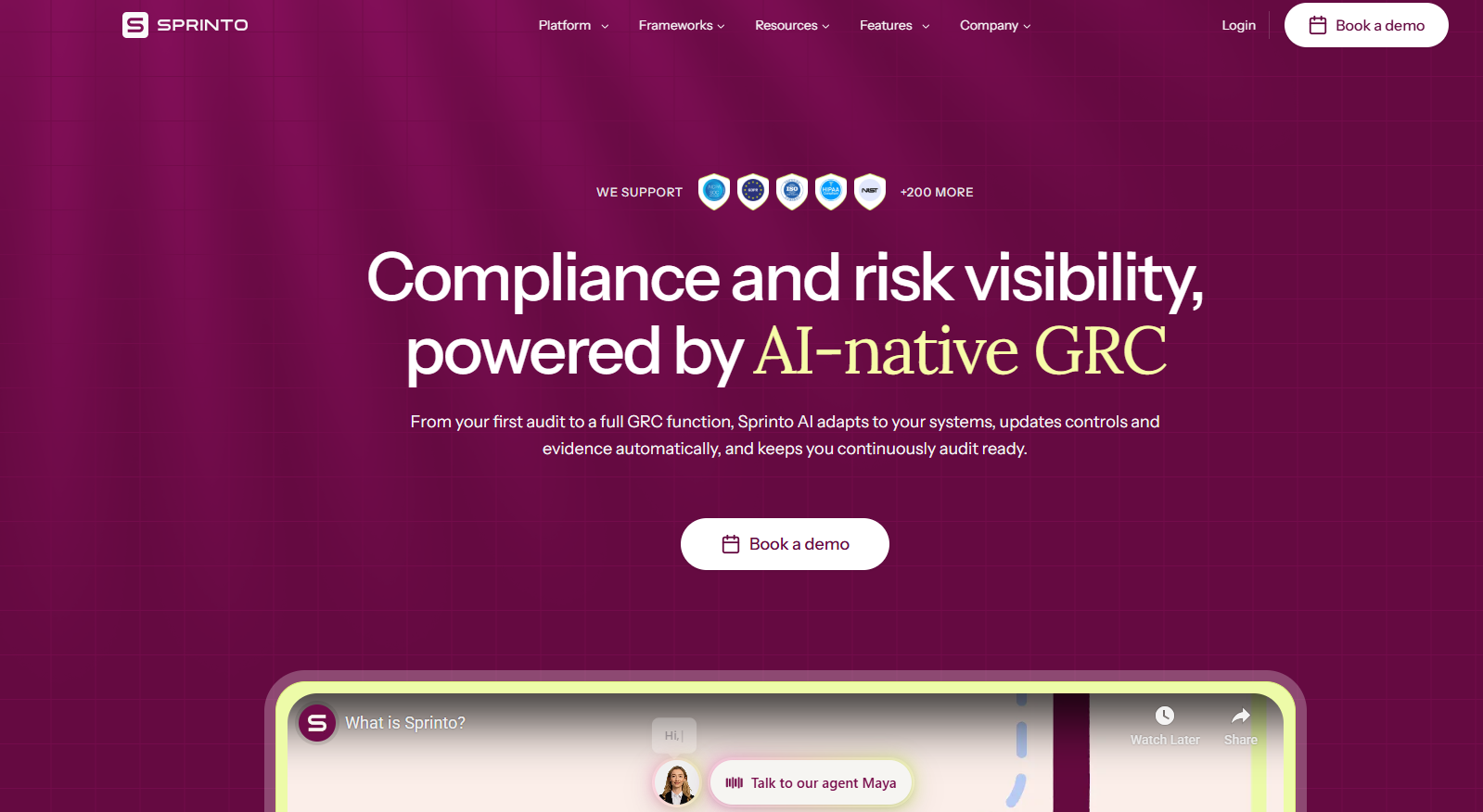
Sprinto is a cloud-first compliance automation platform built to help fast-growing teams achieve SOC 2, ISO 27001, GDPR, HIPAA, and PCI readiness with minimal manual work.
Its strength lies in real-time control monitoring across your cloud stack, automated evidence collection, and guided workflows that make audits significantly faster.
Features
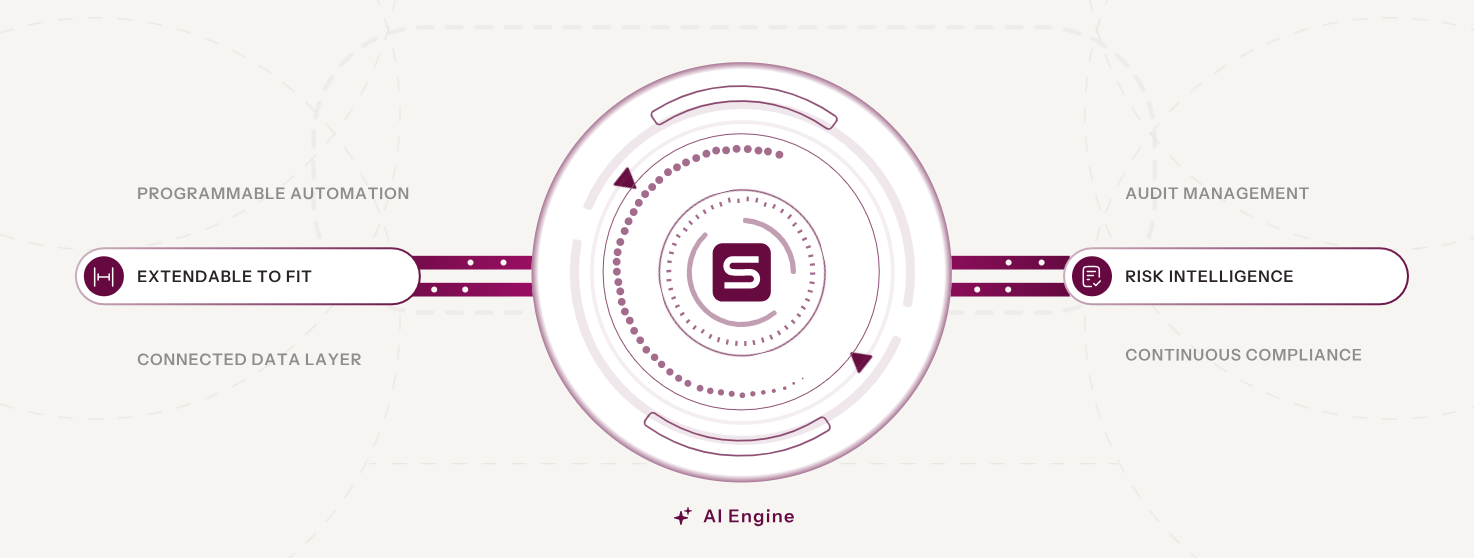
- Automated employee onboarding and security checks: Sprinto syncs with HR and identity tools to automatically assign tasks like training and policy acknowledgements, and ensures access gets granted or revoked on time.
- Real-time vulnerability management: Replaces periodic checks with always-on monitoring that integrates with your scanners, ranks risks, and triggers time-bound remediation.
- Change management: Helps reduce risk around code changes by tagging assets, tracking updates through your ticketing system.
Pricing
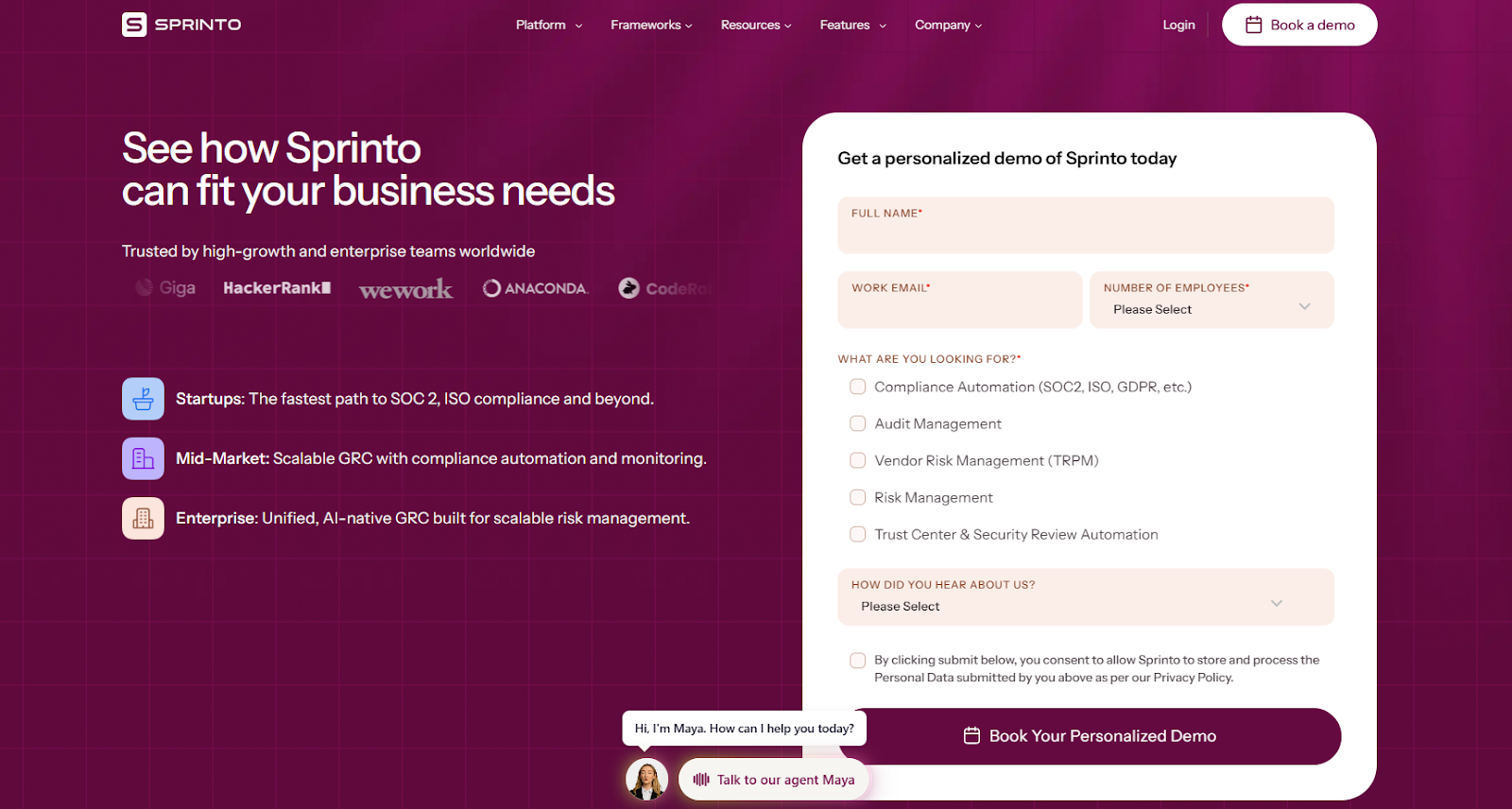
Sprinto doesn't publish pricing details.
You can book a demo to get more information on its plans and costs.
Pros & Cons
✅ User-friendly interface, especially for first-time compliance teams.
✅ Strong automation across audits and frameworks for continuous risk monitoring.
✅ Real-time vulnerability management that replaces periodic checks with always-on scanning.
❌ Integrations can be buggy, sometimes requiring back-and-forth with support to get data syncs working properly.
❌ Workflows can feel rigid for companies with non-standard setups.
7. Thoropass
Best for: Startups and mid-market companies that want both compliance automation and bundled in-house auditor support, combining software with hands-on guidance through certifications like SOC 2 or ISO 27001.
Similar to: Scytale, Secureframe.
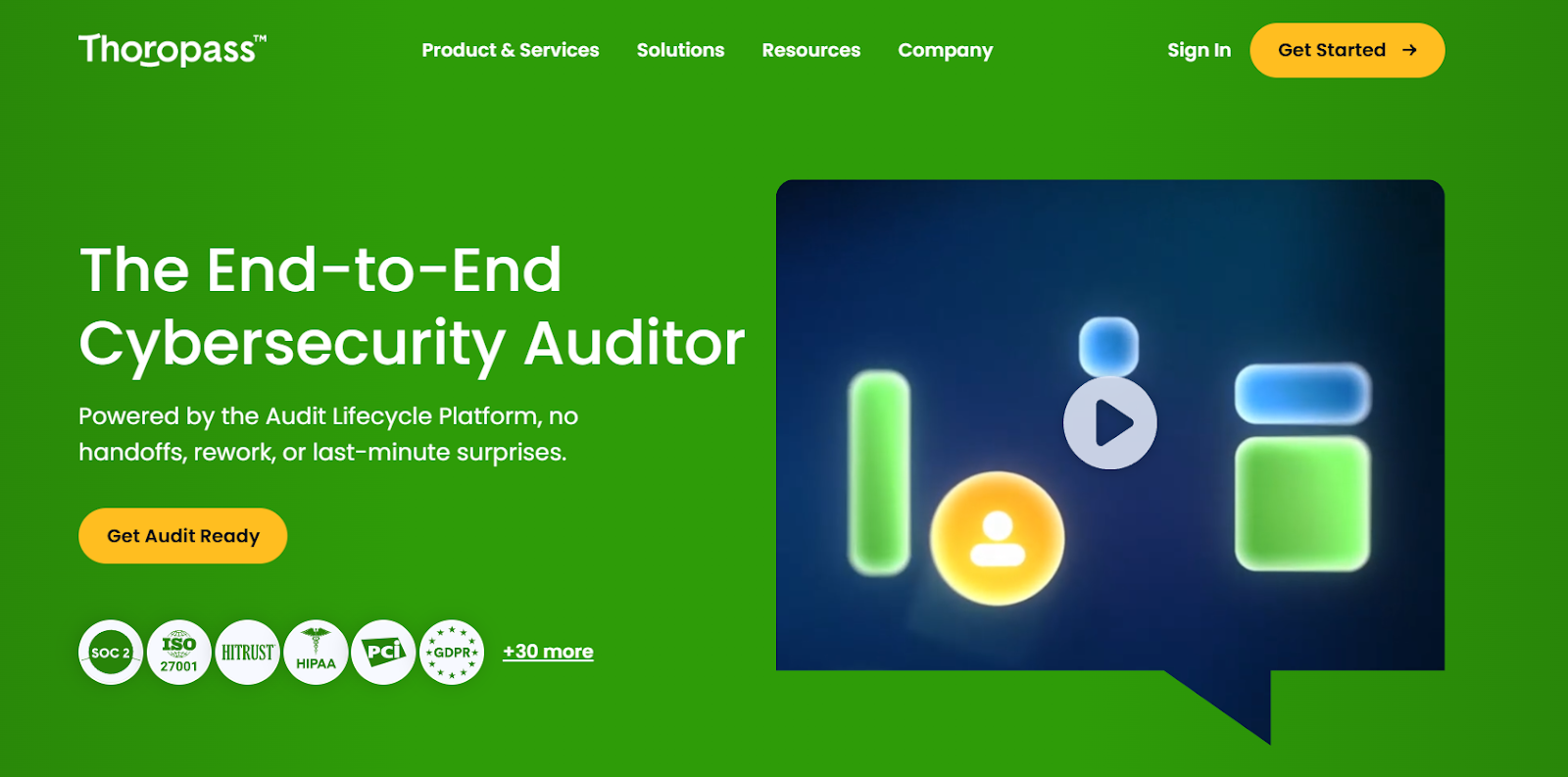
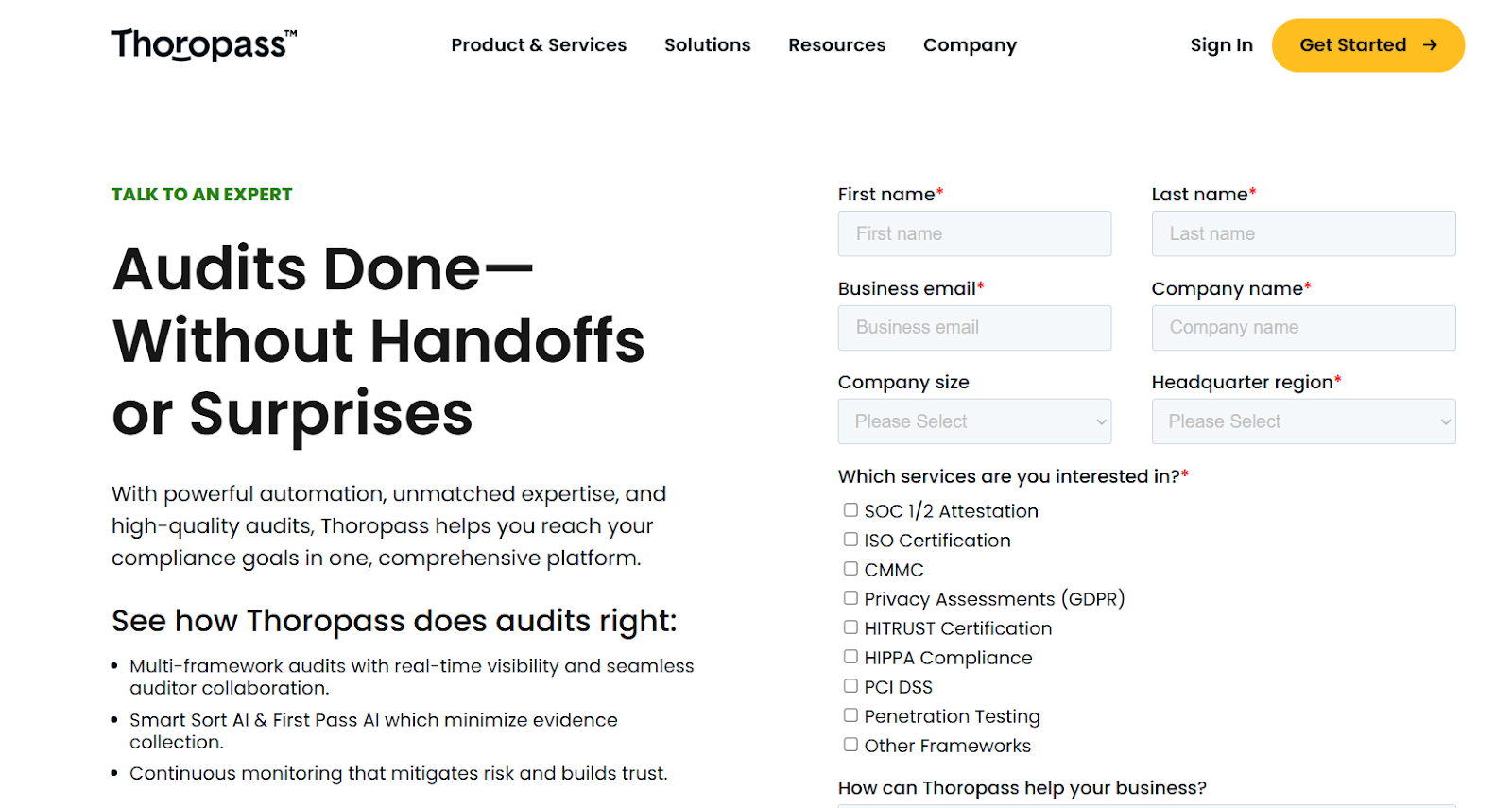
Thoropass blends compliance automation with an in-house audit service, giving teams a single place to manage controls, collect evidence, and complete certifications without juggling external auditors.
It's designed for teams that want guided compliance with strong human support rather than a purely self-serve workflow.
Features
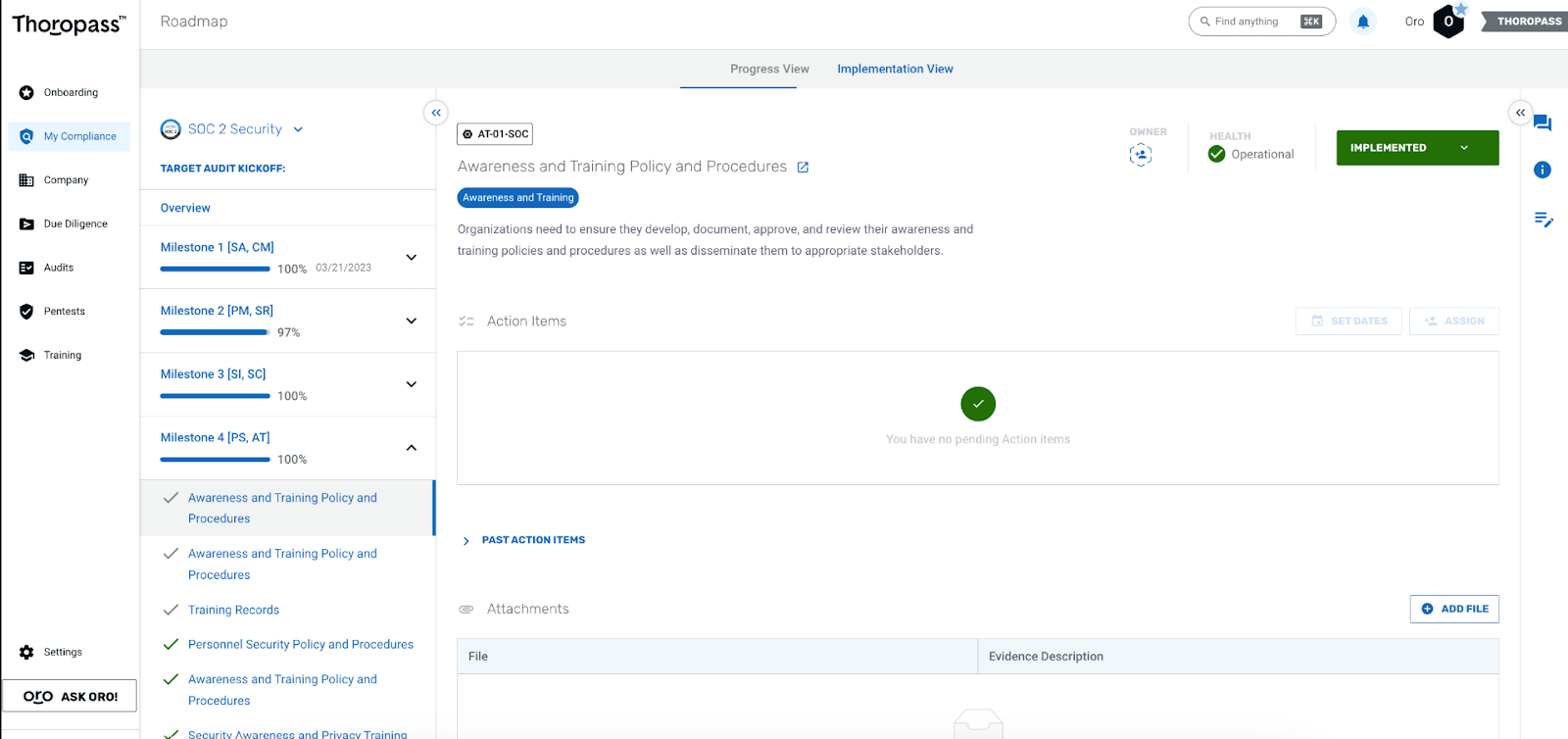
- Built-in audit services: Thoropass pairs its platform with in-house auditors so you can prepare, test, and complete SOC 2, ISO 27001, and other certifications in one unified flow.
- Audit-ready penetration testing: Provides built-in, CREST-accredited penetration testing that identifies real vulnerabilities and delivers clear, prioritized remediation guidance.
- First Pass AI: AI-driven evidence validation that automatically verifies evidence for completeness, accuracy, and timeliness, catching issues before auditors see them.
Pricing
Thoropass doesn't publish its prices.
You can contact its team by filling out a form on its website to get pricing details.
Pros & Cons
✅ Smooth SOC 2 and ISO 27001 readiness workflow with centralized documentation and task tracking.
✅ Reliable audit process with clear guidance and helpful auditor collaboration tools.
❌ The UI could be more focused on the audit experience.
❌ Pricing sits at the premium end of the market.
8. Optro (formerly AuditBoard)
Best for: Mid-to-large enterprises and internal audit teams looking for a connected GRC platform with strong audit, risk, compliance workflows, and embedded AI.
Similar to: OneTrust, IBM OpenPages.
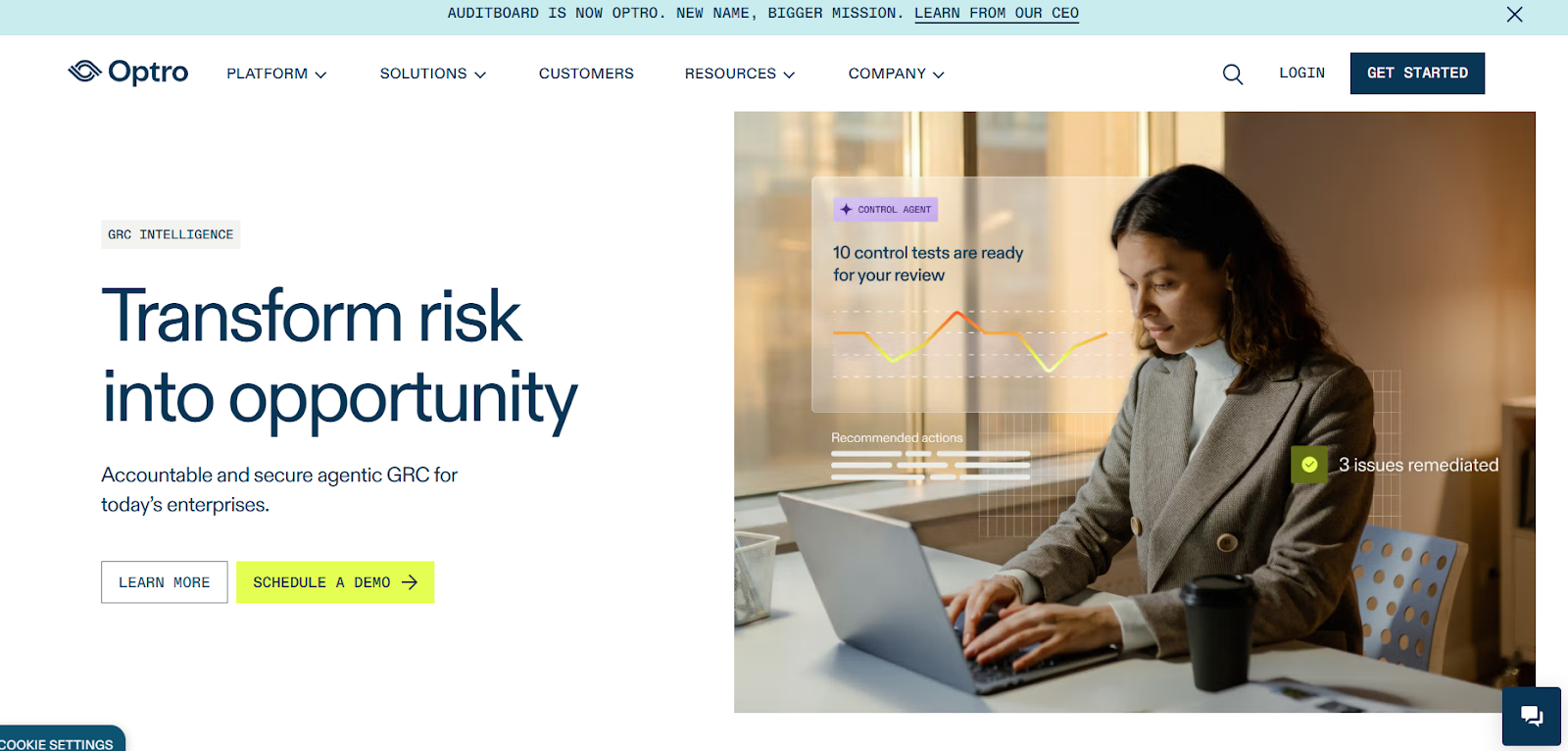
Optro, which rebranded from AuditBoard, delivers a unified platform built to break down silos between internal audit, enterprise risk, compliance, and ESG.
With its "connected risk" model, Optro helps teams automate audit lifecycles, map controls to risk frameworks, and surface insights using AI-powered workflows.
Features
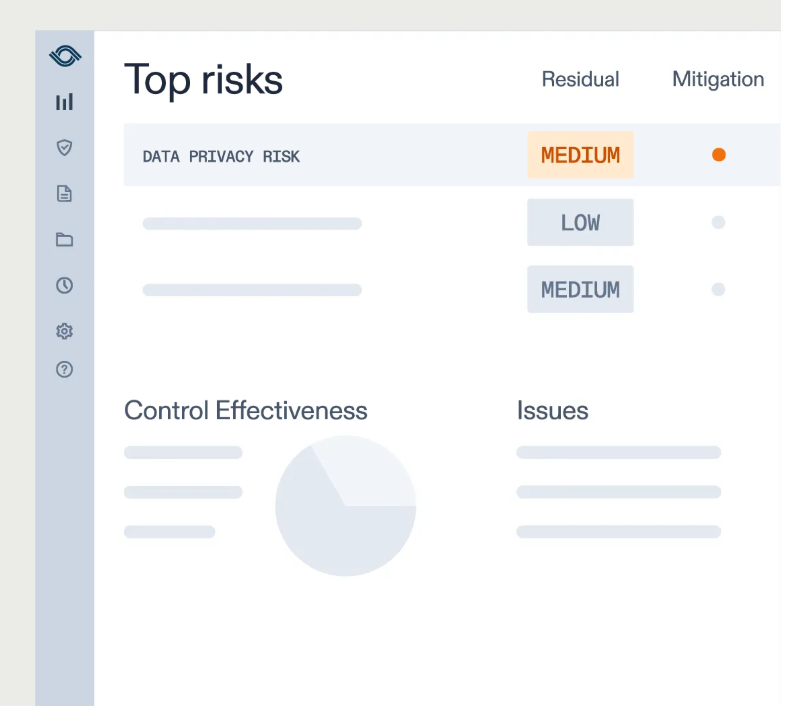
- AI-enabled insights and automation: The platform incorporates GRC-trained AI to analyze data, recommend next steps in workflows, automate control testing, and help teams shift from reactive to proactive governance.
- Pre-loaded frameworks and regulatory coverage: Supports over 30 frameworks including SOC 2, ISO 27001, and GDPR, and offers a dedicated regulatory compliance solution powered by global obligations data.
- Strong reporting and analytics: Real-time dashboards, flexible reporting tools, and centralized visibility for multiple lines of defense, all designed to support faster decision-making.
Pricing
Optro uses non-public, quote-based pricing.
The only way to get exact numbers is by booking a demo with their team.

Pros & Cons
✅ Strong audit and SOX management capabilities with broad integrations.
✅ Centralized, collaborative platform that links controls to issues, reducing duplication and making audits faster.
✅ Over 30 pre-loaded frameworks help organizations stay audit-ready across multiple standards.
❌ High cost, with users noting it's more expensive than other solutions on the market.
❌ Dashboards and reporting capabilities feel limited for analytics-heavy teams.
9. Scytale
Best for: Fast-growing SaaS teams that want a mix of automation and expert-guided support to achieve and maintain compliance without building a full in-house GRC function.
Similar to: Thoropass, Secureframe.
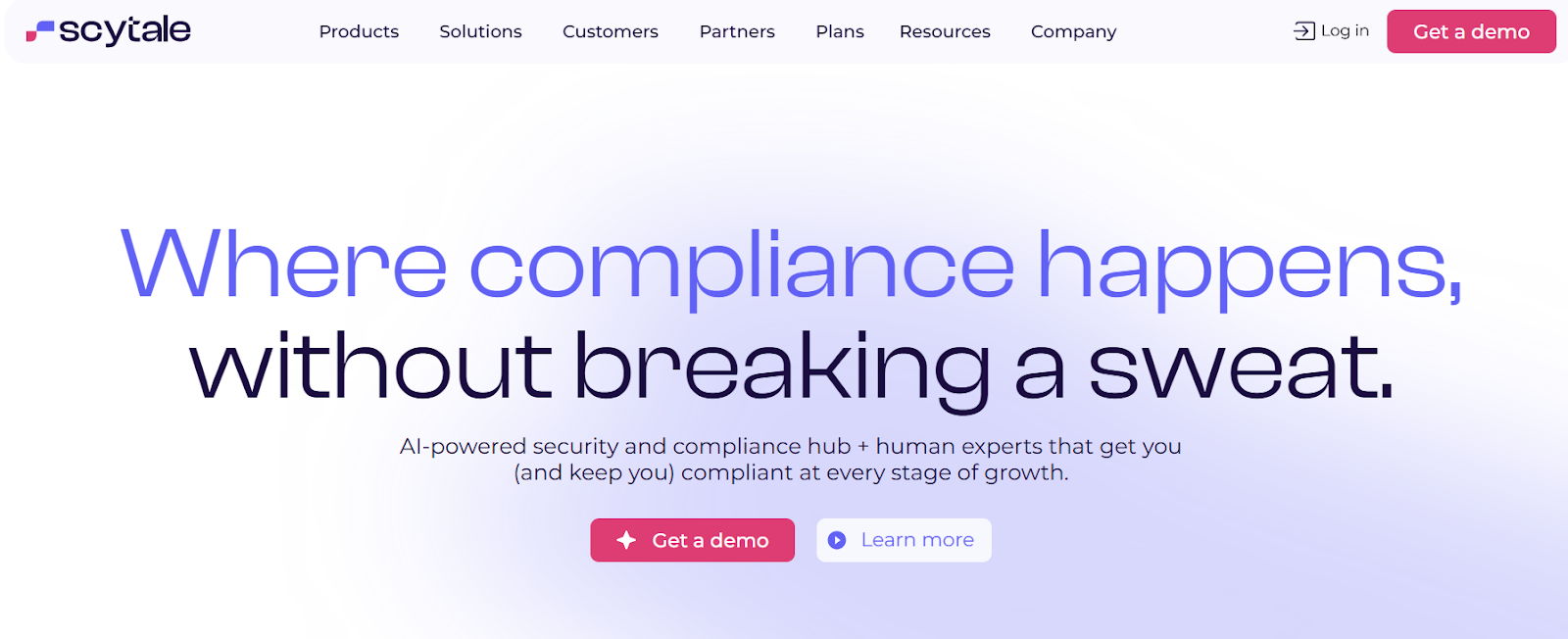
Scytale is a compliance automation platform that helps companies achieve frameworks like SOC 2, ISO 27001, HIPAA, and GDPR through a combination of automation, integrations, and hands-on audit support.
It focuses on simplifying security and compliance workflows while pairing technology with advisory services so teams can move faster toward audit readiness.
Features
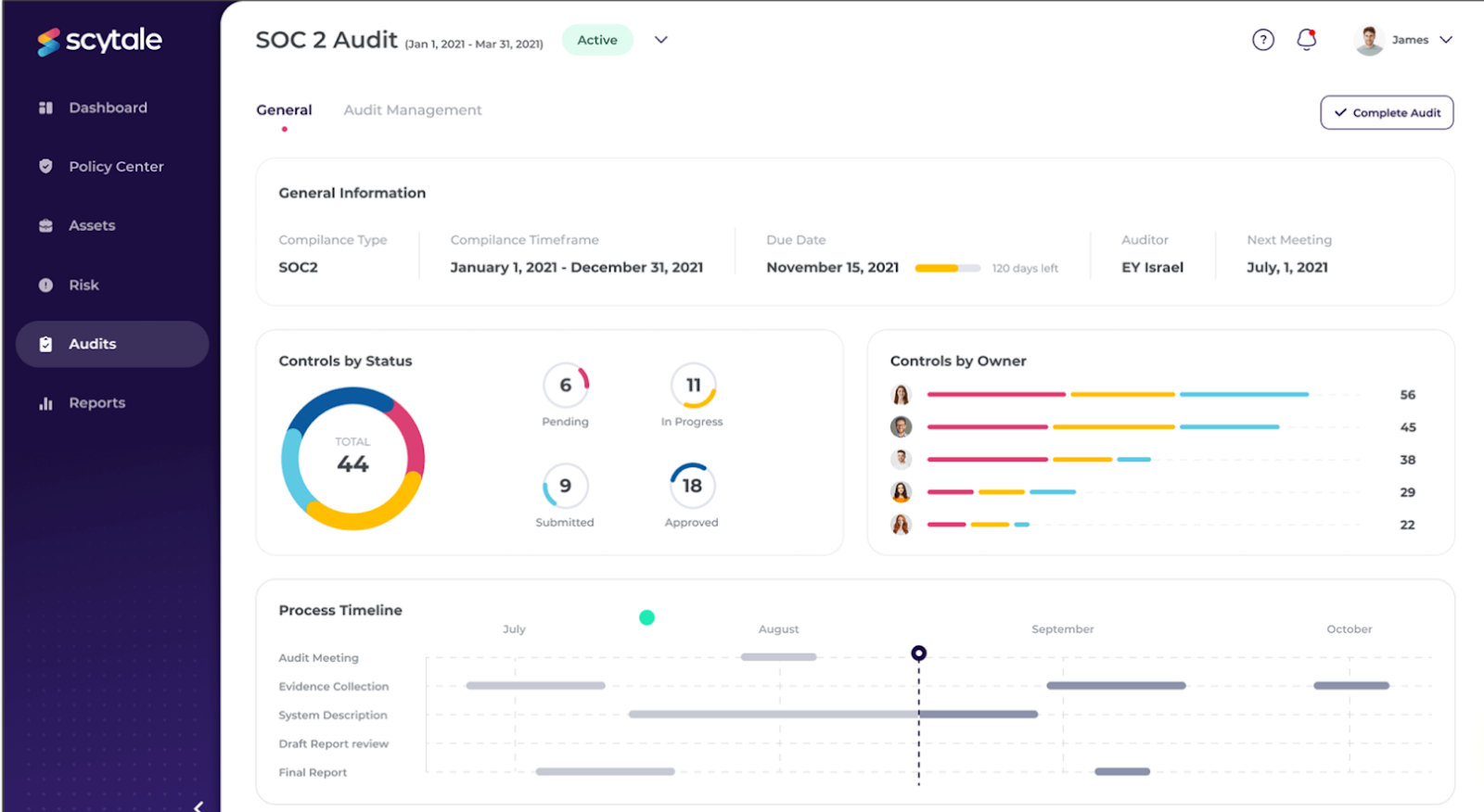
- Compliance automation with expert guidance: Combines automated workflows with dedicated compliance experts who help teams design programs, prepare for audits, and maintain ongoing compliance.
- AI-powered security questionnaires: AI assists with generating and completing security questionnaires faster by reusing existing compliance data and policies.
- Trust Center and collaboration hub: A centralized trust center and internal collaboration tools help teams manage policies, share compliance status, and coordinate remediation across departments.
Pricing
Scytale has two separate offerings, one for startups, and the other for enterprise-grade security teams.
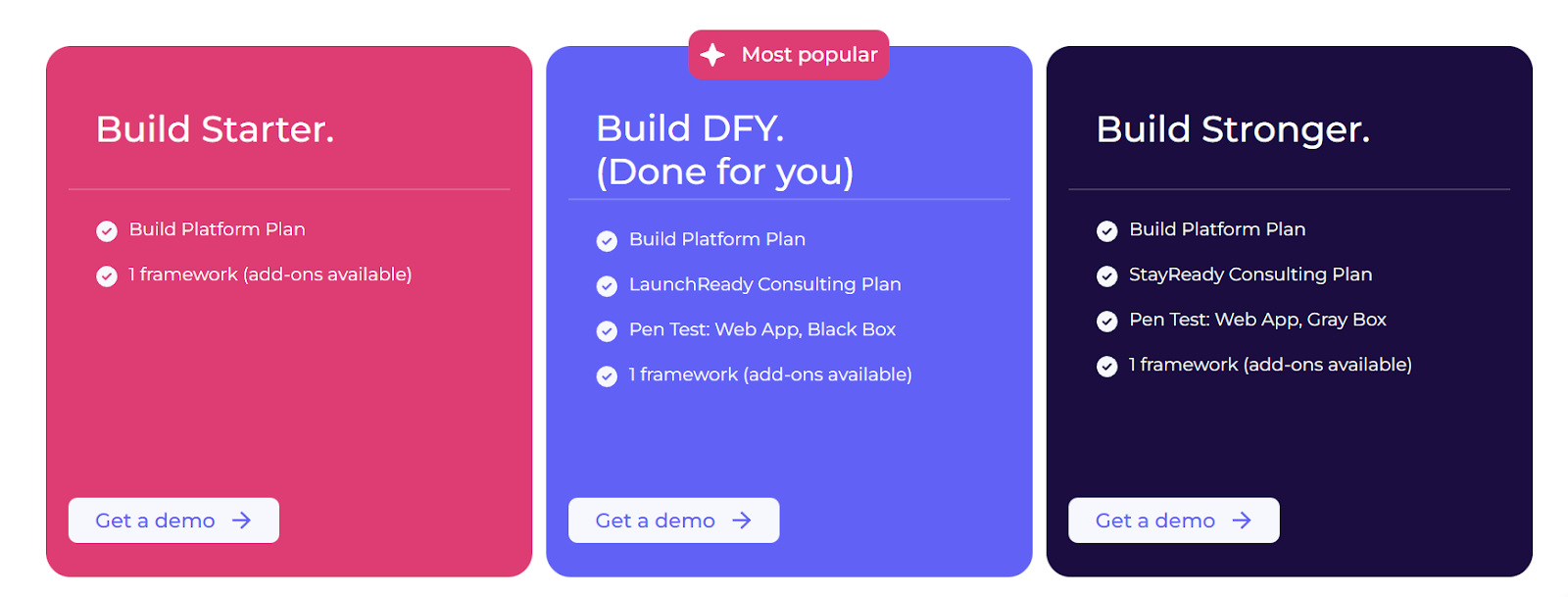
When it comes to the startup plans, there are three to choose from:
- Build Starter: Includes 1 framework (add-ons available), compliance automation, policy center, personnel compliance, vendor and risk management, trust center, and questionnaire automations.
- Build DFY (Done for you): Includes everything in Starter, plus launch-ready consulting plan, pen test (web app, black box), and on-prem integrations.
- Build Stronger: Includes everything in Build DFY, plus stay-ready consulting plan, and higher limits on AI features.
When it comes to enterprise plans, there are two options:
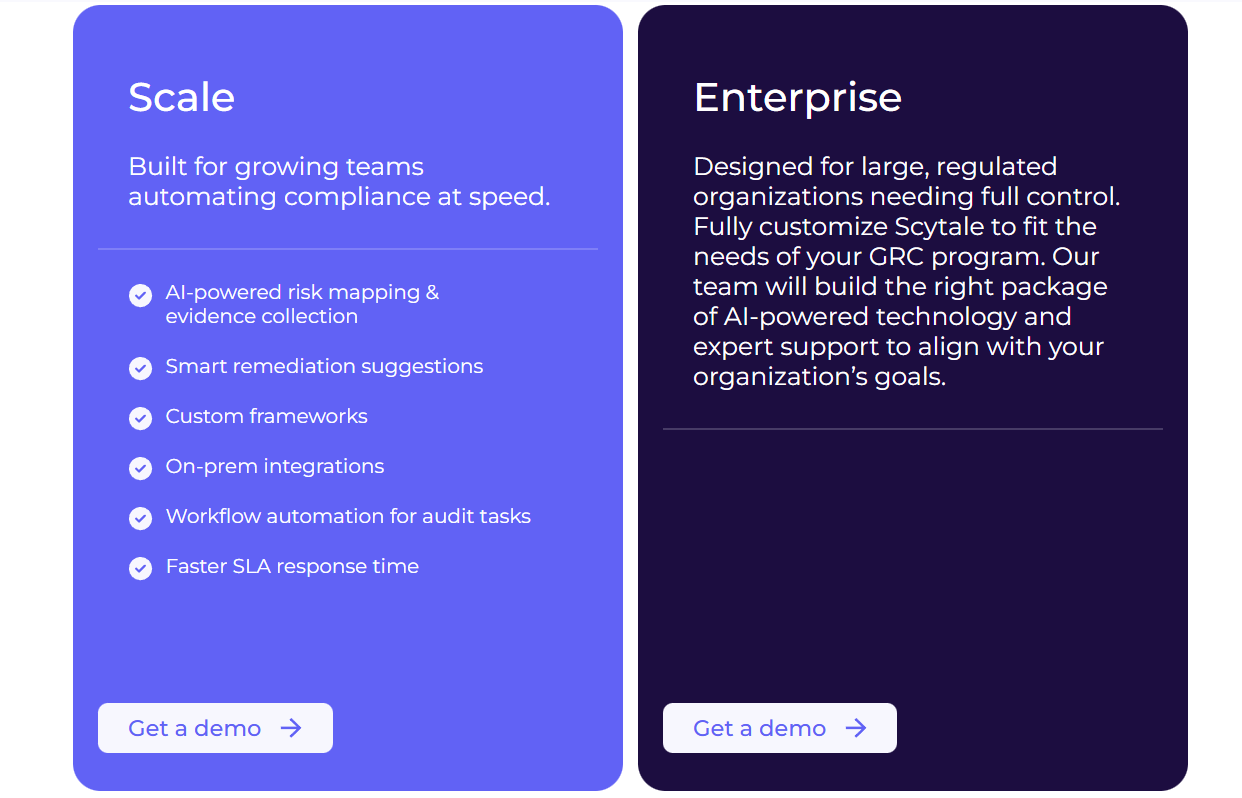
- Scale: Includes AI-powered risk mapping, automated evidence collection, workflow automation for audit tasks, custom frameworks, on-prem integrations, and faster SLA response times.
- Enterprise: Built for large or highly regulated organizations, this fully customizable package combines Scytale’s AI-driven platform with dedicated compliance experts, advanced configuration options, and tailored support aligned to complex GRC programs.
However, Scytale doesn’t publish pricing publicly, so you’ll have to get in touch with sales for more details.
Pros & Cons
✅ Strong compliance guidance backed by real consultants who help structure governance programs.
✅ Clean, intuitive interface that makes compliance tasks manageable for first-time teams.
✅ Pairs technology with advisory services so teams don't need to build a full in-house GRC function.
❌ Automation and evidence-collection tools can occasionally feel inconsistent depending on setup.
10. Apptega
Best for: Organizations managing continuous cybersecurity compliance across multiple frameworks that want structured roadmaps, centralized risk tracking, and real-time scoring.
Similar to: LogicGate, SmartSuite.
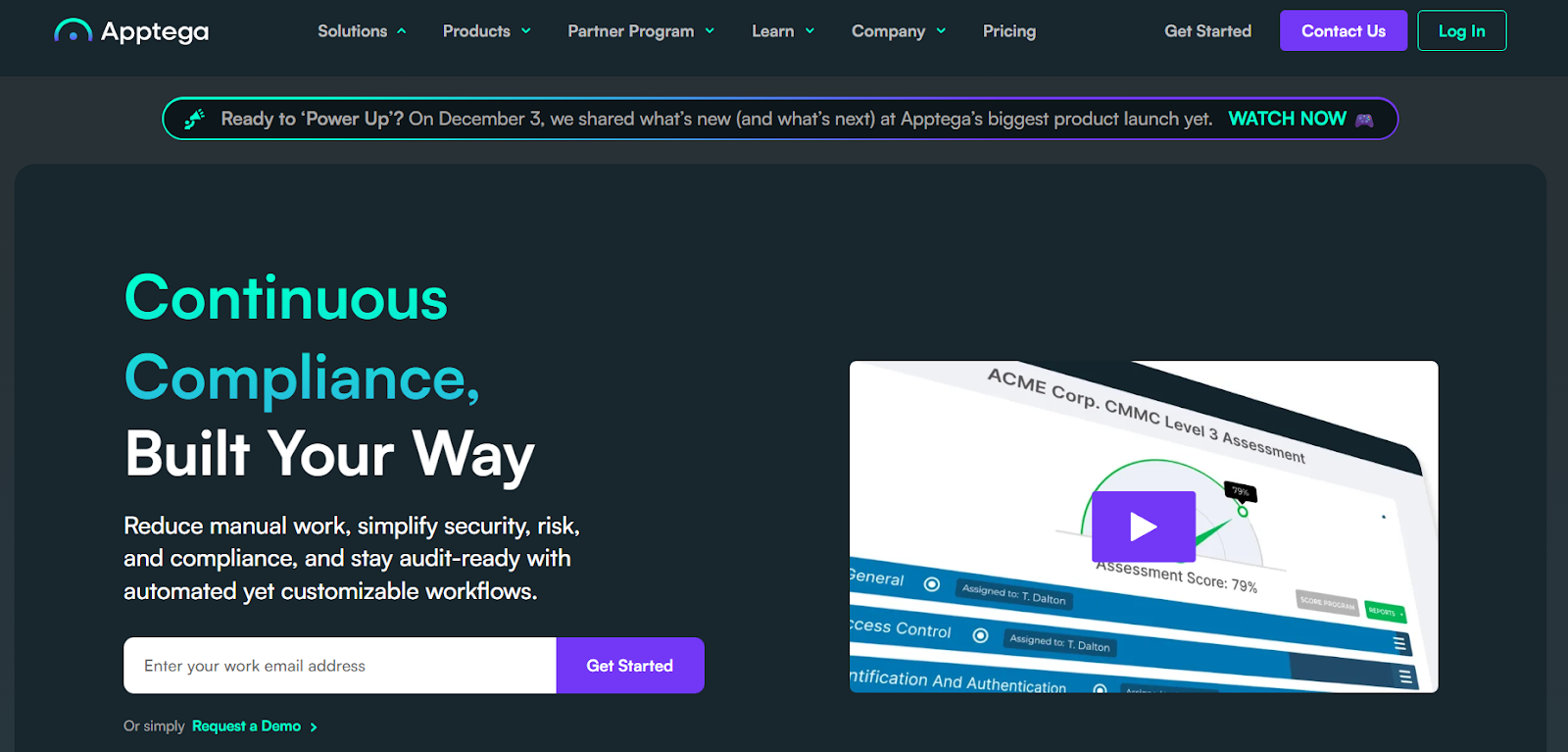
Apptega's platform simplifies compliance management by consolidating security measures and regulatory requirements into one unified system.
The platform handles evidence collection, task automation, risk scoring, and cross-framework alignment to reduce manual effort and improve visibility.
Features
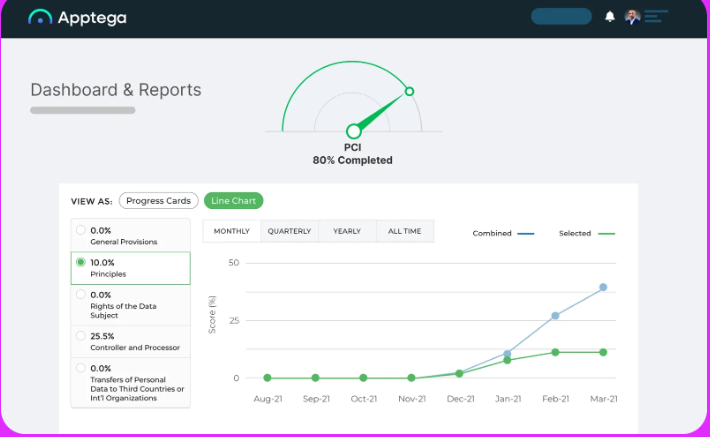
- Assessment Manager: Questionnaire-based templates for over 30 frameworks (like NIST, SOC 2, and PCI DSS) to identify risks and unmet controls.
- Risk Manager: Scoring, ranking, and reporting on risks with insights to improve security posture.
- Audit Manager: Accelerated evidence sharing, control validation, and audit preparation workflows.
Pricing
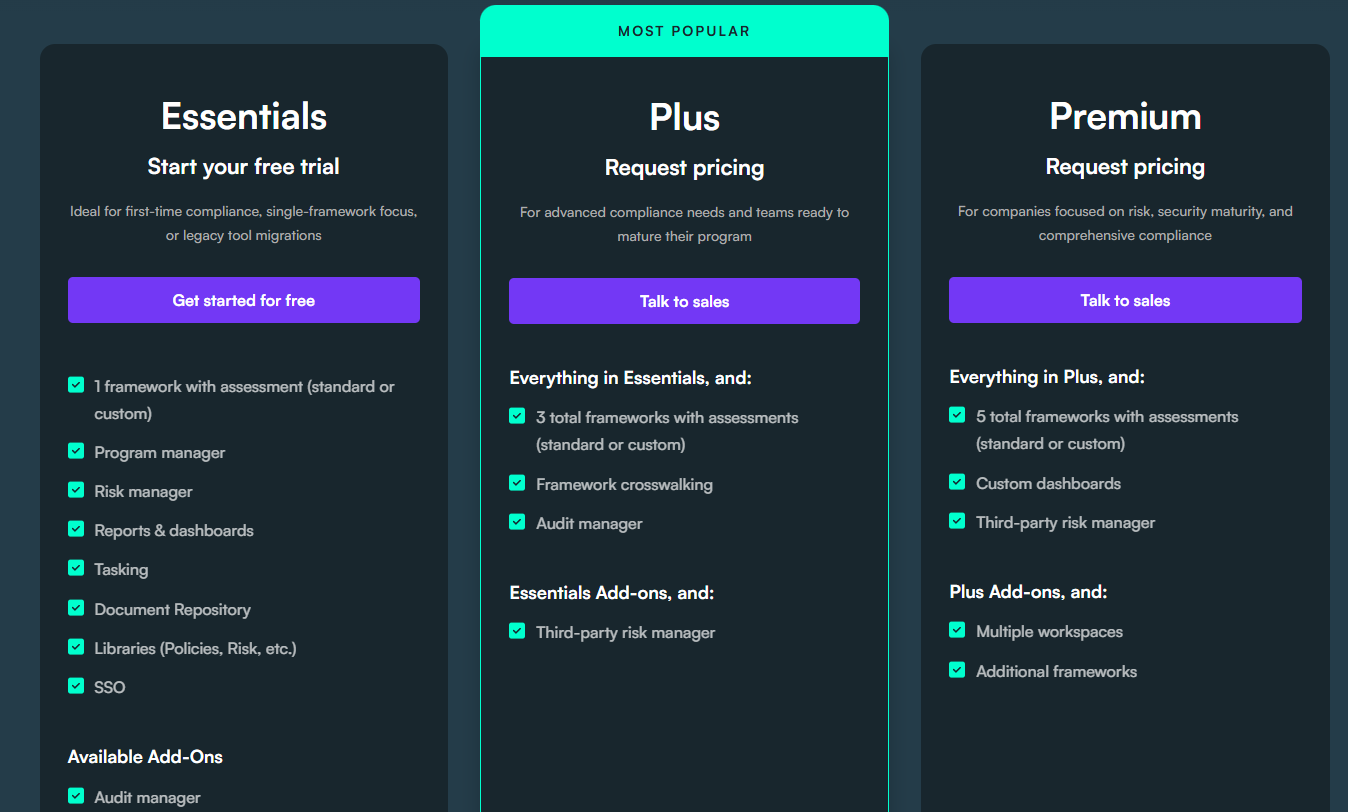
Apptega doesn't disclose its pricing publicly, but it does offer a free trial of its Starter plan so you can test the platform before committing.
You'll need to contact sales for specific pricing details on higher tiers.
Pros & Cons
✅ Simplifies cybersecurity and compliance management with built-in frameworks like NIST, CMMC, and ISO.
✅ Real-time scoring and visual reporting help security leaders communicate risk posture clearly.
✅ Excellent customer service and a dedicated onboarding team that helps newcomers get started.
❌ Limited reporting customization, according to user reviews.
❌ There’s a steep learning curve for complex setups.
Which Scrut Automation alternative actually fits how your team works?
Most Scrut alternatives still orbit the same idea: certification automation with continuous monitoring and pre-built frameworks.
- Tools like Vanta, Drata, and Secureframe are strong if your main priority is staying audit-ready.
- Sprinto and Scytale bring expert guidance into the mix. Thoropass pairs software with in-house auditors.
- Hyperproof and Optro scale into broader GRC programs for enterprise teams.
SmartSuite is different.
Instead of isolating compliance in a certification-only tool, SmartSuite connects risks, controls, audits, incidents, vendors, and remediation to real operational workflows in one no-code platform.
You get AI that works inside your governance processes, dashboards that update in real time, and automations that keep remediation and audit follow-ups moving without manual chasing.
So, if your team has outgrown Scrut's compliance-first architecture and wants a system that ties GRC to how your organization actually operates, SmartSuite is worth a look.
➡️ Start a free SmartSuite trial (no credit card required) or book a demo to see how your team can replace rigid compliance checklists with a flexible, audit-ready GRC workspace.

SmartSuite provides work platform for standardizing workflows in the following areas:
- Governance, Risk & Compliance
- IT & Service Ops
- Project / Portfolio Management
- Business Operations







