


Choosing between Smartsheet vs Zoho Projects isn’t as straightforward as it might seem.
On paper, both platforms help you plan work, assign tasks, track deadlines, and keep teams aligned.
Yet once you start digging into how they actually work day to day, the differences become obvious.
Smartsheet is built around spreadsheet-style planning and reporting, while Zoho Projects follows a more traditional task-and-milestone project management model tied closely to the Zoho ecosystem.
The tricky part is that “project management” can mean a hundred different things depending on how your team works, and picking the wrong tool can leave you fighting the software instead of getting work done.
That’s why this guide breaks down Smartsheet vs Zoho Projects in a clear, practical way, including:
- What each tool does well.
- Where they fall short.
- Which types of teams they actually make sense for.
And because some teams will end up realizing that neither option is a perfect fit, I’ll also introduce SmartSuite (that’s us): a more flexible alternative that combines project management, automation, dashboards, and collaboration in one customizable workspace.
TL;DR
- Smartsheet is best for teams that want spreadsheet-style project management with strong reporting, dashboards, and enterprise-grade integrations. It works well for complex, data-heavy projects, but can feel slow, rigid, and harder to adopt as workflows grow.
➡️ Choose Smartsheet for spreadsheet-driven, enterprise-scale projects.
- Zoho Projects is a solid, budget-friendly choice for traditional project management. It shines with Gantt charts, task dependencies, time tracking, and tight integration with the Zoho ecosystem, but the interface can feel cluttered, reporting is more limited, and flexibility drops outside classic PM use cases.
➡️ Choose Zoho Projects if cost and classic PM structure matter most.
- SmartSuite is the most flexible all-in-one option. It combines project management, real-time dashboards, collaboration, no-code automation, and built-in AI in a single customizable workspace. It’s easier to adopt than Smartsheet, more adaptable than Zoho Projects, and ideal for teams that want one platform that grows with them.
➡️ Choose SmartSuite if you want a modern, flexible, all-in-one work management platform that can adapt to any type of workflow.
Smartsheet vs. Zoho Projects vs. SmartSuite: Features
Let’s begin by looking into each of the platform’s key features, starting with Smartsheet.
TL;DR
- Smartsheet is best for teams that want spreadsheet-style project management with strong reporting, dashboards, and enterprise-friendly automation, but it can feel rigid and complex.
- Zoho Projects works well for teams that prefer classic project management with Gantt charts, task dependencies, and built-in time tracking, especially if they already use Zoho tools.
- SmartSuite combines flexible project management, real-time reporting, collaboration, automation, and AI in one customizable workspace without forcing teams into spreadsheets or rigid PM structures.
Smartsheet’s features
1. AI-powered formulas and insights
Smartsheet has been leaning more heavily into AI over the past year, especially to make its spreadsheet-style setup easier to use.
Its AI tools help users generate formulas, summarize data, and create text using simple, plain-language prompts.
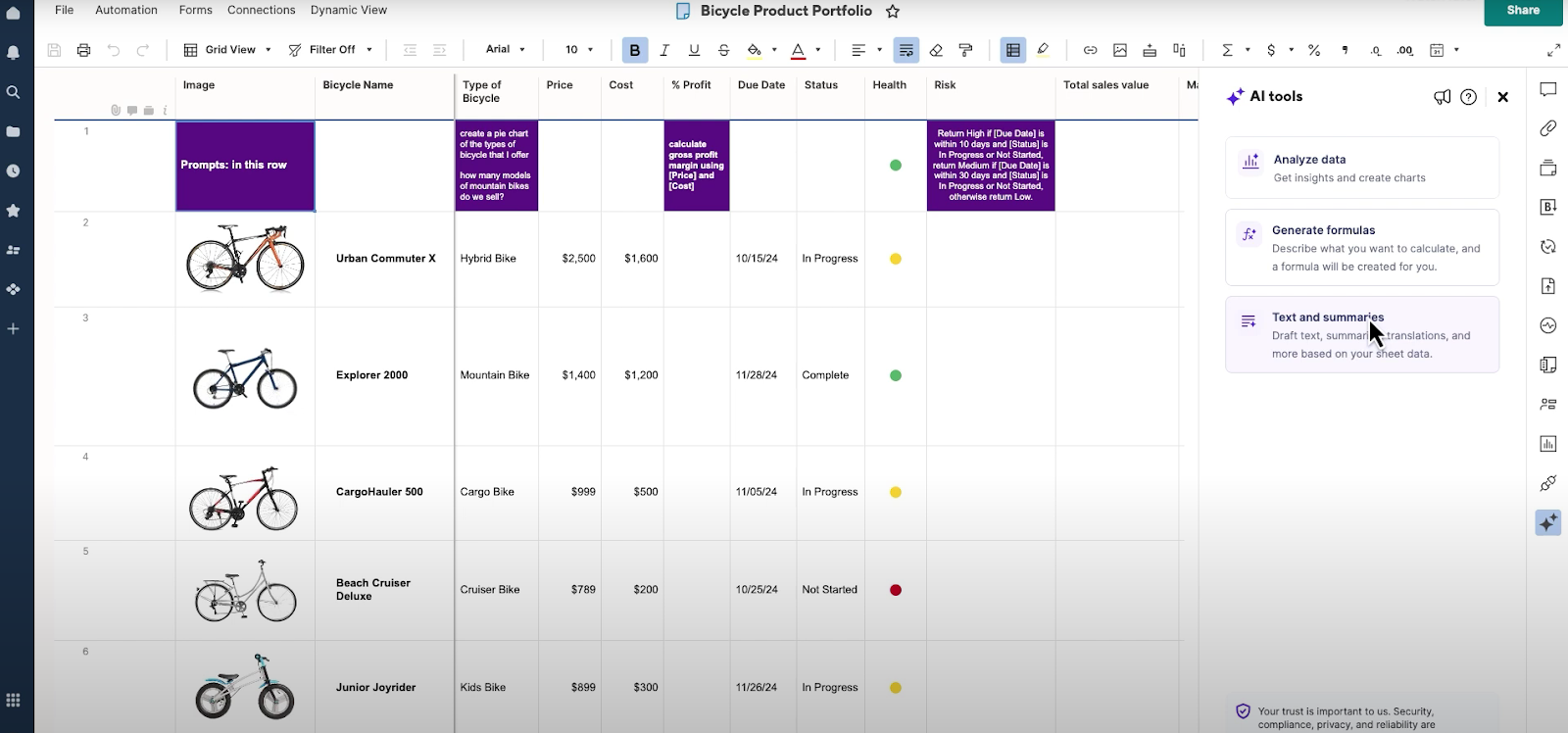
This way, instead of manually building complex formulas, you can describe what you want (for example, calculating totals, percentages, or status logic), and Smartsheet generates the formula for you.
The same applies to text-based tasks like summarizing rows, creating descriptions, or analyzing updates across a sheet, reducing manual workload and making figuring out formulas much easier.
2. Dashboards and real-time reporting
Smartsheet dashboards are designed to give teams and stakeholders a clear, high-level view of what’s happening across projects without digging into individual sheets.
You can pull live data from multiple sheets and reports into a single dashboard using charts, metrics, tables, and status indicators.
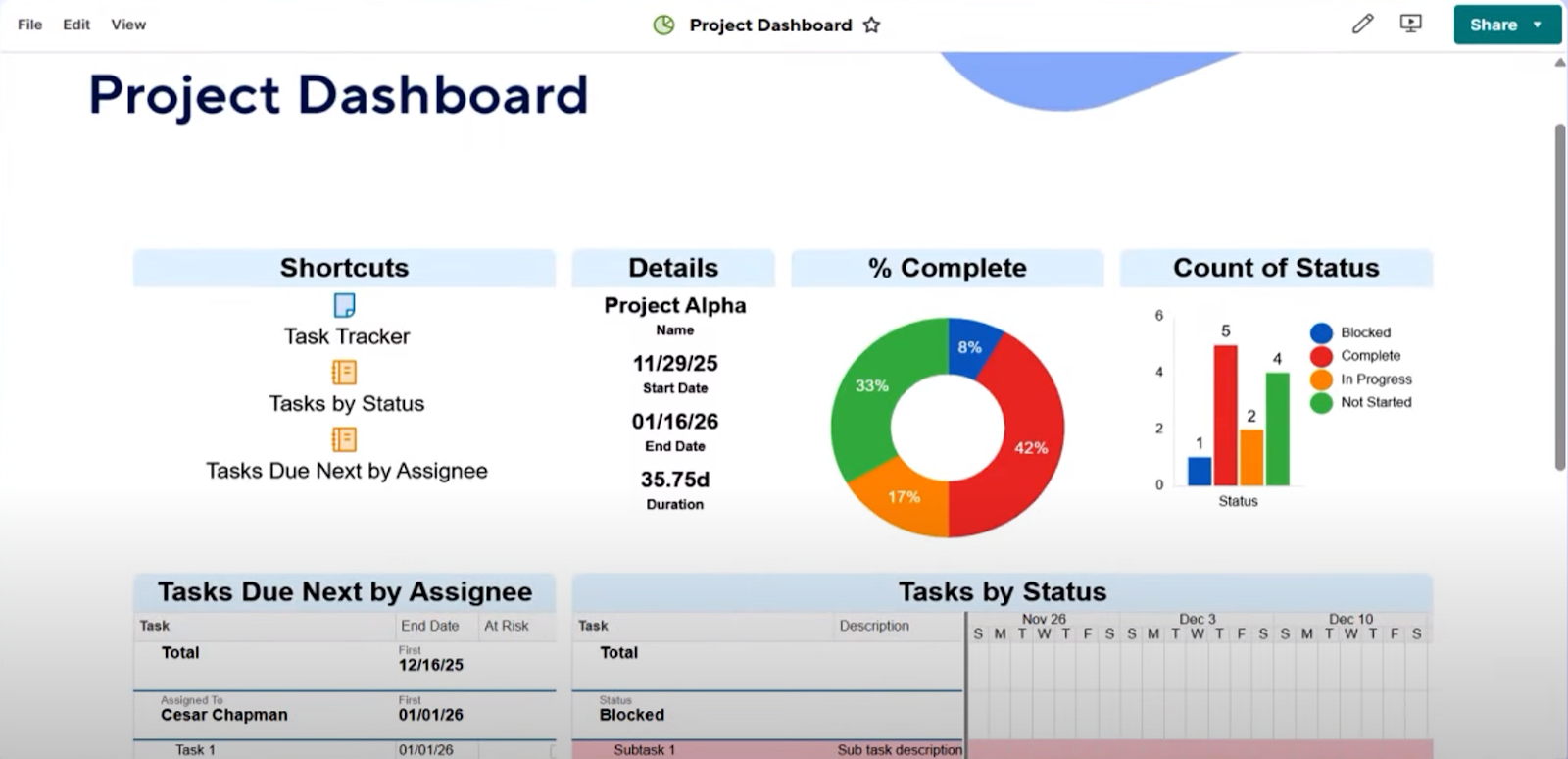
Because dashboards update in real time, any change made at the task or project level is immediately reflected in the visuals.
This makes them especially useful for sharing progress with executives or clients who need quick insights but don’t need edit access to the underlying data.
3. Automation and workflows
Smartsheet includes built-in automation tools that help teams cut down on repetitive, manual work.
You can set up rule-based workflows that trigger actions when something changes in a sheet, such as updating a status, assigning an owner, or sending an alert or reminder.
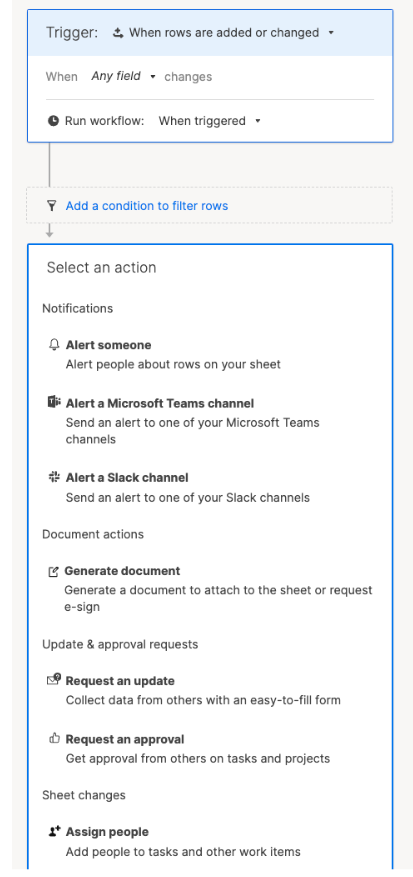
These automations are especially useful for approvals, deadline reminders, and keeping projects moving without constant follow-ups.
Once set up, workflows run in the background, helping teams stay consistent and reducing the risk of tasks falling through the cracks.
4. Workload tracking and resource views
Smartsheet also offers workload tracking features that give managers visibility into who is working on what and how much capacity each team member has.
By mapping tasks to people and timeframes, you can spot over-allocated or under-utilized resources more easily.
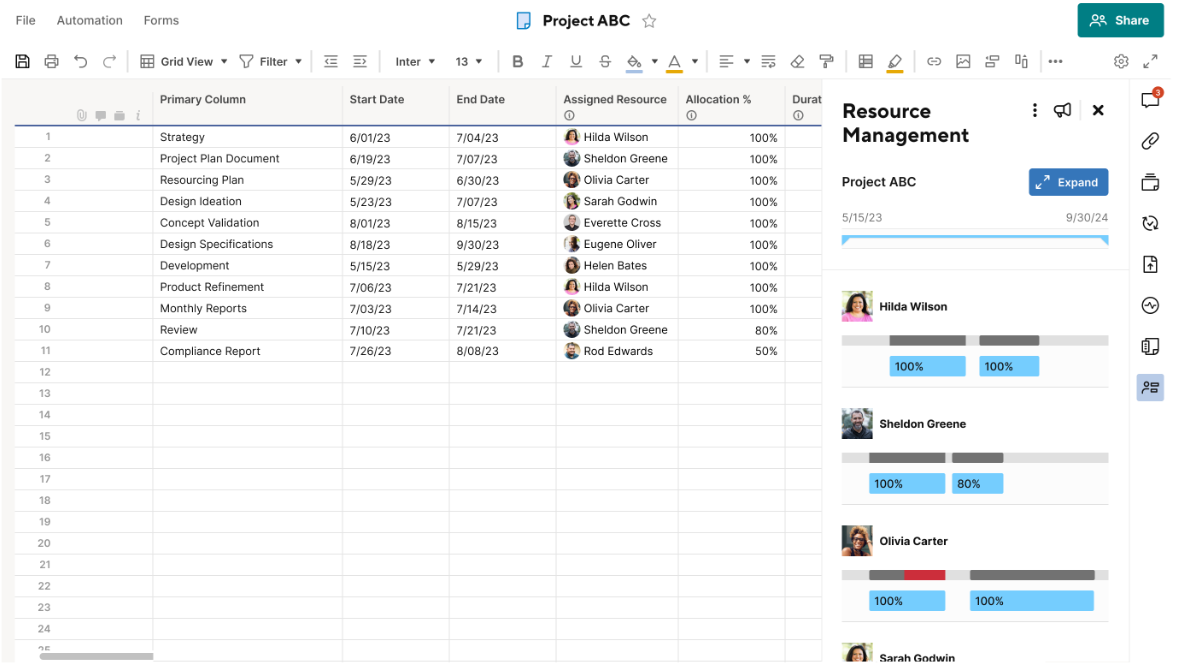
The resource and workload views make it easier to balance assignments across projects, adjust timelines, and avoid burnout.
This is particularly helpful for teams managing multiple projects at once and needing a clearer picture of overall team availability.
Smartsheet is ideal if you:
✅ Prefer a spreadsheet-style way of managing projects and feel comfortable working in grids, formulas, and structured rows of data.
✅ Manage data-heavy projects where reporting, dashboards, and roll-up views across multiple sheets are essential.
✅ Need automation to handle routine updates like status changes, reminders, approvals, or notifications without manual follow-ups.
Smartsheet isn’t the best option if you:
❌ Want a simple, lightweight tool with a short learning curve, especially for non-technical or less process-driven teams.
❌ Need deep customization beyond spreadsheet logic, such as flexible data models or highly tailored workflows.
❌ Are working with a tight budget, since many advanced features (AI tools, resource management, premium add-ons) sit behind higher-tier plans.
Zoho Projects’ features
1. Gantt charts and task dependencies
Zoho Projects puts a strong focus on timeline-based planning through its Gantt charts.
These charts let you visualize tasks, milestones, and dependencies across the entire project, making it easier to understand how work is connected and how delays impact delivery.
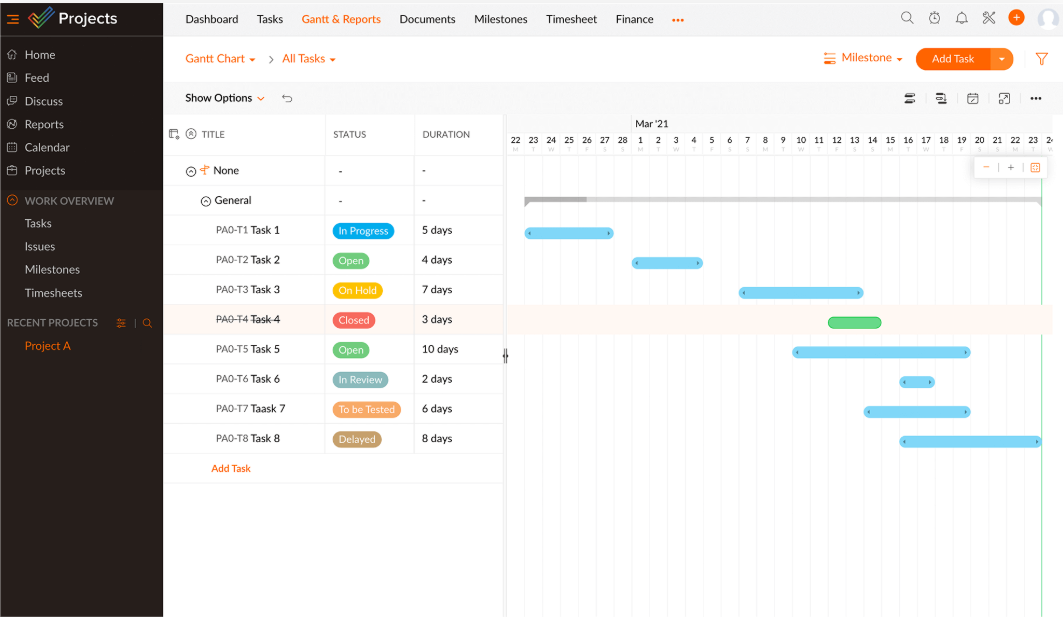
You can link dependent tasks, set milestones, and adjust schedules using drag-and-drop controls.
And when dates shift, the timeline updates automatically, helping teams stay aware of changes and keep projects on track without manually reworking plans.
2. Flexible task management and milestones
At its core, Zoho Projects is built around structured task management.
You can create task lists, break work down into subtasks, set recurring tasks, and group related work under milestones for clearer progress tracking.
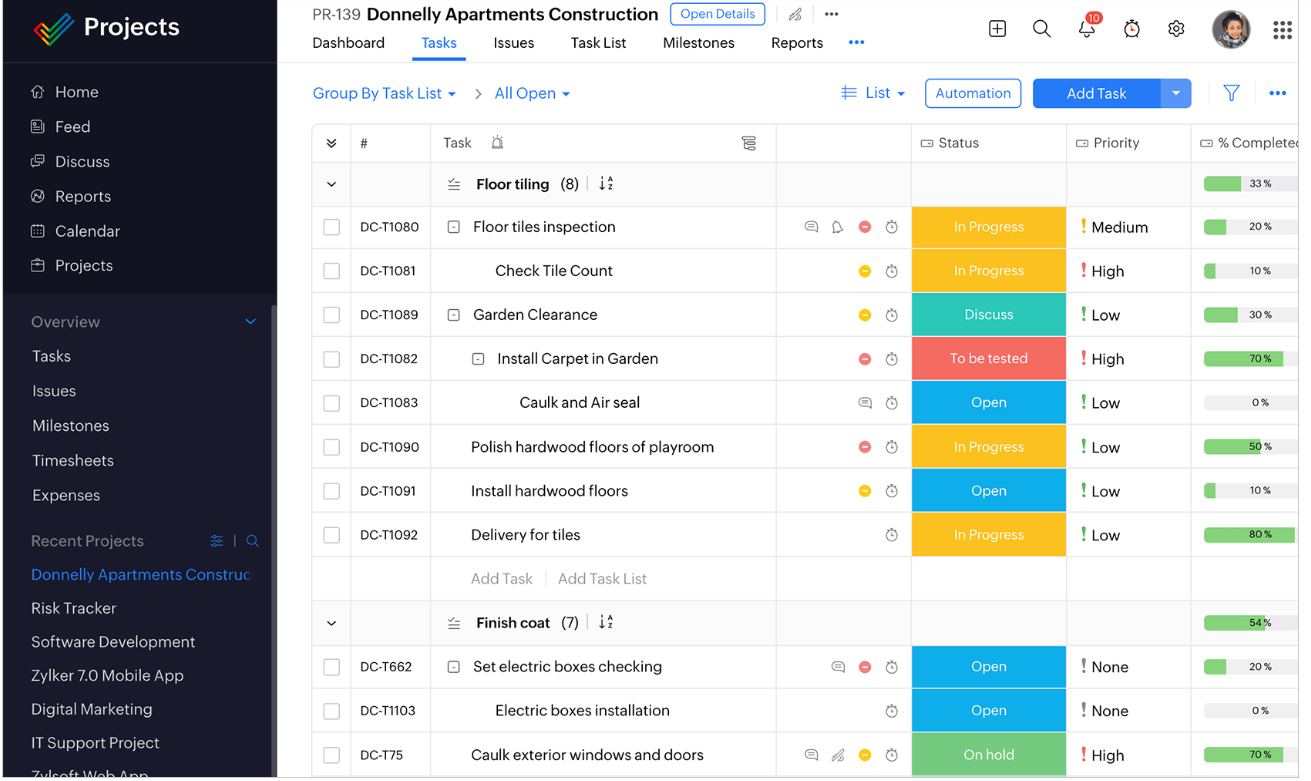
Tasks can be viewed in a traditional list format or as Kanban-style boards, giving teams flexibility in how they plan and execute work.
This setup works well for teams that prefer clear structure and defined steps rather than open-ended workflows.
3. Time tracking and timesheets
Zoho Projects includes native time tracking tools designed for teams that need to measure effort, manage billable work, or monitor productivity.
Team members can log hours using task timers or manual timesheets, with entries tied directly to specific tasks or projects.
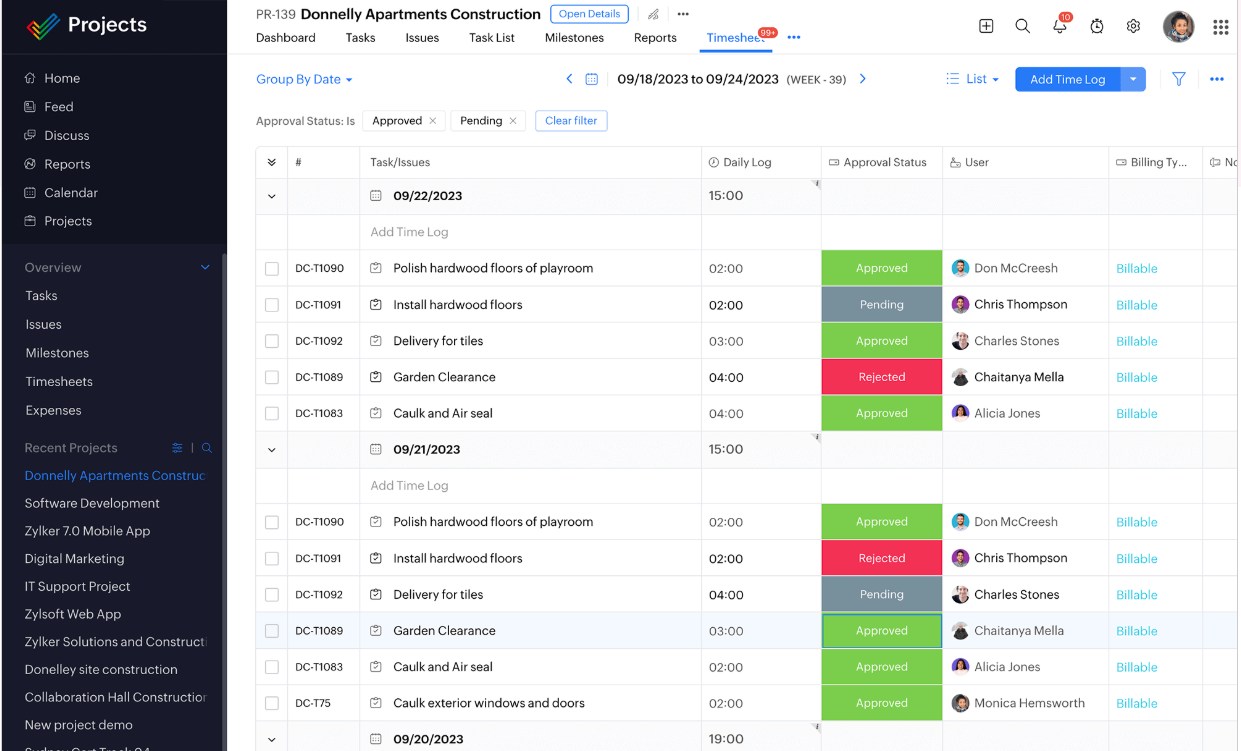
Managers can review time logs at a project or user level, making it easier to track billable hours, plan future workloads, and understand where time is being spent across ongoing initiatives.
4. Team collaboration tools
Zoho Projects keeps collaboration close to the work by allowing teams to comment on tasks, share files, create project forums, and post updates directly within projects.
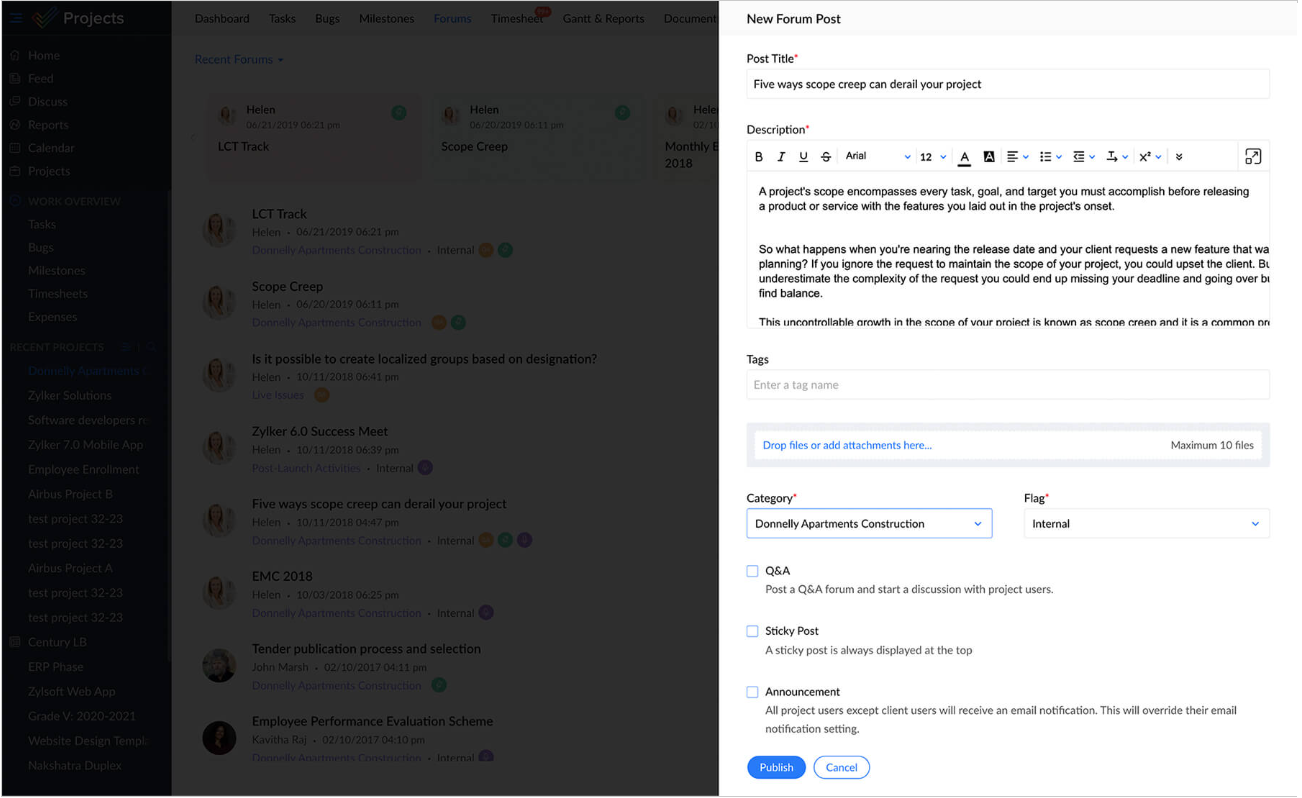
Discussions stay linked to tasks or milestones, so context isn’t lost across emails or chat tools.
With notifications, reminders, and activity feeds, team members stay informed about changes and updates without needing constant check-ins.
Zoho Projects is ideal if you:
✅ Prefer a traditional project management layout with clear timelines, Gantt charts, task dependencies, and milestones.
✅ Need built-in time tracking and timesheets for billing, performance analysis, or client reporting.
✅ Work within the broader Zoho ecosystem and want project data connected to tools like Zoho CRM, Zoho Sprints, and Zoho Docs.
Zoho Projects isn’t the best option if you:
❌ Want a highly flexible, customizable workspace that adapts to many different types of work beyond task lists and timelines.
❌ Are a small team looking for the simplest possible setup, as Zoho Projects may feel too process-heavy out of the box.
❌ Need to manage multiple data-heavy projects at once because its interface can lag and feel too cluttered.
SmartSuite’s features
SmartSuite is a modern, no-code work management platform designed to help teams plan, track, and execute work in one place.
It combines project management, reporting, automation, and collaboration into a single, flexible system that adapts to how teams actually work.
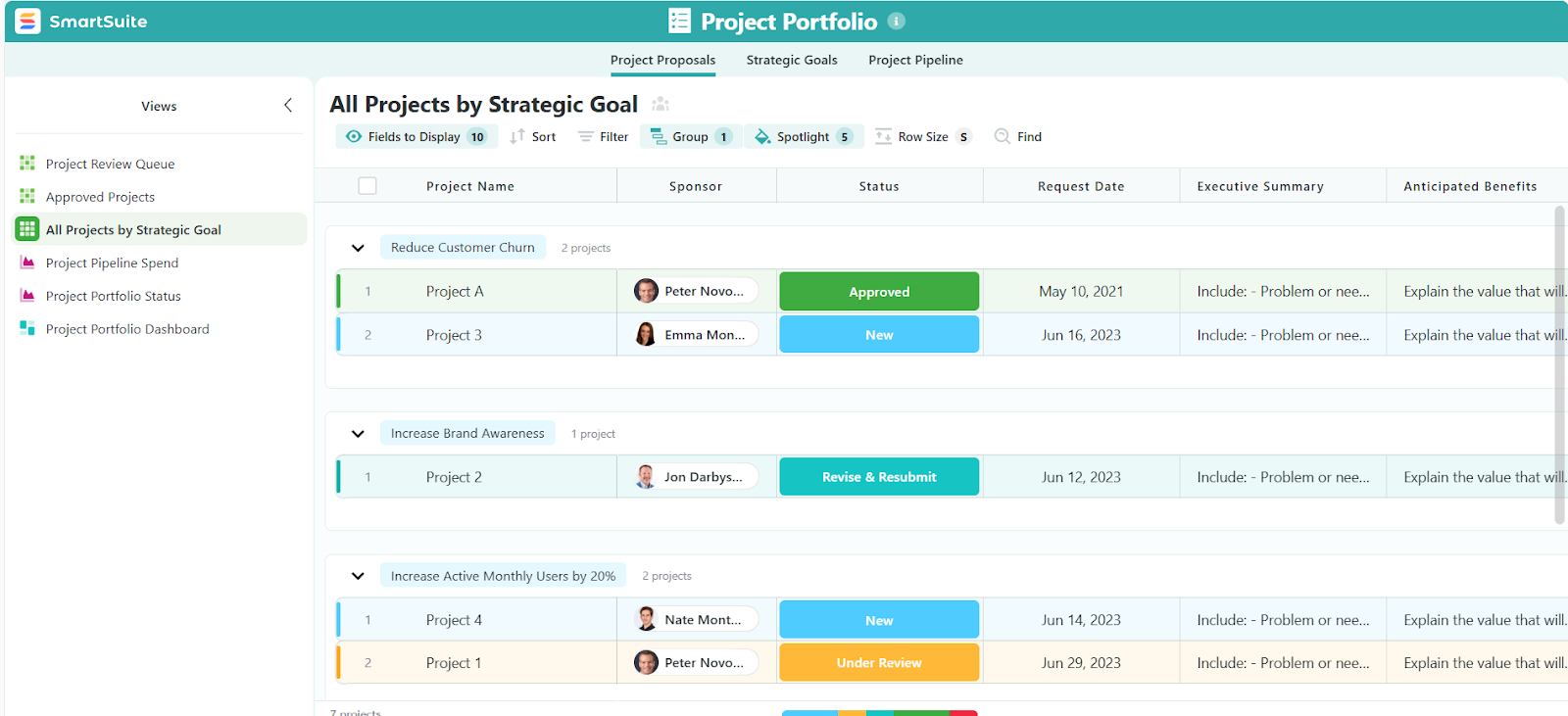
Instead of forcing projects into rigid structures or spreadsheet-heavy setups, SmartSuite lets you build a workspace that fits your processes - whether you’re managing simple task lists, cross-functional projects, or complex programs with multiple stakeholders.
The result is a more connected, easier-to-use alternative to both Smartsheet and Zoho Projects for teams that want clarity without complexity.
Let’s take a deep-dive into some of its standout project management features.
1. All-in-one project management workspace
SmartSuite gives teams a single place to plan, manage, and deliver projects from start to finish.
Instead of spreading work across multiple tools, everything related to a project lives in one connected workspace, making it easier to stay organized and aligned.
Within this workspace, teams can:
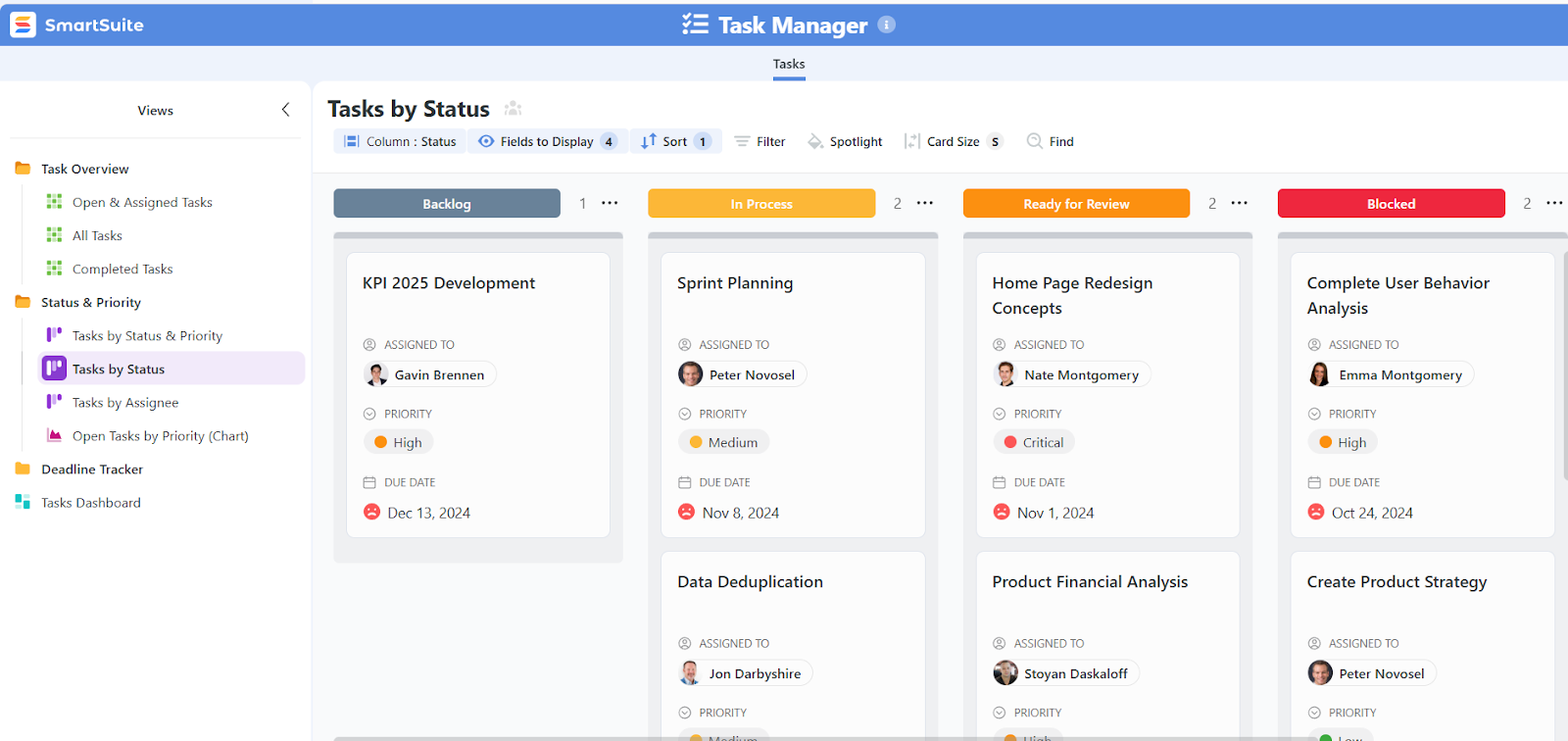
- Create and manage tasks and subtasks: Break work down into actionable tasks, assign owners, set priorities and due dates, and track progress in real time.
- Manage single projects or entire portfolios: Track individual initiatives or roll multiple projects into a portfolio to monitor overall progress, risks, and priorities.
- Define phases and milestones: Structure projects into clear phases and milestones so everyone understands what needs to happen next and how work is progressing toward key goals.
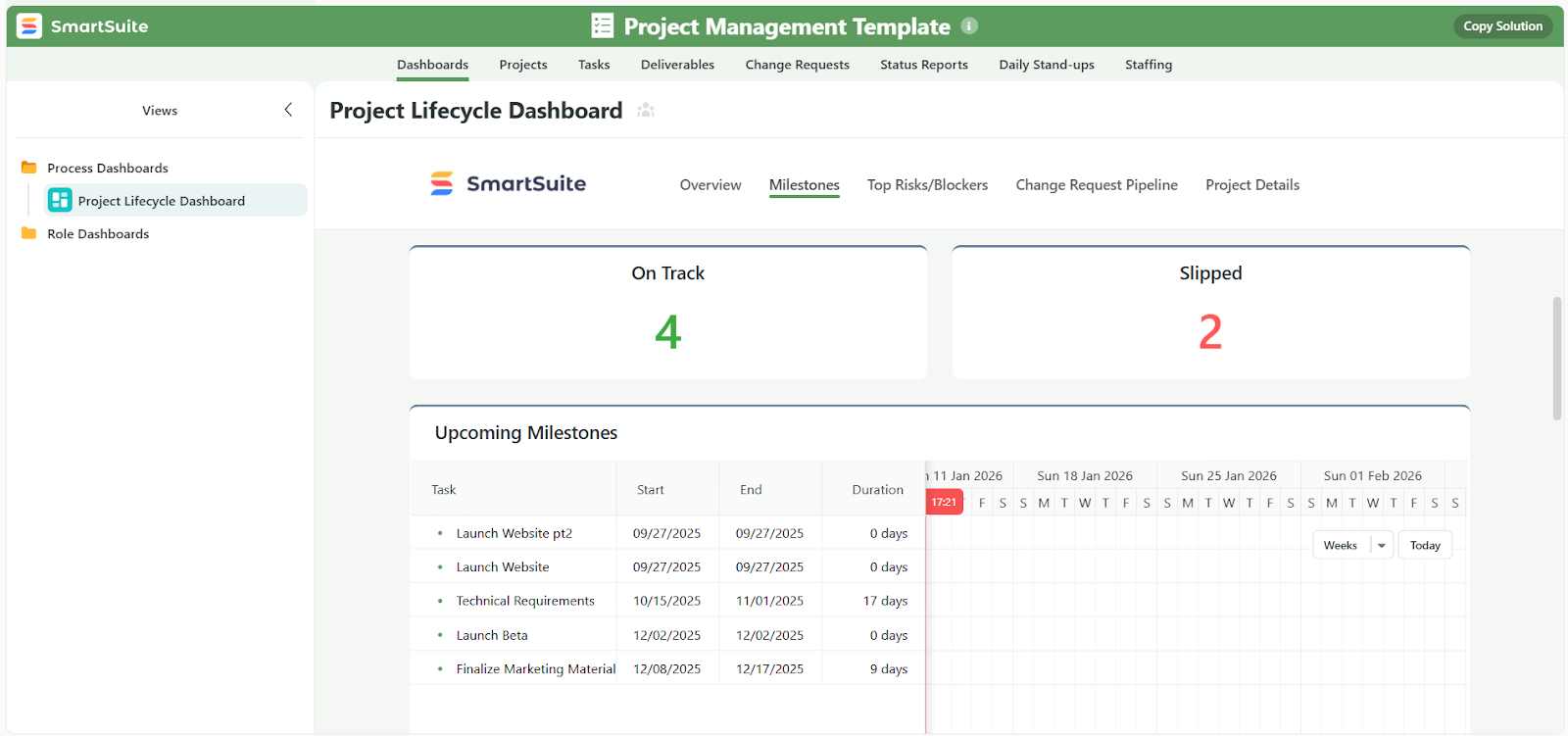
- View projects from multiple angles: Switch between Grid, Kanban, Timeline, Calendar, Chart, and Dashboard views to match different planning and execution styles.
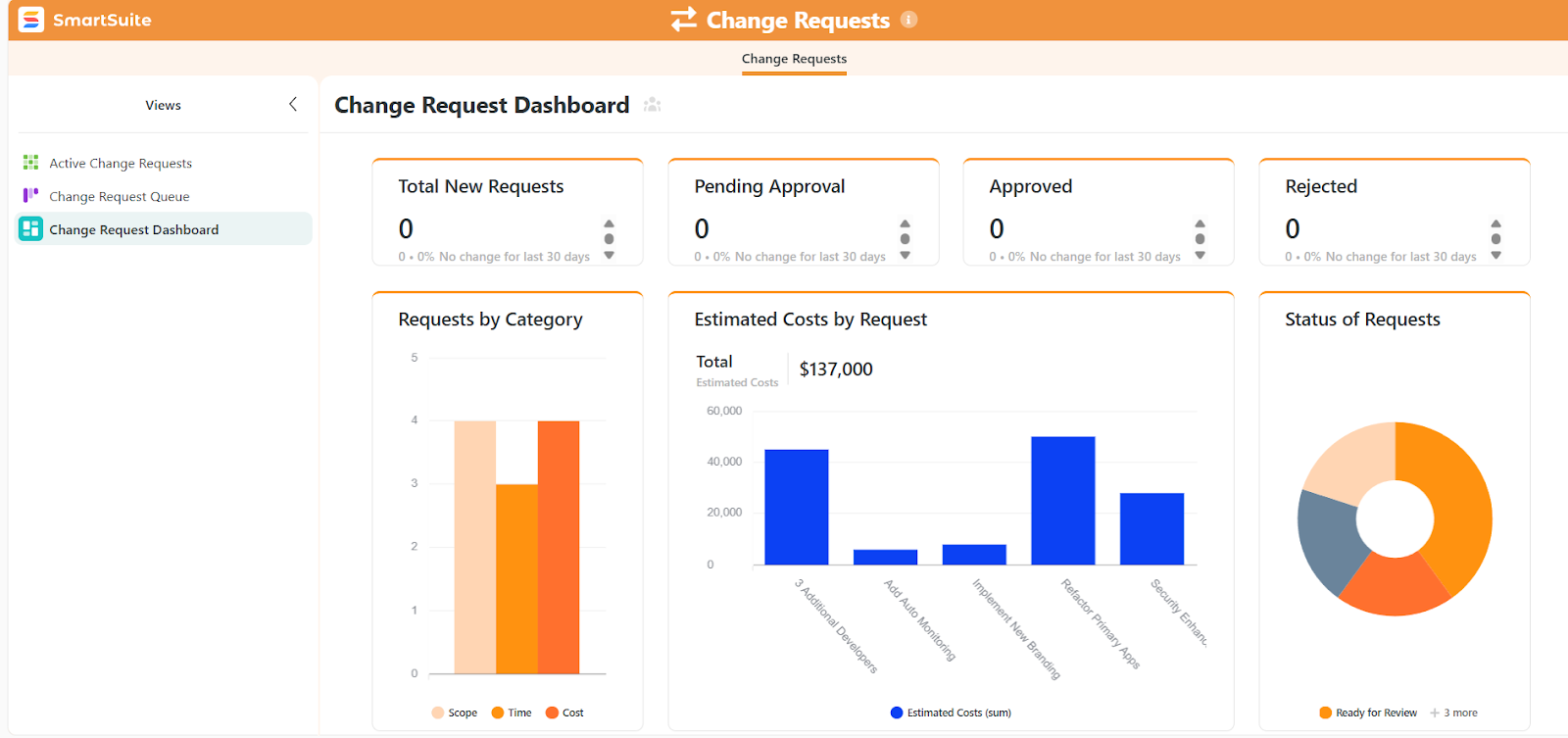
- Track risks, issues, and change requests: Log and manage project risks, issues, and scope changes directly within the project to avoid surprises and keep delivery on track.
- Attach files and manage deliverables: Keep documents, feedback, and version history connected to the relevant tasks or milestones, so nothing gets lost.
- Track time easily: Track time directly against tasks and projects, log billable and non-billable hours, and use time data to improve planning, forecasting, and reporting.
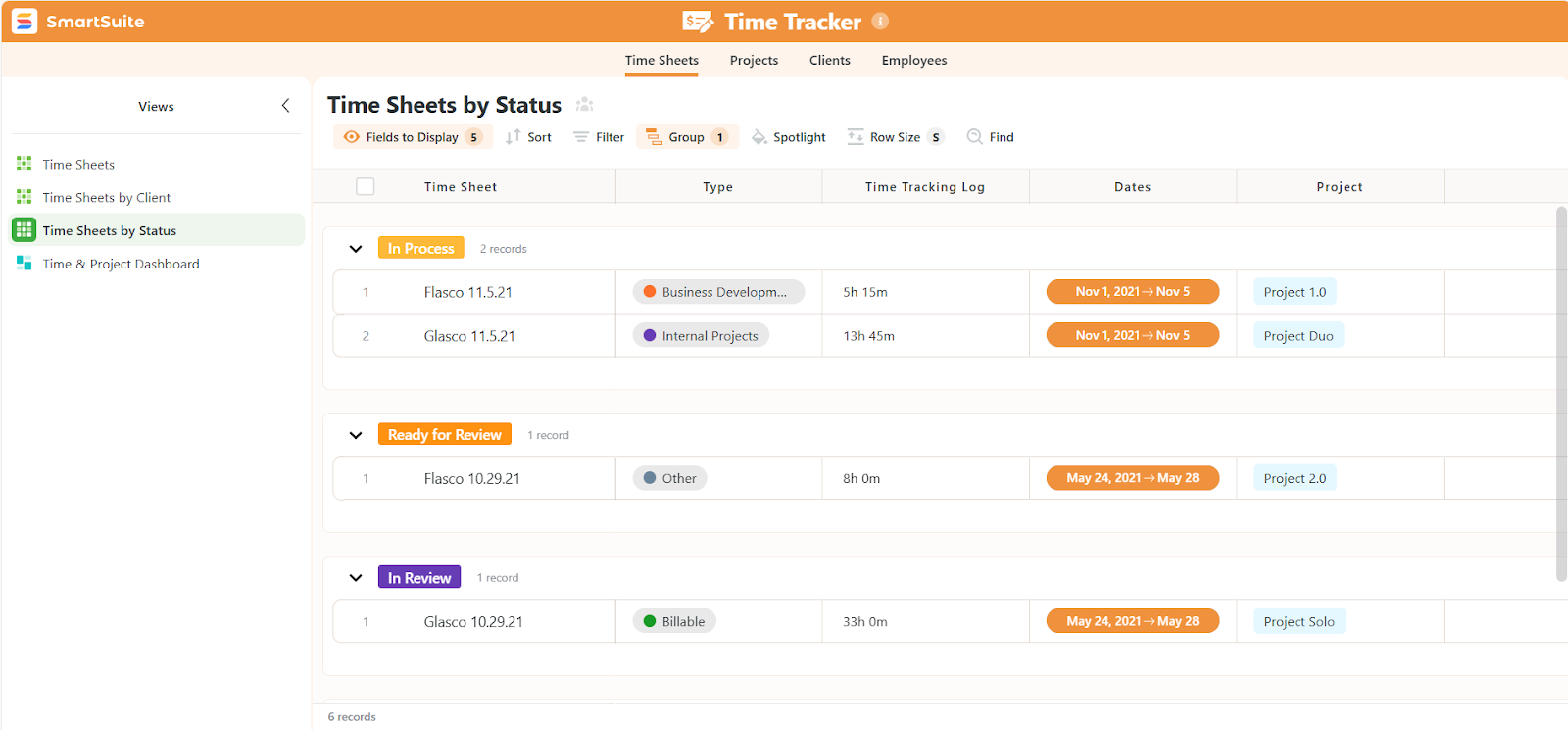
- Allocate work across projects, monitor team capacity, and spot bottlenecks early: SmartSuite gives managers a clear view of who’s working on what, helping balance workloads and avoid over-allocation.
- Get started quickly with ready-to-use templates: Find a template for anything from project tracking and task management to agile workflows and change requests, where each template can be fully customized to match your team’s processes.

2. Team collaboration where the work happens
SmartSuite treats collaboration as a core part of getting work done, not a separate layer bolted on later.
The result of this approach is faster decisions, fewer handoffs, and collaboration that actually moves work forward instead of creating more noise.
Here’s what makes teamwork seamless in SmartSuite:
- Conversations in context: Team members can comment, start discussions, @mention others, and share files directly within tasks or projects. Every conversation stays tied to the work it’s about, so context is never lost.
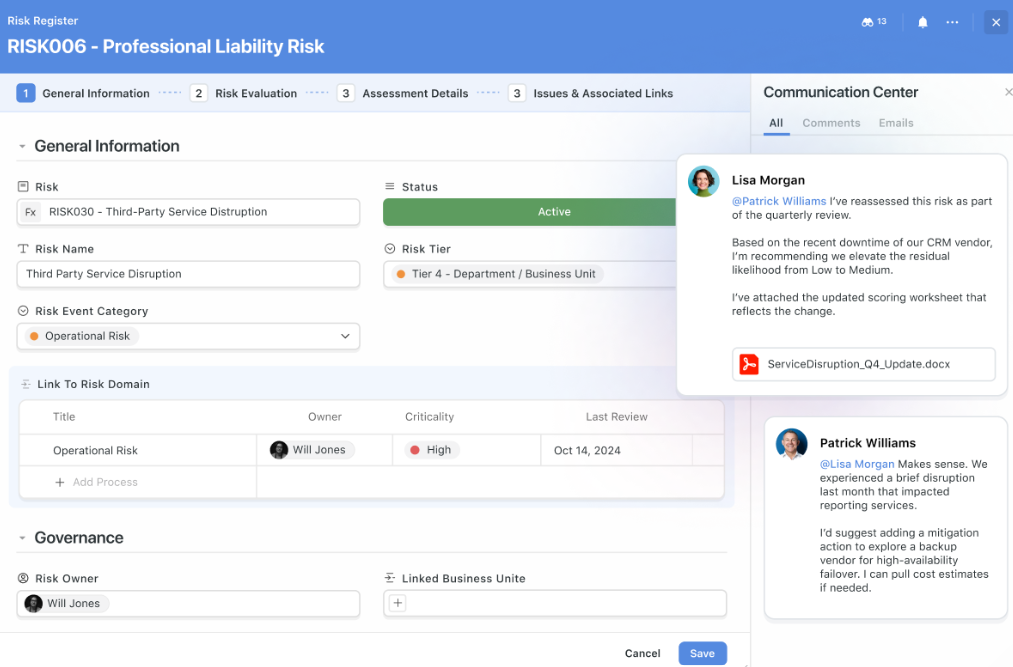
- Email where it belongs: Instead of important messages sitting in personal inboxes, SmartSuite lets you send and receive emails directly from records. This keeps client, vendor, or stakeholder communication visible and linked to the right project.
- Clear activity history: Every change, comment, and update is tracked in a single timeline, making it easy to see what happened, when, and why.
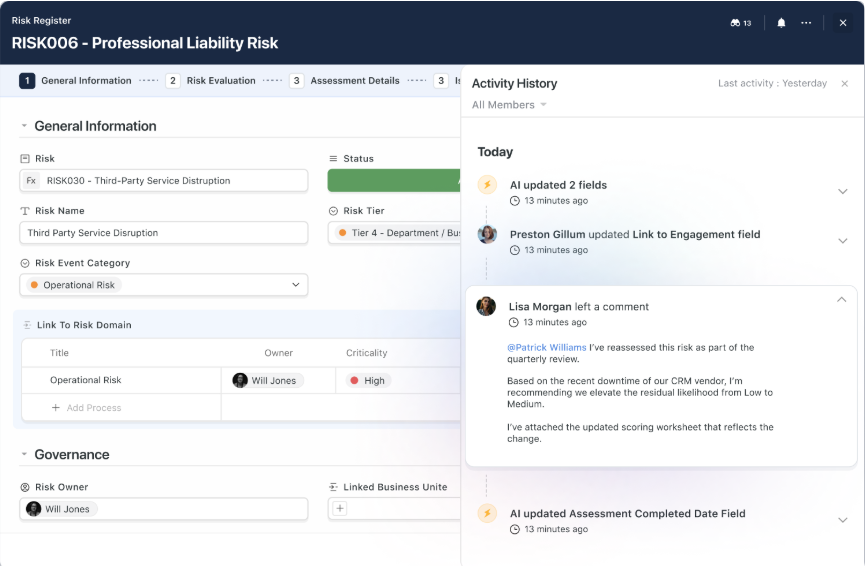
- Notifications without the noise: SmartSuite alerts users about what actually matters, such as mentions, assignments, approvals, and key changes, while allowing fine-grained control over what notifications they receive.
- One collaboration model across all work: The same commenting, approval, and activity patterns apply across projects, tasks, and other workflows. Teams don’t have to relearn how to collaborate every time they switch contexts.
3. No-code automation that keeps projects moving
SmartSuite’s no-code automation engine is built to handle the day-to-day project work that usually slows teams down.
Instead of manually updating statuses, chasing approvals, or sending reminders, you can automate those steps so projects keep moving on their own.
Using a simple visual builder, anyone on the team can create automations in minutes - no coding, scripts, or technical setup required.

Here’s how SmartSuite automation improves project management:
- Automate routine tasks: Automatically update task statuses, assign owners, change priorities, or move work between phases when dates change or milestones are reached.
- Trigger real-time notifications and actions: Notify teams in Slack or Microsoft Teams when tasks become high priority, deadlines approach, or work is completed. You can also create calendar events, reminders, or follow-up tasks automatically.
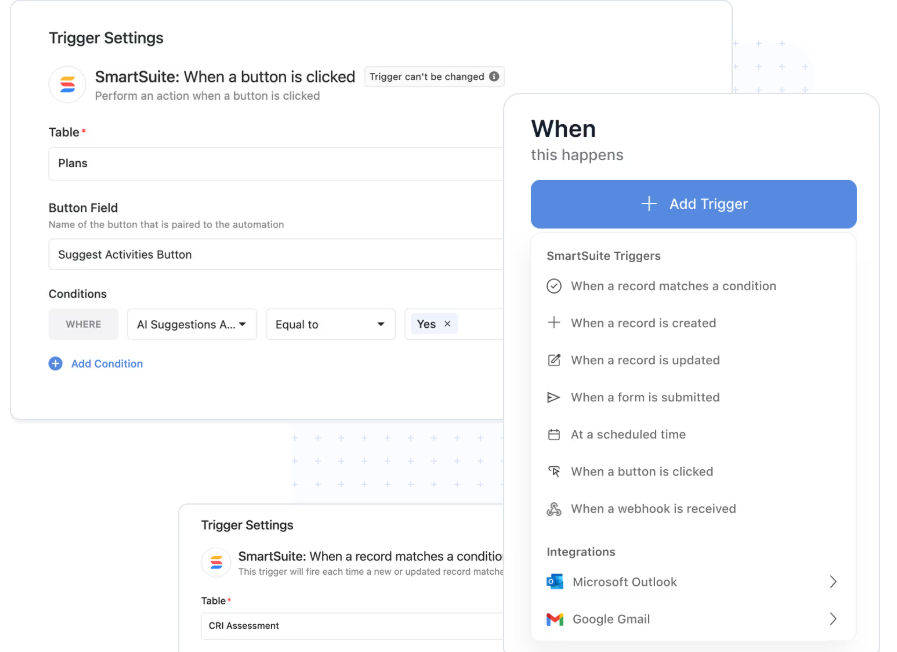
- Build multi-step workflows: A single automation can handle multiple actions in sequence, such as updating related tasks, notifying stakeholders, and creating new work items when a project status changes.
- Update related tasks automatically: When something changes in a project, automations can loop through related tasks or records and update everything consistently, keeping large projects aligned without manual cleanup.
4. AI features built directly into project management
SmartSuite’s AI isn’t a separate add-on or a standalone assistant.
It’s built directly into projects, tasks, workflows, and automations, helping teams make faster decisions and keep work moving without losing control.
In a project management context, SmartSuite AI helps teams:
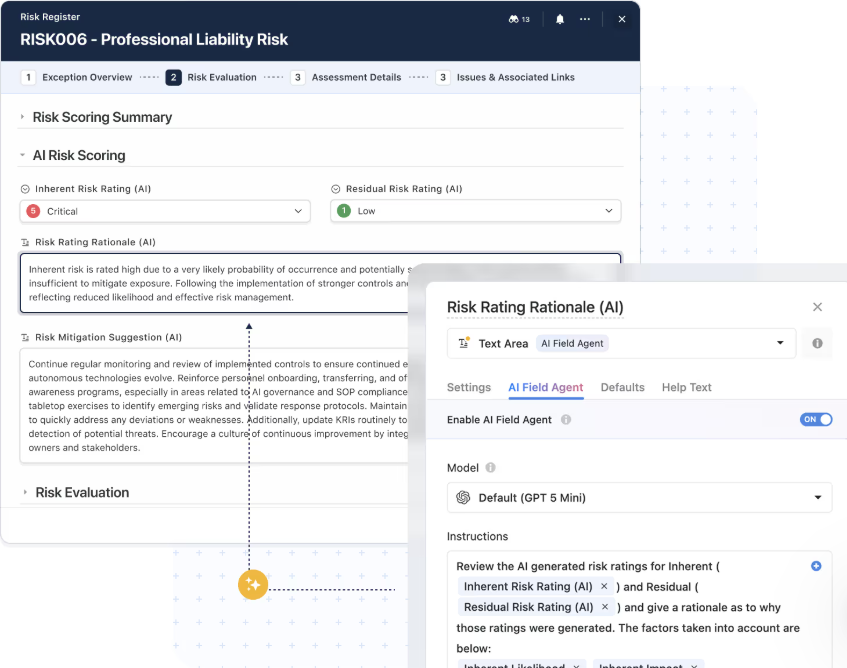
- Summarize project updates and task activity: Automatically turn long comments, updates, or attachments into clear summaries so stakeholders can quickly understand what’s happening without reading everything.
- Turn unstructured input into structured project data: Use AI to classify requests, prioritize tasks, extract action items, or populate fields when new work is submitted through forms or emails.
- Support smarter workflows and automations: AI steps can be added directly into automations to analyze content, generate next steps, or route work based on what’s actually written, instead of just fixed rules.
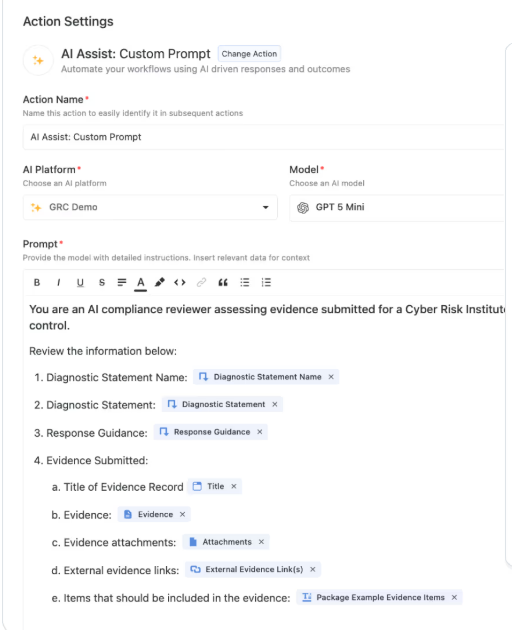
- Keep priorities and data clean at scale: AI can suggest task priorities, flag missing information, and highlight inconsistencies, helping teams manage large projects without constant manual review.
- Keep humans in control: AI prepares suggestions, summaries, and recommendations, but people review and approve changes before they’re applied. This makes AI helpful without taking decisions out of your team’s hands.
Unlike Smartsheet and Zoho Projects, where AI is limited to specific features or surface-level assistance, SmartSuite uses AI across the entire project workflow - from intake to execution to reporting - while remaining transparent, permission-aware, and easy to trust.
5. Reporting, analytics, and real-time dashboards
SmartSuite brings reporting directly into the flow of work, so teams always know what’s happening without exporting data or building reports in separate tools.
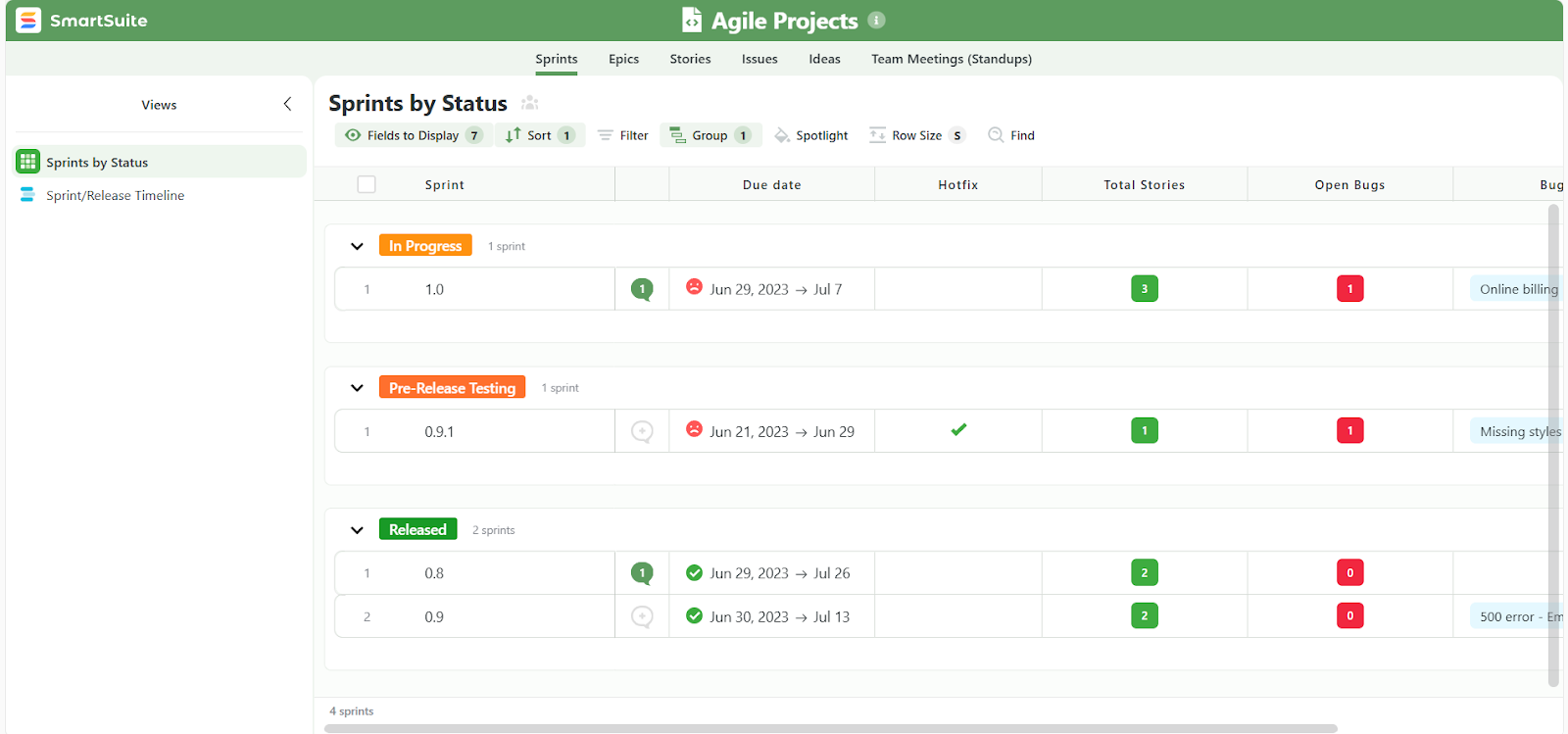
Here are some of the things that make SmartSuite’s reporting easily fit into daily workflows:
- Real-time visibility: Dashboards refresh automatically as work changes, so you’re always looking at current data.
- Cross-project and cross-team reporting: Pull data from multiple projects or solutions into a single dashboard to see progress, risks, workloads, and priorities across teams.
- Role-aware views: Each user sees exactly what they’re allowed to see, based on their role and permissions. Leaders get high-level overviews, managers see operational details, and contributors focus on their own tasks.
- Multiple view types for different needs: Switch instantly between Grid, Kanban, Timeline, Calendar, Gantt, Chart, or Dashboard views to match how you want to review or present data.
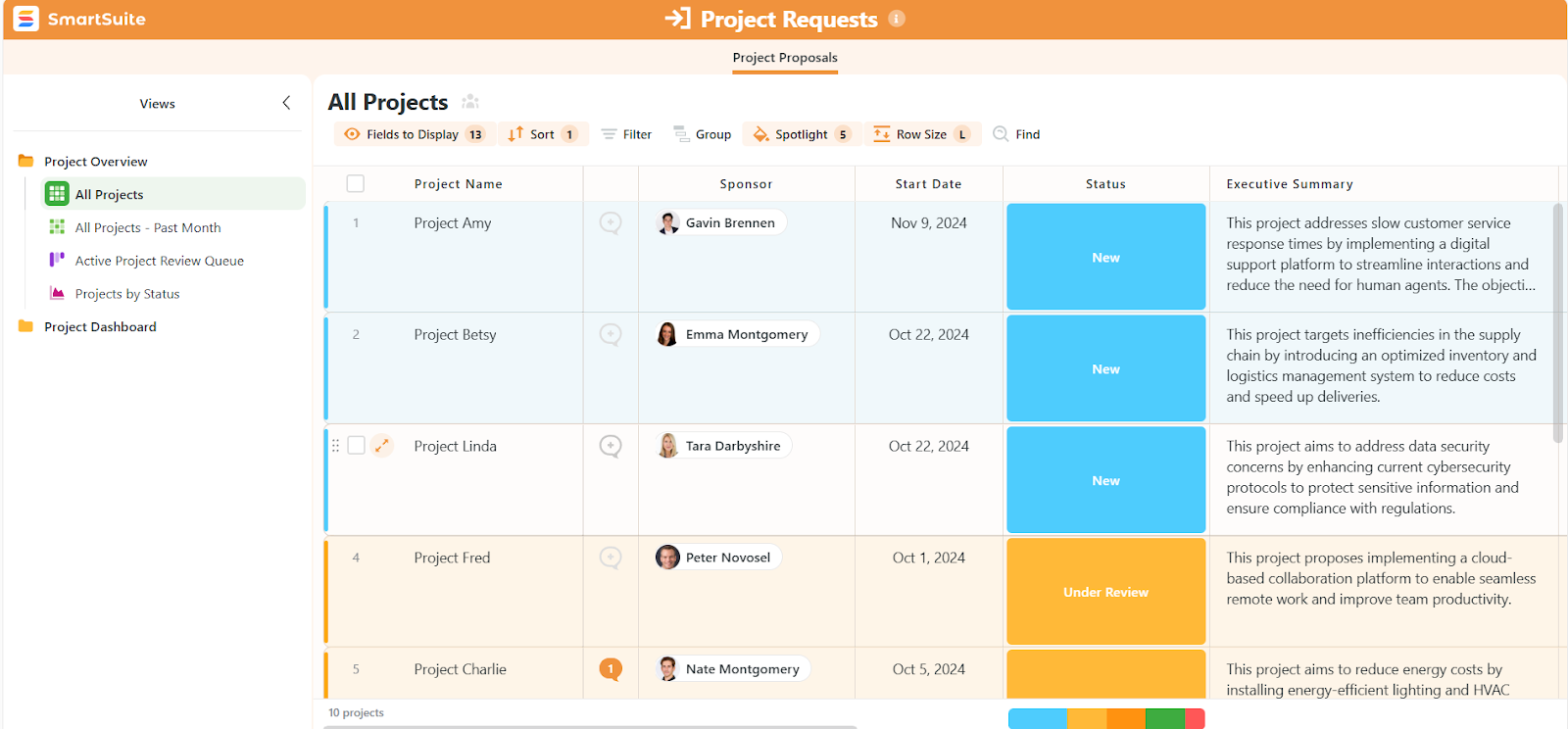
Because reporting is built into SmartSuite’s core, it stays accurate, secure, and aligned with how work actually happens, which is something spreadsheet-based tools and more rigid project apps struggle to deliver at scale.
SmartSuite is ideal if you:
✅ Want a true all-in-one project management platform that combines tasks, timelines, reporting, automation, collaboration, and AI in one workspace.
✅ Manage cross-functional projects or portfolios and need flexibility without forcing everything into rigid templates or spreadsheet logic.
✅ Need real-time visibility into project health, workloads, and priorities without relying on manual status updates or exports.
✅ Value built-in collaboration where conversations, files, approvals, and decisions stay directly connected to the work.
✅ Want powerful no-code automation and AI to reduce manual effort and keep projects moving without technical setup.
SmartSuite isn’t the best option if you:
❌ Rely heavily on complex spreadsheet modeling or advanced formulas for project planning.
❌ Need a lot of third-party integrations, as SmartSuite offers fewer than Smartsheet and Zoho Projects.
Winner: SmartSuite
While Smartsheet and Zoho Projects both do certain things well, SmartSuite stands out as the most complete and adaptable project management solution overall.
Smartsheet shines in data-heavy, spreadsheet-driven environments, but its flexibility often comes with added complexity.
Zoho Projects offers solid timelines and task structure, yet it can feel restrictive once workflows grow beyond traditional project management.
SmartSuite brings the best of both worlds together, as it delivers structured project management without rigidity, powerful reporting, built-in collaboration, and no-code automation and AI that actually move work forward.
Integrations: Smartsheet vs. Zoho Projects vs. SmartSuite
Smartsheet integrations
Smartsheet’s integration ecosystem is broad and enterprise-ready, making it a strong choice for organizations that rely on multiple business systems and need Smartsheet to fit into an existing tech stack.
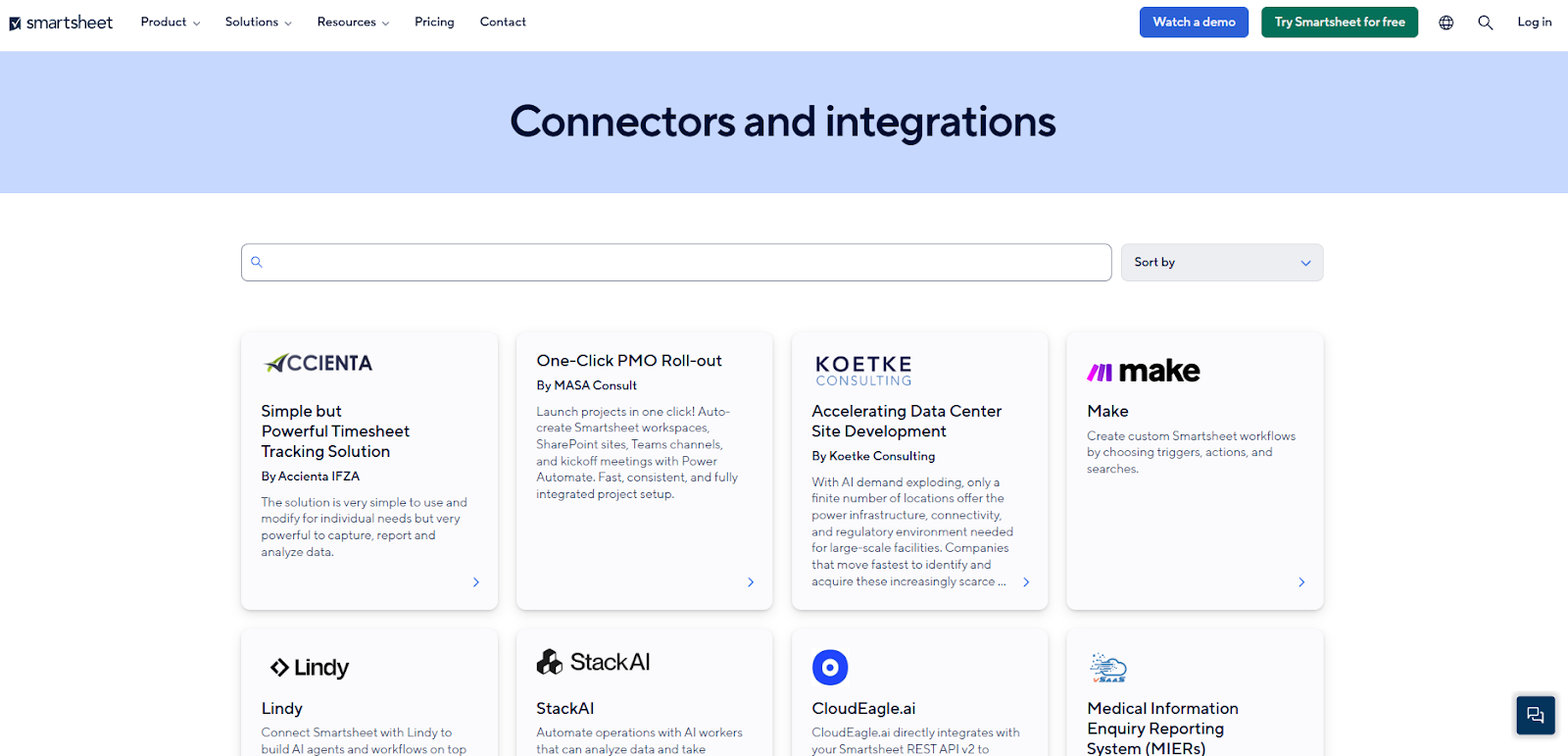
Here are some of the most notable Smartsheet integrations:
- Microsoft & Google ecosystem: Smartsheet connects deeply with Microsoft 365 tools and Google apps, making it easier to bring project data into the tools teams already use.
- Communication platforms: You can link Smartsheet with Slack and Microsoft Teams so updates and alerts flow into team chats or channels, helping keep everyone aligned without switching contexts.
- CRM & enterprise systems: Native connectors exist for major enterprise systems like Salesforce and Jira, allowing project updates and issues to sync between Smartsheet and those applications.
- Creative and analytics tools: Integrations with tools like Adobe Creative Cloud and Tableau help teams pull work and visuals into dashboards or connect design workflows with project plans.
Zoho Projects integrations
Zoho Projects integrates well within the wider Zoho ecosystem, making it a natural fit for teams already using Zoho’s business apps.
These integrations help connect project work with sales, support, finance, and collaboration tools without heavy setup.
Besides the Zoho ecosystem integrations, some of the most notable integrations include:
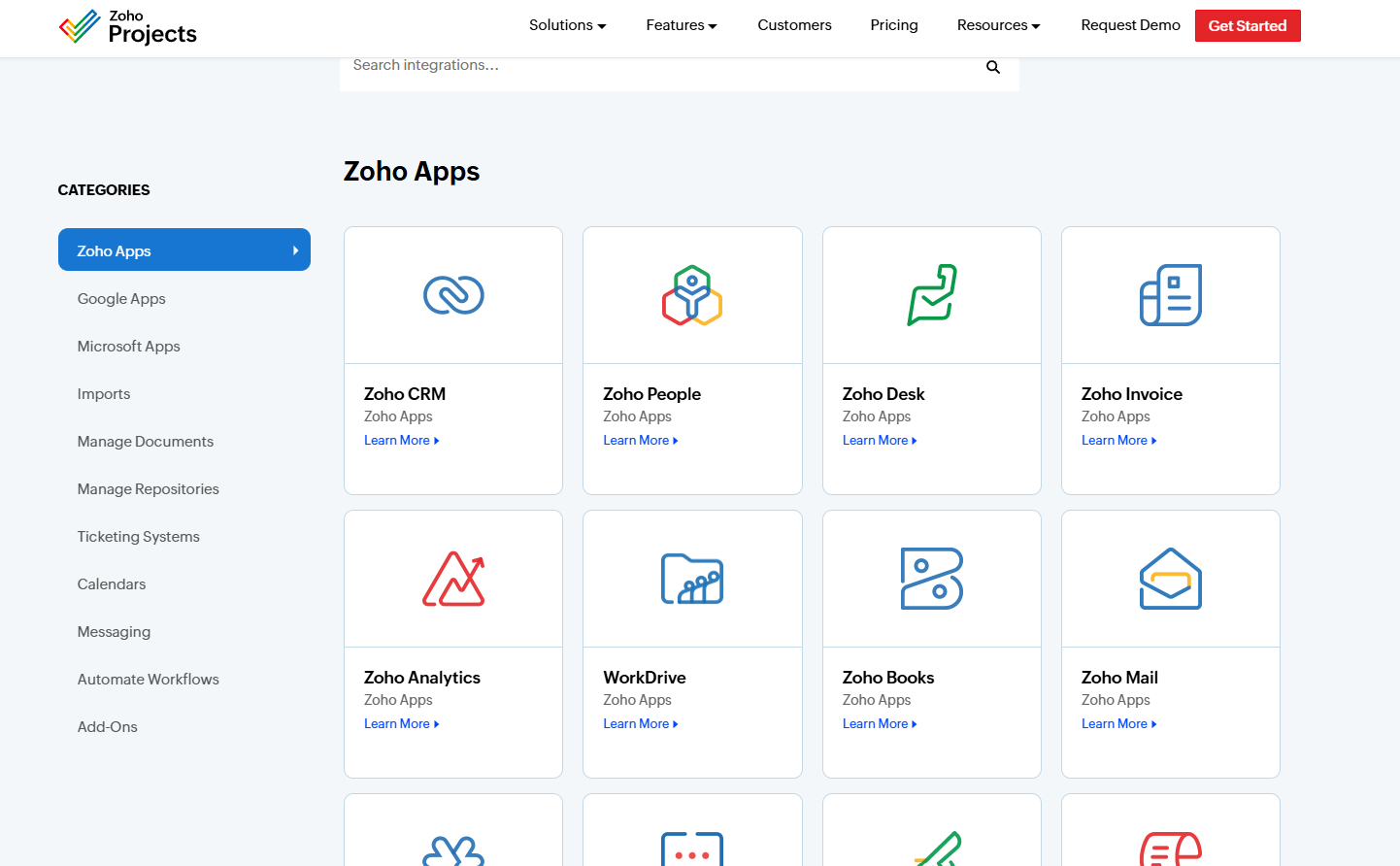
- Communication and collaboration tools: Integrations with Slack and Microsoft Teams let teams receive updates, notifications, and task changes directly in their chat tools, helping reduce the need to constantly check the project dashboard.
- File storage and document tools: Zoho Projects integrates with Google Drive, Dropbox, Box, and Zoho WorkDrive, making it easy to attach files, manage documents, and collaborate on deliverables within projects.
- Developer and version control tools: For technical teams, Zoho Projects connects with GitHub, GitLab, and Bitbucket, allowing commits and issues to be linked to tasks and milestones.
- Automation and connectors: Through Zoho Flow and Zapier, Zoho Projects can connect with additional third-party apps, enabling basic cross-tool automations and data syncing.
SmartSuite integrations
SmartSuite integrates with a wide range of tools to help teams communicate, share files, manage customers, and automate work.
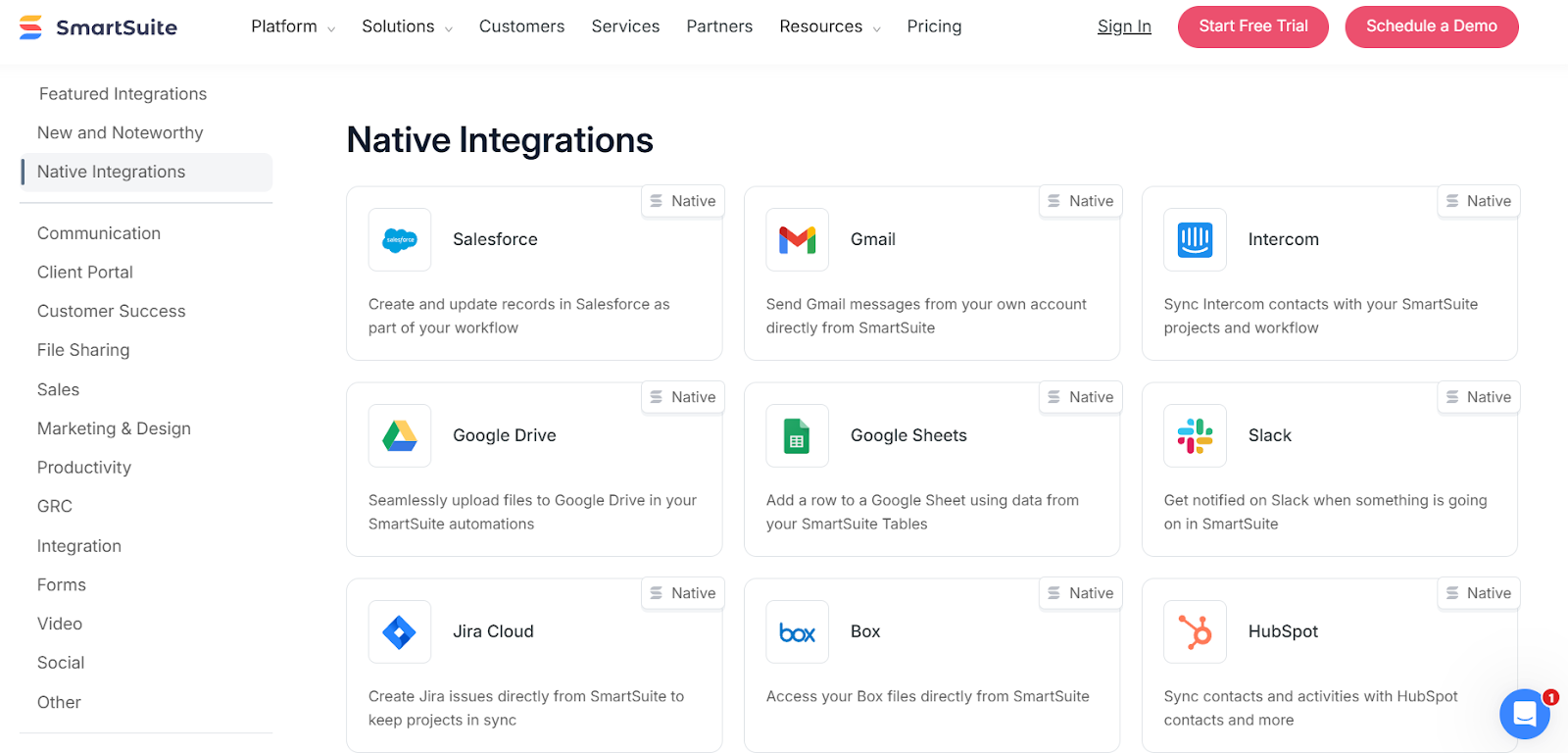
SmartSuite aims to cover integrations across use cases, making sure that teams can easily access everything they need for comprehensive project management:
- Communication & collaboration: Connect SmartSuite with Slack, Microsoft Teams, Gmail, Outlook, and Twilio to send notifications, messages, emails, or SMS updates directly from your projects and tasks.
- File sharing & document management: Integrations with Google Drive, OneDrive, Dropbox, and Box make it easy to attach files, manage deliverables, and keep documents connected to the right project records.
- Sales & customer workflows: Native integrations with Salesforce, HubSpot, and Intercom allow teams to link projects with customers, sync contacts, and keep delivery work aligned with sales and support activities.
- Productivity & planning tools: SmartSuite connects with Google Calendar, Google Sheets, Google Docs, and Google Maps to support scheduling, reporting, content sharing, and location-based data.
- Automation & connectors: Through Zapier, Make, Integrately, Relay, and Ply, SmartSuite can connect to thousands of additional apps, making it easy to automate workflows across marketing, finance, HR, and operations tools.
Winner: Smartsheet
When it comes to integrations, Smartsheet takes the lead overall thanks to the size and maturity of its integration ecosystem.
It connects with a large range of business tools and is especially strong in enterprise environments where teams need their project platform to plug into many systems (collaboration, CRM, reporting, and more).
That said, the “best” integration setup still depends on your stack:
- Zoho Projects is the best fit if your company already runs on Zoho (CRM, Desk, Books, etc.), because the native connections feel natural and keep everything in one ecosystem.
- SmartSuite is strong if you want practical native integrations plus easy no-code connectors (Zapier/Make/Relay/Integrately/Ply) to link your workflows across lots of tools without heavy setup.
But purely on integration breadth and enterprise readiness, Smartsheet wins.
Pricing: Smartsheet vs. Zoho Projects vs. SmartSuite
Smartsheet pricing
Smartsheet offers several pricing tiers designed to scale from small teams to large enterprises:
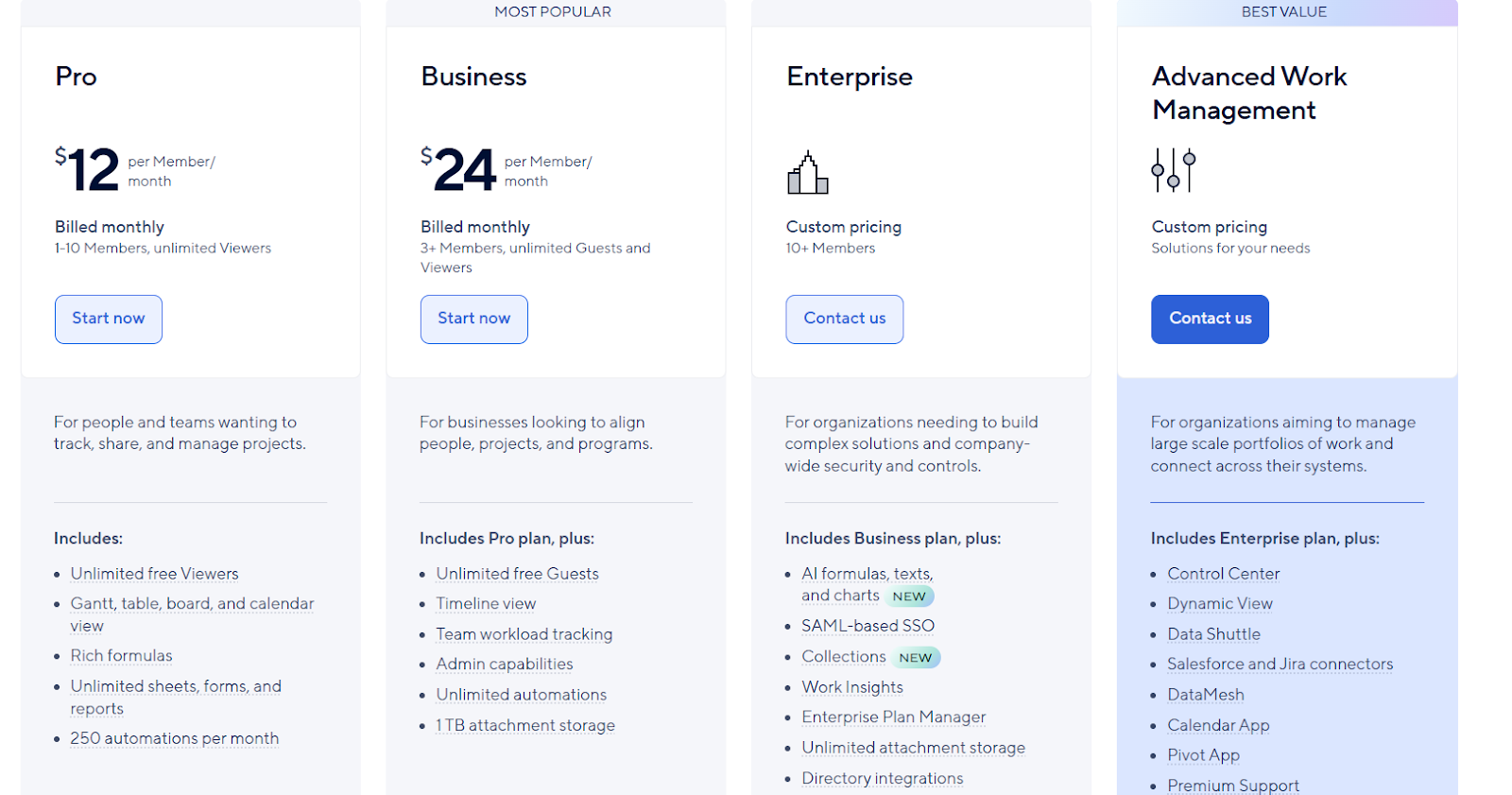
- Pro: $12 per user/month, for 1-10 users, includes Gantt, table, board, and calendar views, rich formulas, unlimited sheets, forms, and reports, plus 250 automations per month.
- Business: $24 per member/month, for minimum 3 members, includes everything in Pro, plus timeline view, team workload tracking, stronger admin controls, unlimited automations, and 1 TB of attachment storage.
- Enterprise: Custom pricing, for teams with more than 10 members that need advanced security and governance controls, includes everything in Business, plus AI-powered formulas, text, and charts, SAML-based SSO, directory integrations, unlimited storage, Work Insights, and enterprise-level management tools.
- Advanced Work Management: Custom pricing, designed for organizations managing large portfolios and complex, cross-system workflows. Includes everything in Enterprise, plus control center, dynamic view, data shuttle, DataMesh, calendar and pivot apps, Salesforce and Jira connectors, and premium support.
Zoho Projects pricing
Zoho Projects offers a generous free plan and affordable paid tiers, making it appealing for small teams and growing businesses.
All plans come with a 15-day free trial and no credit card required:
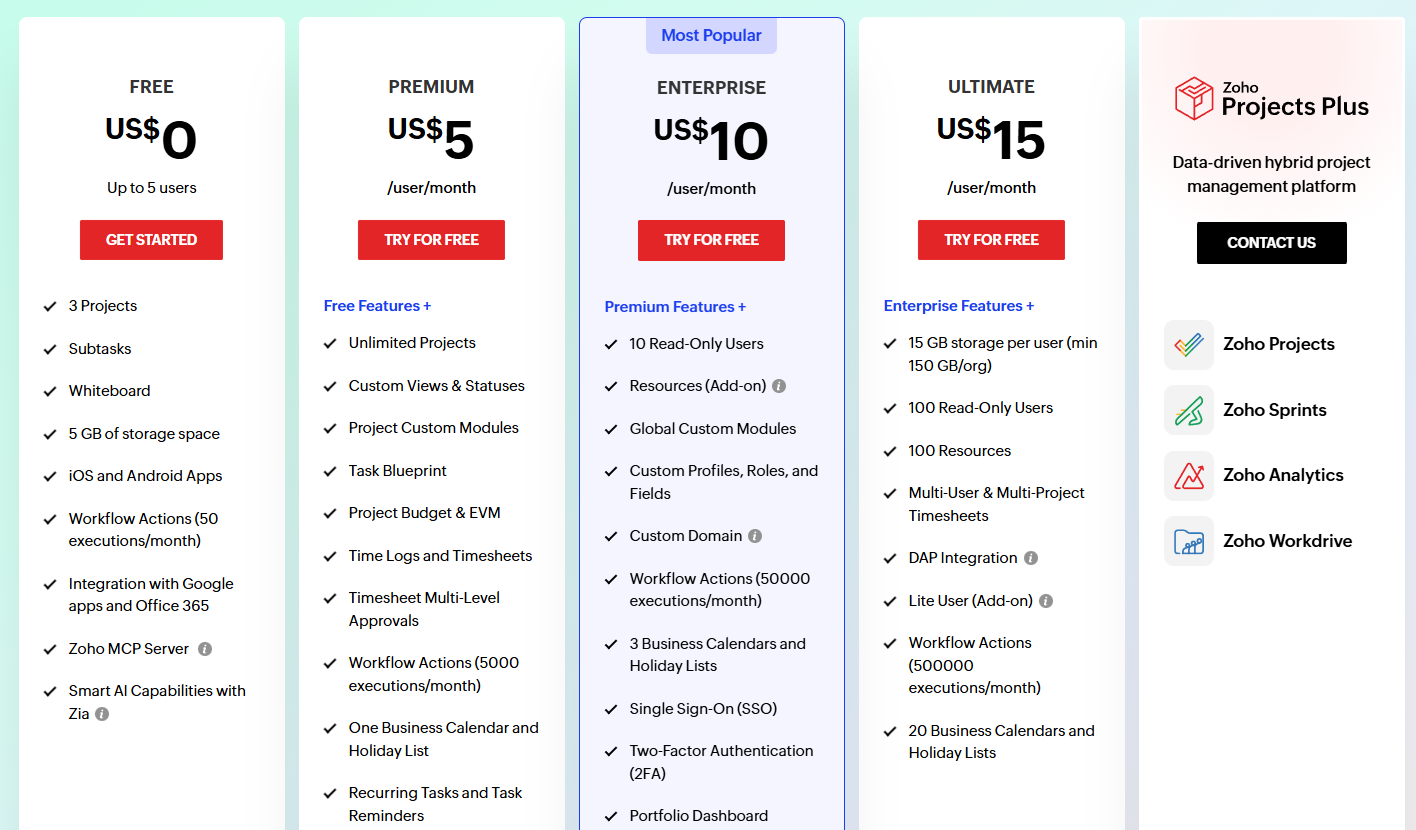
- Free: For up to 5 users, includes up to 3 projects, subtasks, whiteboards, 5 GB of storage, mobile apps, basic workflow actions (50 per month), integrations with Google apps and Office 365, and Zia AI features.
- Premium: $5 per user/month, includes everything in Free, plus unlimited projects, custom views and statuses, custom project modules, task blueprints, project budgeting and earned value management (EVM), time tracking and timesheets, recurring tasks, reminders, and up to 5,000 workflow actions per month.
- Enterprise: $10 per user/month, includes everything in Premium, plus read-only users, portfolio dashboards, critical path and baseline tracking, custom roles and fields, SSO, two-factor authentication, Power BI integration, user hierarchy, and higher automation limits (50,000 executions per month).
- Ultimate: $15 per user/month, includes everything in Enterprise, plus higher storage limits, multi-project timesheets, advanced reporting, more read-only users and resources, and up to 500,000 workflow actions per month.
- Zoho Projects Plus: Custom pricing. A bundled option that combines Zoho Projects with Zoho Sprints, Zoho Analytics, and Zoho WorkDrive for teams that want a more data-driven project and reporting setup across multiple Zoho tools.
SmartSuite pricing
SmartSuite offers a 14-day free trial on its Professional plan, with no credit card required.
Teams can test the platform using real workflows, invite teammates, and upgrade only when ready.
When it comes to paid options, there are four to choose from:
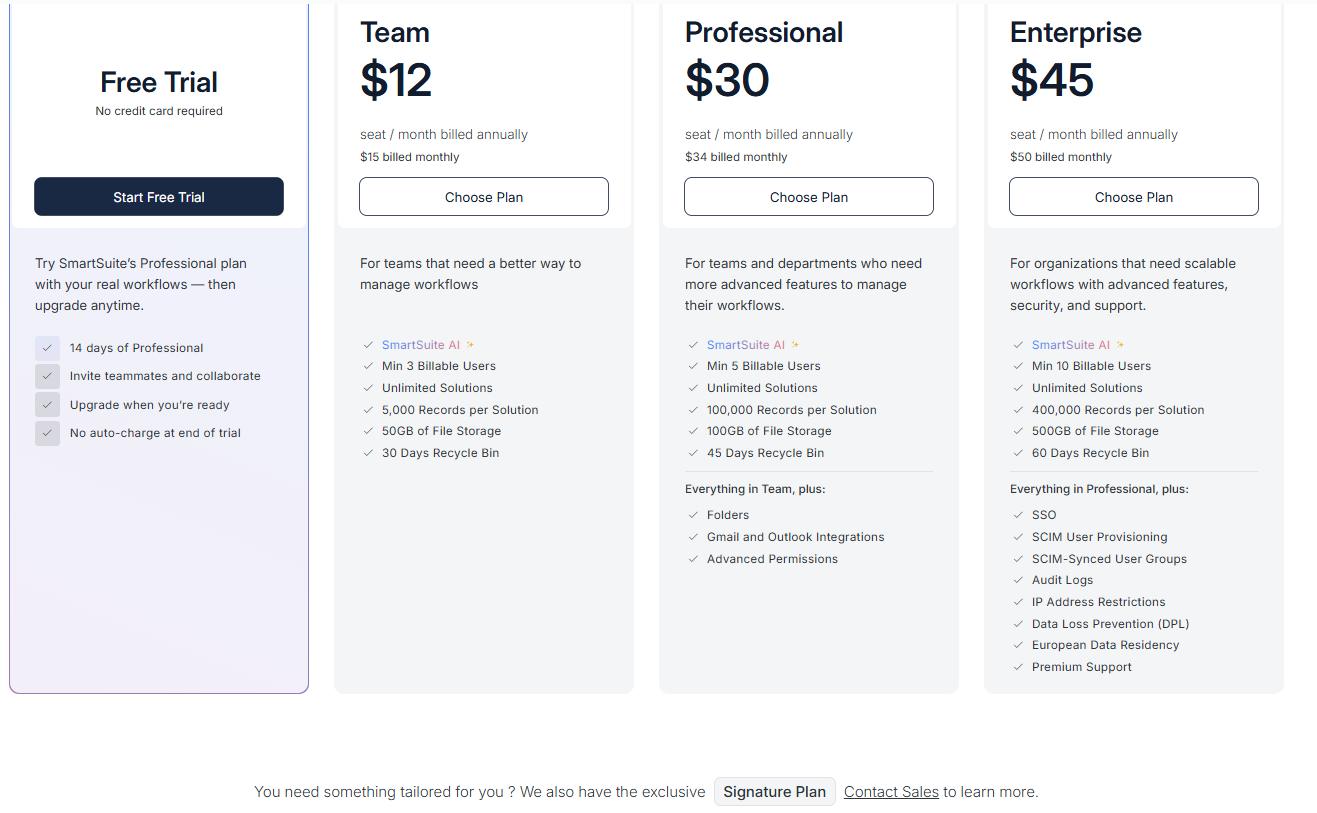
- Team: $12 per seat/month (billed annually), includes SmartSuite AI, unlimited solutions, up to 5,000 records per solution, 50 GB of file storage, a 30-day recycle bin, and core collaboration and automation features.
- Professional: $30 per seat/month, includes everything in Team, plus folders, Gmail and Outlook integrations, advanced permissions, higher record limits (100,000 per solution), 100 GB of storage, and a 45-day recycle bin.
- Enterprise: $45 per seat/month, includes everything in Professional, plus SSO, SCIM user provisioning, audit logs, IP restrictions, data loss prevention, European data residency, premium support, and higher limits (400,000 records per solution and 500 GB storage).
- Signature: Custom pricing. A tailored plan for organizations with specific requirements around scale, security, or data architecture.
Overall, SmartSuite’s pricing reflects its focus on flexibility and scalability, with clear tiers that unlock more advanced collaboration, security, and customization as teams grow.
Winner: Zoho Projects
When it comes strictly to pricing, Zoho Projects offers the best value for cost-conscious teams.
It has the lowest entry point by far, with a free plan for small teams and paid plans starting at just $5 per user/month.
Even at higher tiers, Zoho Projects remains affordable while still offering core project management features like Gantt charts, time tracking, automations, and portfolio views.
For teams already using Zoho’s ecosystem, the value is even stronger.
That said, pricing value depends heavily on what you need:
- Smartsheet is priced higher, especially at the Business and Enterprise levels, but justifies the cost for organizations that need enterprise-grade reporting, governance, and a very broad integration ecosystem.
- SmartSuite sits in the middle. It’s more expensive than Zoho Projects, but includes advanced capabilities (automation, AI, dashboards, collaboration) that often replace multiple tools, which can make it more cost-effective for teams looking to consolidate their stack.
In short:
➡️ Choose Zoho Projects if budget is your top priority.
➡️ Choose SmartSuite if you want the best balance between price and all-in-one functionality.
➡️ Choose Smartsheet if you’re willing to pay more for enterprise depth and scale.
What are the customers saying about Smartsheet, Zoho Projects, and SmartSuite?
TL;DR
- Smartsheet (4.4★ on G2) is widely appreciated for its familiar spreadsheet-style interface and flexibility. However, performance can suffer with large sheets, advanced features come with a learning curve, and dashboards feel limited compared to more modern reporting tools.
- Zoho Projects (4.3★ on G2) earns praise for solid core project management features like Gantt charts, task dependencies, time tracking, and strong integration within the Zoho ecosystem. On the downside, the interface can feel cluttered, reporting is often cited as
- SmartSuite (4.8★ on G2) stands out for combining flexibility, ease of use, and all-in-one functionality. The main drawbacks mentioned are pricing tier gaps and a mobile app that lags behind desktop. As such, SmartSuite is best for teams that want a modern, flexible, all-in-one workspace that’s easy to adopt and grow into.
Smartsheet reviews
G2 Rating: 4.4/5
What users love:
- Familiar spreadsheet-style interface. The grid-based layout feels intuitive, and many users report that onboarding new team members takes very little time.
- Flexibility and versatility. Many users describe Smartsheet as extremely flexible and adaptable to different use cases, from simple task tracking to complex, multi-stakeholder projects.
- Scales well for complex projects. Enterprise users often highlight Smartsheet’s ability to support large, cross-department initiatives.
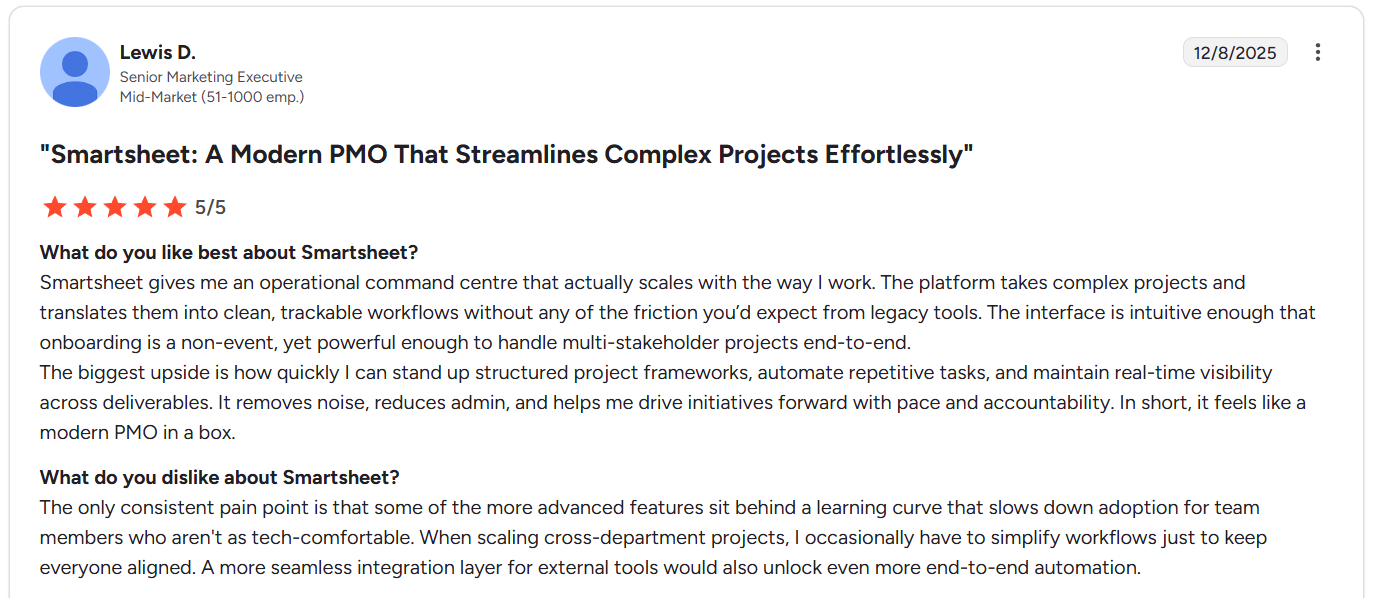
“Smartsheet gives me an operational command centre that actually scales with the way I work. The platform takes complex projects and translates them into clean, trackable workflows without any of the friction you’d expect from legacy tools. The interface is intuitive enough that onboarding is a non-event, yet powerful enough to handle multi-stakeholder projects end-to-end.” - G2 Review
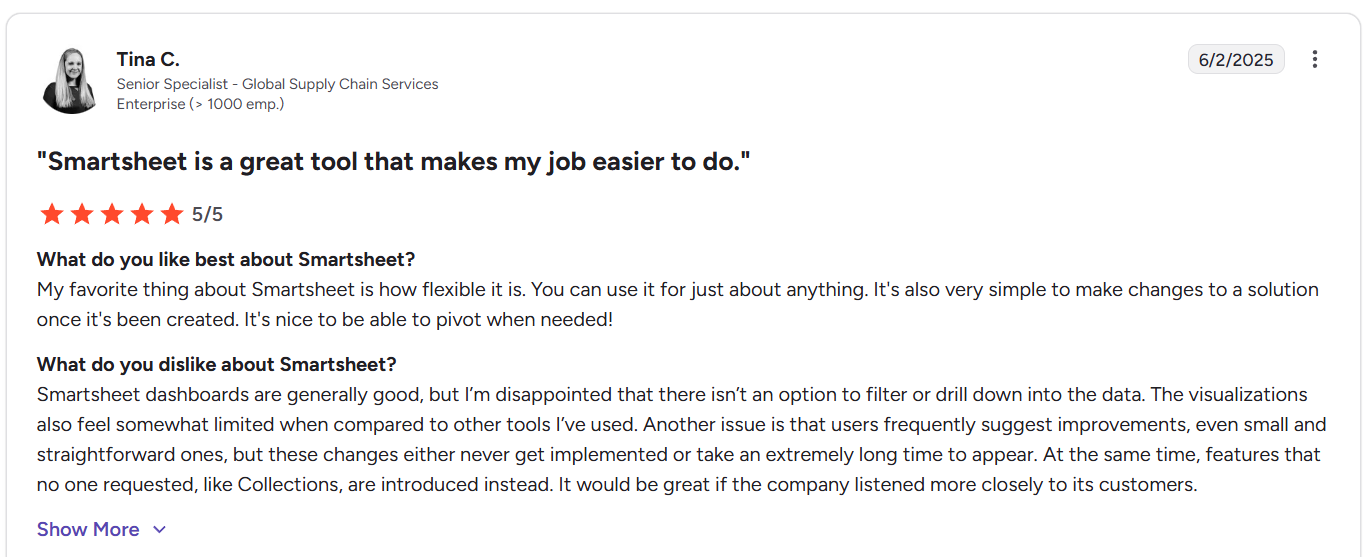
“My favorite thing about Smartsheet is how flexible it is. You can use it for just about anything. It's also very simple to make changes to a solution once it's been created. It's nice to be able to pivot when needed!” - G2 Review
Common complaints include:
- Performance issues with large sheets. One of the most consistent complaints is speed with users reporting slow loading times, lag, and glitches when working with large datasets or sheets with thousands of rows.
- Learning curve for advanced features. While basic usage is easy, more advanced features like automation, formulas, and complex workflows can be difficult for less technical users.
- Limited dashboard interactivity. Several reviewers point out that dashboards lack deeper filtering, drill-down options, and more advanced visualizations compared to dedicated reporting tools.

“It can feel a bit sluggish when working with larger sheets. There’s no offline mode, which can sometimes be inconvenient if the internet connection drops. Finally, when you are working as a team, the updates aren't always immediate, and sometimes you have to reload the whole tab.” - G2 Review

“The only consistent pain point is that some of the more advanced features sit behind a learning curve that slows down adoption for team members who aren't as tech-comfortable. When scaling cross-department projects, I occasionally have to simplify workflows just to keep everyone aligned. A more seamless integration layer for external tools would also unlock even more end-to-end automation.” - G2 Review
Zoho Projects reviews
G2 Rating: 4.3/5
What customers like:
- Strong Zoho ecosystem integration. This makes it especially useful for teams already involved with other Zoho apps.
- Affordable pricing for the feature set. Some users highlight Zoho Projects as offering strong value for money, especially given the breadth of features included at lower price tiers.
- Strong core project management features. Zoho Projects is consistently praised for its task management, milestones, Gantt charts, and dependencies.
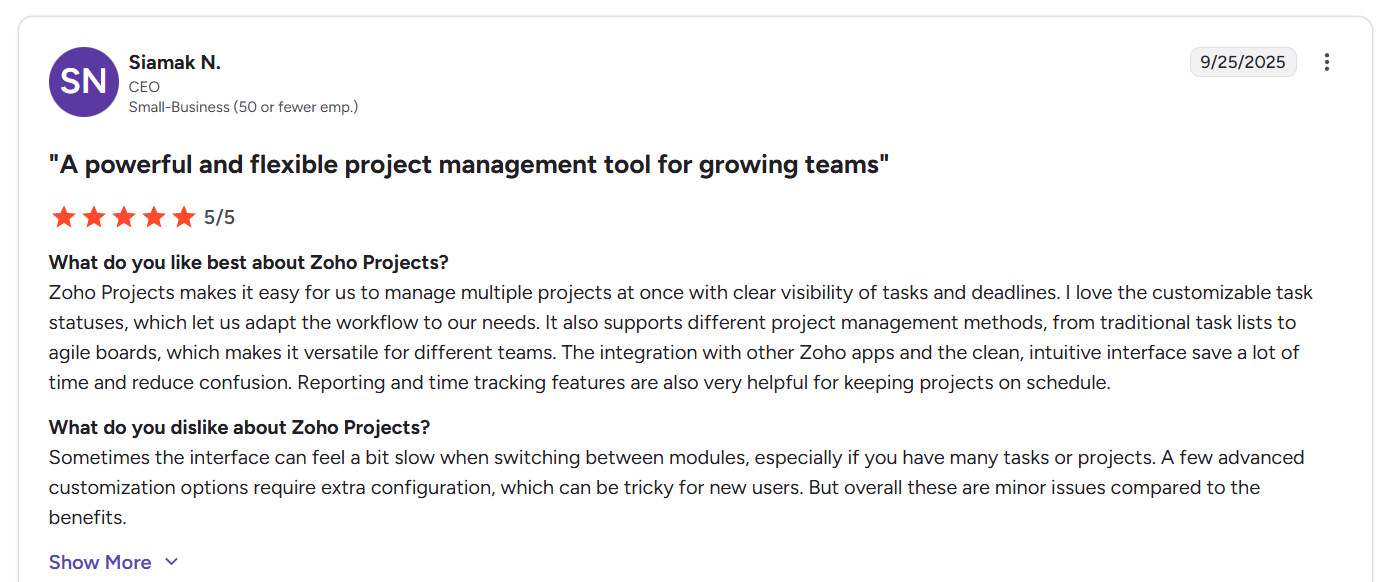
“Zoho Projects makes it easy for us to manage multiple projects at once with clear visibility of tasks and deadlines. I love the customizable task statuses, which let us adapt the workflow to our needs. It also supports different project management methods, from traditional task lists to agile boards, which makes it versatile for different teams. The integration with other Zoho apps and the clean, intuitive interface save a lot of time and reduce confusion. Reporting and time tracking features are also very helpful for keeping projects on schedule.” - G2 Review
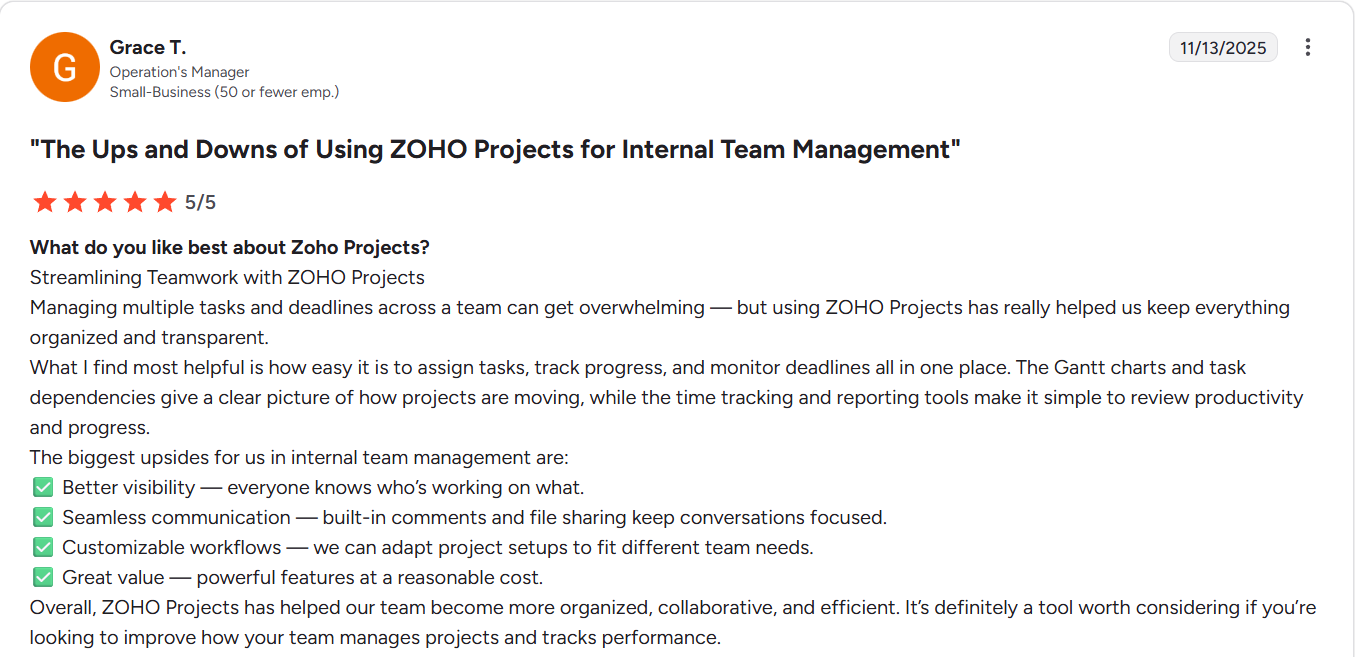
“The biggest upsides for us in internal team management are:
✅ Better visibility - everyone knows who’s working on what.
✅ Seamless communication - built-in comments and file sharing keep conversations focused.
✅ Customizable workflows - we can adapt project setups to fit different team needs.
✅ Great value - powerful features at a reasonable cost.” - G2 Review
Common complaints include:
- Integrations and support gaps. Integrations outside the Zoho ecosystem sometimes require extra setup, and a few reviewers note that customer support responses can be slow or generic during critical moments.
- Crowded and overwhelming interface. One of the most common criticisms is that the interface can feel cluttered, especially when managing large or complex projects.
- Reporting limitations. Several reviewers mention that reporting and dashboards could be more flexible or accurate. Some users report difficulty customizing reports or trusting the data for leadership presentations.
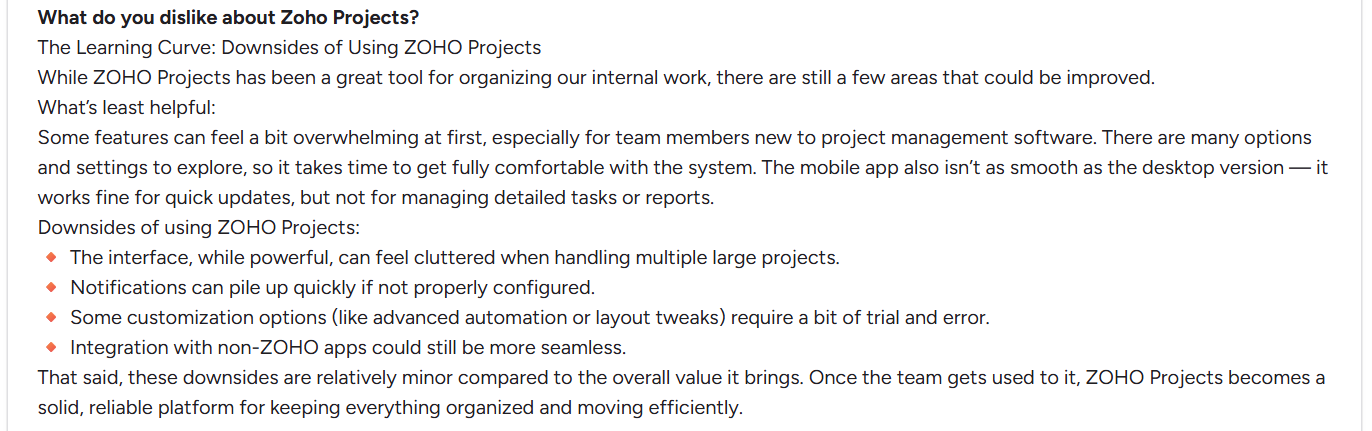
“Downsides of using ZOHO Projects:
🔸 The interface, while powerful, can feel cluttered when handling multiple large projects.
🔸 Notifications can pile up quickly if not properly configured.
🔸 Some customization options (like advanced automation or layout tweaks) require a bit of trial and error.
🔸 Integration with non-ZOHO apps could still be more seamless.” - G2 Review

“The user interface of Zoho Projects feels a bit crowded when managing large or complex projects, and there's a learning curve for advanced features like automation and dependencies. Reporting and dashboards could be more customizable, and integrations with non-Zoho tools sometimes require extra setup. Improving speed and simplifying navigation would make the overall experience even better.” - G2 Review
SmartSuite reviews
G2 Rating: 4.8/5
What customers like:
- High flexibility without complexity. Many users highlight SmartSuite’s ability to adapt to very different workflows, from project management and marketing to operations and databases, without feeling rigid or overly technical.
- Strong all-in-one capabilities. Customers like that SmartSuite replaces multiple tools (spreadsheets, Trello, docs, databases) with a single platform. Project management, data tracking, automation, and collaboration all live in one place, reducing tool sprawl.
- Intuitive and easy to adopt. A recurring theme is how quickly teams can get started. Users consistently mention a short learning curve, clear interface, and smooth onboarding, even for non-technical teams that struggled with more complex tools before.
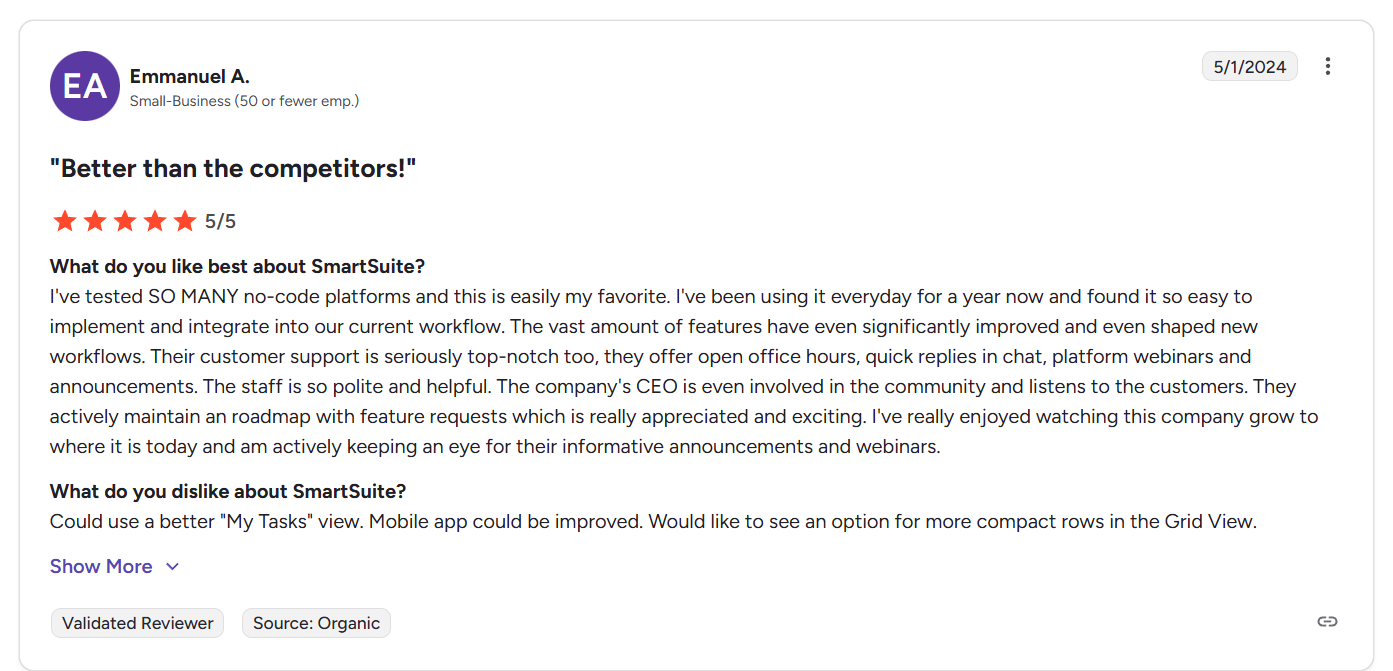
“I've tested SO MANY no-code platforms and this is easily my favorite. I've been using it everyday for a year now and found it so easy to implement and integrate into our current workflow. The vast amount of features have even significantly improved and even shaped new workflows. Their customer support is seriously top-notch too, they offer open office hours, quick replies in chat, platform webinars and announcements. The staff is so polite and helpful. The company's CEO is even involved in the community and listens to the customers. They actively maintain a roadmap with feature requests which is really appreciated and exciting. I've really enjoyed watching this company grow to where it is today and am actively keeping an eye for their informative announcements and webinars.” - G2 Review
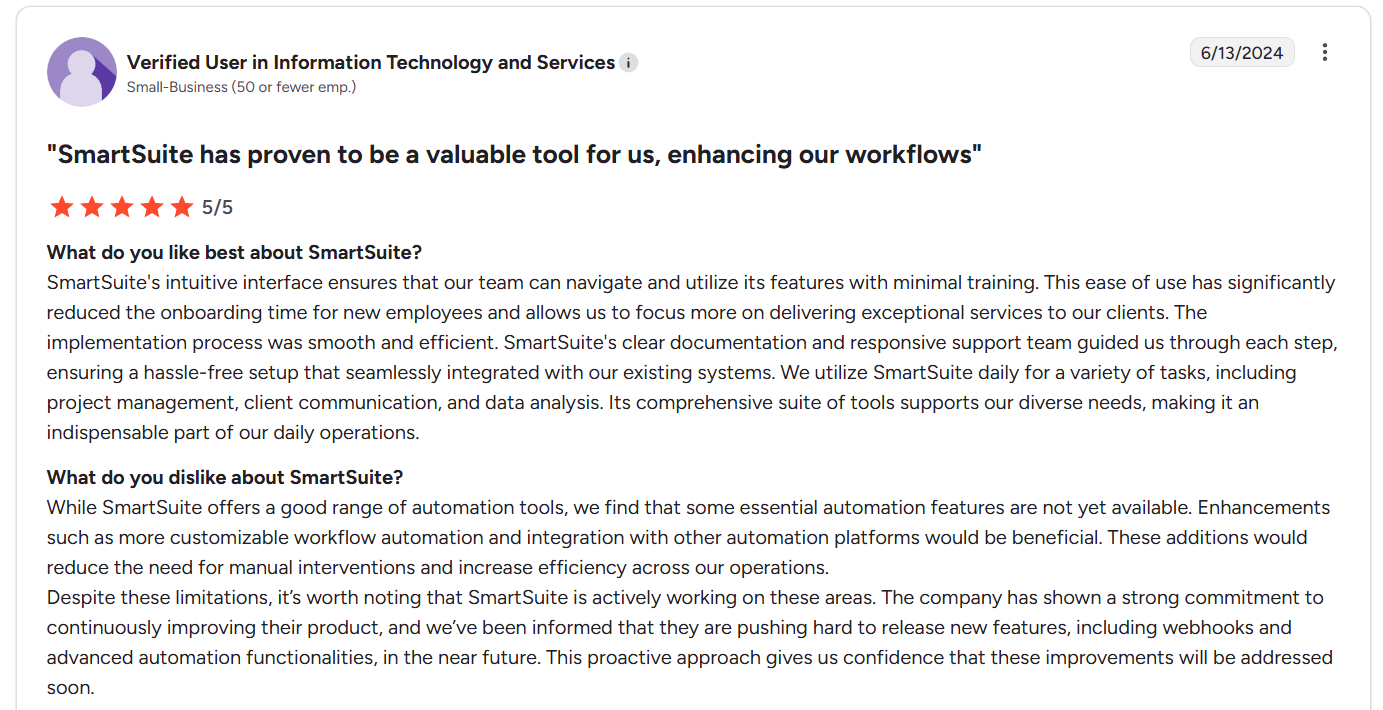
“SmartSuite's intuitive interface ensures that our team can navigate and utilize its features with minimal training. This ease of use has significantly reduced the onboarding time for new employees and allows us to focus more on delivering exceptional services to our clients. The implementation process was smooth and efficient. SmartSuite's clear documentation and responsive support team guided us through each step, ensuring a hassle-free setup that seamlessly integrated with our existing systems. We utilize SmartSuite daily for a variety of tasks, including project management, client communication, and data analysis. Its comprehensive suite of tools supports our diverse needs, making it an indispensable part of our daily operations.” - G2 Review
Common complaints include:
- Some users mention the lack of a mid-tier plan between Team and Professional, which can make upgrading feel like a bigger jump for growing teams.
- Because SmartSuite is actively growing, a few reviewers note that certain advanced features (like deeper automation options, bulk updates, or more polished views) are still being refined or expanded.
- Mobile app could do with some improvements compared to desktop.
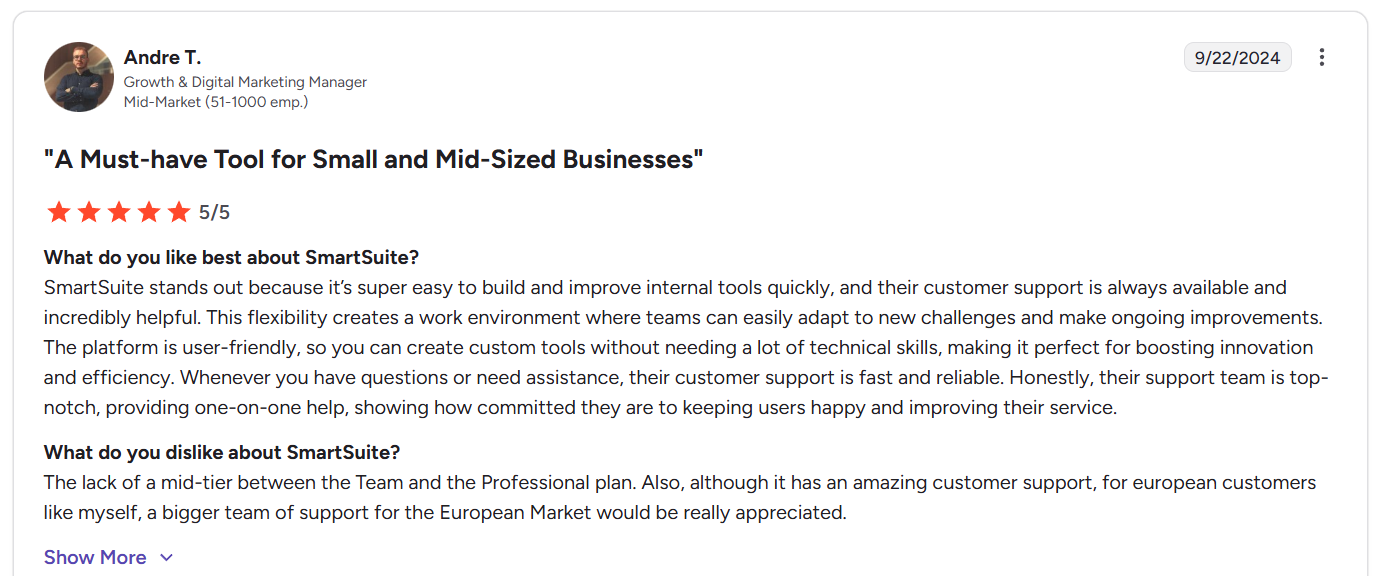
“The lack of a mid-tier between the Team and the Professional plan. Also, although it has an amazing customer support, for European customers like myself, a bigger team of support for the European Market would be really appreciated.” - G2 Review
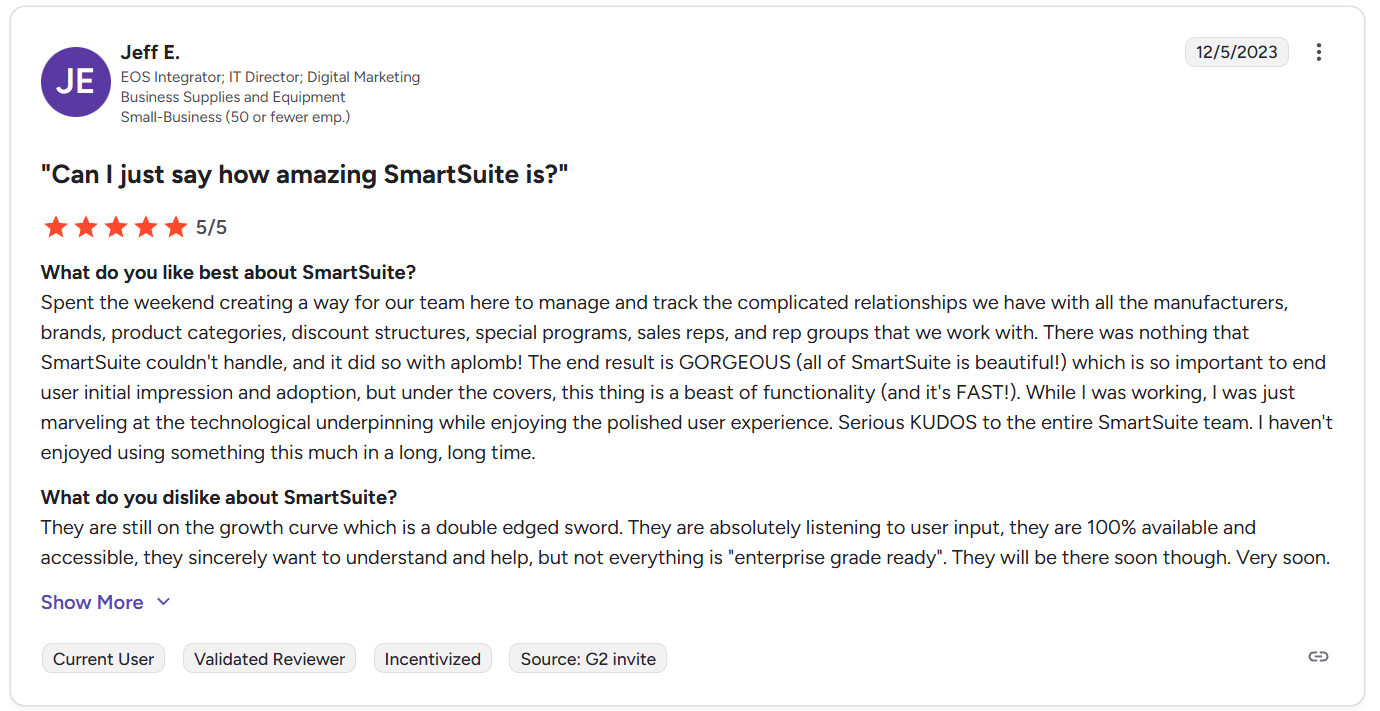
“They are still on the growth curve which is a double edged sword. They are absolutely listening to user input, they are 100% available and accessible, they sincerely want to understand and help, but not everything is "enterprise grade ready". They will be there soon though. Very soon.” - G2 Review
Smartsheet vs. Zoho Projects vs. SmartSuite: Summary
Get started with SmartSuite for free today
Choosing between Smartsheet vs Zoho Projects usually starts out simple… and then gets messy fast.
Yes, both tools can help you plan work, assign tasks, track deadlines, and keep people aligned.
But once you’re actually using them day to day, the difference is clear:
- Smartsheet is best when you want spreadsheet-style planning with strong reporting and structure.
- Zoho Projects feels more like classic project management, with timelines, milestones, and tight connections to the Zoho ecosystem.
SmartSuite, on the other hand, is the flexible middle ground (and more).
It provides project management, dashboards, automation, collaboration, and AI in one customizable workspace without forcing you into spreadsheets or a rigid “PM-only” setup.
If you want the safest way to pick the right tool, here’s the simplest rule:
- If your team thinks in spreadsheets → Smartsheet
- If your team wants traditional PM at a low price → Zoho Projects
- If your team needs an all-in-one workspace that adapts as you grow → SmartSuite
And if you’re still not sure, the easiest next step is to try it.
Start a free SmartSuite trial today (no credit card required) and test it using your real workflows - tasks, timelines, dashboards, automation, and team collaboration - before you commit.
Or, book a demo to get a personalized tour with our expert team instead.
Read more
- Smartsheet vs. Microsoft Project vs. SmartSuite: Which Tool to Pick? [2026] - Three powerful project tools, three very different ways of working - here’s how to choose the one you won’t regret in 2026.
- 10 Best Vanta Alternatives & Competitors In 2026 - If Vanta feels expensive, rigid, or overkill, these 10 compliance platforms are worth a serious look in 2026.
- ZenGRC Pricing: Is It Worth It In 2026? [Reviewed] - ZenGRC isn’t cheap, so we break down what you actually pay for, what’s missing, and whether it’s worth the cost in 2026.
- ServiceNow vs. Monday vs. SmartSuite: Which One Is Better? - From heavyweight workflows to flexible work management, this comparison shows which platform truly fits how modern teams operate.
- 10 Best Freshservice Alternatives for ITSM in 2026 - Outgrowing Freshservice? These ITSM alternatives offer more flexibility, automation, and value in 2026.
- Jira Service Management Review: Is It Worth it in 2026? - Jira Service Management is powerful, but is it practical for real teams in 2026, or just great for Jira power users?

SmartSuite provides work platform for standardizing workflows in the following areas:
- Governance, Risk & Compliance
- IT & Service Ops
- Project / Portfolio Management
- Business Operations







