


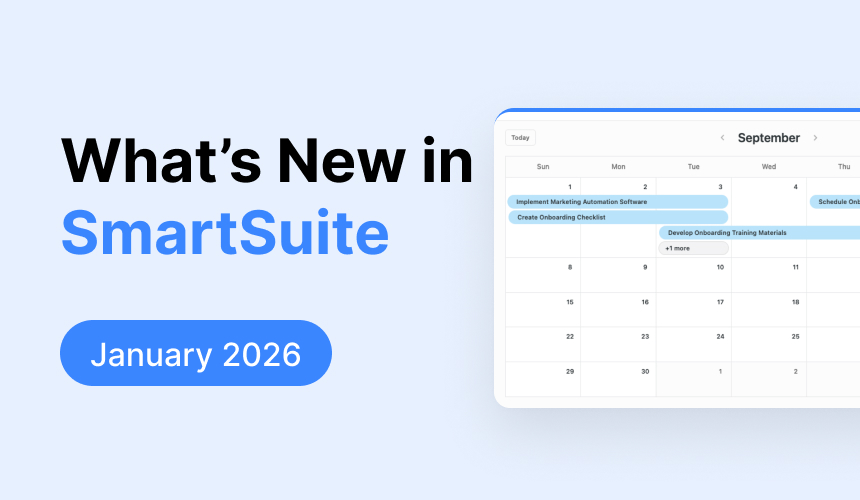

January 2026 Product Updates
January’s updates deliver a cleaner Calendar experience, more interactive dashboards with real-time scripting, enhanced SSO control, and improved Linked Record editing—making SmartSuite more intuitive and connected than ever.
Calendar View Widget

We've made several updates to the Calendar view and widget to give you a cleaner, simpler, and more intuitive experience. These changes are part of our ongoing work to improve layout consistency and responsiveness across SmartSuite.
Key Highlights
- Navigation Arrows: Both “Prev” and “Next” arrows are now grouped together and shifted to the left of the current date display. The date text itself has been moved from the center to the left for a more natural reading flow.
- Record Listing Button: The Record Listing button now sits below the main toolbar. Even when the toolbar is turned off, the button is always easy to access and automatically reduces in size when the widget is resized.
- Adaptive Scale Controls: On smaller widget widths (2 columns), the standard scale buttons (Hours, Day, Week, Month) have been replaced with a dropdown menu. This ensures a neat, uncluttered interface while still offering all available views.
- Clean Widget Header: The horizontal line that appeared under the widget title in previous versions has now been removed for a more open and consistent design—mirroring the look of the Timeline widget.
How It Works
- When you open the Calendar widget or view, you’ll notice the navigation arrows are now all aligned to the left, making it easier to switch between dates.
- The repositioned Record Listing button remains visible below the toolbar, with its size automatically adjusting if the widget becomes smaller.
- For smaller displays, the scale control buttons transform into a dropdown list. This dropdown includes options for Hours, Day, Week, and Month, ensuring all view modes are still at your fingertips.
- The header has been refreshed by removing the divider below the title to match the clean aesthetic found in other similar widgets.
Scripting: Subscribe to Filter Widget State Changes

We’re excited to roll out a new Scripting capability: Subscribe to Filter Widget state changes. Previously, Script widgets had no way to access or stay in sync with the state of other dashboard widgets. This update removes that limitation, allowing script widgets running in sandboxed iframes to automatically receive filter state and respond to changes in real time. The result is dashboards that behave more like interactive applications rather than static reports.
Key Highlights
- Real-Time State Awareness: Script widgets can now receive events when a subscribed Filter widget changes. Previously, filter values were not accessible to scripts.
- Initial State Access on Load: Each Script widget now receives the current filter state when it initializes, ensuring it starts with the correct context.
- Targeted Subscriptions: Subscribe to specific Filter widgets so only relevant filter changes trigger your scripts.
- Enhanced Dashboard Interaction: Build responsive, interconnected dashboards where widgets react dynamically to shared state.
- Built for the Future: The underlying design supports future expansion to additional dashboard events, such as grid selection or record focus changes.
How It Works
- Script widgets subscribe to one or more Filter widgets using a secure subscription API that delivers both the current filter state and subsequent updates directly to the script.
- When a Filter widget changes, the subscribed script receives an event with the latest selection data and can respond automatically.
- The subscription model ensures scripts stay synchronized with filter state throughout the dashboard session.
- Multiple Script widgets can subscribe independently, with subscriptions scoped to the active dashboard session to prevent cross-interference.
This update removes a long-standing limitation around cross-widget awareness and enables true event-driven scripting on dashboards—unlocking more dynamic, context-aware SmartSuite experiences.
Single Sign-On (SSO): Support Logout URL

We’re excited to introduce a new update to Single Sign-On that gives administrators more control over the logout experience. You can now direct users to a custom URL after they sign out of SmartSuite. This is especially helpful for SSO environments where ending a SmartSuite session does not automatically end the session with the identity provider.
Key Highlights
- Custom Redirect URL: SSO administrators can now add an optional URL in the SSO configuration modal to redirect users after logout.
- Simple Configuration: The new Logout Landing Page field matches the style and behavior of other configuration inputs.
- URL Validation: SmartSuite validates the URL before saving. If the URL is invalid, a red validation message appears beneath the field.
- Consistent Logout Behavior: When a valid URL is configured, users are redirected after logout across supported SmartSuite logout flows.
- No Change by Default: If no URL is provided, logout behavior remains unchanged.
How It Works
- In the Manage Single Sign-On settings, you’ll see a new optional field labeled Logout Landing Page.
- Enter a valid URL to define where users should be sent after logging out of SmartSuite.
- If the URL is invalid, the configuration cannot be saved until the issue is corrected.
- Once saved, the configured URL will be used after logout for users in workspaces with SSO enabled.
- If the field is left blank, SmartSuite will continue using its default logout behavior.
This update makes it easier to support logout flows that extend beyond SmartSuite, including scenarios where users also need to be signed out of their identity provider. It’s a simpler, more flexible way to create a cleaner SSO logout experience.
Linked Record Enhancements

We've listened to your feedback and are excited to introduce a series of improvements focused on inline editing and the display of Linked Records. This update brings a smoother undo/redo experience during inline edits, along with several UI tweaks designed to make your grid views clearer and more flexible.
Key Highlights
- Undo/Redo Enabled: When editing Linked Records inline, you can now easily undo or redo changes as you work—helping you quickly correct mistakes.
- Flexible Field Display: You now have the option to remove the auto-generated Title field from your grid display. The system will always ensure that at least one field remains visible so your data never gets lost.
- Modal Overhaul: The record selector modal has been refreshed. It now appears inline by default and can be expanded to a full-screen style when needed, creating a more streamlined selection process.
- Visual Enhancements: Updates across various UI elements—including hover effects, card layouts, and field states—improve the overall look and feel of your Linked Record grids.
- Seamless Switching: If you switch grid formats, any changes you made (like hiding the Title field) will be reset automatically to ensure a consistent viewing experience.
How It Works
- Inline Undo/Redo: As you make changes to Linked Records using inline editing, each adjustment is saved immediately. The undo/redo actions are available as long as you remain focused on the grid.
- Managed Field Visibility: In the grid display, you can remove the Title field along with others; however, the system prevents you from removing all fields. Should you remove the last field, the Title field will reappear automatically.
- Updated Record Selector: The record selector modal now supports both inline and expanded views. Its intuitive design allows for quick filtering, record creation with a single ENTER key, and smooth transitions between modes.
- Consistent UI Behavior: Across the board, visual elements such as hover states, borders, and card heights have been refined. These improvements ensure that every interaction—from field selection to modal navigation—is as clear and responsive as possible.
- Contextual Action: Undo/redo actions apply directly to the inline edit session of the grid. Once you shift focus away from the Linked Record grid, these actions are no longer active.
This update enhances your experience by providing greater control over inline editing and record display without compromising on usability or clarity. Enjoy a more intuitive way to work with your Linked Records!
Be sure to the What's New page for a complete list of enhancements and subscribe to say up to date on future ones.

SmartSuite provides work platform for standardizing workflows in the following areas:
- Governance, Risk & Compliance
- IT & Service Ops
- Project / Portfolio Management
- Business Operations







