


February 2026 Product Updates
February’s updates introduce deep linking for dashboard tabs and a new Timeline widget, making navigation, collaboration, and data visualization in SmartSuite more seamless and intuitive.
Dashboards: Deep links for tabs

Introducing Dashboards: Deep links for tabs – a new feature designed to help you navigate your dashboards more efficiently. Now you can share or bookmark direct links that take you straight to the desired dashboard tab.
Key Highlights
- Direct Linking: Jump directly to a specific dashboard tab using URLs.
- URL Tracking: The browser’s URL updates whenever you switch tabs.
- Seamless Navigation: Enter a deep link in a new session and the dashboard opens with the designated tab.
- Reliable Routing: Tab renaming won’t disrupt existing deep links, ensuring your links remain valid.
- Sharing Made Easy: Copy and share deep links across your team or other SmartSuite features.
How It Works
- When you switch between dashboard tabs, the URL in your browser updates to reflect the active tab.
- Our ID-based routing ensures that even if a dashboard tab’s name changes, any previously generated deep link will still work.
- Simply paste a deep link into your browser, and the dashboard will open with the specified tab active.
You can now enjoy a smoother, more customizable navigation experience across your dashboards.
Introducing Timeline View Widget
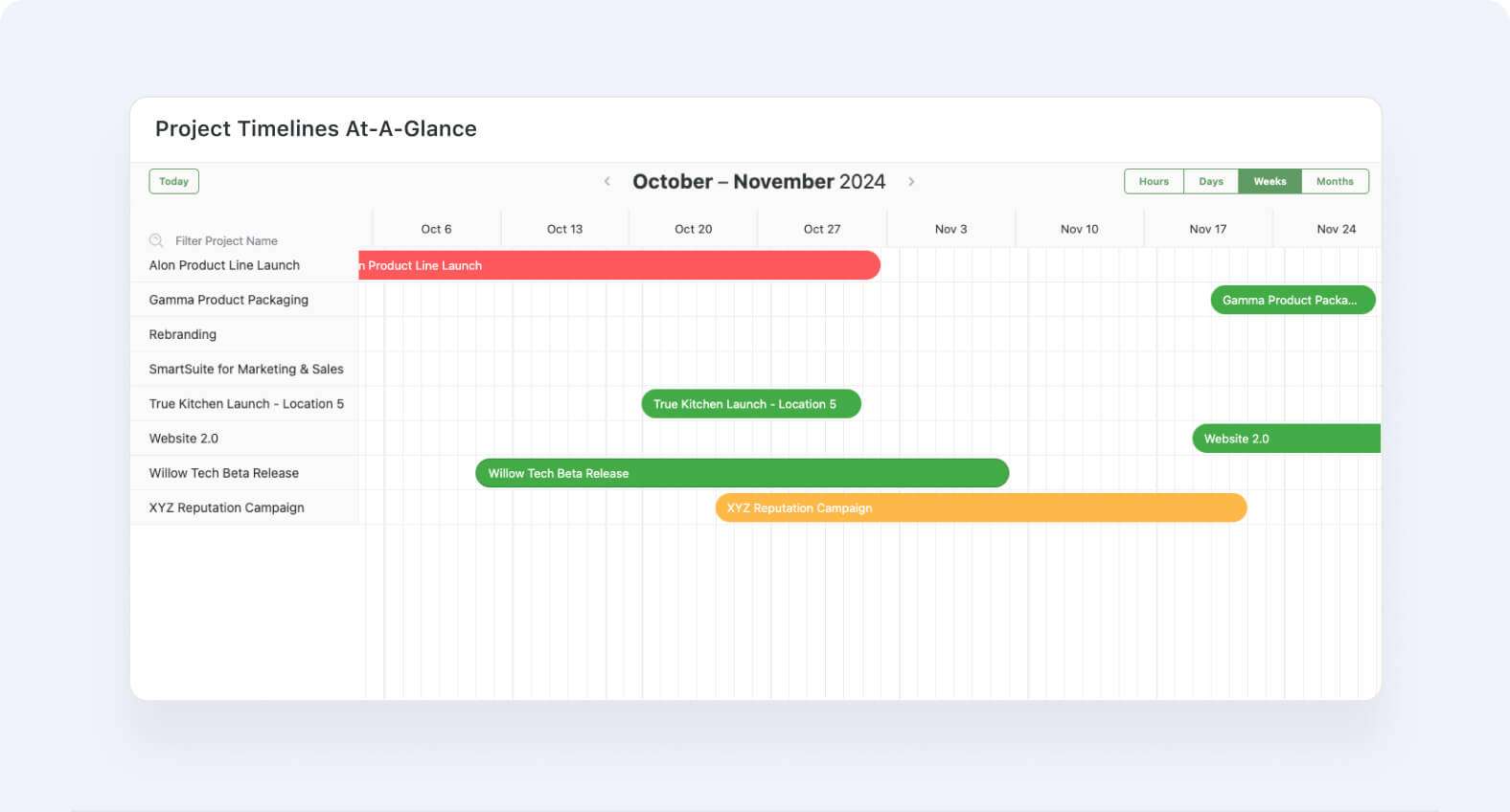
We’re excited to introduce a series of updates designed to make your timeline experience smoother and more intuitive. These changes build on our continuous commitment to improve how you share, view, and interact with timeline data both in the main view and in the widget.
Key Highlights
- Timeline view now available as a widget in dashboards.
- Sharing Support: The Timeline view now supports sharing, allowing for easier collaboration.
- Robust Widget Updates: Backend and frontend improvements ensure the Timeline widget performs consistently and reliably.
- Consistent Record Listing: The record list aligns perfectly with Timeline filters, grouping, and sorting settings for a seamless experience.
- Enhanced UI Interactions: Updated behaviors such as record selection, spotlighting, and search ensure that every interaction is intuitive and responsive.
- Refined Navigation & Layout: Navigation arrows have been repositioned alongside date labels, and the record listing button has been repositioned and resized for improved responsiveness.
- Adaptive Controls: On smaller widget widths, the scale control transforms from multiple buttons into a convenient dropdown menu.
- Visual Polish: The “Group by” section now features an extended grey area that flows continuously with the record list, matching the latest design mockups.
How It Works
- Administrators can adjust Timeline settings to toggle features like sharing support and responsive layout options.
- The Timeline view and widget synchronize filtering, grouping, and sorting so that any changes reflect instantly across both interfaces.
- Interacting with records—whether through clicking, searching, or using the newly updated navigation—is now more streamlined and visually consistent.
Be sure to the What's New page for a complete list of enhancements and subscribe to say up to date on future ones.

SmartSuite provides work platform for standardizing workflows in the following areas:
- Governance, Risk & Compliance
- IT & Service Ops
- Project / Portfolio Management
- Business Operations







