



What's New in SmartSuite: March 2024

SmartSuite provides work platform for standardizing workflows in the following areas:
-
Governance, Risk & Compliance
-
IT & Service Ops
-
Project / Portfolio Management
-
Business Operations

March 2024 Product Updates
At SmartSuite, we are dedicated to innovation that better equips and empowers our customers. Read on to see all the new features our product and engineering teams have been diligently working on as well as the upcoming events we have in store!
View Full Release Notes
Automations: Use Outputs of a Single Find in Other Actions

Automation’s Find Action has a new configuration option, allowing you to return a single record (whose values can be used in subsequent actions) or a list of multiple records.
Help article: SmartSuite automation actions
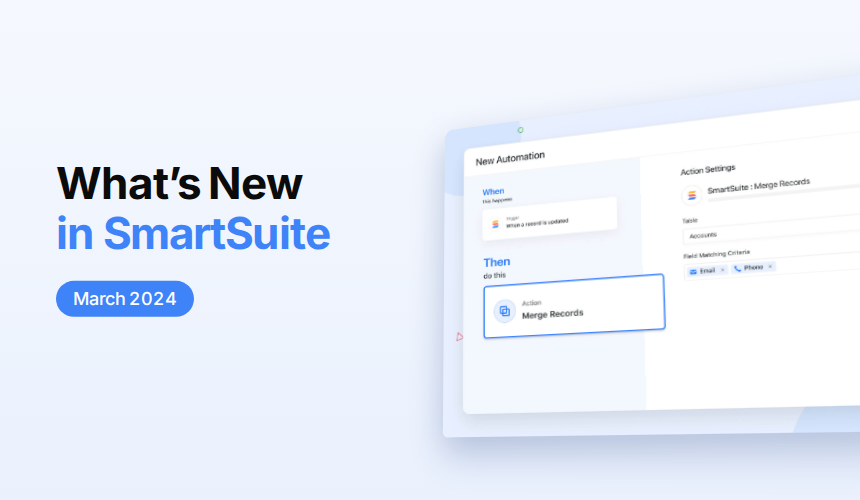
Automations: Merge Records Action

The record merge action consolidates records, detecting duplicates and updating a single record with the latest information. You can automatically de-duplicate contact records, consolidate task updates and more.
Help article: Automation action merge records
Automations: Clear / Append / Replace

Field updates in automations have been enhanced to support the update action type, allowing you to append, replace, or clear existing value(s) for specific fields.
Help article: SmartSuite automation actions
Show / Hide Tables

You can hide any table you don't access regularly or that you might only use to link other Tables together. Simply click on the Table dropdown and "Hide Table."
Help article: Adding deleting duplicating hiding showing a table
Record Section Descriptions

Sections can now have their own descriptions with up to 750 characters of text to describe the fields they contain. Educate your users, provide instructions or describe the workflow supported by the section.
View Descriptions

You have the option to include descriptions for Views, which can either appear as icons to the right of the View name or be displayed below the View name when clicked for increased visibility.
Help article: View panel saved views
Record Cover Image

Enhance the visual appeal of your data by adding cover images to records. You can select cover images from existing File and Images fields, making it easy to provide a visually engaging experience for your users as they navigate records.
Help article: Record cover image
New Formula Functions for Related Records

Formulas have been enhanced with functions to sort related records and return their values in a list. These new functions work with Linked Record, Sub-Item and Checklist fields and include RELATED_RECORD_SORT(), TOP() and GET_LIST().
Help article: Formula functions operators
Formula: Time Tracking Log as a Nested Field

Use SmartSuite’s dot notation syntax to access Time Tracking Log field information, including reporting user, date and time value. Time Tracking Log fields now act like Linked Records, allowing you to retrieve information with all list-handling functions.
Help article: Time tracking log field
Grid View: Editable Dependency Sub-fields

The Dependency Field’s Predecessor and Successor information can now be displayed independently in grid, allowing you to edit and interact with them in the same way you would a Linked Record.
Help article: Dependency field
Make Enhancements

SmartSuite’s Make connector has been enhanced to add Advanced Settings to the Updated Records triggers, allowing you to specify field values (and optional changes) that will trigger the scenario. Also reference fields (like Linked Record) give you the option to use their text value or their SmartSuite Id, making it easier to configure advanced workflows.
Help article: Getting started with Make
What's Coming Soon
- Basic math calculations in automations
- Ability to hide fields in Record Page
- Folder permissions
- Filter widgets in dashboards
Upcoming Live Events & Trainings
Bi-Weekly: Getting Started with SmartSuite Workshop | @ 8:00am PT
Are you new to SmartSuite or simply want to explore its full potential? In this interactive webinar, our team will provide a step-by-step walkthrough of how you can start building smarter workflows in the platform immediately!
Register here
Empowering Efficiency: Combining Make & SmartSuite to Manage Company Resources Wisely | March 20th @ 8:00am PT
Discover the transformative power of combining Make and SmartSuite to manage your company resources wisely.
Featuring:
• Insider Perspectives & Interactive Q&A: Direct from the CEOs about their vision and the power behind Make and SmartSuite.
• Dynamic Demos by Gareth (GAP Consulting, no-code and automation expert) covering:
• Automated Social Media Flow: From drafts to automated post creation.
• Streamlined Billing Process: Effortlessly create, track and send invoices based on time logs.
View recording
Partner Spotlight Webinar: Pistos Compliance Tracker: Automated Regulatory Compliance & CISO-as-a-Service Built on SmartSuite | March 27th @ 8:00am PT
Join Peter Sfoglia and Jon Darbyshire as they discuss Pistos' leadership, SmartSuite integration, and the power of Pistos in simplifying compliance with its Compliance Tracker. Explore live demonstrations, learn about additional services like Fractional CISO, and engage in a Q&A with the experts.
View recording
Live SmartSuite Monthly Training Classes & Free Certification Opportunity
This training includes:
- Comprehensive overview of SmartSuite as a platform, along with key functionality training tailored for end users.
- Deep dive into the platform, gaining insights into its building blocks and discovering how to implement effective solutions for your teams.
If you are interested in attending our live training, you can access the registration request form on the live training registration page.
Have questions? Join our Daily Office Hours!
Get all your questions answered live by an Onboarding Specialist during our Live Office Hours Monday/Friday at 9:00 am PT and Wednesday at 7:00 am PT—or simply join to learn how others are finding value in SmartSuite.
Community | Academy | SmartSuite.com | Product Roadmap | Webinars






Put these ideas to work
Start a free trial, or book a demo and see how it runs in SmartSuite.

