

Supply Chain Operations

Modernizing Supply Chain Operations

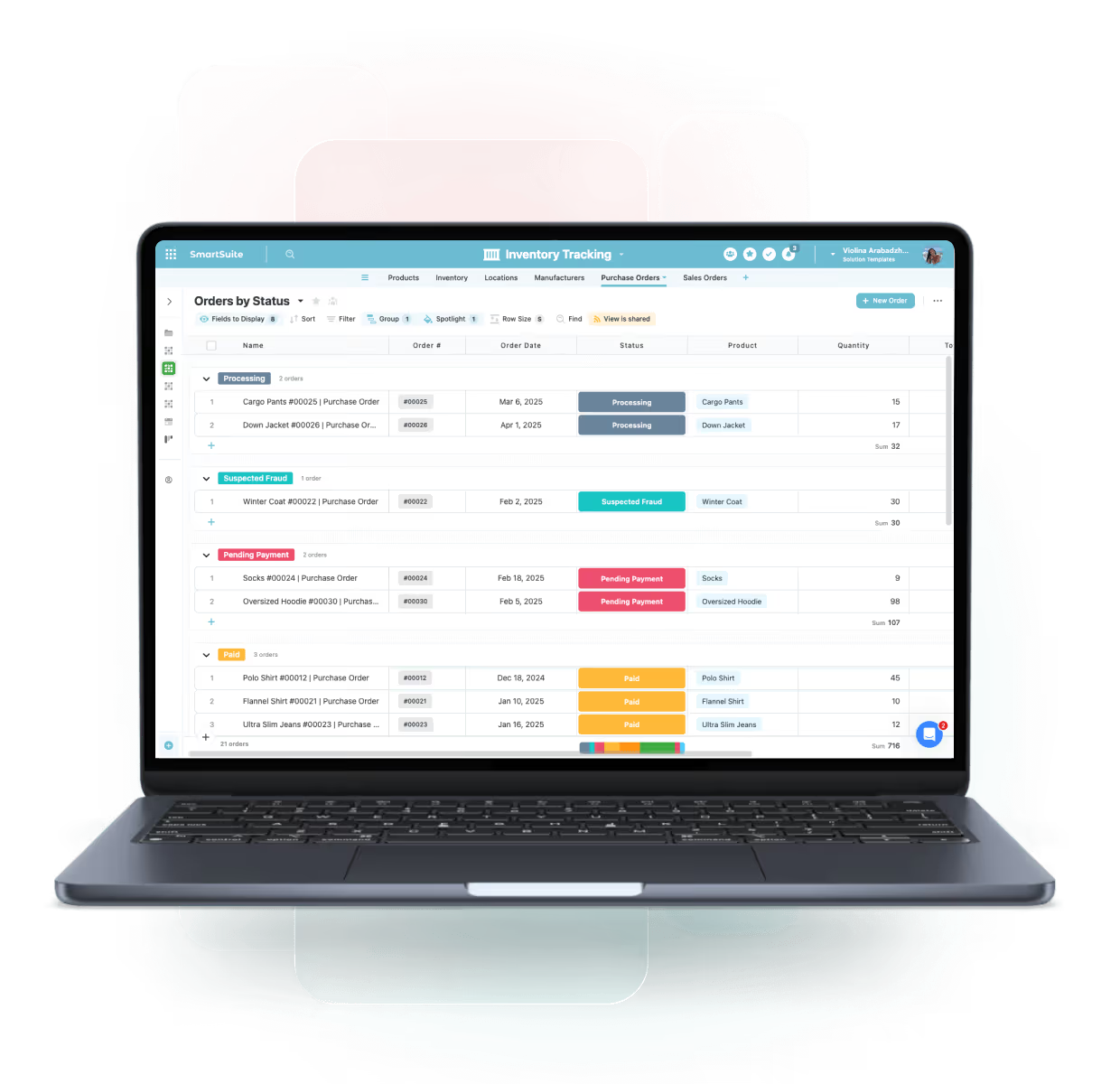
SmartSuite centralizes procurement, inventory, logistics, supplier management, fulfillment, and compliance into one connected platform — giving supply chain teams real-time visibility, automation, and control across every stage of the value chain.

One Platform for Connected Supply Chain Operations

SmartSuite centralizes procurement, inventory, supplier management, logistics, fulfilment, and compliance workflows — providing real-time visibility, reduced manual work, and closer coordination across teams.

Procurement Workflows

Standardize sourcing, purchase orders, and supplier communication.

Inventory Tracking

Monitor stock levels, movements, and reorder thresholds.

Logistics Coordination

Track shipments, delivery status, and exceptions.

Supplier Performance

Assess quality, timeliness, risks, and compliance.

Core Capabilities of the Supply Chain Operations Suite

SmartSuite provides end-to-end solutions to manage procurement, inventory, logistics, and fulfillment workflows.

Coordinate supply chain operations with end-to-end visibility and execution control.

Centralize supplier coordination, inventory tracking, logistics workflows, and exception management in one connected workspace. SmartSuite links supply chain activities to vendors, assets, and fulfillment milestones—providing real-time insight, faster issue resolution, and consistent execution across the supply chain lifecycle.

Procurement & Purchase Orders

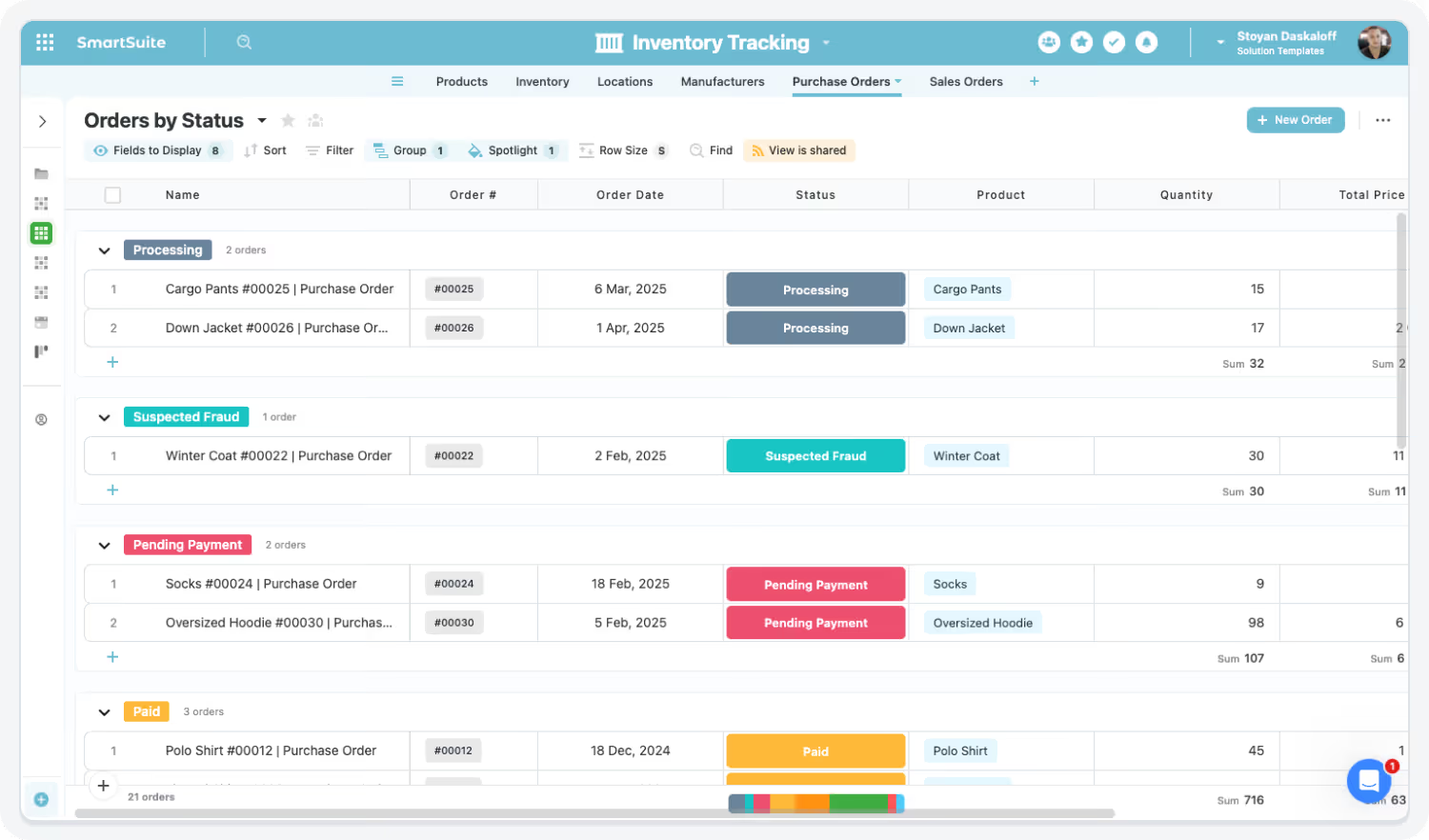
Create, route, approve, and track purchase orders with linked suppliers, budgets, and delivery milestones.

Inventory Management & Forecasting

Monitor inventory levels, forecast demand, and manage replenishment thresholds with real-time visibility.

Logistics & Delivery Tracking

Track shipments, carriers, delivery timelines, and exceptions across inbound and outbound logistics.

Supplier Management & Scoring

Maintain supplier profiles, track performance metrics, and assess reliability, quality, and risk.

Fulfillment & Exception Handling

Manage order fulfillment workflows and quickly resolve delays, shortages, or delivery issues.

Warehouse Coordination & Scheduling

Coordinate warehouse tasks, staffing, inbound receipts, and outbound fulfillment activities.

Demand & Supply Planning

Align forecasted demand with supply capacity to reduce shortages, overstock, and fulfillment risk.

Compliance & Traceability

Track regulatory requirements, certifications, inspections, and documentation with audit-ready history.

Gain Real-Time Visibility Across the Supply Chain

Monitor inventory, orders, suppliers, and shipments in one unified system.

Highlights:

  • Live dashboard insights
  • Multi-site visibility
  • Trend analysis

Streamline Procurement With Automated Workflows

Accelerate sourcing, approvals, and vendor coordination.

Highlights:

  • Purchase order workflows
  • Automated approvals
  • Vendor communication

Optimize Inventory Management & Forecasting

Reduce stockouts, overstock, and manual updates with automated thresholds and alerts.

Highlights:

  • Threshold triggers
  • Inventory dashboards
  • Automated restock workflows

Improve Logistics & Fulfillment Accuracy

Track shipments, delivery times, exceptions, and last-mile coordination.

Highlights:

  • Shipment tracking
  • Issue escalation
  • Delivery verification

Strengthen Supplier Collaboration & Quality

Use FERPA-aligned permissions, HECVAT Improve vendor relationships and track performance against KPIs.

Highlights:

  • Supplier scoring
  • Risk indicators
  • Performance dashboards

Built For Modern Supply Chain Teams

SmartSuite brings enterprise-grade higher education operations with consumer-grade usability. Choose the rolloSmartSuite brings enterprise-grade supply chain operations with consumer-grade usability. Choose the rollout path that fits your operations today—and expand as suppliers, inventory, and logistics complexity grows.

Start Small

Adopt a Single Capability

Begin with Inventory Tracking, Supplier Coordination, or Shipment Exceptions—prove value fast and expand from there.

Scale Confidently

Roll Out a Full Category

Enable supply chain operations end-to-end—connecting procurement, inventory, logistics, fulfillment, and issue management in one coordinated system.

Unify Everything

Deploy the Entire Supply Chain Operations Suite

Standardize supply chain execution with linked suppliers, orders, milestones, and dashboards—delivering real-time visibility, faster issue resolution, and consistent performance across your entire supply chain.

Frequently Asked Questions

Answers to common questions about how SmartSuite enhances visibility, collaboration, and efficiency across supply chain operations.

How does SmartSuite help break down silos across procurement, logistics, warehousing, and operations?

SmartSuite centralizes suppliers, orders, inventory, shipments, issues, and workflows into one connected platform — eliminating disjointed systems and improving cross-team visibility.

‍

How does SmartSuite improve collaboration across supply chain teams?

Shared dashboards, real-time communication, and automated workflows keep Procurement, Logistics, Operations, Finance, and Quality teams aligned and working from the same information.

‍

Is SmartSuite easy for warehouse and field staff to adopt?

Yes — SmartSuite’s intuitive, mobile-friendly interface simplifies tasks, updates, checklists, and documentation for warehouse crews and on-site operators.

‍

How does SmartSuite reduce tool and spreadsheet sprawl?

Instead of juggling procurement systems, warehouse apps, logistics trackers, and Excel sheets, SmartSuite consolidates all workflows into one unified operational hub.

‍

How does SmartSuite improve visibility for supply chain leaders?

Dashboards show inventory levels, supplier performance, delivery status, order exceptions, and fulfillment KPIs — enabling proactive, data-driven decisions.

See How SmartSuite Transforms Supply Chain Operations

Experience how SmartSuite centralizes inventory, suppliers, logistics, and fulfillment workflows — providing real-time visibility, automation, and accountability across the entire supply chain.

The Connected Value of SmartSuite Supply Chain Operations

Quantifiable improvements achieved when organizations centralize inventory, logistics, procurement, supplier coordination, and fulfillment workflows in SmartSuite.

32%

Source: Gartner Supply Chain Coordination Benchmark, 2023 — connected platforms reduced cycle-time delays by 28–35%

Faster Supply Chain Coordination & Issue Resolution

Centralized workflows, real-time communication, and automated escalations accelerate cross-team alignment and response.

30%

Source: Deloitte Supply Chain Digitization Report, 2023 — automation reduced manual tasks by 25–30%.

Reduction in Manual Tracking & Reconciliation Work

Automation of inventory updates, fulfillment confirmations, and logistics tracking reduces spreadsheet work and manual consolidation.

35%

Source: McKinsey Supply Chain Visibility Study, 2022 — organizations with integrated visibility improved performance by ~30–35%.

Improved Visibility Across Inventory, Logistics & Suppliers

Unified dashboards deliver real-time visibility into inventory levels, delivery exceptions, supplier performance, and order status.

28%

Source: PwC Global Supply Chain Compliance Study, 2023 — centralized digital workflows reduced compliance failures by 25–30%.

Lower Risk of Compliance & Delivery Failures

Digitized inspections, compliance tracking, and supplier governance workflows reduce errors and missed requirements.

Key Benefits of the Supply Chain Operations Solution Suite

Modern supply chains require real-time visibility, connected teams, and automated workflows to reduce delays, manage risk, and optimize fulfillment. SmartSuite unifies supply chain data, processes, and collaboration in one platform.

End-to-End Visibility, Tracking & Insights

Unified Supply Chain Workspace

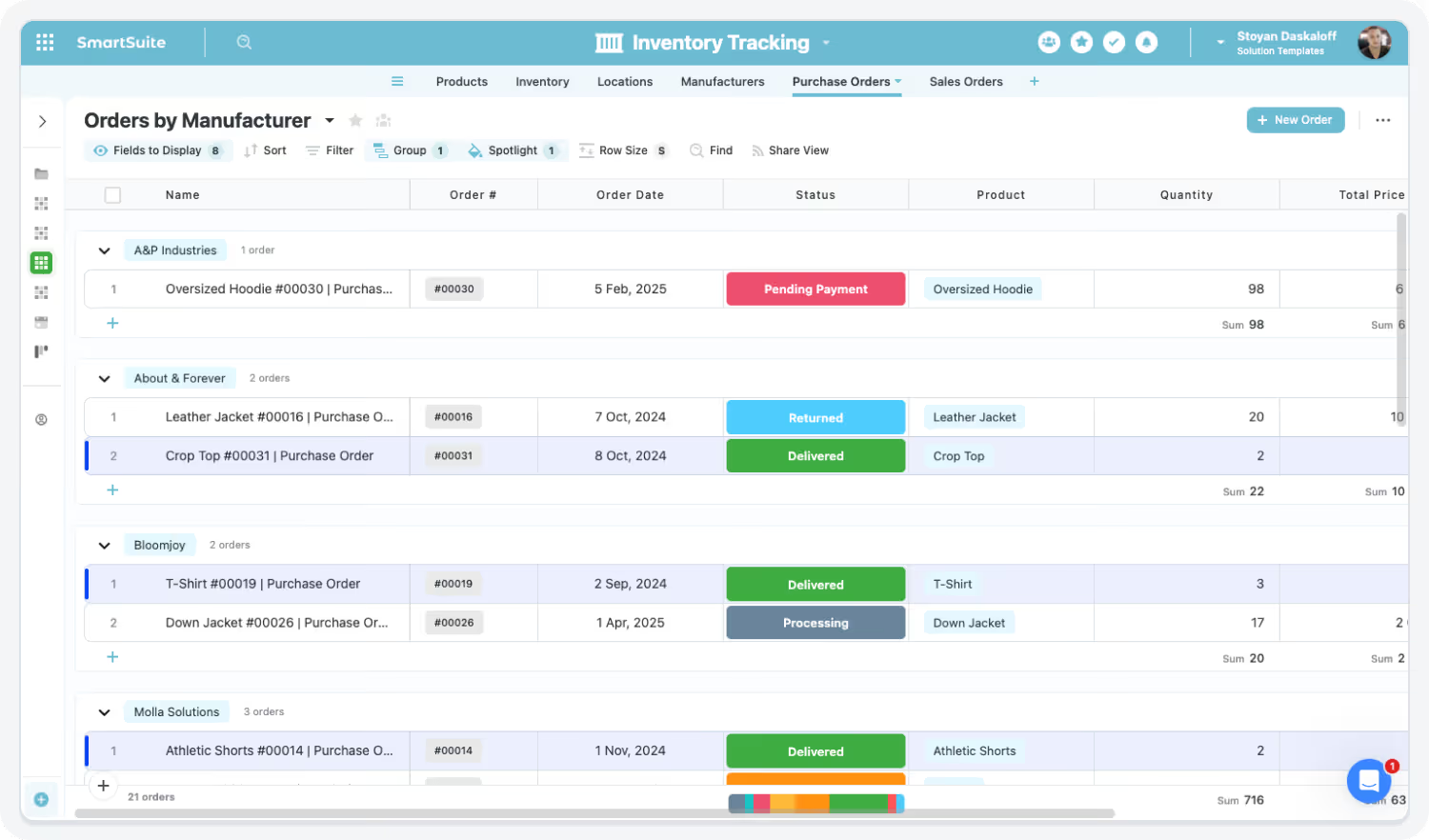
Centralize suppliers, POs, inventory, shipments, logistics events, and KPIs.

Real-Time Inventory Tracking

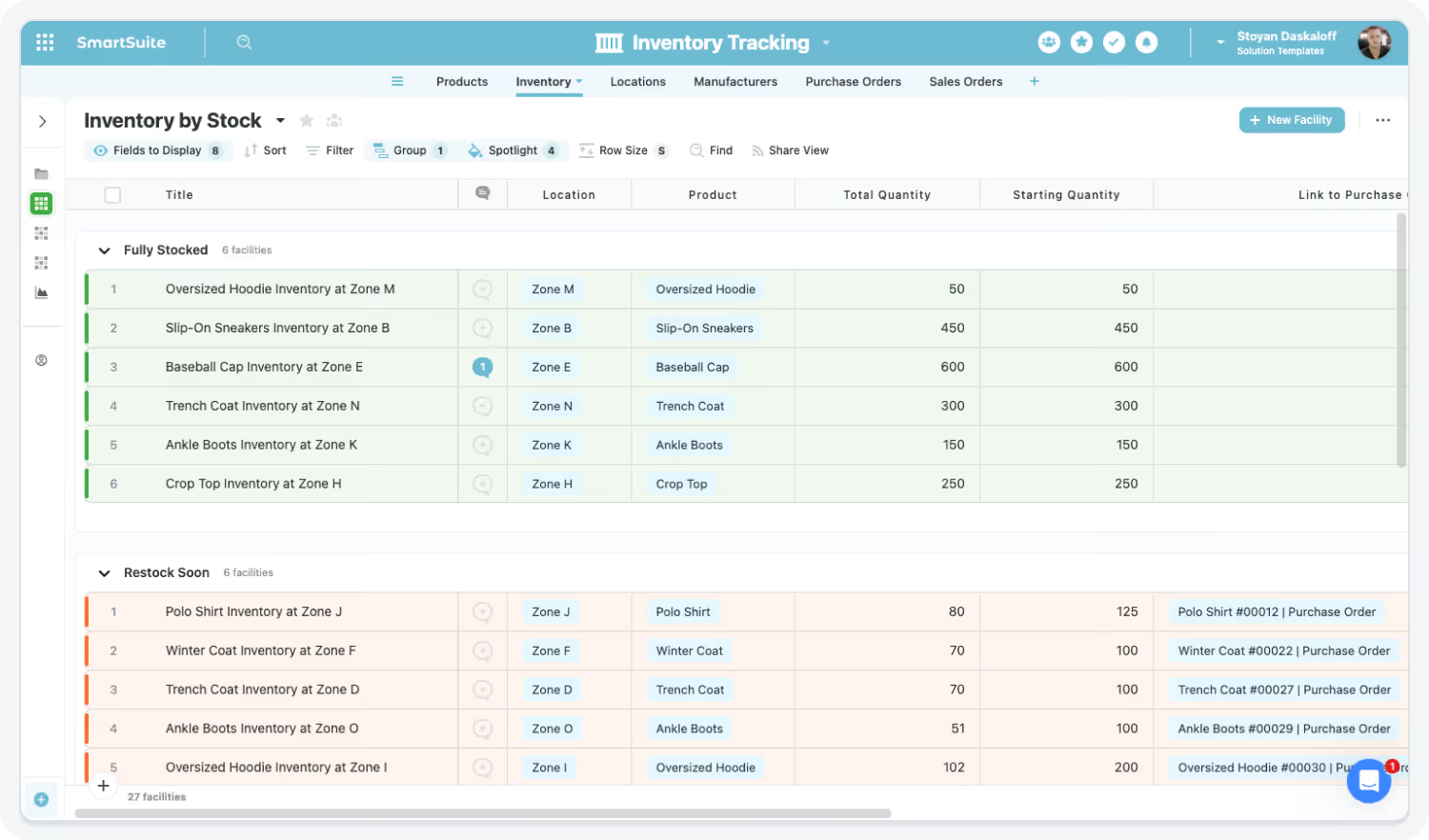
Monitor stock levels, movements, fulfillment status, and reorder points live.

Suplier Performance Insight

Track delivery performance, quality, compliance status, and incident history.

Order & Fulfillment Visibility

Gain real-time clarity into order progress, delays, exceptions, and commitments.

Cross-Functional Coordination

Connect Procurement, Logistics, Finance, and Operations with shared workflows.

Demand & Supply Insight

Balance supply and demand using unified trend and forecast data.

Workflow Efficiency & Supply Chain Automation

Automated PO Workflows

Trigger approvals, notifications, and updates automatically.

Inventory Replenishment Automation

Generate replenishment tasks or POs when thresholds are reached.

Exception & Delay Alerts

Route shipment, delivery, or supplier issues instantly to owners.

Supplier Collaboration Automation

Automate vendor updates, compliance submissions, and communications.

Digitized Inspections & Quality Checks

Run inspections digitally with automated non-conformance workflows.

AI-Assisted Reporting & Forecasting

Use AI Assist to generate summaries, projections, and root-cause analysis.

Governance, Compliance & Operational Confidence

Audit-Ready Compliance Records

Maintain inspection logs, approvals, and documentation with traceability.

Secure Operations Data

Protect supply chain data with role-based permissions and encryption.

Standardized Operating Procedures

Apply consistent workflows across teams, regions, and suppliers

Risk Monitoring & Early Warnings

Identify disruptions early using performance and exception indicators.

Scalable Global Operations

Support multi-site and multi-region supply chains in one platform.

No-Code Adaptability

Customize procurement, inventory, and logistics workflows without IT.

Build a Connected, Resilient, and Efficient Supply Chain

SmartSuite replaces spreadsheets, siloed tools, and manual coordination with automated workflows, unified dashboards, and real-time collaboration across procurement, logistics, and operations.

How the SmartSuite Platform Powers Supply Chain Operations

SmartSuite connects procurement, warehousing, logistics, fulfillment, and vendors in a single integrated platform.

No-Code Configuration

Customize procurement, warehouse, logistics, and supplier workflows without IT involvement.

Example:

A Supply Chain Manager adds a new “Supplier Risk Tier” field and updates the PO workflow to require additional approvals for high-risk suppliers.

Automation Engine

Automate purchase orders, replenishment triggers, shipment alerts, and supplier follow-ups.

Example:

When inventory drops below a defined threshold, SmartSuite automatically creates a replenishment task, routes a PO for approval, and notifies procurement.

AI Assist for Supply Chain Operations

Generate summaries, exception reports, and operational insights instantly.

Example:

AI Assist summarizes delayed shipments across regions and highlights the most common root causes for leadership review.

Linked Record Architecture

Connect suppliers, purchase orders, inventory items, shipments, exceptions, and fulfillment tasks for full traceability.

Example:

A delayed shipment record links directly to the supplier, PO, affected inventory items, customer orders, and remediation actions.

Dashboards & Analytics

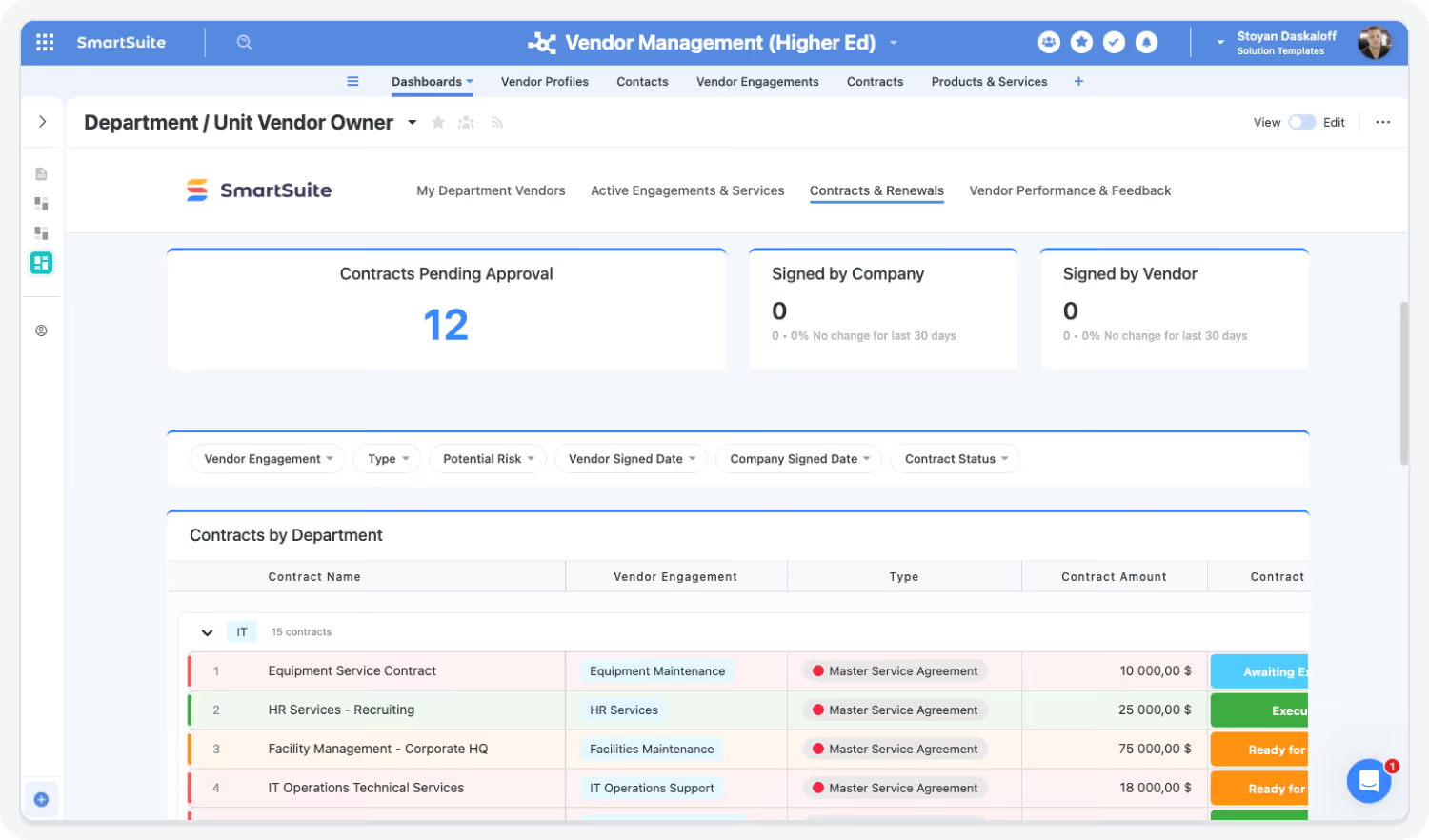
Monitor inventory levels, supplier performance, order status, delays, and fulfillment KPIs in real time.

Example:

Operations leaders view a dashboard showing stockouts by location, on-time delivery rates, and open supply chain exceptions.

Governance & Permissions

Control access to supplier data, pricing, contracts, and operational workflows with role-based permissions and audit trails.

Example:

Warehouse teams can update inventory counts, procurement can manage supplier contracts, and Finance has visibility into spend — all with controlled access.

Connect Procurement, Inventory & Logistics

SmartSuite brings together procurement, warehousing, logistics, and fulfillment data — giving teams unified visibility and eliminating fragmented processes.

Streamline Orders, Inventory & Supplier Tasks

Automate PO workflows, inventory thresholds, shipment updates, and vendor follow-ups — reducing errors and manual work.

Gain Real-Time Supply Chain Insight

Dashboards surface bottlenecks, risks, supplier performance issues, and forecast indicators — enabling proactive decision-making.

AI Assist & Governance Strengthen Supply Chain Control

AI Assist accelerates reporting and insight generation, while governance tools ensure accuracy, consistency, and traceability across your operations.

The SmartSuite Platform:
Powered by Eight Interconnected Frameworks

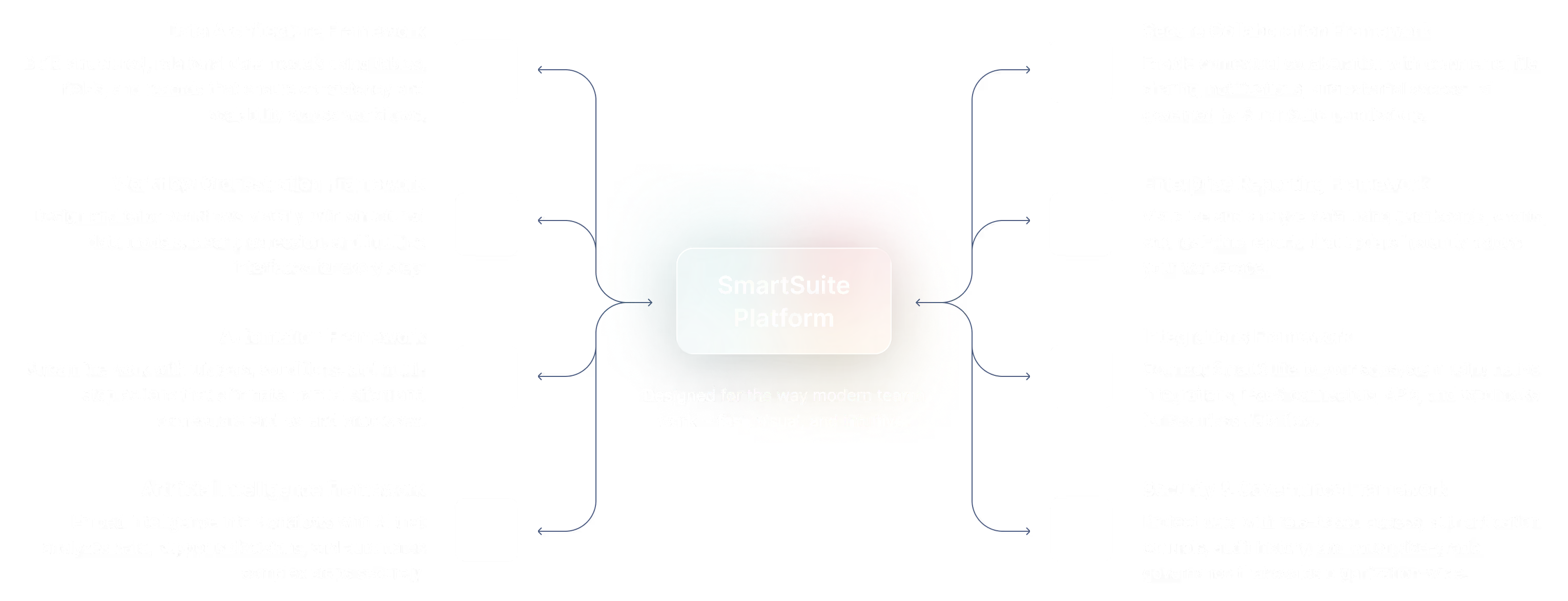
The SmartSuite Platform consists of eight interconnected frameworks that provide a foundation for designing, automating, analyzing, and governing connected workflows.

Security and Governance, Built for Enterprise Scale

SmartSuite provides fine-grained, role-based permissions that protect data without slowing innovation.
Define access down to the record, field, or workflow level, enforce compliance with SSO, 2FA, and IP restrictions, and maintain a complete audit trail of every action.
With SmartSuite, governance and agility work together — innovation moves fast, and your security moves with it.

Role-Based Access

Control visibility by user, role, or team.

Authentication

SSO, 2FA, and IP restrictions built-in.

Audit History

Track every change for 3+ years.

Compliance

SOC 2, GDPR, and enterprise governance ready.

Work Anytime, Anywhere, on Any Device

Stay connected and productive wherever you are.
SmartSuite works flawlessly across web, tablet, and mobile, so your team can manage projects, collaborate, and automate workflows in real time — whether in the office, remote, or on the go.

App Store IconGoogle Play Icon

The Platform That Unites Procurement, Logistics, and Operations

SmartSuite connects sourcing, vendors, orders, shipments, exceptions, and performance metrics — helping teams optimize operations and reduce risk.

Role-Based Capabilities for Higher Education Teams

SmartSuite is built for academic leaders, operations teams, finance offices, research administrators, and campus-wide staff.

Executive & Supply Chain Leadership

Chief Operating Officer (COO)

Chief Operating Officer (COO)

Oversees end-to-end operational performance across procurement, manufacturing, logistics, and fulfillment.

  • Benefit statement

    SmartSuite gives COOs real-time visibility into supply chain performance, risks, and bottlenecks — enabling faster, more confident operational decisions.
  • Benefit source

    Executive dashboards, cross-functional KPIs, linked workflows, and real-time analytics.

How they use the Supply Chain Operations suite

Operational Oversight

Reviews supply chain health, fulfillment rates, and risk exposure.

Performance Monitoring

Tracks service levels, delays, and exception trends.

Executive Reporting

Delivers leadership-ready summaries on operational readiness and resilience.

VP / Director of Supply Chain

VP / Director of Supply Chain

Owns supply chain strategy, execution, and optimization across sourcing, inventory, and logistics.

  • Benefit statement

    SmartSuite unifies supply chain data and workflows into one operational command center.
  • Benefit source

    Portfolio dashboards, workflow automation, supplier and logistics visibility.

How they use the Supply Chain Operations suite

End-to-End Visibility

Monitors suppliers, inventory, and logistics in one system.

Risk Management

Identifies disruptions and coordinates mitigation actions.

Strategic Planning

Aligns supply chain capacity with demand and growth plans.

Procurement & Supplier Management

Procurement Manager

Procurement Manager

Manages sourcing, supplier relationships, purchasing, and contract coordination.

  • Benefit statement

    SmartSuite streamlines procurement workflows and improves supplier alignment.
  • Benefit source

    Automated sourcing workflows, approval routing, vendor records.

How they use the Supply Chain Operations suite

Supplier Management

Tracks vendors, certifications, and performance metrics.

Purchase Coordination

Routes POs and approvals through structured workflows.

Contract Visibility

Monitors contract terms, renewals, and obligations.

Supplier Quality Manager

Supplier Quality Manager

Ensures supplier quality, compliance, and corrective action execution.

  • Benefit statement

    SmartSuite centralizes quality incidents, audits, and remediation workflows for suppliers.
  • Benefit source

    Issue tracking, audit workflows, corrective action records.

How they use the Supply Chain Operations suite

Quality Monitoring

Tracks supplier defects, audits, and non-conformances.

Corrective Actions

Assigns and monitors remediation tasks.

Compliance Oversight

Maintains audit-ready supplier quality records.

Inventory, Warehouse & Operations Roles

Warehouse Manager

Warehouse Manager

Oversees warehouse operations, stocking, picking, and fulfillment workflows.

  • Benefit statement

    SmartSuite provides real-time inventory visibility and task coordination.
  • Benefit source

    Inventory dashboards, work orders, task workflows.

How they use the Supply Chain Operations suite

Inventory management

Monitors stock levels and replenishment needs.

Task coordination

Assigns and tracks warehouse activities.

Operational Reporting

Reviews throughput and fulfillment performance.

Facilities Maintenance Manager

Facilities Maintenance Manager

Manages warehouse and facility maintenance, inspections, and vendor coordination.

  • Benefit statement

    SmartSuite centralizes maintenance requests, schedules, and compliance tracking.
  • Benefit source

    Work order workflows, checklists, dashboards.

How they use the Supply Chain Operations suite

Maintenance Planning

Schedules preventative and corrective maintenance.

Vendor Coordination

Tracks service providers and work completion.

Compliance Tracking

Maintains inspection and safety records.

Planning, Forecasting & Analytics

Demand Planner

Demand Planner

Forecasts demand and aligns supply planning to business needs.

  • Benefit statement

    SmartSuite connects demand signals, inventory data, and procurement workflows.
  • Benefit source

    Forecast dashboards, linked inventory and procurement data.

How they use the Supply Chain Operations suite

Demand Forecasting

Analyzes trends and predicts future demand.

Supply Alignment

Flags gaps between demand and available inventory.

Planning Collaboration

Coordinates forecasts with procurement and logistics teams.

Inventory Planner / Supply Chain Analyst

Inventory Planner / Supply Chain Analyst

Analyzes inventory levels, turnover, and replenishment performance.

  • Benefit statement

    SmartSuite consolidates inventory data for accurate planning and insight.
  • Benefit source

    Analytics dashboards, KPIs, AI-assisted summaries.

How they use the Supply Chain Operations suite

Inventory Analysis

Tracks turnover, aging, and stock health.

Replenishment Planning

Supports reorder decisions and thresholds.

Trend Reporting

Identifies risks like overstock or shortages.

Logistics & Transportation

Transportation Manager

Transportation Manager

Oversees transportation strategy, carrier performance, and delivery execution.

  • Benefit statement

    SmartSuite provides visibility into shipments, delays, and carrier performance.
  • Benefit source

    Shipment tracking dashboards, alerts, carrier records.

How they use the Supply Chain Operations suite

Carrier Coordination

Monitors carrier performance and service levels.

Exception Management

Responds to delays and disruptions quickly.

Cost & Performance Tracking

Reviews transportation KPIs and trends.

Logistics Coordinator

Logistics Coordinator

Manages day-to-day shipment execution and exception handling.

  • Benefit statement

    SmartSuite centralizes shipment workflows and real-time updates.
  • Benefit source

    Automated alerts, task workflows, dashboards.

How they use the Supply Chain Operations suite

Shipment tracking

Monitors in-transit shipments and delivery status.

Issue escalation

Flags delays or exceptions for resolution.

Carrier Communication

Coordinates updates and documentation.

Fulfillment Manager

Fulfillment Manager

Oversees order fulfillment accuracy, speed, and customer commitments.

  • Benefit statement

    SmartSuite improves fulfillment reliability through structured workflows and visibility.
  • Benefit source

    Order workflows, SLA dashboards, task assignments.

How they use the Supply Chain Operations suite

Order processing

Tracks fulfillment progress and exceptions.

SLA Monitoring

Ensures delivery commitments are met.

Customer coordination

Aligns fulfillment updates with customer-facing teams.

Cross-Functional & Governance Roles

Risk & Compliance Manager (Supply Chain)

Risk & Compliance Manager (Supply Chain)

Oversees operational, vendor, and regulatory risks across the supply chain.

  • Benefit statement

    SmartSuite links supply chain activity to risk, compliance, and remediation workflows.
  • Benefit source

    Risk registers, control mapping, dashboards.

How they use the Supply Chain Operations suite

Risk Identification

Tracks supplier, logistics, and operational risks.

Compliance Oversight

Monitors regulatory and internal requirements.

Remediation Tracking

Ensures corrective actions are completed.

IT / Systems Integration Manager

IT / Systems Integration Manager

Supports supply chain systems, integrations, and data integrity.

  • Benefit statement

    SmartSuite provides a unified operational layer across supply chain tools.
  • Benefit source

    Linked records, automation, integration-ready workflows.

How they use the Supply Chain Operations suite

System Alignment

Ensures data flows across ERP, WMS, and logistics tools.

Process Enablement

Supports automation and workflow consistency.

Data Governance

Maintains accuracy across supply chain records.

Built for Every Role in Higher Education

Whether you’re an AVP, Institutional Effectiveness leader, Student Affairs director, department admin, or IT stakeholder — SmartSuite provides connected workflows for the work that keeps campuses running.

Flexible Pricing Designed for Every Organization

Whether you’re a growing team or a global enterprise, SmartSuite’s pricing adapts to how your business works.
Choose platform-wide access with user-based pricing or tailor licenses to your organization’s scale and structure with our solution-based model.

User-Based Pricing

provides access to the entire SmartSuite platform under one per-user license, perfect for connected workflows across teams and departments.

Solution-Based Pricing

is purpose-built for enterprises with thousands to tens of thousands of users, offering the flexibility to license only the specific SmartSuite Solutions needed for scale, compliance, and control.

User-Based Pricing: Simplify Access Across Every Team

Our Team, Pro, and Enterprise plans make it easy to scale access across your organization. Each licensed user
can access all SmartSuite solutions — with predictable pricing that grows as you do.

  • One per-user license for all SmartSuite solutions.
  • Ideal for organizations connecting workflows across departments.
  • Scalable across teams and business functions.
  • Available in Team, Pro, and Enterprise plan tiers.
Ideal For:
Small to mid-sized businesses or companies deploying SmartSuite across multiple teams who value simplicity and
unified access.
Team
$15
seat / month billed annually
$20 billed monthly
For teams that need a better way to manage workflows
  • SmartSuite AI
  • Min 3 Billable Users
  • Unlimited Solutions
  • 5,000 Records per Solution
  • 50GB of File Storage
  • 30 Days Recycle Bin
Professional
$32
seat / month billed annually
$36 billed monthly
For teams and departments who need more advanced features to manage their workflows.
  • SmartSuite AI
  • Min 5 Billable Users
  • Unlimited Solutions
  • 100,000 Records per Solution
  • 100GB of File Storage
  • 45 Days Recycle Bin
Included Team Plan plus:
  • Folders
  • Gmail and Outlook Integrations
  • Advanced Permissions
Enterprise
Custom Pricing
For organizations that need scalable workflows with advanced features, security, and support.
  • SmartSuite AI
  • Min 10 Billable Users
  • Unlimited Solutions
  • 400,000 Records per Solution
  • 500GB of File Storage
  • 60 Days Recycle Bin
Included Professional Plan plus:
  • SSO
  • SCIM User Provisioning
  • SCIM-Synced User Groups
  • Audit Logs
  • IP Address Restrictions
  • Data Loss Prevention (DPL)
  • European Data Residency
  • Premium Support

Solution-Based Pricing: Purpose-Built for Enterprise Scale

For global organizations and regulated industries requiring complex governance or large-scale rollouts, SmartSuite offers a Solution-Based Pricing model. This model allows enterprises to license specific SmartSuite Solutions — such as GRC, ITSM, or Procurement — for tens of thousands of users, tailored to their exact needs.

  • Tailored Licensing — Structure licenses by department, region, or regulatory requirement.
  • Purpose-Built for Scale — Designed for enterprises managing thousands of users.
  • Customizable Agreements — Includes the ability to tailor terms and access levels to meet unique business needs.
  • Enterprise Confidence — Built for large financial institutions, insurers, and global enterprises who require high-performance
    and governance.
Example:
A global bank licenses SmartSuite’s GRC Solution Suite for 12,000 users across multiple regions, integrating risk, compliance, and audit functions on a secure, unified platform — all within a tailored license framework that meets regulatory and performance requirements.
GRC Solution Suite
Audit Management
  • Audit Management
  • Issues Management
Operational Resilience
  • Operational Resilience
  • Business Impact Analysis (BIA)
  • Incident Management
  • Crisis Management
Risk Management
  • Enterprise Risk Management:
  • Third-Party Risk
  • Vendor Portal
  • Cyber Threat Management
  • RCSA (Risk & Control Self-Assessment):
  • Issues Management
  • Business Structure
  • Contract Management
Compliance Management
  • Policy Management
  • Regulatory Change Management
  • SOC 2 Compliance
  • CRI Profile Compliance
  • Control Framework & Regulatory Libraries
  • Compliance Assessments & Testing
  • ESG & Sustainability Management

Compare Our Pricing Models

Access
Pricing Basis
Plans
Ideal For
Scalability
Governance
Flexibility
User-Based Pricing
All SmartSuite Solutions
Per active user license
Team, Pro, Enterprise
Growing businesses, cross-team workflows
Add users instantly
Standard platform permissions
Unified platform access
Solution-Based Pricing (Enterprise)
Licensed Solutions Only
Per solution license
Enterprise-only, tailored
Large-scale or regulated enterprises
Add new solutions as needed
Enterprise-grade compliance and controls
Tailored by solution, region, or compliance scope

Frequently Asked Questions

Answers to common questions about SmartSuite’s pricing models, plan options, and onboarding programs.

What are the different SmartSuite plan types?

SmartSuite offers four plan types: Team, Pro, Enterprise, and Signature.

  • Team, Pro, and Enterprise Plans use a per-user pricing model with feature and usage limits designed to scale as your organization grows.
  • Signature Plan provides per-solution pricing for enterprises that need to license specific SmartSuite Solutions — such as GRC, ITSM, or Procurement — for large user populations with advanced governance and support requirements.
How does the Signature Plan differ from other plan types?

You can start by filling out the partner program registration form here.

Are there limits on automations, API calls, or usage?

By signing up to the Service Provider Partner Program you agree to our terms and conditions.

What onboarding, training, and support services are included?

There is no cost. However, there are additional eligibility requirements to join.

First, you must be a customer of SmartSuite to be eligible to participate in the Service Provider Partner program. We believe it is important for all of our partners to be active SmartSuite users (minimum 5 active account members). It’s difficult to recommend a SaaS product that you do not see value in using yourself!

Additionally, you must have 15+ employees and $1.5M in annual revenue to join our network of solution partners.

Can SmartSuite provide customized pricing for complex organizations?

You will be able to work leads through your sales process to a closed-won or closed-lost state.

How can I get a customized quote for my organization?

You will be able to work leads through your sales process to a closed-won or closed-lost state.

Flexible Pricing for Institutions of All Sizes

SmartSuite offers EDU pricing options that scale from departments to divisions to institution-wide site licenses — with guest user ratios ideal for faculty and staff collaboration.

Featured Resources

Explore through leadership, case studies, and insights from financial services leaders.

Video
About SmartSuite
Blog
No-Code Workflow Automation for Supply Chain Operations
Blog
Supply Chain Workflow Automation: Reducing Bottlenecks and Delays
Webinar
Operational Excellence in Action
Webinar
Transforming Workflows with SmartSuite Automations

Trusted by Over

2,000 Organizations Worldwide

From global enterprises to innovative startups, SmartSuite helps organizations in every industry modernize their workflows, strengthen governance, and deliver measurable results.

Custom Manufacturing Provider – Europe

How ELRA Unified Project and CRM Workflows

Custom Manufacturing Provider – Europe

Media Analytics – US

How Hyphametrics Cuts Response Delays and Gains Real-Time Ops Visibility

Media Analytics – US

260 Sample Sale

How 260samplesale Automated Event Workflows Across Teams

260 Sample Sale

How Brightways Streamlines 9,000+ Sessions and Saves 100+ Hours a Week

How Brightways Streamlines 9,000+ Sessions and Saves 100+ Hours a Week

Brightways

Smart Home Tech – EU

How Netatmo Unified Marketing Workflows and Cut Planning Time

Smart Home Tech – EU

SmartSuite Resources

Everything you need to learn, build, connect, and grow with SmartSuite — from expert guidance and self-paced learning to community collaboration and continuous innovation.

SmartSuite Academy

Learn. Build. Get Certified.
Access interactive courses, live sessions, and certifications to help you master SmartSuite and accelerate success across your organization.

Demo Center

See SmartSuite in Action.
Browse short, on-demand videos that demonstrate how SmartSuite’s Solutions and features work — from automation setup to real-world use cases.

Support

Help When You Need It.
Access the knowledge base for best practices and step-by-step guidance, or connect directly with our support team for personalized assistance.

Customer Stories

See How Leading Companies Succeed with SmartSuite.
Explore real-world examples of how organizations use SmartSuite to connect teams, improve efficiency, and achieve measurable results.

Feature Requests

Help Shape the Future of SmartSuite.
Submit new ideas, vote on upcoming features, and see what’s on our product roadmap — your feedback drives innovation.

Community

Collaborate with Builders and Innovators.
Join thousands of SmartSuite users to share ideas, learn best practices, and collaborate on creative solutions for real-world challenges.

Developer Resources

Build and Extend with SmartSuite.
Access APIs, SDKs, and integration tools to connect SmartSuite to your enterprise stack and develop custom extensions.

Frequency Asked Questions

300+ Articles. One Knowledge Base.
Explore 300+ short, plain-language articles that explain SmartSuite features, concepts, and best practices in clear, simple language.

Security at SmartSuite

Enterprise Security You Can Trust.
Access detailed information on SmartSuite’s security architecture, compliance certifications, data protections, and enterprise-grade governance practices.

What’s New

See what shipped.

Every new feature, improvement and announcement, with the plans each one is available on.
Latest updates
Mobile: Data Schema Widget
October 5, 2026
Managed Secrets
October 5, 2026
AI: Updated Supported Models
September 28, 2026

Getting Started with SmartSuite

Play Getting Started with SmartSuite, part 1: Navigation
Part 1: Navigation

Learn the SmartSuite layout: workspace, Solutions, Views, Records. See how to navigate, search, filter, and create items to get productive fast.

Play Getting Started with SmartSuite, part 2: Homepage
Part 2: Homepage

Understand the Homepage layout: sidebar, header, search, and activity. Pin favorites, review assignments, and launch Solutions with one click. Make it your daily command center.

Play Getting Started with SmartSuite, part 3: Views
Part 3: Views

See your data from every angle. Learn Grid, Kanban, Calendar, and more. Switch views, sort and filter, group records, and save personal or shared views for repeatable workflows.

Play Getting Started with SmartSuite, part 4: Field Types
Part 4: Field Types

Explore SmartSuite field types: text, number, date, select, user, files, links, formulas, lookups, and more. Learn when to use each to capture, calculate, relate, and display data clearly.

Play Getting Started with SmartSuite, part 5: Dashboards
Part 5: Dashboards

Your command center: one Dashboard to track goals, tasks, and dependencies. Mix charts with lists, watch trends over time, and click through to fix issues immediately.

Play Getting Started with SmartSuite, part 6: Automations
Part 6: Automations

Automations do the busywork. Set a trigger, choose actions—notify people, update fields, create records, send webhooks—and let SmartSuite run it whenever conditions are met.

Play Getting Started with SmartSuite, part 7: Permissions
Part 7: Permissions

Set permissions once, scale safely. Use solution roles, table permissions, and saved views with filters to expose only relevant records to each team or stakeholder group.

Play Getting Started with SmartSuite, part 8: SmartSuite AI
Part 8: SmartSuite AI

Prompt-driven automations. Provide instructions with placeholders for record fields; AI uses that context to produce exactly what you need, then the automation stores or sends it.

Play Getting Started with SmartSuite, part 9: Formula Field
Part 9: Formula Field

Use Formula fields to calculate values from other fields. Combine math, logic, and text to automate totals, statuses, scores, and dynamic results across records. Quickly.

Play Getting Started with SmartSuite, part 10: Power Search
Part 10: Power Search

Use Power Search to instantly find records across fields and Solutions. Combine keywords, filters, and operators to pinpoint exactly what you need in seconds.

Play Getting Started with SmartSuite, part 11: Notifications
Part 11: Notifications

Stay informed with SmartSuite notifications. Get real-time alerts for updates, assignments, comments, and changes so you never miss important activity.

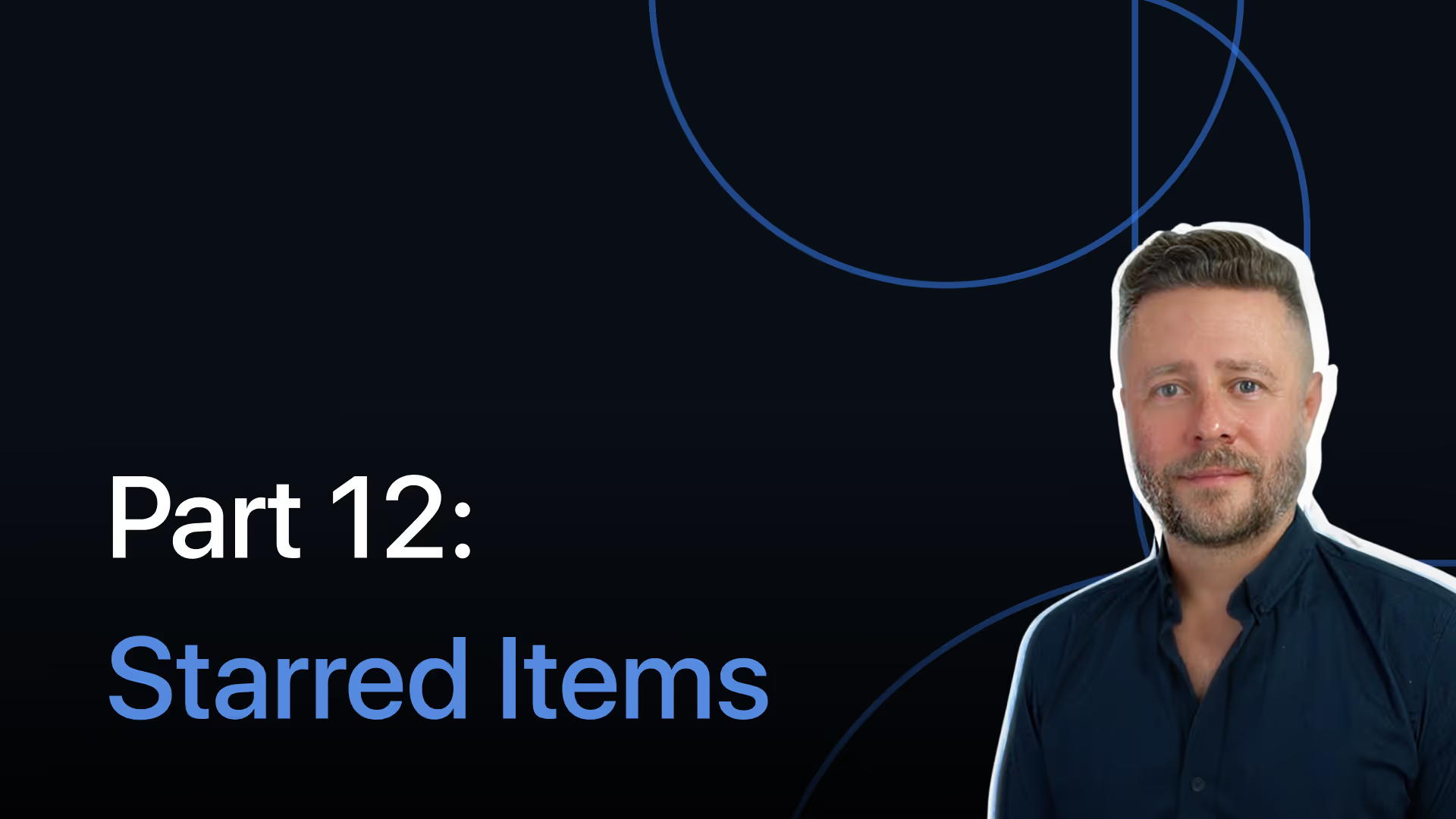
Play Getting Started with SmartSuite, part 12: Starred Items
Part 12: Starred Items

Star items you use most to access them fast. Keep important Solutions, Views, and records pinned for quick access and a more focused daily workflow.

Resources to Help You Improve Campus Operations

Explore case studies, assessment guides, operational workflows, and research management templates built for higher education teams.