


When people search for Apptega alternatives, it's usually not because the platform can't handle compliance.
It's because compliance alone isn't the whole picture.
I've seen this with enough teams to know the pattern: you start with a framework assessment, maybe NIST or CMMC, and Apptega does a solid job getting you through it.
But then your program grows. You need deeper risk management, flexible reporting, vendor oversight that actually connects to your controls, and suddenly the platform starts feeling like it's holding you back instead of pushing you forward.
I'll break down the best Apptega alternatives in 2026, based on tools I've tested across GRC workflows, covering what each one does well, where Apptega hits its limits, and which option makes sense depending on how your team works.
TL;DR
- SmartSuite is the best Apptega alternative in 2026 for organizations that want compliance, risk, audit, and operational workflows connected in one governed platform, instead of managing cybersecurity frameworks in isolation.
- Hyperproof and Drata are the closest compliance-automation alternatives, ideal for teams that mainly need continuous control monitoring and fast audit readiness across multiple frameworks.
- Optro (formerly AuditBoard) and ServiceNow GRC are built for larger enterprises that need audit-first workflows or deeply integrated GRC across IT, security, and business operations.
Why look for Apptega alternatives?
The goal of this article is not to suggest you should abandon Apptega entirely.
In fact, I think the platform does a good job of making cybersecurity compliance accessible, especially for teams getting started with frameworks like NIST CSF, CMMC, and SOC 2, and the dedicated customer success support is a real strength.
That said, once your program grows beyond initial assessments, there are issues that might come up:
#1: Customization can feel limited
Apptega works well for standard compliance workflows, but teams with unique processes or more complex GRC needs sometimes find the platform doesn't bend the way they need it to.
G2 reviewers flag this consistently, with some separate mentions of limited customization and report flexibility across reviews on the platform.
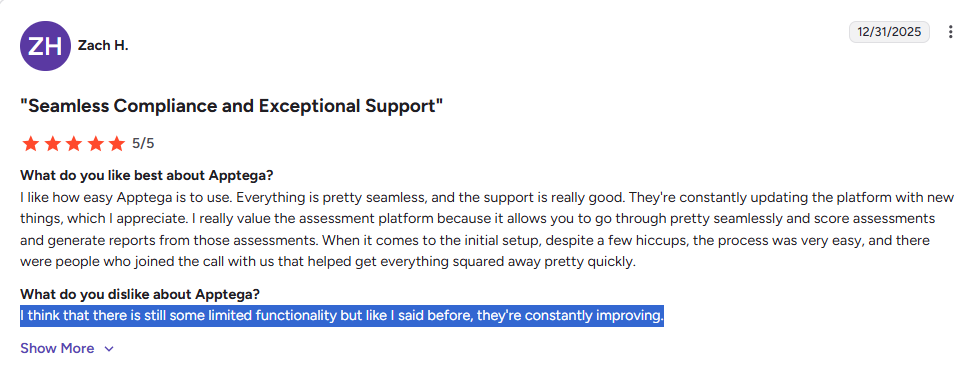
"I think that there is still some limited functionality but like I said before, they're constantly improving." - G2 Review
#2: The interface can feel cluttered
Some users report that navigating the platform becomes harder as their program scales, with limited search functionality and a layout that doesn't always keep up with how teams actually work.
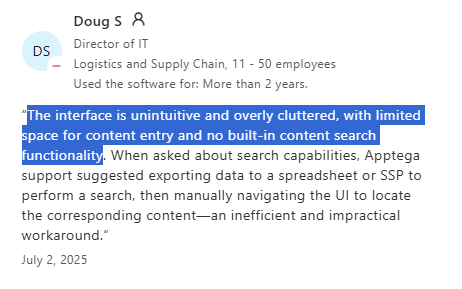
"The interface is unintuitive and overly cluttered, with limited space for content entry and no built-in content search functionality." - Capterra Review
#3: Reporting can hit a ceiling
For teams that need flexible, detailed risk reporting, the platform's capabilities may start to feel restrictive, especially around the risk register and custom visualizations.
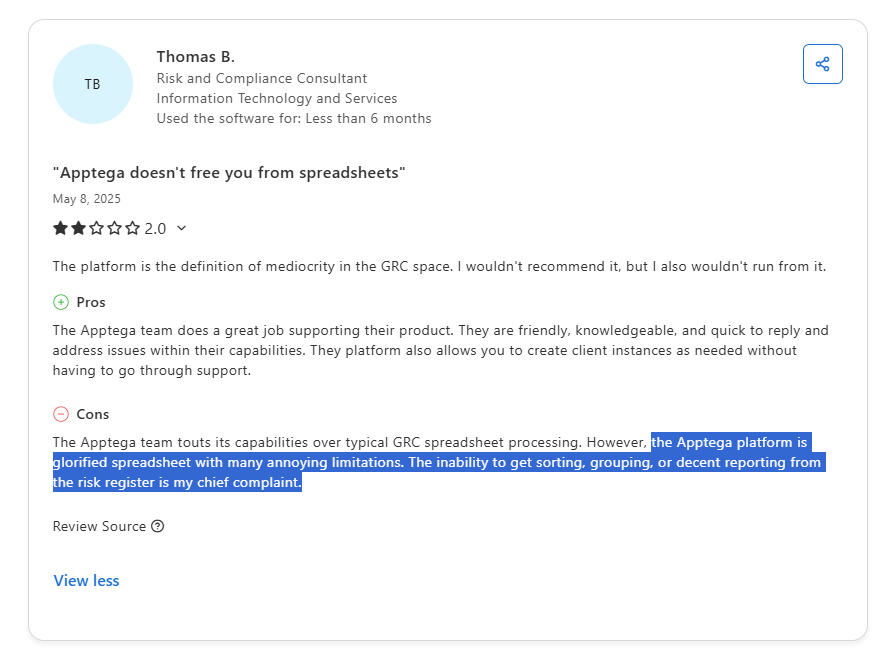
"The Apptega platform is glorified spreadsheet with many annoying limitations. The inability to get sorting, grouping, or decent reporting from the risk register is my chief complaint." - Capterra Review
What are the best alternatives to Apptega in 2026?
The best alternatives to Apptega are SmartSuite, Hyperproof, and Drata.
Here's my shortlist of the 10 best Apptega alternatives on the market:
#1: SmartSuite
Best for: Organizations that want to manage all GRC workflows in one connected platform with real-time risk visibility and complete traceability, instead of relying on standalone compliance automation software.
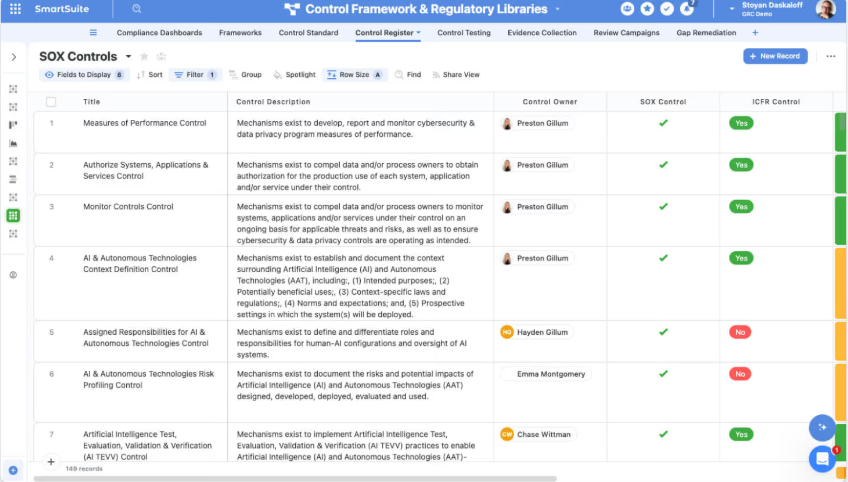
SmartSuite is the best Apptega alternative in 2026 for teams that want to manage all GRC workflows in one connected platform with real-time risk visibility and complete traceability.
Our AI-native work platform helps teams run governance, risk, and compliance while keeping those workflows connected to the rest of the business.
Instead of focusing only on framework assessments, SmartSuite lets you link risks, controls, audits, incidents, and remediation tasks to everyday operations.
That means compliance doesn't live in isolation. It stays tied to the actual work happening across teams.
And getting started is straightforward. You can test the platform with a 14-day free trial, no credit card required, and explore pre-built GRC templates to see how it fits your workflows.
Let's go over the capabilities that make SmartSuite a strong choice for teams looking to move beyond Apptega: 👇
1. A connected GRC and resilience workspace
Where Apptega focuses primarily on cybersecurity framework management, SmartSuite brings governance, risk, and compliance into one interconnected system.
The platform ties risks, controls, audits, policies, incidents, and remediation workflows together so your team can manage compliance without losing sight of the bigger picture.
Here's what that looks like in practice:
- Enterprise risk lifecycle management: Keep centralized risk registers, run structured assessments, monitor KRIs, and automate mitigation workflows from one place.
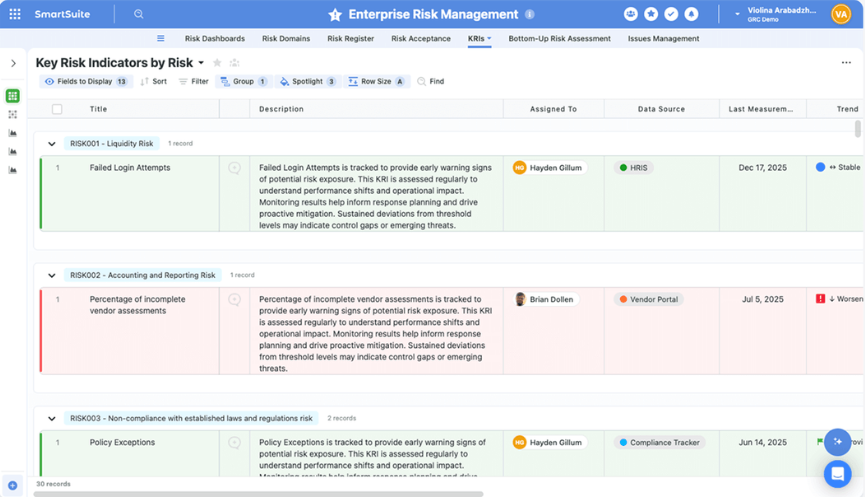
- Cyber and IT risk management: Bring together cyber risks, vulnerabilities, incidents, and controls with live visibility into your threat posture and remediation status.
- Internal audit management: Plan audits, manage fieldwork, track findings, and follow remediation progress through real-time dashboards and linked workpapers.
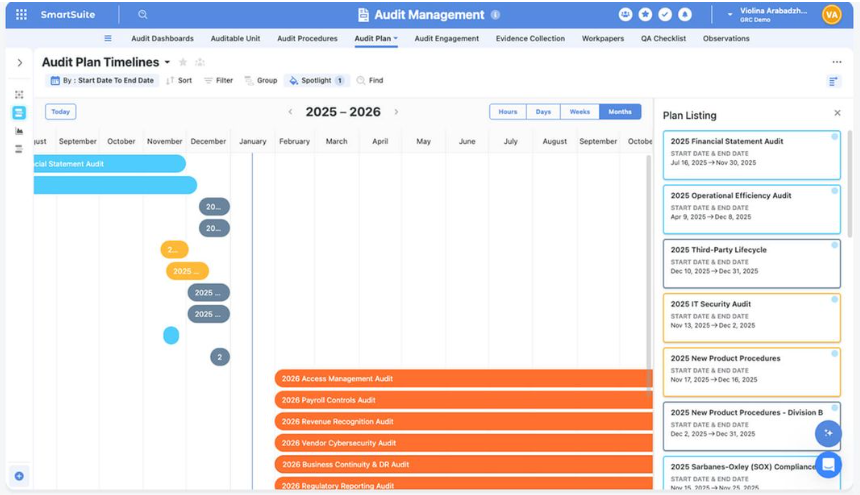
- Compliance and control oversight: Map your controls to frameworks, processes, and risks while standardizing how evidence gets collected and tested.
- Third-party risk management: Handle vendor onboarding, due diligence, continuous monitoring, and issue resolution in a single connected workflow.
- SOX and regulatory support: Track scoping, control testing, deficiency management, and certifications with documentation that's always audit-ready.
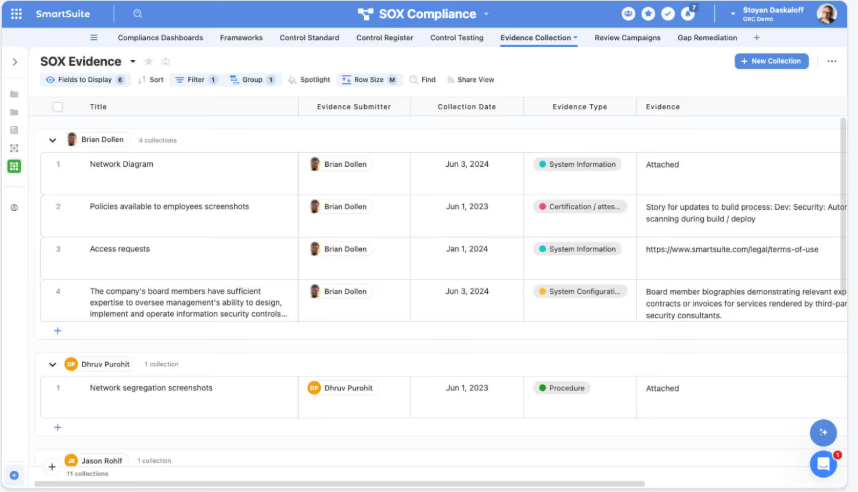
- AI governance: Maintain inventories of AI models, run risk assessments, monitor lifecycles, and generate governance reports in one centralized space.
- ESG tracking: Manage ESG initiatives, disclosures, KPIs, and reporting alongside your wider risk and compliance programs.
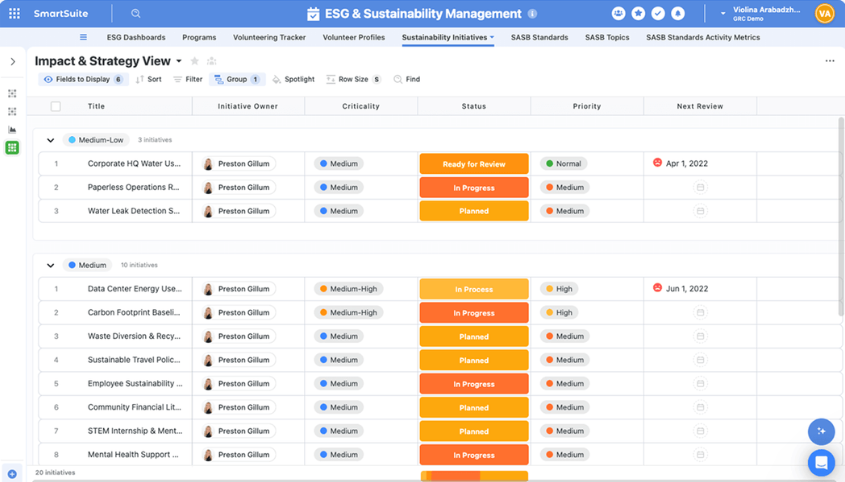
- Operational resilience: Coordinate incident response, business continuity planning, and risk response activities across teams without switching tools.
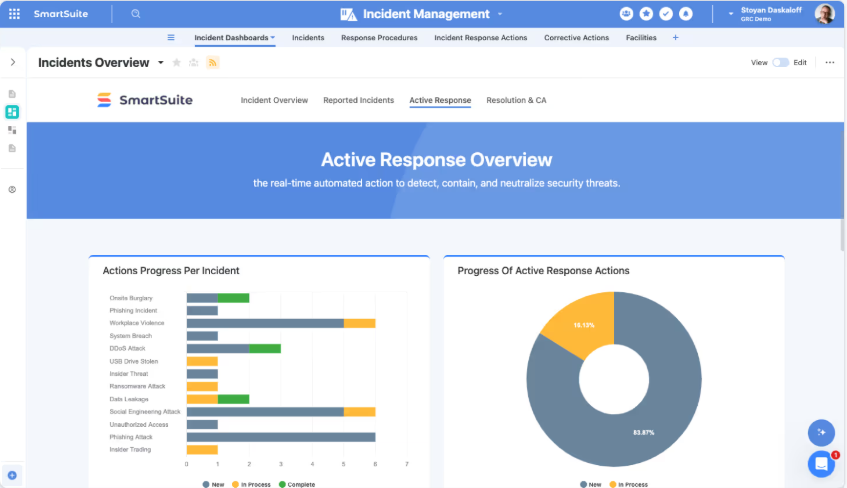
2. No-code customization and workflow design
SmartSuite lets teams design and adapt GRC workflows visually, without writing code or being locked into rigid templates.
Using SmartSuite Studio, your organization can model its data, define workflow logic, and build role-specific interfaces that make complex compliance processes easier to follow and audit.
- Visual builder: Create tables, fields, linked records, layouts, and logic using drag-and-drop in SmartSuite Studio.

- Role-specific interfaces: Build custom dashboards, pages, and record layouts so each team member sees only what's relevant to their job.
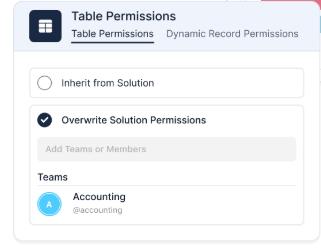
- Multiple work views: Switch between Grid, Kanban, Calendar, Timeline, Chart, and Map views to match the way your team thinks.
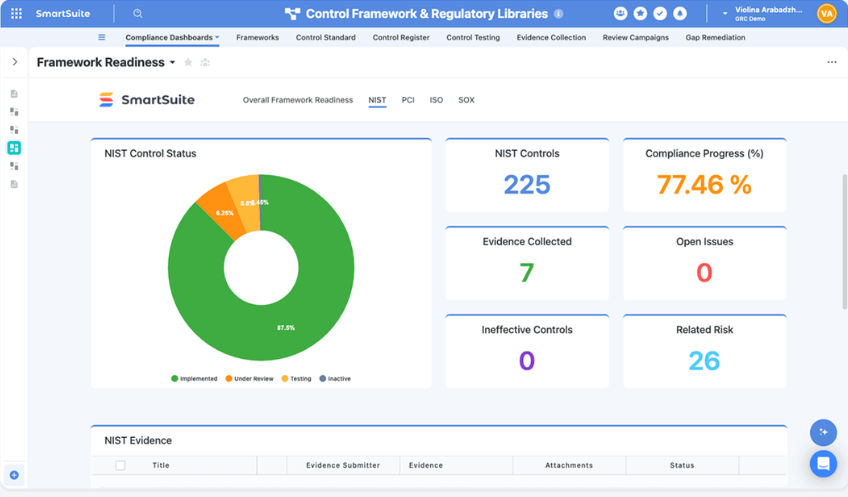
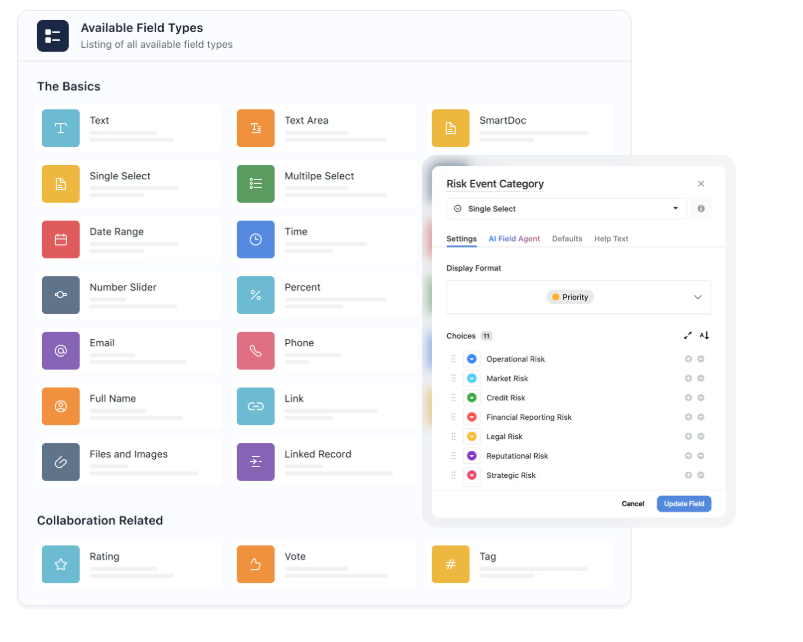
- Flexible data architecture: Model workflows with relational tables, linked records, and over 40 field types to support even the most complex compliance programs.
- Connected workflows across teams: Link multiple processes and solutions together while keeping permissions and structure intact.
3. AI built into your workflows
SmartSuite embeds AI directly into workflows, records, and automations, so teams can move faster without sacrificing governance or control.
AI Assist sits inside your automations, so that you can enrich data, generate summaries, or structure incoming information as records move through your processes.
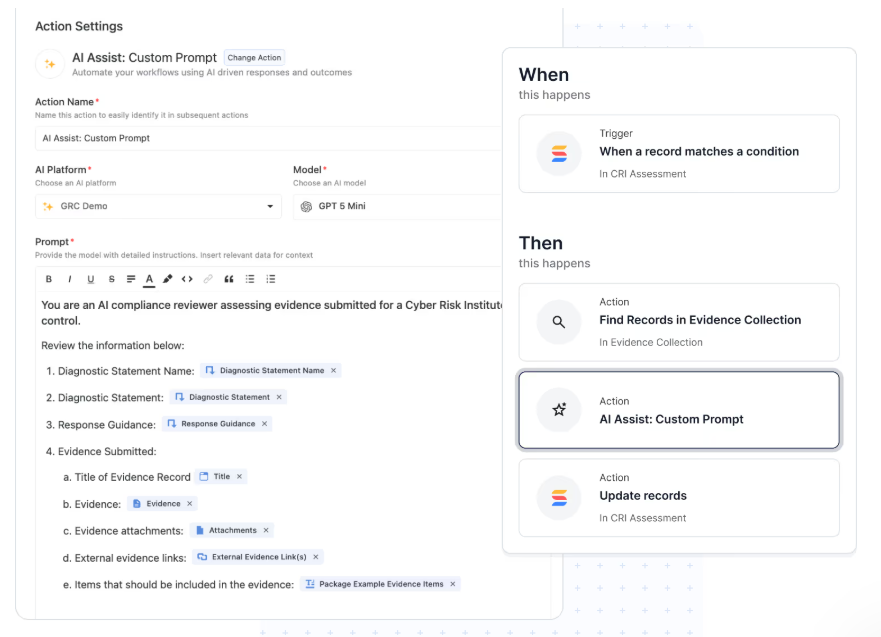
SmartDoc AI helps you create, rewrite, or translate policies, audit notes, and vendor assessments directly inside records.
And the AI Field Agent monitors records for patterns, missing context, or anomalies, then recommends updates like risk scores or priority classifications.
What I find especially useful: you can bring your own LLM.
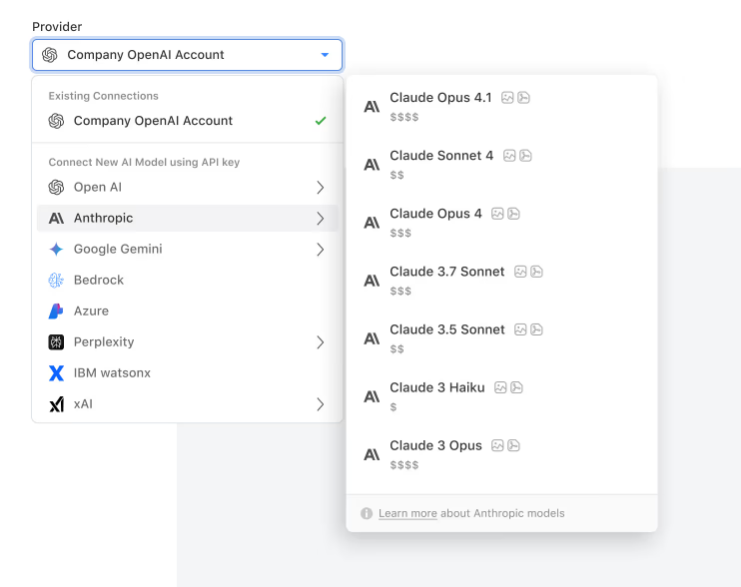
Connect models from OpenAI, Anthropic, Gemini, Bedrock, Azure, Perplexity, or IBM WatsonX while keeping enterprise governance in place.
Every AI-generated change respects role-based permissions and gets logged for full transparency.
4. Workflow automation that keeps compliance moving
SmartSuite's automation engine lets your team build no-code workflows that handle everything from risk monitoring and audit follow-ups to incident escalation and remediation tracking.
Here’s how it looks in reality:
- No-code workflow automation: You can build simple or multi-step workflows with a visual builder to handle notifications, record updates, approvals, and task creation.

- Real-time triggers and smart filters: Launch automations based on record changes, dates, webhook events, or workflow conditions like failed control tests and high-risk ratings.
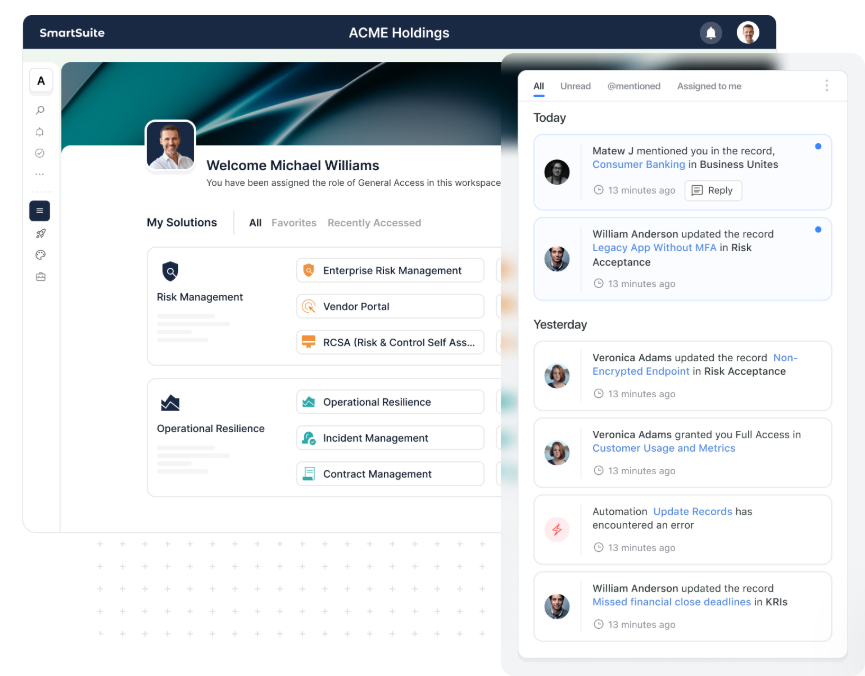
- Looping actions for large programs: Update multiple linked records at once, like applying risk score changes across controls or closing out remediation tasks automatically.
- Webhook integrations: Trigger or receive actions from external GRC, ITSM, security, or business continuity systems for end-to-end process automation.
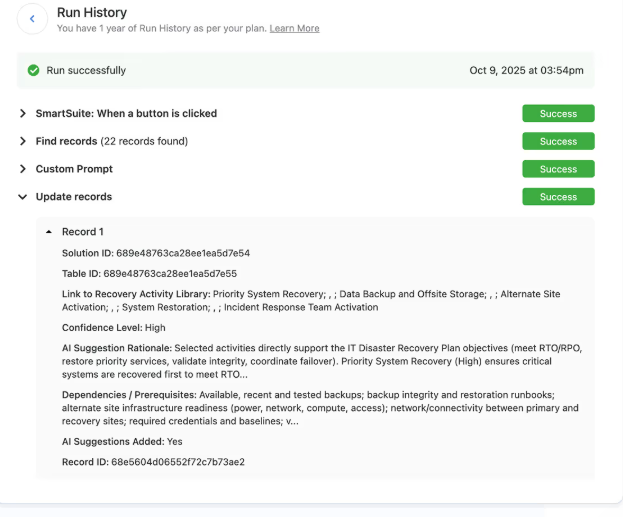
- Audit-ready automation history: Every automation run gets logged with timestamps, triggers, and results to maintain full traceability.
How does SmartSuite compare to Apptega?
Both SmartSuite and Apptega help teams manage cybersecurity compliance, but they're built with different goals in mind.
Apptega does a solid job of helping organizations get through framework assessments and manage cybersecurity compliance with a clear, structured workflow.
The platform's support for over 30 frameworks and its framework crosswalking technology make it a practical choice for teams focused on getting certified and staying audit-ready.
SmartSuite takes a broader approach. Instead of focusing primarily on cybersecurity frameworks, it connects compliance to risk, audit, incident, vendor, and remediation workflows in one governed platform.
That means teams can go beyond passing assessments and start managing GRC as an ongoing, connected program.
- Apptega is a better fit if your primary goal is managing cybersecurity compliance assessments across frameworks with a simple, guided workflow.
- SmartSuite is a better fit if you need a flexible GRC platform that connects compliance to the rest of your operations and scales as your program evolves.
Pricing
SmartSuite offers a 14-day free trial, making it easy to test real workflows before subscribing.
From there, SmartSuite offers two pricing models, depending on organizational size and complexity:
- User-based pricing, designed for small to mid-sized organizations that want full access to the entire platform under one license:
- Team: $15/user/month (minimum 3 users) includes unlimited solutions, 5,000 records per solution, and 50GB storage, and access to all core features, such as SmartSuite AI, reporting and dashboards, pre-built templates, advanced customization options, real-time collaboration, etc.
- Professional: $32/user/month (minimum 5 users), includes everything in Team and adds 100,000 records per solution, 100GB of storage, Gmail & Outlook integrations, folders, and advanced access controls.
- Enterprise: $50/user/month (minimum 10 users), includes everything in Professional and adds 400,000 records per solution, 500GB of storage, SSO, SCIM provisioning, audit logs, DLP, IP restrictions, and premium support.
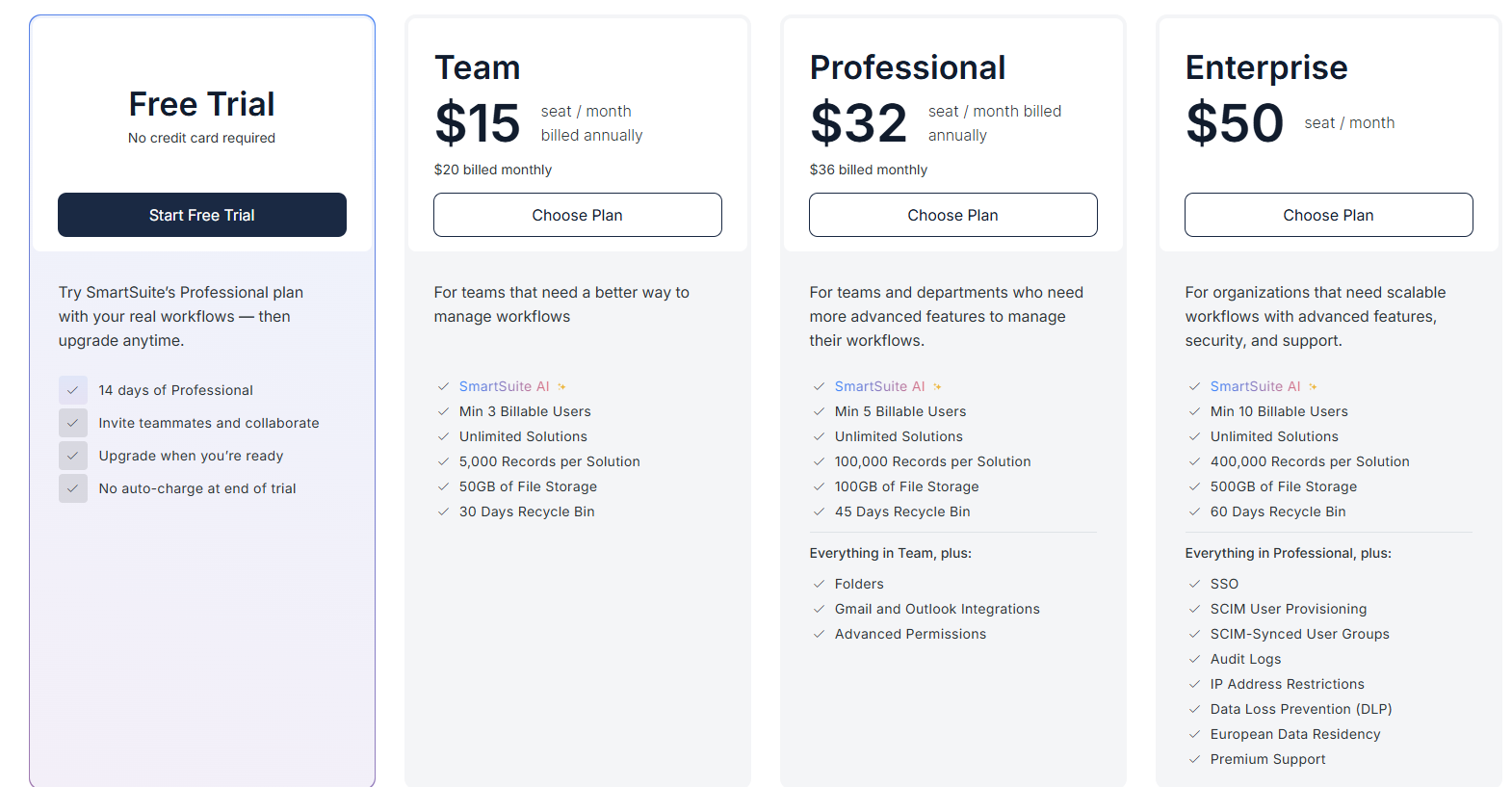
Each licensed user can access all SmartSuite solutions (ITSM, ITAM, GRC, projects, operations, etc.) without paying separately for service management, asset management, or reporting modules.
- Solution-based custom-tailored pricing, built for regulated industries and large enterprises where per-user licensing across the entire platform isn’t practical. With it you can:
- License only the specific solutions you need (e.g. ITSM, GRC).
- Structure access by department, region, or regulatory requirement.
- Easily scale for thousands of users without compromising security.

Pros and Cons
✅ A flexible no-code platform that lets teams design GRC workflows, data models, and interfaces without relying on rigid templates.
✅ Connected risk, audit, compliance, and operational workflows in one system instead of siloed framework tools.
✅ AI embedded directly into workflows for summaries, risk insights, automation, and governance assistance.
✅ Real-time dashboards and reporting tied to live GRC data without needing a separate analytics tool.
✅ Powerful automation engine for risk monitoring, audit follow-ups, and remediation processes.
✅ Enterprise-grade governance with granular permissions, audit logs, and secure role-based visibility.
❌ No mid-tier between Team and Professional plans.
#2: Hyperproof
Best for: Security and compliance teams that need fast time-to-value for framework-driven audits and continuous controls monitoring.
Similar to: OneTrust, Onspring.
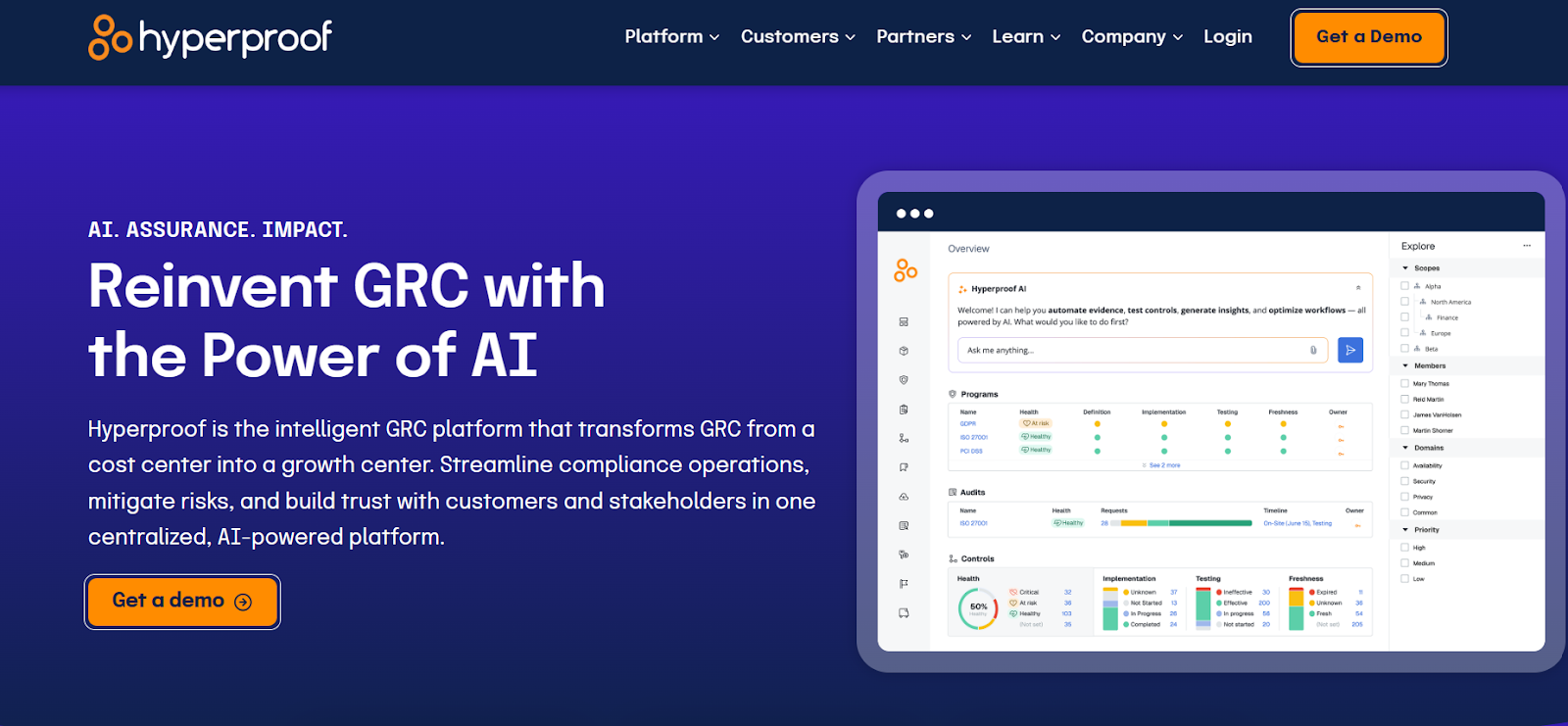
Hyperproof is built as a unified compliance-operations platform that reduces the burden of managing multiple regulations, audits, risks, and controls.
The tool blends a clean interface with enterprise-capable features like strong integrations and a modern workflow engine, making it a solid Apptega alternative for teams that want to scale compliance beyond basic framework assessments.
Features
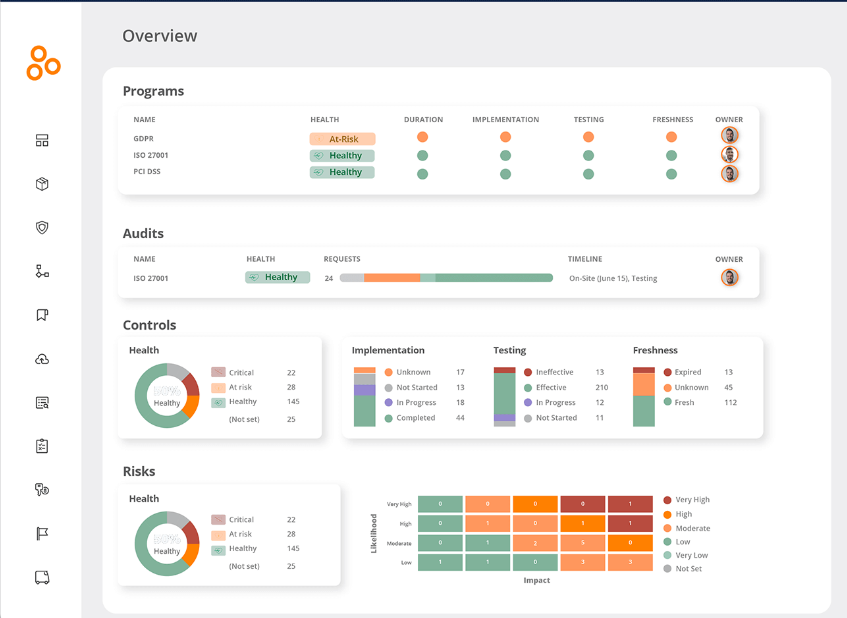
- Cross-framework control mapping and reuse: Hyperproof makes it easier to map a single control to multiple regulations (like ISO, SOC 2, and NIST) so you avoid duplication and improve efficiency.
- Real-time dashboards and status tracking: The platform gives you visibility into your compliance posture, showing which controls need attention, tasks that are overdue, risks that are rising, and overall audit readiness at a glance.
- Automated evidence collection and task orchestration: Automates parts of the evidence-gathering process, reducing the manual effort that usually goes into audit prep.
- Continuous controls monitoring: Supports real-time validation of controls and alerts for issues as they come up, letting you respond proactively instead of waiting for the next audit cycle.
Pricing
Hyperproof doesn't disclose its pricing publicly, so you'd have to book a demo with their team to get a custom quote.
If you want a clearer breakdown of what Hyperproof actually costs, you can check out our Hyperproof pricing guide for a deeper look before booking a demo.
Pros and Cons
✅ Strong automation for evidence collection and audit-ready workflows.
✅ Highly customizable and adaptable, according to users of the platform.
✅ Lets you address failed tests immediately, so risks are mitigated.
❌ Comes with a steep learning curve.
❌ Pricing can get expensive for SMEs.
#3: Drata
Best for: Tech-led organizations (startups to enterprise) that want to automate control testing and stay audit-ready year-round.
Similar to: Vanta.
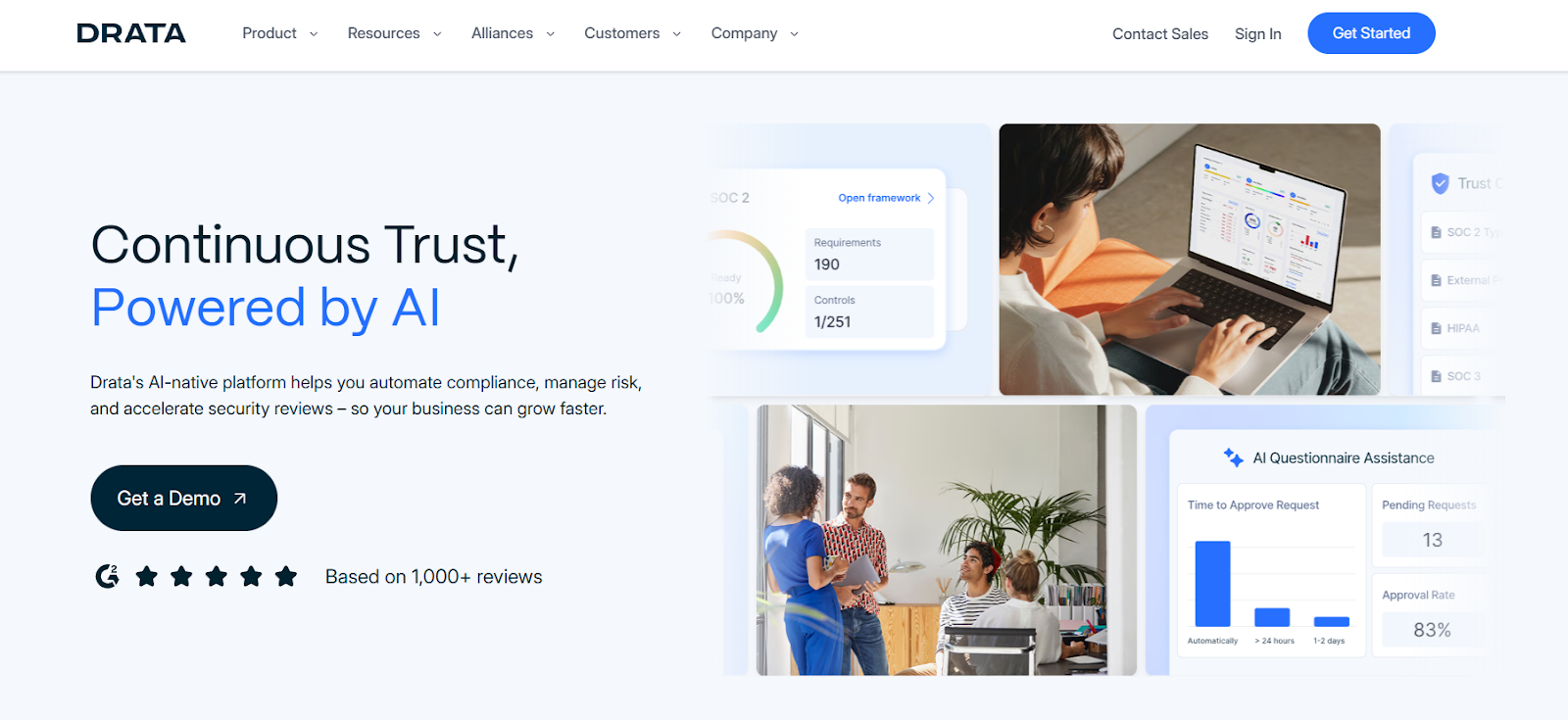
Drata automates control testing, evidence collection, and compliance workflows across multiple frameworks, so teams spend less time prepping for audits.
The platform is purpose-built to keep you audit-ready year-round, with live monitoring, deep integrations, and a clear trust signal for your customers.
Features
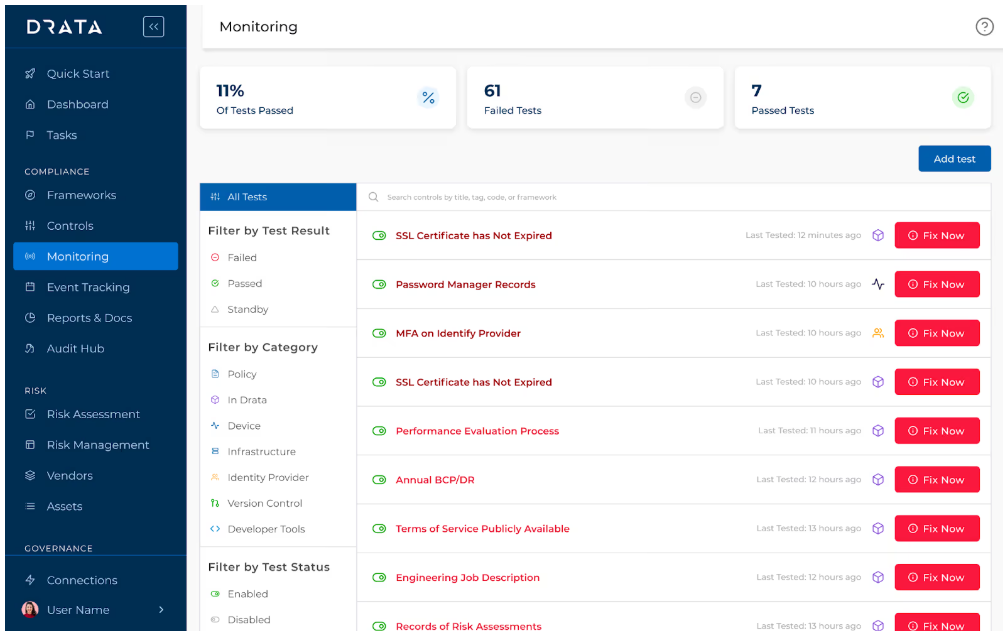
- Multi-framework support with smart control mapping: Drata supports frameworks like SOC 2, ISO 27001, HIPAA, and GDPR, letting you map a single control to multiple standards and reduce duplication.
- Real-time compliance dashboards and control-readiness views: You can instantly see your compliance posture, risk gaps, upcoming tasks, and audit readiness from a central dashboard.
- Automated access reviews: Drata automates user access checks across all systems, surfaces gaps instantly, and maps evidence to controls for ongoing compliance.
Pricing
Drata doesn't publish its pricing structure. You can request a demo to get more details, or look into our in-depth Drata pricing guide.
Pros and Cons
✅ Clean, intuitive UI that both technical and non-technical users can navigate easily.
✅ Helpful policy templates and recommendations that reduce setup time.
❌ Enterprise-grade pricing.
❌ Limited customization of GRC templates.
#4: Vanta
Best for: Startups to mid-market companies that want to automate compliance and build customer trust fast through continuous monitoring.
Similar to: Drata.
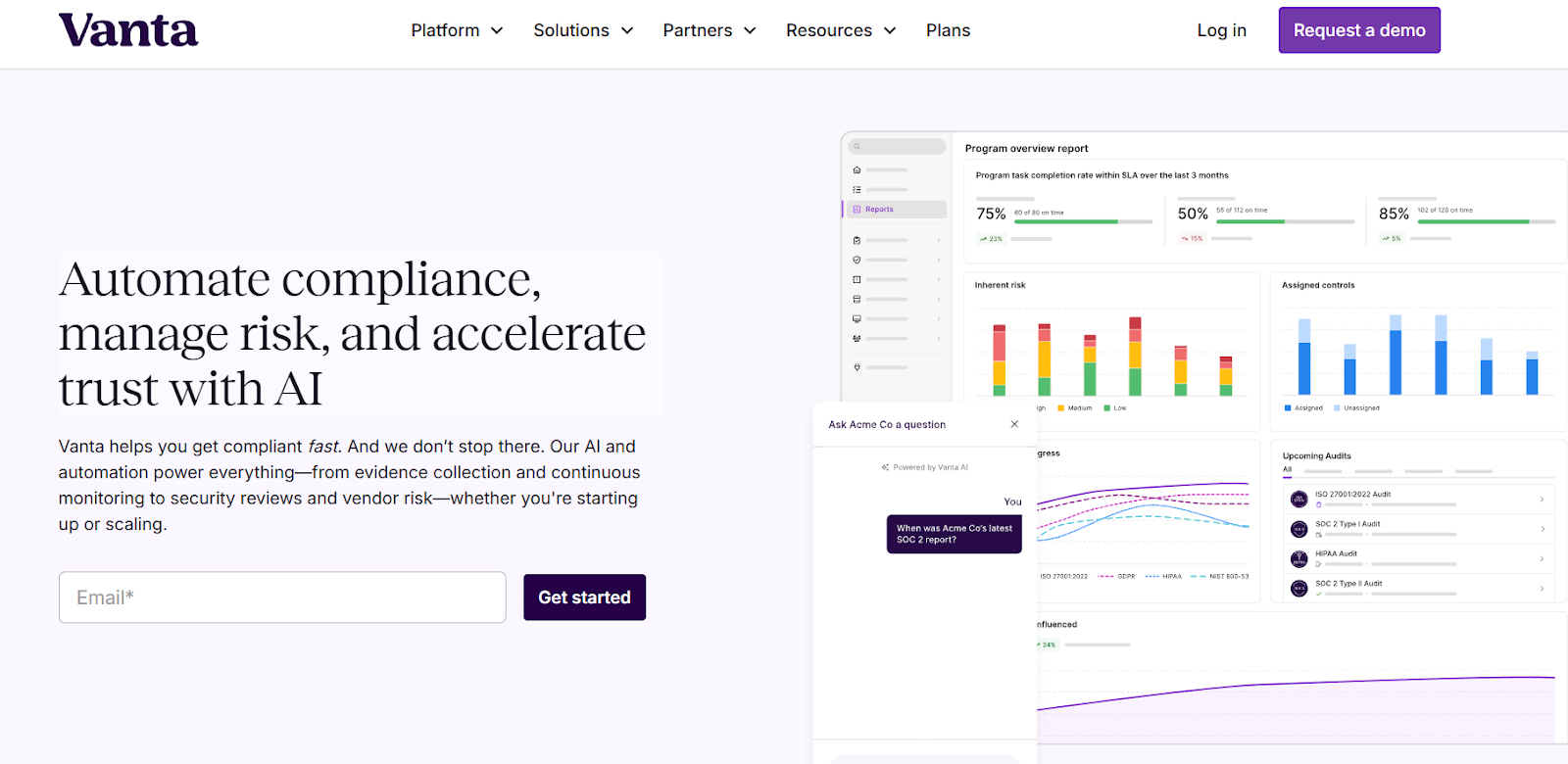
Vanta centralizes compliance operations with automated control monitoring and continuous evidence gathering across your entire tech stack.
That real-time visibility is what makes it a practical Apptega alternative for teams that want to move beyond periodic assessments and into a continuous compliance workflow.
Features
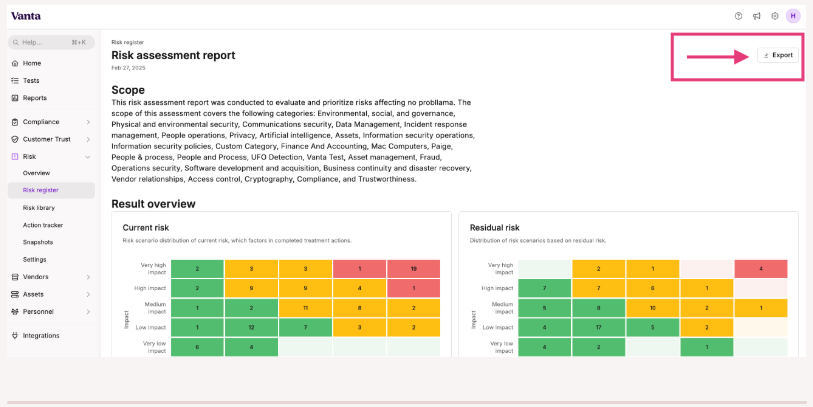
- Automated control monitoring and evidence collection: The platform continuously tests controls, pulls evidence, and lets you cross-map requirements across over 35 pre-built frameworks or your custom ones.
- Workspaces for multi-entity or departmental programs: Business units can segment their own controls, risks, and workflows within the same account, so distributed teams can customize compliance while staying centrally governed.
- Issue logging and remediation tracking: Teams can log issues, assign owners, collaborate on fixes, and track remediation to closure.
Pricing
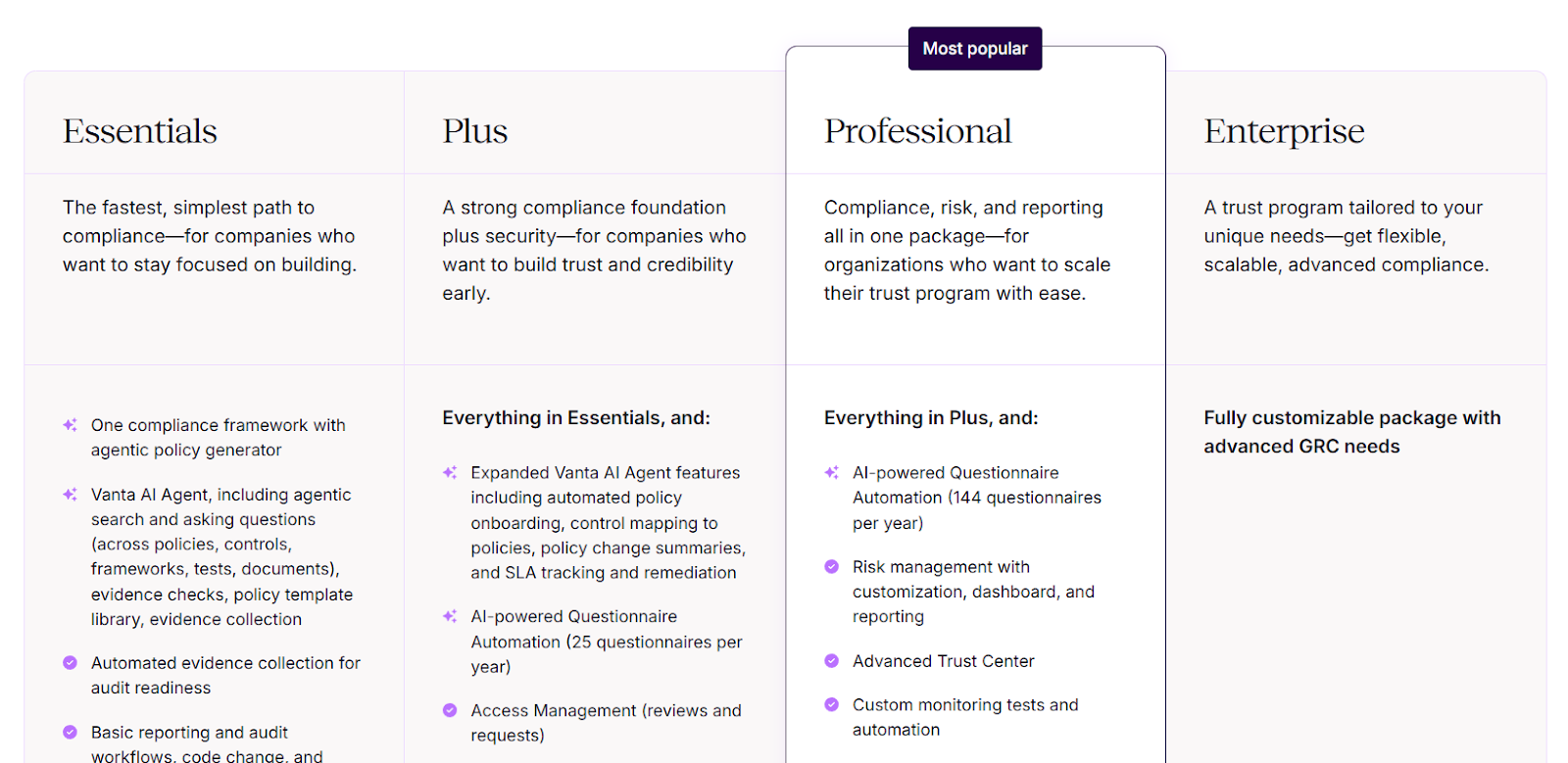
Vanta doesn't publish fixed pricing on its website, but it offers four defined packages (Essentials, Plus, Professional, and Enterprise) designed for teams of various sizes.
- Essentials: Includes one compliance framework, automated evidence collection, Vanta AI Agent for policy generation and evidence checks, continuous monitoring, basic reporting, and a standard Trust Center.
- Plus: Includes everything in Essentials and adds expanded AI features for policy onboarding and control mapping, SLA tracking, Access Management, and 25 AI-powered questionnaire automations per year.
- Professional: Includes everything in Plus and adds full Risk Management with dashboards, an Advanced Trust Center, custom monitoring tests, automated access management, six customizable reports, and 144 AI-powered questionnaire automations per year.
- Enterprise: A fully customizable package for organizations with complex multi-framework requirements.
➡️ For the full breakdown, read our complete guide to Vanta's pricing.
Pros and Cons
✅ Powerful Trust Center that helps build security transparency with customers.
✅ Clean and easy-to-use interface.
✅ A wide range of integrations compared to other tools on the market.
❌ Pricing is on the higher side as companies grow or need add-ons.
❌ A reported steep learning curve starting that starts from the onboarding.
#5: Optro (formerly AuditBoard)
Best for: Audit and internal controls teams that need an enterprise-grade, audit-first GRC solution.
Similar to: OneTrust, IBM OpenPages.
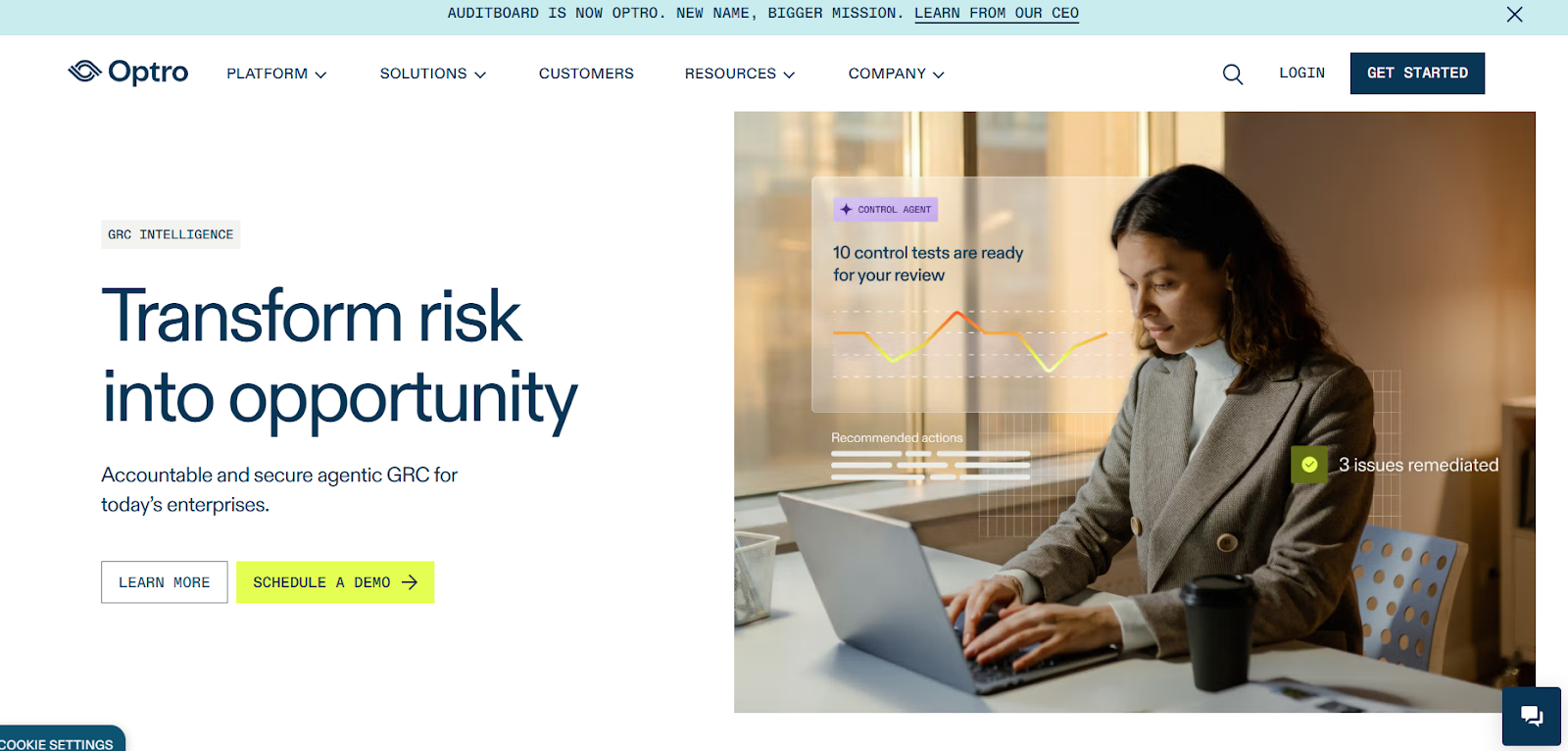
Optro (formerly AuditBoard) is a strong Apptega alternative for audit-led GRC.
The platform focuses on connected audit, risk, and compliance workflows that remove spreadsheets and automate testing across finance and internal audit teams.
What stood out to me is that it ties together audit planning, internal controls, and risk monitoring so assurance teams get faster evidence collection and reporting.
Features
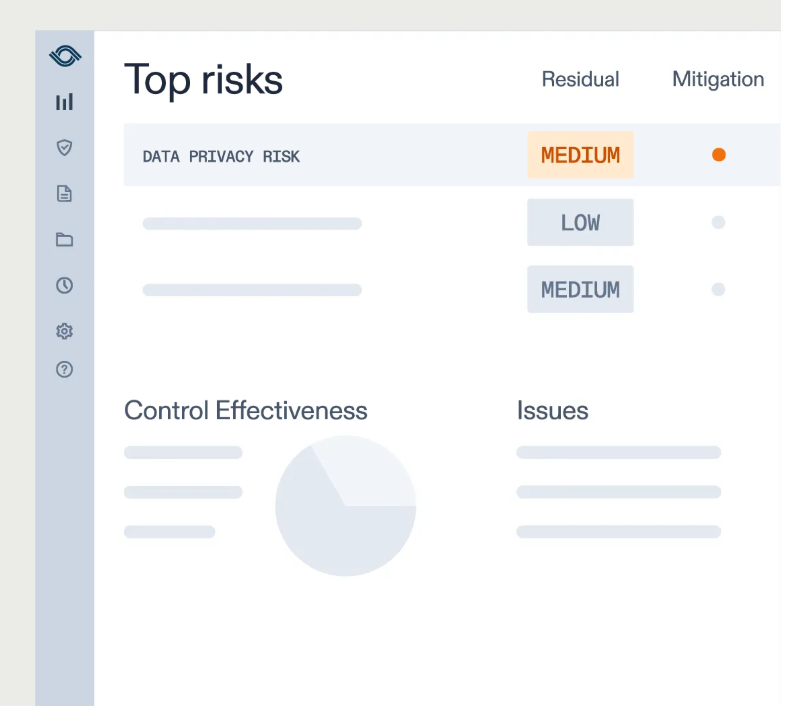
- Centralized audit and risk orchestration: Automation for testing, evidence collection, and issue remediation that speeds up reporting cycles.
- Customizable reports and pre-built dashboards: Helps you uncover insights, track trends, and support data-driven decisions.
- Pre-built library of over 30 frameworks: Access frameworks like SOC 2, ISO 27001, and GDPR out of the box to help your organization stay audit-ready.
Pricing
Optro has not disclosed its pricing, so you'd have to contact them to book a demo and get a quote.
Pros and Cons
✅ Strong audit workflows and integrations that reduce manual testing and reporting time.
✅ A modern interface with good AI capabilities.
✅ A preloaded library of over 30 frameworks.
❌ The average contract value is around $42,775/year, according to insiders.
❌ Some customers find it difficult to use.
#6: LogicGate
Best for: Enterprises that need a configurable, no-code GRC platform capable of scaling across risk, vendor, audit, policy, and regulatory domains.
Similar to: OneTrust.
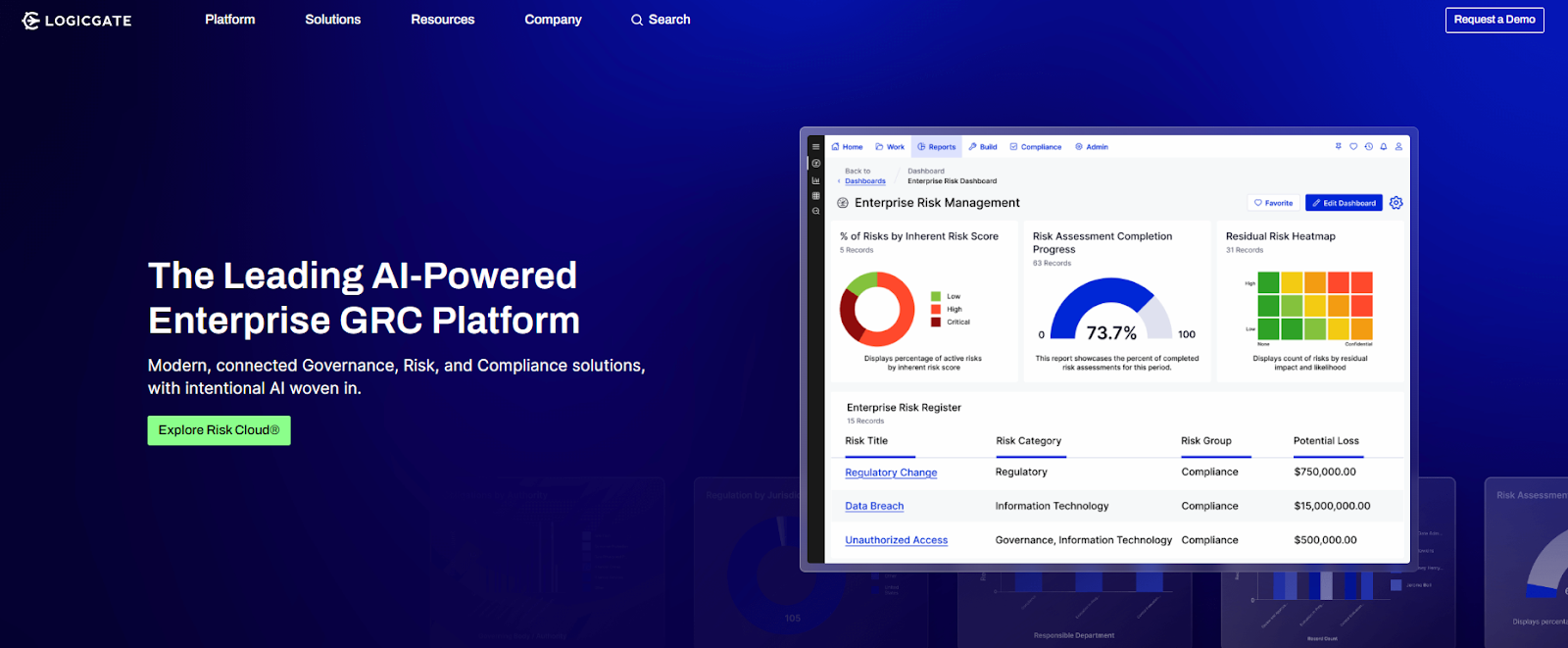
LogicGate combines no-code configurability with strong automation, real-time analytics, and AI-enabled features.
It's built for companies with mature or evolving GRC needs that want a platform capable of adapting quickly as programs expand, making it a good Apptega alternative for teams that have outgrown basic compliance management.
Features
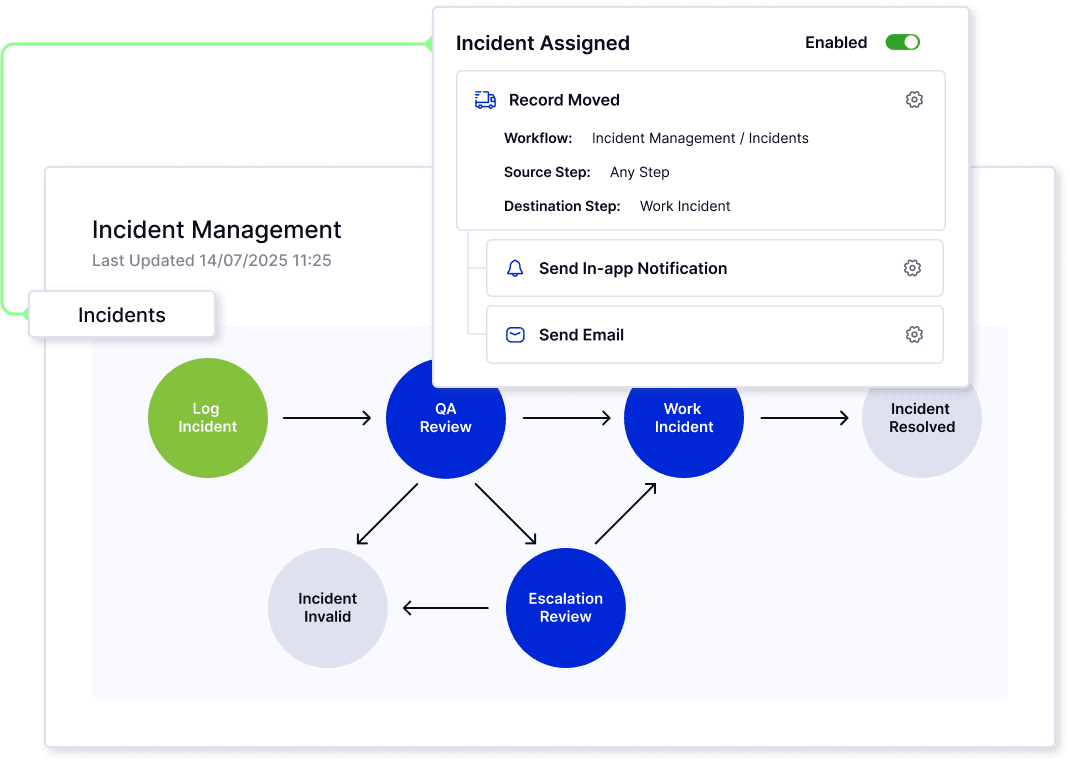
- No-code graph database and workflow builder: Lets your team quickly model and modify complex GRC processes without relying on IT.
- Built-in AI (Spark AI) and automated evidence collection: Analyzes data, generates insights, and automates evidence gathering.
- Real-time reporting, heat maps, and risk quantification: LogicGate's dashboards, heat maps, and Monte Carlo and Open FAIR models translate technical risks into clear insights that leadership can act on.
Pricing
LogicGate uses a tailored pricing model based on your organization's size, GRC maturity, and selected applications, so you'd need to connect with their team to get a quote.
Pros and Cons
✅ Highly configurable no-code environment.
✅ Strong automation features.
✅ Users appreciate how responsive the customer service team is.
❌ Some users find the calculation functionality complicated.
❌ Reporting features have limitations around visual customization.
#7: ServiceNow GRC
Best for: Large enterprises already using the ServiceNow ecosystem that want GRC deeply integrated with IT, security, and business operations.
Similar to: Hyperproof.
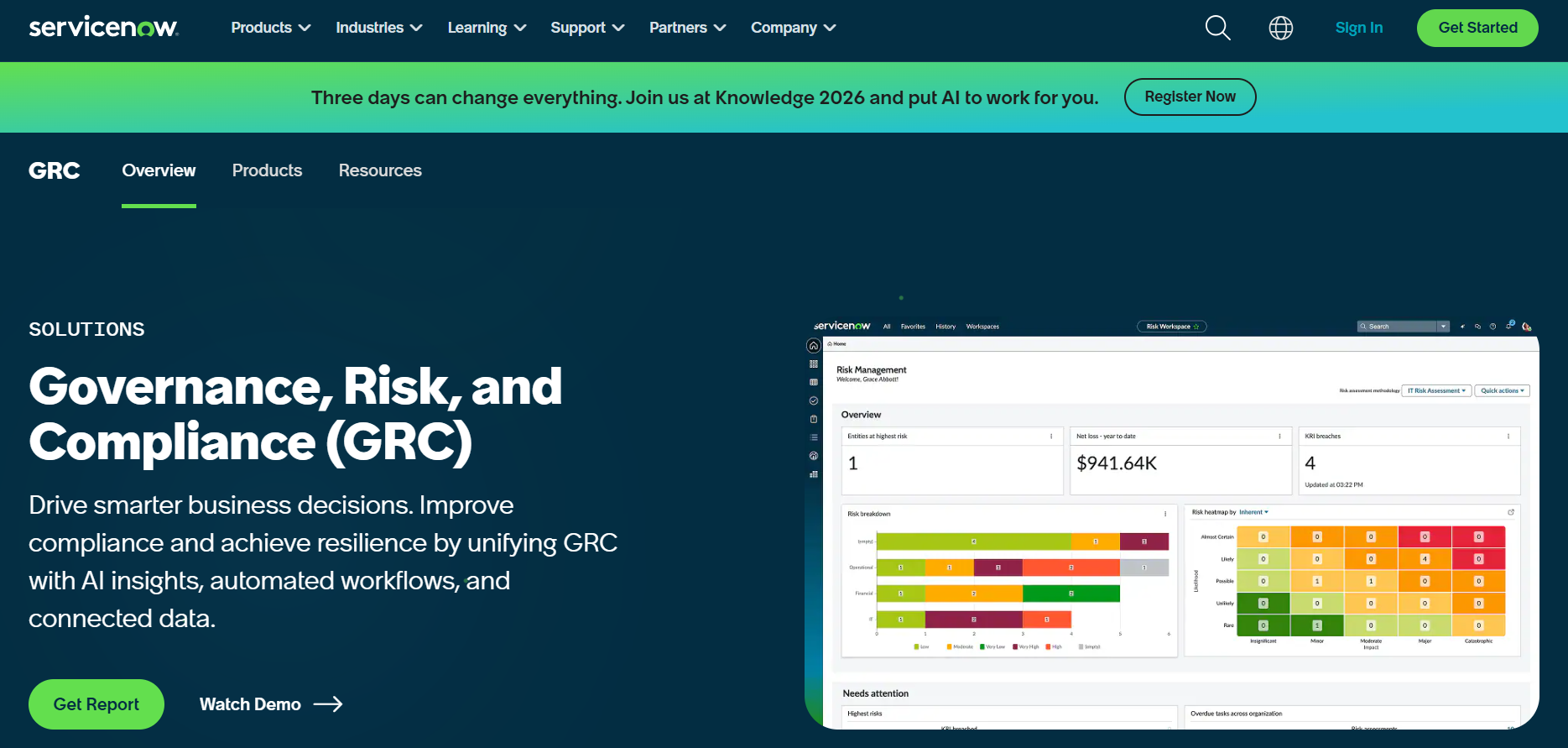
ServiceNow brings GRC into its broader platform so risk, control, and compliance processes are embedded in the same workflows that run IT, security, and business ops.
The platform's strength is cross-workflow automation and enterprise scale, turning risk signals into actions across teams.
Features
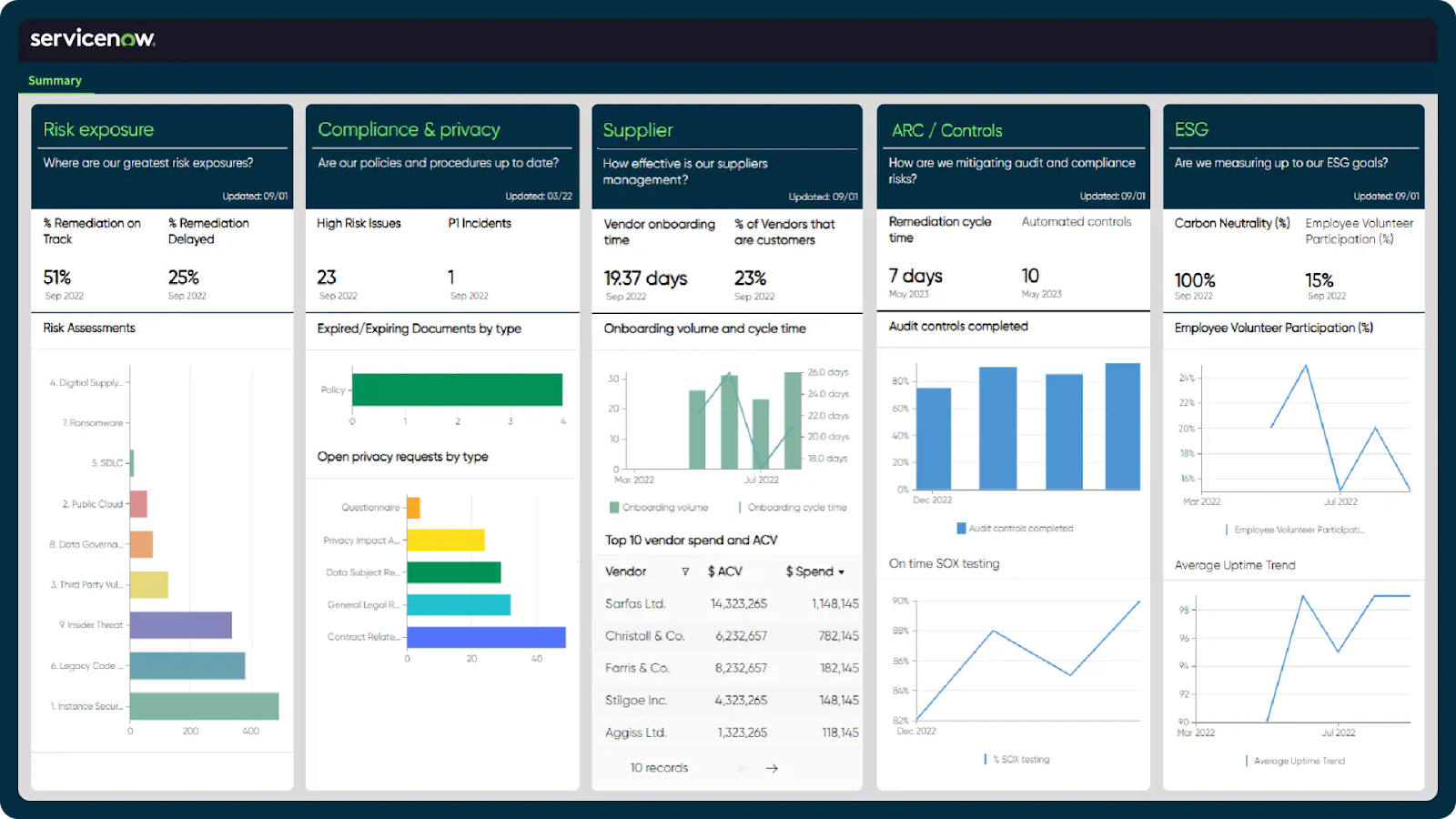
- Automated risk and compliance orchestration: Connects issues, audits, and remediation tasks into one traceable lifecycle with workflow-driven automation.
- Single data model and enterprise integration: All GRC modules share the same platform and data model, enabling real-time visibility and cross-domain correlations.
- Third-party risk management: Lets your team identify and mitigate risks from external vendors and partners.
➡️ Learn more about ServiceNow in our in-depth ServiceNow review.
Pricing
ServiceNow’s pricing is not currently disclosed, so you’d have to book a demo with their team.
However, we looked at ServiceNow customer and public reviews, which show that the average cost of ServiceNow contracts can range between $50,000 and $500,000 annually.
The pricing structure depends on the number of licenses, features, and other configuration requirements.
Pros and Cons
✅ Broad GRC management capabilities.
✅ Real-time risk monitoring and prioritization.
✅ A wide range of native integrations with other tools.
❌ Steep learning curve and complexity, unlike some ServiceNow alternatives.
❌ Training, skills development, and ongoing support can be costly.
#8: OneTrust
Best for: Privacy, data protection, and technology-risk teams that need a privacy-first GRC approach across many jurisdictions.
Similar to: LogicGate.
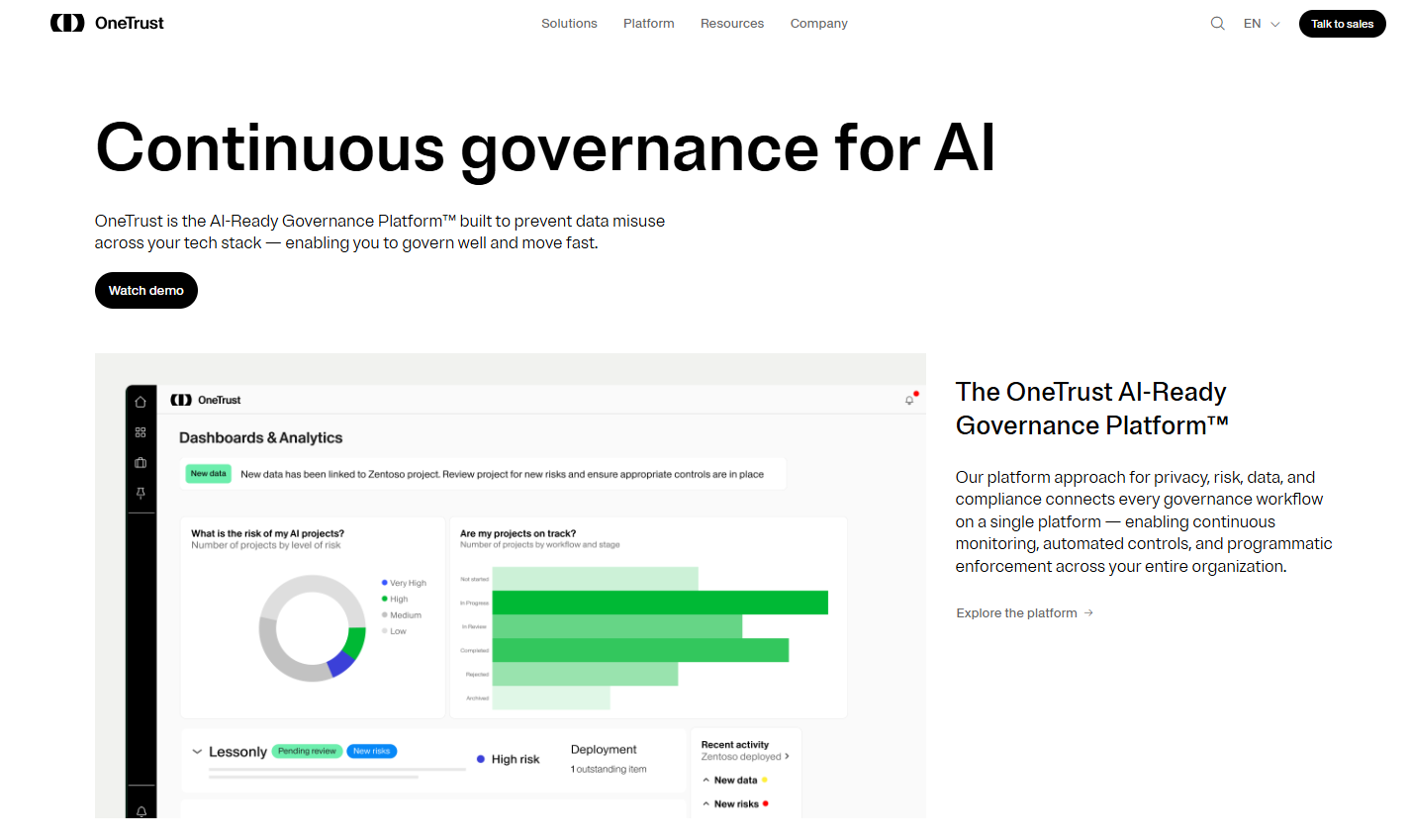
OneTrust centralizes risk, compliance, privacy, and third-party workflows, helping teams automate controls, map regulatory frameworks, and embed governance across data and operations.
I'd recommend OneTrust as an Apptega alternative for companies looking for a broader trust solution that integrates modules for AI governance, ethics, and consent management.
Features
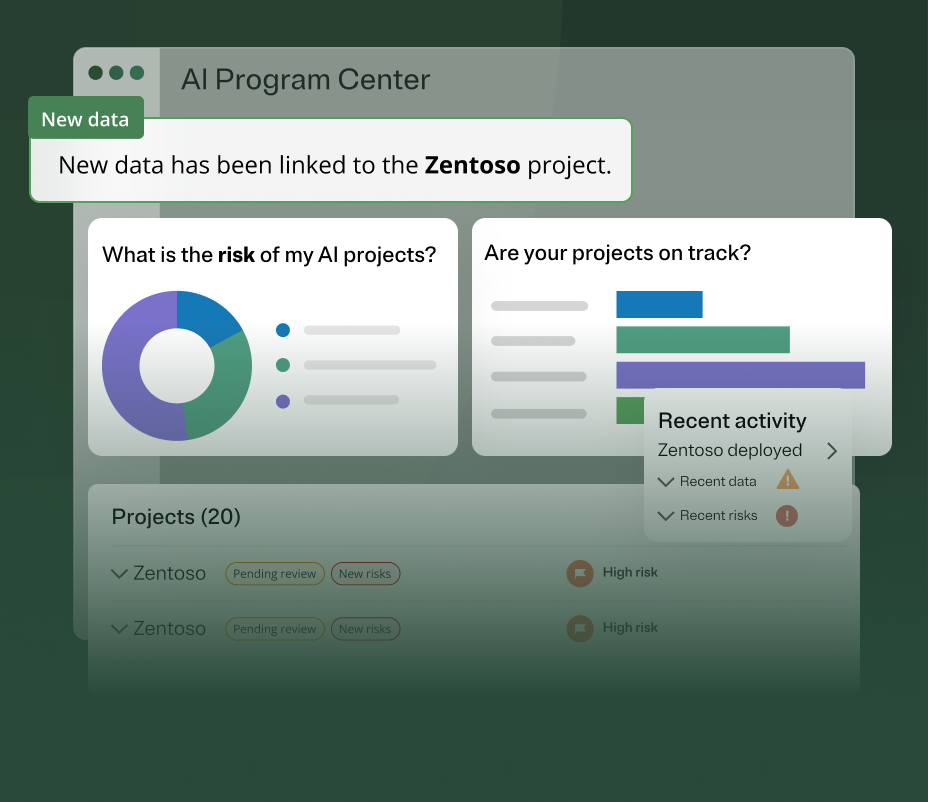
- AI governance capabilities: Centralizes oversight of your organization's AI activities by automating risk assessments, tracking model performance, and continuously mapping compliance.
- Supports automation across over 50 frameworks: Including GDPR, NIST, and ISO, with built-in mapping and scoping tools.
- End-to-end privacy operations automation: Helps you scale compliance and accelerate responsible data use.
Pricing
OneTrust has several major product packages, some of which have more than one tier:
- Consent & Preferences:
- Consent Management Platform: Pricing based on average daily visitors aggregated across all channels and properties.
- Universal Consent & Preference Management: Pricing based on total data subject profiles captured.
- Privacy Automation (Pricing based on users and privacy asset inventory for both plans):
- Base.
- Suite.
- Third-Party Risk Management (Pricing based on admin users and third-party inventory for both plans):
- Base.
- Suite.
- Tech Risk & Compliance: Pricing based on admin users and asset inventory.
- AI Governance: Pricing based on admin users and AI inventory.
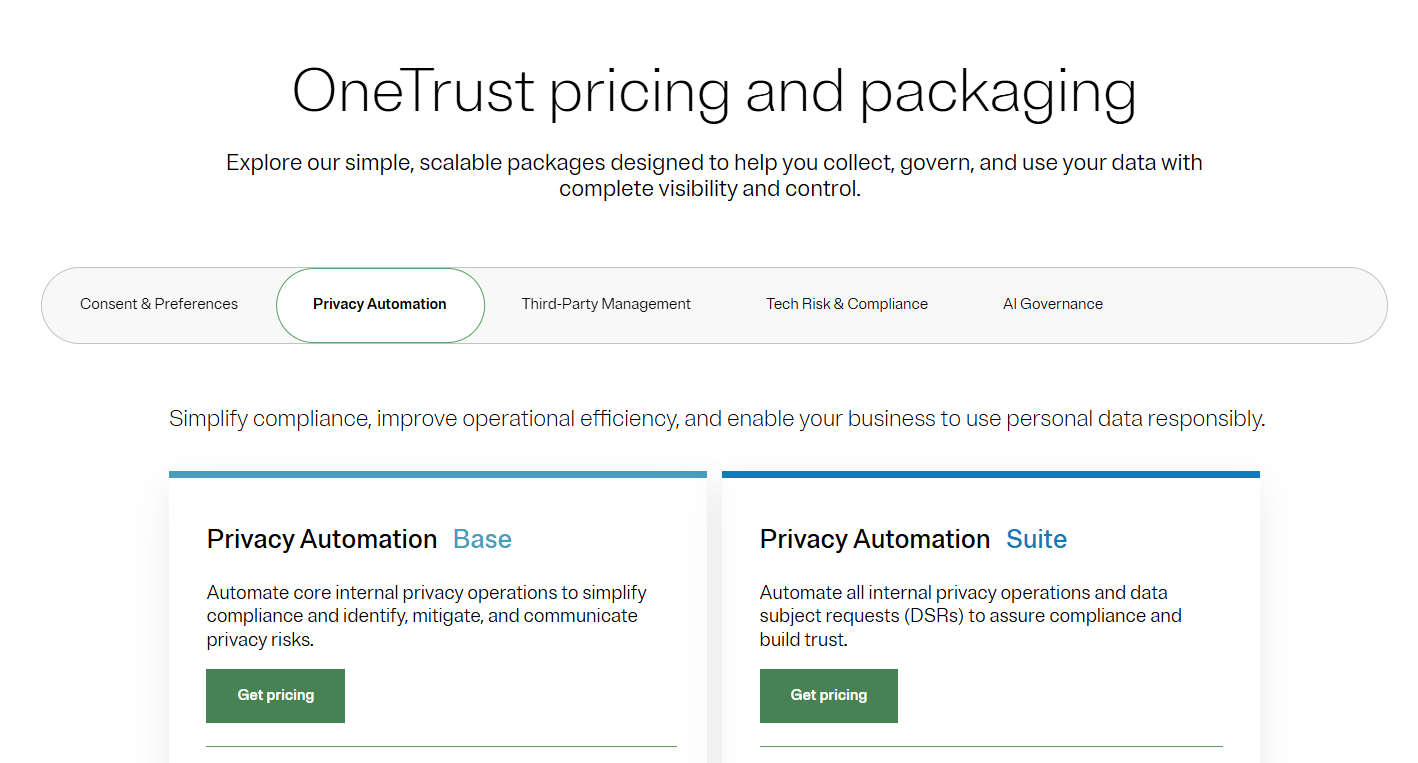
There are no prices disclosed for any of the plans, so you’ll have to contact its sales team or check out our in-depth OneTrust pricing guide.
Pros and Cons
✅ Strong automation and regulatory support.
✅ Clean, intuitive UI.
✅ Supports automation across over 50 frameworks.
❌ Custom pricing and modular fees can make budgeting harder.
❌ Limited reporting capabilities, with users wanting better out-of-the-box dashboards.
#9: Onspring
Best for: Mid-market and enterprise teams that need flexibility and quick configuration without custom development.
Similar to: ArcherIRM.
Onspring is a strong Apptega alternative if you want a highly configurable, no-code GRC system that teams can tailor quickly.
The platform stands out with its quick configuration, workflow automation, and dashboards, so you can build the processes you need and iterate fast.
Features
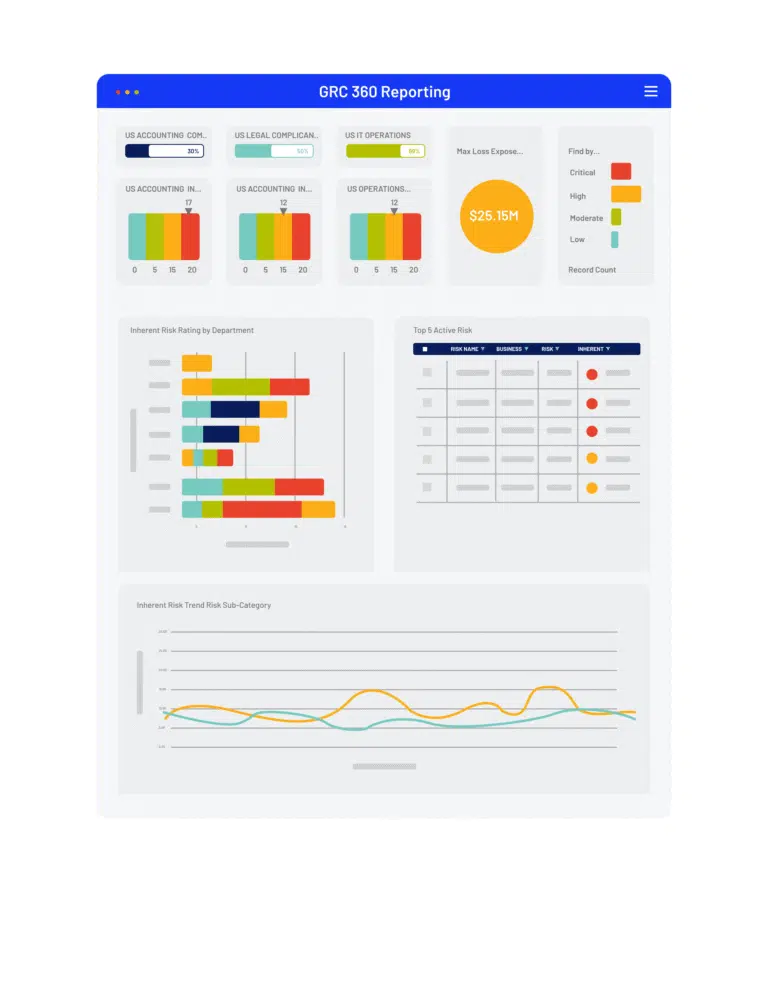
- No-code configuration and workflow automation: Lets risk and compliance teams build custom processes and dashboards without IT involvement.
- Vendor risk management: Assess, tier, and track vendors while integrating criticality ratings from cyber and financial monitoring services.
- Advanced reporting: Helps you gauge performance with live dashboards showing key metrics, risk scores, and audit activity status.
Pricing
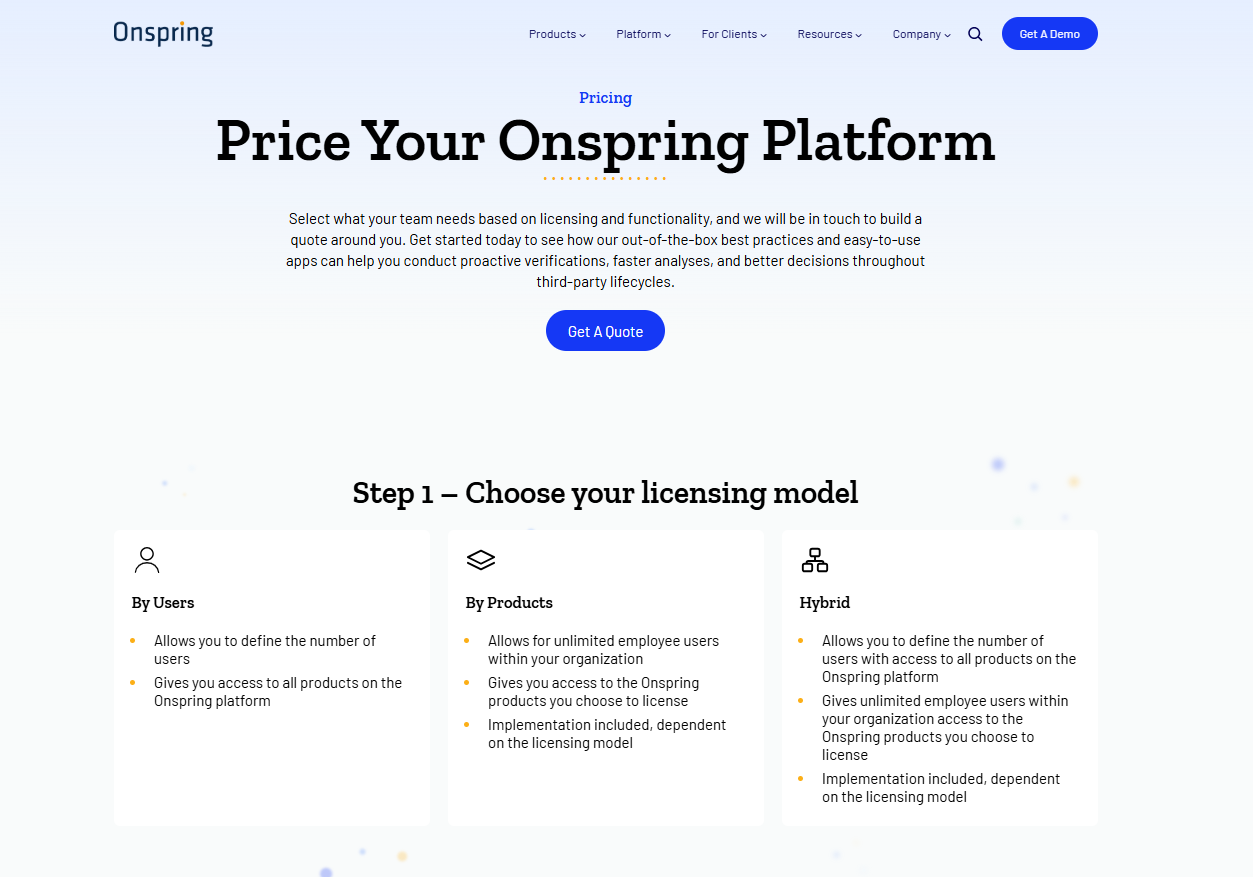
Onspring has 3 different pricing models that you can choose from based on which one better fits your needs:
- Pricing per user seat, where all users get access to all products on the Onspring platform.
- Pricing by product, where your team (with unlimited users) selects only a portion of the features to access.
- A hybrid model, where some users have unlimited access to the platform, while other users have limited access to other features.
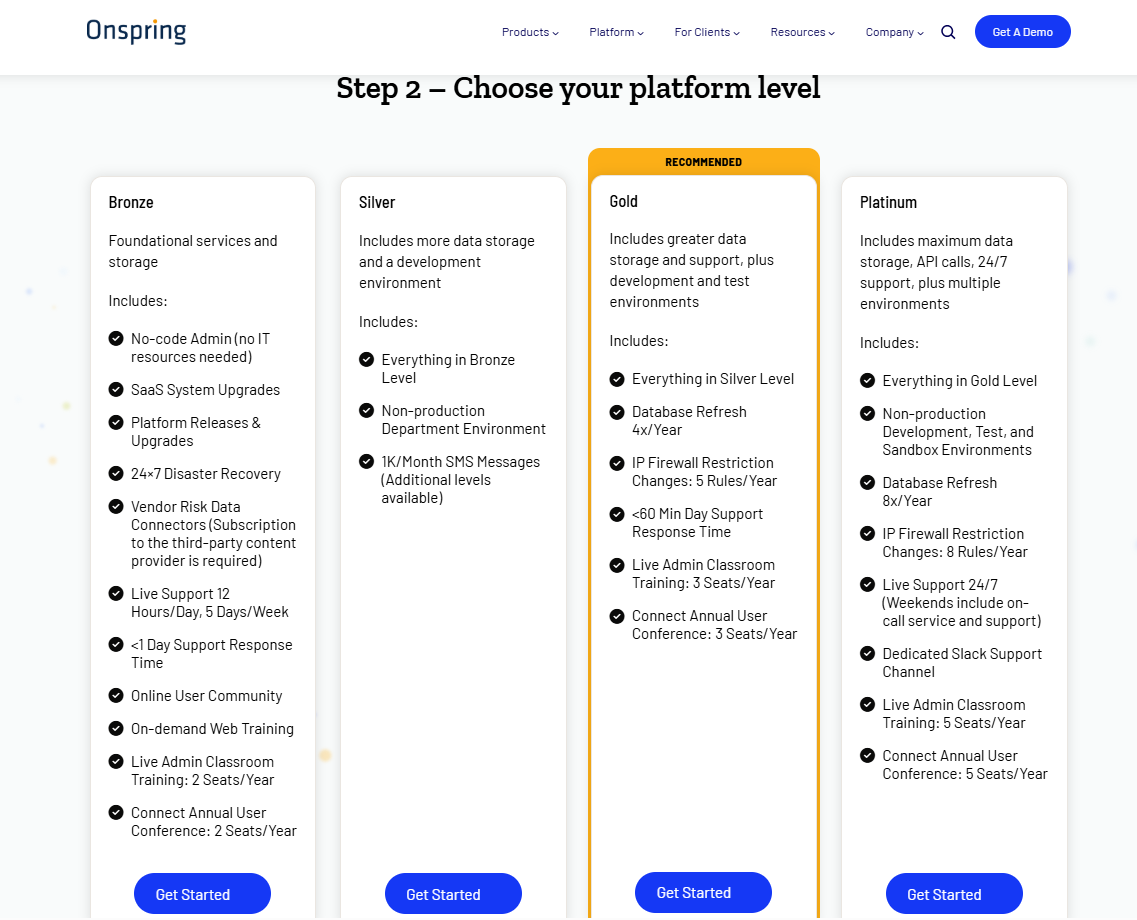
After choosing your pricing structure, Onspring offers four paid tiers, Bronze, Silver, Gold, and Platinum, each adding more capacity and features:
- The Bronze plan includes core no-code workflow tools, basic reports, and modest storage limits.
- Upgrading to Silver and Gold adds increased database & attachment storage, extra API call capacity, additional admin training seats, and development/test environments.
- The Platinum tier provides maximum storage, the highest API limits, priority support, and all non-production environments (dev, test, sandbox).
Pros and Cons
✅ Very configurable and quick to deploy for specific GRC processes.
✅ Easy to learn, and the no-code build makes setup straightforward.
✅ Best-in-class reporting with live dashboards.
❌ Expensive per-seat pricing, according to reviews on G2.
❌ The platform's interface can feel outdated for some users, which is why some compliance leaders have been looking for Onspring alternatives.
#10: StandardFusion
Best for: Mid-market and growing GRC teams that want a flexible, cost-effective platform bringing risk, compliance, audit, and policy management together in one solution.
Similar to: SAP GRC, Apptega.
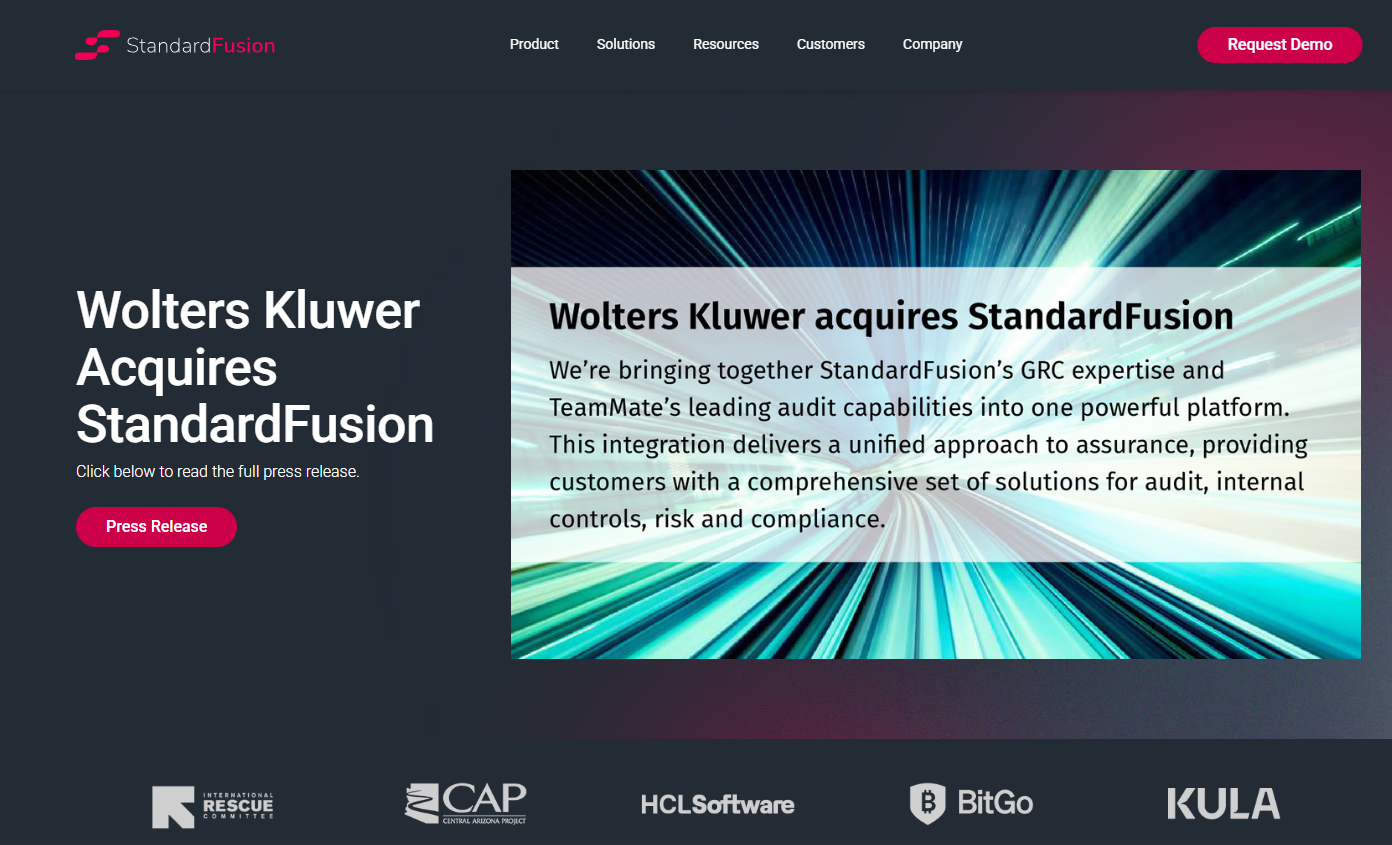
StandardFusion consolidates enterprise risk, compliance, audit, policy, vendor, and privacy management into a single system.
The platform is built for organizations that want to step up from spreadsheets without committing to heavyweight enterprise GRC systems, offering a balance of usability and framework support that makes it a practical Apptega alternative.
Features
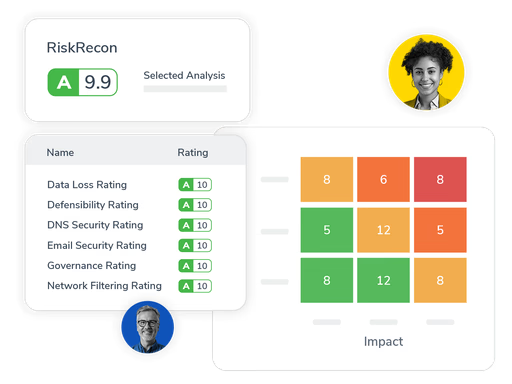
- Unified risk management: Teams can identify, assess, and track enterprise, operational, and third-party risks through automated workflows that connect risk data to relevant controls, policies, and frameworks.
- Risk quantification: Configurable risk matrices and scoring models like ISO 27005, NIST, and FAIR help you quantify risk with precision and consistency.
- Risk intelligence dashboards: Heat maps, trend analysis, and predictive analytics give leadership a clear view of organizational risk at any given moment.
- Automated workflows: Designed to reduce manual effort in GRC processes by automating task routing, evidence collection, and compliance tracking.
Pricing
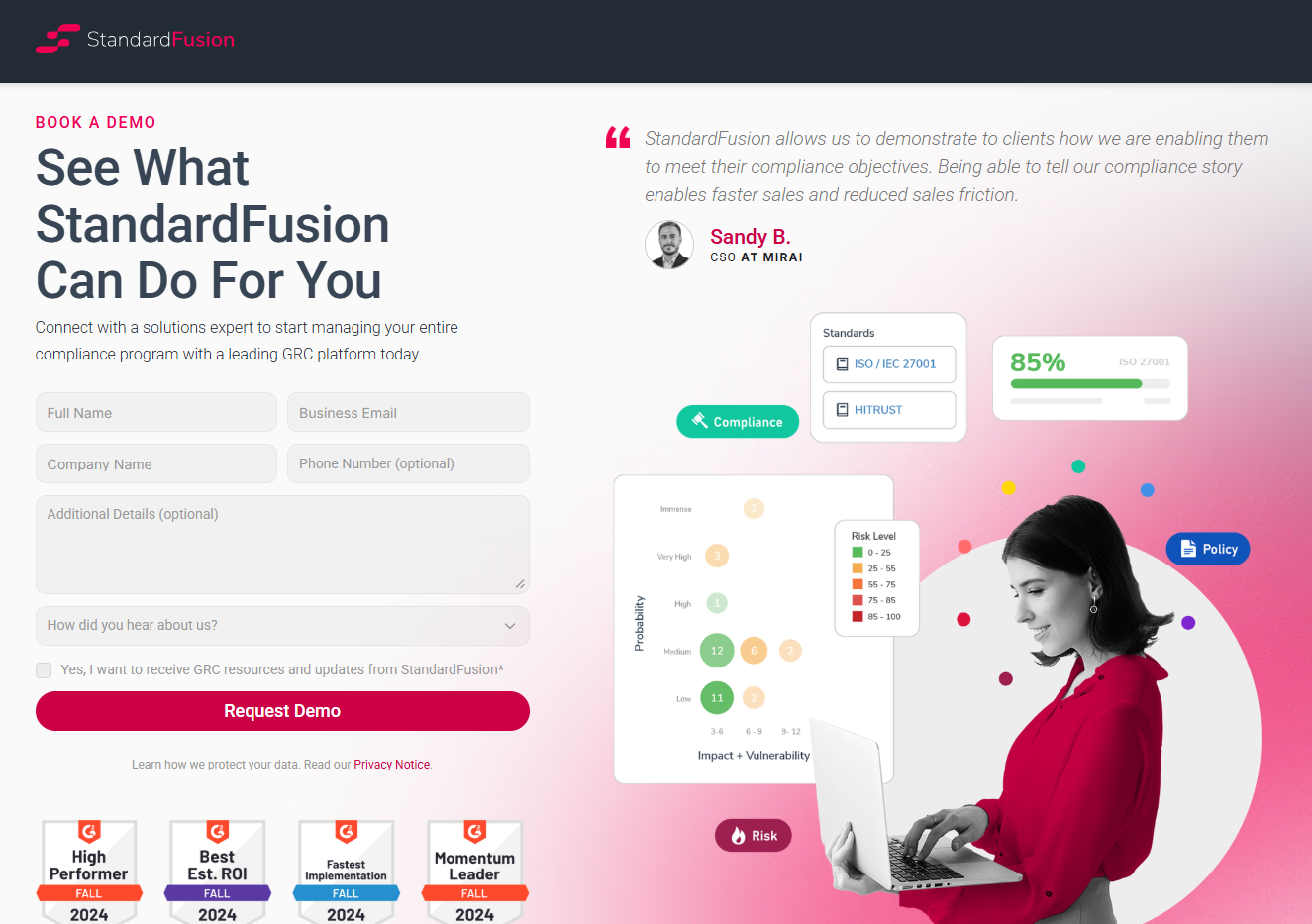
StandardFusion doesn't disclose its pricing structure, so you'll have to reach out to their team for a product demo and a quote.
Pros and Cons
✅ Flexible and customizable, letting you configure modules, workflows, and controls to fit your business.
✅ Centralized GRC visibility for better oversight and quicker insight.
✅ Consolidates multiple compliance frameworks (ISO 27001, SOC 2, GDPR, HIPAA, NIST) in one platform.
❌ Annual price increases are a concern for smaller businesses.
❌ Limited reporting and dashboard flexibility.
Which Apptega alternative actually fits how your team works?
Apptega does a solid job for teams managing cybersecurity compliance across frameworks, but many organizations outgrow it once they need deeper risk management, flexible reporting, vendor oversight, and workflows that connect compliance to the rest of the business.
Most Apptega alternatives still revolve around the same idea: automating compliance and making audits easier.
But they tend to stay focused on that single layer of GRC without connecting it to operations, risk programs, or broader governance.
SmartSuite is different.
Instead of keeping compliance in its own silo, SmartSuite connects risks, audits, incidents, vendors, and remediation work into one governed workspace.
gives you real-time dashboards built on live data, no-code customization that adapts to how your team actually works, and AI that's embedded across every workflow.
So, if your team has outgrown basic framework assessments and you need a platform that connects compliance to the rest of your operations, SmartSuite is worth a look.
Start a free SmartSuite trial or book a demo to see how your team can manage governance, risk, and compliance in one place.
Read More
- 10 Best Riskonnect Alternatives For GRC In 2025
- Riskonnect Pricing: Is It Worth It In 2025?
- 10 Best MetricStream Alternatives for GRC in 2025
- MetricStream Pricing: Is It Worth It In 2025?
- Top 10 Compliance AI Alternatives & Competitors
- Compliance AI Pricing: Is It Worth It?

SmartSuite provides work platform for standardizing workflows in the following areas:
- Governance, Risk & Compliance
- IT & Service Ops
- Project / Portfolio Management
- Business Operations







