




Smartsheet and Quickbase both aim to bring order to complex work, but they take very different paths to get there.
TL;DR
- Smartsheet is strongest when work revolves around structured tables, formulas, and reporting. It gives teams spreadsheet-level control with added automation and dashboards, but can become rigid and harder to manage as workflows grow beyond rows, columns, and formulas.
➡️ Pick Smartsheet if spreadsheets are already how your team thinks, plans, and executes work.
- Quickbase shines when teams need to model complex business processes using structured data, relationships, and custom workflows. It’s powerful for internal tools and operational systems, but typically demands more technical ownership, setup time, and ongoing maintenance than most teams anticipate.
➡️ Pick Quickbase if you’re ready to build and maintain custom apps, not just manage projects.
- SmartSuite offers a more balanced path. It combines project execution, structured data, automation, collaboration, and AI in one workspace without forcing spreadsheet logic or heavy low-code development. It adapts as work evolves instead of locking teams into one way of working.
➡️ Pick SmartSuite if you want flexibility, visibility, and execution in a single platform that’s easy to adopt and scale.
Smartsheet vs. Quickbase vs. SmartSuite: Features
First up, we’ll get a closer look at each of the three tools’ features, starting with Smartsheet.
TL;DR
- Smartsheet focuses on spreadsheet-style project management with strong formulas, reporting, and dashboards, but it can feel rigid as workflows grow.
- Quickbase enables highly customized workflows through low-code app building, automation, and data modeling, but requires more setup and technical ownership.
- SmartSuite delivers an all-in-one workspace with flexible views, no-code automation, built-in collaboration, and practical AI that’s easy for teams to adopt and scale.
Smartsheet’s features
1. Flexible work views & task management
Smartsheet gives teams multiple ways to plan and visualize work.
You can switch between grid (spreadsheet-style), calendar, Gantt, card (Kanban), and timeline views to match how your team likes to organize and track tasks.
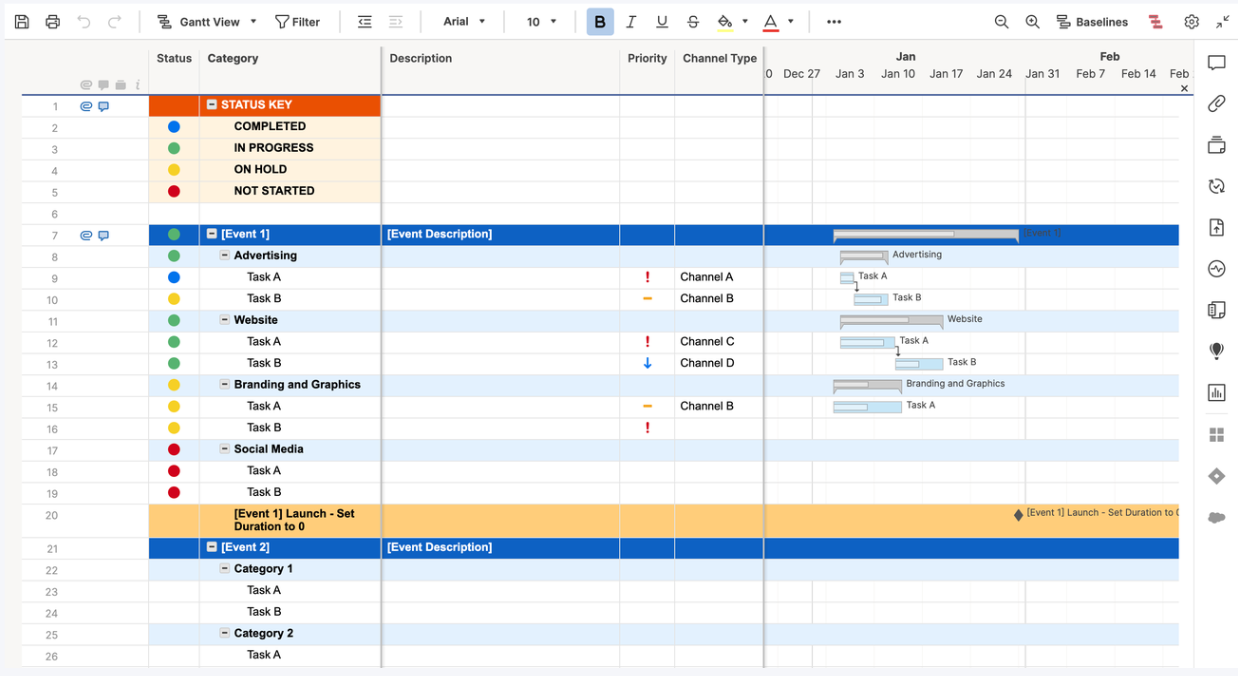
This flexibility helps both spreadsheet lovers and visual planners stay aligned without switching tools.
That being said, Excel-style spreadsheets and formulas are where Smartsheet really shines, as you’ll see next.
2. Formulas and functions
Smartsheet’s formulas are a core part of how the platform works, allowing teams to calculate values, automate dropdowns and symbols, and apply logic using functions like SUM, IF, and Smartsheet-specific hierarchy formulas such as CHILDREN().
Formulas can be used within a single sheet or across multiple sheets, making it possible to roll up data and keep reports updated in real time.
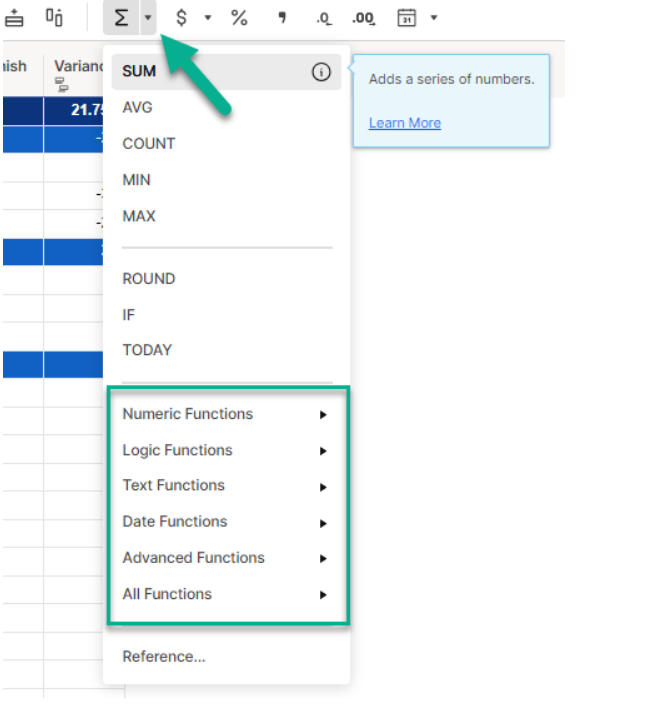
Moreover, column formulas help enforce consistency by automatically applying the same logic to every row as new data is added.
While powerful, this approach is deeply tied to Smartsheet’s spreadsheet-style structure, which can feel restrictive for teams that want more flexible data models.
3. Real-time dashboards & reporting
Dashboards provide a centralized hub for tracking key metrics, project progress, and KPIs across sheets.
These visuals update in real time, so stakeholders always see current data without manual exports.
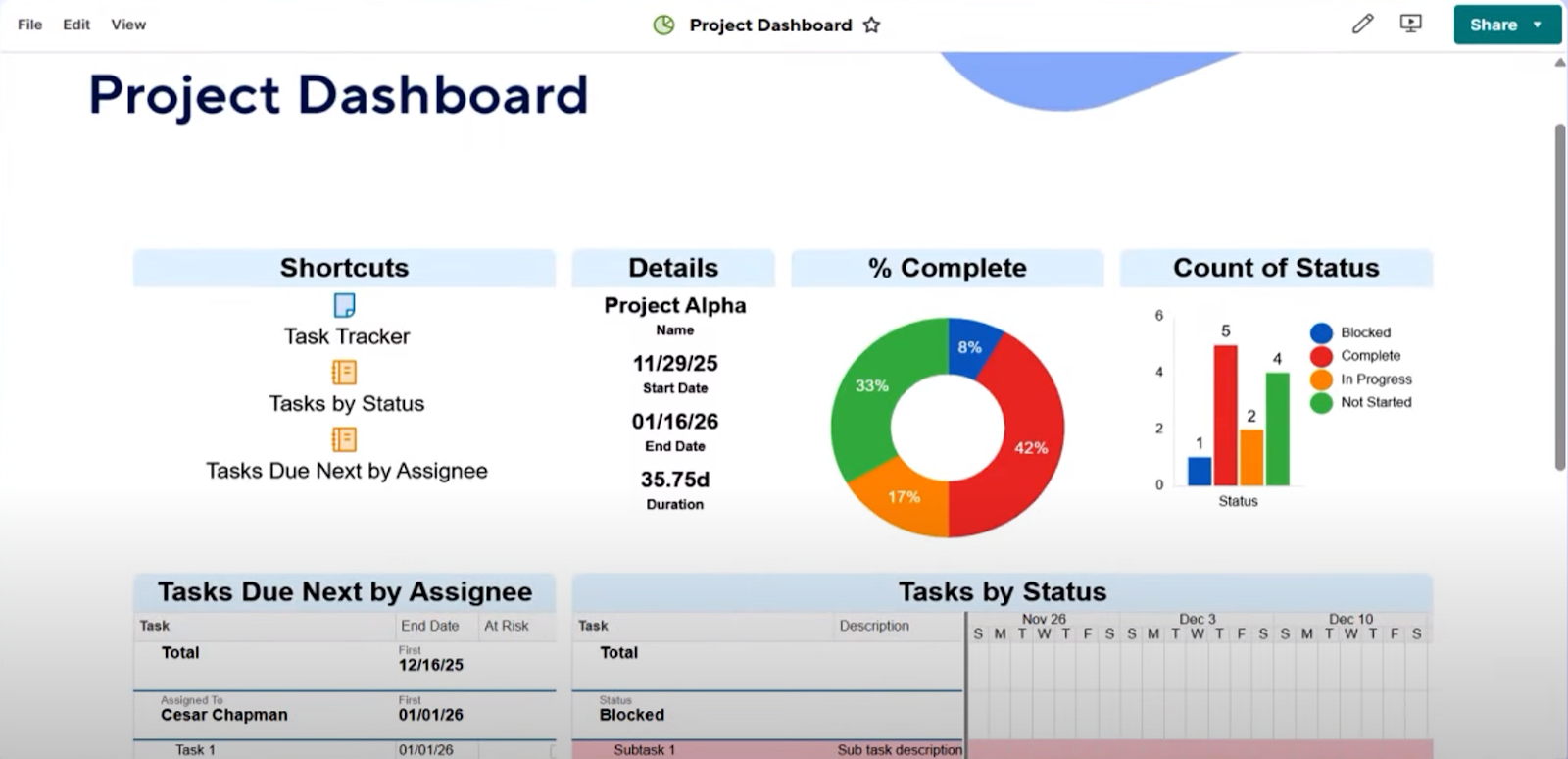
Smartsheet also supports cross-sheet reporting, summary reports, and scheduled report deliveries to help teams make data-driven decisions.
4. AI assistance for improved productivity
Smartsheet’s AI features help users generate formulas, analyze data, and summarize content, making it easier to work with complex sheets without deep technical skills.
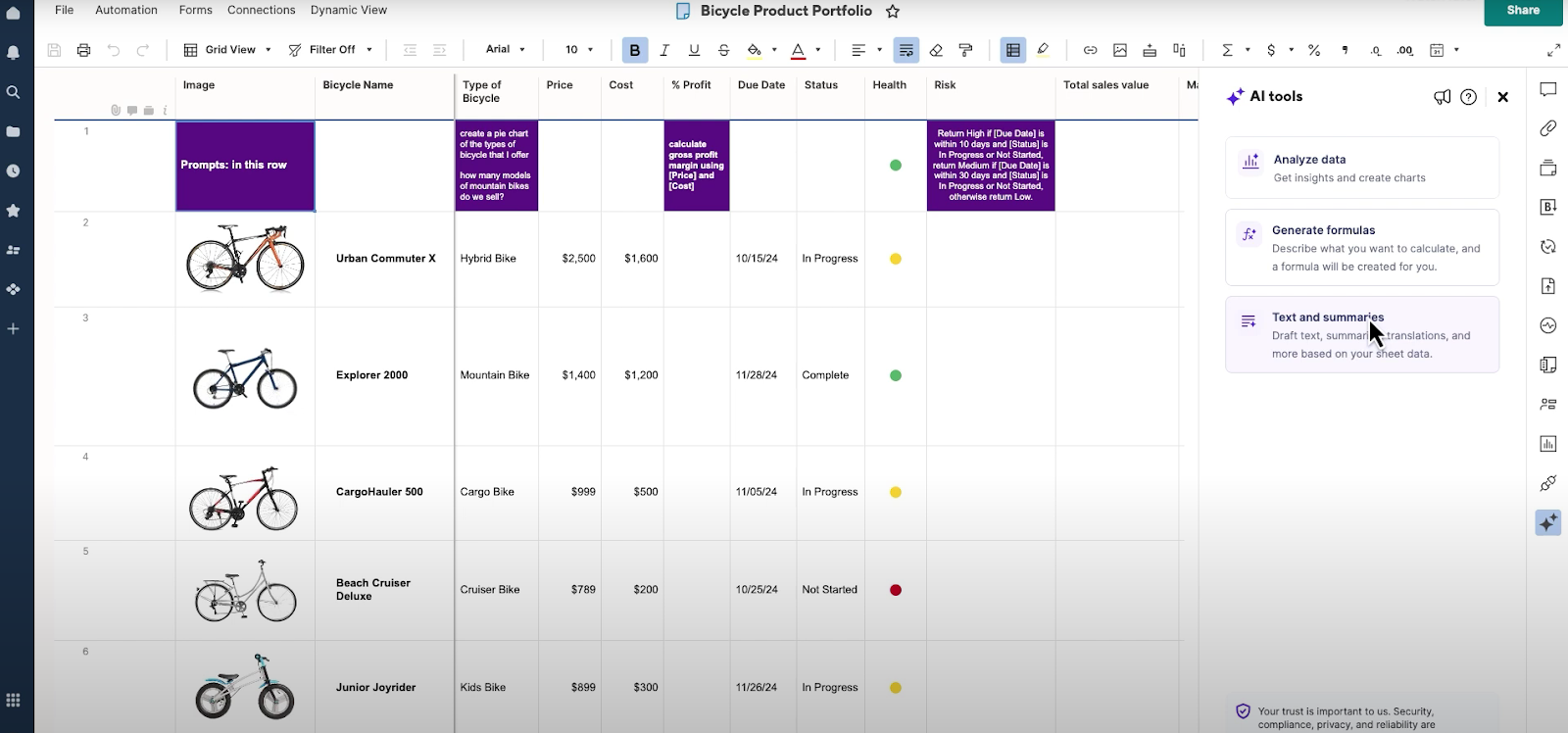
This can significantly speed up setup and reduce time spent on manual calculations or data review.
Smartsheet is ideal if you:
✅ Prefer a spreadsheet-style interface and want to manage work using rows, columns, formulas, and structured data.
✅ Run data-heavy projects that rely on reporting, dashboards, roll-ups, and cross-sheet visibility.
✅ Work in a larger organization that values enterprise controls, standardized processes, and broad integrations.
Smartsheet isn’t the best option if you:
❌ Want a highly flexible workspace that adapts easily to many different types of work beyond spreadsheets.
❌ Need deep customization of data models or workflows without relying on formulas and sheet logic.
❌ Are looking for a fast, lightweight setup for non-technical teams with a short learning curve.
Quickbase’s features
1. No-code/low-code app builder
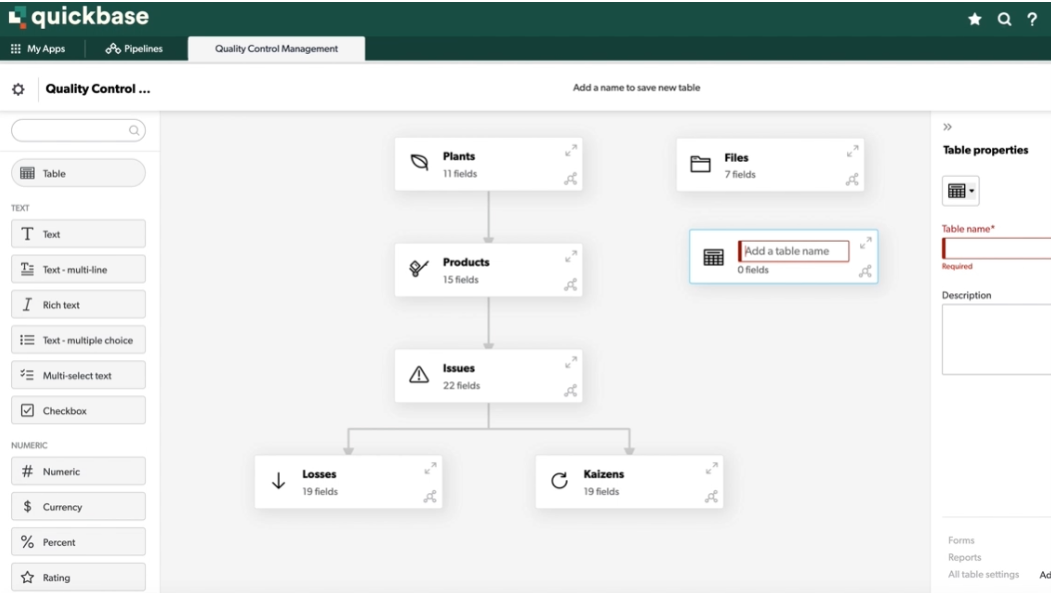
Quickbase is built around a no-code/low-code app builder that lets teams create custom business applications tailored to specific processes, data relationships, and workflows.
Instead of working within fixed project templates or spreadsheets, users define tables, fields, relationships, and rules to model how their business actually operates.
This makes Quickbase especially powerful for complex, structured workflows that don’t fit traditional project management tools.
However, the setup often requires more technical thinking and ongoing maintenance than teams initially expect.
2. Automation built on structured data
Quickbase’s automation is built around structured tables and records, triggering actions when data changes or moves through different workflow states.
Using its visual Pipelines designer, teams can automate approvals, notifications, and multi-step processes across related records and connected systems.
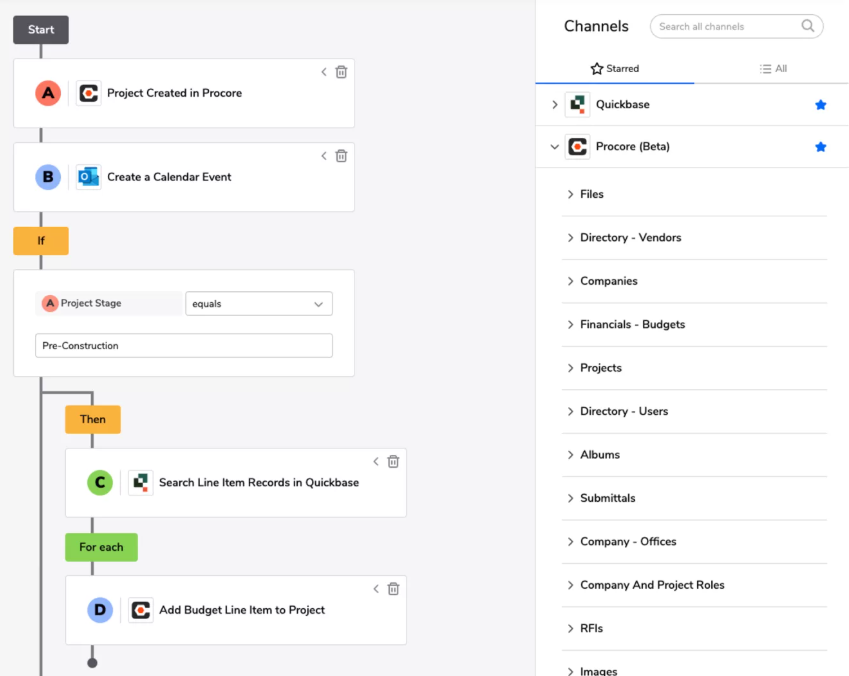
This approach works well for complex workflows that span roles, departments, or external tools.
At the same time, because automations are closely tied to how data is modeled, they often require more upfront setup and ongoing maintenance.
3. Reporting, dashboards, and insights
Quickbase offers real-time dashboards and reports that pull data from across apps and connected systems, giving teams instant visibility into work, ownership, and progress.
Users can create tabular reports, charts, KPIs, Kanban boards, and Gantt views, then filter dashboards by role or responsibility.
AI-powered insights help surface trends, risks, and patterns in operational data without requiring data science expertise.
This makes Quickbase well-suited for teams that rely heavily on data-driven decision-making across complex workflows.
4. AI-powered assistance (Smart Builder)
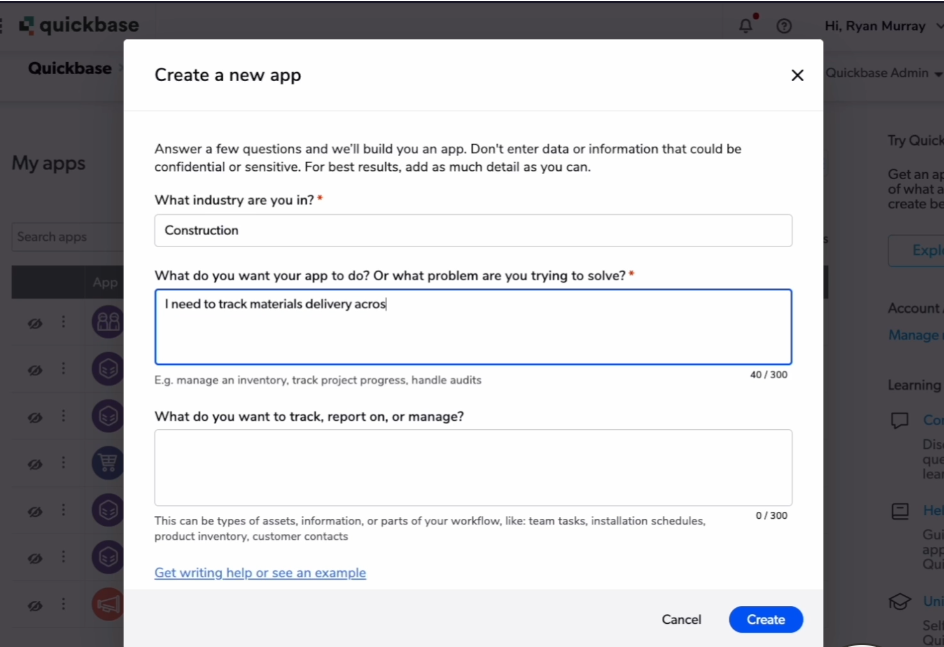
Quickbase’s AI capabilities are centered around Smart Builder, which helps users generate custom apps using plain-language prompts.
Instead of starting from a blank canvas, Smart Builder suggests tables, fields, forms, reports, dashboards, and sample data based on millions of existing Quickbase apps.
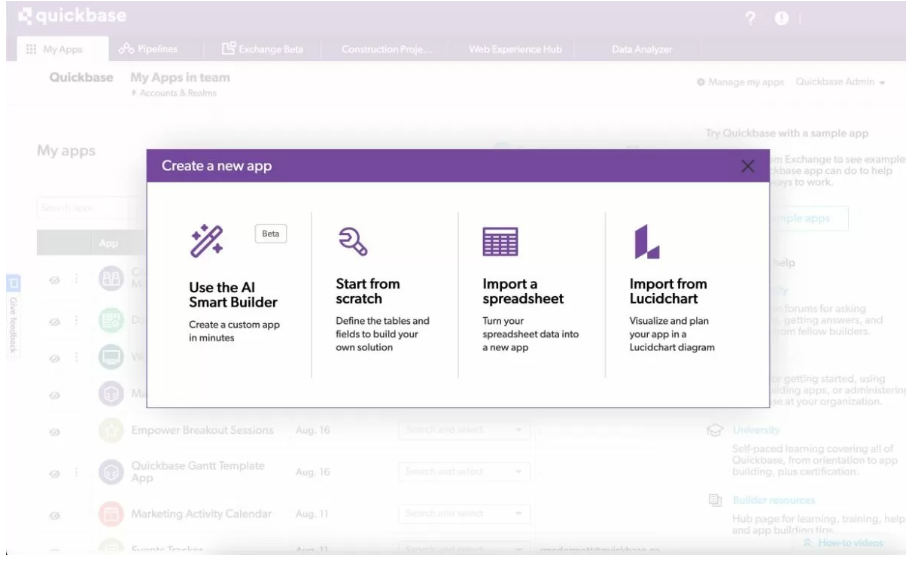
Moreover, you can use natural language prompts to describe what you need, and Quickbase AI will deliver.
This significantly speeds up initial app creation, especially for teams modeling complex operational workflows.
Quickbase is ideal if you:
✅ Need to build highly customized business applications for complex, structured workflows that don’t fit traditional project management tools.
✅ Work with interconnected data across departments (operations, compliance, field service, resource management) and need everything modeled in one system.
✅ Have the time and internal capability to design, maintain, and evolve data models, automations, and permissions over time.
Quickbase isn’t the best option if you:
❌ Want a quick, lightweight setup for task tracking or everyday project management.
❌ Need a tool that non-technical teams can fully own without ongoing admin or builder involvement.
❌ Are looking for an all-in-one workspace that combines projects, collaboration, automation, and reporting with a short learning curve.
SmartSuite’s features
After looking at Smartsheet and Quickbase, a pattern starts to emerge.
Smartsheet works well for teams that think in spreadsheets, while Quickbase shines when you’re ready to build and maintain fully custom apps on top of structured data.
But many teams fall somewhere in between.
SmartSuite is built for that middle ground.
It’s a modern, all-in-one work management platform that combines project management, automation, reporting, collaboration, and AI in a single customizable workspace.
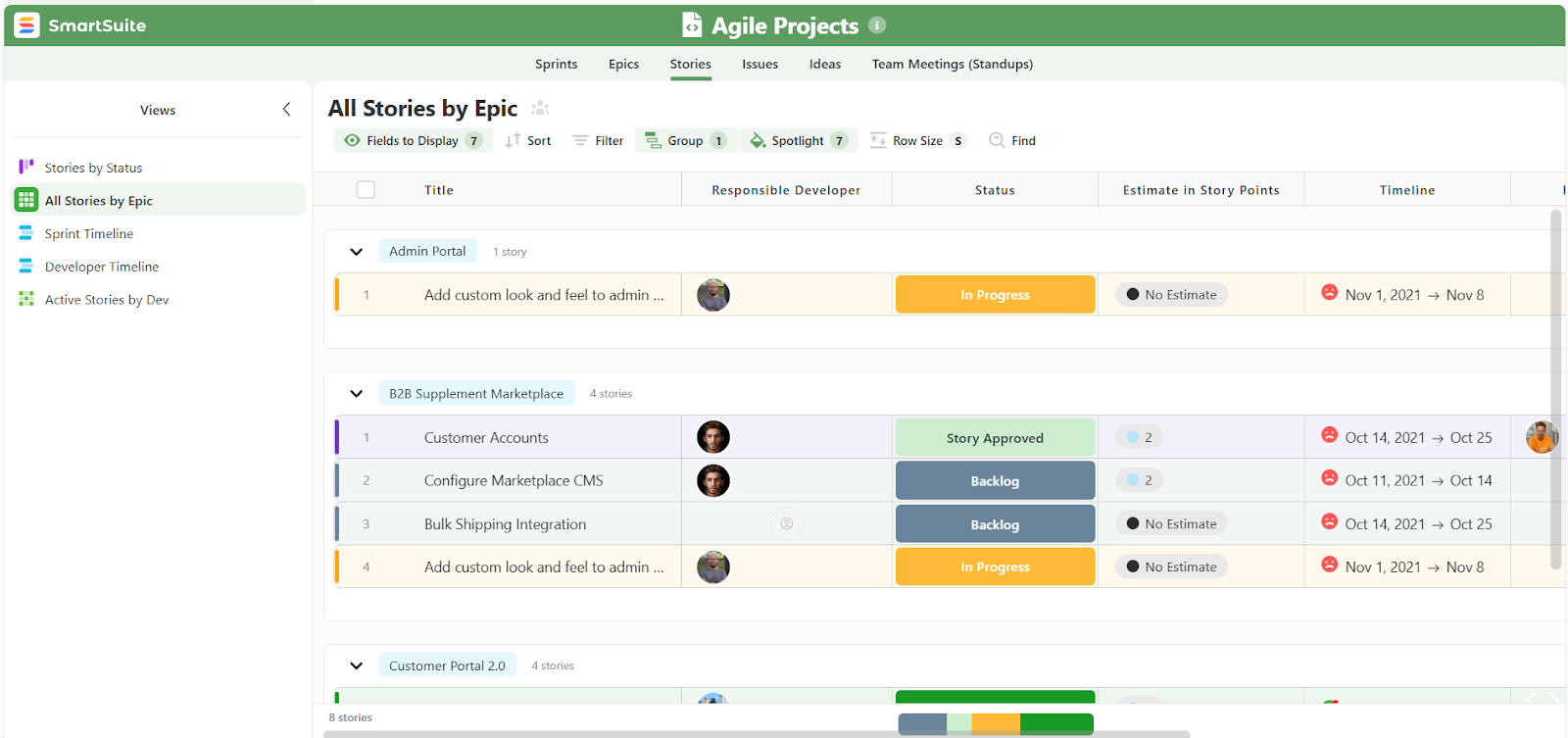
Unlike Smartsheet, it doesn’t force work into spreadsheet logic. And unlike Quickbase, it delivers flexibility without requiring heavy setup, technical modeling, or ongoing maintenance.
That’s why SmartSuite deserves a place in this comparison, as it offers a simpler, more adaptable way to manage complex work without the friction of either extreme.
Here are some of the features that make SmartSuite a staple tool for teams looking for flexibility without compromising powerful execution.
1. All-in-one work management
SmartSuite brings projects, processes, and operational data into a single, connected workspace, eliminating the need to juggle spreadsheets, project tools, and custom apps.
Within one platform, teams can:
- Manage projects and tasks end-to-end: Create tasks and subtasks, assign owners, set priorities and due dates, track dependencies, milestones, risks, and issues in real time.
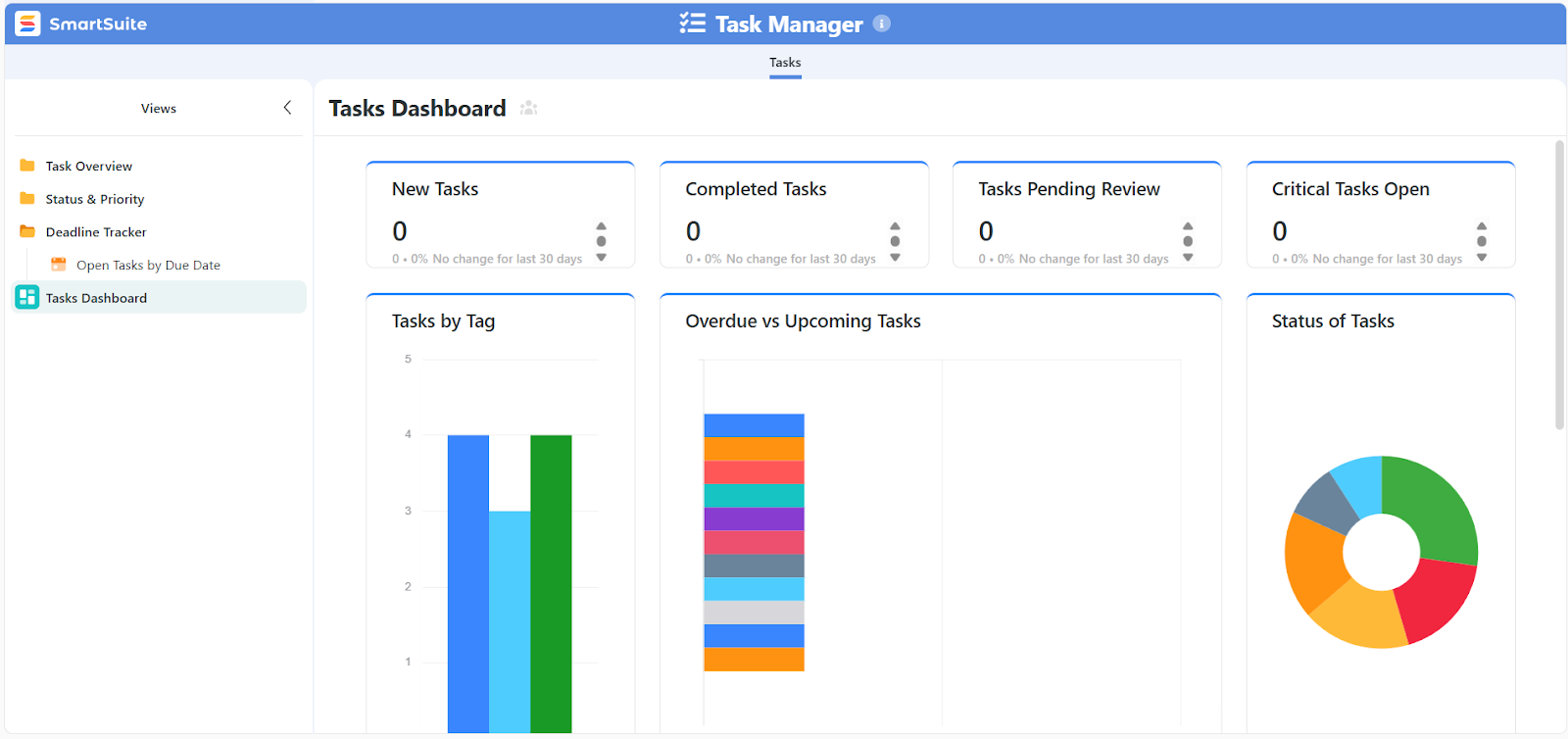
- Track structured data alongside work: Store and manage records (projects, requests, assets, clients, vendors, incidents, or resources) without forcing everything into spreadsheet logic or rigid app schemas.
- Use multiple views to match how teams work: Switch instantly between Grid, Kanban, Timeline, Gantt, Calendar, Chart, and Dashboard views without rebuilding workflows or duplicating data.
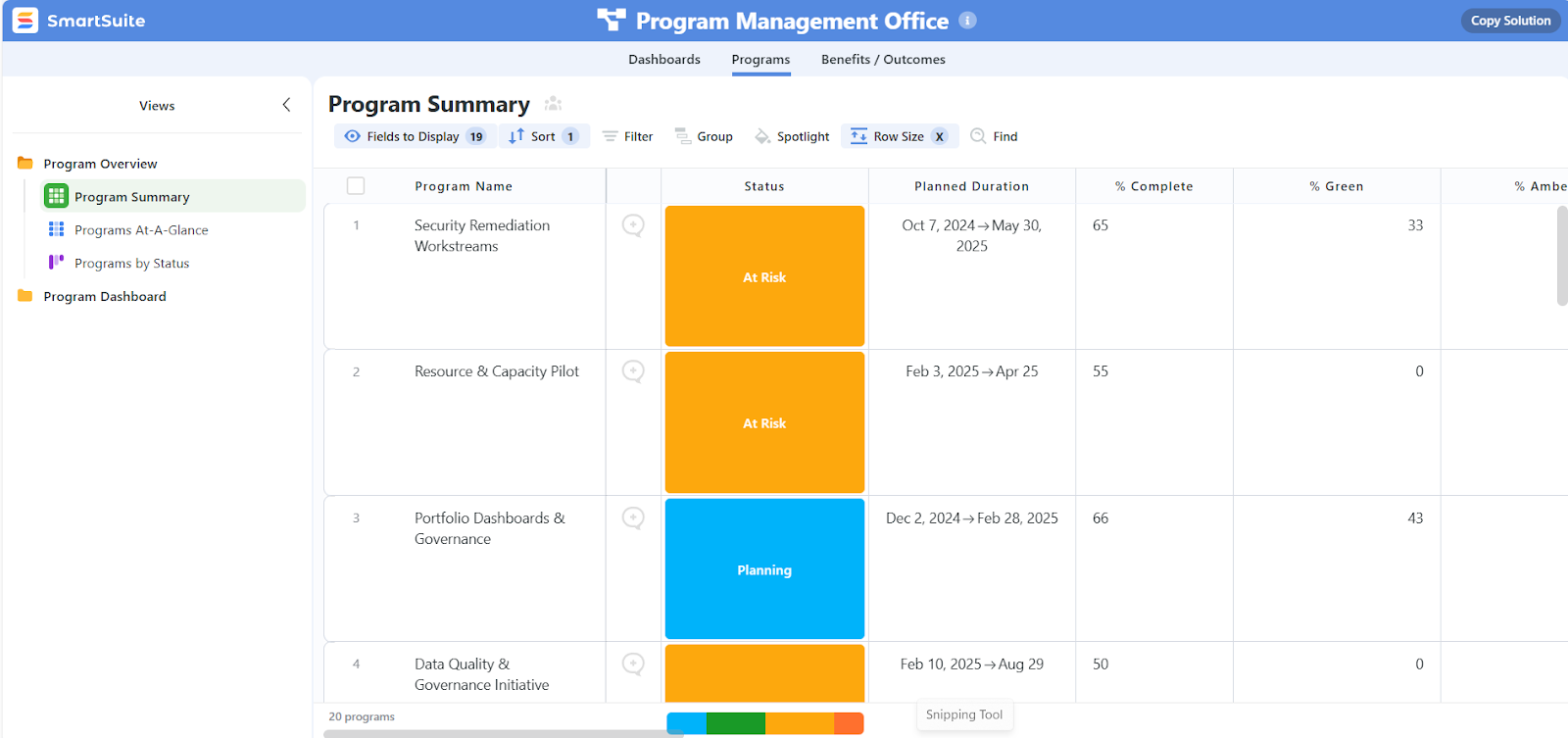
- Roll up work across projects and teams: Monitor portfolios, workloads, and progress across multiple initiatives from a single source of truth.
- Connect workflows without tool sprawl: Link related records, tasks, and processes so updates stay in sync automatically.
- Track vital records and KPIs in real time: SmartSuite’s dashboards update automatically across records as each new change is made, ensuring every team member and stakeholder get a clear and accurate view into data.
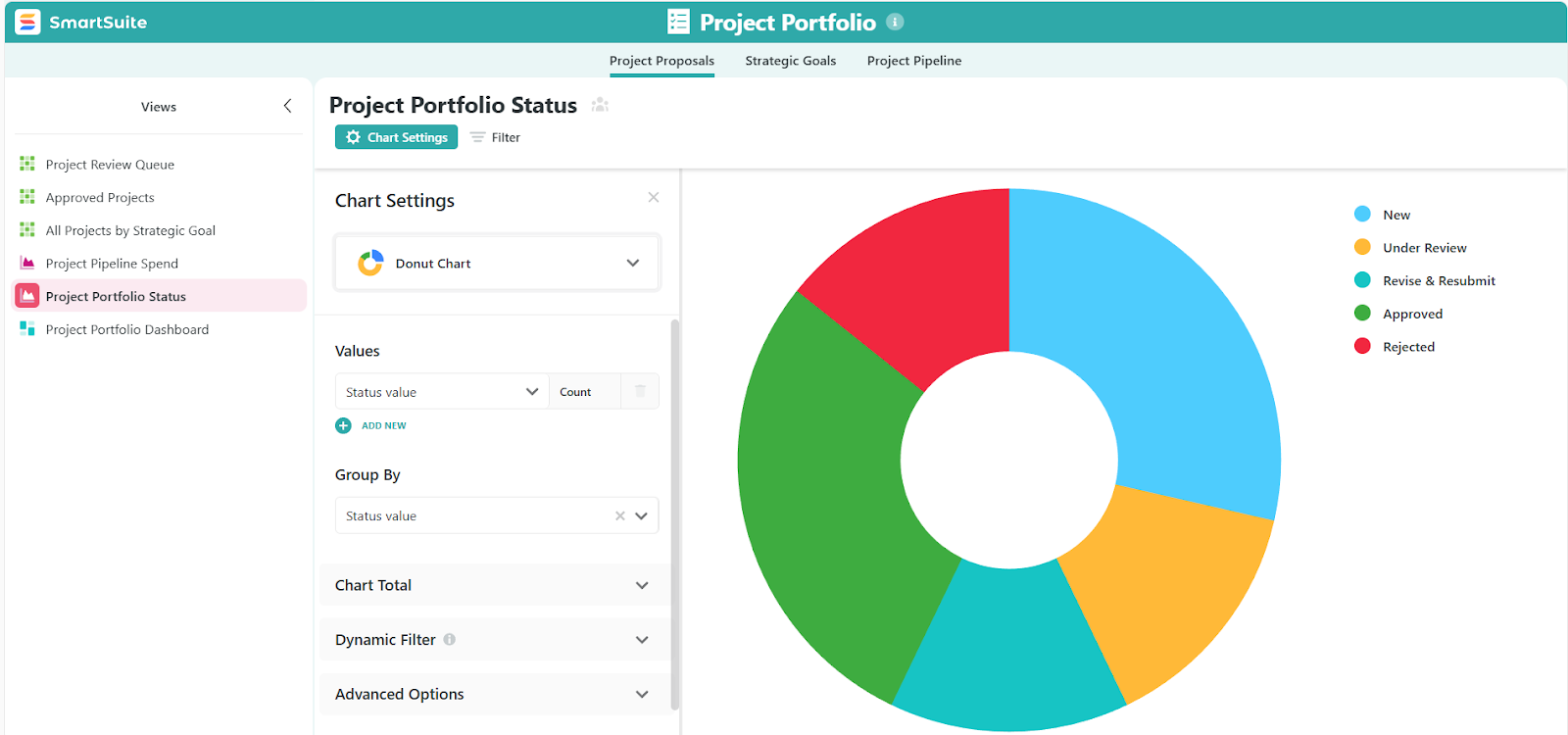
This approach gives teams the structure they need without locking them into spreadsheets or requiring heavy app-building.
2. Built-in collaboration where the work happens
SmartSuite treats collaboration as part of the workflow, not a separate layer bolted on later.
Conversations, decisions, and updates stay directly connected to the work itself, so teams don’t lose context across tools.
Key collaboration features include:
- Comments and discussions in context: Team members can comment on records, tasks, or projects, @mention others, and keep conversations tied to the exact item being discussed.
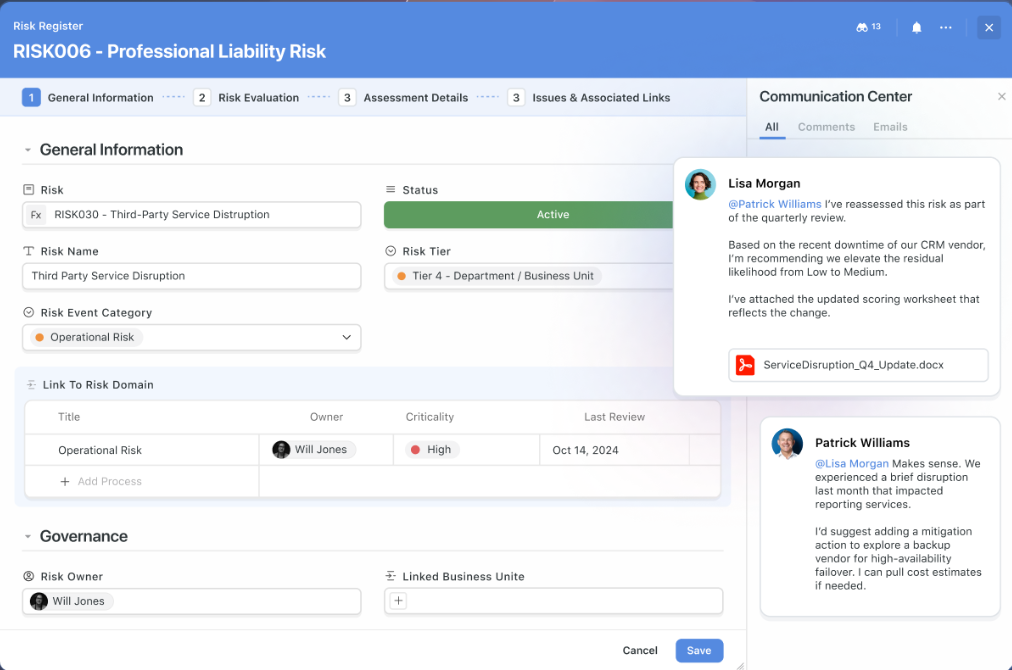
- File sharing and version history: Attach files directly to work items so documents, feedback, and deliverables stay organized and easy to find.
- Email inside records: Send and receive emails directly from SmartSuite records, keeping client or stakeholder communication visible and linked to the right project or process.
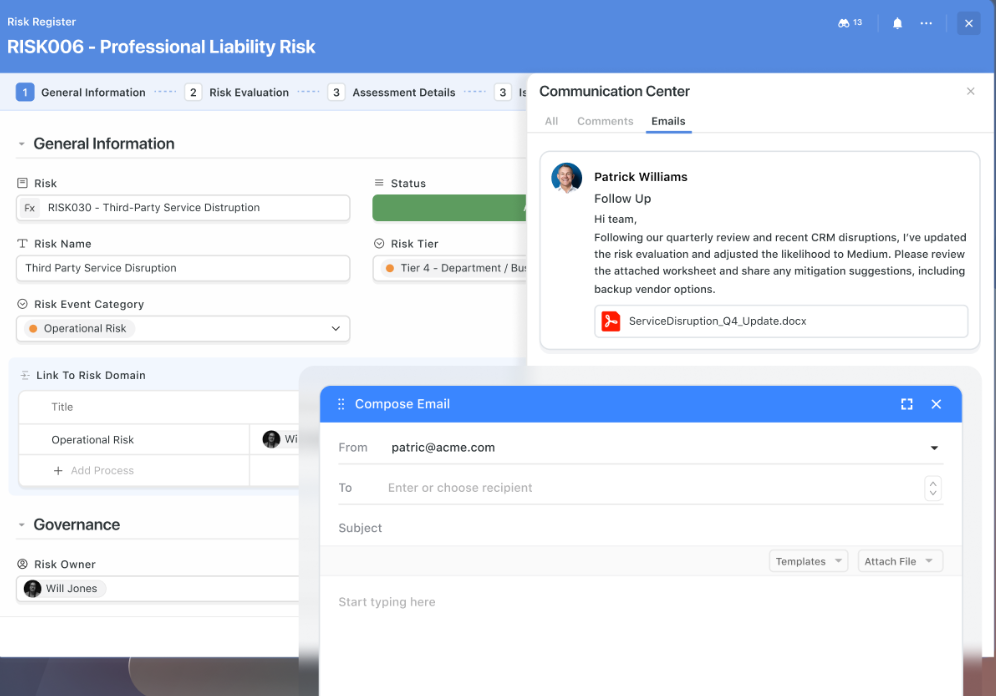
- Clear activity timelines: Every change, comment, and update is logged automatically, creating a transparent history of what happened and when.
- Focused notifications: Users are notified about what matters, including mentions, assignments, approvals, and key changes, without the constant noise common in many project tools.
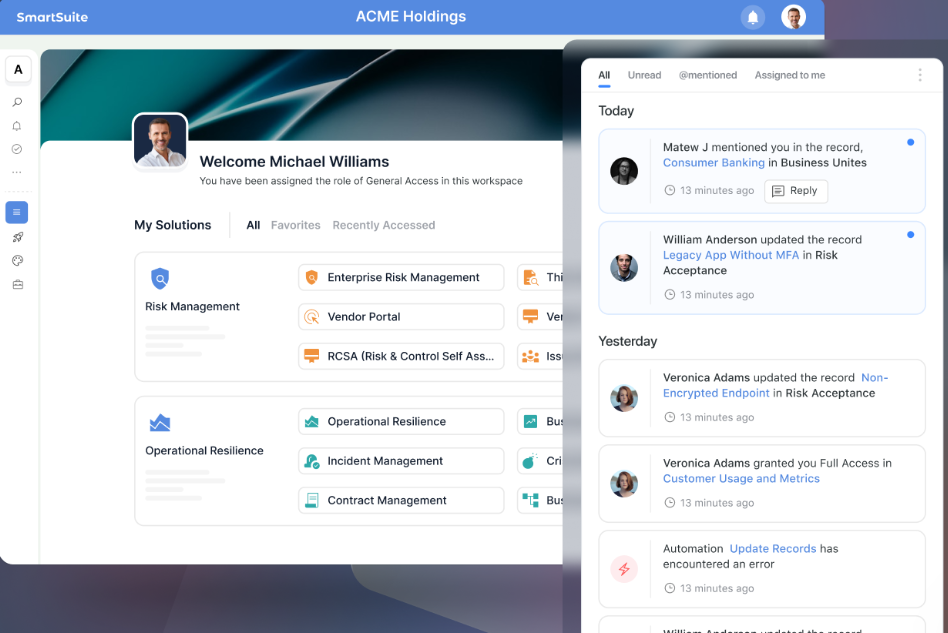
This makes SmartSuite easier for cross-functional and non-technical teams to collaborate without relying on endless meetings, emails, or external chat tools.
3. No-code automation that keeps work moving
SmartSuite’s no-code automation engine is designed to reduce manual work without forcing teams to think like developers.
Automations are easy to create, understand, and maintain, even as workflows evolve.
With SmartSuite, teams can:
- Automate routine updates: Update statuses, assign owners, adjust priorities, or move work between stages automatically when conditions change.
- Trigger actions across related work: Keep tasks, projects, and connected records in sync without manual follow-ups.
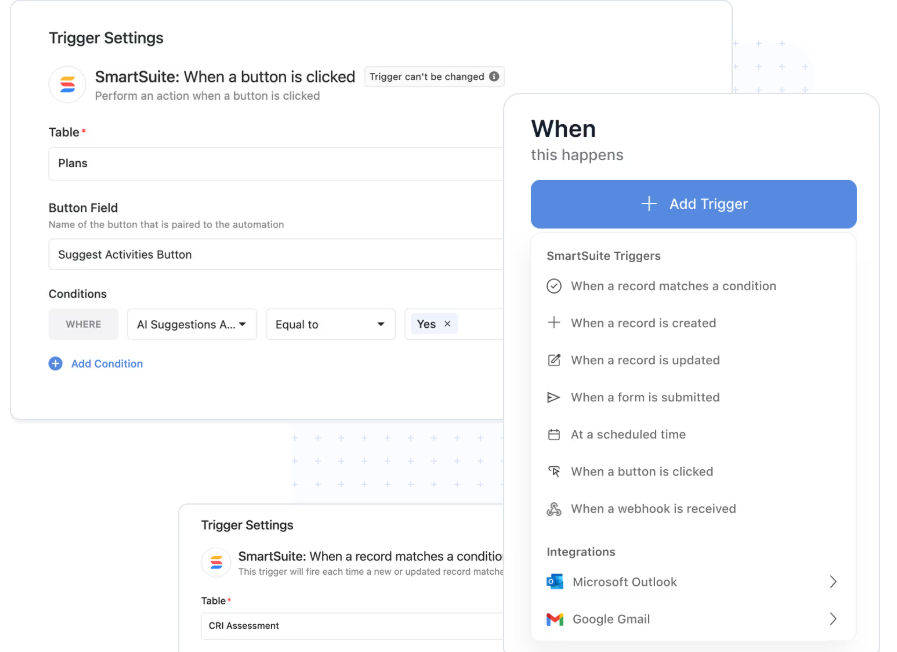
- Send real-time notifications: Alert teams in SmartSuite, Slack, Microsoft Teams, or email when deadlines approach, approvals are needed, or work is completed.
- Build multi-step workflows visually: Create automations that run several actions in sequence without scripts, pipelines, or complex logic trees.

- Scale automation safely: Automations remain readable and easy to modify, so teams don’t need dedicated admins to keep things running.
4. AI built into everyday work
SmartSuite’s AI is designed to support teams where work actually happens, rather than acting as a separate assistant or setup tool.
Instead of replacing decision-making, it helps teams move faster while staying in control.
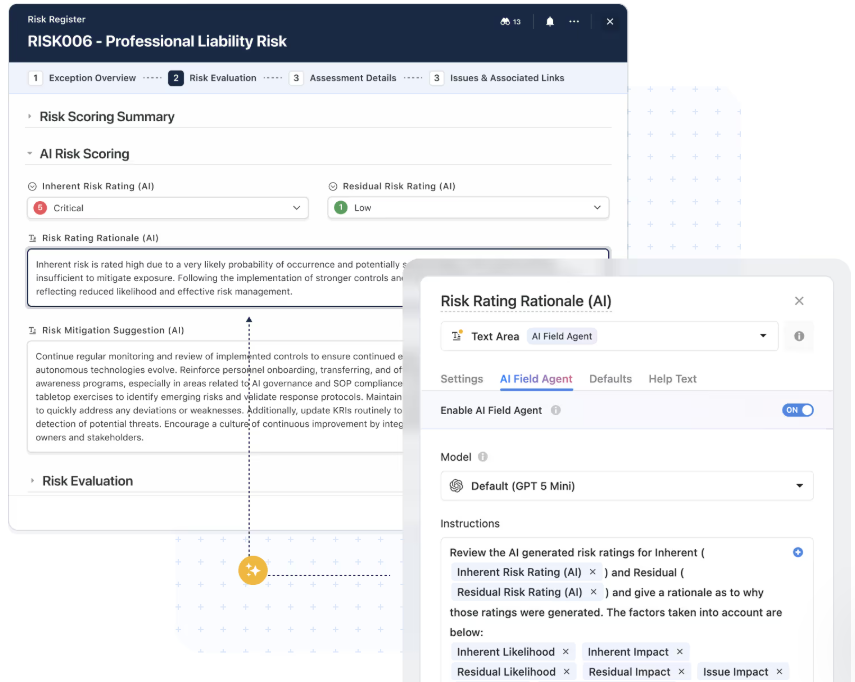
With SmartSuite AI, you can:
- Summarize activity and updates: Turn long comment threads, task updates, or attachments into clear summaries for quick status checks.
- Convert unstructured input into structured data: Automatically classify requests, extract key details, populate fields, and route work submitted via forms or email.
- Support smarter automations: Add AI steps inside workflows to analyze content, suggest next actions, or route work based on what’s written, not just fixed rules.
- Keep data clean at scale: Flag missing information, inconsistent entries, or unclear priorities before they create downstream issues.
- Maintain human oversight: AI generates suggestions and insights, but people review and approve changes before anything is applied.
Compared to Smartsheet’s formula-focused AI and Quickbase’s app-creation AI, SmartSuite lets you use AI across the entire workflow - from intake to execution to reporting - without sacrificing transparency or control.
5. No-code customization and built-in templates
SmartSuite is designed for teams that need flexibility from day one, without committing to complex setups or long implementation cycles.
Instead of forcing you to build everything from scratch, it combines no-code customization with practical templates that you can adapt as your workflows evolve.
What stands out includes:
- Template-first setup: Choose from a wide range of ready-made solutions for project tracking, agile delivery, risk management, resource planning, and operational workflows, then refine them to fit your process.

- Visual customization tools: Modify fields, layouts, views, and workflows through a simple visual editor, making changes fast and reversible as requirements change.
- Custom data structures: Define your own fields, relationships, and rules to track exactly what matters, without relying on spreadsheets or developer-built schemas.
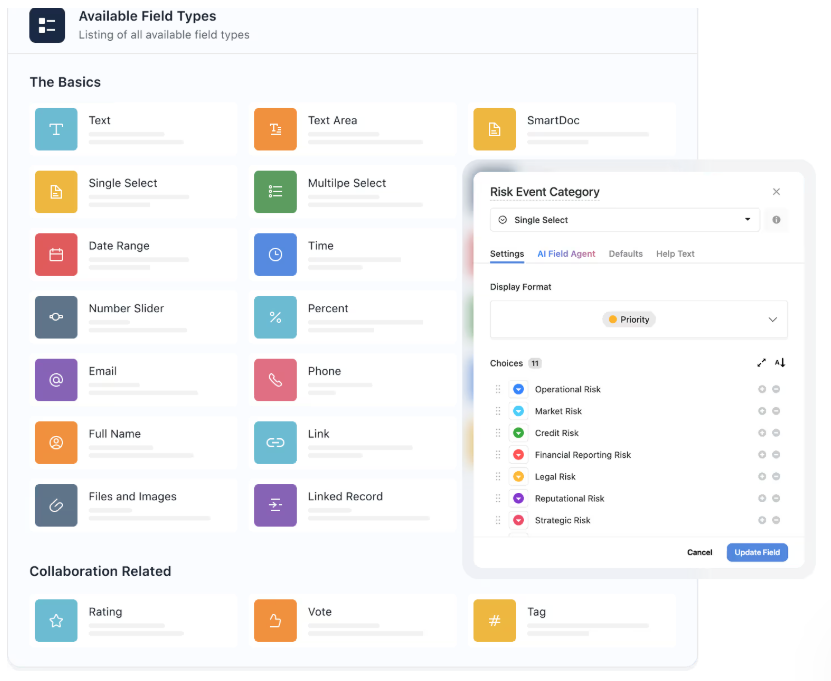
- Flexible access controls: Set permissions by role, team, or data type to ensure the right people see and edit the right information as work scales.
This makes SmartSuite easy to start with, yet capable of growing into more complex use cases without becoming hard to manage.
SmartSuite is ideal if you:
✅ Want a single platform that combines project management, data tracking, automation, collaboration, and AI without switching tools.
✅ Need flexibility to support different types of work (projects, operations, compliance, requests, resources) in one connected workspace.
✅ Prefer no-code customization and automation that non-technical teams can own and adapt over time.
✅ Value real-time visibility, in-context collaboration, and workflows that scale without becoming hard to manage.
SmartSuite isn’t the best option if you:
❌ Rely heavily on advanced spreadsheet formulas or complex financial modeling as the core of your workflows.
❌ Need to build deeply custom applications with highly specialized logic that requires full low-code development.
Winner: SmartSuite
While Smartsheet and Quickbase both excel in specific scenarios, SmartSuite stands out as the most balanced option overall.
Smartsheet is powerful but spreadsheet-centric, and Quickbase is flexible but comes with added complexity.
SmartSuite combines structured project management, automation, collaboration, and AI in a single, easy-to-customize workspace without forcing teams into spreadsheets or heavy app-building.
For most teams in 2026, SmartSuite offers the best mix of flexibility, usability, and scalability.
Integrations: Smartsheet vs. Quickbase vs. SmartSuite
Smartsheet integrations
Smartsheet offers a broad and mature integration ecosystem, especially suited for teams operating in larger or more complex tech stacks.
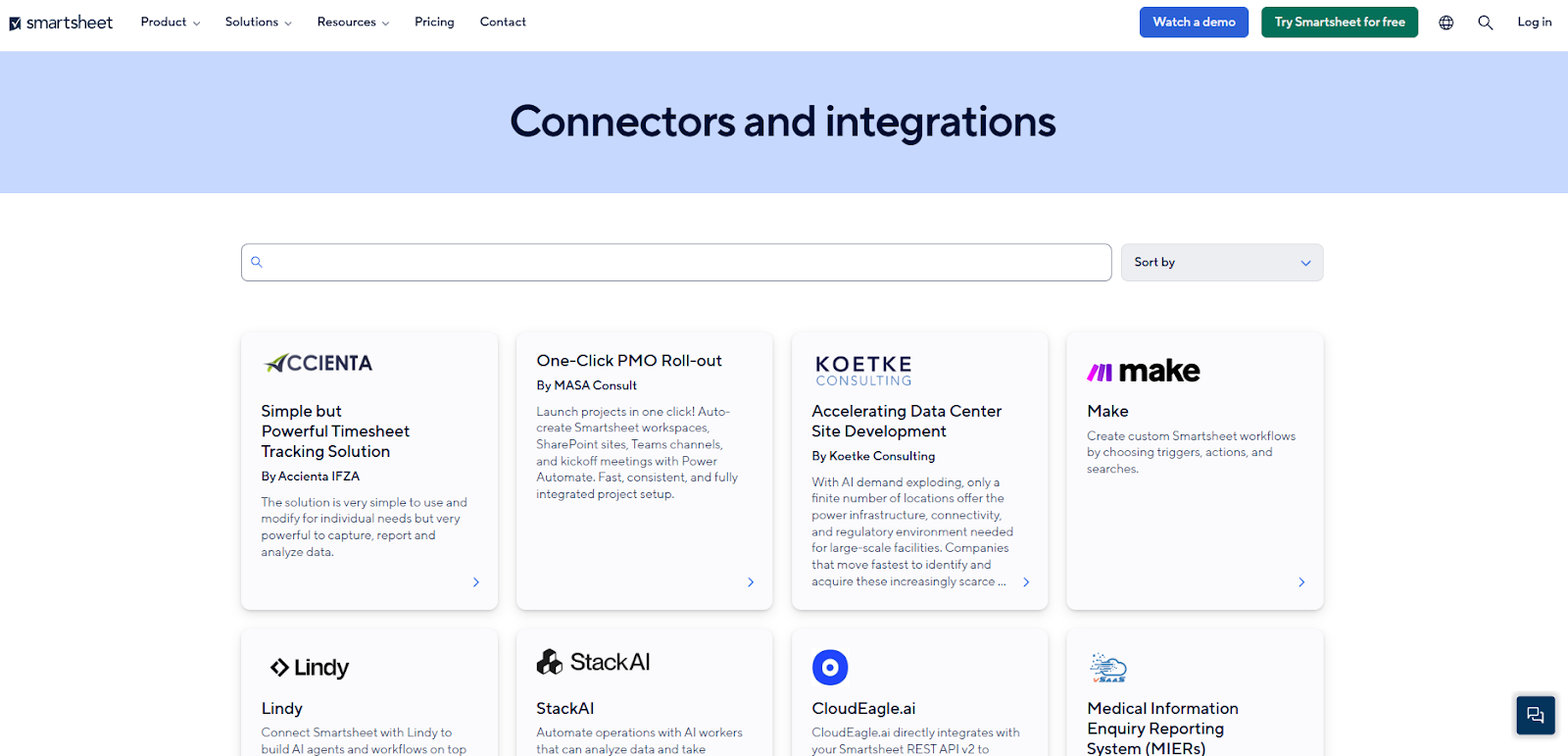
Key integration areas include:
- Productivity suites: Deep integrations with Microsoft 365 and Google Workspace make it easy to sync data, share updates, and collaborate using familiar tools.
- Communication tools: Native integrations with Slack and Microsoft Teams allow alerts, reminders, and updates to flow directly into team conversations.
- CRM and development tools: Connectors for Salesforce, Jira, and other enterprise systems help keep project work aligned with sales pipelines and product development.
- Analytics and reporting: Integrations with tools like Power BI and Tableau support advanced reporting and executive-level dashboards.
- Automation platforms: Through Zapier and premium connectors, Smartsheet can link to hundreds of additional apps to extend workflows beyond the platform.
Overall, Smartsheet’s integrations are one of its strongest assets, particularly for organizations that need their project management tool to plug into a wide enterprise ecosystem.
Quickbase integrations
Quickbase is designed to act as a central hub that connects data and workflows across multiple systems.
Its integration capabilities focus on unifying disconnected tools and giving teams control over how data moves between them.
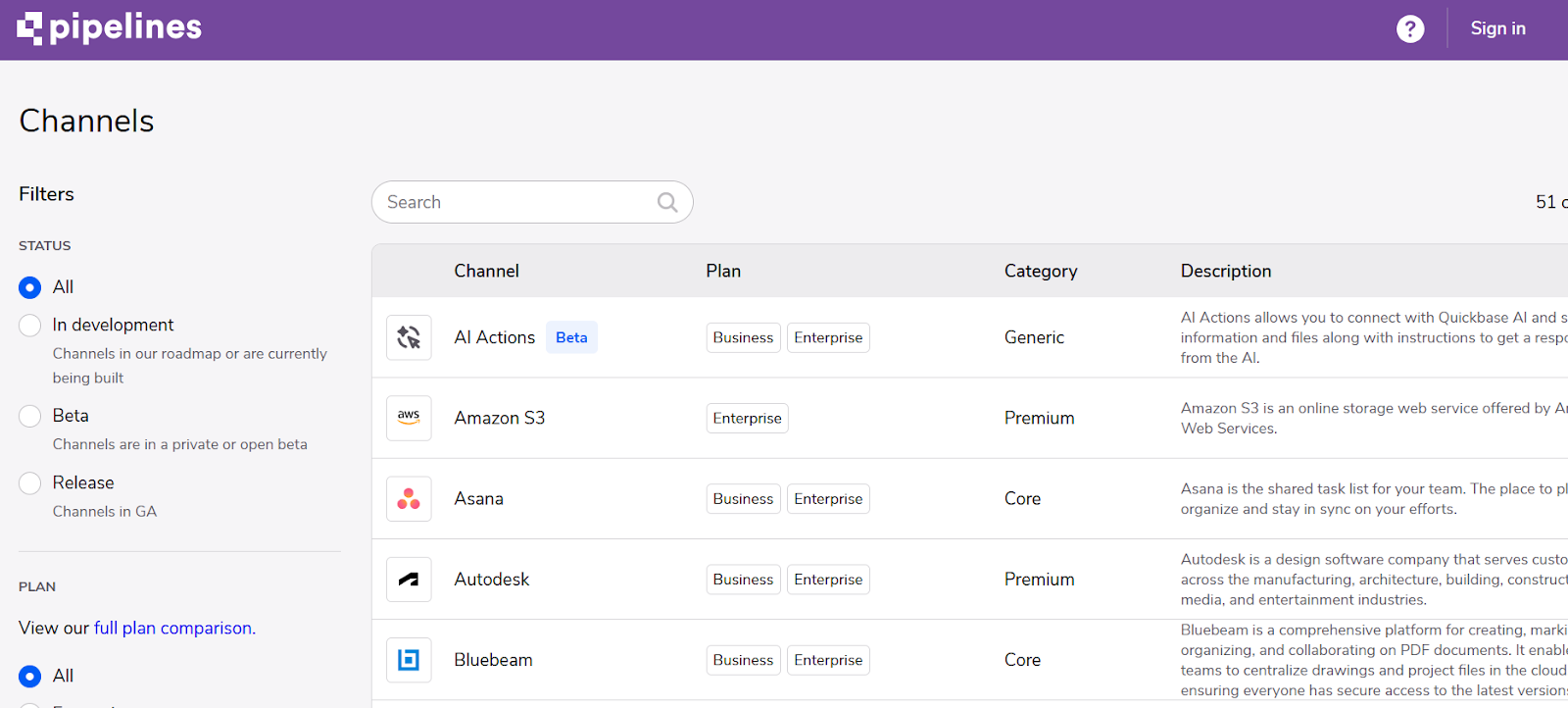
Key integration strengths include:
- Pre-built integration channels: Quickbase offers 40+ native integrations covering communication, file storage, project management, finance, CRM, and enterprise systems, including Salesforce, ServiceNow, Jira, Procore, QuickBooks, Slack, Microsoft 365, Google Workspace, and more.
- Quickbase Pipelines: A visual integration builder that lets teams orchestrate workflows across third-party tools, sync data bi-directionally, trigger actions, and automate cross-system processes without writing code.
- APIs and webhooks for custom connections: For more advanced needs, Quickbase provides modern APIs, webhooks, and HTTP connectors to integrate with systems not covered by native channels.
Overall, Quickbase integrations are best suited for organizations that need tight control over cross-system data flows and are comfortable managing more advanced integration logic.
SmartSuite integrations
SmartSuite focuses on practical integrations that help teams connect their everyday tools without adding complexity.
Instead of positioning itself as an integration hub that requires heavy configuration, SmartSuite prioritizes ease of setup and flexibility for real-world workflows.
Key integration highlights include:
- Native integrations for daily work: SmartSuite connects directly with tools like Slack, Microsoft Teams, Gmail, Outlook, Google Drive, OneDrive, Dropbox, Google Calendar, and Twilio to keep communication, files, and scheduling in sync.
- CRM and customer tools: Native integrations with platforms like Salesforce, HubSpot, and Intercom help teams link projects and operational work to customers and deals.
- No-code automation connectors: Through Zapier, Make, Integrately, Relay, and Ply, SmartSuite can connect to thousands of additional apps without complex setup or scripting.
- Workflow-first integration design: Integrations are built to support task updates, notifications, approvals, and data syncs in ways that stay easy to understand and maintain.
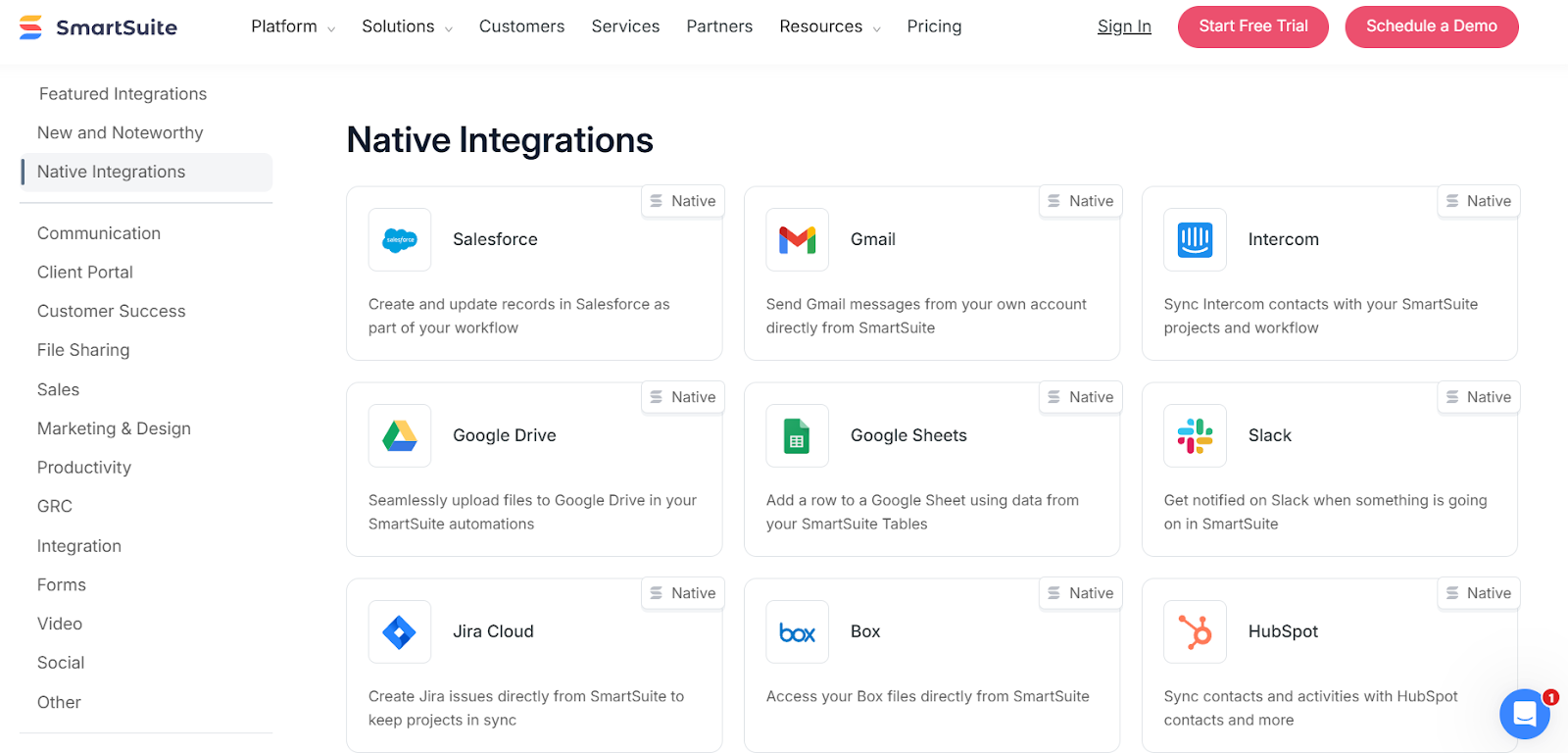
Overall, SmartSuite’s integrations are ideal for teams that want broad connectivity and automation without needing to manage complex pipelines or custom APIs.
Winner: Smartsheet
When it comes to integrations, Smartsheet takes the lead.
Its mature ecosystem, deep enterprise connectors (Salesforce, Jira, Power BI, Tableau), and strong Microsoft and Google integrations make it the most robust option for organizations with complex tech stacks.
Quickbase is a close second for teams that need tight control over cross-system data flows, while SmartSuite stands out for simplicity and no-code connectors - but purely on breadth and enterprise readiness, Smartsheet wins here.
Pricing: Smartsheet vs. Quickbase vs. SmartSuite
Smartsheet pricing
Smartsheet offers several pricing tiers designed to scale from small teams to large enterprises:
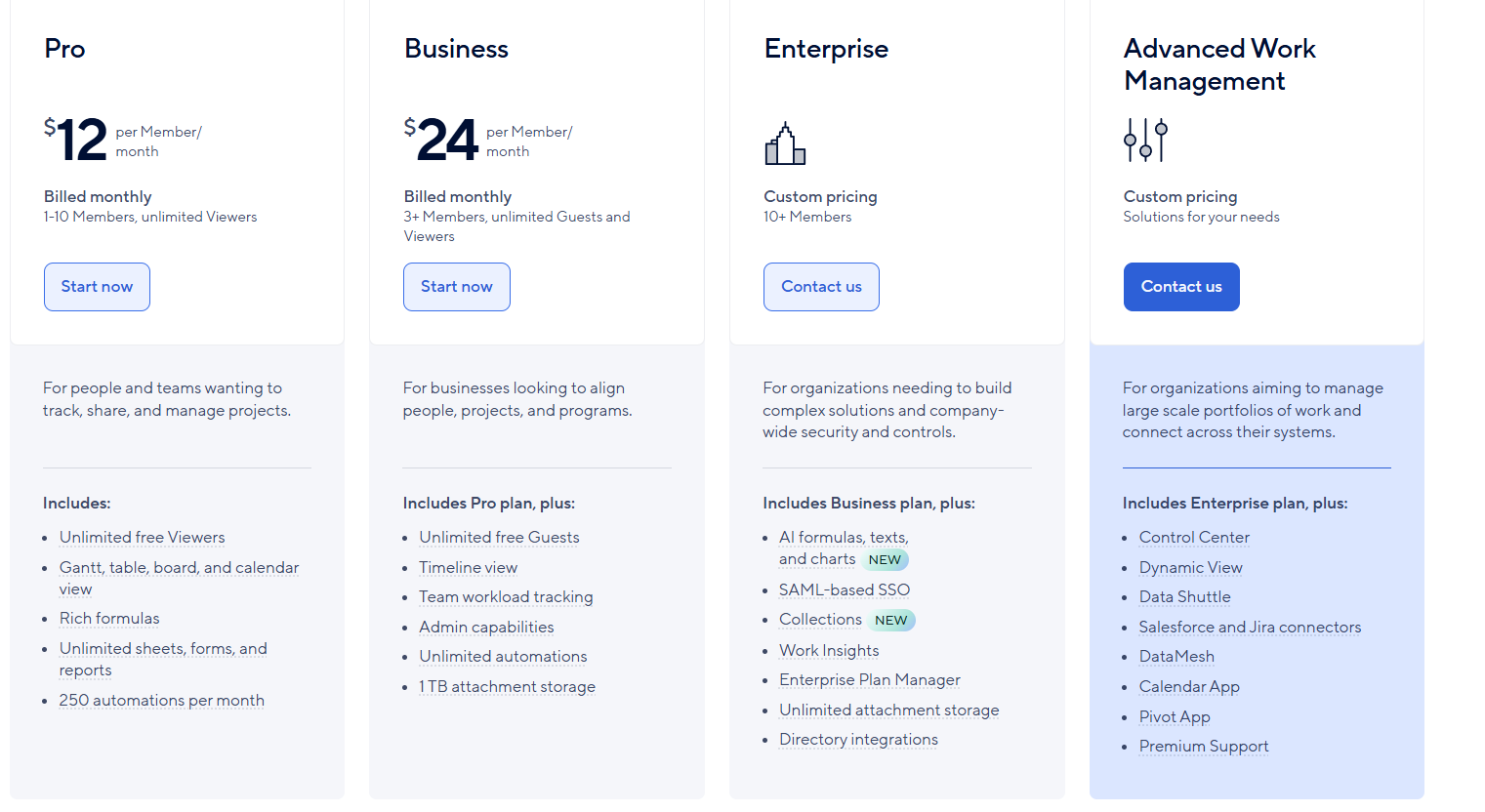
- Pro: $12 per user/month, for 1-10 users, includes Gantt, table, board, and calendar views, rich formulas, unlimited sheets, forms, and reports, plus 250 automations per month.
- Business: $24 per member/month, for minimum 3 members, includes everything in Pro, plus timeline view, team workload tracking, stronger admin controls, unlimited automations, and 1 TB of attachment storage.
- Enterprise: Custom pricing, for teams with more than 10 members that need advanced security and governance controls, includes everything in Business, plus AI-powered formulas, text, and charts, SAML-based SSO, directory integrations, unlimited storage, Work Insights, and enterprise-level management tools.
- Advanced Work Management: Custom pricing, designed for organizations managing large portfolios and complex, cross-system workflows. Includes everything in Enterprise, plus control center, dynamic view, data shuttle, DataMesh, calendar and pivot apps, Salesforce and Jira connectors, and premium support.
Quickbase pricing
Quickbase uses a tiered, per-user pricing model designed for teams building and running custom business applications:
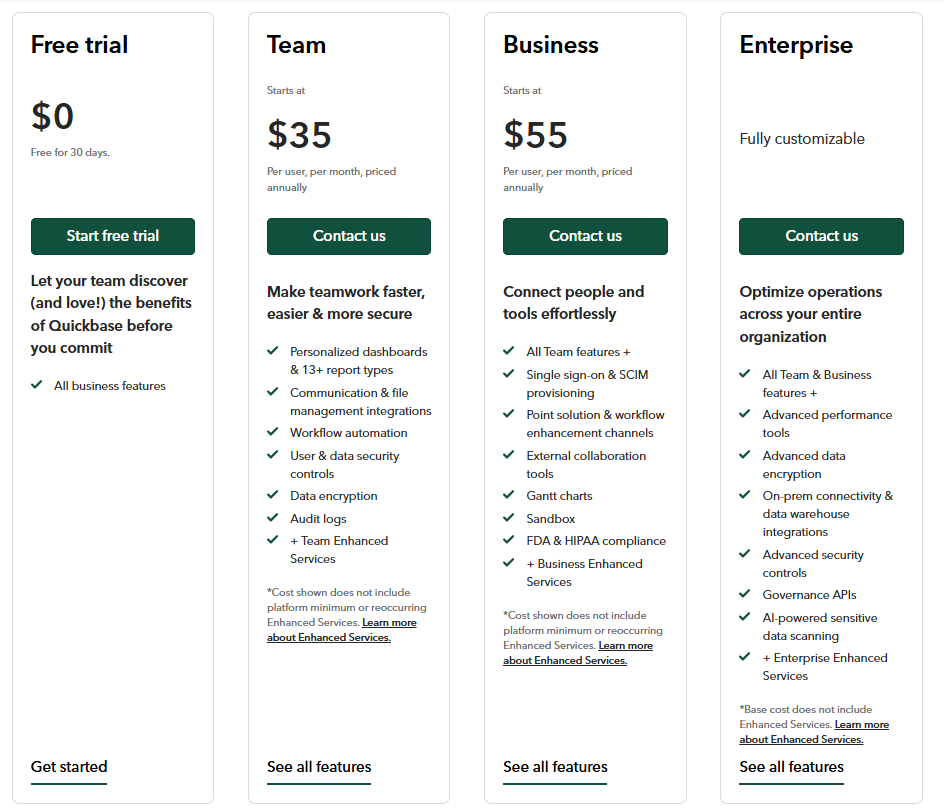
- Team: Starts at $35 per user/month (billed annually). Includes personalized dashboards, 13+ report types, workflow automation, communication and file integrations, audit logs, and core security features.
- Business: Starts at $55 per user/month (billed annually). Adds SSO and SCIM provisioning, Gantt charts, sandbox environments, external collaboration tools, workflow enhancement channels, and compliance support (FDA, HIPAA).
- Enterprise: Custom pricing. Includes advanced performance and security features, on-prem connectivity, data warehouse integrations, governance APIs, and AI-powered sensitive data scanning.
Its Business plan comes with a 30-day free trial, allowing teams to test the platform before committing.
It’s worth noting that Quickbase pricing also includes platform minimums and recurring “Enhanced Services” fees, which can increase total cost as teams scale.
As a result, Quickbase is best suited for organizations that need its low-code power and are comfortable with higher, less predictable pricing.
SmartSuite pricing
SmartSuite offers transparent, tiered pricing designed to scale with teams as their needs grow.
Moreover, you can test the product with a 14-day free trial (no credit card required).
Here’s a breakdown of its tiers:
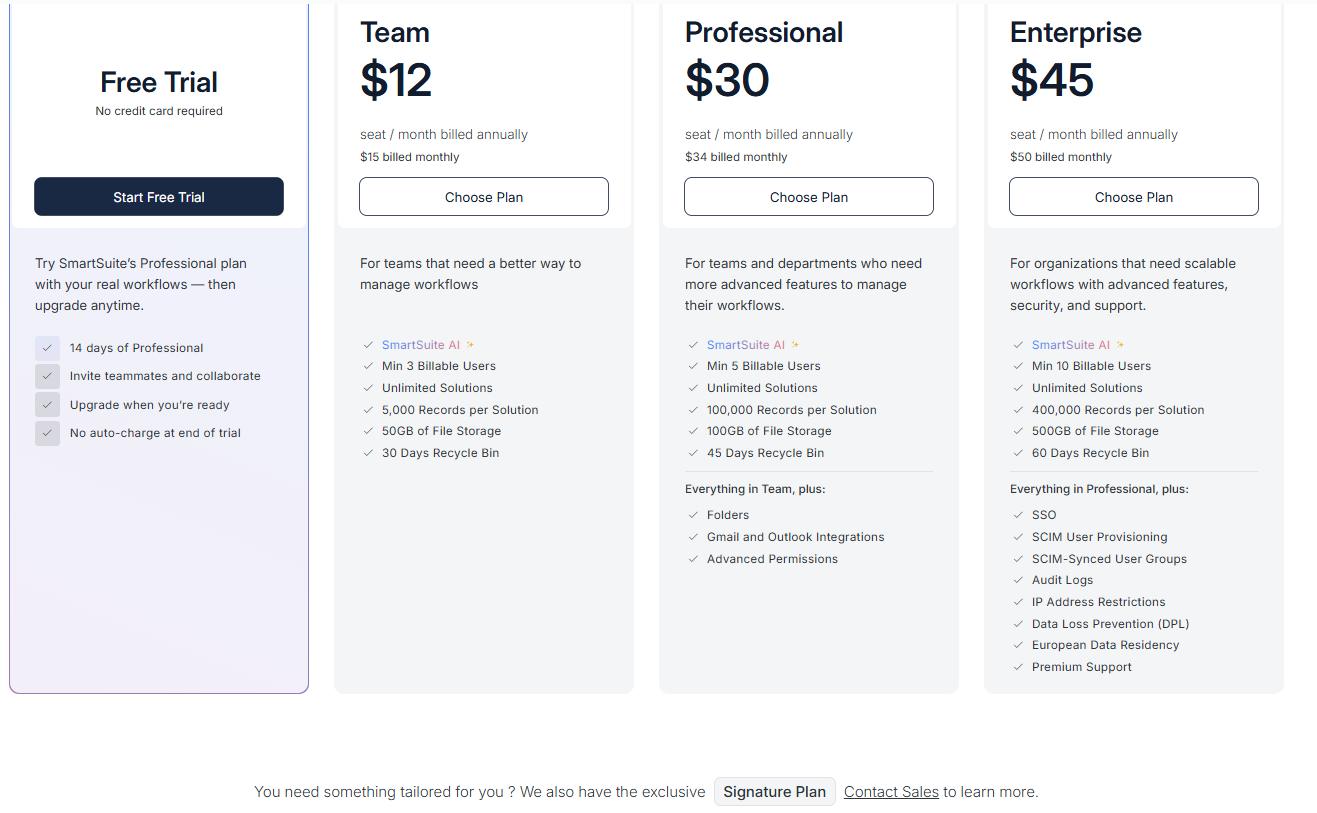
- Team: $12 per seat/month (billed annually), includes SmartSuite AI, unlimited solutions, up to 5,000 records per solution, 50 GB of file storage, a 30-day recycle bin, and core collaboration and automation features.
- Professional: $30 per seat/month, includes everything in Team, plus folders, Gmail and Outlook integrations, advanced permissions, higher record limits (100,000 per solution), 100 GB of storage, and a 45-day recycle bin.
- Enterprise: $45 per seat/month, includes everything in Professional, plus SSO, SCIM user provisioning, audit logs, IP restrictions, data loss prevention, European data residency, premium support, and higher limits (400,000 records per solution and 500 GB storage).
- Signature: Custom pricing. A tailored plan for organizations with specific requirements around scale, security, or data architecture.
Winner: SmartSuite
When it comes to pricing, SmartSuite is the clear winner.
Its transparent per-user plans, lack of platform minimums, and no mandatory add-on services make costs predictable as teams scale.
Quickbase’s pricing rises quickly due to higher per-user costs and additional Enhanced Services and locks you into annual contracts from day one, while Smartsheet can become expensive at higher tiers.
For teams that want strong functionality without surprise costs, SmartSuite offers the best value in 2026.
What are the customers saying about Smartsheet, Quickbase, and SmartSuite?
TL;DR
- Smartsheet (4.4★ on G2) is loved for its familiar spreadsheet-style interface, flexible views, and collaboration features, but users often struggle with limits, clutter, and a steeper learning curve as projects grow in size and complexity.
- Quickbase (4.4★ on G2) stands out for deep customization, centralized data, and powerful dashboards, yet reviewers frequently cite a dated UI, higher technical demands than expected, and high, complex pricing.
- SmartSuite (4.8★ on G2) earns the highest user satisfaction for being easy to adopt, highly flexible without feeling complex, and well-supported, while most complaints focus on pricing gaps and features still evolving rather than usability.
Smartsheet reviews
G2 Rating: 4.4/5
What users love:
- Intuitive, spreadsheet-style interface. Teams appreciate being able to build, track, and manage complex projects using a familiar grid-based layout.
- Flexible views and reporting. Gantt charts, calendars, dashboards, and summarized reports help teams visualize timelines and progress without relying on external tools like Excel or PowerPoint.
- Useful automation and reminders. Alerts, approvals, notifications, and reminders are often cited as time-savers that reduce manual follow-ups and human error.
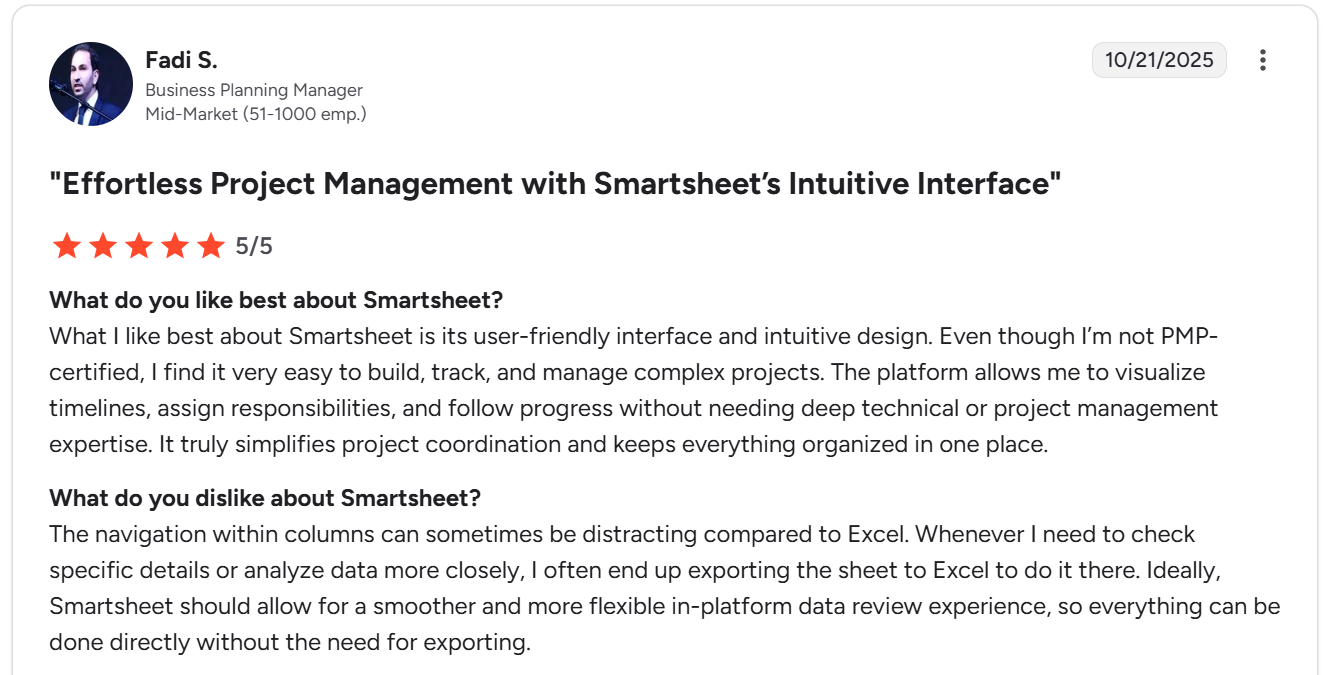
“What I like best about Smartsheet is its user-friendly interface and intuitive design. Even though I’m not PMP-certified, I find it very easy to build, track, and manage complex projects. The platform allows me to visualize timelines, assign responsibilities, and follow progress without needing deep technical or project management expertise. It truly simplifies project coordination and keeps everything organized in one place.” - G2 Review
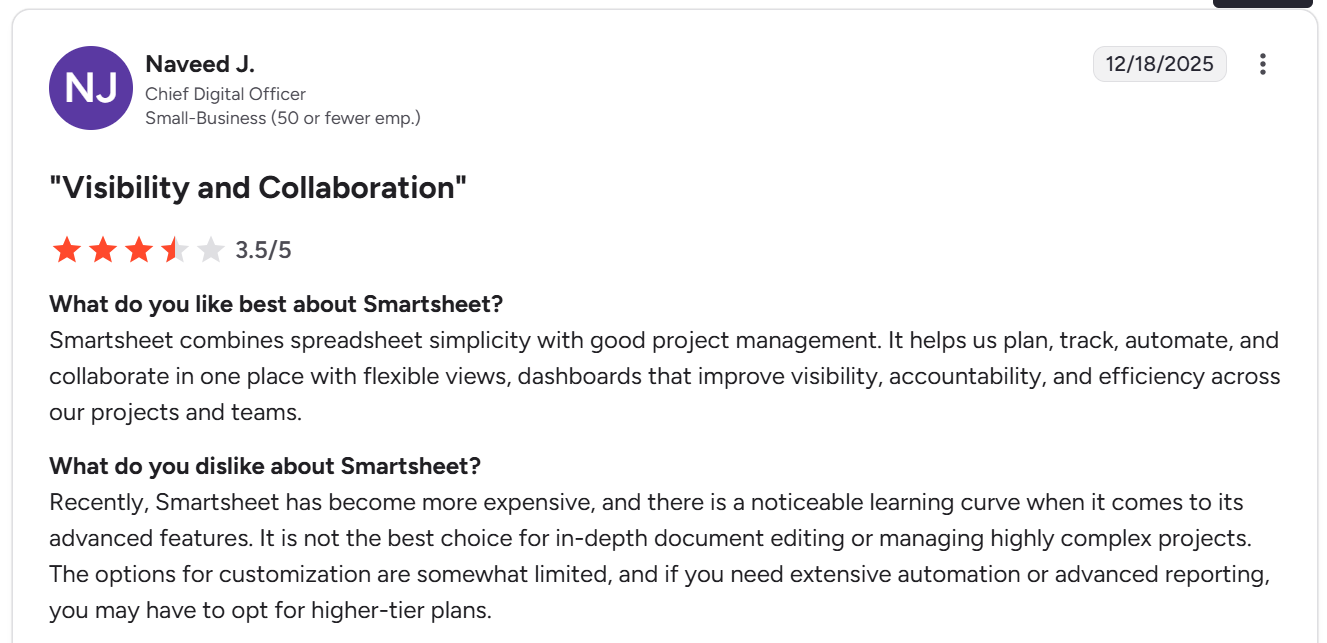
“Smartsheet combines spreadsheet simplicity with good project management. It helps us plan, track, automate, and collaborate in one place with flexible views, dashboards that improve visibility, accountability, and efficiency across our projects and teams.” - G2 Review
Common complaints include:
- Spreadsheet limitations and data handling friction. Several users mention row limits, copy-paste restrictions, and the need to export data to Excel for deeper analysis or smoother navigation.
- Learning curve for advanced features. While basic usage is straightforward, formulas, automations, integrations, and advanced workflows often require extra training or community support.
- Clutter and complexity at scale. Managing very large or highly complex projects can feel overwhelming, with navigation becoming harder as sheets, dependencies, and dashboards grow.
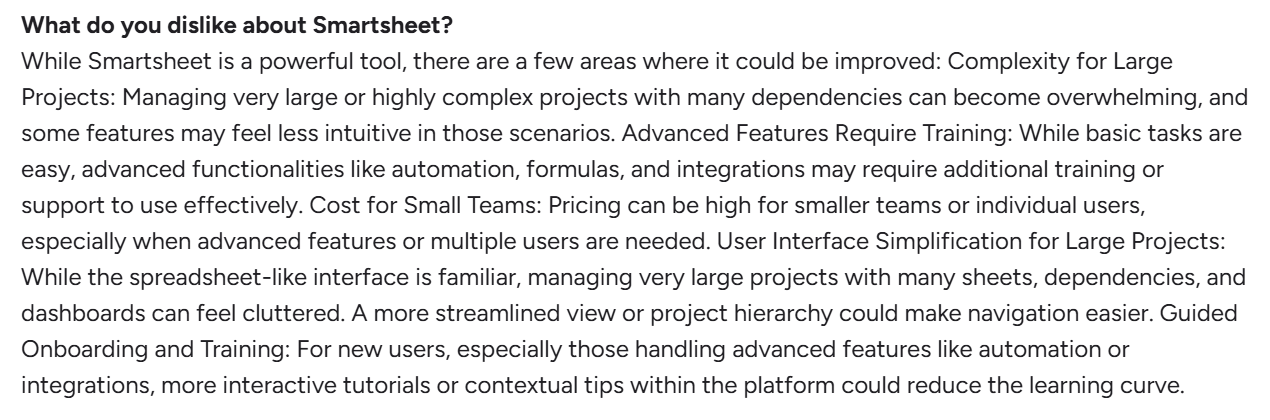
“While Smartsheet is a powerful tool, there are a few areas where it could be improved: Complexity for Large Projects: Managing very large or highly complex projects with many dependencies can become overwhelming, and some features may feel less intuitive in those scenarios. Advanced Features Require Training: While basic tasks are easy, advanced functionalities like automation, formulas, and integrations may require additional training or support to use effectively. Cost for Small Teams: Pricing can be high for smaller teams or individual users, especially when advanced features or multiple users are needed. User Interface Simplification for Large Projects: While the spreadsheet-like interface is familiar, managing very large projects with many sheets, dependencies, and dashboards can feel cluttered. A more streamlined view or project hierarchy could make navigation easier. Guided Onboarding and Training: For new users, especially those handling advanced features like automation or integrations, more interactive tutorials or contextual tips within the platform could reduce the learning curve.” - G2 Review

“Recently, Smartsheet has become more expensive, and there is a noticeable learning curve when it comes to its advanced features. It is not the best choice for in-depth document editing or managing highly complex projects. The options for customization are somewhat limited, and if you need extensive automation or advanced reporting, you may have to opt for higher-tier plans.” - G2 Review
Quickbase reviews
G2 Rating: 4.4/5
What users love:
- Powerful customization and flexibility. Many users praise Quickbase’s low-code environment for making it easy to build custom databases, apps, and workflows without a full development team.
- Strong dashboards and reporting. Reviewers often mention dashboards, filters, and reports as key benefits, especially for pulling data from multiple sources and getting real-time visibility into operations.
- Centralized data and workflows. Users appreciate being able to bring tools, data sources, and processes into one platform, reducing manual work and improving collaboration across teams.
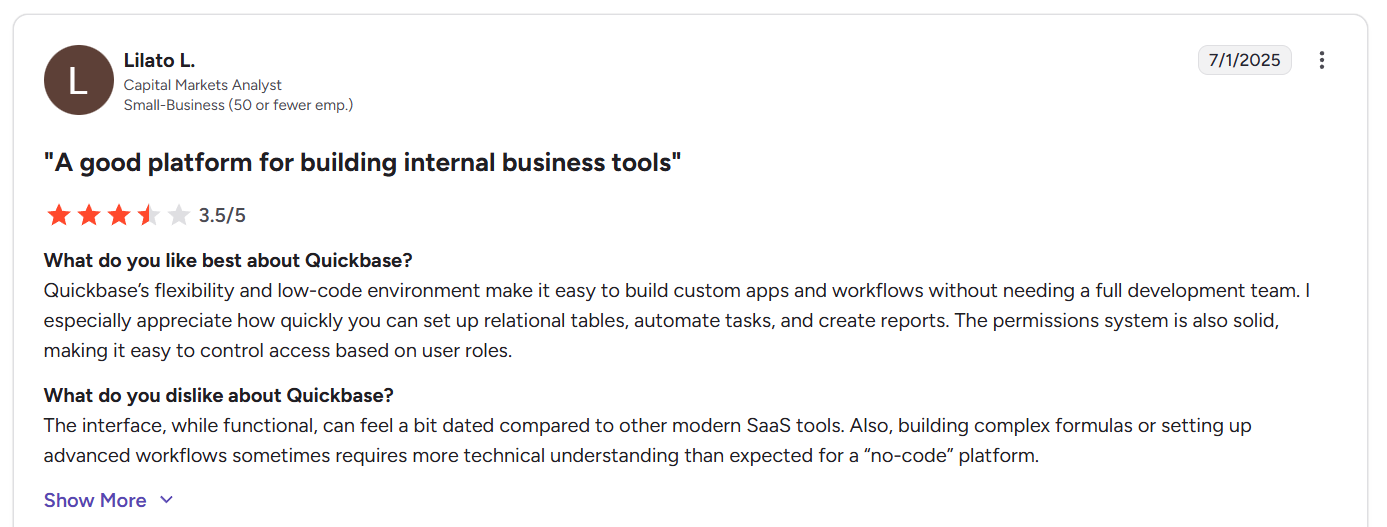
“Quickbase’s flexibility and low-code environment make it easy to build custom apps and workflows without needing a full development team. I especially appreciate how quickly you can set up relational tables, automate tasks, and create reports. The permissions system is also solid, making it easy to control access based on user roles.” - G2 Review
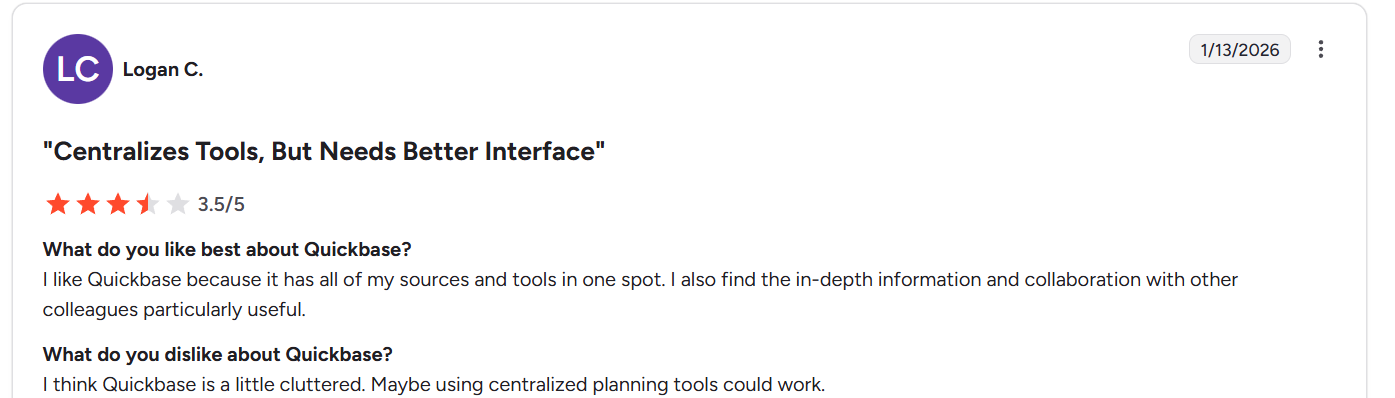
“I like Quickbase because it has all of my sources and tools in one spot. I also find the in-depth information and collaboration with other colleagues particularly useful.” - G2 Review
Common complaints include:
- Outdated or cluttered interface. A recurring theme is that Quickbase’s UI feels dated, click-heavy, or cluttered compared to more modern SaaS tools, making navigation slower than expected.
- Steeper learning curve than “no-code” suggests. While marketed as no-code, many users note that building advanced workflows, formulas, or Pipelines still requires technical thinking or development experience.
- High and complex pricing. Reviewers frequently mention high costs, platform minimums, and expensive enterprise plans as barriers, especially for small and mid-sized teams.
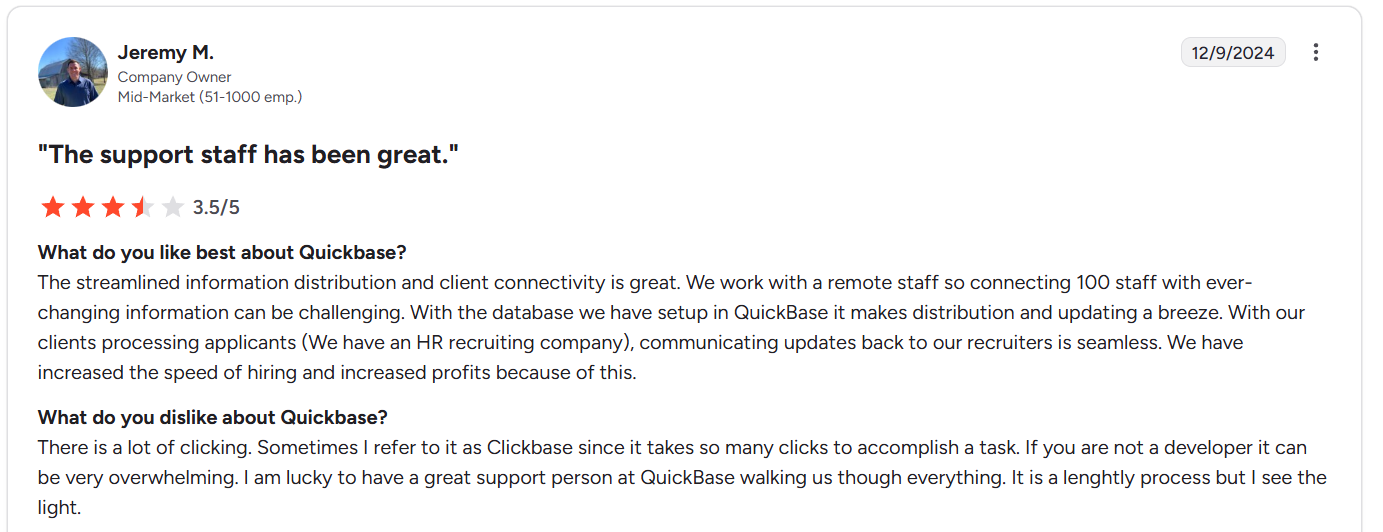
“There is a lot of clicking. Sometimes I refer to it as Clickbase since it takes so many clicks to accomplish a task. If you are not a developer it can be very overwhelming. I am lucky to have a great support person at QuickBase walking us through everything. It is a lengthy process but I see the light.” - G2 Review

“The interface, while functional, can feel a bit dated compared to other modern SaaS tools. Also, building complex formulas or setting up advanced workflows sometimes requires more technical understanding than expected for a “no-code” platform.” - G2 Review
SmartSuite reviews
G2 Rating: 4.8/5
What users love:
- Easy to adopt, employee-friendly design. Many reviewers highlight SmartSuite’s intuitive interface and minimal learning curve, noting that teams can start using it productively with very little training.
- Powerful flexibility without complexity. Users consistently praise SmartSuite’s ability to sit between a database and a project management tool, allowing teams to capture structured data while still managing tasks, projects, and workflows smoothly.
- Strong customization and linking capabilities. Reviewers value the ability to link records across tables and even across solutions, design rich record views, and tailor workflows to specific business needs without developers.
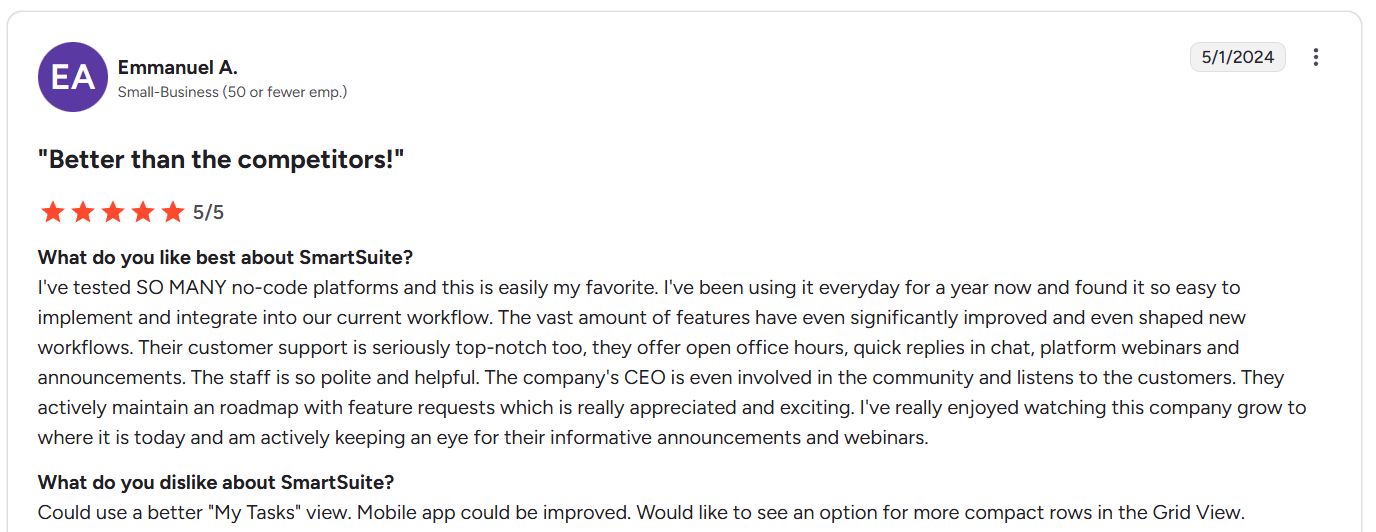
“I've tested SO MANY no-code platforms and this is easily my favorite. I've been using it everyday for a year now and found it so easy to implement and integrate into our current workflow. The vast amount of features have even significantly improved and even shaped new workflows. Their customer support is seriously top-notch too, they offer open office hours, quick replies in chat, platform webinars and announcements. The staff is so polite and helpful. The company's CEO is even involved in the community and listens to the customers. They actively maintain a roadmap with feature requests which is really appreciated and exciting. I've really enjoyed watching this company grow to where it is today and am actively keeping an eye for their informative announcements and webinars.” - G2 Review
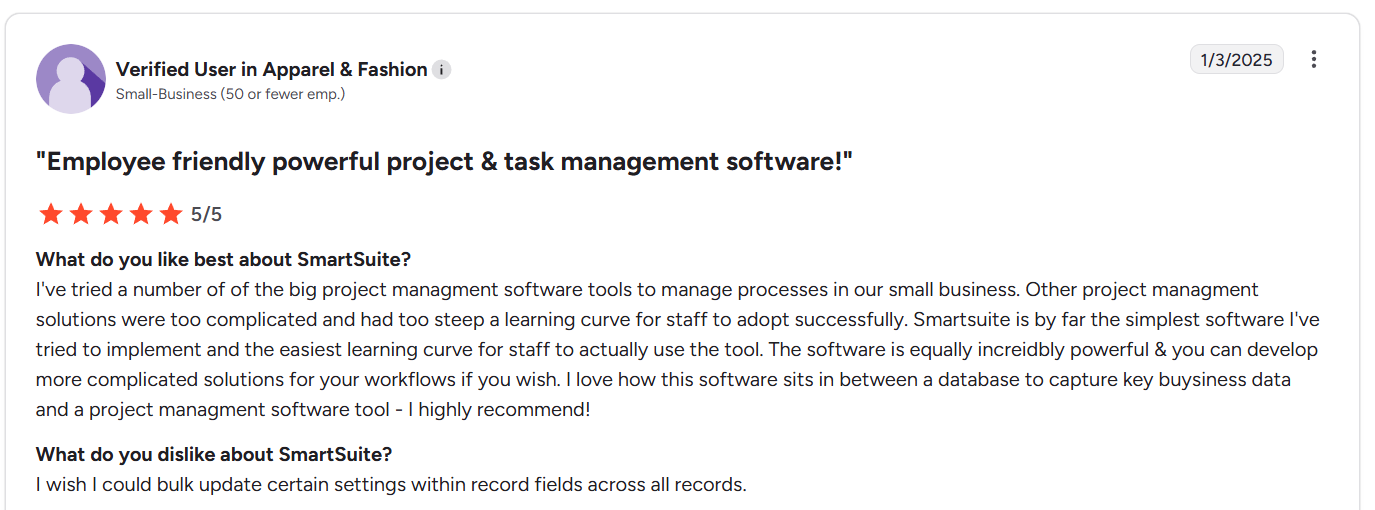
“I've tried a number of the big project management software tools to manage processes in our small business. Other project management solutions were too complicated and had too steep a learning curve for staff to adopt successfully. Smartsuite is by far the simplest software I've tried to implement and the easiest learning curve for staff to actually use the tool. The software is equally incredibly powerful & you can develop more complicated solutions for your workflows if you wish. I love how this software sits in between a database to capture key business data and a project management software tool - I highly recommend:” - G2 Review
Common complaints include:
- Pricing structure gaps. Some users mention the lack of a mid-tier plan between Team and Professional.
- Feature depth is still evolving. As a relatively young platform, reviewers point out missing or limited features such as advanced formula functions, conditional logic in forms, bulk field updates, or more advanced automation options.
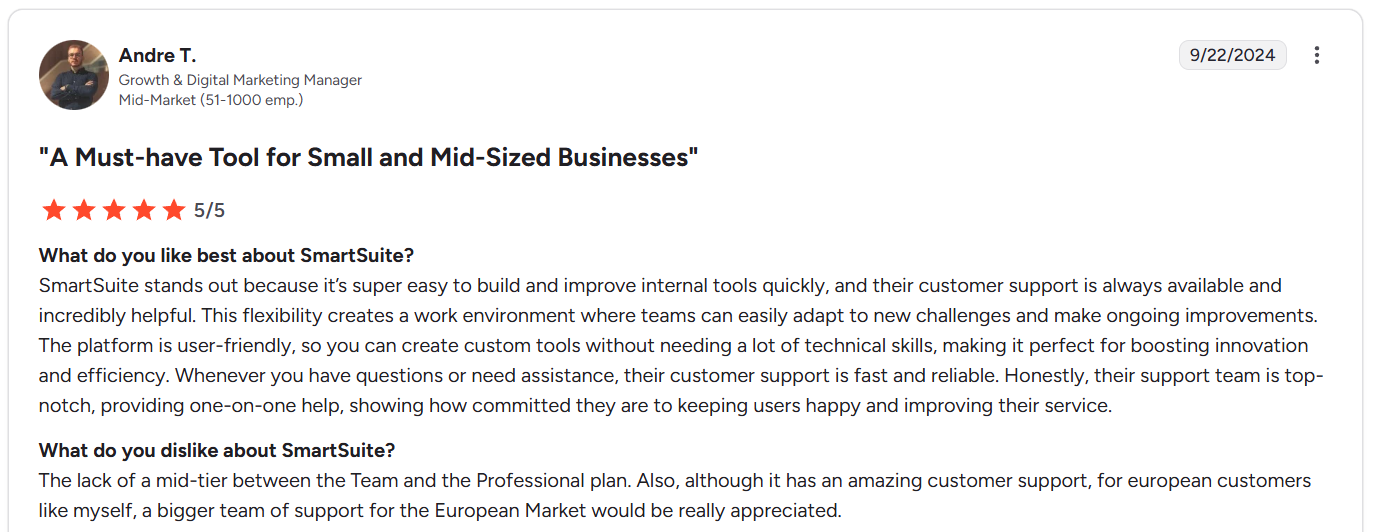
“The lack of a mid-tier between the Team and the Professional plan. Also, although it has amazing customer support, for European customers like myself, a bigger team of support for the European Market would be really appreciated.” - G2 Review
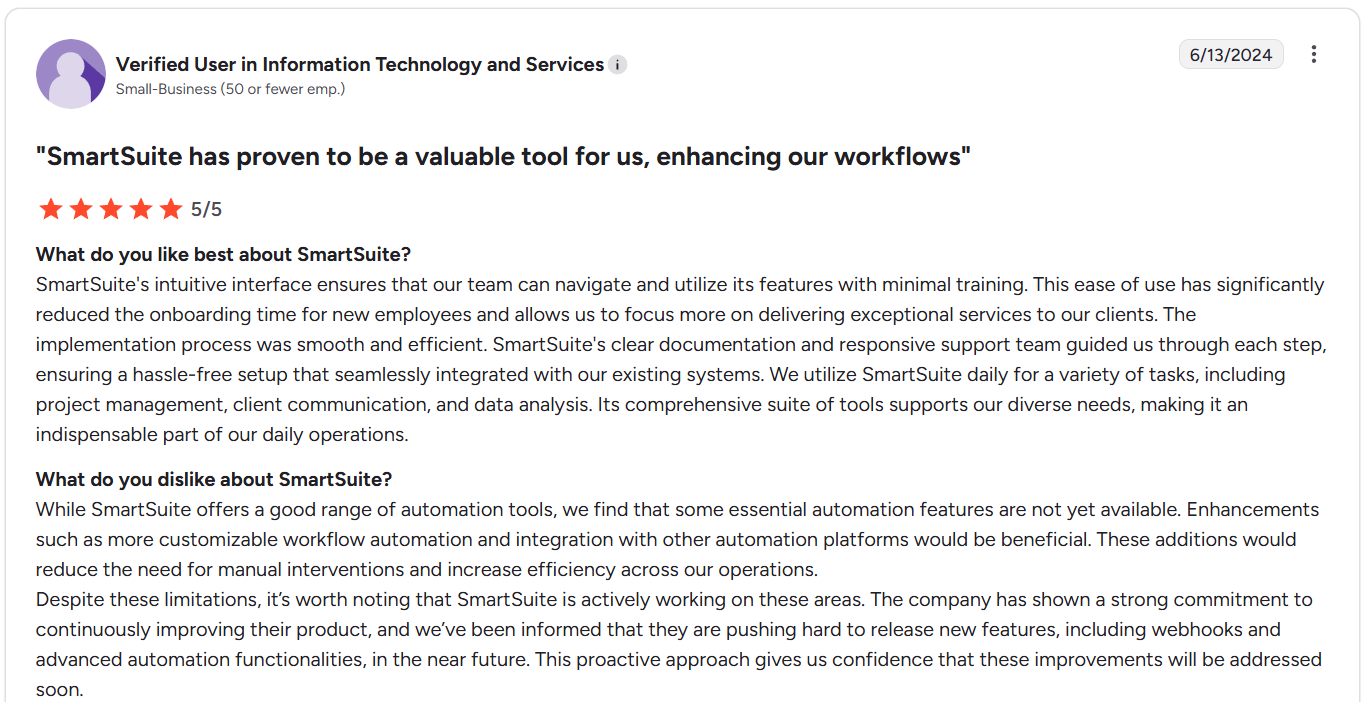
”While SmartSuite offers a good range of automation tools, we find that some essential automation features are not yet available. Enhancements such as more customizable workflow automation and integration with other automation platforms would be beneficial. These additions would reduce the need for manual interventions and increase efficiency across our operations.
Despite these limitations, it’s worth noting that SmartSuite is actively working on these areas. The company has shown a strong commitment to continuously improving their product, and we’ve been informed that they are pushing hard to release new features, including webhooks and advanced automation functionalities, in the near future. This proactive approach gives us confidence that these improvements will be addressed soon.” - G2 Review
Smartsheet vs. Quickbase vs. SmartSuite: Summary
Get started with SmartSuite for free today
Smartsheet and Quickbase both solve real problems, but for many teams, they solve them at a cost: complexity, rigidity, or overhead.
SmartSuite offers a simpler, more adaptable alternative.
With built-in collaboration, no-code automation, flexible views, and AI embedded across workflows, SmartSuite gives teams the structure they need without slowing them down.
Start a free SmartSuite trial to explore the platform hands-on, or book a demo to see how it can fit your specific use case.
Read more
- AI For Project Management: Best Software & Use Cases In 2026 - How AI is actually changing project management in 2026, from smarter planning to automated execution (no hype, just real use cases).
- 10 Best Task Management Software in 2026 [In-Depth Guide] - A practical breakdown of task management tools that truly help teams move work forward.
- The 10-Step Project Management Checklist To Get Started - Get a clear, no-fluff checklist to set up projects the right way from day one and avoid common execution mistakes.
- 10 Best Vendor Management Software & Tools In 2026 - Check out vendor management platforms that help teams track risk, performance, and compliance without drowning in spreadsheets.
- Smartsheet vs. Notion vs. SmartSuite: Which Tool to Pick? [2026] - A side-by-side comparison of three popular work platforms - and how to choose the right one based on how your team actually works.
- 10 Best Project Management Tools for Startups [2026] - Find the best project management tools that help startups move fast, stay organized, and scale without adding process overhead too early.

SmartSuite provides work platform for standardizing workflows in the following areas:
- Governance, Risk & Compliance
- IT & Service Ops
- Project / Portfolio Management
- Business Operations







