


Are you looking for HaloITSM’s pricing benchmarks before you reach out to their team?
In this guide, I'll break down how HaloITSM structures its pricing, what reported costs look like across different team sizes, and whether the value justifies the spend.
➡️ I'll also introduce you to a HaloITSM alternative that offers transparent, published pricing, full no-code customization, and connected ITSM, ITAM, and operations workflows in one platform starting at $12 per user per month.
TL;DR
- HaloITSM charges per agent per month, with the final quote depending on your team size, deployment method (cloud or on-premise), and contract length.
- The platform offers a free trial with no credit card required, but there's no permanent free plan.
- Reported pricing ranges from $49 to $70 per agent per month, with smaller teams often paying toward the higher end and volume discounts kicking in around 25 agents.
- If you're looking for a HaloITSM alternative, SmartSuite starts at $12 per user per month with all ITSM, ITAM, and reporting features included in every plan, plus a 14-day free trial.
How Does HaloITSM Calculate Its Pricing?
HaloITSM uses a per-agent monthly subscription model.
Every licensed agent gets access to the full platform.
There are no tiered plans, no locked modules, and no separate charges for things like asset management, change control, or the knowledge base.
That part is straightforward.
Where it gets less clear is the actual number you'll pay.
HaloITSM doesn't list specific pricing tiers on its website. Instead, the per-agent rate depends on a few variables:
- Team size: Smaller teams (under 25 agents) typically pay toward the higher end of the range, while larger teams negotiate lower per-agent rates through volume discounts.
- Deployment model: You can run HaloITSM in the cloud or on-premises. Both follow the same per-agent pricing structure, but the total cost of ownership differs since on-premise means your team manages infrastructure, updates, and maintenance.
- Contract terms: Longer commitments and annual billing may come with better rates, though HaloITSM doesn't publicly detail how much.
- Licensing type: Named licenses (one login per agent) and concurrent licenses (shared pool for shift-based teams) are both available.
To get a firm number, you'll need to contact their sales team for a quote.
Does HaloITSM Have a Free Plan or Free Trial?
HaloITSM does not offer a permanent free plan.
But it does provide a free trial with no credit card required, which gives teams enough time to test the platform before making a commitment.
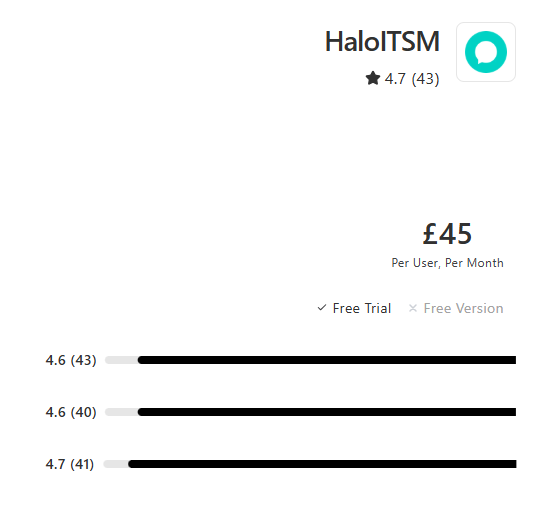
Beyond that trial window, all access requires a paid per-agent subscription.
How Much Does HaloITSM Really Cost?
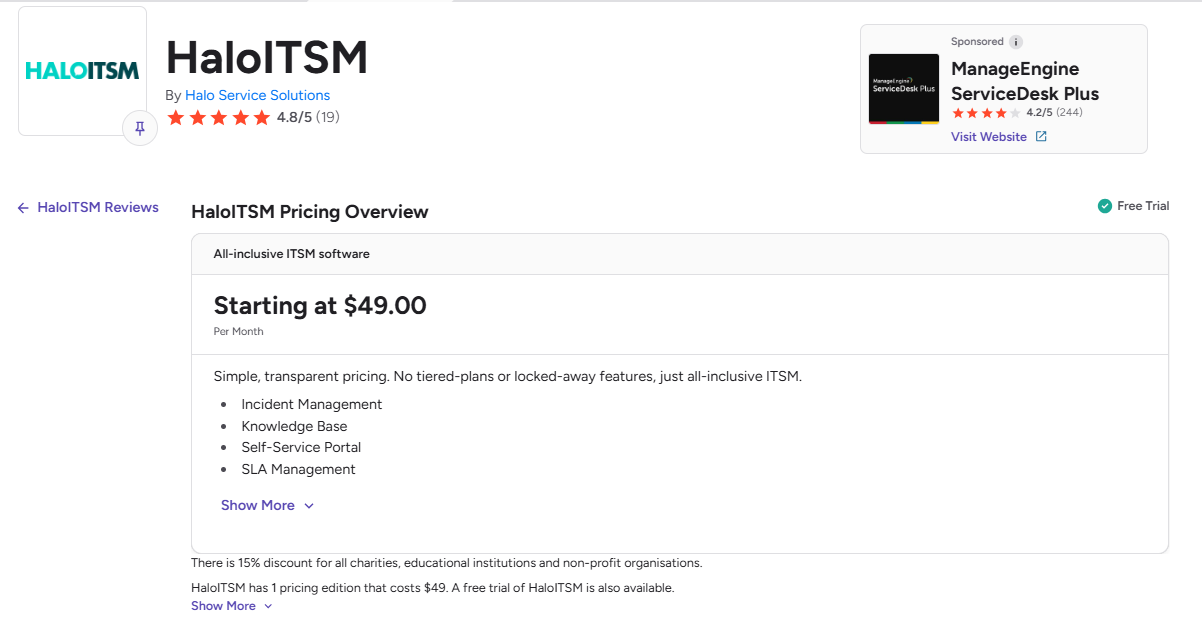
While HaloITSM doesn't publish exact pricing on its website, third-party sources and review platforms give us a reasonable picture of what buyers are actually paying.
According to multiple sources, HaloITSM's per-agent pricing typically falls in the $49 to $70 per month range (billed annually).
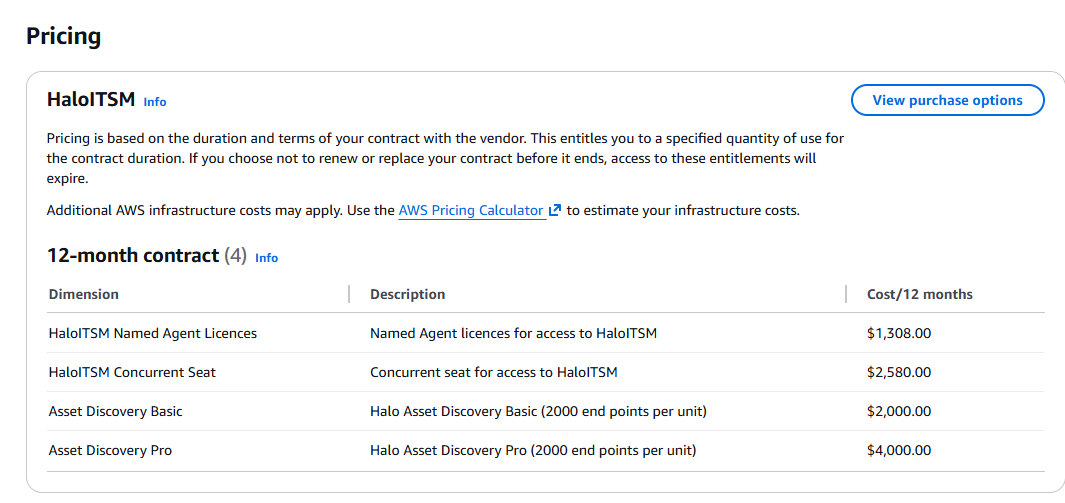
Apart from this, we were able to find HaloITSM’s current pricing on AWS Marketplace, where there are 4 12-month contract tiers:
- HaloITSM Named Agent Licences: $1,308/year.
- HaloITSM Concurrent Seat: $2,580/year.
- Asset Discovery Basic: $2,000/year.
- Asset Discovery Pro: $4,000/year.
Does HaloITSM Provide Good Value for Money?
At $49 to $70 per agent per month with every module included, HaloITSM's pricing is competitive, especially compared to platforms that charge separately for asset management, change control, or self-service portals.
Users on Capterra and Gartner Peer Insights consistently praise the all-inclusive model and the platform's depth of functionality.
Once configured, it covers a lot of ground for the price.
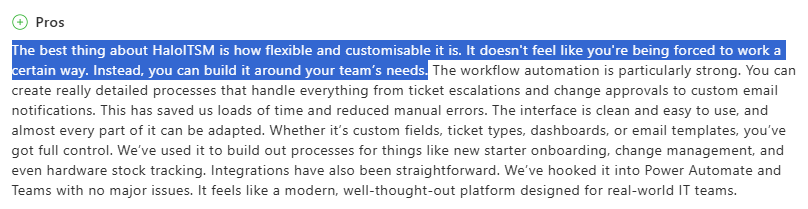
"The best thing about HaloITSM is how flexible and customisable it is. It doesn't feel like you're being forced to work a certain way." - Capterra Review
That said, there are two areas where the total cost of ownership can exceed the sticker price.
The first is configuration complexity.
HaloITSM is highly configurable, but that flexibility comes with a learning curve.
Some reviewers on Gartner Peer Insights describe the platform as detailed but complicated, noting that building out workflows and processes takes significant knowledge.
Teams without a dedicated admin may need additional onboarding support or help from Halo's professional services team to get the most out of the platform.
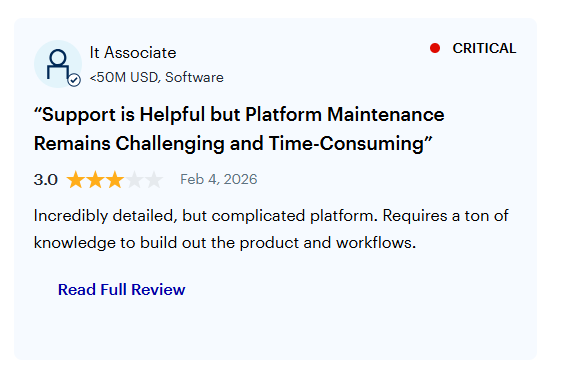
"Incredibly detailed, but complicated platform. Requires a ton of knowledge to build out the product and workflows." - Gartner Peer Insights
The second is reporting.
HaloITSM includes a visual query builder for basic reports, but for anything beyond standard templates, custom reporting requires SQL knowledge.
So the value question comes down to your team's technical capacity.
If you have experienced admins who can own configuration and reporting, HaloITSM delivers strong capability for the price.
If you don't, factor in the cost of onboarding support and the time it takes for non-technical team members to become self-sufficient with reporting.
Looking for a HaloITSM Alternative?
If HaloITSM's pricing model works for your team, it's a solid ITSM platform.
But if you want something that's easier to set up and doesn't require SQL for reports, SmartSuite is worth a closer look.
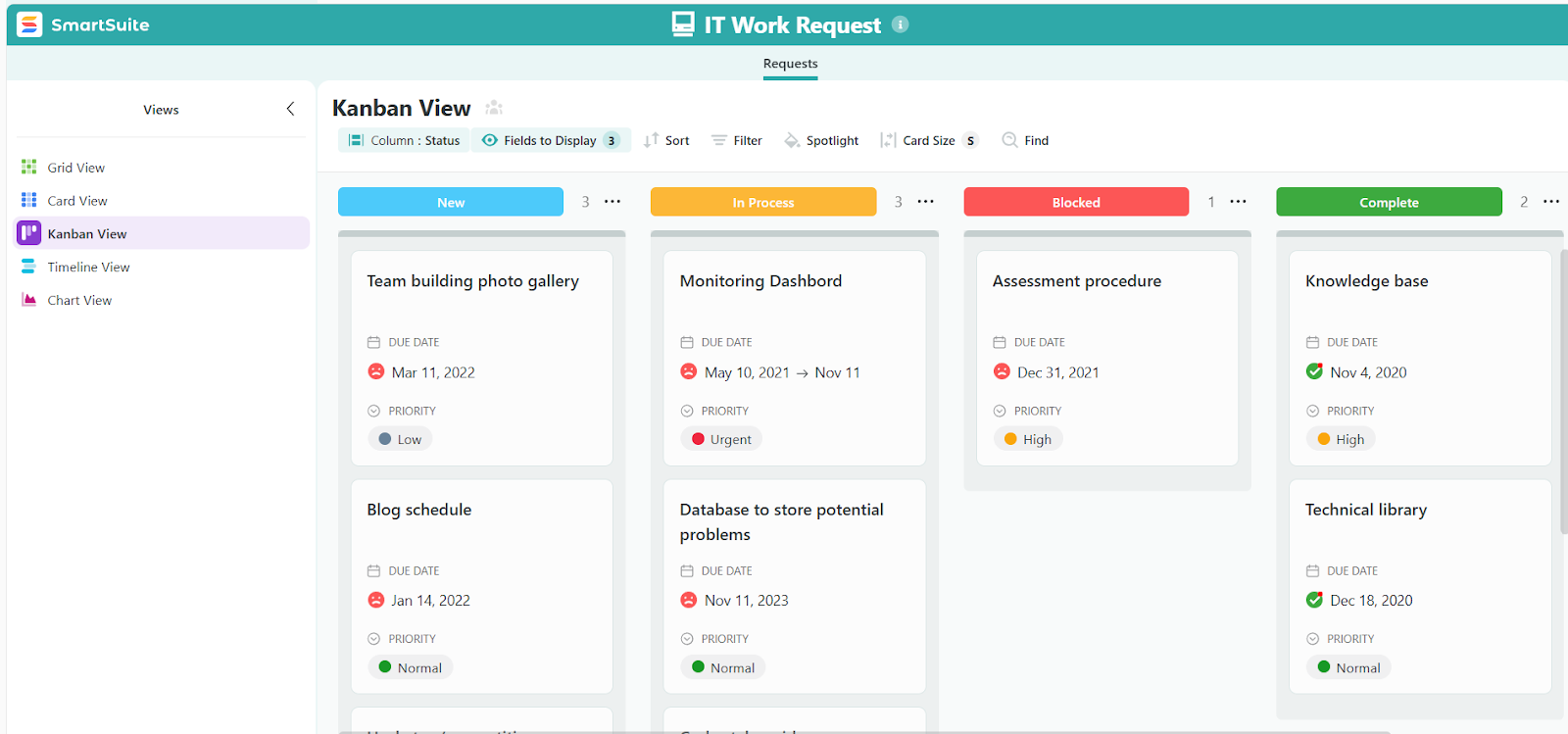
SmartSuite is an AI-native work operating system that connects the workflows running your business in a single, secure environment.
Instead of a standalone service desk that starts and stops at tickets, SmartSuite brings incidents, requests, assets, changes, and day-to-day operations into one connected workspace.
You can standardize and automate work across IT service management, asset management, projects, and operations using shared data, permissions, reporting, and AI.
No separate tools for ITSM and ITAM. No siloed reports. No paying for modules one at a time.
Here's what makes SmartSuite a strong alternative for teams outgrowing or reconsidering HaloITSM: 👇
A connected IT operations platform
SmartSuite is built as a single, connected workspace for managing the full scope of IT operations.
Your service desk, asset tracking, change management, and operational workflows all live in one place. They share the same data, permissions, and reporting layer.
SmartSuite covers four core IT service areas:
- IT Service Management (ITSM): Centralized service desk for incidents, requests, and problems. Omnichannel ticket intake through email, self-service portals, and internal forms. Change and release management with dependency visibility. Configurable SLAs, approvals, routing, and escalations. Knowledge base and service catalog to reduce ticket volume.

- IT Asset Management (ITAM): Centralized inventory for hardware, software, and licenses. Full lifecycle tracking from procurement to retirement. License usage and renewal visibility to cut waste. Vendor, contract, and warranty linkage for cost context.

- Enterprise Service Management (ESM): Unified internal service portal for IT and operational requests. Standardized forms with automated routing and approvals. SLA tracking across teams for consistent delivery.

- IT Operations Management (ITOM): Shared maintenance, change, and release calendars. Major incident and outage workflows with structured response. Live dashboards for KPI tracking and trend analysis.

The practical result is that teams can start with a service desk or asset tracking and expand naturally as needs grow, without having to replatform or pay for add-ons.
Reporting and live dashboards for real-time visibility
Live, customizable dashboards update in real-time as tickets move, incidents escalate, assets change status, or SLAs approach breach.
Your team can build views tailored to technicians, managers, or leadership using the same underlying data.
Key capabilities include:
- Real-time service dashboards for incidents, SLAs, backlogs, and response times.
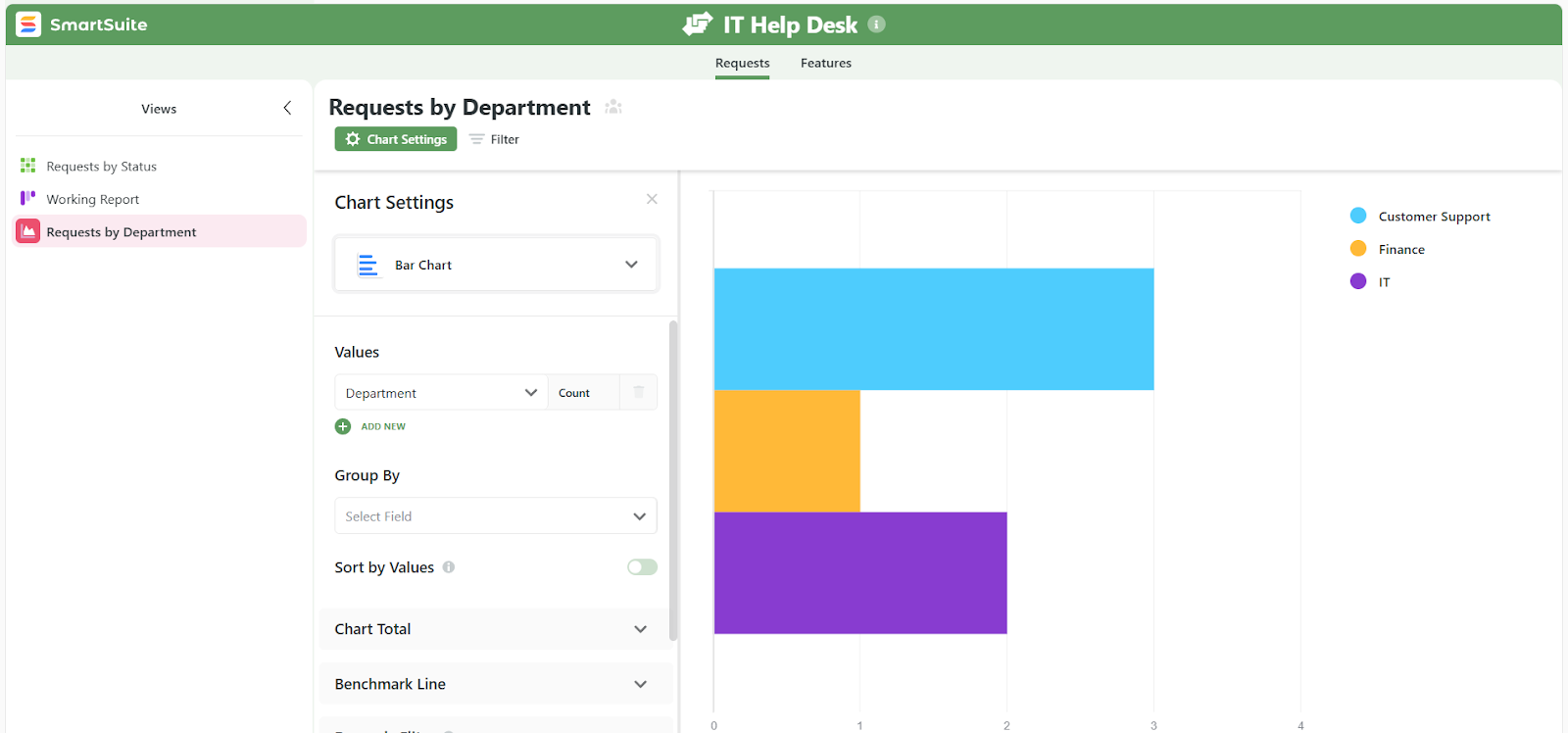
- Asset and lifecycle reporting to track usage, health, and upcoming renewals.
- Cross-workflow dashboards that pull data from multiple solutions into one view.
- Granular permission controls that flow through to every chart, metric, and widget, so sensitive data stays protected.
- Multiple work views including Grid, Kanban, Timeline, Calendar, Chart, Map, and Gallery.
No-code customization that adapts to your workflows
SmartSuite is built for no-code customization, so IT teams can shape their workflows without relying on developers or consultants.
Key capabilities include:
- Visual automation builder to handle approvals, escalations, notifications, and handoffs.

- Drag-and-drop widgets for creating dashboards and forms that fit how your operations actually work.
- 200 or more ready-made templates that you can tailor to your team's processes.
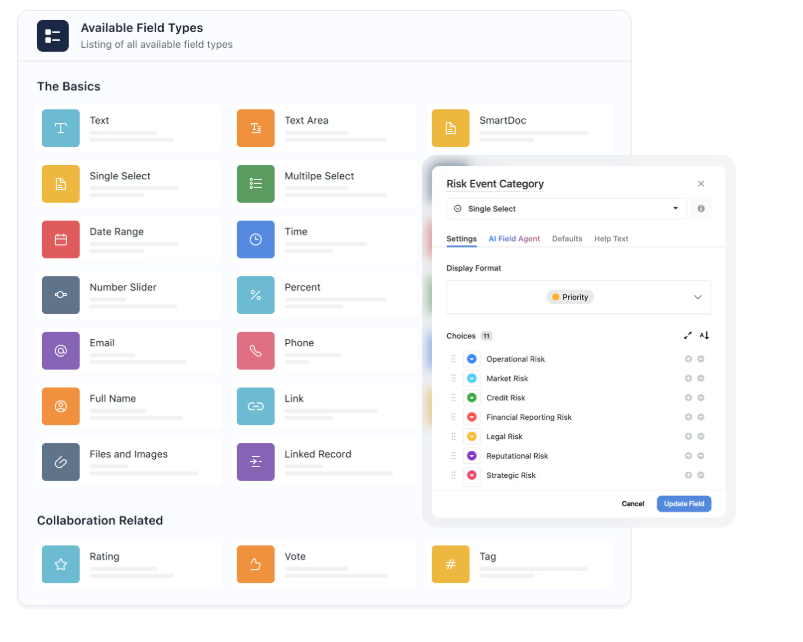
- 40 or more field types to build solutions that reflect different operational requirements.
- Integrations with widely used platforms to enable connected data flows across your stack.
This makes SmartSuite especially useful for IT teams that expect change, such as scaling operations, supporting new departments, or refining processes, without being locked into rigid workflows.
Automation and AI that cut manual work
SmartSuite pairs automation with built-in AI to help IT teams move faster and stay consistent without adding headcount.

Key capabilities include:
- No-code workflow automations for routing, approvals, escalations, notifications, and handoffs.
- Cross-workflow automation so actions in one area (like a hardware failure) can trigger updates in related workflows.
- AI assistants for ticket triage, incident summarization, turning resolutions into knowledge articles, and impact analysis.
- Built-in governance ensuring automations respect permissions, data access rules, and audit requirements.

Together, automation and AI turn SmartSuite into an active operating layer that helps IT teams respond faster and scale operations without piling on manual work.
How Is SmartSuite's Pricing Different From HaloITSM's?
Unlike HaloITSM, SmartSuite publishes its pricing openly. There's no need to contact a sales team to find out what it costs.
SmartSuite also offers a 14-day free trial of its Professional plan with no credit card required, so you can test real workflows before committing.
From there, SmartSuite has two pricing models depending on your organization's size and needs:
User-based pricing, built for small to mid-sized teams that want full platform access under one license:
- Team: $12 per user per month (minimum 3 users), includes unlimited solutions, 5,000 records per solution, 50GB storage, SmartSuite AI, dashboards, pre-built templates, and real-time collaboration.
- Professional: $24 per user per month (minimum 5 users), adds 100,000 records per solution, 100GB storage, Gmail and Outlook integrations, folders, and advanced access controls.
- Enterprise: $45 per user per month (minimum 10 users), adds 400,000 records per solution, 500GB storage, SSO, SCIM provisioning, audit logs, DLP, IP restrictions, and premium support.

Every licensed user can access all SmartSuite solutions, including ITSM, ITAM, GRC, projects, and operations, without paying separately for service management, asset management, or reporting modules.
Solution-based custom-tailored pricing, designed for regulated industries and large enterprises where per-user licensing across the full platform isn't practical:
- License only the specific solutions you need (like ITSM or ITAM).
- Structure access by department, region, or regulatory requirement.
- Scale for thousands of users without compromising security.

To put it in perspective:
- A 25-person IT team on SmartSuite's Team plan would pay $300 per month.
- That same team on HaloITSM would likely pay $1,225 to $1,750 per month, depending on negotiated rates.
How Is SmartSuite Different From HaloITSM?
HaloITSM gives IT teams a solid, ITIL-aligned service desk with an all-inclusive licensing model that bundles every module into one price.
In fact, the platform has expanded, and its current platform includes IT Service Management, Enterprise Service Management, Customer Service Management, Asset Management, and IT Operations Management.
That's a genuine strength, and it's earned real loyalty from mid-market teams who've been burned by add-on pricing elsewhere.
But when you compare how both platforms support IT operations day to day, a few key differences stand out:
- Pricing transparency: HaloITSM doesn't publish exact pricing on its website and requires a sales conversation to get a quote. SmartSuite offers fully published per-user pricing, with a 14-day free trial and no credit card required.
- Platform approach: Both platforms cover ITSM, ESM, and asset management. SmartSuite's differentiator is that it connects these workflows natively in a single no-code workspace with built-in AI, 200+ templates, and real-time dashboards, designed so teams can deploy and extend without dedicated admins or external consultants.
- Reporting: HaloITSM's custom reporting requires SQL knowledge, which limits who on the team can build and pull reports. SmartSuite offers live, no-code dashboards that update in real time and can be built by anyone on the team.
So, in short:
HaloITSM is a solid choice for mid-market IT teams that want an all-inclusive ITIL service desk and have the technical resources to configure it.
SmartSuite is built for organizations that want connected IT operations, transparent pricing, and no-code flexibility without the implementation overhead.
Get Started With SmartSuite for Free Today
You can give SmartSuite a try with our free trial and ready-to-use ITSM templates.
Here's what your team gets when you try SmartSuite:
- A 14-day free trial with all features unlocked and no credit card required.
- Connected ITSM, ITAM, and operations workflows in one platform.
- No-code automation for routing, approvals, escalations, and handoffs.
- Live dashboards and reporting with no SQL knowledge needed.
- Built-in AI for ticket triage, incident summarization, and knowledge article creation.
- 200 or more pre-built templates to get started fast.
Start a free SmartSuite trial (no credit card required) or book a demo to see how your IT team can run services, assets, and operations in one place.
⚠️ Disclaimer: This article was last updated on 03/16/2026, and if there's any misinterpretation of the information, please contact us, and we will fact-check it.
Read More
- MetricsStream Pricing: Is It Worth It In 2026?
- ServiceNow Review: Is It Worth It in 2026?
- BMC Helix Pricing: Is It Worth It In 2026?
- 10 Best MetricStream Alternatives for GRC in 2026

SmartSuite provides work platform for standardizing workflows in the following areas:
- Governance, Risk & Compliance
- IT & Service Ops
- Project / Portfolio Management
- Business Operations







