


Dashboards and Reporting Built Into Every Workflow
SmartSuite brings reporting directly into the way work gets done. Dashboards give leaders a clear view across solutions, while views help every team member focus on the slice of work that matters most to them.
Because reporting is permission-aware and always live, you can trust that every chart, metric, and list reflects the latest reality — without exporting data into separate tools.
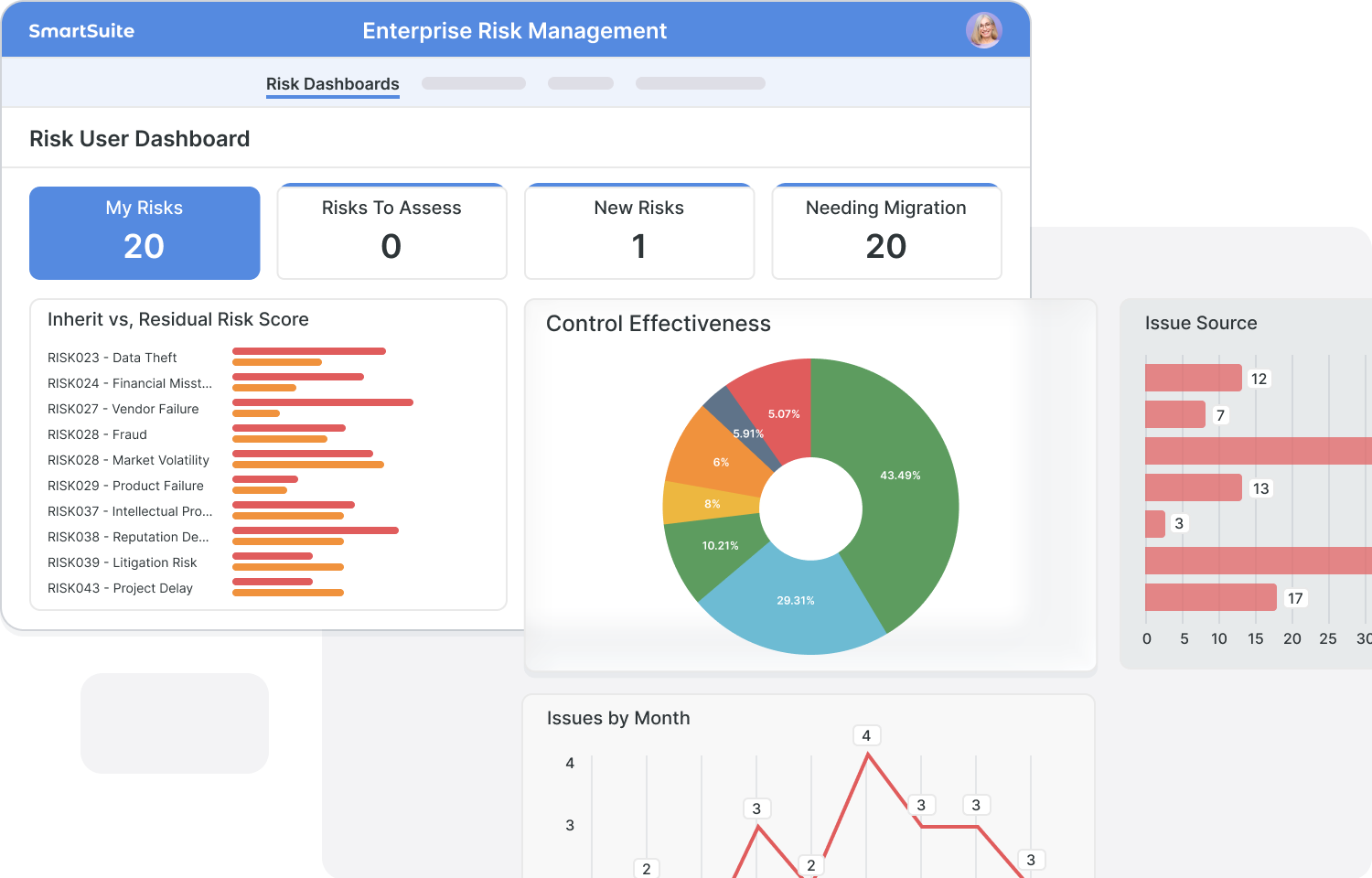
See the latest status, metrics, and trends without refreshing, exporting, or rebuilding reports.
Bring data together from multiple Solutions to understand performance across teams.
Give every user a view into the work that matches their permissions and responsibilities.
Let teams build their own dashboards and views without relying on a separate BI team.
Dashboards and Reporting
Keep your teams aligned by displaying your data in the view type that best supports the work you are doing. Easily switch between view types with a single click to find the perfect display that's right for you. It really is that easy!
Dashboard View
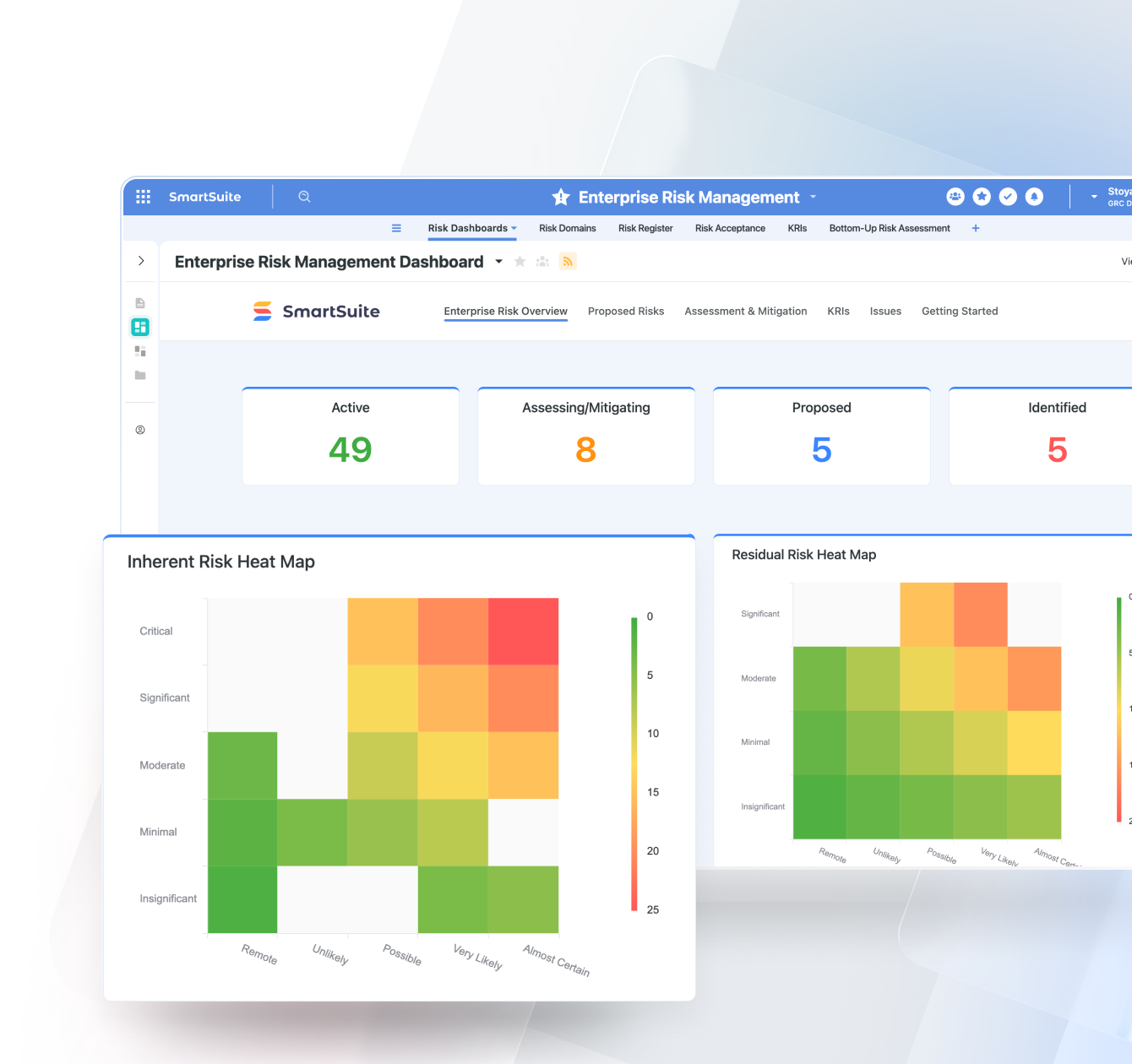
See the big picture at a glance. Dashboards combine charts, metrics, and widgets into a single, interactive view—so teams always understand performance and trends in real time.
- Enterprise Risk Dashboard
- Third-Party Risk Dashboard
- Regulatory Change Dashboard
- Crisis Management Dashboard
Grid View
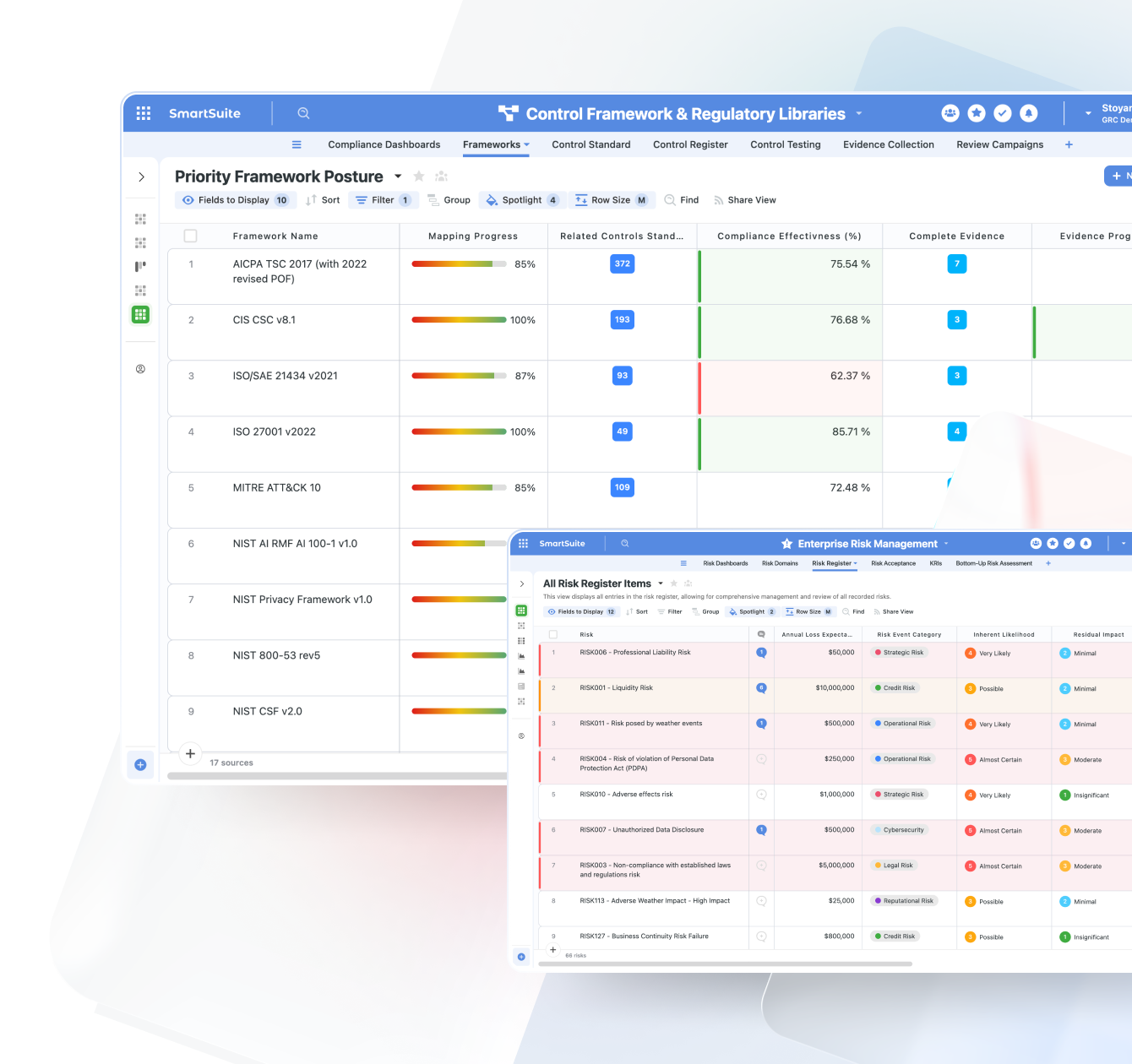
Your most flexible, spreadsheet-style view for managing structured data. Perfect for analysis, inline editing, and bulk updates across any workflow.
- Issue & Control Inventory
- Project Task List
- Customer or Vendor Master File
- Audit Evidence Tracker
Card View
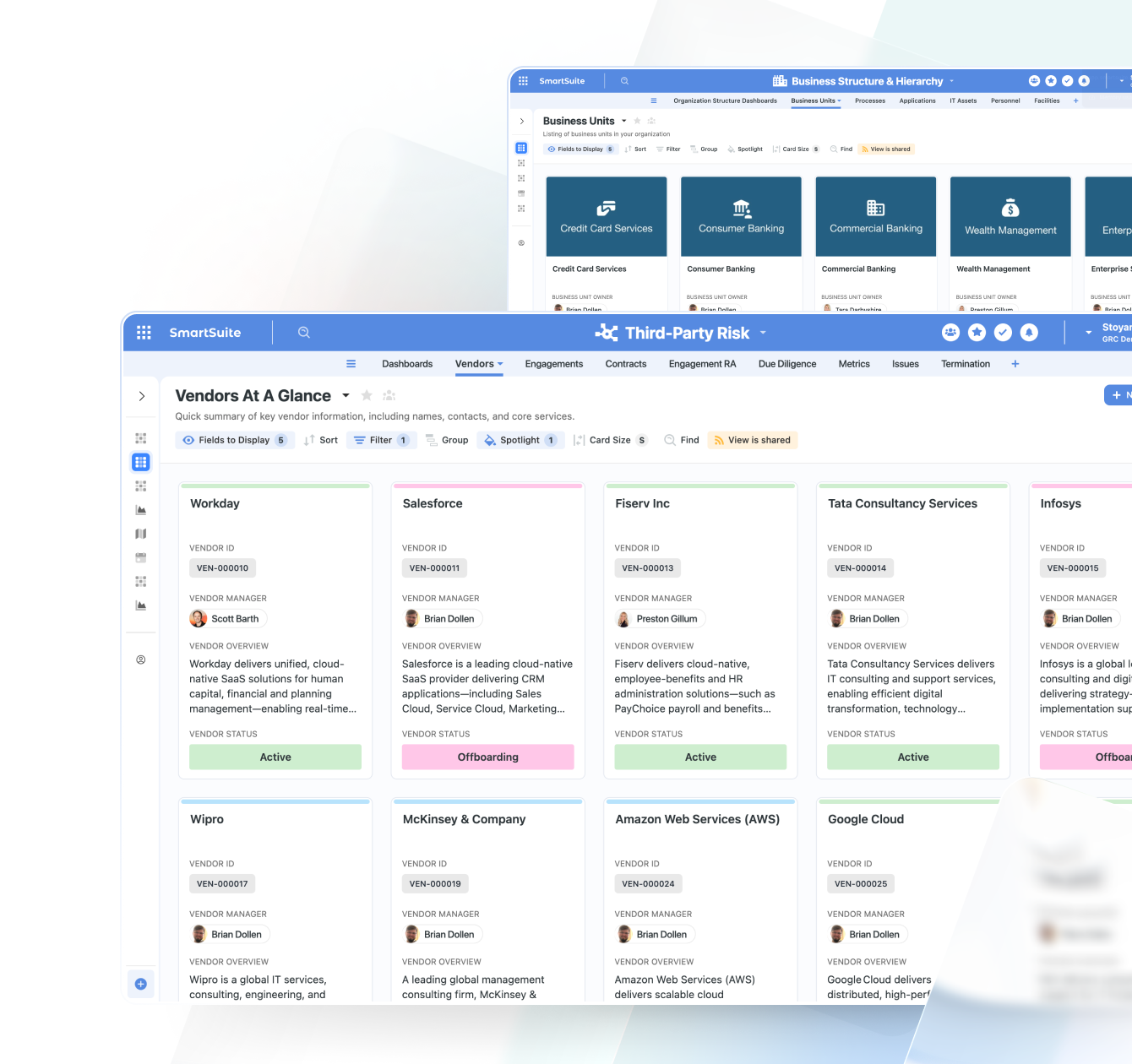
Visualize records as cards instead of rows—ideal for scanning key information quickly or organizing items by category, owner, or status.
- Customer Profiles
- Employee Directory
- Asset Inventory Cards
- Feature or Idea Backlog
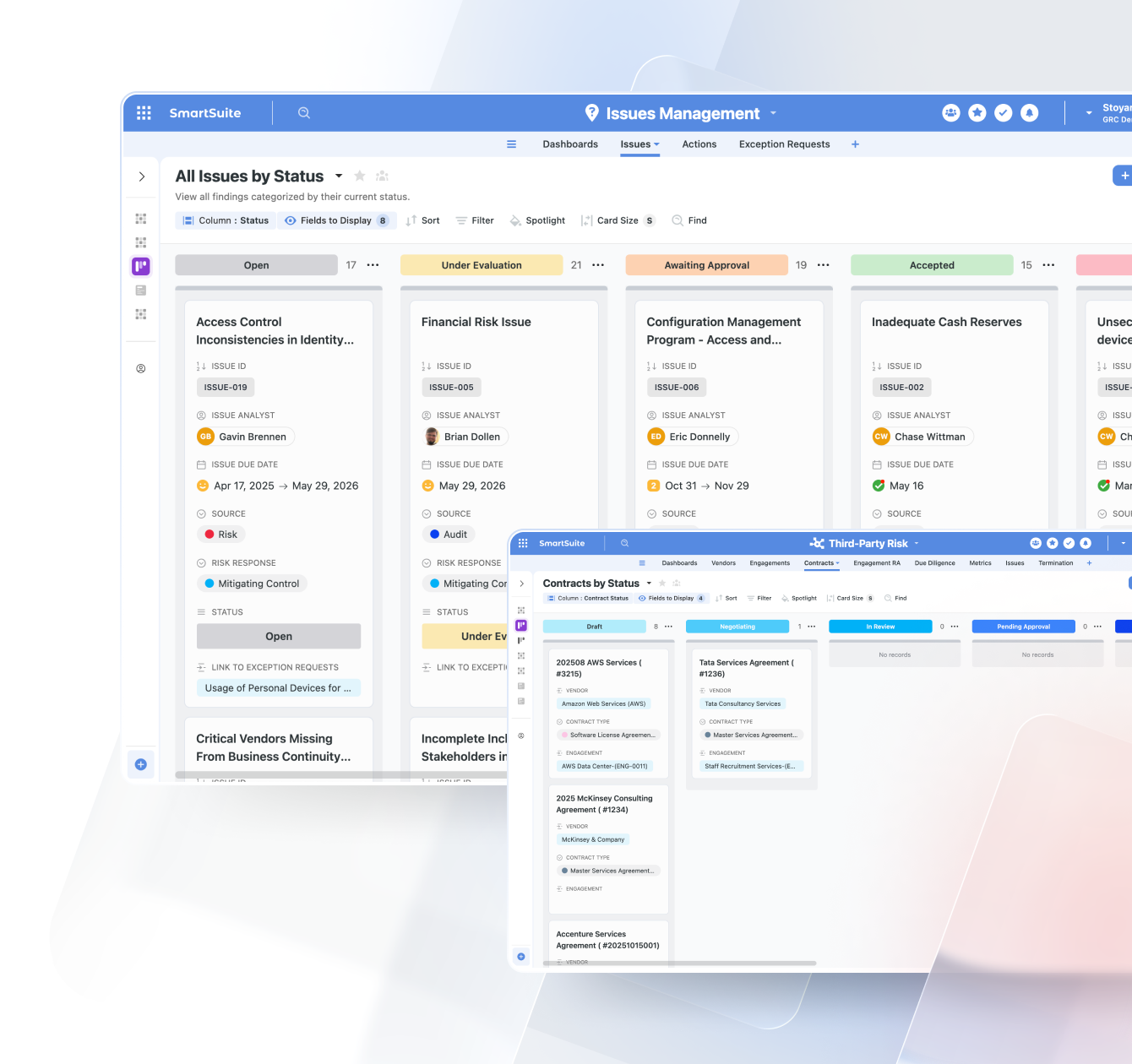
Kanban View
Track work as it moves through stages with a drag-and-drop board. Ideal for workflows with clear statuses or approval paths.
- Risk Treatment Workflow
- Sales Opportunity Stages
- Content Publishing Pipeline
- IT Ticket Progress
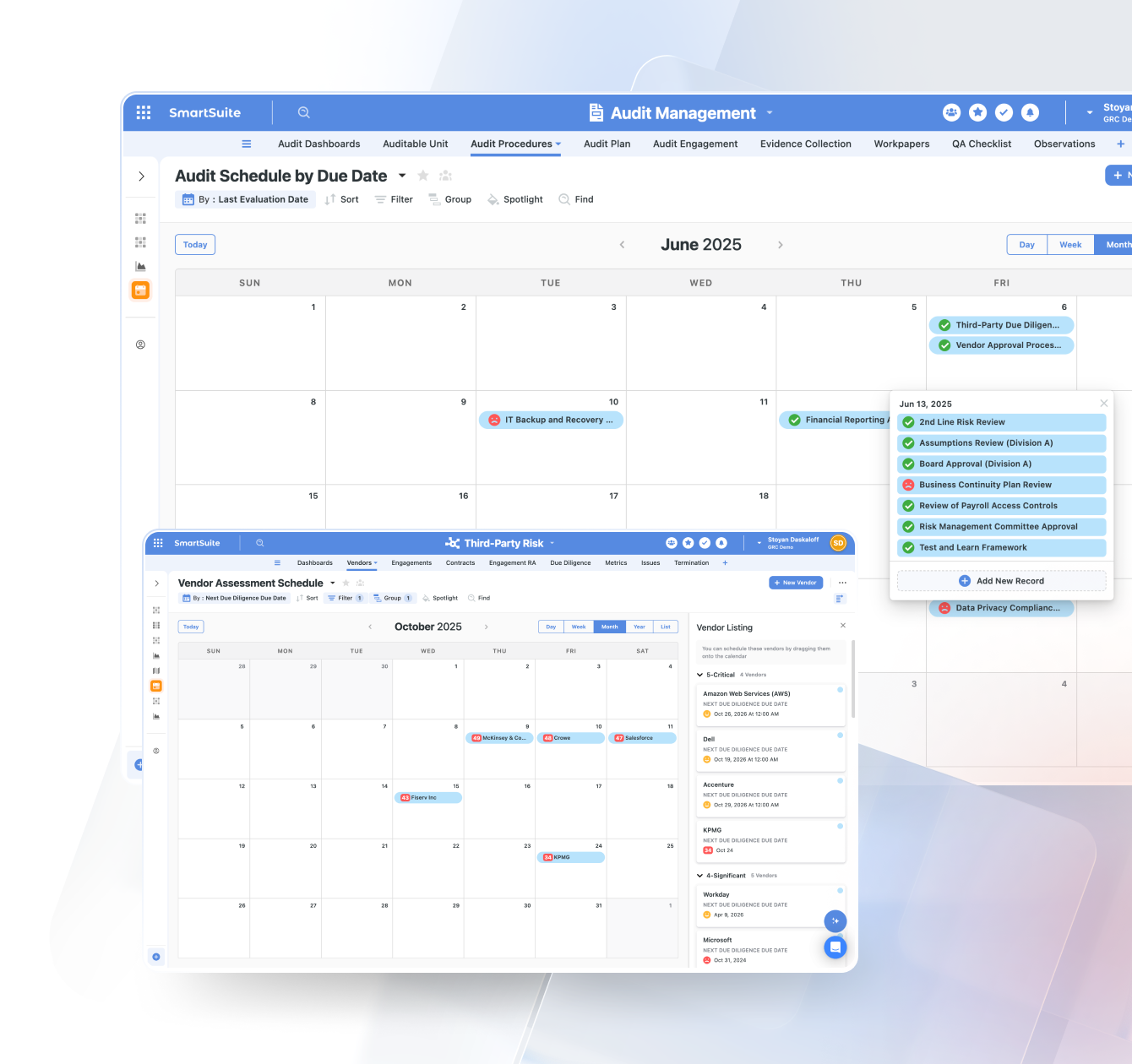
Calendar View
Plot records across days, weeks, or months to visualize schedules, timelines, or time-dependent activities.
- Compliance Deadlines
- Marketing Campaign Calendar
- Employee Time-Off Schedule
- Project Milestones
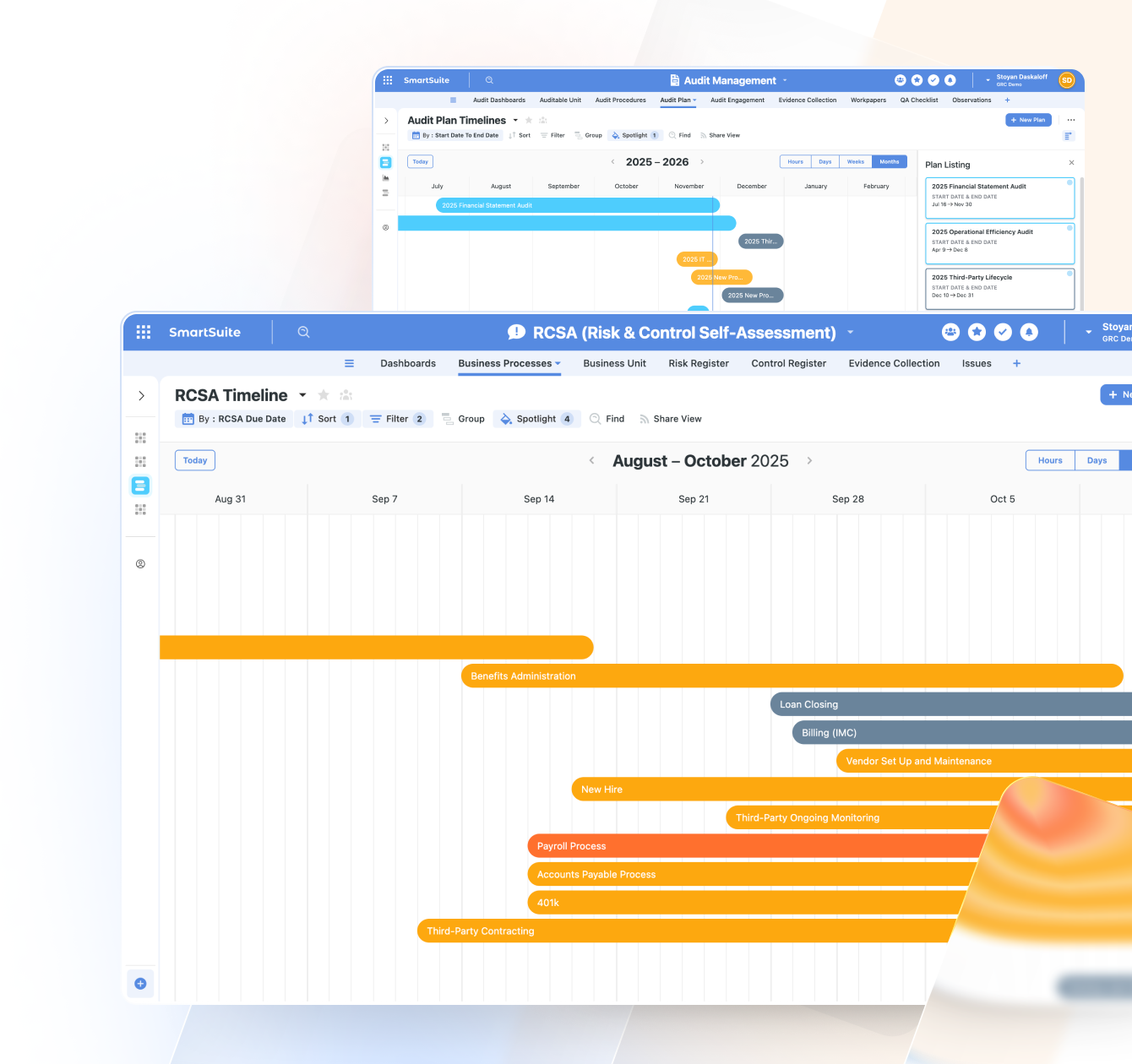
Timeline View
Understand duration-based work with a timeline that shows tasks and dependencies over time—perfect for project and resource planning.
- Implementation Roadmap
- Risk Assessment Activities
- Hiring Pipeline Stages
- Grant or Contract Timelines
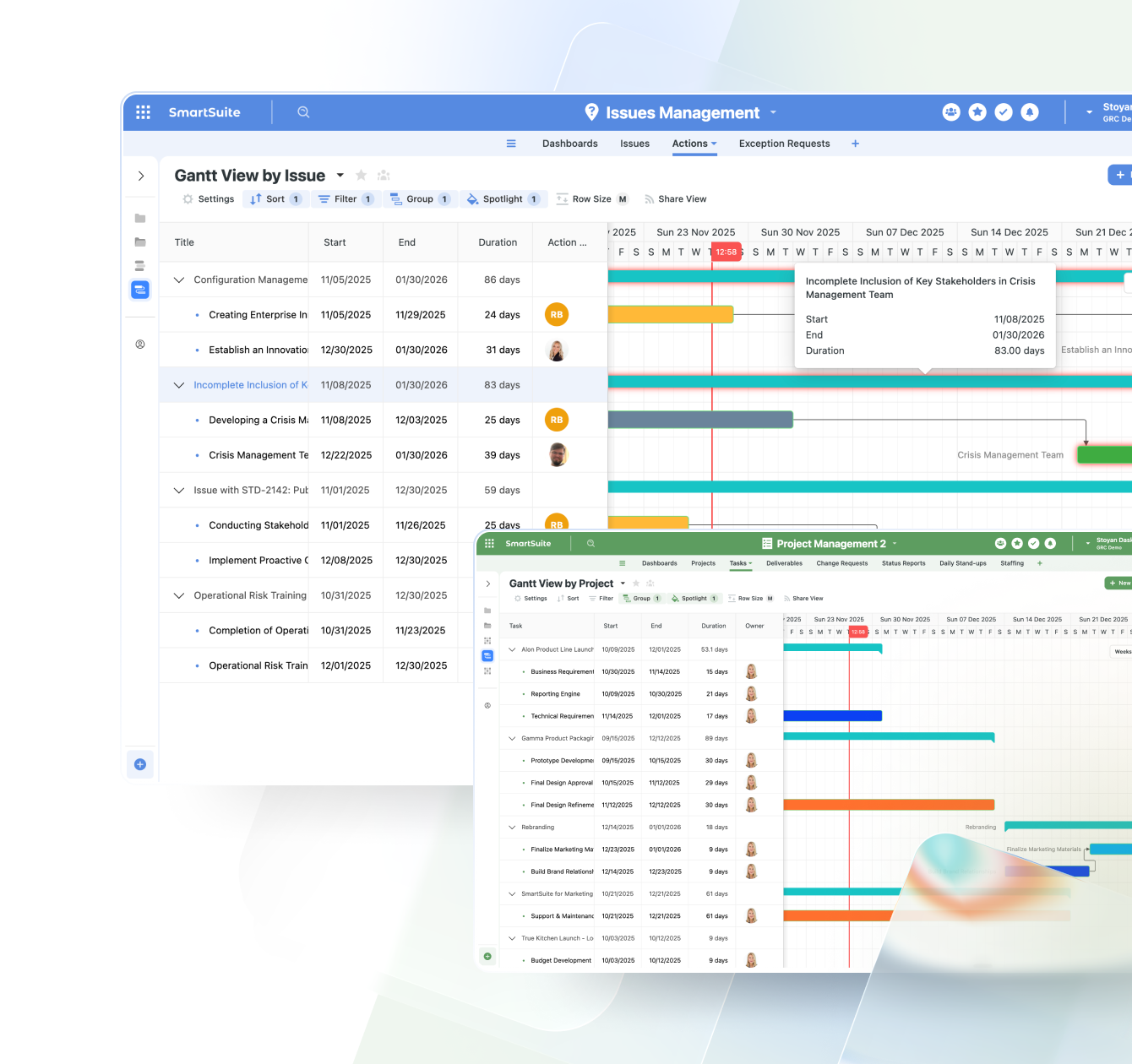
Gantt View
A project management essential. Visualize timelines, dependencies, and critical paths to keep teams aligned and projects on track.
- Software Release Plan
- Business Continuity Plan Testing Schedule
- Construction Project Phases
- Event Planning Schedule
Map View
Plot any record with a location field on an interactive map—ideal for geographically distributed assets, customers, or operations.
- Store or Facility Locations
- Field Service Routes
- Incident or Outage Locations
- Customer Geo Distribution

Forms View
Collect structured data through branded, user-friendly forms that feed directly into your workflows—no integrations required.
- Intake for Support Tickets
- New Vendor / Third-Party Requests
- Project or Work Intake Forms
- Customer Feedback & Surveys
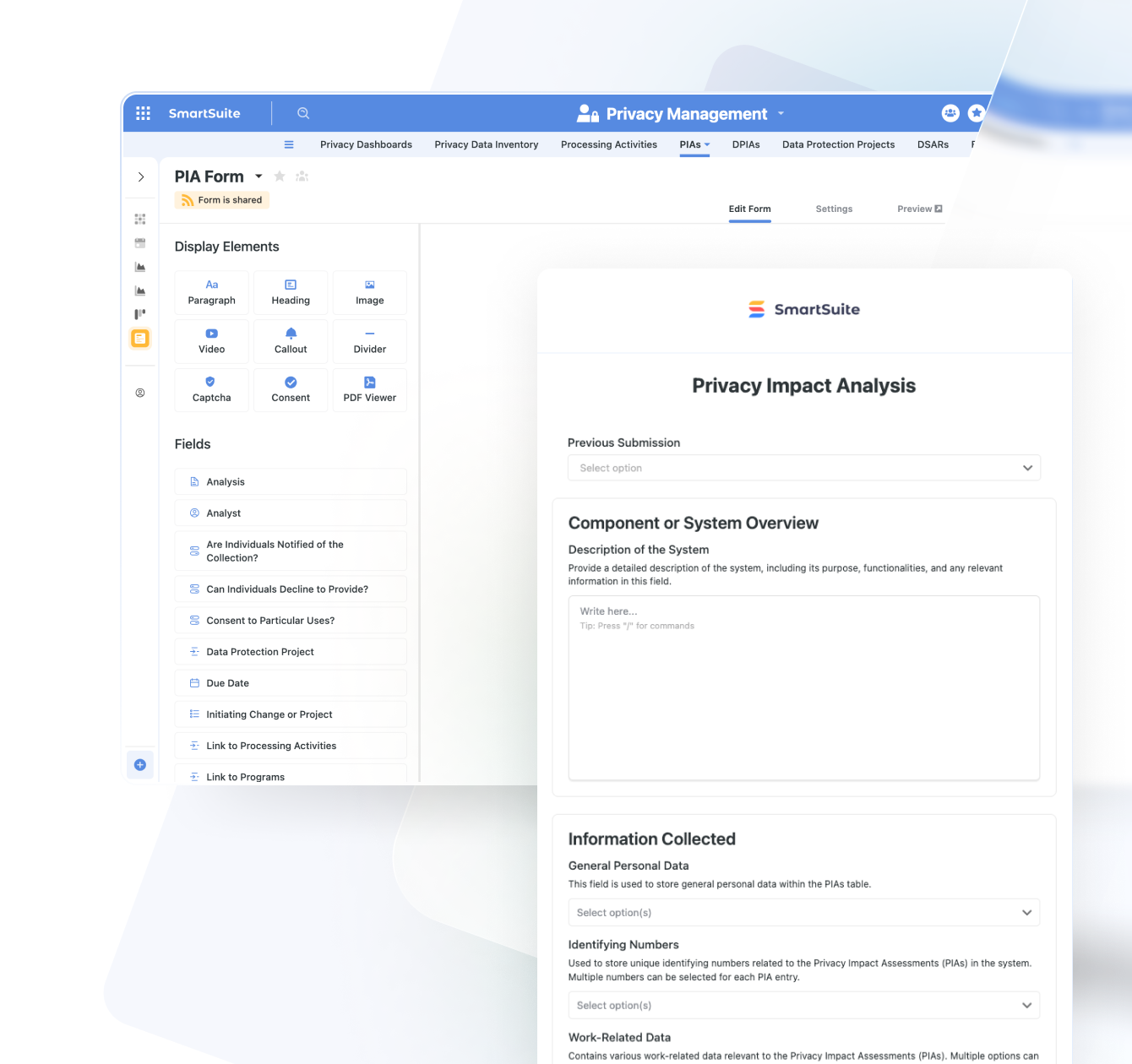
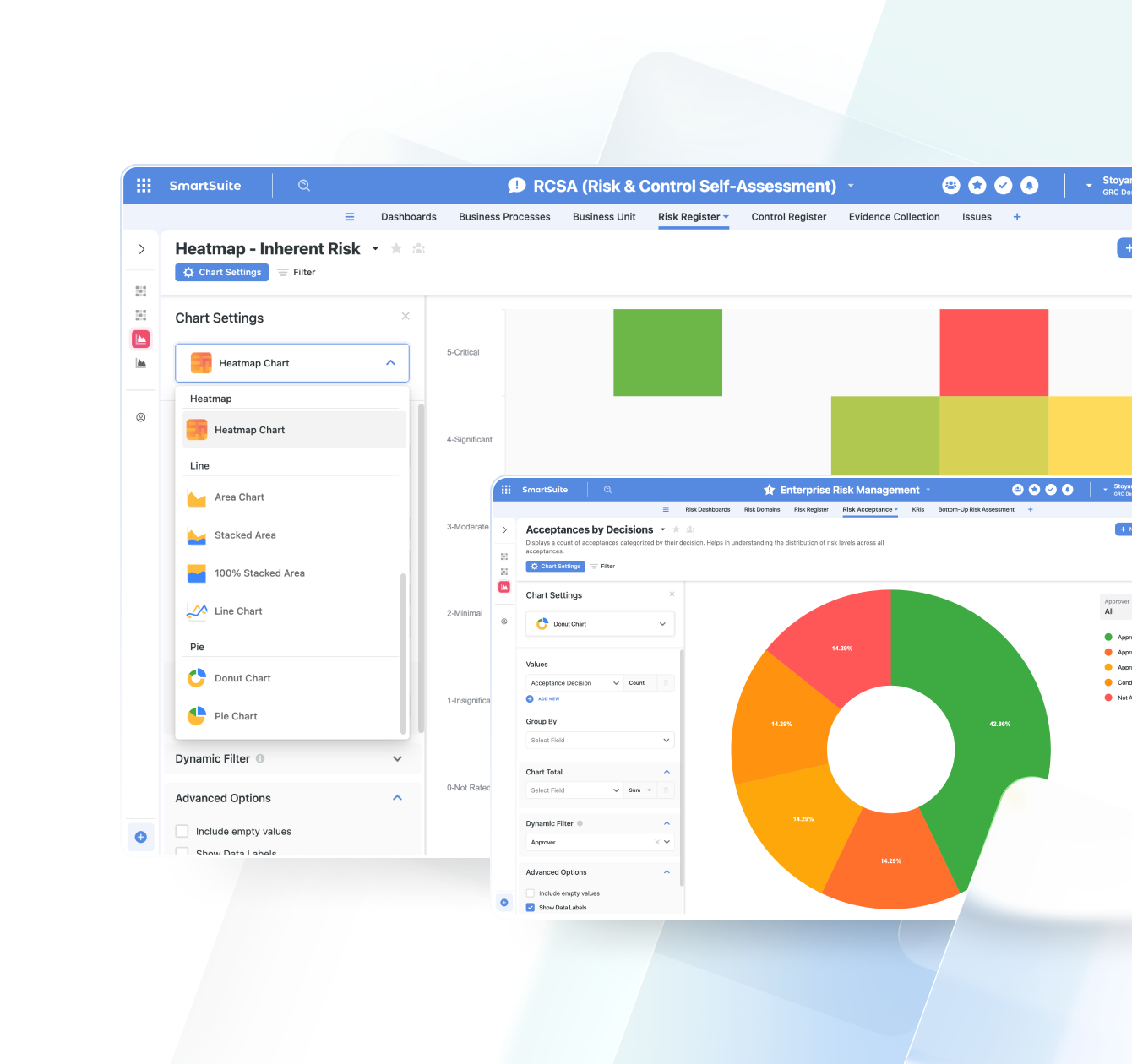
Chart View
Turn your data into insights with bar, line, pie, donut, bubble, and other chart types. Ideal for quick reporting and KPI tracking.
- Control Effectiveness Trends
- Sales by Region
- Time-to-Close KPIs
- Budget vs Actuals
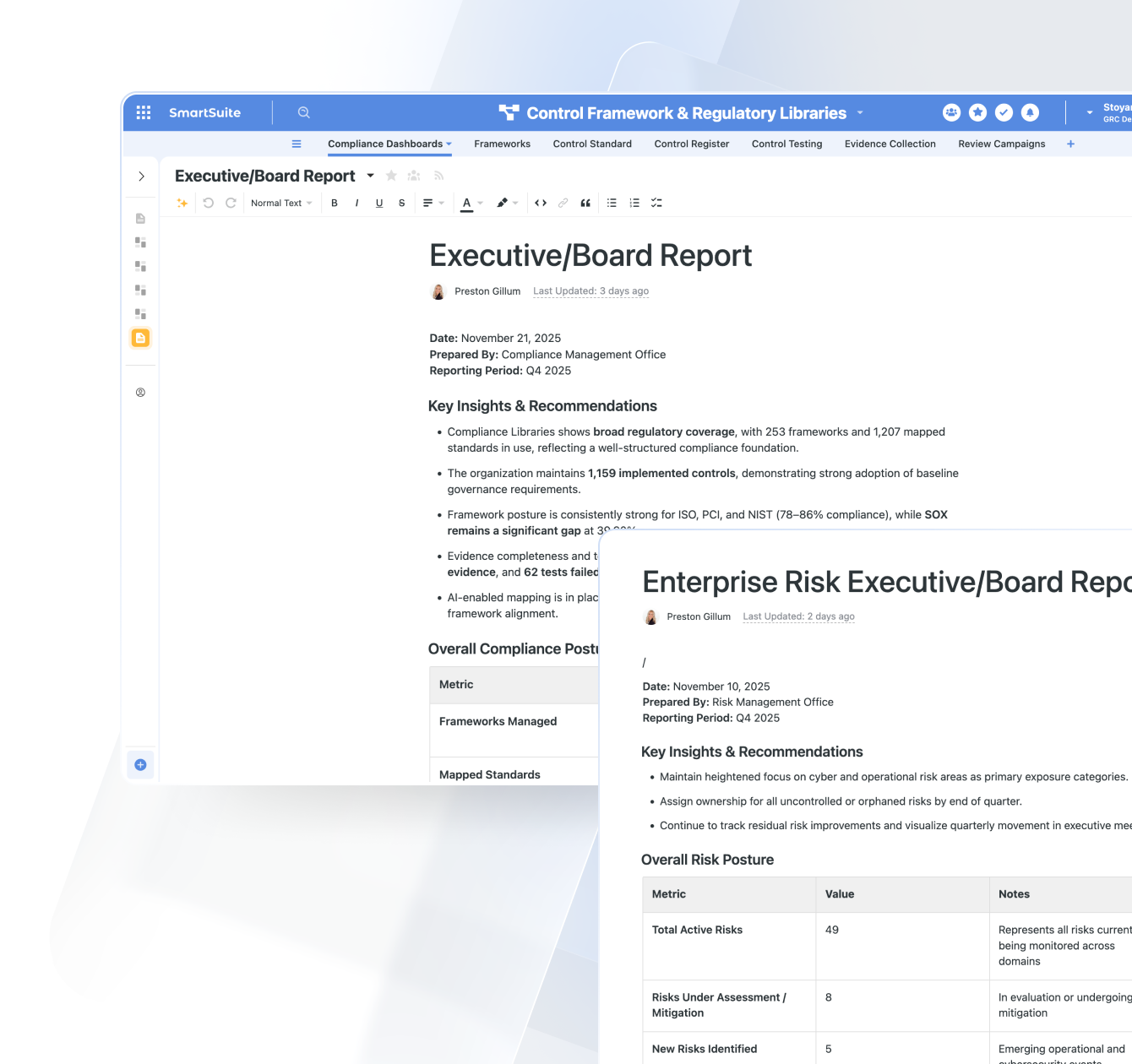
Document View
Write, edit, and collaborate on rich documents right next to your workflow data. Perfect for narrative reporting and documentation.
- Audit or Assessment Reports
- Project Briefs
- Policies & Procedures
- Meeting Notes & Summaries

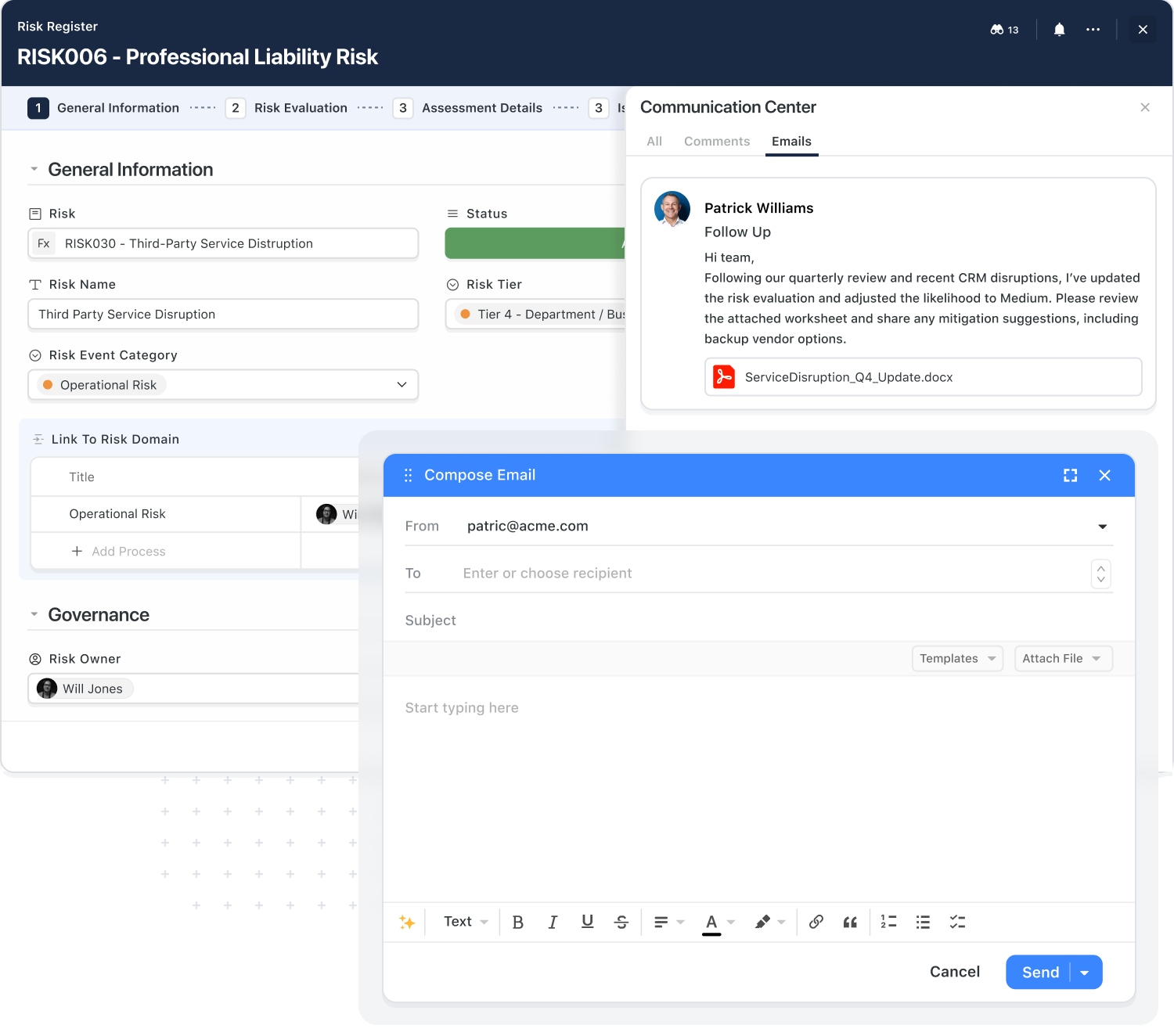
Keep Email Threads Where They Belong: In The Record
Customer, vendor, and stakeholder emails no longer sit in individual inboxes. SmartSuite routes them straight into the records they belong to, so context and commitments stay visible to the whole team.
- Send and receive emails directly from any records.
- Auto-thread messages to the right account or project.
- Keep attachments and approvals tied to the work, not buried in inboxes.
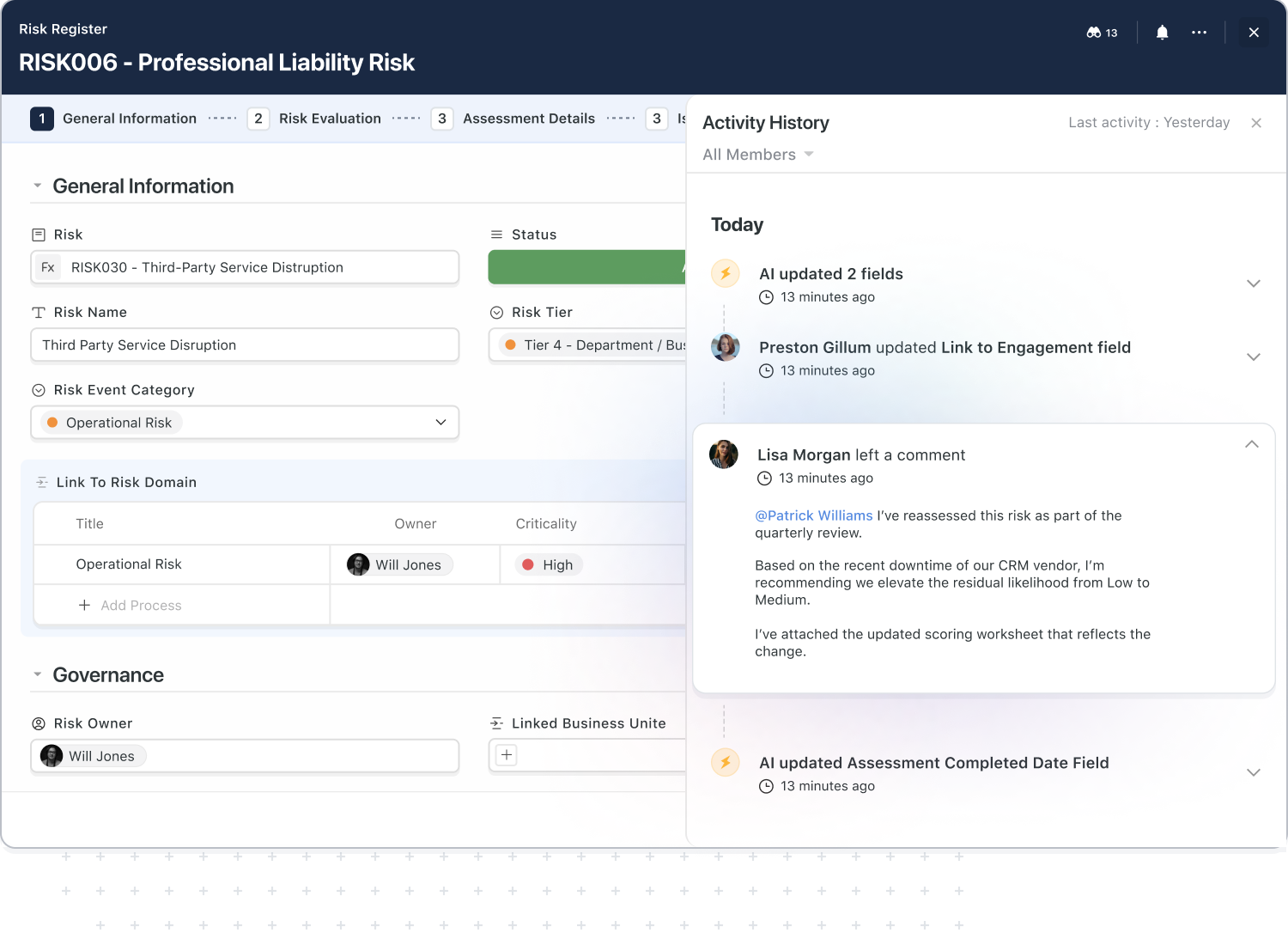
Know Exactly How Work Evolved Over Time
SmartSuite captures a complete activity history for each record so you can always answer simple but critical questions: who changed this, when, and why?
- Track comments, edits, and status changes in one timeline.
- Onboard new team members faster by showing them the full story.
- Support internal reviews and audits with clear evidence of collaboration and approvals.
Stay In The Loop Without Drowning In Alerts
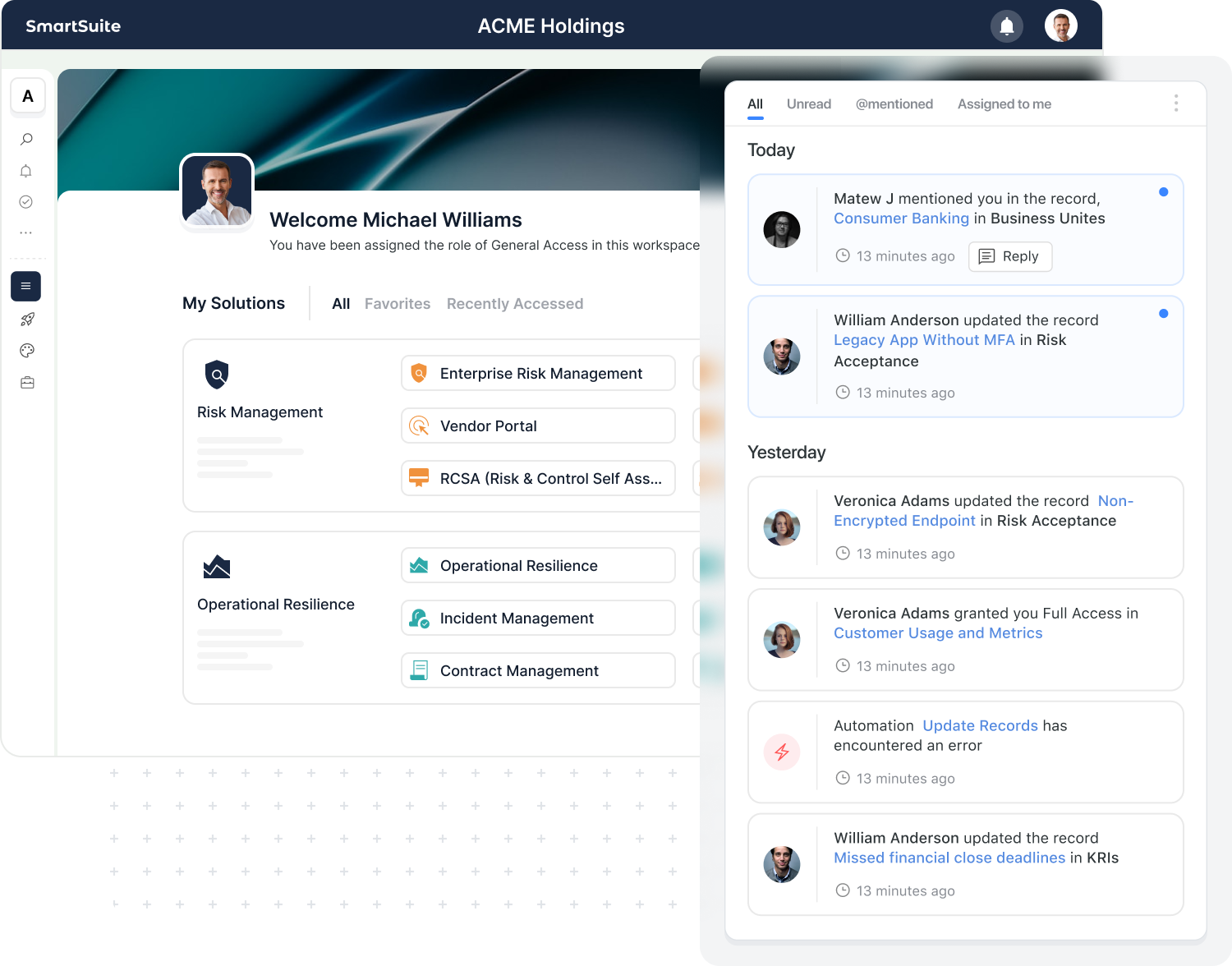
SmartSuite notifications keep you updated on the work that matters most—mentions, assignments, approvals, and critical changes—while giving you the control to dial back the noise.
- Fine-tune notifications by solution, record type, or role.
- Use digests for leaders who need signal, not streams.
- Integrate Slack and Teams while keeping SmartSuite as the source of truth.
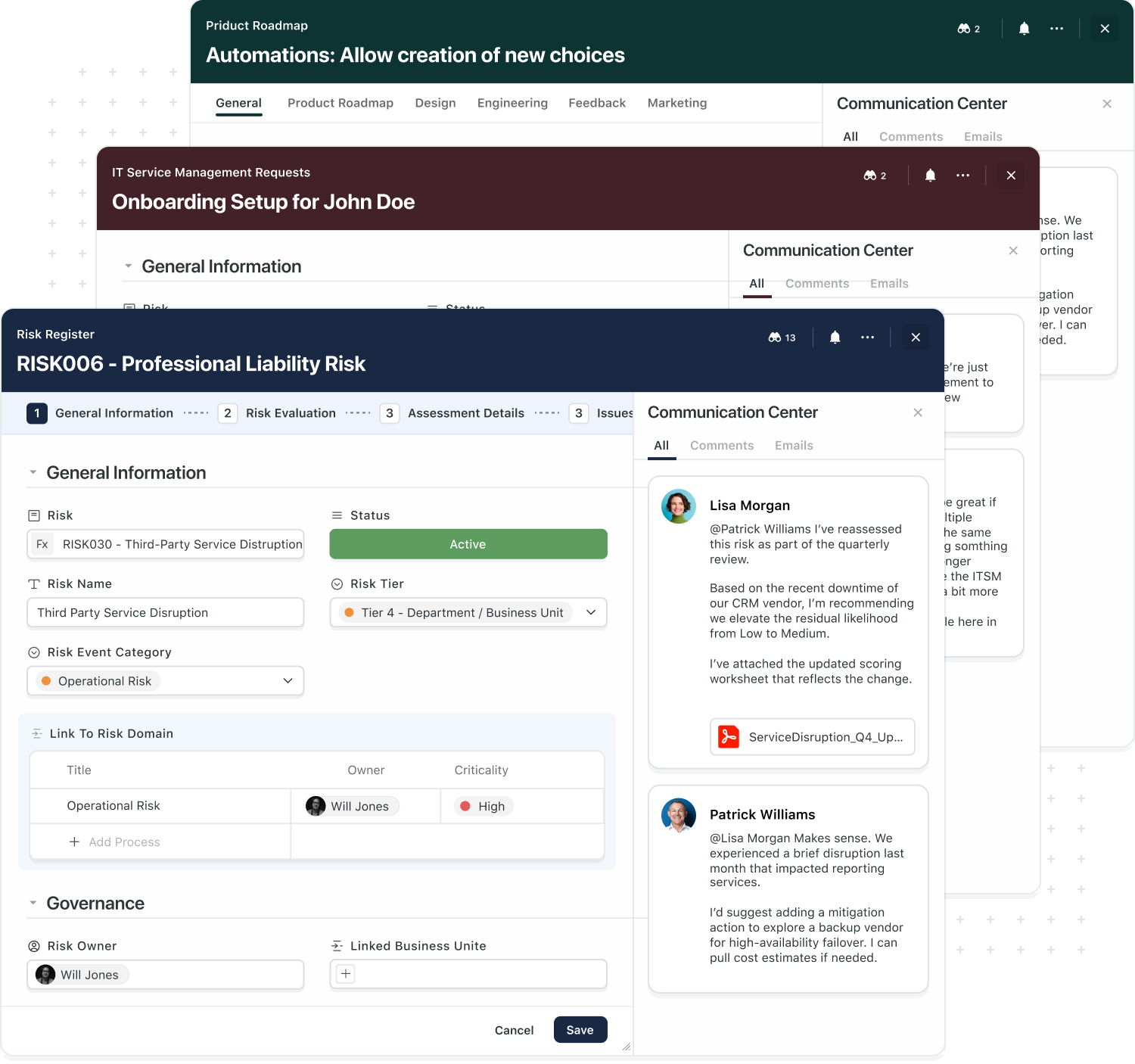
The Same Collaboration Model Across Every Solution.
Teams shouldn't have to learn a new way of collaborating every time they touch a different system. SmartSuite gives you one consistent collaboration model that works across GRC, ITSM, projects, CRM, and more.
- Use the same comments, tasks, and approvals everywhere.
- Connect conversations across related records and solutions.
- Reduce tool sprawl by bringing more work into one platform.
Automation & AI
In SmartSuite, collaboration doesn't end with a thumbs-up on a comment. Automations and AI can watch for approvals, mentions, and key phrases—and then move work forward automatically.
- Trigger workflows when comments or approvals meet certain criteria.
- Use AI to summarize long threads into a single, readable decision log.
- Automatically create tasks and reminders based on what was discussed.

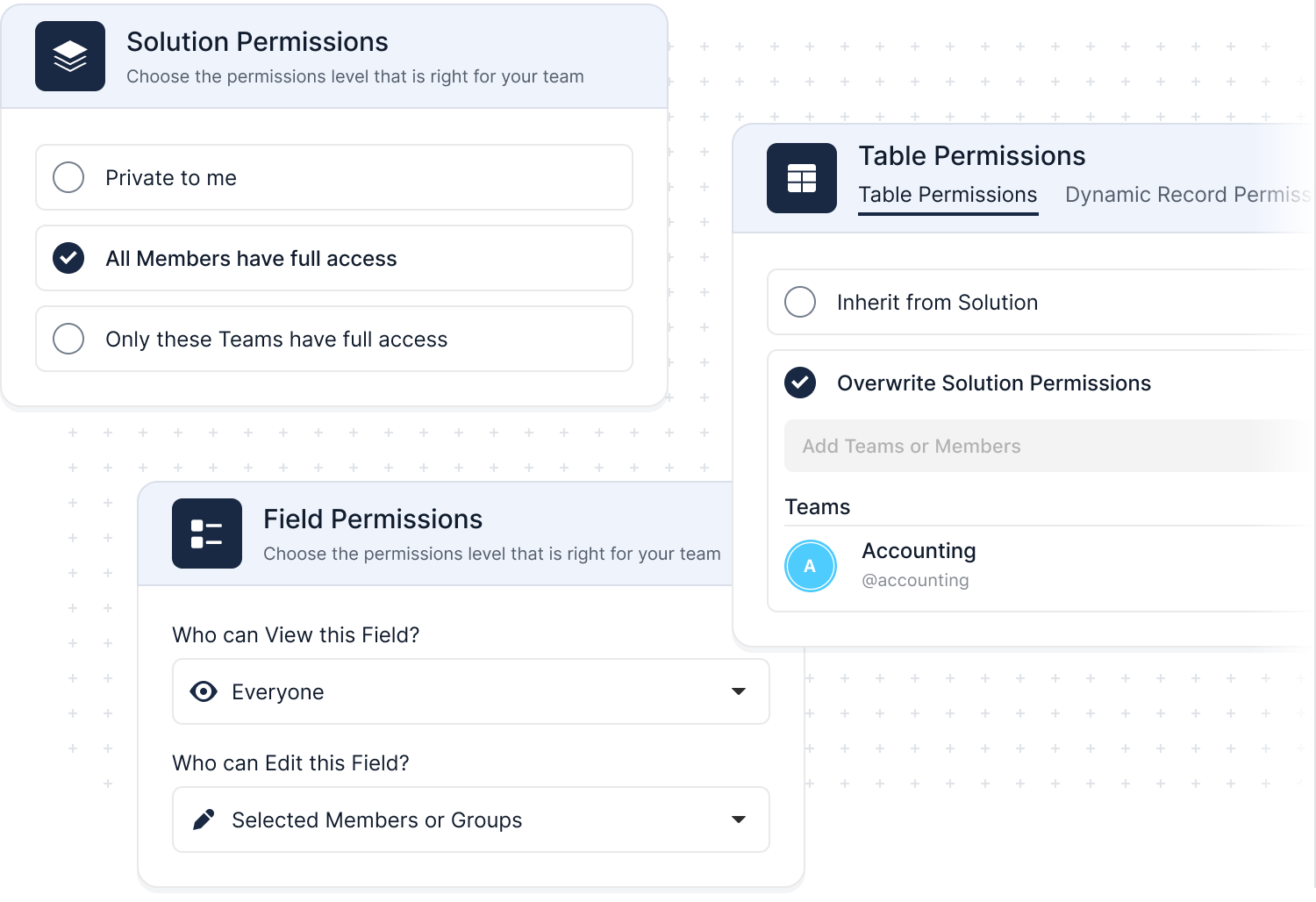
Collaboration That Respects Your Governance Model
SmartSuite was built for teams that need both openness and control. Role-based access, record-level permissions, and field-level rules ensure that people can contribute without overstepping what they should see or change.
- Define who can view, comment, and edit at every level.
- Use field-level visibility to protect sensitive data inside shared records.
- Rely on activity history and logs for audit and compliance reviews.
Getting Started with SmartSuite
Learn the SmartSuite layout: workspace, Solutions, Views, Records. See how to navigate, search, filter, and create items to get productive fast.

Understand the Homepage layout: sidebar, header, search, and activity. Pin favorites, review assignments, and launch Solutions with one click. Make it your daily command center.

See your data from every angle. Learn Grid, Kanban, Calendar, and more. Switch views, sort and filter, group records, and save personal or shared views for repeatable workflows.

Explore SmartSuite field types: text, number, date, select, user, files, links, formulas, lookups, and more. Learn when to use each to capture, calculate, relate, and display data clearly.

Your command center: one Dashboard to track goals, tasks, and dependencies. Mix charts with lists, watch trends over time, and click through to fix issues immediately.
Automations do the busywork. Set a trigger, choose actions—notify people, update fields, create records, send webhooks—and let SmartSuite run it whenever conditions are met.
Set permissions once, scale safely. Use solution roles, table permissions, and saved views with filters to expose only relevant records to each team or stakeholder group.

Prompt-driven automations. Provide instructions with placeholders for record fields; AI uses that context to produce exactly what you need, then the automation stores or sends it.
Explore Further
Collaboration works best when teams share clarity, context, and a consistent experience across their tools. These articles explore the core ideas behind unified user experiences, real-time collaboration, thoughtful interface design, and the value of activity history in modern work platforms.
Explore these concepts to better understand how SmartSuite helps teams communicate clearly, stay aligned, and move faster together.
Frequently Asked Questions About Working Together in SmartSuite
SmartSuite allows multiple users to work on the same record simultaneously, with instant updates, in-line comments, mentions, and activity tracking. Every change is visible in real time, ensuring teams stay aligned without version conflicts.
Each record includes a threaded comment system, @mentions, attachments, reactions, and activity history. This keeps discussions tied to the work itself—no more searching through email or chat to find context.
Yes. SmartSuite supports Guest Users who can be granted access to specific Views, Dashboards, and Interfaces. They can update assigned tasks and interact with permitted content without accessing the full workspace.
Teams can use Views, Folders, and Dashboards to centralize the discussion around projects, risks, incidents, requests, tickets, or any workflow. Permissions ensure each group sees only what’s relevant to their responsibilities.
SmartSuite provides in-app notifications, email alerts, mobile push notifications, and automated reminders. Notifications trigger when users are mentioned, assigned tasks, or workflows reach key stages—keeping everything on track.
Yes. Automations can assign tasks, notify channels, trigger approvals, generate documents, distribute updates, and sync changes to Slack, Teams, or other collaboration tools. This reduces manual follow-up and accelerates handoffs.
Record Activity History logs every change—including who made it, when, and what the previous value was—for up to three years (depending on the plan). Comments, attachments, and workflow actions are all captured to maintain a complete audit trail.
SmartSuite separates responsibilities through role-based permissions, Interface-level access, organized Views, and clear ownership fields. Shared workflows remain structured and governed, even when multiple departments contribute.
Collaborate in Context
See how SmartSuite connects your workflows with the tools your teams rely on every day.
SmartSuite Resources
Everything you need to learn, build, connect, and grow with SmartSuite — from expert guidance and self-paced learning to community collaboration and continuous innovation.
SmartSuite Academy
Demo Library
Support
Customer Stories
Feature Requests
Community
Developer Resources
Frequently Asked Questions
Answers to the most common questions about SmartSuite’s pre-built Solutions and how they can be customized for your business.
SmartSuite Solutions are pre-built, customizable workflows designed to help teams manage specific business processes — from GRC and ITSM to Project Management and CRM. Each Solution includes templates, automations, dashboards, and reports that can be tailored to match your organization’s structure, terminology, and workflows
Yes. Every SmartSuite Solution is fully customizable using our no-code platform.
You can add fields, modify workflows, set permissions, and automate processes without relying on developers — ensuring each Solution fits your business exactly.
SmartSuite’s Integration Framework and open APIs make it easy to connect with your existing tools — including Slack, Microsoft Teams, Jira, Salesforce, ServiceNow, HubSpot, and more.
These integrations ensure your data flows seamlessly across departments and systems, reducing duplication and improving visibility.
Yes. SmartSuite is built for enterprise-grade security with SOC 2 Type II certification, role-based access, encryption at rest and in transit, and full audit logging.
Whether you operate in financial services, healthcare, or the public sector, SmartSuite provides the security, governance, and control your organization requires.
Implementation is fast and flexible. Most teams can deploy a Solution in a matter of days or weeks, depending on complexity.
Pre-built templates, step-by-step setup guides, and onboarding support make it easy to get started and realize value quickly.
Absolutely. In addition to pre-built Solutions, SmartSuite allows you to create your own workflows using drag-and-drop configuration.
Teams can build fully custom Solutions for any business process, then scale or replicate them across departments — all within the same platform.
Getting Started with SmartSuite
See What SmartSuite Can Do for Your Industry
Speak directly with a SmartSuite expert to learn how our AI-powered, productized solutions are transforming workflows across financial services, life sciences, higher education, and more.