


If you’re searching for Sprinto alternatives, chances are you’re trying to balance compliance automation with flexibility, pricing, or broader GRC capabilities.
While Sprinto helps teams manage frameworks like SOC 2 and ISO 27001, it isn’t always the perfect fit for growing companies that need deeper customization or clearer workflows.
In this guide, I’ll break down the best Sprinto competitors in 2026, covering what they do well, where they fall short, and which tools are the best option for your organizational needs.
But first…
Why do some teams look for Sprinto alternatives?
Sprinto gets a lot right, especially when it comes to turning complex frameworks like SOC 2 or ISO 27001 into clear, structured workflows.
Many users say it feels like having a “virtual compliance manager,” thanks to AI features, automated evidence collection, guided tasks, and a support team that helps keep audits on track.
But even with those strengths, some teams start exploring alternatives as their needs grow or their workflows become more complex.
Here are some of the most common complaints:
1. Workflows can feel rigid for fast-moving teams
Sprinto earns strong feedback from users for turning complex frameworks like SOC 2 and ISO 27001 into a structured, guided process.
However, this guided structure can become limiting once your processes evolve.
Companies with custom security setups or unique workflows often feel boxed into predefined controls, which makes it harder to adapt compliance to how their teams actually operate.
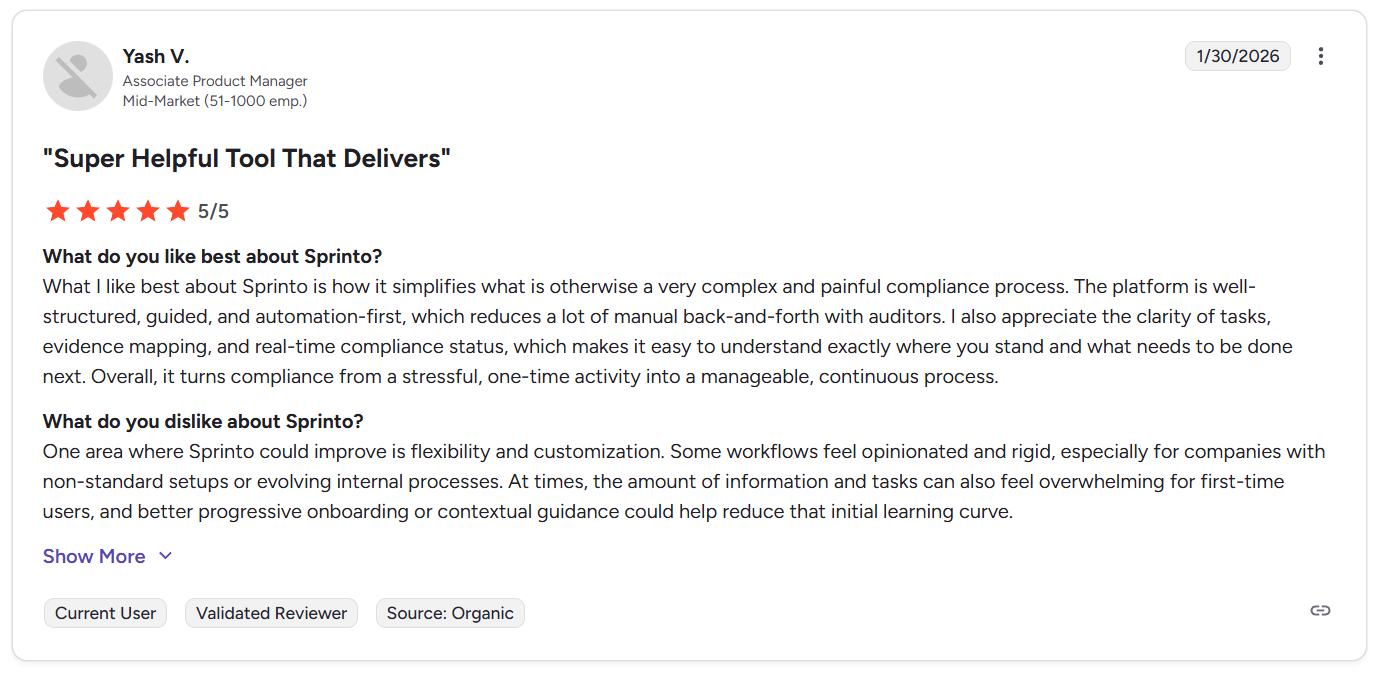
“One area where Sprinto could improve is flexibility and customization. Some workflows feel opinionated and rigid, especially for companies with non-standard setups or evolving internal processes. At times, the amount of information and tasks can also feel overwhelming for first-time users, and better progressive onboarding or contextual guidance could help reduce that initial learning curve.” - G2 Review
2. Limited customization in reporting, automation, and integrations
Another common complaint is that some integrations and reports need extra tweaking before they work exactly how teams expect.
Users mention wanting deeper reporting customization, more advanced automation templates, and clearer flexibility for complex environments.
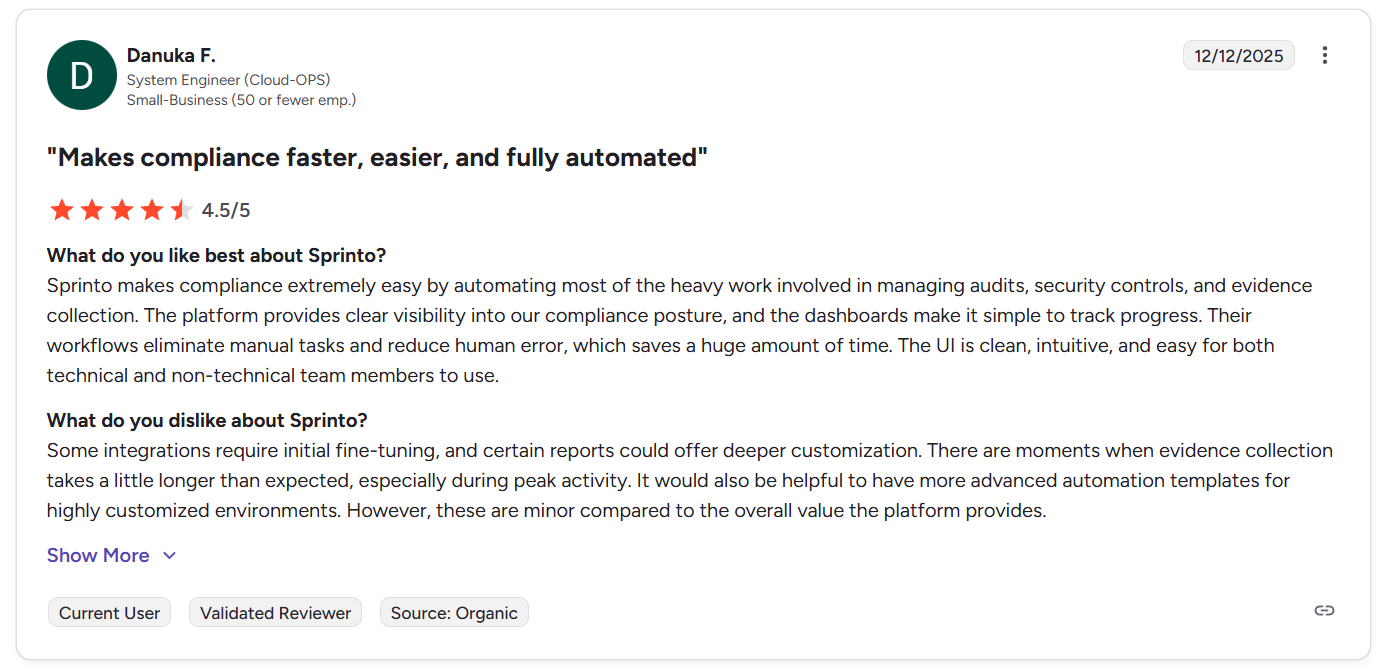
“Some integrations require initial fine-tuning, and certain reports could offer deeper customization. There are moments when evidence collection takes a little longer than expected, especially during peak activity. It would also be helpful to have more advanced automation templates for highly customized environments. However, these are minor compared to the overall value the platform provides.” - G2 Review
Evidence collection can also slow down during busy periods, which isn’t a dealbreaker, but it’s enough for teams with highly tailored workflows to start looking at alternatives that offer more control out of the box.
3. Endpoint agents and integrations can create friction
Sprinto’s device agent (Dr Sprinto) helps enforce compliance, but not everyone loves installing software on employee machines.
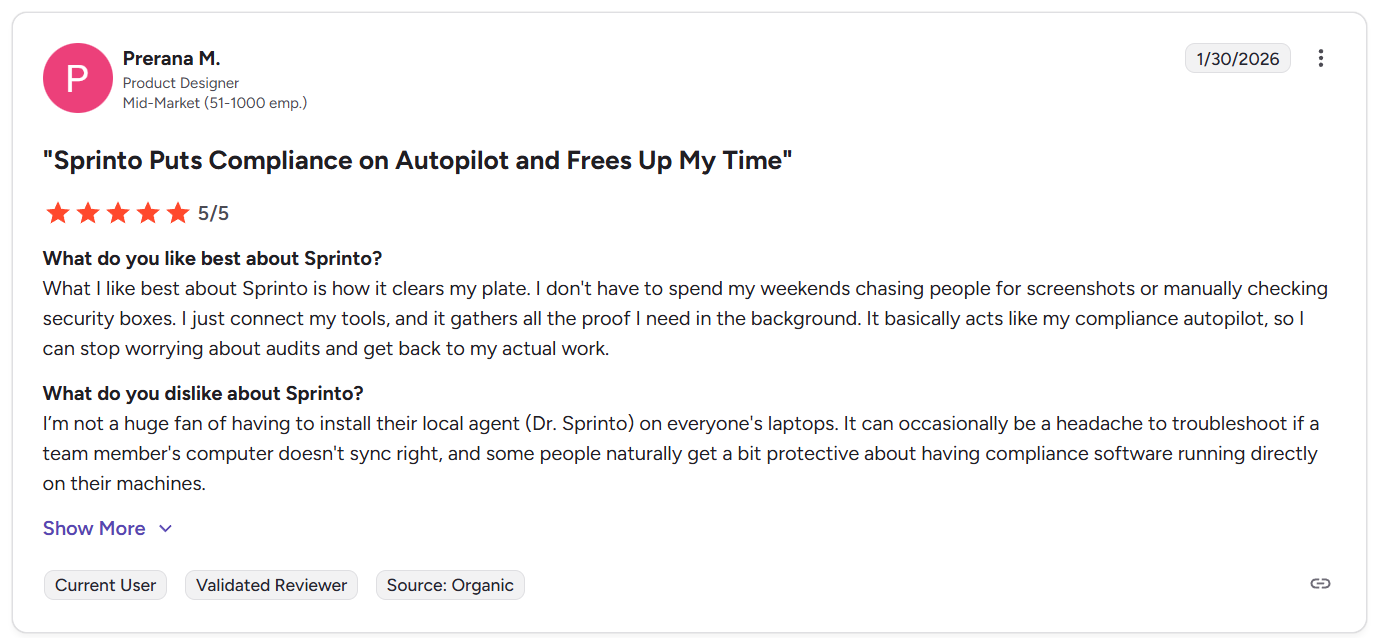
“I’m not a huge fan of having to install their local agent (Dr. Sprinto) on everyone's laptops. It can occasionally be a headache to troubleshoot if a team member's computer doesn't sync right, and some people naturally get a bit protective about having compliance software running directly on their machines.” - G2 Review
Some teams report troubleshooting sync issues, generic error messages, or wanting deeper customization around integrations, all of which can add operational friction in certain environments.
What are the 10 best Sprinto alternatives & competitors in 2026?
The top 3 Sprinto alternatives are SmartSuite, Vanta, and Drata.
Below is the full list of the best Sprinto alternatives teams are considering in 2026, each focused on solving compliance, GRC, or audit automation in slightly different ways.
1. SmartSuite
Best for: Organizations that want to manage all GRC workflows in one connected platform that provides real-time risk visibility and complete traceability, instead of relying on standalone compliance automation software.
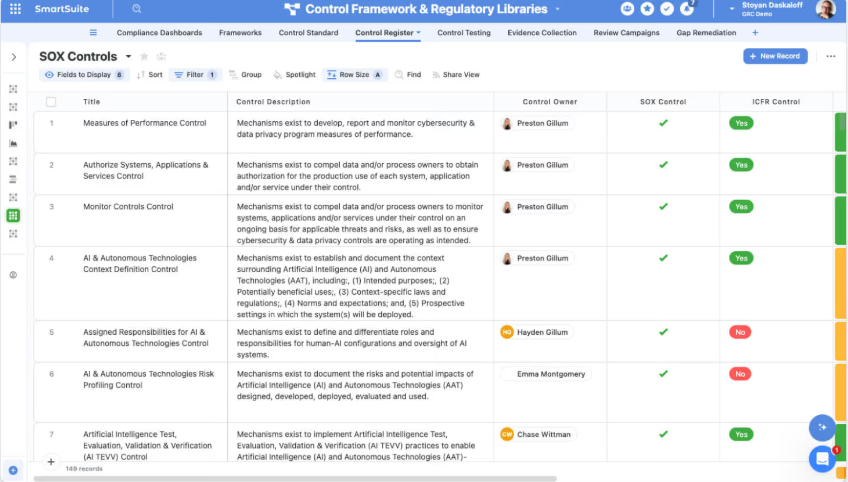
SmartSuite is an AI-native work platform that helps teams manage governance, risk, and compliance while keeping those workflows connected to the rest of the business.
Rather than focusing only on certifications, it lets organizations link risks, controls, audits, incidents, and remediation tasks to everyday operations, creating a single system where compliance doesn’t live in isolation but stays tied to real work across teams.
Here are some of the features that make SmartSuite such a strong Sprinto alternative:
1. Unified GRC & resilience workspace
Instead of treating governance, risk, and compliance as separate tools or spreadsheets, SmartSuite brings everything into one connected workspace.
The platform links risks, controls, audits, policies, incidents, and remediation workflows together, so teams can manage compliance without losing visibility across the rest of the business.
Key GRC capabilities include:
- Enterprise risk lifecycle management: Maintain centralized risk registers, run structured assessments, track KRIs, and automate mitigation workflows.
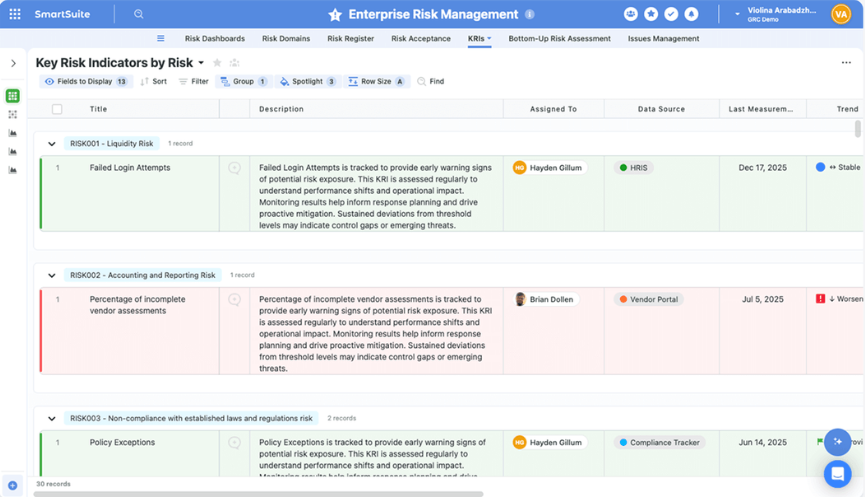
- Cyber & IT risk management: Unify cyber risks, vulnerabilities, incidents, and controls with real-time visibility into threat posture and remediation progress.
- Internal audit management: Plan audits, manage fieldwork, track findings, and monitor remediation with real-time dashboards and connected workpapers.
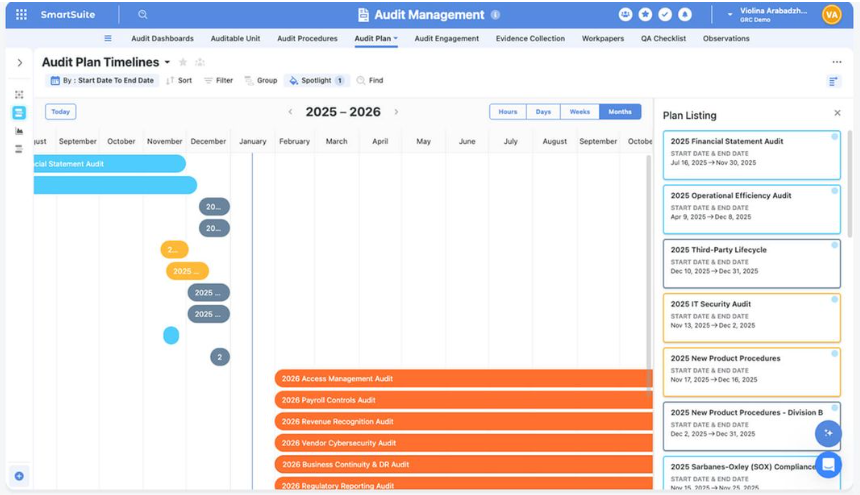
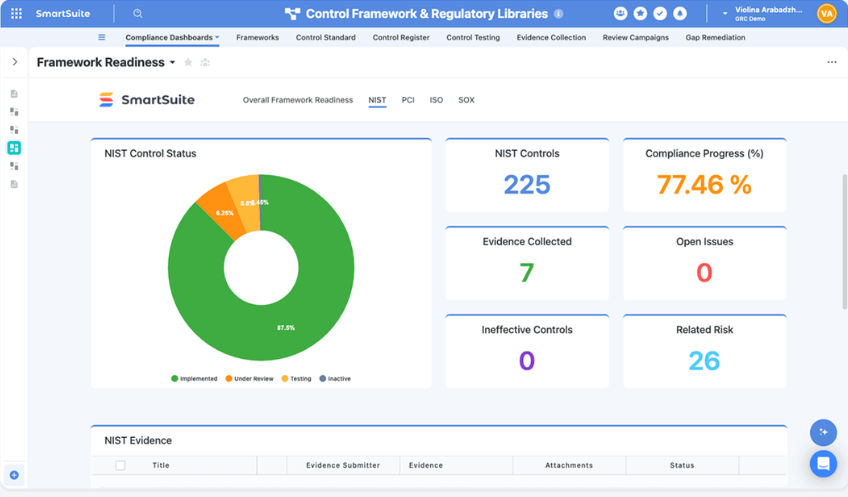
- Compliance & control oversight: Map controls to frameworks, processes, and risks while standardizing evidence collection and testing.
- Operational resilience workflows: Coordinate incidents, business continuity plans, and risk response activities across teams.
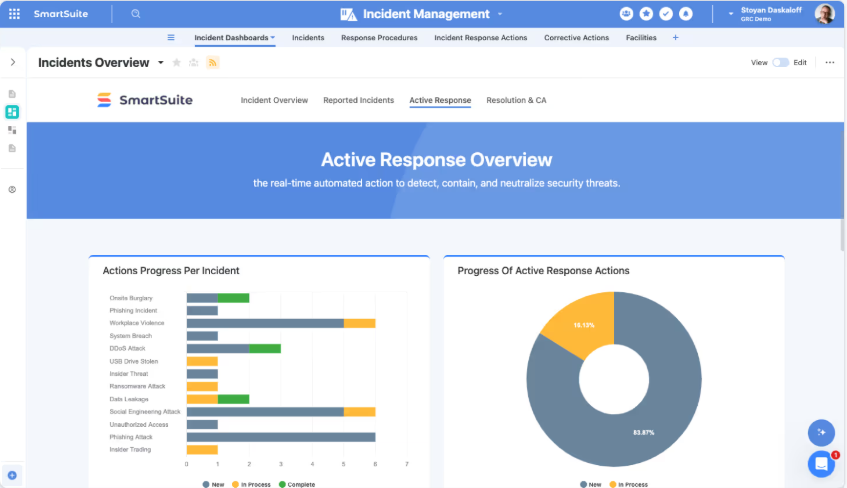
- Third-party risk management: Manage vendor onboarding, due diligence, monitoring, and remediation in one connected workflow.
- SOX & regulatory support: Track scoping, control testing, deficiencies, and certifications with audit-ready documentation.
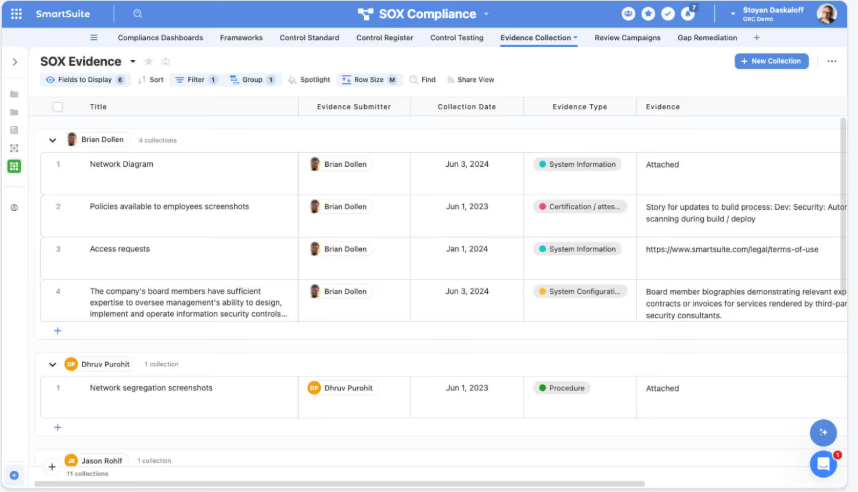
- AI governance capabilities: Maintain AI model inventories, risk assessments, lifecycle monitoring, and governance reporting in a centralized workspace.
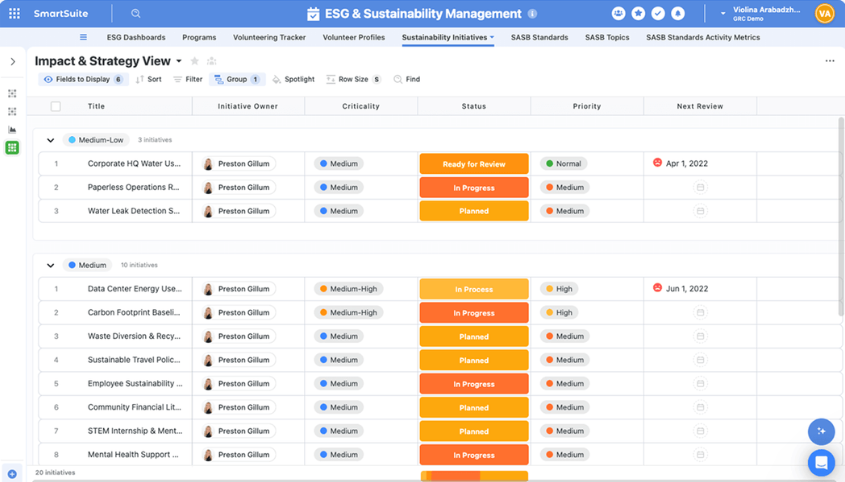
- ESG tracking: Manage ESG initiatives, disclosures, KPIs, and reporting alongside broader risk and compliance programs.
2. No-code customization & workflow orchestration
SmartSuite lets teams design and adapt GRC workflows visually, without writing code or relying on rigid templates.
Using SmartSuite Studio, organizations can model their data, define workflow logic, and build role-specific interfaces that make complex compliance processes easier to follow and audit.
Key no-code customization capabilities include:
- Visual builder: Create tables, fields, linked records, layouts, and conditional logic using a drag-and-drop interface in SmartSuite Studio.

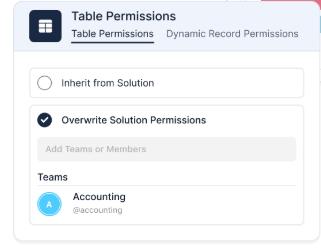
- Role-specific interfaces: Build tailored dashboards, pages, and record layouts so each team sees only what they need to act on.
- Reusable workflow patterns: Start from templates or existing solutions, then customize them to match your organization’s processes.
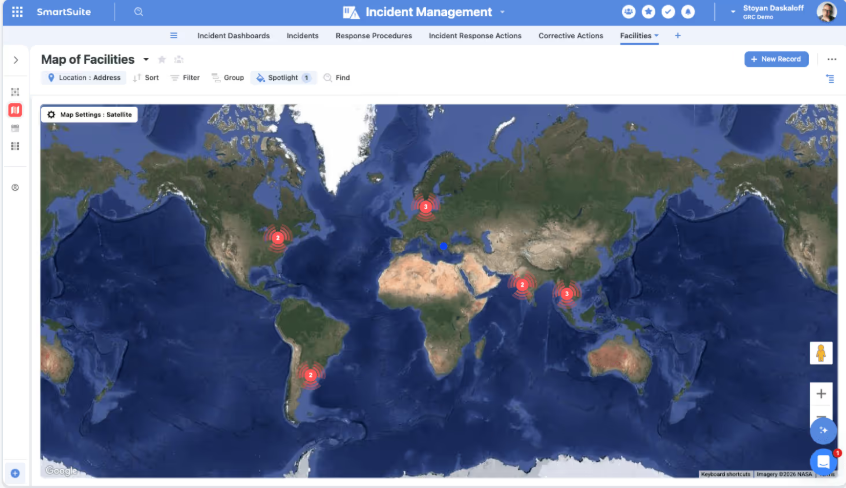
- Multiple work views: Switch between Grid, Kanban, Calendar, Timeline, Chart, or Map views to visualize workflows in the way that fits the task.
- Connected workflows across teams: Link multiple processes and solutions together while maintaining permissions and structure.
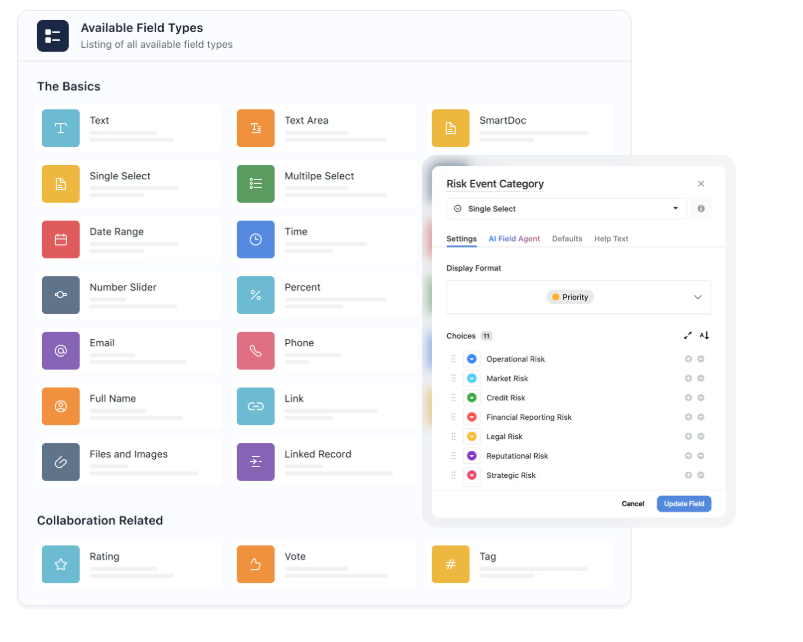
- Flexible data architecture: Model workflows with relational tables, linked records, and over 40 field types to support complex risk, audit, or compliance programs.
3. AI that works inside your workflows
SmartSuite embeds AI directly into workflows, records, and automations, helping teams move faster without losing governance or control.
Here are some of the things SmartSuite AI helps you tackle:
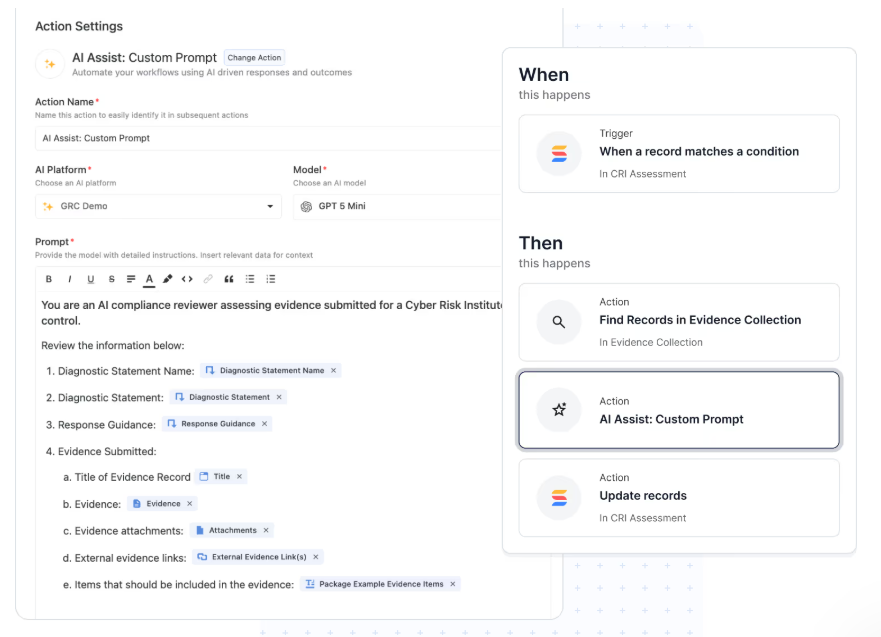
- AI Assist inside automations: Add AI-powered steps that enrich data, generate summaries, or structure incoming information as records move through workflows.
- SmartDoc AI content generation: Create, rewrite, translate, or summarize policies, audit notes, vendor assessments, and incident reports directly inside records.
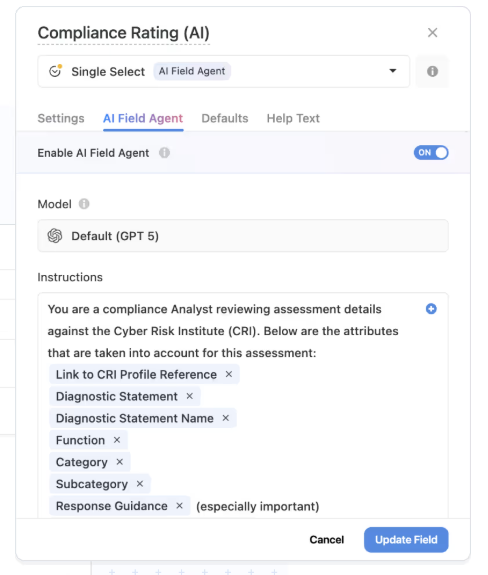
- AI Field Agent for data intelligence: Monitor records for patterns, missing context, or anomalies, and recommend updates like risk scores, priorities, or classifications.
- Third-party risk intelligence: Summarize vendor questionnaires, highlight potential risks in responses, and map findings to required controls and frameworks.
- Operational resilience & continuity insights: Summarize incidents, recovery actions, and lessons learned while surfacing gaps between plans and real-world responses.
- Human-in-the-loop governance: AI prepares suggestions, but teams review and approve decisions, maintaining accountability and auditability.
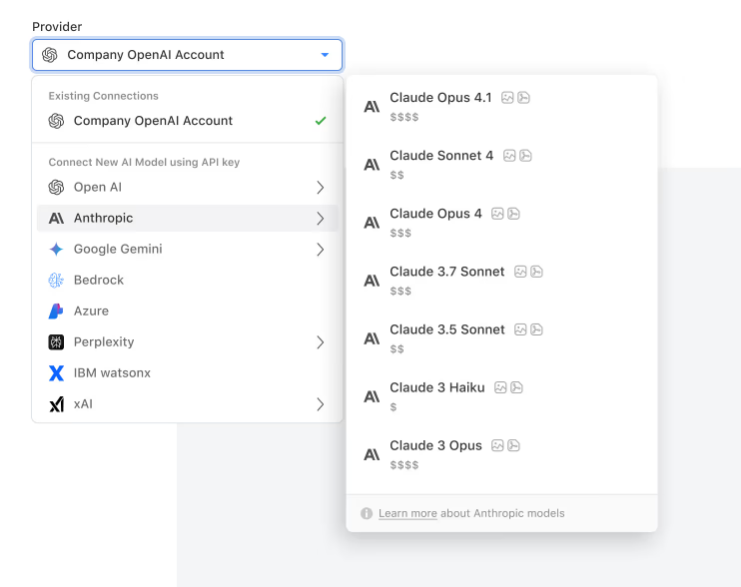
- Bring-your-own-LLM flexibility: Connect models like OpenAI, Anthropic, Gemini, Bedrock, Azure, Perplexity, or IBM WatsonX while maintaining enterprise governance.
- Permission-aware AI actions: Every AI-generated change respects role-based permissions and is logged for full transparency.
4. Connected reporting & real-time GRC visibility
SmartSuite brings dashboards and reporting directly into risk, audit, and compliance workflows, so teams don’t need separate BI tools or manual exports to understand their posture.
Because reporting is permission-aware and built on live data, leaders and teams always see the latest risk status, control performance, and remediation progress in real time.
Key reporting and visualization capabilities include:
- Real-time GRC dashboards: Monitor risk exposure, audit progress, incidents, and compliance readiness with live dashboards that update automatically as work changes.
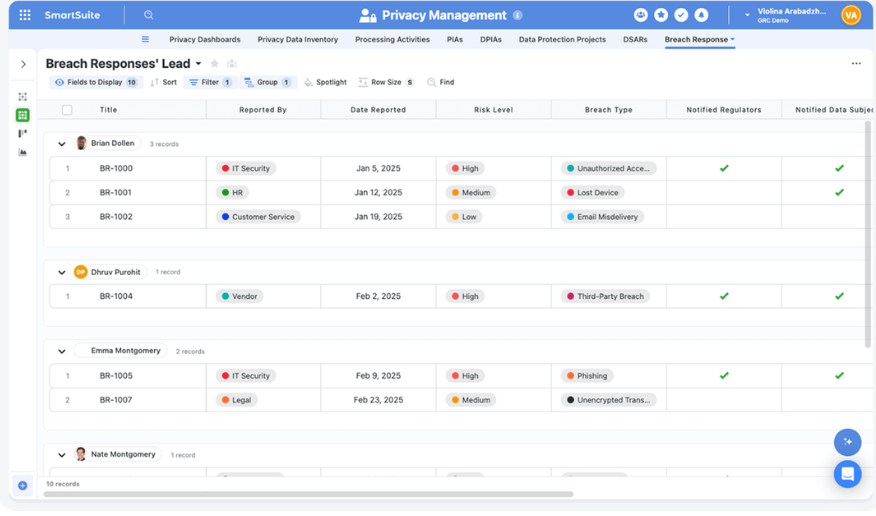
- Cross-workflow visibility: Combine data from risk, third-party management, cyber security, and operational workflows to understand organizational posture in one view.
- Role-aware reporting: Deliver tailored dashboards for executives, managers, auditors, or contributors based on their responsibilities and permissions.
- Self-service reporting tools: Let teams build dashboards, charts, and views without relying on a separate analytics or BI team.
- Executive and board-level oversight: Provide leadership with portfolio dashboards that consolidate enterprise risk, incident trends, and strategic initiatives.
5. Workflow automation engine for risk, compliance, and operations
SmartSuite’s automation engine helps teams streamline governance and compliance workflows without writing code.
Using triggers, filters, and multi-step actions, organizations can automate everything from risk monitoring and audit follow-ups to incident escalation and remediation, keeping processes moving without manual intervention.
Here’s how it looks in practice:
- No-code workflow automation: Build simple or multi-step workflows with a visual builder to handle notifications, record updates, approvals, and task creation automatically.

- Real-time triggers & smart filters: Launch automations based on record changes, dates, webhook events, or workflow conditions like failed control tests or high-risk ratings.
- Notifications on autopilot: Send alerts in tools like Slack, Microsoft Teams, and more to keep teams aligned.
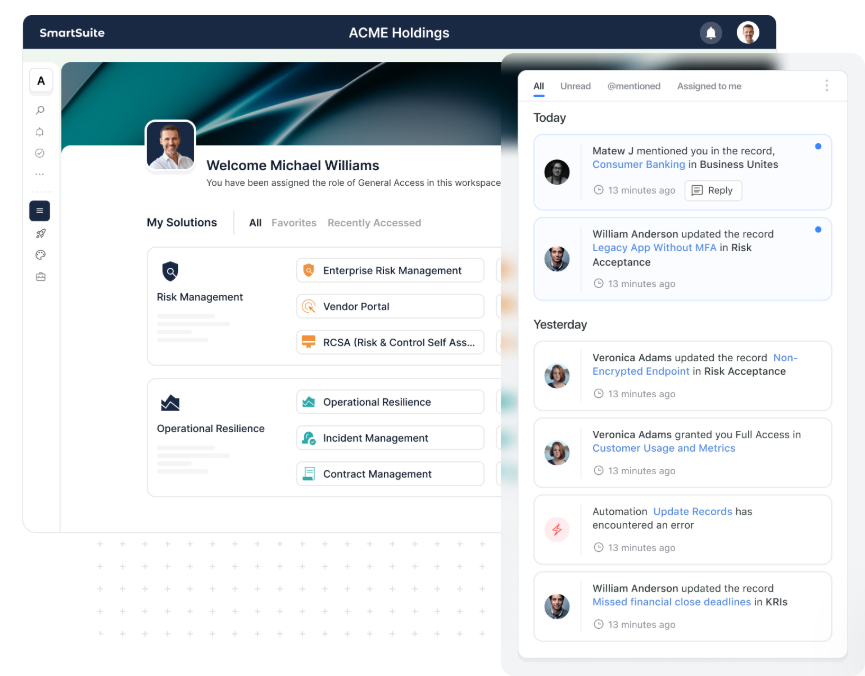
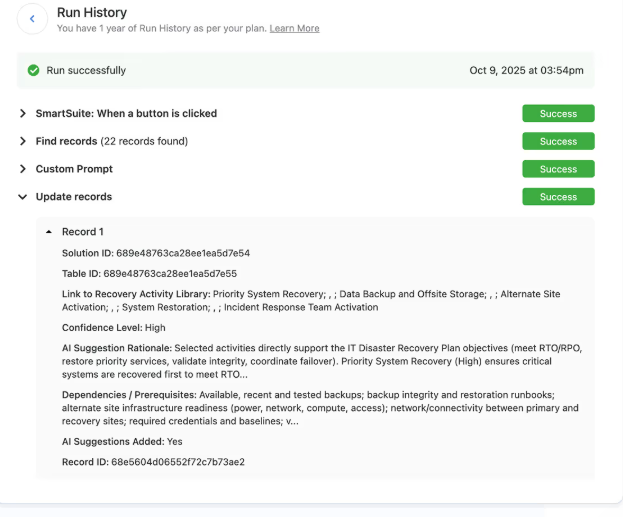
- Looping actions for large programs: Update multiple linked records at once, such as applying risk score changes across controls or closing remediation tasks automatically.
- Webhook integrations: Trigger or receive actions from external GRC, ITSM, security, or business continuity systems for end-to-end process automation.
- Audit-ready automation history: Every automation run is logged with timestamps, triggers, and results to maintain full traceability and governance.
Pricing
SmartSuite offers a 14-day free trial (no credit card required), making it easy to test real workflows before subscribing.
From there, SmartSuite offers two pricing models, depending on organizational size and complexity:
- User-based pricing, designed for small to mid-sized organizations that want full access to the entire platform under one license:
- Team: $12/user/month (minimum 3 users) includes unlimited solutions, 5,000 records per solution, and 50GB storage, and access to all core features, such as SmartSuite AI, reporting and dashboards, pre-built templates, advanced customization options, real-time collaboration, etc.
- Professional: $24/user/month (minimum 5 users), includes everything in Team and adds 100,000 records per solution, 100GB of storage, Gmail & Outlook integrations, folders, and advanced access controls.
- Enterprise: $45/user/month (minimum 10 users), includes everything in Professional and adds 400,000 records per solution, 500GB of storage, SSO, SCIM provisioning, audit logs, DLP, IP restrictions, and premium support.

Each licensed user can access all SmartSuite solutions (ITSM, ITAM, GRC, projects, operations, etc.) without paying separately for service management, asset management, or reporting modules.
- Solution-based custom-tailored pricing, built for regulated industries and large enterprises where per-user licensing across the entire platform isn’t practical. With it you can:
- License only the specific solutions you need (e.g. ITSM, GRC).
- Structure access by department, region, or regulatory requirement.
- Easily scale for thousands of users without compromising security.

How does SmartSuite compare to Sprinto?
Both SmartSuite and Sprinto help teams stay audit-ready, but they’re built with very different goals in mind.
Sprinto focuses heavily on certification automation (SOC 2, ISO 27001, etc.), while SmartSuite takes a broader connected GRC platform approach that blends compliance, risk, audit, and operational workflows in one system.
Here’s a quick breakdown of how they compare at a glance:
So, essentially, Sprinto can be the stronger choice if your main goal is getting certified quickly with guided workflows and minimal configuration.
On the other hand, if Sprinto feels limiting because of rigid workflows or certification-first structure, SmartSuite offers a more flexible alternative.
Instead of isolating compliance from the rest of the business, it connects risks, audits, incidents, vendors, and remediation work into one governed workspace, making it easier for growing teams to evolve beyond checklist-driven compliance.
Pros & Cons
✅ Highly flexible no-code platform that lets teams design GRC workflows, data models, and interfaces without relying on rigid templates.
✅ Connected risk, audit, compliance, and operational workflows in one system instead of siloed certification tools.
✅ AI embedded directly into workflows for summaries, risk insights, automation, and governance assistance.
✅ Real-time dashboards and reporting that stay tied to live GRC data without exporting to separate BI tools.
✅ Powerful automation engine that streamlines risk monitoring, audit follow-ups, and remediation processes.
✅ Enterprise-grade governance features like granular permissions, audit logs, and secure role-based visibility.
❌ No mid-tier between Team and Professional plans.
2. Vanta
Best for: Startups and fast-growing SaaS companies that want to automate SOC 2, ISO 27001, and similar certifications quickly through continuous monitoring and pre-built compliance workflows.
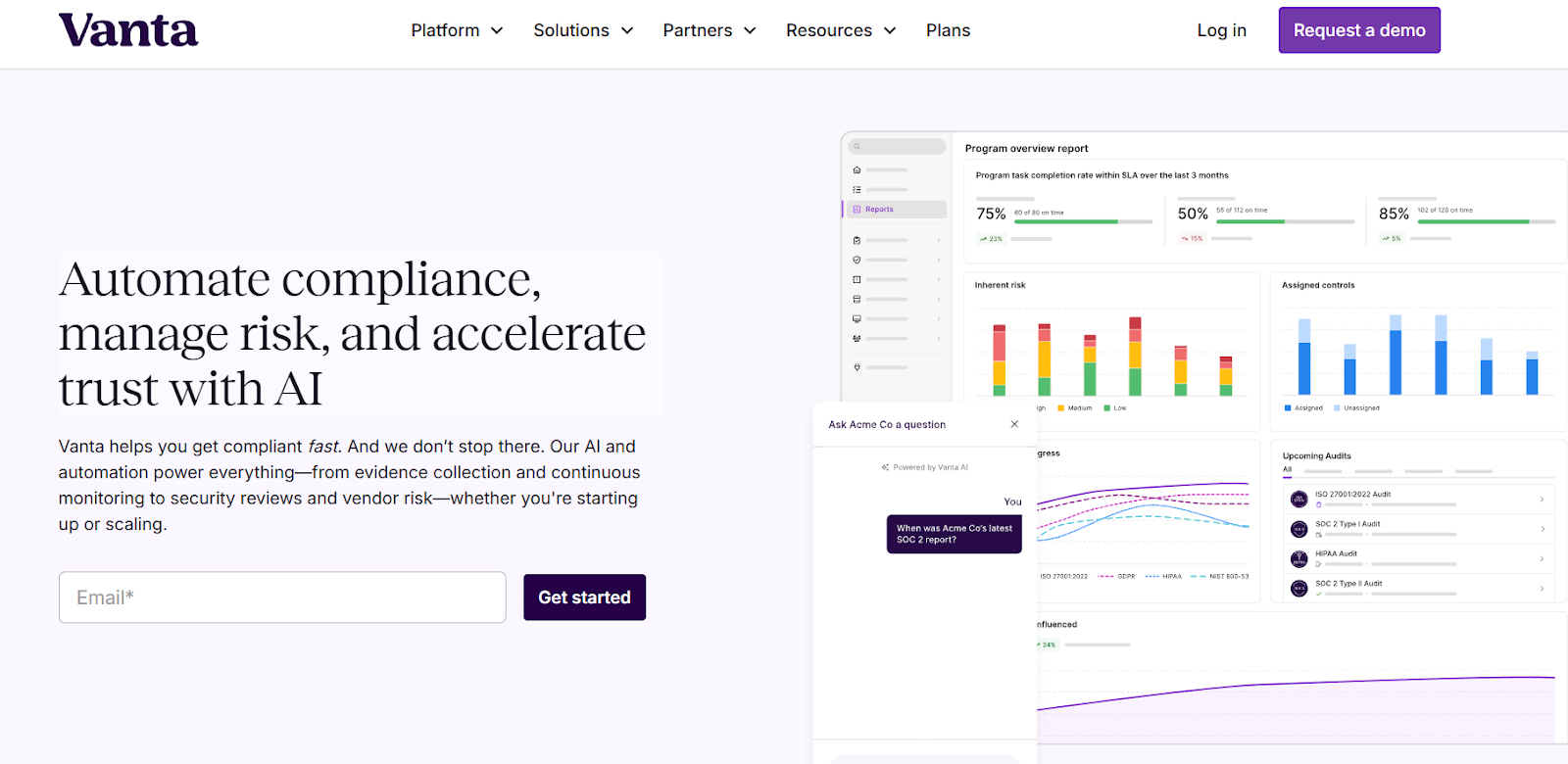
Vanta is an AI-powered trust management and compliance automation platform designed to help teams get audit-ready faster without managing spreadsheets or manual evidence collection.
It connects to cloud, identity, and development tools to run automated tests, monitor controls continuously, and centralize policies, risk tracking, and audit preparation in one system.
Features
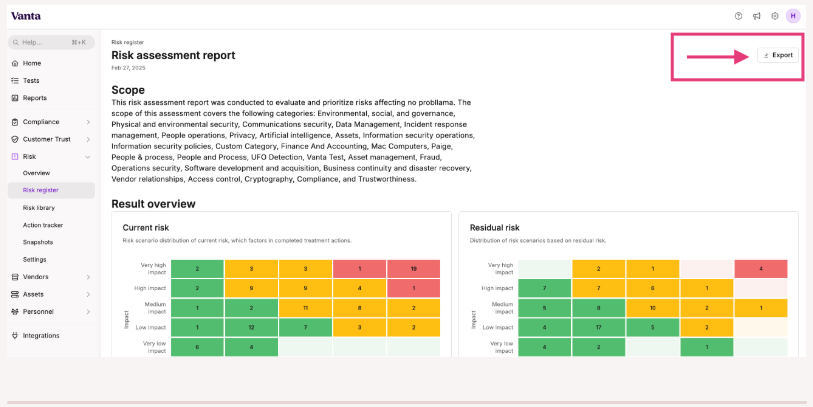
- Automated compliance monitoring: Vanta continuously pulls data from connected tools to automate evidence collection and help teams stay compliant with frameworks like SOC 2, ISO 27001, HIPAA, and more.
- AI-powered trust management: Vanta AI helps identify gaps, automate workflows, and surface insights across compliance, risk, and vendor security programs.
- Vendor and third-party risk management: Built-in workflows streamline vendor onboarding, security reviews, and ongoing monitoring to reduce supply-chain risk.
Pricing
Vanta uses a tiered pricing model designed to scale with your compliance maturity.
Pricing itself isn’t publicly listed, but the plans’ structure is clearly outlined, helping prospective users understand what they get with each plan.
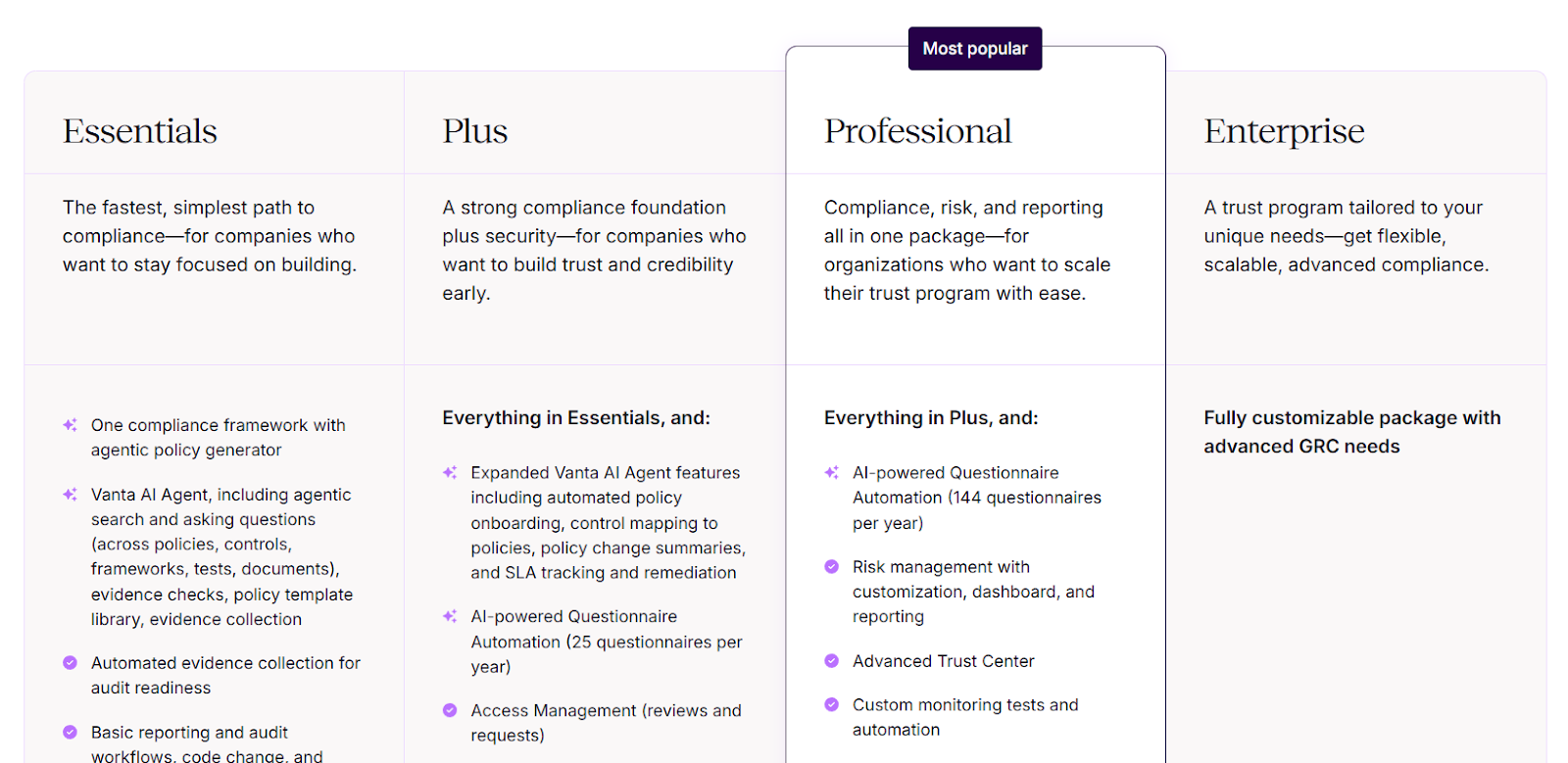
Here’s how the main tiers compare:
- Essentials: Includes automated evidence collection, basic reporting, continuous monitoring, Trust Center access, and Vanta’s AI Agent for policy generation and audit readiness.
- Plus: Adds stronger security and governance capabilities, including expanded AI Agent features, automated policy onboarding, access management workflows, and AI-powered questionnaire automation (up to 25 questionnaires per year).
- Professional: Includes everything in Plus, plus customizable risk management, advanced reporting dashboards, automated access management, custom monitoring tests, and higher-volume questionnaire automation (up to 144 per year).
- Enterprise: A fully customizable package for organizations with complex GRC requirements, offering flexible licensing, advanced automation, and tailored compliance workflows.
Pros & Cons
✅ Strong automation for SOC 2, ISO 27001, and similar frameworks that reduces manual audit work and speeds up certification timelines.
✅ Clean, intuitive interface with guided workflows that make compliance manageable even for non-experts.
❌ Pricing can feel expensive for smaller startups or early-stage teams.
3. Drata
Best for: Fast-growing companies that want continuous compliance automation with real-time monitoring and audit readiness across frameworks like SOC 2, ISO 27001, and HIPAA.
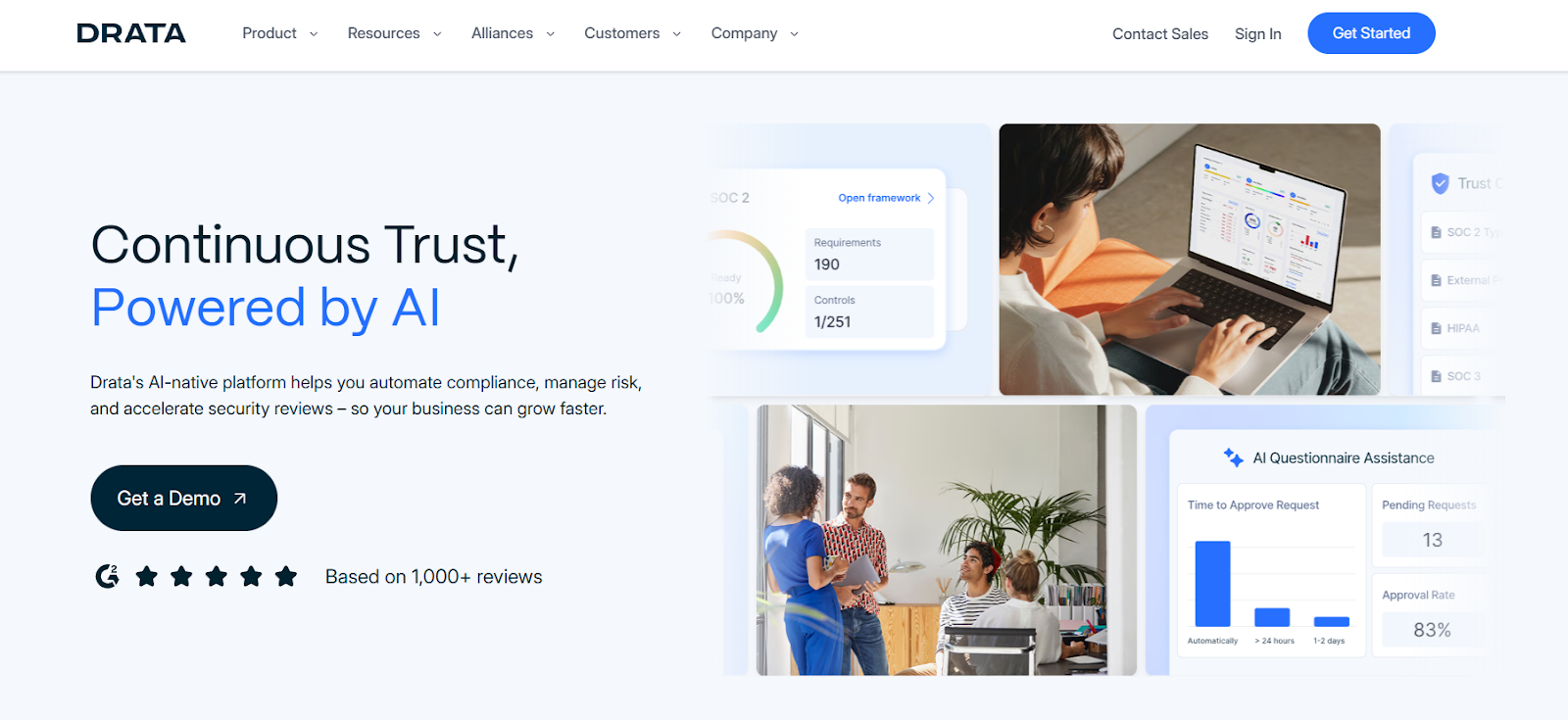
Drata is a compliance automation and trust management platform designed to help organizations achieve and maintain certifications through continuous monitoring, automated evidence collection, and structured workflows.
Instead of managing audits through spreadsheets or manual checklists, it connects directly to your tech stack to track controls, flag gaps, and keep compliance programs audit-ready at all times.
Features
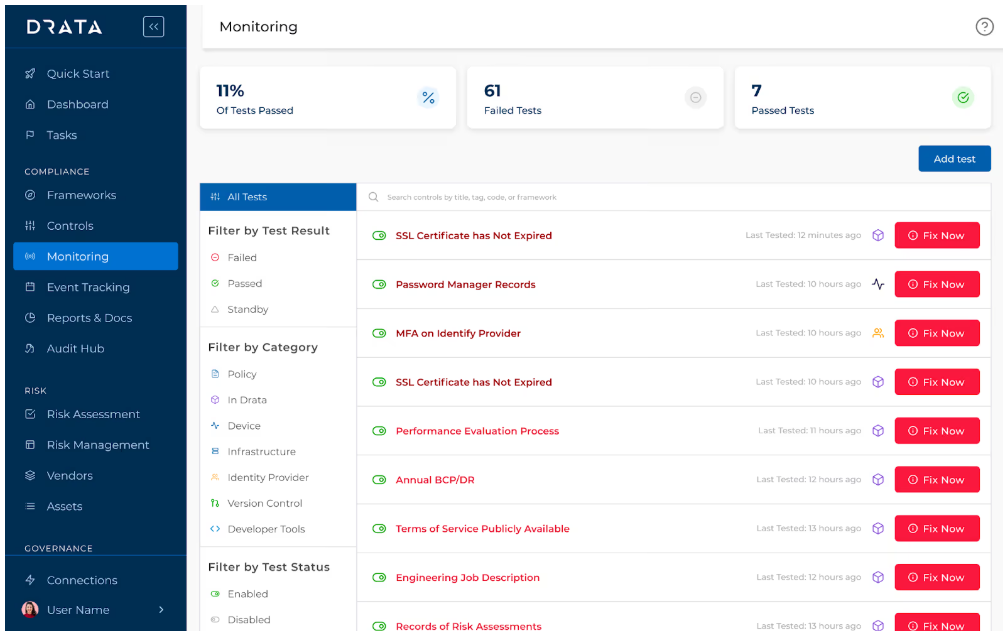
- Audit-ready reporting & dashboards: Real-time dashboards show compliance posture, control status, and open gaps, helping security teams and auditors quickly understand readiness without manual reporting.
- Trust Center & external sharing: Organizations can publish a Trust Center to share security posture, policies, and compliance status with customers and prospects, supporting faster security reviews and sales cycles.
- AI-native trust management: Drata embeds agentic AI across compliance workflows to automate vendor reviews, summarize questionnaires, explain test failures, map policies to controls, and generate insights.
Pricing
Drata doesn’t publish any pricing details.
You can contact its sales team for more info and a personal quote.
If you want to get a clearer idea of Drata’s pricing without getting in touch with sales, take a look at our in-depth Drata pricing review.
Pros & Cons
✅ Clear, structured workflows that translate compliance frameworks into guided control tasks teams can follow easily.
✅ Broad framework support (SOC 2, ISO 27001, GDPR, NIST, and more) with reusable controls across multiple certifications.
❌ Reporting, asset management, and incident-management capabilities may feel limited.
4. Secureframe
Best for: Startups and scaling teams that want fast, guided compliance automation with continuous monitoring instead of building a full GRC program from scratch.
Secureframe is a compliance automation and trust management platform designed to help companies achieve frameworks like SOC 2, ISO 27001, HIPAA, and more through automated evidence collection, policy workflows, and real-time monitoring.
It focuses on simplifying audit readiness with integrations, guided tasks, and security visibility, making it a strong alternative to Sprinto for teams prioritizing faster certification processes.
Features
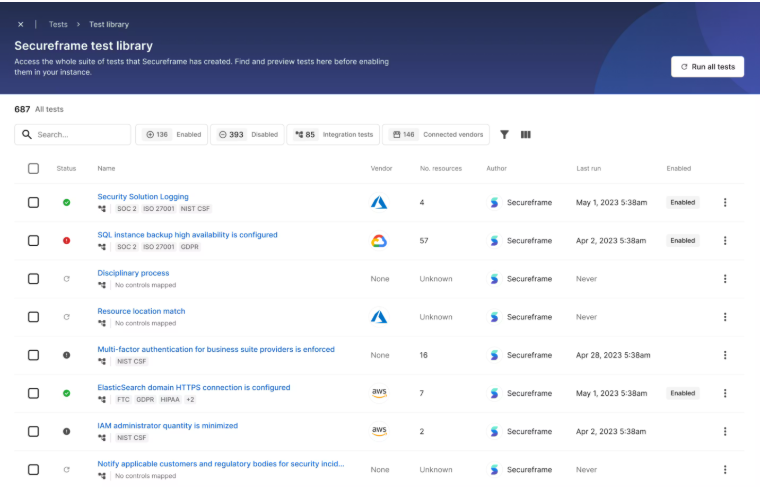
- Continuous control monitoring with real-time alerts: Instead of preparing for audits periodically, Secureframe tracks security posture continuously and flags missing controls, misconfigurations, or risk issues as they happen.
- Pre-built frameworks, policies, and guided compliance workflows: The platform provides structured templates, policy libraries, and step-by-step guidance that help teams move through certification requirements without building programs from scratch.
- Automated compliance monitoring & evidence collection: Secureframe continuously monitors your cloud tools, endpoints, and security controls while automatically gathering audit evidence, reducing manual work during SOC 2, ISO 27001, HIPAA, and similar certifications.
Pricing
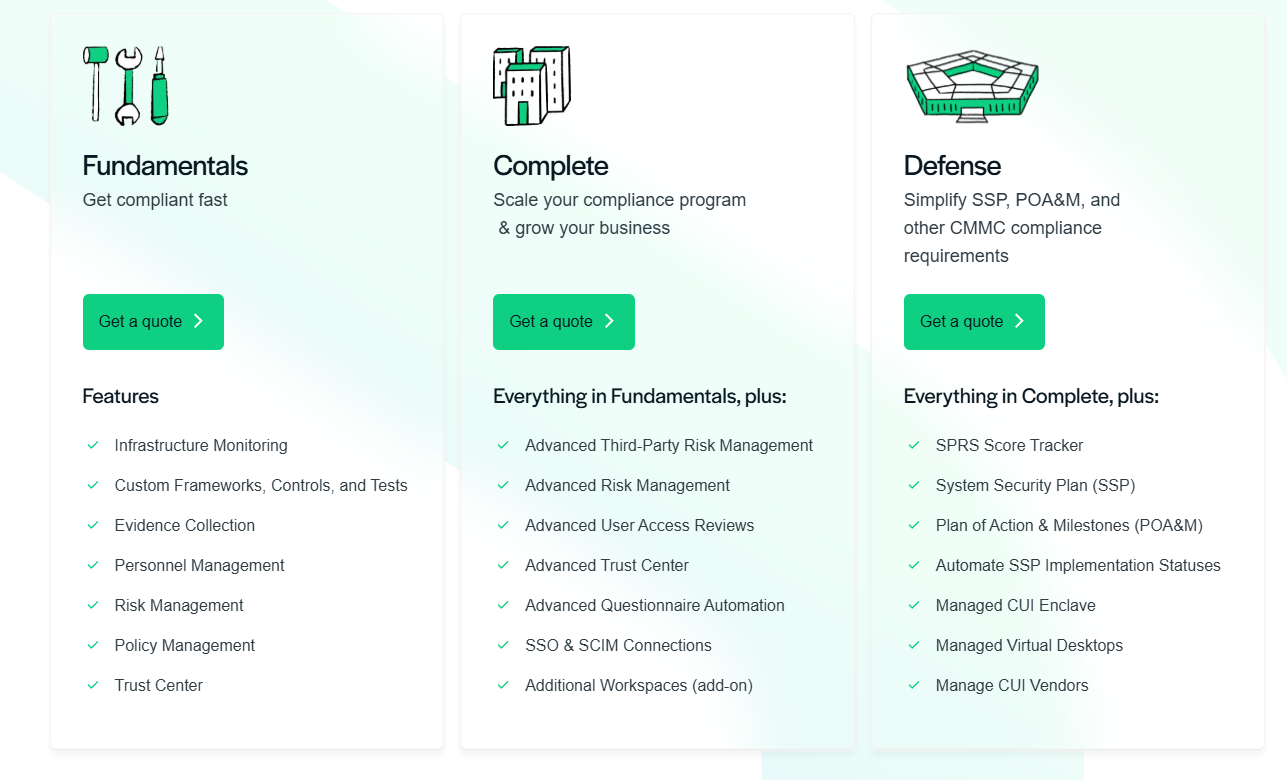
Secureframe doesn’t publish fixed pricing, with plans being quote-based and tailored to your frameworks, integrations, and organization size, but its packaging is structured around three main tiers that scale with your compliance maturity:
- Fundamentals: Includes infrastructure monitoring and automated evidence collection, policy, personnel, and risk management tools, custom frameworks, controls, and tests, and Trust Center for sharing security posture.
- Complete: Includes everything in Fundamentals, plus advanced third-party risk management, advanced user access reviews, advanced risk workflows and reporting, expanded Trust Center and questionnaire automation, and SSO & SCIM connections.
- Defense: Includes everything in Complete, plus SSP and POA&M management, SPRS score tracking, managed CUI enclave and virtual desktops, and vendor oversight for controlled environments.
For more details, check our in-depth Secureframe pricing guide.
Pros & Cons
✅ Clear workflows and guided steps make frameworks like SOC 2, PCI, and ISO easier to understand and execute.
✅ Centralized dashboard provides real-time visibility into compliance posture, risks, and audit progress.
❌ Workflows can feel rigid, especially for complex or highly customized environments.
5. Hyperproof
Best for: Organizations that want a more operational, workflow-driven GRC platform to manage multiple frameworks, risks, and controls continuously - not just during audit cycles.
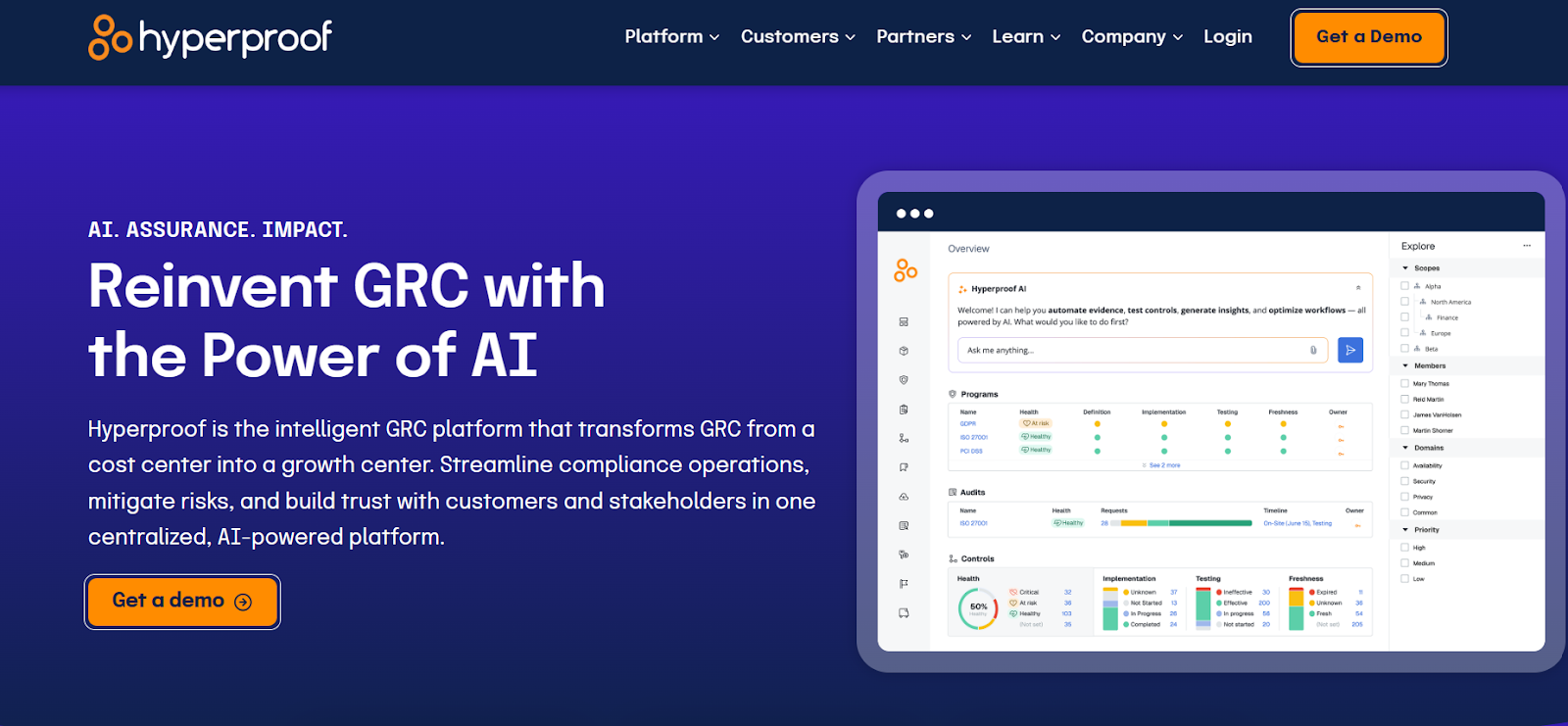
Hyperproof is a GRC platform designed to help teams manage risks, controls, policies, and evidence across multiple frameworks in one centralized system.
Instead of focusing only on certifications, it helps organizations connect compliance activities to everyday business workflows, automate repetitive tasks, and maintain continuous visibility into risk posture and control effectiveness.
Features
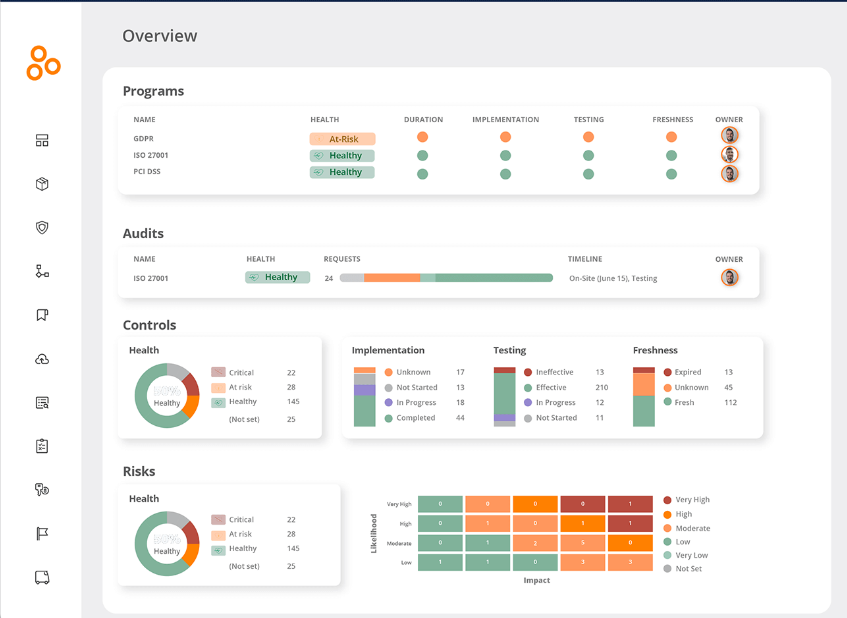
- Centralized control & framework management: Hyperproof helps teams map controls across 140+ frameworks (SOC 2, ISO 27001, NIST, etc.), reducing duplicated work when managing overlapping compliance requirements.
- Third-party risk management: Automates vendor risk reviews by ingesting security documentation, generating defensible risk assessments, and continuously monitoring vendors through AI-driven workflows.
- Multiple AI agents: They automate evidence collection, testing, reporting, and risk analysis, proactively flagging compliance gaps, generating insights, and providing recommendations, enabling teams to stay continuously audit-ready.
Pricing
Hyperpoof doesn’t publish its subscription fees.
You can book a demo to see the platform in action and get more information.
If you want a clearer breakdown of what Hyperproof actually costs, and what influences its pricing, check out our full Hyperproof pricing guide for a deeper look before booking a demo.
Pros & Cons
✅ Strong controls management with structured workflows, automated recurring tasks, and clear ownership tracking.
✅ Deep integrations with tools like Jira and ServiceNow that help embed compliance into daily workflows.
❌ Pricing may feel high for smaller teams compared to lighter compliance automation tools.
6. Scrut Automation
Best for: Fast-growing startups and cloud-native teams that want guided compliance automation, continuous monitoring, and audit readiness without building a full GRC program from scratch.
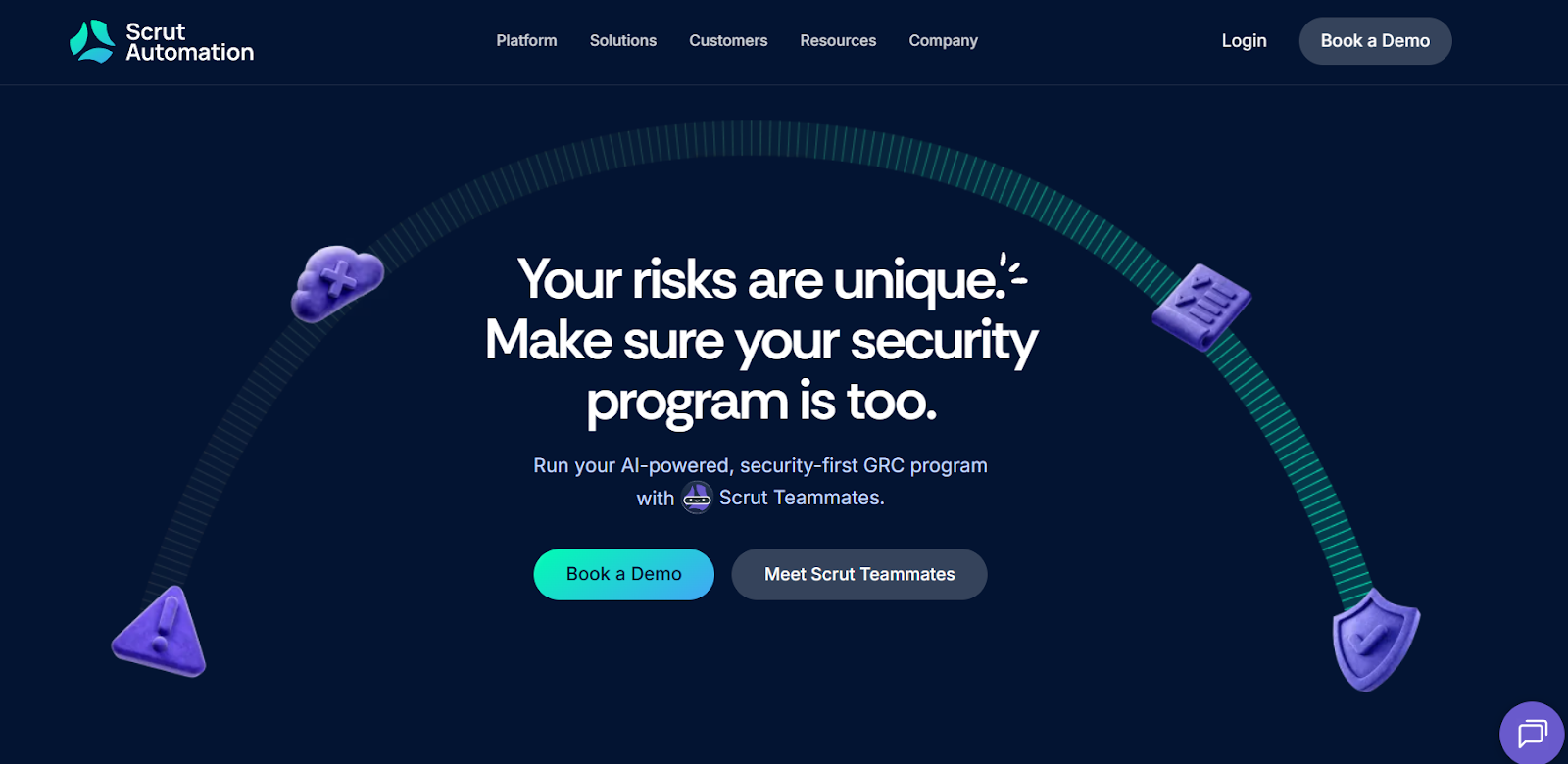
Scrut Automation is a compliance and risk monitoring platform focused on helping companies achieve certifications like SOC 2, ISO 27001, and similar frameworks through automation and real-time security tracking.
It combines continuous monitoring, risk management, and evidence collection into one workspace, positioning itself as a simpler alternative to Sprinto for teams that want faster setup and ongoing compliance visibility.
Features
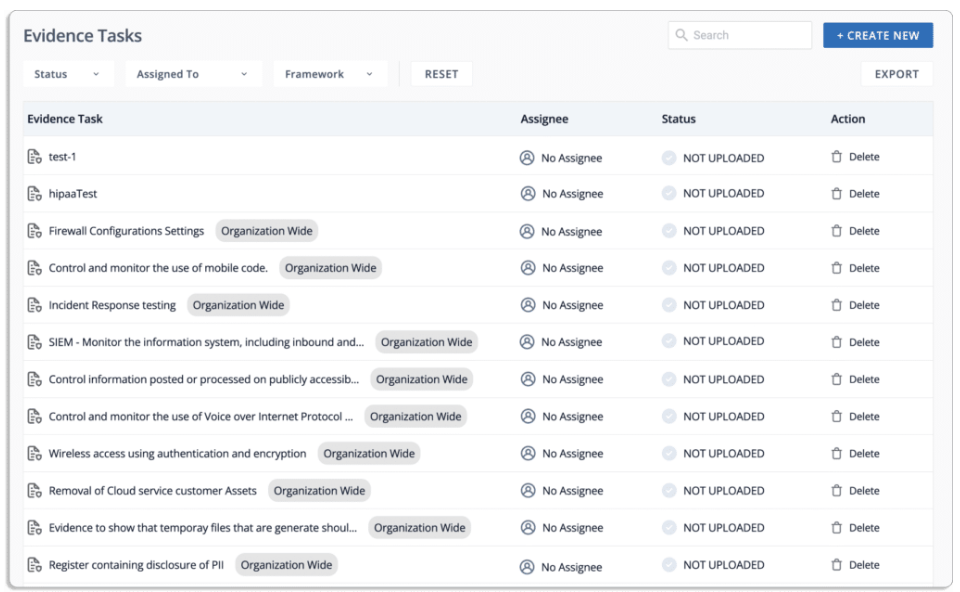
- Continuous compliance monitoring: Scrut tracks controls, risks, and infrastructure activity in real time so teams stay audit-ready instead of preparing only before certification deadlines.
- Cyber risk monitoring & mitigation: The platform provides a flexible risk register with formula-based scoring, heatmaps, and linked controls so teams can identify, prioritize, and track cyber risks across infrastructure, vendors, and employees in real time.
- Scrut Teammates: Scrut’s built-in AI agents help teams move faster by suggesting remediation steps, evaluating evidence, generating risk entries and Jira tickets, auto-filling security questionnaires, and prioritizing real risks with contextual recommendations.
Pricing
Scrut Automation doesn’t publicly list pricing.
You can book a demo to find out more about the platform and its fees.
Pros & Cons
✅ Clean, easy-to-navigate dashboard that makes compliance tasks, controls, and risks simple to understand at a glance.
✅ AI-assisted workflows and reminders help lean teams stay audit-ready without needing large compliance resources.
❌ Setup and configuration can take time, especially when mapping controls across tools and integrations.
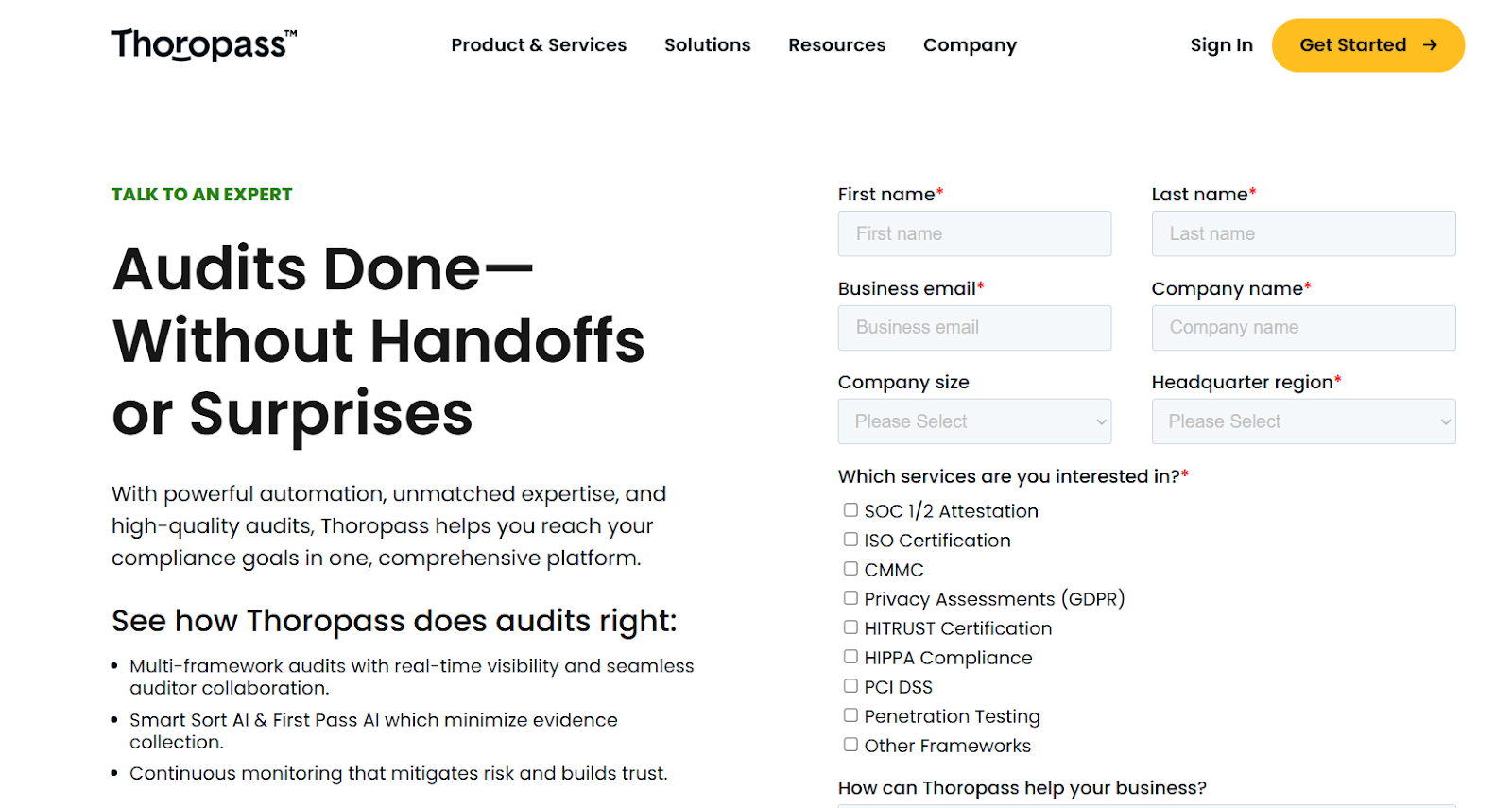
7. Thoropass
Best for: Teams that want both compliance automation and built-in auditor support, combining software workflows with hands-on guidance through certifications like SOC 2 or ISO 27001.
Thoropass is a trust management and compliance platform designed to help companies achieve and maintain security certifications while reducing the manual work involved in audits.
Unlike purely self-serve tools, it blends automation with human auditor expertise, guiding teams through evidence collection, control testing, and ongoing compliance programs in one structured workflow.
Features
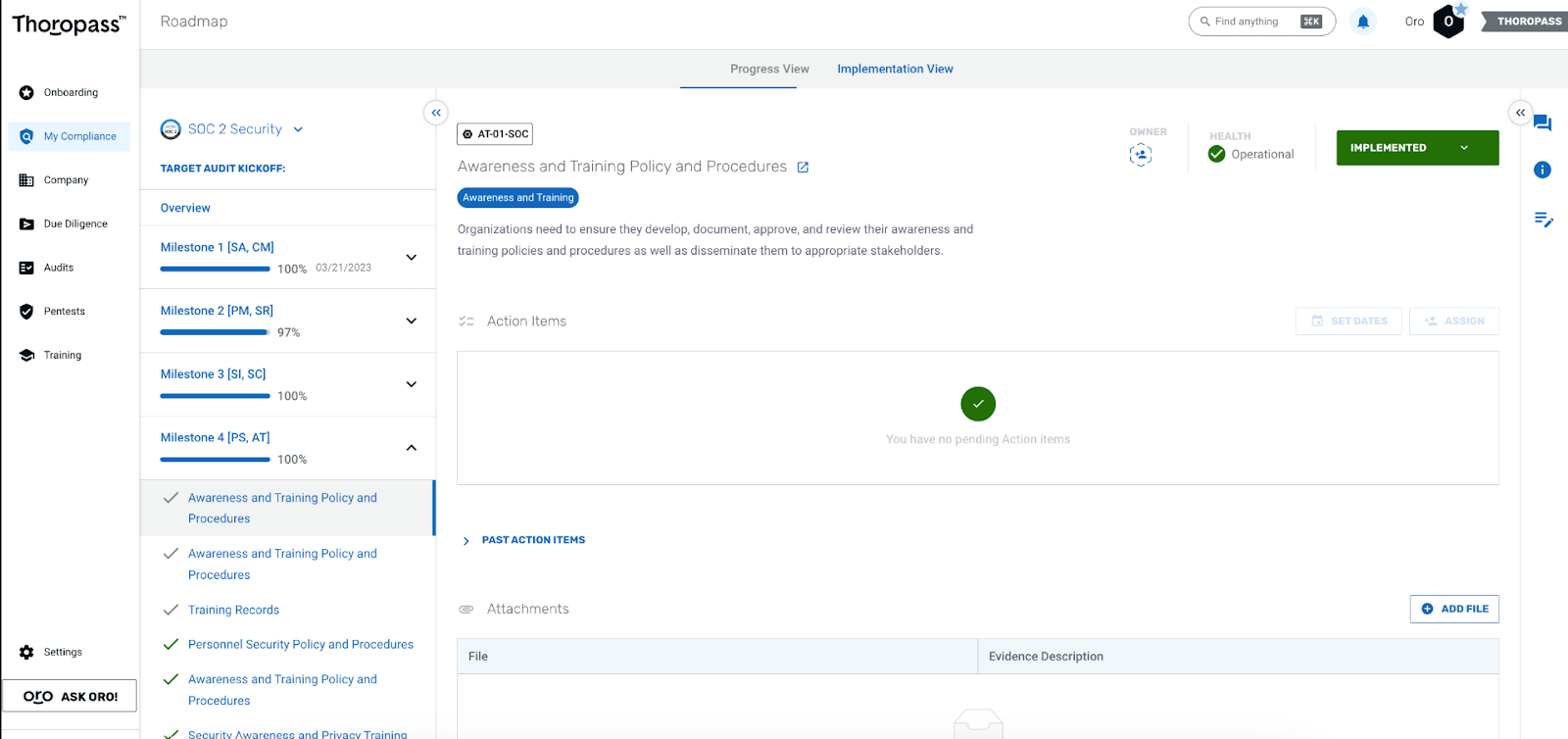
- Modernized, tech-enabled audit services: Thoropass combines in-house auditors, automated evidence verification, and AI-powered checks to streamline SOC 2, HITRUST, PCI, and other audits.
- AI-driven continuous compliance and audit enhancements: The platform provides always-on compliance monitoring, pre-screen evidence audits, and security questionnaires automation.
- Integrated penetration testing with audit-ready reporting: Offers CREST-accredited penetration testing directly inside its platform, delivering scoped assessments, detailed vulnerability reports, prioritized remediation guidance, and retesting support.
Pricing
Thoropass doesn’t publish prices.
You can contact its team by filling out a form on its website to get pricing details.
Pros & Cons
✅ Combines compliance software with real auditors and advisory support, making certifications like SOC 2 or ISO 27001 more structured and manageable.
✅ Easy-to-use platform with clear navigation, simple document uploads, and intuitive task-based workflows.
❌ Some users report automation and AI capabilities feeling more manual than expected compared to other modern compliance platforms.
8. AuditBoard
Best for: Mid-to-large organizations that want a structured, audit-centric GRC platform with strong risk, compliance, and internal audit workflows in one system.
AuditBoard is a GRC platform built to help teams manage audits, risk programs, controls, and compliance activities from a single connected workspace.
It focuses heavily on audit and risk visibility, giving organizations a centralized way to track controls, automate evidence workflows, and stay aligned with frameworks like SOX, SOC 2, and ISO standards.
Features
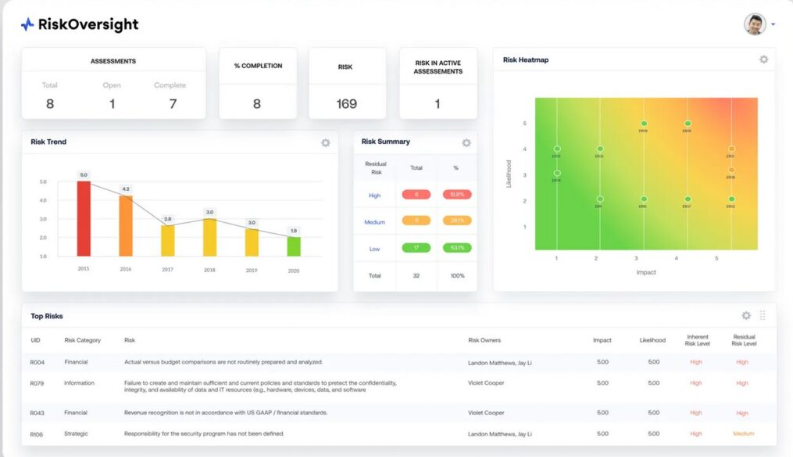
- Workflow automation and evidence management: AuditBoard AI automates evidence collection, control testing, and gap assessments to reduce manual compliance work and keep assurance processes consistent.
- Custom dashboards and reporting: Flexible reporting tools and executive dashboards transform fragmented GRC data into actionable insights for faster, data-driven decision-making.
- Continuous compliance and framework management: Preloaded frameworks like SOC 2, ISO 27001, and GDPR help teams stay continuously audit-ready with automated mapping, change tracking, and control alignment.
Pricing
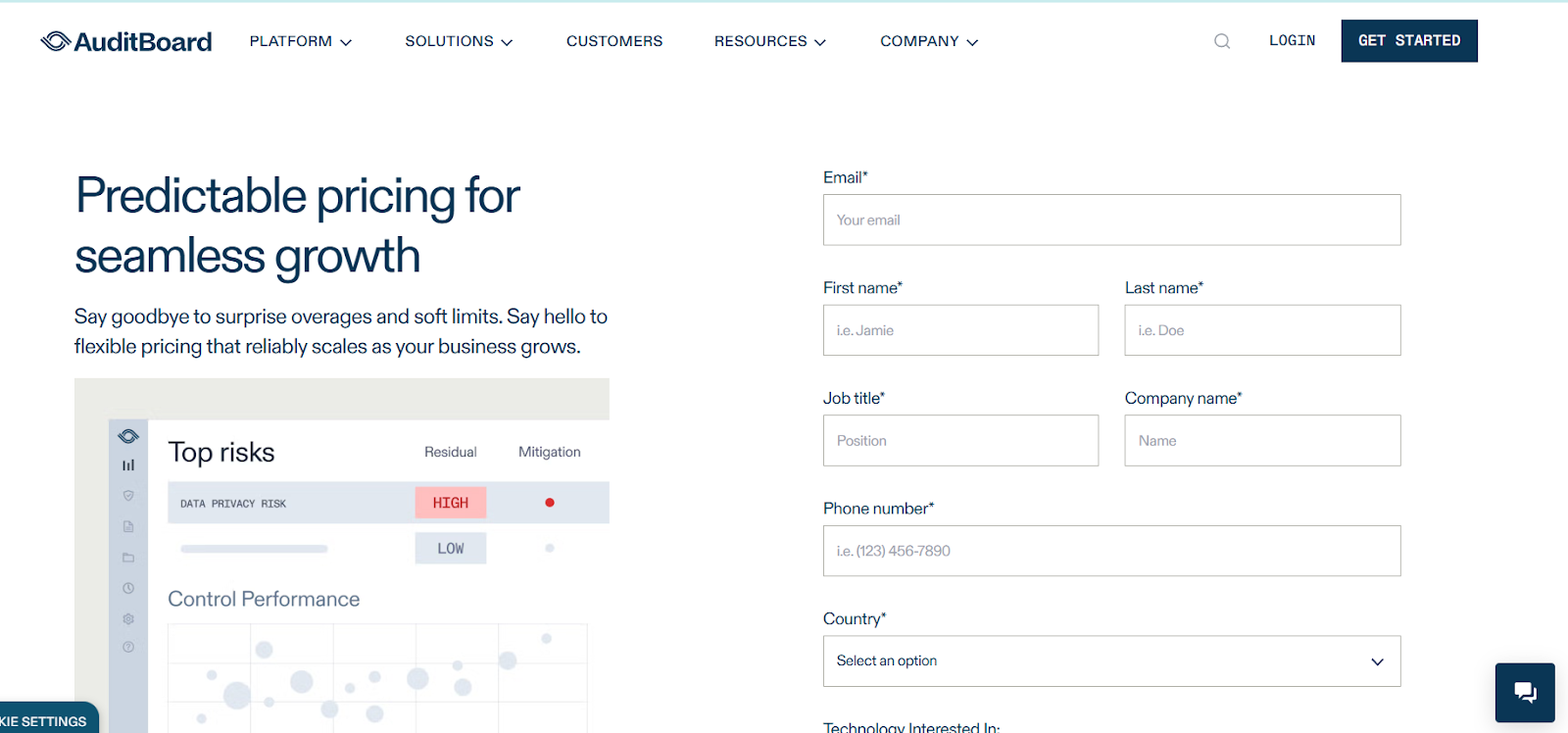
AuditBoard doesn’t publicly list fixed subscription prices.
Instead, it offers customized plans based on your organization’s size, risk maturity, and GRC scope.
You can contact its sales for a custom quote, or check our detailed AuditBoard pricing guide.
Pros & Cons
✅ Easy document management with bulk uploads, version control, and organized evidence tracking.
✅ Centralized dashboards and real-time visibility help teams track audits, risks, and controls in one place.
❌ Customization and reporting flexibility may feel limited compared to some competitors.
9. Scytale
Best for: Fast-growing SaaS teams that want a mix of automation and expert-guided support to achieve and maintain compliance without building a full in-house GRC function.
Scytale is a compliance automation platform that helps companies achieve frameworks like SOC 2, ISO 27001, HIPAA, and GDPR through a combination of automation, integrations, and hands-on audit support.
It focuses on simplifying security and compliance workflows while pairing technology with advisory services to help teams move faster toward audit readiness.
Features
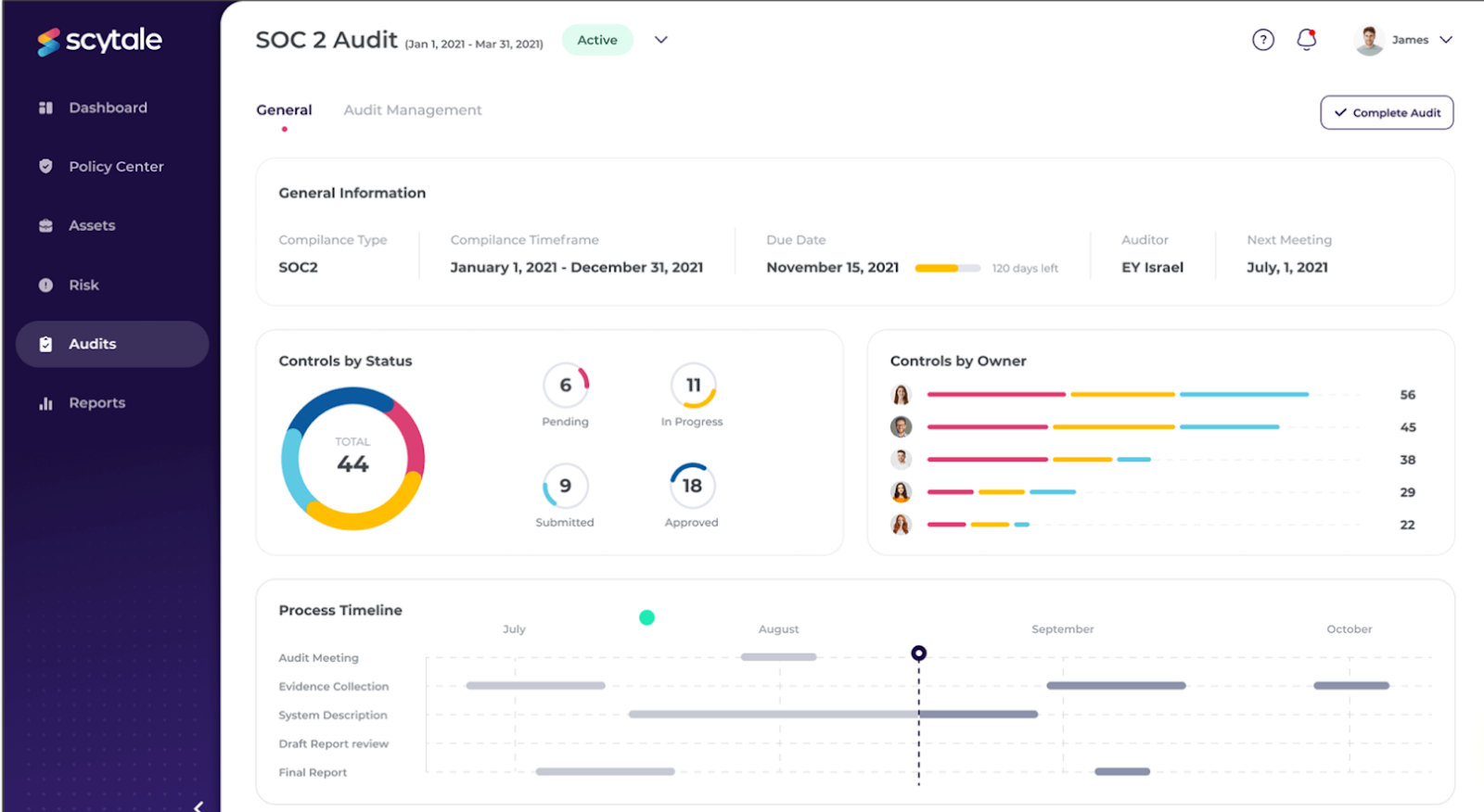
- Compliance automation with expert guidance: Scytale combines automated workflows with dedicated compliance experts who help teams design programs, prepare for audits, and maintain ongoing compliance without building an internal GRC team.
- AI-powered security questionnaires: AI assists with generating and completing security questionnaires faster by reusing existing compliance data and policies.
- Trust Center and collaboration hub: A centralized trust center and internal collaboration tools help teams manage policies, share compliance status with stakeholders, and coordinate remediation work across departments.
Pricing
Scytale has two separate offerings, one for startups, and the other for enterprise-grade security teams.
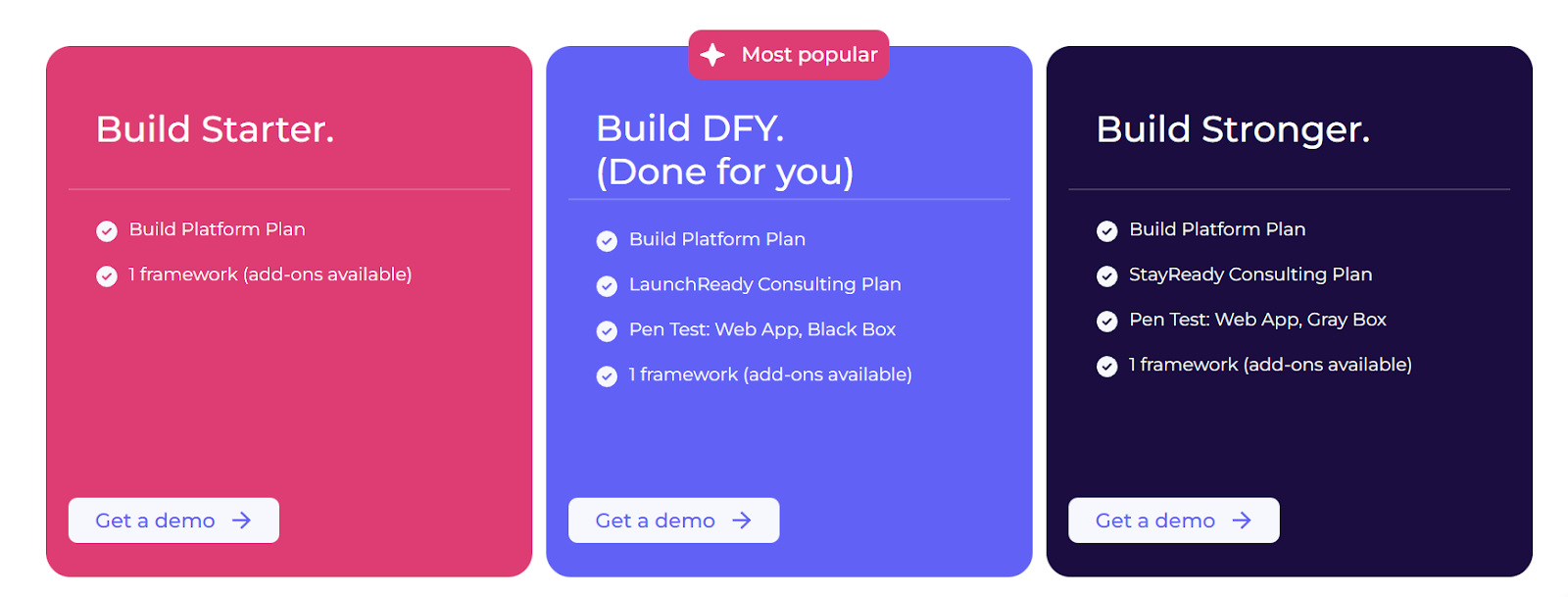
When it comes to the startup plans, there are three to choose from:
- Build Starter: Includes 1 framework (add-ons available), compliance automation, policy center, personnel compliance, vendor and risk management, trust center, and questionnaire automations.
- Build DFY (Done for you): Includes everything in Starter, plus launch-ready consulting plan, pen test (web app, black box), and on-prem integrations.
- Build Stronger: Includes everything in Build DFY, plus stay-ready consulting plan, and higher limits on AI features.
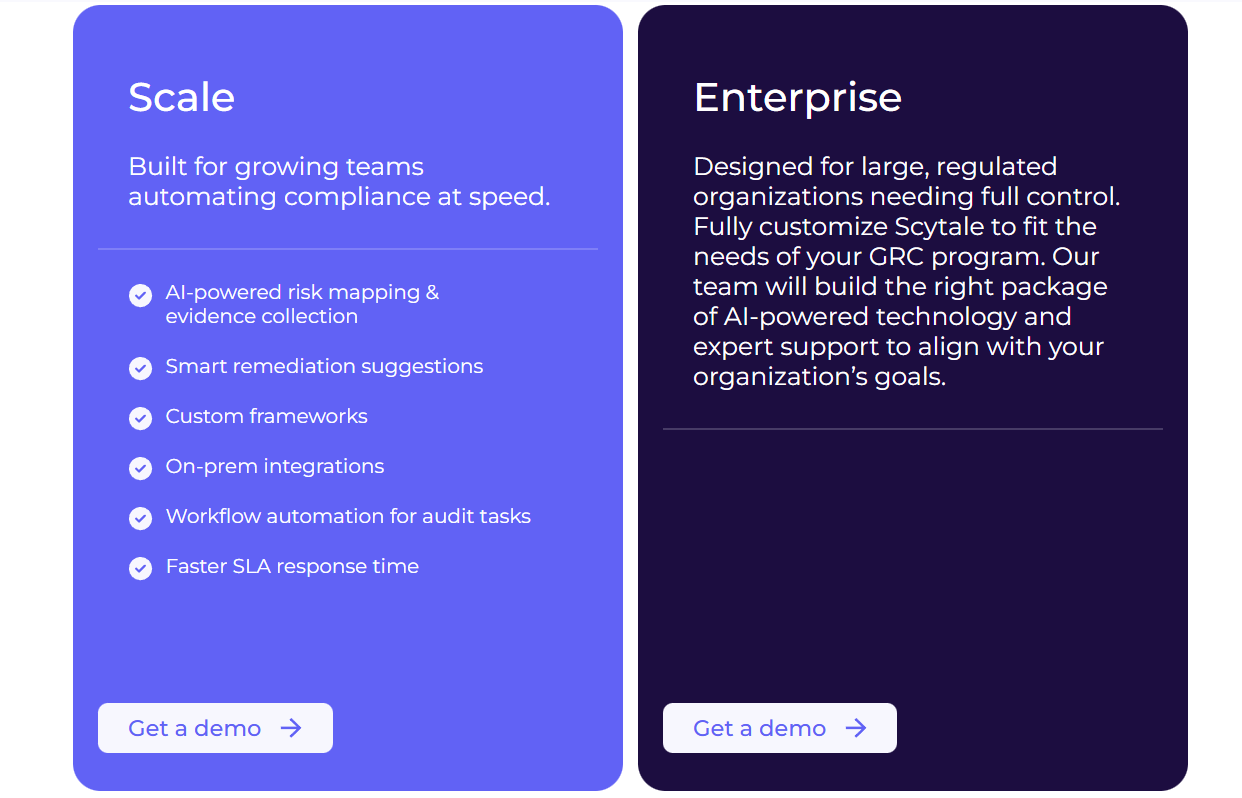
When it comes to enterprise plans, there are two options:
- Scale: Includes AI-powered risk mapping, automated evidence collection, workflow automation for audit tasks, custom frameworks, on-prem integrations, and faster SLA response times.
- Enterprise: Built for large or highly regulated organizations, this fully customizable package combines Scytale’s AI-driven platform with dedicated compliance experts, advanced configuration options, and tailored support aligned to complex GRC programs.
However, Scytale doesn’t publish pricing publicly, so you’ll have to get in touch with sales for more details.
Pros & Cons
✅ Strong compliance guidance backed by real consultants who help teams structure governance programs and prepare for audits.
✅ Clean, intuitive interface makes compliance tasks easier to manage, even for first-time teams.
❌ Automation and evidence-collection tools can occasionally feel buggy or inconsistent depending on setup.
10. Apptega
Best for: Organizations that want to build and manage cybersecurity and compliance programs through structured roadmaps, centralized risk tracking, and continuous monitoring.
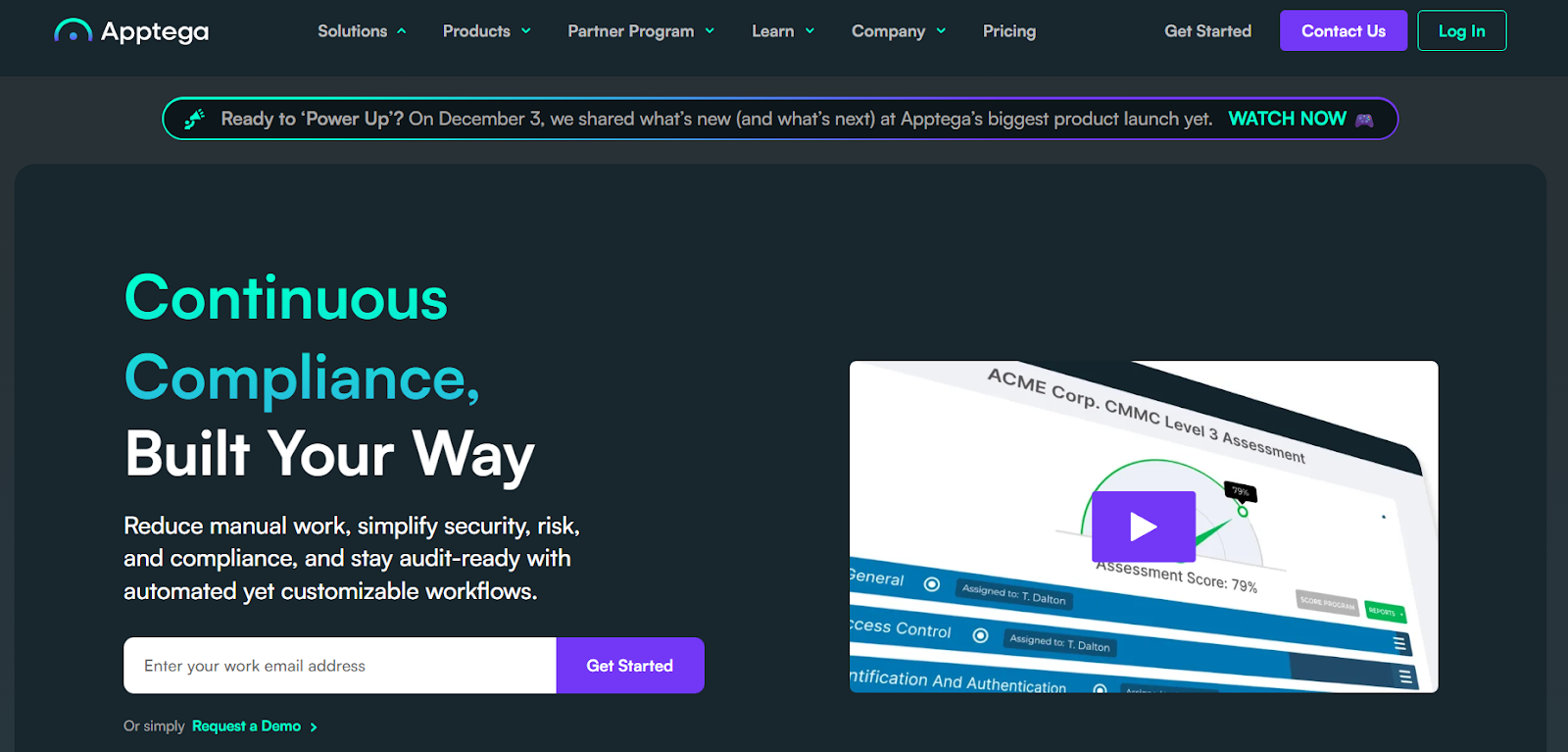
Apptega is a security and compliance management platform designed to help teams plan, implement, and maintain security programs using built-in frameworks, risk scoring, and automated workflows.
Its platform focuses on turning complex compliance requirements into clear, step-by-step action plans while giving security leaders visibility into risk posture and progress over time.
Features
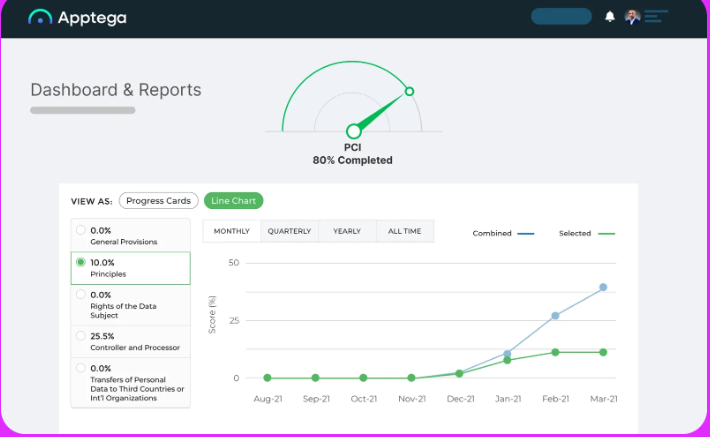
- Multi-framework crosswalking and control mapping: Apptega lets teams manage multiple frameworks as one program, reducing duplicate work and simplifying compliance across standards like ISO 27001, SOC 2, and NIST.
- Continuous risk and compliance monitoring: Built-in risk management tools help teams score, rank, and track risks while maintaining always-on visibility into compliance health.
- Automated assessments and real-time risk scoring: Questionnaire-driven assessments update risk scores automatically and provide AI-guided remediation insights to accelerate compliance progress.
Pricing
Apptega uses a tiered, program-based pricing model designed to scale as your compliance maturity grows, with a free trial available for its entry plan and custom pricing for higher tiers:
- Essentials: Includes one framework assessment, risk and program management tools, reports, tasking, document storage, and policy/risk libraries, with optional add-ons like integrations and audit management.
- Plus: Includes everything in Essentials and adds support for up to three frameworks, cross-framework mapping, audit management, and expanded governance workflows.
- Premium: Expands to five frameworks and adds custom dashboards, multiple workspaces, and deeper third-party risk and enterprise-grade compliance features, with pricing available on request.
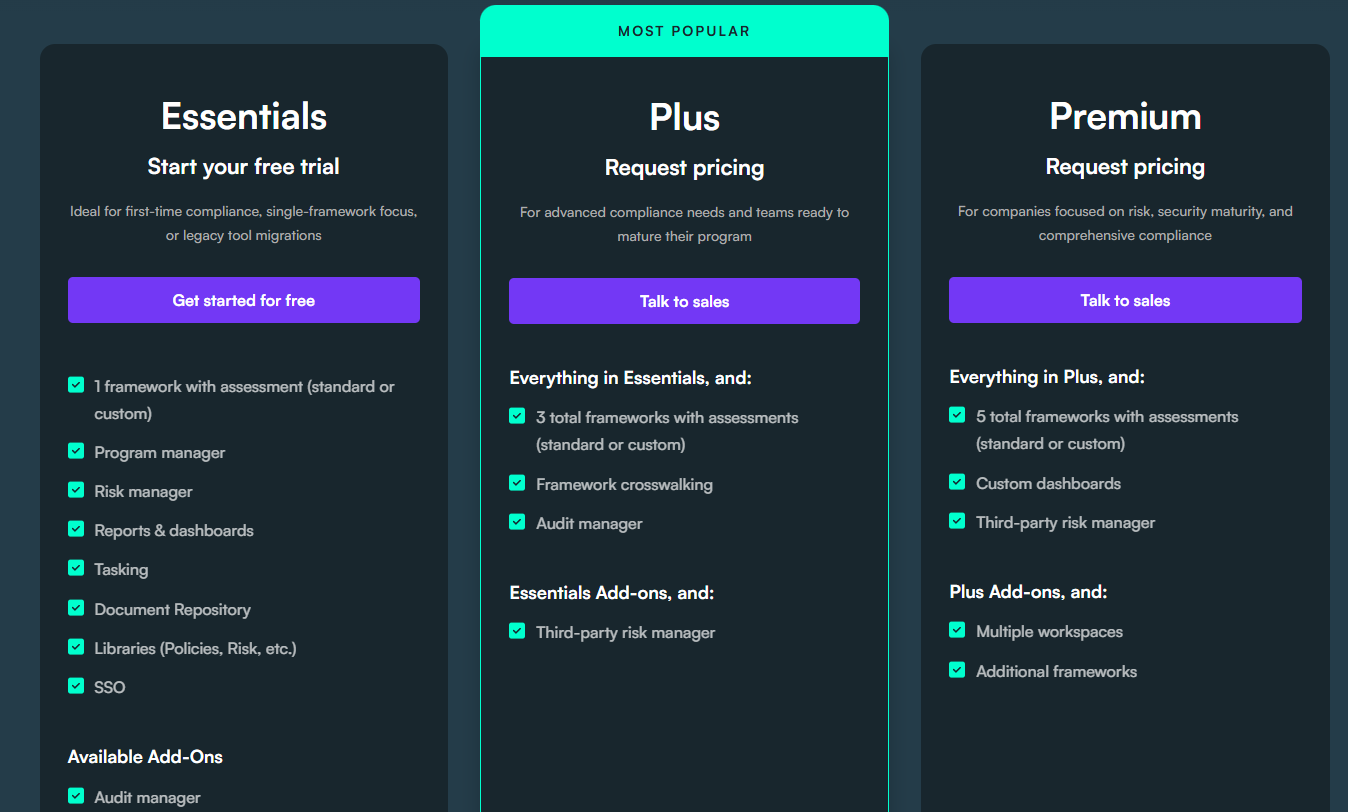
The prices are not listed, however, so you’ll have to contact sales for pricing details.
Pros & Cons
✅ Strong automation for audits and evidence collection
✅ Real-time scoring and visual reporting help security leaders communicate risk and compliance status more effectively.
❌ Limited Integrations and automation depth.
Pick the Sprinto alternative that matches how you actually run compliance
Sprinto is a solid choice when you want guided SOC 2/ISO workflows and quick audit readiness, but many teams outgrow its rigid processes, limited reporting flexibility, or agent/integration friction.
The best alternative depends on whether you need faster certifications (Vanta, Drata, Secureframe), a more operational GRC system for multi-framework + risk management (Hyperproof, Scrut, Apptega, Scytale), hands-on auditor support (Thoropass), or an enterprise-grade connected risk and audit platform (AuditBoard).
However, if you want the most flexibility without losing governance and security, SmartSuite is the best fit: it lets you build a connected GRC system that links risks, controls, vendors, audits, and remediation to real operational work instead of keeping compliance in a separate tool.
Start a free trial with SmartSuite (no credit card required) or book a demo to see how to replace rigid compliance checklists with a flexible, audit-ready GRC workspace.
Read more
- Origami Risk Pricing: Is It Worth It For GRC In 2026? - A clear breakdown of Origami Risk’s pricing model, hidden cost factors, and whether its enterprise-grade GRC capabilities justify the investment in 2026.
- 10 Best Audit Management Software & Tools In 2026 - Explore the top audit management platforms helping teams automate workflows, reduce manual evidence tracking, and gain real-time visibility into assurance programs.
- The Future of Evidence: Continuous, Automated, Connected - Discover how modern GRC teams are replacing static audit snapshots with continuous evidence collection, automated validation, and connected compliance workflows.
- Protecht Pricing: Is It Worth It For GRC In 2026? - An in-depth look at Protecht’s pricing structure, core capabilities, and what organizations should know before committing to its enterprise risk management platform.
- Drata vs. Vanta vs. SmartSuite: Which One Is Better For GRC? (2026) - A side-by-side comparison of three leading GRC platforms, breaking down automation, flexibility, AI capabilities, and which tool fits different compliance strategies.
- 10 Best Corporater Alternatives & Competitors In 2026 - Compare the top Corporater alternatives that offer stronger customization, modern GRC workflows, and more flexible pricing for evolving risk and compliance programs.

SmartSuite provides work platform for standardizing workflows in the following areas:
- Governance, Risk & Compliance
- IT & Service Ops
- Project / Portfolio Management
- Business Operations







