



When comparing Smartsheet vs. TeamGantt, most teams are trying to decide between a flexible, spreadsheet-style work manager and a timeline-first planning tool built around Gantt charts.
On the surface, they both handle projects, but the way they structure work, manage dependencies, and scale across teams feels very different in practice.
In this guide, I’ll break down where each platform excels, where they start to create friction, and what kind of team each one truly fits in 2026.
Finally, I’ll also introduce a third option that approaches project and workflow management from a more connected, modern angle for teams that find that neither Smartsheet nor TeamGantt meet their needs.
TL;DR
- Smartsheet works best for teams that prefer spreadsheet-style project management with formulas, structured data tracking, automation, and built-in analytics. It’s especially strong for projects that require reporting, KPIs, and operational metrics, though workflows still revolve around sheets and structured tables.
➡️ Choose Smartsheet if you want project management built around spreadsheet logic and data-driven tracking.
- TeamGantt is designed for teams that plan work primarily through visual timelines. Its Gantt-first approach makes scheduling, dependencies, milestones, and resource planning easy to manage, but the platform remains focused on timeline execution rather than broader workflow management.
➡️ Choose TeamGantt if your main priority is simple, visual project scheduling with Gantt charts.
- SmartSuite provides a unified work platform that connects projects, operations, automation, AI, and reporting in one system. With pre-built solution suites and the ability to build fully customized workflows on a relational data model, it’s built to scale as organizations manage more complex processes.
➡️ Choose SmartSuite if you want a flexible platform that can manage projects and broader business workflows in one place.
Smartsheet vs. TeamGantt vs. SmartSuite: Features
Let’s begin by taking a closer look at all three platforms’ standout features, starting with Smartsheet.
TL;DR
- Smartsheet focuses on spreadsheet-driven project management with formulas, automation, AI assistance, and built-in analytics like Work Insights.
- TeamGantt centers its functionality around visual timeline planning, offering Gantt charts, dependency management, critical path visibility, resource tracking, and collaborative scheduling.
- SmartSuite delivers the most versatile feature set by combining pre-built solution suites, customizable no-code workflows, relational data architecture, AI-powered automation, and built-in collaboration across a unified work platform.
Smartsheet’s features
1. Spreadsheet logic & formula-driven project tracking
Smartsheet is built on a spreadsheet-style foundation, which means teams can use formulas and functions to calculate budgets, roll up progress, automate status updates, and track KPIs directly inside their project plans.
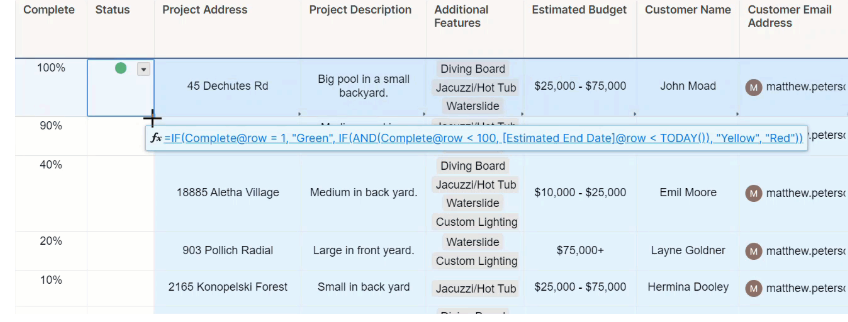
As a result, instead of relying only on visual timelines, you can embed logic into your work using cross-sheet references, hierarchy rollups, and conditional calculations.
This makes Smartsheet especially powerful for teams managing structured projects that involve budgets, performance metrics, dependencies, or multi-level reporting.
2. No-code automated workflows
Smartsheet enables teams to automate repetitive, manual processes using a visual workflow builder that connects triggers, conditions, and actions in a flowchart-style interface.
You can automatically send reminders, request approvals, update fields, move or copy rows, and notify stakeholders based on real-time changes in your sheet.
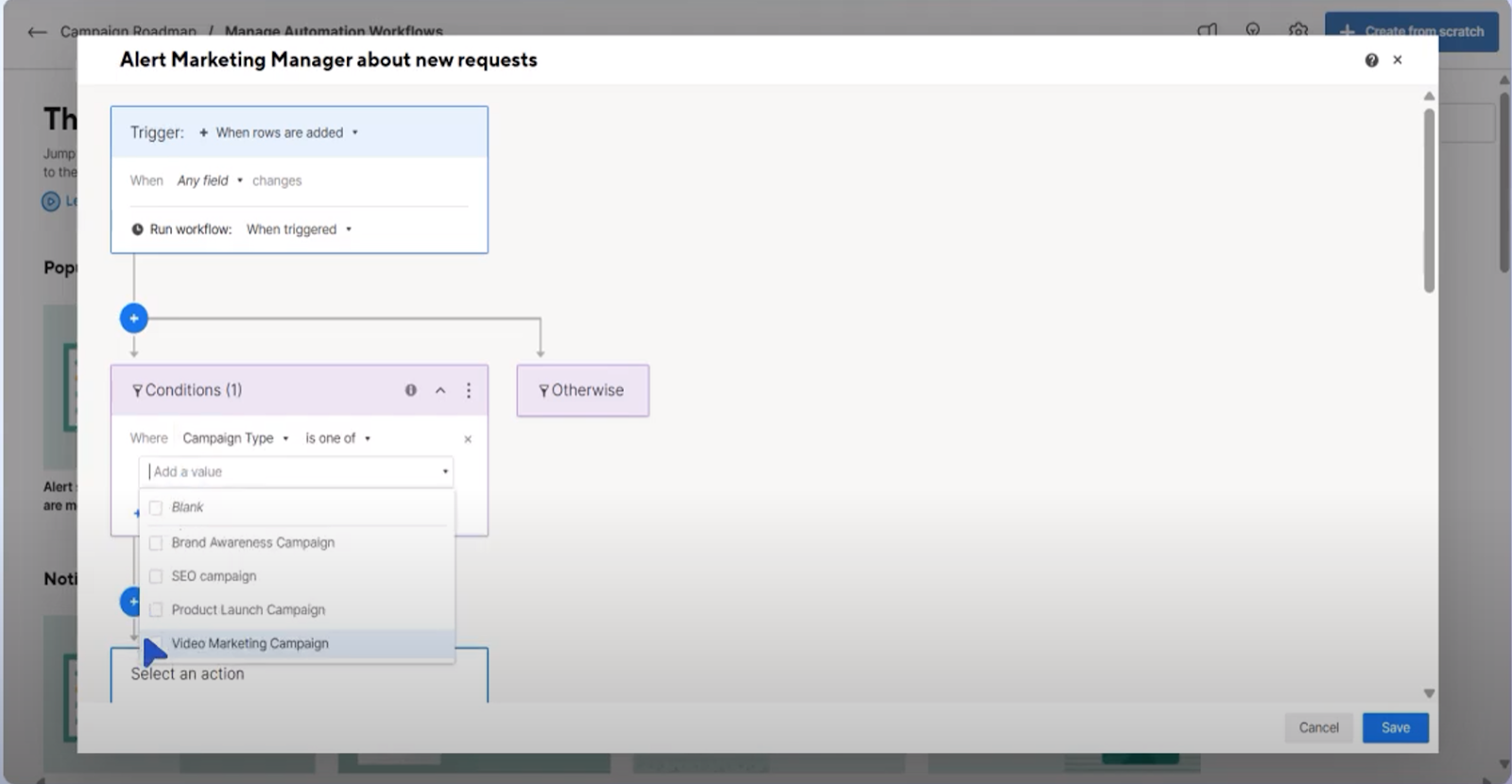
With ready-made templates and fully customizable logic paths, teams can standardize processes and reduce manual coordination without writing a single line of code.
3. Built-in AI assistance
Smartsheet AI helps teams move faster by generating formulas, analyzing project data, summarizing updates, and suggesting clearer descriptions directly inside their sheets.
It can assist with intelligent form fill, create summaries from long content, and surface insights without requiring advanced technical skills.
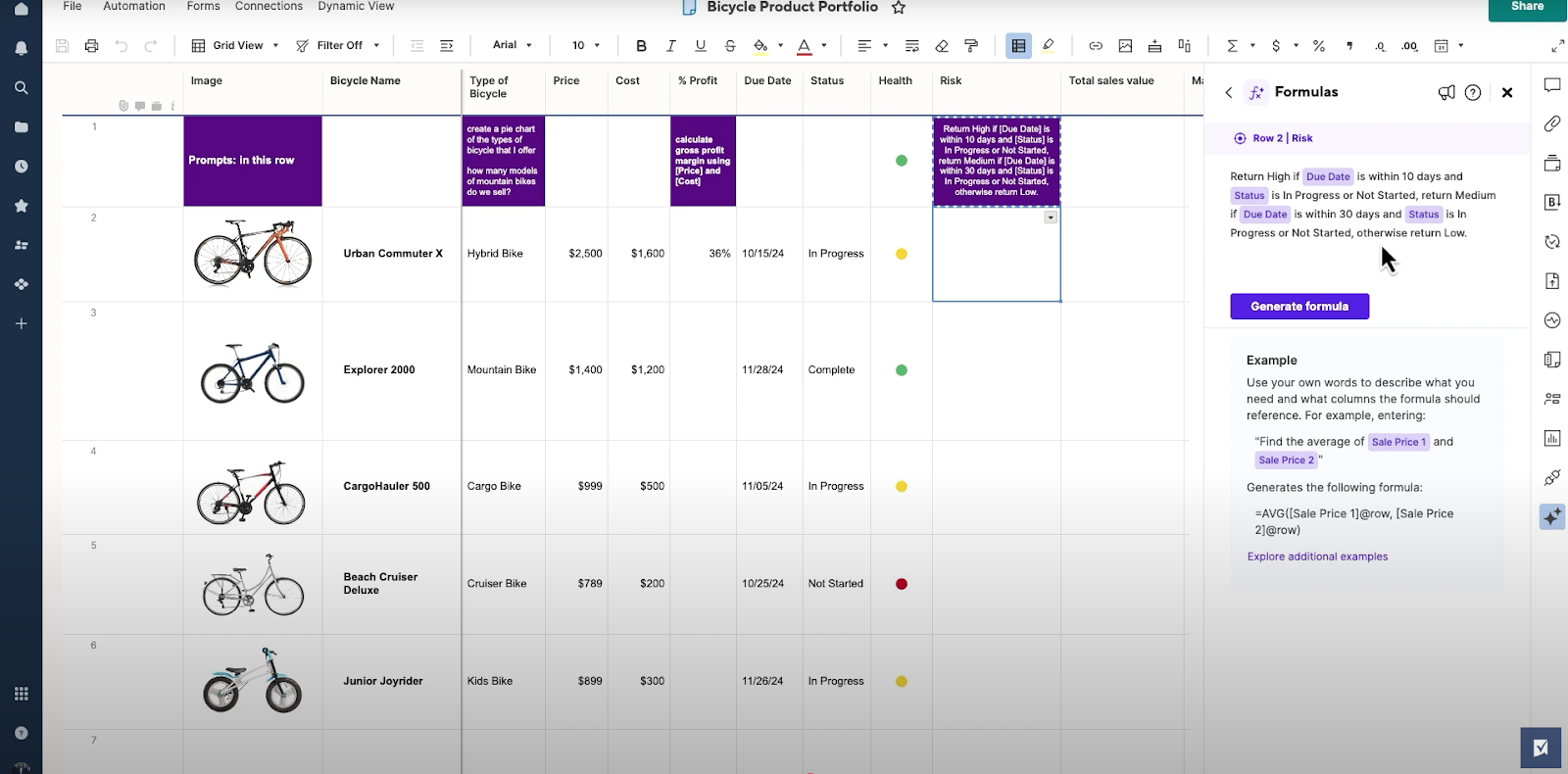
For new users, AI also provides personalized setup guidance based on role and goals, helping teams configure their first workspace quickly and start seeing value without trial-and-error.
4. Work Insights
Work Insights automatically analyzes and visualizes your sheet data to surface trends, bottlenecks, and performance metrics without requiring manual report building.
Teams can track metrics like items in progress, new tickets over time, resolution speed, workload distribution, and burndown progress using built-in charts and filters.
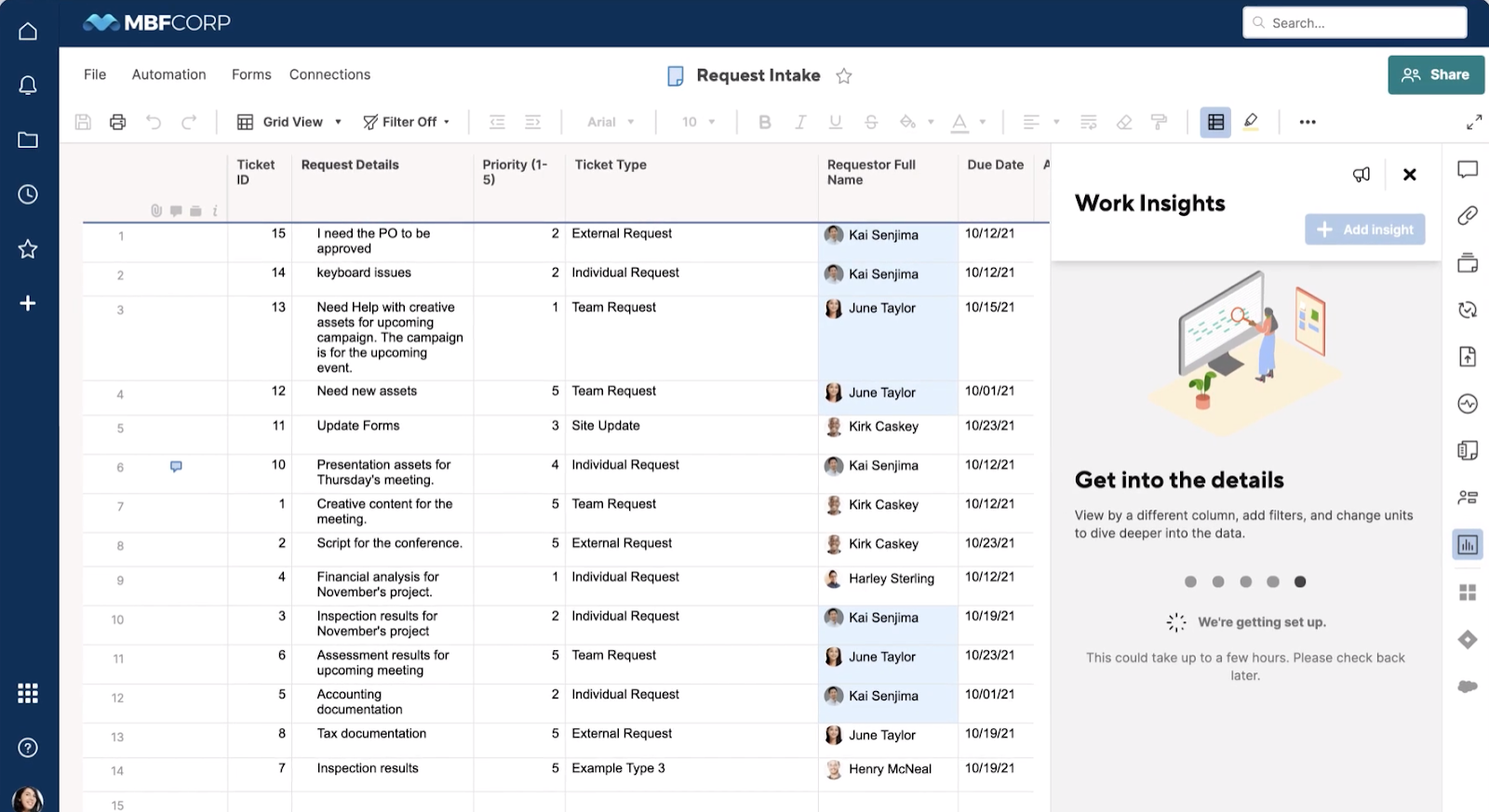
With snapshot views, time series charts, cross-tabs, and burndown visuals, Work Insights brings lightweight business intelligence directly into the sheet, helping teams make faster, data-driven decisions.
Smartsheet is ideal if you:
✅ Prefer managing projects in a spreadsheet-style environment with formulas, structured data, and customizable fields.
✅ Track structured projects that involve budgets, KPIs, reporting layers, or operational metrics.
✅ Want built-in analytics that surface trends, bottlenecks, and performance insights directly from your project data.
Smartsheet isn’t the best choice if you:
❌ Prefer a simple project management tool focused purely on visual timelines or Gantt charts.
❌ Don’t need formula logic and spreadsheet-structured data tracking in your project plans.
❌ Want a lightweight tool for basic task lists without automation, analytics, or advanced workflow features.
TeamGantt’s features
1. Gantt-first project planning & visual timelines
Although you can switch between several project management views, TeamGantt is primarily built around a visual Gantt chart where every task appears as a bar on a timeline, making it easy to plan schedules and track progress at a glance.
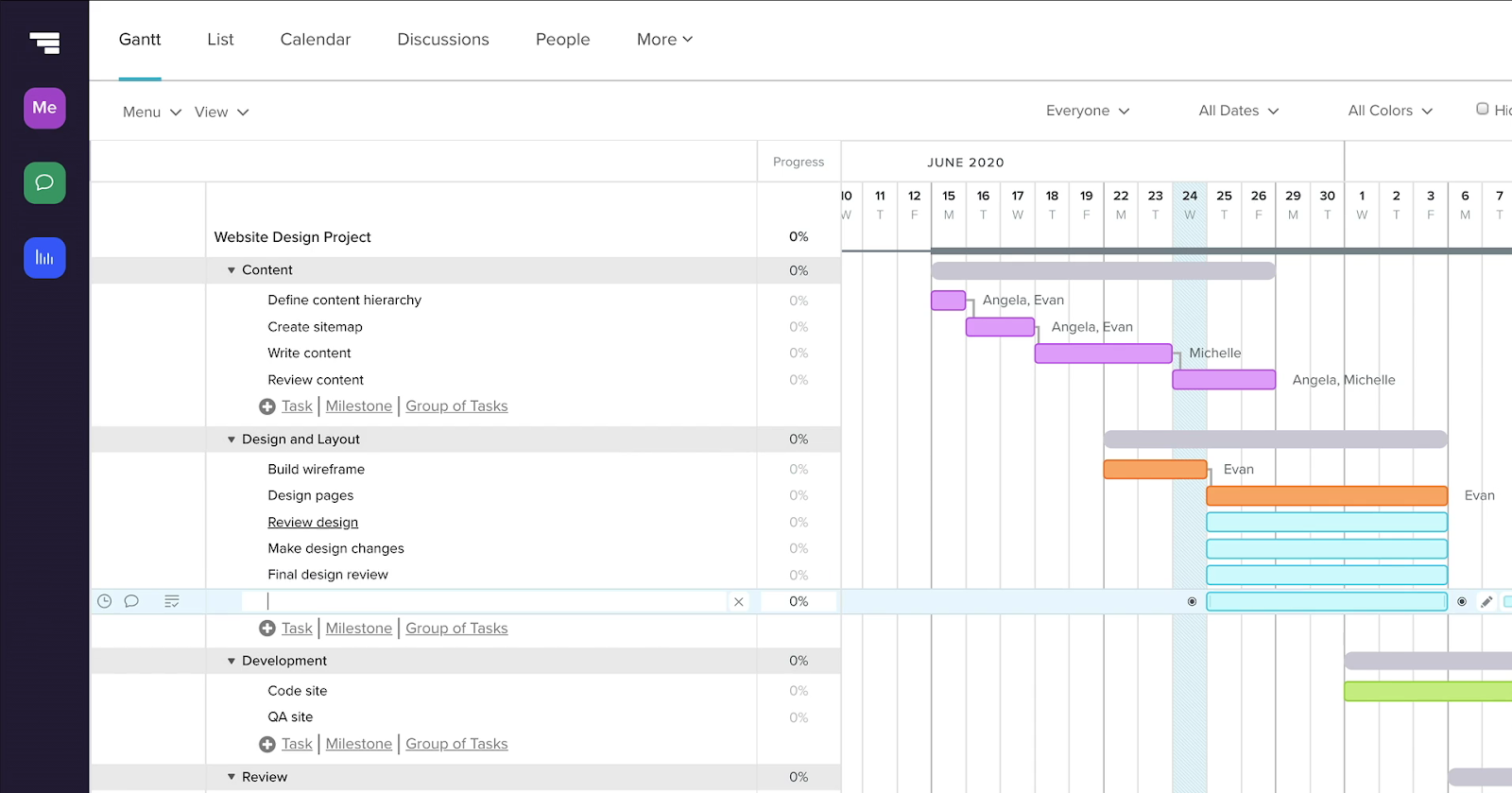
Teams can quickly adjust deadlines, reorder tasks, and shift timelines using a simple drag-and-drop interface.
Milestones, lookahead schedules, and baseline comparisons also help project managers track progress against the original plan and keep delivery on schedule.
2. Task dependencies & critical path management
TeamGantt includes built-in dependency tracking that allows teams to link tasks and control how work flows across a project timeline.
Users can define lead and lag times, ensuring tasks start or finish at the right moment even when schedules shift.
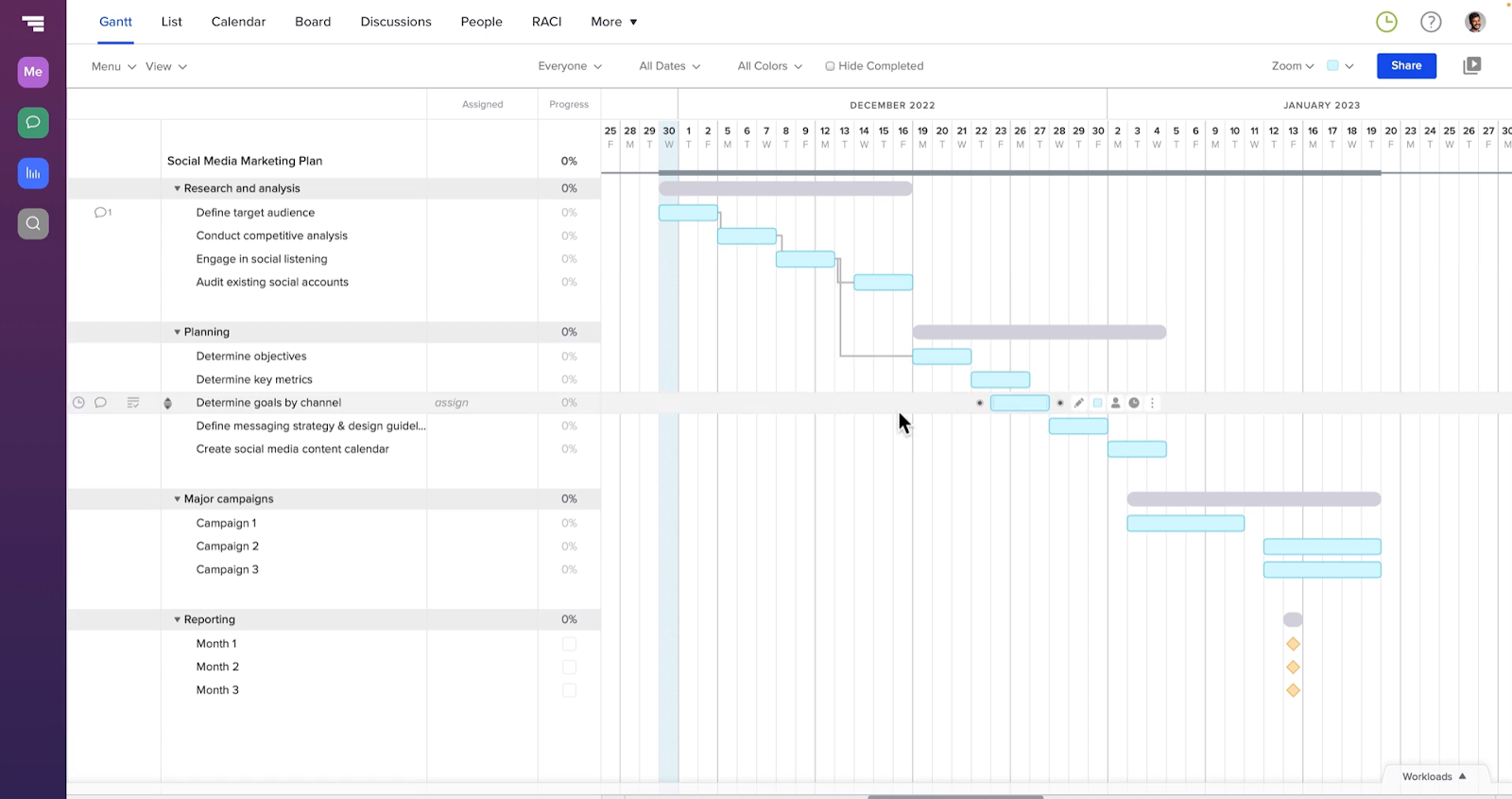
The platform also highlights the project’s critical path, helping teams quickly identify which tasks directly impact the final delivery date and where delays could affect the overall schedule.
3. Resource & workload management
TeamGantt includes built-in resource management tools that help teams balance workloads across multiple projects.
Managers can assign tasks to individuals, teams, or assets while tracking capacity through global workload views and utilization reports.
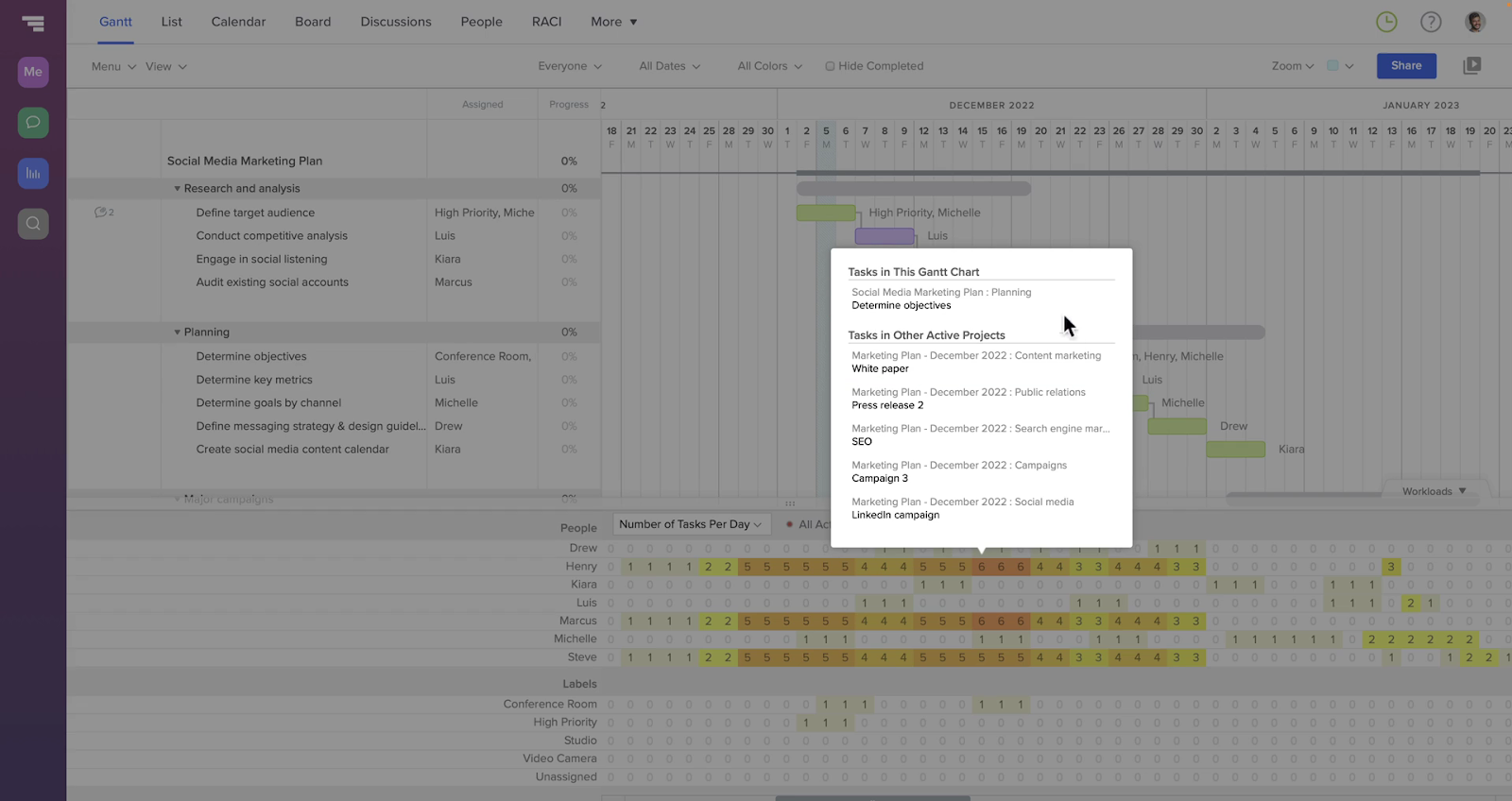
With features like hourly estimation and workload tracking, teams can identify overbooked resources early and adjust assignments to keep projects moving smoothly.
4. Collaboration & shared schedules
TeamGantt keeps teams aligned by centralizing communication directly inside the project schedule.
Users can comment on tasks, tag teammates in discussions, attach files, and share updates without leaving the timeline.
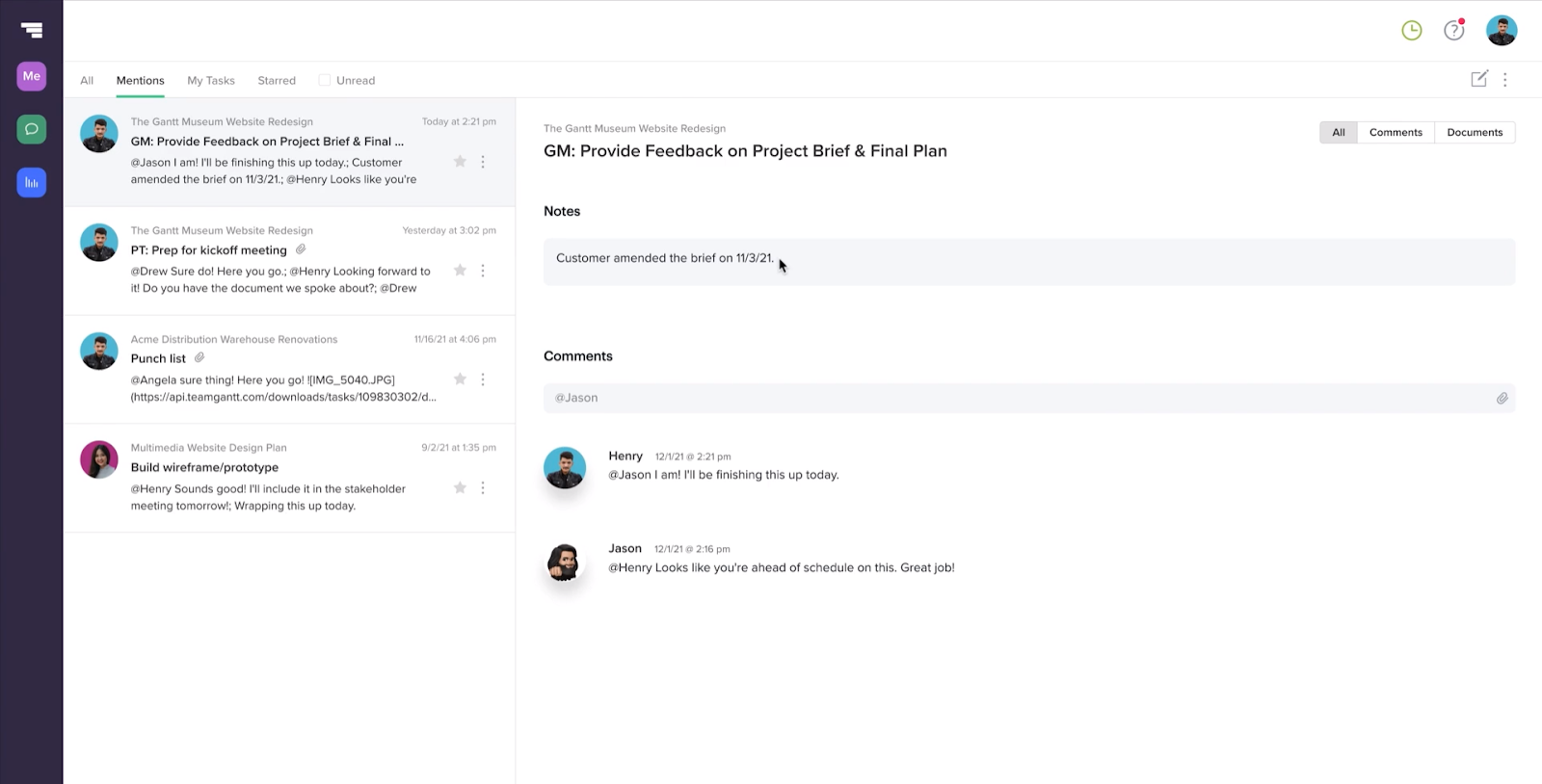
With real-time notifications, public schedule links, and integrations like Slack, stakeholders can stay informed and collaborate around a single live project plan.
TeamGantt is ideal if you:
✅ Manage projects where timelines, schedules, and task dependencies are the primary focus.
✅ Prefer planning work visually through Gantt charts with drag-and-drop scheduling.
✅ Want simple resource and workload management to balance assignments across projects.
TeamGantt isn’t the best choice if you:
❌ Need deeper workflow automation, advanced reporting, or operational management beyond project timelines.
❌ Manage data-heavy projects that require formulas, structured fields, or complex reporting logic.
❌ Want a platform that connects projects with broader business processes or cross-team workflows.
SmartSuite’s features
So, why include a third platform in this comparison, you may ask?
The reason why I introduced SmartSuite is because many teams evaluating Smartsheet or TeamGantt eventually figure out they’re better off with a platform that goes beyond spreadsheet tracking or Gantt scheduling and can manage multiple workflows, projects, and operational processes in one place.
And that’s exactly where SmartSuite steps in.
SmartSuite is an AI-native work management platform designed to help teams plan, automate, and run workflows across projects, operations, and business processes in one connected system.
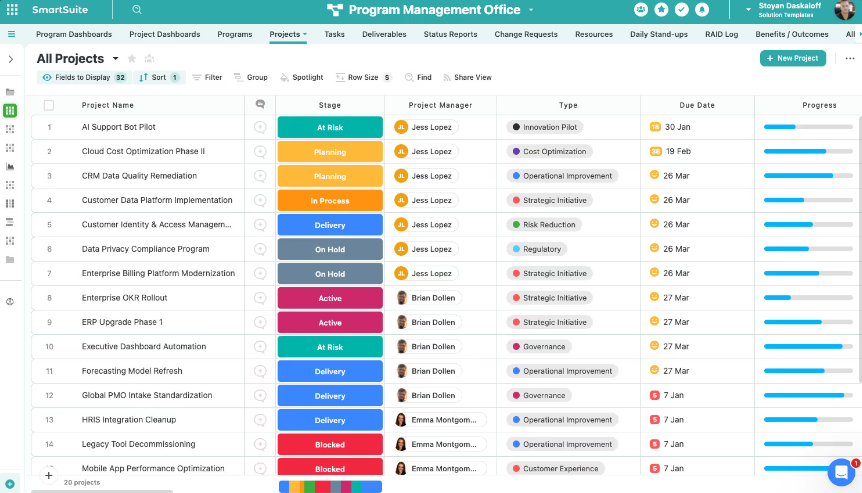
Instead of focusing only on tasks or timelines, it acts more like a comprehensive Work Operating System, bringing together data, automation, reporting, and collaboration so teams can manage work from a single platform.
Next, I’ll break down some of its standout features.
1. Unified work platform with built-in and customizable solutions
SmartSuite is designed as an all-in-one work management system that connects projects, processes, and data across an entire organization.
Instead of focusing on a single use case, it combines pre-built solution suites with a no-code foundation that allows teams to build fully customized workflows for any business process.
Here are some of the capabilities that make SmartSuite’s unified platform stand out:
- Pre-built solution suites: SmartSuite includes ready-to-use solutions for Governance, Risk, Compliance & Resilience (GRC), IT Service Management (ITSM), Project & Portfolio Management, and Business Operations, allowing teams to launch structured workflows quickly.
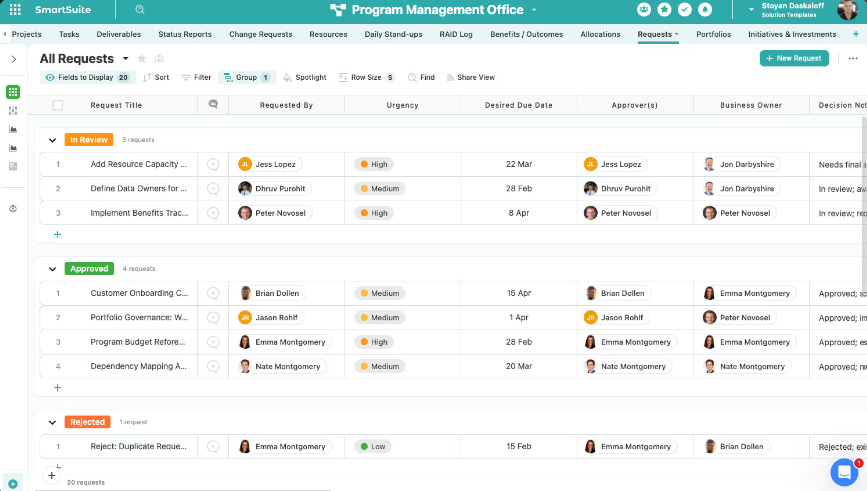
- Custom solutions built from scratch: Teams can design completely custom workflows using visual drag-and-drop configuration, making it easy to build tools for any department without coding.
- Relational data architecture: Records, tables, and linked relationships allow teams to connect information across workflows without duplicating data, creating a single source of truth.
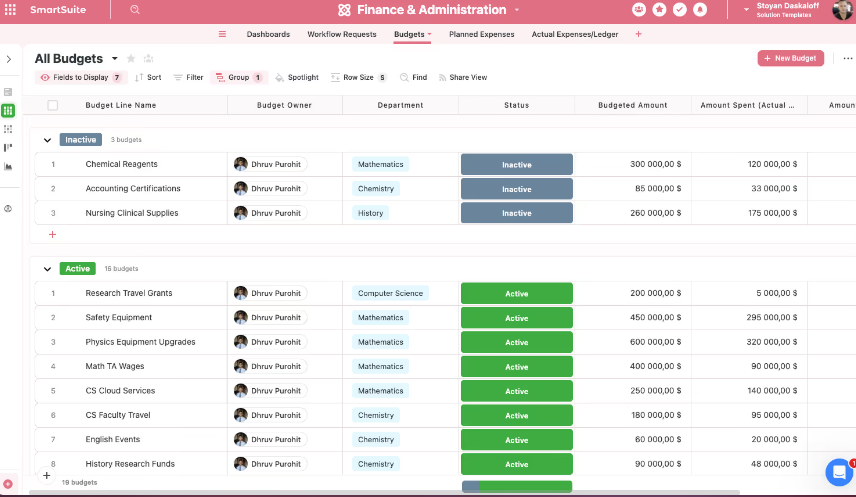
- Multiple work views: Teams can visualize the same data through grid, board, calendar, map, timeline, chart, Gantt, or card views depending on how they prefer to plan and track work.
- Enterprise governance and permissions: Built-in role-based permissions, audit trails, and data controls ensure workflows remain secure and compliant as organizations scale.
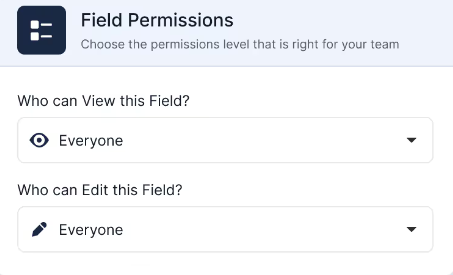
- Connected workflows across teams: Because every solution runs on the same platform, handoffs, dependencies, and reporting stay linked across departments instead of living in separate tools.
2. Built-in AI for smarter execution and decision-making
SmartSuite includes AI capabilities that operate directly inside workflows, records, and automations rather than as a separate tool.
Some of the key AI features inside SmartSuite include:
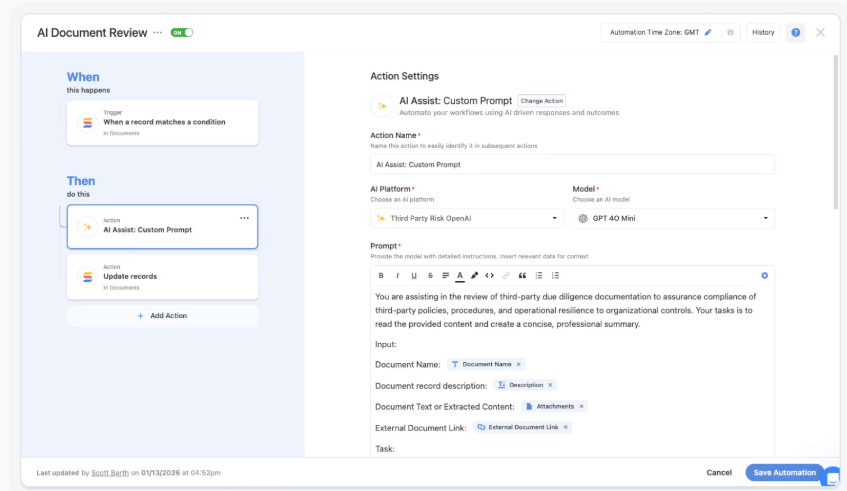
- AI Assist in automations: AI steps can summarize inputs, classify records, translate content, and enrich data automatically as it moves through workflow automations.
- SmartDoc AI: Generate, summarize, translate, and refine content directly inside records so teams can produce updates, reports, and documentation faster.
- AI Field Agent: AI monitors fields and datasets to recommend values such as risk scores, priorities, or classifications while helping maintain clean and consistent data.
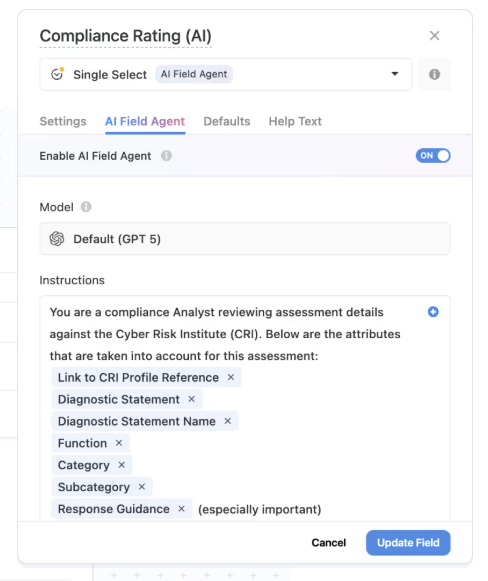
- Human-in-the-loop AI: AI prepares suggestions and insights while users review and approve the final outcome to maintain control and governance.
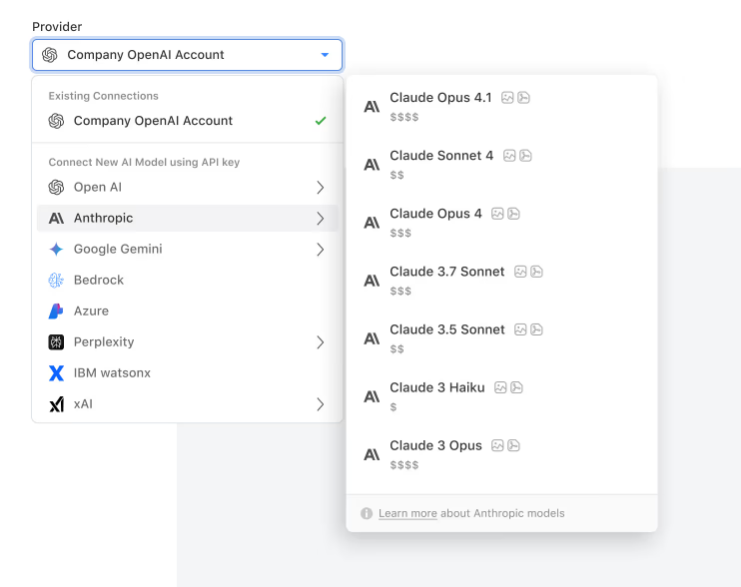
- Bring-your-own LLM support: Organizations can connect models like OpenAI, Gemini, Anthropic, AWS Bedrock, or IBM WatsonX depending on their security and infrastructure requirements.
3. Intelligent workflow automation engine
SmartSuite includes a powerful automation engine that allows teams to build simple or multi-step workflows using a visual drag-and-drop builder.

Automations can trigger actions such as updating records, assigning work, sending notifications, or syncing data with external systems based on real-time events or scheduled conditions.
SmartSuite’s workflow automation functionality includes:
- Flexible triggers: Automations can start when records change, dates arrive, buttons are clicked, or external systems send webhooks.
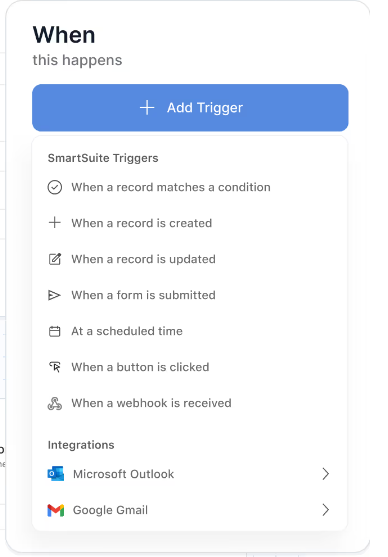
- Precision trigger filters: Teams can define highly specific conditions that determine when a workflow should run, ensuring actions only execute on relevant records.
- Looping actions across related records: When one change affects multiple linked records, automations can repeat actions across all related items automatically.
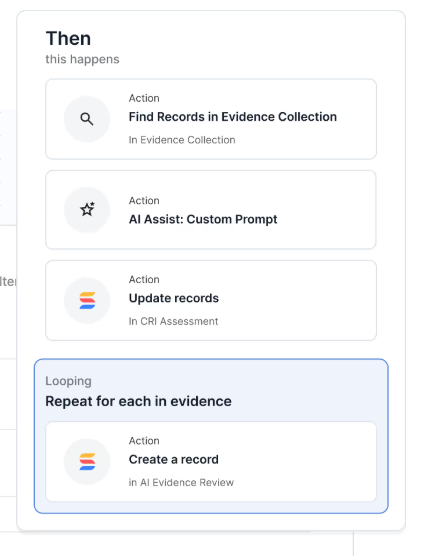
- Multi-step actions: A single automation can update records, assign owners, send notifications, or trigger actions in external tools like Slack, Teams, or Salesforce.
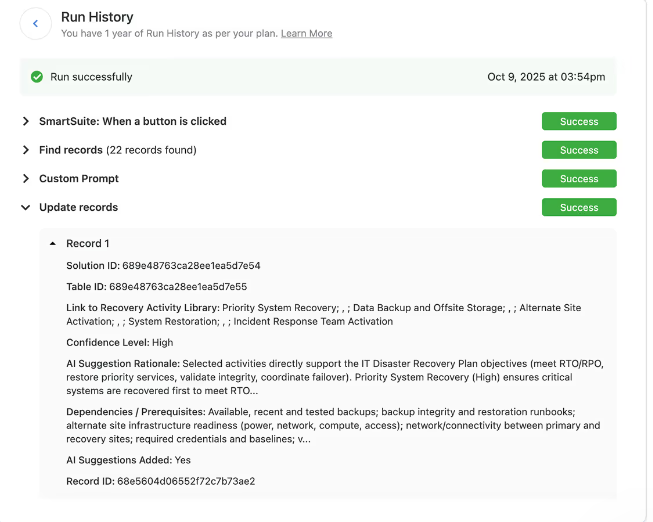
- Enterprise reliability and governance: Every automation run is logged with full execution history, error tracking, and audit visibility.
4. Collaboration built directly into workflows
SmartSuite embeds collaboration directly into records, tasks, and projects so conversations, updates, and decisions stay connected to the work itself.
Here’s what that looks like in practice:
- In-record conversations: Threaded comments, @mentions, and file sharing happen directly inside records so discussions stay tied to the work they reference.
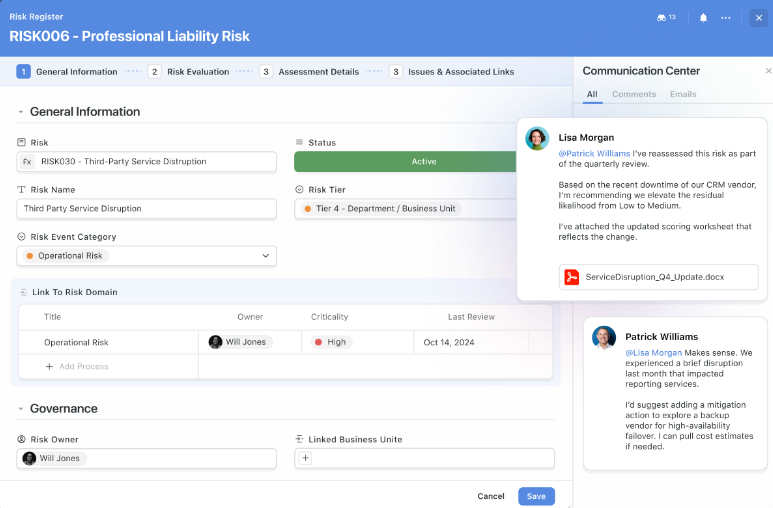
- Contextual email integration: Emails with customers, vendors, or stakeholders can be sent and received inside records, keeping communication visible to the entire team.
- Activity history and transparency: Every edit, update, and comment is captured in a complete activity timeline so teams can track how work evolved over time.
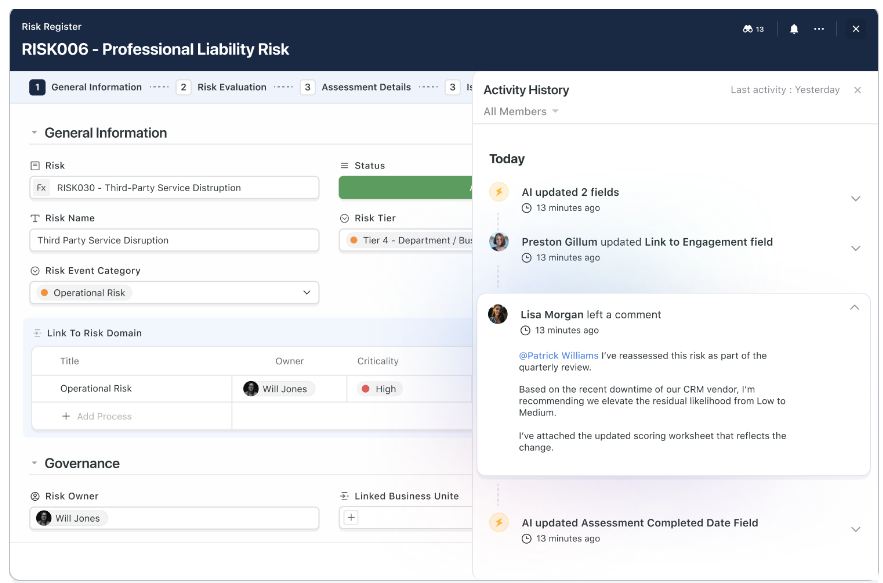
- Smart notifications: Customizable alerts keep users informed about mentions, assignments, approvals, and key changes without overwhelming them with noise.
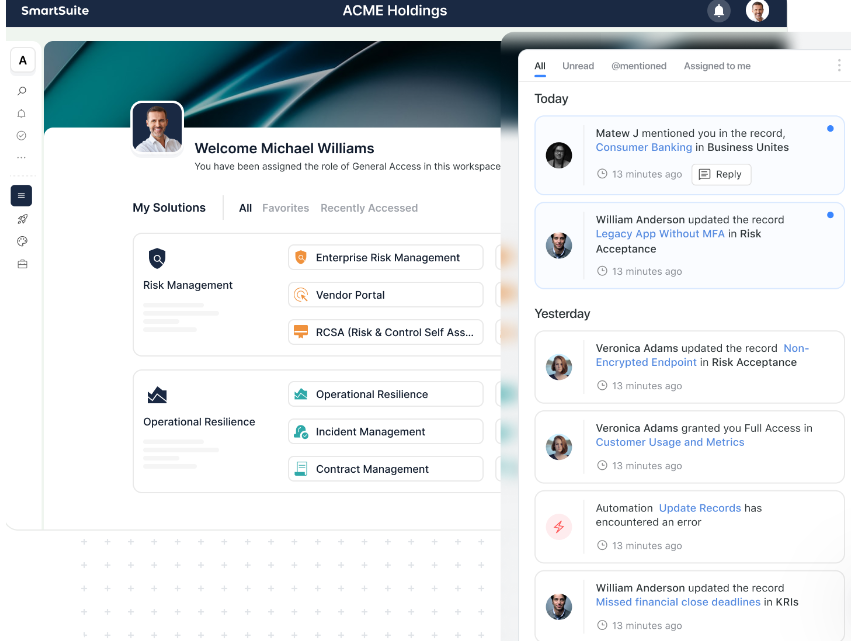
- Unified collaboration across workflows: The same collaboration model works across projects, operations, GRC, ITSM, and other solutions within the platform.
SmartSuite is ideal if you:
✅ Want a unified platform that connects projects, operational workflows, and business processes in one system.
✅ Prefer starting with pre-built solutions (like GRC, ITSM, project management, or business operations) while still having the flexibility to build fully custom workflows.
✅ Need relational data structures that link records, teams, and processes without duplicating information.
✅ Value AI assistance, automation, and analytics that operate directly inside workflows rather than as separate tools.
✅ Want collaboration, reporting, and governance built into the same platform where work happens.
SmartSuite isn’t the best choice if you:
❌ Only need a simple tool for timeline planning or basic task tracking.
❌ Are looking for a single-purpose scheduling tool rather than a broader work management platform.
Winner: SmartSuite
SmartSuite stands out as the most complete platform in this comparison because it goes beyond a single project management approach.
While Smartsheet is strongest for spreadsheet-style project tracking and TeamGantt excels at visual timeline planning, SmartSuite connects projects, operational workflows, automation, collaboration, and reporting in one unified system.
Integrations: Smartsheet vs. TeamGantt vs. SmartSuite
Smartsheet’s integrations
Smartsheet is designed to work alongside the rest of your software stack, offering a wide range of integrations that connect projects with the tools teams already use every day.
From communication platforms to enterprise systems, these connections allow data, updates, and workflows to move smoothly between applications without requiring teams to duplicate work or switch constantly between tools.
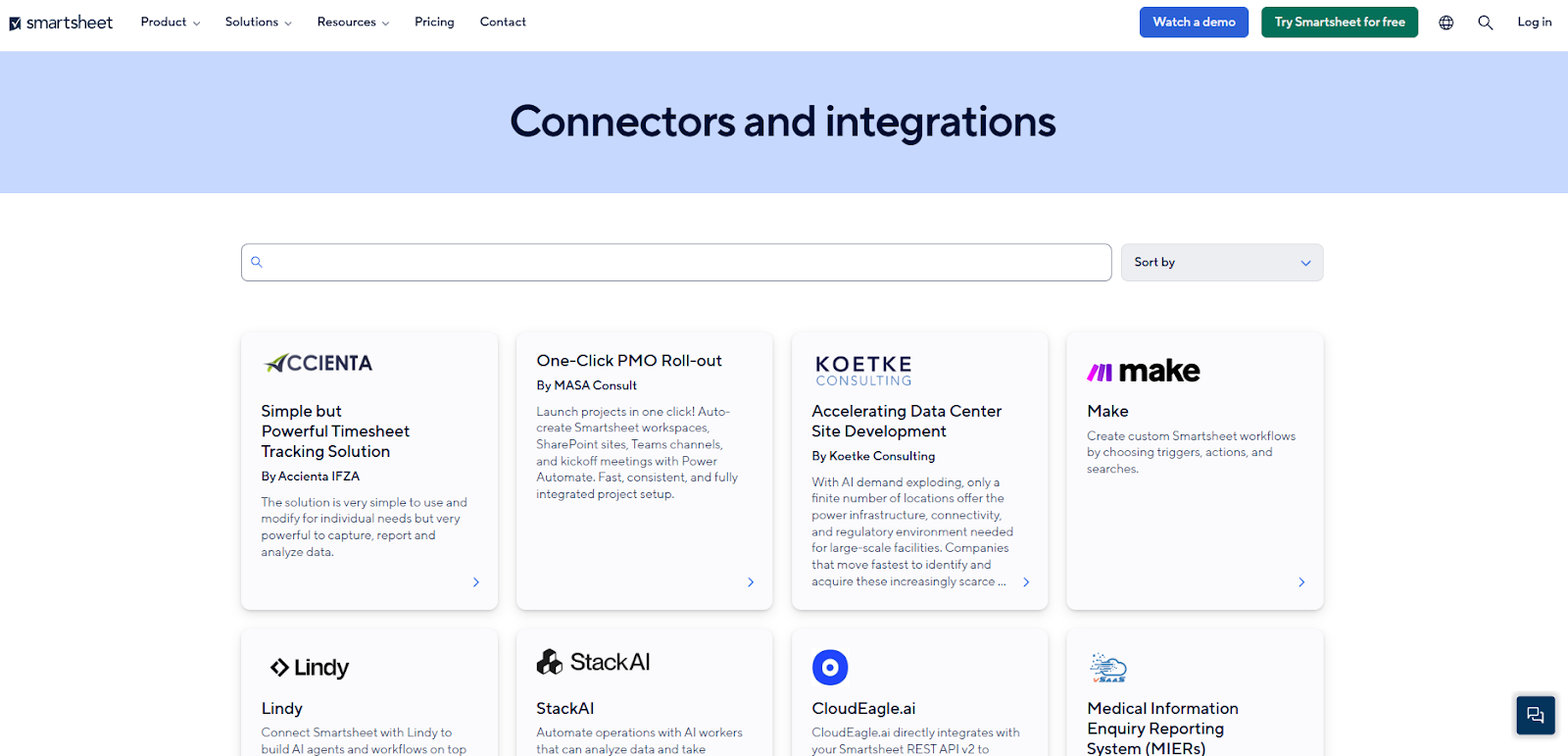
Some of its main integration areas include:
- Enterprise systems and operations such as Jira, ServiceNow, and SAP ERP, helping organizations keep operational data aligned with project workflows.
- AI integrations with tools like Atlassian Rovo and Microsoft Copilot that extend workflows with intelligent insights and automation.
- Messaging and collaboration platforms including Slack and Microsoft Teams, enabling alerts, updates, and notifications directly from project workflows.
- Content and creative tools such as Miro, DocuSign, and Adobe Creative Cloud, allowing teams to sync files and assets alongside project work.
- Workflow automation platforms like Zapier and Tray that trigger actions across multiple apps and streamline cross-system processes.
- Security and governance integrations that support enterprise authentication, compliance, and identity management through secure connections with organizational infrastructure.
TeamGantt’s integrations
TeamGantt offers a smaller but practical set of integrations designed to keep project schedules connected with the tools teams already use for communication, planning, and file sharing.
Instead of trying to integrate with every enterprise system, its integrations focus on supporting the project planning workflow and keeping teams aligned around a shared timeline.
For example, TeamGantt integrates with Slack so teams can create tasks directly from messages and receive project updates inside their channels.
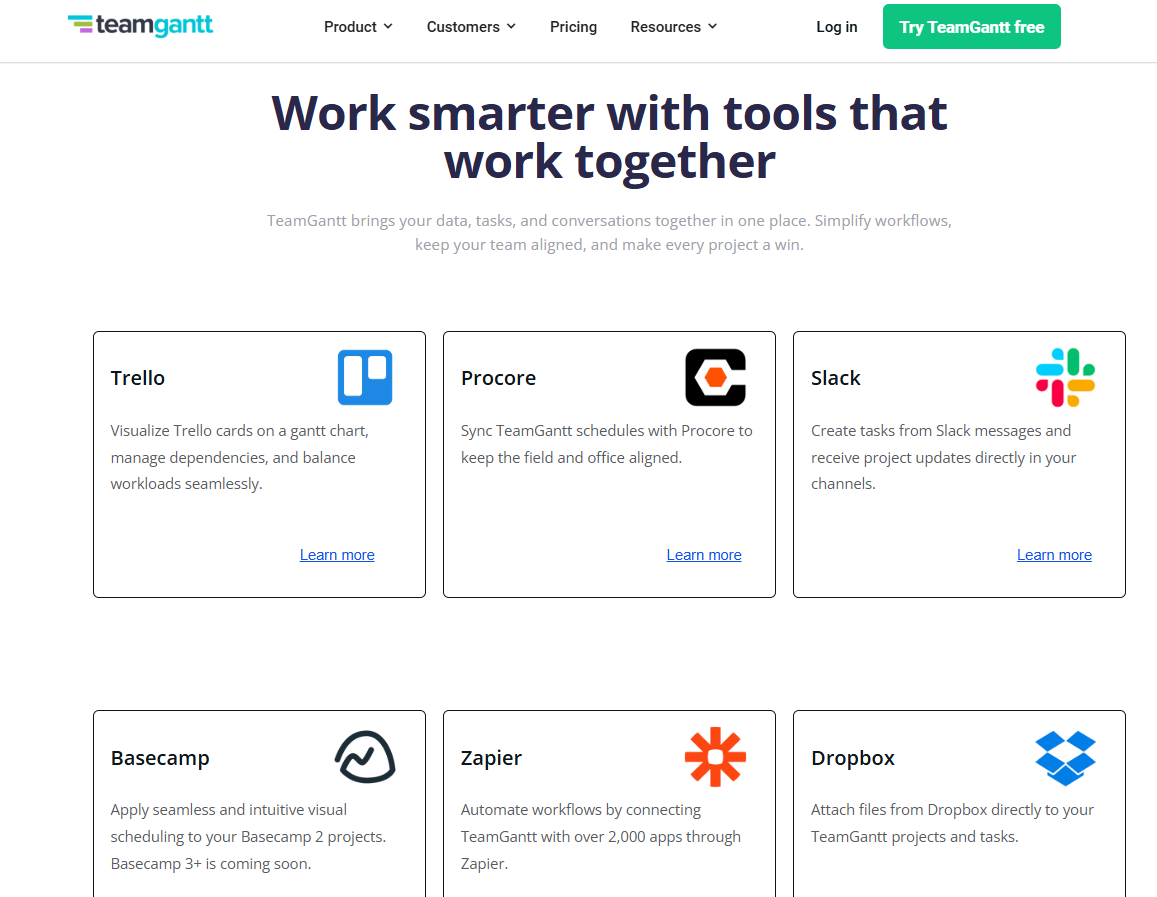
It also connects with Trello and Basecamp, allowing teams to visualize existing tasks on a Gantt chart while continuing to use their preferred project management tools.
Beyond native integrations, TeamGantt supports Zapier, which allows teams to automate workflows across thousands of applications.
It also offers a public API for building custom integrations, plus support for importing and exporting Microsoft Project (.mpp) files to simplify project migration or collaboration with teams using different tools.
SmartSuite’s integrations
SmartSuite approaches integrations as part of how work moves across systems, helping teams connect workflows rather than just adding external apps on top of the platform.
Organizations can link their existing tools through native integrations, automation platforms like Zapier or Make, and developer options such as REST APIs and webhooks, allowing data and actions to move smoothly between SmartSuite and other systems.
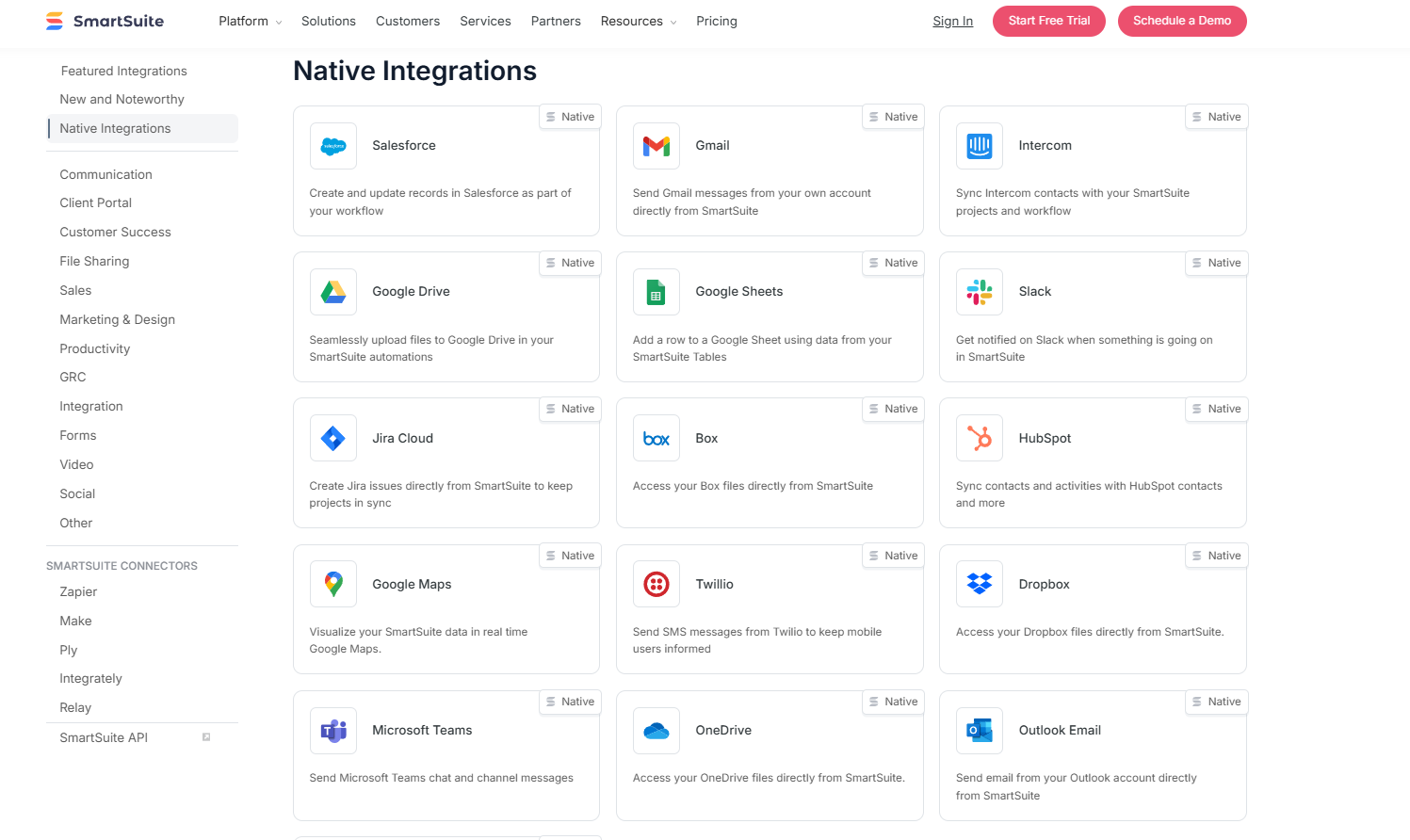
The platform connects with commonly used tools like Slack, Microsoft Teams, Salesforce, Gmail, Google Drive, Jira, HubSpot, Outlook, and Google Calendar, helping teams keep communication, customer information, and scheduling synchronized without heavy configuration.
For more complex environments, teams can extend the platform through APIs or custom integrations to support specialized workflows and enterprise systems.
Winner: Smartsheet
When it comes to integrations, Smartsheet takes the lead thanks to the breadth and maturity of its ecosystem.
The platform connects with a wide range of enterprise systems, collaboration tools, analytics platforms, and automation services, making it easier for organizations to plug Smartsheet into an existing technology stack without major changes.
Pricing: Smartsheet vs. TeamGantt vs. SmartSuite
Smartsheet pricing
Smartsheet offers several pricing tiers designed to scale from small teams to large enterprises:
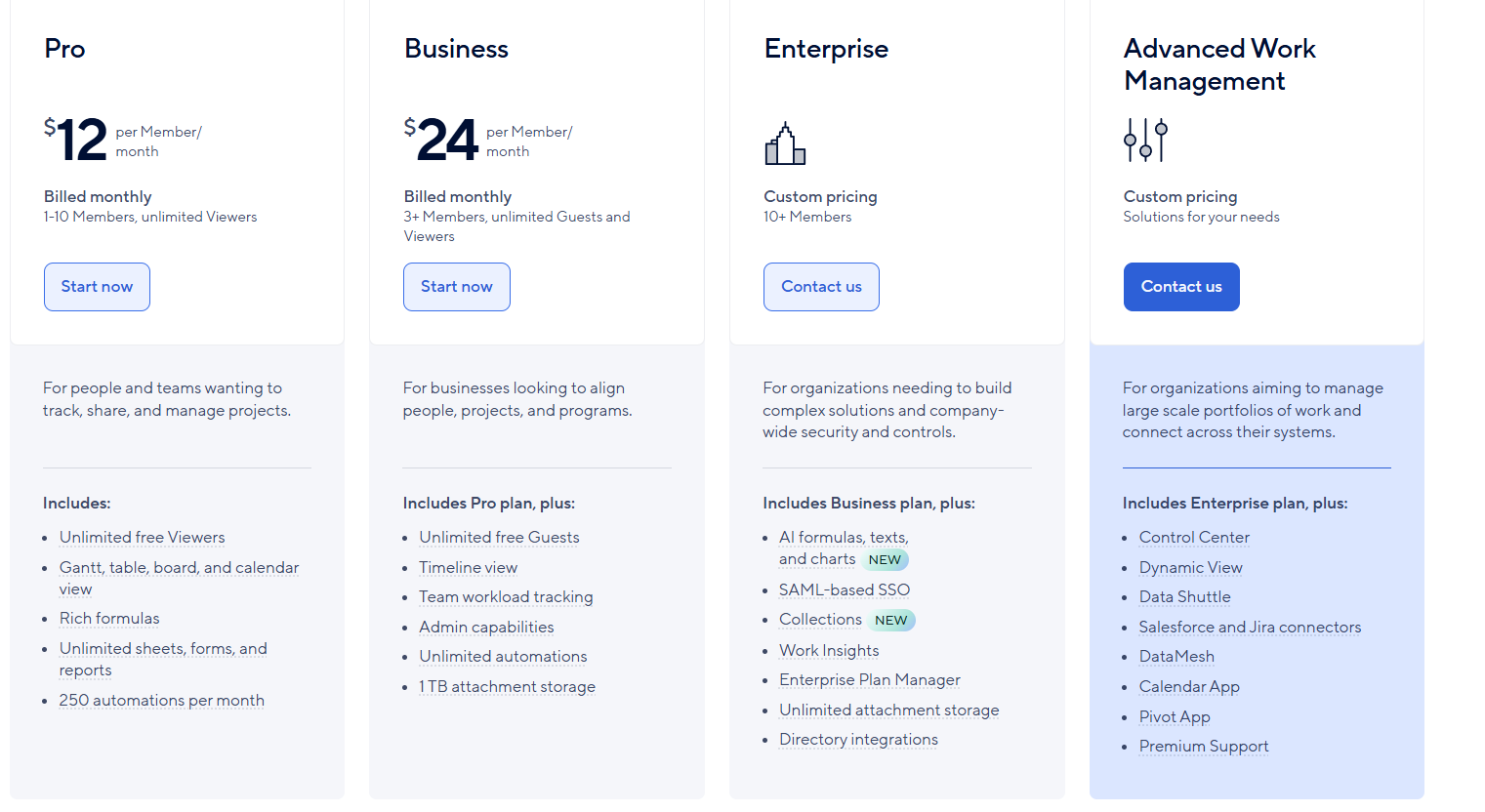
- Pro: $12 per user/month, for 1-10 users, includes Gantt, table, board, and calendar views, rich formulas, unlimited sheets, forms, and reports, plus 250 automations per month.
- Business: $24 per member/month, for minimum 3 members, includes everything in Pro, plus timeline view, team workload tracking, stronger admin controls, unlimited automations, and 1 TB of attachment storage.
- Enterprise: Custom pricing, for teams with more than 10 members that need advanced security and governance controls, includes everything in Business, plus AI-powered formulas, text, and charts, SAML-based SSO, directory integrations, unlimited storage, Work Insights, WorkApps, and enterprise-level management tools.
- Advanced Work Management: Custom pricing, designed for organizations managing large portfolios and complex, cross-system workflows. Includes everything in Enterprise, plus control center, dynamic view, data shuttle, DataMesh, calendar and pivot apps, Salesforce and Jira connectors, and premium support.
TeamGantt pricing
TeamGantt uses a project-based pricing model, where the cost depends on how many projects you manage rather than the number of users on the platform.
This structure can work well for teams that run a predictable number of projects and want collaboration features without paying per seat.
Here’s a breakdown of the main pricing tiers:
- Basic: $10 per project/month (billed yearly), supports 2–5 projects, includes up to 10 collaborators, and allows teams to manage tasks, timelines, and file sharing within a simple Gantt planning environment.
- Business: $19 per project/month (billed yearly), supports 5–20 projects and unlocks more advanced capabilities such as critical path tracking, workload management, advanced dependencies, portfolio visibility, RACI assignments, time tracking, and team resource planning.
- Builder Edition: $99/month (intro price, $199/month after 3 months), this plan is tailored specifically for construction teams, adding industry-specific capabilities such as material lead-time tracking, financial forecasting, procurement coordination, and schedule confirmation workflows, along with 1-on-1 onboarding support.
- Enterprise: Custom pricing, built for large organizations that need advanced reporting, forecasting, and unlimited projects and tasks.
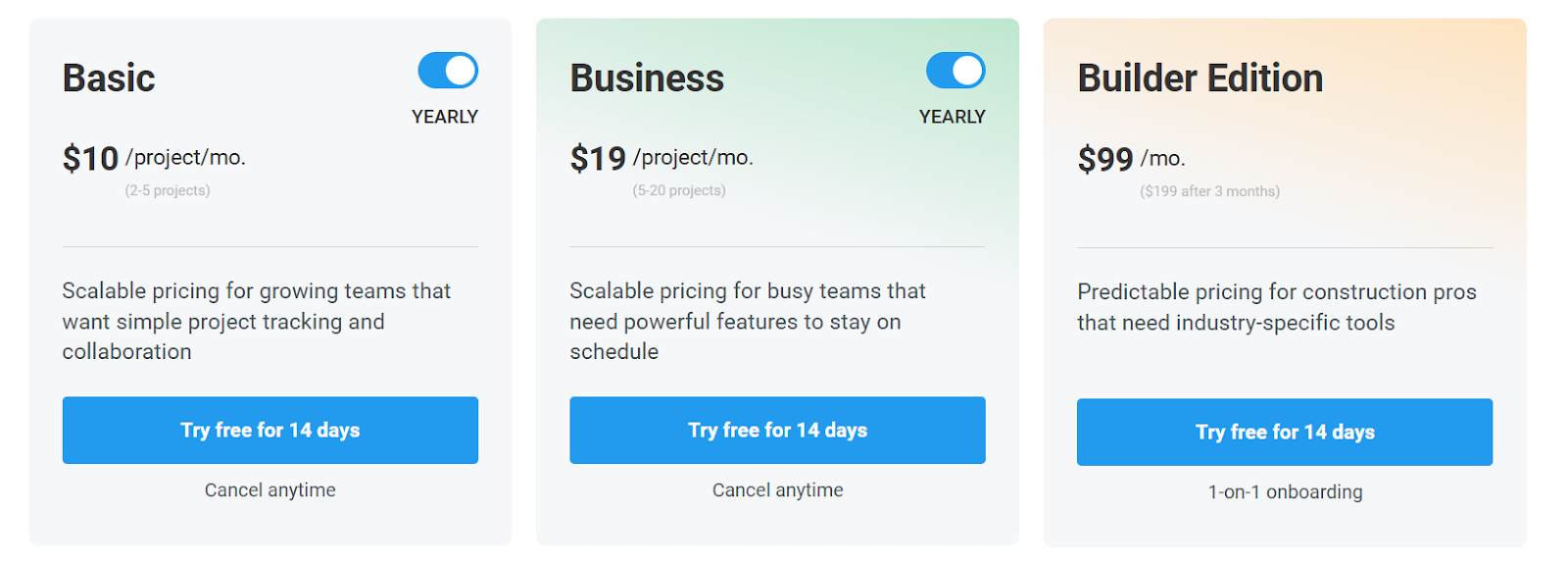
Across all paid tiers, TeamGantt offers a 14-day free trial, allowing teams to explore the platform before committing to a subscription.
Note: Keep in mind that the minimum number of projects on the entry plan is 2, while the Business plan requires at least 5 projects. This means that the real entry price for both plans is $20 and $38/month, respectively.
SmartSuite pricing
SmartSuite follows a transparent pricing model with plans that scale alongside your team’s needs.
You can try it free for 14 days - no credit card required - before choosing a tier.
Here’s a closer look at the available options:
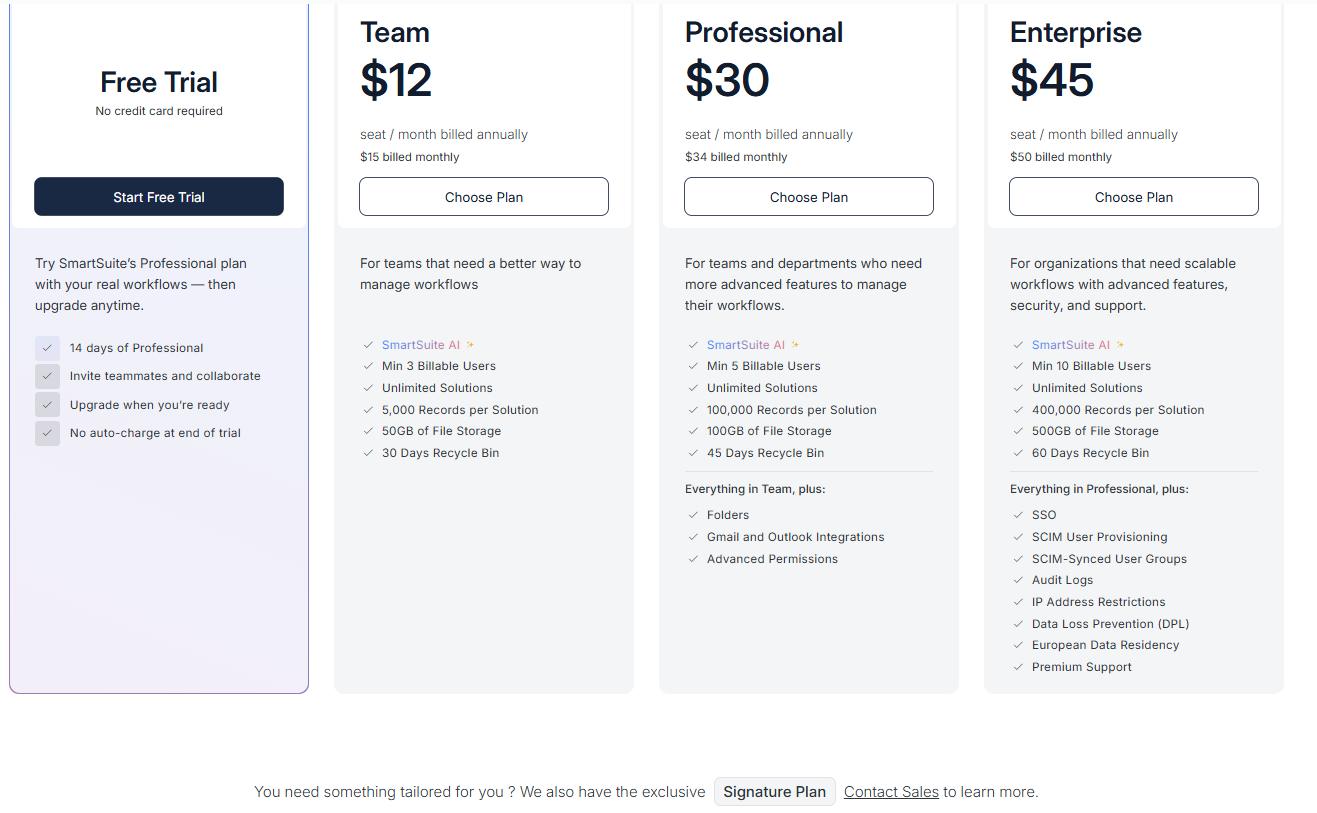
- Team: $12 per seat/month (billed annually), includes SmartSuite AI, unlimited solutions, up to 5,000 records per solution, 50 GB of file storage, a 30-day recycle bin, and core collaboration and automation features.
- Professional: $30 per seat/month, includes everything in Team, plus folders, Gmail and Outlook integrations, advanced permissions, higher record limits (100,000 per solution), 100 GB of storage, and a 45-day recycle bin.
- Enterprise: $45 per seat/month, includes everything in Professional, plus SSO, SCIM user provisioning, audit logs, IP restrictions, data loss prevention, European data residency, premium support, and higher limits (400,000 records per solution and 500 GB storage).
- Signature: Custom pricing. A tailored plan for organizations with specific requirements around scale, security, or data architecture.
Winner: SmartSuite
When comparing pricing across all three platforms, SmartSuite delivers the strongest overall value because it combines transparent pricing with a broad feature set included from the start.
Its entry-level plan already includes AI capabilities, automation, customizable workflows, and multiple views, allowing teams to manage complex processes without needing several upgrades early on.
What are the customers saying about Smartsheet, TeamGantt, and SmartSuite?
TL;DR
- Smartsheet (4.4★ on G2) is praised for its familiar spreadsheet-style interface, powerful automation, and strong integrations, making it a solid choice for teams that want structured project tracking with reporting and workflow automation. However, users note a learning curve for advanced features and occasional performance issues with large sheets.
- TeamGantt (4.8★ on G2) stands out for its visual, drag-and-drop Gantt charts and simple scheduling experience, which makes project timelines easy to understand and manage. That said, its reporting, integrations, and customization options are more limited compared to larger project management platforms.
- SmartSuite (4.8★ on G2) receives high marks for flexibility, customization, and its ability to combine databases, project management, and automation in one platform. Some users mention that certain features are still evolving, and the mobile experience could be improved.
Smartsheet reviews
G2 Rating: 4.4/5
What users love:
- Familiar spreadsheet-style interface that feels similar to Excel or Google Sheets, making it easy for non-technical users to get started quickly.
- Strong automation and reporting capabilities, helping teams reduce manual work and maintain visibility across projects.
- Good integration ecosystem, allowing teams to connect Smartsheet with tools like Slack, Jira, Microsoft 365, and Google Workspace.
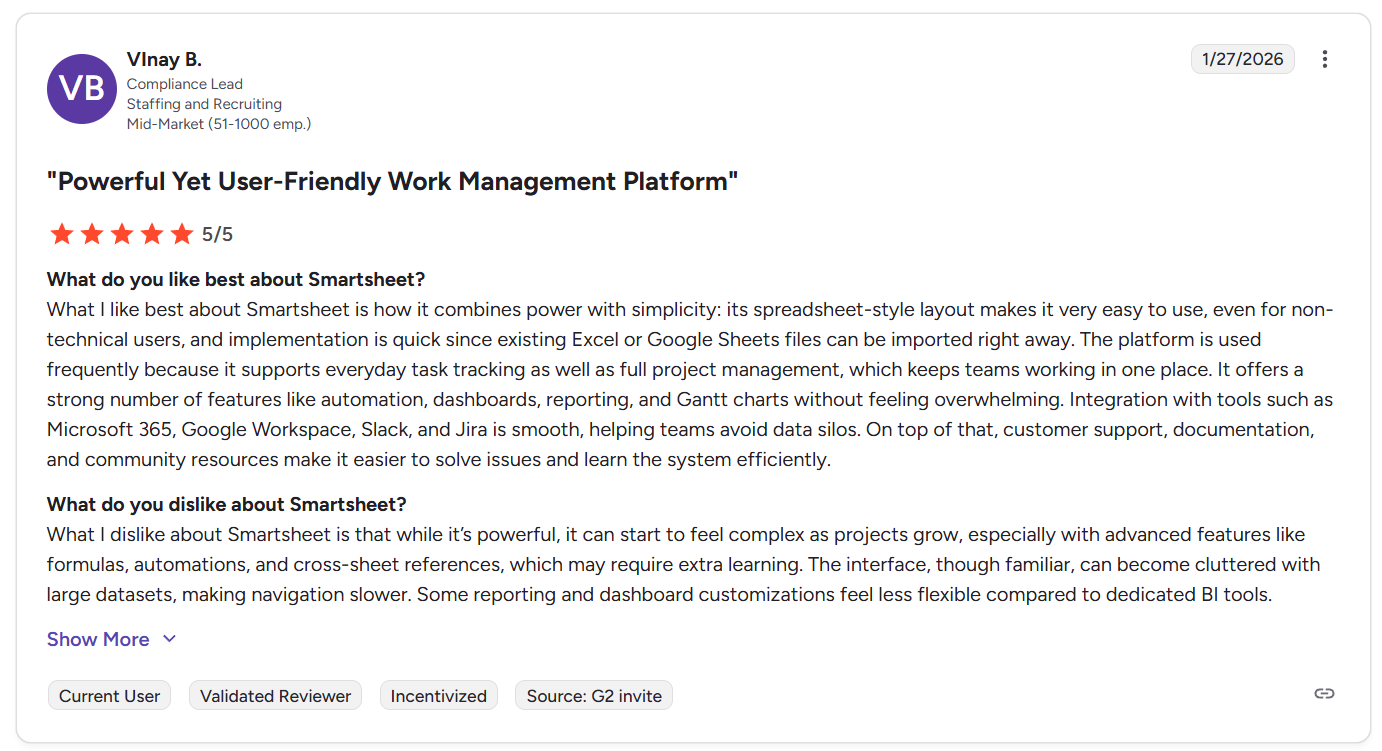
“What I like best about Smartsheet is how it combines power with simplicity: its spreadsheet-style layout makes it very easy to use, even for non-technical users, and implementation is quick since existing Excel or Google Sheets files can be imported right away. The platform is used frequently because it supports everyday task tracking as well as full project management, which keeps teams working in one place. It offers a strong number of features like automation, dashboards, reporting, and Gantt charts without feeling overwhelming. Integration with tools such as Microsoft 365, Google Workspace, Slack, and Jira is smooth, helping teams avoid data silos. On top of that, customer support, documentation, and community resources make it easier to solve issues and learn the system efficiently.” - G2 Review
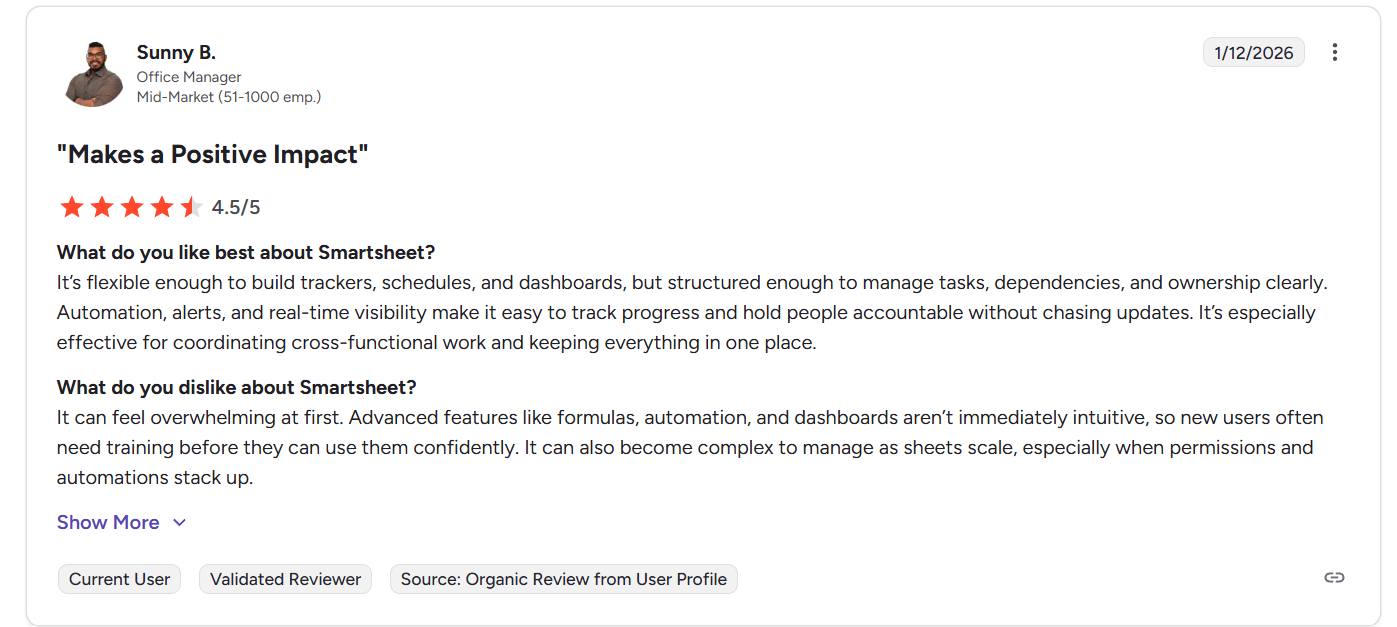
“It’s flexible enough to build trackers, schedules, and dashboards, but structured enough to manage tasks, dependencies, and ownership clearly. Automation, alerts, and real-time visibility make it easy to track progress and hold people accountable without chasing updates. It’s especially effective for coordinating cross-functional work and keeping everything in one place.” - G2 Review
Common complaints include:
- Learning curve for advanced features, especially formulas, automations, and cross-sheet references.
- Performance can slow down when sheets become large or heavily automated.
- Dashboards and reporting customization are sometimes seen as less flexible compared to dedicated BI tools.
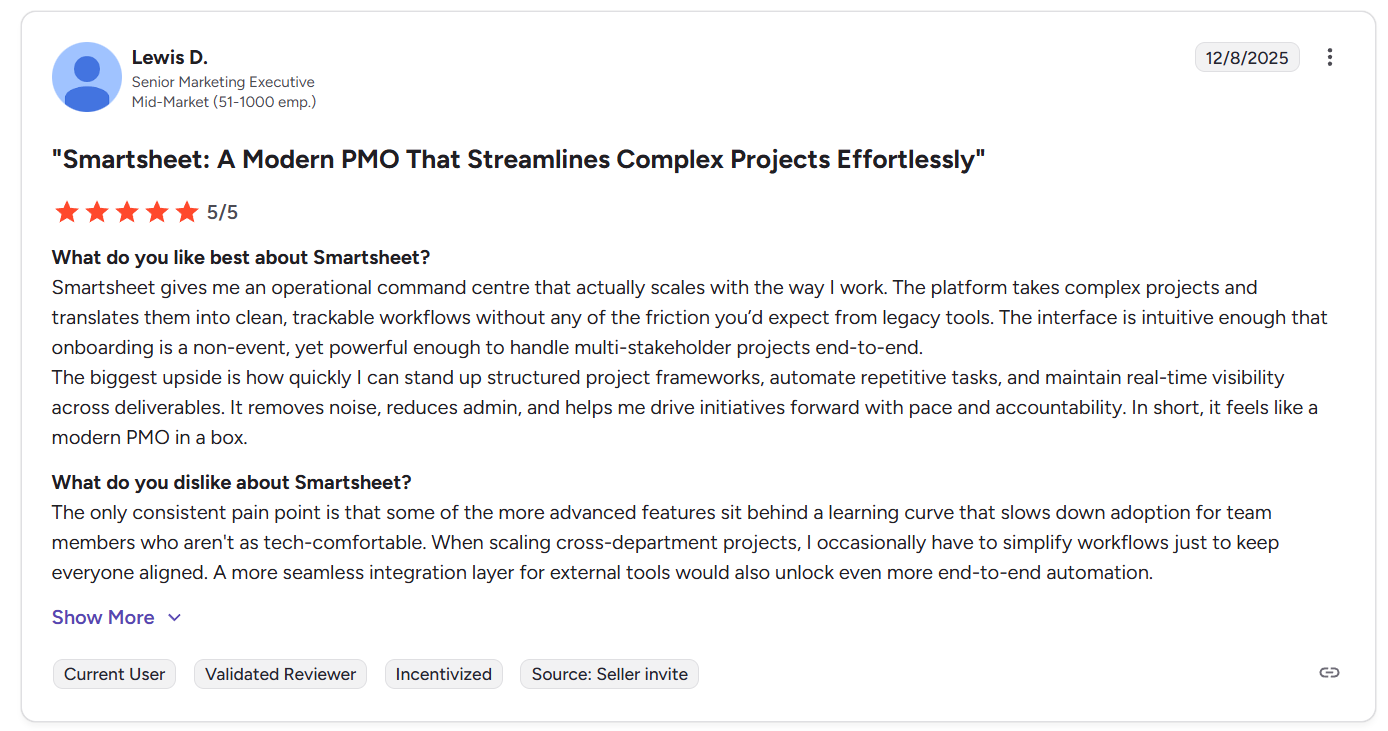
“The only consistent pain point is that some of the more advanced features sit behind a learning curve that slows down adoption for team members who aren't as tech-comfortable. When scaling cross-department projects, I occasionally have to simplify workflows just to keep everyone aligned. A more seamless integration layer for external tools would also unlock even more end-to-end automation.” - G2 Review
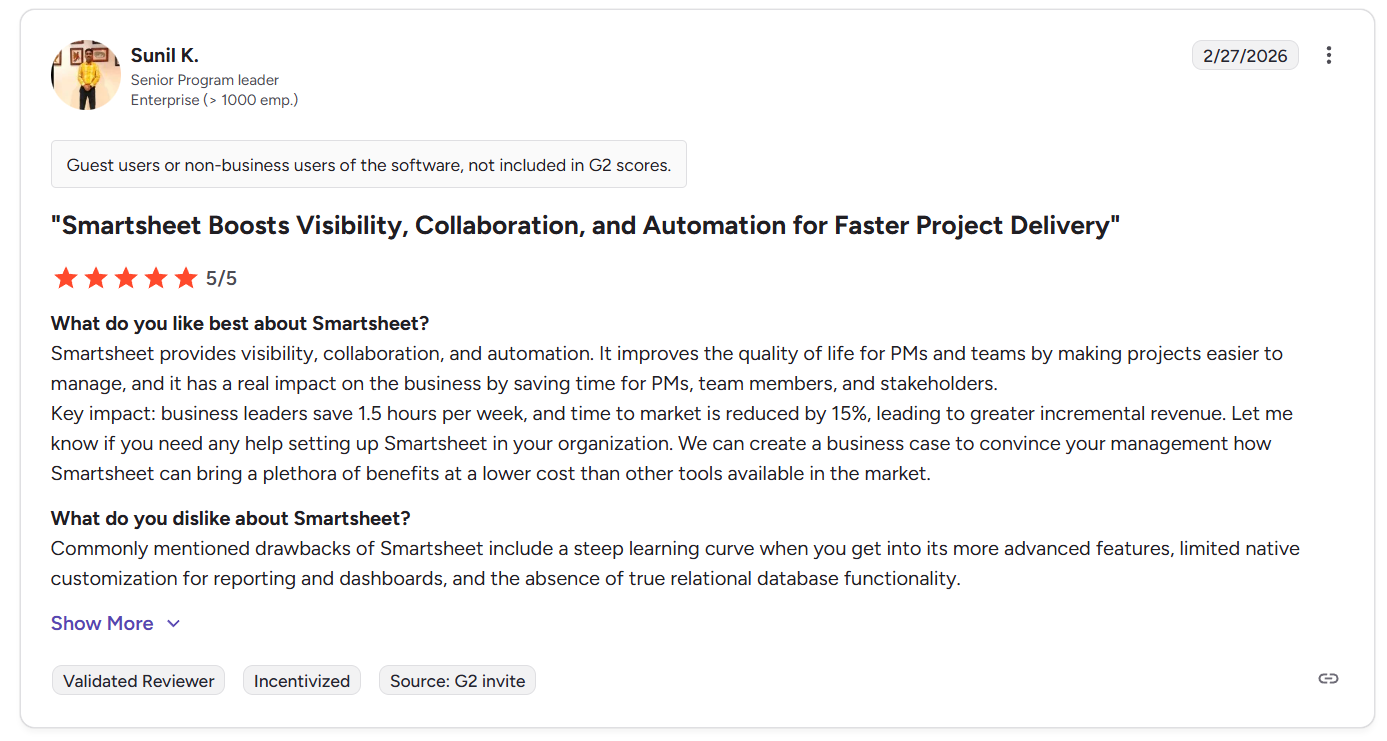
“Commonly mentioned drawbacks of Smartsheet include a steep learning curve when you get into its more advanced features, limited native customization for reporting and dashboards, and the absence of true relational database functionality.” - G2 Review
TeamGantt reviews
G2 Rating: 4.8/5
What users love:
- Drag-and-drop scheduling that makes it easy to adjust timelines, deadlines, and task dependencies.
- Strong collaboration features, including comments, task discussions, file sharing, and real-time updates.
- Project-based pricing model that allows unlimited users without paying per seat, which some teams find cost-effective.
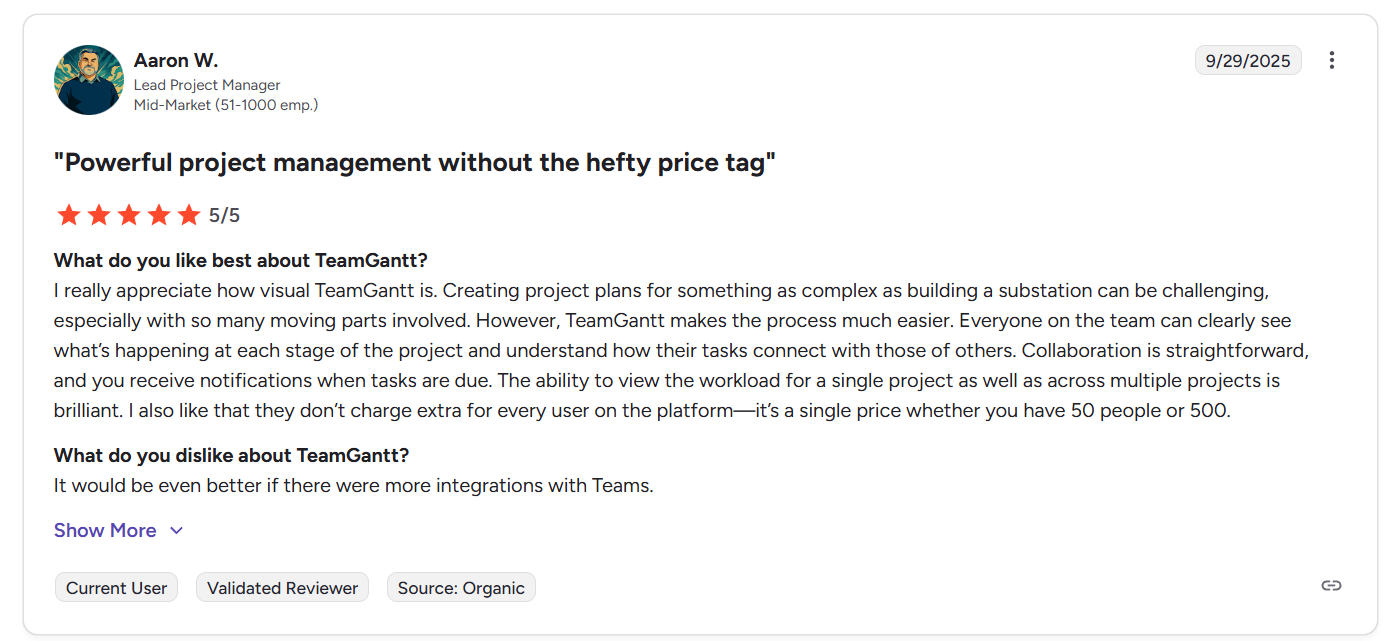
“I really appreciate how visual TeamGantt is. Creating project plans for something as complex as building a substation can be challenging, especially with so many moving parts involved. However, TeamGantt makes the process much easier. Everyone on the team can clearly see what’s happening at each stage of the project and understand how their tasks connect with those of others. Collaboration is straightforward, and you receive notifications when tasks are due. The ability to view the workload for a single project as well as across multiple projects is brilliant. I also like that they don’t charge extra for every user on the platform—it’s a single price whether you have 50 people or 500.” - G2 Review
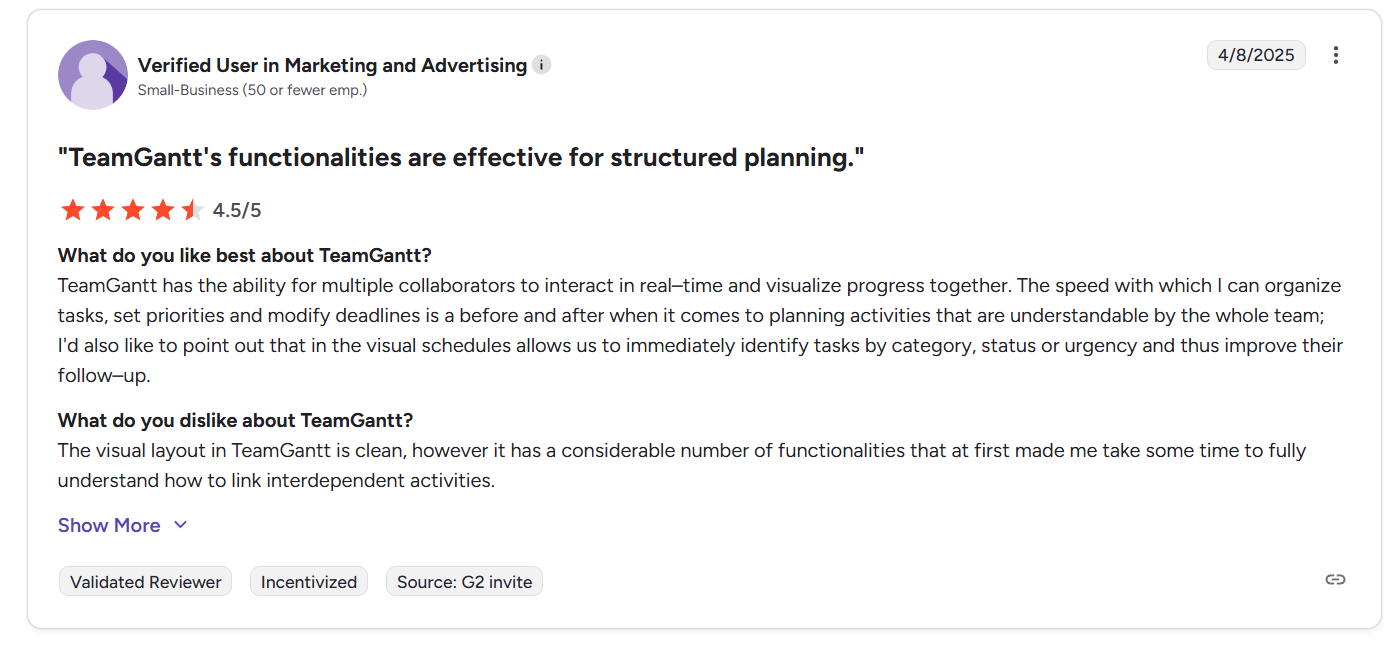
“TeamGantt has the ability for multiple collaborators to interact in real–time and visualize progress together. The speed with which I can organize tasks, set priorities and modify deadlines is a before and after when it comes to planning activities that are understandable by the whole team; I'd also like to point out that in the visual schedules allows us to immediately identify tasks by category, status or urgency and thus improve their follow–up.” - G2 Review
Common complaints include:
- Limited integrations compared to larger project management platforms.
- Reporting and analytics features are fairly basic, with limited depth for advanced project analysis.
- Customization options for Gantt charts and workflows can be somewhat restricted.
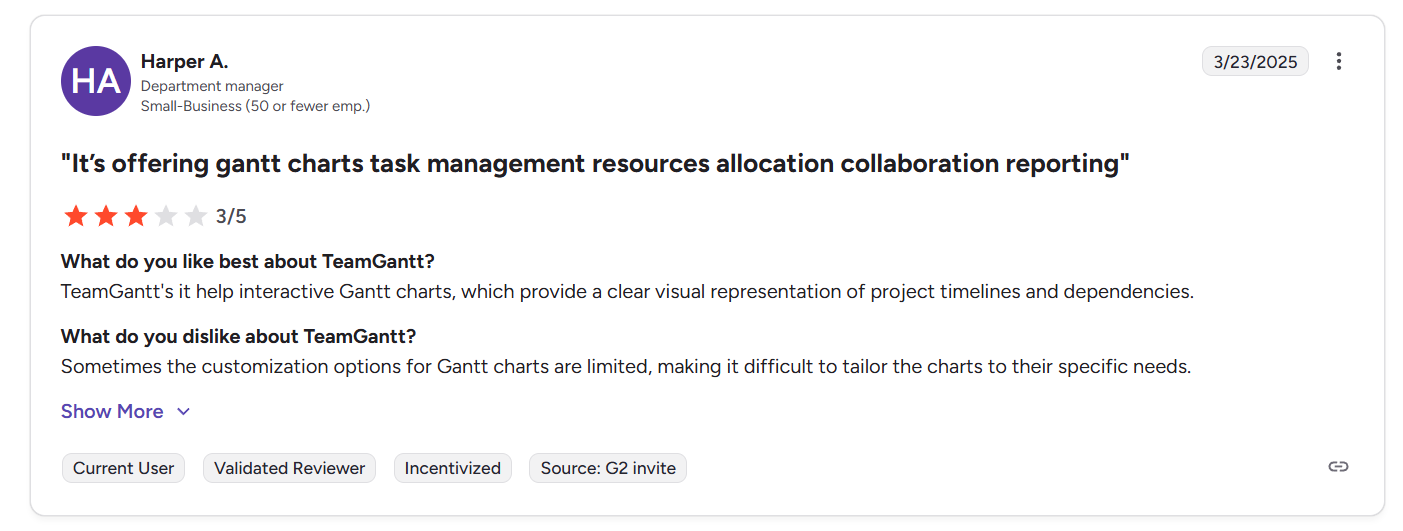
“Sometimes the customization options for Gantt charts are limited, making it difficult to tailor the charts to their specific needs.” - G2 Review
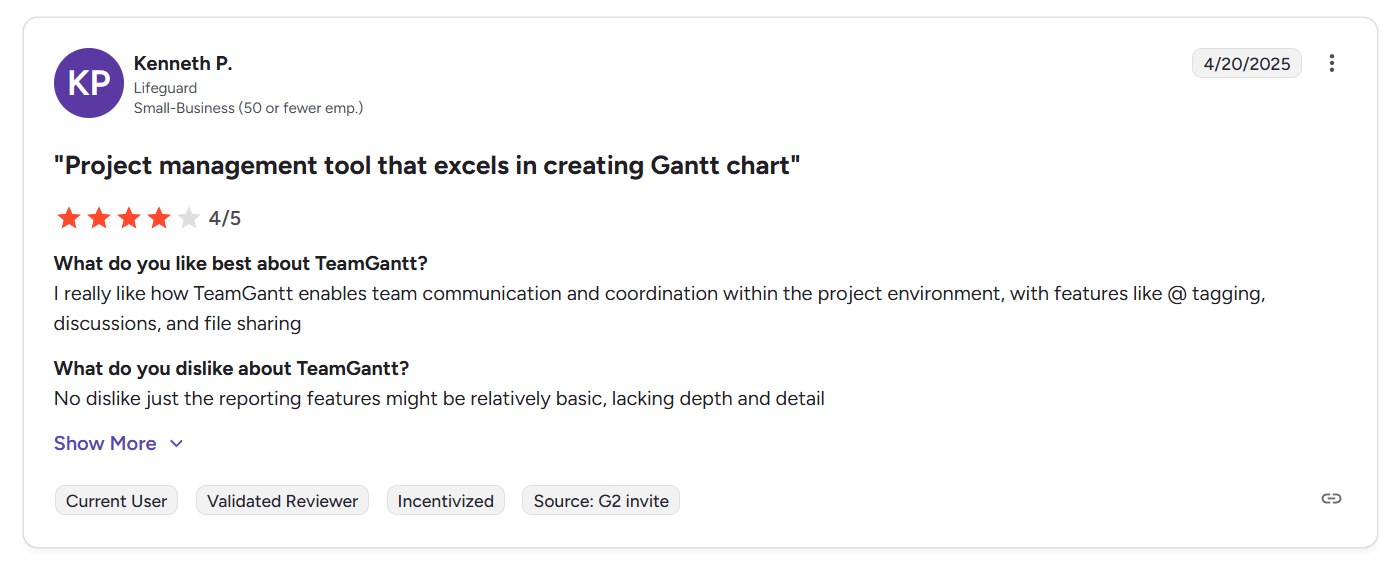
“No dislike just the reporting features might be relatively basic, lacking depth and detail.” - G2 Review
SmartSuite reviews
G2 Rating: 4.8/5
What users love:
- Highly flexible platform that combines database-style records, project management, and workflow automation in one system.
- Easy to implement and learn, with many users saying teams can build custom tools and workflows without heavy technical knowledge.
- Strong customization capabilities, allowing teams to create tailored solutions for project management, operations, marketing, and internal processes.
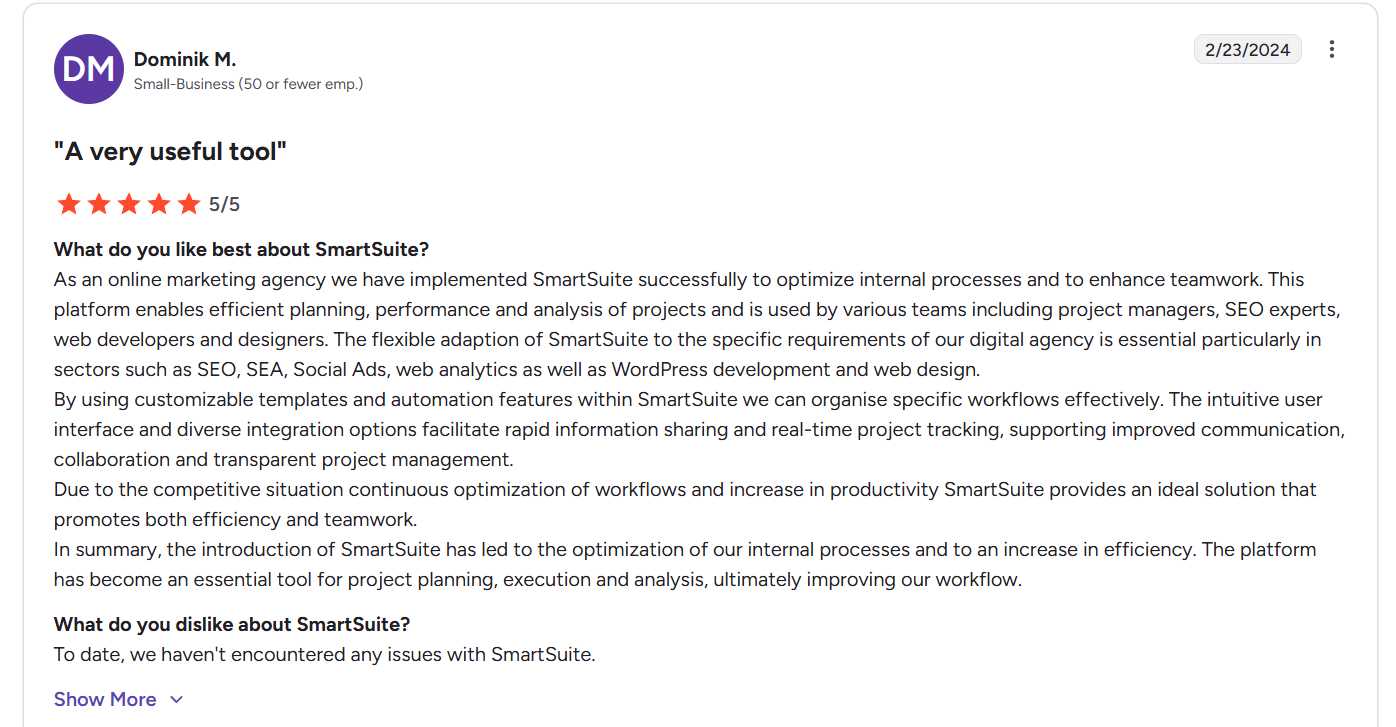
“This platform enables efficient planning, performance and analysis of projects and is used by various teams including project managers, SEO experts, web developers and designers. The flexible adaption of SmartSuite to the specific requirements of our digital agency is essential particularly in sectors such as SEO, SEA, Social Ads, web analytics as well as WordPress development and web design.
By using customizable templates and automation features within SmartSuite we can organise specific workflows effectively. The intuitive user interface and diverse integration options facilitate rapid information sharing and real-time project tracking, supporting improved communication, collaboration and transparent project management.
Due to the competitive situation continuous optimization of workflows and increase in productivity SmartSuite provides an ideal solution that promotes both efficiency and teamwork.
In summary, the introduction of SmartSuite has led to the optimization of our internal processes and to an increase in efficiency. The platform has become an essential tool for project planning, execution and analysis, ultimately improving our workflow.” - G2 Review
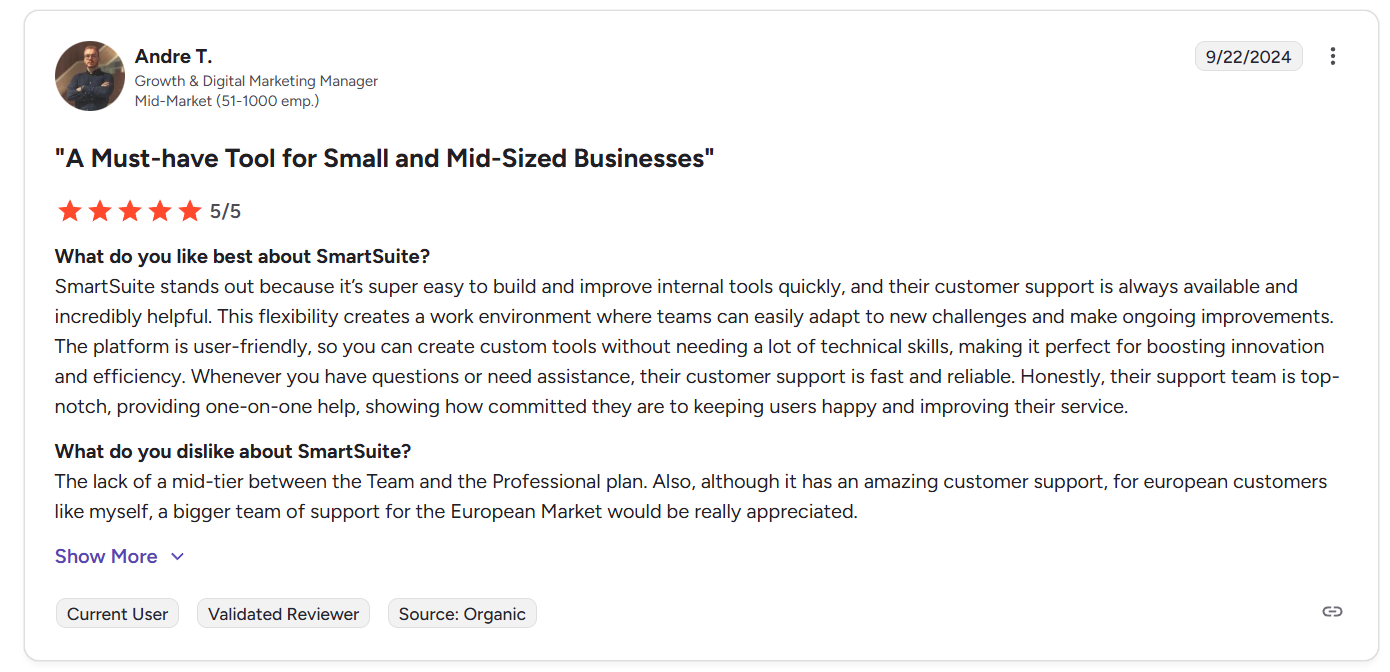
“SmartSuite stands out because it’s super easy to build and improve internal tools quickly, and their customer support is always available and incredibly helpful. This flexibility creates a work environment where teams can easily adapt to new challenges and make ongoing improvements. The platform is user-friendly, so you can create custom tools without needing a lot of technical skills, making it perfect for boosting innovation and efficiency. Whenever you have questions or need assistance, their customer support is fast and reliable. Honestly, their support team is top-notch, providing one-on-one help, showing how committed they are to keeping users happy and improving their service.” - G2 Review
Common complaints include:
- Certain features are still evolving.
- Mobile experience and task views occasionally mentioned as areas that could be improved.
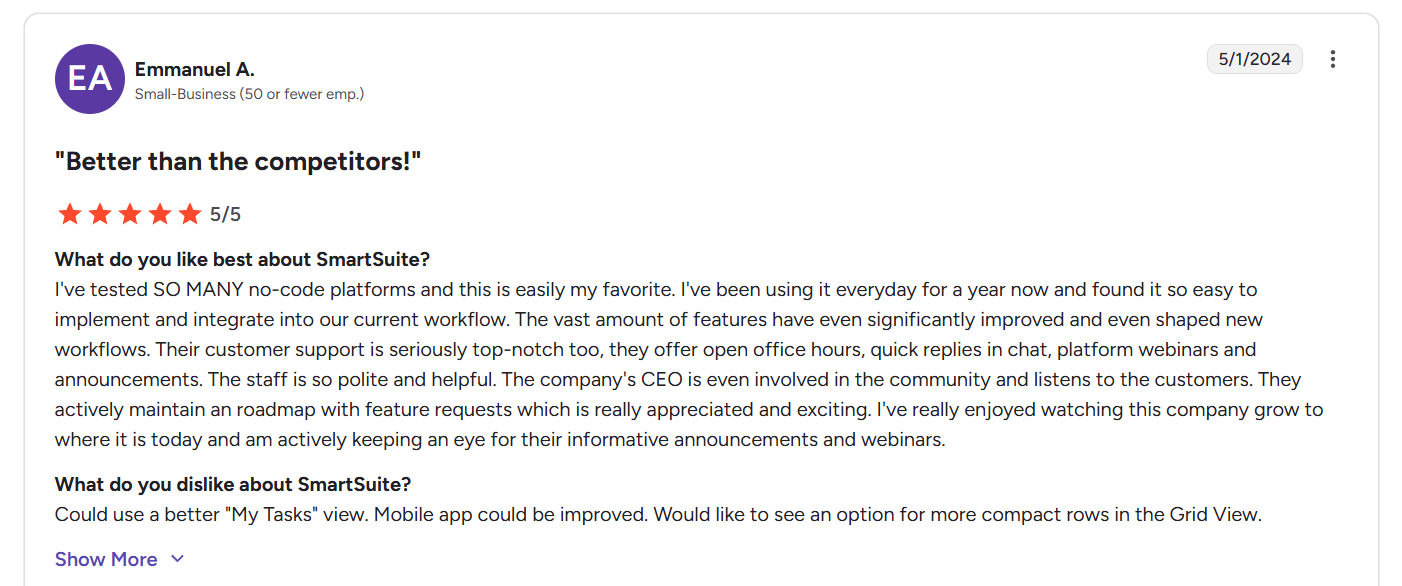
“Could use a better "My Tasks" view. Mobile app could be improved. Would like to see an option for more compact rows in the Grid View.” - G2 Review
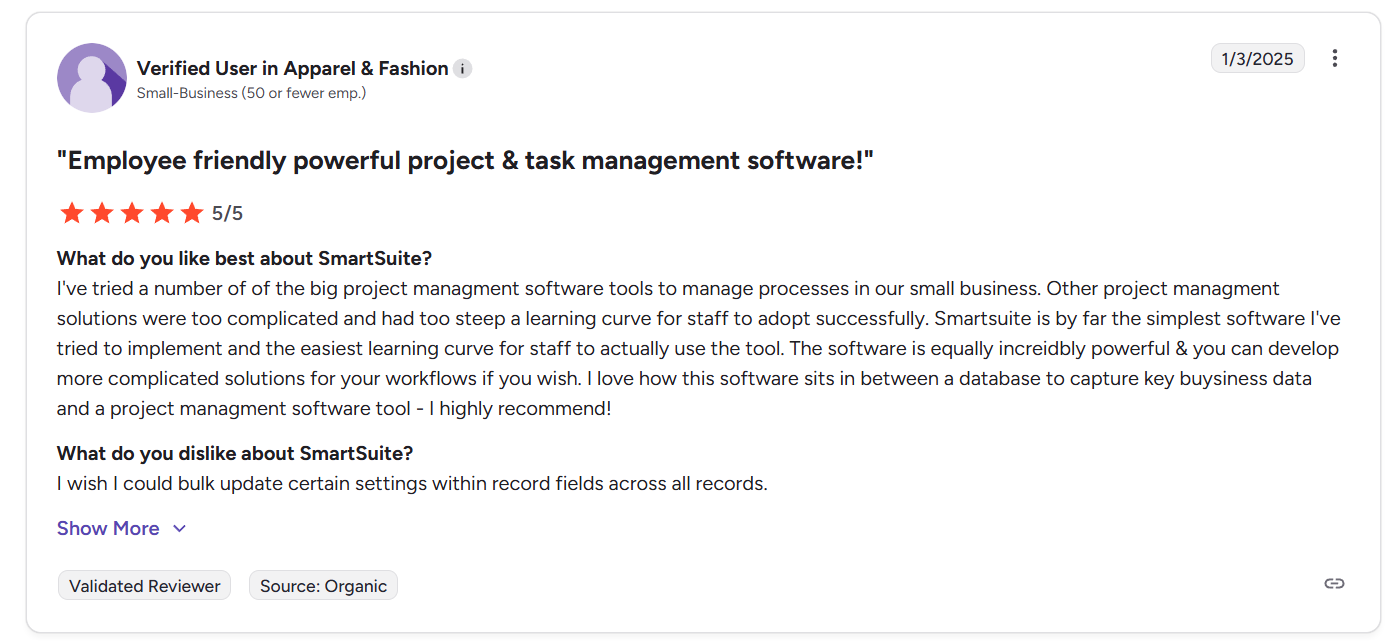
“I wish I could bulk update certain settings within record fields across all records.” - G2 Review
Smartsheet vs. TeamGantt vs. SmartSuite: Summary
Get started with SmartSuite for free today
Each of these tools serves a slightly different type of team.
Smartsheet is a strong choice for organizations that prefer spreadsheet-style project tracking combined with automation and reporting, while TeamGantt focuses on visual timeline planning, making it ideal for teams that want simple, Gantt-first scheduling without a lot of extra complexity.
SmartSuite, on the other hand, offers the most flexibility overall by combining project management, structured data, automation, and collaboration in one platform.
Therefore, if you’re looking for a more adaptable work platform that can support projects, processes, and cross-team workflows in one place, SmartSuite is the strongest option to explore.
Start a free SmartSuite trial or book a demo to see how your team can manage projects, workflows, and operations in one place.
Read more
- Smartsheet vs. Microsoft Planner vs. SmartSuite: Which Tool to Pick? [2026] - Compare Smartsheet, Microsoft Planner, and SmartSuite to see which platform delivers the best balance of project tracking, automation, and team collaboration in 2026.
- Smartsheet vs. Excel vs. SmartSuite: Which One Is Better? [2026] - Discover whether modern work management tools like Smartsheet and SmartSuite truly outperform traditional spreadsheets like Excel for managing projects and workflows.
- 360factors Pricing: Is It Worth It For GRC In 2026? - Explore how 360factors structures its pricing, what influences the final cost, and whether the platform delivers enough value for modern GRC teams.
- 10 Best Atera Alternatives & Competitors in 2026 - Looking beyond Atera? Here are the top IT management and RMM platforms that offer stronger automation, monitoring, and service desk capabilities.
- Airtable vs. Notion vs. SmartSuite: Which One Is Better? [2026] - We compare Airtable, Notion, and SmartSuite to see which platform offers the best mix of flexibility, automation, and structured workflows.
- Jira Pricing: Is It Worth It In 2026? [Reviewed] - A complete breakdown of Jira’s pricing tiers, hidden costs, and whether the platform still offers strong value for modern development teams.

SmartSuite provides work platform for standardizing workflows in the following areas:
- Governance, Risk & Compliance
- IT & Service Ops
- Project / Portfolio Management
- Business Operations







