


In this guide, I'll walk through the 10 best HaloITSM alternatives in 2026, breaking down what each tool does well, where it falls short, and which one fits depending on how your IT team actually operates.
TL;DR
- SmartSuite is the best HaloITSM alternative in 2026 for IT teams that want connected ITSM, ITAM, and operational workflows in one AI-native platform, with live dashboards, no-code customization, and transparent pricing.
- Freshservice and Jira Service Management are the closest HaloITSM-style alternatives, best for teams that mainly need a clean, ITIL-aligned service desk with strong automation and fast deployment.
- ServiceNow and Ivanti are ideal for large enterprises that need deep ITIL compliance, scalable architecture, and broad operational control across thousands of users.
Why look for HaloITSM alternatives?
The point of this article isn't to tell you HaloITSM is a bad product. It's not.
HaloITSM scores consistently high across review platforms for its modern interface, strong customization, and competitive all-inclusive pricing that bundles every ITIL module into a single per-agent fee.
That said, once teams move beyond basic ticketing and try to build more advanced workflows, the same issues keep surfacing.
#1: Reporting requires SQL knowledge for anything beyond the basics
HaloITSM's built-in reports cover the essentials, but the moment you need something custom, you're writing SQL.
For IT managers who just want to pull data quickly without involving a developer, this becomes a real bottleneck.

"I think the reporting could be improved. The system can provide great reports, but you need a working knowledge of SQL to write reports. Halo do provide a report writing service as part of the contract, which is really good. This does help a lot, but if you need to get some info from the system on the fly, it is difficult to do." - Capterra Review
#2: Documentation and training materials don't match the platform's depth
HaloITSM is packed with features, but the official guides and videos haven't kept pace.
Users repeatedly mention that once you move past basic setup, the documentation becomes vague or outdated, leaving admins to rely on trial and error.
"My biggest frustration with HaloITSM is the support documentation and training videos. While the platform itself is incredibly powerful and customisable, the official resources don't always keep up." - Capterra Review
#3: Configuration complexity can catch you off guard
The same flexibility that makes HaloITSM customizable can also make it confusing.
With so many settings tucked into different areas of the admin panel, figuring out where to change a specific behavior isn't always intuitive.
This might not be a dealbreaker for teams with dedicated ITSM admins, but for smaller IT groups wearing multiple hats, the configuration overhead adds friction.

"With it having such a WIDE selection of features, the issue I found is that the configuration is very complex, sometimes takes a moment to figure how to change a setting." - Capterra Review
What are the best HaloITSM alternatives in 2026?
The best alternatives to HaloITSM in 2026 are SmartSuite, Freshservice, and Jira Service Management.
Here's my shortlist of the 10 best HaloITSM alternatives on the market:
1. SmartSuite
Best for: IT teams and operations groups that want an all-in-one, AI-native workspace to manage ITSM, ITAM, and enterprise service workflows without juggling disconnected tools or relying on SQL for reports.
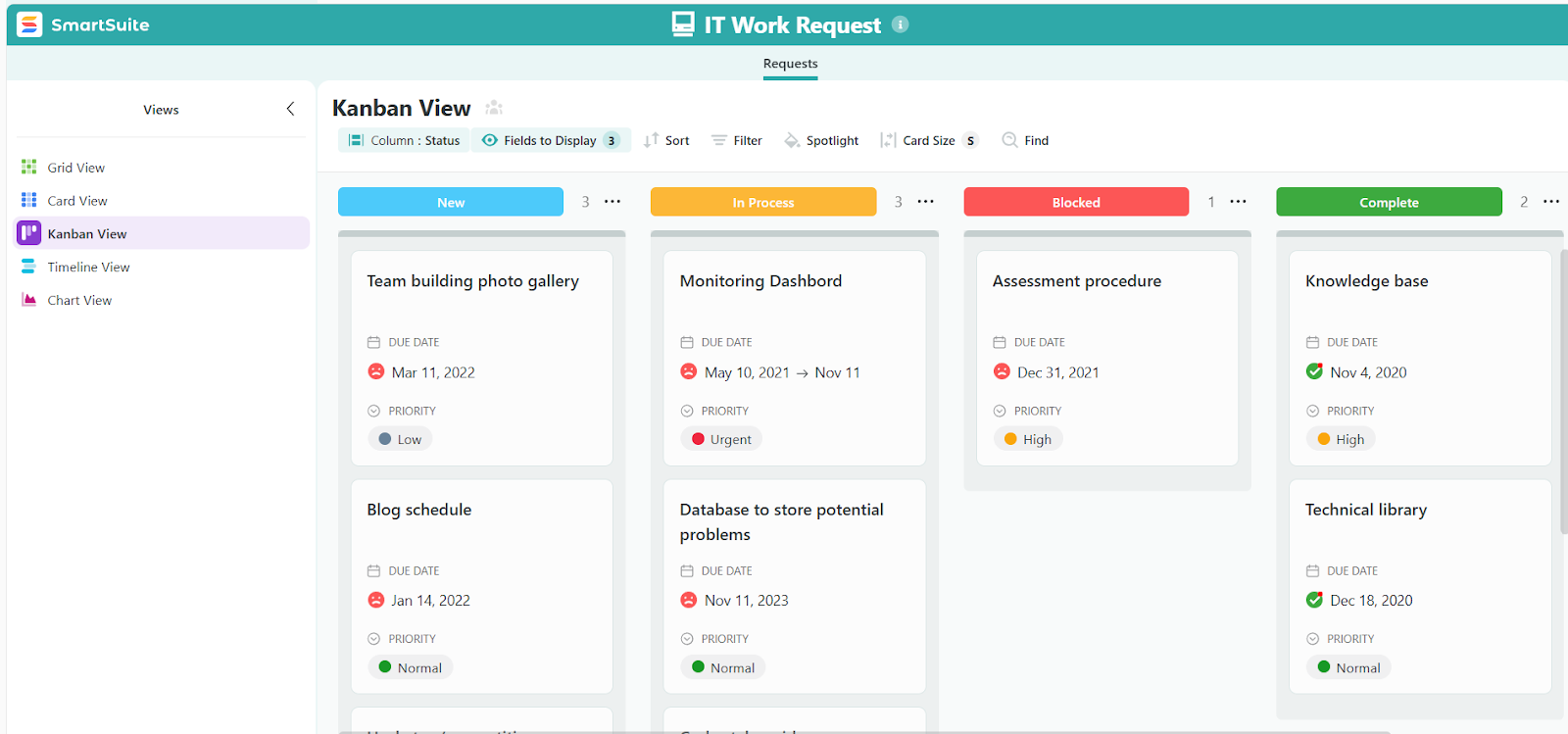
SmartSuite (that’s us) is the best HaloITSM alternative in 2026 for organizations that need their IT service management connected to asset tracking, operations, and reporting in one governed workspace.
Rather than focusing narrowly on help desk ticketing, our platform brings incidents, requests, assets, changes, knowledge articles, and operational workflows into a single platform.
Data flows between them automatically, dashboards update in real time, and you don't need to export to a spreadsheet every time leadership asks for a report.
Let's go over the capabilities that make SmartSuite the strongest option for teams outgrowing HaloITSM: 👇
A single workspace for all IT operations
Unlike HaloITSM, which focuses primarily on ITSM ticketing, SmartSuite is built to run your entire IT operation from one connected platform.
ITSM, ITAM, enterprise service management, and IT operations management aren't separate modules or add-ons.
They're linked workflows that share data, permissions, and reporting.
You can start with a service desk or an asset register and expand naturally without replatforming.
Here's what that covers in practice:
- ITSM capabilities: A centralized service desk for incidents, requests, and problems, with omnichannel ticket intake through email, portals, and forms. Change and release management with dependency visibility is included, along with configurable SLAs, approval routing, escalations, a knowledge base, and a visual CMDB.

- ITAM capabilities: Centralized inventory for hardware, software, and licenses, with full lifecycle tracking from procurement to retirement. Every asset links back to ITSM records, so when an incident gets logged, you can see the asset's full history without switching tools.

- Enterprise service management: A unified internal portal for IT and non-IT requests, with standardized forms, automated routing, SLA tracking across departments, and role-based access controls.

- IT operations management: Shared maintenance and change calendars, deployment tracking, major incident response workflows, dependency mapping, and live dashboards for KPIs and reliability trends.

Live dashboards and reporting without SQL
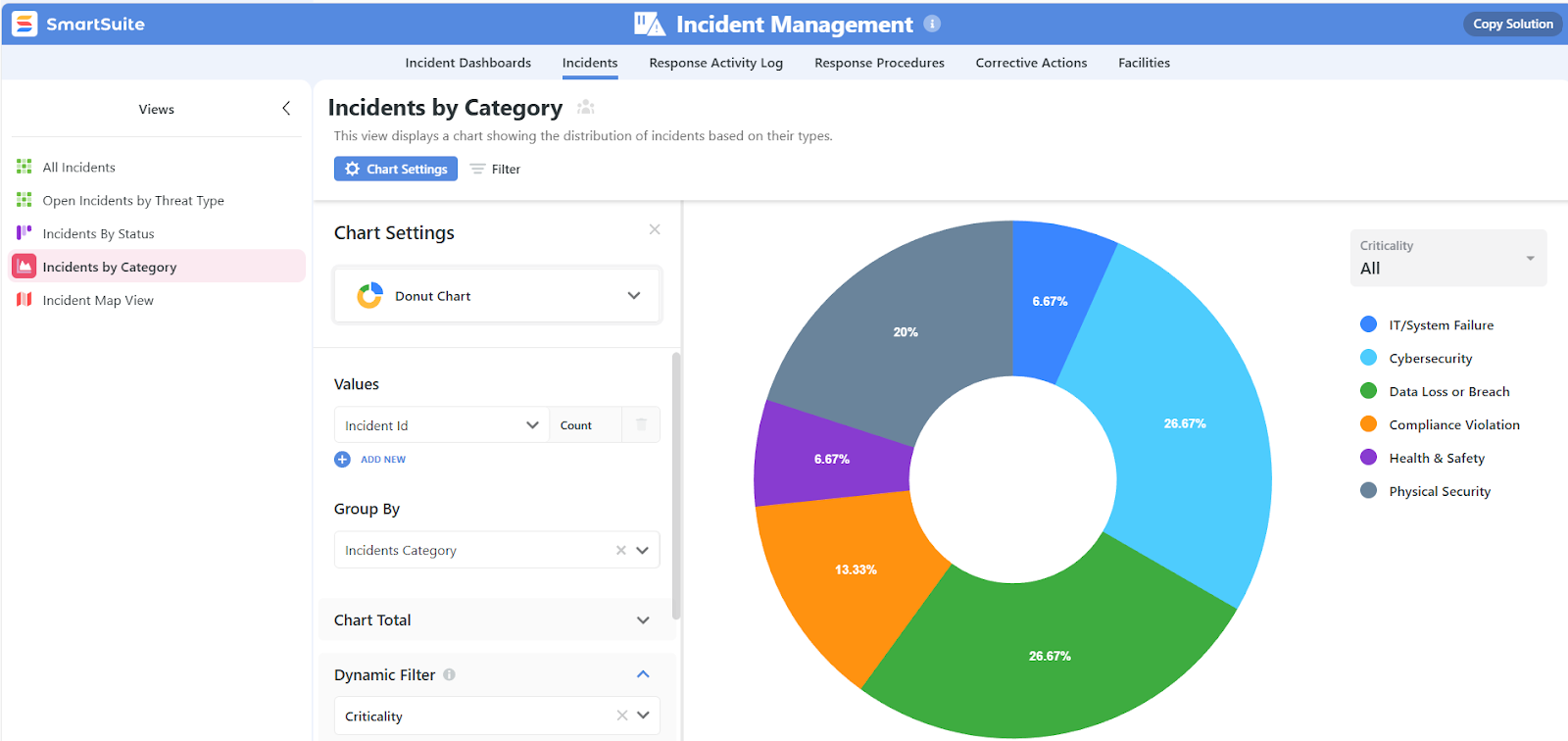
SmartSuite’s dashboards are built visually, using drag-and-drop widgets and filters that pull from live data across every connected workflow.
There's no need to write queries or wait for someone else to build reports.
Teams can create dashboards tailored to technicians, managers, or executives, all using the same underlying data but scoped to the right level of detail.
Key reporting capabilities include:
- Real-time service dashboards for incidents, requests, SLAs, backlogs, and response times.
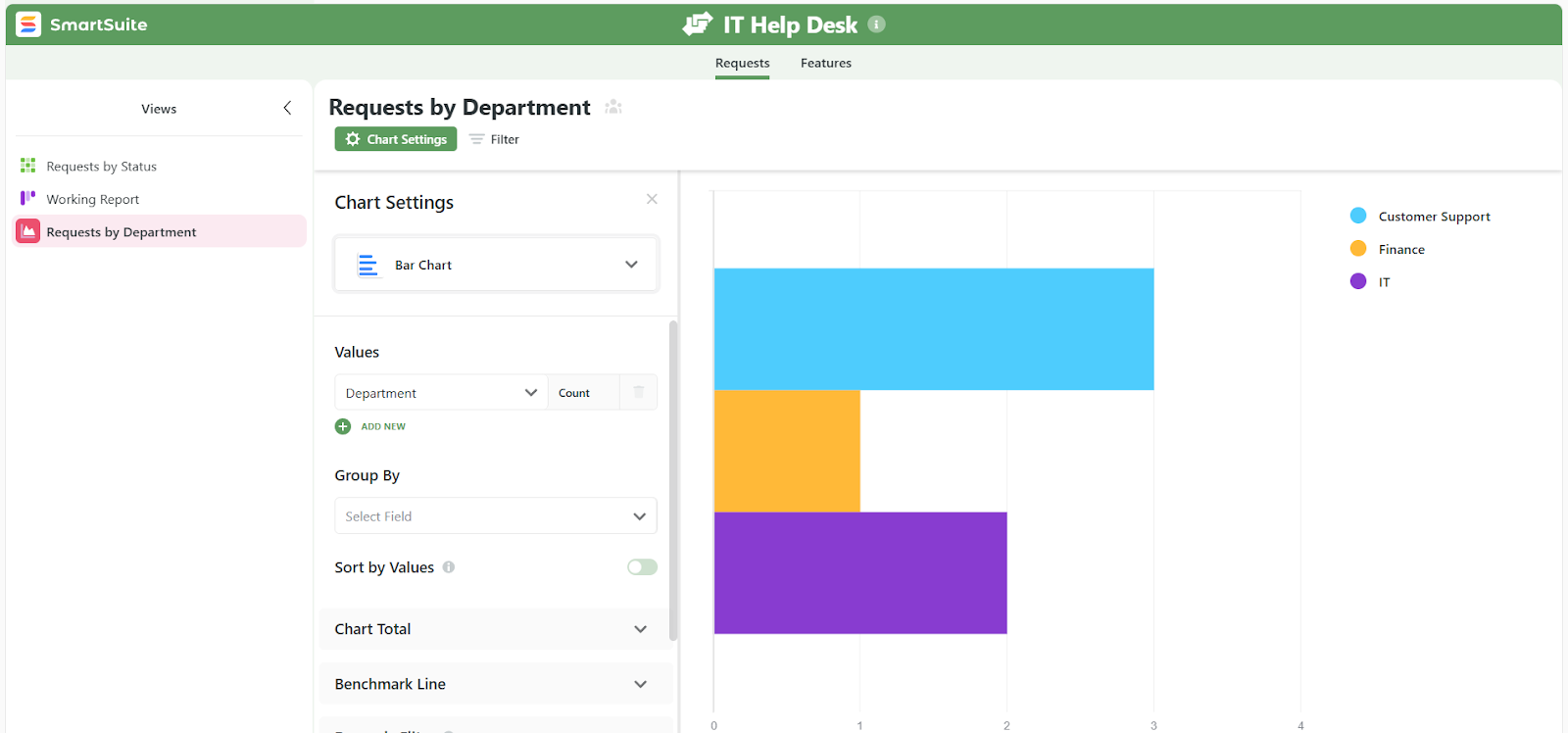
- Asset and lifecycle reporting to track usage, health, renewals, and upcoming replacements.
- Cross-workflow dashboards that aggregate data from multiple solutions into one real-time view.
- Granular permission controls where field-level and record-level access rules flow through to every chart, metric, and widget, so sensitive data stays protected throughout dashboards.
- Personal and team-based views like My Open Items, Upcoming Reviews, or Critical Risks to keep focus on what matters most.
- Powerful filtering, grouping, and sorting to turn large datasets into clear, actionable insights,
- Multiple work views including Grid, Kanban, Timeline, Calendar, Chart, Map, and Gallery, so teams can analyze and act in the format that fits the task.
No-code customization that bends to how your team works
SmartSuite doesn't lock you into predefined ITSM templates.
Using its visual builder, your IT team can shape workflows, intake forms, data models, and dashboards without writing code or hiring consultants.
Key no-code customization capabilities include:
- Visual automation builder to handle approvals, escalations, notifications, and handoffs.

- Drag-and-drop widgets for creating dashboards and forms that fit how your operations work, not the other way around.
- 200+ ready-made templates for various workflows and business processes which you can easily tailor to your organizational needs.
You can start from a template and adjust it to match your organizational needs, or build something entirely custom.
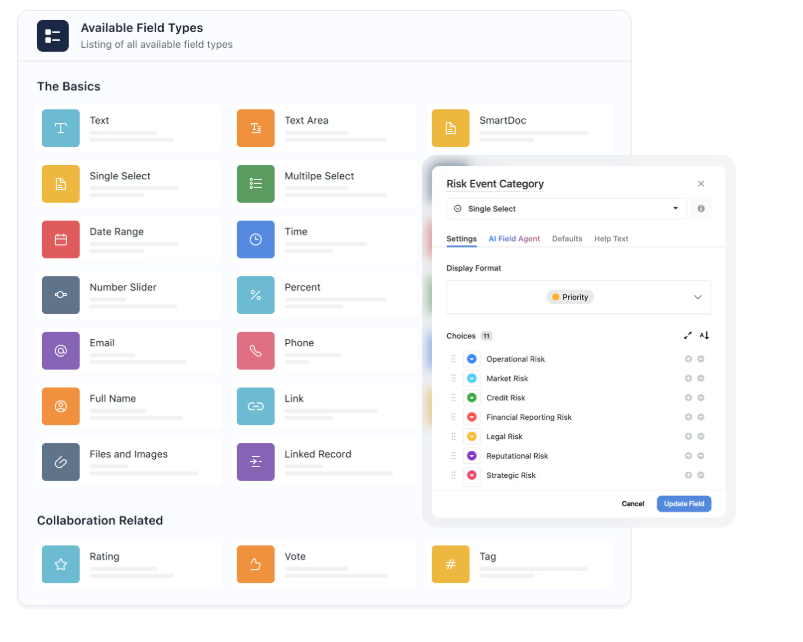
- 40+ field types to choose from, letting you build solutions which truly reflect different operational requirements.
- Integrations with widely used platforms that enable you to build a foolproof data flow system.
Automation and AI that cut manual work across the board
SmartSuite pairs no-code workflow automation with built-in AI to help IT teams reduce repetitive tasks without adding complexity.
Automations trigger across incidents, requests, assets, and changes.

You can route tickets based on conditions, send notifications to Slack or Microsoft Teams, escalate overdue items, update linked records, and chain multi-step actions together visually.

On the AI side, SmartSuite assists with smart ticket triage, incident summarization, generating knowledge articles from resolved tickets, and flagging patterns in your data.
AI suggestions go through a human-in-the-loop process, so nothing gets applied without review.
Every automation run is logged with timestamps and results to give you a clear audit trail for governance and compliance.
How does SmartSuite compare to HaloITSM?
HaloITSM is a well-regarded, ITIL-aligned platform with an all-inclusive licensing model and strong coverage across ITSM, ESM, and asset management.
Its per-agent pricing bundles every module into one price, and it's built a loyal following among mid-market IT teams.
But there are practical differences in how the two platforms work day to day.
HaloITSM requires a sales conversation to get a quote, and advanced custom reporting relies on SQL knowledge, which can limit who on the team builds and pulls reports.
Configuration is powerful but can involve a steeper learning curve for teams without dedicated admins.
SmartSuite takes a no-code-first approach.
Pricing is published on the website, dashboards are visual and real-time, and teams can configure workflows, reporting, and automation without SQL or external help.
It connects ITSM, ITAM, ESM, and operational workflows in one AI-native workspace with 200+ ready-to-use templates.
The difference comes down to this:
HaloITSM gives you a deep, all-inclusive ITSM platform that rewards technical investment.
SmartSuite gives you connected IT operations with faster time-to-value and no technical barriers to getting started.
Pricing
SmartSuite offers a 14-day free trial of its Professional plan (no credit card required), so you can test real workflows before subscribing.
SmartSuite has two pricing models depending on your organization's size and complexity:
User-based pricing, built for small to mid-sized teams that want full platform access under one license:
- Team: $12/user/month (minimum 3 users), includes unlimited solutions, 5,000 records per solution, 50GB storage, SmartSuite AI, dashboards, pre-built templates, and real-time collaboration.
- Professional: $24/user/month (minimum 5 users), includes everything in Team and adds 100,000 records per solution, 100GB storage, Gmail and Outlook integrations, folders, and advanced access controls.
- Enterprise: $45/user/month (minimum 10 users), includes everything in Professional and adds 400,000 records per solution, 500GB storage, SSO, SCIM provisioning, audit logs, DLP, IP restrictions, and premium support.

Each licensed user gets access to every SmartSuite solution (ITSM, ITAM, GRC, projects, operations) without paying extra for modules.
Solution-based custom pricing, built for large enterprises and regulated industries where per-user licensing across the entire platform isn't practical:
- License only the specific solutions you need (e.g., ITSM, ITAM, GRC).
- Structure access by department, region, or regulatory requirement.
- Scale easily for thousands of users without compromising security.

Pros & Cons
✅ Connects ITSM, ITAM, and operational workflows in one platform instead of separate tools.
✅ Visual, no-code dashboards and reports that don't require SQL.
✅ Over 200 pre-built templates across IT, GRC, and business workflows.
✅ AI built into workflows for triage, summarization, and pattern detection.
✅ Transparent pricing with all core features in the entry tier.
✅ Fast to set up, with an intuitive interface that non-technical teams can use.
❌ No mid-tier between Team and Professional plans.
2. Freshservice
Best for: Small to mid-sized IT teams looking for an ITIL-aligned service desk that's easy to adopt, with strong automation and asset management built in.
Similar to: Jira Service Management, SysAid.

Freshservice is a cloud-based ITSM platform from Freshworks that helps IT teams manage incidents, changes, and assets in a modern, user-friendly interface.
Unlike HaloITSM's all-in-one pricing approach, Freshservice spreads features across tiered plans, but its lower starting price and intuitive onboarding make it a solid option for teams getting started with ITSM.
Features
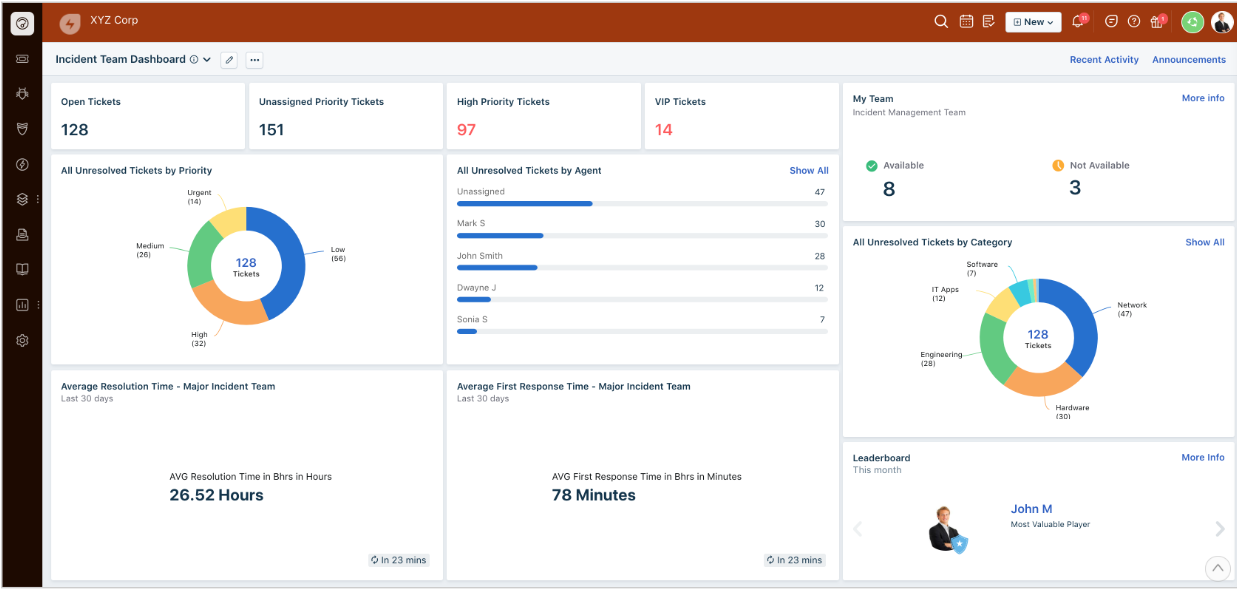
- Incident and problem management: Centralizes tickets and automates routing while surfacing recurring issues to speed up resolution across the team.
- Asset lifecycle management: Tracks hardware and software from purchase to retirement and links them directly to support tickets for better visibility.
- Service catalog and self-service portal: Gives end users a straightforward way to request services and find answers on their own without raising a ticket.
Pricing
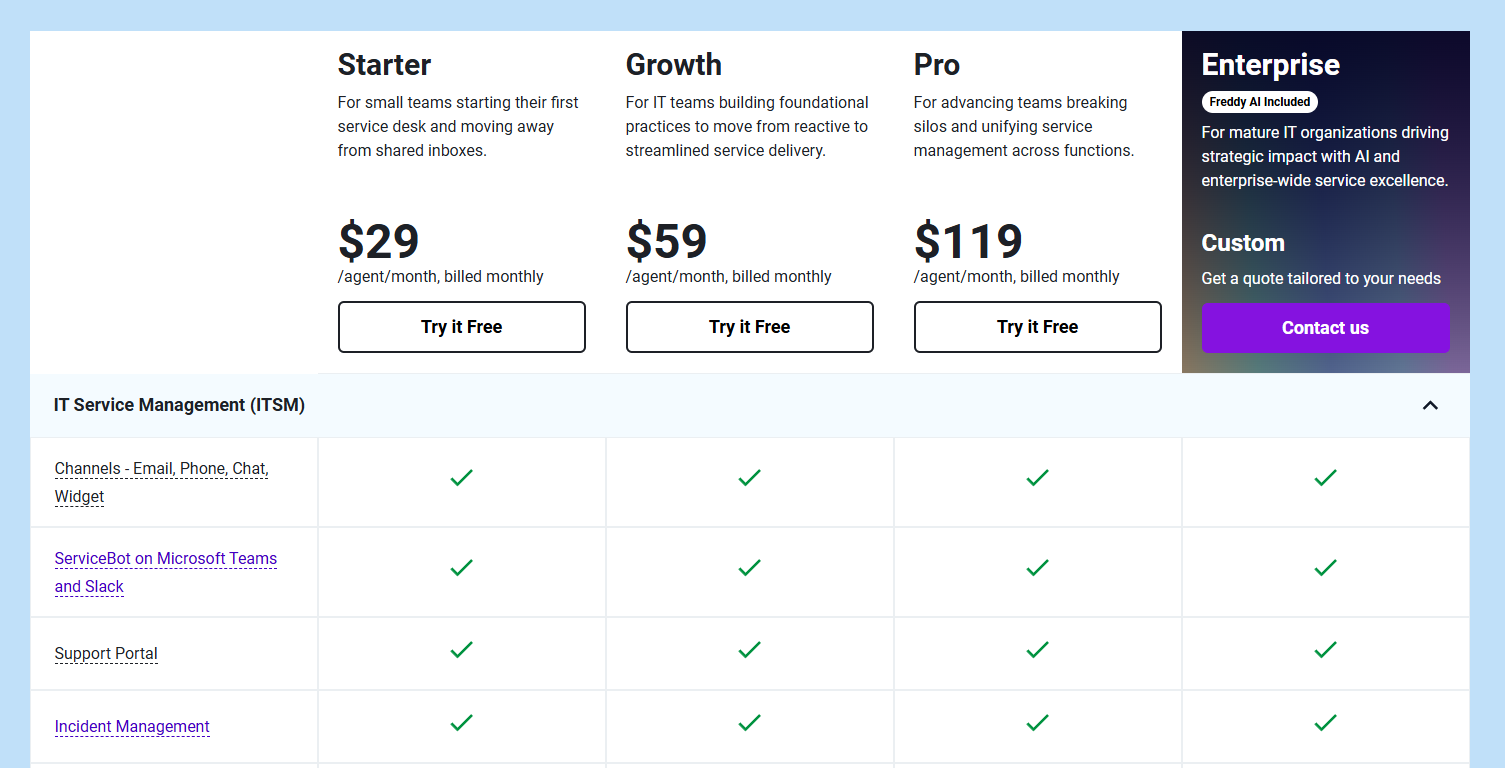
Freshservice has four pricing plans, each with a 14-day free trial:
- Starter: $29/agent/month, includes multichannel support, incident management, knowledge base, and task management.
- Growth: $59/agent/month, includes everything in Starter, plus SLA management, service catalog, and more.
- Pro: $119/agent/month, includes everything in Growth, plus problem, change, and release management.
- Enterprise: Custom pricing, includes everything in Pro, plus sandbox, Freddy AI agent, and AI insights.
Pros & Cons
✅ Clean interface that teams can learn and adopt in days.
✅ Strong automation features that are easy to configure without coding.
✅ Native integrations with other Freshworks products and third-party tools.
❌ Reporting can feel limited without deeper filtering.
❌ Key AI features gated behind expensive add-ons.
3. Jira Service Management
Best for: ITSM teams at mid-sized to enterprise organizations, especially those already using Jira Software, Confluence, or other Atlassian products.
Similar to: Freshservice, ServiceNow.
Jira Service Management is Atlassian's ITIL-certified platform built for agile IT teams.
It natively connects service requests, incidents, and changes with development workflows, which makes it especially strong for organizations where IT and engineering teams need to collaborate closely.
Features

- Change control with visual oversight: Includes auto-approval for low-risk changes and a change calendar with templates for planning major rollouts.
- Rich reporting and dashboards: Provides analytics for SLAs, ticket trends, and team performance, though deeper customization often requires upper tiers or plugins.
- Atlassian integration ecosystem: Connects with Jira Software, Confluence, Slack, and DevOps tools, plus a large marketplace of extensions.
Pricing
Jira Service Management has a free plan for up to three agents, plus three paid tiers:
- Standard: Starting at $23.80/agent/month, includes custom-branded help center, unlimited email notifications, and 9 to 5 support.
- Premium: Starting at $53.30/agent/month, includes everything in Standard, plus AI-powered services, virtual agent, advanced incident management, and 24 by 7 support.
- Enterprise: Custom pricing, includes everything in Premium, plus cross-product insights, advanced security, and unlimited automations.

Volume discounts apply as your team size grows. You can check our pricing review for a more in-depth look into all of Jira Service Management’s plans and their value for money.
Pros & Cons
✅ Deeply customizable workflows, forms, and roles for complex IT environments.
✅ Strong automation tools that enforce standards and reduce repetitive steps.
✅ Free plan for up to 3 agents, making it easy to test before committing.
❌ Interface can feel cluttered for non-IT teams.
❌ Many useful features depend on paid marketplace plugins.
4. ManageEngine ServiceDesk Plus
Best for: Mid-sized to enterprise IT teams that need a modular, ITIL-aligned ITSM platform with strong asset management and workflow automation.
Similar to: ServiceNow, Ivanti.

ManageEngine ServiceDesk Plus is a full-stack ITSM solution available on-premises and in the cloud.
The platform covers incident, problem, change, and request management while tightly integrating asset tracking and CMDB features.
Features

- Incident and problem management: Automated ticket classification, priority routing, and recurring issue analysis keep resolution times down.
- Asset lifecycle and CMDB: Network discovery and visual CMDB maps let teams link configuration items to tickets and changes for impact visibility.
- AI-powered support: Workflow rules, smart routing, and built-in AI integrations (including Copilot) help accelerate ticket resolution.
Pricing
ManageEngine ServiceDesk Plus doesn't list pricing publicly.
Costs depend on factors like the number of technicians and whether you choose cloud or on-premise deployment.
You'll need to contact ManageEngine for a tailored quote.
You can also take a look at our detailed ManageEngine pricing guide.
Pros & Cons
✅ Highly customizable workflows and approval schemes for complex, multi-site environments.
✅ Flexible deployment with both cloud and on-premises options.
✅ Broad ecosystem of add-ons that extend functionality across departments.
❌ Reporting is solid but can feel limited for advanced analytics.
❌ Pricing opacity makes comparison difficult.
5. ServiceNow
Best for: Large enterprises that need a scalable, fully ITIL-aligned platform with deep automation, a unified CMDB, and integration across support, development, and business functions.
Similar to: Jira Service Management, Ivanti.

ServiceNow is an enterprise-grade ITSM platform that acts as a single system of record for IT operations.
It brings incidents, changes, problems, requests, and assets into one unified environment, with a broad ecosystem of modules and marketplace integrations that HaloITSM simply can't match at scale.
Features

- Change and release orchestration: Structured approval workflows, impact analysis, and release calendars aligned with ITIL best practices.
- AI-powered automation with Now Assist: Generative AI that automates incident handling, suggests resolutions, and supports virtual assistants inside tickets.
- Performance analytics and reporting: Built-in dashboards, custom reports, and predictive analytics give leadership real-time visibility across all IT workflows.
Pricing
ServiceNow doesn’t publish fixed per-user pricing.
However, its ITSM offerings are structured into clear tiers so organizations can choose the level of automation, AI, and analytics they need:
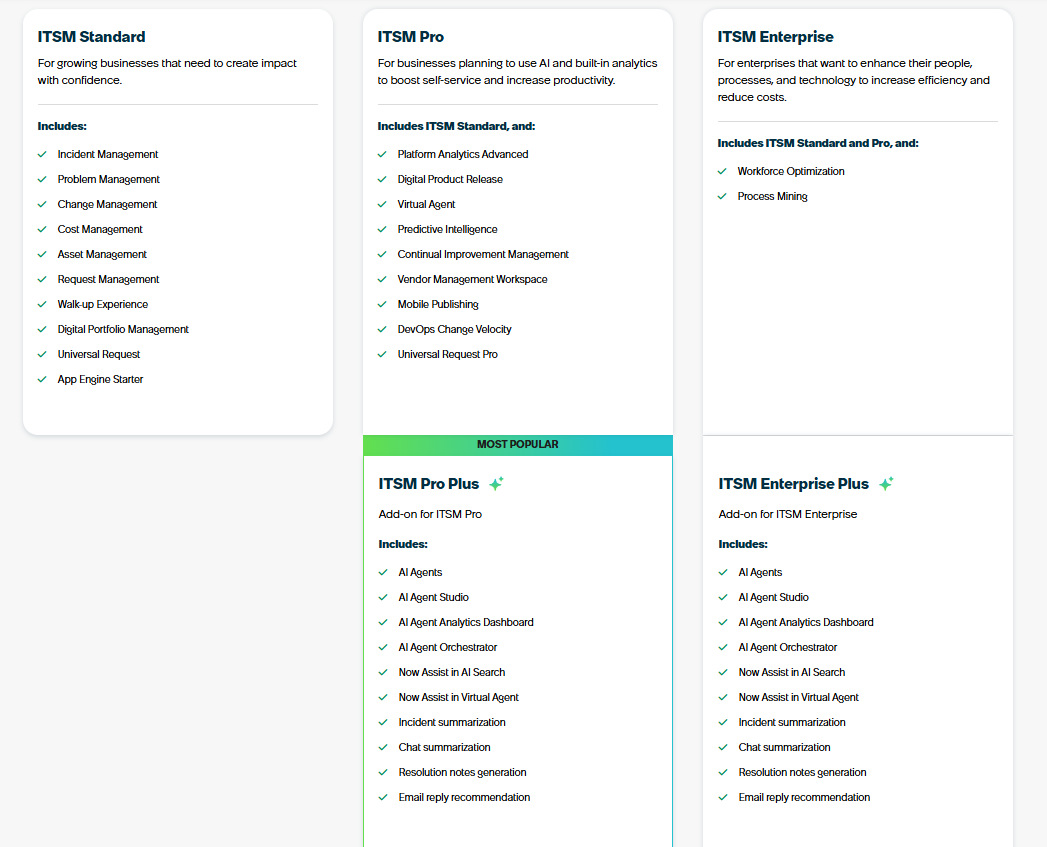
- ITSM Standard: Built for growing businesses that need core ITIL workflows in one platform, includes incident, problem, change, asset, request, walk-up experience, digital portfolio management, universal request, and App Engine Starter.
- ITSM Pro: Designed for teams that want to elevate service delivery with AI and advanced analytics, adds platform analytics, digital product release, Virtual Agent, predictive intelligence, continual improvement management, vendor workspace, mobile publishing, DevOps change velocity, and Universal Request Pro.
- ITSM Pro Plus (Add-on to ITSM Pro): Adds Now Assist AI capabilities, including AI agents, agent studio, AI observability dashboards, orchestration, AI search, enhanced Virtual Agent, and automated summarization and reply generation.
- ITSM Enterprise: Built for large enterprises that need deep optimization across people, processes, and technology, includes everything in Standard + Pro, plus workforce optimization and process mining.
- ITSM Enterprise Plus (Add-on to ITSM Enterprise): Expands Enterprise with the full Now Assist AI suite, including AI agents, AI agent studio, AI analytics dashboard, and automated incident, chat, and email summaries.
Pros & Cons
✅ Powerful ticketing and incident handling that scales across high-volume teams.
✅ Highly customizable via low-code builders and a vast marketplace.
✅ Deep integration ecosystem that unifies service delivery, observability, and governance.
❌ Pricing can climb quickly with modules and AI features.
❌ Steep learning curve.
6. NinjaOne
Best for: IT departments and mid-to-large organizations that need strong endpoint management, automation, and an integrated service desk in one console.
Similar to: Atera, Ivanti.
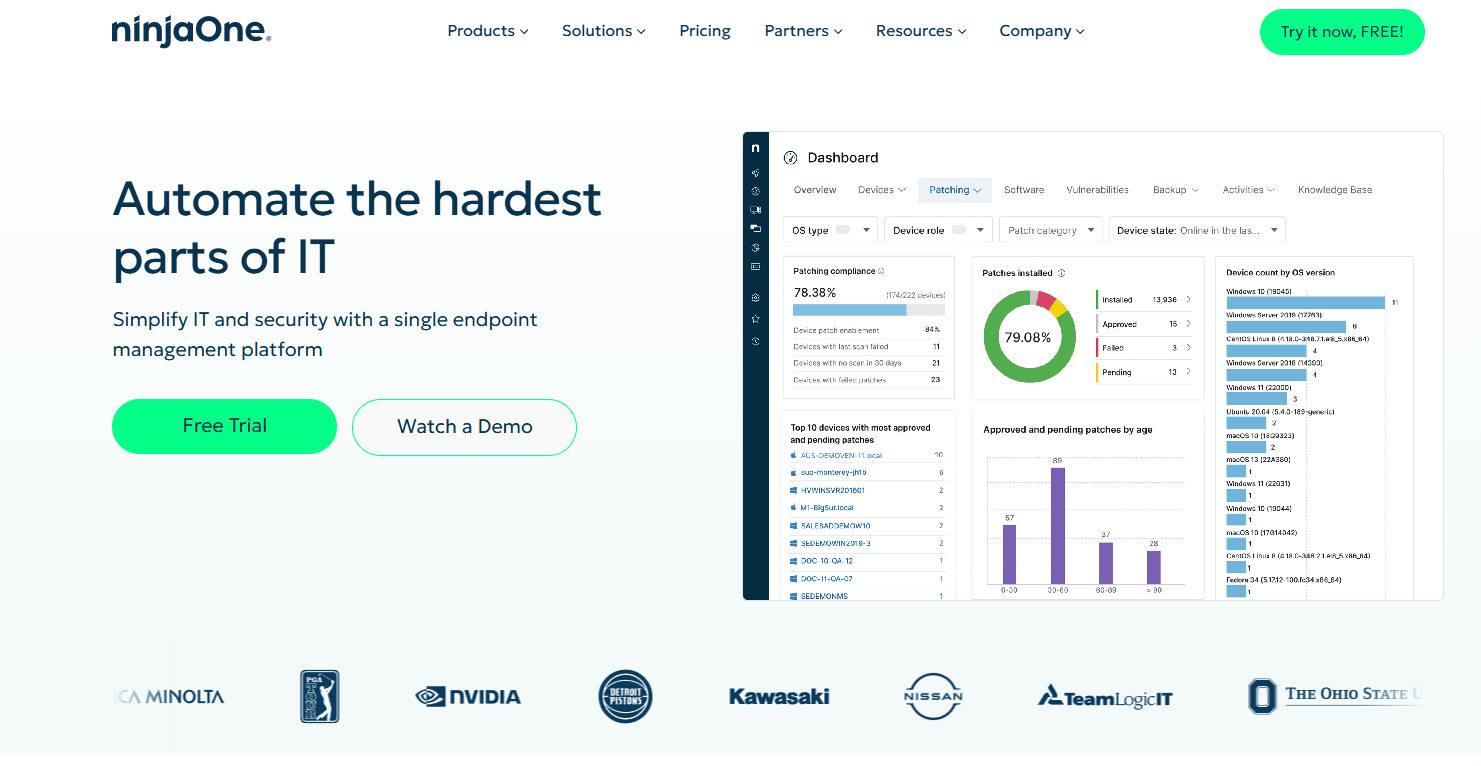
NinjaOne delivers endpoint management with full ITSM support built into its RMM suite.
Where HaloITSM focuses on service desk workflows, NinjaOne centers its value on device monitoring, patching, remote access, and automation, with ticketing tied directly to the underlying endpoints.
Features
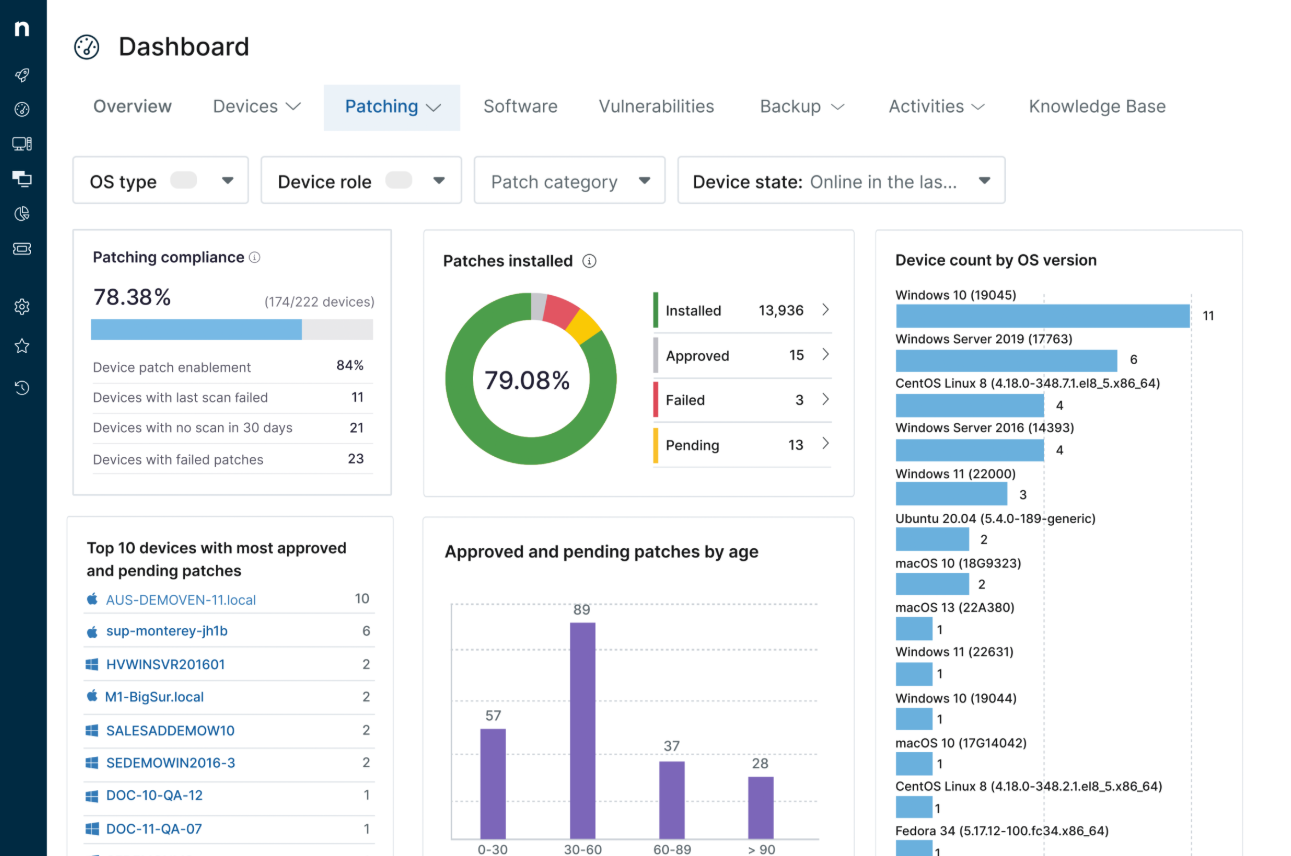
- Remote monitoring and alerting: Real-time status across Windows, macOS, and Linux devices, with smart notifications that flag issues before they escalate.
- Automated patch management: Deploys OS and third-party updates across endpoints automatically, reducing manual maintenance and improving compliance.
- Integrated service desk: Ticket logging, workflow automation, and remote support in the same interface, with incidents linked directly to endpoints.
Pricing
NinjaOne doesn’t publish subscription prices, as each price is custom-tailored to each team and their unique needs.
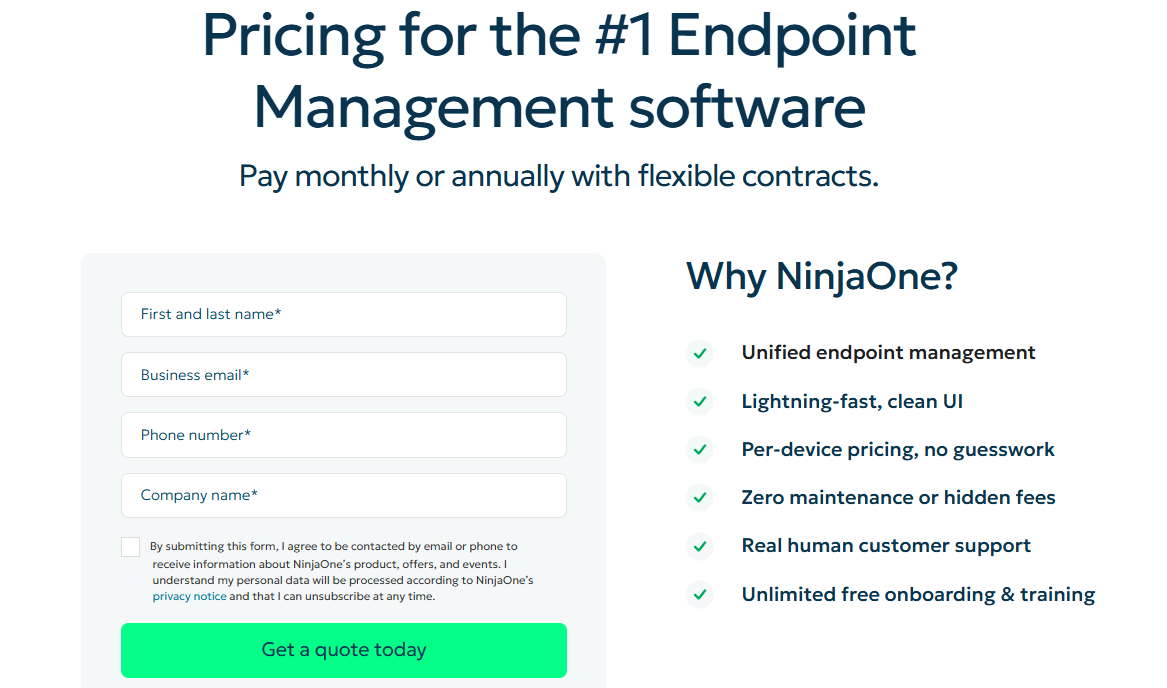
However, its website does state that NinjaOne follows a per‑device pricing model with monthly or annual contracts, with the pricing depending primarily on the number of endpoints you manage.
Pros & Cons
✅ User-friendly dashboard that reduces training time and speeds adoption.
✅ Unified view of IT operations with service desk, patching, and inventory in one console.
✅ Per-device pricing that scales predictably as your environment grows.
❌ Lacks deep reporting customization.
❌ Service desk capabilities are lighter than dedicated ITSM tools.
7. Ivanti
Best for: Enterprises that need deep asset visibility, endpoint remediation, and service management in a single scalable solution.
Similar to: ServiceNow, ManageEngine.

Ivanti is an enterprise-grade ITSM and ESM platform focused on automation, asset visibility, and secure service delivery.
It shines for organizations that need tight asset control, compliance reporting, and automated remediation alongside traditional ITSM processes, which goes well beyond what HaloITSM offers at the enterprise level.
Features
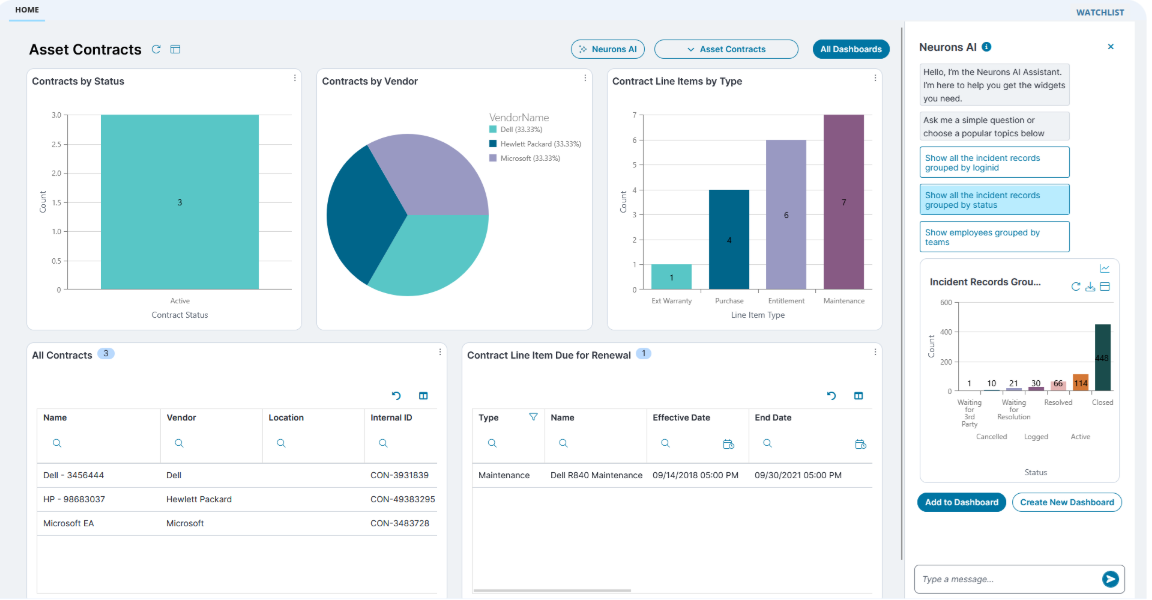
- Unified asset and service management: Links endpoint telemetry to incident and change workflows for faster remediation and better context.
- AI-powered chatbots and self-service portals: Guides end users to knowledge articles and resolves common issues without human intervention.
- Customizable role-specific dashboards: Monitors service delivery, quality, and SLA performance with views tailored for executives, managers, and technicians.
Pricing
Ivanti doesn't disclose its pricing publicly.
You'll need to contact their team for a demo and a custom quote.

Pros & Cons
✅ Enterprise-grade ITSM with no-code configuration.
✅ Modular architecture that grows with your IT maturity.
✅ Strong asset management features that link endpoint data to service workflows.
❌ Customer support can be slow to respond.
❌ The platform's depth creates a steep learning curve.
8. SysAid
Best for: Organizations that want a configurable, ITIL-based ITSM with agentic AI and the option to deploy in the cloud or on-premise.
Similar to: Freshservice, SolarWinds.

SysAid offers a traditional ITSM stack with strong automation and AI assistants that speed up triage and resolution.
It's a good fit for organizations that need a classic ITIL-capable tool without enterprise-level lock-in, and its AI-powered agents go a step further than HaloITSM's current capabilities.
Features

- Automated help desk and ticketing: Creates and monitors tickets with automatic ticket generation from emails, plus routing and escalation rules.
- IT asset tracking: Manages hardware, software, and other IT assets across the organization.
- Agentic AI service management: AI agents that detect issues, route and fulfill requests, and track performance against SLAs automatically.
Pricing
SysAid doesn’t publish fixed per-agent pricing for its ITSM platform.
Instead, it offers three core plans, and requires you to contact its team for a personalized quote:
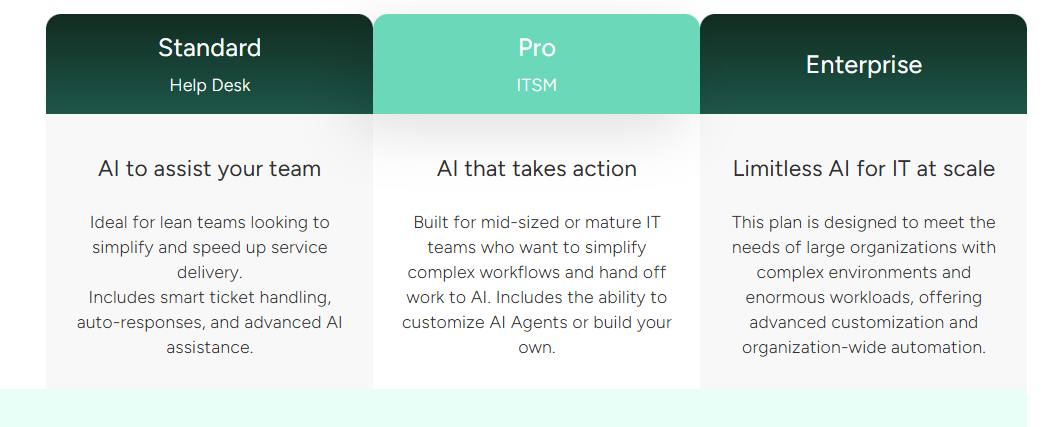
- Standard: Includes core AI features, essential service desk functionality, 250 managed assets, basic reporting, etc.
- Pro: Adds multiple self-service portals, field customization, routing and escalation rules and alerts, automations, customized analytics, and more.
- Enterprise: Unlocks unlimited storage retention, dedicated support, and more advanced customization and automation.
To see how SysAid is priced in practice, I break down every plan in this detailed pricing review.
Pros & Cons
✅ Strong help desk functionality for managing incidents, requests, and problems.
✅ Agentic AI that automates detection, routing, and resolution.
✅ Cloud and on-premise deployment options for teams with specific hosting needs.
❌ Initial setup, automation configuration, and integrations can require significant time and training.
❌ Implementation might take longer than expected.
9. SolarWinds Service Desk
Best for: IT teams that want an affordable, practical service desk with built-in asset management and straightforward operations.
Similar to: Freshservice, SysAid.

SolarWinds Service Desk combines service desk functionality with IT asset management and automated workflows at a competitive price point.
It's a solid HaloITSM alternative for teams that want similar bundled capabilities but prefer more transparent tiered pricing and built-in AI agents.
Features

- Automated incident management: Ticket routing, prioritization, and reporting connected directly to IT asset records for immediate context.
- Complete asset visibility: Full lifecycle tracking of hardware, software, and licenses from procurement to retirement.
- SolarWinds AI: Build support agents that can troubleshoot and resolve problems based on the initial request and comments within each ticket.
Pricing
SolarWinds Service Desk uses a modular pricing model, where ITSM, ITAM, and CMDB are licensed as separate products, each with its own plans.
This gives teams flexibility, but it also means costs can increase as you expand beyond core service desk needs.
Here’s how pricing is structured at a high level:
- IT Service Management (ITSM): Available in Essentials, Advanced, and Premier plans (all with a 30-day free trial), all with custom pricing. Core capabilities include incident and request management, service portal, knowledge base, SLAs, automations, and change management, with higher tiers adding advanced workflows, benchmarking, virtual agent, runbooks, and SolarWinds AI (Premier only).

- IT Asset Management (ITAM): It covers hardware and software inventory, mobile devices, QR/barcode tracking, warranties, purchase orders, contracts, license compliance, and risk management, again across Essentials, Advanced, and Premier tiers (custom pricing).
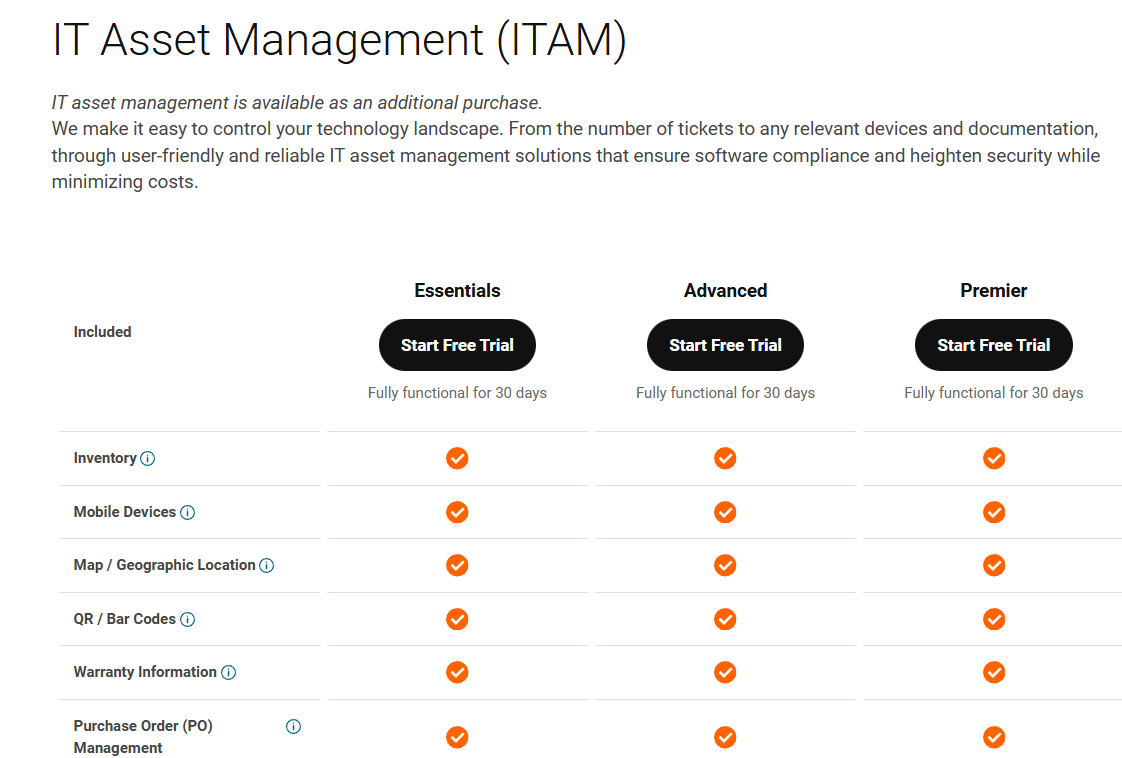
- CMDB: CMDB is also offered as a separate module, with features like configuration items (CIs), relationship mapping, discovery, visual maps, and automatic dependency mapping, dispersed across Essentials, Advanced, and Premier tiers (custom pricing).

For a breakdown of SolarWind’s pricing tiers, check our SolarWind pricing guide.
Pros & Cons
✅ Quick implementation with minimal setup overhead.
✅ AI-powered agents for resolving common questions automatically.
✅ Transparent tiered pricing with clear feature inclusions per plan.
❌ Navigation can feel confusing at times.
❌ Reporting can be useful but not very flexible or deeply customizable.
10. Monday.com
Best for: Organizations that prefer a flexible, visual work OS to manage IT and non-IT service workflows across the entire business.
Similar to: SmartSuite.
Monday.com takes its visual board-based platform and applies it to service management with drag-and-drop workflows, AI suggestions, and a customer portal.
It's strongest for teams that want cross-functional service management on a single, visual platform rather than a specialized ITIL-first product like HaloITSM.
Features
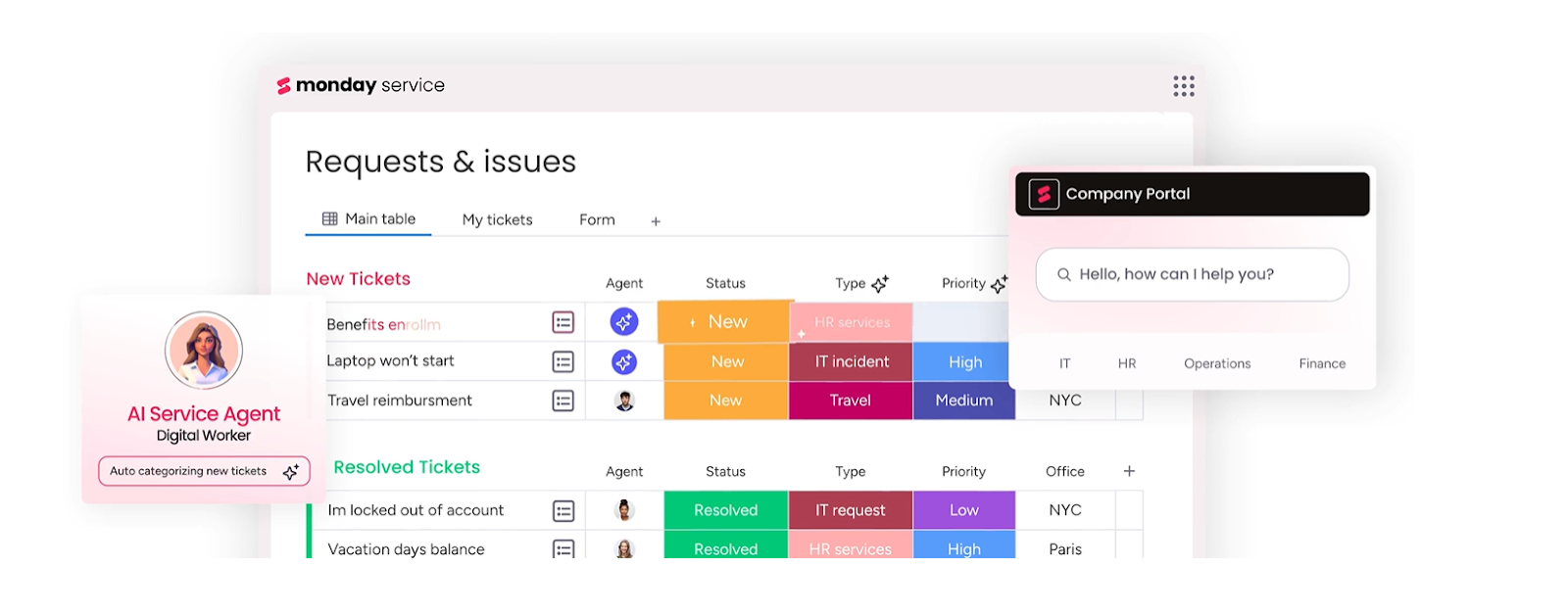
- Visual workflow builder with AI-assisted ticket triage: Model service catalogs and automate common tasks without writing code.
- AI-powered ticket resolution: Solve issues quickly with AI suggestions and one-click replies.
- Smart routing: Automatically assign tickets to relevant agents based on type, urgency, and department.
➡️ Learn more about Monday and its other project management features in our Monday.com review.
Pricing
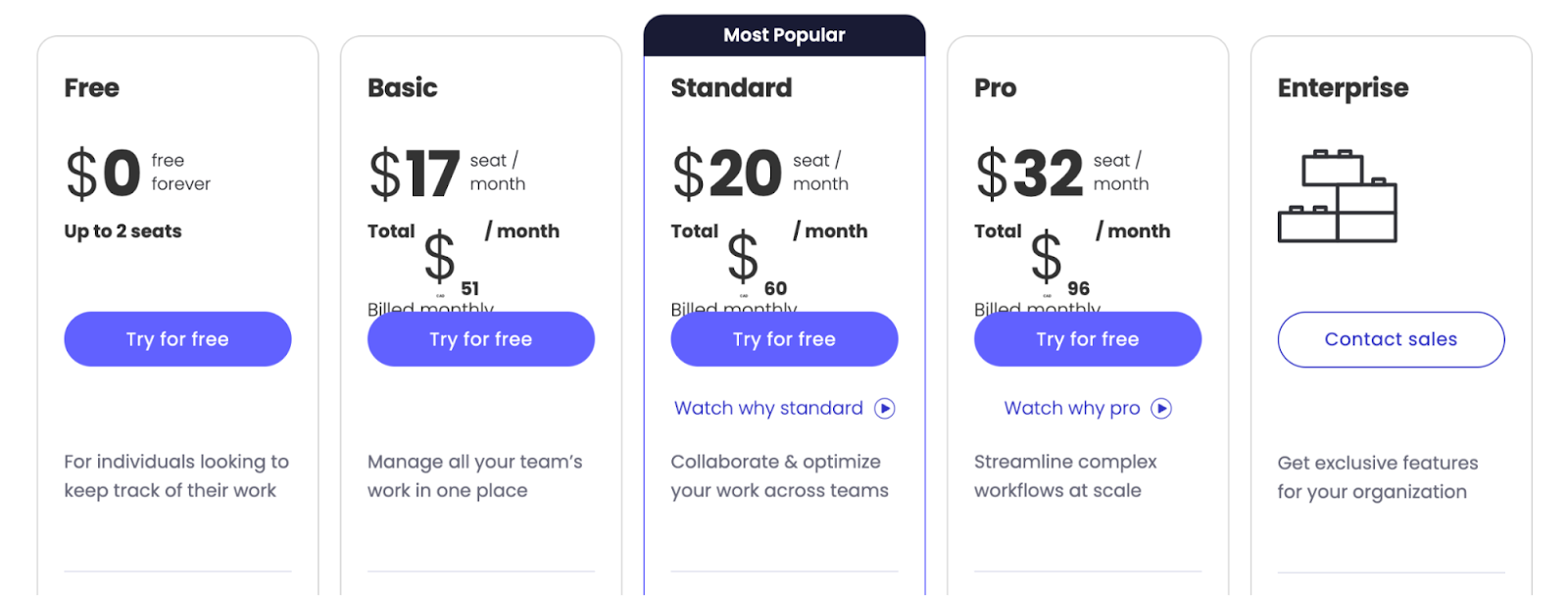
Monday.com offers a free tier for up to 2 seats, then four paid plans:
- Basic: Starts at $17/user/month, adds Kanban board view and unlimited view-only users.
- Standard: Starts at $20/user/month, adds 250 automated actions per month and 3 dashboard views.
- Pro: Starts at $32/user/month, adds all dashboard views, time tracking, and 2-factor authentication.
- Enterprise: Custom pricing, includes dedicated customer success, enterprise reporting, and admin controls.
Pros & Cons
✅ Strong reporting and analysis at the project and portfolio level.
✅ Over 200 integrations across communication and productivity apps.
✅ Visual, drag-and-drop boards that make service workflows easy to understand at a glance.
❌ Plan upgrades in fixed increments of 5 and 10 users.
❌ Automation features are gated to the more expensive plans, which is why some teams have been looking for alternatives to Monday.
Which HaloITSM alternative actually fits how your team works?
HaloITSM does a lot right for teams that want all-inclusive ITSM with a modern interface and competitive pricing.
But many teams hit a ceiling once they need self-service reporting, better documentation, or less complex configuration.
Most HaloITSM alternatives still revolve around the same idea: a dedicated service desk that handles tickets, assets, and changes, but keeps those workflows inside a single ITSM silo.
SmartSuite is different.
Instead of isolating IT service management in a standalone tool, SmartSuite connects incidents, assets, changes, knowledge, operations, and reporting into one AI-native workspace.
You get live dashboards without SQL, no-code customization that bends to your processes, and a platform that scales from a service desk to a full IT operations hub.
So if HaloITSM is starting to feel like it needs workarounds rather than solutions, SmartSuite is worth exploring.
➡️ Start a free SmartSuite trial (no credit card required) or book a demo to see how your IT team can run services, assets, and operations in one place.
⚠️ Disclaimer: This article was last updated on 03/17/2026, and if there's any misinterpretation of the information, please contact us, and we will fact-check it.
Read More
- MetricsStream Pricing: Is It Worth It In 2026?
- ServiceNow Review: Is It Worth It in 2026?
- BMC Helix Pricing: Is It Worth It In 2026?
- 10 Best MetricStream Alternatives for GRC in 2026

SmartSuite provides work platform for standardizing workflows in the following areas:
- Governance, Risk & Compliance
- IT & Service Ops
- Project / Portfolio Management
- Business Operations







