


TOPdesk has earned a strong reputation in IT service management for being straightforward, reliable, and refreshingly transparent when it comes to pricing.
In a market full of tools that hide costs behind sales calls and modular add-ons, TOPdesk stands out by publishing clear, predictable plans for teams that want to budget with confidence.
But transparent pricing doesn’t automatically mean good value.
As ITSM needs evolve in 2026, with more automation, cross-department workflows, and faster deployment expectations, many teams are reevaluating what they’re actually getting for the price.
So in this guide, I’ll break down TOPdesk’s pricing, what each plan includes, how the licensing model works, and its overall value for money.
By the end, you’ll have a clear picture of whether TOPdesk delivers strong ROI for modern IT teams in 2026.
Let’s get started.
Does TOPdesk offer a free plan or a trial?
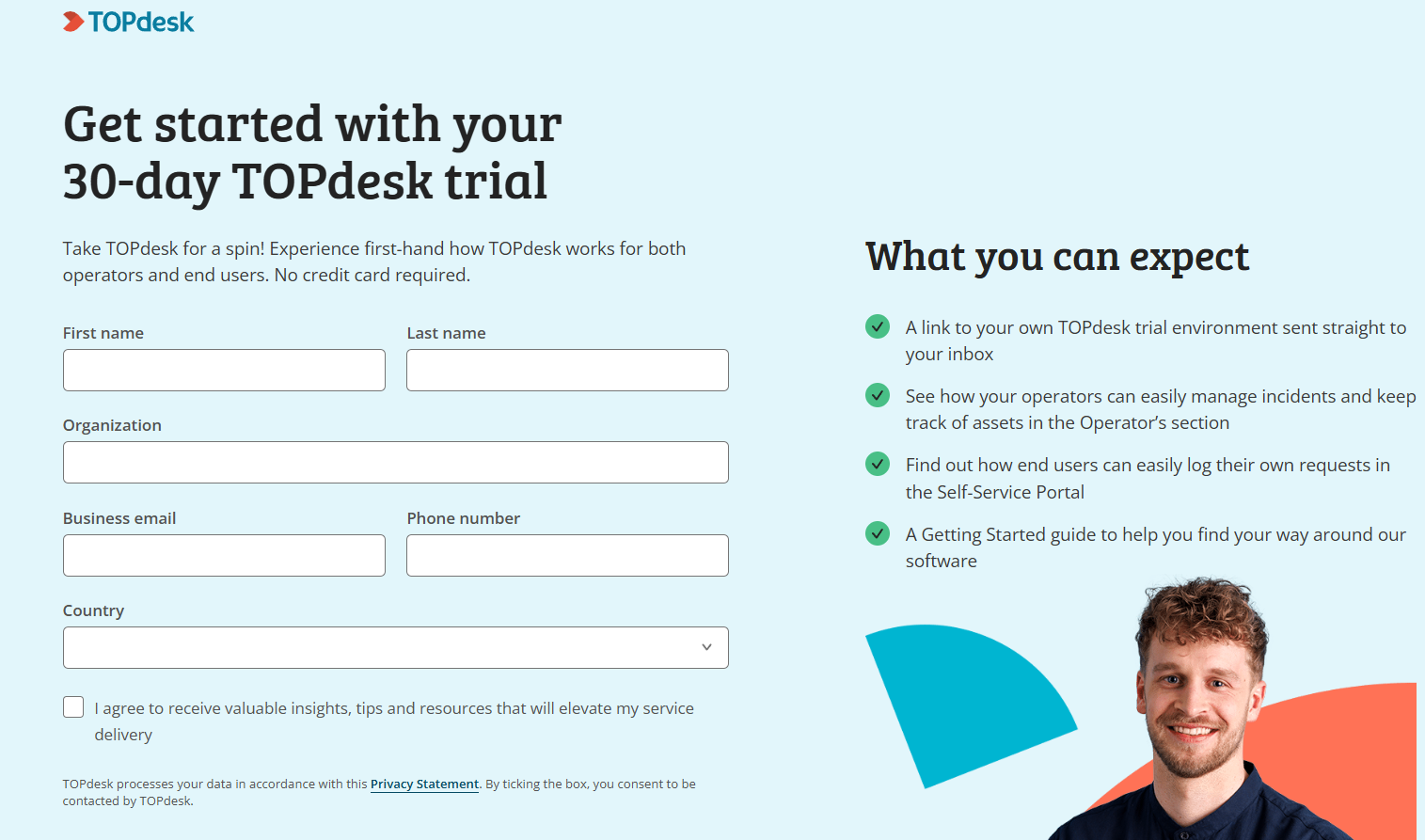
TOPdesk doesn’t offer a free-forever plan, but it does provide a fully functional 30-day free trial that lets teams explore the platform without a credit card.
To access it, you’ll need to fill out a short form with basic details (name, organization, business email, phone number, and country).
Once submitted, TOPdesk sends you a link to your own trial environment, where you can test both the operator and end-user experience.
During the trial, you can:
- Manage incidents, requests, and assets inside the Operator’s section.
- See how end users log and track their own requests through the Self-Service Portal.
- Follow a built-in Getting Started guide to navigate core ITSM workflows.
It’s a solid way to evaluate TOPdesk hands-on before talking to sales, though the lack of a permanently free tier means teams will eventually need to move to a paid plan once the 30 days are up.
TOPdesk pricing plans
TOPdesk has three main ITSM plans:
- Essential: Starting at $76 per agent/month.
- Engaged: Starting at $109 per agent/month.
- Excellent: Starting at $155 per agent/month.
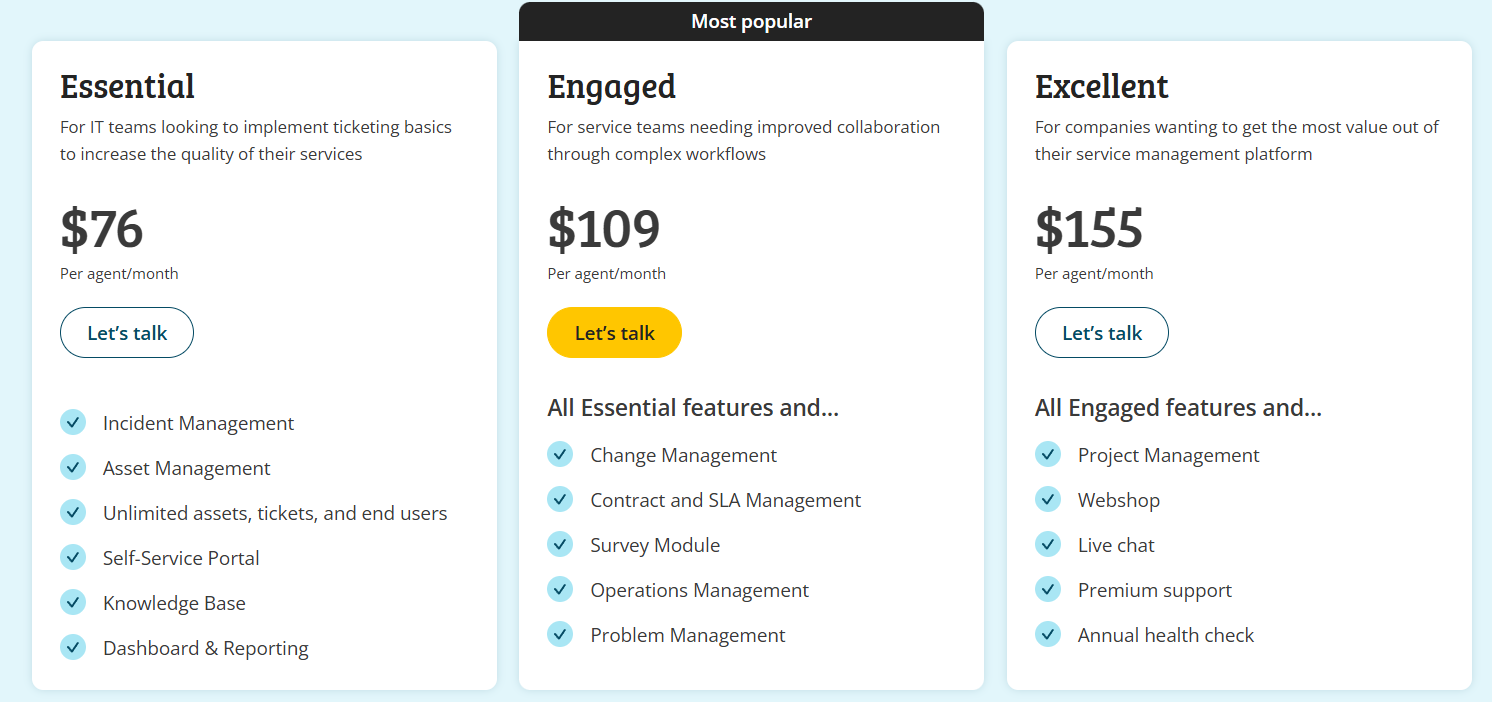
All pricing is based on the number of agents you add, and the per-agent cost decreases as your agent count goes up, making it more affordable for larger teams.
There are no hidden software fees, as subscriptions include hosting, updates, and support.
The only extra costs come from optional services such as implementation support or consulting.
TOPdesk Essential plan
The Essential plan is TOPdesk’s entry-level tier, built for IT teams that want to establish a solid ticketing foundation without adding unnecessary complexity.
Pricing starts at $76 per agent/month, and because TOPdesk uses a per-agent model, the average cost decreases as you add more agents, so it can go down to $58/agent/month for 50 agents.
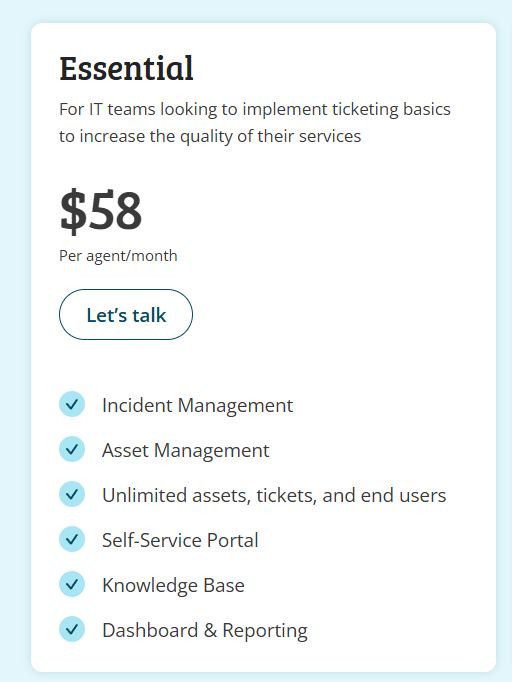
If you need more than 50 agents, you need to contact its team for pricing details.
The Essential plan includes:
- Incident management: Capture, assign, and resolve IT issues with standardized workflows.
- Asset management: Track devices, hardware, and configuration items in one place.
- Unlimited assets, tickets, and end users: You only pay for agents, not the volume of requests.
- Self-service portal: Let employees submit and monitor requests on their own.
- Knowledge base: Store help articles and troubleshooting steps for faster resolutions.
- Dashboards & reporting: Monitor workload, performance, and service quality in real time.
Essential is best suited for small or growing IT teams that need reliable ticketing and asset management without advanced change, problem, or SLA workflows.
TOPdesk Engaged plan
The Engaged plan is designed for service teams that need stronger collaboration and more structure across complex workflows.
Pricing starts at $109 per agent/month, and can go down to $83/agent/month for 50 agents.
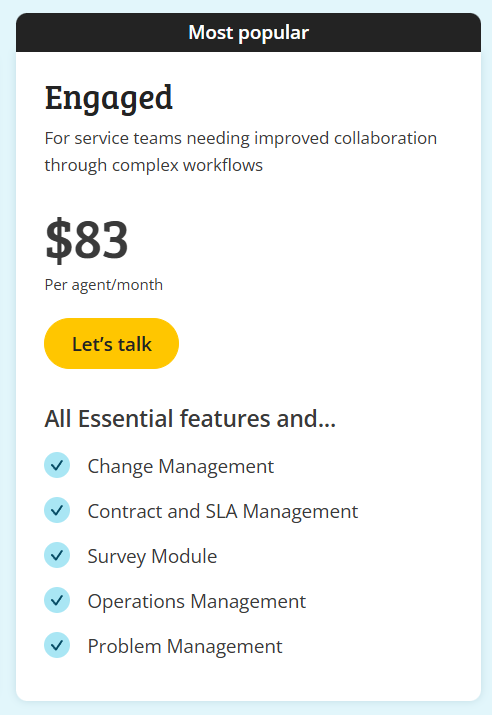
On top of everything included in the Essential plan, Engaged adds:
- Change management: Standardize change requests, approvals, and implementation steps.
- Contract & SLA management: Track vendor agreements and monitor service-level performance.
- Survey module: Collect feedback from end users to measure service satisfaction.
- Operations management: Coordinate recurring tasks and operational activities across teams.
- Problem management: Identify root causes, link related incidents, and reduce repeat issues.
Engaged is ideal for teams ready to move beyond basic ticketing and adopt more mature ITSM practices without jumping into a fully enterprise-level setup.
TOPdesk Excellent plan
The Excellent plan is TOPdesk’s top-tier offering, built for organizations that want the full depth of the platform and more mature ITSM and ESM capabilities.
Pricing starts at $155 per agent/month, and can go down to $114 for 50 agents.
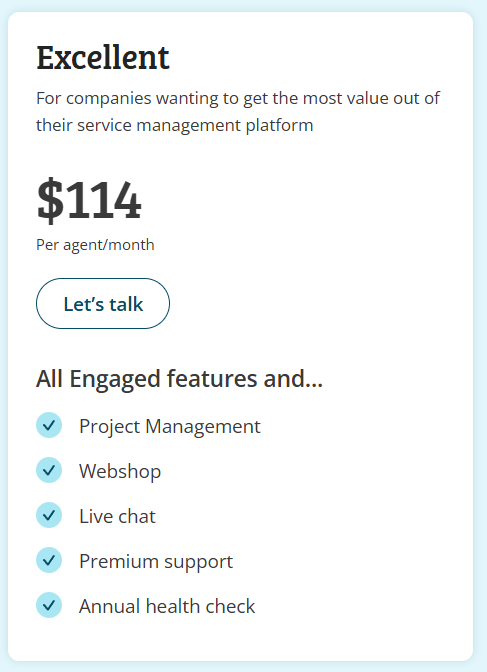
In addition to everything included in the Engaged plan, Excellent adds:
- Project management: Plan, track, and manage internal IT or cross-department projects.
- Webshop: Create a service catalog where end users can request hardware, software, or internal services.
- Live chat: Provide real-time support to employees or customers directly from the portal.
- Premium support: Access enhanced support services for faster, prioritized assistance.
- Annual health check: Receive a yearly review to ensure your environment stays optimized and aligned with best practices.
Excellent is best for organizations that want a fully built-out service management platform with advanced communication, project oversight, and higher-touch support.
Note: Certain features, such as asset reservations, visitor registration, etc., are available as add-ons only for all three plans, including the top-tier one.
Does TOPdesk provide good value for money in 2026?
Based on user feedback, TOPdesk generally delivers solid value, especially for teams that want a user-friendly ITSM platform with a clear pricing structure and reliable support.
Many reviewers highlight that once it’s set up, TOPdesk offers a smooth operator experience, strong self-service capabilities, and the right level of structure for modern service teams.
However, value for money also depends on expectations, with long-term users surfacing some notable trade-offs:
- Reporting can feel limited or confusing: Several users mention dashboards and reports being harder to configure than expected.

- Customization can become complex: While flexible, deeper setup often requires more time, experience, or admin effort.

- Doesn’t scale that well: If you need many operators - or advanced features that are not included in any of the plans - the costs can easily add up.
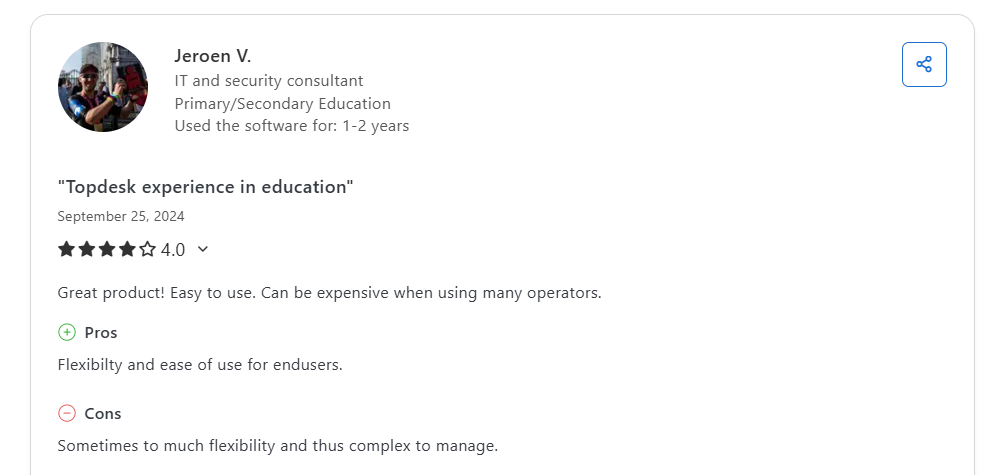
Overall, TOPdesk provides solid real-world value for ITSM teams that want a reliable, well-supported platform with strong self-service capabilities and a clear pricing model.
Teams looking for deeper automation, easier advanced reporting, or a more modern, fully no-code backend may find certain limitations, and may need to invest more time in customization and setup.
In the end, TOPdesk’s ROI depends on how much flexibility, automation, and configurability your ITSM team requires, and how much admin capacity you have to fine-tune the platform over time.
Looking for a TOPdesk alternative?
While TOPdesk’s transparent pricing and dependable ITSM capabilities make it a strong option for many teams, some organizations find that TOPdesk’s flexibility only goes so far, especially when scaling.
So, if you’re reaching the point where you need a platform that moves faster, adapts easier, and gives you more control without extra complexity, SmartSuite is the solution you need, as it offers a much more modern take on service management, built for high-growth teams.
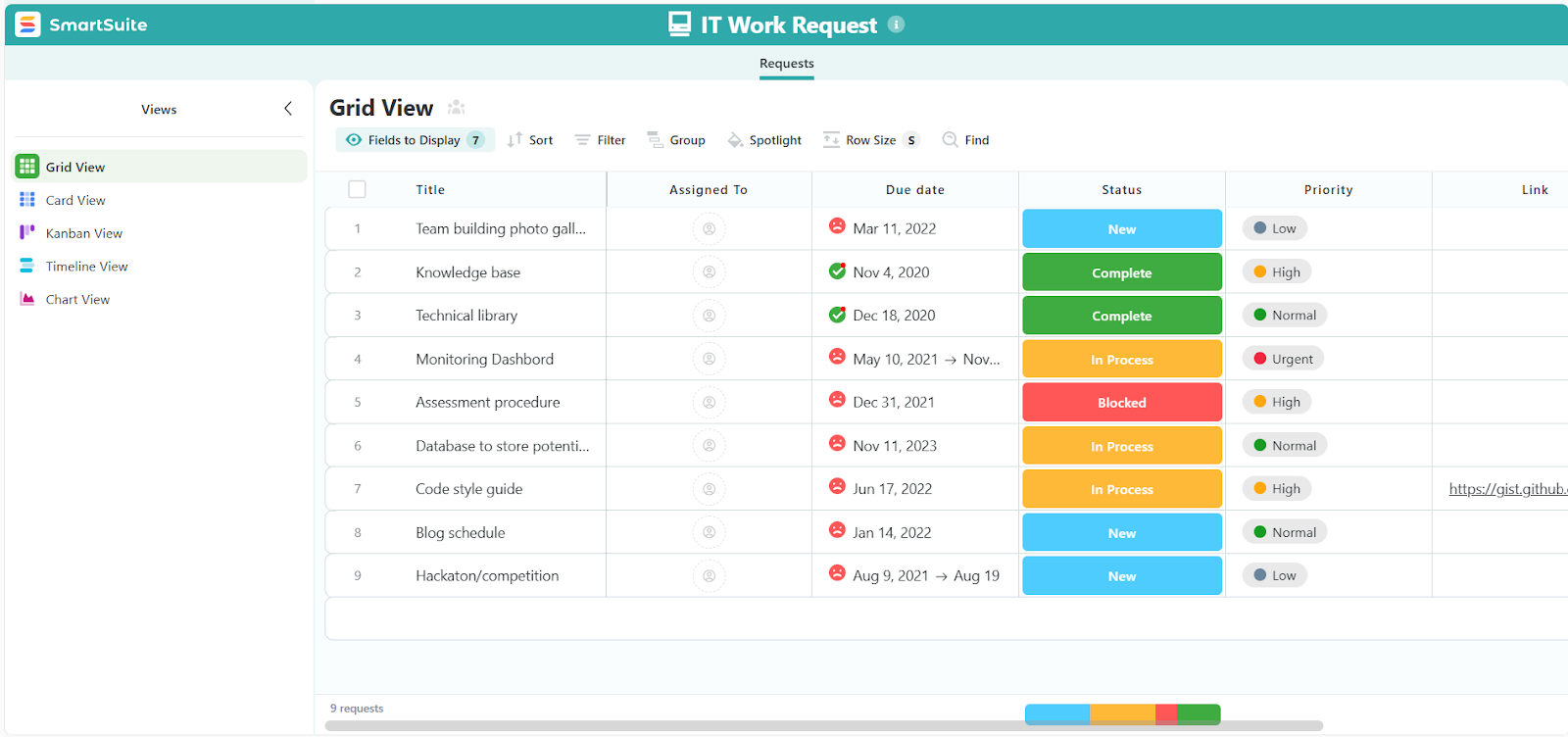
Next, I’ll walk you through the core areas where SmartSuite’s approach differs and why many IT teams choose it as a TOPdesk alternative in 2026.
1. A unified ITSM workspace built for every service workflow
SmartSuite centralizes everything IT teams need in one unified workspace, making it easy to manage tickets, assets, requests, audits, licenses, and internal projects without switching systems or juggling separate interfaces.
Here’s what you get with SmartSuite:
- Help desk & ticketing: Log issues, assign work, escalate, and track progress with clear, customizable workflows.
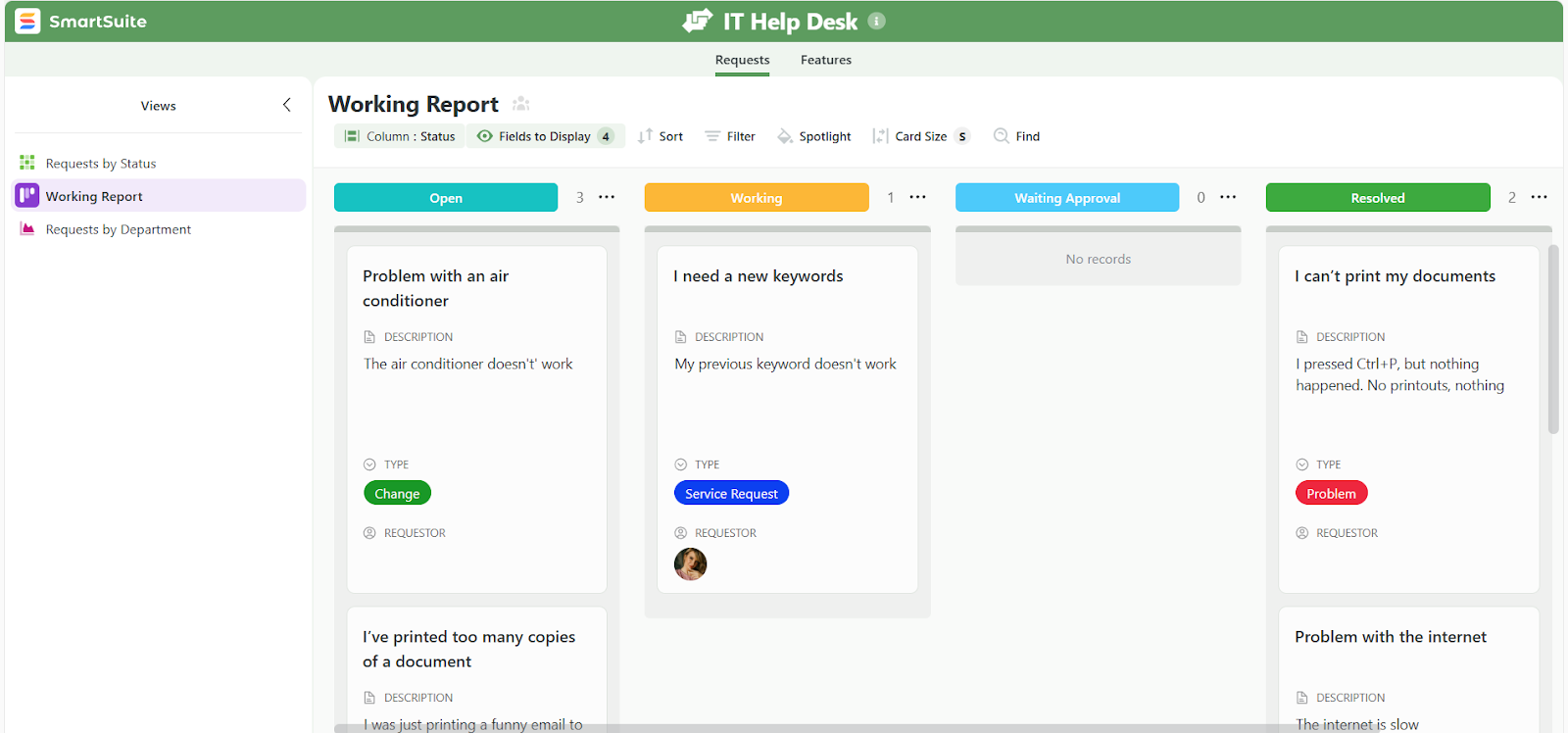
- Service request management: Standardize intake, approvals, and routing so requests move smoothly across departments.
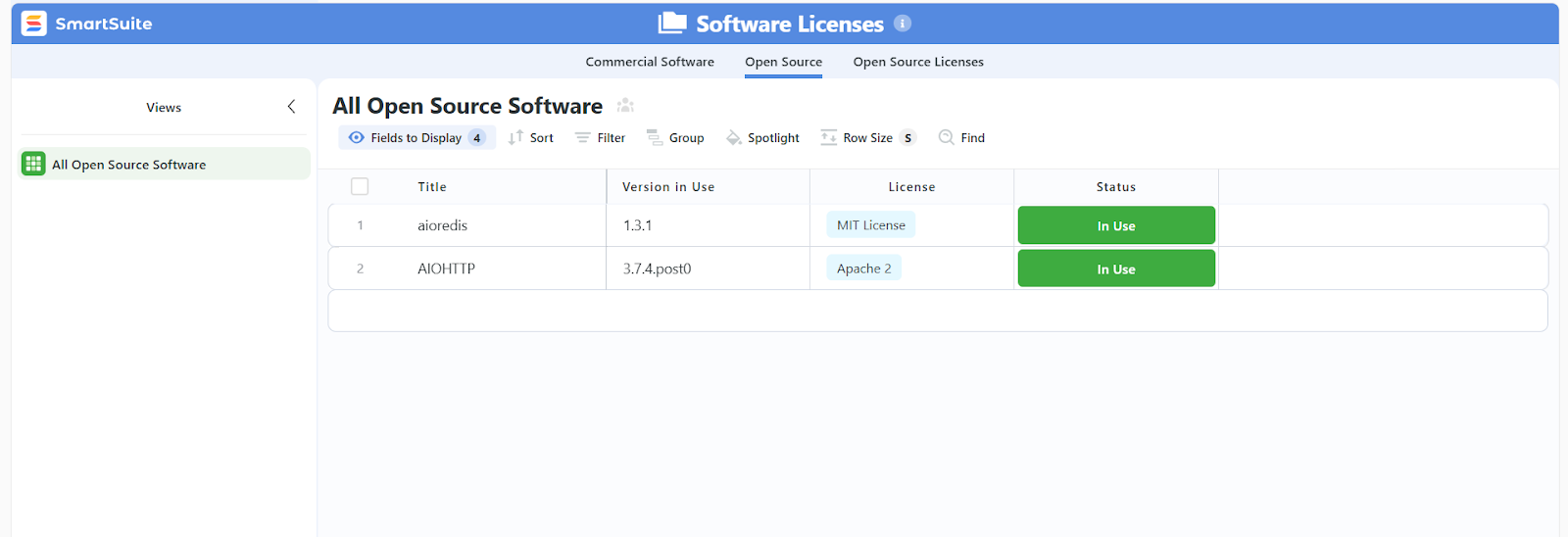
- Asset & license management: Track devices, hardware, cloud subscriptions, maintenance schedules, and renewal dates from a single source of truth.
- Incident & problem management: Capture incidents, link related issues, and identify patterns before they disrupt the business.
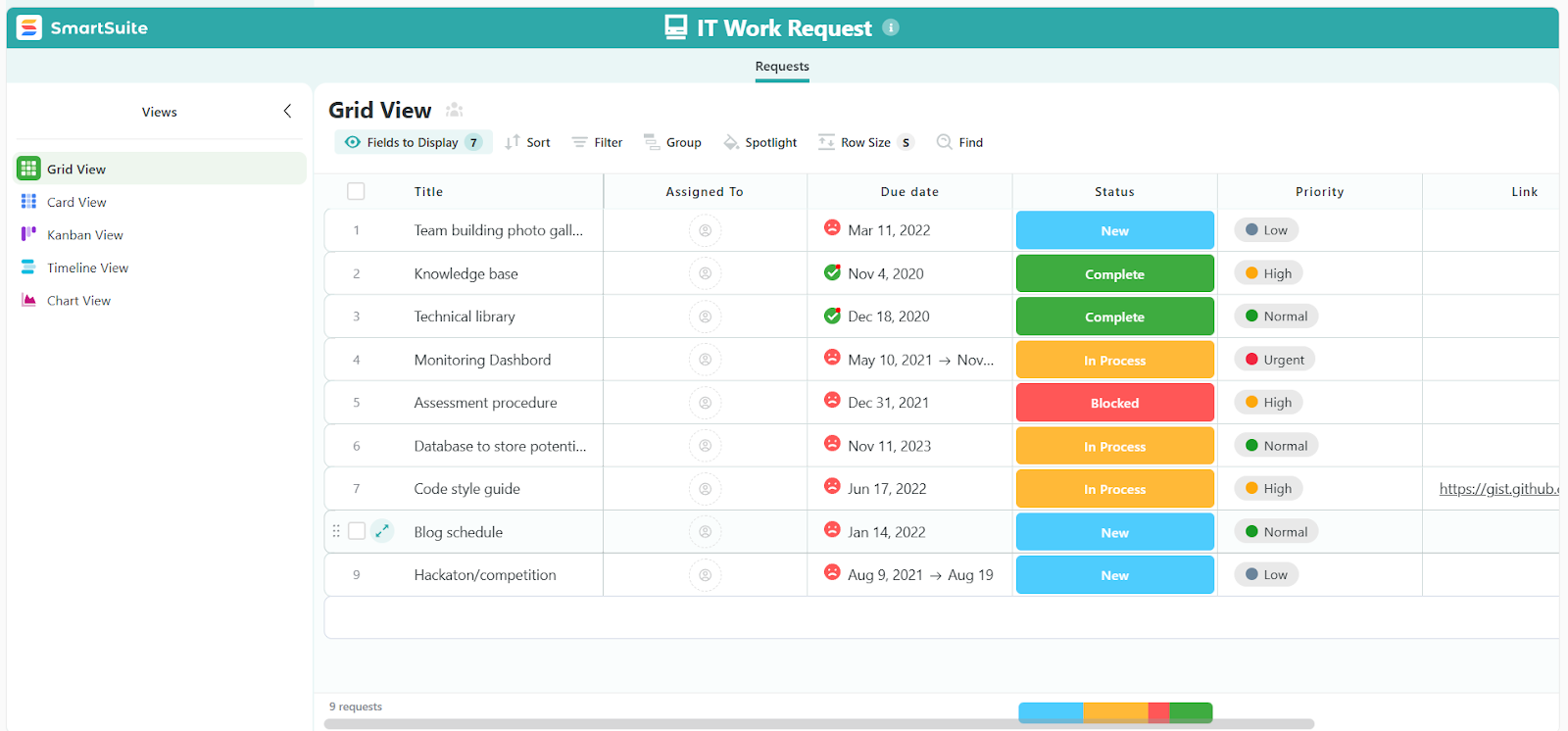
- IT work requests & field operations: Manage internal work orders, on-site tasks, and technician assignments with mobile support built in.
- IT security audits & governance: Centralize policies, audits, controls, findings, and mitigations to support secure IT operations.
- Visitor & access tracking: Digitize intake and automate notifications for on-site visitors and contractors.

Every workflow connects seamlessly with dashboards, automations, and real-time collaboration tools, giving teams full visibility across IT operations without relying on separate modules or complex backend configurations.
This unified approach means IT leaders can see everything that matters in one place, while technicians get a clean, consistent experience no matter what type of work they’re handling.
2. True no-code customization that adapts to the way your team works
A common theme in TOPdesk reviews is that deeper customization takes time, experience, or repeated guidance.
With SmartSuite, on the other hand, every part of your ITSM setup can be shaped without touching code or navigating a complex backend.
Instead of hidden menus or rigid modules, SmartSuite gives IT teams intuitive, visual tools to tailor workflows as they grow:
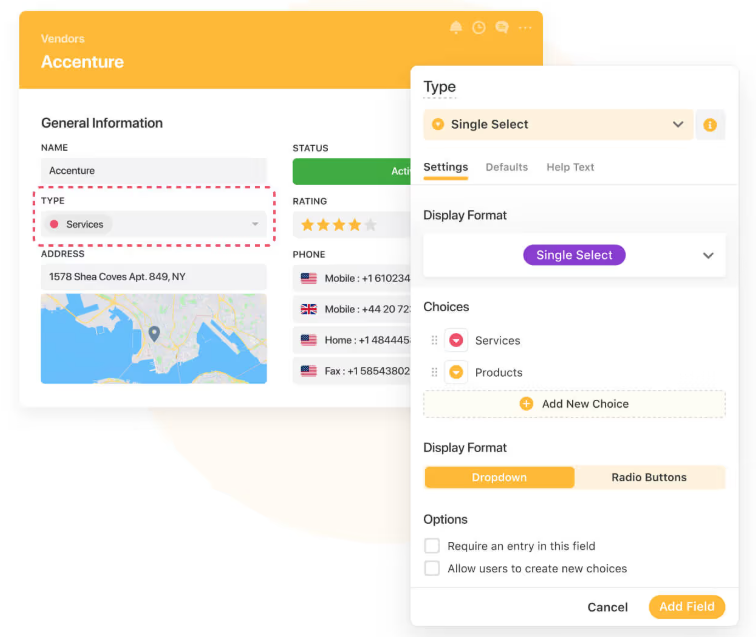
- Drag-and-drop fields and forms: Add or adjust fields, create new layouts, or reorganize data structures without relying on technical admins.
- Custom views for every role: Build grids, boards, timelines, calendars, and dashboards that match how technicians, managers, or leadership prefer to work.
- Configurable workflows: Define statuses, SLAs, priorities, categories, and escalations that mirror your real processes, not the other way around.
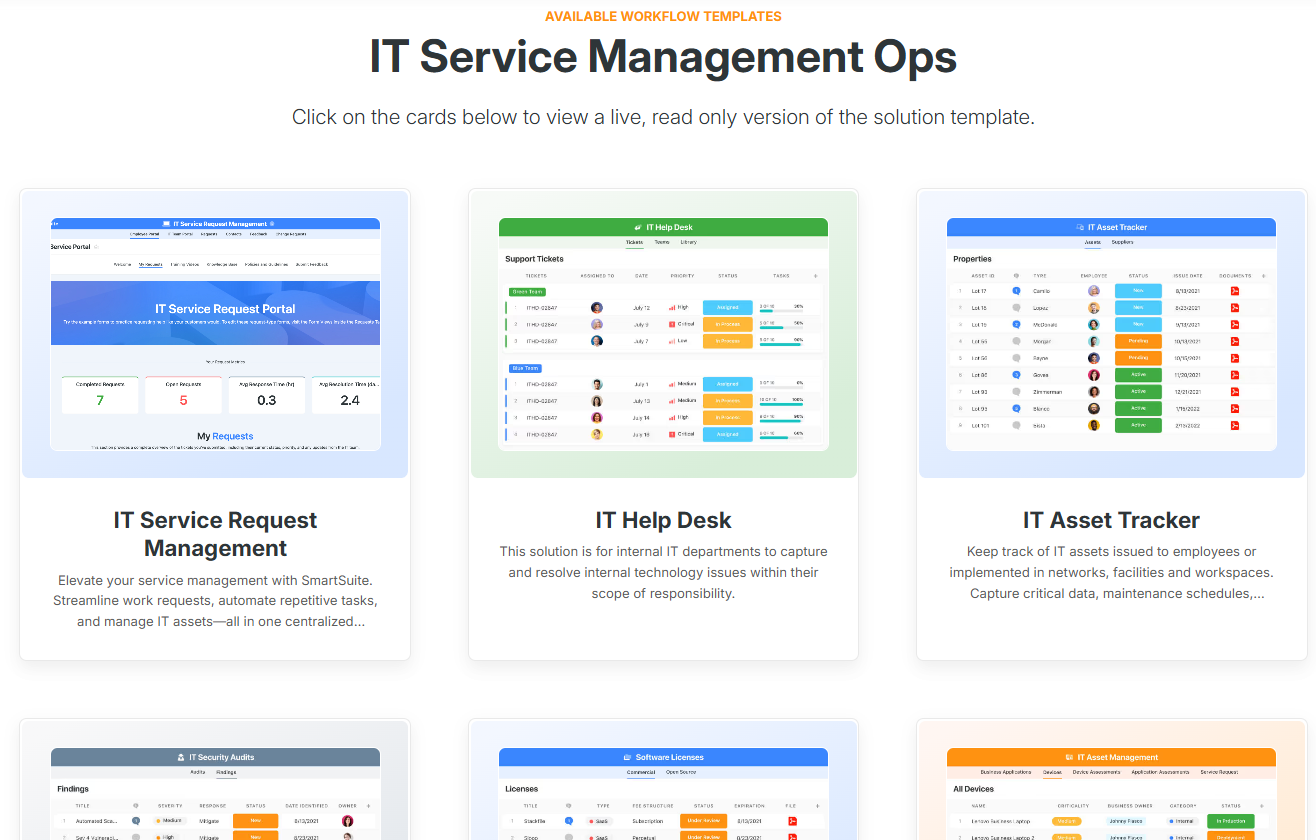
- Adaptable templates: Start with ready-made ITSM solutions (help desk, incidents, assets, projects, audits) and modify anything to fit your exact environment.
- Flexible automation rules: Trigger actions based on ticket changes, severity, deadlines, or asset conditions, all through a visual builder.
This means you spend less time configuring the system, and more time improving how your IT team delivers service across the business.
3. Clear, customizable reporting and dashboards without the complexity
One of the most common frustrations TOPdesk users mention is reporting.
SmartSuite removes that friction entirely with real-time dashboards and flexible reporting tools that anyone on your team can use.
With SmartSuite, IT teams can:
- Build dashboards in minutes using drag-and-drop widgets, charts, counters, calendars, and heatmaps.
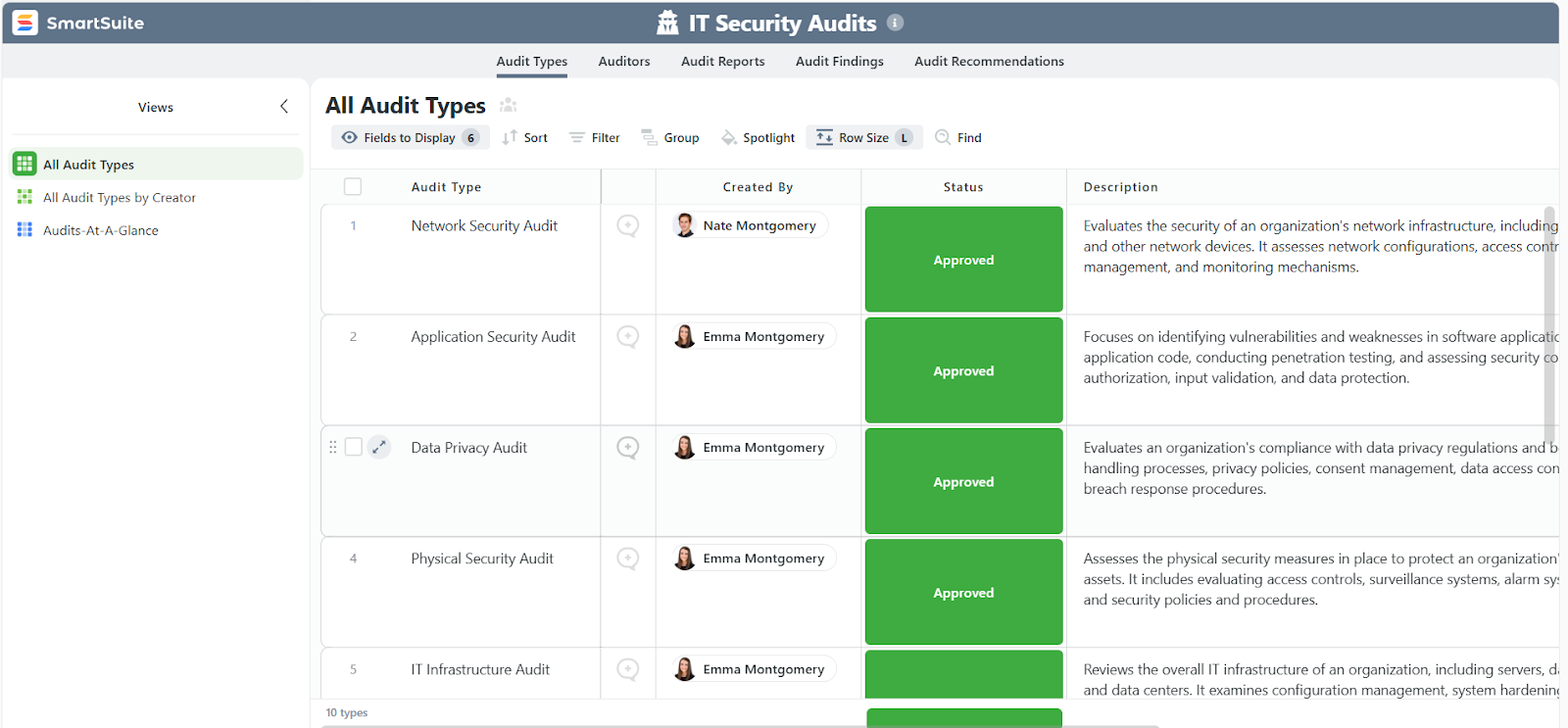
- Track SLA performance, technician workload, ticket volumes, incident trends, asset health, renewal dates, and more, all in one view.
- Create role-specific dashboards for service desk leads, asset managers, auditors, or department heads.
- Highlight bottlenecks instantly, like overdue tickets, aging assets, recurring incidents, or unresolved change requests.
- Share dashboards effortlessly with teams or executives so everyone stays aligned on performance and priorities.
And since everything updates automatically as work moves through the system, IT teams get a live, accurate picture of operations without manual data gathering or complicated setup.
4. Powerful automation that keeps every IT workflow moving
SmartSuite’s automation capabilities are built into every workflow and can be designed visually, meaning there’s no scripts, no backend complexity, and no specialist required.

With SmartSuite’s automation engine, IT teams can:
- Auto-assign and route tickets based on category, priority, asset type, requester, or workload.
- Set up multi-step approvals for changes, access requests, or new hardware/software purchases.
- Trigger escalations and reminders when SLAs are at risk or critical tasks stall.
- Automate recurring IT tasks, like quarterly access reviews, asset audits, patching schedules, or license renewals.
- Send alerts and notifications to technicians, managers, or entire teams when key events occur.
- Build conditional logic for various situations (e.g., If severity is high → escalate immediately).
- Use AI assistance to classify requests, suggest routing, summarize ticket histories, or surface relevant knowledge base articles automatically, helping teams move faster without extra manual effort.

As a result, you get faster resolutions, fewer bottlenecks, and a service desk that runs predictively, not reactively.
How does SmartSuite’s pricing compare to TOPdesk’s?
TOPdesk’s pricing is straightforward and predictable, but the total investment can rise quickly, especially if you need higher-tier plans or add-on features.
SmartSuite also has transparent per-user pricing but with no hidden add-ons.
Every user - whether they’re logging requests, resolving tickets, managing assets, or running audits - gets access according to the same clear plan structure.
SmartSuite also offers something TOPdesk doesn’t - a Free Forever plan for up to 3 users, including dashboards, collaboration tools, automations, and core ITSM templates.
This makes it easy for small IT teams to get started without committing to a paid plan.
And when you’re ready to scale, SmartSuite’s paid tiers remain predictable:
- Team: $12/user/month, includes everything in Free, plus unlimited solutions, 5,000 records per solution, 50GB of file storage, advanced collaboration tools, and a 30-day recycle bin.
- Professional: $30/user/month, includes everything in Team and adds advanced permissions, two-factor authentication, Gmail & Outlook integrations, AI features, and 100GB of file storage.
- Enterprise: $45/user/month, includes everything in Professional, plus audit logs, data loss prevention, up to 50,000 monthly API calls, and 500GB of file storage.
- Signature: Custom pricing, a fully tailored plan with no predefined limits, offering extended storage, API capacity, records, automations, and advanced enterprise security options such as SCIM provisioning and regional data residency.
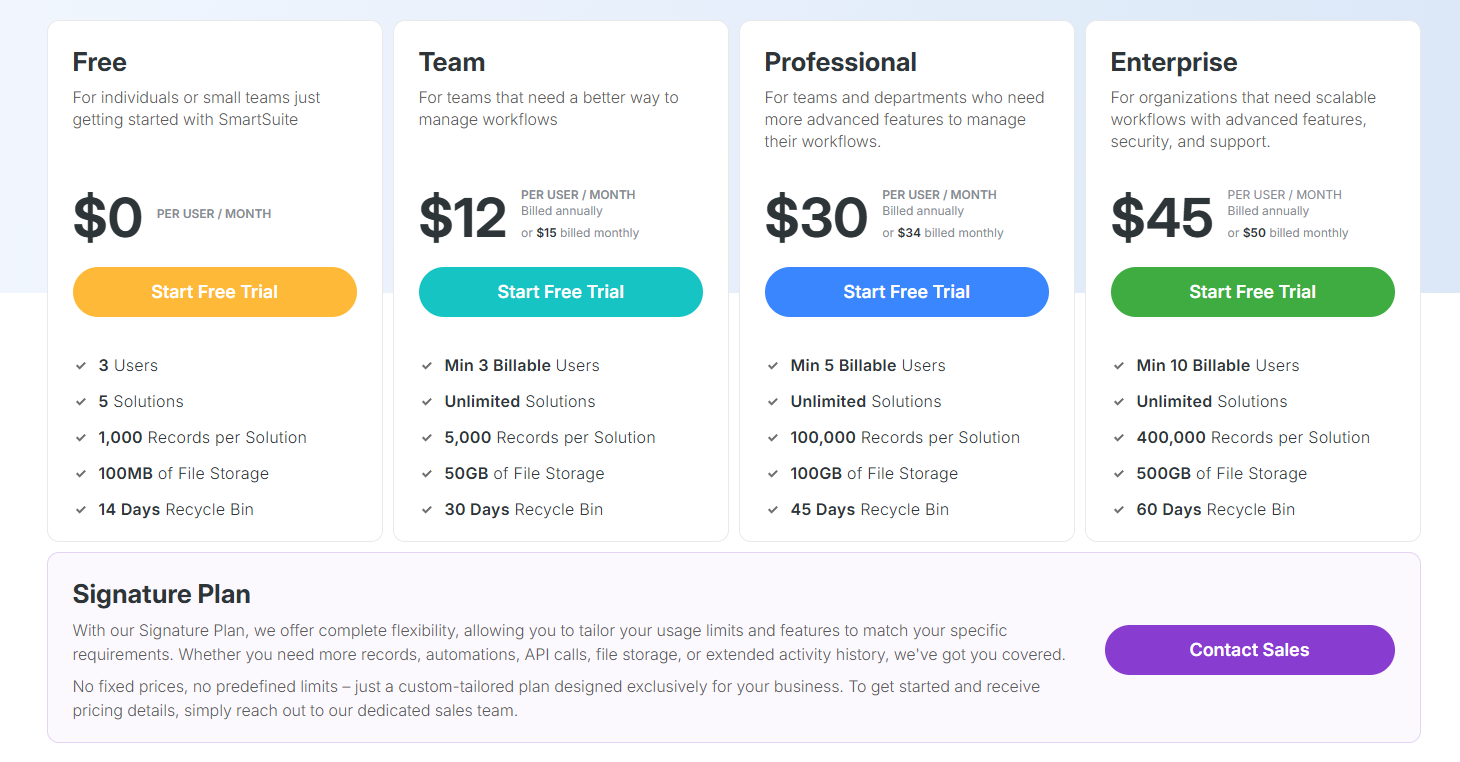
All paid plans come with a 14-day free trial (no credit card required), allowing IT teams to validate workflows before making a decision.
How is SmartSuite different from TOPdesk?
TOPdesk gives teams a reliable ITSM foundation with clear pricing and strong core features.
But when you look at how both platforms support modern, fast-moving service teams in 2026, the differences become clearer.
SmartSuite stands out in four key ways:
- No-code customization: TOPdesk can require training or admin expertise to configure deeply. SmartSuite lets teams adapt fields, workflows, and forms visually, without touching code.
- Reporting and dashboards: TOPdesk’s reporting is functional but often limited. SmartSuite offers real-time, drag-and-drop dashboards anyone can build in minutes.
- Automation and AI: TOPdesk’s events/actions work for basics. SmartSuite adds intuitive no-code automation and AI assistance for routing, prioritization, escalations, and summaries.
- Better value for money: While TOPdesk’s per-agent pricing is transparent, total costs climb quickly as you add operators or unlock higher-tier ITSM features. SmartSuite offers a broader feature set - including automation, AI, templates, and full no-code customization, at a far lower per-user price point.
In short:
- TOPdesk is a dependable choice for structured ITIL workflows.
- SmartSuite is built for teams that want a more flexible, automation-driven, and cost-efficient ITSM platform that scales fast without added complexity.
SmartSuite vs. TOPdesk: The final word
TOPdesk delivers reliable ITSM basics with transparent pricing, but it can become rigid and costly as teams grow or need more advanced workflows.
SmartSuite takes a more modern approach by:
- Bringing every service process into one unified workspace.
- Simplifying customization with true no-code tools.
- Offering automation and AI features that help teams move faster without paying more for add-ons.
So, if you’re looking for an ITSM platform that scales smoothly across departments, adapts quickly to your processes, and stays budget-friendly as you expand, SmartSuite is the stronger long-term fit.
Curious to see it in action?
Start your free trial or schedule a demo and find out how SmartSuite can streamline your IT operations in 2026.
Read more
- ServiceNow vs. Jira Service Management vs. SmartSuite: Which One Is Better? - A head-to-head breakdown of three leading ITSM platforms to help you find the right balance of power, usability, and cost for 2026.
- ManageEngine Pricing: Is It Worth It In? - A practical look at ManageEngine’s real costs, including what you get, what you don’t, and whether the value matches the investment this year.
- 10 Best SolarWinds Alternatives & Competitors - Explore the top SolarWinds alternatives offering stronger automation, clearer pricing, and modern IT operations features for growing teams.
- ServiceNow vs. Ivanti vs. SmartSuite: Which One Is Better? - Compare three major ITSM players across flexibility, scalability, automation, and pricing to see which platform really delivers in 2026.
- 10 Best StandardFusion Alternatives & Competitors - Discover the top GRC platforms that outperform StandardFusion on usability, customization, and enterprise scalability.
- Ivanti Pricing: Is It Worth It For ITSM - A no-nonsense breakdown of Ivanti’s opaque pricing model, and what IT teams should know before committing in 2026.

SmartSuite provides work platform for standardizing workflows in the following areas:
- Governance, Risk & Compliance
- IT & Service Ops
- Project / Portfolio Management
- Business Operations







