




Sprinto pricing isn’t publicly listed, which makes it harder to estimate what compliance automation will actually cost your team in 2026.
This is why in this guide, I’ll break down how Sprinto structures its pricing, what influences the final quote, and what real-world buyers should expect to pay.
Then we’ll assess whether the value justifies the investment, or if your budget should be allocated elsewhere.
Let’s dive in!
Does Sprinto offer a free plan or a trial?
Sprinto doesn’t have a traditional free tier for its core compliance automation platform, nor does it offer a self-serve free trial to test the product independently.
Instead, interested buyers can schedule a personalized demo, where Sprinto’s team walks you through the platform, discusses your compliance requirements (such as SOC 2, ISO 27001, HIPAA, etc.), and outlines how the solution would be configured for your environment.
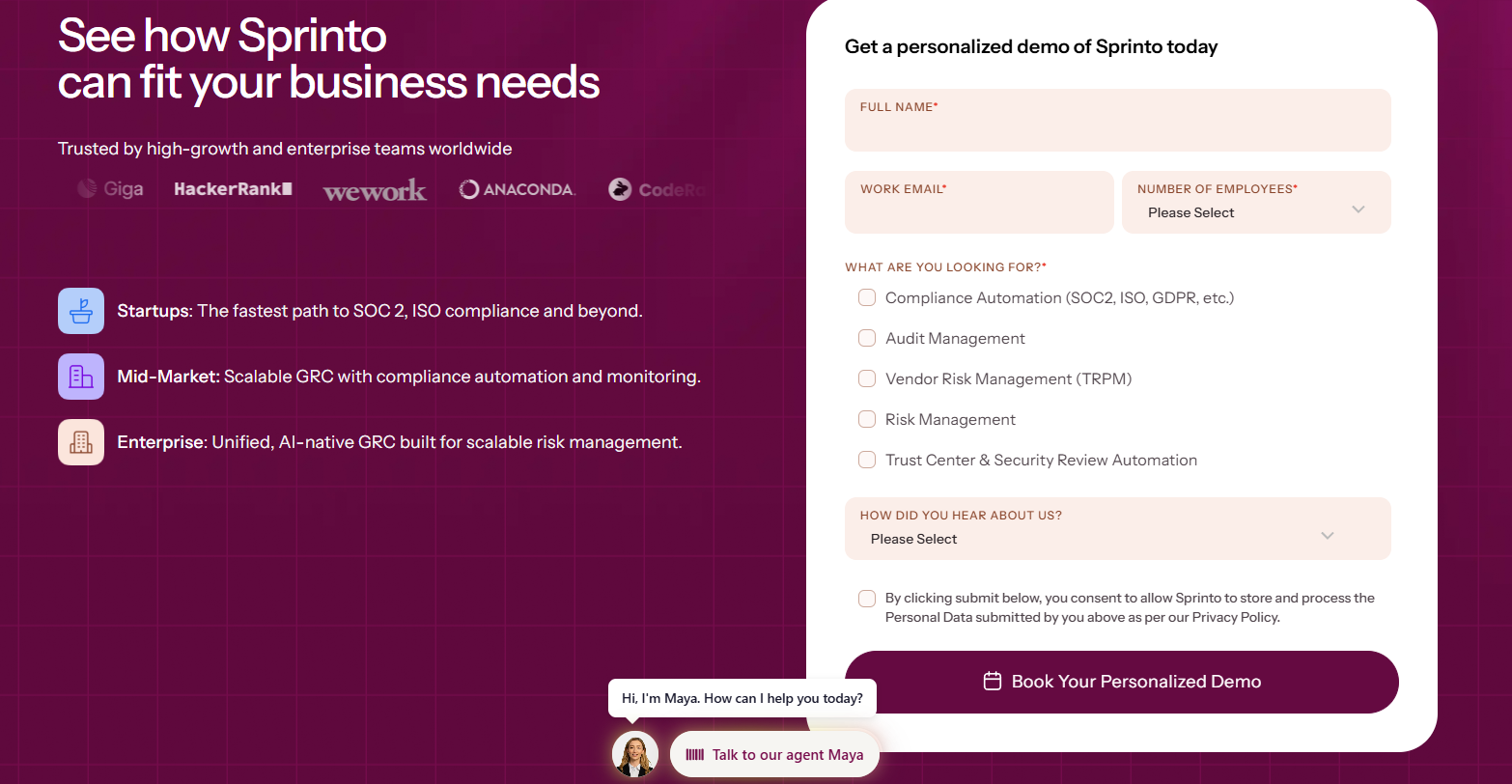
This consultative approach means that your first experience with the platform is tailored to your company’s size, framework scope, and infrastructure, but it also requires speaking with sales before getting hands-on access.
Sprinto pricing plans
Sprinto doesn’t publicly list fixed pricing tiers or set plans on its website, meaning that there’s no clear “Starter, Pro, Advanced” grid you can browse and buy on the spot.
Instead, pricing is customized based on various factors, which may include things like your company’s size, the number of compliance frameworks you want to automate (SOC 2, ISO 27001, HIPAA, GDPR, etc.), the complexity of your tech stack, etc.
To get a detailed quote, you’ll need to book a demo or speak with Sprinto’s sales team, who will tailor a plan and price to your specific environment.
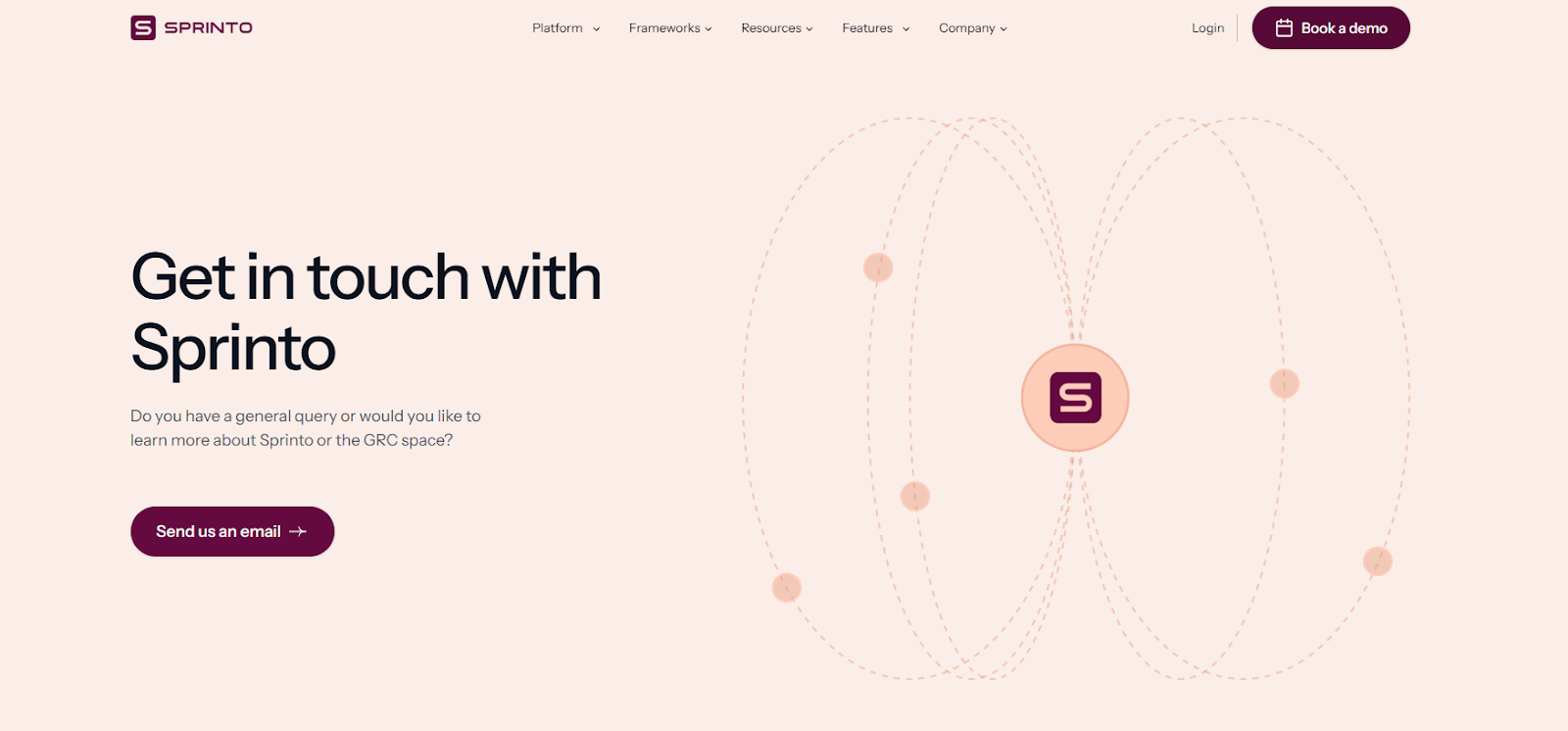
Moreover, if you look for a pricing page on its website, you’ll be required to enter a password to proceed.

This means that rather than choosing from pre-defined packages, buyers get a tailored quote that bundles the features and frameworks they need into a single, custom price - but it also means you won’t find transparent pricing directly on Sprinto’s site.
How much does Sprinto actually cost in 2026?
While Sprinto doesn’t publish its pricing publicly, real-world contract data can give us a clearer picture of what buyers are paying.
According to Vendr data based on 7 purchases, the median annual contract value for Sprinto is $15,000 per year, with reported deals ranging from $11,500 on the low end to $19,300 on the high end.
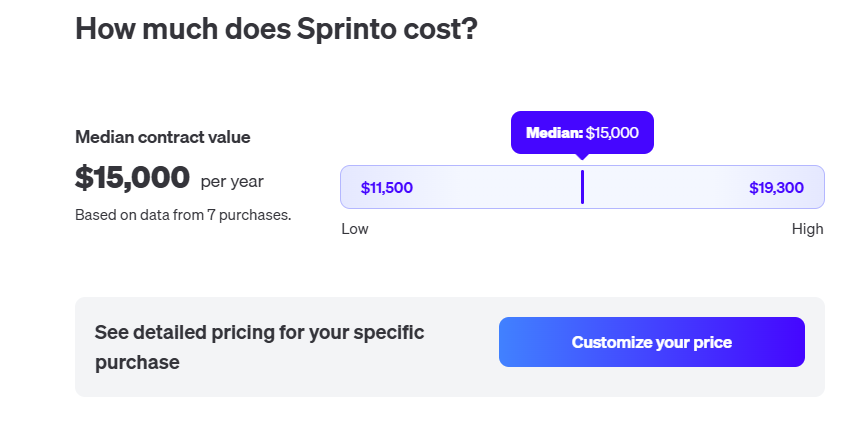
Most contracts are structured as annual agreements, typically paid upfront, although quarterly payment options may be available upon request.
Vendor also references a Sprinto Starter plan ($15,000 per year), which includes core compliance automation features such as automated evidence collection, auditing support, built-in policy templates, and an auditor dashboard.
Additional costs may apply for add-ons like extra compliance frameworks (e.g., ISO 27001 or GDPR), vendor management, asset management, infrastructure monitoring, and endpoint protection tools.
In short, most teams evaluating Sprinto in 2026 should expect an annual investment in the mid five-figure range, with the final price depending on framework scope, company size, and selected add-ons.
Does Sprinto provide good value for money in 2026?
Overall, Sprinto is widely praised for making compliance significantly easier.
Users frequently highlight its automation-first approach, real-time monitoring, seamless integrations (AWS, GitHub, Google Workspace, etc.), and highly responsive support team.
However, when evaluating value for money - especially at a median contract value of around $15,000 per year - several recurring concerns stand out:
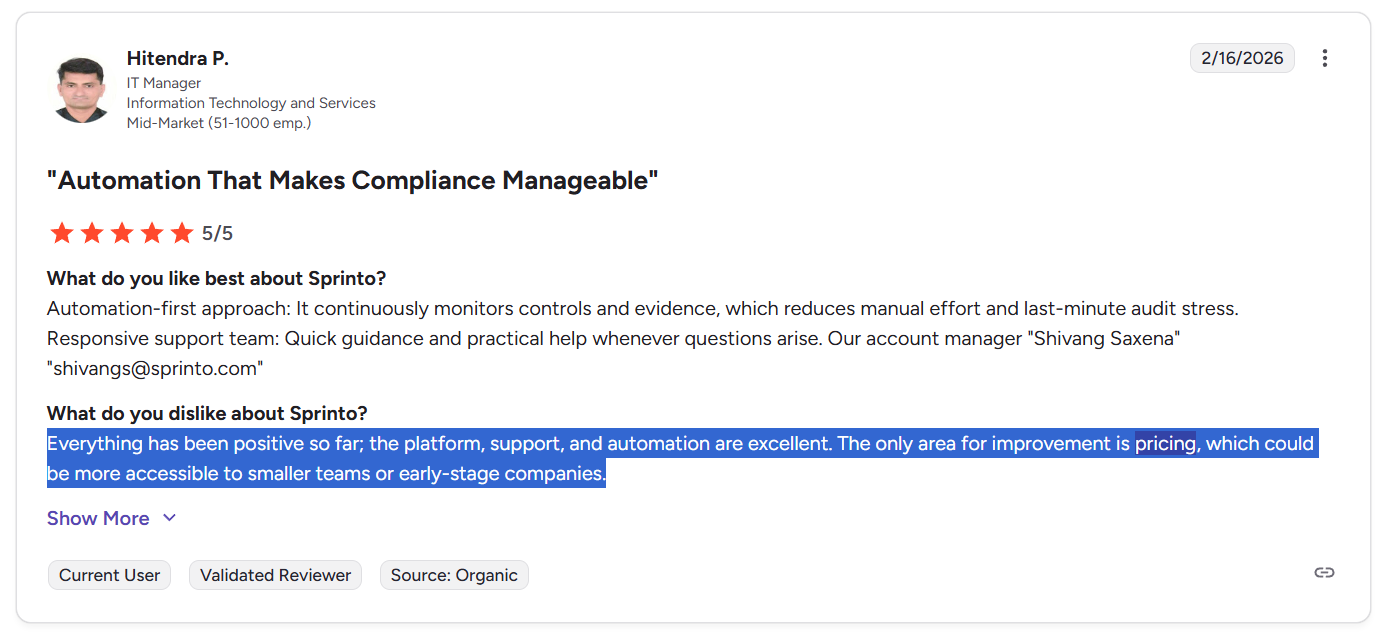
- Pricing feels high for small or early-stage teams: Multiple users mention that Sprinto’s cost can be difficult to justify for startups or smaller companies. Some explicitly note that pricing could be more accessible and transparent.
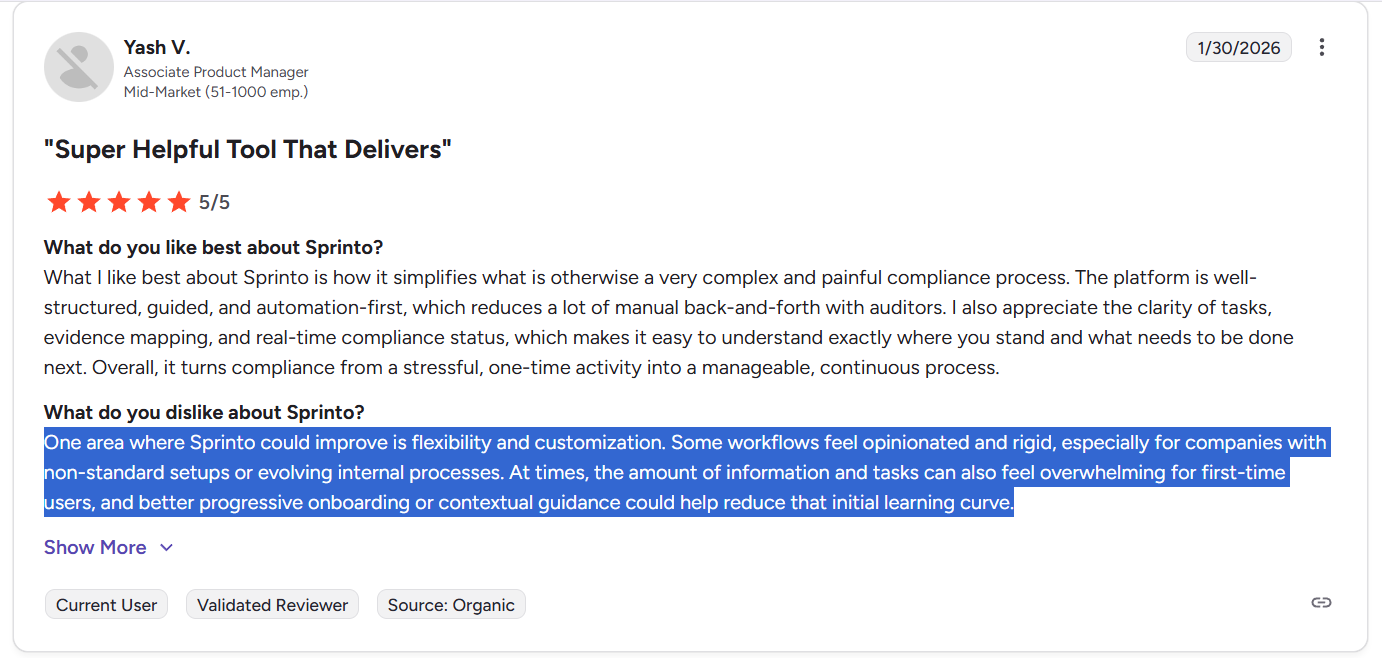
- Initial setup can feel overwhelming: First-time compliance teams often find onboarding intense, especially without prior SOC 2 or ISO experience. While support helps, the volume of tasks and requirements can feel heavy early on.
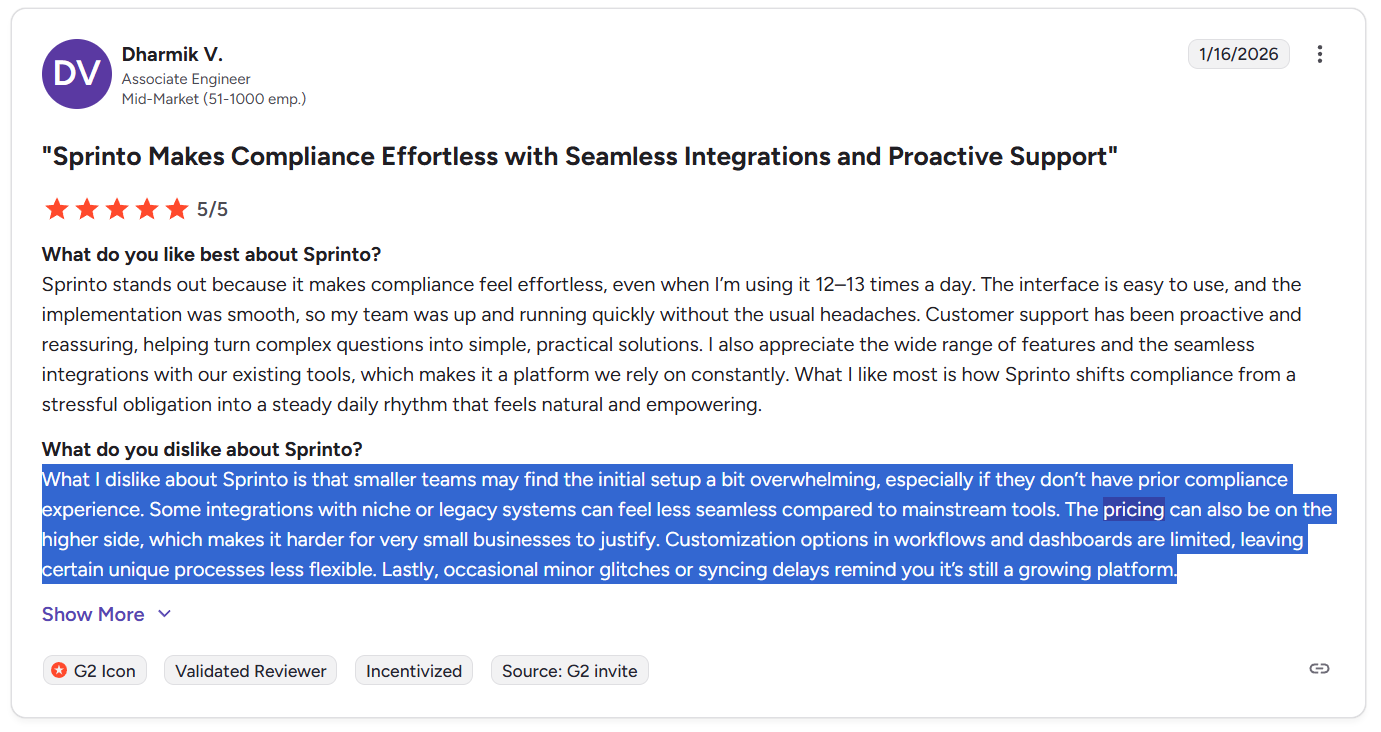
- Limited customization in workflows and dashboards: Users mention that certain processes feel opinionated or rigid. Companies with non-standard setups may find flexibility somewhat restricted.
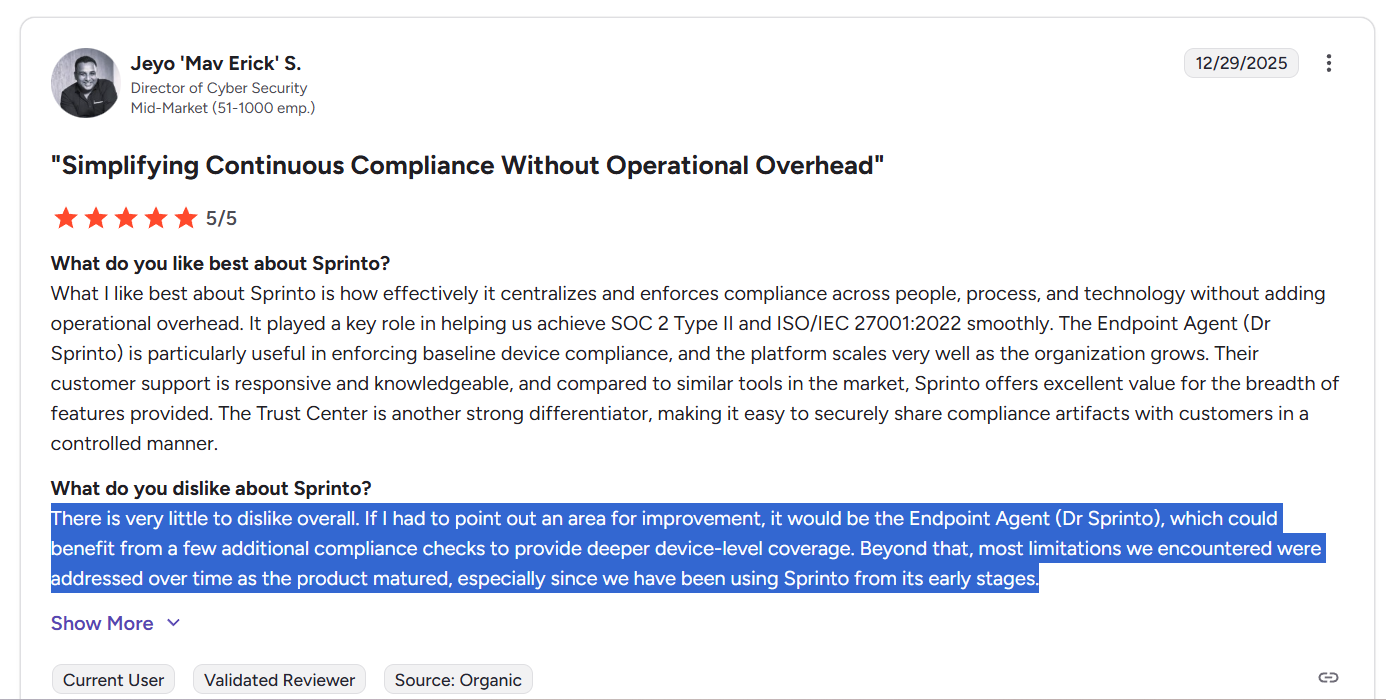
- Endpoint agent (Dr. Sprinto) friction: The requirement to install Sprinto’s local agent on employee laptops can create occasional troubleshooting headaches, and some team members may feel hesitant about compliance software running locally.
So, is Sprinto worth it?
For mid-sized companies pursuing SOC 2, ISO 27001, or similar certifications, especially those that value automation and structured guidance, Sprinto often delivers strong operational value.
However, for smaller teams, budget-sensitive startups, or organizations needing highly flexible, deeply customizable compliance workflows, the combination of higher pricing, limited transparency, and rigidity in certain areas may raise questions about long-term cost-effectiveness in 2026.
Looking for a Sprinto alternative?
If Sprinto’s pricing, rigidity, or limited customization give you pause, it may be worth exploring platforms that approach compliance and governance from a broader operational angle.
SmartSuite is a flexible, no-code work management platform that can be tailored into a powerful GRC and compliance system.
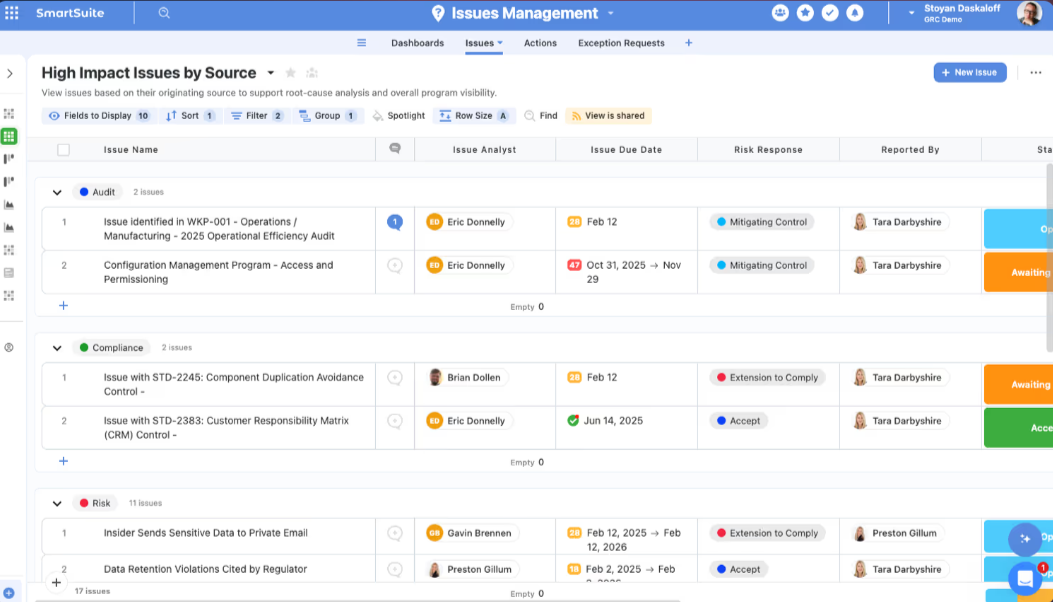
It allows teams to manage risk registers, policy tracking, audit workflows, vendor management, internal controls, and cross-department collaboration in one unified workspace.
Moreover, SmartSuite offers a completely different value model compared to Sprinto: it delivers transparent per-user pricing, deep workflow customization, and the ability to run compliance alongside broader operational processes without being locked into a certification-specific structure.
Let’s look at some of its standout features.
1. SmartSuite’s connected GRC operating system
Unlike certification-specific tools, SmartSuite delivers a fully connected GRC and operational resilience platform that unifies governance, risk, compliance, audit, cybersecurity, and business continuity in one system of record.
Instead of managing risks, controls, policies, audits, and incidents across disconnected tools, SmartSuite centralizes everything into a governed, AI-powered work management system, giving teams real-time visibility, traceability, and cross-functional coordination.
Here’s what makes its GRC solution stand out:
- AI governance: Manage AI-related risks, policies, controls, and regulatory obligations in a structured environment that supports responsible AI oversight and documentation.
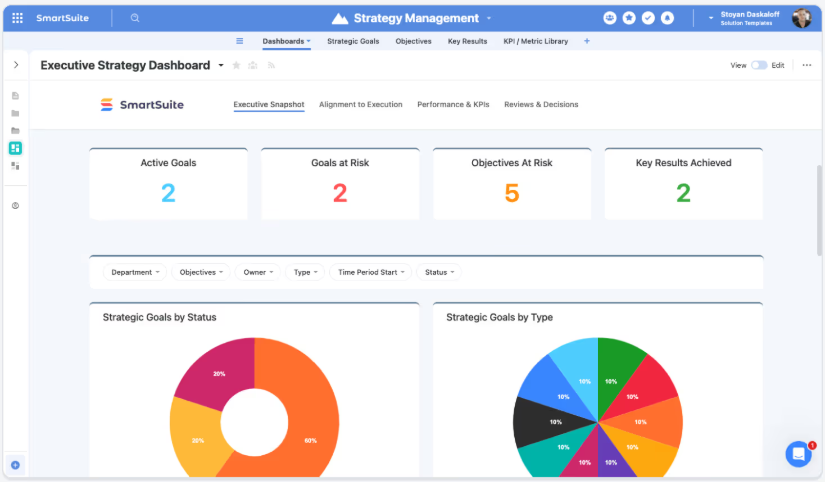
- Audit management: Plan, execute, and track internal or external audits with standardized workflows for evidence collection, testing, findings, and remediation.
- Compliance management: Monitor regulatory requirements, map controls to frameworks, track obligations, and maintain continuous compliance readiness across standards.
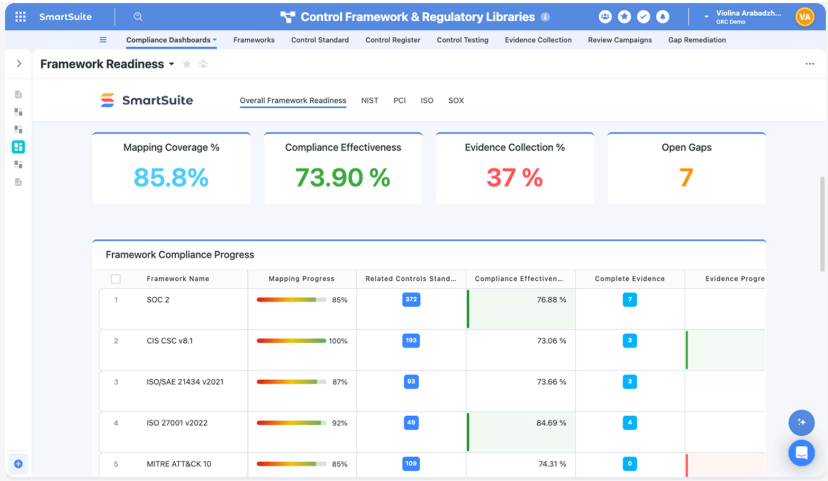
- Cyber & IT risk: Identify, assess, and mitigate cybersecurity and IT risks while linking them directly to controls, incidents, and remediation plans.
- Enterprise risk management (ERM): Centralize strategic, operational, financial, and reputational risks into a unified risk register with scoring, ownership, and monitoring.
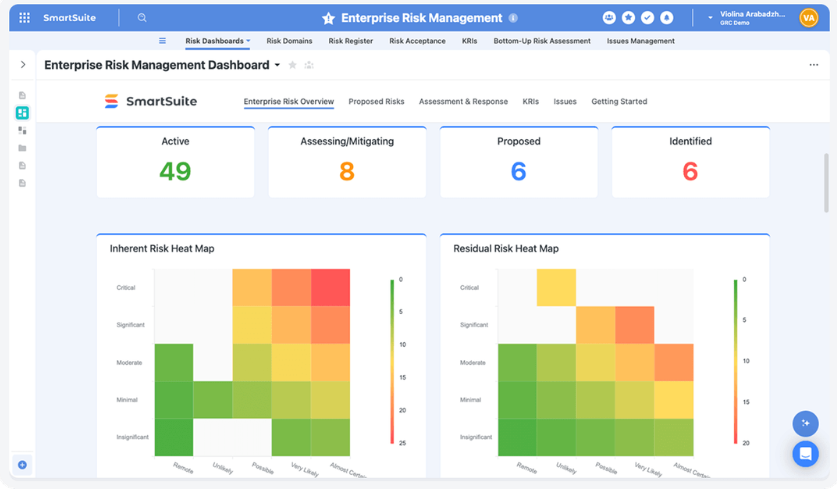
- ESG management: Track environmental, social, and governance metrics, initiatives, and reporting requirements in one governed workspace.
- Operational resilience: Build and maintain business continuity plans, scenario testing, and response coordination to ensure readiness during disruptions.
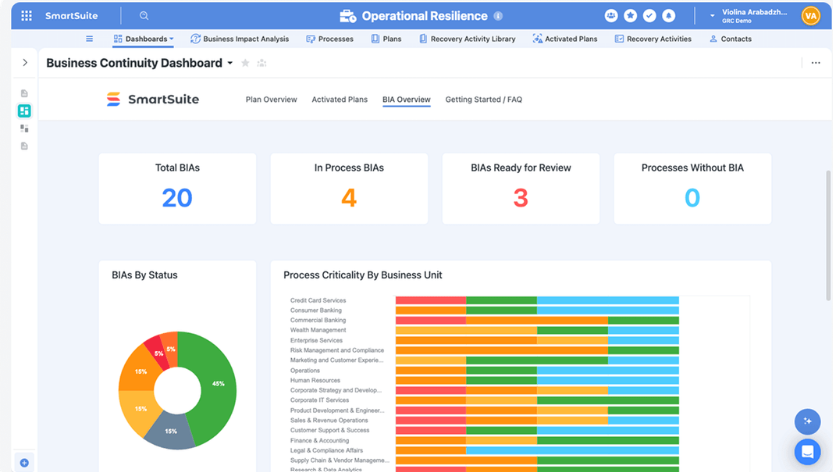
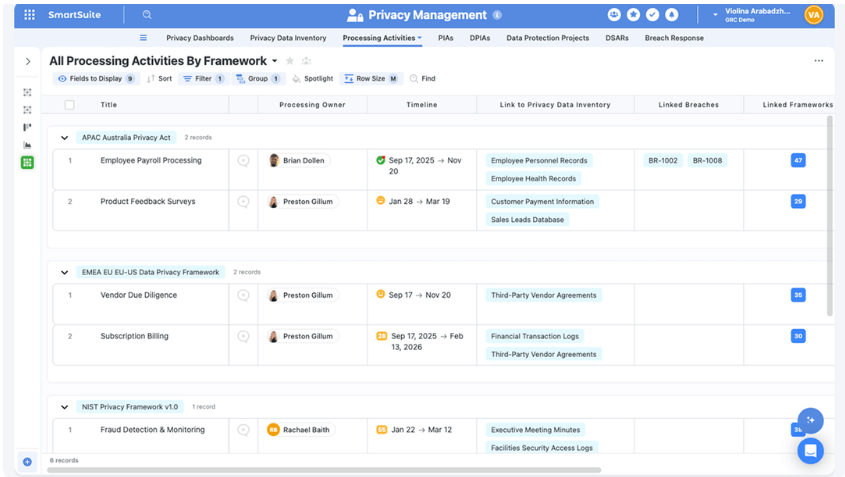
- Privacy management: Manage data protection obligations, privacy impact assessments, and regulatory requirements such as GDPR in a structured workflow.
- SOX management: Standardize financial controls, testing procedures, documentation, and reporting needed for Sarbanes-Oxley compliance.
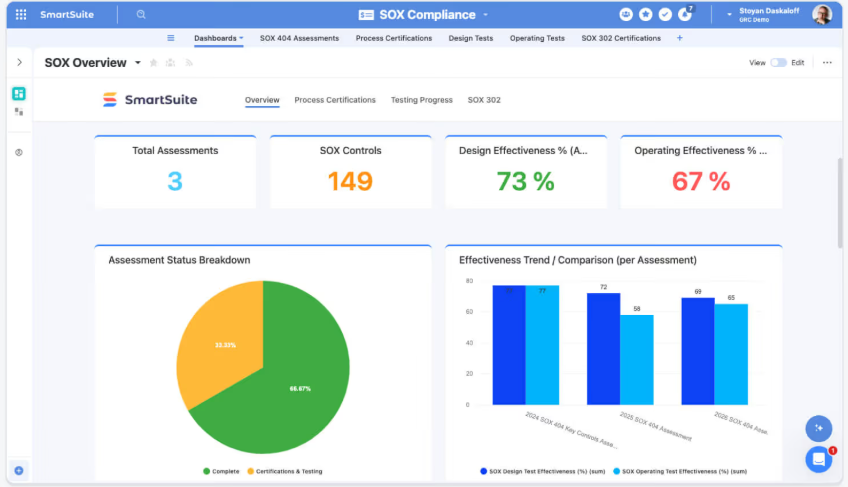
- Third-party risk management: Assess, monitor, and manage vendor and partner risk through structured due diligence, ongoing reviews, and remediation tracking.
2. Real-time GRC reporting
In GRC, reporting isn’t just “visually appealing dashboards”.
It’s how you prove control effectiveness, surface risk exposure early, and keep auditors, executives, and the board aligned without living in spreadsheets.
SmartSuite builds reporting directly into every GRC workflow, so risk posture, audit progress, remediation status, and third-party exposure are always live, permission-aware, and tied to the underlying evidence.
Here’s what that looks like in practice:
- Real-time visibility into risk and compliance: Track open issues, overdue remediations, control test results, and upcoming assessments without refreshing, exporting, or rebuilding reports.
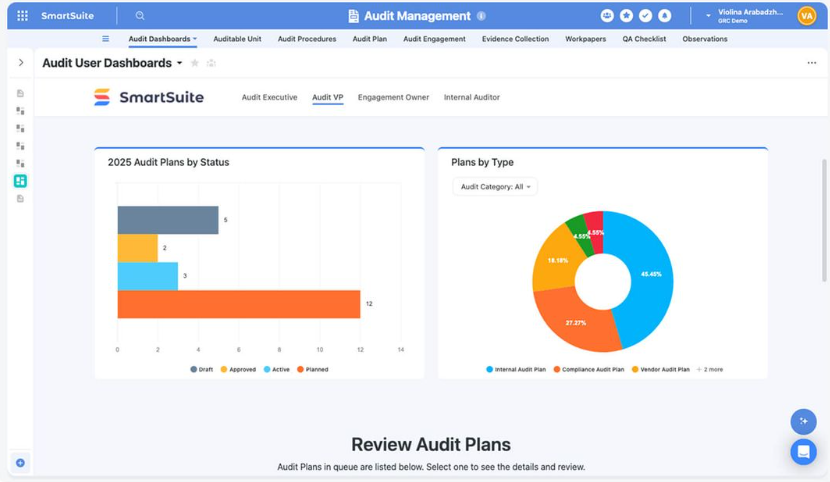
- Cross-workflow GRC insights: Combine data across risks, controls, audits, incidents, policies, and third parties to understand trends and exposure in one consolidated view.
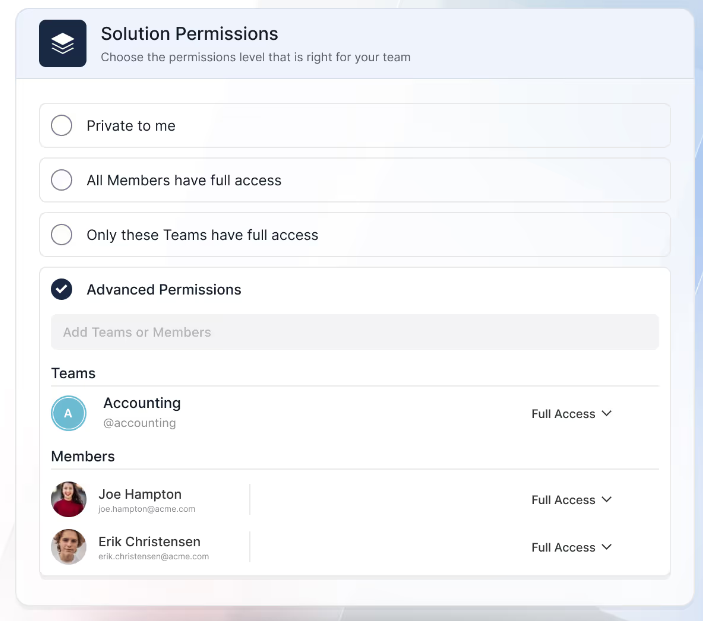
- Role-aware dashboards for regulated visibility: Give auditors, risk owners, compliance managers, execs, and board members the right level of access automatically, since reporting inherits field- and record-level permissions.
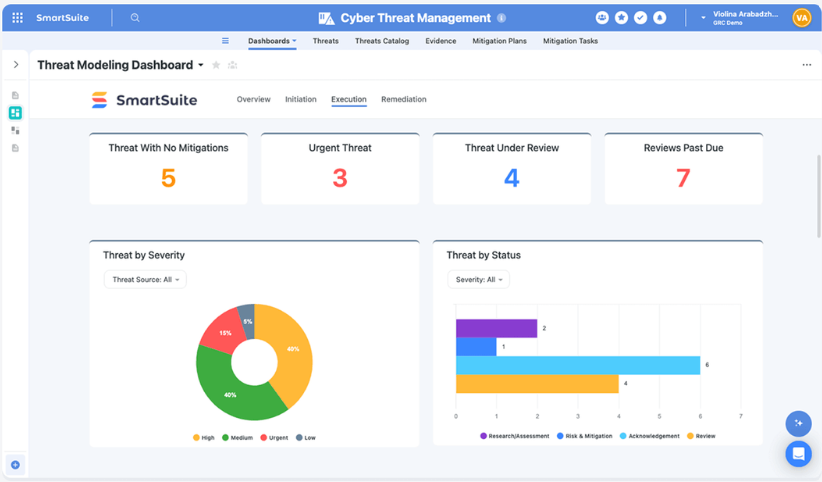
- Self-serve reporting for compliance teams: Build and adjust dashboards, views, and review boards without waiting on a BI team, which is especially useful when requirements change mid-audit or new controls get added.
- Multiple view types for different GRC workflows: Switch between dashboards, grids, Kanban, calendars, timelines, Gantt charts, charts, forms, and documents to match the work, from audit timelines to vendor review queues.
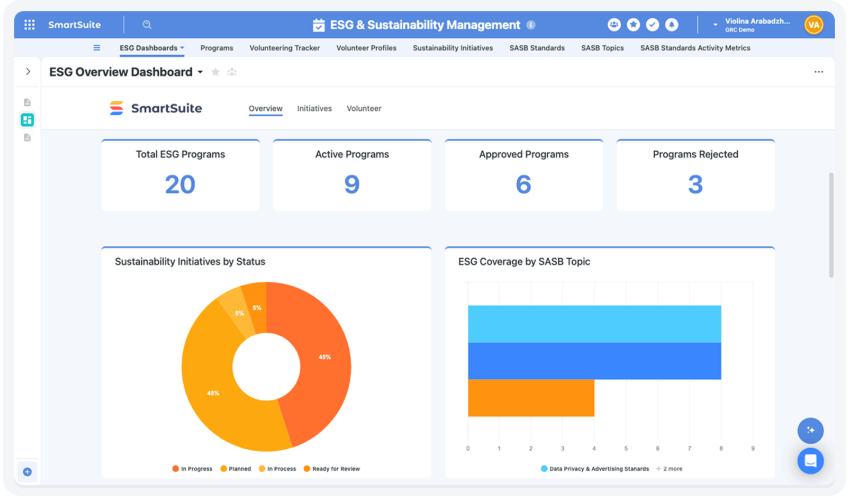
- Secure reporting you can share confidently: Because reporting is permission-aware by design, you can share GRC dashboards internally (and even with external stakeholders) without manually managing separate reporting access.
3. No-code customization built for modern GRC teams
In governance, risk, and compliance, flexibility matters.
Regulations evolve. Controls change. Risk models mature.
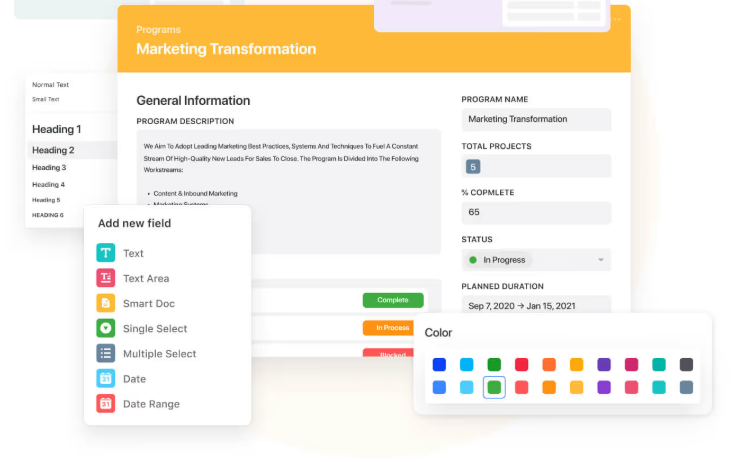
SmartSuite gives GRC teams full no-code control over their data model and workflows without breaking structure, governance, or auditability.
Here’s how:
- Drag-and-drop design: Add new tables, fields, relationships, and automations in minutes - no developers required.
- Relational data model across risks, controls, and audits: Easily link risks to controls, controls to policies, policies to audits, and audits to remediation plans without duplicating data or losing context.
- Custom tables for any governance object: Build structured datasets for risks, controls, incidents, vendors, policies, regulatory obligations, AI use cases, or business continuity plans.
- 40+ field types with built-in validation: Enforce data integrity with required fields, validation rules, formulas, lookups, rollups, attachments, scoring fields, and calculated metrics.
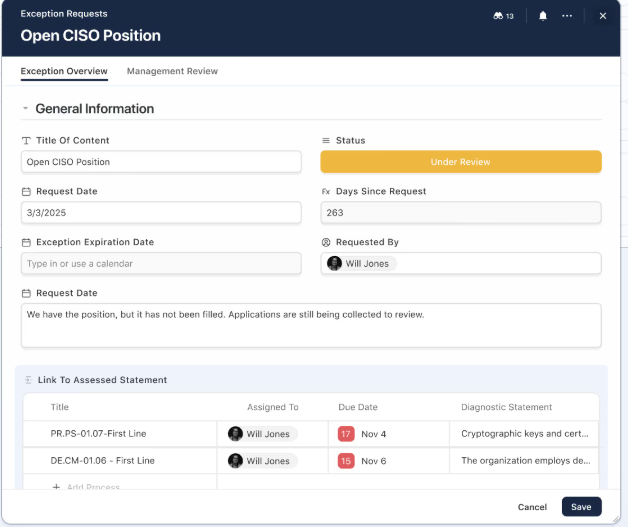
- Custom layouts for different governance workflows: Organize records with tabs, sections, and conditional display rules tailored to audit reviews, risk committees, or remediation tracking.
4. AI-native GRC with intelligence embedded into every control, risk, and workflow
Compliance isn’t just about tracking controls, it’s about interpreting evidence, prioritizing risk, and making informed decisions quickly.
SmartSuite embeds AI directly into its GRC architecture, so intelligence operates inside your risk registers, audits, third-party assessments, and resilience plans, instead of in a disconnected chatbot window.
And because AI runs on structured, permission-aware data, insights stay grounded in your governance model while remaining fully auditable.
Here’s how SmartSuite AI strengthens GRC programs:
- Intelligent risk scoring & classification: Propose risk severity, categorize incidents, and enrich records based on defined evaluation criteria.
- Automated audit summaries & findings extraction: Summarize control tests, extract remediation actions, and generate executive-ready updates.
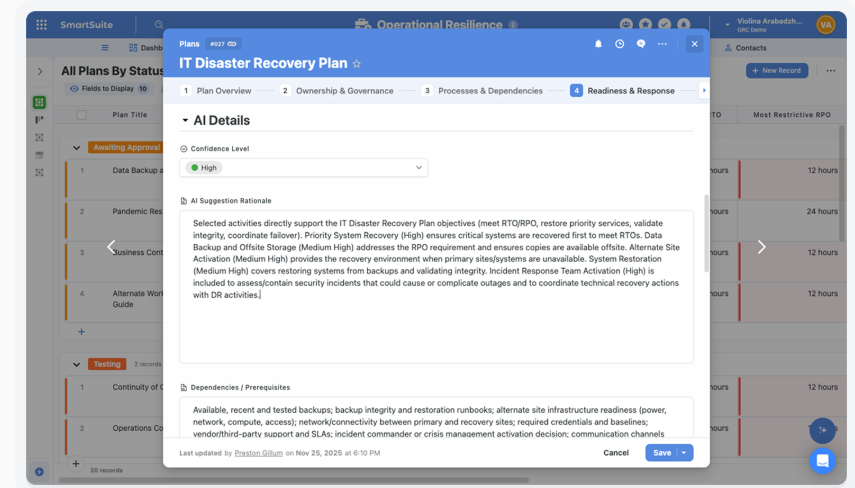
- Vendor & third-party assessment analysis: Highlight red flags in questionnaires and map responses directly to required controls.
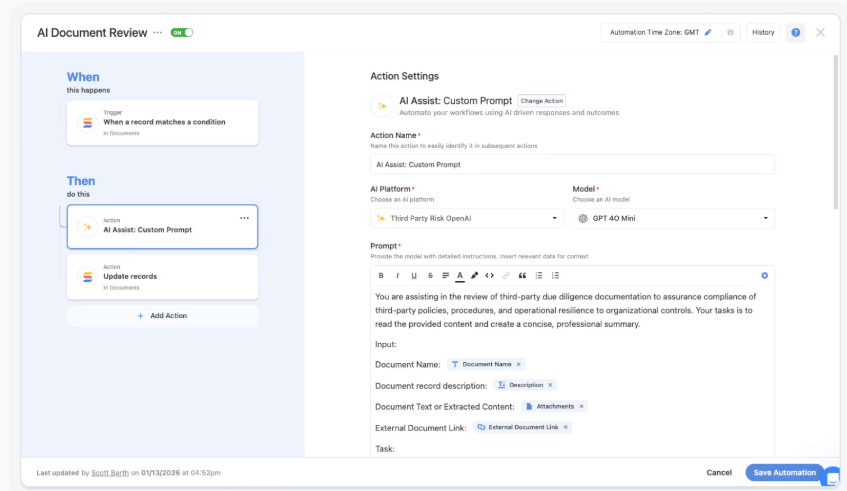
- AI Assist inside automations: Classify, summarize, and route compliance records as they move through workflows beyond static rule-based automation.
- AI Field Agents for data integrity: Recommend field values, flag incomplete records, and maintain clean, audit-ready datasets.
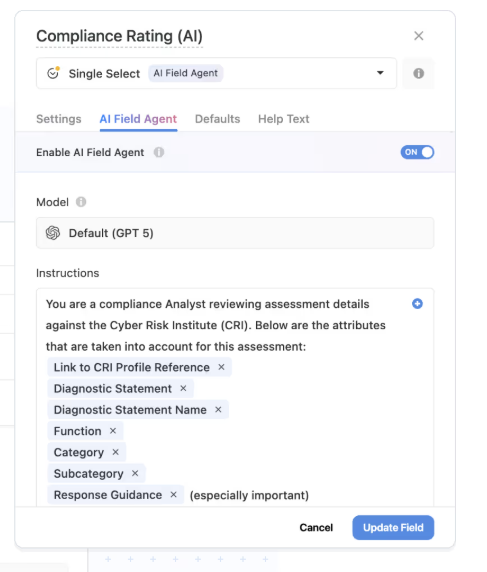
- Human-in-the-loop governance: AI prepares suggestions, but users review and approve changes with every update logged for full traceability.
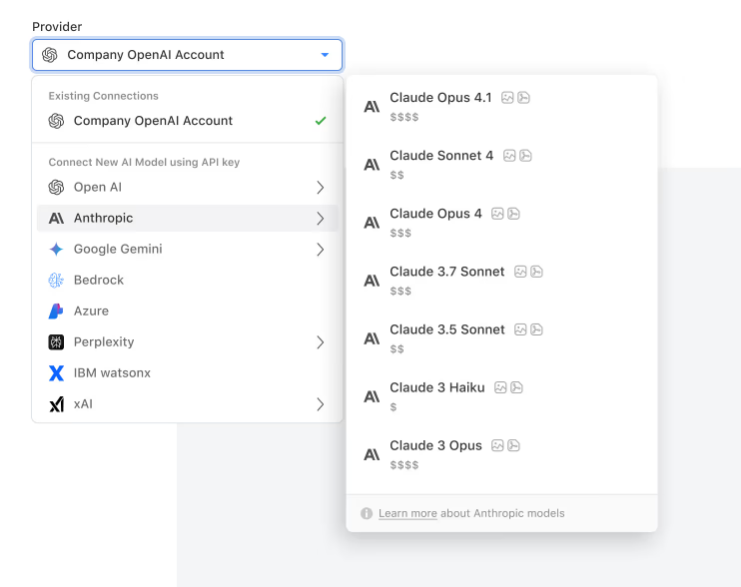
- Bring your own LLM flexibility: Connect approved models (OpenAI, Anthropic, Bedrock, Azure, IBM, etc.) while maintaining enterprise-grade security and control.
5. GRC automation that moves work forward
Manual follow-ups, reminder emails, and spreadsheet tracking don’t scale in governance programs.
SmartSuite’s workflow automation engine lets GRC teams build intelligent, multi-step automations using a visual drag-and-drop builder, so there’s no coding required.

Automations can respond to risk changes, failed control tests, vendor updates, or audit deadlines in real time, keeping compliance programs proactive instead of reactive.
Some automation highlights include:
- Flexible real-time triggers: Launch automations when risks are created or updated, control tests fail, incidents are logged, deadlines are reached, or external systems send webhook events.
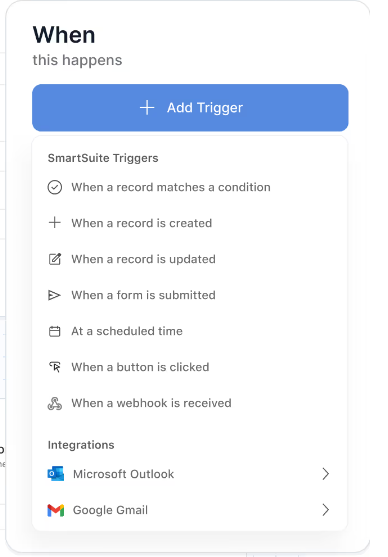
- Precision trigger filters: Run workflows only when specific conditions are met (e.g., residual risk = High, evidence = Incomplete, control owner assigned, etc.).
- Multi-step action orchestration: Automatically update related risks, assign remediation tasks, notify owners in Slack or Teams, create calendar events, or sync data across systems.
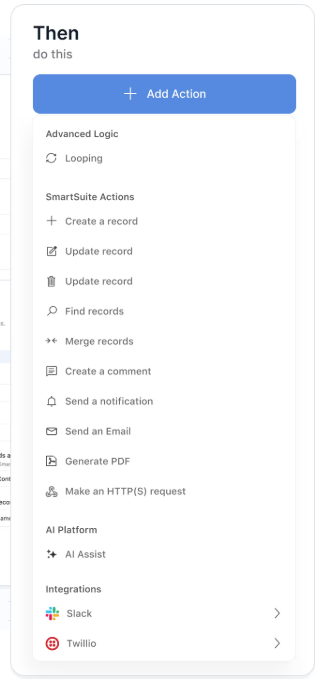
- Looping across related records: When a risk rating changes, update all linked controls; when an audit finding closes, complete associated remediation tasks automatically.
- Full execution logs & audit traceability: Every automation run is logged with timestamps, trigger details, and action results, supporting governance and compliance oversight.
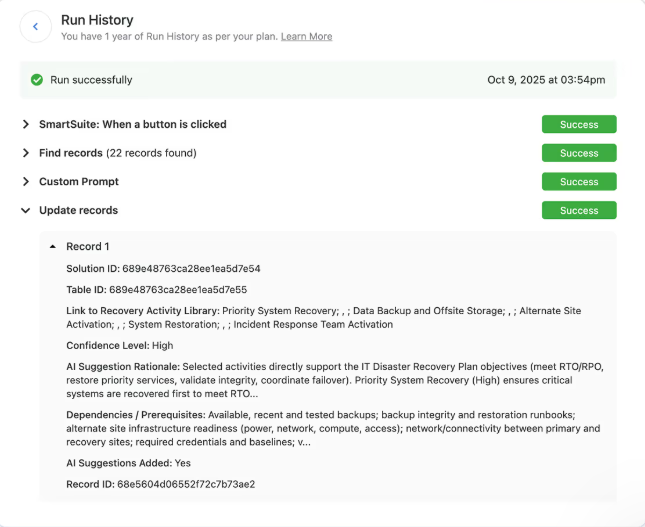
For GRC teams, this means fewer manual escalations, faster remediation cycles, and consistent policy enforcement, all while maintaining visibility and control.
How does SmartSuite’s pricing compare to Sprinto’s?
Unlike Sprinto, SmartSuite offers a 14-day free trial (no credit card required), making it easy to test real workflows before subscribing.
And when it comes to its paid options, SmartSuite offers two completely transparent pricing models, depending on organizational size and complexity:
- User-based pricing, designed for small to mid-sized organizations that want full access to the entire platform under one license:
- Team: $12/user/month (minimum 3 users) includes unlimited solutions, 5,000 records per solution, and 50GB storage, and access to all core features, such as SmartSuite AI, reporting and dashboards, pre-built templates, advanced customization options, real-time collaboration, etc.
- Professional: $24/user/month (minimum 5 users), includes everything in Team and adds 100,000 records per solution, 100GB of storage, Gmail & Outlook integrations, folders, and advanced access controls.
- Enterprise: $45/user/month (minimum 10 users), includes everything in Professional and adds 400,000 records per solution, 500GB of storage, SSO, SCIM provisioning, audit logs, DLP, IP restrictions, and premium support.

Each licensed user can access all SmartSuite solutions (ITSM, ITAM, GRC, projects, operations, etc.) without paying separately for service management, asset management, or reporting modules.
- Solution-based custom-tailored pricing, built for regulated industries and large enterprises where per-user licensing across the entire platform isn’t practical. With it you can:
- License only the specific solutions you need (e.g. ITSM, GRC).
- Structure access by department, region, or regulatory requirement.
- Easily scale for thousands of users without compromising security.

How is SmartSuite different from Sprinto?
While Sprinto focuses primarily on certification-driven compliance automation (SOC 2, ISO 27001, etc.), SmartSuite takes a broader, more flexible approach to governance, risk, and operational resilience.
Here’s how they differ at a glance:
- Pricing transparency: Sprinto does not publish pricing publicly and requires a sales conversation to get a quote. SmartSuite offers transparent, published per-user pricing, plus a 14-day free trial with no credit card required.
- Customization flexibility: Sprinto users have noted workflow rigidity and limited customization in certain areas. SmartSuite provides full no-code customization, from relational risk models to custom fields, layouts, automations, and cross-workflow relationships.
- Operational breadth: Sprinto centers around compliance programs alone. SmartSuite enables organizations to run compliance alongside ITSM, projects, asset management, and broader business operations inside one unified workspace.
- Scalability model: Sprinto’s pricing typically scales with frameworks and scope. SmartSuite scales by user or solution, while including all essential features in its entry tier, making it more predictable for teams that want to expand governance without layering on additional per-module costs.
So, in short:
- Sprinto is strong for structured certification automation.
- SmartSuite is built for organizations that want compliance integrated into a broader, customizable governance and operational system with transparent pricing and greater flexibility.
Final verdict: SmartSuite vs. Sprinto
Sprinto delivers strong value for companies focused on achieving and maintaining certifications like SOC 2 or ISO 27001, especially those that want structured guidance and automated evidence collection.
However, with pricing that typically lands in the mid five-figure range, limited public transparency, and less flexibility in customization, it may not be the most cost-effective or adaptable option for every organization.
If you’re looking for a more transparent, scalable, and fully customizable GRC platform - one that combines compliance, risk, audit, automation, and AI in a single connected workspace - SmartSuite is well worth exploring.
Start with a free 14-day trial or book a demo to see how SmartSuite can modernize your governance program without locking you into rigid certification-only tooling.
Read more
- 10 Best Origami Risk Alternatives & Competitors In 2026 - Looking for a more flexible, modern alternative to Origami Risk? We break down the top competitors and who they’re actually best for in 2026.
- The Workflow Layer Will Win: Why Architecture Matters - Compliance tools come and go, but architecture decides what scales. Here’s why your workflow foundation matters more than features.
- Pathlock Pricing: Is It Worth It In 2026? - We unpack Pathlock’s pricing structure, hidden costs, and real-world value so you can decide if it’s worth the investment this year.
- 10 Best Compliance Management Software & Tools In 2026 - From certification automation to full-scale GRC platforms, discover the best compliance software options for every team size and complexity.
- Drata vs. Vanta vs. SmartSuite: Which One Is Better For GRC? (2026) - We compare three leading compliance platforms side-by-side to reveal which one truly delivers flexibility, automation, and long-term value.
- 10 Best Centraleyes Alternatives & Competitors In 2026 - If Centraleyes feels limiting or expensive, explore the strongest alternatives built for modern risk and compliance teams.

SmartSuite provides work platform for standardizing workflows in the following areas:
- Governance, Risk & Compliance
- IT & Service Ops
- Project / Portfolio Management
- Business Operations







