




If you’re searching for the best TOPdesk alternatives in 2026, you’re probably finding that TOPdesk covers the basics, but doesn’t always deliver the speed, flexibility, or reporting modern IT teams need.
As service desks take on more than ticketing alone, many organizations are now comparing TOPdesk to tools that move faster and scale more easily.
In this guide, you’ll find the 10 best TOPdesk competitors to consider this year, from intuitive no-code platforms to full enterprise ITSM suites.
I’ll break down how each option handles essential ITSM workflows, their usability, and pricing, so you can make an informed choice.
Let’s get started.
TL;DR
- SmartSuite is the best overall TOPdesk alternative for 2026, offering a fully unified, no-code ITSM workspace that’s easier to customize, automate, and report on, with modern AI, real-time dashboards, and transparent pricing that TOPdesk can’t match.
- Jira Service Management, Freshservice, and SolarWinds stand out for mid-sized teams seeking faster workflows, strong automation, or DevOps alignment without the heavy admin overhead that slows TOPdesk down.
- ServiceNow, Ivanti, HaloITSM, and SysAid are ideal for organizations needing enterprise-grade ITIL coverage, deep automation, and AI-driven service operations, though they come with higher complexity and cost.
- ManageEngine ServiceDesk Plus and TeamDynamix provide mature, feature-rich TOPdesk replacements for teams that want traditional ITSM structure, strong asset & CMDB capabilities, or no-code workflow building across IT and non-IT departments.
Why look for a TOPdesk alternative in the first place?
TOPdesk has built a strong reputation as an approachable, people-centric ITSM tool.
Teams consistently praise its intuitive interface, easy ticket creation, flexible self-service portal, and solid incident and change management features.
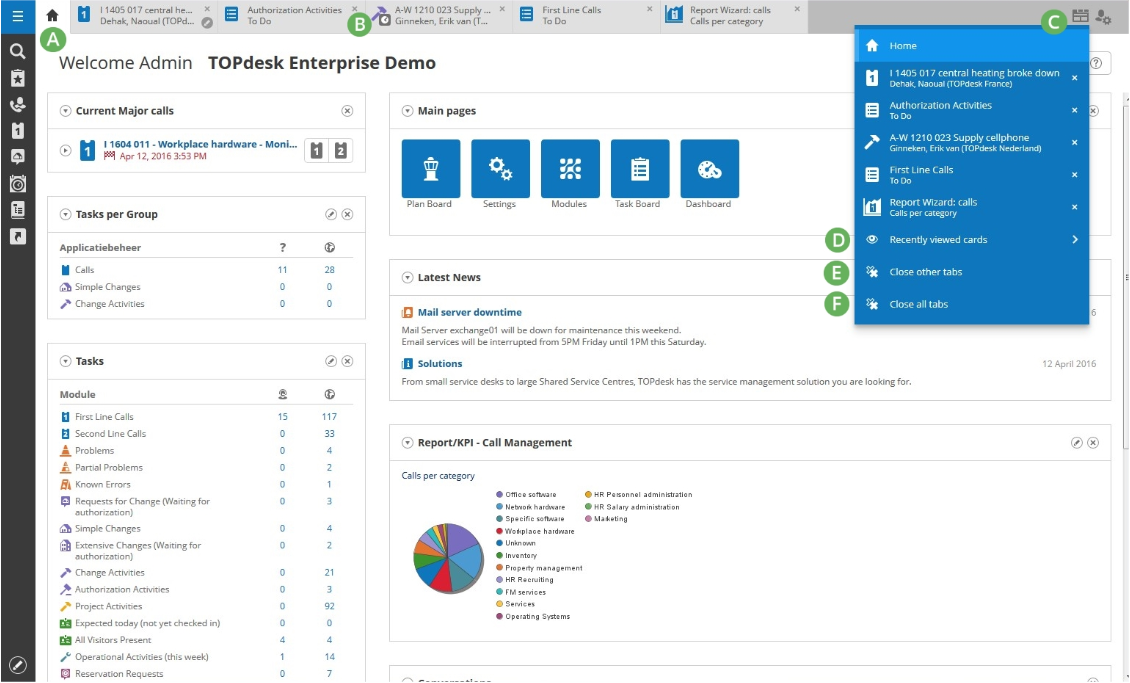
But as your IT operations mature, several recurring limitations tend to surface.
These don’t make TOPdesk a bad product. They just mean it may not grow at the pace or depth modern service teams expect.
Here are the most common reasons organizations start exploring alternatives:
1. Reporting is limited and often confusing
Across dozens of user reviews, reporting is the single most consistent pain point.
Teams mention that building reports feels unintuitive, certain KPIs require workarounds, and deeper analytics often require exporting data to external tools.

“Creating reports is sometimes confusing… The change process is confusing and requires regular guidance. It is pretty expensive. The installation process is quite tough. It does not allow users to update their profiles with additional details such as education, contact numbers, and links from social media forums.” - Capterra Review
For IT leaders who rely on real-time dashboards, SLA trends, or operational insights, this becomes a bottleneck.
2. Customization is possible, but more complex than expected
TOPdesk offers strong flexibility, but several users note that backend configuration can feel clunky or overly technical.

“Customization Complexity. Overly complex customization requires additional time and resources.” - Capterra Review
This slows down teams that want to iterate quickly or build more advanced workflows without relying on admins.
3. Doesn’t provide enough value for money
Several users feel that TOPdesk is too expensive for what it has to offer.
Moreover, it scales pretty badly, with costs skyrocketing as you increase the number of users.
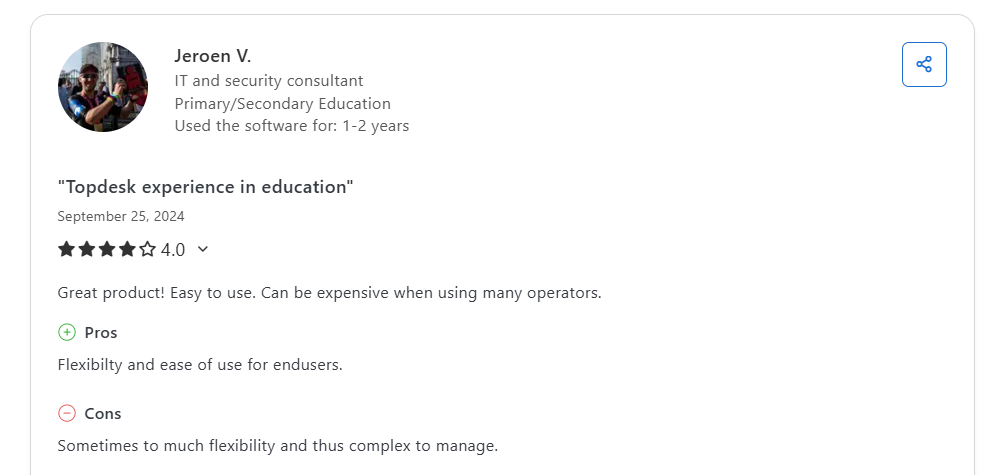
“Great product! Easy to use. Can be expensive when using many operators.” - Capterra Review
4. Automation and triggers can be unreliable
While TOPdesk supports events and actions, users frequently mention frustrating triggers, slow email workflows, and inconsistent automation behavior.
“Also, creating workflow-based email prompts consumes much time and delays work for a couple of weeks. The events and actions modules are sometimes frustrating especially when triggers do not work. It has some limitations regarding chart building.” - Capterra Review
This becomes a challenge as ITSM moves toward higher automation and lower manual workload.
What are the best TOPdesk alternatives and competitors in 2026?
Below are the 10 best alternatives to TOPdesk in 2026, each offering its own combination of automation, flexibility, service-management depth, and team fit.
Whether you’re a lean IT team or a large enterprise, there’s a strong alternative worth considering:
1. SmartSuite
Best for: Teams of any size that want a modern, no-code ITSM platform they can customize instantly without heavy admin or complex configuration.
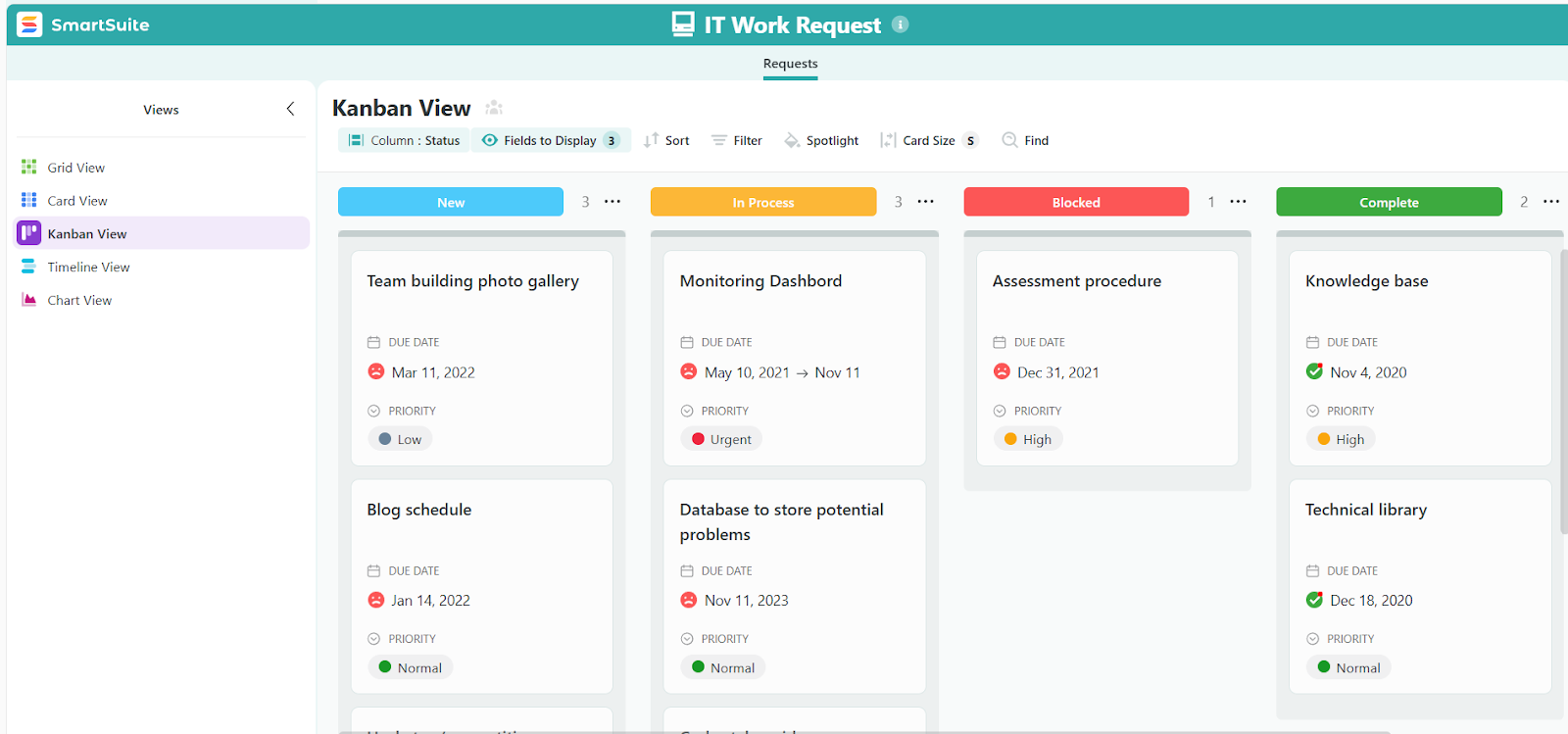
SmartSuite stands out as a top TOPdesk alternative because it offers the same core ITSM essentials, such as incident management, service requests, change workflows, asset tracking, knowledge, and automation, but with far greater flexibility, more robust automations, and transparent pricing.
Where TOPdesk can feel rigid or slow to customize, SmartSuite gives IT teams a fully unified workspace they can tailor in minutes using no-code tools, prebuilt ITSM templates, and powerful automation.
It’s built for organizations that want to move fast, adapt their service processes easily, and scale without relying on consultants or complicated backend settings.
Let’s take a closer look at what makes SmartSuite an all-around TOPdesk competitor in 2026.
1. Unified ITSM workspace that brings every service workflow together
SmartSuite gives IT teams a single, fully connected workspace where incidents, requests, assets, changes, knowledge, and operations flow together without the fragmented feel of legacy ITSM tools.
Instead of managing multiple modules with separate admin settings, SmartSuite keeps everything aligned under one no-code system that’s easy to maintain and scale.
Here’s what SmartSuite provides out of the box:
- Incident management: Automatic root-cause tracking, incident logging and resolving, and follow-up tasks to prevent recurrences.
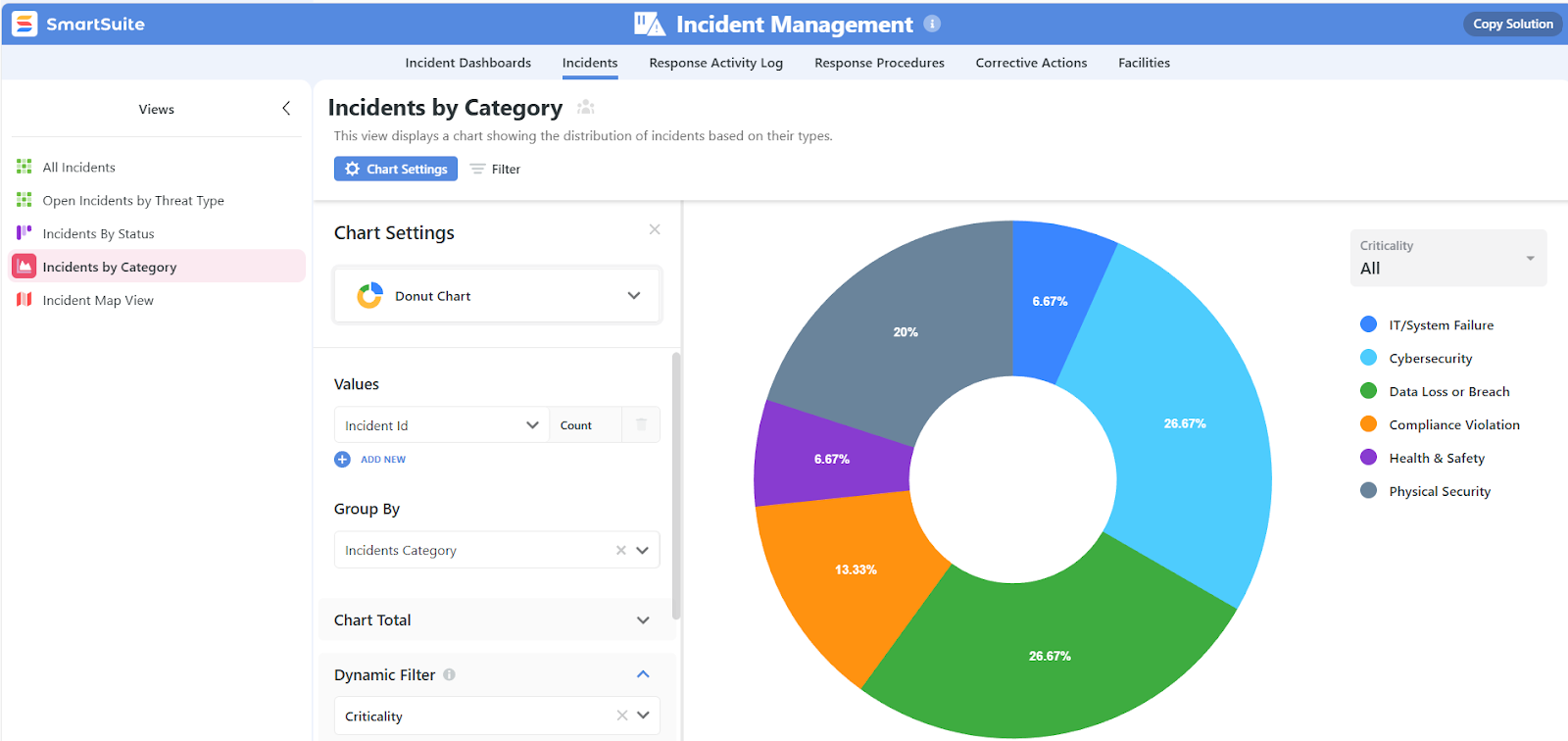
- Service request management: Self-service catalog, dynamic intake forms, automated fulfillment tasks, and multi-step approvals.
- Asset repository: Track hardware, software, contracts, locations, and ownership with full relationship mapping.
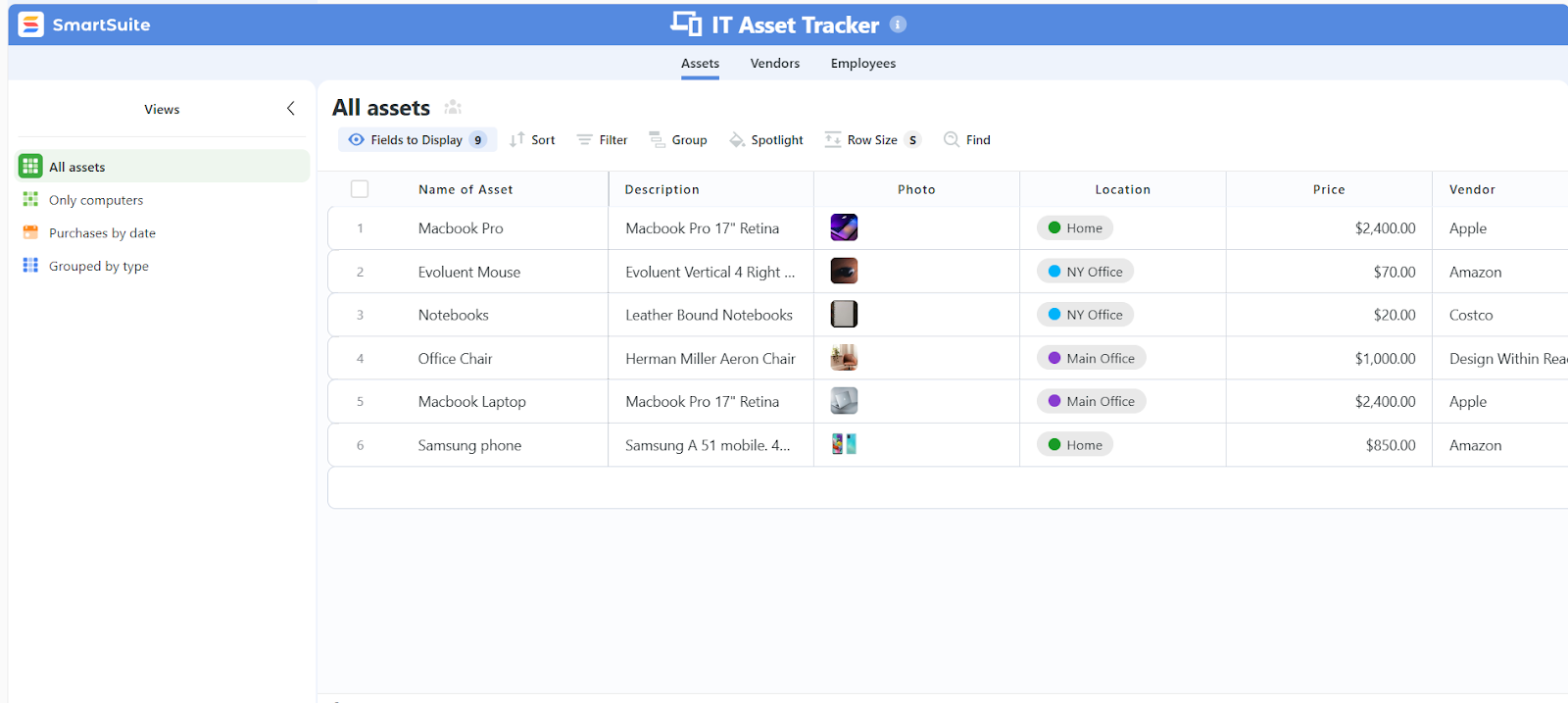
- Lifecycle management: Warranty details, refresh cycles, maintenance tasks, and custom fields for any asset type.
- Dynamic self-service portal: Branded, intuitive portal with forms, knowledge articles, and real-time request status.
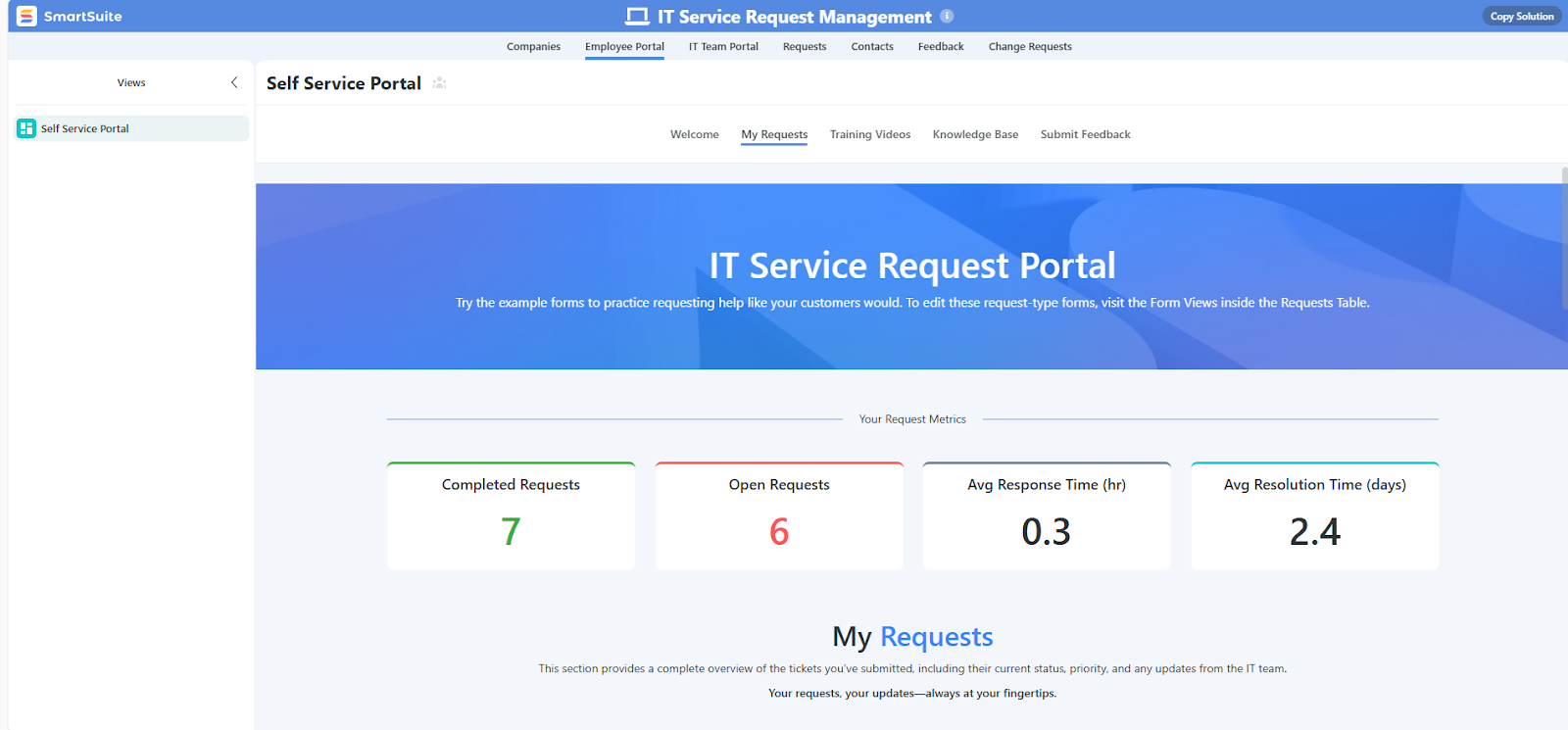
- IT security audits: Lets you track whether your IT security policies are actually being followed day to day, giving you clear visibility into compliance and a documented record of how well teams are adhering to security standards.
- Visitor tracker: Replaces outdated paper sign-ins with a modern, digital check-in system where visitors log their details and employees receive instant automated notifications the moment someone arrives.
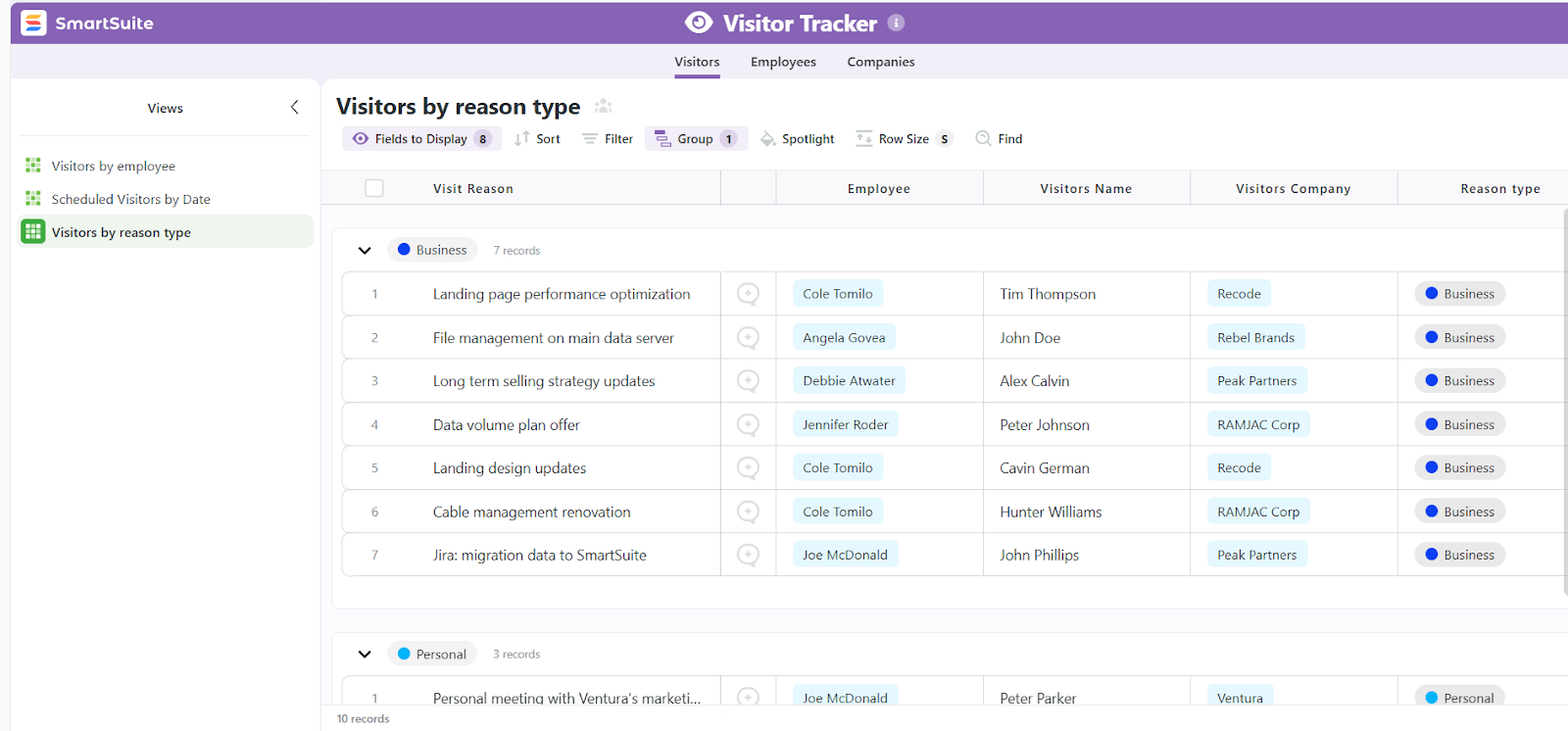
- Real-time collaboration: @mentions, comments, file sharing, and activity history on every record, with every action logged automatically for compliance and accountability.
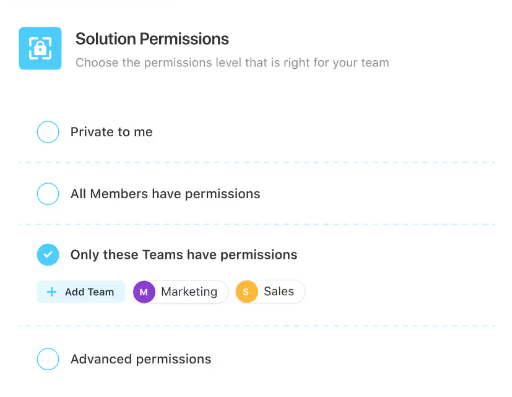
- Role-based permissions: Granular access control for IT, security, HR, facilities, and cross-functional teams.
2. Advanced reporting & real-time dashboards
One of the biggest frustrations TOPdesk users highlight is its limited, hard-to-configure reporting.
SmartSuite solves this with a modern reporting engine that turns every ITSM workflow into live, actionable insights without exports, external BI tools, or complex setup.
Here’s what stands out:
- Real-time dashboards that update automatically: Monitor everything from live SLA performance and ticket volumes to backlog, and resolution trends, paired with drill-down views for teams, agents, service categories, and sites.
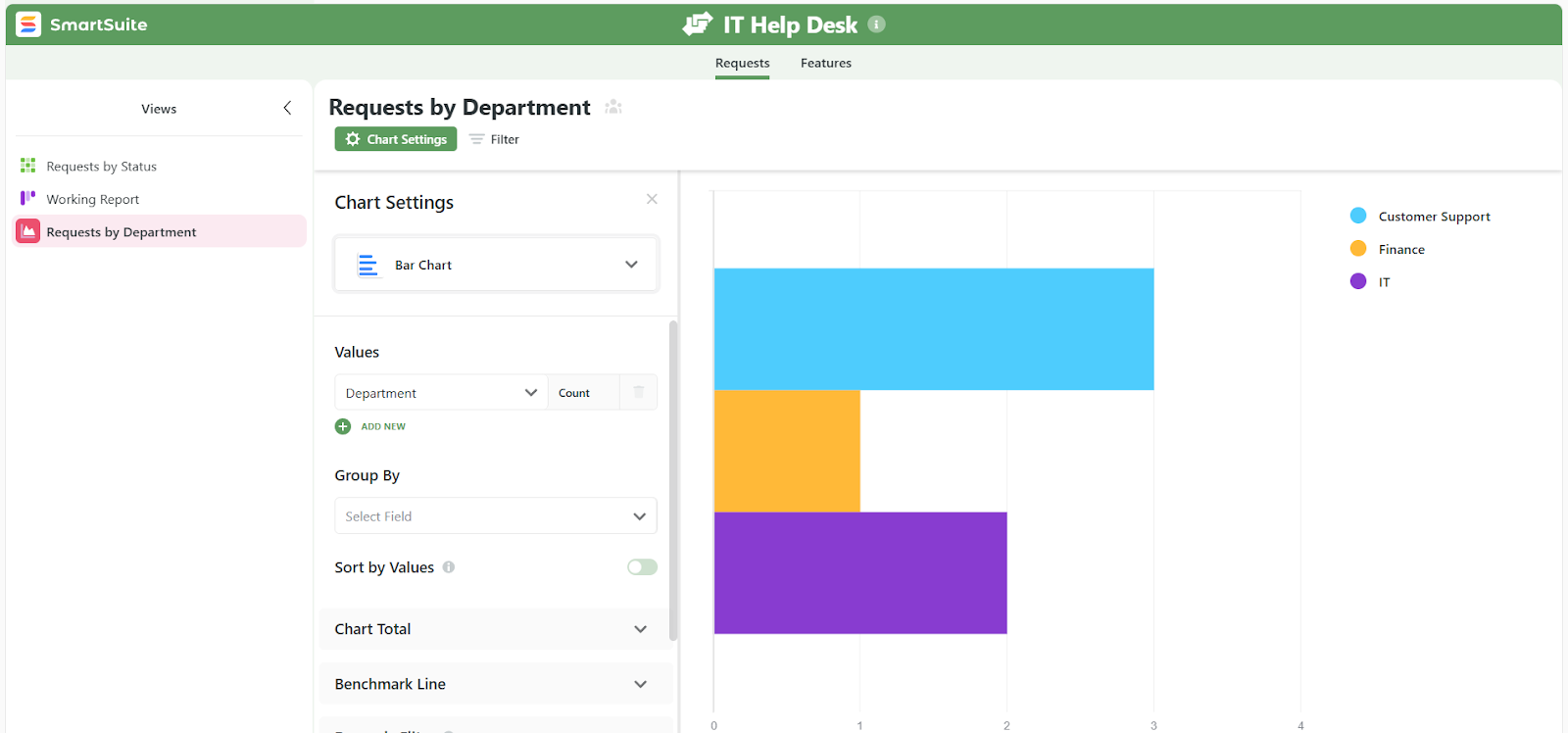
- Custom metrics your way: Create your own KPIs for SLAs, MTTR, CSAT, agent workload, asset usage, and ticket aging without IT involvement.
- Multiple visualization options: Chart, grid, Kanban, timeline, calendar, map, and card views, with options to combine multiple views into a single dashboard.

- Deep filtering and segmentation: Slice data by priority, category, location, team, requester, asset, or any custom field.
- Scheduled and automated reporting: Send recurring reports to leadership, service owners, or compliance teams and automate alerts when KPIs drift off-target (e.g., SLA breach thresholds).
3. Deep customization without the complexity
One of the biggest differences between SmartSuite and TOPdesk is how easy it is to tailor your ITSM environment.
While TOPdesk offers flexibility, reviewers frequently mention that its backend can feel dated, unintuitive, or slow to configure.
SmartSuite takes the opposite approach: everything is visual, no-code, and adjustable in minutes, so your ITSM processes can evolve as fast as your organization does.
Whether you’re refining incident forms, adjusting SLAs, extending your asset structure, or building a new service workflow, SmartSuite makes customization effortless by providing:
- 40+ field types (dropdowns, formulas, scoring, relationships, files, checklists).
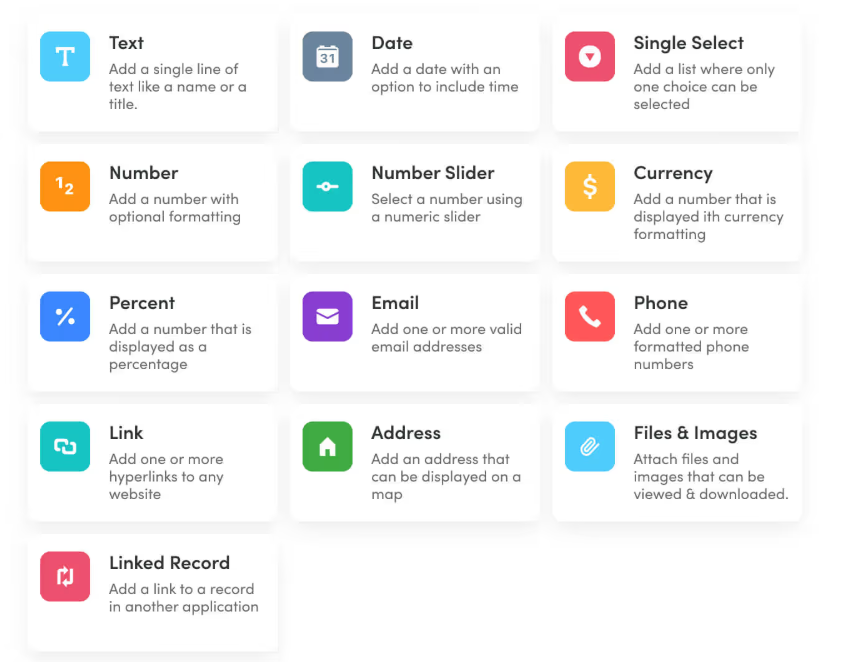
- Conditional logic and dynamic fields for smarter intake.
- Visual form builder for incidents, requests, changes, assets, and knowledge.
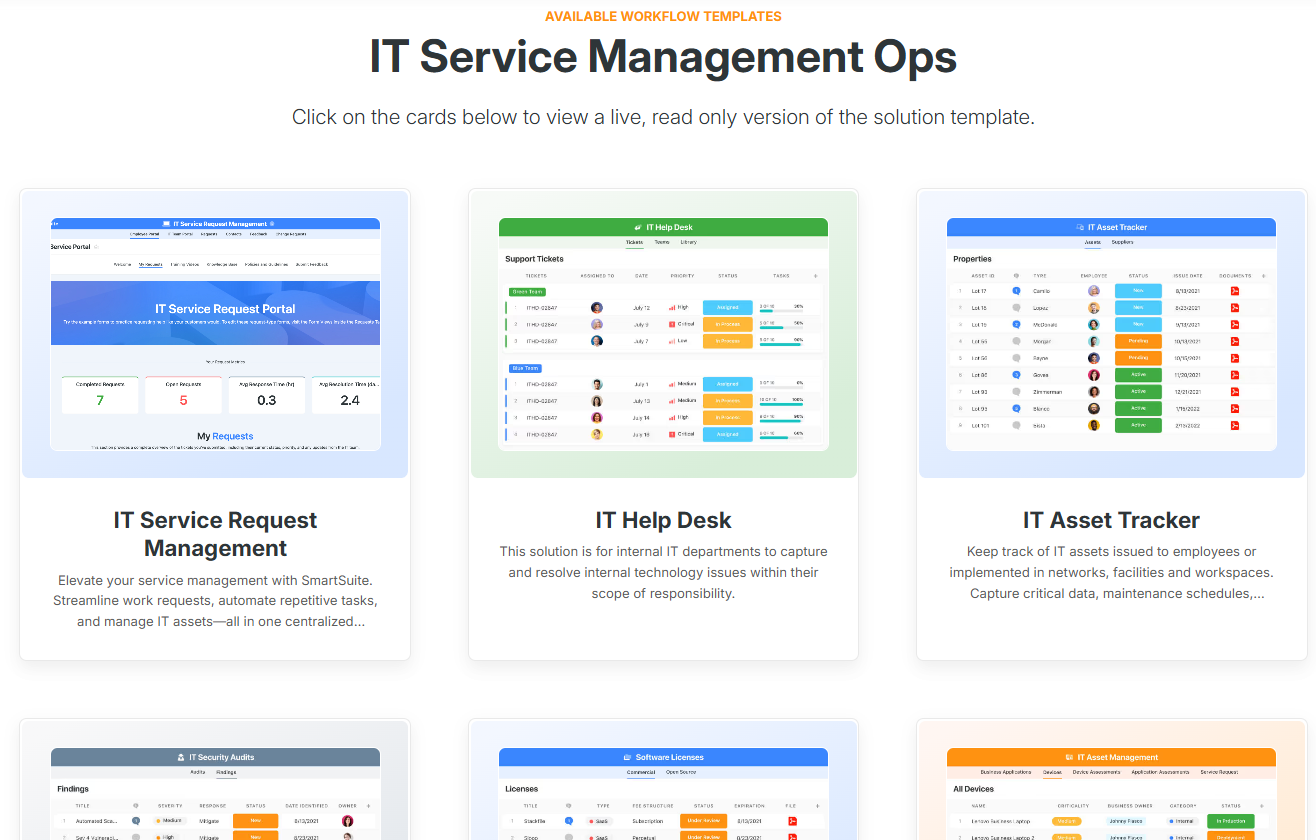
- Prebuilt ITSM templates to launch fast, each coming with ready-made fields, layouts, and logic you can customize in minutes.
4. Powerful automation and AI that streamline every part of ITSM
SmartSuite gives IT teams automation and AI capabilities that go far beyond what TOPdesk currently offers.
Instead of relying on manual triage, slow routing, or fragile triggers, SmartSuite lets you streamline repetitive work across every process with its visual workflow builder, reducing ticket load and accelerating resolution times.

Here’s what you can automate effortlessly:
- Smarter ticket routing & prioritization based on category, asset, team, or custom rules.
- Instant approvals for changes, access, and requests with multi-step logic built visually.
- Task orchestration for onboarding, maintenance, releases, and recurring operational work.
- Lifecycle alerts for assets, contracts, and licenses to prevent missed deadlines.
SmartSuite AI adds intelligence on top of your workflows, helping teams resolve issues faster with less effort.

It can:
- Generate ticket summaries and responses to reduce back-and-forth.
- Suggest solutions or knowledge articles based on similar past incidents.
- Auto-classify and prioritize new tickets using contextual understanding.
- Assist with documentation by creating knowledge base content directly from resolved issues.
The result is a faster, lighter ITSM experience where AI handles the busywork and agents stay focused on solving problems instead of sorting tickets.
Pricing
SmartSuite doesn’t have a free plan for its project management platform.
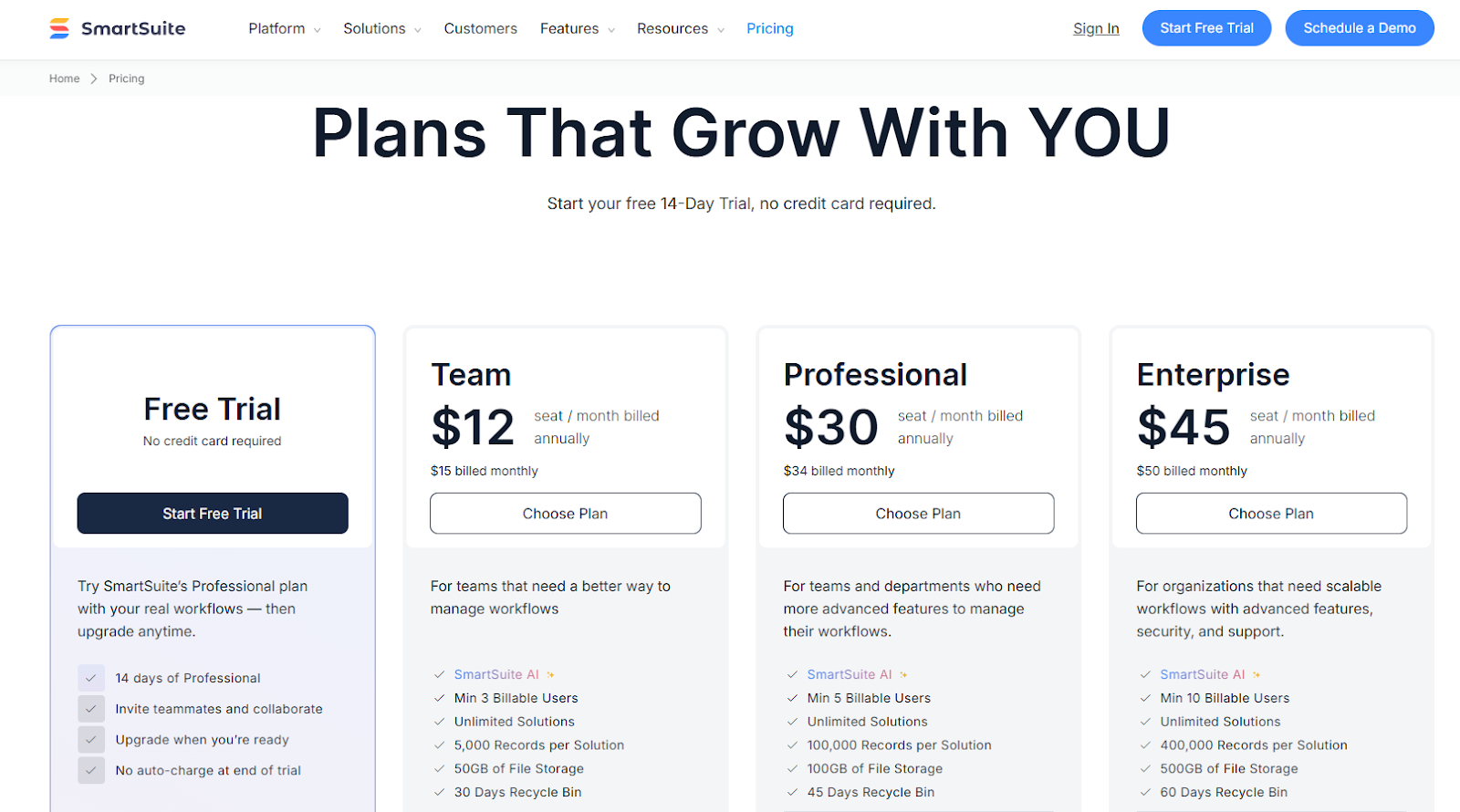
We do, however, have a 14-day free trial of our Professional plan, where you can invite teammates and collaborate.
There are four paid plans that you can choose from:
- Team: Starts at $12/user/month when billed annually, including SmartSuite AI, 8+ dashboard views, 5,000 automation runs, time tracking, and collaborative SmartDocs.
- Professional: Starts at $30/user/month when billed annually, including two-factor authentication, Gmail & Outlook integrations, and unlimited editors.
- Enterprise: Starts at $45/user/month when billed annually, including audit logs, data loss prevention, and 50,000 API calls monthly.
- Signature: Customized plan tailored to your organization’s needs and team size.
How does SmartSuite compare to TOPdesk?
While TOPdesk is appreciated for its intuitive interface and solid core ITSM features, many teams eventually run into limitations with its reporting, customization, automation, and overall cost.
SmartSuite offers the same essentials with a more modern approach, allowing IT teams to build and scale their service operations much faster and with far less complexity.
Here’s how SmartSuite differs in the areas TOPdesk users struggle with most:
- Reporting that’s actually easy to use: TOPdesk users frequently mention that reporting feels confusing or limited. SmartSuite solves this with real-time dashboards, multiple visualization options, custom KPIs, and automated reports that don’t require exports, workarounds, or BI tools.
- Customization that doesn’t slow you down: While TOPdesk offers flexibility, its backend configuration can be complex and time-consuming. SmartSuite keeps everything no-code and drag-and-drop, letting teams tailor their ITSM setup in minutes instead of weeks.
- Automation that’s reliable and easy to build: TOPdesk’s triggers and events can feel fragile or inconsistent in practice. SmartSuite lets you automate ticket routing, approvals, escalations, lifecycle alerts, and recurring tasks visually, without scripting or complicated logic.
- AI that accelerates triage and resolution: TOPdesk offers limited AI assistance. SmartSuite adds generative AI that can summarize tickets, suggest fixes, classify requests, propose knowledge articles, and help create documentation, reducing manual workload across the board.
- Better value for money as you scale: Although TOPdesk offers clear per-agent pricing, costs rise quickly as you add more operators or need advanced features like change, problem, or project management. SmartSuite, on the other hand, delivers a wider range of ITSM functionality, including automation, AI, templates, and unlimited customization, at significantly lower per-user pricing.
Pros & Cons
✅ Fully unified ITSM workspace (incidents, requests, changes, assets, knowledge, projects).
✅ No-code customization that anyone can adjust in minutes.
✅ Powerful workflow automation with visual builders and multi-step logic.
✅ Built-in AI for triage, summarization, auto-classification, and knowledge creation.
✅ Modern UI that’s easy for both agents and end users to adopt.
✅ Rich ITSM template library to launch fast without long implementations.
✅ Strong collaboration features.
❌ Fewer native ITSM-specific integrations than legacy enterprise tools (though API + Zapier cover most needs).
❌ Does not include a traditional CMDB module (asset + relationship modeling works well but isn’t packaged as CMDB).
2. Freshservice
Best for: Mid-sized IT teams seeking a user-friendly, AI-enhanced ITSM tool that balances core workflow and automation without over-engineering.
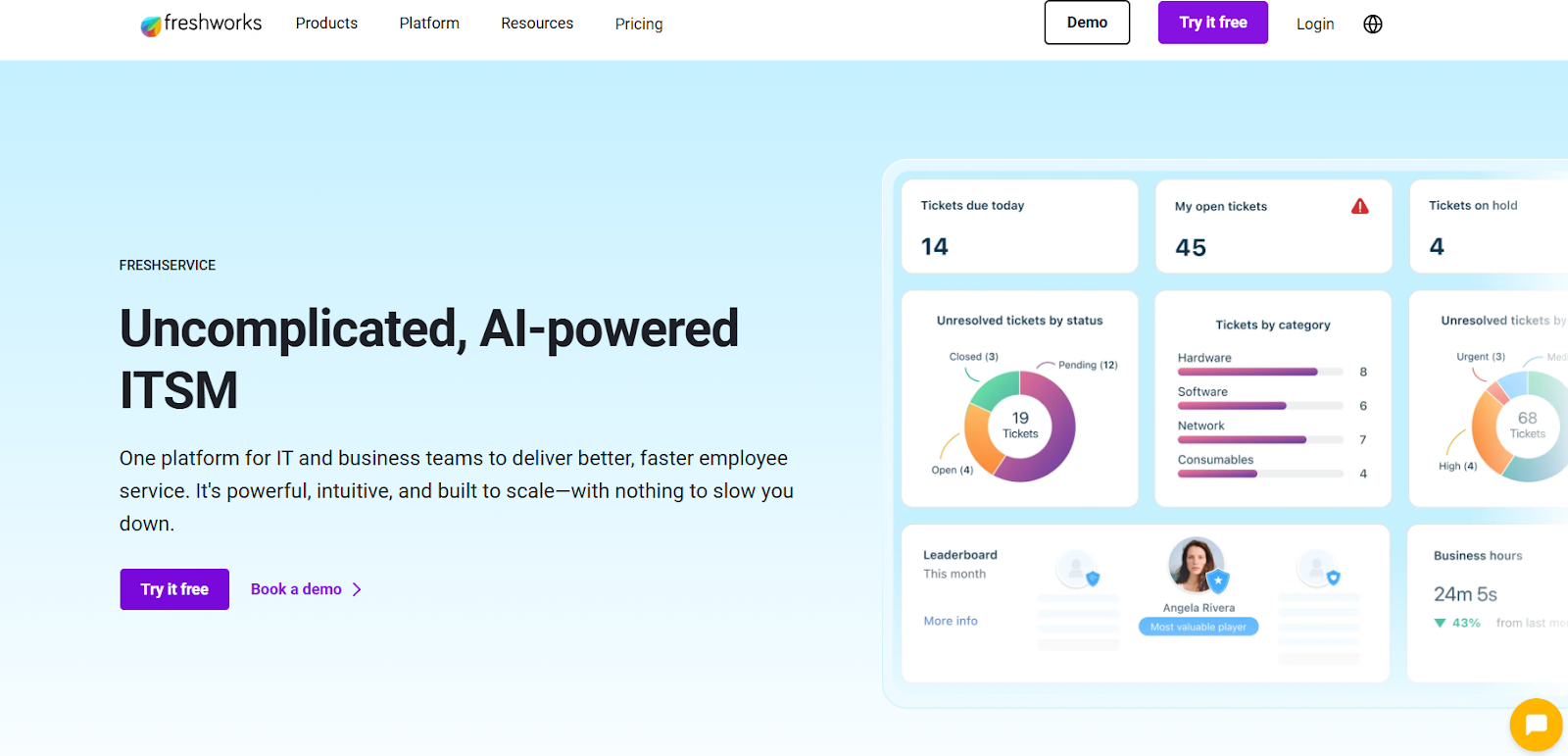
Freshservice is a cloud-based ITSM platform by Freshworks designed to simplify and unify IT service delivery using AI and automation.
It covers incident, change, problem, asset and service-catalog workflows with drag-and-drop builders, self-service portals and built-in asset tracking.
Standout features
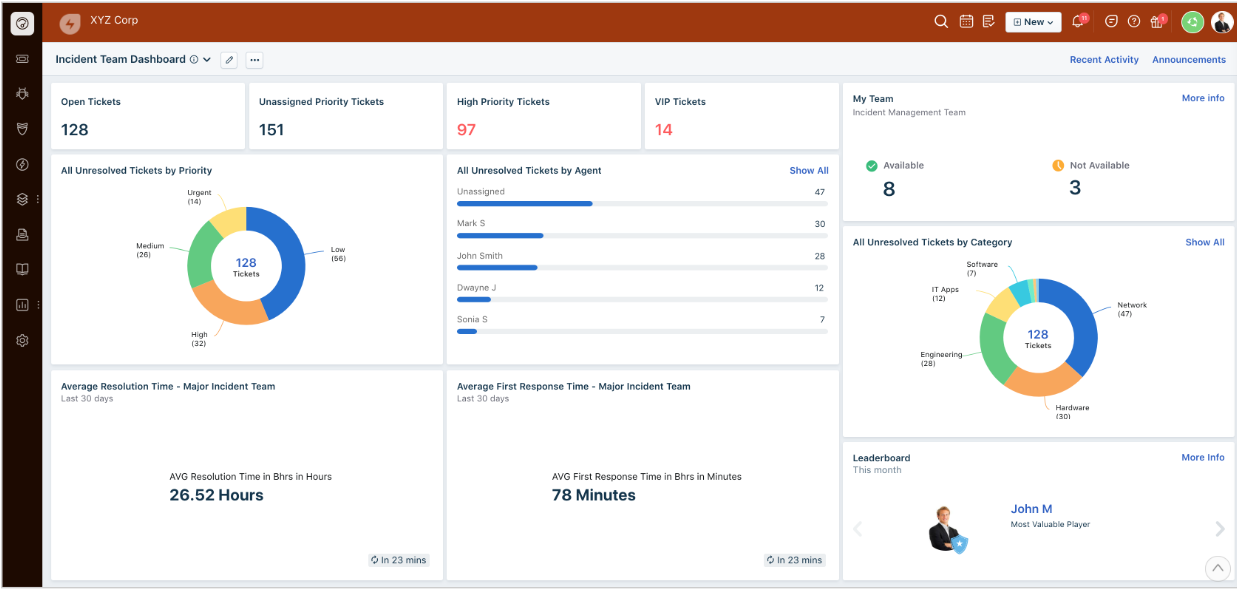
- Freddy AI for self-service and agent productivity: Its built-in AI helps users find answers faster, recommends solutions to agents, and automates repetitive tasks like categorization or responses.
- Integrated asset management with auto-discovery: Freshservice automatically tracks hardware, software, and SaaS apps, giving IT teams a full view of their environment without manual updates.
- Omnichannel ticketing and communication: Teams can manage requests that come through email, chat, Slack, MS Teams, and the self-service portal from one unified dashboard.
Pricing
Freshservice has four pricing plans:
- Starter: $29/agent/month, includes multichannel support, incident, knowledge, and task management, etc.
- Growth: $59/agent/month, includes everything in Starter, plus SLA management, service catalog, etc.
- Pro: $119/agent/month, includes everything in Growth, plus problem, change, and release management, etc.
- Enterprise: Custom price, includes everything in Pro, plus sandbox, Freddy AI agent, AI insights, etc.
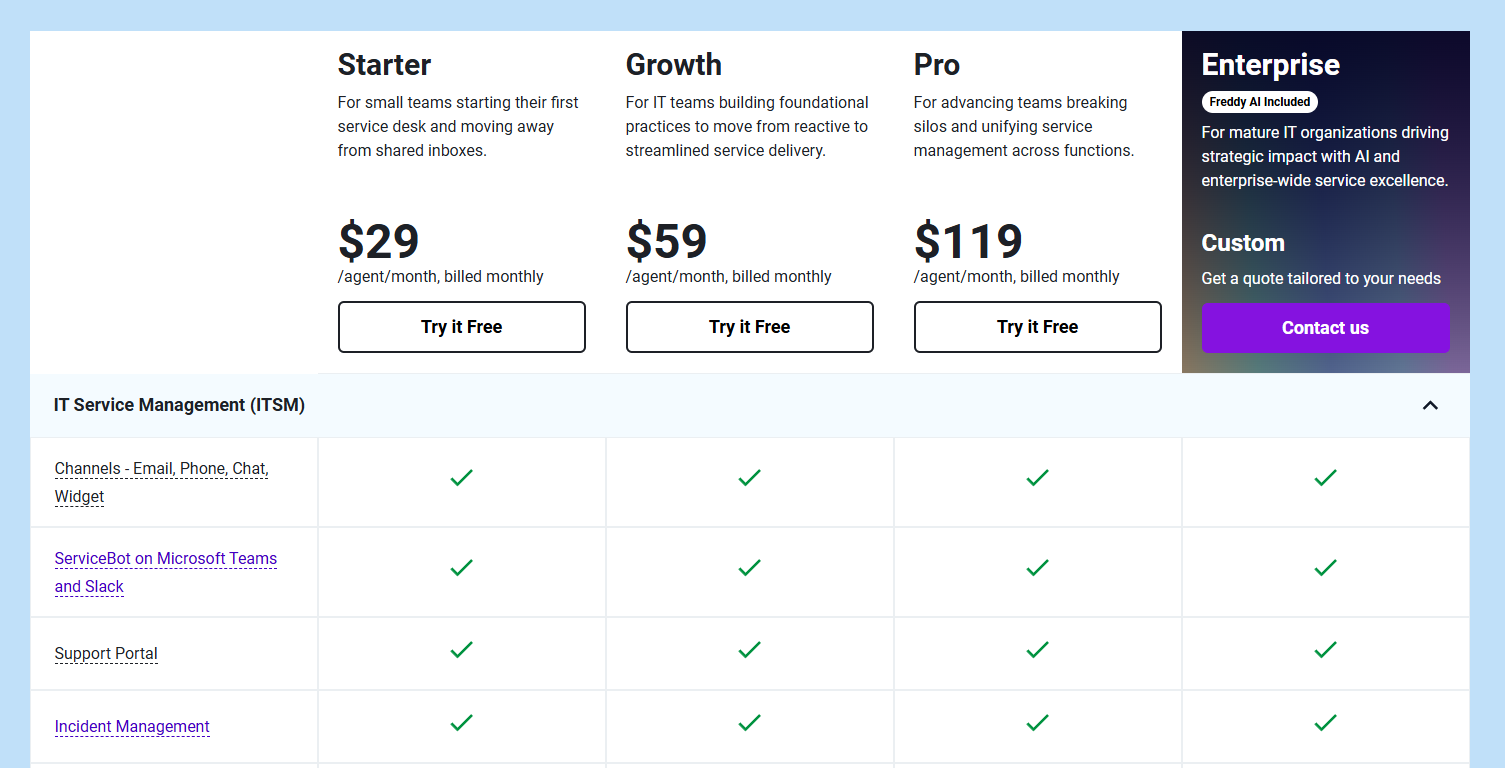
Each of these has a 14-day free trial.
You should note that Freshservice’s Freddy AI Copilot is available as an add-on only ($35/agent/month).
Pros & Cons
✅ Highly intuitive, easy to use UI.
✅ Robust automation engine.
❌ Reporting and analytics can feel limited or less flexible compared to top-tier enterprise tools.
3. Jira Service Management
Best for: Teams already using Jira or Confluence and organizations that want ITSM tightly connected to software delivery workflows.

Jira Service Management (JSM) is Atlassian’s ITSM platform built to unify service requests, incidents, problems, changes, assets, and DevOps collaboration in one system.
It stands out for its native integration with Jira, making it ideal for teams that want service operations and engineering to work closely together.
Standout features

- Built-in configuration management (CMDB): Get a clear, always-up-to-date map of your infrastructure, so teams can assess change impact, pinpoint root causes faster, and resolve incidents with confidence.
- Incident management: Streamline how IT teams detect, respond to, and learn from incidents with centralized alerting, automated major-incident swarming, and built-in post-incident reporting.
- Modern change management: Give IT operations complete visibility and control over every change with contextual data from your dev tools, automated risk scoring, configurable approval workflows, deployment tracking, and a native change calendar.
Pricing
Jira Service Management offers a free forever plan for up to three agents, giving small teams access to ITSM templates, multichannel support, a knowledge base, alerting, and basic incident features.
For larger teams or more advanced capabilities, Jira provides three paid tiers:
- Standard: Starting at $25 per agent per month, includes everything in Free, plus custom-branded help centre, unlimited email notifications, up to 20,000 users and unlimited customers, etc.
- Premium: Starting at $57.30 per agent per month, includes everything in Standard, plus Rovo Agents, Search and Chat, for AI-powered service and operations, virtual service agent, advanced incident management, real-time incident monitoring, etc.
- Enterprise: Custom pricing, annual billing only, includes everything in Premium, plus cross-product insights, advanced admin controls and security, unlimited automations, etc.
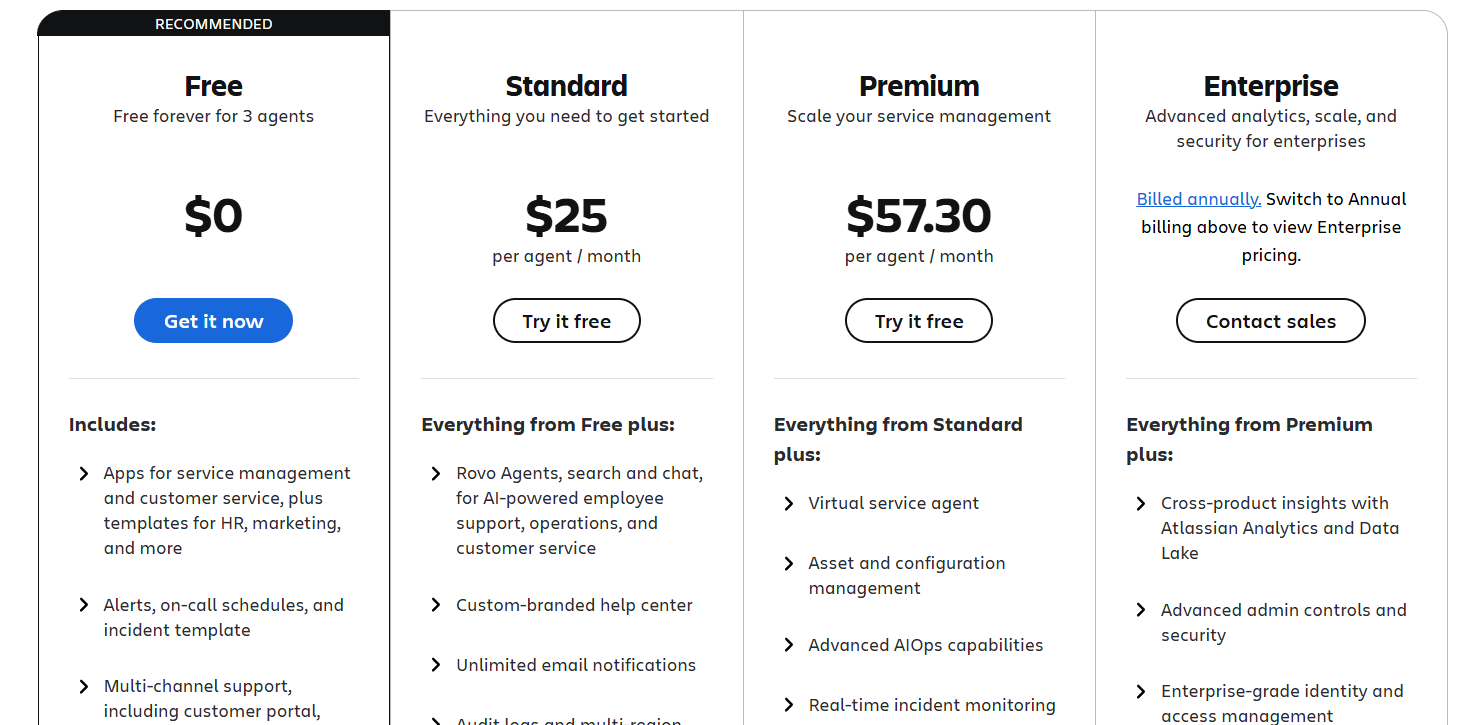
Like other Atlassian tools, pricing scales down per user as your agent count increases.
For a deeper cost breakdown, check out our full Jira Service Management pricing review.
Pros & Cons
✅ Highly customizable workflows and automation
✅ Deep integration with the Athlassian ecosystem.
❌ Complex setup and configuration compared to more plug-and-play ITSM tools.
4. ServiceNow
Best for: Large enterprises with complex, cross-domain service operations needing full-scale workflow automation, service mapping, and deep integration across IT, business services and digital operations.
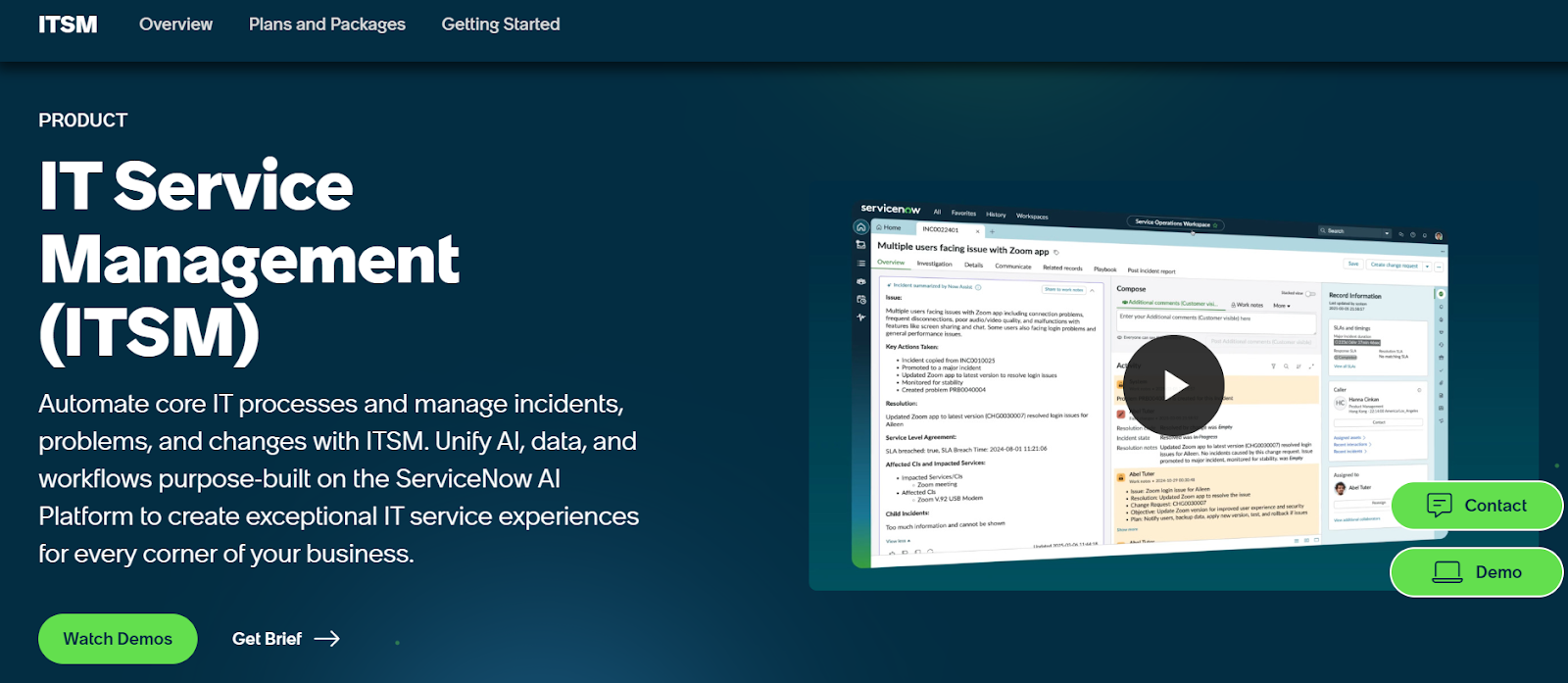
ServiceNow ITSM is an enterprise-level platform that handles incident, problem, change, request, configuration, and asset management in one place.
It also extends into broader service operations - from HR to customer service - acting as a digital backbone that supports automation, AI, and scalable workflows for large organizations.
Standout features

- Predictive intelligence: Uses live and historical data to spot emerging service trends, highlight where coverage may need adjusting, and measure performance against industry benchmarks.
- Change management: Manages changes safely through approval workflows, risk assessments, and automated checks.
- Incident management: Helps teams quickly spot, log, triage, and resolve issues with automated routing and standardized workflows.
Pricing
ServiceNow doesn’t publish fixed per-user pricing.
However, its ITSM offerings are structured into clear tiers so organizations can choose the level of automation, AI, and analytics they need:
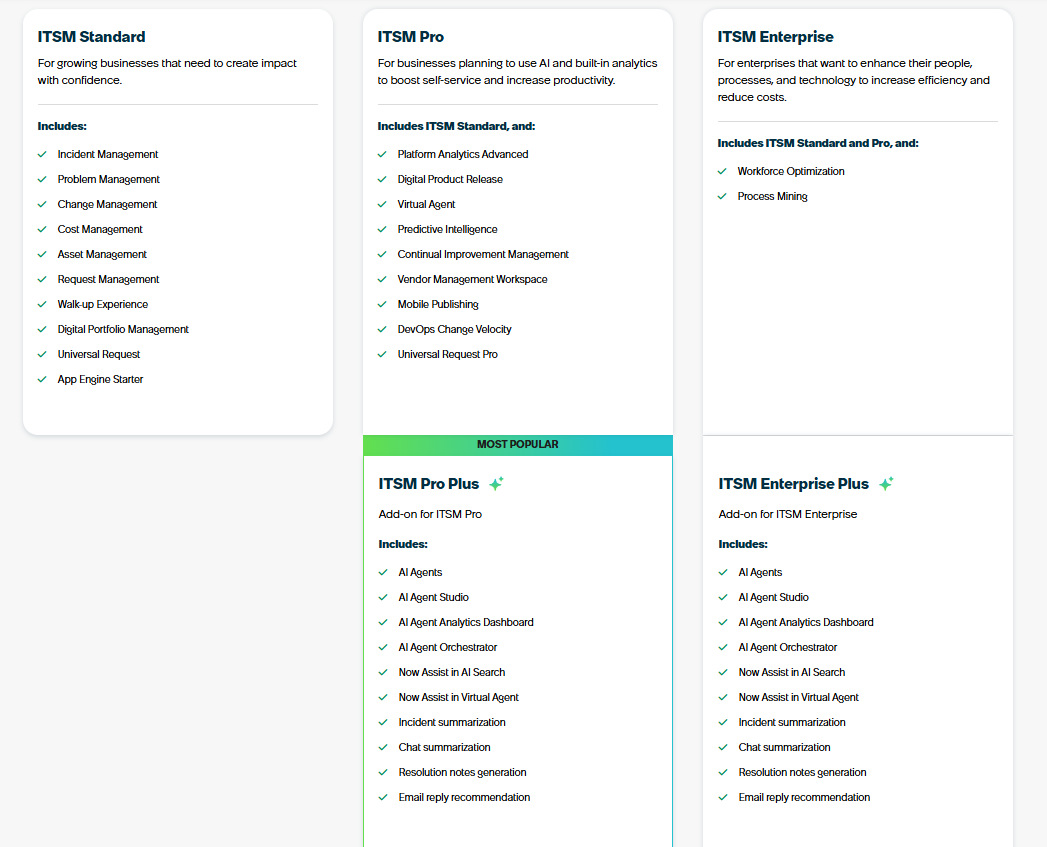
- ITSM Standard: Built for growing businesses that need core ITIL workflows in one platform, includes incident, problem, change, asset, request, walk-up experience, digital portfolio management, universal request, and App Engine Starter.
- ITSM Pro: Designed for teams that want to elevate service delivery with AI and advanced analytics, adds platform analytics, digital product release, Virtual Agent, predictive intelligence, continual improvement management, vendor workspace, mobile publishing, DevOps change velocity, and Universal Request Pro.
- ITSM Pro Plus (Add-on to ITSM Pro): Adds Now Assist AI capabilities including AI agents, agent studio, AI observability dashboards, orchestration, AI search, enhanced Virtual Agent, and automated summarization and reply generation.
- ITSM Enterprise: Built for large enterprises that need deep optimization across people, processes, and technology, includes everything in Standard + Pro, plus workforce optimization and process mining.
- ITSM Enterprise Plus (Add-on to ITSM Enterprise): Expands Enterprise with the full Now Assist AI suite, including AI agents, AI agent studio, AI analytics dashboard, and automated incident, chat, and email summaries.
To find out how much any of these plans will cost your organization, you’ll have to request a custom quote.
Pros & Cons
✅ Robust reporting and granular dashboards.
✅ Powerful automation and workflow capabilities.
❌ High licensing costs, making it less accessible for smaller teams or organizations with limited budgets.
5. SolarWinds Service Desk
Best for: Mid-sized IT teams that want an intuitive, ITIL-aligned service desk with strong automation, simpler administration, and transparent pricing.

SolarWinds Service Desk is a cloud-based ITSM platform designed to deliver full ITIL support without the complexity of heavier enterprise tools.
Teams often choose it because it’s easy to deploy, offers powerful automation, and provides a clean user experience that reduces onboarding friction.
Standout features
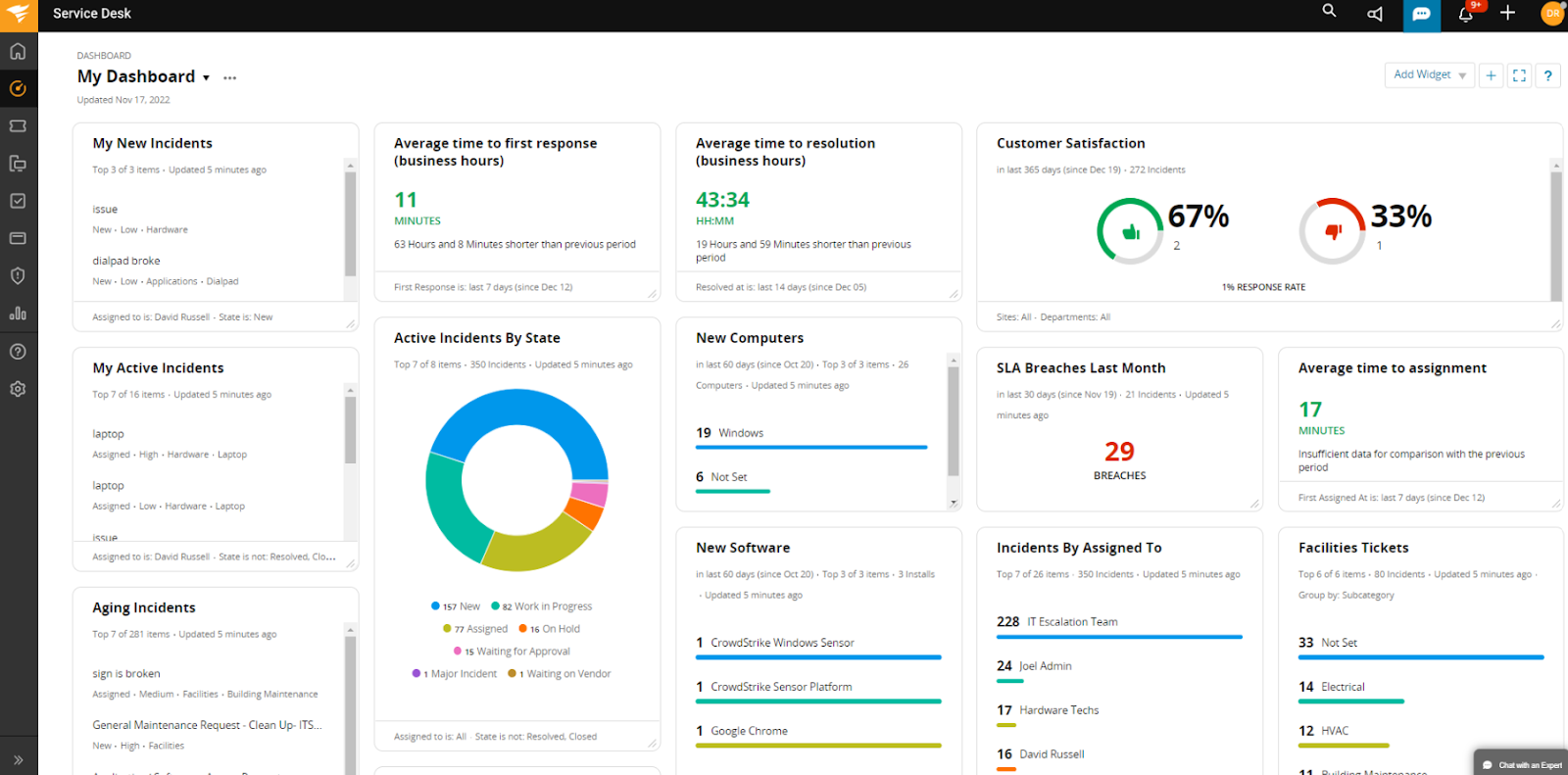
- AI Service Desk: Uses AI to suggest incident solutions, generate in-context ticket responses, summarize incidents, and create step-by-step playbooks based on existing process documentation.
- IT service catalog: Provides a centralized, user-friendly menu of services with dynamic request forms, automated workflows, and SLA-backed delivery to help employees get what they need quickly.
- Release management: Combines related changes into a single coordinated release, visualizes every update, and streamlines approvals to ensure smooth, low-disruption deployments.
Pricing
SolarWinds offers three fixed, per-technician pricing tiers, each supporting unlimited end users:
- Essentials: $39 per technician/month, includes incident management, knowledge base, service portal, asset management, service catalog, change management, SLAs, custom roles, groups, MFA, internationalization, and 24/7 live chat support.
- Advanced: $79 per technician/month, adds custom fields and forms, advanced automations, Virtual Agent, network discovery, enterprise service management, contract management, license compliance, scheduled reports, full API access, and Customer Success Team support.
- Premier: $99 per technician/month, includes everything in Advanced, plus visual CMDB and dependency mapping, up to 1,500 API calls per user per minute, Premier Virtual Agent, Runbooks, SolarWinds AI (Premier), and advanced support.
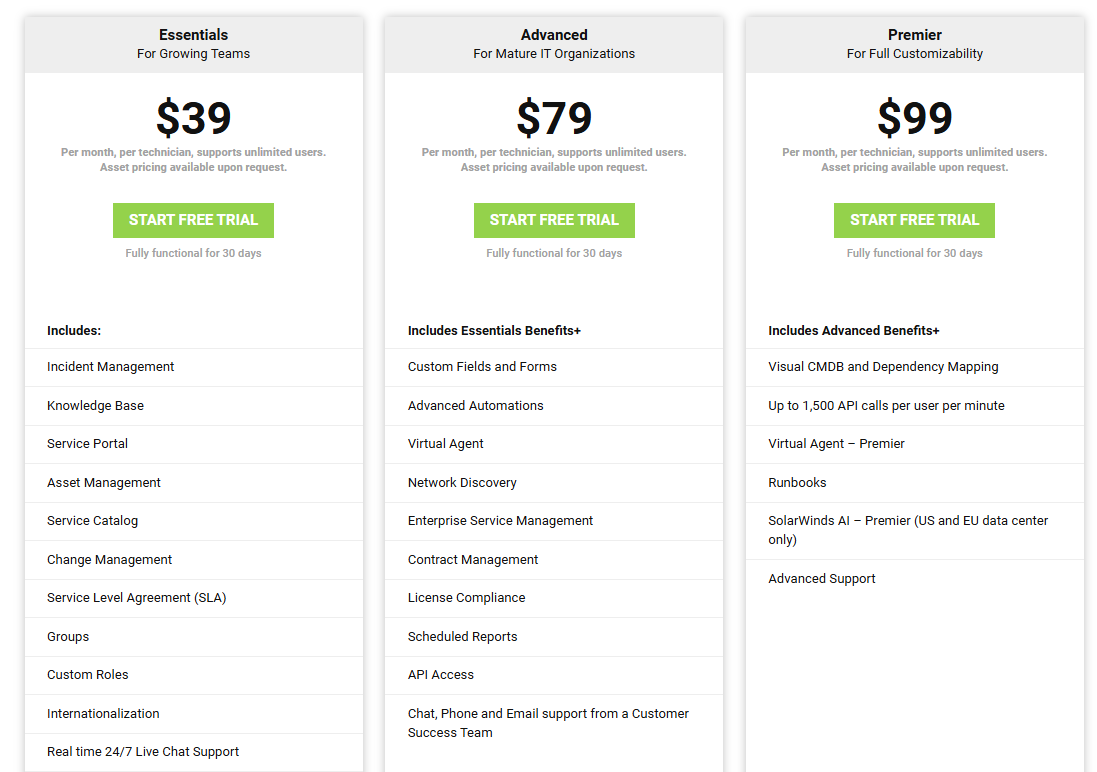
All plans include a fully functional 30-day free trial.
Note: assets are charged separately, with pricing available upon request.
If you want some real-world pricing insights, check out our SolarWinds pricing guide.
Pros & Cons
✅ Strong ticketing and workflow automation.
✅ Flexible customization for automations, request forms, onboarding/offboarding flows, and dashboards.
❌ Customization can’t go deep enough for certain organizations with niche or complex workflows.
6. HaloITSM
Best for: Mid-market and enterprise IT teams that need highly customizable ITIL-aligned workflows, strong automation, and a modern, user-friendly interface.
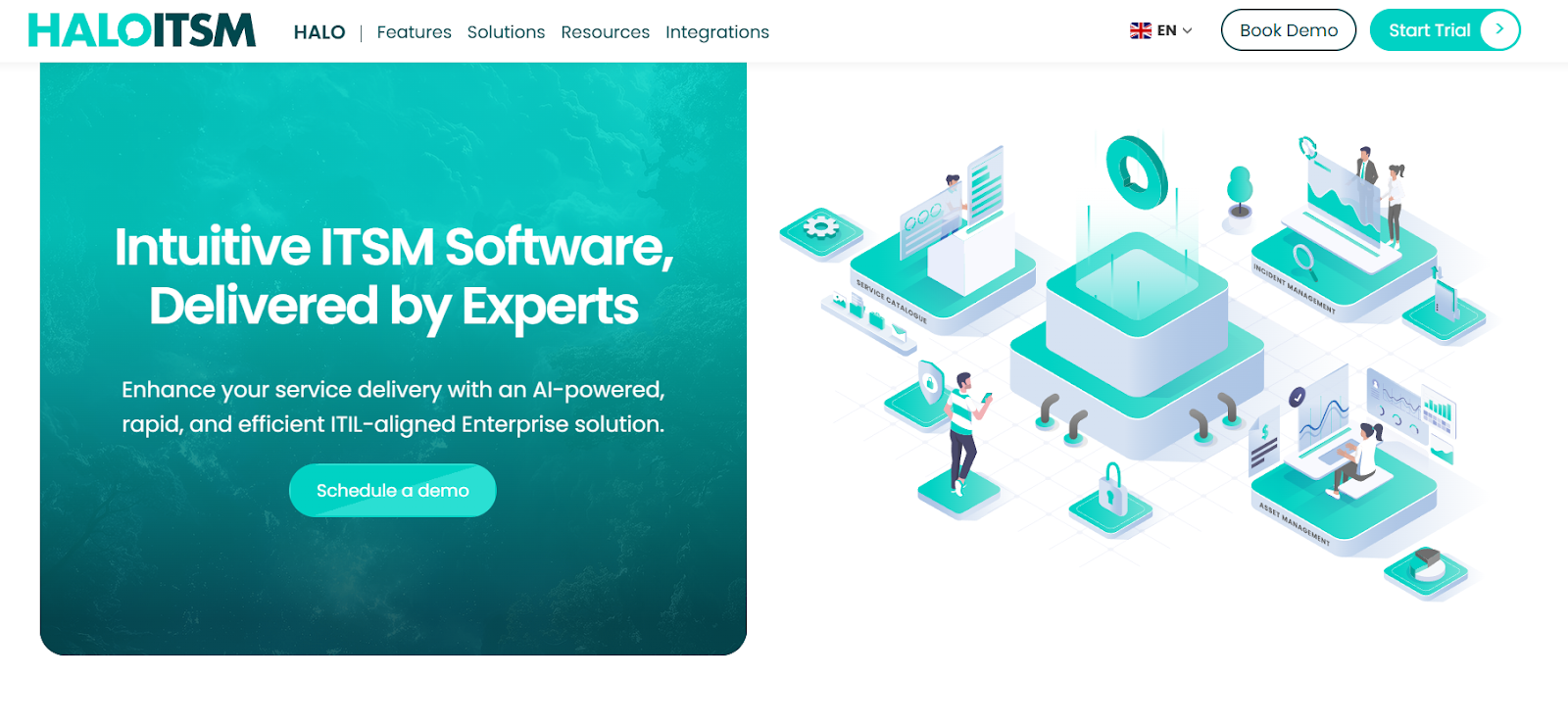
HaloITSM is a fully ITIL-certified service management platform that gives IT teams a modern, flexible workspace.
It’s designed to help organizations deliver faster, more consistent service across incidents, requests, changes, assets, and operations, all within a clean, easy-to-navigate UI.
Standout features
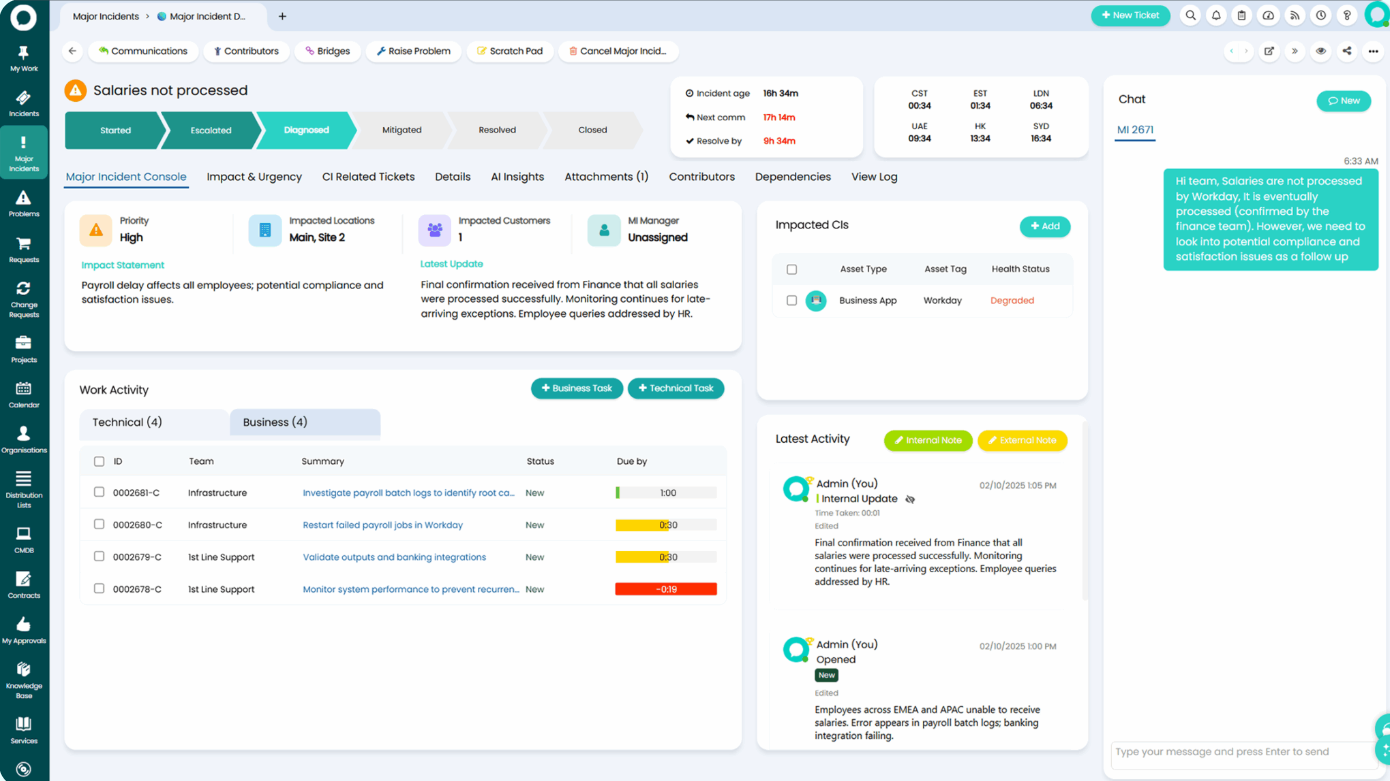
- AI-Powered Service Desk: Built-in AI that clusters related tickets, summarizes cases, triages and categorizes issues, generates knowledge articles, and surfaces answers via RAG.
- Major incident management: Includes a dedicated major incident command center that mobilizes on-call teams instantly, coordinates tasks in real time, centralizes communication, and streamlines stakeholder updates.
- Knowledge management: A full knowledge lifecycle system that captures solutions directly from resolved tickets, publishes articles to self-service, and enhances everything with AI-generated articles and RAG-powered knowledge discovery to speed resolutions and reduce repeat tickets.
Pricing
HaloITSM doesn’t publish standalone ITSM pricing on its website, so you need to request a custom quote based on your agent count, industry, and specific requirements.
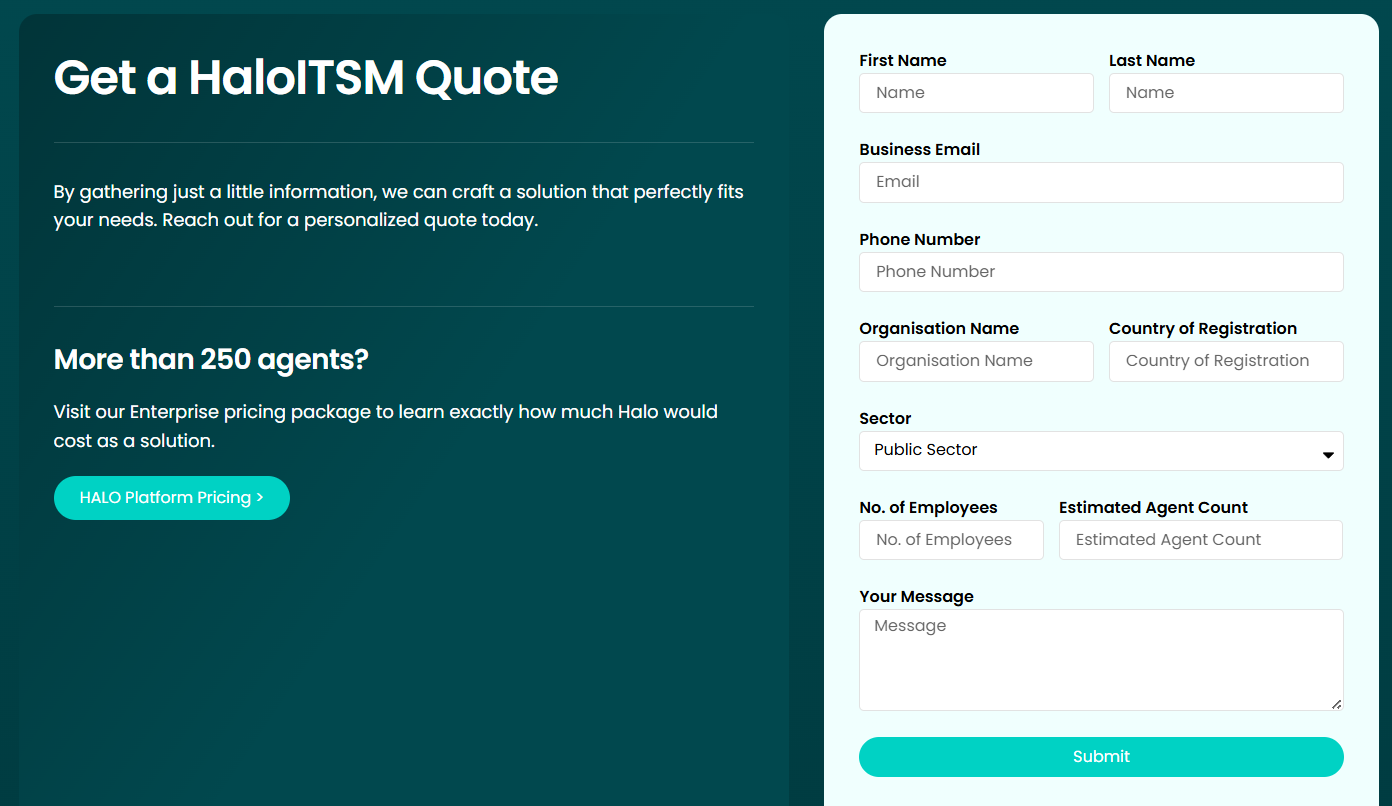
However, there are more details on pricing for the Halo Platform as a whole (bundle of ITSM with PSA and CRM capabilities)
The pricing starts at an estimated €70 per agent/month, billed annually, with a minimum of 250 agents required, which amounts to €210,000.
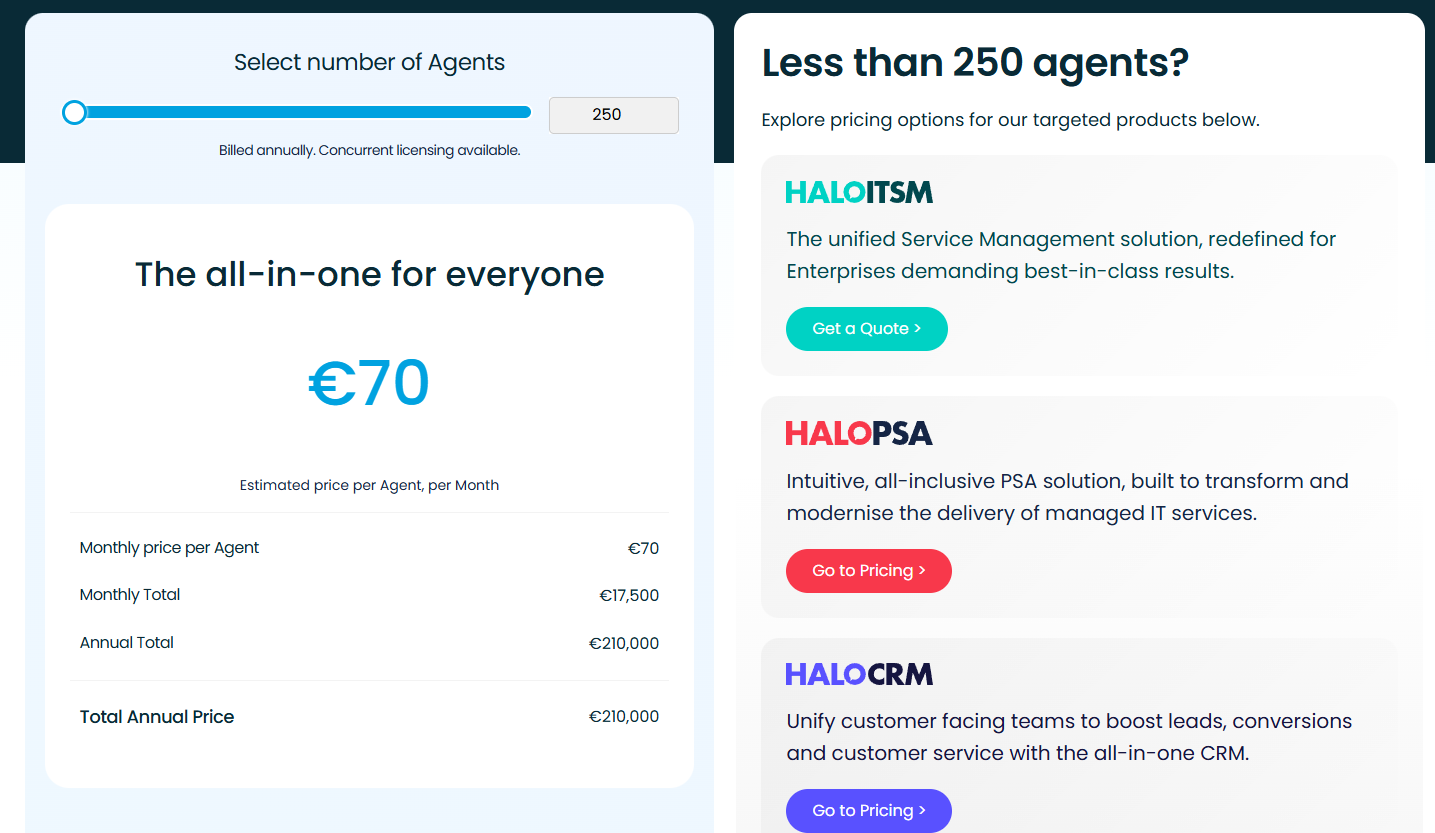
This means it’s safe to assume that even its standalone solutions are on the higher end of the pricing range.
Pros & Cons
✅ Extremely easy to use, with a clean, modern interface that both technicians and end users can navigate with almost no learning curve.
✅ Highly customizable.
❌ Reporting and dashboards could be stronger, especially given its price point.
7. ManageEngine ServiceDesk Plus
Best for: IT teams seeking a mature, full-featured help desk and ITSM solution that works on-premises or in the cloud, with strong asset tracking and traditional service-management workflows.
ManageEngine ServiceDesk Plus is a comprehensive IT help-desk and ITSM suite that covers incident, problem, change, asset, contract, and request management.
It’s particularly well-suited for organizations that want a stable, well-established platform.
Standout features
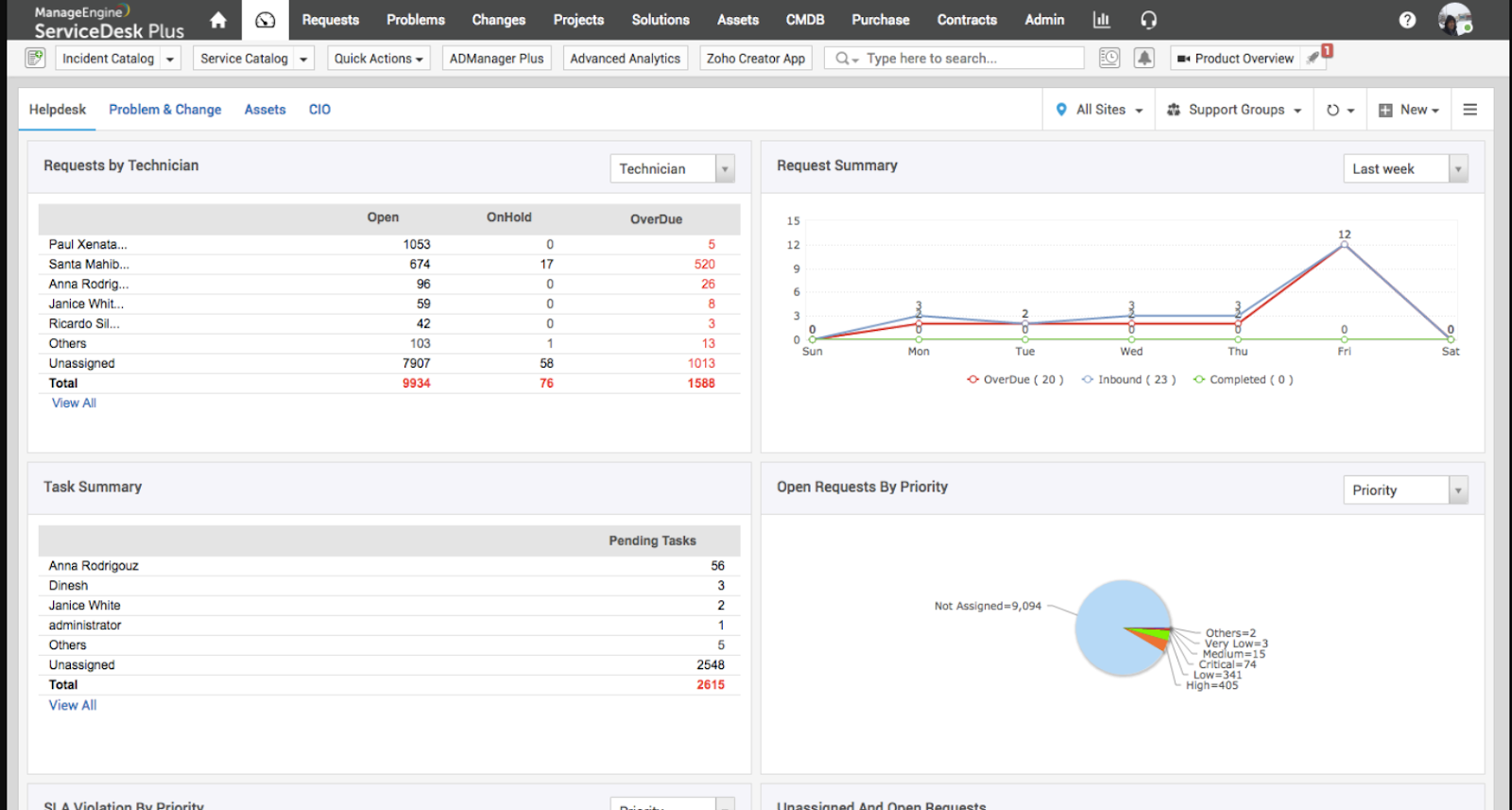
- Incident & request management: Lets teams log, track, and resolve service requests and outages with SLA definitions and escalation rules.
- Configuration management database (CMDB): Visually map every dependency in your IT infrastructure with an auto-synced CMDB that links CIs to incidents, problems, changes, and services.
- Problem management: Runs detailed root-cause analysis and links related incidents to eliminate repeat issues.
Pricing
Pricing for ManageEngine ServiceDesk Plus isn’t listed publicly.
However, it’s clear from the request quote form that costs change based on technician volume and deployment model.
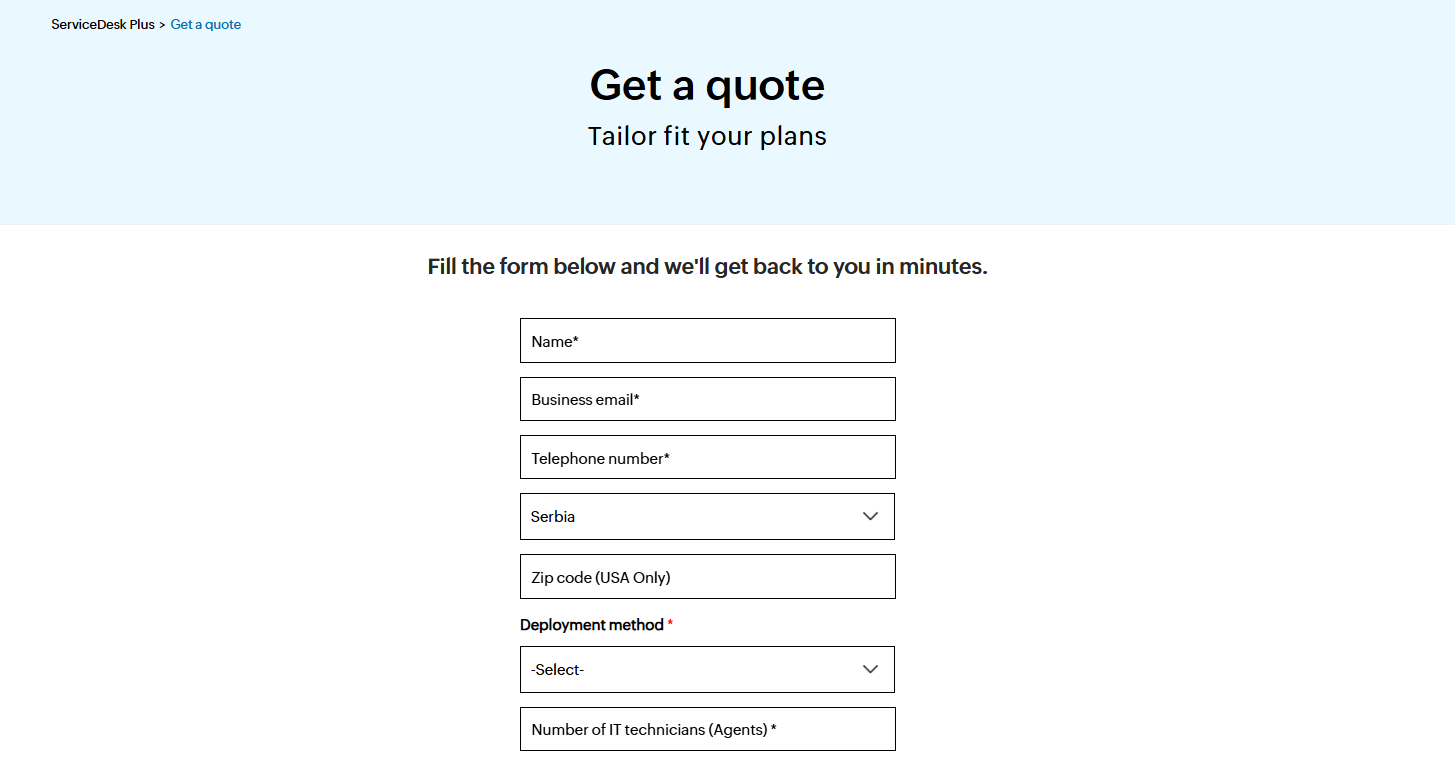
To know what your organization would pay, you’ll have to reach out for a personalized quote.
Pros & Cons
✅ Strong integrations across the ManageEngine ecosystem.
✅ Flexible deployment options, with easy basic setup for both cloud and on-prem.
❌ AI features are still underdeveloped compared to other platforms.
8. SysAid
Best for: Mid-sized and large IT teams that need a modern ITSM tool with built-in AI, strong ticketing, and easy automation.
SysAid is an all-in-one solution that bundles all essential ITSM workflows enhanced with built-in AI to streamline tickets and service delivery.
With flexible deployment (cloud or on-premise) and customizable workflows, it’s designed to give IT teams control, visibility, and automation without needing deep coding or external tools.
Standout features
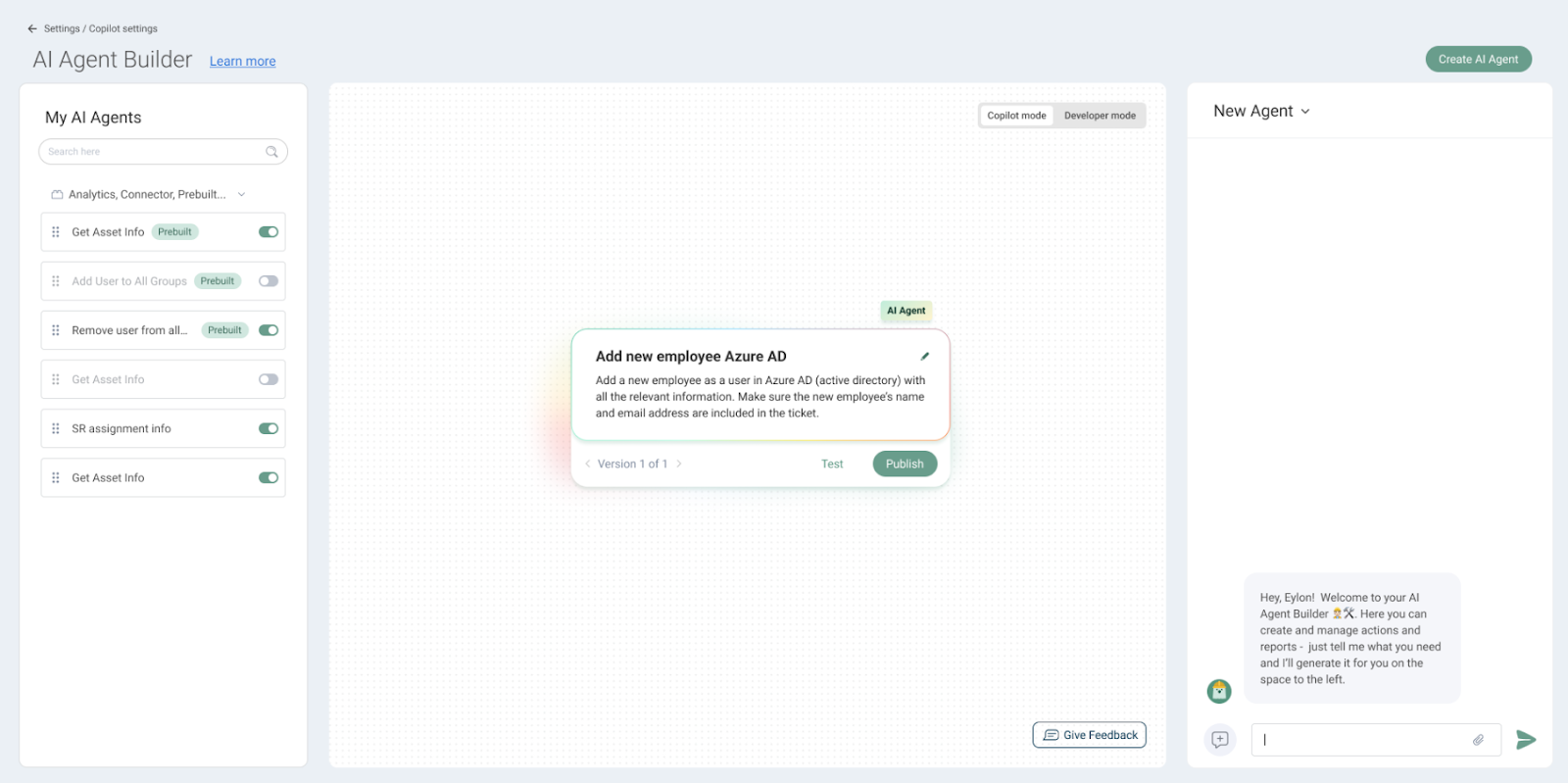
- SysAid Copilot for agents: AI assistant that instantly detects problems, summarizes context, categorizes tickets, and surfaces asset details, helping teams resolve issues faster with less manual effort.
- Service level management: Centralizes SLA rules, live timers, dashboards, and automated alerts to enable IT teams to monitor performance, balance workloads, and resolve issues before targets slip.
- Request management: Lets you streamline every service request with AI-powered self-service, automated routing, and full visibility across the ticket journey, reducing manual work.
Pricing
SysAid doesn’t publish fixed per-agent pricing for its ITSM platform.
Instead, it offers three core plans, and requires you to contact its team for a personalized quote.
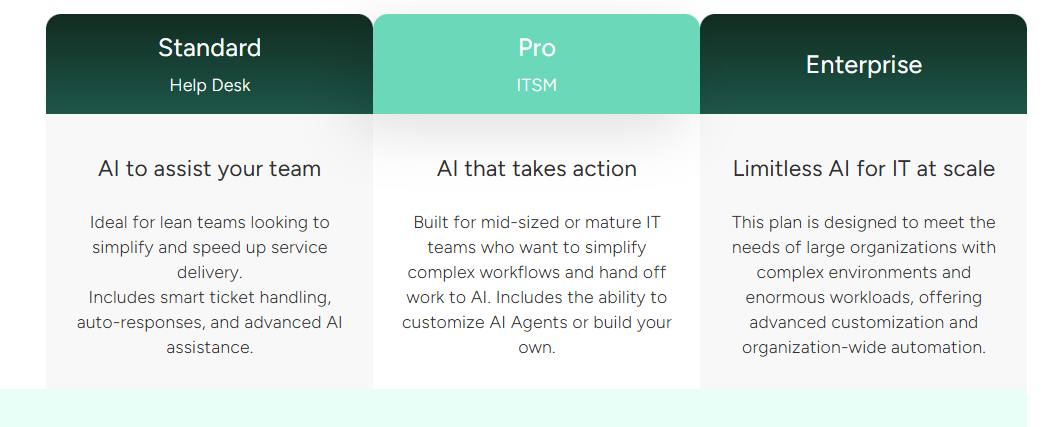
What is clear from the packaging is how each tier scales:
- Standard: Includes core AI features, essential service desk functionality, 250 managed assets, basic reporting, etc.
- Pro: Adds multiple self-service portals, field customization, routing and escalation rules and alerts, automations, customized analytics, and more.
- Enterprise: Unlocks unlimited storage retention, dedicated support, and more advanced customization and automation.
If you need more clarity, we’ve analyzed every SysAid tier for you in this in-depth pricing review.
Pros & Cons
✅ Robust automation & AI.
✅ Strong ticketing & incident management workflows.
❌ Reporting isn’t always accurate, as some users find analytics inconsistent or lacking depth.
9. Ivanti
Best for: Mid-sized to large enterprises that need a deeply configurable, automation-heavy ITSM platform, especially if they’re already using other Ivanti tools.
Ivanti is an enterprise-grade service management platform that combines ITIL-aligned workflows, automation, self-service, asset intelligence, and AI-assisted resolution in one highly configurable system.
It’s designed for complex environments where teams want to unify IT operations, automate repetitive tasks, and improve service delivery across IT and non-IT departments.
Standout features
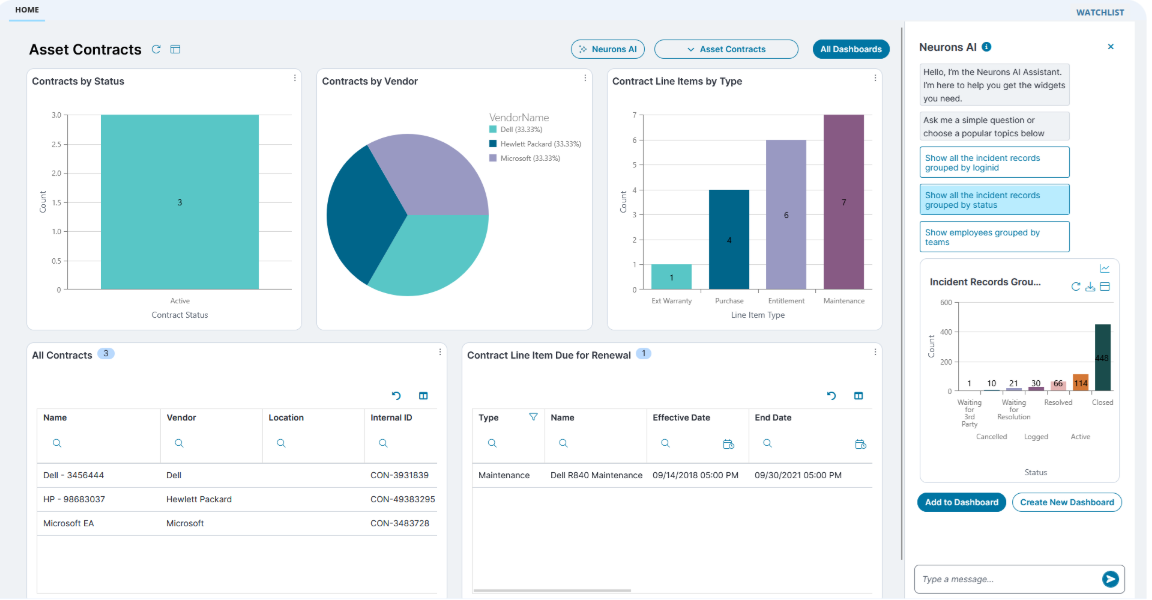
- AI-powered self-healing: Detects and resolves endpoint issues automatically before users notice them, minimizing incidents and improving uptime.
- Robust asset & configuration management: Tracks hardware, software, contracts, lifecycle stages, and relationships through built-in discovery and CMDB capabilities.
- Asset discovery: Continuously scans the environment to build a complete inventory of endpoints, devices, and software across on-prem and cloud environments.
Pricing
Ivanti doesn’t publish pricing for its ITSM solution, so all plans require contacting sales for a custom quote.
What is clear from its website is that there are four plans:

- ITSM Professional: Includes incident, change, request, and knowledge management, SLAs, service catalog, asset management, CMDB, discovery, etc.
- ITSM Enterprise: Includes everything in Professional, plus: HR service delivery, facilities management, project & portfolio management, GRC, and security operations workflows.
- ITSM Premium: Includes everything in Professional, and adds AI-guided ITSM, self-healing capabilities, proactive service operations, and digital experience (DEX) tools.
- ITSM Enterprise Premium: Includes everything in Professional + Enterprise + Premium (non-IT workflows, AI automation, DEX monitoring, and self-healing capabilities in one fully unified suite).
Pros & Cons
✅ Highly flexible and customizable.
✅ Easy to use and implement.
❌ Customization takes significant time and effort.
10. TeamDynamix
Best for: Mid-sized to large organizations, especially in higher education and government, that want a no-code ITSM and project portfolio management platform in one place.

TeamDynamix combines IT service management, project management, asset management, and automation into a single, easy-to-administer platform.
Its no-code approach makes it ideal for teams that want enterprise-level capability without needing developers to maintain or customize the system.
Standout features
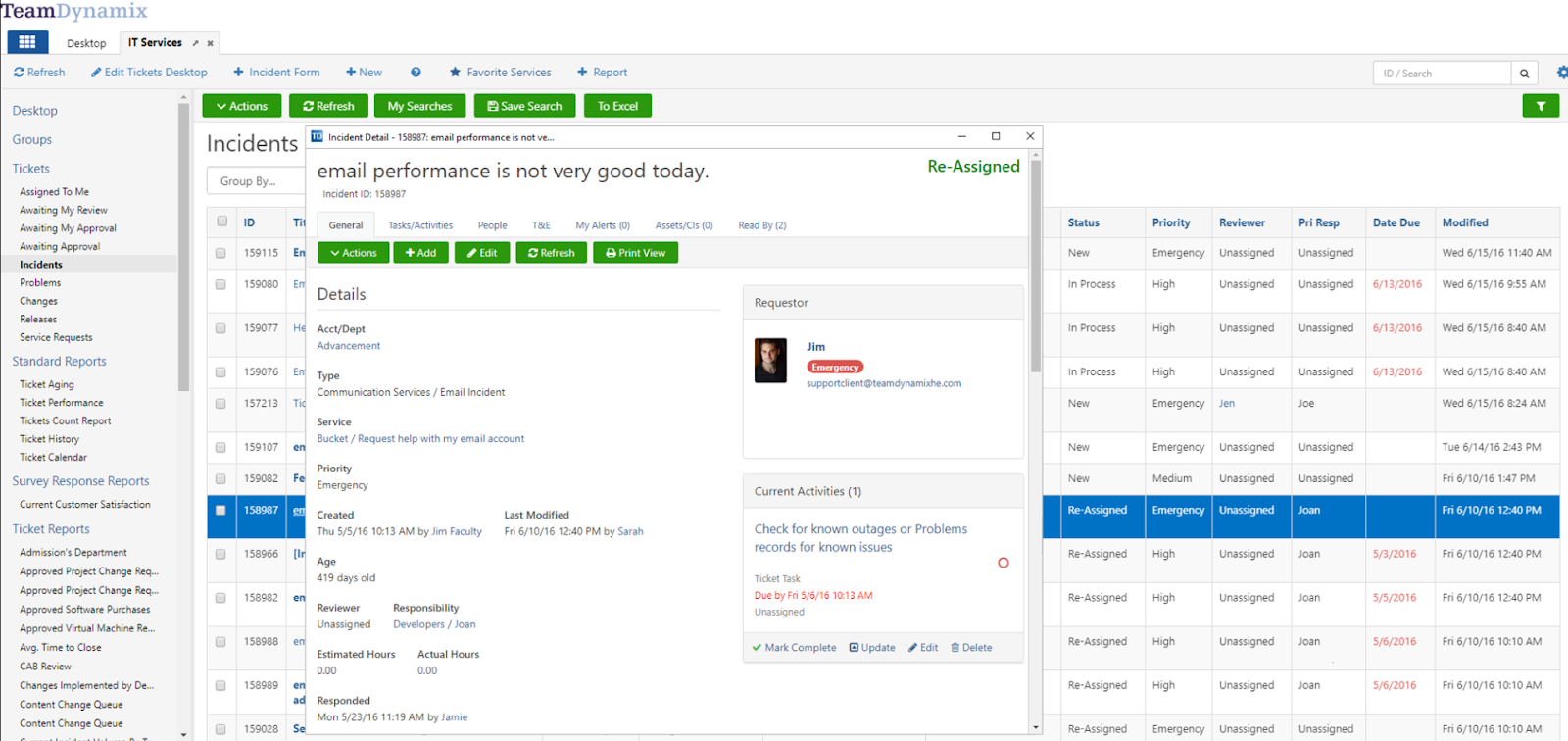
- No-code visual automation builder: Build end-to-end workflows, forms, approvals, and automations without scripting, making it easy for non-technical teams to maintain the system.
- ITIL-aligned change management: Provides integrated CMDB data, automated approval workflows, conflict detection, and end-to-end visibility across incidents, problems, assets, and projects.
- Robust reporting engine: Real-time, role-based dashboards and no-code reporting that unify tickets, projects, SLAs, and change activity into one clear view, making it easy to track performance, spot risks early, and share insights across the organization.
Pricing
Like many ITSM platforms, TeamDynamix doesn’t publish pricing.
You can request a demo to get both a closer look at the platform and a quote.
Pros & Cons
✅ Easy to use for both technicians and admins.
✅ Strong self-service portal, knowledge base, and change management features.
❌ Limited customization in certain areas.
Choosing the right TOPdesk alternative for 2026
If you’ve outgrown TOPdesk, you’re not short on options.
From AI-heavy platforms like SysAid and Ivanti to education-focused tools like TeamDynamix and ecosystem-first products like Jira Service Management, there’s no shortage of ITSM vendors promising more automation, better reporting, and smoother workflows than what you’re getting today.
However, if you’re looking for a platform that will actually help your team move faster, adapt quickly, and prove value without burying you in admin work or unexpected costs, SmartSuite is the way to go.
With it, you get a fully unified, no-code ITSM workspace for incidents, requests, changes, assets, and projects, with modern automation and AI baked in, plus transparent, accessible pricing that scales with you instead of against you.
Ready to see how SmartSuite compares to TOPdesk in your environment?
Spin up a free 14-day SmartSuite trial or book a live demo with the team to see how much faster your service desk could run.
Read more
- ServiceNow vs. Ivanti vs. SmartSuite: Which One Is Better? - A fast, no-nonsense breakdown of three leading ITSM platforms, so you can finally see which one delivers the best balance of power, automation, and value for your team.
- Atera Pricing: Is It Worth It in 2026? - A clear, practical look at Atera’s real costs, hidden fees, and value, helping you decide if the all-in-one IT platform is actually worth the investment this year.
- 10 Best Startly Alternatives For ITSM In 2026 - A curated list of the strongest Startly competitors that offer faster workflows, deeper automation, and better scalability for modern IT teams.
- ServiceNow vs. Jira Service Management vs. SmartSuite: Which One Is Better? - A head-to-head comparison of three powerhouse platforms to help you figure out which ITSM solution truly fits your service, automation, and budget needs.
- 10 Best Jira Service Management Alternatives in 2026 - A complete lineup of the best JSM replacements delivering easier setup, stronger automation, and more affordable ITSM capabilities.
- BMC Helix Pricing: Is It Worth It In 2026? [Reviewed] - A full, transparent breakdown of BMC Helix’s pricing model, so you can understand what you’re really paying for and whether it’s worth the premium.

SmartSuite provides work platform for standardizing workflows in the following areas:
- Governance, Risk & Compliance
- IT & Service Ops
- Project / Portfolio Management
- Business Operations







