



REST API — Build Anything on Your SmartSuite Data
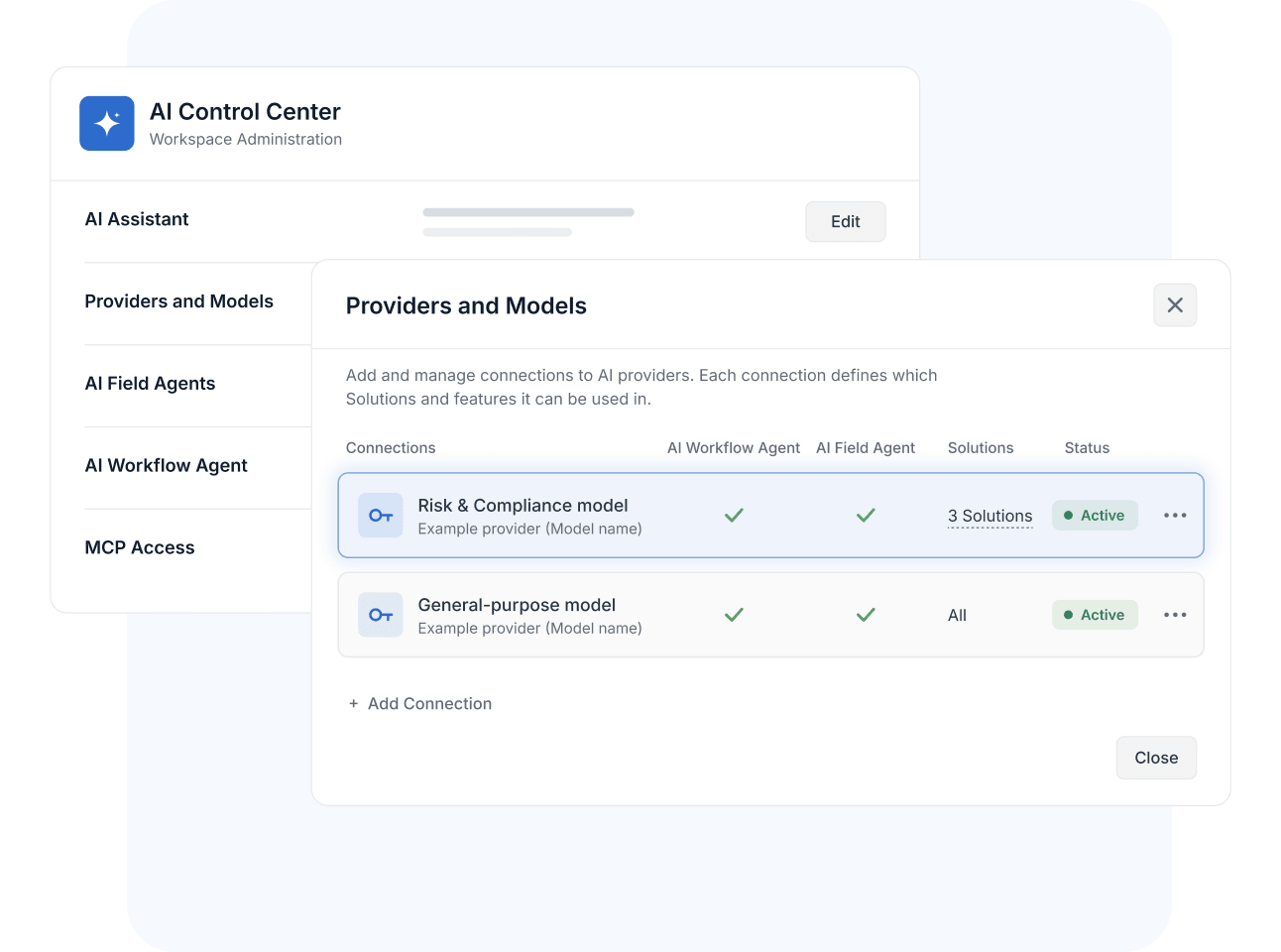
Read and write Solutions, Tables, Records, and Members through standards-based JSON endpoints—connecting internal systems, automating administration, and extending SmartSuite anywhere pre-built connectors don't reach.
What Is the REST API?
The REST API is SmartSuite's public programming interface, documented at developers.smartsuite.com, for reading and writing Workspace data over HTTPS with JSON. It covers Solutions, Tables, Records, and Fields, plus organization management for Members and Teams—helping developers and technical admins build custom integrations, sync internal systems, and automate administration. The REST API is available on all current plans with a monthly API-call allowance; start with the developer documentation.
Object Model
Read and Write Solutions, Tables, Records, and Fields Over HTTPS
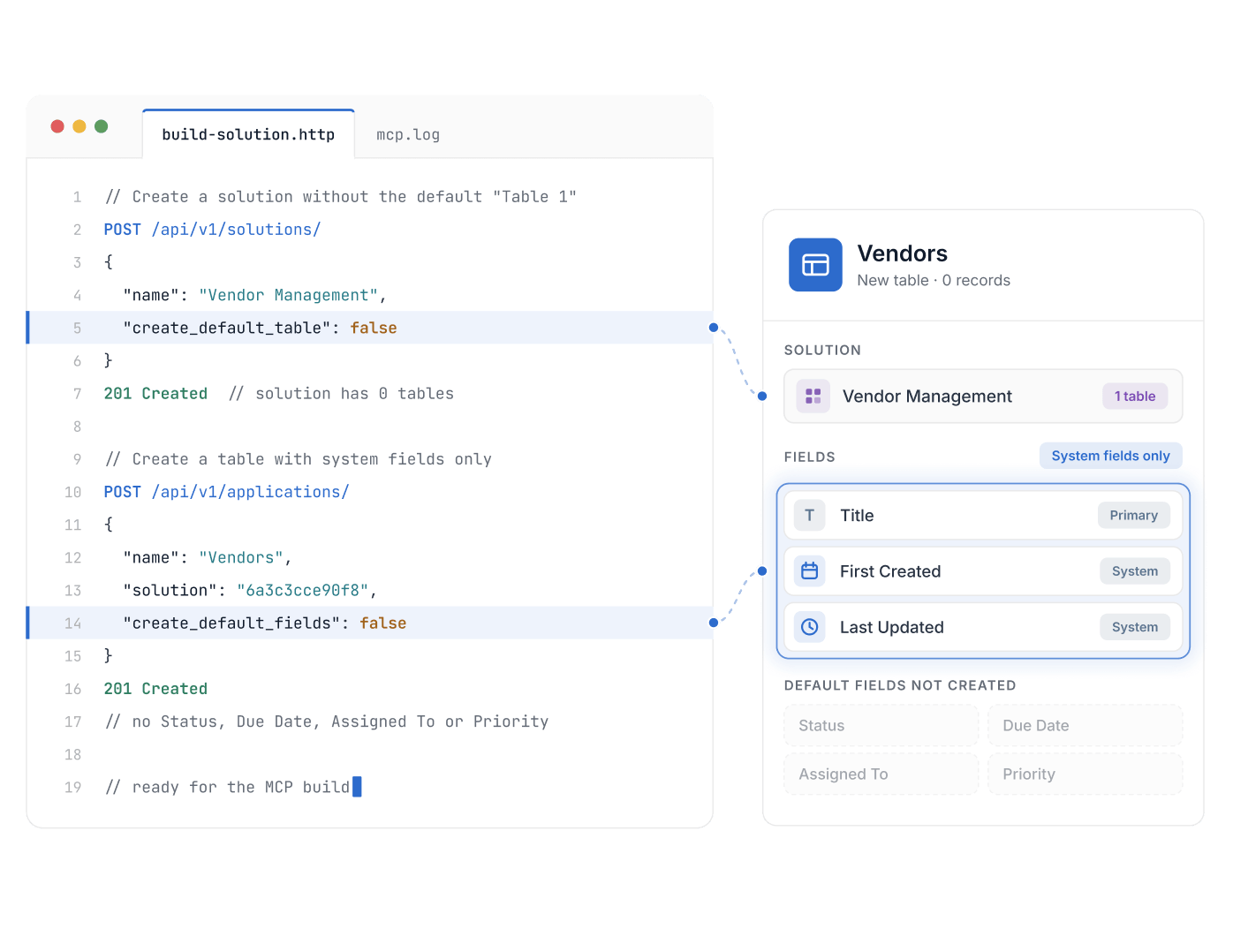
The API mirrors how SmartSuite organizes work: list and retrieve Solutions, create and duplicate Tables, and run full CRUD on Records with sorting and filtering through query parameters. Field operations round out the model, so external code works with the same structure your teams see.
Standard REST semantics, JSON payloads, and conventional HTTP status codes mean any language with an HTTP client can integrate—no proprietary protocol to learn.
Bulk Operations
Automate Record Operations at Scale With Bulk and Restore Endpoints
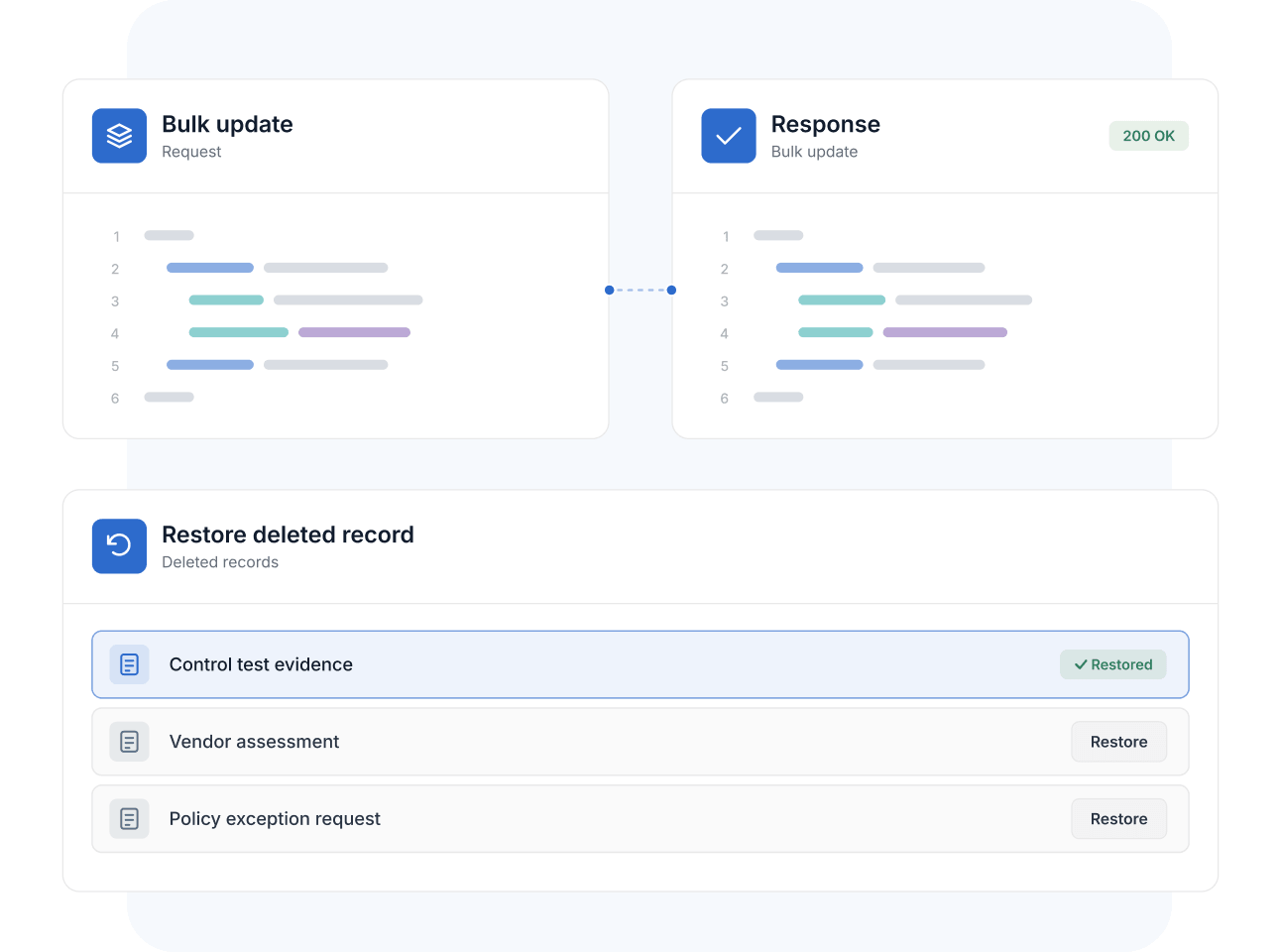
Beyond single-record calls, the API supports bulk create, bulk update, and bulk delete, plus file attachment endpoints for working with documents and evidence programmatically. Deletions are recoverable: List Deleted Records and Restore Deleted Record give integrations the same soft-delete safety net members get in the app.
That makes scheduled syncs, migrations, and cleanup jobs practical without hand-built safeguards.
Authentication
Authenticate With API Tokens or OAuth Access Tokens
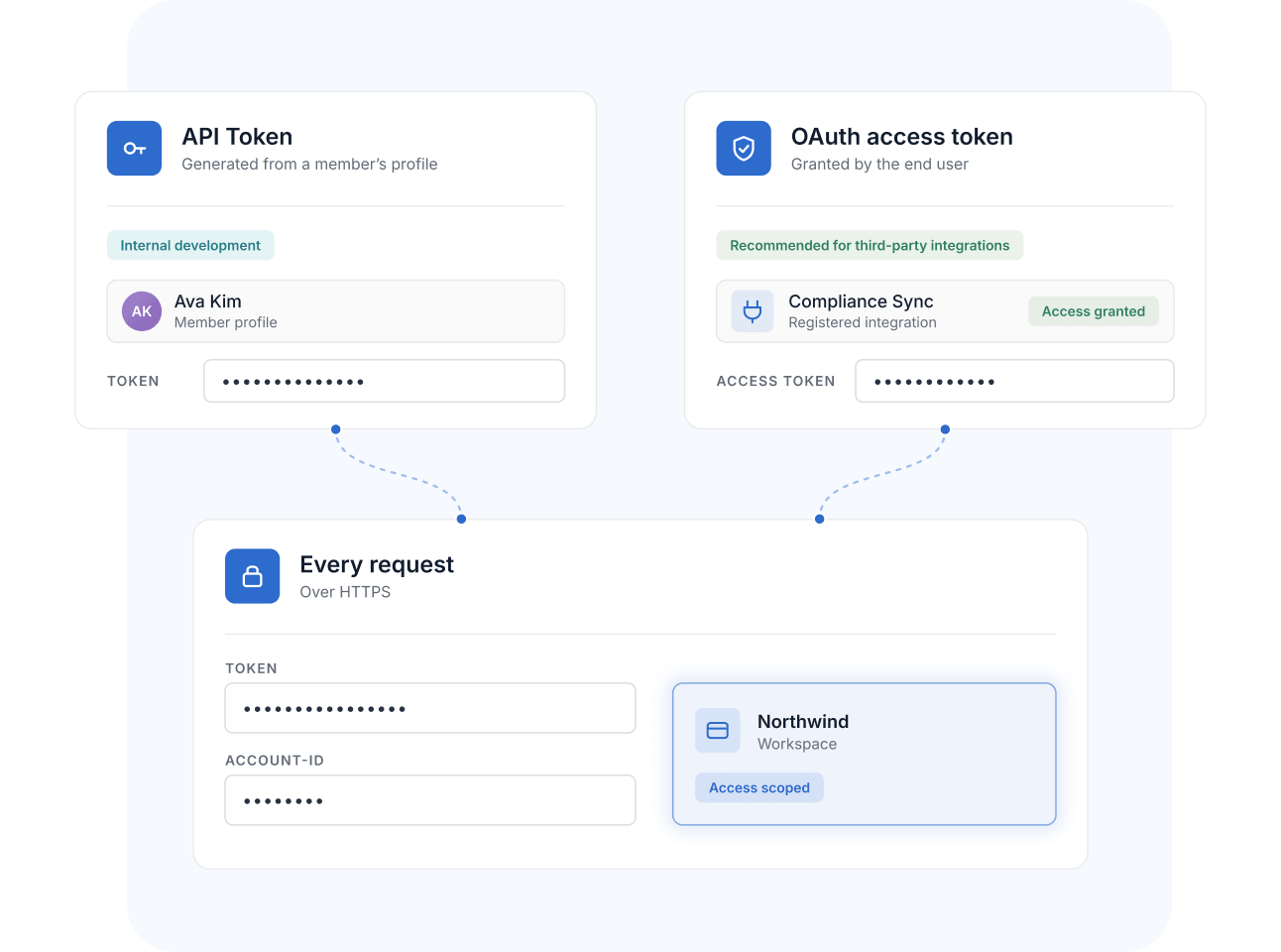
Every request authenticates over HTTPS with one of two token types: personal API Tokens, generated from a member's profile for internal development, or OAuth access tokens—the recommended path for third-party integrations, where end users grant access to a registered integration through an OAuth flow.
Requests carry the token and a Workspace's Account-Id header, so access is always scoped to a specific Workspace and credential.
Org Management
Manage Members, Teams, and Workspace Metadata Programmatically
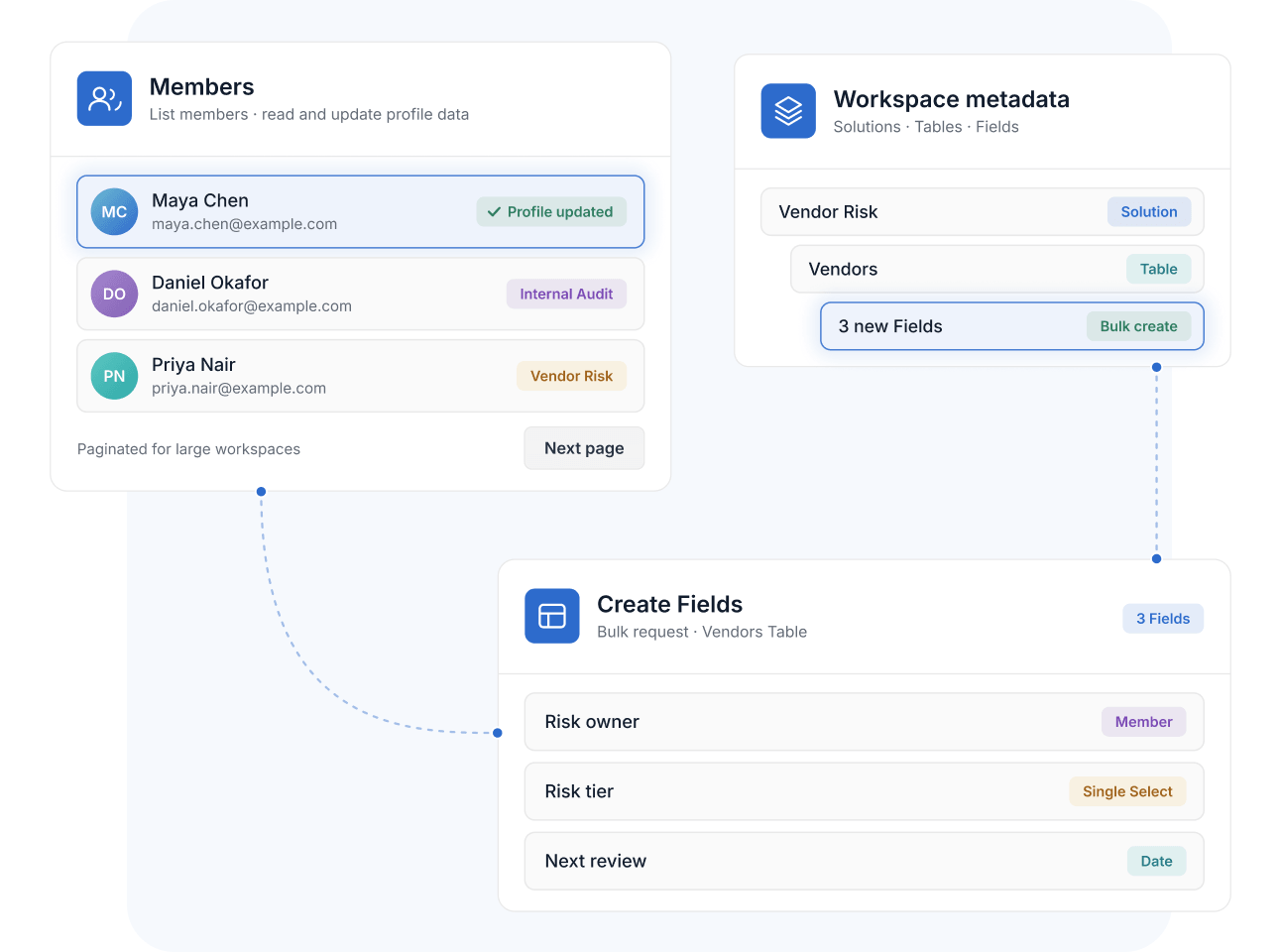
A separate organization-management surface exposes Members and Teams—list members, read rich member profiles, and update profile data—while metadata endpoints create Solutions, Tables, and Fields (individually or in bulk) and work with record comments, with pagination for large workspaces.
IT and workspace admins can script the structural work that would otherwise be hours of clicking: standing up Solutions, standardizing Fields, and keeping member data current.
Predictable Limits
Plan Integrations Around Documented Rate Limits and Allowances
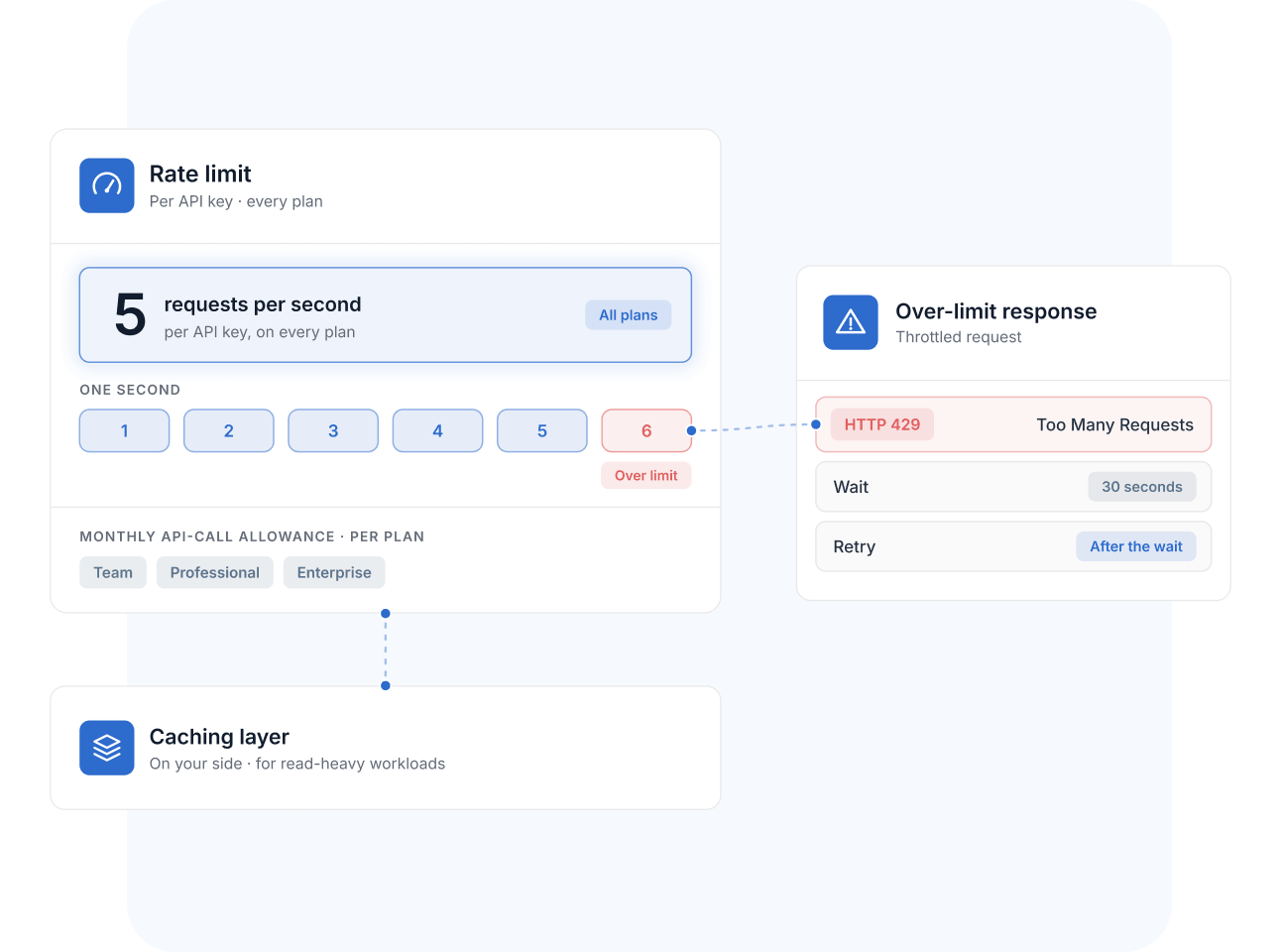
The API's limits are published, not discovered in production: requests are throttled at 5 per second per API key on every plan, over-limit calls return HTTP 429 with a wait-and-retry pattern, and each plan carries a monthly API-call allowance. For read-heavy workloads, SmartSuite's guidance is a caching layer on your side.
Documented, uniform limits make capacity planning straightforward before you ship.
REST API
When governed GRC workflows meet the rest of your architecture—warehouses, portals, legacy systems—the REST API is the channel that keeps control, risk, and evidence data flowing under credentials you control.
Pull control, risk, and evidence records into a data warehouse on a schedule so BI and board reporting draw from the same governed source your compliance team maintains.
Push scanner exports, access reviews, and system-generated reports onto control records with the file attachment endpoints—evidence lands where auditors expect it, without manual uploads.
Keep a vendor Table current by syncing procurement-system output through bulk create and update endpoints, matching on record identifiers so re-runs refresh instead of duplicate. Assessments and reviews always target the live vendor population.
Build an internal portal where employees read and acknowledge policies by reading and writing records over the API—your branding and flow in front, SmartSuite's governed attestation trail behind it.
Pair the REST API with Webhooks: subscribe to register events, then fetch full record detail through the API—near real-time compliance sync without constant polling.
It's SmartSuite's public programming interface for reading and writing Workspace data over HTTPS with JSON. It covers Solutions, Tables, Records, and Fields, plus Members and Teams, and is documented at developers.smartsuite.com with per-endpoint request and response detail.
Two token types are supported: personal API Tokens, generated from your member profile for internal development, and OAuth access tokens, recommended for third-party integrations where end users grant access through an OAuth flow. Every request also carries an Account-Id header identifying the target Workspace.
Per the developer documentation, requests are limited to 5 per second per API key on all plans; exceeding it returns HTTP 429 and requires a 30-second wait. Each plan also carries a monthly API-call allowance—25,000 on Team, 100,000 on Professional, and 500,000 on Enterprise, per the pricing page. For sustained high-read volume, SmartSuite recommends a caching proxy.
Yes. Bulk add, bulk update, and bulk delete endpoints handle up to 25 records per request, and deleted records can be listed and restored programmatically. Sorting and filtering via query parameters keep large reads targeted.
The REST API is available on all current plans—Team, Professional, and Enterprise—per the pricing page, with monthly API-call allowances that scale by tier. Organizations needing more than the Enterprise allowance can talk to sales about the Signature plan.
Yes. Organization-management endpoints list members, expose detailed member profiles, and update profile data, while metadata endpoints create Solutions and Tables and add Fields individually or in bulk—useful for scripting administration across a large Workspace.
API access is tied to an identified credential and Workspace, deletions are soft by default with documented restore endpoints, and API-driven changes land in the same governed Tables as everyday work—so programmatic activity stays inside the oversight model that helps teams stay audit-ready.
Ship Your First Integration in Hours—Not Weeks
Grab an API token, open the developer docs, and start reading and writing your governed data over standards-based endpoints.