



Shared Views — Publish Live Data Beyond Your Workspace
Turn a saved View into a read-only link or embed that always shows current data—giving auditors, vendors, and executives exactly the visibility they need without adding licenses or opening your Workspace.
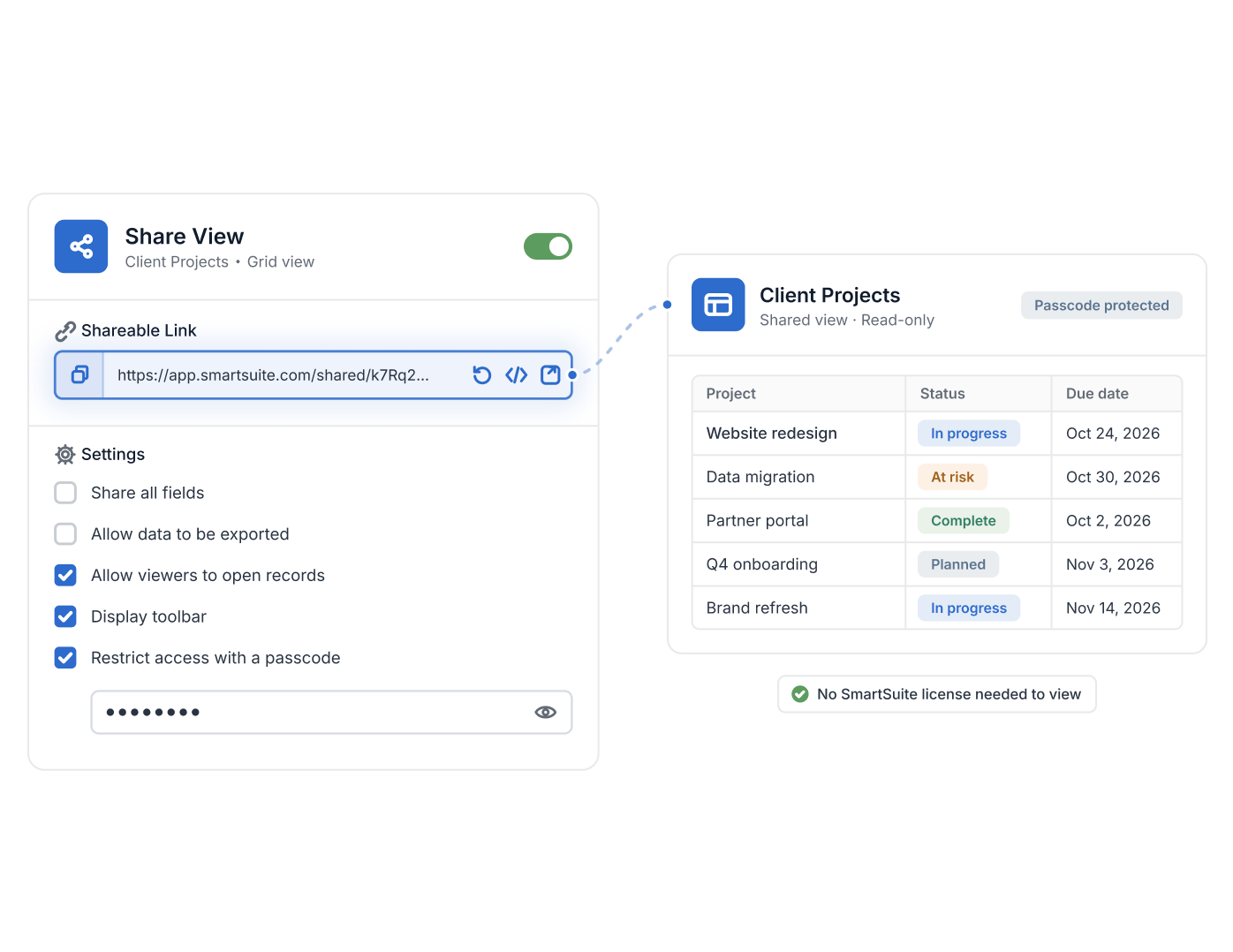
- Shared Views publish a saved view as a read-only link or embed code; Public Read-Only Views are listed on every plan.
- Grid, Card and Gantt views can be shared; Kanban and Calendar sharing is listed as coming soon.
- Options: share all fields, allow data export, allow viewers to open records, show or hide the toolbar; a passcode is available on Professional and Enterprise.
- Links can be regenerated to invalidate earlier ones, and the embed code accepts ?header=false to hide the header.
- Linked records appear in a shared view only when their field permissions allow, and clicking through to linked records is not supported in public views.
What Are Shared Views?
Shared Views is a SmartSuite capability that publishes a saved View as a read-only shareable link or embed code, so people outside your Workspace see live data without a SmartSuite license. It helps GRC, IT, project, and business operations teams give auditors, vendors, executives, and the wider organization controlled visibility—filtered to exactly the Records and Fields you choose. Shared Views are available on all SmartSuite plans as part of Views.
Share Links
Share a Saved View with a Secure, Read-Only Link
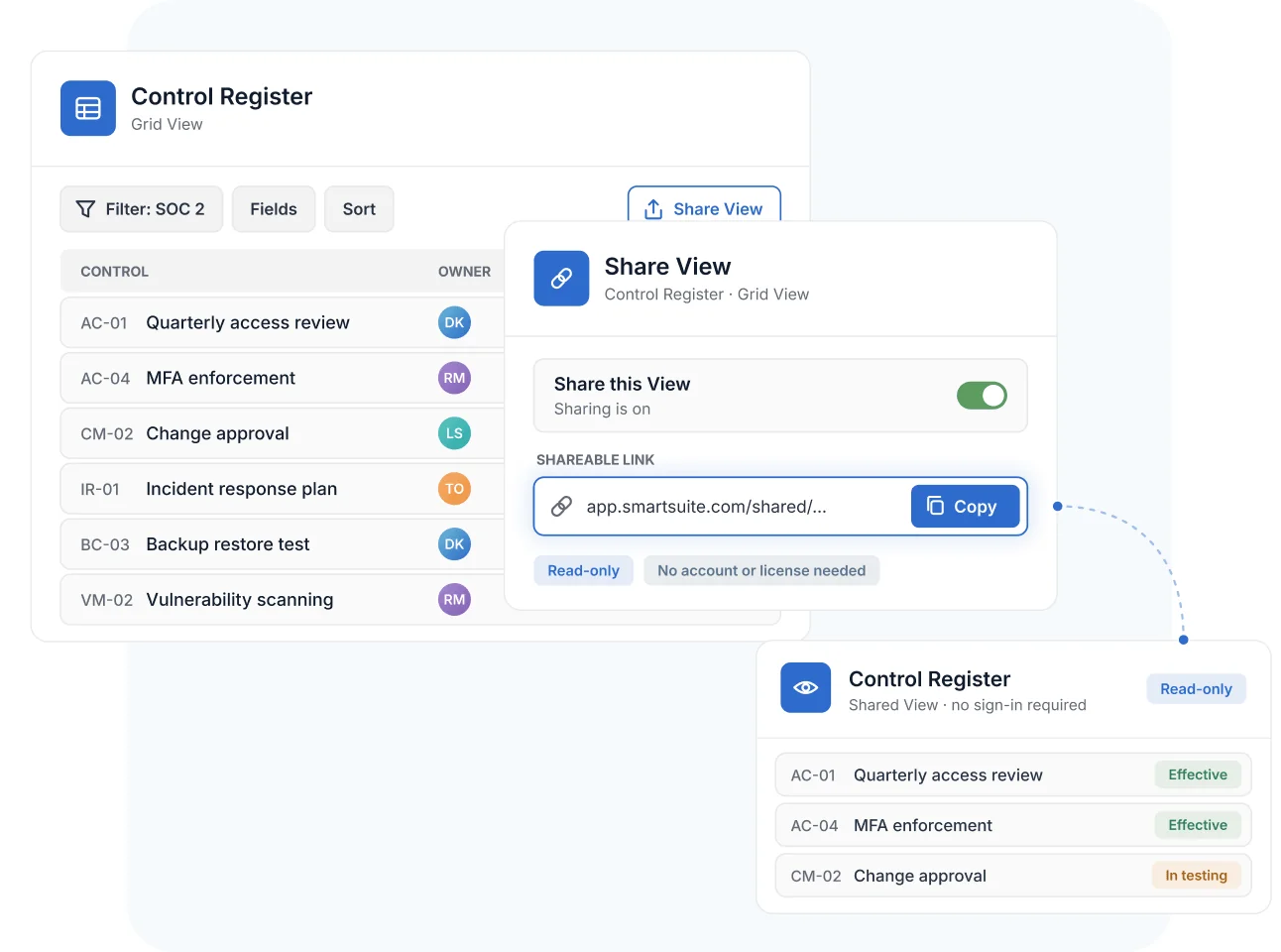
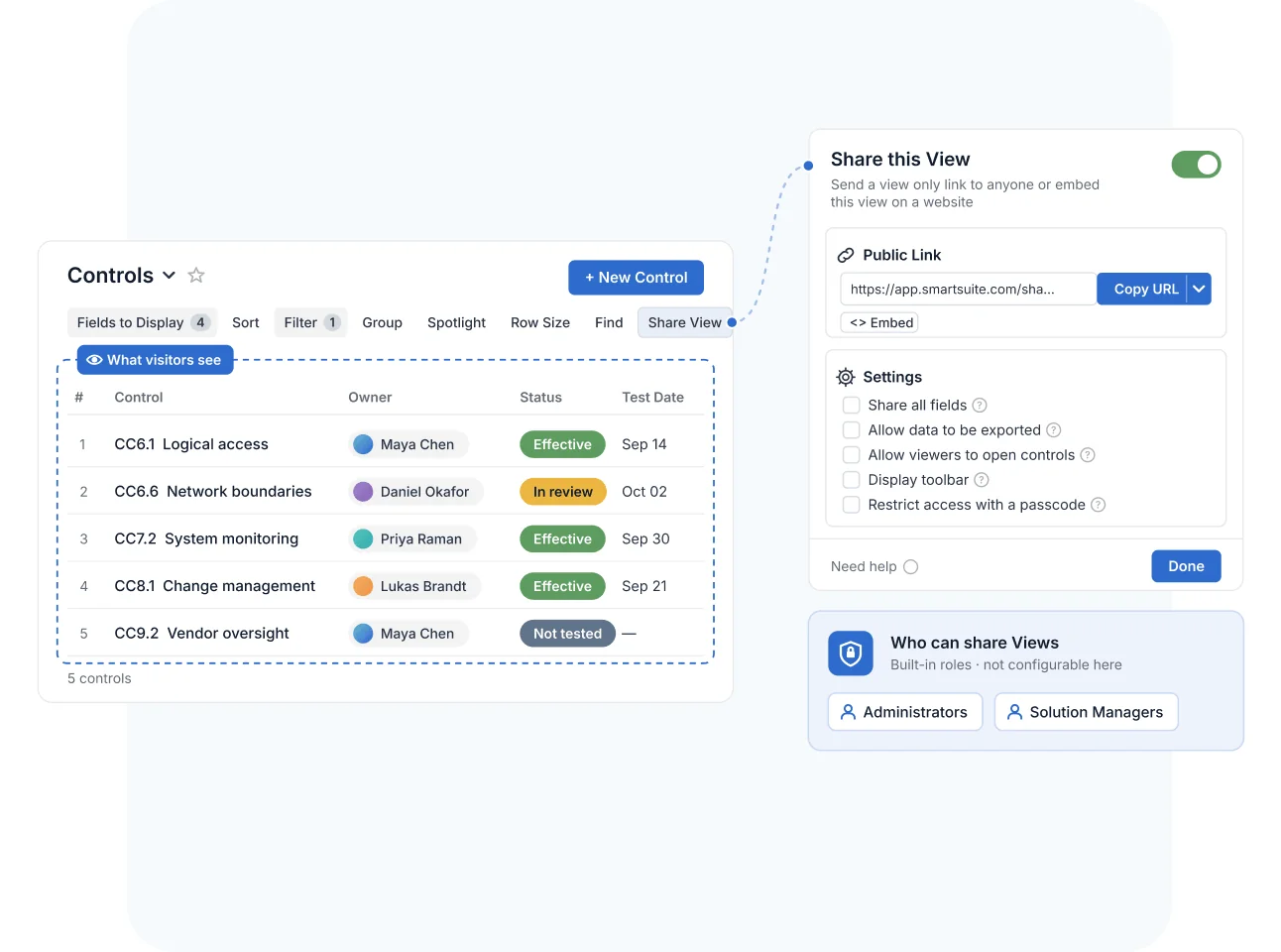
Open Share View in the View toolbar, shape the data with filters and Field selections, and toggle sharing on—SmartSuite generates a unique URL that shows the View in a read-only state. Recipients don't need an account or a license, and the link renders responsively on desktops, tablets, and phones.
Because the link points at the live View, a shared control register or project report stays current without anyone re-exporting a spreadsheet.
Embeds
Embed Live Views in Portals, Wikis, and Websites
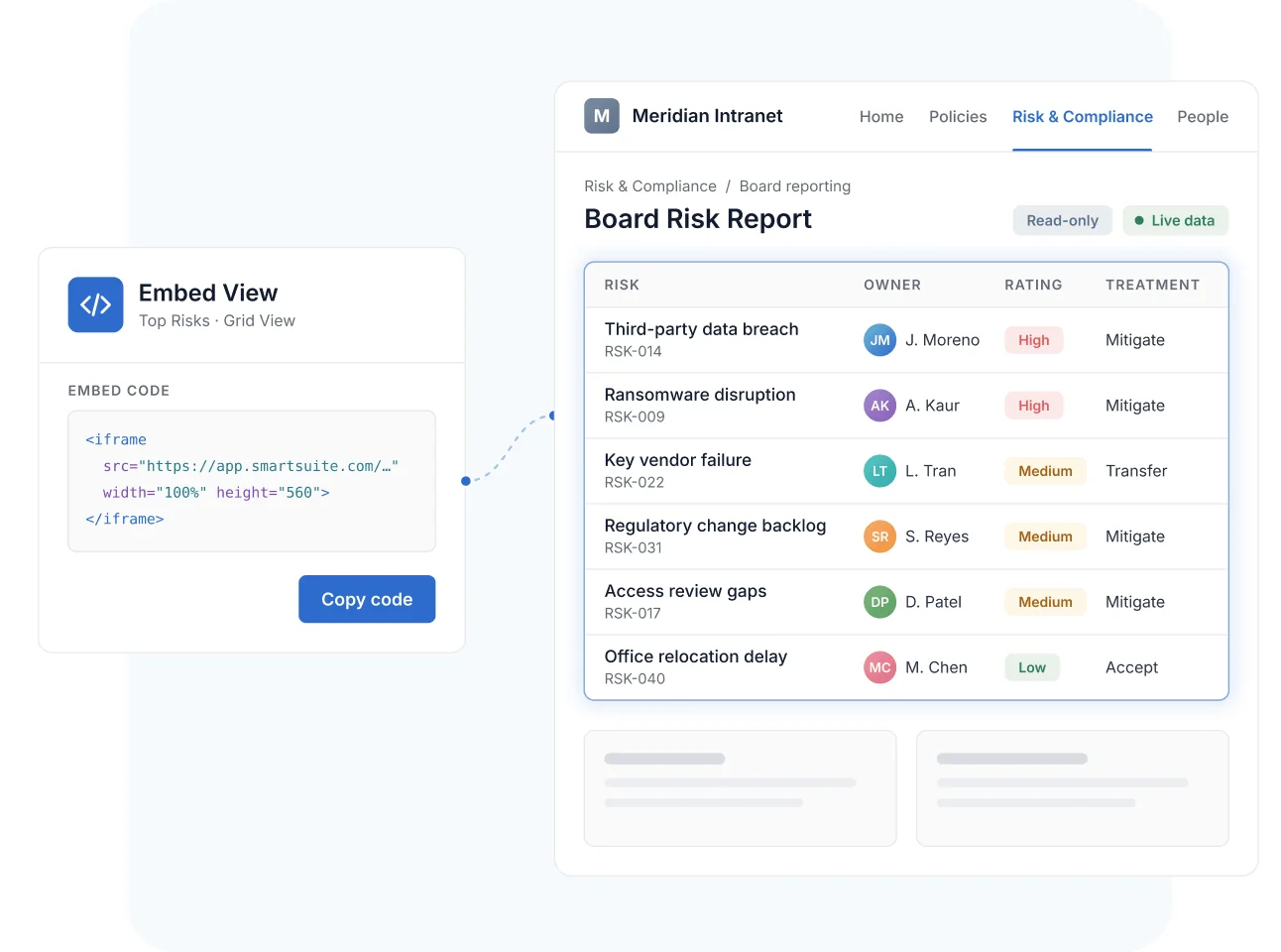
Every Shared View can also be published as an embed code, so live SmartSuite data appears inside an intranet page, a customer portal, or a public website. An optional header parameter strips the page chrome for a clean, frame-ready presentation.
Grid, Card, and Gantt Views support sharing today, so status boards, registers, and plan timelines can all live where your audience already looks.
Access Controls
Control What Shared View Visitors Can See and Do
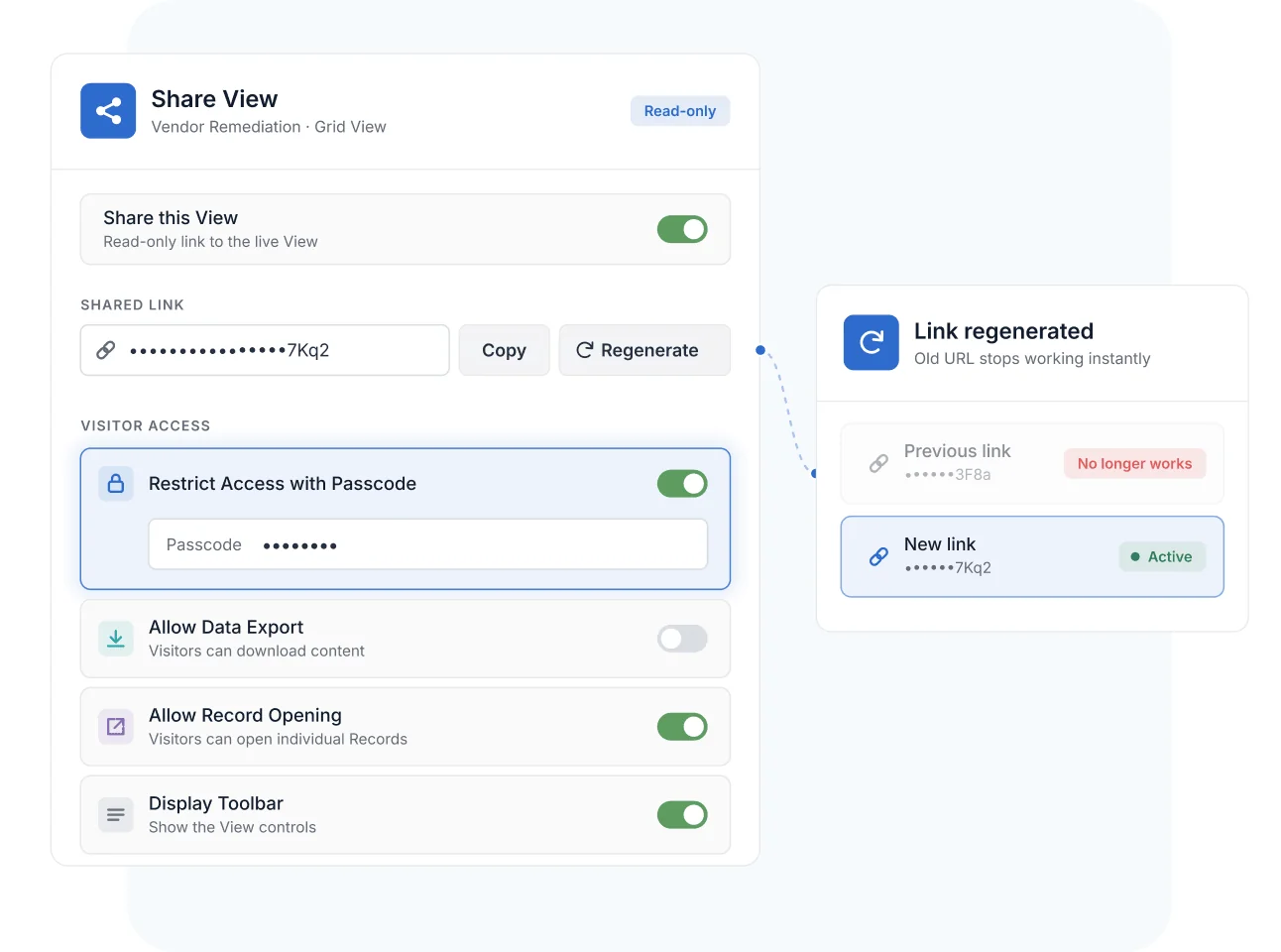
Each Shared View carries its own controls: Restrict Access with Passcode adds password protection, Allow Data Export decides whether visitors can download content, Allow Record Opening governs whether they can open individual Records, and Display Toolbar shows or hides the View controls.
Need to cut off a link that has traveled too far? Regenerate it—the old URL stops working instantly and a new one takes its place—or toggle sharing off entirely.
Governed Sharing
Keep Every Shared View Under Administrative Oversight
Administrators and Solution Managers manage Shared Views, so external visibility is a deliberate decision rather than an accident. What you share is exactly what you configured—the filters and Field selections applied to the View define the boundary of what a visitor can ever see.
Guests, shared form submissions, and Shared Views never incur charges, so extending visibility costs nothing beyond the decision to grant it.
Shared Views
Governed programs constantly answer to people outside the Workspace—auditors, regulators, vendors, and boards. Shared Views give them live, read-only visibility scoped to exactly what they should see.
Share a read-only View of the control register and evidence status with external auditors—filtered to the frameworks in scope. Auditors see live testing progress without licenses, edit rights, or email attachments.
Give a third party a passcode-protected View of the remediation items assigned to them. The vendor tracks findings and due dates in real time while the rest of your risk register stays private.
Embed a read-only top-risks View in the board portal. Directors see current scores and treatment status at every meeting—no exported deck that goes stale the day it's sent.
Publish the approved policy catalog to the whole organization through an embedded View on the intranet. Employees always read the current version, and the policy team updates one source.
Pair Shared Views with the Report Toolbar to filter, sort, and select Fields before you share—so an audit-scoped View exposes only in-scope controls, owners, and test results.
A Shared View is a saved View published as a read-only shareable link or embed code. Visitors see the live data the View is configured to show—filtered to the Records and Fields you selected—without needing a SmartSuite account or license.
No. Shared View recipients get read-only access through the link with no account required, and shared views do not incur charges on any plan.
Yes. The Restrict Access with Passcode setting adds password protection to a shared link. Password-restricted sharing is available on Professional and Enterprise plans.
Shared Views are always read-only, and you decide the rest: Allow Data Export controls downloading, Allow Record Opening controls whether visitors can open individual Records, and Display Toolbar shows or hides the View controls.
Regenerate the link—the old URL is invalidated immediately and a new one is created—or toggle sharing off to disable access entirely. Administrators and Solution Managers manage Shared Views.
Grid, Card, and Gantt Views support sharing today, as links or embeds. Dashboards have their own public sharing capability for multi-widget reporting pages.
Auditors and assessors get live, read-only access to registers and evidence Views scoped by your filters and Field selections—so evidence review happens against the system of record, not against exported snapshots that drift out of date.
Share Live Data in Minutes, Not Reporting Cycles
Publish your first read-only View—scoped, protected, and always current—and retire the export-and-email routine.