



Mobile App — The Execution Layer on the Go
Native iOS and Android apps bring your Solutions with you—view and update Records, capture photos straight into Fields, check Dashboards, and log time from wherever the work actually happens.
What Is the Mobile App?
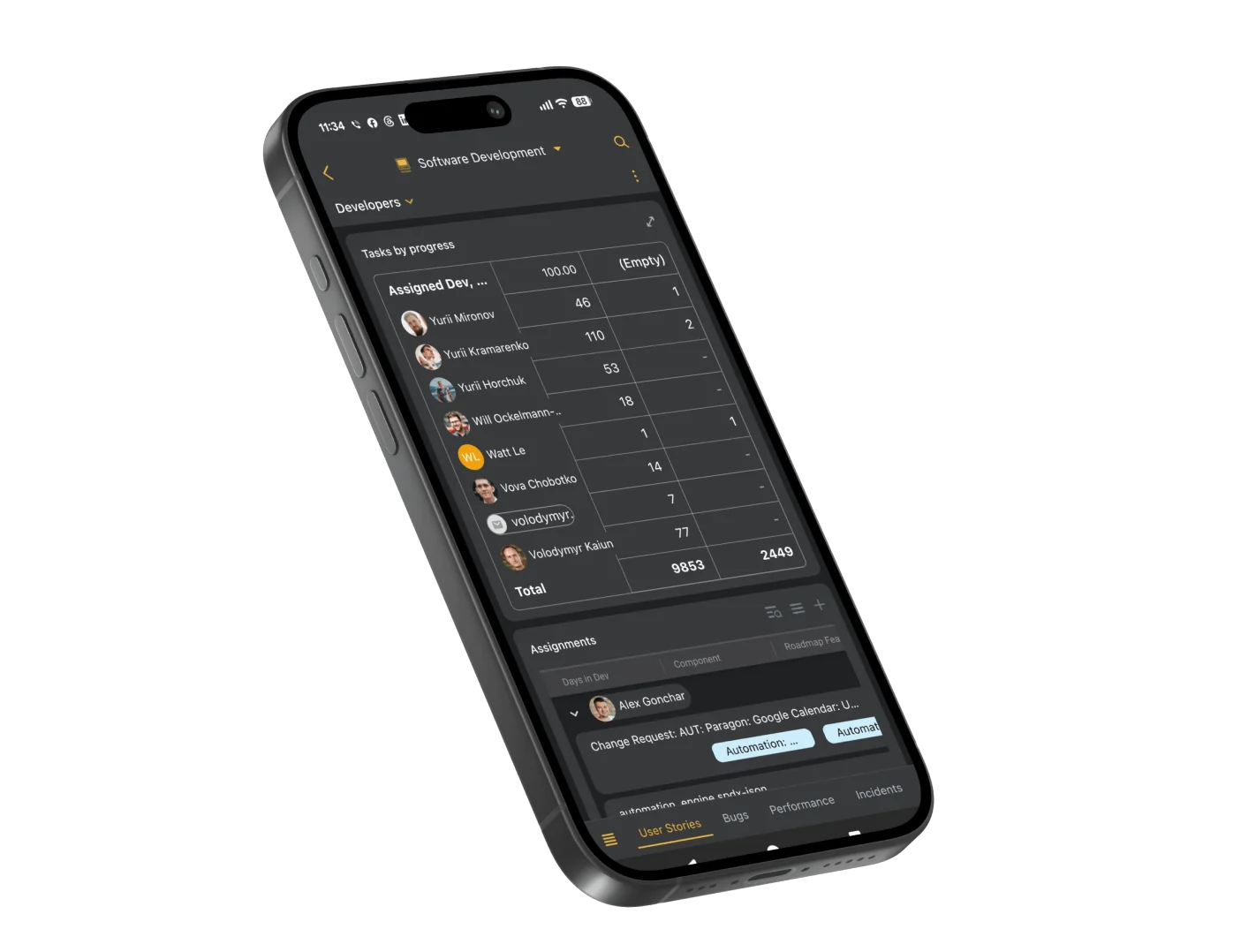
The SmartSuite Mobile App is a native application for iOS and Android that gives Members access to their Workspaces, Solutions, and Records from a phone or tablet. It helps field technicians, on-call engineers, and traveling teams view and update work, capture photos and files into Records, and monitor Dashboards on the go—with Field Permissions and access rules carried over from the platform.
iOS & Android
View and Update Records from Any Phone or Tablet
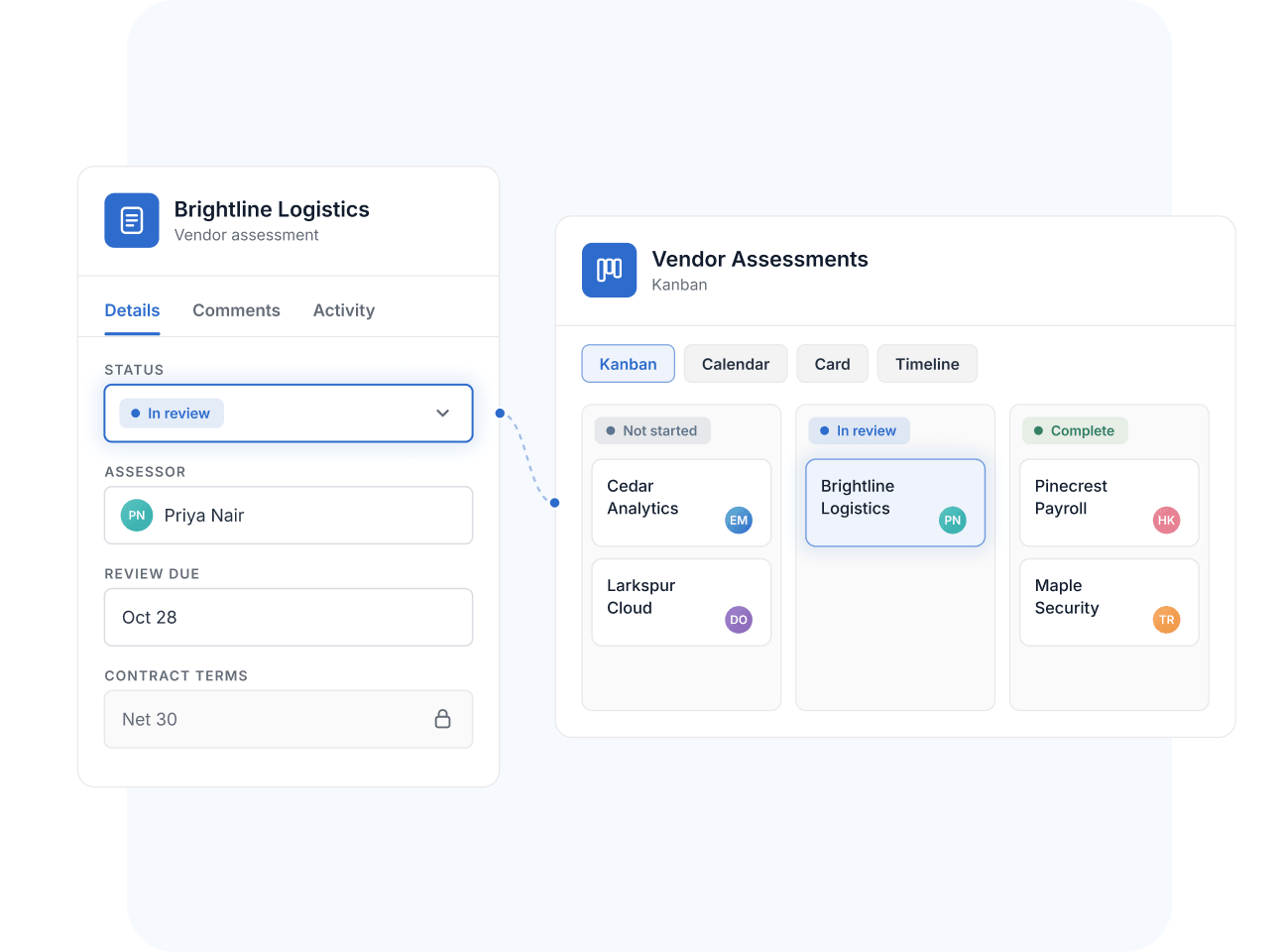
Open your Workspaces and Solutions, browse Records, and make updates from native apps on the App Store and Google Play. Kanban, Calendar, Card, Timeline, and Map views render on mobile, Record tabs carry over, and Field Permissions apply exactly as they do on the web—governance doesn't loosen because the screen got smaller.
Field Capture
Capture Photos and Files Straight Into Records
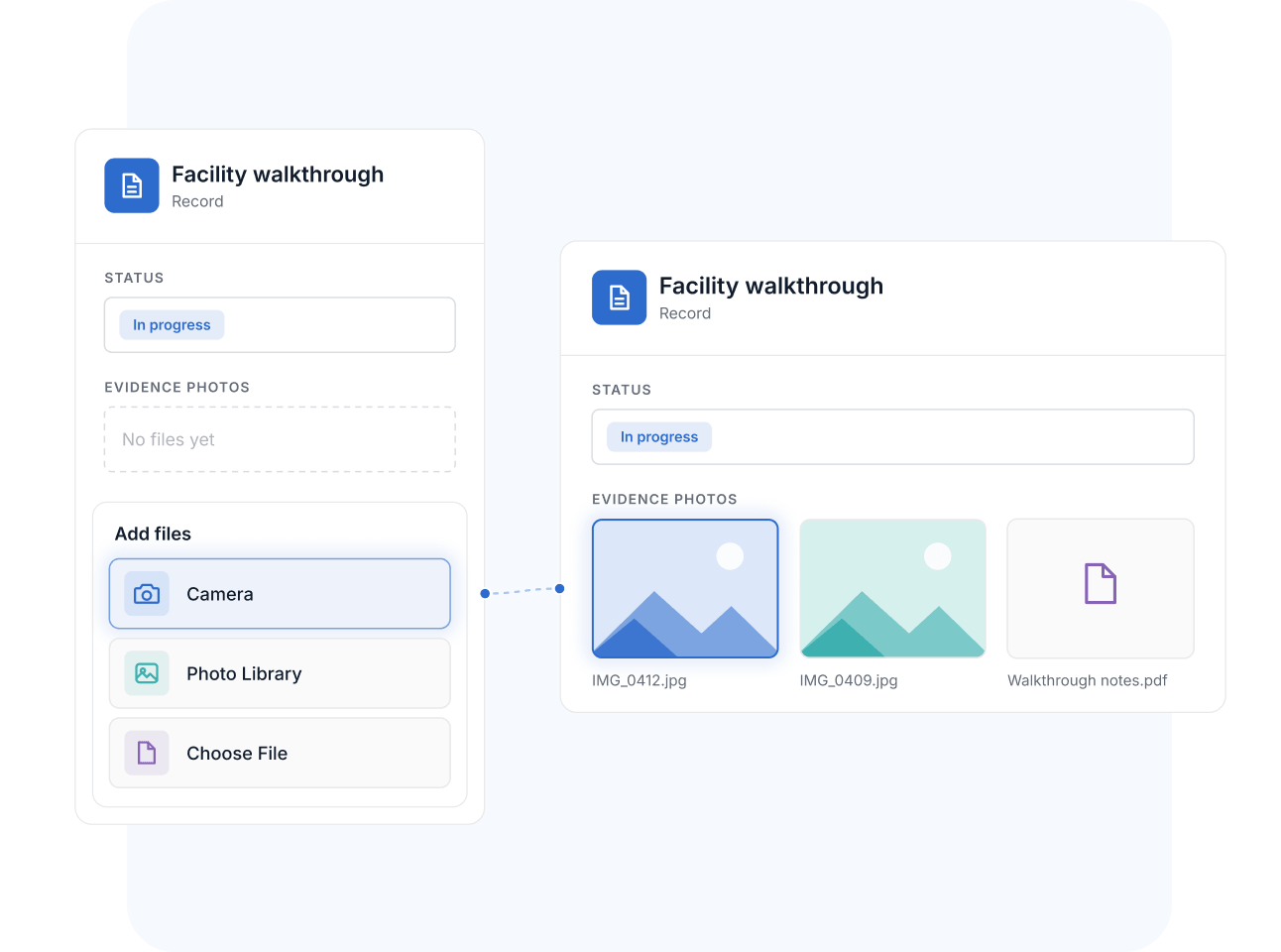
Uploading to a Files and Images Field from mobile offers three paths: capture a new photo with the camera, pick from the photo library, or choose a file. A technician photographs an asset, an assessor documents a finding, and the evidence lands on the right Record immediately—no email-it-to-yourself detour.
Mobile Dashboards
Check Dashboards and Documents on the Go
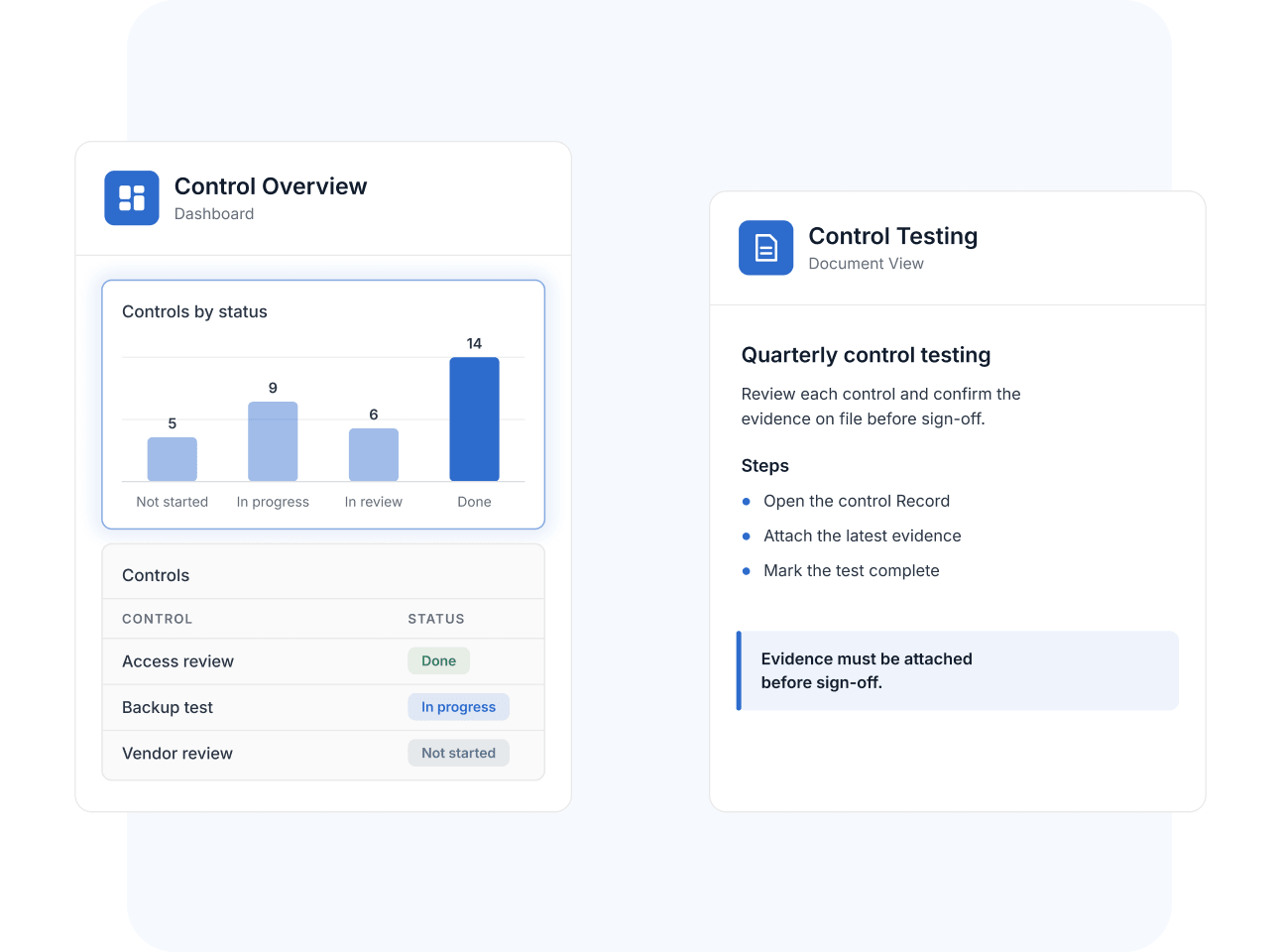
Mobile Dashboards render chart and grid widgets on your phone, so status checks don't wait for a laptop—and SmartSuite's help center documents which widgets are supported so teams can build mobile-friendly Dashboards deliberately. Document View works on mobile too, letting you read and work with rich-text documents wherever you are.
Offline Logging
Log Time Offline and Sync When You Reconnect
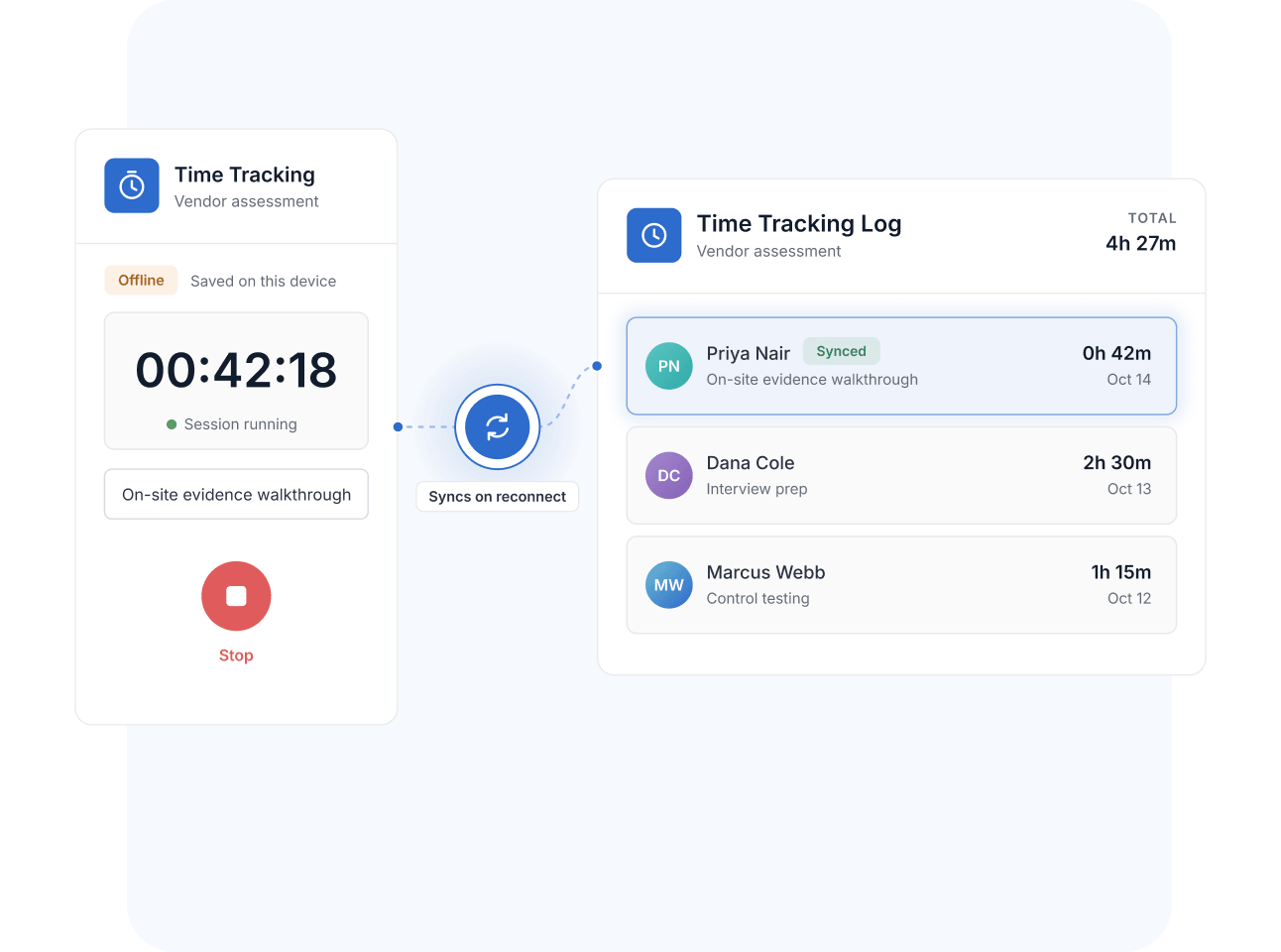
The Time Tracking timer runs in the mobile app, including offline—sessions log locally while you're between networks and sync automatically once the device reconnects. Hours captured on a client site, in a data center, or in transit arrive on the Record intact.
Mobile App
Governed work doesn't stay at a desk—audits happen on site, vendor assessments happen at the vendor, and continuity checks happen at the facility. The Mobile App keeps governed Records in reach wherever execution happens.
During a facility walkthrough, an assessor captures photos of physical controls directly into the evidence Record, with each upload attributed and timestamped on the right control.
A compliance manager traveling between offices reviews open control-test Records and Dashboards from a tablet, keeping the testing calendar moving between meetings.
A third-party risk assessor works through a vendor assessment on a tablet during an on-site visit—updating statuses, noting observations, and attaching photos to the vendor Record before leaving the building.
A resilience coordinator verifies alternate-site readiness on a walkthrough, photographing equipment and updating readiness Records from a phone—so the continuity plan reflects the facility as it stands today.
Pair the Mobile App with Forms—employees report issues and control exceptions from mobile devices, and each submission creates a Record in the governed intake Table instead of a paper note.
The SmartSuite Mobile App is a native application for iOS and Android—available on the App Store and Google Play—that lets Members access Workspaces, Solutions, and Records from a phone or tablet, including viewing and updating work on the go.
The app supports mobile-rendered views including Kanban, Calendar, Card, and Timeline, along with Record tabs. Mobile Dashboards support chart and grid widgets, and Document View lets you work with rich-text documents on the go.
Yes. When uploading to a Files and Images Field on mobile you can capture a new photo with the camera, choose from your photo library, or pick a file—so field evidence and asset photos land on the right Record immediately.
Time tracking works offline: the timer logs sessions locally and syncs them once your device reconnects. Other capabilities are designed for connected use.
Yes. Field Permissions and your workspace access rules carry over to mobile, so Members see and edit exactly what their roles allow—the same governance as on the web.
Yes. SmartSuite documents which Dashboard widgets are supported on mobile—including chart and grid widgets—and how to build effective mobile-friendly Dashboards, so key metrics stay readable on a phone.
Take Governed Work Wherever the Work Is
Install SmartSuite on iOS or Android and keep Records, Dashboards, and time tracking in reach—on site, on call, or on the move.