



Conditional Display Logic — Show the Right Fields at the Right Time
Show or hide fields, sections, and tabs dynamically based on record values—so every record page and form presents only what the current stage of the process requires.
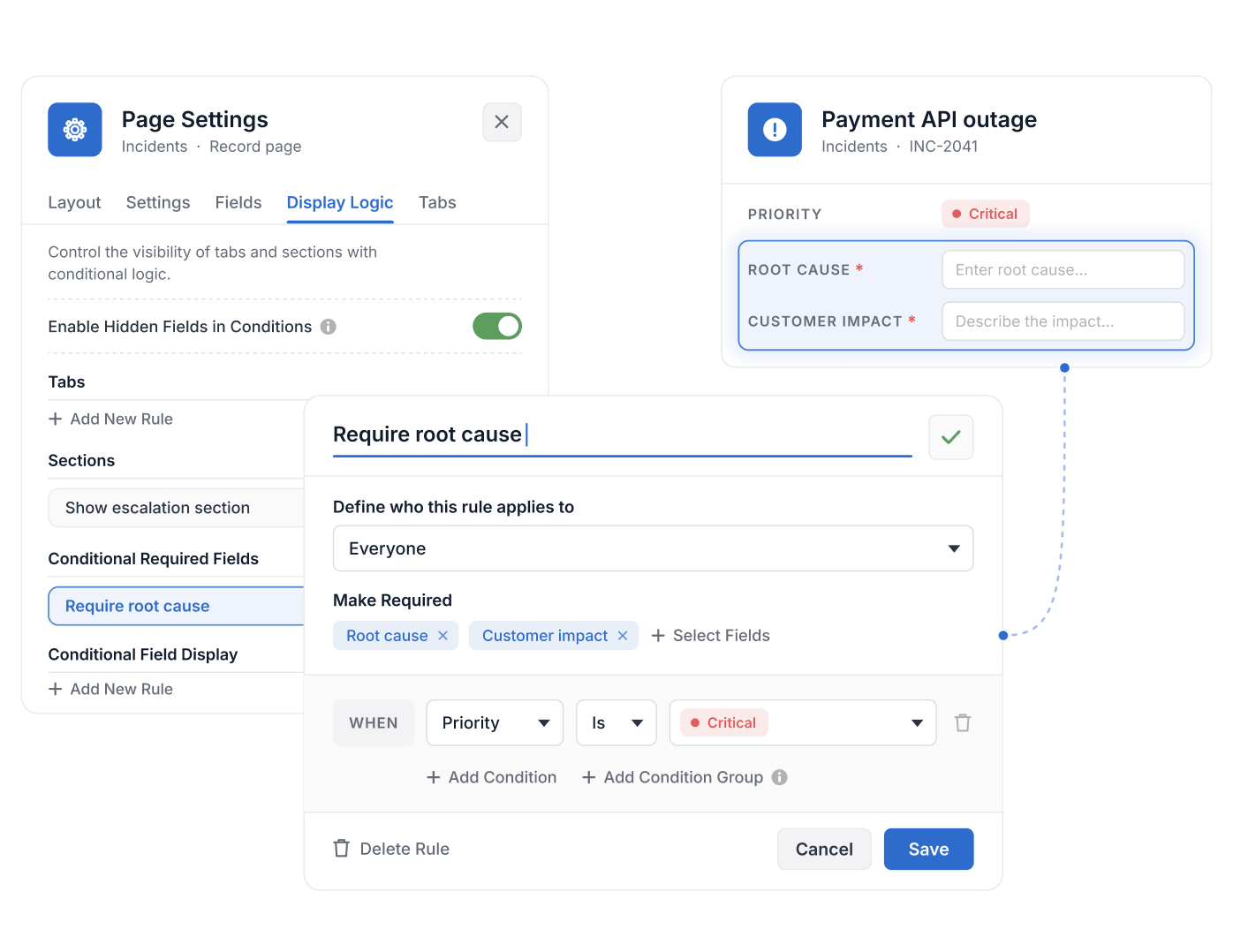
- Conditional display of record Fields is available on the Enterprise and Signature plans; conditional Sections are available on all plans.
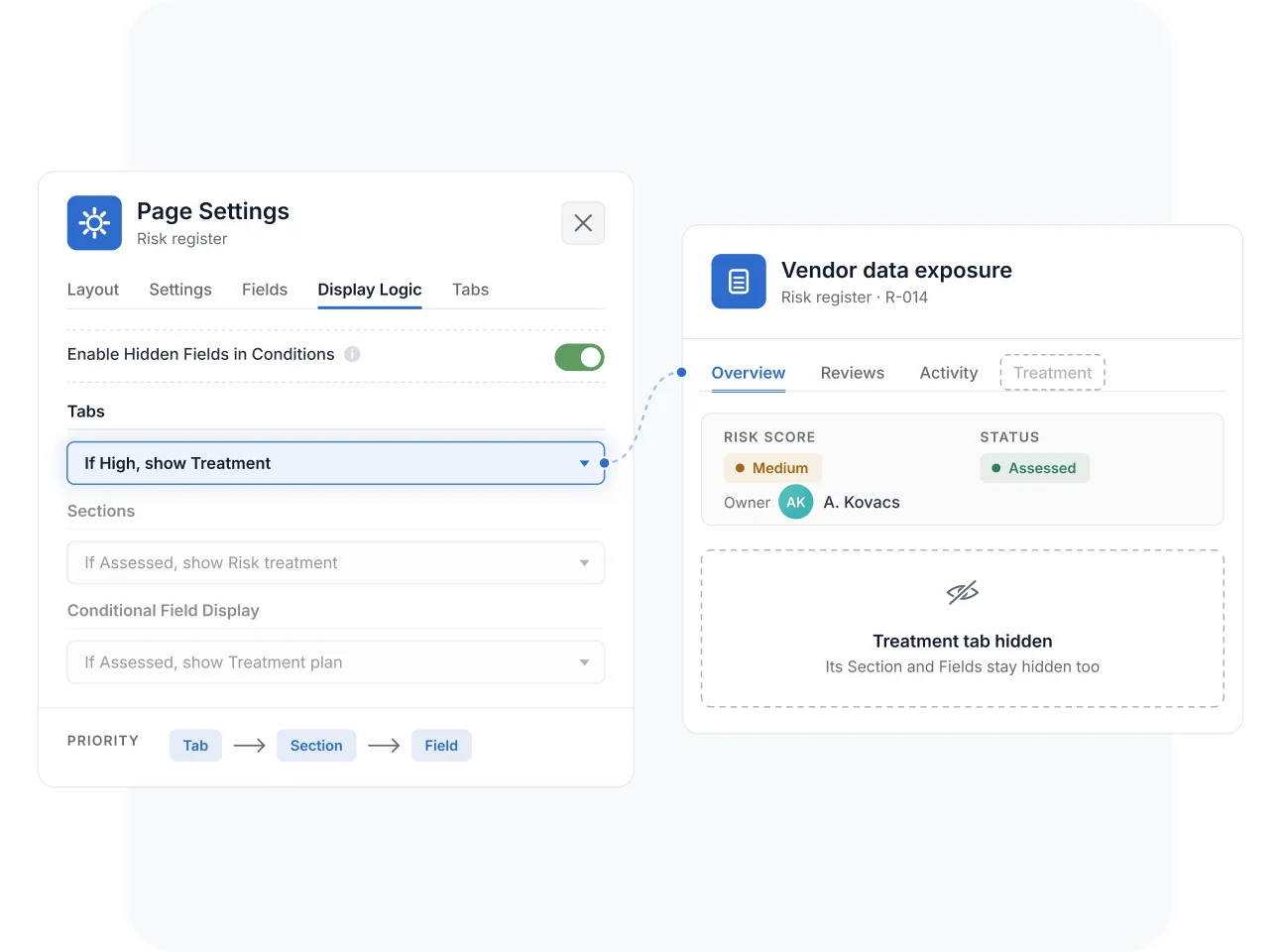
- Display logic follows a hierarchy: Tabs first, then Sections, then Fields; a hidden Tab hides all its Sections and Fields.
- Each Field has one display rule, built from conditions combined with AND or OR filter groups.
- Conditional Required Fields, on Enterprise and Signature, make a field required only when a rule matches; a hidden field is never required.
- Forms have their own conditional fields and sections, available on every plan.
What Is Conditional Display Logic?
Conditional Display Logic is a SmartSuite capability that shows or hides Fields, Sections, and Tabs on record pages—and fields and sections on Forms—based on record values. It helps Solution Managers build adaptive interfaces that surface remediation blocks, approval sections, or stage-specific tabs only when conditions are met—reducing clutter and guiding users through the process. Conditional display of record Fields is available on Enterprise and Signature plans; conditional logic on Forms comes with Form View.
Display Rules
Set Display Logic Rules for Fields, Sections, and Tabs
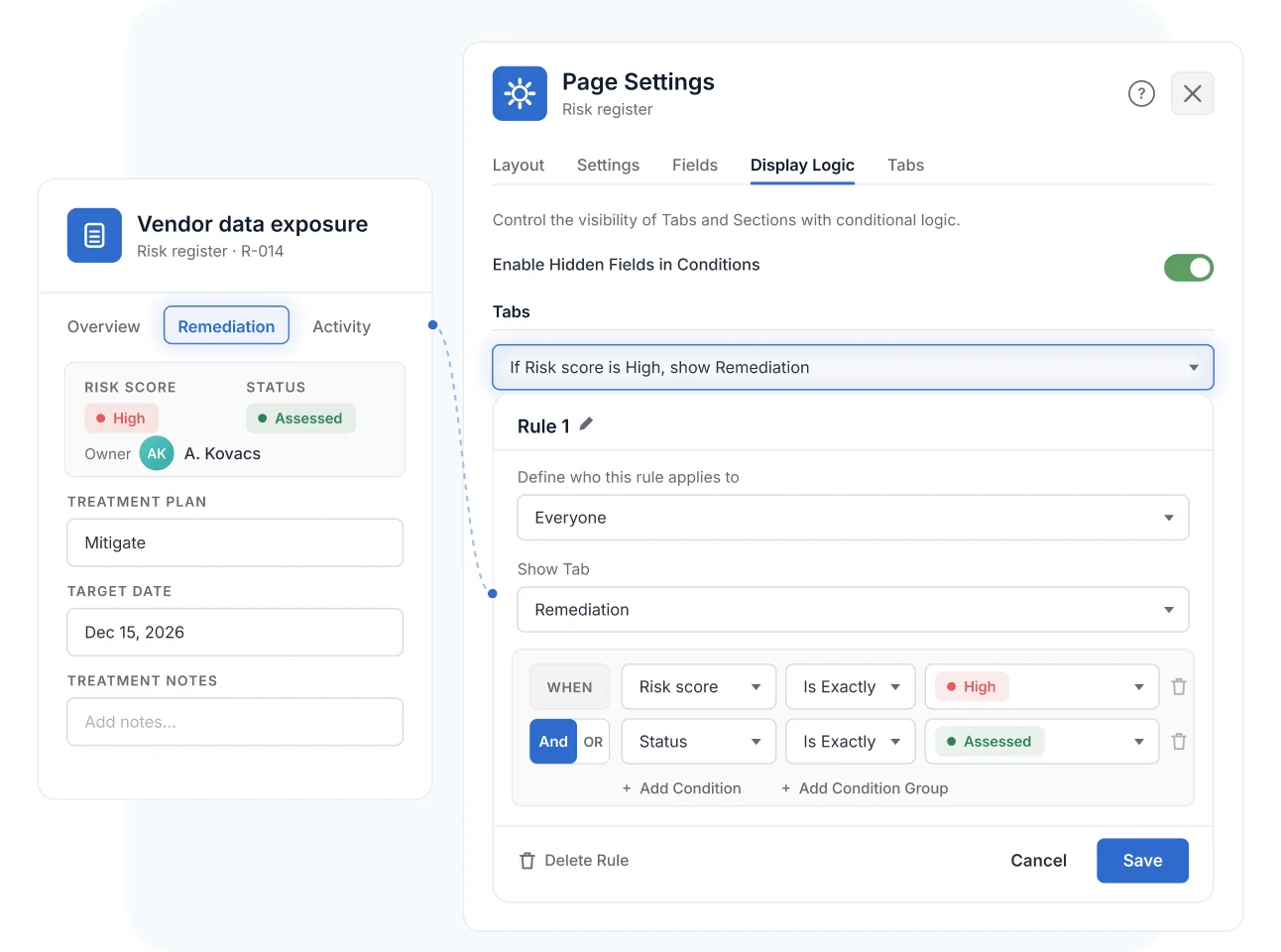
In the record page's Display Logic settings, add a rule, choose the Field, Section, or Tab it governs, and define the conditions under which it appears—combining multiple conditions into filter groups with AND/OR logic. Changes take effect immediately on save.
A risk treatment section can appear only when the score is high; a contract tab only after a deal reaches negotiation.
Visibility Hierarchy
Govern Visibility with a Predictable Hierarchy
Rules resolve in a clear order: Tabs take priority over Sections, and Sections over Fields—if a parent Tab or Section is hidden, its children stay hidden regardless of their own rules. Each Field carries one conditional rule, keeping behavior easy to reason about and review.
Only Solution Managers configure display rules, and the same logic applies automatically in the SmartSuite mobile app.
Forms
Extend Conditional Logic to Forms and Intake
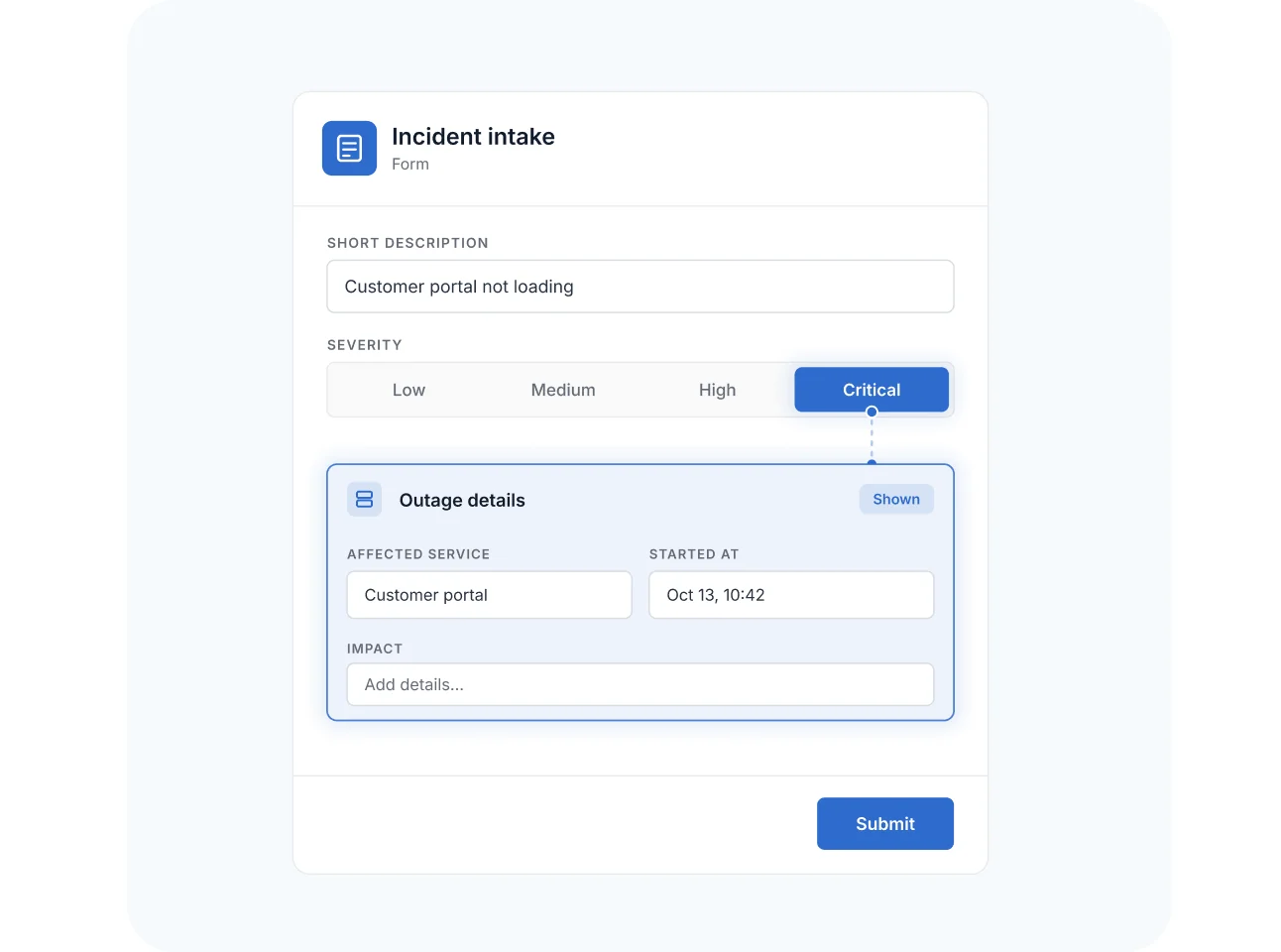
The same principle drives SmartSuite Forms: conditional fields and sections appear based on prior answers, so respondents see a short, relevant form while you capture complete data. An outage block appears only for critical severity; a rush-fee section only when the deadline demands it.
Conditional Display Logic
GRC processes have stages—assessment, treatment, review, sign-off—and each stage needs a different slice of the record. Conditional Display Logic keeps pages and forms focused on the current stage, without splitting governed workflows into parallel tables.
A treatment-plan section and remediation tab appear only when a risk's score crosses the threshold—analysts see a clean register entry, and high risks demand the full workup.
Fieldwork tabs stay hidden until planning is approved, and the reporting section appears only when testing is complete—the record page itself walks the auditor through the engagement.
Deep-dive security and privacy sections appear only when a vendor is classified as critical or handles sensitive data—low-risk vendors get a short profile, and high-risk ones get the full questionnaire.
A remediation-plan section and management-approval tab display only for high-severity findings, so minor issues stay lightweight and material ones can't skip the governance steps.
Pair Conditional Display Logic with Page Designer—design the layout once, then let display rules adapt tabs, sections, and fields to each record's state.
Conditional Display Logic shows or hides Fields, Sections, and Tabs on record pages based on record values, using rules configured in the page's Display Logic settings. It also covers conditional fields and sections on SmartSuite Forms.
Solution Managers open Page Settings, choose Display Logic, and add rules that name the Field, Section, or Tab and the conditions for showing it—combining conditions in filter groups with AND/OR logic. Rules apply immediately on save.
Visibility follows a hierarchy: Tabs take priority over Sections, and Sections over Fields. If a parent Tab or Section is hidden, its child elements stay hidden even when their own conditions are met, and each Field carries a single rule.
Yes. Rules configured in the web app apply automatically in the SmartSuite mobile app, so record pages behave consistently across devices.
No—it controls presentation, not access. To restrict who can see or edit data, use SmartSuite's role-based permissions at the Field, Record, and Table level; use display logic to keep interfaces focused.
Conditional display of record Fields, Sections, and Tabs is an Enterprise-tier capability (Enterprise and Signature plans). Conditional fields and sections on Forms are part of Form View, which is available on all plans.
Give Every Record a Page That Adapts Itself
Define your display rules once—and let each record surface exactly what its stage of the process requires.